10 New CSS and HTML APIs
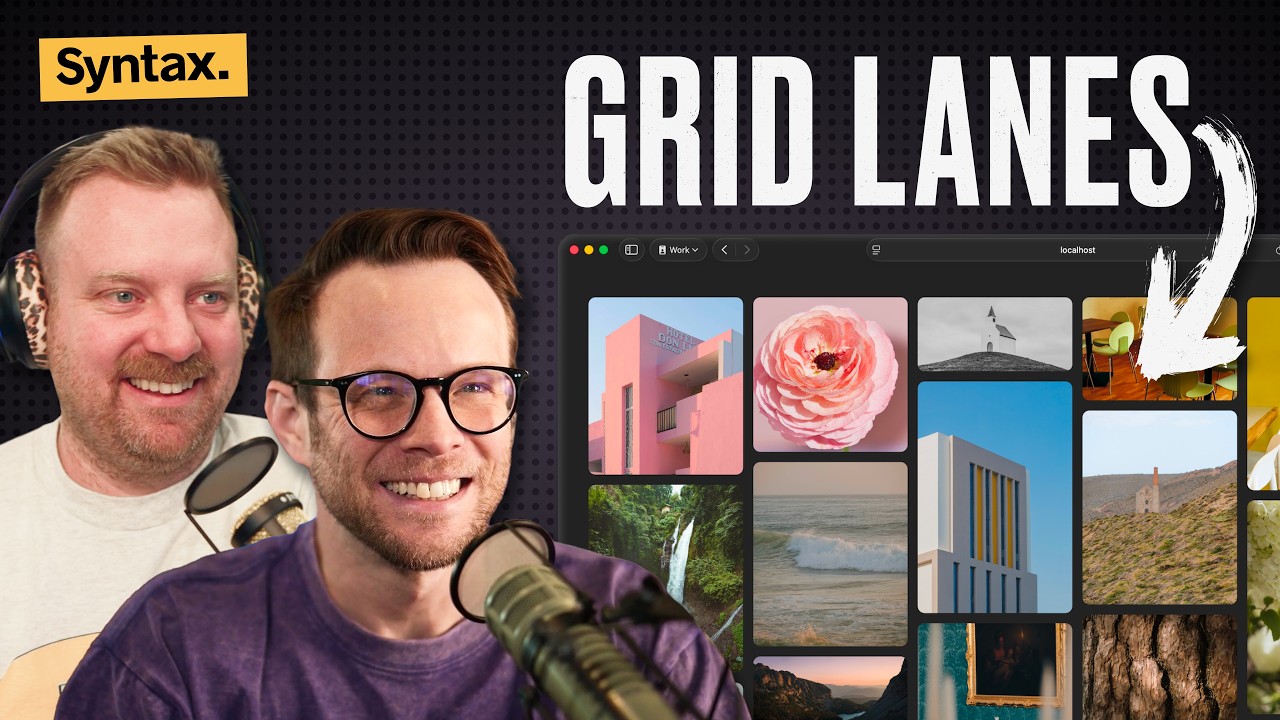
🔗 **Source:** [10 New CSS and HTML APIs](https://www.youtube.com/watch?v=unqPqGeJMck)
> [!note]+ Document Notes
> tags: #css #html #web-apis #frontend #canvas #masonry #container-queries
> author: Syntax
> source: YouTube
> reference: https://www.youtube.com/watch?v=unqPqGeJMck
> date created: 2024-12-30 14:30
>
> # 🏷️ Title: 10 New CSS and HTML APIs
>
<!-- deep-read:sections start -->
## 🧰 Action Inbox
- [H1] Experiment with CSS masonry layout for photo galleries — available in Safari 26.4 #css #masonry
- [H1] Test HTML in canvas API for interactive effects — behind Chrome flag #html #canvas
- [H2] Implement name-only container queries for better CSS scoping — Chrome 148+ #css #container-queries
## 🧭 Table of Contents
- [[#📝 Summary]]
- [[#📖 Main Content]]
- [[#🗒️ Notes]]
- [[#📚 References]]
- [[#🗣️ Paraphrase]]
- [[#📰 Newsletter]]
- [[#✅ Action Items]]
- [[#🧪 Hypotheses]]
- [[#📊 Methodology]]
- [[#❓ Questions]]
- [[#🔮 Future Research]]
- [[#💡 Implications]]
- [[#🧠 Learning Styles Assessment]]
- [[#📊 Accessibility Assessment]]
- [[#🌍 DEIB Assessment]]
- [[#✅ Logical Validity]]
- [[#🛡️ DARVO Analysis]]
- [[#🎯 Conclusion]]
### 🔗 References
- [WebKit CSS Masonry Post](https://webkit.org)
- [HTML in Canvas Demos](https://github.com)
- [CSS Tricks Border Image Examples](https://css-tricks.com)
## 📝 Summary
- Scott and Wes cover 10 new CSS and HTML APIs, ranging from production-ready features to experimental capabilities
- Key highlights include CSS masonry layout, HTML in canvas API, and enhanced container queries
- Many features are browser-specific or behind flags, representing the cutting edge of web development
- Focuses on both practical implementations and creative possibilities for modern web interfaces
- Demonstrates how web platform continues evolving beyond current framework limitations
## 📖 Main Content
The hosts discuss emerging web platform features that expand creative and functional possibilities. CSS masonry layout (`display: grid-lanes`) finally provides native Pinterest-style layouts without the limitations of CSS columns or complex grid workarounds. The experimental HTML in canvas API represents a breakthrough for interactive effects, allowing regular HTML elements inside canvas with full accessibility while enabling pixel-level manipulation through shaders and effects.
Container queries receive an upgrade with name-only syntax, enabling better CSS scoping without complex selectors. Additional improvements include enhanced sticky positioning, multicolumn layout fixes, and new pseudo-selectors for search highlighting. The discussion emphasizes how these APIs solve longstanding web development pain points while opening new creative possibilities.
## 🗒️ Notes
#### ⏱️ [00:00](https://youtu.be/unqPqGeJMck?t=0) — [H1] Introduction to new CSS and HTML features
- Key idea: Major additions to web platform capabilities across browsers
- Evidence: "There has been some big things added and some small things added, some nice quality of life things"
#### ⏱️ [02:15](https://youtu.be/unqPqGeJMck?t=135) — [H1] CSS Masonry API with display grid-lanes
- Key idea: Native Pinterest-style layouts without fixed heights or column limitations
- Evidence: "display grid lanes. Can it get any more simple than that?"
#### ⏱️ [04:30](https://youtu.be/unqPqGeJMck?t=270) — [H1] HTML in canvas API for interactive effects
- Key idea: Regular HTML elements inside canvas with full accessibility and pixel manipulation
- Evidence: "You cannot draw HTML to canvas and the other problem is that when you make UI in canvas it's very hard to make accessible"
#### ⏱️ [07:45](https://youtu.be/unqPqGeJMck?t=465) — [H2] Canvas effects demonstrations
- Key idea: Live HTML forms with pixelization, blur, and distortion effects
- Evidence: "This is literally a canvas element. And then inside of that, you can just put regular HTML"
#### ⏱️ [12:20](https://youtu.be/unqPqGeJMck?t=740) — [H2] Name-only container queries for CSS scoping
- Key idea: Container queries without size conditions, enabling native CSS scoping
- Evidence: "You would give your container name property a name. So container name sidebar"
#### ⏱️ [15:10](https://youtu.be/unqPqGeJMck?t=910) — [H3] Safari haptic feedback removal
- Key idea: Programmatic vibration through checkbox switches was fixed as regression
- Evidence: "It was only ever supposed to be associated with a user interaction"
#### ⏱️ [16:45](https://youtu.be/unqPqGeJMck?t=1005) — [H2] CSS random function for dynamic values
- Key idea: Native randomness in CSS without JavaScript seed management
- Evidence: "CSS random random 0 10 1002 will choose an even number between 0 and 100"
#### ⏱️ [18:30](https://youtu.be/unqPqGeJMck?t=1110) — [H3] Search text pseudo-selector styling
- Key idea: Custom styling for browser search highlights and current matches
- Evidence: "Search text is allowing you to style the when you do command F in a browser"
#### ⏱️ [21:15](https://youtu.be/unqPqGeJMck?t=1275) — [H3] Sticky positioning per-axis improvements
- Key idea: Sticky elements now work in both horizontal and vertical directions
- Evidence: "Sticky positioning now works on a per axis basis"
#### ⏱️ [22:40](https://youtu.be/unqPqGeJMck?t=1360) — [H3] Multicolumn layout wrapping
- Key idea: Column layouts now wrap to new lines when height constraints are met
- Evidence: "If you have too much text for the amount of columns you specify, if you specify a height, it puts them on the next line"
#### ⏱️ [24:20](https://youtu.be/unqPqGeJMck?t=1460) — [H2] Border shape insets and outsets
- Key idea: Custom border shapes with focus outline following the shape
- Evidence: "Border shape can handle both insets and outsets"
#### ⏱️ [27:30](https://youtu.be/unqPqGeJMck?t=1650) — [H3] Element-scoped view transitions
- Key idea: Better organization of view transition animations with grouping
- Evidence: "You can have tightly scoped view transitions where in the past like if you wanted to do the automatic view transition movement"
## 📚 References
- [WebKit CSS Masonry Documentation](https://webkit.org)
- [HTML in Canvas API Specification](https://github.com)
- [CSS Border Shape Examples](https://css-tricks.com)
- [View Transitions API Documentation](https://developer.mozilla.org)
## 🗣️ Paraphrase
- CSS masonry layout finally provides native Pinterest-style grids without the limitations of previous approaches like CSS columns or complex grid hacks
- HTML in canvas API allows developers to place regular HTML inside canvas elements while maintaining accessibility and enabling advanced visual effects through pixel manipulation
- Container queries now support name-only syntax for better CSS scoping, plus various quality-of-life improvements across sticky positioning, multicolumn layouts, and search styling
## 📰 Newsletter
The web platform continues its rapid evolution with exciting new APIs that solve longstanding development challenges. CSS masonry layout brings native Pinterest-style grids through simple `display: grid-lanes` syntax, while the experimental HTML in canvas API opens possibilities for advanced visual effects without sacrificing accessibility.
These features represent significant progress in web capabilities, from practical layout solutions to creative interactive possibilities. The HTML in canvas demos showing live form effects and pixel manipulation hint at a future where web apps can achieve native-like visual polish while maintaining web platform advantages.
Resources: [Learn WordPress](https://learn.wordpress.org/), [Developer Docs](https://developer.wordpress.org/), [WP-CLI](https://wp-cli.org/)
## ✅ Action Items
#### DevRel
- Developer advocacy: Create demos showcasing new CSS/HTML APIs, present at conferences
- Education: Develop tutorials for masonry layout and container query scoping
- Developer experience: Update documentation with browser support matrices
- Developer marketing: Promote experimental features through blog posts and videos
- Community management: Gather feedback on API usability and edge cases
#### Community
- Contributors: Test experimental APIs and report bugs to browser vendors
- Sponsors: Support cross-browser compatibility testing infrastructure
- Ecosystem: Create polyfills and progressive enhancement strategies
#### WordPress
- Core: Evaluate masonry layout for block editor and theme layouts
- Design: Explore HTML in canvas for enhanced block animations
- Documentation: Update CSS guidelines with new layout capabilities
- Themes: Provide examples of modern CSS API usage in default themes
## 🧪 Hypotheses
- CSS masonry layout will significantly reduce JavaScript dependencies for complex grid layouts
- HTML in canvas API will enable web apps to achieve native-like visual effects while maintaining accessibility
- Name-only container queries will improve CSS architecture and reduce specificity conflicts
- Border shape API will replace many SVG-based design patterns with pure CSS solutions
### 📊 Methodology
- Study design: A/B test masonry vs JavaScript grid performance across devices
- Data sources: Browser usage analytics and performance metrics for new APIs
- Experiments: Progressive enhancement strategies comparing fallback complexity
### ❓ Questions
- How will these new APIs affect framework adoption and CSS-in-JS usage patterns?
- What accessibility considerations emerge when mixing HTML and canvas rendering contexts?
- How do these features impact bundle sizes compared to current JavaScript solutions?
### 🔮 Future Research
- Cross-browser compatibility testing for experimental APIs
- Performance impact analysis of HTML in canvas vs traditional approaches
- Developer adoption patterns for new CSS layout capabilities
### 💡 Implications
- Practice: Reduced dependency on JavaScript for complex layouts and animations
- Policy: Browser feature parity considerations for web platform advancement
- Security: Canvas-based rendering implications for content security policies
- Education: Updated curriculum needed for modern CSS capabilities
- Funding: Investment in browser compatibility and polyfill development
### 🧠 Learning Styles Assessment
Reading level estimate: 10th grade
#### 👀 Visual learners
- Present: Multiple live demo screenshots and code examples
- Improve: Interactive CodePen examples and visual API comparison charts
#### 🔊 Aural learners
- Present: Full audio podcast format with detailed explanations
- Improve: Timestamped audio summary highlighting key APIs
#### 🗣️ Verbal learners
- Present: Clear analogies (Pinterest-style, CRT TV effects) and technical definitions
- Improve: Glossary of new CSS terms and browser support explanations
#### 🧩 Kinesthetic learners
- Present: Step-by-step implementation examples with immediate results
- Improve: Interactive playground for testing new APIs with real code
#### 🧠 Logical learners
- Present: Browser support timelines and feature comparison tables
- Improve: Decision trees for choosing between traditional and new approaches
#### 🧑🤝🧑 Social learners
- Present: Podcast discussion format with multiple perspectives
- Improve: Community challenges using new APIs and shared examples
#### 🧘♀️ Solitary learners
- Present: Detailed technical explanations suitable for independent study
- Improve: Self-assessment questions about API applicability
#### 🌿 Naturalistic learners
- Present: Evolution metaphors for web platform development
- Improve: Ecosystem thinking about how APIs interact and mature
### 📊 Accessibility Assessment
#### Screen reader semantics
- Present: Clear headings and content structure in examples
- Improve: Explicit discussion of accessibility benefits in HTML canvas API
#### Keyboard navigation
- Present: Emphasis on maintaining HTML functionality in canvas
- Improve: Specific keyboard interaction examples with new APIs
#### Contrast and readability
- Present: Clear code examples and explanations
- Improve: High contrast demos for visual effect examples
#### Text resizing and reflow
- Present: Responsive design considerations mentioned
- Improve: Specific guidance on responsive behavior with new layouts
#### Media and captions
- Present: Full transcript available for video content
- Improve: Visual descriptions of demonstration effects
#### Forms and interactions
- Present: Strong emphasis on maintaining form functionality in canvas
- Improve: Specific examples of accessible custom form styling
### 🌍 DEIB Assessment
#### Cultural breadth
- Present: Universal web platform improvements affecting global audience
- Improve: Examples from different cultural design patterns and layouts
#### Inclusive language
- Present: Clear technical explanations without exclusionary jargon
- Improve: Define all technical terms for broader accessibility
#### Neurodiversity support
- Present: Well-structured content with clear headings
- Improve: Alternative text descriptions for visual effects demonstrations
#### Representation
- Present: Focus on technical capabilities rather than specific demographics
- Improve: Diverse use case examples beyond Western design patterns
#### Psychological safety
- Present: Encouraging tone about experimental features
- Improve: Clear guidance about production readiness and fallbacks
### ✅ Logical Validity
#### Strong reasoning
- Deductive strength: Clear progression from browser support to practical implications
- Inductive strength: Multiple examples supporting broader platform evolution trends
- Causal reasoning: Direct connections between API capabilities and developer benefits
- Analogical strength: Effective comparisons to familiar concepts (Pinterest, CRT TVs)
#### Fallacies
- Appeal to novelty: Occasional excitement about new features without considering downsides
- Hasty generalization: Some conclusions about developer adoption based on limited examples
#### Tone of voice
- Overall tone: Enthusiastic and informative, with appropriate technical depth and practical focus
### 🛡️ DARVO Analysis
- Deny: No denial patterns present
- Attack: No attacks on accusers present
- Reverse victim/offender: No victim/offender dynamics present
- Emotional cues and rhetoric: Positive excitement about platform progress without manipulation
## 🎯 Conclusion
These 10 new CSS and HTML APIs represent significant progress in web platform capabilities, from long-awaited layout solutions like CSS masonry to revolutionary possibilities with HTML in canvas. While many features are still experimental or have limited browser support, they point toward a future where web development becomes more powerful and expressive while maintaining accessibility and web standards. Developers should begin experimenting with stable features while preparing for broader adoption of experimental APIs as browser support improves.
## 🧱 Refactor Appendix
### 📚 Literature Split Pad
Purpose: Stage CEE units that become Literature notes.
Split level: H3
### [H1] CSS masonry enables native Pinterest layouts
> [!quote] [10 New CSS and HTML APIs](https://www.youtube.com/watch?v=unqPqGeJMck) by [[Syntax]] via [[YouTube]]. Published 2024. Accessed 2024-12-30.
> "display grid lanes. Can it get any more simple than that?"
Native masonry without JavaScript dependencies or height constraints.
[view highlight](https://youtu.be/unqPqGeJMck?t=135#H1) #xref #articleseed ID:rw_001
### [H2] HTML in canvas preserves accessibility
> [!quote] [10 New CSS and HTML APIs](https://www.youtube.com/watch?v=unqPqGeJMck)
> "You cannot draw HTML to canvas and the other problem is that when you make UI in canvas it's very hard to make accessible"
Experimental API solves canvas accessibility limitations through regular HTML elements.
[view highlight](https://youtu.be/unqPqGeJMck?t=270#H2) #xref ID:rw_002
---
### 🔖 Atomic Split Pad (Zettel Candidates)
Purpose: Promote reusable claims into Atomic notes.
Split level: H4
#### [Z1] Container queries enable CSS scoping patterns
- Name-only syntax provides alternative to complex CSS-in-JS solutions
- Pointer to 12:20 timestamp
- Links: [[CSS-Architecture]] [[Component-Scoping]]
#### [Z2] Border shape API replaces SVG design patterns
- Native CSS solution for custom border effects and focus outlines
- Pointer to 24:20 timestamp
- Links: [[CSS-Borders]] [[SVG-Alternatives]]
---
### ✏️ Fleeting Queue
Purpose: Capture quick actions for Fleeting notes.
- [F1] Test CSS masonry browser support timeline — Safari 26.4 current #fleeting #inbox
- [F2] Experiment with HTML canvas accessibility patterns — behind Chrome flags #fleeting #inbox
- [F3] Evaluate framework
---
## Full Transcript
[00:00] Welcome to syntax. Today we are talking<br>[00:02] about a bunch of new stuff in CSS and<br>[00:05] HTML. There has been some big things<br>[00:08] added and some small things added, some<br>[00:10] nice quality of life things and some<br>[00:13] really exciting things that you cannot<br>[00:15] use just yet, but you can play around<br>[00:18] with. There is just like an onslaught of<br>[00:20] new stuff. So, we've collected a handful<br>[00:23] of these things and are going to be<br>[00:24] sharing with you today. My name is Scott<br>[00:27] Tolinsky. I'm a developer from Denver.<br>[00:28] With me as always is Wes Boss. What's<br>[00:30] up, Wes?<br>[00:30] >> I can't wait to talk about the HTML and<br>[00:33] canvas thing. Honestly,<br>[00:36] >> I didn't even know that this was going<br>[00:37] to be a thing. I didn't even know this<br>[00:38] was an option. And now the world has<br>[00:41] opened up to me. Yeah.<br>[00:42] >> Yeah.<br>[00:44] >> My brain has been opened up by some of<br>[00:45] these demos for this. So, I'm stoked to<br>[00:47] get into that, too. So, stay tuned,<br>[00:49] folks. We're going to be talking about<br>[00:50] what the heck HTML in canvas is and why<br>[00:53] it's going to allow for<br>[00:56] crazy stuff going on on the web. though.<br>[00:58] So, the very first one I want to get<br>[00:59] into is something that has been long<br>[01:01] awaited in CSS, which is the CSS masonry<br>[01:04] API, aka the actual name for this thing<br>[01:07] is CSS grid lanes. There's a display<br>[01:10] property, display grid lanes, and then<br>[01:13] you can specify using grid template<br>[01:15] columns, those types of things, and GAP,<br>[01:17] the CSS properties that we know and<br>[01:19] love. The only difference is is that the<br>[01:22] content actually filters in in the<br>[01:24] classic masonry Pinterest style layout.<br>[01:28] Uh, this can be useful for all kinds of<br>[01:30] things beyond just your classic photo<br>[01:32] grids or things like that. I saw it<br>[01:33] being used for like footer uh links to<br>[01:37] have the footer links all shuffled<br>[01:38] correctly. This is kind of the the best<br>[01:42] possible thing we could be adding as an<br>[01:44] implementation for the masonry style<br>[01:47] layouts in CSS. It's going to allow for<br>[01:50] the shuffling of elements in such a<br>[01:52] great way where uh in the past we had<br>[01:55] CSS columns that where things went like<br>[01:57] 1 2 3 down a vertically before going<br>[02:01] into the next column. This is actually<br>[02:03] going to do the opposite where things<br>[02:05] will fill in kind of where they fit in<br>[02:07] left to right. They will just kind of<br>[02:09] fit and and you can actually do it right<br>[02:11] to left or uh up to down, left to right.<br>[02:13] You could you can change all of that as<br>[02:14] well. But I if you just want a straight<br>[02:16] up masonry style layout, man, display<br>[02:20] grid lanes. Can it like get any more<br>[02:22] simple than that? It is really super<br>[02:25] cool. That's it. There's nothing to<br>[02:27] learn here. It's simply just display<br>[02:30] grid lanes. And now you can have<br>[02:33] multiple like like a Pinterest style<br>[02:35] layout, which is something that we have<br>[02:37] been trying to do forever. And we had<br>[02:40] like in we had what like box pack fit in<br>[02:44] CSS grid but it never was perfect and<br>[02:46] and it it didn't go the way you wanted<br>[02:48] and it had to have a fixed height. There<br>[02:50] was always gotas with this type of thing<br>[02:52] and now we have it and I am so happy<br>[02:56] >> that we can finally have this type of<br>[02:58] layout. It's going to make doing these<br>[03:00] types of websites so much easier and<br>[03:03] like also like it opens up new creative<br>[03:05] use cases as well.<br>[03:07] >> Yeah. Yeah. Super cool stuff. So, we<br>[03:09] we'll we'll link up a WebKit post. This<br>[03:11] is available right now in the uh as of<br>[03:15] Safari version 26.4<br>[03:18] and it it's behind a flag in Chrome and<br>[03:21] Firefox. So, not long off here. Really<br>[03:24] stoked about this one. All right. Next,<br>[03:26] we have this HTML in canvas API. And I<br>[03:30] had zero idea that this was coming. It's<br>[03:33] an experimental API meaning that like it<br>[03:36] might not ever come but it sort of<br>[03:38] solves one problem we have with canvas<br>[03:42] which is you you cannot draw HTML to<br>[03:45] canvas and the other problem is that<br>[03:47] when you make UI in canvas if if you<br>[03:51] want to like add effects or whatever<br>[03:52] with canvas then it's it's very hard to<br>[03:55] make accessible. So, this new UI will<br>[03:59] allow you to simply just put elements<br>[04:03] inside of a canvas. Like I'm I got my<br>[04:05] dev tools open right here. This is<br>[04:06] literally a canvas element. And then<br>[04:08] inside of that, you can just put regular<br>[04:12] HTML. And then there are some JavaScript<br>[04:14] APIs that will allow you to paint that<br>[04:17] HTML to the canvas. Now, why would you<br>[04:19] want to do that? Well, there are so many<br>[04:22] different effects that you can do with<br>[04:24] canvas that you you can put a canvas in<br>[04:28] front of HTML. Um, you can use SVG where<br>[04:32] there's some tricks where you can put<br>[04:34] HTML inside of an SVG and now it's an<br>[04:36] image and then you can paint that to<br>[04:38] canvas. But there's a whole bunch of<br>[04:39] limitations. That's actually how we use<br>[04:41] on the Synhax platform. But this is<br>[04:43] simply just you can put most HTML inside<br>[04:47] of a canvas element and then apply any<br>[04:50] shaders or any any whatever things that<br>[04:54] you want to the canvas element. So here<br>[04:56] I've got pixelization and I can just go<br>[04:58] ahead and like type in it. Right? Like<br>[05:01] this demo is totally unreadable for<br>[05:03] people who are not watching this. Uh<br>[05:06] it's completely pixelated form input<br>[05:08] >> HTML<br>[05:10] >> in here. Yeah, it's it's obviously a<br>[05:11] stupid example, but it's just showing<br>[05:13] how like this is live HTML and like I<br>[05:16] don't know like if you backed it off a<br>[05:18] little bit, that kind of looks kind of<br>[05:20] cool, right? I got a question about<br>[05:22] that, Wes. If you just had the HTML<br>[05:24] inside of the canvas, would it just<br>[05:25] render as normally or do you have to uh<br>[05:29] tell it to render the HTML?<br>[05:31] >> There is a like a request drawing API on<br>[05:36] it where you have to explicitly tell it<br>[05:38] to to draw. I'm curious about<br>[05:44] what would happen if you're not I have a<br>[05:46] whole bunch of demos in here, but I I<br>[05:49] assume it would probably fall back, but<br>[05:51] maybe not. Um because maybe that's not<br>[05:53] what you want.<br>[05:54] >> Yeah, I need some handholding sometimes<br>[05:56] in these demos. I look through them and<br>[05:58] I'm like, what is required here and what<br>[05:59] is not required?<br>[06:00] >> Yeah. So, here here's another example<br>[06:02] where I made a magnifying glass for a<br>[06:04] website. Um, and because the HTML is is<br>[06:08] being drawn to it, right? Like you can<br>[06:10] see I'm I'm just typing into this input<br>[06:12] here,<br>[06:13] >> but and I'm I'm using a magnifying glass<br>[06:16] to to make that bigger and and slightly<br>[06:18] distort it, right?<br>[06:19] >> Um, another one is frosted. Um, so here<br>[06:23] you can see like this is just text. I'm<br>[06:25] >> Can you describe what you're doing, Wes?<br>[06:27] For the<br>[06:27] >> audio. Sorry. This is uh creating like a<br>[06:31] a frosted effect on a window. you know,<br>[06:34] if you're blow on a window on like a a<br>[06:36] cold warm day and then use your finger<br>[06:39] to wipe the frost away. Um, I'm I'm<br>[06:43] doing that. And in this again, you could<br>[06:45] have kind of done this before where you<br>[06:47] could put a canvas in front of the HTML,<br>[06:50] but what I'm doing here is I'm literally<br>[06:52] um I'm blurring the stuff that is behind<br>[06:55] the canvas, you know, and then as you<br>[06:58] use your finger to move the frost out of<br>[06:59] the way, it becomes less blurred. is a<br>[07:02] little random every single time. There's<br>[07:04] some other really cool demos from Here<br>[07:07] we go. Matt Rothenberg had a cool demo<br>[07:10] where<br>[07:12] he's Look at this. And if you pause it<br>[07:15] really quickly, you'll see<br>[07:16] >> what is happening now, Wes, for the<br>[07:18] >> Oh my gosh, I'm so sorry audio<br>[07:20] listeners. He has a two things. One is<br>[07:23] when you have an input, you have like a<br>[07:25] kind of a cool box that's following<br>[07:27] around the currently focused input. Um,<br>[07:30] and that is just rendering out a cool<br>[07:32] border hover effect around each of the<br>[07:35] inputs, which you could have done that<br>[07:37] previously with canvas and some work,<br>[07:38] but I think it's a lot easier now. Um,<br>[07:41] and then the other thing is that when<br>[07:42] you submit it, this like scan line goes<br>[07:45] down through the form and sort of like<br>[07:49] like wipes it off the page, right? But<br>[07:52] part of the wipe is you'll see that the<br>[07:55] the wording is getting slightly<br>[07:58] stretched and blurred as it's being<br>[08:00] wiped off. Um, and I thought that was<br>[08:03] such a cool effect. Even like, you know,<br>[08:05] on iOS when you bring up like Siri on<br>[08:08] iOS where you<br>[08:11] >> it slightly does like um a gradient<br>[08:14] border around your phone or when you do<br>[08:17] your volume up and down on iOS, it<br>[08:20] actually pushes in the content that is<br>[08:22] on the screen. It's not just overlapping<br>[08:24] the volume slider. The volume slider is<br>[08:27] literally pushing the content over and<br>[08:29] it slightly warps it. And I think like<br>[08:31] that kind of stuff is so cool that you<br>[08:34] can have control over how the pixels are<br>[08:37] painted in the DOM, right? Whatever is<br>[08:40] simply falling behind this volume<br>[08:42] slider. I want to simply push that over.<br>[08:45] And that is something that you have not<br>[08:47] been able to do. you've been able to<br>[08:49] like have SVG filters on top of things,<br>[08:52] but in actually having full control over<br>[08:55] how the pixels are rendered on the<br>[08:57] screen without having to give up or move<br>[09:00] to something or give up a whole bunch of<br>[09:01] accessibility and whatnot. You just<br>[09:03] regular HTML inside of a canvas element.<br>[09:06] >> Yeah.<br>[09:07] >> So, it's<br>[09:07] >> I don't know if this will make it or<br>[09:09] not.<br>[09:10] >> So cool, though.<br>[09:11] >> It's so cool. Yeah.<br>[09:14] >> This jelly slider right here. Like we<br>[09:17] saw this demo on on Twitter a couple<br>[09:19] years ago or a couple weeks ago.<br>[09:21] >> Yeah, a couple it feels like a years ago<br>[09:22] at this point. Yeah.<br>[09:24] >> If I inspect element on this jelly<br>[09:25] slider, it is simply just an input,<br>[09:28] right?<br>[09:29] >> Input. That's the best part, folks,<br>[09:31] because people who might not know is the<br>[09:32] moment you get into any of this canvas<br>[09:34] stuff, you're you're having to write so<br>[09:37] much uh interactivity code or in the<br>[09:40] case of inputs, forget about it, you<br>[09:42] know, like so<br>[09:44] >> having the actual DOM elements and then<br>[09:48] you don't lose accessibility in canvas<br>[09:50] based sites, too. It's it's really just<br>[09:53] what a what a powerhouse of an API this<br>[09:56] is. So, here's another one from Jake<br>[09:59] Archerald where like if you wanted like<br>[10:02] like a old CRT TV where things are<br>[10:04] slightly what do you call that shape<br>[10:06] that the CRT TV has, you know, where<br>[10:09] it's it's not perfectly square but<br>[10:11] there's a bit of an arch to it.<br>[10:13] >> Yeah, it's con kind of<br>[10:15] >> convex something like that. Woo! So<br>[10:19] cool. And like again, this is just<br>[10:21] regular old HTML. I can inspect element<br>[10:24] on it, you know, I can change some of<br>[10:26] the text inside of that. I can use all<br>[10:28] of the stuff that I'm used to<br>[10:30] >> in HTML and it's just updated any any<br>[10:34] effects you have. So, I'm going to I'm<br>[10:35] building out some more demos with this<br>[10:37] because this is right down my alley.<br>[10:39] >> Yeah, it you know what it kind of feels<br>[10:41] like it would give the uh the stuff that<br>[10:44] we wanted to do with Houdini. Now, now<br>[10:46] you could kind of do you could do all<br>[10:47] kinds of custom rendering. Uh<br>[10:49] >> yes.<br>[10:50] >> Yeah. Really stoked. I think like a lot<br>[10:52] of the Houdini stuff like never panned<br>[10:54] out. We and it ended up making its way<br>[10:56] via things like like text align center<br>[10:59] or or what is it? Text wrap balance, you<br>[11:01] know.<br>[11:02] >> Absolutely.<br>[11:02] >> But I think that this is another one of<br>[11:04] those APIs where yeah, just render out<br>[11:07] the HTML to a canvas element and then<br>[11:09] you've got the pixels. You can do<br>[11:11] whatever you want. You can put shaders<br>[11:12] on it. You can tweak it. You can morph<br>[11:15] it. Whatever you want. So, I hope this<br>[11:17] works in. It's behind a flag in Chrome<br>[11:20] right now. So obviously you can't use<br>[11:22] this on any website but everybody who<br>[11:24] saw this is like yes I absolutely need<br>[11:26] this thing for uh making nextg<br>[11:29] interfaces.<br>[11:30] >> Nice. I have a one that you might not<br>[11:32] have seen here and this one kind of flew<br>[11:35] underneath the radar. Firefox 149,<br>[11:37] Chrome 148 and uh the same version of<br>[11:42] Safari that brings was it 26.4 before<br>[11:44] that brought grid lanes are are bringing<br>[11:48] container queries that you don't have to<br>[11:51] specify the actual query part of the<br>[11:53] container query. You can just specify<br>[11:56] the name. So the way you would do this<br>[11:59] is you would on a wrapper you would give<br>[12:02] your container name property a name. So<br>[12:04] container name sidebar. Then you could<br>[12:06] just use the at@ container sidebar and<br>[12:09] that would scope the CSS to that<br>[12:12] container specifically. giving you<br>[12:14] basically another way of doing uh scoped<br>[12:19] CSS that is baked into the platform<br>[12:22] because right now all the scope CSS<br>[12:24] solutions are adding a bunch of classes<br>[12:25] to scope and this is again just another<br>[12:28] way that we could have native scoping in<br>[12:30] CSS because uh typically with container<br>[12:33] queries you're specifying like a style<br>[12:34] query okay apply this CSS when this<br>[12:37] value is equal to this or apply this CSS<br>[12:40] when the container width or size is this<br>[12:42] or this but this is basically just<br>[12:44] apply this CSS inside of this container,<br>[12:48] but it does scope it. So that way you<br>[12:50] could use more generic specifiers inside<br>[12:53] of that and scope it to that container<br>[12:56] itself. Oh<br>[12:59] man, I think that that is awesome<br>[13:03] because like we have at scope in CSS now<br>[13:08] and I I ended up I tried using this for<br>[13:11] uh a project I was working on the other<br>[13:13] day and like it just didn't feel right<br>[13:16] >> um<br>[13:16] >> really.<br>[13:17] >> And you can at scope you can give it a<br>[13:20] selector but and then you can also donut<br>[13:23] scope which is really cool. So you can<br>[13:25] start the scope and you can tell it to<br>[13:26] end at a specific thing which that's<br>[13:28] great as well. And this is this is<br>[13:30] widely supported as well. But the<br>[13:34] ability to make like named scopes like<br>[13:36] sidebar<br>[13:38] that's great and you're simply just<br>[13:40] using container queries for that. And<br>[13:43] very likely you also want to do things<br>[13:45] with your container queries as well. And<br>[13:48] then those are not two separate APIs.<br>[13:49] This is simply just the container spec.<br>[13:52] And now then there's style queries as<br>[13:54] well coming to container queries.<br>[13:56] I am in that that is awesome. So that's<br>[14:00] just called name only container queries.<br>[14:04] >> Yeah, it's hard to actually find<br>[14:05] anything about this. I saw it because<br>[14:07] Chris Koyer had a tweet and then um<br>[14:10] >> uh front-end masters had a post on it<br>[14:12] and then I'm start looking for what the<br>[14:14] support is and I could only find it in<br>[14:16] GitHub issues and stuff. So, uh, one of<br>[14:18] those things that was hard to track down<br>[14:19] what the support is, but really neat.<br>[14:22] According to Anthony Ferner on Blue Sky,<br>[14:26] he says it's in Firefox 149, Chrome 148,<br>[14:30] and now Safari 24 or 26.4, 24.6, one of<br>[14:35] the 26.4. Yes, there we go.<br>[14:37] >> Okay.<br>[14:37] >> And if you want to see all of the errors<br>[14:39] in your application, you'll want to<br>[14:41] check out Sentry at centry.io/sintax.<br>[14:46] You don't want a production application<br>[14:47] out there that well, you have no<br>[14:49] visibility into in case something is<br>[14:51] blowing up and you might not even know<br>[14:53] it. So, head on over to centry.io/sax.<br>[14:56] Again, we've been using this tool for a<br>[14:58] long time and it totally rules. All<br>[15:00] right,<br>[15:02] man. I am in. There's so much of CSS<br>[15:06] that doesn't get the like props that it<br>[15:08] needs to. Um, and I attribute that to<br>[15:12] people<br>[15:13] being obsessed with AI right now. You<br>[15:15] know, there's there's not a lot of time<br>[15:17] to to spend on new CSS stuff or like<br>[15:20] everybody's just cranking out Tailwind<br>[15:22] left and right. And like a lot of this<br>[15:24] new stuff is not supported in Tailwind<br>[15:26] at all.<br>[15:26] >> So, it's kind of hard, but there's so<br>[15:29] much cool stuff added to CSS that is<br>[15:31] super powerful.<br>[15:33] >> Yeah.<br>[15:34] >> Couple other ones. Safari again cranking<br>[15:36] on all of these things. First of all, a<br>[15:39] couple episodes ago, we talked about the<br>[15:41] ability to use haptic feedback in the<br>[15:43] browser in in iOS now, which means like<br>[15:45] if you have your phone and you want to<br>[15:47] like slightly vibrate it to the user to<br>[15:50] tell them that something has happened,<br>[15:51] there was a a trick where if you have an<br>[15:54] input type of checkbox and you give it a<br>[15:57] switch attribute, which is only<br>[15:59] supported in Safari, it will when you<br>[16:02] you turn a switch on and off,<br>[16:04] >> it would do a little vibration. So,<br>[16:06] people figured out that you can<br>[16:07] programmatically turn a switch on and<br>[16:08] off many times and you'd be able to get<br>[16:11] haptic feedback in the web. Apparently,<br>[16:13] I went back in the like WebKit GitHub<br>[16:15] repo in in the WebKit docs. Apparently,<br>[16:19] it was only ever supposed to be<br>[16:22] associated with a user interaction.<br>[16:24] Like, same thing like opening up a popup<br>[16:26] window or playing audio. Those things<br>[16:29] always have to be associated with like a<br>[16:31] click or some sort of user interaction.<br>[16:33] you just can't fire them off<br>[16:35] willy-nilly. And I think I think that<br>[16:37] was just a regression in Safari for one<br>[16:40] version that people figured out. You can<br>[16:42] do that because it's been fixed and you<br>[16:43] can no longer use haptic feedback on the<br>[16:45] web. So,<br>[16:46] >> thanks Safari.<br>[16:48] >> Sorry. But it's one of those APIs that<br>[16:50] like the navigator.vibrate like Safari.<br>[16:54] It's just one of those ones that like<br>[16:55] adds more fuel to the fire that uh Apple<br>[16:58] intentionally<br>[17:00] like limits the browser APIs because<br>[17:04] what they don't want people abusing<br>[17:05] >> they don't want people abusing it.<br>[17:08] >> But you're not going to tell that to the<br>[17:10] native developers. We don't want you<br>[17:11] abusing it. Like come on.<br>[17:13] >> Yeah.<br>[17:14] >> Instagram abuses it. If you scroll<br>[17:16] through people's stories every time like<br>[17:17] a friend likes that story as well. It<br>[17:20] goes it's so annoying. So I I see why.<br>[17:24] But that shouldn't that shouldn't stop<br>[17:26] us. You should be able to turn it off<br>[17:27] like like webcam access or anything<br>[17:29] else, right? Do you want this page to be<br>[17:31] able to vibrate?<br>[17:35] I don't know if that requires permission<br>[17:37] or not, but that's frustrating. One cool<br>[17:39] thing Safari did give us is random. So<br>[17:43] CSS random random 0 10 1002 will choose<br>[17:46] an even number between 0 and 100. This<br>[17:49] is so cool because I every time I need<br>[17:53] randomness in CSS, I have to go into my<br>[17:57] like my view layer and like pass in a<br>[18:00] CSS variable that has been<br>[18:02] programmatically<br>[18:03] calculated as random. Um, and then I<br>[18:06] also have to make something seated<br>[18:08] random because if you're doing server<br>[18:10] client rehydration, it needs to be the<br>[18:13] same amount of random um on the server<br>[18:15] and on the client. So then you have to<br>[18:17] get into seated random. So it's, you<br>[18:20] know, it's it's not as random, right?<br>[18:22] It's the same amount of same value you<br>[18:24] get on both sides. But this is something<br>[18:26] is a straight up CSS API where you can<br>[18:29] randomize your values, which is going to<br>[18:31] be great for<br>[18:32] >> awesome.<br>[18:32] >> I don't know it even just like rotating<br>[18:35] values on a page. I very often will<br>[18:37] rotate cards and I'll have to like on<br>[18:40] the Mad CSS website, I have to<br>[18:42] programmatically go in and give every<br>[18:44] single value a random random one.<br>[18:47] I'm in.<br>[18:49] >> Yeah. Yeah. Neat. I have a one here<br>[18:52] which is search text which is a new<br>[18:54] pseudo selector. So colon search text or<br>[18:59] there's a what do they call it when<br>[19:00] there's a double uh pseudo selector cuz<br>[19:03] you can do colon search text colon<br>[19:07] current as well. So it's like a second<br>[19:10] layer to it. I guess that's pseudo<br>[19:12] class.<br>[19:13] >> Those are just that's just stacking<br>[19:14] pseudo classes, right? That's no<br>[19:16] different than active and hover. Yeah.<br>[19:19] >> Yeah. Yeah. It's so funny to see that in<br>[19:21] action. It looks like something entirely<br>[19:23] new, but it's not at all. So, there's<br>[19:25] search search text in current. So,<br>[19:27] search text is allowing you to style<br>[19:30] like the when you do command F in a<br>[19:33] browser and you start searching, it<br>[19:35] allows you to style the way that that<br>[19:37] text is highlighted on the page matching<br>[19:41] the rest of your CSS for for searching.<br>[19:43] But the coolest thing is the the colon<br>[19:45] current on here because<br>[19:47] >> you can uh the you know when you do like<br>[19:51] next or next and next to find the<br>[19:53] current iteration, you can now style<br>[19:54] that however the heck you want.<br>[19:56] >> Oh,<br>[19:56] >> which is really super neat. So you could<br>[19:58] have some uh really to to really match<br>[20:01] the the theme of your site to make the<br>[20:03] current one look interesting, you know.<br>[20:06] I think I think there's all kinds of<br>[20:08] different ways you could make that look<br>[20:09] nicer than just putting a stupid<br>[20:11] highlight on it, right? That's great. I<br>[20:13] like that a lot because yeah, how how<br>[20:15] does a browser know that yellow or<br>[20:18] whatever is going to be the best version<br>[20:21] for you. So, this will allow you to<br>[20:23] highlight them. That's such a simple API<br>[20:25] and I'm so glad we have it. I do wish<br>[20:27] you know what I one thing that grinds my<br>[20:29] gears is that if you have like a search<br>[20:31] going and this is on tweets as well<br>[20:33] where I'm looking for a specific reply<br>[20:35] or a specific word in like people<br>[20:39] replying to a tweet. So I'll search for<br>[20:40] like syntax and then I'll scroll through<br>[20:43] some replies and as Twitter loads in<br>[20:45] more you know it's lazy loading the<br>[20:46] values the browser search doesn't<br>[20:49] update. So I have to like go back to my<br>[20:51] search like push space and then push<br>[20:53] backspace and then it uh then it applies<br>[20:55] to the markup on the page. I wish that<br>[20:57] the browser would say ah I have changed<br>[21:00] the markup on the page therefore I will<br>[21:03] rehighlight what is going on on the<br>[21:06] page. Do you think it's a just a<br>[21:07] virtualization issue or is it like<br>[21:10] always just the DOM not having the<br>[21:13] >> Well, like in that case like it would be<br>[21:15] nice if the browser like if the website<br>[21:18] would just use like the there's there is<br>[21:20] native APIs that allow you to like not<br>[21:23] render things but still maintain the<br>[21:26] search and that way you can you can find<br>[21:28] it. But in many cases like Twitter<br>[21:31] doesn't want to send a thousand replies<br>[21:34] on a single endpoint to to the thing. So<br>[21:38] you need to be like live searching every<br>[21:40] single time the DOM updates.<br>[21:42] >> Yeah. Word<br>[21:44] >> sticky both ways.<br>[21:46] >> Uh Una had a post the other day where<br>[21:50] Chrome 148 sticky positioning now works<br>[21:52] on a peraxis basis. So sticky headers in<br>[21:57] CSS, when you scroll, you're able to<br>[22:00] stick them to the top or or offset them<br>[22:02] certain amount, but it previously has<br>[22:05] only worked in one access, meaning that<br>[22:07] like you can scroll left to right or top<br>[22:08] to bottom. Um, and now they work in in<br>[22:11] both directions, which is awesome for<br>[22:14] specifically for uh like conference<br>[22:17] layouts. Uh or if you've got like a big<br>[22:20] tournament where there's I don't know<br>[22:22] three different places that people are<br>[22:24] playing, you want to figure out where<br>[22:25] they are, tables is one of the hardest<br>[22:27] things to do well on mobile and this<br>[22:29] will certainly improve that.<br>[22:31] >> Yeah. Yeah. I I think this is dope.<br>[22:34] Again, just more more stuff that we uh<br>[22:37] more stuff that we need here.<br>[22:39] >> It's just little paper cuts that are are<br>[22:41] being<br>[22:42] >> paper cuts.<br>[22:43] >> Yeah. Uh, another one with little paper<br>[22:45] cuts here is this multicolumn fixes. So,<br>[22:50] we all know multicolumn CSS sucks. U,<br>[22:53] but there is new column wrap properties<br>[22:57] as well as a new column height that now<br>[23:00] basically even if you were to specify<br>[23:02] how many columns before it would just<br>[23:04] continue to make them horizontal. But<br>[23:07] now what it does is if you have too much<br>[23:10] text for the amount of columns you<br>[23:12] specify, if you specify a height, it<br>[23:15] puts them on the next line. The reason<br>[23:18] why you would use this over something<br>[23:19] like flexbox is because this is breaking<br>[23:21] up a single like paragraph full of text<br>[23:24] instead of like<br>[23:25] >> okay<br>[23:25] >> having divs where you're se uh<br>[23:29] segmenting the text into different divs.<br>[23:31] So this would be long one long paragraph<br>[23:33] full of text and you want it to be in<br>[23:35] three columns and then if there's too<br>[23:37] much text for three columns then it's<br>[23:39] going to wrap onto another line. So just<br>[23:42] giving you that flexibility and freedom.<br>[23:44] Uh this is an API again that I I I<br>[23:47] pretty much avoid using uh but it<br>[23:49] definitely has its use case and and<br>[23:51] happy to see that it does in fact uh<br>[23:53] exist uh and and like working in a way<br>[23:56] that probably should have worked from<br>[23:58] the start.<br>[23:59] >> Yeah. Yeah, I agree. the columns has<br>[24:02] always been like kind of not great. You<br>[24:05] know, it it works okay, but here and<br>[24:07] there. And you have to think like a lot<br>[24:10] anytime we show any demos like this,<br>[24:11] people are always like, "Oh, I don't see<br>[24:13] where you would want to use that." And<br>[24:14] like I guarantee there's somebody who is<br>[24:16] like, "Oh, I work in publishing and we<br>[24:18] lay everything out in HTML and CSS<br>[24:21] >> and uh we need like this weird print<br>[24:24] stylesheet hack to make it work and like<br>[24:26] finally this is going to going to work<br>[24:28] well for you." So just because your<br>[24:30] single one website doesn't need this<br>[24:33] doesn't mean that it doesn't it<br>[24:34] shouldn't be added to the web platform<br>[24:36] because people use the web in many<br>[24:38] different ways in many weird ways.<br>[24:41] Border shape. Another one from Una.<br>[24:42] Border shape can handle both insets and<br>[24:45] outsets. So you can do this is so cool.<br>[24:48] Um you can<br>[24:50] >> make like breadcrumbs that are like<br>[24:52] chevrons and then the focus wrap will<br>[24:55] follow that along which is super cool.<br>[24:58] The border shape stuff has been so fun<br>[25:02] to work with. On the Mad CSS website, I<br>[25:06] used it for both for these ones right<br>[25:09] here. You see these little cutouts?<br>[25:10] >> Yeah.<br>[25:11] >> On the the tickets. So, I like I<br>[25:13] replicated like what a ticket would look<br>[25:15] like and then I used border shape to cut<br>[25:18] out the corners. And and that's been<br>[25:19] doable before with um you could use like<br>[25:22] a mask image, right? And that's what I'm<br>[25:24] falling back to. But this like where the<br>[25:28] border follows the border shape that was<br>[25:30] not really doable with with masking<br>[25:33] previously. So this the red inset value<br>[25:36] here looks so cool. It's not really<br>[25:39] something you could have done previously<br>[25:40] unless you like had like an image<br>[25:43] programmatically generated or you use<br>[25:44] like an SVG to sort of draw it and now<br>[25:47] you can simply just use regular CSS<br>[25:49] borders and it will just bite right into<br>[25:51] them. Yeah, there's so many cool things<br>[25:53] about this API Gest Man. Not everybody<br>[25:57] when it first came out, everybody's<br>[25:58] like, "It's Squirles." And I was one of<br>[26:00] those people. It's Squirles. But it's<br>[26:02] more than squirles. We got all kinds of<br>[26:04] uh what's it? Scoop. I We did one of<br>[26:06] these for our live We did a live CSS<br>[26:08] show and I had a fake corner shape<br>[26:11] property in there. Uh just to be a<br>[26:14] little<br>[26:14] >> small right now.<br>[26:15] >> Uh let me try. Let me try. Let me try.<br>[26:18] Okay. I'm not going to look at your<br>[26:19] screen. Uh, squirle super ellipse. My<br>[26:23] god. Scoop.<br>[26:26] I'm like blanking whether or not the one<br>[26:27] that I had in there was fake or not.<br>[26:29] Bevel.<br>[26:31] >> Yep.<br>[26:33] >> Am I missing one?<br>[26:34] >> Yeah.<br>[26:34] >> Super. Squirrel. Bevel.<br>[26:37] >> Oh, I am missing one. I just saw it. I'm<br>[26:40] missing notch<br>[26:42] >> and round. But although I think round's<br>[26:43] the default one,<br>[26:44] >> which probably the default. scoop,<br>[26:46] bevel, notch, square,<br>[26:49] >> squirle, and super ellipse. So,<br>[26:53] >> all of these values, bevel, scoop,<br>[26:54] whatever, or whatever, those are just<br>[26:56] like nice short hands, and then you can<br>[26:59] literally make anything with a super<br>[27:00] ellipse. So, it has a squirle is just a<br>[27:03] super ellipse with custom values preset<br>[27:06] on them. Big fan, man. One thing about<br>[27:09] MDN is they got to make their demos look<br>[27:13] cooler. Yeah,<br>[27:14] >> it's so hard to make a cool demo and not<br>[27:16] add a bunch of CSS that is unrelated<br>[27:20] >> and that's probably what they need to<br>[27:21] do. But then also like I was looking up<br>[27:24] border image the other day where like<br>[27:26] CSS has this thing where you can add<br>[27:29] images for borders and let me show you<br>[27:32] border image CSS.<br>[27:35] This all looks awful,<br>[27:37] >> you know, and like I I don't think I've<br>[27:39] any ever seen anybody use border image<br>[27:41] before<br>[27:42] >> and I was looking it up. I was like,<br>[27:44] "Oh, maybe I could use this type of<br>[27:45] thing." And all all of them was look<br>[27:48] like see that maybe is one good. But<br>[27:50] that's not even that's not even the API.<br>[27:52] >> It's not even good. I It's so funny<br>[27:55] because it's always been like that. And<br>[27:56] and then what the problem is is that<br>[27:58] like I think people don't reach for some<br>[28:00] of these tools because they don't see it<br>[28:02] in action as being like good-looking or<br>[28:06] useful.<br>[28:06] >> This is the cool one that I did find. So<br>[28:09] this guy on CSS tricks<br>[28:14] made a<br>[28:15] >> Oh yeah.<br>[28:16] >> Right here. Oh yeah.<br>[28:18] >> Yeah. Paper scroll tombstone.<br>[28:21] >> Yeah. Video game style repeating border<br>[28:23] images. So this next one is something<br>[28:27] that's really neat for animations in the<br>[28:29] browser, which is element scoped view<br>[28:32] transitions. So you uh you are able to<br>[28:37] basically give a view element name<br>[28:40] something that uh is scoped to that<br>[28:43] element specifically. And then you can<br>[28:46] have something called a view transition<br>[28:48] group contain and then a uh view<br>[28:51] transition class where you can then<br>[28:54] style things for that individual<br>[28:56] animation. Basically with this API you<br>[29:00] can have tightly scoped view transitions<br>[29:03] where in the past like if you wanted to<br>[29:05] do the automatic view transition<br>[29:07] movement kind of stuff Wes you're giving<br>[29:10] everything a unique name you are giving<br>[29:12] everything a unique view transition name<br>[29:15] but here you're able to have it<br>[29:17] >> yes<br>[29:18] >> yes you're able to have them be grouped<br>[29:20] and and scoped essentially it's very<br>[29:24] just like one of those quality of life<br>[29:26] things. Uh again, a lot of people are<br>[29:27] reaching for JavaScript for animations<br>[29:30] and this gives you the ability to really<br>[29:33] control them a bit more. I did this like<br>[29:36] if you have any sort of UI where you are<br>[29:38] adding and removing cards like that's a<br>[29:41] very common thing to do. You know, you<br>[29:43] got a like a a to-do list and you're<br>[29:44] adding and removing elements from it.<br>[29:46] Previously, you've had to give every<br>[29:48] single one like a unique name. Um, and<br>[29:51] now you can simply just say anything<br>[29:53] that is like an LI element, give it a<br>[29:56] view transition name.<br>[29:57] >> Um, and then you can animate those in<br>[30:00] and out or or reorder them or anything<br>[30:02] like that. It's it's true cuz I remember<br>[30:04] like the first time I got into like view<br>[30:05] transitions, I was just like, ah, this<br>[30:08] is a little bit limited in terms of what<br>[30:11] I wanted to do. But now this has been<br>[30:13] out for like a while now, I'm pretty<br>[30:16] sure. for element scope view<br>[30:18] transitions. It's in Chrome 147. I'm not<br>[30:21] sure about the other browsers though.<br>[30:23] >> Okay, so that is this is new. Maybe I<br>[30:25] was using it in in Chrome Canary for a<br>[30:28] while<br>[30:29] >> and just living in La La Land<br>[30:32] for me, but it was just a just a fun<br>[30:34] demo. So I hopefully soon we'll be able<br>[30:36] to use this with<br>[30:37] >> it says stable by the end of March. Um<br>[30:40] so I believe it is stable by the time<br>[30:42] you're listening to this in Chrome<br>[30:43] specifically. So, I hope you learned<br>[30:46] something new today and got excited<br>[30:48] about something. There are so many neat<br>[30:50] stuff in CSS, stuff you can use, stuff<br>[30:52] you can't use, stuff you can<br>[30:54] progressively enhance in your codebase<br>[30:56] today. Which of these APIs are you the<br>[30:57] most excited about? Which of them has<br>[30:59] tickled your fancy? What kind of crazy<br>[31:01] stuff are you going to do with HTML and<br>[31:03] canvas? Because this one, wow. Uh, very<br>[31:06] stoked about this. Let us know down<br>[31:07] below what you think. Peace.
<!-- deep-read:sections end -->
📄 **Full text:** ![[Full Document Contents/Articles/10 New CSS and HTML APIs.md|10 New CSS and HTML APIs by YouTube]]
## Highlights
- like also like it opens up new creative use cases as well. >> Yeah. Yeah. Super cool stuff. So, we we'll we'll link up a WebKit post. This is available right now in the uh as of Safari version 26.4 and it it's behind a flag in Chrome and Firefox. So, not long off here. Really stoked about this one. All right. Next, we have this HTML in canvas API. And I ([View Highlight](https://read.readwise.io/read/01kp8jk45h58vp0njb23yz6n8g))
- Tags: 👻 ai highlighted
- had zero idea that this was coming. It's an experimental API meaning that like it might not ever come but it sort of solves one problem we have with canvas which is you you cannot draw HTML to canvas and the other problem is that when you make UI in canvas if if you want to like add effects or whatever with canvas then it's it's very hard to make accessible. So, this new UI will allow you to simply just put elements ([View Highlight](https://read.readwise.io/read/01kp8jk45xzdmsy81ash0h5pnn))
- Tags: 👻 ai highlighted
- accessibility and whatnot. You just regular HTML inside of a canvas element. >> Yeah. >> So, it's >> I don't know if this will make it or not. >> So cool, though. >> It's so cool. Yeah. >> This jelly slider right here. Like we saw this demo on on Twitter a couple years ago or a couple weeks ago. >> Yeah, a couple it feels like a years ago at this point. Yeah. >> If I inspect element on this jelly slider, it is simply just an input, right? >> Input. That's the best part, folks, ([View Highlight](https://read.readwise.io/read/01kp8jk47eaj7jjhhdv5peyhdh))
- Tags: 👻 ai highlighted
- know. >> Absolutely. >> But I think that this is another one of those APIs where yeah, just render out the HTML to a canvas element and then you've got the pixels. You can do whatever you want. You can put shaders on it. You can tweak it. You can morph it. Whatever you want. So, I hope this works in. It's behind a flag in Chrome right now. So obviously you can't use this on any website but everybody who saw this is like yes I absolutely need this thing for uh making nextg interfaces. ([View Highlight](https://read.readwise.io/read/01kp8jk48c94twr9jh1ac03spn))
- Tags: 👻 ai highlighted
- border image CSS. This all looks awful, >> you know, and like I I don't think I've any ever seen anybody use border image before >> and I was looking it up. I was like, "Oh, maybe I could use this type of thing." And all all of them was look like see that maybe is one good. But that's not even that's not even the API. >> It's not even good. I It's so funny because it's always been like that. And and then what the problem is is that like I think people don't reach for some ([View Highlight](https://read.readwise.io/read/01kp8jk4bb4wntd2n6s0he225s))
- Tags: 👻 ai highlighted
- of these tools because they don't see it in action as being like good-looking or useful. >> This is the cool one that I did find. So this guy on CSS tricks made a >> Oh yeah. >> Right here. Oh yeah. >> Yeah. Paper scroll tombstone. >> Yeah. Video game style repeating border images. So this next one is something that's really neat for animations in the browser, which is element scoped view ([View Highlight](https://read.readwise.io/read/01kp8jk4h30jzqpcw9g6zr3qek))
- Tags: 👻 ai highlighted