Adding and Using Grid Support in WordPress Themes
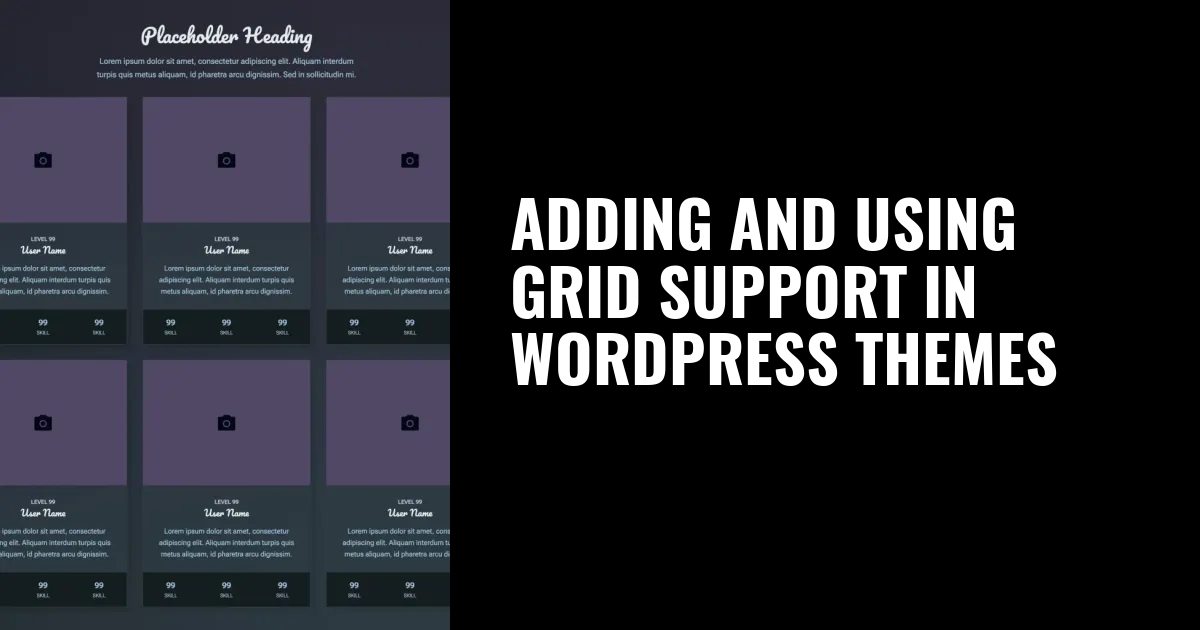
🔗 **Source:** [Adding and Using Grid Support in WordPress Themes](https://developer.wordpress.org/news/2024/02/06/adding-and-using-grid-support-in-wordpress-themes/)
> [!note]+ Document Notes
> tags: [WordPressDevelopment, WordPressThemes, GridSupport]
> - WordPressDevelopment
> - WordPressThemes
> - GridSupport
> Author: WordPress Developer Blog
> Source: WordPress Developer Blog
> Reference: [Adding and Using Grid Support in WordPress Themes](https://developer.wordpress.org/news/2024/02/06/adding-and-using-grid-support-in-wordpress-themes/)
> date created: 2024-09-14 19:00
>
> # Title: Adding and Using Grid Support in WordPress Themes
>
<!-- deep-read:sections start -->
## Table of Contents:
1. [📝 Summary](#summary)
2. [📖 Main Content](#main-content)
- [🗒️ Notes](#notes)
3. [📖 References](#references)
4. [🗣️ Paraphrase](#paraphrase)
5. [📰 Newsletter](#newsletter)
6. [✅ Action Items](#action-items)
7. [🧪 Hypotheses](#hypotheses)
- [📊 Methodology](#methodology)
- [❓ Questions](#questions)
- [🔮 Future Research](#future-research)
- [💡 Implications](#implications)
8. [🧠 Learning Styles Assessment](#learning-styles-assessment)
9. [📊 Accessibility Assessment](#accessibility-assessment)
10. [🌍 DEIB Assessment](#deib-assessment)
11. [✅ Logical Validity](#logical-validity)
12. [🔍 SEO Evaluation](#seo-evaluation)
13. [🎯 Conclusion](#conclusion)
### References:
- WordPress Developer Blog, Grid Support: [WordPress Developer Blog](https://developer.wordpress.org/news/2024/02/06/adding-and-using-grid-support-in-wordpress-themes/)
---
## 📝 Summary:
This article introduces the process of integrating grid support into WordPress themes, highlighting its potential to enhance layout flexibility. It covers the technical steps and benefits of leveraging CSS Grid in WordPress themes, enabling theme developers to create more visually dynamic, responsive designs.
---
## 📖 Main Content:
CSS Grid has been a game-changer in web development, offering a powerful way to create responsive and structured layouts. WordPress themes are now embracing this technology by adding native grid support. The article explains how to implement grid support in themes, covering both theme.json settings and custom CSS approaches. By utilizing grid layouts, developers can design more modular and flexible content areas, improving the overall user experience.
### 🗒️ Notes:
- **Grid Support Benefits**:
- Enhances layout flexibility and modularity.
- Allows developers to create responsive, multi-column layouts without excessive custom code.
- Simplifies handling of complex design structures, such as galleries and featured content sections.
- **Implementation**:
- Introduce grid support via theme.json by adding the `"supports": { "grid": true }` setting.
- Use custom CSS to apply grid properties like `display: grid`, `grid-template-columns`, and `gap`.
- **Practical Use Cases**:
- Ideal for building dynamic home pages, product grids, or portfolios.
- Works well in combination with block themes and the WordPress Site Editor for seamless design experiences.
---
## 📖 References:
- [Adding and Using Grid Support in WordPress Themes](https://developer.wordpress.org/news/2024/02/06/adding-and-using-grid-support-in-wordpress-themes/)
---
## 🗣️ Paraphrase:
1. The article discusses how incorporating CSS Grid into WordPress themes enhances layout flexibility by providing more control over responsive designs. This support can be implemented via both theme.json and custom CSS, making it accessible for developers to create visually sophisticated layouts.
2. CSS Grid allows WordPress developers to design multi-column layouts with ease, reducing the need for complex media queries. By setting up grid properties in theme files, developers can create flexible structures that adapt seamlessly to various screen sizes.
---
## 📰 Newsletter:
🚀 **CSS Grid in WordPress Themes: A Layout Revolution!**
CSS Grid is making waves in WordPress theme development, and it's about time you jump on board! Whether you're building custom home pages, product grids, or dynamic portfolio layouts, grid support is here to help you craft flexible, responsive designs with ease. Learn how to integrate CSS Grid into your themes using `theme.json` settings or custom CSS. For all the details, check out the full post [here](https://developer.wordpress.org/news/2024/02/06/adding-and-using-grid-support-in-wordpress-themes/). 🎨💻
---
## ✅ Action Items:
- **Developers**: Begin incorporating CSS Grid into your themes by adjusting `theme.json` or writing custom CSS to enhance layout flexibility.
- **Advocates**: Educate the WordPress community on the benefits of using grid layouts in theme development.
- **Core Team**: Encourage grid support adoption in default WordPress themes to improve design consistency.
---
## 🧪 Hypotheses:
- The introduction of grid support in WordPress themes will reduce the amount of custom CSS required for complex layouts.
- Implementing native grid support in WordPress themes will lead to increased layout consistency across devices.
### 📊 Methodology:
- **Data Collection**: Analyze how theme developers adopt grid layouts compared to traditional flexbox or float-based layouts.
- **Survey**: Collect feedback from theme developers on ease of implementation and the impact on their workflow.
### ❓ Questions:
- How will grid support impact the performance of WordPress themes?
- Will grid support be backward compatible with older themes that do not use the Site Editor?
### 🔮 Future Research:
- Investigate the potential for more advanced layout techniques, such as grid-auto-placement and grid-template-areas, in WordPress themes.
### 💡 Implications:
- Expanding grid support across WordPress themes could lead to more modular and visually dynamic web design practices, benefiting both developers and end-users.
---
## 🧠 Learning Styles Assessment:
1. **Visual Learners (Spatial)**:
- **Present**: Diagrams or code snippets show how grids are structured.
- **Improve**: Add visual examples of grid layouts for better clarity.
2. **Aural Learners (Auditory-Musical)**:
- **Present**: Lacks audio content.
- **Improve**: Include links to podcasts or videos discussing grid layouts in WordPress.
3. **Verbal Learners (Linguistic)**:
- **Present**: Detailed explanations of grid properties.
- **Improve**: Use more analogies or real-life examples of grids in action.
4. **Physical Learners (Kinesthetic)**:
- **Present**: Step-by-step instructions for implementation.
- **Improve**: Encourage hands-on practice by providing code samples to experiment with.
5. **Logical Learners (Mathematical)**:
- **Present**: Clear breakdown of grid structures and logic.
- **Improve**: Add flowcharts or visual representations of grid layouts.
6. **Social Learners (Interpersonal)**:
- **Present**: No social learning prompts.
- **Improve**: Encourage community discussions around grid best practices.
7. **Solitary Learners (Intrapersonal)**:
- **Present**: Reflective points on how grids can improve design workflows.
- **Improve**: Suggest personal projects to experiment with grid layouts.
8. **Naturalistic Learners**:
- **Present**: No references to nature-based learning.
- **Improve**: Use nature-based analogies, such as comparing grid layouts to tree branches or river flows.
---
## 📊 Accessibility Assessment:
- **Screen Reader Compatibility**: Ensure alt-text is provided for any grid layout diagrams.
- **Keyboard Navigation**: Verify that all grid layout features are navigable via keyboard.
- **Contrast and Readability**: Evaluate color contrast for readability, especially when showing examples of grid layouts.
---
## 🌍 DEIB (Diversity, Equity, Inclusion, and Belonging) Assessment:
- **Cultural Relevance**: The article assumes universal design preferences.
- **Improve**: Provide examples of how grid layouts could be used in culturally specific website designs.
- **Inclusive Language**: The language is clear and neutral.
- **Improve**: Simplify technical terms further for non-technical readers.
- **Neurodiversity Support**: Long code blocks may be overwhelming for neurodiverse individuals.
- **Improve**: Break up the article with clear headers and bullet points for improved readability.
- **Representation**: Lacks examples showing diverse uses of grids in different sectors.
- **Improve**: Highlight real-world examples of grid-based designs from various industries.
- **Psychological Safety**: Does not include any content that could trigger discomfort.
- **Improve**: Continue using neutral, inclusive content to maintain psychological safety for readers.
---
## ✅ Logical Validity:
The article provides a clear and logical progression from explaining what CSS Grid is to how to implement it in WordPress themes. The arguments are sound, with strong deductive reasoning about the benefits of grids. However, the article could benefit from more detailed real-world examples to illustrate its claims.
- **Positive Reasoning**: The explanation of how grids improve flexibility in layout design is well-founded in modern CSS practices.
- **Suggestion**: Provide performance benchmarks showing the impact of grid support on theme speed and responsiveness.
---
## 🔍 SEO Evaluation:
1. **Keywords**: The article effectively uses keywords like "CSS Grid," "WordPress Themes," and "Responsive Layout."
2. **Meta Description**: Could use improvement to be more concise and include primary keywords.
3. **Title Tag**: The title tag is optimized but could include "CSS Grid in WordPress."
4. **Headers**: Well-structured headers that support readability.
5. **Content Length**: The content length is appropriate and covers the topic in detail.
6. **Internal and External Links**: Internal linking is solid but could use more external references for best practices in CSS Grid.
7. **Image Optimization**: Lacks images and diagrams for visual learners.
8. **Mobile Optimization**: The content should be mobile-responsive to ensure readability on smaller devices.
9. **User Engagement**: Adding a comment section would improve user engagement.
10. **Schema Markup**: Missing schema markup for better rich snippet generation.
11. **Social Sharing**: The page lacks social sharing buttons, which would improve visibility and engagement.
---
## 🎯 Conclusion:
Integrating CSS Grid into WordPress themes allows for more creative and responsive designs, benefiting both developers and users. By offering flexible layouts, grid support simplifies the process of designing complex structures like multi-column pages and portfolios. This step-by-step guide helps developers leverage grid technology for a more dynamic WordPress experience.
<!-- deep-read:sections end -->
📄 **Full text:** ![[Full Document Contents/Articles/Adding and Using Grid Support in WordPress Themes|Adding and Using Grid Support in WordPress Themes, Justin Tadlock]]
## Highlights
- As I mentioned in the previous section, WordPress only supports a basic equal-width column implementation at the moment. While that may feel limiting to some, it’s an opportunity to explore what’s possible with CSS grid for others. I hope that you are in the latter group. ([View Highlight](https://read.readwise.io/read/01j7shcddbzbfvt7m25qrpmj1h))