Admin Design
[[3. Resources/Readwise/Full Document Contents/Articles/Admin Design|Full Document Contents]]
## Document Notes
---
tags:
- #wordpress
- #admin
- #design
Author: Make WordPress Core
Source: Make WordPress Core blog
Reference: https://make.wordpress.org/core/2023/07/12/admin-design/
date created: 2025-08-22 00:00
---
# Title: Admin Design — Evolving WordPress wp-admin for Phase 3
## Table of Contents:
- [[#📝 Summary:]]
- [[#📖 Main Content:]]
- [[#🗒️ Notes]]
- [[#📖 References:]]
- [[#🗣️ Paraphrase:]]
- [[#📰 Newsletter:]]
- [[#✅ Action Items]]
- [[#🧪 Hypotheses]]
- [[#📊 Methodology]]
- [[#❓ Questions]]
- [[#🔮 Future Research]]
- [[#💡 Implications]]
- [[#🧠 Learning Styles Assessment]]
- [[#📊 Accessibility Assessment]]
- [[#🌍 DEIB Assessment]]
- [[#✅ Logical validity]]
- [[#🔍 SEO Evaluation]]
- [[#🎯 Conclusion]]
### References:
- Make WordPress Core: Admin Design
- Related initiatives mentioned: WordPress Playground, SQLite, Command Palette, wordpress/components
## 📝 Summary:
The article outlines a design vision for modernizing WordPress’s wp-admin as part of Phase 3, focusing on semantic extensibility, cohesive navigation across editing and management tasks, deep accessibility, and personalization. It proposes restructuring the admin menu with drill-down interactivity, formalizing UI component primitives in wordpress/components, improving list/table views and bulk operations, expanding the Command Palette, and enabling user- and plugin-driven customization (e.g., pinning and reorganizing top-level menus). It seeks to balance flexibility and good defaults, maintain backward compatibility, and align with parallel projects like Notifications, Workflows, and collaboration features.
Direct anchors to key sections and ideas:
- “Introduction” — revitalizing admin and reducing cognitive load (0%)
- “Designing for any need” — semantic extension points, customizable top-level menus (17%)
- “UI components + developer experience” — formalizing primitives; tables, lists, bulk ops (33%)
- “Cohesive experience + offline” — unify editing/management; explore offline via Playground/SQLite (50%)
- “Scope” — concrete tasks: navigation, personalization, accessibility, Command Palette (67–100%)
## 📖 Main Content:
The article frames wp-admin’s redesign as both UX and platform work:
- UX: Reduce cognitive load, modernize visuals, create seamless flows between editing and administration, and support personalization so different roles (bloggers, store managers, admins) get tailored experiences without sacrificing “it just works.”
- Platform: Define semantic extension points—clear structures/surfaces for plugins to register settings, sections, blocks—and ensure WordPress uses the same component system as plugin authors for consistency and accessibility.
- Components: Elevate wordpress/components to cover dense (editor) and airy (admin) contexts, addressing gaps such as table/list views and bulk actions.
- Navigation: Adopt drill-down models with reorganizable top-level menus and “pinning” behaviors; expand Command Palette; improve quick actions and notifications placement.
- Accessibility and Back-compat: Deep support for keyboard and region navigation, preferences like text labels over icons, and a commitment to backward compatibility for legacy admin pages.
- Ecosystem Alignment: Consider offline support and optimistic updates; coordinate with Projects like Notifications, Workflows, and multisite navigation; refine frontend admin bar.
Personal insights:
- The emphasis on semantic extensibility is pivotal for long-term plugin coherence—defining registries for settings/sections should reduce ad hoc UI.
- Command Palette as a first-class pattern can unify discoverability while keeping the sidebar lean.
- Treating admin dashboard as “admin blocks” could make onboarding and role-based dashboards dramatically better.
- A formal, public design system site on wordpress.org would significantly uplift developer experience and ecosystem consistency.
### 🗒️ Notes
- Motivation and Goals (0%):
- Revitalize wp-admin design to meet modern expectations and reduce cognitive weight.
- Address information density and long sidebars; preserve flexibility while improving clarity.
- Designing for diversity of needs (17%):
- Customizable top-level menus for role/project-based optimization without compromising defaults.
- Balance flexibility with “it just works”; ensure recognizable, intuitive, accessible UX.
- Define semantic extension points: settings, sections, blocks, navigable elements.
- Component system and developer experience (33%):
- Use the same primitives in core and plugins; prioritize density, clarity, accessibility.
- Close functional gaps: tables, lists, bulk operations; full theme color support; SSR considerations.
- Showcase design library on wordpress.org to guide consistent UX.
- Cohesive experience + offline (50%):
- Seamless transitions between editing and managing; role-aware consistency.
- Explore offline support and optimistic updates; align with Playground and SQLite for modern expectations.
- Scope and concrete tasks (67–100%):
- Define structural pieces; formalize semantic extensibility.
- Restructure menu with drill-down; leverage existing APIs for backward compatibility.
- Personalization: reorganize/pin top-level items; toggle core sections.
- Accessibility: region navigation; global prefs (text labels over icons).
- Wider Command Palette deployment; semantic quick actions (unified “Add New”).
- Notifications project alignment; reduce ad hoc notices.
- Redesign settings views; admin dashboard as blocks; improve quick posts/post formats/title-less posts.
- Consider multisite navigation; front-end admin bar; sustain back-compat for legacy pages.
Positions:
- You’ve read this document completely (100%). Your current scroll position is earlier in the text.
## 📖 References:
- Admin Design — Make WordPress Core: https://make.wordpress.org/core/2023/07/12/admin-design/
- WordPress Playground: https://developer.wordpress.org/playground/
- SQLite for WordPress background: https://make.wordpress.org/core/tag/sqlite/
- WordPress Components: https://developer.wordpress.org/block-editor/reference-guides/components/
- Command Palette overview (WP 6.3+): https://wordpress.org/documentation/article/command-palette/
- Notifications project (overview post example): https://make.wordpress.org/core/tag/notifications/
## 🗣️ Paraphrase:
1) Original idea (17%): “Offering a way to customize the most important menu items at the highest level might allow both a blogger and a commerce store manager to have the best possible experiences… without sacrificing good defaults and the ‘it just works’ ethos.”
- Paraphrase: By letting users rearrange their top navigation, WordPress can adapt to vastly different roles—from bloggers to shop managers—delivering optimized workflows while still preserving sensible defaults that function out of the box.
2) Original idea (33%): “A crucial aspect is to ensure WordPress itself is built with the same pieces and APIs that plugin authors can use… we need to address functional gaps (like table and list views, bulk editing operations, etc).”
- Paraphrase: Core should rely on the identical component toolkit available to plugin developers, and that system must mature to cover practical needs—especially robust tables, lists, and bulk actions—so the entire ecosystem can produce cohesive, accessible interfaces.
## 📰 Newsletter:
This week in WordPress: Admin gets a glow-up. The Core team shared a forward-looking blueprint for modernizing wp-admin—think customizable top-level menus, a drill-down navigation model, and a beefed-up Command Palette to help you find anything faster. Under the hood, WordPress is doubling down on a unified component system, so the same design primitives power both Core and your favorite plugins. That means better tables, list views, and bulk operations are on the horizon.
For devs, the push toward semantic extension points (clear registries for se
> [!note]+ Document Notes
> tags:
> - #wordpress
> - #admin
> - #design
> Author: Make WordPress Core
> Source: Make WordPress Core blog
> Reference: https://make.wordpress.org/core/2023/07/12/admin-design/
> date created: 2025-08-22 00:00
>
> # Title: Admin Design — Evolving WordPress wp-admin for Phase 3
>
<!-- deep-read:sections start -->
## Table of Contents:
- [📝 Summary](#-summary)
- [📖 Main Content](#-main-content)
- [🗒️ Notes](#️-notes)
- [📖 References](#-references)
- [🗣️ Paraphrase](#-paraphrase)
- [📰 Newsletter](#-newsletter)
- [✅ Action Items](#-action-items)
- [🧪 Hypotheses](#-hypotheses)
- [📊 Methodology](#-methodology)
- [❓ Questions](#-questions)
- [🔮 Future Research](#-future-research)
- [💡 Implications](#-implications)
- [🧠 Learning Styles Assessment](#-learning-styles-assessment)
- [📊 Accessibility Assessment](#-accessibility-assessment)
- [🌍 DEIB Assessment](#-deib-deib-assessment)
- [✅ Logical validity](#-logical-validity)
- [🔍 SEO Evaluation](#-seo-evaluation)
- [🎯 Conclusion](#-conclusion)
### References:
- Make WordPress Core: Admin Design
- Related initiatives mentioned: WordPress Playground, SQLite, Command Palette, wordpress/components
## 📝 Summary:
The article outlines a design vision for modernizing WordPress’s wp-admin as part of Phase 3, focusing on semantic extensibility, cohesive navigation across editing and management tasks, deep accessibility, and personalization. It proposes restructuring the admin menu with drill-down interactivity, formalizing UI component primitives in wordpress/components, improving list/table views and bulk operations, expanding the Command Palette, and enabling user- and plugin-driven customization (e.g., pinning and reorganizing top-level menus). It seeks to balance flexibility and good defaults, maintain backward compatibility, and align with parallel projects like Notifications, Workflows, and collaboration features.
Direct anchors to key sections and ideas:
- “Introduction” — revitalizing admin and reducing cognitive load (0%)
- “Designing for any need” — semantic extension points, customizable top-level menus (17%)
- “UI components + developer experience” — formalizing primitives; tables, lists, bulk ops (33%)
- “Cohesive experience + offline” — unify editing/management; explore offline via Playground/SQLite (50%)
- “Scope” — concrete tasks: navigation, personalization, accessibility, Command Palette (67–100%)
## 📖 Main Content:
The article frames wp-admin’s redesign as both UX and platform work:
- UX: Reduce cognitive load, modernize visuals, create seamless flows between editing and administration, and support personalization so different roles (bloggers, store managers, admins) get tailored experiences without sacrificing “it just works.”
- Platform: Define semantic extension points—clear structures/surfaces for plugins to register settings, sections, blocks—and ensure WordPress uses the same component system as plugin authors for consistency and accessibility.
- Components: Elevate wordpress/components to cover dense (editor) and airy (admin) contexts, addressing gaps such as table/list views and bulk actions.
- Navigation: Adopt drill-down models with reorganizable top-level menus and “pinning” behaviors; expand Command Palette; improve quick actions and notifications placement.
- Accessibility and Back-compat: Deep support for keyboard and region navigation, preferences like text labels over icons, and a commitment to backward compatibility for legacy admin pages.
- Ecosystem Alignment: Consider offline support and optimistic updates; coordinate with Projects like Notifications, Workflows, and multisite navigation; refine frontend admin bar.
Personal insights:
- The emphasis on semantic extensibility is pivotal for long-term plugin coherence—defining registries for settings/sections should reduce ad hoc UI.
- Command Palette as a first-class pattern can unify discoverability while keeping the sidebar lean.
- Treating admin dashboard as “admin blocks” could make onboarding and role-based dashboards dramatically better.
- A formal, public design system site on wordpress.org would significantly uplift developer experience and ecosystem consistency.
### 🗒️ Notes
- Motivation and Goals (0%):
- Revitalize wp-admin design to meet modern expectations and reduce cognitive weight.
- Address information density and long sidebars; preserve flexibility while improving clarity.
- Designing for diversity of needs (17%):
- Customizable top-level menus for role/project-based optimization without compromising defaults.
- Balance flexibility with “it just works”; ensure recognizable, intuitive, accessible UX.
- Define semantic extension points: settings, sections, blocks, navigable elements.
- Component system and developer experience (33%):
- Use the same primitives in core and plugins; prioritize density, clarity, accessibility.
- Close functional gaps: tables, lists, bulk operations; full theme color support; SSR considerations.
- Showcase design library on wordpress.org to guide consistent UX.
- Cohesive experience + offline (50%):
- Seamless transitions between editing and managing; role-aware consistency.
- Explore offline support and optimistic updates; align with Playground and SQLite for modern expectations.
- Scope and concrete tasks (67–100%):
- Define structural pieces; formalize semantic extensibility.
- Restructure menu with drill-down; leverage existing APIs for backward compatibility.
- Personalization: reorganize/pin top-level items; toggle core sections.
- Accessibility: region navigation; global prefs (text labels over icons).
- Wider Command Palette deployment; semantic quick actions (unified “Add New”).
- Notifications project alignment; reduce ad hoc notices.
- Redesign settings views; admin dashboard as blocks; improve quick posts/post formats/title-less posts.
- Consider multisite navigation; front-end admin bar; sustain back-compat for legacy pages.
Positions:
- You’ve read this document completely (100%). Your current scroll position is earlier in the text.
## 📖 References:
- Admin Design — Make WordPress Core: https://make.wordpress.org/core/2023/07/12/admin-design/
- WordPress Playground: https://developer.wordpress.org/playground/
- SQLite for WordPress background: https://make.wordpress.org/core/tag/sqlite/
- WordPress Components: https://developer.wordpress.org/block-editor/reference-guides/components/
- Command Palette overview (WP 6.3+): https://wordpress.org/documentation/article/command-palette/
- Notifications project (overview post example): https://make.wordpress.org/core/tag/notifications/
## 🗣️ Paraphrase:
1) Original idea (17%): “Offering a way to customize the most important menu items at the highest level might allow both a blogger and a commerce store manager to have the best possible experiences… without sacrificing good defaults and the ‘it just works’ ethos.”
- Paraphrase: By letting users rearrange their top navigation, WordPress can adapt to vastly different roles—from bloggers to shop managers—delivering optimized workflows while still preserving sensible defaults that function out of the box.
2) Original idea (33%): “A crucial aspect is to ensure WordPress itself is built with the same pieces and APIs that plugin authors can use… we need to address functional gaps (like table and list views, bulk editing operations, etc).”
- Paraphrase: Core should rely on the identical component toolkit available to plugin developers, and that system must mature to cover practical needs—especially robust tables, lists, and bulk actions—so the entire ecosystem can produce cohesive, accessible interfaces.
## 📰 Newsletter:
This week in WordPress: Admin gets a glow-up. The Core team shared a forward-looking blueprint for modernizing wp-admin—think customizable top-level menus, a drill-down navigation model, and a beefed-up Command Palette to help you find anything faster. Under the hood, WordPress is doubling down on a unified component system, so the same design primitives power both Core and your favorite plugins. That means better tables, list views, and bulk operations are on the horizon.
For devs, the push toward semantic extension points (clear registries for settings, sections, and blocks) promises cleaner APIs and fewer ad hoc UI hacks. There’s even exploration into offline support and optimistic updates, aligning nicely with [WordPress Playground](https://developer.wordpress.org/playground/) and ongoing [SQLite](https://make.wordpress.org/core/tag/sqlite/) discussions. Keep an eye on the [Components library](https://developer.wordpress.org/block-editor/reference-guides/components/) and the evolving [Command Palette](https://wordpress.org/documentation/article/command-palette/).
Community shout-outs: work continues on Notifications to tame the wild west of admin notices, and there’s talk of “admin blocks” to make dashboards truly role-aware. Have a plugin with complex settings? Start thinking drill-down navigation and accessibility-first controls. Your users (and your support queue) will thank you.
## ✅ Action Items:
Strategic prompt tailored to your role (Developer Advocate at GoDaddy; open source and WordPress educator; aspiring OSPO director):
- Advocacy alignment:
- Map the article’s semantic extension points to contributor onramps: Create a guide that translates “register settings/sections” into contributor-friendly tasks and mentorship checklists.
- Host an internal/external workshop on drill-down navigation patterns and Command Palette integration for plugin teams.
- Contributor engagement:
- Spin up structured contribution pathways: “Tables and Bulk Ops Task Force,” “Accessibility Preferences Initiative,” “Admin Blocks Dashboard Crew.”
- Launch office hours focused on converting legacy settings pages to the component system, emphasizing back-compat.
- Education:
- Develop curricula: short courses on wordpress/components, semantic extensibility, and admin personalization; include labs converting a legacy settings page to modern components.
- Produce demo repos: examples of list/table views with bulk actions; Command Palette commands; role-based admin menus.
- OSPO trajectory:
- Propose an organizational playbook for UI consistency: define linting/UX checklists for components and accessibility.
- Pilot metrics: measure reduction in ad hoc notices, improved task completion times, and accessibility conformance across GoDaddy plugins.
- Transparency and inclusivity:
- Publish an accessibility preference matrix and commit to alt paths (keyboard-only, labels over icons).
- Openly track deprecation/back-compat decisions, sharing migration guides and timelines.
- Sustainable funding:
- Advocate sponsorship for maintaining the design system (docs, component maintenance, accessibility QA).
- Encourage funding for the Notifications project and admin blocks as high-impact infrastructure.
## 🧪 Hypotheses:
- H1: A drill-down admin menu with user pinning reduces time-to-task for common admin actions by at least 20% for non-technical users.
- H2: Standardizing on wordpress/components across core and plugins halves UI inconsistency reports and improves a11y scores.
- H3: A unified Command Palette increases feature discoverability and reduces menu depth dependency, improving task success rates.
- H4: Admin blocks for dashboards increase role-based satisfaction and reduce bounce from dashboard pages.
- H5: Semantic registries for settings/sections lower plugin developer ramp-up time by 30%.
### 📊 Methodology:
- Data sources: WordPress telemetry (opt-in), usability tests with scripted tasks, plugin support tickets, GitHub issues, Heuristic a11y evaluations (WCAG 2.2).
- Designs:
- A/B tests: current sidebar vs. drill-down + pinning; with/without Command Palette.
- Within-subject usability studies measuring time-on-task, error rates, SUS scores.
- Longitudinal plugin audits: pre/post migration to components.
- Analysis: Mixed-effects models for task times; thematic analysis of qualitative feedback; a11y conformance scoring; funnel analysis for feature discovery.
### ❓ Questions:
- What are the minimal semantic surfaces needed for plugins to feel first-class without fragmentation?
- How does personalization coexist with consistent training/Docs for support teams?
- What back-compat strategy preserves legacy pages while nudging adoption of components?
- How can notifications be centralized without losing plugin flexibility?
- What offline use cases (e.g., travel, poor connectivity) deliver the highest ROI?
### 🔮 Future Research:
- Formal API for admin blocks and a dashboard layout schema.
- Command Palette extensibility spec: permissions, search ranking, telemetry.
- Table/list component patterns for massive datasets (virtualization, bulk ops).
- Accessibility preference profiles (e.g., global “labels over icons,” reduced motion).
- Multisite navigation patterns and cross-site actions.
### 💡 Implications:
- Standardized components and semantics improve ecosystem cohesion and reduce plugin UI debt.
- Discoverability and accessibility gains could expand WordPress’s reach to new user segments.
- A robust notifications model may reduce user fatigue and improve trust.
- Clear migration paths foster a healthier, more sustainable plugin economy.
### 🧠 Learning Styles Assessment:
- Readability: General professional/technical; approximately Grade 10–12 reading level.
- Visual (Present): Conceptual mockups are referenced; structure is clear. Improve: Add diagrams of drill-down navigation, component architecture, and dashboard “admin blocks.”
- Aural (Present): Not present. Improve: Provide audio summary or short podcast segment discussing the roadmap.
- Verbal (Present): Rich descriptive language and examples. Improve: Add concrete scenarios and narrative walkthroughs.
- Physical/Kinesthetic (Present): Limited. Improve: Interactive demos, Playground-based exercises to rebuild a settings page.
- Logical (Present): Clear problem framing and scoped bullets. Improve: Provide flowcharts, API schemas, and state diagrams.
- Social (Present): Implied collaboration. Improve: Link to discussion threads, working groups, and Slack channels for co-creation.
- Solitary (Present): Some reflective framing. Improve: Add self-guided checklists and migration worksheets.
- Naturalistic (Present): Not applicable. Improve: Use sustainability analogies sparingly, or relate to performance/efficiency.
### 📊 Accessibility Assessment:
- Screen Reader: Likely semantically sound on make.wordpress.org; article calls for deep a11y in product. Improve: Ensure alt text for all mockups and ARIA landmarks in examples.
- Keyboard Navigation: Site generally good; product proposals emphasize it. Improve: Include tab order specs and roving tabindex patterns for new components.
- Contrast/Readability: Core blog is typically adequate. Improve: Document minimum contrast and typography scales in the design system.
- Text Resizing: Likely responsive. Improve: Guarantee components reflow without loss of function at 200%+ zoom; publish component-level responsiveness guidance.
### 🌍 DEIB (DEIB) Assessment:
- Cultural relevance: Global community implied, not explicitly showcased. Improve: Include diverse user personas and case studies across languages and regions.
- Inclusive language: Neutral and accessible. Improve: Define jargon and provide glossaries for newcomers.
- Neurodiversity support: Structured bullets help. Improve: Shorter paragraphs, consistent headings, and clear callouts for key actions.
- Representation: Minimal imagery/examples. Improve: Use inclusive imagery and scenarios across roles and abilities.
- Psychological safety: Constructive tone. Improve: Invite feedback with clear channels, set norms for respectful discussion, and add content warnings if needed.
### ✅ Logical validity:
- Strengths:
- Causal reasoning (17–33%): Argues that semantic extension points and customizable menus lead to role-optimized UX; strengthens by tying to plugin flexibility. Suggestion: Add evidence from prior user studies or plugin audits.
- Consistent analogies (33%): Using “same components for core and plugins” frames parity and consistency. Suggestion: Provide examples of inconsistencies this would solve.
- Logical flow (0–100%): Moves from vision to components to scope. Suggestion: Add milestones and success metrics.
- Ethical reasoning (a11y focus, 67–100%): Emphasizes accessibility as a core value. Suggestion: Map to WCAG criteria explicitly.
- Weaknesses/fallacies:
- Potential appeal to tradition/authority avoided; no strawmen found.
- Risk of hasty generalization: Assumes personalization universally improves UX. Improve: Specify conditions and exceptions.
- Possible false dilemma avoided; acknowledges back-compat and flexibility.
Tone of voice: Forward-looking, pragmatic, inclusive, and design-systems oriented.
🔍 DARVO Analysis:
- Deny: Not present—no denial of issues; acknowledges cognitive load and fragmentation.
- Attack: Not present—no disparagement of users/plugins; collaborative tone.
- Reverse Victim and Offender: Not present—doesn’t portray core or plugins as victims; focuses on solutions.
- Rhetorical tactics: Uses inclusive, problem-solving language; no DARVO indicators.
### 🔍 SEO Evaluation:
- Keywords: Primary terms include “WordPress admin,” “wp-admin,” “design system,” “components,” “Command Palette,” “semantic extensibility,” “accessibility.” Integration is natural; could increase usage in subheaders.
- Meta Description: Recommend adding one like: “A Phase 3 vision to modernize WordPress wp-admin with customizable navigation, a unified component system, and deep accessibility—while maintaining backward compatibility.”
- Title Tag: “Admin Design” is concise; consider “Admin Design: Modernizing wp-admin for Phase 3.”
- Headers: Use H2/H3s to reflect key keywords (“Semantic extension points,” “Drill-down navigation,” “Accessibility preferences”).
- Content Length: Adequate for a roadmap; could expand with examples and diagrams.
- Internal Links: Link to Notifications, Workflows, Components, Playground, and relevant Trac/GitHub discussions.
- External Links: Consider linking to WCAG and design system best practices.
- URL: SEO-friendly and concise.
- Images: Ensure alt text, descriptive filenames, and compressed assets.
- Mobile Optimization: Make site responsive (it is) and optimize page speed.
- Engagement: Add CTAs to join working groups, comment on proposals, or test prototypes.
- Schema: Add Article schema; consider HowTo/FAQ for migration guides.
- Social Sharing: Ensure Open Graph/Twitter Cards with compelling summary and image.
## 🎯 Conclusion:
The Admin Design proposal charts a coherent path to evolve wp-admin for the next decade: semantic extensibility for developers, a unified component system for consistency and accessibility, and a personalized, drill-down navigation for users. By aligning with initiatives like Command Palette, Notifications, and Playground/SQLite—and by committing to backward compatibility and deep accessibility—the plan balances innovation with stability. The next steps involve formal APIs, component gap-filling (tables, lists, bulk ops), admin blocks for dashboards, and robust documentation to empower plugin authors and ensure a cohesive, inclusive ecosystem.
<!-- deep-read:sections end -->
## Highlights
- WordPress thrives within its flexibility and its plugin ecosystem. ([View Highlight](https://read.readwise.io/read/01h5jt19gvjycgqb81ys99f0mk))
- the overall aim of this work is to improve upon this experience at a foundational design level, giving plugins and users more control over the navigation while ensuring each WordPress experience is recognizable, intuitive, accessible, and delightful. ([View Highlight](https://read.readwise.io/read/01h5jt1msfchfp3sb6wqqfm046))
- offering a way to customize the most important menu items at the highest level might allow both a blogger and a commerce store manager to have the best possible experiences, without trading compromises. ([View Highlight](https://read.readwise.io/read/01h5jt2a69kpwm3655hwe83f3d))
- Shaping WordPress to the particular needs of each person and project can be a large part of ensuring its continued long term success as the operating system of the web, democratizing access, and championing a diversity of experiences. ([View Highlight](https://read.readwise.io/read/01h5jt2jysh0bdgr4tbp4ba7b1))
- What does it mean to register settings, sections, or to add blocks? What elements of the interface are relevant? How can they be navigated? This is crucial to establish not just for ease of development but to ensure a usable and accessible experience for all. ([View Highlight](https://read.readwise.io/read/01h5jt30spsdjth59sf27x4es2))
- Aside from color themes, our set of primitive components also need to work in dense environments like the editor, as well as environments that need more breathing room and focus like admin sections. Density, clarity, usability, and accessibility are paramount. ([View Highlight](https://read.readwise.io/read/01h5jtdg179xgz7tqy47gqqk8b))
- Note: They want to make the design of the computer program better and easier to use. They need to make sure that the parts of the program fit in smaller or bigger spaces and are easy to see and use. It's important that everything is easy to understand and use for everyone.
- the design library needs to be showcased in the wordpress.org website as a clear resource for people building upon WordPress. ([View Highlight](https://read.readwise.io/read/01h5jtfeezspstz2btd00cbatm))
- It goes without saying, but navigating through your tasks should feel seamless, whether editing with blocks or managing settings; going through default WordPress sections or plugin areas; or whether the user is operating as an author or an administrator. ([View Highlight](https://read.readwise.io/read/01h5jtfw3s9ye2d7pm7r4nr5eq))
- There are a lot of great efforts — from [Playground](https://developer.wordpress.org/playground/) to SQLite — that could also align to provide a fantastic platform experience with all the modern expectations for speed, access, and performance. ([View Highlight](https://read.readwise.io/read/01h5jtj16s3cdjnetbjqprb9hz))
- Define the structural pieces of the admin experience, from a design and instrumental perspective. Formalize its semantic extensibility. What structures and surfaces does WordPress provide so that plugins and platforms can make use of them to extend and reduce what’s possible? ([View Highlight](https://read.readwise.io/read/01h5jtjvb1crpxb083dgjmbtx2))
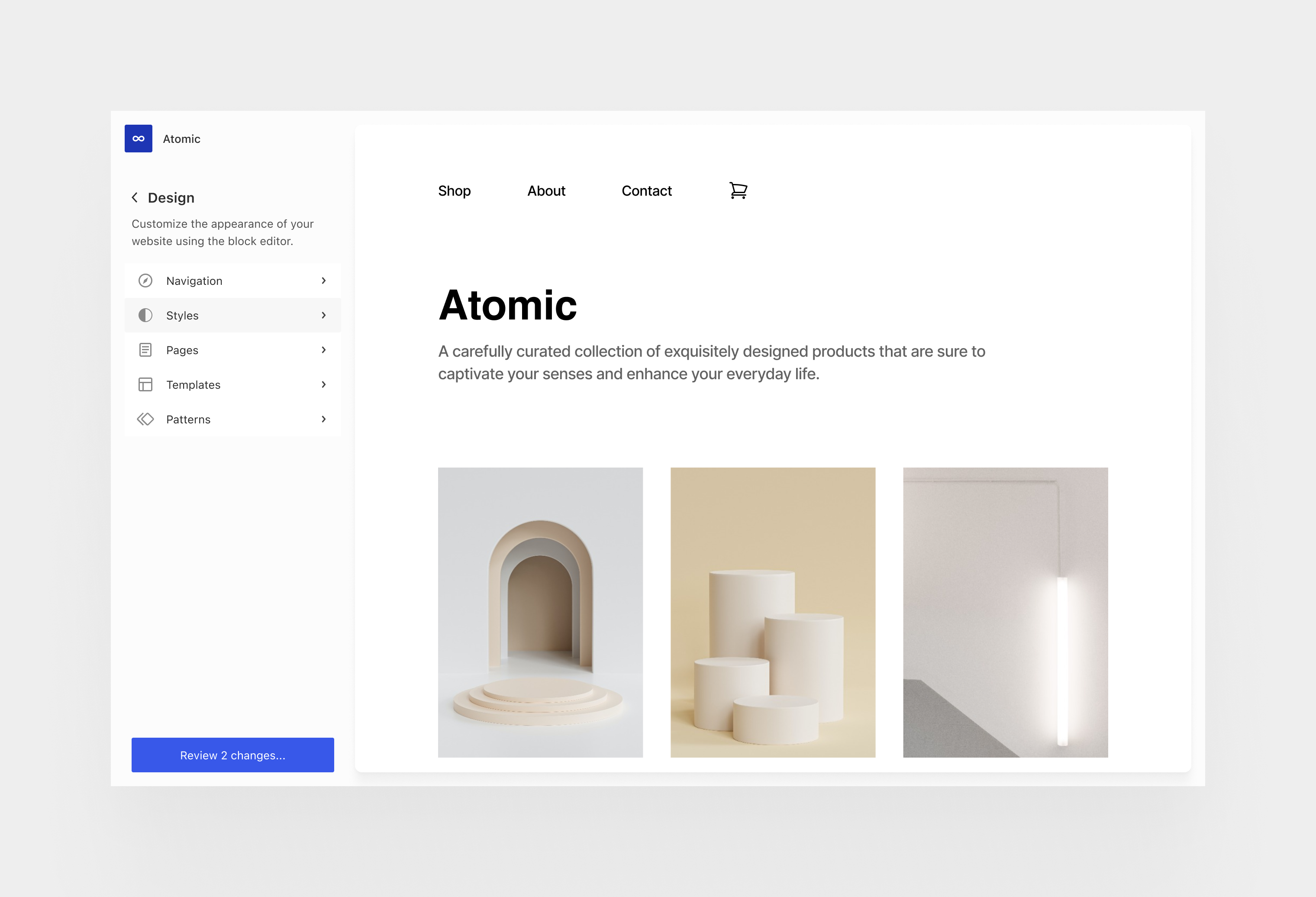
- Restructure admin menu design to support a drill-down interactivity model. Leverage and augment existing APIs for maximum backwards compatibility. Explore using the frame as the encapsulated target destination for existing admin views. ([View Highlight](https://read.readwise.io/read/01h5jtjyh47yebxhhbyz2b0vtp))
- Look into user personalization with the ability to reorganize top level admin menus. It could work in a similar fashion to “pinning” plugin sidebars in the editor, where both plugins and users are in control. Also consider core sections on the same level so that they could be toggled on or off based on needs. ([View Highlight](https://read.readwise.io/read/01h5jtk4xqd0m7k69eqs8bg473))
- Deep accessibility support for navigating regions, tuning global preferences (like button text labels over icons across the UI, and other affordances) as part of further refining each user experience according to people’s needs and preferences. ([View Highlight](https://read.readwise.io/read/01h5jtk80v98ygfqknbstd4c34))
- Look at wider deployment of Command Palette across admin sections and formalize its APIs. ([View Highlight](https://read.readwise.io/read/01h5jtkc0zn5rnwhywf59et3y4))
- Introduce more semantic placement of quick actions: for example, organize all “add new” options and hooks; place notifications, user profile, other top level extension markers, and so on. ([View Highlight](https://read.readwise.io/read/01h5jtkfd7ywx4q5rjdvvxwenn))
- Work on completing and evolving the design system gaps. Develop set of components to handle table and list views. Introduce full theme color support. Consider what sort of requirements for SSR are relevant. ([View Highlight](https://read.readwise.io/read/01h5jtkk90j4h4zdx4853cff0s))
- SSR ([View Highlight](https://read.readwise.io/read/01h5jtkqqzxaef6mcchmcbkwsv))
- Note: SSR (abbreviation): Server-Side Rendering, the technique of rendering web pages on the server before sending them to the client's browser, in order to improve website performance and user experience. 🌐💻
- Revise the design of general settings views by applying and structuring these components. ([View Highlight](https://read.readwise.io/read/01h5jtqrj2fgasnqmh2tawzj5r))
- Look at the current role of the dashboard home and perhaps embrace admin blocks for improving its widget-like personalization. Improve built-ins like quick posts, post formats, and title-less posts as outlined in the workflows project. ([View Highlight](https://read.readwise.io/read/01h5jtqybwjqnnpfz0dqwgcdtw))
- Connect with notifications project and a path for reducing ad hoc notices across the admin. ([View Highlight](https://read.readwise.io/read/01h5jtr1sett9xczm5mv04jghb))
- Look into the implications for multi-site networks and its navigation patterns. ([View Highlight](https://read.readwise.io/read/01h5jtrjnfj7j1xwgymkqy9zw8))
- Address the state of front-end admin bar or equivalent. ([View Highlight](https://read.readwise.io/read/01h5jtrt449arjrgdnm2ybwwdd))