And They Say CSS Isn't a Programming Language
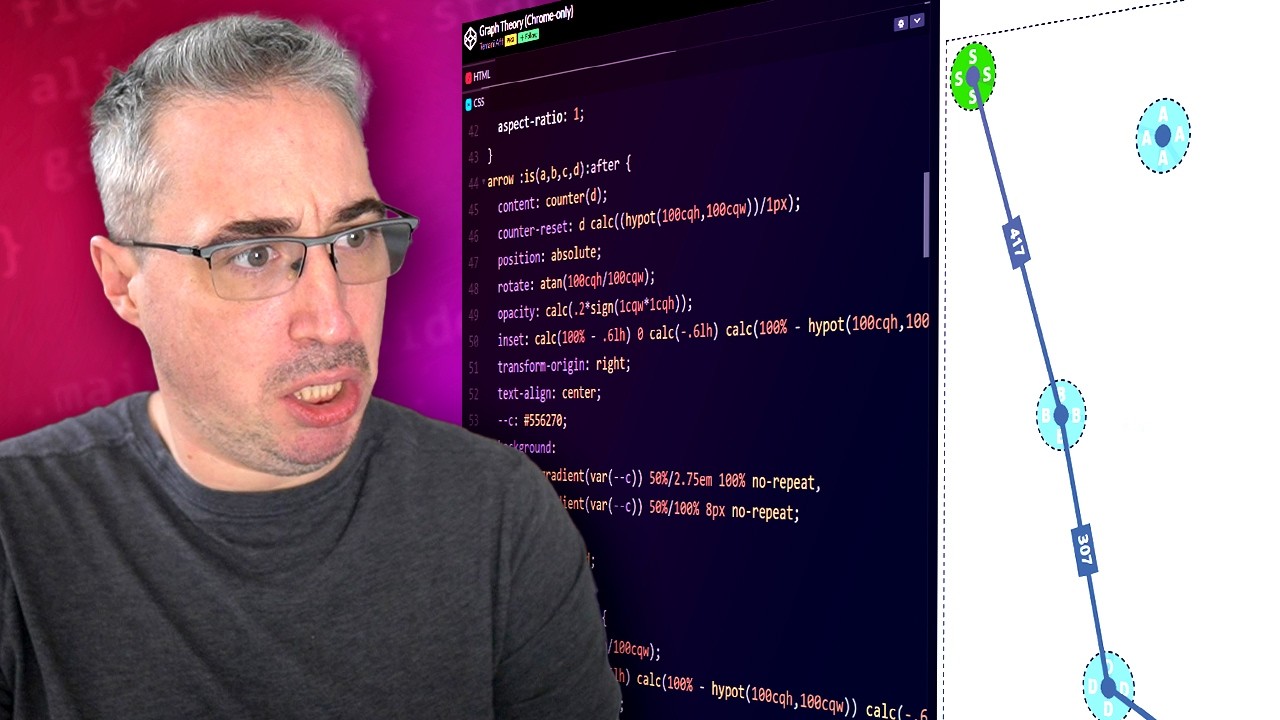
🔗 **Source:** [And They Say CSS Isn't a Programming Language](https://www.youtube.com/watch?v=Y-3tPDZCk2o)
> [!note]+ Document Notes
> tags: [css, web-development, programming-languages, algorithms]
> author: Kevin Powell
> source: YouTube
> reference: https://www.youtube.com/watch?v=Y-3tPDZCk2o
> date created: 2024-12-28 12:00
>
> # 🏷️ Title: And they say CSS isn't a programming language
>
<!-- deep-read:sections start -->
## 🧰 Action Inbox
- [H1] Explore CSS mathematical functions and their programming capabilities — Kevin analyzes pathfinding algorithm #css
- [H2] Study advanced CSS features like counters, style queries, and view timelines — Real-time calculations demo #web-development
- [H3] Practice CSS-only interactive demos to understand modern CSS programming — Complex logic without JavaScript #algorithms
## 🧭 Table of Contents
- [📝 Summary](#-summary)
- [📖 Main Content](#-main-content)
- [🗒️ Notes](#️-notes)
- [📚 References](#-references)
- [🗣️ Paraphrase](#️-paraphrase)
- [📰 Newsletter](#-newsletter)
- [✅ Action Items](#-action-items)
- [🧪 Hypotheses](#-hypotheses)
- [📊 Methodology](#-methodology)
- [❓ Questions](#-questions)
- [🔮 Future Research](#-future-research)
- [💡 Implications](#-implications)
- [🧠 Learning Styles Assessment](#-learning-styles-assessment)
- [📊 Accessibility Assessment](#-accessibility-assessment)
- [🌍 DEIB Assessment](#-deib-assessment)
- [✅ Logical Validity](#-logical-validity)
- [🛡️ DARVO Analysis](#-darvo-analysis)
- [🎯 Conclusion](#-conclusion)
### 🔗 References
- [CodePen Demo](https://codepen.io/tmrDevelops/pen/VwJXNvB)
- [CSS-ON.dev](https://css-on.dev/)
## 📝 Summary
- **What happened**: Kevin Powell analyzes a CSS-only pathfinding algorithm that calculates shortest distances between draggable points
- **Why it matters**: Demonstrates CSS has evolved beyond styling to perform complex mathematical calculations and logic
- **Key stakeholders**: Web developers, CSS enthusiasts, programming language debate participants
- **Risks and tradeoffs**: Complexity vs maintainability, browser support limitations, performance considerations
- **Bottom line**: CSS now includes programming constructs like mathematical functions, conditionals, and real-time calculations
## 📖 Main Content
Kevin examines a remarkable CodePen demonstration that implements a shortest path algorithm using only CSS. The demo features draggable nodes where CSS calculates distances between points and highlights the shortest route in real-time. JavaScript is only used for drag functionality - all mathematical calculations, pathfinding logic, and visual updates happen through CSS.
Key technical features include:
- **Hypot() function**: Calculates hypotenuse for distance measurements
- **CSS counters**: Track and display numerical values
- **Style queries**: Conditional logic based on CSS custom properties
- **View timelines**: Track element positions for calculations
- **Container queries**: Responsive behavior based on computed values
- **Mathematical operations**: Min/max functions, rounding, comparisons
The demonstration challenges traditional notions of CSS as purely presentational, showcasing features that enable complex programming logic without JavaScript.
## 🗒️ Notes
#### ⏱️ [00:00](https://youtu.be/Y-3tPDZCk2o?t=0) — [H1] Introduction to CSS pathfinding demo
- Key idea: CSS-only implementation calculates shortest paths between draggable points
- Evidence: "We're finding the shortest path through CSS only"
#### ⏱️ [01:30](https://youtu.be/Y-3tPDZCk2o?t=90) — [H2] Removing JavaScript to prove CSS-only functionality
- Key idea: Demo works without JavaScript, only losing drag capability
- Evidence: "The JS is only used for the drag feature. You can remove it"
#### ⏱️ [03:45](https://youtu.be/Y-3tPDZCk2o?t=225) — [H2] CSS positioning and rounding functions
- Key idea: Round() function prevents subpixel calculation issues
- Evidence: "We're using round which just rounds numbers off...preventing some like weird sub pixel things"
#### ⏱️ [05:20](https://youtu.be/Y-3tPDZCk2o?t=320) — [H3] CSS counters for distance tracking
- Key idea: Counter system manages numerical calculations and display
- Evidence: "So D counter reset is D. So D would be distance"
#### ⏱️ [06:15](https://youtu.be/Y-3tPDZCk2o?t=375) — [H1] Hypot function for distance calculations
- Key idea: CSS hypot() calculates hypotenuse for point-to-point distances
- Evidence: "D is calc. the hypot which I don't know enough about math to know but I'm guessing it's getting the hypotenuse"
#### ⏱️ [08:30](https://youtu.be/Y-3tPDZCk2o?t=510) — [H2] Anchor positioning for element relationships
- Key idea: CSS anchor positioning connects elements for calculations
- Evidence: "Every one of them is getting an anchor name on it. So that's what allows these pieces to like attach to one another"
#### ⏱️ [10:45](https://youtu.be/Y-3tPDZCk2o?t=645) — [H2] View timelines for position tracking
- Key idea: View timelines enable real-time position monitoring
- Evidence: "It's using the view timeline on the inline...we're able to track the position of it through the view timeline"
#### ⏱️ [13:20](https://youtu.be/Y-3tPDZCk2o?t=800) — [H1] Min function determines shortest path
- Key idea: CSS min() compares all possible routes to find optimal path
- Evidence: "The min here is going we'll just find which one of those is the smallest"
#### ⏱️ [14:50](https://youtu.be/Y-3tPDZCk2o?t=890) — [H1] Style queries enable conditional logic
- Key idea: Container style queries create if/then behavior in CSS
- Evidence: "If the SACE is equal to the minimum...we're switching the opacity to highlight it"
#### ⏱️ [16:30](https://youtu.be/Y-3tPDZCk2o?t=990) — [H2] Range syntax for value comparisons
- Key idea: Style queries support mathematical comparisons between values
- Evidence: "You can check if a value is greater than less than equal to"
#### ⏱️ [17:15](https://youtu.be/Y-3tPDZCk2o?t=1035) — [H2] Content property displays calculated results
- Key idea: CSS content updates dynamically based on calculations
- Evidence: "The content property is getting changed to sac sad whatever"
#### ⏱️ [18:45](https://youtu.be/Y-3tPDZCk2o?t=1125) — [H3] Real-time distance updates in CSS
- Key idea: Distance values update automatically as elements move
- Evidence: "The distance here actually updates in real time with CSS only"
#### ⏱️ [19:30](https://youtu.be/Y-3tPDZCk2o?t=1170) — [H1] CSS evolution beyond styling
- Key idea: Modern CSS performs mathematical computations traditionally requiring programming languages
- Evidence: "We're doing things with CSS that aren't just like making a page look pretty"
## 📚 References
- [Original CodePen by Tmania](https://codepen.io/tmrDevelops/pen/VwJXNvB)
- [CSS-ON.dev Blog](https://css-on.dev/)
- [CSS Hypot() Documentation](https://developer.mozilla.org/en-US/docs/Web/CSS/hypot)
- [CSS Container Queries](https://developer.mozilla.org/en-US/docs/Web/CSS/CSS_Container_Queries)
## 🗣️ Paraphrase
- CSS now includes mathematical functions like hypot() that can perform complex geometric calculations previously requiring JavaScript
- Style queries and container queries enable conditional logic in CSS, allowing different behaviors based on computed values
- Modern CSS features like view timelines, counters, and mathematical functions create programming-like capabilities for interactive demonstrations
## 📰 Newsletter
🚀 **CSS Reaches New Programming Heights**
The debate about whether CSS is a programming language just got more interesting! Kevin Powell explores a mind-blowing demo that implements pathfinding algorithms using only CSS - no JavaScript required for the core logic.
**Key Features Showcased:**
- Mathematical calculations with hypot(), min(), and round() functions
- Conditional logic through style queries
- Real-time updates via view timelines and counters
- Dynamic content generation based on computed values
This demonstrates how modern CSS has evolved far beyond styling, incorporating features traditionally associated with programming languages. While complex, these capabilities open new possibilities for interactive web experiences.
**Try It Yourself:** Check out the CodePen demo (Chrome only) and explore how CSS mathematical functions could enhance your projects.
Resources: [Learn WordPress](https://learn.wordpress.org/), [Developer Docs](https://developer.wordpress.org/), [WP-CLI](https://wp-cli.org/)
## ✅ Action Items
#### DevRel
- Developer advocacy: Create demos showcasing advanced CSS programming features
- Education: Develop workshops on CSS mathematical functions and logic
- Developer experience: Document browser support for advanced CSS features
- Developer marketing: Promote CSS capabilities beyond traditional styling
- Community management: Foster discussions about CSS programming paradigms
#### Community
- Contributors: Build educational resources for advanced CSS techniques
- Maintainers: Consider CSS programming features in project architecture
- Ecosystem: Share knowledge about CSS mathematical and logical capabilities
#### WordPress
- Core: Evaluate advanced CSS features for admin interface enhancements
- Training: Develop lesson plans covering modern CSS programming concepts
- Documentation: Add examples of CSS logic and calculations to style guides
- Design: Explore CSS-only interactive elements for better user experiences
- Themes: Demonstrate advanced CSS capabilities in theme development
- Meta: Consider CSS programming features for .org interface improvements
## 🧪 Hypotheses
- CSS mathematical functions can replace simple JavaScript calculations in many use cases
- Style queries will become essential for responsive design beyond traditional media queries
- CSS programming features will improve web performance by reducing JavaScript dependencies
- Complex CSS logic may impact maintainability and debugging workflows
### 📊 Methodology
- Browser compatibility testing across CSS mathematical functions
- Performance benchmarks comparing CSS vs JavaScript calculations
- Developer experience studies on CSS programming feature adoption
- Accessibility testing for CSS-only interactive components
### ❓ Questions
- How do CSS mathematical functions perform compared to equivalent JavaScript?
- What are the debugging and development tool implications of complex CSS logic?
- Which CSS programming features have sufficient browser support for production use?
### 🔮 Future Research
- CSS programming language classification and formal syntax analysis
- Integration patterns for CSS logic within existing JavaScript frameworks
- Performance optimization techniques for complex CSS calculations
### 💡 Implications
- **Practice**: Developers need to expand CSS knowledge beyond styling fundamentals
- **Education**: Curriculum must include CSS mathematical and logical programming concepts
- **Tools**: Development tools need better debugging support for CSS logic
- **Performance**: CSS-only solutions may reduce bundle sizes and improve loading times
- **Standards**: CSS specification evolution toward programming language characteristics
### 🧠 Learning Styles Assessment
Reading level estimate: 9th-10th grade
#### 👀 Visual learners
- Present: Code demonstration with live visual feedback
- Improve: Flowcharts showing CSS calculation logic, mathematical diagrams
#### 🔊 Aural learners
- Present: Video narration explaining concepts
- Improve: Audio-only summary of key CSS programming concepts
#### 🗣️ Verbal learners
- Present: Clear explanations of technical terms and concepts
- Improve: Analogies comparing CSS logic to traditional programming
#### 🧩 Kinesthetic learners
- Present: Interactive CodePen demo for hands-on exploration
- Improve: Step-by-step tutorials building similar CSS logic
#### 🧠 Logical learners
- Present: Mathematical explanations and function analysis
- Improve: Systematic breakdown of CSS calculation workflows
#### 🧑🤝🧑 Social learners
- Present: Community discussion prompts about CSS programming
- Improve: Collaborative coding exercises, peer review sessions
#### 🧘♀️ Solitary learners
- Present: Individual code exploration and analysis
- Improve: Self-paced learning modules, practice challenges
#### 🌿 Naturalistic learners
- Present: Evolution of CSS from styling to programming language
- Improve: Historical context of web technology development patterns
### 📊 Accessibility Assessment
#### Screen reader semantics
- Present: Code structure with proper headings
- Improve: Alternative descriptions for visual code demonstrations
#### Keyboard navigation
- Present: Standard web navigation
- Improve: Keyboard-accessible code interaction examples
#### Contrast and readability
- Present: Good text contrast in video
- Improve: High-contrast code highlighting options
#### Media and captions
- Present: Video with clear narration
- Improve: Detailed captions including code references, transcript with timestamps
#### Standards reference
- Meets WCAG 2.2 AA for video content with minor caption improvements needed
### 🌍 DEIB Assessment
#### Cultural breadth
- Present: Universal programming concepts
- Improve: Examples from diverse web development contexts
#### Inclusive language
- Present: Clear technical explanations
- Improve: Plain language alternatives for complex mathematical terms
#### Neurodiversity support
- Present: Multiple explanation approaches
- Improve: Content chunking, visual organization improvements
#### Representation
- Present: Focus on technical content
- Improve: Diverse developer perspective examples
#### Psychological safety
- Present: Encouraging tone about learning complex concepts
- Improve: Explicit support for different mathematical comfort levels
### ✅ Logical Validity
#### Strong reasoning
- Deductive strength: Clear demonstration that CSS performs calculations
- Inductive strength: Evidence supports broader CSS programming capability claims
- Causal reasoning: Links CSS features to programming language characteristics
- Analogical strength: Appropriate comparisons to traditional programming
#### Fallacies
- None identified: Technical demonstration with factual analysis
#### Tone of voice
- Overall tone: Enthusiastic and educational, appropriately amazed by technical complexity
### 🛡️ DARVO Analysis
- Deny: Not applicable - technical content
- Attack: Not applicable - no accusations made
- Reverse victim/offender: Not applicable - educational context
- Emotional cues: Positive excitement about CSS capabilities, humble about mathematical complexity
## 🎯 Conclusion
This demonstration proves that CSS has evolved far beyond simple styling into a language capable of complex mathematical calculations and logical operations. While the specific pathfinding example represents advanced usage, the underlying features like mathematical functions, style queries, and view timelines offer practical applications for modern web development. Developers should expand their understanding of CSS capabilities while considering the balance between powerful features and maintainable code.
## 🧱 Refactor Appendix
### 📚 Literature Split Pad
Purpose: Stage CEE units that become Literature notes.
Split level: H3
### [H1] CSS mathematical functions enable complex calculations
> [!quote] And they say CSS isn't a programming language by Kevin Powell via YouTube. Published 2024. Accessed 2024-12-28.
> "We're finding the shortest path through CSS only."
Demonstrates CSS performing algorithmic calculations traditionally requiring programming languages.
[view highlight](https://youtu.be/Y-3tPDZCk2o?t=90#H1) #xref #articleseed ID:rw_css_pathfinding
### [H2] Style queries create conditional logic in CSS
> [!quote] And they say CSS isn't a programming language
> "If the SACE is equal to the minimum...we're switching the opacity to highlight it."
Shows CSS implementing if/then logic through container style queries.
[view highlight](https://youtu.be/Y-3tPDZCk2o?t=890#H2) #xref ID:rw_css_conditionals
---
### 🔖 Atomic Split Pad (Zettel Candidates)
Purpose: Promote reusable claims into Atomic notes.
Split level: H4
#### [Z1] CSS hypot function calculates geometric distances
- Modern CSS includes mathematical functions for spatial calculations
- Pointer to 06:15 timestamp
- Links: [[CSS-Mathematical-Functions]] [[Geometric-Calculations]]
#### [Z2] View timelines enable position-based CSS logic
- CSS can track element positions for real-time
---
## Full Transcript
[00:00] Hello my friend and friend and welcome<br>[00:02] back to yet another video. We're going<br>[00:03] to be amazed by CSS. And when I say<br>[00:05] amazed, I mean amazed because we're<br>[00:07] going to be looking at this uh which is<br>[00:10] by Tmania uh for CSSON.dev<br>[00:14] here on Blue Sky. Um we're going to<br>[00:16] click through onto this post and I'm not<br>[00:18] going to read his post. I'm going to<br>[00:19] open up the code pen. Uh if you want to<br>[00:21] check this out, it will be linked in the<br>[00:23] description. It will only work in<br>[00:25] Chrome. And yeah, holy moly. Uh, so it's<br>[00:30] really interesting. I just saw like the<br>[00:31] post quickly and I didn't I wanted to<br>[00:33] look at how this could actually be done.<br>[00:35] I don't know. I want to try and figure<br>[00:36] it out. Uh, but you drag things around<br>[00:39] and not only does it calculating the<br>[00:42] distance between things, but it also is<br>[00:45] figuring out the shortest distance<br>[00:46] between them and it's like highlighting<br>[00:48] the one that's the shortest, uh, I<br>[00:51] think. Or long shortest to Oh, to short.<br>[00:54] I'm not sure. Did I break it? Nope. Oh,<br>[00:57] there we go. to go across. Uh, so yeah.<br>[01:01] Okay, now it makes sense. There we go.<br>[01:02] It's the shortest from like S to E. So<br>[01:05] what's the shortest way to get there?<br>[01:07] And it's figuring out all of that. Let's<br>[01:10] just make there. And then like this<br>[01:13] would be shorter. Okay, you get the<br>[01:14] idea. That's shorter. But then if I drag<br>[01:16] the D out, then this path becomes<br>[01:18] shorter. We're finding the shortest path<br>[01:20] through CSS only. Uh, one thing I've<br>[01:23] noticed is my settings have actually<br>[01:25] been changed. I am logged in, right?<br>[01:28] Okay, we got slightly bigger font sizes<br>[01:30] now. I'm in uh I I got access to CodePen<br>[01:35] 2.0. Uh which I changed my settings<br>[01:38] there and I guess it changed my settings<br>[01:39] here. I'm not sure. So, you will be<br>[01:40] saying right now that there's people<br>[01:42] going, "Oh, Kevin, there's there's<br>[01:43] JavaScript in here." The JS is only used<br>[01:46] for the drag feature. You can remove it.<br>[01:47] So, let's try doing that. Let's select<br>[01:49] everything and just comment it all out.<br>[01:52] Uh and so now I Oh, it's Oh, let's rerun<br>[01:55] it again. I'm used to code pen auto<br>[01:57] updating. We're going to run that<br>[01:58] without any JavaScript. I can't uh do<br>[02:01] anything there. Can Okay, so we can<br>[02:03] change the positioning here. So, we're<br>[02:05] going to change the D to try and make<br>[02:08] this shorter. So, D is here. We're using<br>[02:10] Look at this. We're rounding stuff. Uh<br>[02:12] let's just make this 50%. And then hit<br>[02:15] run again.<br>[02:17] And so, the D and there you go. So, all<br>[02:20] the numbers every there's no no<br>[02:21] JavaScript here. We could even probably<br>[02:23] come in here. Let's do this via our dev<br>[02:25] tools instead. Right. And that's D. So<br>[02:28] here<br>[02:30] 50. So this one if I actually can I<br>[02:33] click and change the number? No. There's<br>[02:35] ways of using your arrow keys to ch Oh,<br>[02:37] I can. So if I go this way<br>[02:41] and look the numbers are all updating on<br>[02:43] their own and it's figuring everything<br>[02:46] here is done with CSS only.<br>[02:49] Uh so this is wild. Okay. So all the<br>[02:52] circles or the position of our things<br>[02:54] are being set just with a top and a<br>[02:57] left. Nothing too fancy there. We're<br>[02:58] using round which just rounds numbers<br>[03:00] off. Um not rounding by one pixels. It's<br>[03:03] just preventing if you're dragging<br>[03:04] dropping it's preventing some like weird<br>[03:06] sub pixel things from happening. Maybe<br>[03:08] that has to do with how the math is<br>[03:09] happening too. It might help on that<br>[03:11] front. I don't actually know. Um<br>[03:13] not too worried about the arrows they're<br>[03:15] using custom. Oh, so if you've never<br>[03:18] seen this before.<br>[03:20] Oh, okay. Wait. Okay, that's just to get<br>[03:23] the position of them. So, I think the<br>[03:24] JavaScript is probably setting the X and<br>[03:27] the Y. And then that's getting set on<br>[03:29] the Wait, arrow. I don't know what the<br>[03:31] arrow is. Okay, it doesn't matter too<br>[03:32] much. I think it's each one of these<br>[03:35] guys. That's the position based on the X<br>[03:38] and the Y that's getting set. Pretty<br>[03:41] straightforward. It is using the ATR.<br>[03:43] I'm not going to get into that now cuz<br>[03:44] it's not really It's amazing. I love<br>[03:46] ATR, the advanced ATR um where it's<br>[03:50] basically you can get an attribute. So,<br>[03:51] it's getting the X attribute and the Y<br>[03:53] attribute and then it can use those<br>[03:54] values uh in other places. It's just<br>[03:57] we're updating the X and the Y. Uh so,<br>[04:00] nothing too fancy. Uh setting again<br>[04:03] their positions.<br>[04:05] Arrow E, which is the last one, probably<br>[04:07] can't be moved. That's fine. We have<br>[04:09] some actually it must be using anchor<br>[04:11] positioning here too, right? make the<br>[04:13] the lines. I'm guessing we have a Oh,<br>[04:16] content is content is counter D. Okay,<br>[04:20] so D counter reset is D. So D would be<br>[04:23] distance.<br>[04:25] We have high pot going on here. Okay,<br>[04:29] so uh the count counters are awesome and<br>[04:32] I'm pretty sure that's what's being used<br>[04:33] for the numbers in between each one. So<br>[04:36] all of them have a counter of D, which<br>[04:38] again I think is for distance. Then<br>[04:40] we're doing a counter reset. So this is<br>[04:42] one of my pet peeves with counters is to<br>[04:45] create a counter, you reset it and give<br>[04:47] it a name. So a counter like be nice if<br>[04:49] we had counter name and then like<br>[04:51] sometimes you want to reset counters.<br>[04:52] That's completely fine. But to<br>[04:54] initialize a counter, you have to reset<br>[04:57] one and give it a name and then it be it<br>[04:59] exists. Um, which is kind of weird, but<br>[05:02] whatever. It's not that bad. Uh, so<br>[05:04] we're doing D is kelk. the hypot which I<br>[05:08] don't know enough about math to know but<br>[05:10] I'm guessing it's getting the hypotenuse<br>[05:13] right uh if I'm pretty sure that's in<br>[05:15] JavaScript too uh but now we have it in<br>[05:17] CSS so 100 cqh<br>[05:22] 100 cqw height and width so we're<br>[05:25] getting divided by one pixel<br>[05:28] I don't know exactly why oh my goodness<br>[05:30] we have a hand coming in here too<br>[05:33] and a sign Um, calc point 2. Oh, that's<br>[05:38] just the opacity. So, we're This is just<br>[05:40] showing off here to Manny. Do we really<br>[05:43] need the opacity to be<br>[05:45] assign or wait, maybe there's a reason<br>[05:50] for that? I'm<br>[05:52] Why? Okay,<br>[05:55] that's the opacity of the after. So,<br>[05:57] that would be of the line. I can't Okay,<br>[05:59] so let's before opacity.<br>[06:03] Uh, no. This is an after.<br>[06:07] What's the before? One second. That's<br>[06:09] the before. Oh, the before is there.<br>[06:13] This is on ABCD.<br>[06:17] Before<br>[06:19] arrow. Oh, here's a A should have a<br>[06:22] after on it. There's the Yeah. So, that<br>[06:25] line is being drawn.<br>[06:27] And then we have the opacity here.<br>[06:31] Oh my goodness. There's a million other<br>[06:33] lines coming on here.<br>[06:37] And then it's what?<br>[06:42] And then<br>[06:45] it knows based on this, it knows which<br>[06:49] one to show<br>[06:53] somehow. Okay. Wait,<br>[06:58] we have B as an after. So the B after<br>[07:02] computed<br>[07:04] and this is I've just realized we're<br>[07:06] probably behind my head on a few of<br>[07:07] these things. Let's just come. Okay, so<br>[07:09] the computed opacity is zero because of<br>[07:13] that.<br>[07:15] We're already in over my head here.<br>[07:18] Uh so when would that one not be?<br>[07:23] Let's just turn the JavaScript on just<br>[07:25] because it'd be easier to move stuff<br>[07:26] around. Um, I want to know<br>[07:30] when the B after<br>[07:35] Oh,<br>[07:38] so if it's switching<br>[07:40] now. Okay, let's<br>[07:43] I'm going to find my arrow.<br>[07:47] My arrow<br>[07:50] AB. Is every arrow have an AB? It does.<br>[07:53] Okay. Anyway, so if I go to my B and I<br>[07:56] go to the after, we can't we don't see<br>[07:58] it currently, but we don't see it<br>[08:01] currently. Okay.<br>[08:04] But if I do that, wait.<br>[08:09] H I'm a little bit confused what this<br>[08:12] after is for and how this is working.<br>[08:15] Okay, we're going to keep going because<br>[08:16] I'm probably going to be confused by a<br>[08:18] lot of this. Maybe some if you we should<br>[08:20] probably read his blog post. Let's see<br>[08:22] what I can figure out from here and then<br>[08:23] we'll go from there. I still I don't I<br>[08:25] know this is being used to figure out<br>[08:26] things too. The inset is based on that.<br>[08:30] We have a conic gradient<br>[08:34] being used as well,<br>[08:37] which I don't know why we want a conic<br>[08:40] gradient<br>[08:42] over 50. Oh, it's just cuz it's a<br>[08:44] shorter way to write the the gradient.<br>[08:46] It's to have a solid color, right?<br>[08:51] Let's double check.<br>[08:54] Oh my goodness. Okay. Um,<br>[08:58] not the circles. Let's go in an arrow.<br>[09:00] Let's go on A because we can actually A<br>[09:02] is being used.<br>[09:04] The A after is being used.<br>[09:09] Why is the B after here? Not. And then<br>[09:12] the C after is over here. There's<br>[09:15] obviously a reason for these, but uh<br>[09:18] what was I looking again? the background<br>[09:20] gradient. Background image is a conic<br>[09:22] gradient. Uh yeah, let's go to styles.<br>[09:26] So here's the gradient. If I turn that<br>[09:28] off. Yeah, this is just coloring it. So<br>[09:30] it's the gray is a solid color. Um and<br>[09:33] then what it's I think if we just did<br>[09:35] the background instead of doing it like<br>[09:37] that, if I just said um back back<br>[09:43] I can't spell back background<br>[09:46] uh purple. Yeah, we get these big<br>[09:48] things. So, the idea with his crazy<br>[09:51] background on there, these kind of<br>[09:52] gradients is it just gives us like the<br>[09:54] thinner bar area instead. There might<br>[09:56] have been other ways to do this. Um that<br>[09:59] or right cuz let's just do a border<br>[10:01] here. Border one pixel solid red. Uh so<br>[10:06] you can see this is the size of the<br>[10:07] element and then the gradient is making<br>[10:10] like a bar through it essentially.<br>[10:13] Trying to think how that's work. Oh, and<br>[10:14] then the background size and other stuff<br>[10:16] is what's actually making it work. Um,<br>[10:18] yeah, you can do weird things with<br>[10:20] gradients that don't look like<br>[10:21] gradients. Uh, especially when you start<br>[10:23] bringing the background size into it.<br>[10:25] Okay, so we have those that are all<br>[10:26] showing up. That's fine.<br>[10:29] Um, we have the rotate inset. Again, I'm<br>[10:33] circle<br>[10:35] circle's pretty straightforward. An<br>[10:37] okay, there's the anchor names. So,<br>[10:39] every one of them is getting an anchor<br>[10:40] name on it. So that's what allows these<br>[10:42] pieces to like attach to one another.<br>[10:45] Uh, right. This is must be somehow<br>[10:49] with the hypotenuse thing like this<br>[10:52] that's coming in. It's obviously what's<br>[10:56] figuring out<br>[10:58] where they are. I just don't understand<br>[11:00] how.<br>[11:02] Um, and then lots of registered custom<br>[11:05] properties. That's interesting. Uh oh, I<br>[11:09] think part of this<br>[11:13] is initial value for all. So S A S A<br>[11:19] S S B. Okay. Okay. So it's the S A X. So<br>[11:23] the distance from S to A on the X axis<br>[11:26] and then S there's probably an S A S S A<br>[11:30] Y. So they're registering the placement<br>[11:34] like where is this for every one of the<br>[11:38] nodes along the way there's key frames<br>[11:42] which is interesting<br>[11:45] and the key frames<br>[11:48] are being used like here they're<br>[11:50] registering this<br>[11:52] but then the key frame has the same name<br>[11:56] which is interesting<br>[11:59] obviously that works<br>[12:02] H. Okay. Anyway, oh, and then we have<br>[12:06] more. We have the arrow gets view<br>[12:08] timelines are being used on this too.<br>[12:11] Okay. So, the view timeline<br>[12:15] is probably what is<br>[12:19] we have. I think the idea is it's<br>[12:21] changing the number based on the<br>[12:23] position because as you're moving it,<br>[12:27] it's able to it's you're going through<br>[12:30] the timeline based on like the view<br>[12:32] timeline is something that allows it.<br>[12:34] It's like a scroll timeline, right? You<br>[12:35] know where it is within the viewport.<br>[12:38] So, it's using the view timeline<br>[12:41] on the inline. So, the SAX is on the<br>[12:43] inline axis and the SA is on the block<br>[12:46] axis. So, we're able to track the<br>[12:49] position of it through the view timeline<br>[12:52] along the X and the Y- axis for both of<br>[12:54] them. That I I get. I don't know if I'd<br>[12:57] be able to recreate this, but I<br>[12:58] understand what they're doing. Um, say,<br>[13:03] I don't know what those are all being<br>[13:05] used for.<br>[13:06] More hypotenuse stuff coming. Timeline<br>[13:09] scopes coming in. So, timeline scopes<br>[13:11] are to limit the scope of a timeline<br>[13:14] essentially. Uh the animation is for all<br>[13:17] of them. This is all in the root<br>[13:19] animation timeline once again being used<br>[13:21] for where you tracking where we are.<br>[13:25] Animation range and just the ranges from<br>[13:28] within the space. Uh linear is important<br>[13:32] for the timing function so it doesn't<br>[13:34] ease as we're getting closer to the<br>[13:36] ends. Uh I'm not 100% sure again what<br>[13:39] these are being used for or what the<br>[13:41] min.<br>[13:43] Okay. So the min this is actually<br>[13:46] important the min value here is it's<br>[13:48] saying find oh okay so what we're doing<br>[13:52] is we're getting the dis. So we have s a<br>[13:56] c. So s a c we're getting it's adding up<br>[14:01] the s to a<br>[14:04] to c and the c to e. So it takes all<br>[14:08] three of those values and it adds them<br>[14:09] up together. So we're getting this plus<br>[14:11] this plus this. Then we're getting the<br>[14:16] same thing S A D. So S A D here. So if<br>[14:20] that gets shorter, so S to A to D to E.<br>[14:23] We're getting the this is essentially<br>[14:25] saving the distance between each one of<br>[14:27] them and it updates as they're moving<br>[14:29] around. And then the min here is going<br>[14:32] we'll just find which one of those is<br>[14:34] the smallest. And then we know which one<br>[14:36] is smaller. I'm still a little bit<br>[14:38] unsure about that hypotenuse that was<br>[14:39] being used for the opacity of things.<br>[14:41] Um,<br>[14:44] we also have a container name that<br>[14:46] container style SAS var equal.<br>[14:51] Okay, so here we're getting fancy. So we<br>[14:53] have a style query, not a container reg.<br>[14:55] Well, it's a container query, but it's a<br>[14:56] container style query. If the SACE<br>[15:03] is<br>[15:04] equal to the minimum. So if this is the<br>[15:08] minimum, then we're setting we're<br>[15:12] changing the opacity using sign. Now I<br>[15:15] don't know why we just use like<br>[15:16] opacity.5 and and one here. I'm not<br>[15:19] entirely sure. Um<br>[15:22] but we're we're switching the opacity to<br>[15:24] highlight it because this is the<br>[15:26] shortest path. And then this if this is<br>[15:28] the shortest path so that's equal to the<br>[15:31] min. This is so style queries are cool<br>[15:33] for two things. First of all you can<br>[15:34] check styles but this is using the range<br>[15:37] syntax for them. So we can check if a<br>[15:39] value is greater than less than equal<br>[15:41] to. Uh and so we can see is this custom<br>[15:44] property smaller or bigger than this<br>[15:46] custom property. Uh which is wild that<br>[15:49] we can do all of this in CSS. This is<br>[15:52] crazy. Okay so we're doing that for all<br>[15:53] of them.<br>[15:55] Then we're using a if statement here<br>[15:58] we're getting if statement where the<br>[16:00] style. Okay. So here if I drag this<br>[16:03] around you can actually see the shortest<br>[16:05] path is listed at the top and you can<br>[16:08] see it changes as we're going through<br>[16:10] things. So that's using the the style<br>[16:13] query here. So if this one is the<br>[16:15] shortest the content property is getting<br>[16:18] changed to sac sad whatever you get the<br>[16:21] idea. then counter reset the distance.<br>[16:24] It's rounding the min. So, it's getting<br>[16:27] the min value and it's including that<br>[16:30] counter in the content of the after,<br>[16:33] which is why the distance here actually<br>[16:35] updates in real time with CSS only.<br>[16:39] Uh, which is cool. Except I see oh no,<br>[16:41] I'm like I'm breaking it when I'm out<br>[16:42] here, but that's cuz that's the longest<br>[16:43] distance. It's not counting that. Uh,<br>[16:45] but yeah, it's all all the calculations<br>[16:47] here being done with CSS. Uh, and then<br>[16:49] we just get into some general styling<br>[16:51] things. So, I won't lie, I'm a little<br>[16:52] bit confused by some of the things,<br>[16:54] especially I understand the idea of<br>[16:56] using the hypotenuse, I think, uh,<br>[16:58] because it's going to give us<br>[17:01] the shorter value.<br>[17:03] I I I'm going to have to wrap my mind<br>[17:05] around this a little bit more. I wanted<br>[17:07] to explore it with you. Uh this is we're<br>[17:10] hitting the realm with these types of<br>[17:12] things where we're doing things with CSS<br>[17:14] that aren't just like making a page look<br>[17:16] pretty, which is what I'm, you know, my<br>[17:18] my tagline for so long was that you can<br>[17:20] learn how to make the web make how to<br>[17:21] make it look good while you're at it. Um<br>[17:24] I like making layouts. Uh this is where<br>[17:26] we start getting into like math is is<br>[17:28] scary for me. Math functions are scary<br>[17:30] for me. Uh and all of that, which is why<br>[17:32] in a way maybe I stayed away from<br>[17:33] JavaScript, but all of this is coming to<br>[17:35] CSS now. Uh, again, all of this will be<br>[17:37] linked down below. I'd love to know what<br>[17:38] you think of this. And I definitely I<br>[17:41] get the gist of it. Uh, I don't think<br>[17:44] I'd be able No, I I know I wouldn't be<br>[17:47] able to do this on my own without like a<br>[17:50] lot a lot a lot of time. Uh, I'm<br>[17:52] assuming there was some iterations and a<br>[17:54] few things that happened along the way<br>[17:55] here. But yeah, I'd love to know what<br>[17:56] you think about this. Is this cool? Do<br>[17:58] you like this type of video where I try<br>[17:59] and figure out things that are just<br>[18:00] really crazy? Uh, and I'd like to know<br>[18:04] what you think about if CSS is a<br>[18:05] programming language or not. So, leave<br>[18:06] comments down below on all of these<br>[18:07] things. And with that, I'd like to thank<br>[18:09] my neighbor of awesome Johnny, as well<br>[18:11] as all my other patrons and channel<br>[18:12] members for their continued support. And<br>[18:14] of course, until next time, don't forget<br>[18:16] to make your corner of the internet just<br>[18:17] a little bit more awesome.
<!-- deep-read:sections end -->
[[3. Resources/Readwise/Full Document Contents/Articles/And They Say CSS Isn't a Programming Language|Full Document Contents]]
## Document Notes
---
tags: #css #web-development #programming-languages #algorithms
author: Kevin Powell
source: YouTube
reference: https://www.youtube.com/watch?v=Y-3tPDZCk2o
date created: 2024-12-28 12:00
---
# 🏷️ Title: And they say CSS isn't a programming language
## 🧰 Action Inbox
- [H1] Explore CSS mathematical functions and their programming capabilities — Kevin analyzes pathfinding algorithm #css
- [H2] Study advanced CSS features like counters, style queries, and view timelines — Real-time calculations demo #web-development
- [H3] Practice CSS-only interactive demos to understand modern CSS programming — Complex logic without JavaScript #algorithms
## 🧭 Table of Contents
- [[#📝 Summary]]
- [[#📖 Main Content]]
- [[#🗒️ Notes]]
- [[#📚 References]]
- [[#🗣️ Paraphrase]]
- [[#📰 Newsletter]]
- [[#✅ Action Items]]
- [[#🧪 Hypotheses]]
- [[#📊 Methodology]]
- [[#❓ Questions]]
- [[#🔮 Future Research]]
- [[#💡 Implications]]
- [[#🧠 Learning Styles Assessment]]
- [[#📊 Accessibility Assessment]]
- [[#🌍 DEIB Assessment]]
- [[#✅ Logical Validity]]
- [[#🛡️ DARVO Analysis]]
- [[#🎯 Conclusion]]
### 🔗 References
- [CodePen Demo](https://codepen.io/tmrDevelops/pen/VwJXNvB)
- [CSS-ON.dev](https://css-on.dev/)
## 📝 Summary
- **What happened**: Kevin Powell analyzes a CSS-only pathfinding algorithm that calculates shortest distances between draggable points
- **Why it matters**: Demonstrates CSS has evolved beyond styling to perform complex mathematical calculations and logic
- **Key stakeholders**: Web developers, CSS enthusiasts, programming language debate participants
- **Risks and tradeoffs**: Complexity vs maintainability, browser support limitations, performance considerations
- **Bottom line**: CSS now includes programming constructs like mathematical functions, conditionals, and real-time calculations
## 📖 Main Content
Kevin examines a remarkable CodePen demonstration that implements a shortest path algorithm using only CSS. The demo features draggable nodes where CSS calculates distances between points and highlights the shortest route in real-time. JavaScript is only used for drag functionality - all mathematical calculations, pathfinding logic, and visual updates happen through CSS.
Key technical features include:
- **Hypot() function**: Calculates hypotenuse for distance measurements
- **CSS counters**: Track and display numerical values
- **Style queries**: Conditional logic based on CSS custom properties
- **View timelines**: Track element positions for calculations
- **Container queries**: Responsive behavior based on computed values
- **Mathematical operations**: Min/max functions, rounding, comparisons
The demonstration challenges traditional notions of CSS as purely presentational, showcasing features that enable complex programming logic without JavaScript.
## 🗒️ Notes
#### ⏱️ [00:00](https://youtu.be/Y-3tPDZCk2o?t=0) — [H1] Introduction to CSS pathfinding demo
- Key idea: CSS-only implementation calculates shortest paths between draggable points
- Evidence: "We're finding the shortest path through CSS only"
#### ⏱️ [01:30](https://youtu.be/Y-3tPDZCk2o?t=90) — [H2] Removing JavaScript to prove CSS-only functionality
- Key idea: Demo works without JavaScript, only losing drag capability
- Evidence: "The JS is only used for the drag feature. You can remove it"
#### ⏱️ [03:45](https://youtu.be/Y-3tPDZCk2o?t=225) — [H2] CSS positioning and rounding functions
- Key idea: Round() function prevents subpixel calculation issues
- Evidence: "We're using round which just rounds numbers off...preventing some like weird sub pixel things"
#### ⏱️ [05:20](https://youtu.be/Y-3tPDZCk2o?t=320) — [H3] CSS counters for distance tracking
- Key idea: Counter system manages numerical calculations and display
- Evidence: "So D counter reset is D. So D would be distance"
#### ⏱️ [06:15](https://youtu.be/Y-3tPDZCk2o?t=375) — [H1] Hypot function for distance calculations
- Key idea: CSS hypot() calculates hypotenuse for point-to-point distances
- Evidence: "D is calc. the hypot which I don't know enough about math to know but I'm guessing it's getting the hypotenuse"
#### ⏱️ [08:30](https://youtu.be/Y-3tPDZCk2o?t=510) — [H2] Anchor positioning for element relationships
- Key idea: CSS anchor positioning connects elements for calculations
- Evidence: "Every one of them is getting an anchor name on it. So that's what allows these pieces to like attach to one another"
#### ⏱️ [10:45](https://youtu.be/Y-3tPDZCk2o?t=645) — [H2] View timelines for position tracking
- Key idea: View timelines enable real-time position monitoring
- Evidence: "It's using the view timeline on the inline...we're able to track the position of it through the view timeline"
#### ⏱️ [13:20](https://youtu.be/Y-3tPDZCk2o?t=800) — [H1] Min function determines shortest path
- Key idea: CSS min() compares all possible routes to find optimal path
- Evidence: "The min here is going we'll just find which one of those is the smallest"
#### ⏱️ [14:50](https://youtu.be/Y-3tPDZCk2o?t=890) — [H1] Style queries enable conditional logic
- Key idea: Container style queries create if/then behavior in CSS
- Evidence: "If the SACE is equal to the minimum...we're switching the opacity to highlight it"
#### ⏱️ [16:30](https://youtu.be/Y-3tPDZCk2o?t=990) — [H2] Range syntax for value comparisons
- Key idea: Style queries support mathematical comparisons between values
- Evidence: "You can check if a value is greater than less than equal to"
#### ⏱️ [17:15](https://youtu.be/Y-3tPDZCk2o?t=1035) — [H2] Content property displays calculated results
- Key idea: CSS content updates dynamically based on calculations
- Evidence: "The content property is getting changed to sac sad whatever"
#### ⏱️ [18:45](https://youtu.be/Y-3tPDZCk2o?t=1125) — [H3] Real-time distance updates in CSS
- Key idea: Distance values update automatically as elements move
- Evidence: "The distance here actually updates in real time with CSS only"
#### ⏱️ [19:30](https://youtu.be/Y-3tPDZCk2o?t=1170) — [H1] CSS evolution beyond styling
- Key idea: Modern CSS performs mathematical computations traditionally requiring programming languages
- Evidence: "We're doing things with CSS that aren't just like making a page look pretty"
## 📚 References
- [Original CodePen by Tmania](https://codepen.io/tmrDevelops/pen/VwJXNvB)
- [CSS-ON.dev Blog](https://css-on.dev/)
- [CSS Hypot() Documentation](https://developer.mozilla.org/en-US/docs/Web/CSS/hypot)
- [CSS Container Queries](https://developer.mozilla.org/en-US/docs/Web/CSS/CSS_Container_Queries)
## 🗣️ Paraphrase
- CSS now includes mathematical functions like hypot() that can perform complex geometric calculations previously requiring JavaScript
- Style queries and container queries enable conditional logic in CSS, allowing different behaviors based on computed values
- Modern CSS features like view timelines, counters, and mathematical functions create programming-like capabilities for interactive demonstrations
## 📰 Newsletter
🚀 **CSS Reaches New Programming Heights**
The debate about whether CSS is a programming language just got more interesting! Kevin Powell explores a mind-blowing demo that implements pathfinding algorithms using only CSS - no JavaScript required for the core logic.
**Key Features Showcased:**
- Mathematical calculations with hypot(), min(), and round() functions
- Conditional logic through style queries
- Real-time updates via view timelines and counters
- Dynamic content generation based on computed values
This demonstrates how modern CSS has evolved far beyond styling, incorporating features traditionally associated with programming languages. While complex, these capabilities open new possibilities for interactive web experiences.
**Try It Yourself:** Check out the CodePen demo (Chrome only) and explore how CSS mathematical functions could enhance your projects.
Resources: [Learn WordPress](https://learn.wordpress.org/), [Developer Docs](https://developer.wordpress.org/), [WP-CLI](https://wp-cli.org/)
## ✅ Action Items
#### DevRel
- Developer advocacy: Create demos showcasing advanced CSS programming features
- Education: Develop workshops on CSS mathematical functions and logic
- Developer experience: Document browser support for advanced CSS features
- Developer marketing: Promote CSS capabilities beyond traditional styling
- Community management: Foster discussions about CSS programming paradigms
#### Community
- Contributors: Build educational resources for advanced CSS techniques
- Maintainers: Consider CSS programming features in project architecture
- Ecosystem: Share knowledge about CSS mathematical and logical capabilities
#### WordPress
- Core: Evaluate advanced CSS features for admin interface enhancements
- Training: Develop lesson plans covering modern CSS programming concepts
- Documentation: Add examples of CSS logic and calculations to style guides
- Design: Explore CSS-only interactive elements for better user experiences
- Themes: Demonstrate advanced CSS capabilities in theme development
- Meta: Consider CSS programming features for .org interface improvements
## 🧪 Hypotheses
- CSS mathematical functions can replace simple JavaScript calculations in many use cases
- Style queries will become essential for responsive design beyond traditional media queries
- CSS programming features will improve web performance by reducing JavaScript dependencies
- Complex CSS logic may impact maintainability and debugging workflows
### 📊 Methodology
- Browser compatibility testing across CSS mathematical functions
- Performance benchmarks comparing CSS vs JavaScript calculations
- Developer experience studies on CSS programming feature adoption
- Accessibility testing for CSS-only interactive components
### ❓ Questions
- How do CSS mathematical functions perform compared to equivalent JavaScript?
- What are the debugging and development tool implications of complex CSS logic?
- Which CSS programming features have sufficient browser support for production use?
### 🔮 Future Research
- CSS programming language classification and formal syntax analysis
- Integration patterns for CSS logic within existing JavaScript frameworks
- Performance optimization techniques for complex CSS calculations
### 💡 Implications
- **Practice**: Developers need to expand CSS knowledge beyond styling fundamentals
- **Education**: Curriculum must include CSS mathematical and logical programming concepts
- **Tools**: Development tools need better debugging support for CSS logic
- **Performance**: CSS-only solutions may reduce bundle sizes and improve loading times
- **Standards**: CSS specification evolution toward programming language characteristics
### 🧠 Learning Styles Assessment
Reading level estimate: 9th-10th grade
#### 👀 Visual learners
- Present: Code demonstration with live visual feedback
- Improve: Flowcharts showing CSS calculation logic, mathematical diagrams
#### 🔊 Aural learners
- Present: Video narration explaining concepts
- Improve: Audio-only summary of key CSS programming concepts
#### 🗣️ Verbal learners
- Present: Clear explanations of technical terms and concepts
- Improve: Analogies comparing CSS logic to traditional programming
#### 🧩 Kinesthetic learners
- Present: Interactive CodePen demo for hands-on exploration
- Improve: Step-by-step tutorials building similar CSS logic
#### 🧠 Logical learners
- Present: Mathematical explanations and function analysis
- Improve: Systematic breakdown of CSS calculation workflows
#### 🧑🤝🧑 Social learners
- Present: Community discussion prompts about CSS programming
- Improve: Collaborative coding exercises, peer review sessions
#### 🧘♀️ Solitary learners
- Present: Individual code exploration and analysis
- Improve: Self-paced learning modules, practice challenges
#### 🌿 Naturalistic learners
- Present: Evolution of CSS from styling to programming language
- Improve: Historical context of web technology development patterns
### 📊 Accessibility Assessment
#### Screen reader semantics
- Present: Code structure with proper headings
- Improve: Alternative descriptions for visual code demonstrations
#### Keyboard navigation
- Present: Standard web navigation
- Improve: Keyboard-accessible code interaction examples
#### Contrast and readability
- Present: Good text contrast in video
- Improve: High-contrast code highlighting options
#### Media and captions
- Present: Video with clear narration
- Improve: Detailed captions including code references, transcript with timestamps
#### Standards reference
- Meets WCAG 2.2 AA for video content with minor caption improvements needed
### 🌍 DEIB Assessment
#### Cultural breadth
- Present: Universal programming concepts
- Improve: Examples from diverse web development contexts
#### Inclusive language
- Present: Clear technical explanations
- Improve: Plain language alternatives for complex mathematical terms
#### Neurodiversity support
- Present: Multiple explanation approaches
- Improve: Content chunking, visual organization improvements
#### Representation
- Present: Focus on technical content
- Improve: Diverse developer perspective examples
#### Psychological safety
- Present: Encouraging tone about learning complex concepts
- Improve: Explicit support for different mathematical comfort levels
### ✅ Logical Validity
#### Strong reasoning
- Deductive strength: Clear demonstration that CSS performs calculations
- Inductive strength: Evidence supports broader CSS programming capability claims
- Causal reasoning: Links CSS features to programming language characteristics
- Analogical strength: Appropriate comparisons to traditional programming
#### Fallacies
- None identified: Technical demonstration with factual analysis
#### Tone of voice
- Overall tone: Enthusiastic and educational, appropriately amazed by technical complexity
### 🛡️ DARVO Analysis
- Deny: Not applicable - technical content
- Attack: Not applicable - no accusations made
- Reverse victim/offender: Not applicable - educational context
- Emotional cues: Positive excitement about CSS capabilities, humble about mathematical complexity
## 🎯 Conclusion
This demonstration proves that CSS has evolved far beyond simple styling into a language capable of complex mathematical calculations and logical operations. While the specific pathfinding example represents advanced usage, the underlying features like mathematical functions, style queries, and view timelines offer practical applications for modern web development. Developers should expand their understanding of CSS capabilities while considering the balance between powerful features and maintainable code.
## 🧱 Refactor Appendix
### 📚 Literature Split Pad
Purpose: Stage CEE units that become Literature notes.
Split level: H3
### [H1] CSS mathematical functions enable complex calculations
> [!quote] And they say CSS isn't a programming language by Kevin Powell via YouTube. Published 2024. Accessed 2024-12-28.
> "We're finding the shortest path through CSS only."
Demonstrates CSS performing algorithmic calculations traditionally requiring programming languages.
[view highlight](https://youtu.be/Y-3tPDZCk2o?t=90#H1) #xref #articleseed ID:rw_css_pathfinding
### [H2] Style queries create conditional logic in CSS
> [!quote] And they say CSS isn't a programming language
> "If the SACE is equal to the minimum...we're switching the opacity to highlight it."
Shows CSS implementing if/then logic through container style queries.
[view highlight](https://youtu.be/Y-3tPDZCk2o?t=890#H2) #xref ID:rw_css_conditionals
---
### 🔖 Atomic Split Pad (Zettel Candidates)
Purpose: Promote reusable claims into Atomic notes.
Split level: H4
#### [Z1] CSS hypot function calculates geometric distances
- Modern CSS includes mathematical functions for spatial calculations
- Pointer to 06:15 timestamp
- Links: [[CSS-Mathematical-Functions]] [[Geometric-Calculations]]
#### [Z2] View timelines enable position-based CSS logic
- CSS can track element positions for real-time
---
## Full Transcript
[00:00] Hello my friend and friend and welcome<br>[00:02] back to yet another video. We're going<br>[00:03] to be amazed by CSS. And when I say<br>[00:05] amazed, I mean amazed because we're<br>[00:07] going to be looking at this uh which is<br>[00:10] by Tmania uh for CSSON.dev<br>[00:14] here on Blue Sky. Um we're going to<br>[00:16] click through onto this post and I'm not<br>[00:18] going to read his post. I'm going to<br>[00:19] open up the code pen. Uh if you want to<br>[00:21] check this out, it will be linked in the<br>[00:23] description. It will only work in<br>[00:25] Chrome. And yeah, holy moly. Uh, so it's<br>[00:30] really interesting. I just saw like the<br>[00:31] post quickly and I didn't I wanted to<br>[00:33] look at how this could actually be done.<br>[00:35] I don't know. I want to try and figure<br>[00:36] it out. Uh, but you drag things around<br>[00:39] and not only does it calculating the<br>[00:42] distance between things, but it also is<br>[00:45] figuring out the shortest distance<br>[00:46] between them and it's like highlighting<br>[00:48] the one that's the shortest, uh, I<br>[00:51] think. Or long shortest to Oh, to short.<br>[00:54] I'm not sure. Did I break it? Nope. Oh,<br>[00:57] there we go. to go across. Uh, so yeah.<br>[01:01] Okay, now it makes sense. There we go.<br>[01:02] It's the shortest from like S to E. So<br>[01:05] what's the shortest way to get there?<br>[01:07] And it's figuring out all of that. Let's<br>[01:10] just make there. And then like this<br>[01:13] would be shorter. Okay, you get the<br>[01:14] idea. That's shorter. But then if I drag<br>[01:16] the D out, then this path becomes<br>[01:18] shorter. We're finding the shortest path<br>[01:20] through CSS only. Uh, one thing I've<br>[01:23] noticed is my settings have actually<br>[01:25] been changed. I am logged in, right?<br>[01:28] Okay, we got slightly bigger font sizes<br>[01:30] now. I'm in uh I I got access to CodePen<br>[01:35] 2.0. Uh which I changed my settings<br>[01:38] there and I guess it changed my settings<br>[01:39] here. I'm not sure. So, you will be<br>[01:40] saying right now that there's people<br>[01:42] going, "Oh, Kevin, there's there's<br>[01:43] JavaScript in here." The JS is only used<br>[01:46] for the drag feature. You can remove it.<br>[01:47] So, let's try doing that. Let's select<br>[01:49] everything and just comment it all out.<br>[01:52] Uh and so now I Oh, it's Oh, let's rerun<br>[01:55] it again. I'm used to code pen auto<br>[01:57] updating. We're going to run that<br>[01:58] without any JavaScript. I can't uh do<br>[02:01] anything there. Can Okay, so we can<br>[02:03] change the positioning here. So, we're<br>[02:05] going to change the D to try and make<br>[02:08] this shorter. So, D is here. We're using<br>[02:10] Look at this. We're rounding stuff. Uh<br>[02:12] let's just make this 50%. And then hit<br>[02:15] run again.<br>[02:17] And so, the D and there you go. So, all<br>[02:20] the numbers every there's no no<br>[02:21] JavaScript here. We could even probably<br>[02:23] come in here. Let's do this via our dev<br>[02:25] tools instead. Right. And that's D. So<br>[02:28] here<br>[02:30] 50. So this one if I actually can I<br>[02:33] click and change the number? No. There's<br>[02:35] ways of using your arrow keys to ch Oh,<br>[02:37] I can. So if I go this way<br>[02:41] and look the numbers are all updating on<br>[02:43] their own and it's figuring everything<br>[02:46] here is done with CSS only.<br>[02:49] Uh so this is wild. Okay. So all the<br>[02:52] circles or the position of our things<br>[02:54] are being set just with a top and a<br>[02:57] left. Nothing too fancy there. We're<br>[02:58] using round which just rounds numbers<br>[03:00] off. Um not rounding by one pixels. It's<br>[03:03] just preventing if you're dragging<br>[03:04] dropping it's preventing some like weird<br>[03:06] sub pixel things from happening. Maybe<br>[03:08] that has to do with how the math is<br>[03:09] happening too. It might help on that<br>[03:11] front. I don't actually know. Um<br>[03:13] not too worried about the arrows they're<br>[03:15] using custom. Oh, so if you've never<br>[03:18] seen this before.<br>[03:20] Oh, okay. Wait. Okay, that's just to get<br>[03:23] the position of them. So, I think the<br>[03:24] JavaScript is probably setting the X and<br>[03:27] the Y. And then that's getting set on<br>[03:29] the Wait, arrow. I don't know what the<br>[03:31] arrow is. Okay, it doesn't matter too<br>[03:32] much. I think it's each one of these<br>[03:35] guys. That's the position based on the X<br>[03:38] and the Y that's getting set. Pretty<br>[03:41] straightforward. It is using the ATR.<br>[03:43] I'm not going to get into that now cuz<br>[03:44] it's not really It's amazing. I love<br>[03:46] ATR, the advanced ATR um where it's<br>[03:50] basically you can get an attribute. So,<br>[03:51] it's getting the X attribute and the Y<br>[03:53] attribute and then it can use those<br>[03:54] values uh in other places. It's just<br>[03:57] we're updating the X and the Y. Uh so,<br>[04:00] nothing too fancy. Uh setting again<br>[04:03] their positions.<br>[04:05] Arrow E, which is the last one, probably<br>[04:07] can't be moved. That's fine. We have<br>[04:09] some actually it must be using anchor<br>[04:11] positioning here too, right? make the<br>[04:13] the lines. I'm guessing we have a Oh,<br>[04:16] content is content is counter D. Okay,<br>[04:20] so D counter reset is D. So D would be<br>[04:23] distance.<br>[04:25] We have high pot going on here. Okay,<br>[04:29] so uh the count counters are awesome and<br>[04:32] I'm pretty sure that's what's being used<br>[04:33] for the numbers in between each one. So<br>[04:36] all of them have a counter of D, which<br>[04:38] again I think is for distance. Then<br>[04:40] we're doing a counter reset. So this is<br>[04:42] one of my pet peeves with counters is to<br>[04:45] create a counter, you reset it and give<br>[04:47] it a name. So a counter like be nice if<br>[04:49] we had counter name and then like<br>[04:51] sometimes you want to reset counters.<br>[04:52] That's completely fine. But to<br>[04:54] initialize a counter, you have to reset<br>[04:57] one and give it a name and then it be it<br>[04:59] exists. Um, which is kind of weird, but<br>[05:02] whatever. It's not that bad. Uh, so<br>[05:04] we're doing D is kelk. the hypot which I<br>[05:08] don't know enough about math to know but<br>[05:10] I'm guessing it's getting the hypotenuse<br>[05:13] right uh if I'm pretty sure that's in<br>[05:15] JavaScript too uh but now we have it in<br>[05:17] CSS so 100 cqh<br>[05:22] 100 cqw height and width so we're<br>[05:25] getting divided by one pixel<br>[05:28] I don't know exactly why oh my goodness<br>[05:30] we have a hand coming in here too<br>[05:33] and a sign Um, calc point 2. Oh, that's<br>[05:38] just the opacity. So, we're This is just<br>[05:40] showing off here to Manny. Do we really<br>[05:43] need the opacity to be<br>[05:45] assign or wait, maybe there's a reason<br>[05:50] for that? I'm<br>[05:52] Why? Okay,<br>[05:55] that's the opacity of the after. So,<br>[05:57] that would be of the line. I can't Okay,<br>[05:59] so let's before opacity.<br>[06:03] Uh, no. This is an after.<br>[06:07] What's the before? One second. That's<br>[06:09] the before. Oh, the before is there.<br>[06:13] This is on ABCD.<br>[06:17] Before<br>[06:19] arrow. Oh, here's a A should have a<br>[06:22] after on it. There's the Yeah. So, that<br>[06:25] line is being drawn.<br>[06:27] And then we have the opacity here.<br>[06:31] Oh my goodness. There's a million other<br>[06:33] lines coming on here.<br>[06:37] And then it's what?<br>[06:42] And then<br>[06:45] it knows based on this, it knows which<br>[06:49] one to show<br>[06:53] somehow. Okay. Wait,<br>[06:58] we have B as an after. So the B after<br>[07:02] computed<br>[07:04] and this is I've just realized we're<br>[07:06] probably behind my head on a few of<br>[07:07] these things. Let's just come. Okay, so<br>[07:09] the computed opacity is zero because of<br>[07:13] that.<br>[07:15] We're already in over my head here.<br>[07:18] Uh so when would that one not be?<br>[07:23] Let's just turn the JavaScript on just<br>[07:25] because it'd be easier to move stuff<br>[07:26] around. Um, I want to know<br>[07:30] when the B after<br>[07:35] Oh,<br>[07:38] so if it's switching<br>[07:40] now. Okay, let's<br>[07:43] I'm going to find my arrow.<br>[07:47] My arrow<br>[07:50] AB. Is every arrow have an AB? It does.<br>[07:53] Okay. Anyway, so if I go to my B and I<br>[07:56] go to the after, we can't we don't see<br>[07:58] it currently, but we don't see it<br>[08:01] currently. Okay.<br>[08:04] But if I do that, wait.<br>[08:09] H I'm a little bit confused what this<br>[08:12] after is for and how this is working.<br>[08:15] Okay, we're going to keep going because<br>[08:16] I'm probably going to be confused by a<br>[08:18] lot of this. Maybe some if you we should<br>[08:20] probably read his blog post. Let's see<br>[08:22] what I can figure out from here and then<br>[08:23] we'll go from there. I still I don't I<br>[08:25] know this is being used to figure out<br>[08:26] things too. The inset is based on that.<br>[08:30] We have a conic gradient<br>[08:34] being used as well,<br>[08:37] which I don't know why we want a conic<br>[08:40] gradient<br>[08:42] over 50. Oh, it's just cuz it's a<br>[08:44] shorter way to write the the gradient.<br>[08:46] It's to have a solid color, right?<br>[08:51] Let's double check.<br>[08:54] Oh my goodness. Okay. Um,<br>[08:58] not the circles. Let's go in an arrow.<br>[09:00] Let's go on A because we can actually A<br>[09:02] is being used.<br>[09:04] The A after is being used.<br>[09:09] Why is the B after here? Not. And then<br>[09:12] the C after is over here. There's<br>[09:15] obviously a reason for these, but uh<br>[09:18] what was I looking again? the background<br>[09:20] gradient. Background image is a conic<br>[09:22] gradient. Uh yeah, let's go to styles.<br>[09:26] So here's the gradient. If I turn that<br>[09:28] off. Yeah, this is just coloring it. So<br>[09:30] it's the gray is a solid color. Um and<br>[09:33] then what it's I think if we just did<br>[09:35] the background instead of doing it like<br>[09:37] that, if I just said um back back<br>[09:43] I can't spell back background<br>[09:46] uh purple. Yeah, we get these big<br>[09:48] things. So, the idea with his crazy<br>[09:51] background on there, these kind of<br>[09:52] gradients is it just gives us like the<br>[09:54] thinner bar area instead. There might<br>[09:56] have been other ways to do this. Um that<br>[09:59] or right cuz let's just do a border<br>[10:01] here. Border one pixel solid red. Uh so<br>[10:06] you can see this is the size of the<br>[10:07] element and then the gradient is making<br>[10:10] like a bar through it essentially.<br>[10:13] Trying to think how that's work. Oh, and<br>[10:14] then the background size and other stuff<br>[10:16] is what's actually making it work. Um,<br>[10:18] yeah, you can do weird things with<br>[10:20] gradients that don't look like<br>[10:21] gradients. Uh, especially when you start<br>[10:23] bringing the background size into it.<br>[10:25] Okay, so we have those that are all<br>[10:26] showing up. That's fine.<br>[10:29] Um, we have the rotate inset. Again, I'm<br>[10:33] circle<br>[10:35] circle's pretty straightforward. An<br>[10:37] okay, there's the anchor names. So,<br>[10:39] every one of them is getting an anchor<br>[10:40] name on it. So that's what allows these<br>[10:42] pieces to like attach to one another.<br>[10:45] Uh, right. This is must be somehow<br>[10:49] with the hypotenuse thing like this<br>[10:52] that's coming in. It's obviously what's<br>[10:56] figuring out<br>[10:58] where they are. I just don't understand<br>[11:00] how.<br>[11:02] Um, and then lots of registered custom<br>[11:05] properties. That's interesting. Uh oh, I<br>[11:09] think part of this<br>[11:13] is initial value for all. So S A S A<br>[11:19] S S B. Okay. Okay. So it's the S A X. So<br>[11:23] the distance from S to A on the X axis<br>[11:26] and then S there's probably an S A S S A<br>[11:30] Y. So they're registering the placement<br>[11:34] like where is this for every one of the<br>[11:38] nodes along the way there's key frames<br>[11:42] which is interesting<br>[11:45] and the key frames<br>[11:48] are being used like here they're<br>[11:50] registering this<br>[11:52] but then the key frame has the same name<br>[11:56] which is interesting<br>[11:59] obviously that works<br>[12:02] H. Okay. Anyway, oh, and then we have<br>[12:06] more. We have the arrow gets view<br>[12:08] timelines are being used on this too.<br>[12:11] Okay. So, the view timeline<br>[12:15] is probably what is<br>[12:19] we have. I think the idea is it's<br>[12:21] changing the number based on the<br>[12:23] position because as you're moving it,<br>[12:27] it's able to it's you're going through<br>[12:30] the timeline based on like the view<br>[12:32] timeline is something that allows it.<br>[12:34] It's like a scroll timeline, right? You<br>[12:35] know where it is within the viewport.<br>[12:38] So, it's using the view timeline<br>[12:41] on the inline. So, the SAX is on the<br>[12:43] inline axis and the SA is on the block<br>[12:46] axis. So, we're able to track the<br>[12:49] position of it through the view timeline<br>[12:52] along the X and the Y- axis for both of<br>[12:54] them. That I I get. I don't know if I'd<br>[12:57] be able to recreate this, but I<br>[12:58] understand what they're doing. Um, say,<br>[13:03] I don't know what those are all being<br>[13:05] used for.<br>[13:06] More hypotenuse stuff coming. Timeline<br>[13:09] scopes coming in. So, timeline scopes<br>[13:11] are to limit the scope of a timeline<br>[13:14] essentially. Uh the animation is for all<br>[13:17] of them. This is all in the root<br>[13:19] animation timeline once again being used<br>[13:21] for where you tracking where we are.<br>[13:25] Animation range and just the ranges from<br>[13:28] within the space. Uh linear is important<br>[13:32] for the timing function so it doesn't<br>[13:34] ease as we're getting closer to the<br>[13:36] ends. Uh I'm not 100% sure again what<br>[13:39] these are being used for or what the<br>[13:41] min.<br>[13:43] Okay. So the min this is actually<br>[13:46] important the min value here is it's<br>[13:48] saying find oh okay so what we're doing<br>[13:52] is we're getting the dis. So we have s a<br>[13:56] c. So s a c we're getting it's adding up<br>[14:01] the s to a<br>[14:04] to c and the c to e. So it takes all<br>[14:08] three of those values and it adds them<br>[14:09] up together. So we're getting this plus<br>[14:11] this plus this. Then we're getting the<br>[14:16] same thing S A D. So S A D here. So if<br>[14:20] that gets shorter, so S to A to D to E.<br>[14:23] We're getting the this is essentially<br>[14:25] saving the distance between each one of<br>[14:27] them and it updates as they're moving<br>[14:29] around. And then the min here is going<br>[14:32] we'll just find which one of those is<br>[14:34] the smallest. And then we know which one<br>[14:36] is smaller. I'm still a little bit<br>[14:38] unsure about that hypotenuse that was<br>[14:39] being used for the opacity of things.<br>[14:41] Um,<br>[14:44] we also have a container name that<br>[14:46] container style SAS var equal.<br>[14:51] Okay, so here we're getting fancy. So we<br>[14:53] have a style query, not a container reg.<br>[14:55] Well, it's a container query, but it's a<br>[14:56] container style query. If the SACE<br>[15:03] is<br>[15:04] equal to the minimum. So if this is the<br>[15:08] minimum, then we're setting we're<br>[15:12] changing the opacity using sign. Now I<br>[15:15] don't know why we just use like<br>[15:16] opacity.5 and and one here. I'm not<br>[15:19] entirely sure. Um<br>[15:22] but we're we're switching the opacity to<br>[15:24] highlight it because this is the<br>[15:26] shortest path. And then this if this is<br>[15:28] the shortest path so that's equal to the<br>[15:31] min. This is so style queries are cool<br>[15:33] for two things. First of all you can<br>[15:34] check styles but this is using the range<br>[15:37] syntax for them. So we can check if a<br>[15:39] value is greater than less than equal<br>[15:41] to. Uh and so we can see is this custom<br>[15:44] property smaller or bigger than this<br>[15:46] custom property. Uh which is wild that<br>[15:49] we can do all of this in CSS. This is<br>[15:52] crazy. Okay so we're doing that for all<br>[15:53] of them.<br>[15:55] Then we're using a if statement here<br>[15:58] we're getting if statement where the<br>[16:00] style. Okay. So here if I drag this<br>[16:03] around you can actually see the shortest<br>[16:05] path is listed at the top and you can<br>[16:08] see it changes as we're going through<br>[16:10] things. So that's using the the style<br>[16:13] query here. So if this one is the<br>[16:15] shortest the content property is getting<br>[16:18] changed to sac sad whatever you get the<br>[16:21] idea. then counter reset the distance.<br>[16:24] It's rounding the min. So, it's getting<br>[16:27] the min value and it's including that<br>[16:30] counter in the content of the after,<br>[16:33] which is why the distance here actually<br>[16:35] updates in real time with CSS only.<br>[16:39] Uh, which is cool. Except I see oh no,<br>[16:41] I'm like I'm breaking it when I'm out<br>[16:42] here, but that's cuz that's the longest<br>[16:43] distance. It's not counting that. Uh,<br>[16:45] but yeah, it's all all the calculations<br>[16:47] here being done with CSS. Uh, and then<br>[16:49] we just get into some general styling<br>[16:51] things. So, I won't lie, I'm a little<br>[16:52] bit confused by some of the things,<br>[16:54] especially I understand the idea of<br>[16:56] using the hypotenuse, I think, uh,<br>[16:58] because it's going to give us<br>[17:01] the shorter value.<br>[17:03] I I I'm going to have to wrap my mind<br>[17:05] around this a little bit more. I wanted<br>[17:07] to explore it with you. Uh this is we're<br>[17:10] hitting the realm with these types of<br>[17:12] things where we're doing things with CSS<br>[17:14] that aren't just like making a page look<br>[17:16] pretty, which is what I'm, you know, my<br>[17:18] my tagline for so long was that you can<br>[17:20] learn how to make the web make how to<br>[17:21] make it look good while you're at it. Um<br>[17:24] I like making layouts. Uh this is where<br>[17:26] we start getting into like math is is<br>[17:28] scary for me. Math functions are scary<br>[17:30] for me. Uh and all of that, which is why<br>[17:32] in a way maybe I stayed away from<br>[17:33] JavaScript, but all of this is coming to<br>[17:35] CSS now. Uh, again, all of this will be<br>[17:37] linked down below. I'd love to know what<br>[17:38] you think of this. And I definitely I<br>[17:41] get the gist of it. Uh, I don't think<br>[17:44] I'd be able No, I I know I wouldn't be<br>[17:47] able to do this on my own without like a<br>[17:50] lot a lot a lot of time. Uh, I'm<br>[17:52] assuming there was some iterations and a<br>[17:54] few things that happened along the way<br>[17:55] here. But yeah, I'd love to know what<br>[17:56] you think about this. Is this cool? Do<br>[17:58] you like this type of video where I try<br>[17:59] and figure out things that are just<br>[18:00] really crazy? Uh, and I'd like to know<br>[18:04] what you think about if CSS is a<br>[18:05] programming language or not. So, leave<br>[18:06] comments down below on all of these<br>[18:07] things. And with that, I'd like to thank<br>[18:09] my neighbor of awesome Johnny, as well<br>[18:11] as all my other patrons and channel<br>[18:12] members for their continued support. And<br>[18:14] of course, until next time, don't forget<br>[18:16] to make your corner of the internet just<br>[18:17] a little bit more awesome.
## Highlights
- anything there. Can Okay, so we can change the positioning here. So, we're going to change the D to try and make this shorter. So, D is here. We're using Look at this. We're rounding stuff. Uh let's just make this 50%. And then hit run again. And so, the D and there you go. So, all the numbers every there's no no JavaScript here. We could even probably come in here. Let's do this via our dev tools instead. Right. And that's D. So here ([View Highlight](https://read.readwise.io/read/01kjb9qcc10m12vmmn1j0w0wtg))
- Tags: 👻 ai highlighted
- arrow is. Okay, it doesn't matter too much. I think it's each one of these guys. That's the position based on the X and the Y that's getting set. Pretty straightforward. It is using the ATR. I'm not going to get into that now cuz it's not really It's amazing. I love ATR, the advanced ATR um where it's basically you can get an attribute. So, it's getting the X attribute and the Y attribute and then it can use those values uh in other places. It's just we're updating the X and the Y. Uh so, nothing too fancy. Uh setting again ([View Highlight](https://read.readwise.io/read/01kjb9qcch3nqpkqbz4yzd2xxb))
- Tags: 👻 ai highlighted
- is equal to the minimum. So if this is the minimum, then we're setting we're changing the opacity using sign. Now I don't know why we just use like opacity.5 and and one here. I'm not entirely sure. Um but we're we're switching the opacity to highlight it because this is the shortest path. And then this if this is the shortest path so that's equal to the ([View Highlight](https://read.readwise.io/read/01kjb9qceq6h7jjs72t279n1sx))
- Tags: 👻 ai highlighted
- counter in the content of the after, which is why the distance here actually updates in real time with CSS only. Uh, which is cool. Except I see oh no, I'm like I'm breaking it when I'm out here, but that's cuz that's the longest distance. It's not counting that. Uh, but yeah, it's all all the calculations here being done with CSS. Uh, and then we just get into some general styling things. So, I won't lie, I'm a little bit confused by some of the things, especially I understand the idea of using the hypotenuse, I think, uh, because it's going to give us ([View Highlight](https://read.readwise.io/read/01kjb9qcg4ta2dn9mqx25drg4b))
- Tags: 👻 ai highlighted