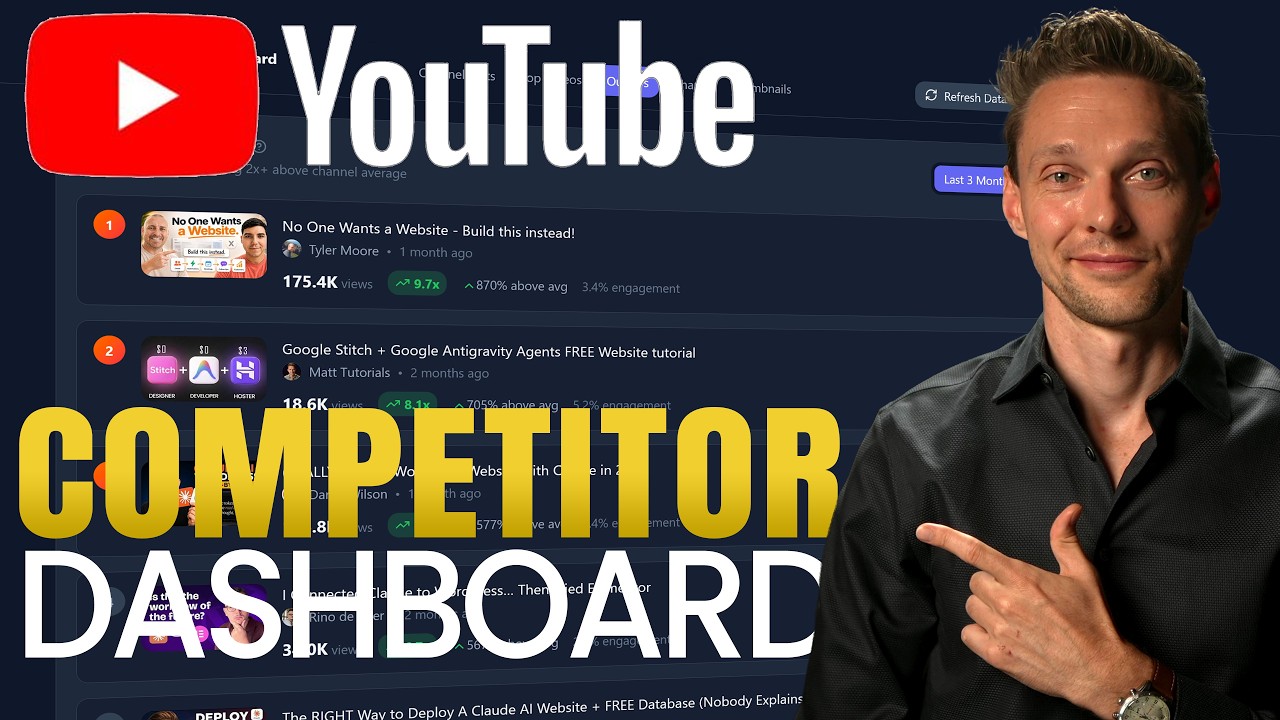
Build Your Own YouTube Competitor Dashboard for FREE
🔗 **Source:** [Build Your Own YouTube Competitor Dashboard for FREE](https://www.youtube.com/watch?v=ujd40V2PWxs#transcript)
> [!note]+ Document Notes
> tags: [youtube-analytics, ai-app-builder, vibe-coding, youtube-data-api, lead-generation]
> author: [MISSING]
> source: YouTube
> reference: https://www.youtube.com/watch?v=ujd40V2PWxs
> date created: 2026-07-20 10:04
>
> # 🏷️ Title: Build Your Own YouTube Competitor Dashboard for FREE (Step-by-Step)
>
<!-- deep-read:sections start -->
## 🧭 Table of Contents
- [📝 Summary](#-summary)
- [📖 Main Content](#-main-content)
- [🗒️ Notes](#️-notes)
- [📚 References](#-references)
- [🗣️ Paraphrase](#️-paraphrase)
- [📰 Newsletter](#-newsletter)
- [✅ Action Items](#-action-items)
- [🧪 Hypotheses](#-hypotheses)
- [📊 Methodology](#-methodology)
- [❓ Questions](#-questions)
- [🔮 Future Research](#-future-research)
- [💡 Implications](#-implications)
- [🧠 Learning Styles Assessment](#-learning-styles-assessment)
- [📊 Accessibility Assessment](#-accessibility-assessment)
- [🌍 DEIB Assessment](#-deib-assessment)
- [✅ Logical Validity](#-logical-validity)
- [🛡️ DARVO Analysis](#-darvo-analysis)
- [🎯 Conclusion](#-conclusion)
### 🔗 References
- [matttutorials.com/lovable](https://matttutorials.com/lovable) — landing page for the free Master Prompt download (email-gated)
- [Lovable](https://lovable.dev) — AI full-stack app builder used to generate the dashboard
- [Google Cloud Console](https://console.cloud.google.com) — source of the YouTube Data API v3 key
- [Cronjob.org](https://cronjob.org) — free external cron scheduler used for the daily auto-refresh
## 📝 Summary
- A YouTuber gives away a "Master Prompt" (a pre-written spec plus 10 reference screenshots) that, when pasted into Lovable, builds a working YouTube-competitor-tracking dashboard: top videos, growth/decline trends, statistical outliers, and thumbnail inspiration for a channel and up to ~10-15 tracked competitors.
- It matters as a case study in "vibe coding": a non-developer creator turns a fully specified prompt + reference images into a deployed, credential-wired web app (Lovable build, YouTube Data API, Google Cloud project, cron-triggered daily refresh) without writing code by hand.
- Stakeholders: the creator (lead magnet + affiliate revenue + subscriber growth), viewers/YouTubers wanting free competitive analytics, Lovable (new signups via referral), Google Cloud (API key issuance).
- Risks/tradeoffs: the "free" tool requires handing over an email address, creating several third-party accounts (Lovable, Google Cloud, Cronjob.org), and pasting a live-generated password and CRON secret into a Notepad file — all outside the video's threat model. The API "quota protection" claim is asserted, not demonstrated. Using someone's exact 10-15 "same-tier" competitors as tracked entities also raises a light data-collection/privacy consideration (public channel stats, but aggregated and refreshed automatically).
- Bottom line: technically the workflow is a legitimate, reproducible pattern (prompt + reference images → AI app builder → wire up API keys → automate via external cron), but it's wrapped in a classic lead-generation funnel (free resource ↔ email + affiliate clicks + like/subscribe ask).
## 📖 Main Content
The video documents an end-to-end "vibe coding" build: a viewer is walked from zero to a deployed, auto-refreshing analytics dashboard without writing a line of code themselves.
**Getting the prompt (the funnel).** The creator directs viewers to `matttutorials.com/lovable`, where downloading the "Master Prompt" zip requires submitting a name and email ("once a year" newsletter, per the creator). The zip contains the prompt text, 10 UI reference screenshots, a "Step 1: get channel ID" tool, and affiliate links the creator asks viewers to use.
**Prerequisite: channel IDs.** Before the AI can build anything meaningful, the tool needs concrete identifiers — the viewer's own channel and 10-15 competitor channels ("same subscriber amount, same viewership... not Mr. Beast"). This is a deliberate scoping choice: true competitors are peers, not aspirational giants.
**Building in Lovable.** Lovable is chosen because it gives 5 free credits/day and doesn't require publishing/hosting to use the dashboard. The workflow: sign up → paste the entire Master Prompt into the chat → attach all 10 screenshots (so the AI matches the intended UI) → "Let's build it." Lovable interprets this as a spec, produces a build plan, and after roughly 10 minutes produces a working scaffold.
**Wiring up credentials.** Once scaffolded, Lovable prompts the user through setup: their own channel ID, the list of competitor IDs, an app password, a YouTube Data API v3 key (created fresh in Google Cloud Console — new project → enable "YouTube Data API v3" → create an API key → restrict it), and a "CRON secret" (an arbitrary random string used as a shared secret). Finally it asks for a preferred daily auto-refresh time (8:00 a.m. in the demo).
**Automating the refresh.** Because Lovable itself doesn't run background jobs, the creator uses the free tier of Cronjob.org: create a job pointed at the dashboard's refresh URL, set it to run daily at the chosen time, add a custom header (`X-Cron-Secret` = the same string entered in Lovable), set the method to POST, and enable it. This closes the loop so the dashboard's data refreshes without manual intervention.
**First run and ongoing edits.** The viewer triggers one manual "Refresh Data," confirms the API key and quota-protection settings in-app, and is told that further changes (add/remove competitors, add features) can be made simply by asking Lovable in natural language, since "the solid foundation has been laid."
### 🗒️ Notes
- The video frames itself as fully free, but every "free" component still asks for something: email (Master Prompt), a Lovable account (with paid tiers above 5 credits/day), a Google Cloud project (technically requires enabling billing-capable APIs even if this specific API has a free quota), and a Cronjob.org account.
- "Quota protection so you will never get billed by Google Cloud" is a specific technical claim (client-side or server-side request throttling against the YouTube Data API's daily unit quota) that the video asserts but does not show the underlying implementation of — it's whatever Lovable's AI happened to generate from the prompt, not independently verified.
- The competitor-selection heuristic ("pick peers, not Mr. Beast") is the one piece of genuine strategic/domain advice in the video — it's about making the *outlier detection* and *growth comparison* meaningful rather than a specific product-usage instruction.
- The CRON secret pattern (shared header value checked server-side) is a legitimate, minimal auth mechanism for an unauthenticated webhook endpoint — appropriate for this low-stakes use case, though the video doesn't explain *why* it's needed (prevent randoms from hitting your refresh endpoint and burning API quota).
- The repeated asks (like the video, subscribe, use affiliate links, fill in email) are stacked at each step of the funnel rather than made once — a deliberate reciprocity/commitment pattern common in creator lead magnets.
## 📚 References
- [Lovable](https://lovable.dev) — AI app builder referenced throughout as the build environment
- [Google Cloud Console](https://console.cloud.google.com) — where the YouTube Data API v3 key is issued
- [Cronjob.org](https://cronjob.org) — free scheduler used to trigger the daily refresh webhook
- [matttutorials.com/lovable](https://matttutorials.com/lovable) — gated download page for the Master Prompt and screenshots
## 🗣️ Paraphrase
- A creator packages a detailed AI prompt plus reference screenshots into a downloadable kit, and shows that pasting that kit into an AI app builder (Lovable) is enough to scaffold a working dashboard that pulls YouTube stats for a user's channel and a shortlist of comparable competitors — surfacing growth trends, statistical outliers, and thumbnail ideas.
- Getting the dashboard fully working requires a handful of manual setup steps outside the AI builder itself: fetching channel IDs, generating a YouTube Data API key in Google Cloud, inventing a shared secret, and configuring an external free cron service to hit the dashboard's refresh endpoint once a day — after which the creator says further changes can be requested from the AI builder in plain language.
## 📰 Newsletter
Fancy a free, always-on competitor dashboard for your own channel? This tutorial hands you a ready-made "Master Prompt" — paste it into Lovable along with a handful of reference screenshots, and in about ten minutes you've got growth charts, outlier detection, and thumbnail inspiration pulling from 10-15 real peer channels. The only "cost" is a few minutes wiring up a free YouTube Data API key and a free Cronjob.org job for the daily auto-refresh — no code, no hosting bill. Worth a look if you're curious what "vibe coding" looks like end-to-end, from prompt to deployed, scheduled automation.
## ✅ Action Items
#### DevRel
- Developer experience: if repurposing this pattern for a product's own audience, package the "prompt + reference screenshots + setup checklist" trio as a template — it's the reusable unit here, not just the prompt text.
#### Community
- Contributors: if building something similar, document the credential-wiring steps (API key, shared secret, cron header) as a standalone checklist, since that's where non-developers are most likely to get stuck.
*(Other Action Items subteams — OSPO, WordPress, The WPCC, FAIR — have no applicable items for this source.)*
## 🧪 Hypotheses
- H1: Dashboards built this way (single mega-prompt + reference screenshots into an AI app builder) reliably reproduce the intended UI/UX with minimal follow-up correction.
- H2: The "quota protection" logic generated by the AI builder actually prevents exceeding the YouTube Data API's free daily unit quota under realistic refresh schedules (10-15 channels, daily).
- H3: Gating a technical resource behind an email address measurably increases newsletter list size without materially reducing the audience that completes the tutorial.
- H4: Viewers who follow this exact workflow end up creating and paying for accounts (Lovable beyond 5 credits/day, Google Cloud with billing enabled) at a non-trivial rate, turning a "free" tutorial into a funnel toward paid tools.
### 📊 Methodology
- H1: Have several non-developers follow the identical prompt + screenshots and measure diff between generated dashboard and the reference screenshots (visual regression, feature checklist).
- H2: Simulate a month of daily refreshes across a range of competitor-list sizes and measure YouTube Data API unit consumption against the daily quota ceiling.
- H3: A/B test the download page with and without the email-gate to compare completion and list-growth rates.
- H4: Survey or telemetry (with consent) on account-tier upgrades among viewers who completed the tutorial within 30 days.
### ❓ Questions
- What specifically does the generated "quota protection" mechanism do — client-side throttling, server-side caching, or just infrequent polling?
- How does the dashboard behave once a tracked competitor's channel is deleted, renamed, or made private?
- What happens to the collected email addresses beyond the stated "once a year" newsletter?
- Does Lovable's free 5-credits/day tier stay sufficient once a viewer starts asking for follow-up feature changes, as the video suggests they can?
### 🔮 Future Research
- Compare this single-mega-prompt approach against a multi-step, incrementally-prompted build in terms of reliability and final output quality.
- Investigate whether "vibe-coded" dashboards like this one hold up under YouTube API changes or quota-policy shifts without the original creator's continued support.
### 💡 Implications
- Practice: lowers the barrier for creators to get competitive analytics without hiring a developer, at the cost of several free-tier account signups and an email address.
- Security: viewers are asked to generate and store a password and a CRON secret in a plaintext Notepad file — workable for a personal hobby project, but a habit worth flagging if extended to anything more sensitive.
- Education: doubles as an accessible worked example of "spec-first" AI-assisted app building (prompt + reference screenshots → working app → conversational iteration).
- Funding models: illustrates a now-common creator monetization stack — free tool as lead magnet, affiliate links, platform referral incentives (Lovable), and subscriber growth, all bundled into one tutorial.
### 🧠 Learning Styles Assessment
- Reading level estimate: conversational spoken transcript, roughly Flesch-Kincaid grade 6-7 (short sentences, common vocabulary, frequent contractions).
#### 👀 Visual learners
- Present: the video itself is screen-recorded step-by-step; the zip includes reference screenshots.
- Improve: an annotated architecture diagram (Lovable ↔ YouTube Data API ↔ Cronjob.org) would clarify how the pieces connect, since it's currently only conveyed sequentially.
#### 🔊 Aural learners
- Present: full narrated walkthrough is the primary format.
- Improve: a short audio-only summary (2-3 minutes) of just the setup steps, without the on-screen-only details, would help audio-first consumption.
#### 🗣️ Verbal learners
- Present: plain-language explanations of each step as it happens.
- Improve: a glossary of the technical terms used in passing (API key, CRON, quota, webhook) would help viewers unfamiliar with them.
#### 🧩 Kinesthetic learners
- Present: the entire video is structured as a hands-on, follow-along tutorial.
- Improve: a downloadable checklist of the exact click-path (already partially provided via the zip) would reduce rewinding.
#### 🧠 Logical learners
- Present: the steps follow a clear causal order (get IDs → build → wire credentials → automate).
- Improve: a simple sequence/flow diagram of the setup steps and their dependencies would suit this audience better than narration alone.
#### 🧑🤝🧑 Social learners
- Present: invites comments and promises replies.
- Improve: a companion community thread or forum for troubleshooting shared setup issues.
#### 🧘♀️ Solitary learners
- Present: self-paced, can be followed alone with the zip file as reference.
- Improve: a self-check list ("Is your dashboard fully working? Verify these 5 things") at the end.
#### 🌿 Naturalistic learners
- Present: none identified — not applicable to this content.
### 📊 Accessibility Assessment
#### Screen reader semantics
- Present: not assessable — this is a video transcript, not the dashboard's own UI.
- Improve: if the resulting dashboard is shared further, verify it separately for heading structure and ARIA usage — the video gives no information on this.
#### Keyboard navigation
- Present/Improve: not assessable from a transcript; would need to test the generated Lovable app directly.
#### Contrast and readability
- Present: the video mentions choosing "dark mode" during signup, an aesthetic choice with no stated contrast verification.
- Improve: run the generated dashboard through a contrast checker before relying on it daily.
#### Text resizing and reflow
- Present/Improve: not assessable from transcript alone.
#### Media and captions
- Present: this transcript itself indicates captions exist for the video.
- Improve: none needed beyond what's already present.
#### Forms and interactions
- Present: the tutorial involves multiple forms (email signup, Lovable account, Google Cloud project, Cronjob.org account) — no accessibility information given for any of them.
- Improve: not assessable without direct testing.
#### Standards reference
- Insufficient information in the source to map to specific WCAG 2.2 AA criteria beyond noting the dashboard's own accessibility is untested by the video.
### 🌍 DEIB Assessment
#### Cultural breadth
- Present: single creator, single workflow, no international variation addressed (time zone example used is Amsterdam).
- Improve: note that API availability, Google Cloud account requirements, and payment methods for any paid tiers can vary meaningfully by region.
#### Inclusive language
- Present: casual, direct, plain language throughout ("I don't know millions of subscribers").
- Improve: minor — define acronyms (API, CRON) on first use for readers less familiar with them.
#### Neurodiversity support
- Present: linear, one-step-at-a-time structure is easy to follow.
- Improve: a written, chunked checklist (separate from the video) would reduce reliance on real-time video pacing.
#### Representation
- Present: single narrator; no other individuals represented in the content.
- Improve: not applicable given the format.
#### Psychological safety
- Present: friendly, low-pressure tone ("I still love you" even if you skip the affiliate links).
- Improve: none needed — tone is already low-pressure and non-coercive on the optional asks.
### ✅ Logical Validity
#### Strong reasoning
- Practical/causal reasoning: the video's core claim — "prompt + reference screenshots + credential setup + external cron = automated dashboard" — is demonstrated procedurally, step by step, which is a reasonably strong form of evidence (a live walkthrough) for "this workflow works."
- The competitor-selection guidance ("track peers, not the biggest channels in your niche") is a sound analogy-based argument: outlier and growth-rate comparisons are only meaningful against similarly-sized channels.
#### Fallacies
- Appeal to free/generosity framing ("I've spent months creating this... giving it to you completely for free") is used to justify the email-gate and affiliate-link asks — a mild reciprocity appeal rather than a strict logical fallacy, but worth naming as a persuasion technique rather than a technical claim.
- Unsubstantiated technical assurance: "you will never get billed by Google Cloud Console" because of the app's "quota protection" is asserted without evidence or explanation — this is closer to an appeal to authority (trust the tool) than a demonstrated technical guarantee.
#### Tone of voice
- Enthusiastic, informal, encouraging ("Everything works just perfectly," "I love it," "there we go") — consistent with a screen-recorded tutorial aimed at hobbyist creators rather than a technical audience.
### 🛡️ DARVO Analysis
- Not applicable: this is an instructional/promotional video with no accusation, conflict, or dispute present. There is no denial, attack, or victim/offender reversal dynamic to analyze.
- Note on adjacent persuasion tactics (distinct from DARVO): the video does use reciprocity framing ("I've spent months... for free, the only thing I ask...") to motivate the email signup and affiliate-link clicks — a marketing technique, not a DARVO pattern.
## 🎯 Conclusion
The video is a credible, reproducible demonstration that a single well-specified prompt plus reference screenshots can carry an AI app builder most of the way to a working, credentialed, and scheduled analytics tool — with the real remaining work being manual API/credential setup rather than iterative prompting. Its "free" framing is accurate at the tool-cost level but understates the number of accounts, credentials, and voluntary asks (email, affiliate clicks, subscribe) bundled into completing it. Practical next step for a viewer: follow the workflow, but store the generated password and CRON secret somewhere more secure than a plain Notepad file, and independently verify the API "quota protection" claim rather than taking it on faith.
## 🔄 Refactor Appendix — Build Your Own YouTube Competitor Dashboard for FREE
> Density: 2–5 Literature atoms (H3), 0–3 Permanent candidates (H4).
> Defaults: 3 Literature, 1 Permanent. Resonance filter applied.
### 📚 Literature Atoms (H3)
#### Track peers, not category giants, as competitors
> [!quote]
> "Those are not your competitors. Your competitors are the guys who have the same subscriber amount, have the same viewership amount."
**Context & use**:
- Mid-video, during the channel-ID collection step.
- Matters because it's the one substantive strategic principle in the video — it determines whether the dashboard's growth/outlier comparisons are meaningful at all.
**Tags**: #aphorisms
<!-- atomicity: 1 idea ✓ -->
#### Master Prompt plus reference screenshots scaffolds the app
> [!quote]
> "This way, Lovable knows exactly what it has to build."
**Context & use**:
- Just before pressing "build" in Lovable, after attaching all 10 screenshots alongside the pasted prompt.
- Names the mechanism that makes this a repeatable pattern: pairing a text spec with visual references narrows the AI builder's output space.
**Tags**: #xref
<!-- atomicity: 1 idea ✓ -->
#### External cron plus shared-secret header triggers the daily refresh
> [!quote]
> "The value is that string that we just created with the CRON job question from Lovable."
**Context & use**:
- During Cronjob.org setup, configuring the `X-Cron-Secret` header.
- Documents the minimal-auth pattern used to protect an otherwise-public refresh webhook from abuse.
**Tags**: #xref
<!-- atomicity: 1 idea ✓ -->
### 🧠 Permanent Candidates (H4)
#### Spec-plus-reference-image prompting narrows AI-builder ambiguity
**Claim** (my voice): When I want an AI app builder to hit a specific UI target, pairing a detailed text prompt with reference screenshots removes far more ambiguity than the text prompt alone.
**Evidence pointer**: [[#Master Prompt plus reference screenshots scaffolds the app]]
**Scope & conditions**: Holds when the target UI is already well-defined and screenshots exist; breaks down for genuinely novel designs with no reference imagery to anchor the builder.
**Links**:
- [[Vibe coding]] — because extends
- [[Prompt engineering]] — because applies-in AI app-building context
<!-- atomicity: 1 idea ✓ -->
### ✏️ Fleeting Queue
- [F1] Verify what "quota protection" actually implements in a Lovable-generated app before trusting it not to incur Google Cloud billing — https://www.youtube.com/watch?v=ujd40V2PWxs #xref
- [F2] Compare single-mega-prompt builds vs. incremental-prompt builds for reliability — general AI app-building note, no source yet #articleseed
### → Things 3 (max 2 actions)
- [ ] Test whether a "prompt + reference screenshots" package reproduces a target UI more reliably than a text-only prompt, using an existing Lovable project — vibe-coding research #things
```
Processed: Build Your Own YouTube Competitor Dashboard for FREE (Step-by-Step)
- Literature atoms: 3 / 5 cap
- Permanent candidates: 1 / 3 cap
- Fleeting items: 2
- Things 3 actions: 1 / 2 cap
- Konik tags used: #aphorisms, #xref, #articleseed
- Triage callouts populated: n/a (no pre-tagged Readwise highlights on this source; atoms drawn directly from transcript)
- Quality gates: quote verbatim ✓ | atomicity markers ✓ | link annotations ✓ | YAML hygiene ✓ (no [MISSING] in Permanent/Literature blocks) | Konik triage n/a (fresh transcript, not a Readwise re-run)
- Override conditions triggered: none
```
---
## Full Transcript
[00:00] With my free master prompt, you can create this
exact competitor dashboard, which I've been using <br>[00:04] for months with great success. You can add a
list of your own competitors in your niche, see <br>[00:10] their growth or decline, check out their outliers,
and as a bonus, you can get thumbnail inspirations <br>[00:16] for your own topics. And the best part,
you can vibe code this tool completely for free with <br>[00:22] any AI of your choice using my Master Prompt.
Let's dive in. You go to https://matttutorials.com/lovable.<br>[00:32] This link is in the description of this video and
also in the comment section. And then we click <br>[00:36] over here on the YouTube competitor dashboard. I
have spent months creating this YouTube competitor <br>[00:42] dashboard. I'm going to give it to you completely
for free. The only thing I ask in return <br>[00:47] is that you will like this video and also fill
in your email address so I can send you an email <br>[00:53] once a year when I create new awesome YouTube
tools for YouTubers like you and me. Thank <br>[00:59] you very much. So fill in your best name over here
and your email address. <br>[01:03] And press on Send me the Master Prompt. You
will see this message: "Thanks, link should be in <br>[01:09] your email". Then you have received this email.
Click on this link and immediately it will start <br>[01:14] downloading the zip file. Go to your
download folder and unzip the entire folder. <br>[01:18] The zip file contains the Master Prompt and
the screenshots we are going to feed the AI. <br>[01:23] Also in here are links and I highly appreciate
it if you use those affiliate links. I will be <br>[01:28] forever grateful. If not, I still love you and you
can still proceed with the tutorial - Which <br>[01:31] goes to Lovable and some other tools we need
so you can build it and use it completely free. <br>[01:36] The first thing we need are to get channel IDs
because the AI will need to know what channels <br>[01:41] to fetch as your competitors and what your channel
is. To do this easy, click on the hyperlink inside <br>[01:48] of the zip file. Step 1 - YouTube channel IDs.
So then just paste in the YouTube video from your <br>[01:54] competitor and press on Get channel
ID. Press over here, Copy to clipboard, open <br>[02:00] up Notepad, my own channel. Make sure that you
have your own channel and over there competitors. <br>[02:06] And then you're going to add in all the channel
IDs from all your competitors that you want to <br>[02:11] track in your tool. I would suggest to go with 10
or 15. Not go with the biggest channels like Mr. <br>[02:16] Beast or I don't know millions of subscribers.
Those are not your competitors. Your competitors <br>[02:23] are the guys who have the same subscriber amount,
have the same viewership amount. Those are your <br>[02:28] true competitors in the same niche. So pick
them all over there and put them in over here. <br>[02:32] Then we go back to the zip file. Now, in this
video, I will be using Lovable as an AI tool <br>[02:37] because it's super easy and you get five credits
a day for free. You don't even have to publish <br>[02:42] your dashboard. You can just use it inside of the
build screen if you want that. So, no need to make <br>[02:47] more costs like web hosting or all these things.
It's possible, but it's not really necessary. <br>[02:53] All right, so we click on this link, sign up with
Lovable. Then, we click over here on Get started. <br>[02:59] Now you can log in with Google, GitHub, Apple
or create your own account with your email. Press <br>[03:04] on Continue. Then create a really strong password
and press over here on create your account. <br>[03:09] Then go to your email and follow this link. There
we go. All right, there we go with the dark mode. <br>[03:13] I love it. Press on next. Then we're going
to enter in our name. And we are just an other. So <br>[03:18] great. How many people work at? I'm just a
solo one. And then we are here. Let's start <br>[03:23] building. Go to your zip file and open up the
master prompt. So, select everything and just <br>[03:28] copy it. Then, we're just going to paste in
this entire master prompt into Lovable. Then, <br>[03:34] don't start building yet. Press over here and
press on attach. And we're going to attach files. <br>[03:38] Then, go to your zip file and press over here on
screenshots and select all the 10 screenshots and <br>[03:44] press on open. This way, Lovable knows exactly what
it has to build. All right. Once you have <br>[03:51] done that, it's just a matter of pressing this
big button which says go for it. Let's build it. <br>[03:57] Now Lovable will take its time. So to
enable notifications, press over here on enable <br>[04:02] and press on allow in your browser. All
right, it has now created a plan with everything <br>[04:06] from the master prompt. So we just press over
here on Approve to get more oversight to see <br>[04:10] what you're actually building, drag all this
to this way because the chat can be very small <br>[04:17] and then we can see over here our new dashboard.
Now after 10 minutes it will be done and we'll be <br>[04:23] asking you a bunch of questions. What is your
YouTube channel ID? Well, we got that, <br>[04:28] of course. So, we're just going to copy this one.
Enter it in over here and press on Review. And <br>[04:32] we press on Submit. Then, paste in all
the YouTube channel IDs you want to track. You <br>[04:37] can separate them on a new line or with a comma,
whatever you want. And press again on Review and <br>[04:42] Submit. I'm only going to add in two this time,
but you can add in as many as you want. Then, <br>[04:48] it's going to ask you for a password. So, create
a really strong password and save it also in <br>[04:52] your Notepad. Then the next thing to do is to
paste in our YouTube data API version 3 key. <br>[04:58] Now we are going to create this step by step. So go
back to your zip file over here and then you can <br>[05:04] see Step 3 - Get a YouTube API. So just
open this up and then we are at the Google Cloud <br>[05:10] dashboard. Now it will change how it looks on
your site depending on if you ever used it. <br>[05:15] But if you've not ever used it, you need to create
a new project. So for me I click over here <br>[05:20] and press on New project YouTube... and then we press
over here on Create. The next thing you do is you <br>[05:26] click over here you go to APIs and services and
we go to Library and then we type in over here <br>[05:32] YouTube and you immediately see the Data
api v3. Then we press over here <br>[05:38] and then we press on Enable. Once it has been
created we click over here on Credentials <br>[05:43] and then we press over here on Create credentials
and API key. Well, just change it to the <br>[05:48] dashboard. Then we go to the API restrictions and
we're going to use Restrict API this one. Press on <br>[05:56] okay. Later on when Lovable has created everything,
we can restrict the application entirely. <br>[06:01] So we press first on Create. And here is our API
key. Copy it. Press over there. Then we go back <br>[06:07] to Lovable and paste it in over there. And we press
on Next. And the next thing Lovable will ask us is <br>[06:13] a CRON Secret. Any random string. So, we're just
going to type in something random... copy this <br>[06:19] also to your Notepad and save it in over there.
And this will be your Cron secret. So, keep it <br>[06:24] safe. Then press on next. Then, what time each day
should the dashboard auto refresh? Well, default <br>[06:31] is 8:00 a.m. because at 8:30 I will be looking at
my dashboard, but you can use any time you want. <br>[06:36] I'm go with 8 a.m. Amsterdam time. Press
on Review. Then, we have all these things we can <br>[06:43] see. And then we press on Submit. And Lovable is
going further with creating our dashboard. And <br>[06:48] you can already see how it goes right now. You can
see top videos. Oh, we need to login. Well, we've <br>[06:54] created a password for that one. And then you
can see the outliers, the charts, the thumbnail <br>[06:59] inspiration. Oo, everything works just perfectly.
But we have to wait till everything is completed. <br>[07:04] And then we can Refresh the data so we can start
pulling it in. And then the last very important <br>[07:08] question of Lovable is this one... Press on Review
and press on submit. Congratulations, <br>[07:15] your dashboard is ready. Everything is wired up.
But before we do anything, we need to set up the <br>[07:20] daily auto refresh cron job. To do this, we press
over here on Cronjob.org and we press on <br>[07:27] sign up. Just enter in your email address and
a very strong password and press on sign in <br>[07:31] or sign up. And then we press over here on create
Cron-Job. And it's pretty simple. We just need to <br>[07:38] fill in the information we get from Lovable. So
this would be the YouTube... then copy this URL. <br>[07:45] Press copy. Fill it in over here. And make sure
this Enable job is on. Then we go over here. <br>[07:52] The execution schedule should be every day at the
time you have proposed like 8:00 a.m. every single <br>[07:58] morning. And then we go over here to
advanced. And we have the headers. We press on <br>[08:02] add. We're going to add in this key X-Cron Secret.
Paste it in over there. And the value is <br>[08:10] that string that we just created with the CRON
job question from Lovable. There we go. <br>[08:15] We paste it in over here. And then make sure the
time zone is your time zone. And then change the <br>[08:20] request method to post. Once you have done
that, press on Create. And there we go. Now we <br>[08:26] have the next execution tomorrow at 8:00 a.m. Then
we go back to the channel insights. Scroll down. <br>[08:32] Then we need to do the first run. Do this
now. So we click over here and we press on Refresh <br>[08:38] Data. If you're not sure if anything happens, you
can go over here to the settings. And you can see <br>[08:43] over here your YouTube API key, which we have put
in over there. The automatic refresh. We have <br>[08:48] the API quote protection. So you will never get
billed by Google Cloud Console. And we can see over <br>[08:55] here you are monitoring these channels. This looks
really nice. Let's go back to the channel <br>[09:00] stats. And we can see it has been refreshed.
the statistics are being loaded in and the last <br>[09:05] 30 days and versus last period will be created
every single day once your database will add up. <br>[09:12] Now the beautiful thing is if you want to
change anything just add in more competitors or <br>[09:16] remove them or add more functionalities or change
something about your competitor dashboard you can <br>[09:21] just ask Lovable and it will do it for you because
everything works right now. The solid foundation <br>[09:27] has been laid so you are good to go. Now if
you have any questions at all just drop it <br>[09:31] down in the comments. I'll always reply. I hope
you really enjoyed building your own dashboard <br>[09:36] and in the upcoming days it will be filled out
with all the data and it's really valuable. <br>[09:41] Hope to see you in the next video. Like
and subscribe of course and see you later.
<!-- deep-read:sections end -->
📄 **Full text:** [[Full Document Contents/Articles/Build Your Own YouTube Competitor Dashboard for FREE.md|Build Your Own YouTube Competitor Dashboard for FREE by YouTube]]
## Highlights
- track in your tool. I would suggest to go with 10
or 15. Not go with the biggest channels like Mr. Beast or I don't know millions of subscribers.
Those are not your competitors. Your competitors are the guys who have the same subscriber amount,
have the same viewership amount. Those are your true competitors in the same niche. So pick
them all over there and put them in over here. ([View Highlight](https://read.readwise.io/read/01kxzxpk6916qnbrdvkt2ega6w))
- Note: Track peers, not category giants, as competitors — the one substantive strategic principle in the video; determines whether growth/outlier comparisons are meaningful.
- Tags: aphorisms, atom/literature/h1
- don't start building yet. Press over here and
press on attach. And we're going to attach files. Then, go to your zip file and press over here on
screenshots and select all the 10 screenshots and press on open. This way, Lovable knows exactly what
it has to build. All right. Once you have done that, it's just a matter of pressing this
big button which says go for it. Let's build it. ([View Highlight](https://read.readwise.io/read/01kxzxpw2dg2ph6trzc3tameq1))
- Note: Master Prompt plus reference screenshots scaffolds the app — pairing a text spec with visual references narrows the AI builder's output space.
- Tags: atom/literature/h2, xref
- add. We're going to add in this key X-Cron Secret.
Paste it in over there. And the value is that string that we just created with the CRON
job question from Lovable. There we go. We paste it in over here. And then make sure the
time zone is your time zone. And then change the request method to post. Once you have done
that, press on Create. And there we go. Now we ([View Highlight](https://read.readwise.io/read/01kxzxq531sepnb867b6c4zmj3))
- Note: External cron plus shared-secret header triggers the daily refresh — minimal-auth pattern protecting an otherwise-public refresh webhook.
- Tags: atom/literature/h3, xref
## New Highlights added 2026-07-20 at 11:45 AM
- Beast or I don't know millions of subscribers.
Those are not your competitors. Your competitors are the guys who have the same subscriber amount,
have the same viewership amount. Those are your true competitors in the same niche. So pick
them all over there and put them in over here. ([View Highlight](https://read.readwise.io/read/01ky02k1anpfsm897skvzp66y8))
- Note: Pick competitors at your own subscriber/view tier in-niche, not mega-channels.
- Tags: atom/literature/h1
- don't start building yet. Press over here and
press on attach. And we're going to attach files. Then, go to your zip file and press over here on
screenshots and select all the 10 screenshots and press on open. This way, Lovable knows exactly what
it has to build. All right. Once you have ([View Highlight](https://read.readwise.io/read/01ky02k7n7n4fetekwp9bjyj8e))
- Note: Attaching the 10 competitor screenshots gives Lovable the exact spec to build from.
- Tags: atom/literature/h2
- We paste it in over here. And then make sure the
time zone is your time zone. And then change the request method to post. Once you have done
that, press on Create. And there we go. Now we have the next execution tomorrow at 8:00 a.m. Then
we go back to the channel insights. Scroll down. ([View Highlight](https://read.readwise.io/read/01ky02kezasbgxm8dbs9c2ycxc))
- Note: Scheduling the cron job (POST method, your timezone) automates the daily competitor pull.
- Tags: atom/literature/h3
## Links
- [[3. Resources/Permanent Notes/Competitive Benchmarks Must Match the Next Attainable Tier]] — evidence-for: this transcript mirror carries the same peer-selection rule as the video note.
- [[3. Resources/Permanent Notes/A Metric Is Vanity Only Against Your Own Outcome Data]] — qualifies: rankings need validation against the channel's actual goals.