Carousel Designer: Create Beautiful Carousels Faster in WordPress
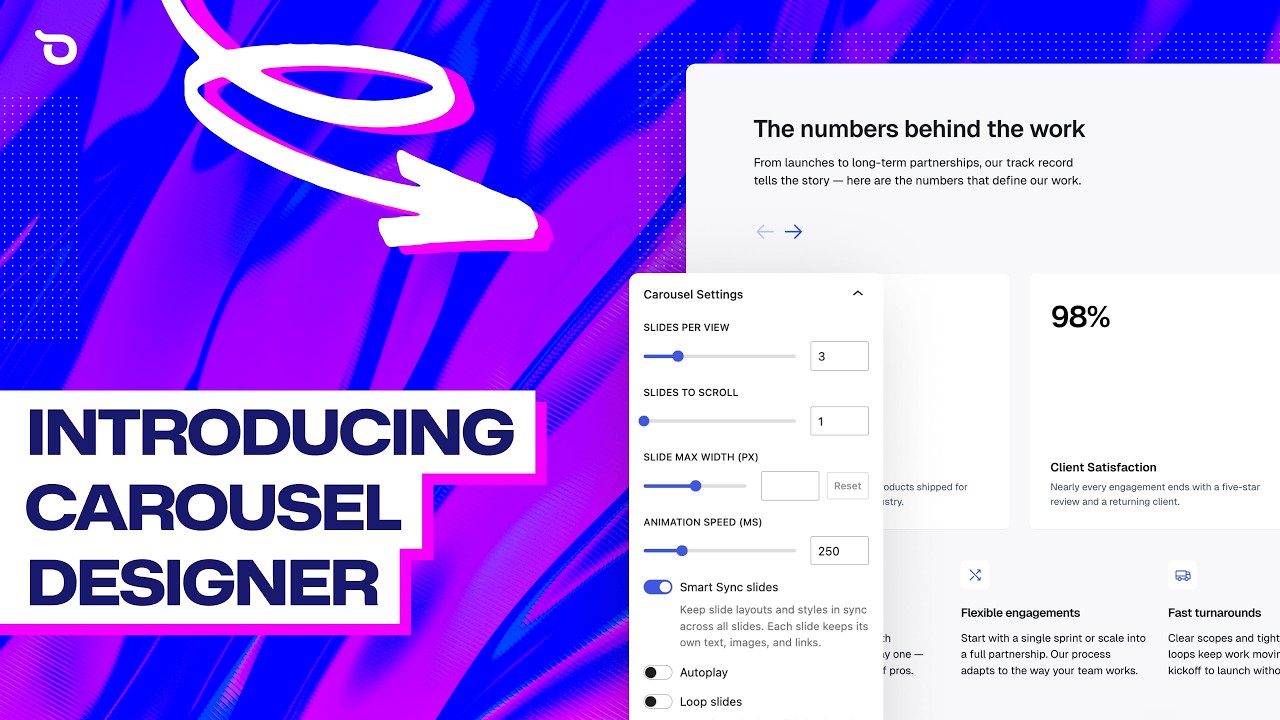
🔗 **Source:** [Carousel Designer: Create Beautiful Carousels Faster in WordPress](https://www.youtube.com/watch?v=rXw5i0P7_uw)
> [!note]+ Document Notes
> tags: [wordpress, block-editor, ollie-pro, carousel, page-builder, accessibility]
> author: Mike (Ollie)
> source: https://www.youtube.com/watch?v=rXw5i0P7_uw
> reference: Ollie Pro Carousel Designer feature walkthrough
> date created: 2026-08-08
>
> > [!info] Generated analysis — not the author's words. Sections below are machine-written
> > from the captured source. Only text inside `> [!quote]` blocks is verbatim from the author.
> > Do not quote or attribute any other line to the named author.
>
> # 🏷️ Carousel Designer: Create Beautiful Carousels Faster in WordPress
>
<!-- deep-read:sections start -->
## 🧭 Table of Contents
1. References
2. Summary
3. Main Content
4. References (source list)
5. Paraphrase
6. Newsletter
7. Action Items
8. Hypotheses
9. Methodology
10. Questions
11. Future Research
12. Implications
13. Learning Styles Assessment
14. Accessibility Assessment
15. DEIB Assessment
16. Logical Validity
17. DARVO Analysis
18. Conclusion
19. Refactor Appendix
## 🔗 References
- OllieWP.com (product site, referenced not embedded)
## 📝 Summary
A vendor product-demo video introducing Carousel Designer, a new feature in Ollie Pro (a WordPress block-editor theme/pattern-library product) that lets users build carousels entirely from native WordPress blocks rather than a locked-down slider widget. The core pitch: every slide is a blank canvas that accepts any block/pattern, contrasted against "clunky," "slow," "resource-intensive" legacy carousel solutions. The demo walks through the Ollie Pro pattern library, a "Smart Sync" feature that propagates style/content changes across all slides simultaneously, per-device (desktop/tablet/mobile) slide-count settings, dynamic content binding (pulling in blog posts or custom post types instead of static content), and a notably granular navigation-control system (arrows, dots, bars, scrollbar, pause button) with an explicitly named accessibility rationale for the autoplay-pause-on-hover and pause-button features. Stakeholders: WordPress site builders/agencies, Ollie Pro's existing customer base, prospective buyers evaluating carousel/slider solutions. This is vendor marketing content — no independent verification of the performance claims ("blazing-fast") is present in the source, and the entire video is a single continuous sales pitch with no critical distance from its own product.
## 📖 Main Content
### 🗒️ Notes
**Positioning against legacy carousels:** opens by naming the failure mode of prior WordPress carousel solutions (clunky, slow, resource-intensive, limited) without citing any specific product or benchmark — a rhetorical contrast rather than a substantiated comparison.
**Smart Sync:** the most substantive workflow claim — propagating a style or content change across all slides/columns simultaneously, on by default, toggleable off. Framed as solving the "tedious time" cost of manually editing repetitive slide content. This is a genuine, demonstrable time-saving mechanism (shown live in the demo, not just claimed) rather than a vague assertion.
**Dynamic content binding:** slides can pull from blog posts or custom post types instead of static per-slide content — turns the carousel block into a live query-based display component, not just a manually populated slideshow.
**Accessibility features named explicitly (rare in a promotional video):** autoplay pausing on hover, and an optional pause button below the carousel, are both explicitly framed by name as accessibility features — a notably more specific accessibility claim than most product demos make, though it covers only motion-control accessibility (WCAG 2.2.2 Pause, Stop, Hide), not the carousel's broader accessibility profile (keyboard navigation, screen-reader announcement of slide changes, focus management) which the video does not address at all.
**Responsive per-device settings:** desktop/tablet/mobile slide-count control is presented as reusing "a paradigm we've already used for adjusting other settings in Ollie Pro" — i.e., consistency with the product's existing design language, not a novel mechanism.
## 📚 References
No external citations, studies, or independent sources — entirely a first-party product walkthrough.
## 🗣️ Paraphrase
Opens with the pitch: build fast, content-rich carousels from native WordPress blocks, positioned against clunky/slow/resource-intensive legacy solutions. Every slide is a blank canvas accepting any block or pattern (hero sliders, testimonials, logo strips, dynamic post feeds). Demo begins in the block editor: inserting the carousel block offers "pick a design or start blank." Choosing a pre-made design opens the Ollie Pro pattern library's new carousel category with live-previewable, interactive pattern options. Explains the block's structure via layer view — freeform element placement rather than rigid slide templates. Walks through core settings: slides per view, slides to scroll, max width, animation speed. Introduces Smart Sync — changes to font size, color, or layout on one slide propagate automatically across all slides, demonstrated live (font size and color change syncing instantly). Explains slide-adding methods: blank new slide, or duplicate-previous. Demonstrates "overflow visible" (slides partially visible off-page edge, creating a fade-off effect) versus standard edge-cropped carousel. Covers autoplay, infinite loop, and fade-out effects, plus continuous-scroll autoplay (common in logo carousels) that explicitly pauses on hover, named as an accessibility feature. Covers cursor-drag scrolling and right-to-left layout support. Explains dynamic content binding — swapping static slide text for post-title or custom-post-type queries. Demonstrates responsive per-device slide-count settings (desktop 3 → tablet 2 → mobile 1, in the shown example) via a device-preview toggle. Details the navigation-control system: arrow style/size/color/spacing customization, alternative control types (dots, bars, scrollbar), and a dedicated pause-autoplay button — again named explicitly as an accessibility feature for users who don't want automatic motion. Shows building a carousel from scratch (blank start) using card-pattern-library testimonials, duplicated and edited into a full carousel in a few clicks. Closes with a positioning summary against "clunky short codes and heavyweight slider plugins," a call to action to OllieWP.com, and sign-off.
## 📰 Newsletter
**A carousel block that syncs itself.** Ollie Pro's new Carousel Designer is a fairly standard block-based-carousel pitch with one genuinely notable mechanism: Smart Sync, which propagates a style or content edit across every slide simultaneously instead of requiring per-slide manual repetition — shown live, not just claimed. It also does something most carousel-plugin marketing skips: names its autoplay-pause-on-hover and manual pause-button as accessibility features specifically, rather than folding them into generic "customization" language. Worth a look if you're evaluating carousel options and want block-native editing over a locked slider widget — just don't take "blazing-fast" at face value without your own benchmark.
## ✅ Action Items
**WordPress / Plugins / Themes:** relevant reference implementation for anyone evaluating carousel UX patterns, particularly the Smart Sync propagation mechanism and the named accessibility controls (pause-on-hover, pause button).
**Accessibility team:** worth independently verifying whether Carousel Designer's accessibility claims extend beyond motion-pause (keyboard navigation, ARIA live-region announcements for slide changes, focus management) — the video does not address these.
**DevRel / Core / Marketing / Support / Documentation / Design / Meta / CLI / Hosting / Tide / Openverse / Community / Training / Photos / TV / Polyglots / Core Performance / Core AI / Core Program Team / Mobile / Playground:** Not applicable to this source.
**The WPOCC / FAIR:** Not applicable to this source.
## 🧪 Hypotheses
1. Smart Sync-style bulk-propagation editing reduces measurable time-on-task for repetitive multi-slide content edits compared to per-slide manual editing, in a controlled usability test.
2. Products that name specific accessibility mechanisms explicitly (rather than generic "accessible" claims) see higher trust from accessibility-conscious buyers, even without independent audit.
3. Dynamic content-bound carousels (pulling live post data) reduce carousel content staleness compared to statically-populated carousels, measurable via update-frequency logs.
## 📊 Methodology
None — a first-party product demo with no data collection, benchmark methodology, or study design disclosed.
## ❓ Questions
- What does "blazing-fast" mean quantitatively — has Carousel Designer been benchmarked against specific competing carousel plugins on page-weight or render time?
- Does the carousel block announce slide changes to screen readers, and is keyboard-only navigation supported end to end?
- Does Smart Sync's automatic cross-slide propagation have an undo/exception mechanism if a user wants one slide to diverge intentionally after sync has been applied?
## 🔮 Future Research
- An independent performance benchmark of Carousel Designer against other prominent WordPress carousel/slider plugins (page weight, Core Web Vitals impact, resource consumption).
- A full WCAG 2.2 AA audit of the carousel block specifically (this video only demonstrates motion-pause controls).
## 💡 Implications
**Practice:** Smart Sync's live-propagation editing pattern is a genuinely useful UX mechanism worth citing as a positive example of reducing tedious repetitive-edit workflows, independent of this specific product.
**Policy:** Not applicable.
**Security:** Not applicable.
**Education:** the device-preview responsive-settings workflow is a clear, demonstrable teaching example for responsive design education.
**Funding:** Not applicable — this is a commercial product feature, not a funding/sustainability topic.
## 🧠 Learning Styles Assessment
- **Visual:** High — the entire content is a live screen-recorded demonstration.
- **Aural:** Medium — narrated walkthrough, single speaker.
- **Verbal:** Medium — descriptive narration throughout, though secondary to the visual demonstration.
- **Kinesthetic:** High — designed to be followed along hands-on in the viewer's own WordPress editor.
- **Logical:** Low — no argumentative structure; a sequential feature tour.
- **Social:** Low — single speaker, no community/discussion component.
- **Solitary:** Medium — designed for independent viewing/following-along.
- **Reading level:** N/A (spoken product demo); conversational, informal register throughout.
## 📊 Accessibility Assessment (WCAG 2.2 AA)
- **Text alternatives:** N/A — video content, not independently assessable from transcript alone.
- **Time-based media:** A transcript exists (this analysis's source), which is itself a baseline accessibility support; no indication of speaker-verified captions on the original video.
- **Adaptable/structure:** N/A for the product itself from this source; the video's own structure is a single continuous unbroken narration.
- **Distinguishable, Keyboard accessible, Enough time:** the product itself explicitly implements one WCAG-relevant feature (2.2.2 Pause, Stop, Hide — autoplay pause-on-hover and manual pause button) but the video provides no evidence about keyboard operability of the carousel controls, which is a separate and unaddressed WCAG criterion.
- **Seizures:** the autoplay/loop/fade features are not evaluated against flash/motion-sensitivity thresholds in this source.
- **Navigable:** N/A within this transcript.
## 🌍 DEIB Assessment
- **Cultural breadth:** Narrow — a single English-language product demo.
- **Inclusive language:** Neutral, professional throughout.
- **Neurodiversity support:** The pause-on-hover and pause-button features are directly relevant to motion-sensitivity and attention-related accessibility needs, though framed generically rather than with specific neurodivergent user consideration named.
- **Representation:** Single speaker; no representation claims to assess.
- **Psychological safety:** N/A — no interpersonal content.
## ✅ Logical Validity
**Strong reasoning:** N/A in the traditional sense — this is demonstrative, not argumentative, content. The Smart Sync claim is unusually well-supported for a marketing video because it's shown live rather than merely asserted.
**Fallacies:**
1. **Unsubstantiated comparative claim** — "clunky, slow, resource-intensive, limited" describes prior carousel solutions without naming any specific product or benchmark, located in the opening pitch. This is a common marketing pattern (vague competitor disparagement) rather than a specific, checkable claim. Fix: name specific comparison points or drop the comparative framing.
2. **Overclaiming via adjective ("blazing-fast")** — asserted without any performance data anywhere in the source. Fix: pair performance adjectives with an actual measurement or drop them.
**Tone of voice:** Enthusiastic, promotional, first-person and informal throughout — consistent with its stated purpose as a product-feature announcement, not a neutral review.
## 🛡️ DARVO Analysis
Not applicable — no accusation, denial, or victim/offender dynamic present; purely promotional demo content.
## 🎯 Conclusion
A standard vendor product-demo video with one genuinely notable UX mechanism (Smart Sync's live cross-slide propagation) and an above-average-for-marketing-content explicit naming of accessibility features (autoplay pause-on-hover, manual pause button) — though the accessibility claims are narrow (motion-pause only) and unverified for keyboard/screen-reader support. Standard marketing overclaiming ("blazing-fast," vague "clunky" competitor framing) present but not severe. Low resonance for standalone Permanent-note creation — this is product reference material, not a generalizable claim — best logged to backlog without forcing a new note.
## 🧱 Refactor Appendix
### Literature Split Pad
#### Smart Sync propagates edits across all slides automatically, reducing repetitive manual editing
> [!quote] ID:rw_ollie_carousel_01
> Smart Sync ... instead of going in and changing the content or the styles on every single one and just the amount of tedious time you spend doing that we just sync those changes across grids and columns for you automatically
Where/why: the single most substantive, demonstrable (not just claimed) mechanism in the video.
#### Autoplay pause-on-hover and a manual pause button are named explicitly as accessibility features
> [!quote] ID:rw_ollie_carousel_02
> when we hover over it, it stops. So that's a really good accessibility feature ... this is a great accessibility feature for people who don't really want to see carousels advancing automatically
Where/why: unusually specific accessibility naming for promotional content, though the video doesn't address keyboard or screen-reader support.
### Atomic Split Pad
- Zettel candidate: "Bulk-propagation editing (change once, apply everywhere) reduces the tedium tax on repetitive multi-instance content editing" — generalizable UX pattern beyond this specific product.
### Fleeting Queue
- Low resonance for standalone Permanent-note creation — product reference material. Log to backlog, no forced connection.
<!-- deep-read:sections end -->
📄 **Full text:** [[Full Document Contents/Articles/Carousel Designer Create Beautiful Carousels Faster in WordPress.md|Carousel Designer: Create Beautiful Carousels Faster in WordPress by YouTube]]
## Highlights
- no problem. So that's going to save you a ton of time because oftentimes with carousels and sliders ([View Highlight](https://read.readwise.io/read/01kzh09v636j2c6cnap2aeh00e))
- Note: Smart Sync's core value proposition: propagating edits across slides instead of manual per-slide repetition.
- And this is a great accessibility feature for people who don't really want to see carousels advancing automatically. ([View Highlight](https://read.readwise.io/read/01kzh09y82xk304hxjkz60chgx))
- Note: Explicit accessibility naming — motion-pause only; keyboard/screen-reader support not addressed in the video.