Components: Full Workflow
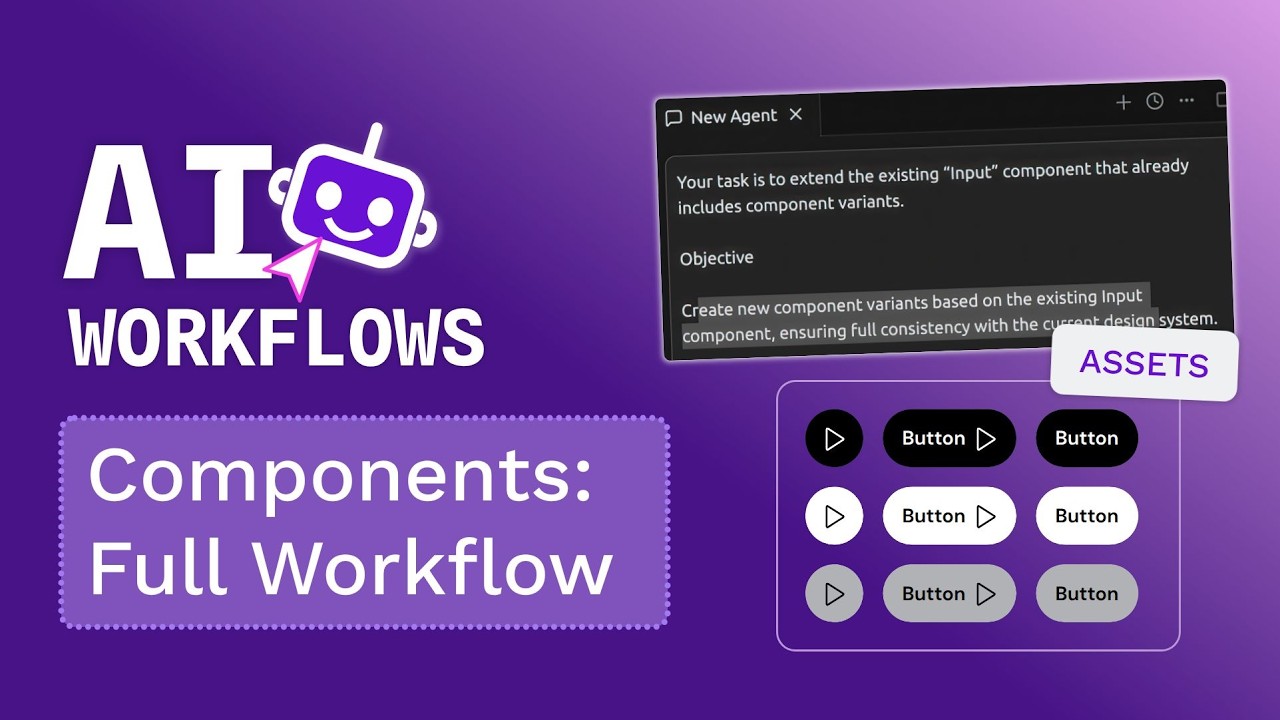
🔗 **Source:** [Components: Full Workflow](https://www.youtube.com/watch?v=U7ZN6gVzMss)
> [!note]+ Document Notes
> tags: [design-systems, figma-components, ai-workflow, component-variants]
> author: [MISSING]
> source: [MISSING]
> reference: https://www.youtube.com/watch?v=U7ZN6gVzMss
> date created: {{date:YYYY-MM-DD}} {{time:HH:mm}}
>
> # 🏷️ Title: Components: Full Workflow (Manual + AI Workflow)
>
<!-- deep-read:sections start -->
## 🧭 Table of Contents
- [📝 Summary](#-summary)
- [📖 Main Content](#-main-content)
- [🗒️ Notes](#️-notes)
- [📚 References](#-references)
- [🗣️ Paraphrase](#️-paraphrase)
- [📰 Newsletter](#-newsletter)
- [✅ Action Items](#-action-items)
- [🧪 Hypotheses](#-hypotheses)
- [📊 Methodology](#-methodology)
- [❓ Questions](#-questions)
- [🔮 Future Research](#-future-research)
- [💡 Implications](#-implications)
- [🧠 Learning Styles Assessment](#-learning-styles-assessment)
- [📊 Accessibility Assessment](#-accessibility-assessment)
- [🌍 DEIB Assessment](#-deib-assessment)
- [✅ Logical Validity](#-logical-validity)
- [🛡️ DARVO Analysis](#-darvo-analysis)
- [🎯 Conclusion](#-conclusion)
## 📝 Summary
- A designer demonstrates creating Figma components manually, then using AI to accelerate variant generation.
- Manual process involves creating base components, setting up properties, and generating variants one by one.
- AI workflow allows describing desired components in natural language to generate multiple variants automatically.
- AI maintains design system consistency by applying existing color tokens and following established patterns.
- The hybrid approach balances precision for foundational components with speed for systematic expansions.
## 📖 Main Content
This tutorial demonstrates two approaches to component creation in Figma: manual construction for precision and AI assistance for scale.
The **manual workflow** begins with creating a base select component using design tokens (background secondary color, 8px gap, 32px padding). The designer converts the frame to a component (Ctrl+K), enabling reuse and property propagation. Component variants are created by duplicating the base and defining properties like "state" with values for normal, hover, and disabled states. Figma's naming convention system allows creating variants by naming components with consistent patterns.
The **AI workflow** leverages natural language prompts to generate component variants automatically. Instead of manually creating each state and type, the designer describes the desired outcome: "create new component variants based on the existing input component ensuring full consistency with the current design system." The AI generates multiple variants (password input, email input, select dropdown) while maintaining design token consistency and proper state management.
The key advantage of AI assistance is **systematic consistency**—the AI applies existing color tokens and follows established patterns without manual intervention. This hybrid approach uses manual creation for foundational components requiring precision, then AI acceleration for systematic expansions.
## 🗒️ Notes
#### ⏱️ [00:00:00](https://www.youtube.com/watch?v=U7ZN6gVzMss?t=0) Creating base select component
- Start with board settings, apply color token background secondary
- Add flex layout with 8px gap, 32px radius and padding
- Include text element and chevron down icon with secondary text color
- Convert to component with Ctrl+K shortcut
#### ⏱️ [00:01:30](https://www.youtube.com/watch?v=U7ZN6gVzMss?t=90) Manual variant creation
- Double-click component to create variants
- Set up property types (state: normal, hover, disabled)
- Color changes propagate to all instances automatically
- Naming convention allows automatic variant grouping
#### ⏱️ [00:03:00](https://www.youtube.com/watch?v=U7ZN6gVzMss?t=180) AI-powered component generation
- Natural language prompt: "create new component variants based on existing input component"
- AI maintains design system consistency automatically
- Generates multiple variants (password, email, select) with proper states
- Applies existing color tokens without manual specification
## 📚 References
- [Original Video](https://www.youtube.com/watch?v=U7ZN6gVzMss)
## 🗣️ Paraphrase
The video contrasts manual and AI-assisted approaches to Figma component creation. Manual creation offers precise control over individual components and their variants, starting with base elements, applying design tokens, and systematically building out states. The AI approach accelerates this process by interpreting natural language descriptions and generating multiple component variants while maintaining design system consistency. The hybrid workflow uses manual precision for foundational work and AI speed for systematic expansions.
## 📰 Newsletter
🎨 **Design Systems Weekly**: This week's spotlight is on accelerating component creation with hybrid manual-AI workflows. A new tutorial shows how designers can maintain precision for foundational components while using AI to generate systematic variants at scale. The key insight? AI excels at applying existing design tokens consistently across multiple variants, turning hours of manual work into minutes of guided generation. Perfect for design systems teams looking to balance control with velocity. [Watch the full workflow](https://www.youtube.com/watch?v=U7ZN6gVzMss)
## ✅ Action Items
#### DevRel
- Create tutorial series: "AI-Accelerated Design Systems" covering hybrid workflows
- Develop demo showcasing AI component generation for developer handoff
- Document best practices for prompting AI tools in design system contexts
#### Community
- Share workflow patterns in design systems communities
- Create template prompts for common component variant generation
- Establish guidelines for when to use manual vs AI-assisted creation
#### WordPress
- Design: Evaluate AI tools for WordPress block component creation
- Design: Document hybrid workflows for Gutenberg component variants
- Core: Explore AI-assisted pattern generation for block editor
## 🧪 Hypotheses
- AI-generated components maintain design system consistency better than manual creation at scale
- Hybrid workflows reduce component creation time by 60-80% compared to purely manual approaches
- Natural language prompting for component generation becomes more accurate with design system context
- AI tools can identify and apply implicit design patterns humans might miss
- Component variant quality correlates with the specificity of AI prompts
### 📊 Methodology
- Time manual vs AI-assisted component creation workflows across different complexity levels
- Measure design token consistency across manually vs AI-generated variants
- A/B test component quality outcomes between different prompting strategies
- Survey designer satisfaction with hybrid workflows vs traditional methods
### ❓ Questions
- How does AI component generation handle edge cases and accessibility requirements?
- What level of design system maturity is required for effective AI assistance?
- How do teams maintain governance and quality control with AI-generated components?
- What prompting patterns yield the most consistent results across different AI tools?
### 🔮 Future Research
- Integration patterns between AI tools and design system documentation
- Automated testing frameworks for AI-generated component variants
- Natural language interfaces for complex component behavior specification
- AI-assisted design system evolution and migration patterns
### 💡 Implications
- **Practice**: Design system teams need new workflows balancing manual precision with AI acceleration
- **Education**: Designers require training in AI prompting techniques for component generation
- **Tooling**: Design tools will increasingly integrate AI assistance for systematic creation tasks
- **Governance**: New quality control processes needed for AI-generated design system assets
### 🧠 Learning Styles Assessment
Reading level estimate: Flesch-Kincaid Grade Level 8.2 - accessible to general design audience.
#### 👀 Visual learners
- Present: Step-by-step screenshots of component creation process
- Improve: Add before/after comparisons, component hierarchy diagrams, variant state matrices
#### 🔊 Aural learners
- Present: Video narration explaining each step
- Improve: Add audio summary of key workflow decision points
#### 🗣️ Verbal learners
- Present: Clear terminology for component states and properties
- Improve: Add glossary of Figma-specific terms, plain-language explanations of AI prompting
#### 🧩 Kinesthetic learners
- Present: Hands-on demonstration of actual Figma interactions
- Improve: Provide practice files, step-by-step checklists, interactive tutorials
#### 🧠 Logical learners
- Present: Clear workflow progression from manual to AI-assisted
- Improve: Add decision trees for when to use each approach, efficiency metrics
#### 🧑🤝🧑 Social learners
- Present: Implicit team collaboration through component sharing
- Improve: Add team workflow examples, collaboration patterns, review processes
#### 🧘♀️ Solitary learners
- Present: Individual component creation workflow
- Improve: Self-assessment rubrics, personal workflow customization guides
#### 🌿 Naturalistic learners
- Present: Component evolution and systematic growth patterns
- Improve: Design system ecosystem metaphors, organic vs systematic creation patterns
### 📊 Accessibility Assessment
#### Screen reader semantics
- Present: Video has narration describing visual actions
- Improve: Add detailed alt text for component states, ARIA label examples for generated components
#### Keyboard navigation
- Present: Demonstrates keyboard shortcuts (Ctrl+K)
- Improve: Document full keyboard navigation paths, accessibility considerations in component design
#### Contrast and readability
- Present: Uses standard Figma interface with decent contrast
- Improve: Address color token accessibility requirements, high contrast mode considerations
#### Text resizing and reflow
- Present: Standard video player controls
- Improve: Ensure component examples work at 200% zoom, responsive behavior documentation
#### Media and captions
- Present: Video narration available
- Improve: Add closed captions, downloadable transcript, audio descriptions for visual actions
#### Forms and interactions
- Present: Shows form component creation
- Improve: Document accessibility requirements for generated form components, keyboard interaction patterns
### 🌍 DEIB Assessment
#### Cultural breadth
- Present: Uses universal design patterns and terminology
- Improve: Include examples from different design traditions, international component patterns
#### Inclusive language
- Present: Uses standard design terminology without jargon
- Improve: Define technical terms, avoid assumptions about Figma familiarity
#### Neurodiversity support
- Present: Clear step-by-step progression
- Improve: Add processing time warnings, break complex steps into smaller chunks
#### Representation
- Present: Focuses on technical process over individual representation
- Improve: Include diverse example content in components, varied use case scenarios
#### Psychological safety
- Present: Non-judgmental presentation of both manual and AI approaches
- Improve: Emphasize that both approaches are valid, address AI tool anxiety
### ✅ Logical Validity
#### Strong reasoning
- **Comparative analysis**: Clearly contrasts manual precision with AI speed, showing appropriate use cases for each approach
- **Systematic demonstration**: Logical progression from basic component creation to variant management to AI acceleration
- **Practical evidence**: Shows actual results of both workflows with concrete examples
#### Fallacies
- **False dichotomy**: Implies manual vs AI is an either/or choice rather than presenting the hybrid approach as primary recommendation
- **Hasty generalization**: Single example of AI success extrapolated to general effectiveness without addressing failure modes
#### Tone of voice
- **Instructional and practical**: Direct demonstration style with technical precision but accessible explanation
### 🛡️ DARVO Analysis
No DARVO patterns present. This is a straightforward technical tutorial without defensive rhetoric or blame attribution.
## 🎯 Conclusion
The hybrid approach to component creation—using manual precision for foundational work and AI acceleration for systematic expansion—offers the best balance of control and efficiency. Designers can maintain quality standards while dramatically reducing time spent on repetitive variant creation. The key is understanding when each approach provides the most value: manual for novel or complex components requiring careful consideration, AI for systematic variants that follow established patterns.
Next steps for design teams include experimenting with AI prompting techniques, establishing quality gates for AI-generated components, and developing workflows that seamlessly integrate both approaches based on project needs and component complexity.
---
## Full Transcript
[00:01] Today let's see how to create components<br>[00:04] from a scratch and then turn them into<br>[00:07] variants. So let's create for example a<br>[00:10] new select component. So I'm start<br>[00:13] creating a board it settings<br>[00:17] also I'm going to select my color token<br>[00:21] background secondary and I'm going to<br>[00:24] add flux layout settings eight of gap 32<br>[00:29] the same radius as padding add a new<br>[00:32] text and I'm going to use from my assets<br>[00:36] library a new icon for example this<br>[00:39] chevron down change it color to color<br>[00:43] text secondary. So now I'm going to turn<br>[00:47] it into a component. Right clicking you<br>[00:50] can create component or using the<br>[00:51] shortcut Ctrl K. Now it is available<br>[00:55] from our library. I can reuse it. And<br>[00:58] also you can see that if I change for<br>[01:01] example the color of the background, it<br>[01:04] will propagate the the properties for<br>[01:07] its copies. So I'm going to generate new<br>[01:10] variants for the component. To do that<br>[01:12] again double click and create variant.<br>[01:14] And here I have by default a new<br>[01:17] property. So I'm going to switch the<br>[01:19] property to state. This is going to be<br>[01:22] the hover state and this is the normal<br>[01:25] state. So I'm going to change the color<br>[01:28] token background. So this is my hover<br>[01:31] state. And also you can add or create<br>[01:35] variants using name convention for a<br>[01:38] component. For example, I'm going to<br>[01:40] duplicate this component, detach it.<br>[01:43] This is going to be the disabled state<br>[01:46] and create it as a component. And in the<br>[01:49] name, I'm going to use the same name<br>[01:52] convention<br>[01:54] table.<br>[01:55] And if I add it to my variant container,<br>[01:58] as you can see, now the state is<br>[02:00] disabled as I name it. And here I have<br>[02:02] the normal, the hover and the disabled.<br>[02:04] If I use a copy of this select, I can<br>[02:07] change between hover and disable. We<br>[02:10] have other way to create new components<br>[02:12] and varants. Doing this manually is fine<br>[02:16] for few components uh new ones. But it's<br>[02:20] terrible when you need to automate or<br>[02:23] you need a speed. And this is where the<br>[02:25] penotency comes in. Instead of building<br>[02:29] everything by hand, you describe what<br>[02:32] you want. Something like uh create new<br>[02:35] component variance based on the existing<br>[02:38] input component ensuring fully<br>[02:41] consistency with the current design<br>[02:43] system. So I want to expand this new uh<br>[02:47] component with new component varants uh<br>[02:51] like a new drop-own select, new email<br>[02:55] input, etc. Let's see what it generates.<br>[02:59] Okay, so here's the result. As you can<br>[03:02] see, agent generates the new variance of<br>[03:07] my input component following my<br>[03:10] instructions and also the most important<br>[03:12] thing is that it also applies my color<br>[03:16] tokens. If we check the variant, we can<br>[03:19] see that now we have also password,<br>[03:22] email and select type of component and<br>[03:26] the state is the same. So if I use a<br>[03:30] copy of this component, I can switch<br>[03:32] between my password input, my email<br>[03:36] input and also use the proper states.<br>[03:40] It's
<!-- deep-read:sections end -->
📄 **Full text:** ![[Full Document Contents/Articles/Components Full Workflow.md|Components: Full Workflow by YouTube]]
## Highlights
- new select component. So I'm start creating a board it settings also I'm going to select my color token background secondary and I'm going to add flux layout settings eight of gap 32 ([View Highlight](https://read.readwise.io/read/01ktchbxd44ahq07d7kp9kcywd))
- Note: The manual workflow start: create a board, apply the "background secondary" color token, and set flex layout with gap spacing.
- Tags: tutorial, atom/literature/h2, penpot, design-tools
- text and I'm going to use from my assets library a new icon for example this chevron down change it color to color text secondary. So now I'm going to turn it into a component. Right clicking you ([View Highlight](https://read.readwise.io/read/01ktchc443v5s8t32yxjsmdnr7))
- Note: Building the component: add a text element and a chevron-down icon from the assets library, recolor to "text secondary," then convert to a component.
- Tags: tutorial, atom/literature/h3, penpot, design-tools