Essential Prompting Skills Every Bolt.new Builder Should Know
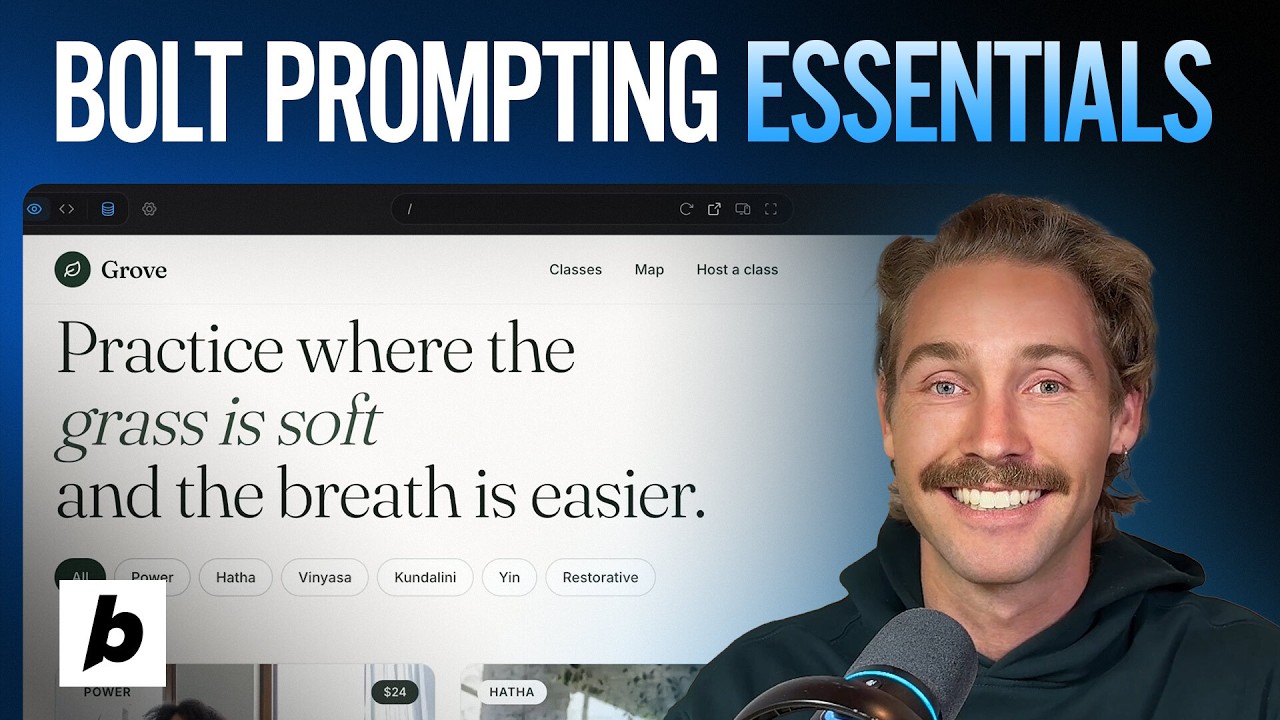
🔗 **Source:** [Essential Prompting Skills Every Bolt.new Builder Should Know](https://www.youtube.com/watch?v=hLRUmshwfO8)
> [!note]+ Document Notes
> tags: #ai-development #bolt #prompting #web-development #llm
> author: Bolt (by StackBlitz)
> source: YouTube
> reference: https://www.youtube.com/watch?v=hLRUmshwfO8
> date created: 2024-12-19 15:30
>
> # 🏷️ Title: Essential Prompting Skills Every Bolt.new Builder Should Know
>
<!-- deep-read:sections start -->
## 🧰 Action Inbox
- [H1] Master enhance prompt and plan mode for complex builds — 01:35 #ai-development
- [H2] Use context clearing strategically between major features — 06:45 #prompting
- [H3] Leverage select tool and image generation for precise edits — 08:30 #bolt
## 🧭 Table of Contents
- [[#📝 Summary]]
- [[#📖 Main Content]]
- [[#🗒️ Notes]]
- [[#📚 References]]
- [[#🗣️ Paraphrase]]
- [[#📰 Newsletter]]
- [[#✅ Action Items]]
- [[#🧪 Hypotheses]]
- [[#📊 Methodology]]
- [[#❓ Questions]]
- [[#🔮 Future Research]]
- [[#💡 Implications]]
- [[#🧠 Learning Styles Assessment]]
- [[#📊 Accessibility Assessment]]
- [[#🌍 DEIB Assessment]]
- [[#✅ Logical Validity]]
- [[#🛡️ DARVO Analysis]]
- [[#🎯 Conclusion]]
### 🔗 References
- [Bolt.new Platform](https://bolt.new)
- [StackBlitz Documentation](https://developer.stackblitz.com)
## 📝 Summary
- Tutorial covers advanced prompting techniques for Bolt.new AI-powered web development platform
- Key strategies include using enhance prompt, plan mode, context clearing, and selective editing tools
- Demonstrates building a yoga class marketplace with practical examples of each technique
- Emphasizes specificity in prompts and strategic use of different AI models to optimize token usage
- Shows integration of image generation and modification capabilities within the development workflow
## 📖 Main Content
This tutorial provides a comprehensive guide to effective prompting strategies for Bolt.new, an AI-powered web development platform. The instructor demonstrates building a two-sided marketplace for yoga classes while teaching essential prompting skills that can save time and computational tokens.
The core methodology revolves around being specific with prompts and breaking complex builds into manageable parts. Rather than overwhelming the AI agent with extensive requirements upfront, the tutorial advocates for iterative development with clear, focused prompts at each stage.
Key technical concepts include understanding context windows (everything the agent considers during development), strategic context clearing between major features, and using different AI models appropriately - performance models for complex builds and smaller models for minor tweaks.
## 🗒️ Notes
#### ⏱️ [00:00](https://youtu.be/hLRUmshwfO8?t=0) — [H1] Introduction to Essential Prompting Techniques
- Key idea: Proper prompting saves time and tokens in Bolt projects
- Evidence: "Essential prompting techniques so you can save time and tokens when it comes to prompting in your Bolt projects"
#### ⏱️ [00:35](https://youtu.be/hLRUmshwfO8?t=35) — [H2] Initial Prompt Strategy and UX Patterns
- Key idea: Specify known UX patterns by name and avoid overwhelming the agent
- Evidence: "If we know the UX pattern, then it's best to specify it by name... If we give the agent too much to work on at once, it can reduce its efficacy"
#### ⏱️ [01:35](https://youtu.be/hLRUmshwfO8?t=95) — [H1] Enhance Prompt Feature
- Key idea: Built-in prompt enhancement rewrites and structures prompts for better agent comprehension
- Evidence: "Click on the plus and click on enhance prompt. This rewrites the prompt and structures it so the agent can best comprehend it"
#### ⏱️ [02:15](https://youtu.be/hLRUmshwfO8?t=135) — [H1] Plan Mode Implementation
- Key idea: Plan mode generates detailed plans and clarifying questions before building
- Evidence: "This lets the agent come up with a detailed plan and ask you necessary clarifying questions before it builds it out"
#### ⏱️ [02:45](https://youtu.be/hLRUmshwfO8?t=165) — [H2] Model Selection Strategy
- Key idea: Use performance models for complex builds, smaller models for minor tweaks
- Evidence: "I recommend opting for performance when you're building a project from scratch. You can use the smaller models to save tokens when you're making small tweaks"
#### ⏱️ [03:30](https://youtu.be/hLRUmshwfO8?t=210) — [H2] Clarifying Questions Value
- Key idea: AI-generated clarifying questions reveal unconsidered edge cases and features
- Evidence: "What I love about the clarifying questions is it'll often ask you edge cases which maybe you haven't considered before"
#### ⏱️ [05:15](https://youtu.be/hLRUmshwfO8?t=315) — [H3] Generated Application Features
- Key idea: AI creates comprehensive features including animations, detailed content, and database integration
- Evidence: "It's using unique fonts... hover animation... slides out with a draw from the right hand side... RSVPs and our attendance has been successfully recorded"
#### ⏱️ [06:45](https://youtu.be/hLRUmshwfO8?t=405) — [H1] Context Window Management
- Key idea: Clear context between major features to remove irrelevant information
- Evidence: "Understanding your agents context window... If we want to add a new section... a lot of that is no longer relevant and that's when you can use the clear context command"
#### ⏱️ [08:30](https://youtu.be/hLRUmshwfO8?t=510) — [H2] Select Tool for Precise Targeting
- Key idea: Select tool allows choosing specific layers and components for targeted modifications
- Evidence: "By default, when we click select... it will select the top layer. However, we have the ability to toggle the option to pick from layers"
#### ⏱️ [09:45](https://youtu.be/hLRUmshwfO8?t=585) — [H2] Project Knowledge Configuration
- Key idea: Project knowledge text influences every prompt and should reference design guidelines
- Evidence: "The bolt agent considers the text that you have here upon every single prompt... please read and use guidance from the design markdown file"
#### ⏱️ [10:30](https://youtu.be/hLRUmshwfO8?t=630) — [H3] Token Optimization for Small Changes
- Key idea: Use lighter models for minor tweaks with specific prompts
- Evidence: "If you want to make a small tweak... That can be done by one of the less compute hungry models. This is a great way to save tokens"
#### ⏱️ [11:15](https://youtu.be/hLRUmshwfO8?t=675) — [H2] Image Generation and Modification
- Key idea: Integrated AI image generation and editing capabilities within development workflow
- Evidence: "Turn text prompts into AI generated images without leaving the conversation... I can choose to modify images too"
#### ⏱️ [13:45](https://youtu.be/hLRUmshwfO8?t=825) — [H3] Screenshot-Based Prompting
- Key idea: Visual inspiration through screenshots can guide design improvements
- Evidence: "You can take a screenshot and drag and drop that screenshot directly here into the Bolt Agent"
#### ⏱️ [14:45](https://youtu.be/hLRUmshwfO8?t=885) — [H2] Version History and Recovery
- Key idea: Version history provides fallback options when development gets stuck
- Evidence: "If you ever find yourself getting too stuck, just resort to a previous version that you know was working"
#### ⏱️ [15:15](https://youtu.be/hLRUmshwfO8?t=915) — [H3] Prompt Library for Best Practices
- Key idea: Built-in prompt library offers specialized prompts for accessibility, SEO, and usability
- Evidence: "Don't forget to use our prompt library. This is a great place to discover prompts specifically around accessibility, SEO, usability, and more"
## 📚 References
- [Bolt.new Platform](https://bolt.new)
- [StackBlitz](https://stackblitz.com)
- [Google's Imagen (Nano Banana Pro)](https://deepmind.google/technologies/imagen/)
## 🗣️ Paraphrase
- Effective Bolt.new development requires strategic prompting that breaks complex builds into focused, specific requests rather than overwhelming the AI with extensive requirements upfront
- The platform offers powerful features like prompt enhancement, plan mode with clarifying questions, and context management that developers should leverage to optimize both development speed and token usage
- Advanced capabilities including selective editing tools, integrated image generation, and screenshot-based prompting enable sophisticated web application development through natural language interfaces
## 📰 Newsletter
🚀 **Level Up Your AI Development with Advanced Bolt.new Prompting**
Developers working with AI-powered platforms like Bolt.new can dramatically improve their productivity by mastering strategic prompting techniques. This comprehensive tutorial reveals professional approaches to building complex web applications through effective AI collaboration.
**Key Benefits:**
- **Save Time & Tokens**: Strategic context clearing and model selection optimize resource usage
- **Enhanced Planning**: Plan mode generates detailed roadmaps and reveals unconsidered features
- **Precise Control**: Select tools and image modification provide granular editing capabilities
**Practical Applications:**
The tutorial demonstrates building a complete yoga marketplace with features like slide-out drawers, database integration, and responsive design - all through natural language prompting.
**Next Steps:**
Explore Bolt.new's prompt library for specialized use cases around accessibility, SEO, and usability improvements.
Resources: [Bolt.new Platform](https://bolt.new), [StackBlitz Docs](https://developer.stackblitz.com), [AI Development Best Practices](https://learn.stackblitz.com)
## ✅ Action Items
#### DevRel
- Developer advocacy: Create advanced prompting workshops and certification programs
- Education: Develop curriculum around AI-assisted development best practices
- Developer experience: Enhance prompt library with community contributions
- Developer marketing: Showcase complex applications built with effective prompting
- Community management: Moderate prompting technique forums and feedback channels
#### WordPress
- Core: Investigate AI-assisted theme and plugin development workflows
- Documentation: Create prompting guides for WordPress-specific development patterns
- Community: Host AI development workshops at WordCamps and meetups
- Training: Develop lesson plans for AI-assisted WordPress development
- Playground: Integrate AI development tools for educational purposes
## 🧪 Hypotheses
- Structured prompting with plan mode reduces development time by 40-60% compared to ad-hoc prompting approaches
- Context clearing between major features improves AI model performance and reduces token costs by 25-30%
- Visual prompting through screenshots produces more accurate design implementations than text-only descriptions
- Strategic model selection (performance vs. efficiency models) can optimize cost-effectiveness while maintaining quality
### 📊 Methodology
- A/B testing of different prompting strategies measuring development speed and output quality
- Token usage analysis comparing structured vs. unstructured prompting approaches
- User experience studies of developers learning AI-assisted development techniques
### ❓ Questions
- How do different prompting strategies scale with project complexity and team collaboration?
- What are the optimal context window management patterns for large-scale applications?
- How can AI-assisted development integrate with traditional version control and code review workflows?
### 🔮 Future Research
- Integration of AI prompting techniques with established software development methodologies
- Development of domain-specific prompt libraries for different technology stacks
- Analysis of AI model performance across different types of development tasks
### 💡 Implications
- Practice: AI-assisted development requires new skills in prompt engineering and context management
- Policy: Organizations need guidelines for AI tool usage in development workflows
- Security: AI-generated code requires additional review processes and security considerations
- Education: Development curricula must incorporate AI collaboration techniques
- Funding: Budget allocation should account for AI tool costs and training investments
### 🧠 Learning Styles Assessment
Reading level estimate: 8th-9th Grade
#### 👀 Visual learners
- Present: Extensive video demonstration with screen recordings and UI interactions
- Improve: Architectural diagrams showing AI agent decision flows and context management
#### 🔊 Aural learners
- Present: Complete narrated walkthrough with explanations during demonstrations
- Improve: Podcast version discussing prompting strategies without visual dependency
#### 🗣️ Verbal learners
- Present: Clear definitions of technical terms like "context window" and "plan mode"
- Improve: Analogies comparing AI prompting to traditional programming concepts
#### 🧩 Kinesthetic learners
- Present: Step-by-step hands-on building exercise with a complete project
- Improve: Interactive checklist for testing different prompting techniques
#### 🧠 Logical learners
- Present: Clear progression from basic to advanced techniques with reasoning
- Improve: Decision tree for selecting appropriate prompting strategies
#### 🧑🤝🧑 Social learners
- Present: Community-focused platform with sharing capabilities
- Improve: Collaborative prompting exercises and peer review workflows
#### 🧘♀️ Solitary learners
- Present: Self-paced tutorial format with independent practice opportunities
- Improve: Reflection prompts for evaluating prompting effectiveness
#### 🌿 Naturalistic learners
- Present: Organic development workflow following natural problem-solving patterns
- Improve: Ecosystem thinking about AI tools within broader development environments
### 📊 Accessibility Assessment
#### Screen reader semantics
- Present: Video content with spoken narration throughout
- Improve: Detailed alt text for UI elements and transcript with technical descriptions
#### Keyboard navigation
- Present: Platform designed for keyboard accessibility
- Improve: Explicit documentation of keyboard shortcuts and navigation patterns
#### Contrast and readability
- Present: High contrast UI elements in demonstrated interface
- Improve: Verification of contrast ratios across all demonstration screens
#### Text resizing and reflow
- Present: Responsive interface design shown in demonstrations
- Improve: Testing at various zoom levels during tutorial creation
#### Media and captions
- Present: Audio narration available throughout video
- Improve: Professional captions with technical terminology properly formatted
#### Forms and interactions
- Present: Clear labeling of interactive elements during demonstrations
- Improve: Explicit discussion of accessibility considerations in AI-generated interfaces
### 🌍 DEIB Assessment
#### Cultural breadth
- Present: Generic marketplace concept that could apply globally
- Improve: Examples from diverse geographic regions and cultural contexts
#### Inclusive language
- Present: Gender-neutral technical terminology throughout
- Improve: Acknowledgment of varying accessibility needs in AI development
#### Neurodiversity support
- Present: Clear structure with numbered steps and consistent pacing
- Improve: Multiple learning modalities and processing speed accommodations
#### Representation
- Present: Diverse example content in the yoga marketplace application
- Improve: Explicit discussion of inclusive design in AI-generated content
#### Psychological safety
- Present: Encouraging tone emphasizing experimentation and learning
- Improve: Content warnings about potential AI limitations and bias considerations
### ✅ Logical Validity
#### Strong reasoning
- Deductive strength: Clear progression from general principles to specific techniques
- Inductive strength: Multiple examples supporting effectiveness claims
- Causal reasoning: Explicit connections between prompting strategies and outcomes
- Analogical strength: Comparisons between AI prompting and traditional development
#### Fallacies
- Appeal to novelty: Implies newer AI techniques are inherently better without comparison to traditional methods
- Hasty generalization: Limited examples used to support broad claims about prompting effectiveness
#### Tone of voice
- Overall tone: Educational and encouraging with practical focus on skill development
### 🛡️ DARVO Analysis
- Deny: No relevant denial patterns identified
- Attack: No attack patterns present
- Reverse victim/offender: No victim/offender dynamics present
- Emotional cues and rhetoric: Positive, encouraging language focused on empowerment and skill building
## 🎯 Conclusion
- Master strategic prompting techniques including enhance prompt, plan mode, and context clearing to optimize AI-assisted development workflows
- Use appropriate model selection and selective editing tools to balance performance with cost-effectiveness in development projects
- Leverage visual prompting, version history, and prompt libraries to create sophisticated web applications through effective AI collaboration
## 🧱 Refactor Appendix
### 📚 Literature Split Pad
Purpose: Stage CEE units that become Literature notes.
Split level: H3
### [H1] AI prompting strategies optimize
---
## Full Transcript
[00:00] Welcome back to another Bolt tutorial. In this
video, we're going to cover essential prompting <br>[00:04] techniques so you can save time and tokens when
it comes to prompting in your Bolt projects. Let's <br>[00:09] dive in. Let's look at our initial prompt. Let's
build a two-sided local marketplace for hosting <br>[00:15] yoga classes in public spaces. Clicking an event
should open a preview drawer from the right hand <br>[00:20] side. Notice if we know the UX pattern, then
it's best to specify it by name. Now, obviously, <br>[00:26] there's a lot left up in the air with this prompt.
I haven't defined the database or anything about <br>[00:31] the host's experience, but that's fine for now.
If we give the agent too much to work on at once, <br>[00:36] it can reduce its efficacy. So, I like to prompt
it part by part. Now, the first skill for you to <br>[00:41] know is the enhance prompt feature. Click on the
plus and click on enhance prompt. This rewrites <br>[00:47] the prompt and structures it so the agent can
best comprehend it. Let's read through this. <br>[00:52] Looks good. Now, the second prompting skill, and
this is very powerful, is putting your agent in <br>[00:57] plan mode. This lets the agent come up with a
detailed plan and ask you necessary clarifying <br>[01:03] questions before it builds it out. Next, let's
choose the model for the job. I recommend opting <br>[01:07] for performance when you're building a project
from scratch. You can use the smaller models <br>[01:12] to save tokens when you're making small tweaks,
but building this project from scratch, I'm going <br>[01:16] to choose Opus 4.7. Feel free to add a design
system. There are some open- source options here, <br>[01:22] but I want something unique for this. So, I'm
going to leave that blank. And let's generate <br>[01:25] our plan. The agents generated the plan, and this
is where you're going to get the most out of your <br>[01:29] Bolt agent. Reading through the implementation
plan. It wants to set up a Bolt database, create <br>[01:35] a design system, and visual foundation, slide out
event draw, RSVP, and more. If we're happy with <br>[01:41] that, let's go ahead and answer the clarifying
questions. What I love about the clarifying <br>[01:46] questions is it'll often ask you edge cases which
maybe you haven't considered before. For example, <br>[01:51] it's asking should it include a map view toggle,
something we didn't specify in the prompt, but <br>[01:56] upon consideration, I think it's a good idea to
include now because we're answering the clarifying <br>[02:01] questions. Don't click implement this plan. We're
going to turn it off plan mode and we're going to <br>[02:06] send off the prompt with the questions answered
in the input box build. So, the agents finished <br>[02:11] working and have a look at this. Doesn't it look
great? It's using unique fonts. I like this green. <br>[02:16] If we hover over any of these event cards, we can
see that they get a slight hover animation. What <br>[02:23] happens if we click one? Yes, just like that, it
slides out with a draw from the right hand side. <br>[02:28] And there's more information about the class
here. The Bolt agent has added date, level, <br>[02:32] time, location, the teacher, the type of yoga, the
price, even adding details about the class, and a <br>[02:39] what to bring section. Quite impressive. I like
this little touch. Reserve your mat. Let's see <br>[02:44] if the RSVP works. Great. Just like that and it's
confirmed. We're locked in for the class. Let's <br>[02:49] look at our database. RSVPs and our attendance
has been successfully recorded. It looks good, <br>[02:55] but let's add a section underneath the classes
advocating for the benefits of yoga. One of the <br>[03:00] most important skills you can learn when it
comes to agentic development is understanding <br>[03:04] your agents context window. This is effectively
everything the agent has had to consider and <br>[03:09] create along its process so far. The agents had to
scaffold this page, create the slide out drawers, <br>[03:16] even create the database schema. If we want
to add a new section into this landing page, <br>[03:21] a lot of that is no longer relevant and that's
when you can use the clear context command. Simply <br>[03:27] type slashclear and enter. You don't need to worry
too much about the agent losing your conversation <br>[03:34] history because it can easily build this back up
again by looking through the codebase between any <br>[03:38] major features. It's best to clear the context
like this. Now we're ready to implement. Here's <br>[03:43] our prompt. Please add a new section underneath
the yoga class listings. This should have a dark <br>[03:48] green background with a white font and it should
advocate the benefits of doing yoga. It's not a <br>[03:53] particularly complex ask, so no need to go into
plan mode and let's build it out. So, here we are <br>[03:58] with that prompt and a refinement prompt. We've
arrived at this new Yoga section. It looks great. <br>[04:03] If you want to select a particular section of the
page, for example, when I click on this yoga card, <br>[04:09] I want to select this blurred green section
here. Let's use the select tool. Now, by default, <br>[04:15] when we click select and we hover over any
elements, it will select the top layer. However, <br>[04:21] we have the ability to toggle the option to pick
from layers. When we click something, it shows us <br>[04:28] all the different layers that we can choose from,
allowing us to choose components which are behind <br>[04:32] the top layer. Let's select the blur instead
of the page behind it and prompt. Please make <br>[04:37] this blur stronger and the green darker and more
opaque. Build the agent's finished. Now, when we <br>[04:42] click on a yoga card, we can see that prompt had
full effect. Another important consideration is <br>[04:48] your project knowledge. By default, every project
you create will have this project knowledge. The <br>[04:53] bolt agent considers the text that you have here
upon every single prompt. For example, if you've <br>[04:58] added a design markdown file in your project
route, and you want your bolt agent to reference <br>[05:04] this whenever building out new components, this
is where you tell your agent so it can remember <br>[05:09] this every single time. For example, please
read and use guidance from the design markdown <br>[05:14] file in the project route whenever building
out new components and save. For this demo, <br>[05:18] I've just created a new file, design markdown
file, and this is where you'd add your design <br>[05:23] guidance. Make sure to save this. As mentioned
before, if you want to make a small tweak, <br>[05:29] for example, let's change this icon here. That can
be done by one of the less compute hungry models. <br>[05:35] This is a great way to save tokens. Let's change
to haiku and be specific in your prompt. Here's <br>[05:41] our prompt. In the page navigation, there is a
leaf icon in a green circle on the left hand side <br>[05:46] of the word growth. Look how specific we've been.
Please change this leaf to a tree. Even better, <br>[05:52] let's use the select tool. Select. Click the
icon. Choose the SVG and build. Another tool <br>[06:00] to be aware of is the ability to modify images.
Let's go into our settings, all project settings, <br>[06:07] and down in add-on features, you'll see image
generation. Turn text prompts into AI generated <br>[06:14] images without leaving the conversation. This uses
Google's Nano Banana Pro to generate these images. <br>[06:20] Let's turn this on and save it. Now I could
directly prompt to create an image here or I <br>[06:26] can choose to modify images too. Let's select this
image here. Choose the image and now edit with AI. <br>[06:33] Here's our prompt. Change this to a photorealistic
image of a group of people doing yoga in a park <br>[06:39] and build. Bolt has generated this new image.
Notice that if it's a different aspect ratio, <br>[06:44] we may see the old image above and below it.
We can either continue to modify this image, <br>[06:49] and if we're happy, we can say, "Use this image."
Let's clear the context again. Here's our prompt. <br>[06:56] Please add a section underneath the Yoga section
and generate an image here with a lady doing a cat <br>[07:02] pose. Add annotations to this image pointing out
the benefits that they will receive. For example, <br>[07:07] improved gut health with a drawn arrow pointing
to her gut. Also improved mental focus with a line <br>[07:13] pointing to her mind. Add six to eight benefits
and build. So the agent's finished and it's <br>[07:19] generated this image. Perhaps they're a little
bit clustered and it could use some tweaking, <br>[07:23] but not bad for a first attempt. Another way you
can prompt your agent is by using screenshots. Say <br>[07:29] you find a design that inspires you. You can take
a screenshot and drag and drop that screenshot <br>[07:34] directly here into the Bolt Agent. Alternatively,
you can click attach file and choose the file <br>[07:40] from your computer. Now that that's been
added, let's build out a new hero section <br>[07:44] using this as inspiration. Here's our prompt.
Using the screenshot provided as inspiration, <br>[07:49] please improve the hero section to look more like
this image. Generate an image of a girl in yoga <br>[07:55] clothes sitting cross-legged on the right hand
side with the header and hero text on the left <br>[08:00] of her build. And there we go. In one prompt, it's
created this new hero section. Another important <br>[08:05] thing to know is your version history. If you ever
find yourself getting too stuck, just resort to a <br>[08:11] previous version that you know was working and try
a different approach. Simply click on a version <br>[08:16] and click restore this version. Finally, once
you're ready to publish, don't forget to use our <br>[08:21] prompt library. This is a great place to discover
prompts specifically around accessibility, SEO, <br>[08:28] usability, and more. The right hand side shows
you a preview of the prompt and by clicking the <br>[08:33] prompt, it'll populate it in the prompt box for
you to build. And there we go. In this video, <br>[08:38] we've covered the core principles for you
to be prompting with excellence in your bolt <br>[08:42] project. Remember to be specific. Don't leave
anything up to interpretation. Use plan mode, <br>[08:47] clear the context, and most importantly, have fun.
As always, I hope you've enjoyed today's video. If <br>[08:52] there's any specific content you'd like to learn
more about, please leave it in the comments below, <br>[08:57] and we'll do our best to get to it. And
with that, all the best building out your
<!-- deep-read:sections end -->
📄 **Full text:** ![[Full Document Contents/Articles/Essential Prompting Skills Every Bolt.new Builder Should Know.md|Essential Prompting Skills Every Bolt.new Builder Should Know by YouTube]]
## Highlights
- history because it can easily build this back up again by looking through the codebase between any major features. It's best to clear the context like this. Now we're ready to implement. Here's our prompt. Please add a new section underneath the yoga class listings. This should have a dark green background with a white font and it should advocate the benefits of doing yoga. It's not a particularly complex ask, so no need to go into plan mode and let's build it out. So, here we are with that prompt and a refinement prompt. We've arrived at this new Yoga section. It looks great. ([View Highlight](https://read.readwise.io/read/01kpp7tjqds1n09a1r96ybsv57))
- Tags: 👻 ai highlighted
- to be aware of is the ability to modify images. Let's go into our settings, all project settings, and down in add-on features, you'll see image generation. Turn text prompts into AI generated images without leaving the conversation. This uses Google's Nano Banana Pro to generate these images. Let's turn this on and save it. Now I could directly prompt to create an image here or I can choose to modify images too. Let's select this image here. Choose the image and now edit with AI. ([View Highlight](https://read.readwise.io/read/01kpp7tjr4v0kxdwnzkns0fdn3))
- Tags: 👻 ai highlighted