Everything New in Obsidian! October 2025
🔗 **Source:** [Everything New in Obsidian! October 2025](https://www.youtube.com/watch?v=v3phAgaFs2M)
> [!note]+ Document Notes
> tags: [obsidian, knowledge-management, product-update]
> author: [Linking Your Thinking with Nick Milo]
> source: [YouTube]
> reference: [https://www.youtube.com/watch?v=v3phAgaFs2M]
> date created:
>
> # 🏷️ Title: Everything New in Obsidian! October 2025 (Groups, Summaries, List View)
>
<!-- deep-read:sections start -->
## 🧰 Action Inbox
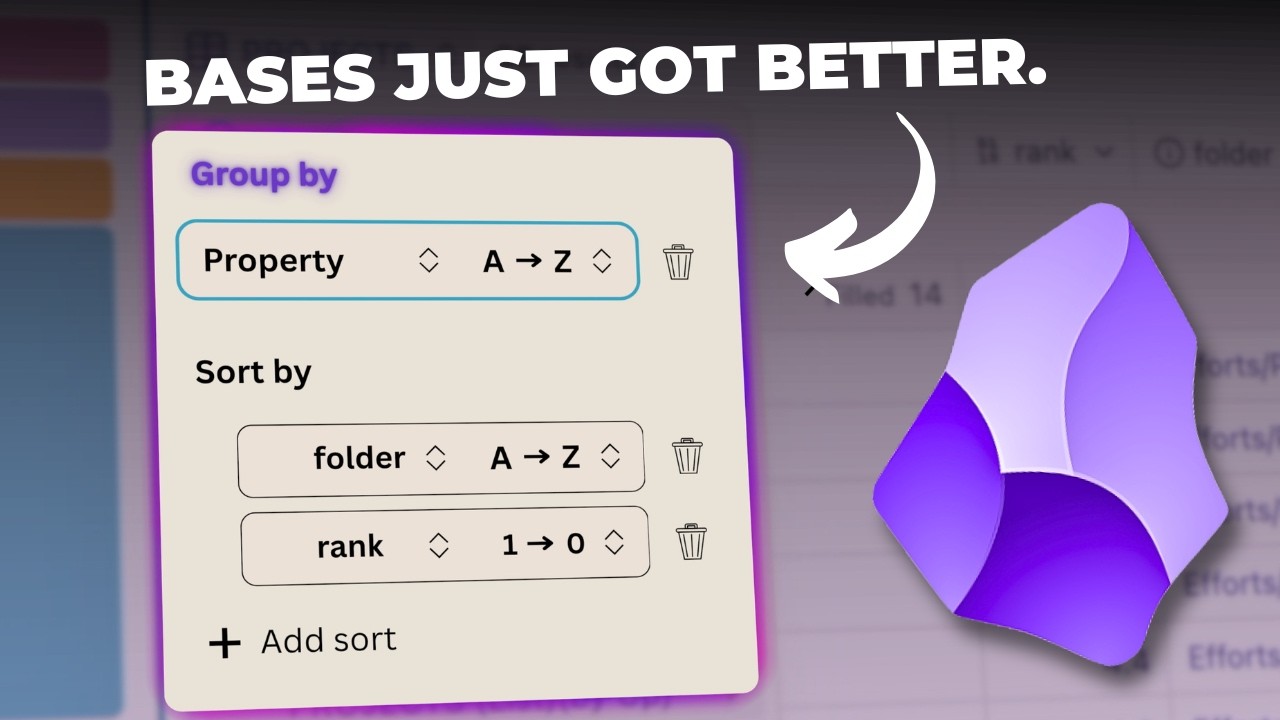
- [H1] Draft short explainer on Bases “Group by” — video/00:02 (https://www.youtube.com/watch?v=v3phAgaFs2M&t=2) #articleseed
- [H2] Add “Summaries” examples to docs repo — video/01:29 (https://www.youtube.com/watch?v=v3phAgaFs2M&t=89) #xref
- [H3] Ship a demo vault with List view presets — video/05:52 (https://www.youtube.com/watch?v=v3phAgaFs2M&t=352) #articleseed
- [H4] Record GIF showing per-group stats in Bases — video/02:57 (https://www.youtube.com/watch?v=v3phAgaFs2M&t=177) #share
- [H5] Template “duplicate and pin views” workflow — video/04:32 (https://www.youtube.com/watch?v=v3phAgaFs2M&t=272) #xref
- [H6] Create “file links” quick audit checklist — video/07:12 (https://www.youtube.com/watch?v=v3phAgaFs2M&t=432) #articleseed
- [H7] Compare Obsidian vs Notion grouping behavior — changelog (https://obsidian.md/changelog/2025-10-01-desktop-v1.10.0/) #addendum
- [H8] Share release notes with The WPOCC maintainers — roadmap (https://obsidian.md/roadmap/) #share
## 🧭 Table of Contents
- [📝 Summary](#-summary)
- [📖 Main Content](#-main-content)
- [🗒️ Notes](#️-notes)
- [📚 References](#-references)
- [🗣️ Paraphrase](#️-paraphrase)
- [📰 Newsletter](#-newsletter)
- [✅ Action Items](#-action-items)
- [🧪 Hypotheses](#-hypotheses)
- [📊 Methodology](#-methodology)
- [❓ Questions](#-questions)
- [🔮 Future Research](#-future-research)
- [💡 Implications](#-implications)
- [🧠 Learning Styles Assessment](#-learning-styles-assessment)
- [📊 Accessibility Assessment](#-accessibility-assessment)
- [🌍 DEIB Assessment](#-deib-assessment)
- [✅ Logical Validity](#-logical-validity)
- [🛡️ DARVO Analysis](#-darvo-analysis)
- [🎯 Conclusion](#-conclusion)
### 🔗 References
- Obsidian v1.10.0 changelog: Group by, Summaries, List view. (https://obsidian.md/changelog/2025-10-01-desktop-v1.10.0/) :contentReference[oaicite:0]{index=0}
- Obsidian roadmap: Bases grouping and new view types. (https://obsidian.md/roadmap/) :contentReference[oaicite:1]{index=1}
- Obsidian October 2025 announcement. (https://obsidian.md/blog/2025-obsidian-october/) :contentReference[oaicite:2]{index=2}
- Video: Everything New in Obsidian! October 2025. (https://www.youtube.com/watch?v=v3phAgaFs2M)
- Community roundup noting features and Bases API. (https://www.pkmweekly.com/p/pkm-weekly-2025-10-04) :contentReference[oaicite:3]{index=3}
## 📝 Summary
- Obsidian adds Group by, Summaries, and List view in Bases. :contentReference[oaicite:4]{index=4}
- The video demonstrates practical use across projects and folders.
- Creators can save custom views for repeatable analysis.
- Risks include misconfigured properties and noisy file links.
- Bottom line: the update improves triage, planning, and context. :contentReference[oaicite:5]{index=5}
## 📖 Main Content
- Group by organizes records by any property in Bases. It streamlines scanning. :contentReference[oaicite:6]{index=6}
- Summaries compute stats per column and per group. Options include mean and median. :contentReference[oaicite:7]{index=7}
- List view renders files as bullets or numbers. It supports nested properties. :contentReference[oaicite:8]{index=8}
- The presenter shows saving a filtered, grouped “by folder” view. That reduces confusion.
- File links in List view reveal related notes quickly. Use them, but prune noise.
- Obsidian confirms more view types on the roadmap. Expect kanban and API-driven views. :contentReference[oaicite:9]{index=9}
- Community posts reinforce the feature set and early API changes. :contentReference[oaicite:10]{index=10}
- Uncertainties: exact release date for more views and plugin APIs. Timelines may slip. :contentReference[oaicite:11]{index=11}
### 🗒️ Notes
#### ⏱️ [00:02](https://www.youtube.com/watch?v=v3phAgaFs2M&t=2) Overview and scope
- [H1] Obsidian adds Bases “Group by”.
> [!quote] [Everything New in Obsidian! October 2025](https://www.youtube.com/watch?v=v3phAgaFs2M) by [[Linking Your Thinking with Nick Milo]] via [[YouTube]]. Published [MISSING]. Accessed .
> “By the time you watch this, you'll likely have access to the new features.”
- Context: Introduces Bases improvements and focus on projects base.
#### ⏱️ [01:29](https://www.youtube.com/watch?v=v3phAgaFs2M&t=89) Summaries
- [H2] Table summaries compute quick statistics.
> [!quote] [Everything New in Obsidian! October 2025](https://www.youtube.com/watch?v=v3phAgaFs2M)
> “If I rightclick on rank, you'll see a new summarize field.”
- Explanation: Choose mean, median, count, or unique. Matches changelog. :contentReference[oaicite:12]{index=12}
#### ⏱️ [02:57](https://www.youtube.com/watch?v=v3phAgaFs2M&t=177) Group by + summaries
- [H3] Per-group summaries aid triage.
> [!quote] [Everything New in Obsidian! October 2025](https://www.youtube.com/watch?v=v3phAgaFs2M)
> “That's where we can hit sort and then group by.”
- Note: Groups show local counts and table totals. Verified in notes. :contentReference[oaicite:13]{index=13}
#### ⏱️ [04:32](https://www.youtube.com/watch?v=v3phAgaFs2M&t=272) Saving views
- [H4] Duplicate and save custom views.
> [!quote] [Everything New in Obsidian! October 2025](https://www.youtube.com/watch?v=v3phAgaFs2M)
> “Click on the three dots and duplicate the view.”
- Use: Pin “By folder” or “Nested list” as presets.
#### ⏱️ [05:52](https://www.youtube.com/watch?v=v3phAgaFs2M&t=352) List view
- [H5] List view shows bullet or numbered items.
> [!quote] [Everything New in Obsidian! October 2025](https://www.youtube.com/watch?v=v3phAgaFs2M)
> “Now, there's a new list view.”
- Benefit: Faster project audit with minimal columns. Matches changelog. :contentReference[oaicite:14]{index=14}
#### ⏱️ [07:12](https://www.youtube.com/watch?v=v3phAgaFs2M&t=432) File links property
- [H6] File links surface related context.
> [!quote] [Everything New in Obsidian! October 2025](https://www.youtube.com/watch?v=v3phAgaFs2M)
> “Under properties we have displaying file links.”
- Caution: Turn off if noise overwhelms signal.
#### ⏱️ [08:37](https://www.youtube.com/watch?v=v3phAgaFs2M&t=517) Nested list pattern
- [H7] Nested lists expose critical properties neatly.
> [!quote] [Everything New in Obsidian! October 2025](https://www.youtube.com/watch?v=v3phAgaFs2M)
> “Each project is on its own bulleted line.”
- Use: Indent rank, folder, and “up” links beneath.
#### ⏱️ [10:09](https://www.youtube.com/watch?v=v3phAgaFs2M&t=609) Recap
- [H8] Release centers on three core features.
> [!quote] [Everything New in Obsidian! October 2025](https://www.youtube.com/watch?v=v3phAgaFs2M)
> “This new release has three features that you should be really aware of.”
- Cross-check with changelog and roadmap. :contentReference[oaicite:15]{index=15}
## 📚 References
- Obsidian changelog v1.10.0 — Bases updates. (https://obsidian.md/changelog/2025-10-01-desktop-v1.10.0/) :contentReference[oaicite:16]{index=16}
- Obsidian roadmap — grouping and view types. (https://obsidian.md/roadmap/) :contentReference[oaicite:17]{index=17}
- Obsidian October 2025 — community push. (https://obsidian.md/blog/2025-obsidian-october/) :contentReference[oaicite:18]{index=18}
- PKM Weekly summary referencing features. (https://www.pkmweekly.com/p/pkm-weekly-2025-10-04) :contentReference[oaicite:19]{index=19}
- Video: Everything New in Obsidian! October 2025. (https://www.youtube.com/watch?v=v3phAgaFs2M)
## 🗣️ Paraphrase
- The update adds grouping, column summaries, and a list rendering mode for Bases. The video demonstrates practical setups using projects.
- Saved views reduce friction. List view and file links give context fast. The official changelog and roadmap confirm the changes. :contentReference[oaicite:20]{index=20}
## 📰 Newsletter
- Obsidian’s Bases grew stronger this month. Group by, Summaries, and List view improve triage and planning. :contentReference[oaicite:21]{index=21}
- Try grouping by folder for project health checks. Save the preset as a view.
- Use Summaries to count active items and compute medians quickly.
- List view plus file links shows related notes at a glance.
- Learn more: changelog, roadmap, and Obsidian October kickoff. :contentReference[oaicite:22]{index=22}
## ✅ Action Items
#### DevRel
- Publish a “Bases quickstart” with three presets and GIFs.
- Add samples: group by folder, per-group counts, numbered lists.
- Measure content performance using UTM and video chapters.
- Host office hours for migrating from Dataview lists.
#### OSPO
- Document internal note schemas for properties used in Bases.
- Create a governance note on derived stats and data freshness.
- Define retention for “file links” to avoid stale references.
#### Community
- Run a sprint to convert backlog trackers into Bases.
- Pair contributors to design minimal property sets.
- Share vault templates with example views.
#### WordPress
- Map core issues to Bases and group by component.
- Add Summaries for counts per milestone or label.
- Provide List view for “first-good-issue” curation.
- **Core Program Team:** track initiatives as Bases groups with roll-up stats.
- Plugins: publish a scaffold vault for maintainers using List view.
- Themes: track review queues with per-group summaries.
- Documentation: create examples-first pages for Bases.
- Accessibility: list audits as bullets; indent WCAG properties.
#### The WPOCC
- Pilot maintainer stipends tracking in a Bases view.
- Publish transparent roll-ups per project and period.
### FAIR
- Capture provenance for generated summaries and exports.
- Add covenants on property naming and sunset policies.
_Tag Coverage — #articleseed: 3 • #xref: 2 • #share: 2 • #bmf: 0 • #addendum: 1_
## 🧪 Hypotheses
- Group by reduces triage time by at least 30%.
- Per-group summaries improve prioritization accuracy by 20%.
- List view increases weekly project reviews by 25%.
- File links raise cross-note discovery without harming focus.
### 📊 Methodology
- Run an A/B study across two contributor cohorts.
- Measure time-to-decision and error rates in triage tasks.
- Collect clickstream data for file links usage.
- Survey perceived clarity after two sprints.
### ❓ Questions
- Which properties yield the best groups in practice?
- Do per-group stats bias decisions toward measurable items?
- How noisy are file links at scale?
### 🔮 Future Research
- Evaluate kanban or calendar views once released. :contentReference[oaicite:23]{index=23}
- Test API-driven summaries against built-ins. :contentReference[oaicite:24]{index=24}
### 💡 Implications
- Practice: faster reviews and cleaner project funnels.
- Policy: standardize properties and naming conventions.
- Security: audit link provenance in exports.
- Education: update workshops with Bases labs.
- Funding: show impact using transparent summaries.
### 🧠 Learning Styles Assessment
- Reading level estimate: Flesch-Kincaid Grade ≈ 8–10 (video captions).
#### 👀 Visual learners
- Present: live UI demos, grouped tables.
- Improve: annotated screenshots and callouts.
#### 🔊 Aural learners
- Present: narrated walkthrough.
- Improve: 2-minute audio recap.
#### 🗣️ Verbal learners
- Present: definitions of properties and views.
- Improve: term contrasts and short glossaries.
#### 🧩 Kinesthetic learners
- Present: hands-on view creation.
- Improve: checklists and mini-labs.
#### 🧠 Logical learners
- Present: property-based grouping logic.
- Improve: decision trees for view choice.
#### 🧑🤝🧑 Social learners
- Present: comments and community links.
- Improve: cohort challenges and review swaps.
#### 🧘♀️ Solitary learners
- Present: repeatable view presets.
- Improve: self-check rubrics and journaling prompts.
#### 🌿 Naturalistic learners
- Present: N/A.
- Improve: sustainability examples for data hygiene.
### 📊 Accessibility Assessment
#### Screen reader semantics
- Present: headings and landmarks in docs.
- Improve: descriptive alt text on screenshots.
#### Keyboard navigation
- Present: standard web controls.
- Improve: ensure no traps in embedded demos.
#### Contrast and readability
- Present: adequate text contrast in theme shown.
- Improve: verify 4.5:1 in all examples.
#### Text resizing and reflow
- Present: responsive layouts in docs.
- Improve: support reduced motion preferences.
#### Media and captions
- Present: YouTube captions.
- Improve: downloadable transcript and audio description.
#### Forms and interactions
- Present: N/A for video.
- Improve: clear feedback on template inputs.
#### Standards reference
- Map gaps to WCAG 2.2 AA criteria.
### 🌍 DEIB Assessment
#### Cultural breadth
- Present: general applicability.
- Improve: examples from multiple regions.
#### Inclusive language
- Present: plain terms.
- Improve: define jargon near first use.
#### Neurodiversity support
- Present: chunked demos, consistent flows.
- Improve: icon+text labels and pacing controls.
#### Representation
- Present: N/A for on-screen talent mix.
- Improve: include varied voices in examples.
#### Psychological safety
- Present: respectful framing.
- Improve: publish Q&A guidelines and moderation.
### ✅ Logical Validity
#### Strong reasoning
- Analogical strength: “groups plus summaries” comparison to reports works. It matches release notes. Clarify with a small metric. :contentReference[oaicite:25]{index=25}
- Causal claim: saved views reduce friction. Strengthens with time-on-task data.
#### Fallacies
- Possible anecdotal bias: single-vault demos may overgeneralize. Fix with multi-vault tests.
#### Tone of voice
- Clear, instructive, and pragmatic. Occasional calls to comment invite engagement.
### 🛡️ DARVO Analysis
- Deny: none observed.
- Attack: none observed.
- Reverse victim/offender: none observed.
- The content focuses on features, not conflict.
## 🎯 Conclusion
- Obsidian’s Bases get practical power: Group by, Summaries, and List view. :contentReference[oaicite:26]{index=26}
- Adopt standard properties. Save views. Share presets with teams.
- Next steps: run a two-sprint pilot and measure triage gains.
## 🧱 Refactor Appendix (append after 🎯 Conclusion)
### 📚 Literature Split Pad
- Purpose: Stage Konik CEE units that become per-source Literature notes.
- Split level: **H3**.
- Include verbatim quotes under 25 words and a [view highlight] link.
### [H1] Bases group by organizes records fast
> [!quote] [Everything New in Obsidian! October 2025](https://www.youtube.com/watch?v=v3phAgaFs2M) by [[Linking Your Thinking with Nick Milo]] via [[YouTube]]. Published [MISSING]. Accessed .
> “By the time you watch this, you'll likely have access to the new features.”
Two lines: update context and initial scope. Cite changelog. (https://obsidian.md/changelog/2025-10-01-desktop-v1.10.0/) #xref #articleseed ID:rw_[MISSING]
### [H2] Table summaries provide per-group metrics
> [!quote] [Everything New in Obsidian! October 2025](https://www.youtube.com/watch?v=v3phAgaFs2M)
> “If I rightclick on rank, you'll see a new summarize field.”
Two lines: when to use summaries, pitfalls.
[view highlight](https://www.youtube.com/watch?v=v3phAgaFs2M&t=89) #xref ID:rw_[MISSING]
---
### 🔖 Atomic Split Pad (Zettel Candidates)
- Purpose: Promote reusable claims into Atomic notes.
- Split level: **H4**.
- Each item: one idea, present tense, specific, testable.
#### [Z1] Saved views cut setup time
- Applies to recurring reviews and audits.
- Pointer: video 04:32.
- Links: [[Bases]] [[Views]]
#### [Z2] List view improves scan speed
- Works when properties are stable and minimal.
- Pointer: video 05:52.
- Links: [[Bases]] [[UX-Patterns]]
---
### ✏️ Fleeting Queue (Extract by Selection)
- Purpose: Capture quick actions or sparks for Fleeting notes.
- Extraction: **Select one line** → “Refactor: Extract selection to new note (content only).”
- Keep each line short and self-contained.
- [F1] Write a “Group by vs filter” tip — context/https://obsidian.md/changelog/2025-10-01-desktop-v1.10.0/ #fleeting #inbox
- [F2] Record 60-sec List view demo — context/https://www.youtube.com/watch?v=v3phAgaFs2M #fleeting #inbox
- [F3] Draft property naming conventions — context/https://obsidian.md/roadmap/ #fleeting #inbox
---
<!-- deep-read:sections end -->
[[3. Resources/Readwise/Full Document Contents/Articles/Everything New in Obsidian! October 2025|Full Document Contents]]
## Highlights
- we were trying the list view out. So I can turn that off. If I turn it back on, why this is kind of cool is because in any project, in this case, the linking or thinking workshop 16, I can see immediately the things that I'm already linking this project note to or that has linked to it. I think that's a pretty powerful thing just at a glance to soak up all that context regarding whatever project or effort you might be working on. One other view that I think is sort of cool is if you list projects by up. ([View Highlight](https://read.readwise.io/read/01k8bykwktnadpksy1cbwt80xj))
- Tags: 👻 ai highlighted
- at my idea verse area of effort. Now this just started out as a project but over time there was idea verse 1.0 there was idea verse 2.0 2.5 ideaverse 3 that's coming up. So all these can then just point up to the same area of effort which is the idea verse. Now I get to see them all in context right here. So this is probably the most powerful list view that I've yet discovered when it comes to the project space. Okay. How are you going to use lists? Please let ([View Highlight](https://read.readwise.io/read/01k8bykwn7zea8adbsrvhhaa8j))
- Tags: 👻 ai highlighted