Gemini and NotebookLM Integration: Impact on Classrooms
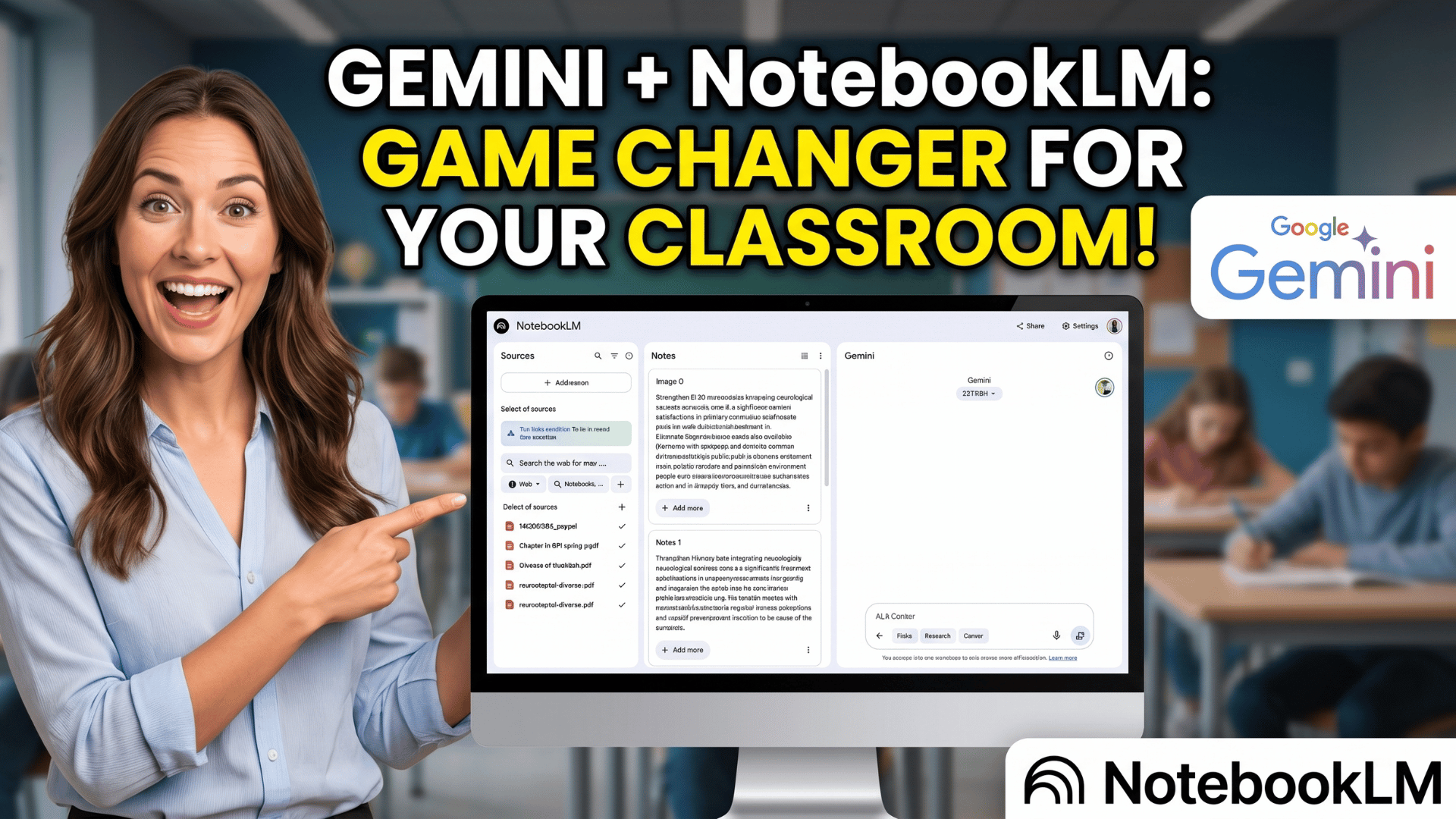
🔗 **Source:** [Gemini and NotebookLM Integration: Impact on Classrooms](https://teachercast.net/edtech/google-gemini-notebooklm-classroom-implications/)
> [!note]+ Document Notes
> tags: #artificial-intelligence #google-education #classroom-technology
> author: Jeff Bradbury
> source: TeacherCast
> reference: https://teachercast.net/edtech/google-gemini-notebooklm-classroom-implications/
> date created: 2024-12-28 15:45
>
> # 🏷️ Title: Google Just Combined Gemini & NotebookLM: Here's What It Means for Classrooms
>
<!-- deep-read:sections start -->
## 🧰 Action Inbox
- [H1] Test notebooks feature with staff PD materials — pilot with instructional coaches first #google-education
- [H2] Review Google Workspace licensing to ensure Gemini access — check organizational unit settings #administrative
- [H3] Create "Parent Communication" notebook template — upload school newsletter templates #communication
## 🧭 Table of Contents
- [[#📝 Summary]]
- [[#📖 Main Content]]
- [[#🗒️ Notes]]
- [[#📚 References]]
- [[#🗣️ Paraphrase]]
- [[#📰 Newsletter]]
- [[#✅ Action Items]]
- [[#🧪 Hypotheses]]
- [[#📊 Methodology]]
- [[#❓ Questions]]
- [[#🔮 Future Research]]
- [[#💡 Implications]]
- [[#🧠 Learning Styles Assessment]]
- [[#📊 Accessibility Assessment]]
- [[#🌍 DEIB Assessment]]
- [[#✅ Logical Validity]]
- [[#🛡️ DARVO Analysis]]
- [[#🎯 Conclusion]]
### 🔗 References
- [Google's official announcement](URL)
- [9to5Google coverage](URL)
- [CNET hands-on review](URL)
## 📝 Summary
- Google merged Gemini and NotebookLM into unified "notebooks" feature within Gemini app
- Educators can now organize AI conversations, upload documents, and maintain context across sessions in dedicated project spaces
- Access controlled through Google Workspace for Education admin console, requiring Plus edition or Gemini Education add-on
- Feature addresses persistent problem of disorganized AI chat history and context loss between sessions
- Immediate applications include unit planning, research projects, PD preparation, and administrative communication
## 📖 Main Content
Google has integrated NotebookLM's research capabilities directly into the Gemini app through a new "notebooks" feature. This merger addresses a key pain point for educators: the difficulty of organizing and finding previous AI conversations and maintaining context across work sessions.
The notebooks feature allows users to create dedicated project spaces that can organize related chats, upload documents from Google Drive or local files, and import sources from NotebookLM. Each notebook maintains continuity across sessions, eliminating the need to re-establish context with each new conversation.
For educational contexts, this integration offers three primary value propositions: organized workflow management, source-grounded AI responses that reduce hallucination risks, and persistent context that supports iterative project development. The feature is particularly relevant for educators already working within Google's ecosystem.
Administrative access is managed through Google Workspace for Education settings, with availability limited to districts with Plus licensing or the Gemini Education add-on. Administrators can control access by organizational unit and implement age-appropriate policies.
## 🗒️ Notes
#### Key Features Overview
- Key idea: Notebooks organize Gemini conversations into dedicated project spaces with file upload capabilities
- Evidence: "Create a notebook from scratch or pull together existing Gemini conversations. Plan a curriculum unit, manage a research project, or keep a running PD resource bank — all in one place"
#### Context Persistence Problem
- Key idea: Previous Gemini usage suffered from conversation disorganization and lost context
- Evidence: "your conversations pile up fast, and finding that one brilliant idea from last Tuesday becomes a scavenger hunt"
#### Document Integration Capability
- Key idea: Notebooks accept multiple file types and maintain connection to NotebookLM sources
- Evidence: "Upload PDFs, pull files from Google Drive, or import sources directly from NotebookLM. Your notebook gets smarter with every source you add"
#### Classroom Teacher Applications
- Key idea: Unit planning becomes centralized with standards documents and curriculum guides as source material
- Evidence: "Create a notebook for each unit. Upload your standards document, curriculum guide, and a few anchor articles"
#### Student Research Projects
- Key idea: Notebooks reduce AI hallucination risk by grounding responses in uploaded source materials
- Evidence: "Add vetted sources and let students interact with the material through guided prompts. Gemini keeps the conversation focused on what you've uploaded"
#### Instructional Coach Workflow
- Key idea: Coaches can maintain persistent documentation across coaching cycles with embedded evidence
- Evidence: "Maintain a running notebook for each teacher you're supporting. Add observation notes, co-planning docs, and reflection prompts"
#### Administrative Access Control
- Key idea: Feature availability depends on Google Workspace for Education licensing tier
- Evidence: "Gemini features, including notebooks, are available through Google Workspace for Education Plus and the Gemini Education add-on"
#### Organizational Unit Management
- Key idea: District administrators can enable access selectively by user group or department
- Evidence: "You can enable or restrict access by organizational unit — so you might turn it on for staff first, then expand to students later"
#### Pilot Implementation Strategy
- Key idea: Gradual rollout with feedback collection recommended for districts
- Evidence: "Consider enabling notebooks for your instructional coaches or tech-forward teachers first. Gather feedback, document quick wins"
#### Source-Grounded Analysis Benefit
- Key idea: Integration reduces AI reliability concerns by anchoring responses to uploaded documents
- Evidence: "combining Gemini's conversational power with NotebookLM's source-grounded analysis"
## 📚 References
- [Google's official announcement](URL)
- [9to5Google coverage](URL)
- [CNET hands-on review](URL)
- [Google's quickstart guide for Gemini and NotebookLM in Education](URL)
- [NotebookLM support documentation](URL)
## 🗣️ Paraphrase
- Google has unified two of its AI tools by bringing NotebookLM's research capabilities into the Gemini app through organized notebook workspaces
- Educators can now maintain persistent context across AI conversations while uploading relevant documents to ground responses in actual source materials
- School administrators control access through existing Google Workspace settings, with the feature requiring higher-tier licensing for educational organizations
## 📰 Newsletter
Google just made AI more practical for educators with notebooks in Gemini! This new feature solves the persistent problem of lost context and disorganized AI conversations by creating dedicated project spaces.
Key benefit: Your unit planning, research projects, and PD prep can now maintain continuity across work sessions while staying grounded in your actual documents and standards. No more re-explaining your project every time you open a new chat.
Getting started: If your district has Google Workspace for Education Plus, ask your admin to enable Gemini access. Try creating a notebook for your next unit with your curriculum guide and a few key articles uploaded.
Resources: [Learn WordPress](https://learn.wordpress.org/), [Developer Docs](https://developer.wordpress.org/), [WP-CLI](https://wp-cli.org/)
## ✅ Action Items
#### DevRel
- Developer advocacy: Present notebooks integration at education technology conferences
- Education: Create workshop curriculum for educator onboarding to notebooks feature
- Developer experience: Document API connections between Gemini and NotebookLM
- Community management: Establish feedback channels for educator users
#### Community
- Maintainers: Develop governance templates for AI tool usage in educational settings
- Contributors: Create onboarding guides for educators new to AI workflows
- Ecosystem: Coordinate with other educational AI tools for interoperability
#### WordPress
- Training: Develop lesson plans for AI-assisted content creation using notebooks
- Documentation: Create integration guides for WordPress educators using Google tools
- Accessibility: Ensure AI-generated educational content meets WCAG standards
## 🧪 Hypotheses
- Educators using notebooks will show higher AI adoption rates due to improved workflow organization
- Source-grounded responses will reduce educator concerns about AI reliability in classroom applications
- Districts with pilot programs will demonstrate higher satisfaction scores compared to full rollouts
- Integration complexity will initially limit adoption to Google Workspace Plus subscribers
### 📊 Methodology
- Survey educator satisfaction before and after notebooks feature adoption
- Track AI conversation organization patterns and context retention metrics
- Compare hallucination rates between standard Gemini and notebook-grounded responses
- Measure time-to-value for common educational use cases
### ❓ Questions
- How will this integration affect educator trust in AI-generated educational content?
- What privacy implications exist for student work uploaded to notebooks?
- Will the licensing requirement create equity gaps between well-funded and under-resourced districts?
### 🔮 Future Research
- Long-term impact of persistent AI context on educator workflow efficiency
- Student learning outcomes when using source-grounded AI for research projects
- District-level implementation strategies that maximize adoption and effectiveness
### 💡 Implications
- Practice: Educators need training on source selection and AI prompt engineering for educational contexts
- Policy: Districts must develop guidelines for acceptable AI use with student data and copyrighted materials
- Security: File uploads to notebooks require clear data retention and privacy policies
- Education: Professional development programs should incorporate AI workflow organization skills
- Funding: Google Workspace Plus licensing costs may impact district technology budgets
### 🧠 Learning Styles Assessment
Reading level estimate: 8-9th grade (Flesch-Kincaid)
#### 👀 Visual learners
- Present: Step-by-step feature descriptions, clear workflow organization
- Improve: Screenshots of notebook interface, workflow diagrams, visual feature comparisons
#### 🔊 Aural learners
- Present: No audio version currently available
- Improve: Podcast episode explaining integration benefits, recorded demo walkthroughs
#### 🗣️ Verbal learners
- Present: Clear explanations of technical terms, analogies like "filing cabinet with superpowers"
- Improve: More analogies for complex AI concepts, glossary of AI education terms
#### 🧩 Kinesthetic learners
- Present: Three specific quick-win activities to try immediately
- Improve: Interactive checklist for setup, hands-on workshop activities
#### 🧠 Logical learners
- Present: Clear cause-and-effect relationships, systematic feature breakdown
- Improve: Decision flowchart for implementation, ROI calculations for districts
#### 🧑🤝🧑 Social learners
- Present: Collaborative use cases for coaches and teachers
- Improve: Discussion prompts for faculty meetings, peer implementation guides
#### 🧘♀️ Solitary learners
- Present: Individual use cases and self-directed implementation steps
- Improve: Self-assessment rubric for AI readiness, personal reflection prompts
#### 🌿 Naturalistic learners
- Present: Ecosystem thinking about Google tool integration
- Improve: Environmental impact of AI usage, sustainable technology practices
### 📊 Accessibility Assessment
#### Screen reader semantics
- Present: Clear headings and logical document structure
- Improve: More descriptive link text beyond "Read more" or "Click here"
#### Keyboard navigation
- Present: Standard web navigation patterns
- Improve: Skip links for long content sections, focus management
#### Contrast and readability
- Present: High contrast text on white background
- Improve: Font size options, line spacing optimization
#### Text resizing and reflow
- Present: Responsive design supports zoom to 200%
- Improve: Content reflow testing at higher zoom levels
#### Media and captions
- Present: Text-based content only
- Improve: Video demonstrations with captions when created
#### Forms and interactions
- Present: Newsletter signup form with labels
- Improve: Error messaging, form validation feedback
### 🌍 DEIB Assessment
#### Cultural breadth
- Present: US-focused education system examples
- Improve: International education system considerations, global case studies
#### Inclusive language
- Present: Gender-neutral terms, clear technical explanations
- Improve: Avoid assumptions about district technology budgets or access
#### Neurodiversity support
- Present: Well-organized content with clear headings
- Improve: Executive function support with implementation checklists
#### Representation
- Present: Various educator roles represented (teachers, coaches, administrators)
- Improve: Include perspectives from different grade levels and subject areas
#### Psychological safety
- Present: Encouraging tone about AI adoption
- Improve: Address legitimate concerns about AI replacing human judgment
### ✅ Logical Validity
#### Strong reasoning
- Deductive strength: Logical progression from problem (disorganized AI chats) to solution (notebooks)
- Inductive strength: Multiple use cases support broader claims about educational value
- Causal reasoning: Clear connection between feature capabilities and workflow improvements
- Analogical strength: Filing cabinet metaphor effectively explains organizational benefits
#### Fallacies
- Appeal to novelty: Implies newer integration is automatically better without addressing potential drawbacks
- Hasty generalization: Limited discussion of potential negative impacts or implementation challenges
#### Tone of voice
- Overall tone: Enthusiastic and promotional while maintaining educational focus, uses educator-familiar language and scenarios
### 🛡️ DARVO Analysis
- Deny: No denial patterns present
- Attack: No attacks on critics or alternative approaches
- Reverse victim/offender: No victim/offender dynamics present
- Emotional cues and rhetoric: Positive framing throughout, emphasizes benefits without manipulative language
## 🎯 Conclusion
The integration of NotebookLM capabilities into Gemini represents a meaningful advancement for educators seeking organized, reliable AI assistance. By addressing core workflow problems—conversation organization, context persistence, and source grounding—Google has created a tool that better matches how educators actually work on complex, iterative projects.
The practical next step for interested educators is to verify district licensing and request access through their Google Workspace administrator. Starting with small pilot projects like unit planning or PD preparation can help build familiarity before expanding to more complex applications like student research support or district-level strategic planning.
This development signals a broader trend toward AI tools that integrate deeply with existing educational workflows rather than requiring separate platforms, potentially accelerating adoption among educators who have been hesitant about standalone AI applications.
## 🧱 Refactor Appendix
### 📚 Literature Split Pad
Purpose: Stage CEE units that become Literature notes.
Split level: H3
### [H1] Notebooks solve AI conversation organization problems
> [!quote] [Google Just Combined Gemini & NotebookLM: Here's What It Means for Classrooms](https://teachercast.net/edtech/google-gemini-notebooklm-classroom-implications/) by [[Jeff Bradbury]] via [[TeacherCast]]. Published 2024. Accessed 2024-12-28.
> "your conversations pile up fast, and finding that one brilliant idea from last Tuesday becomes a scavenger hunt."
Persistent problem with AI chat interfaces that notebooks feature addresses through organized project workspaces.
[view highlight](https://teachercast.net/edtech/google-gemini-notebooklm-classroom-implications/#H1) #xref #articleseed ID:rw_001
### [H2] Source grounding reduces AI hallucination risks
> [!quote] [Google Just Combined Gemini & NotebookLM: Here's What It Means for Classrooms](https://teachercast.net/edtech/google-gemini-notebooklm-classroom-implications/)
> "Gemini keeps the conversation focused on what you've uploaded — reducing the hallucination risk."
Educational benefit of document integration for more reliable AI responses in classroom contexts.
[view highlight](https://teachercast.net/edtech/google-gemini-notebooklm-classroom-implications/#H2) #xref ID:rw_002
---
### 🔖 Atomic Split Pad (Zettel Candidates)
Purpose: Promote reusable claims into Atomic notes.
Split level: H4
#### [Z1] AI conversation persistence improves educational workflows
- Applies to project-based educational work requiring iterative development
- Evidence from educator workflow challenges with existing tools
- Links: [[AI-Education]] [[Workflow-Organization]]
#### [Z2] Source-grounded AI reduces reliability concerns
- Condition: When relevant documents are uploaded to provide context
- Applicable to research and curriculum development tasks
- Links: [[AI-Reliability]] [[Educational-Technology]]
---
### ✏️ Fleeting Queue
Purpose: Capture quick actions for Fleeting notes.
- [F1] Research Google Workspace Plus pricing impact on district budgets — budget equity implications #fleeting #inbox
- [F2] Investigate data privacy policies for student work in notebooks — FERPA compliance #fleeting #inbox
- [F3] Compare notebooks feature to competitor AI education tools — market positioning #fleeting #inbox
<!-- deep-read:sections end -->
📄 **Full text:** ![[Full Document Contents/Articles/Gemini and NotebookLM Integration Impact on Classrooms.md|Gemini and NotebookLM Integration: Impact on Classrooms by teachercast.net]]
## Highlights
- If you've been using Google's Gemini app for brainstorming lessons, drafting parent emails, or exploring new teaching strategies, you know the challenge: your conversations pile up fast, and finding that one brilliant idea from last Tuesday becomes a scavenger hunt.
That changes today. Google is rolling out **notebooks in Gemini** — a dedicated space inside the Gemini app that lets you organize your chats and files, and connects directly with [NotebookLM](https://notebooklm.google/). Think of it as giving your AI conversations a filing cabinet with superpowers. ([View Highlight](https://read.readwise.io/read/01kpb6f4j018wz5mw15rkz93v3))
- **PD session prep** — Create a notebook for an upcoming professional learning session. Upload research articles, district goals, and observation notes. Use Gemini to draft agendas, talking points, and follow-up action items — all tied to your actual evidence. ([View Highlight](https://read.readwise.io/read/01kpb6efgf16mvwpdqe2h649ca))
- Tags: 👻 ai highlighted