Getting Started With WordPress Studio
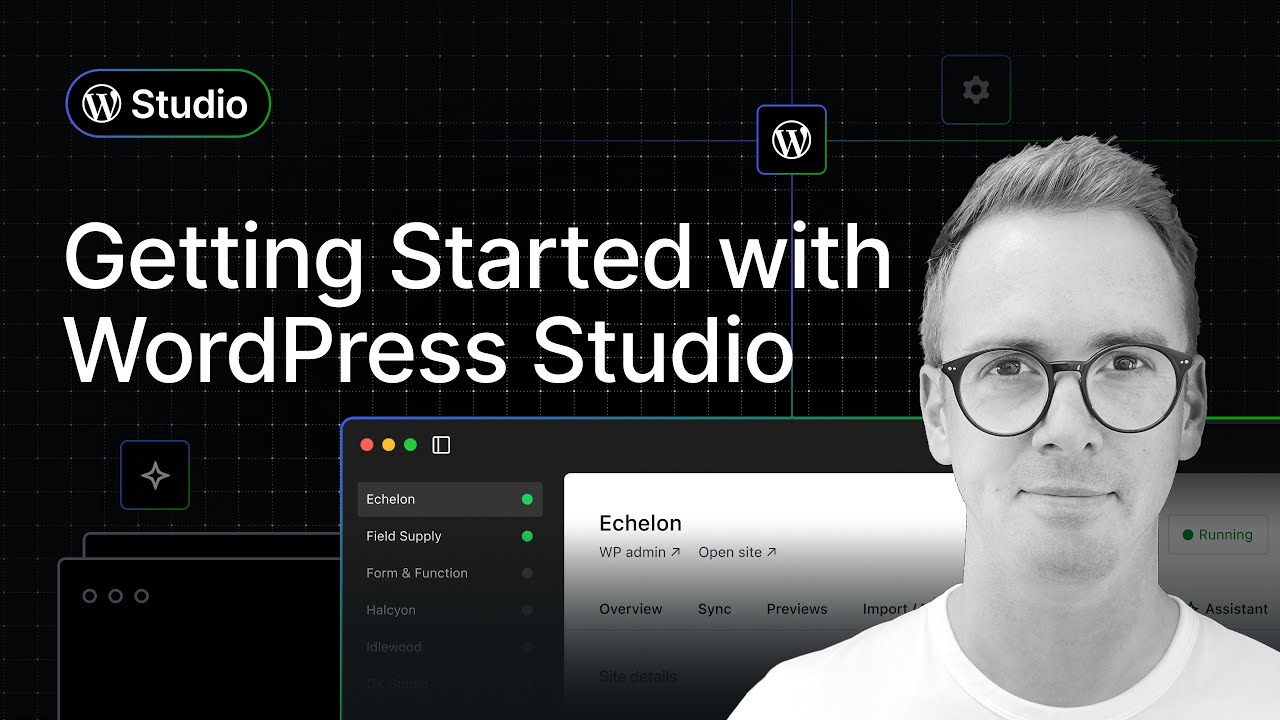
🔗 **Source:** [Getting Started With WordPress Studio](https://www.youtube.com/watch?v=wxBXWmo2oV0)
> [!note]+ Document Notes
> tags: [wordpress-studio, local-development, wordpress-tooling, webassembly, developer-tools, ai-assistant]
> author: Nick Diego
> source: WordPress.com
> reference: https://www.youtube.com/watch?v=wxBXWmo2oV0
> date created: {{date:YYYY-MM-DD}} {{time:HH:mm}}
> # 🏷️ Title: Getting Started with WordPress Studio
<!-- deep-read:sections start -->
## 🧭 Table of Contents
- [📝 Summary](#-summary)
- [📖 Main Content](#-main-content)
- [🗒️ Notes](#️-notes)
- [📚 References](#-references)
- [🗣️ Paraphrase](#️-paraphrase)
- [📰 Newsletter](#-newsletter)
- [✅ Action Items](#-action-items)
- [🧪 Hypotheses](#-hypotheses)
- [📊 Methodology](#-methodology)
- [❓ Questions](#-questions)
- [🔮 Future Research](#-future-research)
- [💡 Implications](#-implications)
- [🧠 Learning Styles Assessment](#-learning-styles-assessment)
- [📊 Accessibility Assessment](#-accessibility-assessment)
- [🌍 DEIB Assessment](#-deib-assessment)
- [✅ Logical Validity](#-logical-validity)
- [🛡️ DARVO Analysis](#-darvo-analysis)
- [🎯 Conclusion](#-conclusion)
### 🔗 References
- [WordPress Studio download](https://wordpress.studio)
- [WordPress Studio GitHub repository](https://github.com/Automattic/studio)
- WordPress.com and Pressable sync documentation (linked in video description)
## 📝 Summary
- A product tour walks you through WordPress Studio, the free, open source local development app from WordPress.com, covering site creation, configuration, syncing, previews, and the built-in AI Assistant.
- It matters because Studio lowers the barrier to spinning up local WordPress sites — no manual stack setup — and ties local work to staging/production on WordPress.com and Pressable.
- Key stakeholders: plugin and theme developers, agencies maintaining client sites, WordPress.com and Pressable customers, and Automattic (the vendor).
- Risks and tradeoffs: the most valuable sync feature is gated behind a WordPress.com Business or Commerce plan; preview sites expire after seven days; the AI Assistant caps at 200 prompts per month. Vendor framing presents paid tiers as natural upgrades.
- Bottom line: Studio is a genuinely useful free local dev tool, with the strongest workflow features acting as a funnel into WordPress.com and Pressable paid hosting.
## 📖 Main Content
- WordPress Studio is a free, open source desktop app for Mac and Windows that creates local WordPress sites built on WebAssembly (the same tech underpinning WordPress Playground), so sites spin up fast with no manual server, PHP, or database configuration.
- The core, no-account workflow: open the app, click Add Site, pick a blank site (or a Blueprint "recipe," backup import, or pull from WordPress.com/Pressable), name it, optionally set local path, PHP version, WordPress version, or a custom domain, then create. The site runs on a localhost URL and you're auto-logged into WP Admin.
- The Overview tab gives shortcut buttons to the Site Editor, Styles, and Navigation, plus "Open in…" buttons for Finder, terminal, and a code editor. The presenter wires these to Cursor and Terminal in Preferences.
- Connecting a free WordPress.com account unlocks three add-ons: Studio Sync (pull/push between local and staging/production), shareable live Previews, and the Studio Assistant (AI).
- Studio Sync only works with WordPress.com sites on a Business or Commerce plan; lower tiers see an upgrade prompt. Pressable sites need the Jetpack plugin activated and connected with the same WordPress.com account. You can pull or push everything, or drill into specific files and folders.
- Previews need only a free WordPress.com account: up to 10 live preview sites at once, each expiring seven days after its last update, powered by WordPress.com, with credentials in the Settings tab. Updates are manual — you trigger them from an actions menu.
- The Studio Assistant gives every logged-in account 200 prompts per month. It's positioned not to replace Cursor but to make changes directly to the Studio site, often by generating and running a WP-CLI command (the demo changes an admin display name).
- Contested/uncertain framing: the video repeatedly says AI capabilities "will continue to evolve" and "get better over time," which sets expectations without committing to specifics. The open source claim is real (codebase on GitHub), but the headline workflows depend on Automattic's hosting products.
### 🗒️ Notes
#### ⏱️ [00:00:00](https://www.youtube.com/watch?v=wxBXWmo2oV0?t=0) Intro — what Studio is
- Nick introduces Studio as a free, open source app for local WordPress development, good for plugins, themes, and full sites.
- Built on WebAssembly, described as fast and lightweight for modern workflows.
- Roadmap for the video: create a site, configure it, sync WordPress.com/Pressable sites, create shareable previews, use the AI Assistant.
#### ⏱️ [00:01:00](https://www.youtube.com/watch?v=wxBXWmo2oV0?t=60) Dashboard and creating a blank site
- Mac and Windows supported; download at WordPress.studio with docs linked.
- Left sidebar lists local sites; right panel is the site overview.
- Add Site offers blank, Blueprint (a "recipe"), backup import, or pull from WordPress.com/Pressable. Demo names a fictitious site "The Captain's Cup."
- Advanced settings: local path, PHP version, WordPress version (latest or beta), custom domain. Demo keeps defaults and disables custom domain → site runs on localhost, auto-login to WP Admin with the latest 2025 theme.
#### ⏱️ [00:03:30](https://www.youtube.com/watch?v=wxBXWmo2oV0?t=210) Settings, Overview, and Preferences
- Settings → Edit Site lets you change PHP/WordPress version or add a custom domain after creation.
- Overview tab has shortcut buttons (Site Editor, Styles, Navigation) and "Open in…" Finder/Terminal/editor. Presenter uses Cursor + Terminal.
- Gear icon → Preferences sets language, code editor, terminal app; mentions a Studio CLI (not covered).
#### ⏱️ [00:06:00](https://www.youtube.com/watch?v=wxBXWmo2oV0?t=360) Account-gated features overview
- Core features work with a fresh install, no account; full codebase is on GitHub.
- A free WordPress.com account unlocks live shareable previews, sync to staging/production on WordPress.com or Pressable, and the AI Assistant.
#### ⏱️ [00:06:40](https://www.youtube.com/watch?v=wxBXWmo2oV0?t=400) Studio Sync
- Sync tab prompts WordPress.com login → Approve → Allow.
- Connect site opens a modal listing available sites. Sync requires a Business or Commerce plan; lower tiers show an upgrade prompt.
- Pressable sites need Jetpack activated and connected with the same WordPress.com account.
- Pull or push everything, or select specific files/folders. Demo pulls a full production site into the local "The Captain's Cup."
- Simpler path: Add Site → Pull an existing site does the connect-and-pull in one step.
#### ⏱️ [00:10:30](https://www.youtube.com/watch?v=wxBXWmo2oV0?t=630) Previews
- Needs only a free WordPress.com account. Up to 10 preview sites at once, across all Studio sites.
- Sites expire seven days after last update; powered by WordPress.com under the hood.
- Unique URL based on WordPress.com username (e.g., "ndiego…studio"). Login credentials in Settings tab.
- Updates are manual — trigger from an actions menu; updating the local site is not the same as updating the preview.
#### ⏱️ [00:13:30](https://www.youtube.com/watch?v=wxBXWmo2oV0?t=810) Studio Assistant (AI)
- Every logged-in WordPress.com account gets 200 prompts per month.
- Positioned to complement, not replace, Cursor; designed to make changes directly to the Studio site, create content, and answer WordPress questions.
- Demo asks it to change the admin display name; it returns a WP-CLI command, runs it, reports success.
- Feedback buttons help the team; capabilities "will continue to evolve."
#### ⏱️ [00:15:00](https://www.youtube.com/watch?v=wxBXWmo2oV0?t=900) Wrap-up
- Recap: local site setup, sync to production, live previews, built-in AI. Free and open source; GitHub link and WordPress.studio download in description. Like and subscribe call to action.
## 📚 References
- [WordPress Studio](https://wordpress.studio) — official download and documentation
- [Studio on GitHub](https://github.com/Automattic/studio) — full open s
<!-- deep-read:sections end -->
📄 **Full text:** [[Full Document Contents/Articles/Getting Started With WordPress Studio.md|Getting Started With WordPress Studio by WordPress.com]]
## Highlights
- Hi there, my name is Nick, and in this video we're going to do a deep dive into WordPress Studio, which is a free and open source application for local WordPress development. It's great for building plugins and themes and even entire WordPress websites. It's also fast and lightweight, built on cutting edge Web Assembly technology, and design specifically for modern development workflows. Now in the next few minutes, you're going to learn how to create a new local WordPress site using Studio, configure Studio based on your own development preferences. ([View Highlight](https://read.readwise.io/read/01kw2mwt7xma795fmvpwr9ewma))
- Note: Studio's positioning: free, open-source local WP dev, built on WebAssembly (same foundation as Playground) for no-stack speed.
- Tags: wordpress-studio, atom/literature/h2, atom/literature/h1, webassembly
- of whichever site you've selected. Again, this is my personal site. We'll explore this site overview panel a little bit later. But for now, let's walk through creating a brand new local WordPress site. And to do that, you're going to head on over here and click on the Add Site button. This is going to open up a new panel and you have a bunch of options here. For this video, we're just going to focus on creating a blank site, but you also have the option to create a site from a Blueprint, which is like a recipe. ([View Highlight](https://read.readwise.io/read/01kckvjdp33hawnf9qfs36m75s))
- Tags: 👻 ai highlighted
- We have the Studio CLI, I'm not going to get into that in this video, but as the want to app continues to be developed, you'll find more preferences here. On the Accounts tab you can log in, we'll talk about this in a bit. Okay, so that was a quick overview of the core Studio features, the stuff you get right out of the box without needing a WordPress.com account. As I mentioned earlier, Studio is completely open source and you can grab the full codebase on GitHub and everything I just showed you is available as is with a fresh install. ([View Highlight](https://read.readwise.io/read/01kckvjdpgbt1nvvg7mtnve0fb))
- Tags: 👻 ai highlighted
- It's important to note that Studio Sync only works with WordPress.com sites on a Business or Commerce plan. If your site is on a lower tiered plan, you'll see an upgrade prompt like we see here with this test site. For Pressable sites, you just need to ensure that you have the Jetpack plugin activated and connected using the same WordPress.com account that you're using in Studio. Links to WordPress.com and Pressable documentation are available in the video description. ([View Highlight](https://read.readwise.io/read/01kw2mwxcmqyxnk8vwwn3jbwz3))
- Note: The free/paid funnel boundary: Studio Sync requires a WordPress.com Business/Commerce plan — the most useful workflow is gated.
- Tags: atom/literature/h3, wordpress-com
- As you can see here, you can have up to 10 free preview sites at any one time. Sites expire after seven days since their last update, and under the hood, they're powered by WordPress.com. They're an excellent way to share previews of the work that you're doing locally with colleagues or clients. So let's create one based on our The Captain's Cup, similar to Studio Sync, this process does take a little bit of time depending on the size of your site. ([View Highlight](https://read.readwise.io/read/01kw2mx0722p6r46anp3k38w31))
- Note: Previews (unlike Sync) need only a free account: up to 10, expire 7 days after last update — the client/colleague sharing path.
- Tags: local-development, atom/literature/h4
- So you can have 10 previous sites at any one time. Alright, the last feature that I want to show you is the Studio Assistant, which we can access using this tab here. Like most AI tools, the capabilities will continue to evolve over time, but let's take a look at how it works today. First, every WordPress.com account, that's logged into Studio, gets 200 prompts per month. The assistant isn't meant to replace tools like Cursor or other AI-powered dev environments. Instead, it's designed to help you make changes directly to your Studio site. ([View Highlight](https://read.readwise.io/read/01kckvjdqh8kx957g96j66h1te))
- Tags: 👻 ai highlighted