GitHub Docs to WordPress With DocsPress
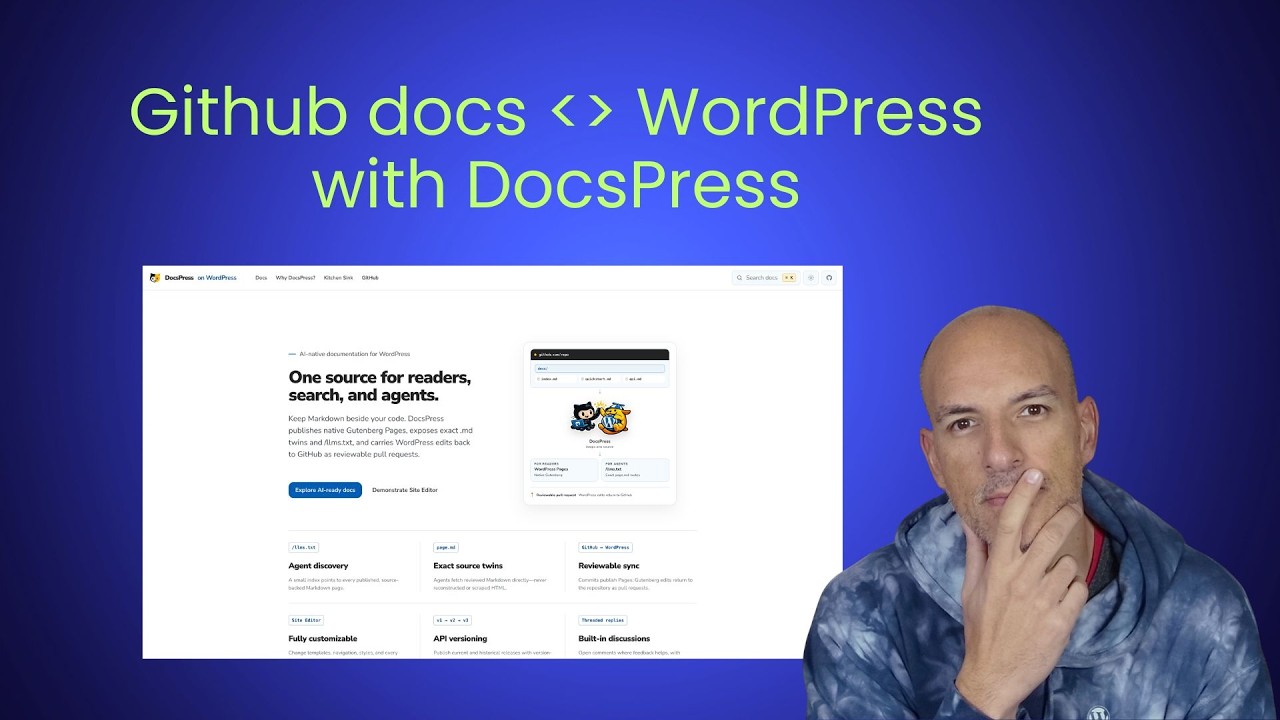
🔗 **Source:** [GitHub Docs to WordPress With DocsPress](https://www.youtube.com/watch?v=CpvMM1lIFPo)
> [!note]+ Document Notes
> tags: [docspress, wordpress-documentation, github-actions, docs-as-code, developer-experience, credential-security]
> author: "Jonathan Bossenger"
> source: "Jonathan Bossenger"
> reference: "https://www.youtube.com/watch?v=CpvMM1lIFPo"
> date created: 2026-08-04 10:04 EDT
>
> > [!info] Generated analysis — not the author's words. Sections below are machine-written
> > from the captured source. Only text inside `> [!quote]` blocks is verbatim from the author.
> > Do not quote or attribute any other line to the named author.
>
> # 🏷️ Title: GitHub docs to WordPress with DocsPress
>
<!-- deep-read:sections start -->
## 🧭 Table of Contents
- [🔗 References](#-references)
- [📝 Summary](#-summary)
- [📖 Main Content](#-main-content)
- [🗒️ Notes](#️-notes)
- [📚 References](#-references-1)
- [🗣️ Paraphrase](#️-paraphrase)
- [📰 Newsletter](#-newsletter)
- [✅ Action Items](#-action-items)
- [🧪 Hypotheses](#-hypotheses)
- [📊 Methodology](#-methodology)
- [❓ Questions](#-questions)
- [🔮 Future Research](#-future-research)
- [💡 Implications](#-implications)
- [🧠 Learning Styles Assessment](#-learning-styles-assessment)
- [📊 Accessibility Assessment](#-accessibility-assessment)
- [🌍 DEIB Assessment](#-deib-assessment)
- [✅ Logical Validity](#-logical-validity)
- [🛡️ DARVO Analysis](#-darvo-analysis)
- [🎯 Conclusion](#-conclusion)
- [🧱 Refactor Appendix](#-refactor-appendix)
- [🧰 Template Library](#-template-library)
### 🔗 References
- [Source video](https://www.youtube.com/watch?v=CpvMM1lIFPo)
- [DocsPress](https://docs.press/)
- [WordPress REST API authentication](https://developer.wordpress.org/rest-api/using-the-rest-api/authentication/)
## 📝 Summary
- Jonathan Bossenger tests DocsPress, a workflow intended to publish repository Markdown to WordPress and return WordPress edits to GitHub as reviewable pull requests.
- The appeal is two-way collaboration: developers keep documentation beside code, while contributors who are uncomfortable with GitHub can work through WordPress.
- The live setup exposes ordering and documentation problems around skill installation, prerequisites, authentication, GitHub permissions, and overlapping workflow files.
- The first synchronization does not complete because a workflow reports an invalid status parameter; this is a useful failed run, not proof that DocsPress cannot work.
- A second experiment shows that agent-generated docs may depend on installed project dependencies and may emit WordPress-specific blocks that do not render as readable Markdown on GitHub.
- Risks include credential exposure, excessive workflow permissions, source/target drift, generated-doc accuracy, and markup that weakens portability.
- Bottom line: DocsPress targets a real docs-as-code collaboration gap, but this recording supports an early usability and failure analysis, not a production recommendation.
## 📖 Main Content
### The collaboration problem
Git-based documentation keeps changes reviewable and close to code, but it excludes contributors who cannot or do not want to edit repositories. WordPress offers familiar editing and collaboration. DocsPress aims to connect both worlds instead of choosing one.
### Proposed flow
The presenter asks an agent to inspect an existing documentation tree, install DocsPress skills, prepare a target, and create GitHub Actions workflows. The intended path publishes Markdown to WordPress and returns WordPress edits through pull requests so repository review remains the gate.
### Setup friction
The live run reveals unclear prerequisite order, uncertain authentication choices, questions about application passwords and WordPress.com OAuth, GitHub secret placement, repository permissions, and two competing workflow definitions. These are documentation and product-design findings because the presenter narrates where expectations diverge from the actual sequence.
### Failure evidence
The workflow reaches an invalid-parameters status error. Removing an apparent status field does not clear it. The presenter stops the sync, records feedback, and plans another attempt. Without pinned versions, logs, and a corrected replay, the cause remains unresolved.
### Generated documentation
A later experiment asks the agent to generate docs for a repository without them. It needs dependencies installed and produces WordPress-specific block markup. The presenter prefers portable Markdown, suggesting a conversion layer that keeps GitHub rendering readable while producing richer WordPress blocks during publication.
### Security boundary
The presenter moves secret entry off screen and expresses concern about placing access tokens in repository files. A safe workflow must use secret storage, least-privilege credentials, redacted logs, revocation, and explicit trust boundaries.
## 🗒️ Notes
#### ⏱️ [00:01:27](https://www.youtube.com/watch?v=CpvMM1lIFPo&t=87) DocsPress goal
- The tool promises Markdown-to-WordPress publishing with reviewable return changes.
- The use case is documentation stored beside code but edited through WordPress.
#### ⏱️ [00:05:00](https://www.youtube.com/watch?v=CpvMM1lIFPo&t=300) Existing Gutenberg workflow
- Repository-first publishing protects review but raises a GitHub participation barrier.
- DocsPress tries to make WordPress the collaboration surface without dropping pull-request review.
#### ⏱️ [00:10:00](https://www.youtube.com/watch?v=CpvMM1lIFPo&t=600) Prerequisite order
- The presenter first runs a setup prompt, then discovers agent skills must be installed.
- Prerequisites and required sequence should precede the first command.
#### ⏱️ [00:20:00](https://www.youtube.com/watch?v=CpvMM1lIFPo&t=1200) Authentication choice
- Self-hosted WordPress and WordPress.com paths differ.
- The transcript shows uncertainty about application-password shape, bearer tokens, and where secrets belong.
#### ⏱️ [00:30:00](https://www.youtube.com/watch?v=CpvMM1lIFPo&t=1800) GitHub workflow permissions
- The setup requires content and pull-request permissions.
- The presenter encounters overlapping workflow files and is unsure which one is canonical.
#### ⏱️ [00:40:00](https://www.youtube.com/watch?v=CpvMM1lIFPo&t=2400) Failed synchronization
- GitHub Actions and command-line attempts both report an invalid status parameter.
- Source inspection, pinned versions, and complete logs are needed before assigning cause.
#### ⏱️ [00:52:00](https://www.youtube.com/watch?v=CpvMM1lIFPo&t=3120) Feedback boundary
- The presenter stops after the unresolved failure and plans to report setup and authentication issues.
- Stopping preserves the finding without claiming a successful publish.
#### ⏱️ [00:56:00](https://www.youtube.com/watch?v=CpvMM1lIFPo&t=3360) Generated docs
- A repository without docs becomes a test for agent-generated documentation.
- Dependencies must be installed before analysis can proceed.
#### ⏱️ [01:00:00](https://www.youtube.com/watch?v=CpvMM1lIFPo&t=3600) Portable Markdown
- Generated WordPress blocks do not render cleanly on GitHub.
- The presenter proposes readable Markdown as the source with block conversion at publish time.
#### ⏱️ [01:03:00](https://www.youtube.com/watch?v=CpvMM1lIFPo&t=3780) Next iteration
- The run ends with concrete feedback for the maintainer.
- A follow-up should pin the release, correct the workflow, and replay from a clean repository.
## 📚 References
- [Video: GitHub docs to WordPress with DocsPress](https://www.youtube.com/watch?v=CpvMM1lIFPo) — primary captured test run.
- [DocsPress](https://docs.press/) — product documentation referenced by the presenter.
- [WordPress REST API authentication](https://developer.wordpress.org/rest-api/using-the-rest-api/authentication/) — official authentication overview.
- [GitHub Actions security hardening](https://docs.github.com/en/actions/security-guides/security-hardening-for-github-actions) — official workflow security guidance.
- Exact repository, action version, and error logs are not preserved in enough detail here for a root-cause conclusion.
## 🗣️ Paraphrase
1. DocsPress tries to keep Markdown in GitHub while giving WordPress users a familiar editing and collaboration surface.
2. The expected safety property is that WordPress edits return as pull requests instead of changing repository source without review.
3. The first-run experience is hard to follow because prerequisites, skill installation, authentication, and workflow creation appear in a confusing order.
4. Credential setup raises valid concerns about secret placement and about differences between self-hosted and WordPress.com authentication.
5. Repository permissions and duplicate workflow files make it unclear which generated path owns synchronization.
6. The live sync fails with an invalid status parameter, and the presenter cannot isolate the cause during the stream.
7. A separate generation test works far enough to create docs but reveals dependency and portable-markup concerns.
8. The presenter closes with a useful list of upstream feedback rather than declaring success.
## 📰 Newsletter
[DocsPress](https://docs.press/) has an appealing pitch: keep documentation as Markdown beside the code, publish it to WordPress, and send WordPress edits back as reviewable pull requests. Jonathan Bossenger's [live test](https://www.youtube.com/watch?v=CpvMM1lIFPo) shows both the promise and the papercuts. The session hits unclear prerequisite order, authentication questions, overlapping workflows, and an invalid-parameter failure. It also surfaces a sharp portability question: source docs should still read well on GitHub even when WordPress gets richer blocks. This is exactly the kind of failed demo worth keeping—provided the next run pins versions and turns every stumble into a replayable test.
## ✅ Action Items
#### DevRel
- Build a short demonstration around a bidirectional docs-as-code publishing workflow between GitHub and WordPress, state the audience, and track questions that block adoption.
- Publish a task-based quickstart and a troubleshooting note drawn from the source.
#### OSPO
- Policy & Governance: define ownership and review gates before adopting the workflow.
- License Compliance: confirm licenses for code, media, libraries, and generated assets.
- Security Management: document credentials, permissions, dependency risks, and disclosure paths.
- Software Inventory: record versions, owners, and update cadence for the relevant tools.
- Developer Support: turn observed setup friction into support scripts and office-hour prompts.
- Community Engagement: send concrete upstream feedback with reproducible cases.
- Strategic Alignment: connect adoption measures to project outcomes rather than novelty.
#### Community
- Maintainers: publish scope, stability, and contribution expectations.
- Contributors: offer a small reproducible task and a clear feedback channel.
- Sponsors: fund documentation, accessibility review, and maintenance work.
- Ecosystem: compare behavior across representative environments before recommending broad use.
#### WordPress
- Core: identify any affected APIs, editor behavior, or contributor workflows.
- Core Performance: benchmark only where the source raises a measurable performance concern.
- Core AI: review agent-assisted claims, permissions, and human approval points.
- Core Program Team: track cross-team dependencies and release timing.
- Mobile: check whether the workflow remains usable on touch devices and small screens.
- Playground: create an isolated reproduction when WordPress runtime behavior is involved.
- Community: turn the source into a discussion or workshop prompt where relevant.
- Training: create a guided exercise with expected results and recovery steps.
- Marketing: describe the capability without presenting prototypes as stable releases.
- Support: capture common failure modes and the information needed for triage.
- Design: test the task flow with real users, not screenshots alone.
- Documentation: put prerequisites before commands and separate required steps from options.
- Photos: Not applicable to this source; it does not discuss the Photos directory.
- TV: require accurate captions, a transcript, and clear chapter labels for any derivative video.
- Polyglots: flag interface strings and learning material that need translation context.
- Accessibility: run keyboard, screen-reader, contrast, zoom, and motion checks on demonstrated interfaces.
- Meta: note any WordPress.org systems or contributor tooling affected by the workflow.
- CLI: provide command examples only when they can be tested and safely replayed.
- Hosting: record environment assumptions and credential boundaries.
- Tide: Not applicable to this source; it does not evaluate plugin quality scores.
- Openverse: Not applicable to this source; it does not discuss openly licensed media search.
- Themes: test theme interactions only where the source changes front-end presentation.
- Plugins: record compatibility, permissions, update risk, and support status.
#### The WPOCC
- The WP Open Community Collective: consider support for documentation, accessibility, and maintainer labor connected to this topic.
#### FAIR
- Preserve local metadata and provenance, document exit paths, and require reviewable changes before publication.
## 🧪 Hypotheses
- A prerequisite-first quickstart reduces failed DocsPress setup attempts compared with the current task order.
- Reviewable pull requests increase documentation participation without increasing unreviewed source changes.
- A conversion layer from portable Markdown to WordPress blocks preserves GitHub readability better than storing block markup in source files.
- Least-privilege, platform-specific authentication examples reduce secret-handling errors.
- Pinned action and skill versions make the invalid-status failure reproducible and diagnosable.
### 📊 Methodology
- Run moderated first-use tests with developers and non-GitHub documentation contributors; count setup errors, help requests, and time to first draft.
- Create a fixture repository and WordPress target; trace every state transition from Markdown commit to WordPress page and return pull request.
- Compare source portability for plain Markdown, GitHub alerts, and WordPress block markup across GitHub, local renderers, and WordPress.
- Threat-model tokens, GitHub secrets, workflow permissions, logs, forks, pull requests, and revocation.
- Replay the failure with pinned dependencies, full redacted logs, and one workflow file at a time.
### ❓ Questions
- What is the canonical setup order for skills, authentication, workflow generation, and first sync?
- Which authentication methods are supported for self-hosted WordPress and WordPress.com?
- What is the minimum GitHub permission set for one-way and two-way sync?
- How are simultaneous GitHub and WordPress edits merged or rejected?
- Which generated file is canonical when setup creates more than one workflow?
- Can WordPress blocks be generated at publish time from portable source Markdown?
- What exact dependency introduced the invalid status parameter?
### 🔮 Future Research
- Publish an architecture and threat model for the two-way sync.
- Define conflict, rollback, deletion, rename, and partial-failure behavior.
- Test first-use success across clean repositories, monorepos, and projects with missing dependencies.
- Compare human-written and agent-generated docs for accuracy, completeness, and maintainability.
- Measure participation changes among contributors who do not use GitHub directly.
### 💡 Implications
- Practice: docs-as-code can gain a friendlier editing surface while keeping review gates.
- Policy: repository and WordPress permissions must be explicit and minimal.
- Security: credentials belong in managed secret stores, never tracked files or visible logs.
- Education: setup guides should put prerequisites and platform choices before commands.
- Funding: sustainable two-way sync needs maintenance for integrations, migrations, support, and documentation.
### 🧠 Learning Styles Assessment
- Reading level estimate: Flesch-Kincaid Grade 9–11, estimated from conversational sentence length and technical vocabulary; the transcript has not been normalized enough for a defensible exact score.
#### 👀 Visual learners
- Present: the source demonstrates interfaces and outcomes on screen.
- Improve: add labeled before-and-after screenshots and a compact workflow diagram.
#### 🔊 Aural learners
- Present: spoken narration explains decisions as they happen.
- Improve: add a concise audio summary with chapter markers.
#### 🗣️ Verbal learners
- Present: the presenter explains terms in conversational language.
- Improve: add a glossary and short definitions beside first use.
#### 🧩 Kinesthetic learners
- Present: the source follows a live task or demonstration.
- Improve: provide a replay checklist, sample fixture, and expected results.
#### 🧠 Logical learners
- Present: the source exposes cause, effect, and tradeoffs.
- Improve: add a decision table and explicit acceptance criteria.
#### 🧑🤝🧑 Social learners
- Present: comments, community examples, or feedback invite discussion.
- Improve: add peer-review prompts and a moderated Q&A path.
#### 🧘♀️ Solitary learners
- Present: the recording supports self-paced review.
- Improve: add reflection questions and a self-check exercise.
#### 🌿 Naturalistic learners
- Present: Not applicable to this source; it contains no environmental analogy or field observation.
- Improve: connect maintenance choices to lifecycle cost and energy use where evidence exists.
### 📊 Accessibility Assessment
#### Screen reader semantics
- Present: the transcript preserves the spoken explanation.
- Improve: provide a structured text alternative with descriptive headings and meaningful link text. Map to WCAG 2.2 SC 1.3.1, 1.1.1, and 2.4.6.
#### Keyboard navigation
- Present: keyboard commands are discussed where relevant.
- Improve: verify every demonstrated control without a pointer and document focus order. Map to SC 2.1.1, 2.1.2, and 2.4.7.
#### Contrast and readability
- Present: the transcript itself does not establish visual contrast.
- Improve: test text, controls, focus indicators, and diagrams against SC 1.4.3 and 1.4.11.
#### Text resizing and reflow
- Present: Not verifiable from the transcript alone.
- Improve: test 200% text resize and 400% reflow without clipping. Map to SC 1.4.4 and 1.4.10.
#### Media and captions
- Present: Reader captured a transcript for the video.
- Improve: review caption accuracy, identify speakers, and provide audio description for visual-only steps. Map to SC 1.2.2, 1.2.3, and 1.2.5.
#### Forms and interactions
- Present: the source shows interactive software but does not document error semantics.
- Improve: verify labels, instructions, status messages, errors, and 24-by-24 CSS pixel targets. Map to SC 3.3.1, 3.3.2, 4.1.3, and 2.5.8.
#### Standards reference
- Treat this as a transcript-based review, not a conformance audit. A WCAG 2.2 AA result requires direct testing of the product and published page.
### 🌍 DEIB Assessment
#### Cultural breadth
- Present: the source participates in an international software community.
- Improve: include examples from more regions, hosting contexts, languages, and bandwidth conditions.
#### Inclusive language
- Present: the tone is generally welcoming and conversational.
- Improve: define specialist terms and remove assumptions about prior tool familiarity.
#### Neurodiversity support
- Present: the transcript can be paused and searched.
- Improve: add a concise outline, predictable steps, and separate required work from optional exploration.
#### Representation
- Present: the source centers the people participating in this specific demonstration or discussion.
- Improve: seek feedback from users across roles, abilities, regions, and experience levels.
#### Psychological safety
- Present: mistakes and uncertainty are discussed openly where they occur.
- Improve: make feedback routes explicit and avoid framing setup trouble as user failure.
### ✅ Logical Validity
#### Strong reasoning
- The source is strongest when it ties a concrete observation to a specific consequence and shows the relevant interface or workflow.
- The speaker distinguishes demonstrations from settled proof in several places, which helps readers judge maturity.
- Practical caveats improve the account because they reveal limits that polished launch material could hide.
#### Fallacies
- No major formal fallacy is required to explain the source.
- Enthusiastic language can become an appeal to novelty when a new feature is treated as valuable without outcome data. The fix is to pair excitement with task completion, error, accessibility, and maintenance measures.
- Anecdotes from one environment risk hasty generalization. The fix is to repeat the task across representative setups and report failures.
#### Tone of voice
- Conversational, exploratory, and practitioner-focused. The tone helps discovery but sometimes mixes evidence, opinion, and prediction; labeled claims would make the record easier to reuse.
### 🛡️ DARVO Analysis
- Deny: Not applicable to this source; no accused party denies documented harm.
- Attack: Not applicable to this source; criticism is directed at workflows or product limits, not an accuser.
- Reverse victim/offender: Not applicable to this source; no reversal pattern appears.
- The source does not warrant DARVO labels.
## 🎯 Conclusion
DocsPress addresses a real collaboration problem, but the recorded run stops before a successful sync. Treat its failures as product evidence: clarify setup order, pin versions, define authentication and permissions, keep source Markdown portable, then replay the flow from a clean fixture.
## 🧱 Refactor Appendix — GitHub docs to WordPress with DocsPress
### 📚 Literature Split Pad
#### H1 WordPress edits return through repository review
> [!quote]
> allows you to carry WordPress edits back to GitHub as a reviewable pull request
**Context & use**
- Around 00:05: this is the central governance promise.
- The pull-request boundary should be verified for edits, conflicts, deletions, and permissions.
**Tags**: #xref #articleseed
<!-- atomicity: 1 idea ✓ -->
#### H2 Secret placement blocks confident setup
> [!quote]
> Not the biggest fan of putting my access token in a GitHub file.
**Context & use**
- Around 00:25: unclear authentication guidance causes a justified pause.
- Documentation should name secret stores and show redacted examples.
**Tags**: #xref #share
<!-- atomicity: 1 idea ✓ -->
#### H3 Failed demos expose documentation debt
> [!quote]
> I do think that I'm going to be submitting some suggestions for the documentation after this.
**Context & use**
- Around 00:50: the presenter converts uncertainty into upstream feedback.
- A failed run becomes valuable when versions, steps, and logs can be replayed.
**Tags**: #xref
<!-- atomicity: 1 idea ✓ -->
#### H4 Source Markdown should remain readable
> [!quote]
> Could exist in a markdown format that was readable in markdown.
**Context & use**
- Around 01:00: WordPress-specific blocks weaken repository rendering.
- Publication transforms can add richness without making source opaque.
**Tags**: #xref #articleseed
<!-- atomicity: 1 idea ✓ -->
### 🔖 Atomic Split Pad
#### Z1 Review boundaries preserve docs-as-code governance
**Claim**: A friendly editor can preserve repository governance when every return change requires review.
**Evidence pointer**: [[#H1 WordPress edits return through repository review]]
**Scope & conditions**: Requires complete coverage for edits, moves, deletions, conflicts, and identity.
**Links**
- [[Docs as code]] — because extends repository review.
- [[WordPress collaboration]] — because applies-in browser editing.
<!-- atomicity: 1 idea ✓ -->
#### Z2 Setup documentation is part of credential security
**Claim**: Unclear setup instructions increase the chance of unsafe secret placement.
**Evidence pointer**: [[#H2 Secret placement blocks confident setup]]
**Scope & conditions**: Especially true when authentication differs by platform.
**Links**
- [[Developer experience]] — because evidence-for safe defaults.
- [[Secret management]] — because applies-in CI workflows.
<!-- atomicity: 1 idea ✓ -->
#### Z3 Portable source outlives publishing targets
**Claim**: Documentation source stays reusable when it renders without target-specific extensions.
**Evidence pointer**: [[#H4 Source Markdown should remain readable]]
**Scope & conditions**: Target transforms must preserve meaning and round trips.
**Links**
- [[Content portability]] — because extends durable publishing.
<!-- atomicity: 1 idea ✓ -->
### ✏️ Fleeting Queue
- [F1] Ask which DocsPress workflow file is canonical.
- [F2] Reproduce the invalid status parameter with pinned action versions.
- [F3] Compare GitHub alerts with WordPress block conversion.
### → Things 3
- [ ] Build a disposable DocsPress fixture with one-way sync only. #things
- [ ] Write a redacted authentication matrix for self-hosted WordPress and WordPress.com. #things
<!-- deep-read:sections end -->
📄 **Full text:** [[Full Document Contents/Articles/GitHub Docs to WordPress With DocsPress.md|GitHub Docs to WordPress With DocsPress by YouTube]]
## Highlights
- Not a bad thing, but it does mean that people who are uncomfortable with GitHub can't make changes. And so What Fati has created is essentially this thing that publishes the Gutenberg pages and then allows you to carry WordPress edits back to GitHub as a reviewable pull request So I have worked in environments where the docs were hosted in WordPress, but they were stored in Markdown. ([View Highlight](https://read.readwise.io/read/01kz6hvy5ek8035mt9840pjwrk))
- Note: DocsPress aims to return WordPress edits as reviewable pull requests.
- Tags: atom/literature/h1
- Not the biggest fan of putting my access token in a GitHub file. ([View Highlight](https://read.readwise.io/read/01kz6hvz6jnrahvvv1ykeyy43x))
- Note: Unclear setup guidance creates unsafe credential pressure.
- Tags: atom/literature/h2
- I have no idea. I do think that I'm going to be submitting some suggestions for the documentation after this. Because at the moment it's kind of confusing as to what I need to do. Um okay so let's go back here so we've done that now we need to case so first we need to commit the changes so let me I've got multiple windows open but I'm here now um so let's go get status it's probably just added the yeah it's added all of that ([View Highlight](https://read.readwise.io/read/01kz6hw07t9nc7qm6f5pcpfbck))
- Note: First-use friction becomes useful when recorded as upstream documentation feedback.
- Tags: atom/literature/h2
- Anyway. Okay. Uh blocked So it actually needs to install the dependencies before it can create documentation. That's interesting. Guess that kind of makes sense. ([View Highlight](https://read.readwise.io/read/01kz6hw1f88p6mz749p8mhd3rg))
- Note: Documentation generation requires an explicit prepared environment.
- Tags: atom/zettel/z1
- Uh oh let's here we go. So it would be cool if and I'm not saying this has to use those things but it'd be cool if stuff like that stuff like the flow block and things like that Could exist in a markdown format that was readable in markdown. So like select a WordPress directory like all of this thing here. You won't see when you read when you render this. ([View Highlight](https://read.readwise.io/read/01kz6hw2vw93mfg21yqsss70fj))
- Note: Portable Markdown should remain readable before WordPress conversion.
- Tags: atom/literature/h3