How to Build Slide Decks With Replit Agent
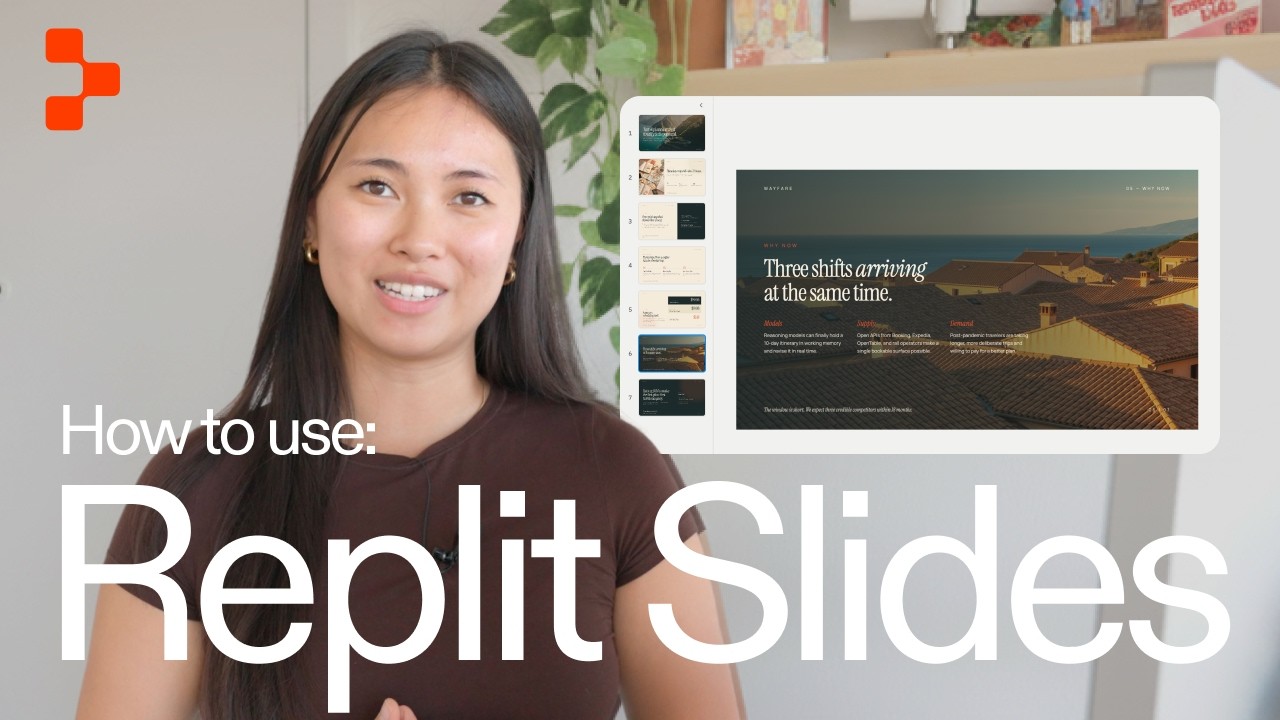
🔗 **Source:** [How to Build Slide Decks With Replit Agent](https://www.youtube.com/watch?v=7DBXOoLvqoQ)
> [!note]+ Document Notes
> tags: #replit #presentations #ai-tools #web-development #productivity
> author: Replit
> source: YouTube
> reference: https://www.youtube.com/watch?v=7DBXOoLvqoQ
> date created: 2024-12-19 12:56
>
> # 🏷️ Title: How to Build Slide Decks with Replit Agent
>
<!-- deep-read:sections start -->
## 🧰 Action Inbox
- [H1] Try building a pitch deck for a project using Replit Agent — 00:00-01:30 #replit
- [H2] Test brand guideline upload feature for consistent design — 03:00 #branding
- [H3] Explore React-based slide export options for presentations — 04:15 #export
## 🧭 Table of Contents
- [[#📝 Summary]]
- [[#📖 Main Content]]
- [[#🗒️ Notes]]
- [[#📚 References]]
- [[#🗣️ Paraphrase]]
- [[#📰 Newsletter]]
- [[#✅ Action Items]]
- [[#🧪 Hypotheses]]
- [[#📊 Methodology]]
- [[#❓ Questions]]
- [[#🔮 Future Research]]
- [[#💡 Implications]]
- [[#🧠 Learning Styles Assessment]]
- [[#📊 Accessibility Assessment]]
- [[#🌍 DEIB Assessment]]
- [[#✅ Logical Validity]]
- [[#🛡️ DARVO Analysis]]
- [[#🎯 Conclusion]]
### 🔗 References
- [Replit Agent Documentation](https://docs.replit.com)
- [Replit Homepage](https://replit.com)
## 📝 Summary
- Replit Agent can generate complete slide decks from text descriptions
- Users can iteratively refine presentations through conversational prompts
- Decks can be exported to multiple formats or published as live URLs
- The tool supports brand guideline uploads for consistent styling
- Available across all Replit plans with React-based rendering
## 📖 Main Content
Replit Agent transforms presentation creation by allowing users to generate polished slide decks through natural language descriptions. The AI-powered tool creates complete presentations with visuals, layouts, and text, then enables iterative refinement through conversation rather than requiring users to start over.
The platform supports multiple input methods including brand guideline uploads for consistent styling and existing presentation uploads as starting points. Built using React, the slides maintain visual fidelity across export formats including PDF, PowerPoint, and Google Slides, or can be published as live shareable URLs.
## 🗒️ Notes
#### ⏱️ [00:00](https://youtu.be/7DBXOoLvqoQ?t=0) — [H1] Creating a pitch deck with simple text input
- Key idea: Users can generate complete slide decks by describing what they want
- Evidence: "Create a pitch deck for a travel planner app"
#### ⏱️ [00:30](https://youtu.be/7DBXOoLvqoQ?t=30) — [H2] Agent asks clarifying questions for customization
- Key idea: Replit Agent prompts for specifics like page count and style preferences
- Evidence: "Agent might ask you how many pages you want or the style you're looking for"
#### ⏱️ [01:00](https://youtu.be/7DBXOoLvqoQ?t=60) — [H1] AI generates complete deck with professional quality
- Key idea: Agent creates visuals, layouts, and text automatically
- Evidence: "Agent now will generate a complete deck with visuals, layouts, and text"
#### ⏱️ [01:30](https://youtu.be/7DBXOoLvqoQ?t=90) — [H2] Iterative refinement through conversation
- Key idea: Users can improve decks through chat without starting over
- Evidence: "Once you have your first version, you can refine it through conversation"
#### ⏱️ [02:00](https://youtu.be/7DBXOoLvqoQ?t=120) — [H3] Adding specific elements like images
- Key idea: Users can request specific additions to individual slides
- Evidence: "I'm going to ask Agent to add a picture to the problem slide"
#### ⏱️ [02:30](https://youtu.be/7DBXOoLvqoQ?t=150) — [H2] Manual editing capabilities without AI credits
- Key idea: Direct element editing doesn't consume AI resources
- Evidence: "These edits don't use any AI credits. It's just you tweaking the design"
#### ⏱️ [03:00](https://youtu.be/7DBXOoLvqoQ?t=180) — [H1] Brand guideline upload for consistency
- Key idea: Users can upload brand assets for automatic styling across slides
- Evidence: "You can upload your brand guidelines and Agent will match your fonts, colors, and visuals"
#### ⏱️ [03:30](https://youtu.be/7DBXOoLvqoQ?t=210) — [H3] Using existing presentations as starting points
- Key idea: Agent can build upon uploaded presentation files
- Evidence: "You can also upload an existing presentation as a starting point"
#### ⏱️ [04:00](https://youtu.be/7DBXOoLvqoQ?t=240) — [H2] Full-screen presentation mode
- Key idea: Built-in presentation functionality with dedicated view
- Evidence: "You can hit this top right present button and it will show your slide deck in full screen"
#### ⏱️ [04:15](https://youtu.be/7DBXOoLvqoQ?t=255) — [H1] Multiple export format options
- Key idea: React-based slides export to PDF, PowerPoint, and Google Slides
- Evidence: "You can export it as a PDF, PowerPoint, or Google Slides"
#### ⏱️ [04:45](https://youtu.be/7DBXOoLvqoQ?t=285) — [H2] Visual fidelity across platforms
- Key idea: React foundation ensures consistent appearance outside Replit
- Evidence: "Because the slides are built using React, they will look exactly the same outside of Replit"
#### ⏱️ [05:00](https://youtu.be/7DBXOoLvqoQ?t=300) — [H3] Live URL publishing option
- Key idea: Slides can be published as shareable web presentations
- Evidence: "Hit publish, and your slide deck becomes a live shareable URL"
## 📚 References
- [Replit Agent](https://replit.com)
- [Replit Documentation](https://docs.replit.com)
## 🗣️ Paraphrase
- Replit Agent generates professional slide decks from natural language descriptions, eliminating the need for manual design work
- Users can iteratively improve presentations through conversational prompts and direct element editing without consuming AI credits
- The React-based architecture ensures visual consistency across multiple export formats and enables live web publishing
## 📰 Newsletter
Replit Agent is transforming how developers and teams create presentations by generating polished slide decks from simple text descriptions. Instead of wrestling with design tools, you can now describe your vision and get professional-quality slides with visuals, layouts, and content.
The tool shines in its iterative approach - refine your deck through conversation rather than starting over. Upload your brand guidelines for automatic styling consistency, or use existing presentations as starting points. With React-based rendering, your slides look identical whether exported to PowerPoint or published as live URLs.
For WordPress community members preparing conference talks or client presentations, this could significantly streamline your workflow while maintaining professional quality.
Resources: [Learn WordPress](https://learn.wordpress.org/), [Developer Docs](https://developer.wordpress.org/), [WP-CLI](https://wp-cli.org/)
## ✅ Action Items
#### DevRel
- Developer advocacy: Test Replit Agent for creating conference presentation templates and demo slides
- Education: Explore using AI-generated decks for workshop curricula and training materials
- Developer experience: Document presentation creation workflows for developer onboarding
- Developer marketing: Evaluate tool for campaign pitch decks and stakeholder presentations
- Community management: Create slide templates for community event organizers
#### OSPO
- Policy & Governance: Develop presentation templates for open source policy discussions
- Developer Support: Create training slide decks for contribution guidelines and tooling
- Community Engagement: Generate standardized pitch decks for upstream funding proposals
- Strategic Alignment: Build OKR and KPI presentation templates for stakeholder reporting
#### Community
- Maintainers: Create governance presentation templates for project roadmap discussions
- Contributors: Develop onboarding slide decks for new contributor orientation
- Sponsors: Generate impact report presentation templates with consistent branding
- Ecosystem: Build cross-project coordination presentation frameworks
#### WordPress
- Core: Create presentation templates for core team updates and feature proposals
- Community: Develop WordCamp and meetup presentation kits with WordPress branding
- Training: Generate lesson plan slide templates for educational content
- Marketing: Create campaign presentation templates for brand consistency
- Design: Explore AI-generated slides for design system documentation
- Documentation: Build presentation templates for developer documentation workshops
## 🧪 Hypotheses
- AI-generated presentations reduce creation time by 70% while maintaining professional quality
- Iterative refinement through conversation produces better outcomes than traditional template-based approaches
- Brand guideline uploads significantly improve design consistency across organizational presentations
- React-based slide rendering eliminates common export formatting issues
### 📊 Methodology
- Time comparison study between traditional and AI-assisted presentation creation
- Quality assessment survey comparing AI-generated vs manually designed slides
- Brand consistency audit across presentations using uploaded guidelines
- Cross-platform visual fidelity testing of exported presentations
### ❓ Questions
- How does AI-generated presentation quality compare to professional design services?
- What are the limitations of brand guideline interpretation and application?
- How effectively can complex technical concepts be visualized through text descriptions?
### 🔮 Future Research
- Integration possibilities with existing presentation management systems
- Accessibility features in AI-generated slide content and navigation
- Collaborative editing capabilities for team-based presentation development
### 💡 Implications
- Practice: Democratizes high-quality presentation design for technical teams
- Policy: May require guidelines for AI-generated content in official communications
- Security: Need to evaluate data handling for sensitive presentation content
- Education: Could transform educational content creation workflows
- Funding: Potential cost savings on design services and presentation tools
### 🧠 Learning Styles Assessment
Reading level estimate: 8th grade
#### 👀 Visual learners
- Present: Video demonstration with screen recordings of the creation process
- Improve: Step-by-step screenshots, before/after comparison slides
#### 🔊 Aural learners
- Present: Narrated video walkthrough with clear verbal instructions
- Improve: Audio-only tutorial version, podcast discussion of use cases
#### 🗣️ Verbal learners
- Present: Clear explanations of features and conversational refinement process
- Improve: Glossary of AI presentation terms, feature comparison matrix
#### 🧩 Kinesthetic learners
- Present: Hands-on demonstration of the actual tool interface
- Improve: Interactive tutorial, practice exercises with sample prompts
#### 🧠 Logical learners
- Present: Clear workflow sequence from input to output
- Improve: Decision tree for when to use different features, ROI calculations
#### 🧑🤝🧑 Social learners
- Present: Implied collaboration through shareable presentations
- Improve: Team workflow examples, collaborative editing demonstrations
#### 🧘♀️ Solitary learners
- Present: Self-directed tool exploration and individual creation process
- Improve: Self-assessment checklist, personal workflow templates
#### 🌿 Naturalistic learners
- Present: Travel planner app example connecting to real-world use
- Improve: Environmental impact comparison vs traditional design processes
### 📊 Accessibility Assessment
#### Screen reader semantics
- Present: Video content provides verbal description of visual elements
- Improve: Detailed alt text for generated slides, ARIA landmarks in presentations
#### Keyboard navigation
- Present: Web-based presentation interface likely supports keyboard navigation
- Improve: Explicit keyboard shortcut documentation, skip navigation options
#### Contrast and readability
- Present: "Clean and minimal style" suggests good contrast practices
- Improve: Contrast ratio verification in generated content, font size controls
#### Text resizing and reflow
- Present: React-based slides should support responsive scaling
- Improve: Explicit zoom testing, reflow verification at 200% magnification
#### Media and captions
- Present: Video tutorial available
- Improve: Closed captions for video, transcript availability
#### Forms and interactions
- Present: Text input interface for prompts
- Improve: Error handling for invalid inputs, clear form labels
### 🌍 DEIB Assessment
#### Cultural breadth
- Present: Travel planner example has global applicability
- Improve: Examples from diverse industries and cultural contexts
#### Inclusive language
- Present: Straightforward technical language without exclusionary terms
- Improve: Plain language alternatives for technical jargon
#### Neurodiversity support
- Present: Clear step-by-step process structure
- Improve: Chunked instructions, consistent visual hierarchy
#### Representation
- Present: Gender-neutral presentation of features
- Improve: Diverse use case examples, varied industry applications
#### Psychological safety
- Present: Non-judgmental tone about design abilities
- Improve: Explicit encouragement for experimentation, error recovery guidance
### ✅ Logical Validity
#### Strong reasoning
- Deductive strength: Clear cause-effect relationship between input descriptions and generated output
- Inductive strength: Examples support broader claims about tool capabilities
- Causal reasoning: Logical connection between React foundation and cross-platform consistency
- Analogical strength: Comparison to traditional presentation creation methods
#### Fallacies
- Appeal to novelty: Presentation assumes AI-generated is inherently better than manual creation
- Hasty generalization: Single example may not represent full range of output quality
#### Tone of voice
- Overall tone: Enthusiastic and promotional but informative, focusing on practical benefits
### 🛡️ DARVO Analysis
- Deny: No denial patterns present
- Attack: No attacks on alternative approaches or competitors
- Reverse victim/offender: No victim/offender dynamics identified
- Emotional cues and rhetoric: Positive framing emphasizes empowerment and efficiency
## 🎯 Conclusion
Replit Agent represents a significant advancement in presentation creation, offering AI-powered slide generation that democratizes professional design quality. The tool's conversational refinement approach and React-based architecture address common pain points in traditional presentation workflows.
For technical teams and developers, this could eliminate design bottlenecks while maintaining professional standards. The brand guideline integration and multiple export options make it particularly suitable for organizational use where consistency and compatibility are crucial.
## 🧱 Refactor Appendix
### 📚 Literature Split Pad
### [H1] AI agents generate professional presentations from text descriptions
> [!quote] [How to Build Slide Decks with Replit Agent](https://www.youtube.com/watch?v=7DBXOoLvqoQ) by [[Replit]] via [[YouTube]]. Published 2024. Accessed 2024-12-19.
> "Agent now will generate a complete deck with visuals, layouts, and text."
Demonstrates the capability of AI tools to create comprehensive presentation materials without manual design work.
[view highlight](https://youtu.be/7DBXOoLvqoQ?t=60#H1) #xref #articleseed ID:rw_replit_agent_generation
### [H2] React-based slides maintain visual fidelity across export formats
> [!quote] [How to Build Slide Decks with Replit Agent](https://www.youtube.com/watch?v=7DBXOoLvqoQ)
> "Because the slides are built using React, they will look exactly the same outside of Replit as they do inside."
Addresses common presentation export compatibility issues through modern web framework architecture.
[view highlight](https://youtu.be/7DBXOoLvqoQ?t=285#H2) #xref ID:rw_react_presentation_fidelity
---
### 🔖 Atomic Split Pad (Zettel Candidates)
#### [Z1] Conversational refinement improves AI-generated content iteratively
- Applies to AI content creation tools that support chat-based modification
- Demonstrated at timestamp 01:30 in presentation creation context
- Links: [[AI-Content-Generation]] [[Iterative-Design]]
#### [Z2] Brand consistency scales through AI-powered template application
- Effective for organizations with established visual identity guidelines
- Shown through brand guideline upload feature at 03:00
- Links: [[Brand-Management]] [[Design-Systems]] [[AI-Automation]]
---
### ✏️ Fleeting Queue
- [F1] Test Re
---
## Full Transcript
[00:00] If you've ever needed to throw together<br>[00:01] a pitch deck or presentation really<br>[00:03] quickly, this is the video for you. In<br>[00:06] Replit, you can build a complete<br>[00:07] polished slide deck just by describing<br>[00:09] what you want. Let me show you how. Open<br>[00:11] the Replit homepage and just type in<br>[00:13] what you want. I'm going to say, "Create<br>[00:15] a pitch deck for a travel planner app."<br>[00:18] Agent might ask you some questions about<br>[00:19] what you want. They might ask [music]<br>[00:21] you how many pages you want or the style<br>[00:23] you're looking for. I'm going to choose<br>[00:24] seven pages and type in a clean and<br>[00:26] minimal style, and then send that in and<br>[00:29] [music] wait for Agent to do its magic.<br>[00:31] Agent now will generate a complete deck<br>[00:33] with visuals, layouts, and text. All<br>[00:35] right, it looks like it's done. It has a<br>[00:37] [music] travel planner look and this<br>[00:39] really beautiful minimal style. I think<br>[00:41] this is really professional and probably<br>[00:42] better than anything I could have made.<br>[00:44] Once you have your first version, you<br>[00:45] can refine it through conversation. You<br>[00:47] don't have to start over. I'm going to<br>[00:49] ask Agent to add a picture [music] to<br>[00:50] the problem slide. Wow, look at that. It<br>[00:52] added an animation of a brainstorming<br>[00:55] page and I think it looks really good.<br>[00:57] You can also select an element [music]<br>[00:59] on your slide and adjust it. You can<br>[01:01] change the text, what it's going to say.<br>[01:03] You can [music] also change the color of<br>[01:04] it, the size of it, anything you want.<br>[01:07] I'm going to change it to say, "This is<br>[01:08] Wayfair." and change the font size<br>[01:10] [music] to be a little bit bigger. And<br>[01:12] then once I'm happy with that, I'm going<br>[01:14] to save the changes. These edits don't<br>[01:16] use any AI credits. It's just [music]<br>[01:17] you tweaking the design. If you're<br>[01:19] starting a deck from scratch, there's a<br>[01:21] few ways to start a slide deck. You can<br>[01:23] upload your brand guidelines and Agent<br>[01:24] will match your fonts, colors, and<br>[01:26] visuals across every slide. You can also<br>[01:29] upload an existing presentation as a<br>[01:30] starting point that Agent can use. When<br>[01:32] your deck is ready, you can hit this top<br>[01:34] right present button and it will show<br>[01:36] your slide deck in full screen. If you<br>[01:38] need to take your presentation outside<br>[01:40] of Replit, you can export it as a PDF,<br>[01:42] PowerPoint, or Google Slides. [music]<br>[01:44] Because the slides are built using<br>[01:46] React, they will look exactly the same<br>[01:48] outside of Replit as they do inside. Or<br>[01:50] you can skip the export entirely, hit<br>[01:52] publish, and your slide deck becomes a<br>[01:54] live shareable URL. Anyone with the link<br>[01:56] can view it and present from their<br>[01:58] browser. Slide [music] decks are<br>[01:59] available on all Replit plans, so go<br>[02:01] build something with Replit. Check out<br>[02:03] the link in the description for the full<br>[02:05] docs.
<!-- deep-read:sections end -->
📄 **Full text:** ![[Full Document Contents/Articles/How to Build Slide Decks With Replit Agent.md|How to Build Slide Decks With Replit Agent by YouTube]]
## Highlights
- Agent now will generate a complete deck with visuals, layouts, and text. All right, it looks like it's done. It has a [music] travel planner look and this really beautiful minimal style. I think this is really professional and probably better than anything I could have made. Once you have your first version, you can refine it through conversation. You don't have to start over. I'm going to ask agent to add a picture [music] to the problem slide. Wow, look at that. It added an animation of a brainstorming page and I think it looks really good. You can also select an element [music] on your slide and adjust it. You can ([View Highlight](https://read.readwise.io/read/01kqw33829p1fxttz8hm6x5hcs))
- Tags: 👻 ai highlighted