How to Build a Professional Consulting Website
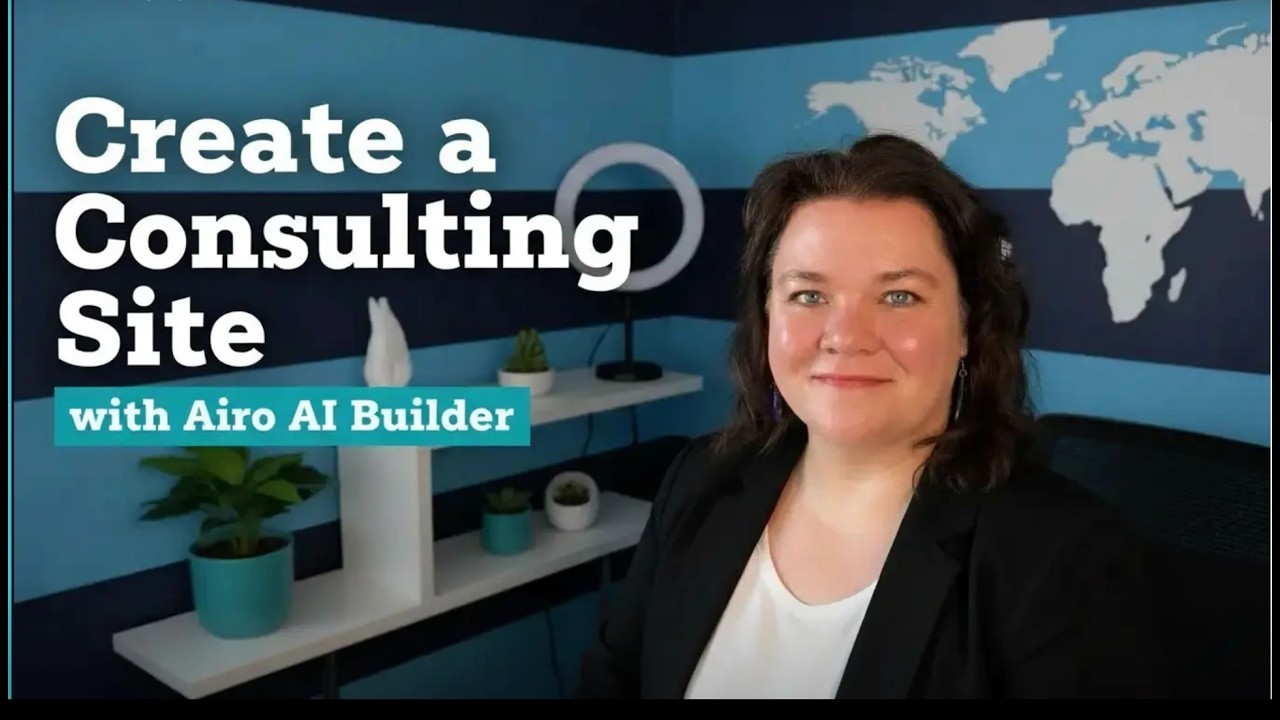
🔗 **Source:** [How to Build a Professional Consulting Website](https://www.youtube.com/watch?v=3wfs7Vn6j0Q)
> [!note]+ Document Notes
> tags: #web-development #ai-tools #consulting #no-code
> author: Courtney Robertson
> source: YouTube
> reference: https://www.youtube.com/watch?v=3wfs7Vn6j0Q
> date created: 2024-12-19 14:30
>
> # 🏷️ Title: How to Build a Professional Consulting Website (No Code Needed)
>
<!-- deep-read:sections start -->
## 🧰 Action Inbox
- [H1] Test Arrow AI Builder for professional service websites — complete walkthrough available #ai-tools
- [H2] Review accessibility statement requirements for UK/EU websites — legal compliance needed #accessibility
- [H3] Implement proper contact form testing before site launch — quality assurance step #web-development
## 🧭 Table of Contents
- [[#📝 Summary]]
- [[#📖 Main Content]]
- [[#🗒️ Notes]]
- [[#📚 References]]
- [[#🗣️ Paraphrase]]
- [[#📰 Newsletter]]
- [[#✅ Action Items]]
- [[#🧪 Hypotheses]]
- [[#📊 Methodology]]
- [[#❓ Questions]]
- [[#🔮 Future Research]]
- [[#💡 Implications]]
- [[#🧠 Learning Styles Assessment]]
- [[#📊 Accessibility Assessment]]
- [[#🌍 DEIB Assessment]]
- [[#✅ Logical Validity]]
- [[#🛡️ DARVO Analysis]]
- [[#🎯 Conclusion]]
### 🔗 References
- [Arrow AI Builder](https://arrow.com)
- [EU Accessibility Requirements](https://digital-strategy.ec.europa.eu/en/policies/web-accessibility)
## 📝 Summary
- Developer advocate demonstrates building a complete consulting website using Arrow AI Builder with no coding required
- Creates a professional site for Aisha Muhammad Consulting including homepage, services, case studies, testimonials, contact form, and accessibility statement
- Shows iterative design process with AI assistance, including layout adjustments, content refinement, and accessibility compliance
- Key stakeholders include consultants, small business owners, and web developers exploring no-code solutions
- Bottom line: AI-powered website builders can create professional consulting sites quickly with proper planning and iterative refinement
## 📖 Main Content
Courtney Robertson demonstrates building a professional consulting website for Aisha Muhammad Consulting using Arrow AI Builder, a no-code website creation tool. The fictional consulting firm offers operations strategy, growth planning, and change leadership services across Europe and East Africa.
The demonstration covers the complete website development process, from initial setup through publication. Arrow AI Builder uses conversational prompts to generate pages and content, with the ability to refine designs through follow-up requests. The tool creates responsive layouts with professional styling, including the requested charcoal and warm gold color scheme with larger typography.
Key features demonstrated include AI-generated content for service descriptions, case studies with structured challenge-approach-outcomes format, client testimonials with varied layouts, contact forms with proper accessibility features, and legally compliant accessibility statements. The process emphasizes iterative improvement, with multiple rounds of AI-assisted refinement to achieve professional results.
The video highlights important considerations for consulting websites, including clear service descriptions, measurable client outcomes, accessibility compliance (particularly for UK/EU requirements), and proper form testing before launch.
## 🗒️ Notes
#### ⏱️ [00:00](https://youtu.be/3wfs7Vn6j0Q?t=0) — [H1] Project Introduction and Requirements
- Key idea: Building professional consulting site for Aisha Muhammad Consulting using Arrow AI Builder
- Evidence: "Services include operations strategy, growth planning, change in leadership for organizations across Europe and East Africa"
#### ⏱️ [01:30](https://youtu.be/3wfs7Vn6j0Q?t=90) — [H2] Initial AI Builder Setup
- Key idea: Arrow AI Builder asks targeted questions to understand website goals and branding
- Evidence: "What's the primary goal for the website? Generate client inquiries and leads. Desired brand and personality: approachable and collaborative"
#### ⏱️ [02:45](https://youtu.be/3wfs7Vn6j0Q?t=165) — [H3] Homepage Design Review and Iteration
- Key idea: Initial design requires alignment adjustments through conversational prompts
- Evidence: "I prompted it to align the left hand column to the right with the yellow bars there, and then the right hand column aligning the text to the left"
#### ⏱️ [03:30](https://youtu.be/3wfs7Vn6j0Q?t=210) — [H2] Services Page Creation
- Key idea: Services page includes editing options through visual interface or AI prompts
- Evidence: "At any time if you want to change anything, you can grab the pencil above and modify yourself or edit with AI"
#### ⏱️ [04:15](https://youtu.be/3wfs7Vn6j0Q?t=255) — [H2] Case Studies Page Development
- Key idea: Case studies page features global iconography and structured content format
- Evidence: "I really like how the icons are placed and that they're sharing different nationalities that they've worked with, parts of the globe"
#### ⏱️ [05:00](https://youtu.be/3wfs7Vn6j0Q?t=300) — [H3] Case Study Content Enhancement
- Key idea: Refined case studies to include structured problem-solving framework
- Evidence: "Let's update the case studies to show client challenge, approach, and measurable outcomes for each"
#### ⏱️ [05:45](https://youtu.be/3wfs7Vn6j0Q?t=345) — [H3] Testimonials Page Review
- Key idea: Testimonials page uses varied visual layouts to maintain engagement
- Evidence: "I like how it breaks up the visual flow from the quotes and then has different types of descriptions below"
#### ⏱️ [06:15](https://youtu.be/3wfs7Vn6j0Q?t=375) — [H2] Contact Form Accessibility Testing
- Key idea: Contact form includes proper keyboard navigation and regional customization
- Evidence: "I could tab through. That's really important for accessibility reasons. This is a website based in the UK and so that's going to be the first country listed"
#### ⏱️ [07:00](https://youtu.be/3wfs7Vn6j0Q?t=420) — [H1] Accessibility Statement Creation
- Key idea: Accessibility statements must comply with local regulations, particularly EU requirements
- Evidence: "European folks need to be aware of the EU's requirements around accessibility on your websites"
#### ⏱️ [07:45](https://youtu.be/3wfs7Vn6j0Q?t=465) — [H3] Navigation Menu Optimization
- Key idea: Removed accessibility statement from top navigation to prevent crowding
- Evidence: "I feel like that topnav is starting to get a little crowded. I see this page is linked in the footer. Please remove it from the topnav menu"
#### ⏱️ [08:30](https://youtu.be/3wfs7Vn6j0Q?t=510) — [H2] Consultation Page Integration
- Key idea: Schedule consultation functionality needs proper linking across site sections
- Evidence: "There are parts of our website where it also links view the entire site or any other buttons that should go to the consultation page"
#### ⏱️ [09:15](https://youtu.be/3wfs7Vn6j0Q?t=555) — [H1] Pre-Launch Testing and Publication
- Key idea: Comprehensive form testing essential before site launch
- Evidence: "We prompted arrow to go back and test all the forms. Always important to test before launch"
## 📚 References
- [Arrow AI Builder Platform](https://arrow.com)
- [EU Web Accessibility Directive](https://digital-strategy.ec.europa.eu/en/policies/web-accessibility)
- [WCAG Guidelines](https://www.w3.org/WAI/WCAG21/quickref/)
## 🗣️ Paraphrase
- Arrow AI Builder enables rapid creation of professional consulting websites through conversational design prompts and iterative refinement
- The platform generates comprehensive site structures including service pages, case studies, testimonials, and contact forms with built-in accessibility features
- Legal compliance considerations, particularly EU accessibility requirements, are automatically addressed but require regional customization and testing before launch
## 📰 Newsletter
**AI-Powered Website Building: No-Code Solutions for Professional Services**
This week's spotlight: Arrow AI Builder demonstrates how conversational AI can create complete professional websites without coding knowledge. Perfect for consultants, agencies, and service providers who need professional web presence quickly.
Key benefits include structured content generation for case studies and testimonials, built-in accessibility compliance, and iterative design refinement through natural language prompts. The platform handles complex requirements like EU accessibility statements and proper form validation.
Practical application: Ideal for WordPress professionals exploring AI-assisted development workflows or recommending solutions to clients who need rapid deployment.
Resources: [Learn WordPress](https://learn.wordpress.org/), [Developer Docs](https://developer.wordpress.org/), [WP-CLI](https://wp-cli.org/)
## ✅ Action Items
#### DevRel
- Developer advocacy: Demo AI website builders at WordCamps, create comparison content with WordPress workflows
- Education: Develop workshops on AI-assisted development, hybrid no-code/code approaches
- Developer experience: Document AI tool integrations with WordPress development workflows
- Developer marketing: Create content series on AI tools complementing traditional development
- Community management: Facilitate discussions on AI ethics in web development, gather feedback on tool adoption
#### WordPress
- Core: Evaluate AI integration opportunities in block editor, theme customizer
- Design: Research AI-assisted design workflows, accessibility automation possibilities
- Documentation: Create guidance on AI tool evaluation, integration best practices
- Community: Support discussions on AI impact on development careers, skill evolution
- Training: Develop curriculum addressing AI-assisted development, ethical considerations
- Accessibility: Research AI tools for automated accessibility testing, compliance verification
## 🧪 Hypotheses
- AI website builders reduce development time by 70-80% for standard business websites compared to traditional coding approaches
- Conversational design interfaces lower technical barriers but may reduce design customization compared to code-based solutions
- Automated accessibility compliance in AI builders improves baseline accessibility but requires human verification for complex interactions
- No-code AI solutions create market pressure for traditional web developers to focus on more complex, custom development work
### 📊 Methodology
- Time comparison study between AI builder and WordPress development for equivalent consulting sites
- User experience research comparing AI prompt interfaces with traditional page builders
- Accessibility audit comparing AI-generated sites with hand-coded equivalents using automated and manual testing
### ❓ Questions
- How do AI-generated websites perform in search engine optimization compared to traditionally developed sites?
- What happens to brand differentiation when multiple businesses use the same AI website builder templates?
- How can WordPress developers integrate AI assistance without losing the flexibility and customization that makes WordPress powerful?
### 🔮 Future Research
- Integration patterns between AI website builders and WordPress as a backend CMS
- Ethical frameworks for AI-generated content in professional service websites
- Long-term maintenance and updating workflows for AI-built websites
### 💡 Implications
- Practice: Web developers may need to pivot toward AI-assisted workflows and focus on higher-complexity projects
- Policy: Professional web development may require new standards for AI tool disclosure and human oversight
- Security: AI-generated websites need additional security review processes since code generation is automated
- Education: Web development curriculum must evolve to include AI tool literacy alongside traditional coding skills
- Funding: Reduced development costs may democratize professional web presence for smaller consulting businesses
### 🧠 Learning Styles Assessment
Reading level estimate: Flesch-Kincaid Grade Level 8-9
#### 👀 Visual learners
- Present: Screen recording shows complete visual design process, page layouts, color schemes
- Improve: Side-by-side before/after comparisons, visual workflow diagrams
#### 🔊 Aural learners
- Present: Video includes clear narration explaining each step and decision
- Improve: Transcript with timestamped sections for reference
#### 🗣️ Verbal learners
- Present: Conversational AI prompts demonstrate natural language interaction
- Improve: Glossary of technical terms, analogies comparing AI building to traditional methods
#### 🧩 Kinesthetic learners
- Present: Step-by-step process encourages hands-on following along
- Improve: Practice exercises with different business types, interactive checklist
#### 🧠 Logical learners
- Present: Clear progression from planning through testing to launch
- Improve: Decision tree for choosing between AI builders and traditional development
#### 🧑🤝🧑 Social learners
- Present: Example business case creates relatable context
- Improve: Discussion prompts for team evaluation, peer review guidelines
#### 🧘♀️ Solitary learners
- Present: Self-paced video format allows individual exploration
- Improve: Self-assessment rubric for evaluating AI builder suitability
#### 🌿 Naturalistic learners
- Present: Business ecosystem context connecting tools to real-world needs
- Improve: Sustainability considerations for AI tool choices, environmental impact
### 📊 Accessibility Assessment
#### Screen reader semantics
- Present: Video includes keyboard navigation testing, mentions accessibility importance
- Improve: Detailed description of AI-generated semantic HTML structure
#### Keyboard navigation
- Present: Demonstrates tab navigation through contact form
- Improve: Complete keyboard testing demonstration across all generated pages
#### Contrast and readability
- Present: Mentions charcoal and gold color scheme with larger typography
- Improve: Explicit contrast ratio verification, readability testing demonstration
#### Text resizing and reflow
- Present: Responsive design implied but not explicitly tested
- Improve: Demonstration of zoom testing, mobile responsiveness verification
#### Media and captions
- Present: Video has clear narration
- Improve: Auto-generated captions, transcript with timestamps
#### Forms and interactions
- Present: Contact form testing emphasized as important pre-launch step
- Improve: Demonstration of error handling, form validation accessibility
#### Standards reference
- Map AI-generated accessibility features to specific WCAG 2.2 AA criteria
### 🌍 DEIB Assessment
#### Cultural breadth
- Present: Global business context (Europe and East Africa), international iconography
- Improve: Discussion of cultural considerations in AI-generated content
#### Inclusive language
- Present: Professional business language, avoids technical jargon
- Improve: Guidance on reviewing AI-generated content for inclusive language
#### Neurodiversity support
- Present: Clear step-by-step process, visual demonstration
- Improve: Discussion of cognitive accessibility in AI-generated interfaces
#### Representation
- Present: Features consulting business led by person with non-Western name
- Improve: Broader discussion of representation in AI training data and outputs
#### Psychological safety
- Present: Encouraging tone about accessibility and professional results
- Improve: Discussion of AI tool limitations, when human expertise is needed
### ✅ Logical Validity
#### Strong reasoning
- Deductive strength: Clear if-then logic (if business needs professional site quickly, then AI builder is viable solution)
- Inductive strength: Single case study limits generalizability to other business types
- Causal reasoning: Demonstrates cause-effect between AI prompts and design changes
- Analogical strength: Limited analogies to traditional development processes
#### Fallacies
- Hasty generalization: Single consulting business example may not apply broadly to all professional services
- Appeal to novelty: Emphasis on AI technology without thorough comparison to established alternatives
#### Tone of voice
- Overall tone: Professional and encouraging, focuses on practical demonstration rather than marketing hype
### 🛡️ DARVO Analysis
- Deny: No defensive patterns detected - straightforward technical demonstration
- Attack: No attacks on traditional development approaches or competitors
- Reverse victim/offender: Not applicable to technical content
- Emotional cues and rhetoric: Positive but measured language, focuses on practical benefits rather than emotional appeals
## 🎯 Conclusion
Arrow AI Builder demonstrates the potential for conversational AI to democratize professional website creation for consulting and service businesses. The tool successfully generates comprehensive sites with proper accessibility compliance and professional styling through iterative refinement.
Key practical takeaways include the importance of thorough testing before launch, regional compliance considerations for accessibility statements, and the value of AI assistance for rapid prototyping and content generation. For WordPress professionals, this represents both an opportunity to explore AI-assisted workflows and a signal of evolving client expectations for development speed and cost.
The demonstration suggests AI builders work best for standard business requirements while traditional development remains valuable for complex customization and unique functionality needs.
## 🧱 Refactor Appendix
### 📚 Literature Split Pad
Purpose: Stage CEE units that become Literature notes.
Split level: H3
### [H1] AI builders accelerate professional website creation
> [!quote] [How to Build a Professional Consulting Website (No Code Needed)](https://youtu.be/3wfs7Vn6j0Q) by [[Courtney Robertson]] via [[YouTube]
---
## Full Transcript
[00:00] Courtney Robertson, developer advocate.<br>[00:02] Today I'm building out a site using<br>[00:04] AeroAI Builder for Aisha Muhammad<br>[00:06] Consulting based out of London, UK. The<br>[00:09] services that her company offers include<br>[00:11] operations strategy, growth planning,<br>[00:14] change in leadership for organizations<br>[00:15] across Europe and East Africa. So we're<br>[00:18] going to need the pages, homepage, the<br>[00:20] professional bio included on that,<br>[00:22] services, case studies, client<br>[00:24] testimonials, a contact form, and an<br>[00:27] accessibility statement. I want this to<br>[00:29] include charcoal and warm gold colors<br>[00:32] and have the font be a little bit extra<br>[00:34] big. Let's see what Arrow can build for<br>[00:36] us. While Arrow AI Builder is working<br>[00:39] behind the scenes, it has questions<br>[00:41] like, "What's the primary goal for the<br>[00:43] website?" I'm going to say that we want<br>[00:46] to generate client inquiries and leads.<br>[00:50] Desired brand and personality. Let's go<br>[00:53] with approachable and collaborative.<br>[00:55] Arrow AI builder has come back with the<br>[00:58] design and it's asking me how I think<br>[01:00] about it. I'm gonna say this looks<br>[01:02] great. We see<br>[01:06] operations, growth planning, change<br>[01:08] leadership.<br>[01:10] I'm not sure that I want that alignment.<br>[01:12] So, I'm going to ask it to correct that.<br>[01:16] There we go. This looks a little better.<br>[01:18] I prompted it to align the left hand<br>[01:21] column to the right with the yellow bars<br>[01:24] there. and then the right hand column<br>[01:26] aligning the text to the left. All<br>[01:28] right, let's build out the services page<br>[01:31] next. All right, Arrow AI builder has<br>[01:34] come back with the services page. Let's<br>[01:36] take a look at it. This is looking good.<br>[01:39] And of course, at any time if you want<br>[01:40] to change anything, you can grab the<br>[01:43] pencil above and modify yourself or edit<br>[01:46] with AI growth planning.<br>[01:50] All of these are looking really good.<br>[01:52] change leadership,<br>[01:55] how I work, and a schedule a<br>[01:58] consultation and view some case studies.<br>[02:00] So, what I would like to do next is<br>[02:02] let's go build out the case studies<br>[02:04] page. Case study page has come back from<br>[02:07] Arrowai Builder. Let's take a look. I<br>[02:10] really like how the icons are placed and<br>[02:14] that they're sharing different<br>[02:15] nationalities that they've worked with,<br>[02:19] parts of the globe. I felt like any of<br>[02:22] these case studies needed a little bit<br>[02:24] more work. Let's update the case studies<br>[02:27] to show client challenge, approach, and<br>[02:29] measurable outcomes for each. Results<br>[02:32] are in and it's expanded to more clearly<br>[02:34] define. Here's the client challenge.<br>[02:36] Here's what the approach is, and here<br>[02:38] are the measurable outcomes. All right,<br>[02:40] let's take a look at the testimonials<br>[02:42] page next. Our testimonials page is<br>[02:45] looking really good. I like how it<br>[02:48] breaks up the visual flow from the<br>[02:50] quotes and then has different types of<br>[02:53] descriptions below. Let's get that<br>[02:56] contact form next. Our contact page has<br>[02:59] come back. Let's take a look through. I<br>[03:02] could tab through. That's really<br>[03:03] important for accessibility reasons.<br>[03:06] This is a website based in the UK and so<br>[03:08] that's going to be the first country<br>[03:11] listed. So areas of interest are<br>[03:13] related. Tell me about the challenge.<br>[03:15] They give us a clear description on what<br>[03:17] to expect. You would need to go in and<br>[03:18] change this contact information. If<br>[03:21] that's not actually the domain name that<br>[03:23] you end up with on the site later.<br>[03:25] Lastly, we're going to look at the<br>[03:27] accessibility page. You can build this<br>[03:29] page inside of the window where the page<br>[03:31] is or over on the left hand side in the<br>[03:34] chat area. Let's build out the page and<br>[03:37] see the results. So, our website has<br>[03:39] come back with our accessibility<br>[03:40] statement. You'll know based upon your<br>[03:42] local what you need to include. European<br>[03:45] folks need to be aware of the EU's<br>[03:47] requirements around accessibility on<br>[03:49] your websites. Knowing that this is for<br>[03:51] a site in the UK, we're good to go on<br>[03:53] our accessibility statements for this<br>[03:55] demo. What I would like to do<br>[03:57] differently is take it out of the<br>[03:58] topnav. I feel like that topnav is<br>[04:00] starting to get a little crowded. I see<br>[04:02] this page is linked in the footer.<br>[04:03] Please remove it from the topnav menu.<br>[04:06] That came back quickly. It took it right<br>[04:08] out of the top menu. Next up, what does<br>[04:10] the schedule a consultation button do?<br>[04:13] We now have our schedule consultation<br>[04:15] page. But there are parts of our website<br>[04:18] where it also links view the entire site<br>[04:22] or any other buttons<br>[04:26] that should go to theation<br>[04:29] page. So our schedule a consultation<br>[04:32] page is working and we prompted arrow to<br>[04:35] go back and test all the forms. Always<br>[04:37] important to test before launch. I think<br>[04:40] that we're about ready to hit publish.<br>[04:42] All right, I think we're ready to<br>[04:44] publish.
<!-- deep-read:sections end -->
📄 **Full text:** ![[Full Document Contents/Articles/How to Build a Professional Consulting Website|How to Build a Professional Consulting Website, YouTube]]
## Highlights
- So, what I would like to do next is let's go build out the case studies page. Case study page has come back from Arrowai Builder. Let's take a look. I really like how the icons are placed and that they're sharing different nationalities that they've worked with, parts of the globe. I felt like any of these case studies needed a little bit more work. Let's update the case studies to show client challenge, approach, and measurable outcomes for each. Results ([View Highlight](https://read.readwise.io/read/01kjqmpk88996m788er1xxvsyt))
- Tags: 👻 ai highlighted