How to Edit Videos Properly With Claude and Remotion
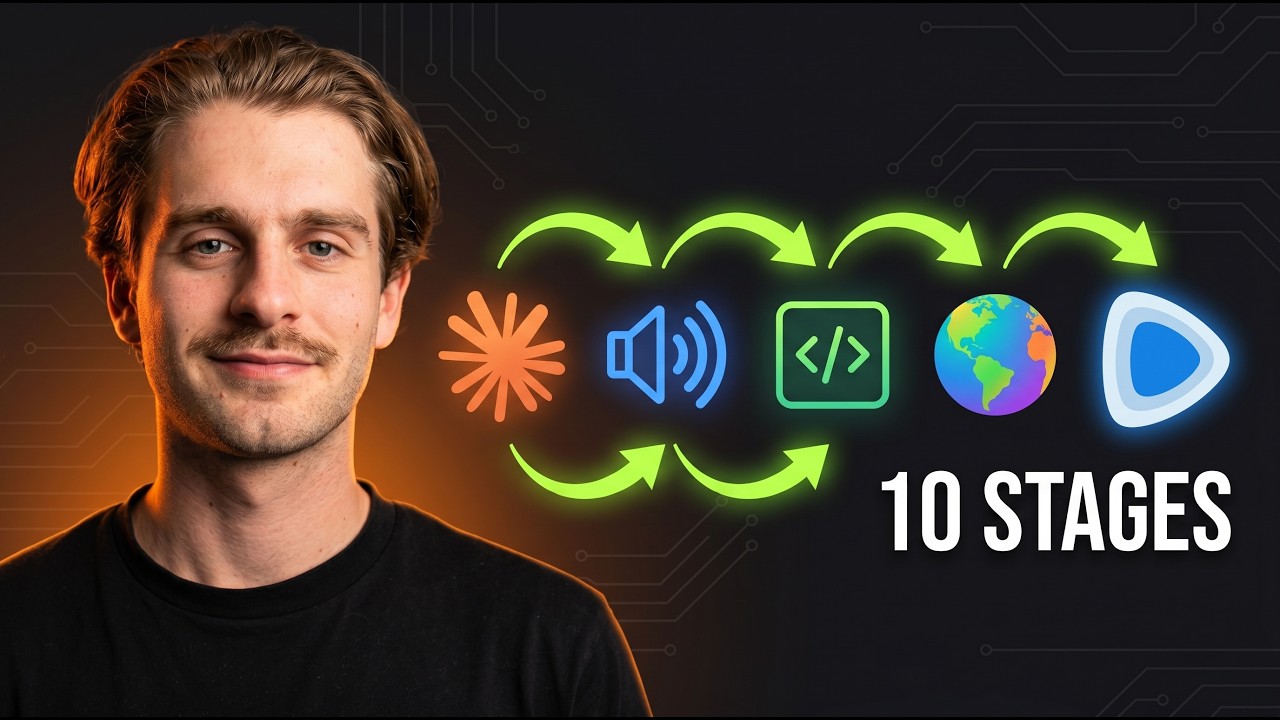
🔗 **Source:** [How to Edit Videos Properly With Claude and Remotion](https://www.youtube.com/watch?v=bDCLT4Je6WA)
> [!note]+ Document Notes
> tags: [ai-automation, video-editing, production-workflows]
> author: [MISSING]
> source: YouTube
> reference: https://www.youtube.com/watch?v=bDCLT4Je6WA
> date created: {{date:YYYY-MM-DD}} {{time:HH:mm}}
>
> # 🏷️ Title: How to Edit Videos Properly With Claude and Remotion (This Actually Works)
>
<!-- deep-read:sections start -->
## 🧭 Table of Contents
- [📝 Summary](#-summary)
- [📖 Main Content](#-main-content)
- [🗒️ Notes](#️-notes)
- [📚 References](#-references)
- [🗣️ Paraphrase](#️-paraphrase)
- [📰 Newsletter](#-newsletter)
- [✅ Action Items](#-action-items)
- [🧪 Hypotheses](#-hypotheses)
- [📊 Methodology](#-methodology)
- [❓ Questions](#-questions)
- [🔮 Future Research](#-future-research)
- [💡 Implications](#-implications)
- [🧠 Learning Styles Assessment](#-learning-styles-assessment)
- [📊 Accessibility Assessment](#-accessibility-assessment)
- [🌍 DEIB Assessment](#-deib-assessment)
- [✅ Logical Validity](#-logical-validity)
- [🛡️ DARVO Analysis](#-darvo-analysis)
- [🎯 Conclusion](#-conclusion)
## 📝 Summary
- A content creator demonstrates a production-grade AI video editing workflow using Claude and Remotion that has processed all their videos for 2 months.
- The system achieved 15,000 views and 120,000 impressions in one week through fully automated editing.
- The workflow involves five main stages: video ingestion, multi-modal analysis, intelligent clipping, storyboard creation, and automated rendering.
- The system handles the complete pipeline from raw footage to finished video with motion graphics, thumbnails, and YouTube descriptions from a single prompt.
- This represents a significant advancement from demo-only AI video editing tools to actual production deployment.
## 📖 Main Content
The video reveals a comprehensive AI video editing system that breaks down the editing process into discrete, automated tasks. The workflow begins with raw video ingestion, where the system extracts audio for transcription using Deepgram, performs audio analysis with FFmpeg to detect volume levels and dead space, and conducts visual analysis using Gemini Pro to understand on-screen content.
The clipping stage intelligently removes stuttering, dead space, and inferior retakes by combining transcript analysis with audio waveform data. The system maintains both 4K raw files and lower-resolution proxy files for API processing efficiency.
A sophisticated storyboard creation process plans motion graphics placement throughout the video, drawing from a template library of pre-built assets and generating custom animations via Hera Video when needed. The system considers timing, content context, and brand consistency when selecting or creating visual elements.
The final rendering stage uses Remotion to compile all elements—clipped video, motion graphics, B-roll, and effects—into a polished final product. The entire workflow operates through a structured folder system where each agent knows precisely where to find inputs and place outputs.
### 🗒️ Notes
#### ⏱️ [00:00:00](https://www.youtube.com/watch?v=bDCLT4Je6WA?t=0) Production Claims and Results
- System has edited all channel videos for 2 months
- Last week generated 15,000 views and 120,000 impressions
- High click-through rate achieved with AI-generated thumbnails
#### ⏱️ [00:02:30](https://www.youtube.com/watch?v=bDCLT4Je6WA?t=150) Five-Stage Pipeline Overview
- Stage 1: Raw video file ingestion and audio extraction
- Stage 2: Triple analysis (transcription, audio levels, visual content)
- Stage 3: Intelligent clipping (dead space, stutters, retake selection)
- Stage 4: Storyboard creation with motion graphics planning
- Stage 5: Asset compilation and Remotion rendering
#### ⏱️ [00:04:15](https://www.youtube.com/watch?v=bDCLT4Je6WA?t=255) Technical Infrastructure
- Deepgram API for transcription ($200 free credit)
- FFmpeg for local audio analysis
- Gemini Pro for visual analysis
- Structured folder system for agent coordination
- Proxy files (480p/720p) for API efficiency, 4K for final render
#### ⏱️ [00:08:00](https://www.youtube.com/watch?v=bDCLT4Je6WA?t=480) Multi-Agent Architecture
- Content strategist for competitive research and trending topics
- Copywriter for script structure and diagrams
- Publisher for cross-platform scheduling and copy
- Video editor plugin with specialized sub-agents
- Clearly defined input/output specifications for each agent
#### ⏱️ [00:12:30](https://www.youtube.com/watch?v=bDCLT4Je6WA?t=750) Storyboard and Motion Graphics
- JSON-based storyboard with timestamp precision
- Template library for consistent brand assets
- Hera Video integration for custom animation generation
- HTML visualization option for pre-render approval
- Intro/body separation for pacing differentiation
#### ⏱️ [00:16:45](https://www.youtube.com/watch?v=bDCLT4Je6WA?t=1005) Production Deployment
- Single command (FP) triggers entire pipeline
- Remotion handles final compilation and rendering
- System adaptable for short-form, VSLs, and advertising content
- All motion graphics maintain brand color consistency
## 📚 References
- [Deepgram API](https://deepgram.com) - Audio transcription service
- [Remotion](https://remotion.dev) - Programmatic video creation
- [Hera Video](https://hera.video) - AI motion graphics generation
- [FFmpeg](https://ffmpeg.org) - Audio/video processing toolkit
- [Gemini Pro](https://deepmind.google/technologies/gemini/) - Visual analysis
## 🗣️ Paraphrase
This video demonstrates a sophisticated AI video editing system that moves beyond proof-of-concept demos to actual production use. The creator has automated their entire video editing workflow using a multi-stage pipeline that processes raw footage through intelligent analysis, clipping, storyboarding, and rendering phases. The system combines multiple AI services and tools—including Claude for orchestration, Deepgram for transcription, Gemini for visual analysis, and Remotion for rendering—to produce polished videos with motion graphics and professional pacing. The workflow is structured around a clear agent-based architecture where each component has defined inputs, transformations, and outputs, enabling full automation from a single command prompt.
## 📰 Newsletter
🎬 **AI Video Editing Reaches Production Maturity**
A content creator has shared their battle-tested AI video editing workflow that's been processing their entire channel for two months. Unlike typical AI video demos, this system is genuinely deployed in production and generating real results—15K views and 120K impressions in just one week.
The five-stage pipeline handles everything from raw footage ingestion to final render: intelligent clipping removes dead space and poor takes, AI-powered storyboarding plans motion graphics placement, and automated rendering produces polished videos with professional pacing. The system combines Deepgram transcription, Gemini visual analysis, and Remotion rendering in a multi-agent architecture that can process hours of content with a single command.
This represents a significant milestone in AI content creation—moving from impressive demos to tools that creators actually rely on for their livelihood. For WordPress developers building content workflows, the structured agent approach and clear input/output specifications offer valuable patterns for automation systems.
**Key takeaway**: Production-grade AI video editing is here, but it requires thoughtful system design, not just prompt engineering.
## ✅ Action Items
#### DevRel
- Research Remotion integration patterns for developer tutorial videos and documentation walkthroughs
- Evaluate feasibility of automated video documentation for WordPress plugin demonstrations
- Investigate multi-modal AI workflows for processing developer conference talks and workshops
#### OSPO
- Assess implications of AI-generated video content for open source project documentation standards
- Review licensing considerations for AI-processed video content in open source projects
#### Community
- Explore automated video processing for WordCamp talks and community event recordings
- Investigate accessibility improvements through automated captioning and transcript generation for community content
#### WordPress
- **Core**: Evaluate video processing capabilities for WordPress media library integration
- **Training**: Research automated course content generation using similar multi-stage AI pipelines
- **Marketing**: Assess AI video editing tools for WordPress promotional content and feature demonstrations
#### The WPCC
- Investigate funding opportunities for AI-assisted content creation tools for underresourced WordPress contributors
- Explore AI video editing workshops for community capacity building
## 🧪 Hypotheses
- Multi-stage AI video editing pipelines can achieve production quality comparable to human editors for structured content types
- Agent-based architectures with clearly defined input/output specifications enable more reliable AI automation than single-prompt approaches
- Combining specialized AI services (transcription, visual analysis, motion graphics) produces better results than general-purpose video editing AI
- Proxy file workflows significantly improve processing speed and API cost efficiency for video analysis tasks
- Automated storyboarding can maintain brand consistency more effectively than human editors across large content volumes
### 📊 Methodology
- A/B testing comparing AI-edited vs human-edited video performance metrics (views, engagement, retention)
- Cost analysis comparing AI workflow operational expenses to traditional video editing labor costs
- Quality assessment studies using standardized video production criteria across different content types
- User acceptance testing with content creators adopting similar multi-stage AI workflows
- Technical performance benchmarking of different AI service combinations in video processing pipelines
### ❓ Questions
- How does the system handle complex editing scenarios like multi-speaker interviews or live demonstrations?
- What are the failure modes and quality control mechanisms when AI agents make poor editing decisions?
- How much initial template and asset creation is required before the system becomes effective?
- What content types and formats work best vs. worst with this automated approach?
- How does the cost structure compare between AI automation and traditional video editing services?
### 🔮 Future Research
- Integration of real-time AI editing for live streaming and virtual events
- Cross-language video processing and automated localization workflows
- AI-generated B-roll and stock footage creation for enhanced visual storytelling
- Emotion and engagement prediction models for optimizing video pacing and retention
- Collaborative AI editing systems where human editors work alongside AI agents for quality control
### 💡 Implications
- **Practice**: Video content creators can achieve professional editing quality without technical editing expertise
- **Policy**: Content platforms may need updated policies for AI-generated video disclosure and authenticity verification
- **Security**: Automated video processing introduces new attack vectors through malicious media file uploads
- **Education**: Video-based learning can scale dramatically with automated editing and production workflows
- **Funding**: Traditional video production budgets may shift from labor to AI tooling and infrastructure costs
### 🧠 Learning Styles Assessment
- **Reading level estimate**: Grade 12-14 (technical documentation style with specialized vocabulary)
#### 👀 Visual learners
- **Present**: Detailed folder structure screenshots, storyboard HTML visualization, Remotion interface demonstrations
- **Improve**: Workflow diagrams showing agent interactions, before/after video comparisons, visual API integration maps
#### 🔊 Aural learners
- **Present**: Verbal walkthrough of entire process, spoken explanations of technical concepts
- **Improve**: Audio-only version focusing on system architecture, podcast-style deep dive on implementation details
#### 🗣️ Verbal learners
- **Present**: Clear terminology definitions, analogies to traditional editing workflows, step-by-step explanations
- **Improve**: Glossary of AI video editing terms, comparison frameworks between different approaches
#### 🧩 Kinesthetic learners
- **Present**: Live code demonstration, hands-on folder setup, real-time agent execution
- **Improve**: Interactive setup checklist, downloadable starter templates, practice exercises with sample footage
#### 🧠 Logical learners
- **Present**: Sequential pipeline stages, clear input/output specifications, systematic agent architecture
- **Improve**: Decision trees for choosing motion graphics, troubleshooting flowcharts, performance optimization matrices
#### 🧑🤝🧑 Social learners
- **Present**: Community building around AI Builders Hub, Q&A sessions, collaborative learning environment
- **Improve**: Peer review processes for AI-edited content, collaborative template sharing, group troubleshooting sessions
#### 🧘 Solitary learners
- **Present**: Self-contained workflow documentation, independent setup process
- **Improve**: Reflection prompts on workflow customization, self-assessment rubrics for output quality
#### 🌿 Naturalistic learners
- **Present**: Organic workflow evolution, adapting tools to content needs
- **Improve**: Ecosystem thinking about AI tool integration, sustainable content production practices
### 📊 Accessibility Assessment
#### Screen reader semantics
- **Present**: Clear video structure with timestamp navigation
- **Improve**: Detailed alt text for folder structure screenshots, transcript with action descriptions
#### Keyboard navigation
- **Present**: Standard video controls for playback navigation
- **Improve**: Keyboard shortcuts for timestamp jumping, accessible timeline scrubbing
#### Contrast and readability
- **Present**: Clear visual distinction in folder hierarchies and code examples
- **Improve**: High contrast mode for storyboard visualization, adjustable text size in documentation
#### Text resizing and reflow
- **Present**: Web-based content scales appropriately
- **Improve**: Responsive design for technical diagrams, mobile-friendly workflow documentation
#### Media and captions
- **Present**: Auto-generated captions available
- **Improve**: Professional transcript with technical term definitions, audio descriptions for visual elements
#### Forms and interactions
- **Present**: Standard video interface interactions
- **Improve**: Accessible command line interface documentation, error handling guidance
### 🌍 DEIB Assessment
#### Cultural breadth
- **Present**: English-language content with universal technical concepts
- **Improve**: Multi-language examples, culturally diverse use cases, global content creation perspectives
#### Inclusive language
- **Present**: Technical terminology with explanations, gender-neutral examples
- **Improve**: Plain language summaries, expanded glossary, avoiding insider jargon
#### Neurodiversity support
- **Present**: Structured presentation with clear sections, predictable format
- **Improve**: Content warnings for rapid visual changes, processing time estimates, cognitive load indicators
#### Representation
- **Present**: Single creator perspective on AI automation workflows
- **Improve**: Diverse creator voices, varied content types, different production contexts
#### Psychological safety
- **Present**: Encouraging tone about AI accessibility, supportive community building
- **Improve**: Failure mode discussion without judgment, alternative approach validation
### ✅ Logical Validity
#### Strong reasoning
- **Empirical evidence**: Provides specific metrics (15K views, 120K impressions) with timeframe context, demonstrating measurable outcomes rather than theoretical benefits
- **Systematic methodology**: Breaks down complex video editing into discrete, analyzable stages with clear input/output specifications for each component
- **Technical architecture**: Demonstrates understanding of production constraints through proxy file usage, API cost management, and agent coordination patterns
#### Fallacies
- **Hasty generalization**: Claims the system works for all content types based on one creator's experience with a specific format and style
- **Appeal to novelty**: Implies AI automation is inherently better than traditional editing without comparing quality, cost, or time investment
- **False dichotomy**: Presents AI editing vs manual editing as binary choice rather than exploring hybrid approaches or tool-assisted workflows
#### Tone of voice
- **Confident and authoritative**: Uses definitive statements ("this works", "production-grade") with technical credibility
- **Educational and transparent**: Shares specific implementation details and actual code structure rather than high-level concepts
- **Promotional undertone**: Balances genuine technical sharing with subtle marketing for AI Builders Hub community
### 🛡️ DARVO Analysis
No DARVO patterns detected. The presenter acknowledges limitations of existing AI video editing demonstrations and positions their work as an improvement rather than attacking critics or portraying themselves as victims of unfair skepticism.
## 🎯 Conclusion
This video represents a significant milestone in AI content creation by demonstrating a genuinely deployed production system rather than a proof-of-concept demo. The multi-stage pipeline approach, combining specialized AI services with structured agent coordination, offers a replicable model for creators seeking to automate video production workflows.
The key insight is that production-grade AI video editing requires systematic engineering rather than clever prompting. Success depends on thoughtful system design, clear agent responsibilities, and robust file management—principles that extend beyond video editing to any complex AI automation workflow.
For WordPress developers and open source contributors, this workflow architecture provides valuable patterns for building reliable AI-assisted content systems that can scale community documentation, training materials, and promotional content while maintaining quality standards.
## 🔄 Refactor Appendix — How to Edit Videos Properly With Claude and Remotion
### 📚 Literature Atoms (H3)
#### Multi-stage AI pipelines achieve production quality through specialized agent coordination
> [!quote]
> You need to have a clearly defined what is the input, what's the transformation process in the middle, and then what is the output and where do I put it in the file structure, so the next agent knows where to get the information.
**Context & use**:
- Timestamp 00:11:30, discussing workflow architecture requirements
- Applies to any complex AI automation system requiring reliable handoffs between specialized components
**Tags**: #ai-automation #system-design #production-workflows
<!-- atomicity: 1 idea ✓ -->
#### Proxy files enable efficient API processing for large media workflows
> [!quote]
> The raw files are typically in 4K. They're big files. Sending them to API services and stuff like that, they're too big. You want to create a proxy at 480 pixels or 720 pixels, which you can use to send to APIs.
**Context & use**:
- Timestamp 00:09:45, explaining technical infrastructure decisions
- Critical for managing costs and processing speed in video analysis workflows
**Tags**: #video-processing #api-optimization #media-workflows
<!-- atomicity: 1 idea ✓ -->
#### Production AI systems require separation of intro and body content for optimal results
> [!quote]
> The reason for that is because intros typically for the first 30 seconds to a minute or so, a little bit higher paced, a little bit more motion graphics, slightly different structure to the actual body of a video.
**Context & use**:
- Timestamp 00:08:15, discussing content structure analysis
- Demonstrates importance of context-aware processing in automated content creation
**Tags**: #content-structure #ai-editing #pacing-optimization
<!-- atomicity: 1 idea ✓ -->
### 🧠 Permanent Candidates (H4)
#### Production-grade AI automation requires systematic engineering over prompt creativity
**Claim**: AI systems that reliably handle production workloads succeed through structured agent architectures and clear data flows rather than sophisticated prompting techniques.
**Evidence pointer**: [[#Multi-stage AI pipelines achieve production quality through specialized agent coordination]]
**Scope & conditions**: Applies to complex workflows with multiple processing stages; breaks down when tasks are simple enough for single-agent handling
**Links**:
- [[System design patterns]] — because extends
- [[AI prompt engineering]] — because contrasts on implementation approach
- [[DevOps for AI workflows]] — because applies-in deployment contexts
<!-- atomicity: 1 idea ✓ -->
### ✏️ Fleeting Queue
- [F1] Research Hera Video integration patterns for motion graphics generation — https://hera.video #fleeting #video-tools
- [F2] Investigate cost comparison between Deepgram vs other transcription APIs for video workflows — budget analysis #fleeting #api-costs
- [F3] Explore Remotion template libraries for WordPress-specific content types — documentation videos #fleeting #wordpress-tools
### → Things 3 (max 2 actions)
- [ ] Evaluate Remotion for WordPress plugin demonstration videos — technical feasibility study #things
- [ ] Research multi-modal AI workflow patterns for developer documentation automation — architecture planning #things
---
## Full Transcript
[00:00] You may have already watched videos that<br>[00:02] teach you how to edit videos with Claude<br>[00:04] and re-motion, but none of them are<br>[00:06] actually being used in a production<br>[00:07] environment. At this point in time,<br>[00:09] they're really just there to get clicks<br>[00:10] on YouTube. What I'm going to do in this<br>[00:12] video is take you behind the scenes in<br>[00:14] my AI workflow that's actually been<br>[00:16] editing all the videos on my channel for<br>[00:17] the last 2 months, and in the last week<br>[00:19] alone has gotten me over 15,000 views<br>[00:21] and over 120,000 impressions. If you<br>[00:24] watch this video from start to finish,<br>[00:26] you'll understand how to create your own<br>[00:27] AI video editing workflow that takes an<br>[00:29] unclipped long-form of any length, clips<br>[00:32] the entire thing, adds motion graphics,<br>[00:34] builds thumbnails, builds YouTube<br>[00:36] descriptions with timestamps, and gives<br>[00:38] you the entire package at the end with<br>[00:40] one prompt only. But, you're also going<br>[00:42] to understand the mechanics behind it<br>[00:44] and how it actually works, so you can<br>[00:46] tweak it to your own personal brand and<br>[00:48] your own style. Let's get straight into<br>[00:49] it. All right. Now, I'm going to take<br>[00:51] you over this entire video generation<br>[00:53] pipeline, and there is a little bit<br>[00:55] involved with this, but if you actually<br>[00:57] want to build a production-grade video<br>[00:58] editing system, there is really no<br>[01:00] skipping. And what we'll cover is we<br>[01:02] will first talk about and I'll show you<br>[01:03] my channel analytics and the proof. We<br>[01:06] can take a look at it right here, so you<br>[01:07] can see over the past 7 days that these<br>[01:10] are the statistics that I've had over<br>[01:11] the content that I've pushed to my<br>[01:13] channel, and it has been entirely edited<br>[01:15] by AI. So, we're talking about 15,000<br>[01:17] views, 120,000 impressions, a quite a<br>[01:20] high click-through rate for AI-generated<br>[01:22] thumbnails, and the average view<br>[01:24] duration view generation. So, this<br>[01:26] works. And how it works at a high level<br>[01:28] before I jump in is we need to take the<br>[01:30] video editing process and think about<br>[01:32] what is actually What are the individual<br>[01:34] tasks involved with video editing? And<br>[01:36] so, the very first thing we do is we get<br>[01:38] the raw video file and we drop it in a<br>[01:39] folder, and we ask AI to ingest it. And<br>[01:42] what it does here is is it extracts the<br>[01:44] audio, and it sends that audio, and it<br>[01:47] does three things. One, it transcribes<br>[01:49] the audio to get all the text and the<br>[01:51] timestamps when we're saying certain<br>[01:52] things. Then, it also does an audio<br>[01:54] analysis is the volume levels, so it<br>[01:56] understands where to clip things, and<br>[01:58] then it does uses Gemini to do a visual<br>[02:00] analysis to actually see what's<br>[02:02] happening on the screen in the video<br>[02:04] throughout the entire video. So, that it<br>[02:06] gets those three things, and it uses<br>[02:08] those to clip the video. So, what we're<br>[02:10] doing when we're editing is we're<br>[02:11] clipping dead space, we're clipping me<br>[02:13] stuttering in most cases, we're clipping<br>[02:16] we're doing we're taking all that into<br>[02:17] account, and we're basically clipping<br>[02:19] the video. And if we if we basically<br>[02:21] detect retakes, if you're filming<br>[02:23] multiple intros, etc., it will basically<br>[02:26] keep the best take and cut the others.<br>[02:28] So, that's step three. With that clipped<br>[02:30] video, it's then going ahead, and it's<br>[02:31] building a storyboard. So, I'll show you<br>[02:33] what this looks like in a little bit,<br>[02:34] but essentially the storyboard is where<br>[02:36] we're going to plan All right, Adam is<br>[02:37] saying this here. Let's build motion<br>[02:40] graphics, or whatever the case is, uh to<br>[02:42] essentially build a storyboard so that<br>[02:44] it can plan out when it goes to to<br>[02:46] render. Um and it can also plan out when<br>[02:49] what type of B-roll we're going to use,<br>[02:50] uh what type of motion graphics, etc.,<br>[02:53] for specific words and concepts that I<br>[02:54] might be talking about. So, we build the<br>[02:56] storyboard, which is which is a big kind<br>[02:57] of JSON file. Then, we basically build<br>[02:59] the assets. So, we either get B-roll<br>[03:01] from the existing video, or a library of<br>[03:04] B-roll that I've built, and AI will<br>[03:05] automatically select that, or we'll use<br>[03:08] a service called Hera, or Hera video, to<br>[03:10] generate motion graphics.<br>[03:12] And then what will happen is we'll get<br>[03:14] the storyboard, we'll add the motion<br>[03:16] graphics that we found, and we'll use<br>[03:17] Remotion to compile all of that<br>[03:19] together. Now, what I'll also mention is<br>[03:22] that I have a template library. So, if<br>[03:23] you look at this, we've got all these<br>[03:24] different motion graphics, and that's<br>[03:27] provided to the storyboard agent, so it<br>[03:29] knows, "Hey, look, like you can use all<br>[03:31] of these different motion graphics at<br>[03:33] different points in the video to do all<br>[03:35] sorts of cool things." We've got text<br>[03:36] reveals, and you can you can build this<br>[03:39] to do all sorts of things, you know what<br>[03:41] I mean? So, these are the kind of things<br>[03:43] that we can source when we're building<br>[03:45] our video, so that the at the end of<br>[03:47] this, we get Remotion, we we render it<br>[03:50] together with all these motion graphics<br>[03:51] that we either have from our template<br>[03:52] library or we're generating custom or<br>[03:54] we're pulling from the main video<br>[03:57] and our existing B-roll library to build<br>[03:59] a full end-to-end video system. So, the<br>[04:03] first step is to ingest the raw video<br>[04:06] file and I'm going to show you exactly<br>[04:08] how this looks directly in VS Code. So,<br>[04:12] I'm going to look at my very last video<br>[04:15] which was the real skill of AI<br>[04:17] automation and in there I've got a<br>[04:19] folder that looks like this. Now, I have<br>[04:21] a number of different agents that do<br>[04:22] different things. Like I have a<br>[04:23] copywriter that writes scripts even<br>[04:25] though in most cases I don't use them.<br>[04:27] It builds general dot points that is<br>[04:29] used for the rest of to build the actual<br>[04:31] diagram that you're looking at right<br>[04:33] here. So, I don't write read off a<br>[04:35] script but I do use a general structure<br>[04:37] to build this diagram. So, in there I<br>[04:40] have the<br>[04:41] copywriter that builds a diagram in the<br>[04:43] script. I've got a strategist that<br>[04:46] actually does the competitive research<br>[04:48] and sees what topics are trending or<br>[04:50] what people want to watch. I've got the<br>[04:52] publisher that's actually going to<br>[04:53] schedule this content across different<br>[04:55] social media channels and build email<br>[04:57] campaign copy and on all those kind of<br>[04:59] things LinkedIn posts etc. And then I've<br>[05:01] got the video editor. So, the first of<br>[05:03] the video editor is to just drag and<br>[05:04] drop the raw file directly into the<br>[05:06] video ingest folder. And what happens so<br>[05:09] if you're going to set this up yourself,<br>[05:11] step one is to set up a similar folder<br>[05:13] structure to what I have here. Now, if<br>[05:15] we look at the agents you'll see I've<br>[05:16] got the content plugin and the video<br>[05:18] plugin. Now, the video plugin is purely<br>[05:20] around video editing of how complex<br>[05:22] video editing is and there's multiple<br>[05:24] different steps. So, I made it its own<br>[05:25] plugin. But my content plugin is the one<br>[05:28] that has the content strategist, the<br>[05:29] copywriter and everything else and then<br>[05:32] the video editor plugin is purely just<br>[05:33] for video editing. So, if you want to<br>[05:35] set it up yourself, then have a think<br>[05:38] about the different roles in your<br>[05:39] content pipeline. You can copy me if you<br>[05:41] like and have a content strategist, a<br>[05:42] copywriter, creative director which is<br>[05:44] for the thumbnails and editor which is<br>[05:46] for basically a quality gate to make<br>[05:48] sure your content is targeting right<br>[05:49] audience, and a publisher. And then you<br>[05:51] get your video editor agent. So, in<br>[05:53] doing that, I have my agents here, and<br>[05:56] then I have the actual output file. And<br>[05:59] when I first create a new idea, so when<br>[06:01] I run the content strategist for the<br>[06:02] first time, just by basically running<br>[06:04] content strategist, it will ask me<br>[06:06] whether I want to create a new project.<br>[06:07] And if I want to create a new project,<br>[06:09] it's going to create this folder<br>[06:10] structure straight away. And as I call<br>[06:13] the different agents, it'll start to<br>[06:14] push the output in the relevant agent<br>[06:16] output folder. So, the first step is to<br>[06:19] ingest a video.<br>[06:21] And that's what I do first, and what<br>[06:22] happens is it automatically triggers the<br>[06:26] transcription and the visual analysis.<br>[06:28] Now, the APIs that I use I use Deepgram<br>[06:30] for<br>[06:31] transcription. The reason for that is<br>[06:33] you get $200 which is more than enough.<br>[06:35] I don't think I've even used that $200<br>[06:37] yet, and I've been using this for<br>[06:38] months. Heaps of free credit, so you can<br>[06:40] pretty much run it for free. Gemini Pro<br>[06:42] is what I use for the visual analysis,<br>[06:45] and then the audio analysis is just done<br>[06:46] with FFmpeg, which is completely free<br>[06:48] and runs locally on your computer. So,<br>[06:51] you'll see here I've run the content<br>[06:52] strategist, it's asked if I want to<br>[06:53] create a new project. If I type three,<br>[06:55] it's going to take me through the<br>[06:56] workflow to create a new project. Now,<br>[06:58] what I'll do quickly is I'll show you<br>[06:59] the video editor workflow, and I'm going<br>[07:01] to trigger the long-form video editor<br>[07:03] workflow because if we look in my video<br>[07:06] editor agent, this doesn't just do<br>[07:08] long-form, [snorts] it does short-form,<br>[07:11] video sales letters, advertising, etc.<br>[07:14] You can have all these different video<br>[07:15] content types, and you can just tweak<br>[07:18] the skills that are involved in the<br>[07:20] workflows for each of them to be<br>[07:21] specific to that. For example, the<br>[07:23] timing shorter form, you might want to<br>[07:25] have more transitions and those kind of<br>[07:27] things, you'd have a slightly different<br>[07:28] workflow for that than you would for<br>[07:29] editing your long-form. So, if I trigger<br>[07:31] the long-form skill, you'll see here<br>[07:33] that we have the steps, and typically<br>[07:36] what I run is the full pipeline, which<br>[07:38] is what runs this entire thing on<br>[07:39] autopilot. So, I type FP, and the first<br>[07:42] thing it does is this ingest point. So,<br>[07:44] what it will do is it will take a look,<br>[07:45] it knows to look in the ingestion folder<br>[07:47] for a specific It's It's read what the<br>[07:49] active project is, which is the real<br>[07:51] skill of AI automation. So, if I run FP,<br>[07:54] it will ingest the file that is in the<br>[07:56] video ingest folder. That's the first<br>[07:58] step, and it's going to go on ahead and<br>[08:01] trigger these three workflow steps.<br>[08:04] Now, once I've run all of these analysis<br>[08:07] through the audio analysis, the<br>[08:08] transcription, and the visual analysis,<br>[08:11] you'll get those three files outputted<br>[08:14] in whatever format you like. So, I've<br>[08:15] got this analysis folder, and you'll see<br>[08:17] here I've got the full video, but then I<br>[08:19] also split the intro from the body. The<br>[08:21] reason for that is because intros<br>[08:22] typically for the first 30 seconds to a<br>[08:25] minute or so, a little bit higher paced,<br>[08:27] a little bit more motion graphics,<br>[08:28] slightly different structure to the<br>[08:30] actual body of a video. So, what will<br>[08:32] happen is we have the full video, and<br>[08:33] we'll have the audio analysis files in a<br>[08:35] number of different file formats. We'll<br>[08:37] have the transcription, and we'll also<br>[08:39] have the visual analysis in these files.<br>[08:42] Now, they're they're structured I could<br>[08:44] probably make this a little bit more<br>[08:46] concise if I was being honest. Uh but<br>[08:48] that with that, we're then going to<br>[08:49] build what's called or what I call a<br>[08:51] clip plan. So, we're going to take the<br>[08:53] combination of those things,<br>[08:55] and we're basically going to clip the<br>[08:57] video. So, what we're going to do is<br>[08:59] we're going to get AI to look at the<br>[09:00] transcript and identify areas where I<br>[09:02] might be study stuttering, or where I<br>[09:05] might have taken gaps. Then it's going<br>[09:07] to use the audio analysis, which is<br>[09:09] getting the waveforms or the actual<br>[09:11] volume levels to get much more specific<br>[09:14] at exactly where to make those cuts. And<br>[09:16] then it will also To be honest, I don't<br>[09:18] use the visual analysis really, but it<br>[09:20] will use the combination of those two<br>[09:21] things to build a plan and say, "Hey,<br>[09:23] cut these sections out of the video, uh<br>[09:25] so that you can basically clip out all<br>[09:27] of your retakes, uh any dead noise, all<br>[09:30] those kind of things." You can clip the<br>[09:31] video and make it a lot more concise.<br>[09:33] So, that will be the next step that<br>[09:35] automatically happens in the video<br>[09:37] intake pipeline. You can kind of see in<br>[09:39] here that it's clipping up and basically<br>[09:42] clipping up different sections. The<br>[09:44] other thing as well that I forgot to<br>[09:45] mention is a proxy file. So, you'll see<br>[09:46] we have raw and we have proxy. The raw<br>[09:49] files are typically in 4K. They're big<br>[09:51] files. Sending them to API services and<br>[09:53] stuff like that, they're too big. You<br>[09:55] want to create a proxy at 480 pixels or<br>[09:57] 720 pixels, which you can use to send to<br>[09:59] APIs. It's going to be a lot quicker to<br>[10:01] work with cuz it's a much smaller file.<br>[10:03] Then when you render, you can basically<br>[10:04] swap the 4K video back in. So, that's<br>[10:07] going to help when you're using like<br>[10:09] Nano uh sorry, Gemini Pro Gemini Pro and<br>[10:11] other API services without having to<br>[10:13] upload 4K files, which is probably going<br>[10:15] to cause you problems. So, that is step<br>[10:18] four, which is getting a nice clipped up<br>[10:20] raw video. Now, step five is where<br>[10:22] things get interesting. So, now that we<br>[10:24] have the clipped up video, we have the<br>[10:25] transcript, we have the audio analysis,<br>[10:27] we want to actually create a storyboard<br>[10:29] so we can plan out what motion graphics<br>[10:31] uh will look good in different sections<br>[10:33] of the video. And not only that, but<br>[10:36] we're also going to take a look at some<br>[10:38] of our motion graphic templates and<br>[10:39] we're going to build prompts for Hera<br>[10:41] video, which is an AI motion design tool<br>[10:44] that I've been using. So, we're going to<br>[10:46] use the combination of those two things<br>[10:48] to build a storyboard. And as you can<br>[10:50] see, we have a storyboard photo folder.<br>[10:52] So, as you can tell, one of the key<br>[10:53] things we have here is we have inputs.<br>[10:54] We know each of these steps is<br>[10:56] outputting a certain type of file and<br>[10:58] it's going into a specific folder so<br>[11:00] that in order to build a workflow where<br>[11:02] we can just click or write FP and<br>[11:04] trigger this and it actually does the<br>[11:05] entire thing, it needs to know there's<br>[11:08] different there's multiple different<br>[11:09] agents you can see here. There's<br>[11:10] multiple different steps in the<br>[11:12] workflow, but all of the outputs or all<br>[11:14] the inputs are clearly defined so that<br>[11:16] the agents know where to go to get the<br>[11:18] input that the information that they<br>[11:20] need or the files that cuz it's all<br>[11:21] organized in folders. They know where to<br>[11:23] put the output because we're creating<br>[11:25] this entire file structure for every<br>[11:26] single project. And that's one of the<br>[11:28] key things if you're going to set up a<br>[11:29] an agentic workflow that's going to<br>[11:31] basically have multiple agents doing<br>[11:33] different things in one work flow, you<br>[11:35] need to have a clearly defined what is<br>[11:37] the input, what's the transformation<br>[11:39] process in the middle, and then what is<br>[11:40] the output and where do I put it in the<br>[11:42] file file structure, so the next agent<br>[11:44] knows where to get the information.<br>[11:47] So, what we've got here is the<br>[11:48] storyboard. Now, if you want to, you can<br>[11:49] actually make a HTML for your<br>[11:51] storyboard. Now, this doesn't look<br>[11:53] great. You can probably lay it out a<br>[11:54] little bit better, but you'll see here<br>[11:55] we've got the storyboard of the entire<br>[11:57] video. And this is the visual timestamp<br>[12:00] for the intro. So, we can basically go<br>[12:01] through and take a look at the motion<br>[12:04] graphic, which one it's going to use,<br>[12:06] the transcript when I'm saying it, those<br>[12:08] kind of things. I don't really use this,<br>[12:10] to be honest. You can make it look a<br>[12:11] hell of a lot nicer, but if you wanted<br>[12:13] to build a visual storyboard in your<br>[12:15] storyboard process to actually be able<br>[12:17] to see what motion graphics will be used<br>[12:19] at what point, you can easily have that<br>[12:21] built into the workflow, so that you can<br>[12:23] verify before you go and do the remotion<br>[12:25] and actually build the video, you can<br>[12:27] verify that the motion graphics look how<br>[12:30] you intend. And if you want to tweak<br>[12:32] them, again, you're just going to<br>[12:33] basically You can get this to pause,<br>[12:35] which mine actually does. It pauses at<br>[12:36] the storyboard point and just confirms<br>[12:38] that that's that that looks good. Uh it<br>[12:41] can do all the motion graphic rendering<br>[12:42] and everything, and it can present you<br>[12:43] that HTML. And if you want to adjust<br>[12:45] anything, you can adjust it there before<br>[12:47] you then approve that to go ahead and<br>[12:49] actually do the remotion rendering.<br>[12:51] Certainly leads us to the next point.<br>[12:52] Now, I found that B-roll and motion<br>[12:56] graphics from here, I'm pretty happy to<br>[12:58] have this in most cases, but the Hair of<br>[13:00] Video motion graphics do They are that<br>[13:02] next level where you can actually build<br>[13:03] a prompt and you can provide a reference<br>[13:05] image. So, if you want to have an<br>[13:06] animation of, for example, of me typing<br>[13:08] into a Claude desktop interface or doing<br>[13:11] something a little bit more than just<br>[13:12] these kind of static-looking motion<br>[13:14] graphics, even though these are pretty<br>[13:16] good, you can definitely build that in<br>[13:17] and use Hair motion graphics in<br>[13:19] combination with pre-existing B-roll and<br>[13:22] remotion templates to get a really,<br>[13:24] really polished video editor effect in<br>[13:27] your AI video editor workflow. And the<br>[13:29] last step is we're actually going to use<br>[13:31] Remotion, which is what I'm using right<br>[13:32] here, running locally on your local<br>[13:34] server and installed to basically render<br>[13:37] these videos. Now, it's going to be able<br>[13:39] to compile everything into one spot, and<br>[13:42] then once you have that built, you can<br>[13:44] either just click render here<br>[13:46] and basically render the video, or you<br>[13:48] can again come here and basically type<br>[13:51] in and say, "Hey, please render this<br>[13:52] video. Render it at 4K," or whatever the<br>[13:54] case is, because one thing you'll notice<br>[13:56] is that in the video preview here, this<br>[13:58] is in This is not 4K. So, you'd have to<br>[14:01] update it to get it to render in 4K. But<br>[14:04] that's basically going to render your<br>[14:05] entire video<br>[14:07] and output a video, no video editing<br>[14:09] software required, all the motion<br>[14:10] graphics sorted, and you can run this<br>[14:12] entire thing on autopilot by yourself<br>[14:14] and genuinely put an input in and get an<br>[14:17] output, have it on brand, have motion<br>[14:19] graphic templates that are all aligned<br>[14:21] with your colors and everything like<br>[14:22] that. And it looks really, really clean.<br>[14:24] So, if you want a production-grade AI<br>[14:27] video editing system,<br>[14:29] this is the plugin for you.<br>[14:32] And not only that, but you can then go<br>[14:34] ahead and use this exact same system for<br>[14:36] short-form content. Uh you can repurpose<br>[14:38] it for video sales letters, all of those<br>[14:40] kind of things. So, this is what an<br>[14:41] actual production-grade AI video editing<br>[14:44] workflow looks like, and it is being<br>[14:46] used live by me on my channel.<br>[14:48] If you want to learn how to build these<br>[14:50] kind of systems and plugins or AI<br>[14:53] operating systems for yourself, feel<br>[14:54] free to jump into AI Builders Hub, where<br>[14:56] I do Q&As every single week and help<br>[14:59] teach the exact skills that we're<br>[15:00] talking about in this video. Thank you<br>[15:02] so much for watching, and I hope that<br>[15:05] you use these skills to go ahead and<br>[15:07] build your own AI video editing<br>[15:08] workflows.
<!-- deep-read:sections end -->
📄 **Full text:** ![[Full Document Contents/Articles/How to Edit Videos Properly With Claude and Remotion.md|How to Edit Videos Properly With Claude and Remotion by YouTube]]
## Highlights
- video editing process and think about what is actually What are the individual tasks involved with video editing? And so, the very first thing we do is we get the raw video file and we drop it in a folder, and we ask AI to ingest it. And what it does here is is it extracts the audio, and it sends that audio, and it does three things. One, it transcribes the audio to get all the text and the timestamps when we're saying certain things. Then, it also does an audio analysis is the volume levels, so it understands where to clip things, and then it does uses Gemini to do a visual ([View Highlight](https://read.readwise.io/read/01ksn1ahe1fv1pams3b665x47d))
- Note: Breaking complex automation into discrete tasks enables reliable end-to-end workflows — decompose "edit video" into ingest → transcribe → audio analysis → visual analysis.
- Tags: task-decomposition, automation-design, atom/literature
- for transcription. The reason for that is you get $200 which is more than enough. I don't think I've even used that $200 yet, and I've been using this for months. Heaps of free credit, so you can pretty much run it for free. Gemini Pro is what I use for the visual analysis, and then the audio analysis is just done with FFmpeg, which is completely free and runs locally on your computer. So, you'll see here I've run the content strategist, it's asked if I want to create a new project. If I type three, it's going to take me through the workflow to create a new project. Now, what I'll do quickly is I'll show you the video editor workflow, and I'm going ([View Highlight](https://read.readwise.io/read/01ksn1ax0w6hh89jwtynkfdfra))
- Note: Production AI systems benefit from specialized tools per task — Gemini Pro for visual analysis, FFmpeg (free, local) for audio analysis — rather than one general-purpose model.
- Tags: atom/literature, api-selection, cost-optimization
- also split the intro from the body. The reason for that is because intros typically for the first 30 seconds to a minute or so, a little bit higher paced, a little bit more motion graphics, slightly different structure to the actual body of a video. So, what will happen is we have the full video, and ([View Highlight](https://read.readwise.io/read/01ksmzjvsaychwcps6xf2tm1es))
- Note: Structure: split intro from body — intros (first 30-60s) are higher-paced with more motion graphics.
- Tags: video-editing, production-workflows, atom/literature/h2
- we have raw and we have proxy. The raw files are typically in 4K. They're big files. Sending them to API services and stuff like that, they're too big. You want to create a proxy at 480 pixels or 720 pixels, which you can use to send to APIs. It's going to be a lot quicker to work with cuz it's a much smaller file. ([View Highlight](https://read.readwise.io/read/01ksmzjqndsyms22d0ry8thpvn))
- Note: Practical tip: 4K raw is too big for APIs — make a 480/720 proxy for faster, cheaper agent processing.
- Tags: video-editing, atom/literature/h2, ai-automation
- basically have multiple agents doing different things in one work flow, you need to have a clearly defined what is the input, what's the transformation process in the middle, and then what is the output and where do I put it in the file file structure, so the next agent knows where to get the information. So, what we've got here is the storyboard. Now, if you want to, you can actually make a HTML for your storyboard. Now, this doesn't look great. You can probably lay it out a little bit better, but you'll see here we've got the storyboard of the entire video. And this is the visual timestamp for the intro. So, we can basically go ([View Highlight](https://read.readwise.io/read/01ksn1b7h2y02a13jxry8kc6gn))
- Note: Multi-agent workflows require explicit input/output contracts — each agent needs a clearly defined input, transformation, and output location so the next agent knows where to read.
- Tags: atom/literature, workflow-design, automation-architecture
- different things in one work flow, you need to have a clearly defined what is the input, what's the transformation process in the middle, and then what is the output and where do I put it in the file file structure, so the next agent ([View Highlight](https://read.readwise.io/read/01ksmzjm4npph5a89agyd2w1dg))
- Note: Workflow design: define input → transformation → output + where it lands in the file structure, so the next agent can pick it up.
- Tags: atom/literature/h1, ai-automation, production-workflows