How to Turn Your Visual Notes Into a Smart System
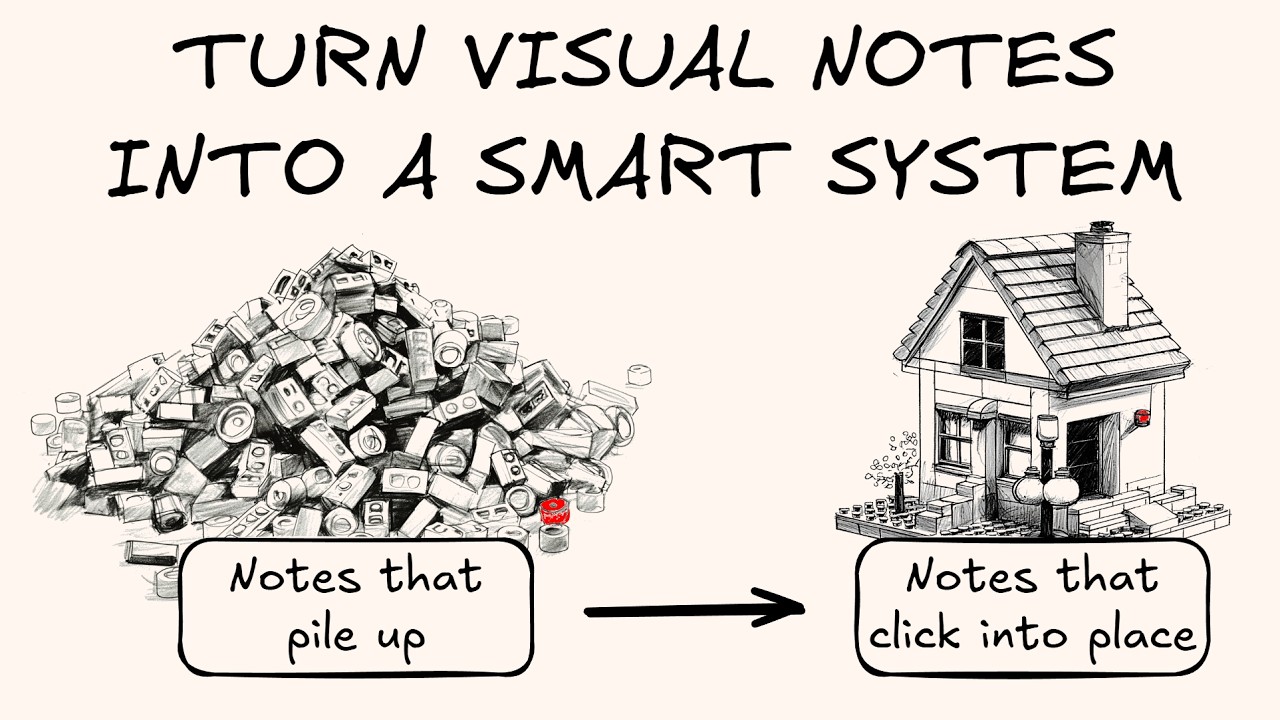
🔗 **Source:** [How to Turn Your Visual Notes Into a Smart System](https://www.youtube.com/watch?v=zXDLfjsueJ0)
> [!note]+ Document Notes
> tags: #visual-thinking #knowledge-management #sketch-notes #obsidian #personal-productivity
> author: Jolt
> source: YouTube
> reference: https://www.youtube.com/watch?v=zXDLfjsueJ0
> date created: 2024-12-19 12:00
>
> # 🏷️ Title: How to Turn Your Visual Notes into a Smart System (The Shipping Container Method)
>
<!-- deep-read:sections start -->
## 🧰 Action Inbox
- [H1] Implement card forcing function for all visual notes — standardize rectangular frames for single ideas #visual-thinking
- [H2] Set up 4D PKM system with visual-first approach — combine visual notes with text metadata on back #knowledge-management
- [H3] Create modular visual components that can be reused across presentations — build Lego-like system #productivity
## 🧭 Table of Contents
- [[#📝 Summary]]
- [[#📖 Main Content]]
- [[#🗒️ Notes]]
- [[#📚 References]]
- [[#🗣️ Paraphrase]]
- [[#📰 Newsletter]]
- [[#✅ Action Items]]
- [[#🧪 Hypotheses]]
- [[#📊 Methodology]]
- [[#❓ Questions]]
- [[#🔮 Future Research]]
- [[#💡 Implications]]
- [[#🧠 Learning Styles Assessment]]
- [[#📊 Accessibility Assessment]]
- [[#🌍 DEIB Assessment]]
- [[#✅ Logical Validity]]
- [[#🛡️ DARVO Analysis]]
- [[#🎯 Conclusion]]
### 🔗 References
- [Sketch Your Mind Community](https://sketchu.rmind.com)
- [The Next Conversation by Jeff Harrison Fiser](https://example.com)
## 📝 Summary
- **What happened**: Jolt presents a system for transforming individual visual notes into an interconnected knowledge management system using shipping container metaphors
- **Why it matters**: Most people create beautiful sketch notes but lack systems to connect and reuse them, losing long-term value
- **Key stakeholders**: Visual thinkers, sketch noters, knowledge workers using digital tools like Obsidian and Excalidraw
- **Risks and tradeoffs**: Standardization might seem to limit creativity, but provides structure for systematic reuse
- **Bottom line**: Apply shipping container principles (standardization + systematic workflow) to create a "4D PKM" visual knowledge system
## 📖 Main Content
Jolt argues that the visual thinking community focuses heavily on creation techniques (drawing, organizing on paper) and storytelling, but lacks the "glue" that connects individual notes into systematic knowledge management. Using shipping containers as a metaphor, he demonstrates how standardization and systematic workflows can transform scattered visual notes into reusable, interconnected knowledge assets.
The core insight is that shipping containers revolutionized global trade not just through the containers themselves, but through the entire ecosystem of standardized ports, cranes, trucks, and ships. Similarly, visual notes need both standardization (consistent formats) and systems (workflows for storage, connection, and reuse).
Jolt presents two main principles: standardization through constraints (card forcing function, consistent color palettes, standard proportions) and systematic workflow (treating notes as postcards with visual front and metadata back, using backlinks for connections). This creates what he calls "4D PKM" - a visual-first personal knowledge management system that uses both spatial and networked thinking.
## 🗒️ Notes
#### ⏱️ [00:00](https://youtu.be/zXDLfjsueJ0?t=0) — [H1] The missing middle in visual thinking education
- Key idea: Gap exists between drawing techniques and storytelling in visual thinking education
- Evidence: "I miss the glue that connects your individual pieces of sketch notes to those beautiful drawings"
#### ⏱️ [02:15](https://youtu.be/zXDLfjsueJ0?t=135) — [H2] Shipping containers as metaphor for notes
- Key idea: Notes function like shipping containers for ideas, requiring systematic handling
- Evidence: "Notes are the shipping containers of ideas" - concept from Thiago Forte and Zank Arn
#### ⏱️ [04:30](https://youtu.be/zXDLfjsueJ0?t=270) — [H3] The problem of visual notes ending up as clutter
- Key idea: Without systems, valuable visual notes become dust-gathering clutter
- Evidence: "They will end up on the beach rusting, and you'll lose the value"
#### ⏱️ [07:45](https://youtu.be/zXDLfjsueJ0?t=465) — [H1] Stop living out of boxes principle
- Key idea: Must unpack and systematize notes rather than leaving them in original format
- Evidence: "Living out of boxes for a prolonged period of time is simply not sustainable"
#### ⏱️ [09:30](https://youtu.be/zXDLfjsueJ0?t=570) — [H2] Standardization enables focus through constraints
- Key idea: Fewer choices create more focus and better workflow management
- Evidence: "Less choice is going to create more focus for you"
#### ⏱️ [11:15](https://youtu.be/zXDLfjsueJ0?t=675) — [H1] Card forcing function constraint
- Key idea: Rectangular frames force single ideas into manageable units
- Evidence: "Set a rectangular area and put a single idea in that area"
#### ⏱️ [13:00](https://youtu.be/zXDLfjsueJ0?t=780) — [H2] Consistent color palette constraint
- Key idea: Limited color palettes ensure visual cohesion across time
- Evidence: "I created these cards years ago, but I'm now reusing them"
#### ⏱️ [14:45](https://youtu.be/zXDLfjsueJ0?t=885) — [H3] Standard proportions enable modular thinking
- Key idea: Consistent sizing allows visual components to fit together like Lego blocks
- Evidence: "Think of Lego. Lego has blocks that are 1, two, three, four units large"
#### ⏱️ [16:20](https://youtu.be/zXDLfjsueJ0?t=980) — [H2] Constraints guide rather than kill creativity
- Key idea: Standards channel creativity into productive directions
- Evidence: Examples of creative shipping container uses from food trucks to sculpture
#### ⏱️ [18:30](https://youtu.be/zXDLfjsueJ0?t=1110) — [H1] Fill canvas one brick at a time
- Key idea: Doug Neil's approach of treating large canvases as collections of rectangular units
- Evidence: "Each brick in the road is a card"
#### ⏱️ [22:15](https://youtu.be/zXDLfjsueJ0?t=1335) — [H1] Demonstration of modular system in Obsidian
- Key idea: Individual visual components can exist as separate notes and be reused
- Evidence: Shows truck component being used in multiple presentations through backlinks
#### ⏱️ [28:45](https://youtu.be/zXDLfjsueJ0?t=1725) — [H2] Postcard metaphor for visual notes
- Key idea: Every illustration has visual front and metadata back for systematic organization
- Evidence: "I think of every illustration as you could call it a postcard"
#### ⏱️ [35:20](https://youtu.be/zXDLfjsueJ0?t=2120) — [H1] Four-dimensional PKM concept
- Key idea: Evolution from linear notes to visual-networked knowledge systems
- Evidence: "4D PKM visual first system adding text on the back for clarity"
#### ⏱️ [40:30](https://youtu.be/zXDLfjsueJ0?t=2430) — [H1] Shift from tool to system mindset
- Key idea: Move beyond viewing visual thinking as individual tools toward systematic approach
- Evidence: "Shift your mindset from visual thinking as a tool to thinking about visual thinking as a system"
## 📚 References
- [The Box by Mark Levinson](https://example.com) - History of shipping container innovation
- [How to Take Smart Notes by Sönke Ahrens](https://example.com) - Referenced PKM methodology
- [Thiago Forte's work](https://example.com) - Source of shipping container metaphor for notes
- [Doug Neil's sketch noting techniques](https://example.com) - Brick-by-brick canvas approach
## 🗣️ Paraphrase
- Visual thinking education focuses on creation and storytelling but lacks systematic approaches for connecting and reusing notes over time
- Individual visual notes without organizational systems become clutter that loses value, like unpacked moving boxes
- Standardization through simple constraints (consistent frames, colors, proportions) enables modular reuse of visual components across different contexts
## 📰 Newsletter
**Transform Your Visual Notes into a Smart System**
Are your beautiful sketch notes gathering dust? Jolt from Sketch Your Mind shares a game-changing approach that treats visual notes like shipping containers - standardized units that can be systematically organized, connected, and reused.
The key insight: most visual thinkers focus on creation techniques but lack systems for long-term value. By applying simple constraints (consistent rectangular frames, limited color palettes, standard proportions) and treating each note as a modular component, you can build what Jolt calls "4D PKM" - a visual-first knowledge management system.
This approach transforms scattered notes into interconnected assets you can reuse across presentations, projects, and learning contexts. Perfect for anyone using digital tools like Obsidian or Excalidraw who wants to maximize the value of their visual thinking efforts.
**Resources**: [Learn WordPress](https://learn.wordpress.org/), [Developer Docs](https://developer.wordpress.org/), [WP-CLI](https://wp-cli.org/)
## ✅ Action Items
#### DevRel
- Developer education: Create visual workflow documentation using card forcing function principles
- Developer experience: Design modular code examples that can be reused across different documentation contexts
- Community management: Implement visual knowledge base for common developer questions using postcard metaphor
#### OSPO
- Documentation: Apply standardization principles to open source contribution guides and governance documents
- Knowledge sharing: Create visual policy templates that can be adapted across different project contexts
- Community engagement: Develop modular presentation components for explaining open source concepts
#### Community
- Knowledge management: Implement systematic approach to organizing community resources using visual-first principles
- Content creation: Develop reusable visual components for explaining complex community governance concepts
- Onboarding: Create modular visual guides that can be customized for different contributor types
#### WordPress
- Documentation: Apply card forcing function to WordPress tutorial creation for better modularity
- Community: Create visual knowledge management system for WordCamp presentations and resources
- Training: Develop standardized visual frameworks for explaining WordPress concepts across different skill levels
## 🧪 Hypotheses
- Visual notes with standardized constraints will have higher reuse rates than unconstrained notes
- Modular visual knowledge systems will reduce time spent recreating similar content
- Systematic visual workflows will improve long-term retention and application of learned concepts
- Communities using visual-first knowledge management will have better knowledge transfer
### 📊 Methodology
- Track reuse frequency of standardized vs. non-standardized visual notes over 6-month period
- Measure time savings from modular visual component systems in documentation workflows
- Survey learning retention rates between traditional and visual-first knowledge management approaches
### ❓ Questions
- How can visual standardization be balanced with creative expression in different contexts?
- What digital tools best support the postcard metaphor of visual front/metadata back?
- How might this approach scale for large organizational knowledge management?
### 🔮 Future Research
- Integration of AI tools for automated visual component tagging and organization
- Cross-platform compatibility for visual knowledge management systems
- Collaborative visual knowledge building in distributed teams
### 💡 Implications
- **Practice**: Visual thinkers need to invest in systematic workflows, not just creation techniques
- **Education**: Teaching visual thinking should include knowledge management principles
- **Tools**: Digital tools need better support for modular visual component management
- **Collaboration**: Teams can build shared visual knowledge assets through standardized approaches
### 🧠 Learning Styles Assessment
Reading level estimate: 10th-12th grade
#### 👀 Visual learners
- **Present**: Rich visual demonstrations, shipping container metaphors, live tool demonstrations
- **Improve**: More architectural diagrams showing system relationships
#### 🔊 Aural learners
- **Present**: Full narrated video presentation with clear explanations
- **Improve**: Audio-only version for podcast consumption
#### 🗣️ Verbal learners
- **Present**: Clear metaphors (shipping containers, Lego blocks, postcards), defined terminology
- **Improve**: Glossary of key terms and concept comparisons
#### 🧩 Kinesthetic learners
- **Present**: Live tool demonstrations, step-by-step workflow examples
- **Improve**: Downloadable practice exercises and templates
#### 🧠 Logical learners
- **Present**: Clear system progression from 1D to 4D PKM, cause-and-effect reasoning
- **Improve**: Flowcharts showing decision trees for implementation
#### 🧑🤝🧑 Social learners
- **Present**: Community workshop offerings, cohort-based learning
- **Improve**: Discussion forums for sharing visual systems
#### 🧘♀️ Solitary learners
- **Present**: Self-paced course options, individual practice opportunities
- **Improve**: Self-assessment checklists for system implementation
#### 🌿 Naturalistic learners
- **Present**: Organic system metaphors (ports, ecosystems)
- **Improve**: More natural environment analogies for knowledge flows
### 📊 Accessibility Assessment
#### Screen reader semantics
- **Present**: Video has clear verbal descriptions of visual concepts
- **Improve**: Detailed alt text for visual demonstrations, structured headings
#### Keyboard navigation
- **Present**: Standard video player controls
- **Improve**: Keyboard shortcuts for major concept sections
#### Contrast and readability
- **Present**: Clear visual contrast in demonstrated tools
- **Improve**: High contrast mode for tool demonstrations
#### Text resizing and reflow
- **Present**: Scalable video interface
- **Improve**: Downloadable text transcript with proper formatting
#### Media and captions
- **Present**: Full audio narration available
- **Improve**: Closed captions and downloadable transcript
#### Forms and interactions
- **Present**: Standard video interaction
- **Improve**: Interactive worksheet versions of demonstrated concepts
### 🌍 DEIB Assessment
#### Cultural breadth
- **Present**: Universal visual thinking concepts, international examples (Malta port)
- **Improve**: Examples from diverse cultural contexts for knowledge organization
#### Inclusive language
- **Present**: Plain language explanations, defined technical terms
- **Improve**: Avoid sailing/shipping metaphors that may not translate culturally
#### Neurodiversity support
- **Present**: Multiple learning modalities, structured presentation
- **Improve**: Content warnings for long-form video, chapter markers
#### Representation
- **Present**: Individual presenter format
- **Improve**: Diverse examples of visual thinking applications
#### Psychological safety
- **Present**: Encouraging tone about creativity within constraints
- **Improve**: Explicit acknowledgment that different organizational approaches work for different people
### ✅ Logical Validity
#### Strong reasoning
- **Deductive strength**: Strong logical progression from shipping container metaphor to visual note organization
- **Inductive strength**: Good examples building from specific tools to general principles
- **Causal reasoning**: Clear cause-and-effect between standardization and reusability
- **Analogical strength**: Shipping container metaphor effectively illuminates abstract concepts
#### Fallacies
- **Appeal to novelty**: Slight overemphasis on "revolutionary" nature of approach - location: opening metaphor
- **False dichotomy**: Implies creativity vs. constraints are opposed rather than complementary - location: constraint discussion
#### Tone of voice
- **Overall tone**: Enthusiastic and instructive, with personal anecdotes that build credibility and relatability
### 🛡️ DARVO Analysis
- **Deny**: No problematic denial patterns observed
- **Attack**: No attacks on individuals or competing approaches
- **Reverse victim/offender**: Not applicable to this educational content
- **Emotional cues**: Positive enthusiasm for systematic thinking, no manipulative rhetoric
## 🎯 Conclusion
Jolt presents a compelling case for treating visual notes as standardized, systematic assets rather than one-off creations. The shipping container metaphor effectively illustrates how standardization enables rather than constrains creativity, while the demonstrated workflow in Obsidian provides concrete implementation guidance.
The key insight is moving from a tool mindset (how to create visual notes) to a system mindset (how to organize, connect, and reuse visual knowledge over time). This approach has significant implications for individual knowledge workers, educational institutions, and organizations
---
## Full Transcript
[00:00] Hey, my name is Jolt. Welcome to my<br>[00:03] channel.<br>[00:05] If you look around regarding sketch<br>[00:07] noting, you will find two types of<br>[00:11] content. One talks about how you create<br>[00:14] sketch notes. It's more the techniques<br>[00:16] of how you draw stick figures, cartoon,<br>[00:19] what paper to use, how you illustrate,<br>[00:22] how you organize yourself on a sheet of<br>[00:24] paper. And then the other is about how<br>[00:27] you tell a story, how you convey<br>[00:30] meaning, how you summarize ideas. And I<br>[00:34] think these are all super important<br>[00:36] topics and are great. But I miss<br>[00:40] something in the middle. I miss the glue<br>[00:43] that connects your individual pieces of<br>[00:46] sketch notes to those beautiful drawings<br>[00:49] that you've created or maybe those not<br>[00:51] so beautiful diagrams. and helps you<br>[00:55] connect it into a system to achieve some<br>[00:59] bigger meaning. So today that's what we<br>[01:03] are going to talk about. I gave this<br>[01:05] talk at Sketchnote Week back in January,<br>[01:09] but I thought it's such an important<br>[01:11] topic that I wanted to replay it for<br>[01:14] you. Enjoy.<br>[01:16] So the story today starts here in<br>[01:19] Berabuja. We were in Malta over the<br>[01:24] Christmas holidays with my wife and on<br>[01:27] our way to the airport at the end of our<br>[01:29] trip, we stopped in this small town.<br>[01:32] This is a port town and I was watching<br>[01:37] this ship yard with the cranes lifting<br>[01:41] the containers and placing them on the<br>[01:44] ship with the trucks moving around. And<br>[01:47] I think many people will look at this<br>[01:50] and feel like this is an eyesore. This<br>[01:53] is an ugly big port with huge ships and<br>[01:58] dirty trucks etc. When I looked at this,<br>[02:02] I saw a system and this reminded me of<br>[02:05] something I read from Thiago Forte and<br>[02:09] Zank Arn, which is this idea that notes<br>[02:12] are the shipping containers of ideas.<br>[02:16] And in fact,<br>[02:18] shipping containers have<br>[02:22] transformed the world. It's it's hard to<br>[02:25] understand how huge an innovation the<br>[02:28] invention of shipping containers was. I<br>[02:32] read about this in the box by Mark<br>[02:35] Levenson<br>[02:38] because it's not trivial. In the past,<br>[02:41] every cubic meter of the ship was used<br>[02:44] because things were packed in the ships.<br>[02:48] It's not trivial to say that, okay, I'm<br>[02:50] going to have lots of wasted space<br>[02:52] because containers have standard sizes<br>[02:55] and containers are not always 100% full.<br>[02:59] But with the entire system of ports and<br>[03:02] trucks and cranes and ships, etc.,<br>[03:06] Shipping containers transformed the<br>[03:09] world. They made today's economy<br>[03:12] possible and they also created such<br>[03:17] efficiencies that in the past were<br>[03:19] impossible and am advocating something<br>[03:22] similar that you can do with your visual<br>[03:24] notes.<br>[03:26] And so my question is what is your port<br>[03:30] look like when it comes to visual<br>[03:33] thinking? We are focused on the goods,<br>[03:37] what's inside the box, the<br>[03:39] illustrations, the ideas we capture. But<br>[03:42] if we don't have a system for managing<br>[03:45] each of our containers, each of our<br>[03:47] sketch notes, each of our illustrations,<br>[03:50] each of our notes from conferences, from<br>[03:53] meetings, from books, from blog posts,<br>[03:56] and whatever, then they will end up on<br>[03:59] the beach rusting, and you'll lose the<br>[04:02] value. or even more so they become<br>[04:05] clutter. They catch dust and that's<br>[04:08] where your ideas stop. So we're going to<br>[04:11] be talking about your system, your port<br>[04:15] for handling your sketch notes, your<br>[04:18] visual notes.<br>[04:20] And just to continue on this idea of<br>[04:23] trucks and containers, this reminded me<br>[04:27] of the time when we were moving home<br>[04:30] from the Netherlands. So, this is about<br>[04:32] 8 years ago when we were packing the<br>[04:35] truck to move back to Hungary. And you<br>[04:38] know, when you pack a truck, you put<br>[04:40] everything into boxes. And here's all<br>[04:43] the valuables, everything we own,<br>[04:46] everything that's important to us inside<br>[04:49] the truck. And when we arrived, of<br>[04:52] course, these are unloaded to our house.<br>[04:56] And this is, of course, the same with<br>[04:58] your notes. You go to a conference, you<br>[05:01] create notes, you package everything<br>[05:03] into your container, and then you go<br>[05:05] home and you have that package there in<br>[05:09] your home. And of course, if you're<br>[05:12] traveling, for example, we were in<br>[05:14] Iceland couple of years ago with a<br>[05:15] teardrop camper. It is fun to live out<br>[05:20] of suitcases for a couple of days. This<br>[05:23] was a fun 10 days and I loved every bit<br>[05:27] of it. But if we would not unpack our<br>[05:33] stuff from these boxes, living out of<br>[05:36] boxes for a prolonged period of time is<br>[05:40] simply not sustainable. So my invitation<br>[05:45] today to you is to stop living out of<br>[05:49] boxes and start building a visual<br>[05:53] personal knowledge management or PKM<br>[05:56] system. And today we are going to talk<br>[05:59] about two simple principles for building<br>[06:02] that system. We're going to talk about<br>[06:05] the idea of standardization and we are<br>[06:08] going to talk about the idea of creating<br>[06:11] a system. And so let's first talk about<br>[06:15] standardization and this is back to the<br>[06:18] idea I mentioned earlier about notes are<br>[06:21] the shipping containers of ideas. Think<br>[06:24] of notes as a standardized tool. Build a<br>[06:28] workflow around them and add some<br>[06:31] standards to your notes because less<br>[06:34] choice is going to create more focus for<br>[06:37] you. You have a single format. You have<br>[06:40] one idea per page and you have a simple<br>[06:43] consistent workflow around it. And with<br>[06:46] that, it's much easier to manage your<br>[06:49] ideas from the conference where you<br>[06:52] collect the ideas to your storage where<br>[06:55] you're storing all of your great ideas<br>[06:59] connected. So, in my practice, and<br>[07:02] here's my book, Sketch Your Mind, um,<br>[07:05] and I talk about this entire system in<br>[07:08] the book. So, if you're interested, pick<br>[07:10] up a copy. In my practice, I found that<br>[07:14] applying three simple principles or<br>[07:17] three simple constraints can really<br>[07:20] transform your notes into a this this<br>[07:25] Lego set of visual ideas that you can<br>[07:28] interconnect.<br>[07:30] The first one is the card for sync<br>[07:33] function. The basic idea as you can see<br>[07:35] here like every slide in this<br>[07:38] presentation or every idea here they are<br>[07:42] on a card and the card gives you this<br>[07:46] frame of this limitation that you need<br>[07:49] to focus your ideas that they fit into<br>[07:52] that card. I love infinite canvases. on<br>[07:56] the other hand, those are very hard to<br>[08:00] manage later on. And we're going to come<br>[08:03] back to this in just one second in terms<br>[08:05] of what to do with infinite canvases.<br>[08:08] But the first and most important tool I<br>[08:12] recommend implementing is having this<br>[08:15] card for sync function.<br>[08:19] set a rectangular area and put a single<br>[08:22] idea in that area and that's your unit<br>[08:25] of idea in your illustration.<br>[08:29] The second constraint I implemented and<br>[08:34] I'm using a digital tool as you can see<br>[08:36] to connect my ideas is to have a simple<br>[08:40] consistent color palette. I limited all<br>[08:43] my colors to a few and I use those on<br>[08:47] every illustration I create. And this<br>[08:51] way when I put these illustrations<br>[08:53] together into different story lines,<br>[08:55] like I'm putting these into this story<br>[08:58] line today, but I didn't create these<br>[09:00] cards today. I created these years ago,<br>[09:03] but I'm now reusing them. then they are<br>[09:07] going to fit into the style and the the<br>[09:11] environment because they have same<br>[09:14] colors and it again takes off lots of<br>[09:17] burden in terms of thinking about<br>[09:19] colors. And the third constraint I<br>[09:22] recommend is to have standard<br>[09:24] proportions. This is very important when<br>[09:27] it comes to an infinite canvas like<br>[09:30] Excolator and Obsidian. If you have<br>[09:33] standard font sizes, if you have<br>[09:35] standard icon sizes, if you have<br>[09:37] standard card sizes, they're going to be<br>[09:40] easy to click together. Think of Lego.<br>[09:44] Lego has blocks that are 1, two, three,<br>[09:47] four, maybe five units large, but they<br>[09:52] don't have one and a half and three and<br>[09:55] 3/4 large. They are they have these unit<br>[09:59] of sizes, these standard proportions,<br>[10:03] and that ensures that when you fit them<br>[10:05] together, things click into place. All<br>[10:08] of these cards are the same width, same<br>[10:11] height, and then they look neat on the<br>[10:15] page.<br>[10:17] And of course, you might say that, Jolt,<br>[10:20] having these standards limits<br>[10:22] creativity.<br>[10:24] I tend to argue. So think of shipping<br>[10:27] containers and think of all the amazing<br>[10:30] things people have done from food trucks<br>[10:33] to tiny houses to swimming pools to even<br>[10:38] sculpture<br>[10:39] containers. The fact that you have a<br>[10:42] unit of container<br>[10:44] doesn't mean that it kills creativity.<br>[10:48] It just guides creativity and it helps<br>[10:51] reuse and it helps a consistent process.<br>[10:56] And so in terms of how do you manage a<br>[10:59] large<br>[11:00] sheet of paper? How do you manage an<br>[11:03] infinite canvas? I take this idea from<br>[11:06] Doug Neil. His idea is to fill the<br>[11:08] canvas one block at a time or one brick<br>[11:12] at a time. And each brick is a<br>[11:16] rectangular area with a single idea. And<br>[11:20] it actually follows this idea of a card<br>[11:23] forcing function. Each brick in the road<br>[11:26] is a card. And you place these bricks<br>[11:29] next to each other. And having these<br>[11:31] bricks together will create the overall<br>[11:34] presentation, the overall story you want<br>[11:38] to tell. And this approach is also great<br>[11:41] when you're doing live sketch noting. It<br>[11:44] helps you partition the ideas that<br>[11:46] you're capturing. And it then helps you<br>[11:49] at home unpack this and sort these ideas<br>[11:53] because they are not all over the place,<br>[11:54] but they are nicely already packaged.<br>[11:57] One idea per brick. Then if you have<br>[12:01] these bricks, you can make them also<br>[12:04] modular. And in Obsidian Excolid, I have<br>[12:06] tools to decompose or deconstruct<br>[12:10] items into their own notes. And then you<br>[12:14] can create different presentation,<br>[12:16] different stories. So let me show you<br>[12:19] how this works. And now I'm going to<br>[12:21] stop the presentation for a minute and<br>[12:24] we're going to look at this truck. So if<br>[12:27] I click on this truck, then I get this<br>[12:31] list of links. We are not going to look<br>[12:34] at the second order links. I'm going to<br>[12:37] show you that in a second. But for now,<br>[12:40] I'm going to click here on the top one<br>[12:44] because effectively this truck lives in<br>[12:47] its own<br>[12:49] note. So this is a separate Excel<br>[12:52] drawing with only the truck included.<br>[12:55] And Obsidian has this tool called<br>[12:58] backlinks.<br>[12:59] Back links are links<br>[13:03] from other documents using this note. So<br>[13:06] you know on the internet you have a link<br>[13:09] and the link takes you from this place<br>[13:11] to the other place.<br>[13:14] Back links are this capability in<br>[13:17] Obsidian MD that will help you<br>[13:22] identify all of those documents that<br>[13:25] reference this document here. So the<br>[13:27] back links for my truck here are right<br>[13:31] here. And for example, you can see my<br>[13:34] presentation for sketch notes with a<br>[13:36] memory. This is the presentation we're<br>[13:38] looking at right now. But for example, I<br>[13:42] want to show you this presentation here,<br>[13:44] my book on a page for how to take smart<br>[13:47] notes by Zena. So here, and I'm going to<br>[13:52] just zoom out so you can see there it<br>[13:55] is. You can see that there's the<br>[13:56] container, but overall it's on this book<br>[13:59] on a page summary for how to take uh<br>[14:02] smart notes by Zenke Irons. And with<br>[14:06] this, I created this link between my<br>[14:10] presentation<br>[14:12] about sketch notes with a memory and<br>[14:14] this note right here. But of course,<br>[14:17] this can go further as well. So the this<br>[14:24] truck is also built up of components. So<br>[14:28] for example, if I click on this ship<br>[14:30] right here, this ship is a downloaded<br>[14:34] icon. But what I want to show you here<br>[14:37] is the ship also has a number of back<br>[14:40] links. And these back links are<br>[14:44] places where I used this ship as well.<br>[14:47] For example, I use this on my idea<br>[14:49] integration board for lessons of<br>[14:52] history. And indeed, in lessons of<br>[14:55] history,<br>[14:57] will and Duran talk about the impact of<br>[15:01] trade and power or rather the impact of<br>[15:06] geography on the what is shaping<br>[15:11] civilizations. And so you can see that<br>[15:14] immediately I was taken to this other<br>[15:17] visual note through the connection of<br>[15:19] ships. And by the way, this ship is<br>[15:22] super relevant here. When I created my<br>[15:25] original note about the truck, I wasn't<br>[15:28] thinking about<br>[15:30] trade routes etc. But in fact, it does<br>[15:34] serve the same sort of purpose. And I<br>[15:38] can even see a logic for how the same<br>[15:41] idea of these routes the geography<br>[15:46] because and that was a separate learning<br>[15:49] when I was reading lessons of history<br>[15:52] when I realized that indeed the internet<br>[15:56] is the new geography and the way I'm<br>[15:58] packaging ideas for example into such<br>[16:02] presentations<br>[16:03] creates new trade routes of sharing my<br>[16:07] ideas. But long story short, that is how<br>[16:11] this entire presentation here is built<br>[16:14] up.<br>[16:15] I have this these units of ideas and<br>[16:19] these units of ideas are taken from<br>[16:22] other notes and these units of ideas are<br>[16:25] then if I just move back here for a<br>[16:27] second you can see here that these are<br>[16:30] built a story is built from icons that<br>[16:35] will build atomic ideas and when I put<br>[16:38] together these atomic ideas I get a<br>[16:41] story and so on. You can take these<br>[16:45] bigger stories and build even bigger<br>[16:47] ones. I'm going to show you an example<br>[16:50] of that as well.<br>[16:52] But that's principle one that this<br>[16:56] standardization having thinking of a<br>[16:59] note as a shipping container and<br>[17:01] applying some constraints around it<br>[17:05] enables a workflow. And now let's talk<br>[17:08] about that workflow. Because<br>[17:12] if you look at this picture right here,<br>[17:15] this is an aerial picture of the same<br>[17:18] port. You can see that it's much it's<br>[17:21] it's much more than just the ship and<br>[17:24] the cranes. There's a whole system out<br>[17:28] here with all the containers. So, this<br>[17:32] is what you can also observe on this<br>[17:34] aerial photo. If you zoom in, you will<br>[17:37] see that on the port, each of these<br>[17:40] sections are numbered. So these uh<br>[17:44] containers are organized in a very<br>[17:48] strict meat system. So of course the<br>[17:51] right goods or the right uh<br>[17:56] right parcels find their destinations<br>[17:59] and so on. And so this is the system uh<br>[18:03] I'm advocating. And let me show you how<br>[18:05] I'm building this system because<br>[18:08] effectively the other part of my system,<br>[18:12] one is this embedding of Lego pieces<br>[18:16] that we looked at with the truck and how<br>[18:18] it builds together. The other is I think<br>[18:21] of every illustration as you could call<br>[18:24] it a postcard. On the front I have the<br>[18:28] image. On the back, I have some notes<br>[18:32] that give me additional metadata about<br>[18:35] that image that give me text. So again,<br>[18:39] if I look at my shipping container here<br>[18:42] and I open the back side of this note,<br>[18:46] then here you can see that. So this is<br>[18:49] my my truck right here. I have some<br>[18:51] shortcuts to flip the page over. This is<br>[18:55] exactly the same file. So I have one<br>[18:58] file called how to take smart notes.<br>[19:00] Notes are shipping containers of ideas.<br>[19:02] So this is the name of the file. And on<br>[19:06] the back side, so on the textual side of<br>[19:09] this note, I have things like who's the<br>[19:12] author, Thiago Forte. Um what's the<br>[19:16] source? So this is the blog post where I<br>[19:18] read about this. I implement the<br>[19:22] shipping container with the card for<br>[19:25] sync function and so on. You can see all<br>[19:28] of these notes here. And in fact, if I<br>[19:31] click on the card for sync function,<br>[19:34] then it opens this<br>[19:37] card. If I flip this over, you can see<br>[19:40] that this is actually the image that we<br>[19:43] saw in the presentation as well when I<br>[19:45] was talking about constraints. But on<br>[19:48] the back side of this again I have a<br>[19:51] whole bunch of notes about different<br>[19:54] components or I have Doc Neil here for<br>[19:57] example as my source and so on. This is<br>[20:01] how it continues on. And of course if I<br>[20:04] now look at the back links of this then<br>[20:08] I can see that I'm using this card<br>[20:11] forcing function in other notes. For<br>[20:14] example, in this illustration right<br>[20:16] here, which is if I flip the page over,<br>[20:20] you will see this is what I call the<br>[20:23] mindset framework. And this is all of my<br>[20:27] cards. Here's the mindset framework. All<br>[20:30] of my cards, including the ones we<br>[20:32] looked at. So, we looked at briefly the<br>[20:36] standard proportions. We looked at<br>[20:38] legoized ideas. We looked at simple<br>[20:41] colors. We also looked at the card for<br>[20:46] sync function right here. And of course<br>[20:49] there are many other cards here as well.<br>[20:53] But you can see that this overview is<br>[20:56] yet another presentation yet another<br>[21:00] reuse of the cards that I'm presenting<br>[21:04] to you in today's presentation.<br>[21:06] But also you can see how through the<br>[21:09] truck through the notes on the back side<br>[21:12] of the truck. So again if we come here<br>[21:15] and I open this and flip this over. So<br>[21:18] the way we got here was here. I have<br>[21:21] this<br>[21:22] link that this<br>[21:26] idea notes are shipping containers of<br>[21:29] ideas is implemented with the card<br>[21:32] forcing function. It's also discussed in<br>[21:34] this book and in fact I have the<br>[21:37] relevant section of the blog post copit<br>[21:40] here because for me that's just helpful<br>[21:43] to have everything in one place but yeah<br>[21:46] so that's what I wanted to show you that<br>[21:48] every one of these cards has a backside<br>[21:52] with some stories also this presentation<br>[21:55] has a backside with my notes and my<br>[21:58] ideas for this session itself and they<br>[22:02] are Of course, these blocks that I can<br>[22:05] build into one another and having the<br>[22:08] links and the metadata on the back side<br>[22:11] helps me<br>[22:13] connect these ideas into a network or<br>[22:17] into a system. So, this takes us to the<br>[22:22] close to the end of this session.<br>[22:25] There's one more thing I want to<br>[22:27] highlight to you or want to<br>[22:31] explain to you and that is my concept<br>[22:35] about 4 DPKM<br>[22:38] fourdimensional personal knowledge<br>[22:40] management because it all starts with<br>[22:43] one dimension.<br>[22:45] One dimension is when you're jotting<br>[22:47] ideas down. Typically you write them<br>[22:50] down in a sheet of paper and then you<br>[22:52] store that paper somewhere. Typically if<br>[22:55] you write then you will be reading top<br>[22:58] left bottom right in a linear way. If<br>[23:00] you have some sketch notes here then of<br>[23:03] course that's already slightly better<br>[23:06] but these are<br>[23:08] disconnected dispersed individual notes<br>[23:12] without any system. Now you can create a<br>[23:17] system for filing. So you can have<br>[23:19] various notebooks neatly packed on a<br>[23:23] shelf and that's already slightly<br>[23:25] better. Also you can flip the pages of<br>[23:28] your notebook or your sketch note book<br>[23:31] and then pages one after the other will<br>[23:35] give you a chronological logic. But<br>[23:38] you're still not linking these to one<br>[23:40] another. It's only a neater organization<br>[23:44] of ideas, but this is now two<br>[23:46] dimensional because you have your notes<br>[23:49] and you have the individual documents<br>[23:51] organized into a filing system.<br>[23:55] The third<br>[23:58] level is 3D PKM is when you're creating<br>[24:03] links and links are for example the ones<br>[24:06] I clicked in the presentation where I<br>[24:10] went from one document to the other.<br>[24:13] Links are what you will find on the<br>[24:15] internet as well. They create this web<br>[24:19] of interconnected ideas. But if each of<br>[24:23] your notes are text based, and yes, I<br>[24:28] think in this case, most of your notes<br>[24:31] are going to be illustrations, but if<br>[24:34] your notes are text based, then you're<br>[24:36] only using half of your brain because<br>[24:39] your notes are going to you still need<br>[24:44] to read your notes top left to bottom<br>[24:46] right,<br>[24:48] but at least you have them connected<br>[24:50] into this system and what I advocate for<br>[24:54] here and I think this community is<br>[24:57] definitely on a good way in that<br>[25:00] direction or on a on a good path is to<br>[25:04] have visual notes interconnected into<br>[25:08] this web of systems because I think<br>[25:11] that's exactly the difference that today<br>[25:14] the internet and most note-taking<br>[25:17] systems allow you to connect documents<br>[25:20] but they don't allow you to connect<br>[25:23] visual components like I'm doing here.<br>[25:26] Each of these components are individual<br>[25:29] pieces that I deconstructed from my<br>[25:32] notes and I connected them into a larger<br>[25:36] picture. So my advocacy is to create a<br>[25:41] 4D PKM visual first system adding text<br>[25:46] on the back for clarity and for metadata<br>[25:50] but working with a system like this. And<br>[25:53] so in the end, if there's one thing you<br>[25:58] take away from today's discussion is to<br>[26:02] shift your mindset from visual thinking<br>[26:05] as a tool where you have mind maps,<br>[26:08] sketch notes, diagrams and use them as a<br>[26:11] tool to thinking about visual thinking<br>[26:16] as a system. There you have this system<br>[26:19] of organizing your notes, deconstructing<br>[26:23] your notes, connecting ideas through<br>[26:27] visual connections.<br>[26:29] And this concludes our journey today. I<br>[26:32] hope you enjoyed the ride. This is the<br>[26:35] map that we traveled. And all that's<br>[26:39] left for me to say is to bring the new<br>[26:43] Sketch Your Mind community to your<br>[26:45] attention. And within that I want to<br>[26:49] highlight cohort 16 of the visual<br>[26:51] thinking workshop which is coming up in<br>[26:54] just two weeks. The visual thinking<br>[26:57] workshop is the place where we put all<br>[27:02] of this theory into practice. This is<br>[27:05] where I help you create the system that<br>[27:09] we just talked about. In each workshop,<br>[27:12] we take a specific book. This time we're<br>[27:14] going to be reading the amazing book by<br>[27:17] Jeff Harrison Fiser, The Next<br>[27:20] Conversation, and we're going to turn it<br>[27:23] into visual Lego blocks. I love Fiser's<br>[27:27] quote here at the top. What you say<br>[27:30] truly has the power to change<br>[27:32] everything. And this is what the book is<br>[27:36] about. And I think what better book to<br>[27:39] read when we are talking about visual<br>[27:42] thinking and visual communication. The<br>[27:45] workshop takes you through these five<br>[27:47] steps. We start with creating an idea<br>[27:51] atlas. These are highly interactive live<br>[27:55] sessions. Then we create concept<br>[27:58] visuals. This is always a super active<br>[28:01] part of the workshop when we bring ideas<br>[28:04] together. You bring quotes from the book<br>[28:06] and together we create visuals. Then we<br>[28:10] spend some time storyboarding creating<br>[28:14] the outline of how we want to tell what<br>[28:17] we've learned from the book. Then<br>[28:19] there's a session about visual zetal<br>[28:22] casten creating our notes or permanent<br>[28:26] notes and linking it with other visuals<br>[28:28] in our system. And finally, we have our<br>[28:33] showcase and we put together, we compile<br>[28:36] the book on a page. The cohort is<br>[28:40] supported by a self-paced course that<br>[28:43] takes us through the mindset framework.<br>[28:47] There are 44, I think, core lessons<br>[28:50] here. The course has 71 lessons in<br>[28:54] total. It's a complete self-paced course<br>[28:58] that you're going to do alongside<br>[29:00] participating in the live sessions. And<br>[29:03] this is going to give you a full system<br>[29:06] in hand. And the workshop itself runs<br>[29:10] from 16th of May until 28th of June. The<br>[29:14] way it's structured is there are live<br>[29:17] sessions. Live sessions happen on<br>[29:19] Saturday and Sunday. Saturday afternoon<br>[29:22] Europe time, Saturday morning US time<br>[29:27] and Sunday morning Europe time and<br>[29:30] that's Sunday afternoon Asia Pacific<br>[29:33] time. So the workshop runs in two time<br>[29:36] zones. The sessions are always<br>[29:39] duplicated or mirrored. So you have<br>[29:42] everyone has a live session experience.<br>[29:46] And on top of the live sessions, we also<br>[29:49] have so-called office hours. There are<br>[29:52] altogether six office hours during the<br>[29:56] course. These are on Thursdays and<br>[29:58] Fridays.<br>[30:00] Again, for the two time zones and the<br>[30:03] office hours are your opportunity to ask<br>[30:06] anything. This is where you can roll up<br>[30:09] your sleeves and I can help you build<br>[30:11] your PKM system.<br>[30:14] And the visual thinking workshop is part<br>[30:17] of this bigger concept<br>[30:20] I call the sketch your mind community. I<br>[30:24] encourage you to check out the Sketch<br>[30:26] Your Mind community as well. By the way,<br>[30:28] if you join the visual thinking<br>[30:30] workshop, you get one year of membership<br>[30:34] free as a gift for joining the workshop.<br>[30:38] The community itself focuses on three<br>[30:41] pillars. Pillar one is the mastery of<br>[30:44] the tool. So this is all about Obsidian<br>[30:47] and Excolidra. And this is more of a<br>[30:50] technical how to pillar. This is where<br>[30:54] you have courses like Excelro<br>[30:56] essentials, Excaliburro mastery and we<br>[30:59] are building a complete tutorial hub<br>[31:02] with visual daily notes and PDF++<br>[31:05] annotation and lots of other important<br>[31:09] workflows. Then we have a second pillar<br>[31:12] that's going to start in July this year.<br>[31:15] That's the sketch your life pillar. And<br>[31:18] sketch your life is about visual<br>[31:20] frameworks, mental models, and it's<br>[31:24] about thinking. It's the whole purpose<br>[31:27] of why you're taking notes. You're<br>[31:29] taking notes. You're creating visuals<br>[31:32] because you want to have better<br>[31:34] thoughts. And finally, concept visuals.<br>[31:37] That's coming later this year, which is<br>[31:39] really the bread and butter of creating<br>[31:42] visual communications. It's the process<br>[31:45] for creating impactful visuals. And then<br>[31:50] as an membership upgrade, you can get<br>[31:54] the visual thinking workshop, either the<br>[31:57] selfpaced course or the cohort. I highly<br>[32:01] encourage joining the cohort. It's I<br>[32:04] think the best value for money for<br>[32:06] getting on board with this entire<br>[32:08] mindset for building connections to have<br>[32:12] some accountability with a group of<br>[32:14] people and to go through the entire<br>[32:17] process and then you can use the<br>[32:19] community as an ongoing support network<br>[32:24] to build your visual thinking habit,<br>[32:27] your visual thinking system.<br>[32:30] So, thank you for taking the time to<br>[32:32] watch this. I really hope you enjoyed<br>[32:35] this and I hope to see you in the visual<br>[32:38] thinking workshop. Thank you.
<!-- deep-read:sections end -->
📄 **Full text:** ![[Full Document Contents/Articles/How to Turn Your Visual Notes Into a Smart System.md|How to Turn Your Visual Notes Into a Smart System by YouTube]]
## Highlights
- When I looked at this, I saw a system. And this reminded me of something I read from Thiago Forte and Szenke Ahrens, which is this idea that notes are the shipping containers of ideas. And in fact, shipping containers have transformed the world. It's hard to understand how huge an innovation the invention of shipping containers was. ([View Highlight](https://read.readwise.io/read/01kqw35xkrsdyd3byy8ahb9y3m))
- Tags: 👻 ai highlighted
- look like when it comes to visual thinking? We are focused on the goods, what's inside the box, the illustrations, the ideas we capture. But if we don't have a system for managing each of our containers, each of our sketch notes, each of our illustrations, each of our notes from conferences, from meetings, from books, from blog posts, and whatever, then they will end up on the beach rusting. ([View Highlight](https://read.readwise.io/read/01kqw35xm2mfsjtyn2v46q8g0g))
- Tags: 👻 ai highlighted
- We're going to talk about the idea of standardization. And we are going to talk about the idea of creating a system. And so let's first talk about standardization. And this is back to the idea I mentioned earlier about notes are the shipping containers of ideas. Think of notes as a standardized tool, build a workflow around them and add some standards to your notes. ([View Highlight](https://read.readwise.io/read/01kqw35xmb52kxxhb6ftef64jv))
- Tags: 👻 ai highlighted