Lawrence Ladomery’s Post
🔗 **Source:** [Lawrence Ladomery’s Post](https://www.linkedin.com/posts/lawrenceladomery_wordpress-ai-avada-share-7504718325063806976-9hjm/?utm_source=social_share_send&utm_medium=ios_app&rcm=ACoAAAD0NvEBPtYCnSVTg0yvFSLaHHE9PeEfFY4&utm_campaign=share_via)
> [!note]+ Document Notes
> tags:
> - wordpress
> - page-builders
> - ai-tooling
> - block-editor
> - no-code
> author: Lawrence Ladomery
> source: https://www.linkedin.com/posts/lawrenceladomery_wordpress-ai-avada-share-7504718325063806976-9hjm/
> reference: https://www.linkedin.com/posts/lawrenceladomery_wordpress-ai-avada-share-7504718325063806976-9hjm/
> date created: 2026-09-13
> > [!info] Generated analysis — not the author's words. Sections below are machine-written
> > from the captured source. Only text inside `> [!quote]` blocks is verbatim from the author.
> > Do not quote or attribute any other line to the named author.
>
> <!-- deep-read: light-touch -->
> Light-touch because this is a short LinkedIn post (roughly 390 words) with a single opinion thread and no external evidence.
>
<!-- deep-read:sections start -->
## 🏷️ Title
Lawrence Ladomery's Post — why "legacy" WordPress page builders (WPBakery, Divi, Avada) may thrive in the AI era
## 🧭 Table of Contents
1. Summary
2. Main Content and Notes
3. References
4. Paraphrase
5. Newsletter
6. Action Items
7. Hypotheses, Methodology, Questions, Future Research
8. Implications and Assessments (Learning Styles, Accessibility, DEIB, Logic, DARVO)
9. Conclusion
10. Refactor Appendix
## 🔗 References (in-page)
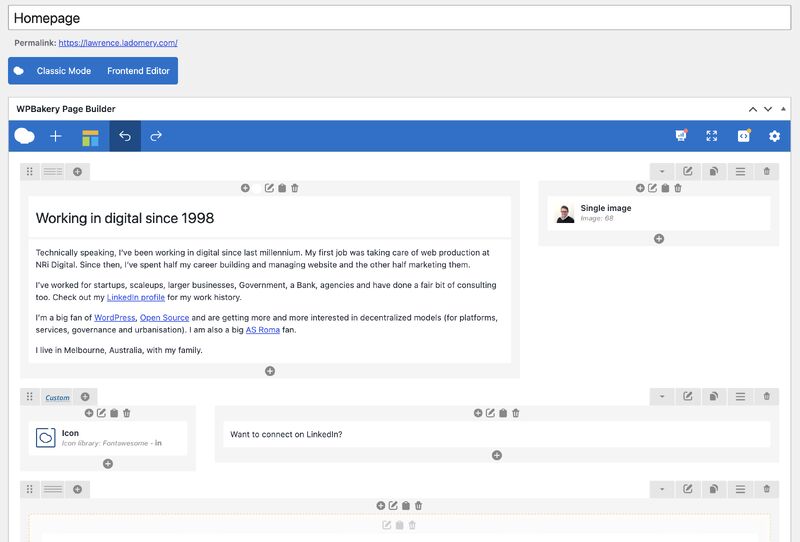
The captured post links only to LinkedIn profile, company, and hashtag pages: Lawrence Ladomery's profile, WPBakery, Elegant Themes (Divi), WordPress (company page), Bricks Builder, Elementor, and hashtag pages for #WordPress, #AI, and #Avada. One image is attached (a screenshot described as "graphical user interface, text, application, email"). No external articles, data, or documentation are cited.
## 📝 Summary
**What happened.** Lawrence Ladomery, a former WPBakery employee, argues that the consumer-friendly drag-and-drop page builders (WPBakery, Divi, Avada) are well positioned for the AI era because their target users (marketers, content authors, non-technical business owners) prefer visual manipulation over prompting, and because these products hold years of code, knowledge, and usage data that can power AI features. He explicitly excludes the WordPress block editor (too hard for that persona, in his view) and the developer-leaning builders Elementor and Bricks.
**Why it matters.** It is a contrarian take on a common narrative that AI-driven generation will make shortcode-era builders obsolete. It reframes "legacy" as "accumulated familiarity and data."
**Stakeholders.** Page-builder vendors; WordPress Core and the Gutenberg team; agencies and freelancers who choose tooling for clients; non-technical site owners; hosting companies bundling builders.
**Risks.** The post is opinion with a disclosed conflict of interest and no usage data. It leans on an analogy to mobile apps and a sweeping claim that "AI has taken over." Readers could mistake persona intuition for market evidence.
**Bottom line.** A useful prompt for the block-editor community: the ease-of-use gap for non-technical users is real, and hybrid prompt-plus-drag-and-drop is the direction the author hopes for. Treat the "legacy builders will win" claim as a hypothesis, not a finding.
## 📖 Main Content
The post opens with a question about who in the WordPress ecosystem thrives or struggles under AI, then names the surprising winners: simple drag-and-drop builders. The author discloses 18 months at WPBakery and personal use of WPBakery with Bricks. Three reasons follow: prompting is a skill; visual work beats verbal instruction for layout; users do not worry about consuming tokens mid-task. He flags the second as the important one. He then carves out Elementor and Bricks as too developer-oriented, cites phone apps as proof that the approach generalizes, hopes for prompts combined with drag-and-drop (possibly as a block-editor improvement), and closes on the irony that "legacy" products are now well placed.
### 🗒️ Notes
- The strongest point is the token-anxiety observation: metered AI creates hesitation that a deterministic UI does not.
- The "ton of data" claim is plausible but unverified; none of the three vendors is cited on what data they hold or how it is used.
- The author's exclusion of the block editor is asserted, not measured; WordPress has shipped usability work in this area for years and the claim deserves testing.
- The hybrid model he wishes for is already the design direction of several products (block editor AI experiments, Elementor AI, Divi AI), which slightly undercuts the framing that legacy builders are uniquely placed.
## 📚 References
- Source post: https://www.linkedin.com/posts/lawrenceladomery_wordpress-ai-avada-share-7504718325063806976-9hjm/
- WPBakery: https://wpbakery.com/
- Divi by Elegant Themes: https://www.elegantthemes.com/gallery/divi/
- Avada: https://avada.com/
- Bricks Builder: https://bricksbuilder.io/
- Elementor: https://elementor.com/
- WordPress block editor (Gutenberg) handbook: https://developer.wordpress.org/block-editor/
Note: only the first link appears in the captured body; the rest are primary vendor sites added for context.
## 🗣️ Paraphrase
1. The author has been thinking about AI winners and losers in WordPress and offers an unexpected pick: easy drag-and-drop builders for non-technical people.
2. He means WPBakery, Divi, and Avada.
3. He leaves out the block editor because he believes it is not easy enough for marketers, content authors, and business users.
4. Disclosure: he worked at WPBakery for a year and a half and uses it on his own site alongside Bricks.
5. Three reasons: prompting is a learned skill; visual manipulation is faster than describing layout moves in words; users are not anxious about token consumption.
6. The visual argument is the one that matters most, because it fits the personas WordPress sites are built for.
7. Elementor, Bricks, and similar dev-focused tools are excluded because their drag-and-drop is harder for people who do not want to learn flex versus grid.
8. The same philosophy has succeeded in phone apps.
9. AI could be layered on top of drag-and-drop; he hopes to see more of it and suggests the block editor needs it.
10. The incumbents' edge is familiarity plus years of code, knowledge, and data that can power AI features.
11. Ironically, products called "legacy" are now in a good position.
## 📰 Newsletter
**Plot twist: the shortcode crowd might outlive the robots.** Lawrence Ladomery (ex-WPBakery, so grain of salt included free of charge) argues that WPBakery, Divi, and Avada are the WordPress tools best placed for the AI era. His reasoning: nobody wants to type "move the second column of the third row to the first column of the fourth row" when they could just drag it, prompting is a skill most business owners have not developed, and nobody enjoys watching a token meter tick while they nudge a hero section. His sharpest jab lands on the block editor, which he says is still too hard for marketers and content folks. Whether or not you buy the "legacy wins" framing, the hybrid he hopes for (prompts plus drag-and-drop) is exactly where Gutenberg's AI experiments are pointed. Read the post: https://www.linkedin.com/posts/lawrenceladomery_wordpress-ai-avada-share-7504718325063806976-9hjm/
## ✅ Action Items
### DevRel
- Draft a short response piece or video showing the block editor completing the author's three persona tasks (drag a column, restyle a row, add a section) without prompting, and time it honestly.
### OSPO
- Not applicable to this source; no licensing, governance, or contribution-policy content.
### Community
- Surface the post in a builder-versus-block-editor discussion thread and invite non-technical users, not developers, to react.
### Core
- Log the specific friction points the author implies (column moves, row reordering for non-technical users) and check them against open Gutenberg usability issues.
### Core AI
- Evaluate the "token anxiety" observation as a UX requirement: AI features in the editor should show cost or be unmetered for small edits.
### Design
- Review whether direct-manipulation affordances for rows and columns in the block editor match what Divi and Avada users expect.
### Training
- Consider a Learn WordPress lesson aimed explicitly at marketers and content authors moving from a page builder to blocks.
### Marketing
- Note the persona language (marketers, content authors, business folks) for positioning of block-editor messaging.
### Support
- Track forum threads where users compare block-editor layout tasks to page builders; they are evidence for or against this post's claim.
### Themes and Plugins
- Watch for AI features announced by Avada, Divi, and WPBakery and note how they combine prompts with visual editing.
### The WPOCC
- Not applicable to this source beyond general interest; no collective-governance angle.
### FAIR
- Not applicable to this source; the post does not touch distribution or repository infrastructure.
## 🧪 Hypotheses
1. Non-technical users complete common layout tasks faster in Divi or Avada than in the block editor. Testable with a timed usability study across the three personas.
2. Users hesitate more before AI-assisted edits when token or credit consumption is visible. Testable via A/B on metered versus unmetered UI.
3. Page-builder vendors with large installed bases ship AI features that outperform generic prompt-only editors on layout accuracy. Testable with a benchmark of layout instructions.
4. The block editor's perceived difficulty for marketers is driven more by terminology and discoverability than by underlying capability. Testable via task analysis with think-aloud protocols.
5. Hybrid prompt-plus-direct-manipulation interfaces outperform either mode alone for layout editing. Testable via within-subject comparison.
## 📊 Methodology
Opinion post based on the author's professional experience at WPBakery and personal use. No data, survey, or benchmark is presented. Persona claims are asserted. The mobile-app analogy is offered without examples.
## ❓ Questions
- What data do WPBakery, Divi, and Avada actually hold, and is it usable for training or fine-tuning AI features?
- Has the author tested the current block editor with the personas he describes, and when?
- Do vendors' AI features already implement the hybrid he hopes for?
- How do agencies weigh client ease of use against long-term maintainability when choosing a builder?
## 🔮 Future Research
- A comparative usability study of block editor versus Divi, Avada, and WPBakery for non-technical personas.
- Market-share trend analysis of page builders since AI site generators launched.
- Interviews with vendors on how usage data feeds their AI roadmaps.
## 💡 Implications
- **Practice.** Agencies should not assume AI generation replaces visual editing for clients; plan for both.
- **Policy.** WordPress project leadership may want explicit persona targets for editor usability work.
- **Security.** Not applicable to this source; no security content.
- **Education.** Training material should address prompting as a skill and offer visual alternatives.
- **Funding.** Vendors with large datasets may attract investment for AI features; open-source projects lack an equivalent data moat.
## 🧠 Learning Styles Assessment
- **Visual:** Low. One attached screenshot; the argument is text-only.
- **Aural:** Not served; no audio.
- **Verbal:** High. Short, plain sentences with a clear list.
- **Kinesthetic:** Moderate by implication; the reader is invited to picture dragging a column.
- **Logical:** Moderate. Three numbered reasons, one prioritized, but no evidence.
- **Social:** High. Written to prompt LinkedIn discussion.
- **Solitary:** Moderate. Reflective framing ("I'm thinking about").
- **Naturalistic:** Not served.
- **Reading level:** Approximately grade 8 to 9; conversational, some jargon (ICP, flex, grid, tokens).
## 📊 Accessibility Assessment
1. **Perceivable (1.1 text alternatives):** The image has only an auto-generated alt string; the screenshot's content is not described. Fails 1.1.1 in spirit.
2. **Perceivable (1.4 distinguishable):** Plain text, no color-only meaning. Passes.
3. **Operable (2.4 navigable):** No headings; short enough not to need them. Passes for length.
4. **Understandable (3.1 readable):** Unexplained abbreviation "ICP." Partial against 3.1.4.
5. **Understandable (3.2 predictable):** Linear structure. Passes.
6. **Robust (4.1 compatible):** LinkedIn platform markup; not controlled by author.
7. **Emoji as list markers:** Check-mark emoji used as bullets; screen readers announce "check mark button" before each item. Minor annoyance, not a failure.
## 🌍 DEIB Assessment
- **Cultural breadth:** Narrow; assumes a Western agency and SMB market.
- **Inclusive language:** Neutral; "non-tech folks" is friendly but slightly diminishing.
- **Neurodiversity support:** Short lists and plain sentences help; the argument itself favors users who find verbal instruction hard, which is a genuinely inclusive point.
- **Representation:** Only vendors and the author are named; no users quoted.
- **Psychological safety:** Respectful of non-technical users; no blame.
## ✅ Logical Validity
**Strong reasoning.** The conflict-of-interest disclosure is exemplary. The visual-over-verbal argument for layout tasks is well formed and matches established HCI findings on direct manipulation. The token-anxiety point is a concrete, observable mechanism.
**Fallacies.**
1. **Hasty generalization (weak analogy).** Located at: "Also, the same approach / philosophy has worked well for other types of applications - just check your phone for any number of examples." Explanation: mobile app success is offered as evidence without naming an app or showing that phone-UI dynamics transfer to website layout. Fix: name two or three specific apps and state what property transfers.
2. **Sweeping generalization.** Located at: "Somewhat ironically, products that have been labelled as 'legacy' by many are in a good place to succeed now that AI has taken over." Explanation: "AI has taken over" is asserted as settled and the conclusion is extended to a whole product category. Fix: scope the claim ("as AI-assisted editing becomes common") and limit it to the three named products.
**Tone of voice.** Reflective, confident, collegial; opinion clearly marked as opinion.
## 🛡️ DARVO Analysis
- **Deny:** None. The author owns his bias.
- **Attack:** None. Competing tools are excluded on stated criteria, not attacked.
- **Reverse victim-offender:** None. No victim framing present.
DARVO not present in this source.
## 🎯 Conclusion
**Bottom line.** A well-disclosed opinion that the ease-of-use gap for non-technical users, plus token anxiety, gives incumbent drag-and-drop builders an edge in the AI era. The claim is worth testing, not accepting.
**Next steps.** Run the persona usability comparison; ask Core AI to treat visible cost as a UX variable; watch vendor AI roadmaps for the hybrid model.
## 🧱 Refactor Appendix
### Literature Split Pad
#### h1 — Visual beats verbal for layout
> [!quote] ✅ A lot of non-technical folks like to work 'visually'. Dragging a row or column is always going to be easier and faster than typing "move the second column of the third row to the first column of the fourth row"
#atom/literature/h1
#### h2 — Incumbent data moat
> [!quote] The advantage WPBakery, Divi and Avada have is familiarity and having fine tuned a system over many years. Code, knowledge and a ton of data that will make their own AI functions - present and future) very powerful.
#atom/literature/h2
### Atomic Split Pad
#### z1 — Direct manipulation remains the default for non-technical layout work even when prompting is available; AI should augment, not replace, the drag-and-drop surface.
#atom/zettel/z1
### Fleeting Queue
#### f1 — Token anxiety as a UX metric: does visible metering reduce willingness to iterate?
#atom/fleeting/f1
<!-- deep-read:sections end -->
📄 **Full text:** [[Full Document Contents/Articles/Lawrence Ladomery’s Post.md|Lawrence Ladomery’s Post by Lawrence Ladomery]]
## Highlights
- ✅ A lot of non-technical folks like to work 'visually'. Dragging a row or column is always going to be easier and faster than typing "move the second column of the third row to the first column of the fourth row" ([View Highlight](https://read.readwise.io/read/01m2e1v5hcxqpbhfra06k67h7z))
- Note: The author's core claim: direct manipulation beats verbal prompting for layout tasks with non-technical users.
- Tags: atom/literature/h1
- Also, the same approach / philosophy has worked well for other types of applications - just check your phone for any number of examples. ([View Highlight](https://read.readwise.io/read/01m2e1v97rn85c8smpxj7gk8x4))
- Note: Weak analogy: mobile apps cited as proof without naming any or showing the property transfers to web layout.
- Tags: fallacy/hasty-generalization
- The advantage WPBakery, Divi and Avada have is familiarity and having fine tuned a system over many years. Code, knowledge and a ton of data that will make their own AI functions - present and future) very powerful. ([View Highlight](https://read.readwise.io/read/01m2e1v7adszgac1pa2a8pe67x))
- Note: The incumbent data-moat argument; plausible but unverified.
- Tags: atom/literature/h2
- Somewhat ironically, products that have been labelled as 'legacy' by many are in a good place to succeed now that AI has taken over. ([View Highlight](https://read.readwise.io/read/01m2e1vb1vrkxs8spmsz8sgg3a))
- Note: "AI has taken over" asserted as settled; conclusion extended to a whole product category.
- Tags: fallacy/sweeping-generalization