MCP in Claude Code
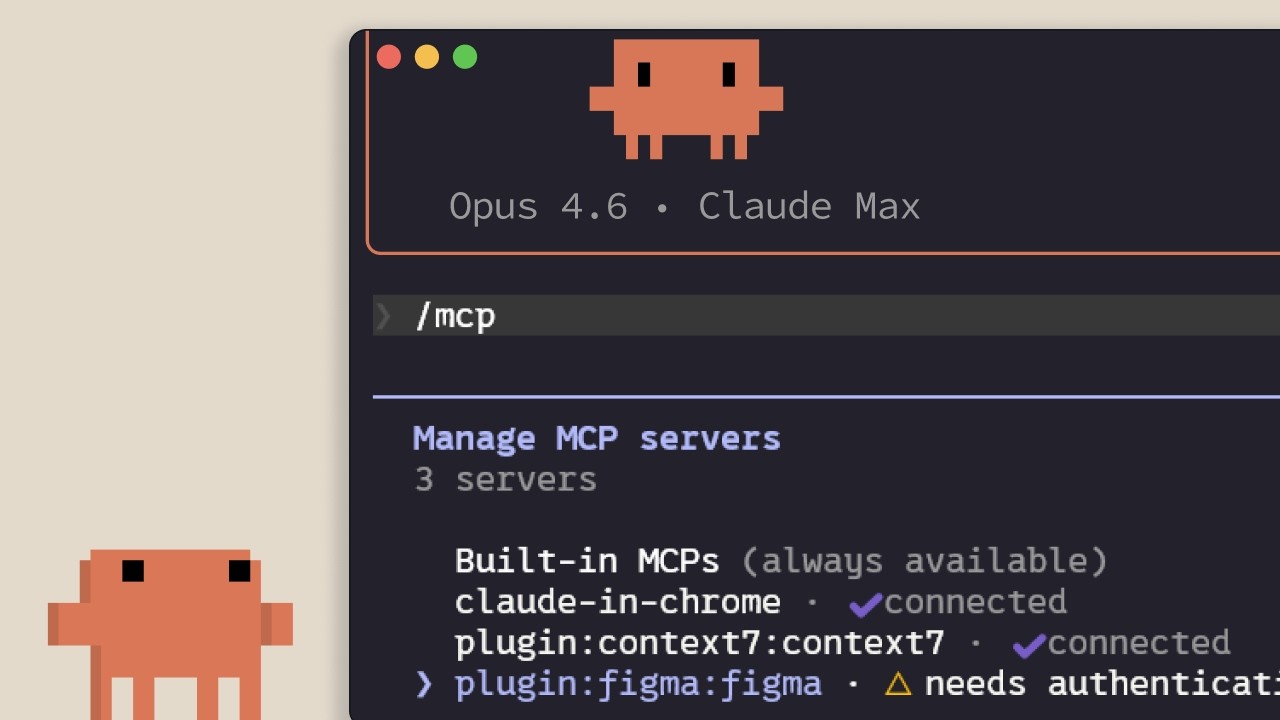
🔗 **Source:** [MCP in Claude Code](https://www.youtube.com/watch?v=kkBFmwkDzdo)
> [!note]+ Document Notes
> tags: #claude #mcp #model-context-protocol #ai-agents #developer-tools
> author: Anthropic
> source: YouTube
> reference: https://www.youtube.com/watch?v=kkBFmkDzdo
> date created: 2024-12-19 10:30
>
> # 🏷️ Title: MCP in Claude Code
>
<!-- deep-read:sections start -->
## 🧰 Action Inbox
- [H1] Add Linear MCP server for project management integration — 01:15 #linear
- [H2] Monitor context usage and disable unused MCP servers — 04:30 #performance
- [H3] Configure project-scoped .mcp.json for team consistency — 03:45 #collaboration
## 🧭 Table of Contents
- [[#📝 Summary]]
- [[#📖 Main Content]]
- [[#🗒️ Notes]]
- [[#📚 References]]
- [[#🗣️ Paraphrase]]
- [[#📰 Newsletter]]
- [[#✅ Action Items]]
- [[#🧪 Hypotheses]]
- [[#📊 Methodology]]
- [[#❓ Questions]]
- [[#🔮 Future Research]]
- [[#💡 Implications]]
- [[#🧠 Learning Styles Assessment]]
- [[#📊 Accessibility Assessment]]
- [[#🌍 DEIB Assessment]]
- [[#✅ Logical Validity]]
- [[#🛡️ DARVO Analysis]]
- [[#🎯 Conclusion]]
### 🔗 References
- [Claude Connectors](https://claude.com/connectors)
- [Model Context Protocol Documentation](https://modelcontextprotocol.io/)
## 📝 Summary
- What happened or what is covered: Introduction to Model Context Protocol (MCP) in Claude Code for connecting external tools and data sources
- Why it matters: Enables AI agents to access real-time data and perform actions beyond text generation
- Key stakeholders or audience: Developers using Claude Code for project development
- Risks and tradeoffs: Context window consumption vs functionality, potential performance impact with too many servers
- Bottom line takeaway: MCP transforms Claude from text generator to action-capable agent with proper context management
## 📖 Main Content
Model Context Protocol (MCP) is an open standard that enables Claude Code to connect with external tools and data sources, fundamentally changing how AI agents operate. Unlike traditional AI that only returns text responses, MCP-enabled Claude can perform actions and access live data to complete tasks more effectively.
The protocol addresses a critical limitation: most relevant context for development work exists outside the immediate conversation - in databases, productivity apps, and repositories. MCP bridges this gap by providing standardized tool integration.
Two server types exist: HTTP servers for remote services hosted by providers, and STDIO servers for local machine processes. Servers can be scoped locally (current project only), user-wide (all projects), or project-wide (shared via .mcp.json in version control).
A key consideration is context window management. MCP servers consume context even when unused, so careful server management is essential. When tools exceed 10% of context window, Claude automatically switches to tool search mode, which may reduce effectiveness.
## 🗒️ Notes
#### ⏱️ [00:00](https://youtu.be/kkBFmwkDzdo?t=0) — [H1] MCP Overview and Purpose
- Key idea: MCP is an open standard enabling Claude Code to connect external tools and data sources
- Evidence: "Model contact protocol is an open standard that lets Claude code connect to external tools and data sources"
#### ⏱️ [00:20](https://youtu.be/kkBFmwkDzdo?t=20) — [H2] Context Challenge in AI Development
- Key idea: Most development context exists outside the immediate conversation
- Evidence: "A lot of your context lives elsewhere like your databases, your productivity apps, or in public repositories"
#### ⏱️ [00:35](https://youtu.be/kkBFmwkDzdo?t=35) — [H1] Tools vs Traditional AI Output
- Key idea: Tools enable agents to perform actions rather than just return text
- Evidence: "Tools give agents like Claude code the ability to perform actions in order for them to better complete their tasks"
#### ⏱️ [01:15](https://youtu.be/kkBFmwkDzdo?t=75) — [H2] Linear Integration Example
- Key idea: MCP servers provide specific tool integration like project management
- Evidence: "If your team is using Linear as our project management software, you can add a Linear MCP server"
#### ⏱️ [01:30](https://youtu.be/kkBFmwkDzdo?t=90) — [H3] Context 7 Documentation Access
- Key idea: MCP enables real-time documentation access for dependencies
- Evidence: "Context 7 MCP server will provide Claude code with that"
#### ⏱️ [01:45](https://youtu.be/kkBFmwkDzdo?t=105) — [H3] Connector Ecosystem
- Key idea: Hundreds of connectors are available for various services
- Evidence: "There are also hundreds of different connectors at claude.com/connectors"
#### ⏱️ [02:00](https://youtu.be/kkBFmwkDzdo?t=120) — [H2] Server Types and Installation
- Key idea: Two main server types serve different use cases
- Evidence: "HTTP servers are for remote services... STDIO servers are for local processes"
#### ⏱️ [02:30](https://youtu.be/kkBFmwkDzdo?t=150) — [H2] Server Management Commands
- Key idea: Built-in commands manage server connections and status
- Evidence: "You can manage your servers with the /mcp inside a Claude code session"
#### ⏱️ [03:00](https://youtu.be/kkBFmwkDzdo?t=180) — [H1] Three Scoping Options
- Key idea: MCP servers can be scoped to different levels of availability
- Evidence: "Local means it's only available in the current project for you"
#### ⏱️ [03:45](https://youtu.be/kkBFmwkDzdo?t=225) — [H2] Project Scope with Version Control
- Key idea: .mcp.json enables team-wide consistent server configuration
- Evidence: "Project scope uses a .mcp.json file that you check into your version control"
#### ⏱️ [04:00](https://youtu.be/kkBFmwkDzdo?t=240) — [H1] Context Window Impact
- Key idea: MCP servers consume context even when inactive
- Evidence: "MCP servers add tool definitions to your context window, even when you're not using them"
#### ⏱️ [04:30](https://youtu.be/kkBFmwkDzdo?t=270) — [H2] CLI Alternative for Efficiency
- Key idea: Command line interfaces can be more context-efficient than MCP
- Evidence: "The CLI is more context efficient because it doesn't add persistent tool definitions"
#### ⏱️ [05:00](https://youtu.be/kkBFmwkDzdo?t=300) — [H2] Skills as Context Management
- Key idea: Skills provide on-demand tool loading for better context efficiency
- Evidence: "When Cloud thinks it needs to use that skill, it then decides to load it into the context window"
#### ⏱️ [05:30](https://youtu.be/kkBFmwkDzdo?t=330) — [H1] Tool Search Mode Threshold
- Key idea: Automatic fallback when tools exceed context limits
- Evidence: "If your MCP tools exceed 10% of your context window, Cloud code will automatically switch to tool search mode"
## 📚 References
- [Claude Connectors](https://claude.com/connectors)
- [Model Context Protocol Specification](https://modelcontextprotocol.io/)
- [Claude Code Documentation](https://docs.anthropic.com/claude/docs)
## 🗣️ Paraphrase
- MCP enables Claude Code to connect with external services and data sources through standardized tool integration, moving beyond simple text responses to actionable AI assistance
- Two deployment models exist - HTTP servers for cloud services and STDIO for local tools - with flexible scoping from individual to team-wide configurations
- Context window management is critical since inactive servers still consume space, requiring careful monitoring and potential use of CLI alternatives or skills for efficiency
## 📰 Newsletter
**Transform Your Development Workflow with MCP Integration**
Claude Code's Model Context Protocol (MCP) is revolutionizing how developers work with AI by connecting directly to your existing tools and data sources. Instead of copying and pasting context manually, Claude can now access your Linear issues, documentation, and hundreds of other services automatically.
**Key Benefits:**
- Real-time access to project management tools
- Up-to-date documentation integration
- Team-wide consistency through .mcp.json configuration
- Hundreds of available connectors
**Getting Started:**
Use `claude mcp add` to install servers and `/mcp` to manage connections. Monitor context usage to maintain performance.
**Best Practices:**
- Scope servers appropriately for your team
- Disable unused servers to preserve context
- Consider CLI alternatives for efficiency
Resources: [Claude Connectors](https://claude.com/connectors), [MCP Documentation](https://modelcontextprotocol.io/), [Developer Docs](https://docs.anthropic.com/)
## ✅ Action Items
#### DevRel
- Developer advocacy: Demo MCP integration at conferences and meetups, create performance benchmarks
- Education: Develop MCP workshop curricula, create context management best practices guide
- Developer experience: Improve MCP server discovery, create debugging tools for connection issues
- Developer marketing: Create case studies showing productivity gains, highlight ecosystem growth
- Community management: Moderate MCP connector discussions, collect feedback on tool search mode
#### Community
- Maintainers: Create governance templates for MCP server quality standards
- Contributors: Develop first-issue programs for connector development
- Sponsors: Fund development of high-impact connectors for underserved tools
- Ecosystem: Coordinate connector standardization across service providers
## 🧪 Hypotheses
- MCP integration increases developer productivity by 30-50% for context-heavy tasks
- Teams using project-scoped .mcp.json configurations have higher adoption rates than individual setup
- Context window consumption becomes the primary limiting factor for MCP adoption at scale
- Tool search mode reduces effectiveness by 15-25% compared to full context loading
### 📊 Methodology
- A/B testing developer productivity with and without MCP integration across common tasks
- Survey teams on adoption patterns between different scoping strategies
- Benchmark context consumption vs functionality trade-offs across server configurations
- Measure task completion accuracy in tool search mode vs normal operation
### ❓ Questions
- How does MCP performance scale with increasing numbers of connected services?
- What context window optimization strategies work best for large development teams?
- Which connector categories provide the highest productivity gains for different development workflows?
### 🔮 Future Research
- Integration with other AI development environments beyond Claude Code
- Automated context window optimization based on usage patterns
- Multi-modal MCP servers supporting visual and audio data sources
### 💡 Implications
- Practice: Fundamental shift from manual context gathering to automated tool integration
- Policy: Need for data governance policies when AI accesses external services directly
- Security: Authentication and authorization considerations for AI tool access
- Education: Training programs must include context management and tool integration skills
- Funding: Investment in connector ecosystem development and maintenance
### 🧠 Learning Styles Assessment
Reading level estimate: 8th grade (technical but accessible)
#### 👀 Visual learners
- Present: Basic workflow demonstrations in video format
- Improve: Architecture diagrams showing MCP data flows, server type comparisons
#### 🔊 Aural learners
- Present: Clear narration with technical explanations
- Improve: Audio-only version with detailed verbal descriptions of setup processes
#### 🗣️ Verbal learners
- Present: Clear definitions of MCP, servers, scoping concepts
- Improve: Analogies comparing MCP to familiar development tools, glossary of terms
#### 🧩 Kinesthetic learners
- Present: Step-by-step commands and practical examples
- Improve: Interactive sandbox for testing MCP configurations, hands-on tutorials
#### 🧠 Logical learners
- Present: Clear categorization of server types and scoping options
- Improve: Decision trees for choosing server configurations, performance metrics
#### 🧑🤝🧑 Social learners
- Present: Team collaboration benefits mentioned
- Improve: Discussion prompts for team MCP strategy, peer review guidelines
#### 🧘♀️ Solitary learners
- Present: Individual setup instructions provided
- Improve: Self-assessment checklist for MCP implementation, personal workflow optimization
#### 🌿 Naturalistic learners
- Present: Ecosystem perspective on connector availability
- Improve: Tool lifecycle thinking, sustainable development practices with AI
### 📊 Accessibility Assessment
#### Screen reader semantics
- Present: Clear video narration with technical details
- Improve: Detailed alt text for any visual elements, structured headings in documentation
#### Keyboard navigation
- Present: Command-line interface focus supports keyboard users
- Improve: Ensure all web interfaces support full keyboard navigation
#### Contrast and readability
- Present: Video content appears to have adequate contrast
- Improve: Verify all UI elements meet WCAG 2.2 contrast requirements
#### Text resizing and reflow
- Present: Web-based content should support standard zoom levels
- Improve: Test responsiveness at 200% zoom, ensure no content clipping
#### Media and captions
- Present: Audio narration provides clear explanation
- Improve: Add closed captions and transcript for video content
#### Forms and interactions
- Present: Command-line interactions are text-based
- Improve: Ensure GUI elements have proper labels and error messages
#### Standards reference
- Map any GUI components to WCAG 2.2 AA success criteria 1.4.3 (contrast), 2.1.1 (keyboard access)
### 🌍 DEIB Assessment
#### Cultural breadth
- Present: Generic technical examples that work globally
- Improve: Include examples from diverse regions, consider non-English service integrations
#### Inclusive language
- Present: Technical language is mostly neutral
- Improve: Define all acronyms, avoid colloquialisms, provide plain language summaries
#### Neurodiversity support
- Present: Video is well-structured with clear segments
- Improve: Provide chapter markers, summary bullets, consistent pacing
#### Representation
- Present: Technical content is role-neutral
- Improve: Include diverse use cases and team structures in examples
#### Psychological safety
- Present: Instructional tone is supportive and non-judgmental
- Improve: Acknowledge different skill levels, provide troubleshooting guidance
### ✅ Logical Validity
#### Strong reasoning
- Deductive strength: Strong - if context is external and MCP connects to external sources, then MCP improves context access
- Inductive strength: Good - examples (Linear, Context 7) support general connector utility claims
- Causal reasoning: Clear - more servers directly cause more context consumption
- Analogical strength: Effective - CLI comparison helps explain efficiency trade-offs
#### Fallacies
- False dichotomy: Implies MCP vs traditional AI as only options, when hybrid approaches exist
- Hasty generalization: Claims about "hundreds of connectors" without usage statistics or quality assessment
#### Tone of voice
- Overall tone: Professional and instructional with confident assertions about capabilities and benefits
### 🛡️ DARVO Analysis
- Deny: No denials present - straightforward technical explanation
- Attack: No attacks on critics or competing approaches
- Reverse victim/offender: Not applicable to technical content
- Emotional cues and rhetoric: Minimal emotional language, focuses on practical benefits and limitations
## 🎯 Conclusion
MCP represents a significant evolution in AI development tools, transforming Claude Code from a text generator into an action-capable development assistant. The key to successful implementation lies in thoughtful context window management and appropriate server scoping for team collaboration. Organizations should start with high-impact connectors like project management tools and gradually expand while monitoring performance implications.
## 🧱 Refactor Appendix
### 📚 Literature Split Pad
Purpose: Stage CEE units that become Literature notes.
Split level: H3
### [H1] MCP enables external tool integration for AI agents
> [!quote] [MCP in Claude Code](https://www.youtube.com/watch?v=kkBFmwkDzdo) by [[Anthropic]] via [[YouTube]]. Published 2024. Accessed 2024-12-19.
> "Model contact protocol is an open standard that lets Claude code connect to external tools and data sources."
Establishes MCP as standardized approach to expanding AI capabilities beyond text generation.
[view highlight](
---
## Full Transcript
[00:02] Model contact protocol is an open<br>[00:04] standard that lets Claude code connect<br>[00:06] to external tools and data sources.<br>[00:11] When you ask a question, Claude will<br>[00:13] automatically understand when it should<br>[00:15] use those tools to better understand<br>[00:16] your query.<br>[00:19] Context is one of the most important<br>[00:21] parts when working with Claude code. A<br>[00:23] lot of your context lives elsewhere like<br>[00:25] your databases, your productivity apps,<br>[00:27] or in public repositories.<br>[00:31] This is where MCP comes in.<br>[00:35] First, it's important to understand the<br>[00:37] concept of tools when talking about<br>[00:38] Agentic AI. Tools give agents like<br>[00:41] Claude code the ability to perform<br>[00:43] actions in order for them to better<br>[00:44] complete their tasks.<br>[00:46] This is different from other AI where<br>[00:48] you just get an output back directly in<br>[00:51] text usually. For example, if your team<br>[00:53] is using Linear as our project<br>[00:54] management software, you can add a<br>[00:56] Linear MCP server to bring in the<br>[00:58] details of your specific issues.<br>[01:00] If you want to get up-to-date<br>[01:03] documentation of a dependency that<br>[01:04] you're working with, then the Context 7<br>[01:06] MCP server will provide Claude code with<br>[01:08] that.<br>[01:09] There are also hundreds of different<br>[01:10] connectors at claude.com/connectors.<br>[01:14] You can add MCP servers with the Claude<br>[01:16] MCP add command.<br>[01:19] There are two main types. HTTP servers<br>[01:22] are for remote services. These are<br>[01:24] hosted by the service provider and<br>[01:25] connect over the network.<br>[01:27] STDIO servers are for local processes<br>[01:30] that run on your machine.<br>[01:32] You can manage your servers with the<br>[01:33] /mcp inside a Claude code session to see<br>[01:36] what's connected, the status, and<br>[01:38] disable servers that you don't want to<br>[01:39] use.<br>[01:42] MCP servers can be scoped in three<br>[01:44] different ways.<br>[01:46] One, local means it's only available in<br>[01:47] the current project for you.<br>[01:49] Two, the user, which means it's<br>[01:51] available across all your projects. And<br>[01:53] three, project scope uses a .mcp.json<br>[01:56] file that you check into your version<br>[01:58] control, so anyone working on the code<br>[02:00] base gets the exact same servers<br>[02:02] automatically.<br>[02:04] Now, one thing to be aware of is that<br>[02:06] MCP servers add tool definitions to your<br>[02:08] context window,<br>[02:10] even when you're not using them. So, if<br>[02:12] you have a lot of servers configured,<br>[02:14] this eats into your available context.<br>[02:17] Run the {slash} MCP command to see<br>[02:19] what's connected and disable anything<br>[02:20] that you're not actively using or don't<br>[02:22] think that you're going to use.<br>[02:24] If a tool has a CLI equivalent like GH<br>[02:27] for GitHub or AWS for<br>[02:30] AWS, the CLI is more context efficient<br>[02:33] because it doesn't add persistent tool<br>[02:34] definitions.<br>[02:36] You also might benefit from using a<br>[02:38] skill in this scenario.<br>[02:40] A skill has a name and a description<br>[02:42] that is loaded into context. Similar to<br>[02:44] MCP, when Cloud thinks it needs to use<br>[02:46] that skill, it then decides to load it<br>[02:48] into the context window, which is where<br>[02:50] you could put the command line interface<br>[02:52] tools.<br>[02:54] If your MCP tools exceed 10% of your<br>[02:56] context window, Cloud code will<br>[02:57] automatically switch to tool search<br>[02:59] mode, which will discover the right<br>[03:00] tools on demand, but this might not work<br>[03:03] as well since it's just not in the<br>[03:04] context.<br>[03:10] Now, a quick recap. MCP connects Cloud<br>[03:13] code to your external tools and data<br>[03:15] sources.<br>[03:18] Add servers with Cloud MCP add, scope<br>[03:21] them to your project with .mcp.json<br>[03:24] so that your team gets them<br>[03:25] automatically, and keep an eye on the<br>[03:27] context usage by disabling servers that<br>[03:29] you're not actively using.
<!-- deep-read:sections end -->
📄 **Full text:** ![[Full Document Contents/Articles/MCP in Claude Code.md|MCP in Claude Code by YouTube]]
## Highlights
- base gets the exact same servers automatically. Now, one thing to be aware of is that MCP servers add tool definitions to your context window, even when you're not using them. So, if you have a lot of servers configured, this eats into your available context. Run the {slash} MCP command to see what's connected and disable anything that you're not actively using or don't think that you're going to use. If a tool has a CLI equivalent like GH for GitHub or AWS for ([View Highlight](https://read.readwise.io/read/01kr6trt8k9xw1jdrad58nchbn))
- Tags: 👻 ai highlighted