Making Gutenberg Blocks Accessible: Practical Techniques With AI and DevTools
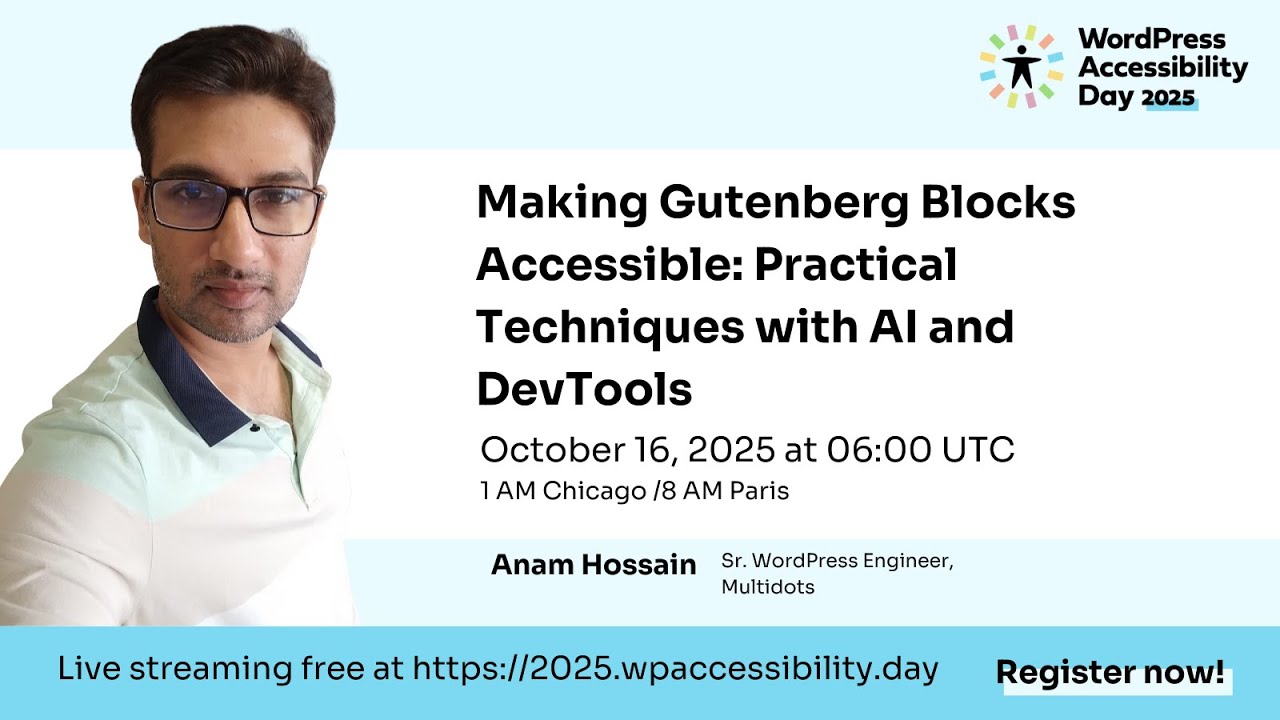
🔗 **Source:** [Making Gutenberg Blocks Accessible: Practical Techniques With AI and DevTools](https://www.youtube.com/watch?v=W9WXAx2mRpc)
> [!note]+ Document Notes
> tags: [gutenberg-blocks, web-accessibility, aria, keyboard-navigation, ai-assisted-development]
> author: Anam Hossain
> source: WordPress Accessibility Day 2025 (WPA11yDay)
> reference: https://www.youtube.com/watch?v=W9WXAx2mRpc
> date created: 2026-09-08
>
> > [!info] Generated analysis — not the author's words. Sections below are machine-written
> > from the captured source. Only text inside `> [!quote]` blocks is verbatim from the author.
> > Do not quote or attribute any other line to the named author.
>
> # 🏷️ Title: Making Gutenberg Blocks Accessible: Practical Techniques with AI and DevTools
>
<!-- deep-read:sections start -->
## 🧭 Table of Contents
- [📝 Summary](#-summary)
- [📖 Main Content](#-main-content)
- [🗒️ Notes](#️-notes)
- [📚 References](#-references)
- [🗣️ Paraphrase](#️-paraphrase)
- [📰 Newsletter](#-newsletter)
- [✅ Action Items](#-action-items)
- [🧪 Hypotheses](#-hypotheses)
- [📊 Methodology](#-methodology)
- [❓ Questions](#-questions)
- [🔮 Future Research](#-future-research)
- [💡 Implications](#-implications)
- [🧠 Learning Styles Assessment](#-learning-styles-assessment)
- [📊 Accessibility Assessment](#-accessibility-assessment)
- [🌍 DEIB Assessment](#-deib-assessment)
- [✅ Logical Validity](#-logical-validity)
- [🛡️ DARVO Analysis](#-darvo-analysis)
- [🎯 Conclusion](#-conclusion)
### 🔗 References
- [WordPress Accessibility Day 2025 feedback form](https://2025.wpaccessibility.day/feedback)
- [Multidots (Anam Hossain's employer, WordPress VIP agency)](https://multidots.com/)
- [WordPress.org Block Editor Handbook](https://developer.wordpress.org/block-editor/)
- [WCAG 2.2 (W3C)](https://www.w3.org/TR/WCAG22/)
## 📝 Summary
- **What happened**: Anam Hossain, senior WordPress engineer at Multidots (a WordPress VIP agency, 9+ years of experience), gave a 41-minute practical demo at WordPress Accessibility Day 2025, hosted by Annabelle Drumm, showing how to make custom Gutenberg blocks accessible using semantic HTML, ARIA, keyboard handling, alt text, color contrast, dynamic-content announcements, and AI-assisted DevTools, then how to test all of it.
- **Why it matters**: Around 15% of the global population, per Anam's cited figure, lives with some form of disability, and accessible markup improves SEO and reduces US ADA legal exposure while making custom blocks usable at all for keyboard and screen-reader users — a real product gap, since block plugins routinely ship without keyboard support.
- **Key stakeholders**: Gutenberg block developers and theme/plugin authors (his primary audience), WordPress VIP agency clients like Multidots serves, screen-reader and keyboard-only users, and WCAG/ADA compliance owners at organizations running WordPress.
- **Risks and tradeoffs**: Anam warns explicitly against trusting AI-generated ARIA suggestions without first knowing the spec yourself ("not every time AI gives you the best result"), and against overusing `aria-label` where a native HTML5 element already covers the same semantics.
- **Bottom line**: accessibility is a mindset applied at write-time (div vs. button, alt text on every meaningful image), reinforced by AI-assisted auditing during development and automated Playwright/Jest tests before ship — not a bolt-on QA pass.
## 📖 Main Content
Anam frames accessibility as a mindset decision made line-by-line while writing code, not a separate checklist item. He anchors this in three connected reasons: usability for everyone, standards compliance (WCAG, ADA), and business outcomes (SEO reach, reduced US legal risk). He then works through six practical techniques in order — semantic HTML, ARIA roles, keyboard accessibility, alternative text, color contrast, and dynamic-content announcements — each demonstrated against a real Gutenberg block he built (a featured-post/category-tabs block), with live code shown in `save.js` and `view.js`. He closes with a section on using Chrome DevTools' built-in "Ask AI" feature (plus ChatGPT and Claude for deeper research) as an accessibility accelerant, a list of common accessibility bugs (ambiguous "read more" links, empty buttons, untitled iframes, wrong heading order, empty links, links opening in a new tab without warning), and a testing section covering Jest unit tests and a Playwright end-to-end keyboard-navigation test.
Terms he uses without formally defining: ARIA (Accessible Rich Internet Applications — he expands the acronym once, at t=735s); WCAG 2.1 AA (he never spells out "Web Content Accessibility Guidelines"); the 4.5:1 / 3:1 contrast ratios (he states the numbers but not that 3:1 applies specifically to large text, 18pt+ or 14pt bold, per WCAG). Contested or unsourced claims: the "15% of global population" disability figure is stated without a citation (WHO's commonly cited figure is close, around 16% as of recent WHO reporting, but Anam doesn't name a source); "WCAG 2.1 AA" is named as the standard while the actual current guideline (as of this 2025 talk) is WCAG 2.2, which added new success criteria (e.g., 2.4.11 Focus Not Obscured, 2.5.8 Target Size) not mentioned in the talk.
### 🗒️ Notes
#### ⏱️ [00:03:01](https://www.youtube.com/watch?v=W9WXAx2mRpc&t=181s) Introduction — Anam opens the session
- Anam Hossain opens: "Today, I'm going to talk about Making Gutenberg Block Accessible."
- States the session will share "practical tips and techniques with DevTools and AI."
#### ⏱️ [00:03:19](https://www.youtube.com/watch?v=W9WXAx2mRpc&t=199s) Why accessibility matters
- Frames accessibility as benefiting all users, not only people with disabilities.
- Cites "around 15% of global population" living with some form of disability (uncited).
- Ties accessibility to WCAG/ADA compliance, SEO reach, and reduced US legal risk.
#### ⏱️ [00:04:51](https://www.youtube.com/watch?v=W9WXAx2mRpc&t=291s) Accessibility as a developer mindset
- Core framing line: accessibility "is all about mindset. It's not about the task."
- Concrete example: choosing `<button>` over `<div>` when an element's function is a button.
- Second example: adding descriptive alt text the moment an image is added, not after.
#### ⏱️ [00:06:14](https://www.youtube.com/watch?v=W9WXAx2mRpc&t=374s) Anam's background and session roadmap
- Senior WordPress engineer at Multidots (WordPress VIP agency), 9.5 years building custom WordPress solutions.
- Lists the session's six topics: semantic HTML, ARIA roles, keyboard accessibility, color contrast ratio, alternative text, and DevTools/AI.
#### ⏱️ [00:09:00](https://www.youtube.com/watch?v=W9WXAx2mRpc&t=540s) Semantic HTML over div soup
- Rule: "put the right things in the right place" — use `header`, `nav`, `footer`, `main`, `article`, `aside` instead of generic `div`.
- Heading order must be logical: h1 for the most important title, then h2 through h6 in order, no skipping.
- Shows a template-part example swapping `div` for `header`, `nav`, and `footer` (site-footer).
#### ⏱️ [00:12:13](https://www.youtube.com/watch?v=W9WXAx2mRpc&t=733s) ARIA roles and landmarks
- Defines ARIA as "Accessible Rich Internet Application"; an element's ARIA role/label defines what assistive tech treats it as (nav, main, search).
- Live code in `save.js`: a `nav` element with `aria-label` set to "category tabs," used for a tab-style category filter.
- Demonstrates `aria-hidden`, `aria-expanded`, and `aria-labelledby` toggling on tab content depending on which category is active.
- Rule of thumb: reach for an HTML5 element first; use ARIA (e.g., `aria-label` on a `div` for site search, since HTML has no native `search` landmark) only when no native element covers the case. Don't overuse `aria-label`. Test with an accessibility checker once done.
#### ⏱️ [00:16:30](https://www.youtube.com/watch?v=W9WXAx2mRpc&t=990s) Keyboard accessibility: Tab, Enter, Space, arrow keys
- Rule: every interactive block element must be reachable by Tab and activatable with Enter or Space; shows an `onKeyDown` handler checking for Enter/Space.
- Live demo on his featured-post block: Tab moves focus, ArrowRight/ArrowLeft cycle through categories (Crime, Fiction, French, Nature, Love, Classic shown live), Enter or Space selects the highlighted category and reveals its posts.
- Second demo: a full post "card" is a single Tab stop; pressing Enter opens the linked post.
#### ⏱️ [00:19:25](https://www.youtube.com/watch?v=W9WXAx2mRpc&t=1165s) Code walkthrough: view.js keydown handling
- In `view.js`, a keydown listener branches on `ArrowRight` vs `ArrowLeft` to move category focus, and on Enter/Space to activate the selected category.
- The handler toggles `aria-hidden`/`aria-expanded` attributes on the newly shown/hidden category content and logs to console for debugging.
#### ⏱️ [00:21:19](https://www.youtube.com/watch?v=W9WXAx2mRpc&t=1279s) Alternative text and the REST API fallback
- Decorative images (icons, background images) don't need alt text; meaningful images do.
- Code example: alt text is pulled from `postData._embedded` → `featuredmedia` → `alt_text` via the REST API.
> [!quote]
> If the featuredImageText is not provided, then I am adding some fallback message, which is featured image for this title.
- If no featured image exists at all, the fallback text is "No featured image found."
#### ⏱️ [00:25:21](https://www.youtube.com/watch?v=W9WXAx2mRpc&t=1521s) Color contrast ratio (WCAG 2.1 AA)
- States the standard as WCAG 2.1 AA (current guideline at time of the talk was actually 2.2).
> [!quote]
> The right ratio for these things, which is like 4.5:1.
- Normal text needs 4.5:1; large text needs 3:1.
- Live demo with a contrast-checking tool: text over a `#FFF` background fails at a lighter shade but passes once darkened; shows the block's own color-settings panel letting end users pick text/background colors, plus a second tool for testing arbitrary color pairs or a site's own color codes.
#### ⏱️ [00:28:42](https://www.youtube.com/watch?v=W9WXAx2mRpc&t=1722s) Dynamic content: announcing updates
- Rule: never leave the user unsure whether an action worked — e.g., an "add to cart" click needs an announcement like "this product is added to the cart."
- Same rule applies to a "load more post" button that adds content without a page reload.
#### ⏱️ [00:30:37](https://www.youtube.com/watch?v=W9WXAx2mRpc&t=1837s) Screen reader text and ambiguous links
- Demo: a fully clickable post card also needs screen-reader-only text describing the destination (example given: "read more about the ancient temple stood as a testament...") because a bare "read more" is ambiguous out of context.
> [!quote]
> The thing is that read more about what? Read more about what?
- Fix: give each "read more" instance unique, specific screen-reader text rather than repeating the same generic phrase across a page.
#### ⏱️ [00:32:22](https://www.youtube.com/watch?v=W9WXAx2mRpc&t=1942s) AI in the accessibility workflow
- Demonstrates Chrome's built-in "Ask AI" (right-click an element in DevTools), running the prompt "audit this markup for accessibility," then a follow-up "check the colour contrast of the text and background" — both return specific suggestions (e.g., where to add `aria-labelledby`).
- Names ChatGPT and Claude as tools for "more detailed use case[s]," but says he defaults to Chrome DevTools' AI during active development.
#### ⏱️ [00:34:02](https://www.youtube.com/watch?v=W9WXAx2mRpc&t=2042s) Common accessibility bugs: empty buttons, iframes, heading order
- Ambiguous link text ("read more" repeated with no context — see above).
- Empty buttons: the "most common example" is an unlabeled hamburger menu — needs screen-reader text stating its purpose.
- iframes without a `title` need one, or an `aria-label`.
- Incorrect heading order: a block defaulting to h3 when the page's actual next heading should be h1/h2 breaks the "chronicle order" a screen reader relies on.
- Empty links need screen-reader text at minimum; links that open in a new tab need an `aria-label` like "opens in a new tab."
#### ⏱️ [00:36:39](https://www.youtube.com/watch?v=W9WXAx2mRpc&t=2199s) Testing with Jest
- Runs `npm run jest -- coverage` against `edit.js` of his "featured" block.
- Test coverage shown: render without crashing, event handler behavior, toggle control behavior; notes some dependencies must be mocked since not everything is available in the test environment.
#### ⏱️ [00:38:09](https://www.youtube.com/watch?v=W9WXAx2mRpc&t=2289s) Testing with Playwright end-to-end
- Calls Playwright "the most important part" of his testing setup.
- Live-runs a test named "featured post" end-to-end: creates a page, inserts the featured-post block, saves it, walks the front end via Tab navigation, asserts the keyboard path works, then deletes the test page (`npx playwright test`).
- Notes his tab-navigation assertions are hand-written per block on top of WordPress's standard Playwright setup.
#### ⏱️ [00:40:45](https://www.youtube.com/watch?v=W9WXAx2mRpc&t=2445s) Other tools: Lighthouse, axe, screen readers, Mac accessibility
- Chrome DevTools Lighthouse: choose desktop or mobile, run the accessibility audit, get a scored report of issues.
- Also lists axe DevTools, screen readers, keyboard-only testing, and macOS's built-in accessibility tools.
#### ⏱️ [00:42:03](https://www.youtube.com/watch?v=W9WXAx2mRpc&t=2523s) Q&A: GraphQL, Gutenberg resources, testing tool details
- GraphQL question (from attendee David): Anam clarifies GraphQL isn't for accessibility — he installed WordPress's default WPGraphQL plugin for headless WordPress and personal learning, unrelated to this talk.
- Gutenberg learning resources: points to the developer.wordpress.org block editor handbook and public GitHub example repos as the best starting point.
- Testing tool follow-up: confirms WordPress's official documentation recommends Playwright for visual/UI testing; his own tab-navigation assertions are written manually per block on top of that setup.
#### ⏱️ [00:44:56](https://www.youtube.com/watch?v=W9WXAx2mRpc&t=2696s) Q&A: AI usefulness — "learn it yourself first"
> [!quote]
> Before using AI, I always suggest you know it, because if you are asking AI regarding some ARIA roles
- Explains AI "sometimes gives you the different results" than what you actually need, so foundational ARIA knowledge has to come first.
- His personal escalation order: MDN (Mozilla) resources first when confused, then ChatGPT or Claude for deeper research once he already understands the fundamentals, with Chrome DevTools' built-in AI as the default during active coding.
#### ⏱️ [00:46:48](https://www.youtube.com/watch?v=W9WXAx2mRpc&t=2808s) Closing: hashtags, feedback URL, next session
- Annabelle asks Anam to compile a tool list for post-session sharing; he agrees ("Sure, definitely").
- Event hashtags #WPA11YDAY and #WPAD2025; feedback form at 2025.wpaccessibility.day/feedback (with a T-shirt giveaway).
- Next session announced: "Real Inclusion: How to Run Insightful and Respectful User Testing with Disabled People" with Lucy Collins, 7:00 AM UTC.
## 📚 References
- [WordPress.org Block Editor Handbook](https://developer.wordpress.org/block-editor/) — the resource Anam names for learning Gutenberg block development.
- [Multidots](https://multidots.com/) — Anam's employer, a WordPress VIP agency.
- [WCAG 2.2 (W3C)](https://www.w3.org/TR/WCAG22/) — current guideline superseding the "WCAG 2.1 AA" standard Anam cites.
- [MDN Web Docs](https://developer.mozilla.org/) — the resource he says he defaults to when confused by an AI answer.
- [axe DevTools](https://www.deque.com/axe/devtools/) — one of the testing tools he lists.
- [WordPress Accessibility Day feedback form](https://2025.wpaccessibility.day/feedback) — closing call-to-action from the moderator.
## 🗣️ Paraphrase
Anam opens by reframing accessibility away from a compliance checklist and toward a mindset: every time you're about to write a `div`, ask whether the element is actually a button, a nav, or a header, and write the semantic tag instead. He backs this with three practical payoffs — better usability for the roughly 15% of people living with a disability, WCAG/ADA compliance, and business upside through SEO and reduced US legal exposure — before spending the bulk of the talk walking through his own featured-post Gutenberg block's code (`save.js`, `view.js`) to show ARIA labels, keyboard handling, alt-text fallbacks pulled from the REST API, and color-contrast checking in practice.
In the back half, Anam treats AI as one more DevTool, not a replacement for knowing the spec: Chrome's built-in "Ask AI" panel gets used live to audit markup and check contrast, but he's explicit that you should already understand ARIA before asking AI about it, because the answers you get aren't guaranteed to fit your actual use case. He closes with a short list of recurring accessibility bugs (ambiguous "read more" links, unlabeled hamburger buttons, untitled iframes, skipped heading levels) and a working test suite — Jest for unit coverage, Playwright for an end-to-end keyboard-navigation check — that he runs live against his own block.
## 📰 Newsletter
Building custom Gutenberg blocks and wondering if they actually work for keyboard and screen-reader users? At WordPress Accessibility Day 2025, Multidots senior engineer Anam Hossain walked through exactly that — live, in the code. He rebuilt a featured-post block on stage to show semantic HTML instead of div soup, ARIA labels and landmarks (`save.js`), a full keyboard-navigation handler with arrow-key category switching (`view.js`), alt-text fallbacks pulled straight from the WordPress REST API (`postData._embedded.featuredmedia.alt_text`), and WCAG 2.1 AA color-contrast checks (4.5:1 for normal text, 3:1 for large). The twist: he also demoed Chrome DevTools' built-in "Ask AI" panel auditing his own markup — but his hard rule is to learn ARIA yourself first, because "not every time AI gives you the best result." He closed with a live Playwright end-to-end test walking the Tab key through his block on the front end. Resources: [developer.wordpress.org block editor handbook](https://developer.wordpress.org/block-editor/), Playwright's official WordPress testing docs, and axe DevTools.
## ✅ Action Items
#### DevRel
- Developer advocacy: plans, talks, demos, and measurable outcomes — feature Anam Hossain's WPA11yDay talk (Gutenberg + AI DevTools) in a DevRel talk/demo roundup; track view-throughs once WordPress.tv posts it.
- Education: workshops, curricula, office hours, mentorship programs — build a short workshop module from his `view.js` keydown pattern and the featured-post block for a Gutenberg accessibility office-hours session.
- Developer experience: docs, SDKs, examples, templates, quickstarts — package his featured-post block (ARIA labels, keydown handler, alt-text REST fallback) as a reference quickstart snippet.
- Developer marketing: campaigns, content, funnels, and attribution — clip the Chrome DevTools "Ask AI" accessibility-audit demo (t=1942s) for a short-form post.
- Community management: moderation, code of conduct ops, surveys — not applicable to this source: a solo conference session with moderated Q&A, no community-moderation topic raised.
- Internal/external/cross-project: align goals, SLAs, and feedback loops — share his Jest + Playwright accessibility-test pattern with other block-development teams as a shared testing baseline.
#### OSPO
- Policy & Governance: contribution policies, decision rights, charters — not applicable to this source: no open-source governance content in the talk.
- License Compliance: policies, scanning, review, and training cadence — not applicable to this source: licensing isn't discussed.
- Security Management: vuln intake, embargo policy, signing, attestations — not applicable to this source: the talk is accessibility-focused, not security.
- Software Inventory: SBOM strategy, ownership, freshness SLOs — not applicable to this source: no dependency-inventory topic.
- Developer Support: training, tooling, legal guardrails, consultation hours — route his "learn ARIA before trusting AI" guidance into an internal consultation-hours tip sheet for block developers.
- Community Engagement: upstream funding, MoUs, operator agreements — not applicable to this source: no funding or MoU content.
- Strategic Alignment: KPIs, OKRs, executive reporting, initiative roadmaps — not applicable to this source: a single conference talk, not a strategy-setting venue.
#### Community
- Maintainers: roadmap clinics, governance templates, release hygiene — not applicable to this source: talk targets individual block developers, not project maintainers.
- Contributors: onboarding paths, "first issue" rotations, pairing sessions — point new Gutenberg contributors to Anam's recommended reading list: the block editor handbook plus public GitHub example repos.
- Sponsors: transparent budgets, milestones, deliverables, impact reports — not applicable to this source: sponsor list was a standard event read (Gravity Forms, WP Engine, Woo, and others), no budget or milestone content.
- Ecosystem: cross-project incident drills and coordinated disclosures — not applicable to this source: no incident or disclosure content.
#### WordPress
- Core: priorities, issue triage, performance budgets, release criteria — not applicable to this source: talk covers plugin/theme-level block code, not core release criteria.
- Core Performance: profiling plans, metrics dashboards, perf bounties — not applicable to this source: no performance profiling discussed.
- Core AI: responsible AI guardrails, evaluation sets, pilot projects — Anam's "learn it yourself first" stance is a concrete, quotable guardrail worth citing in any Core AI responsible-use guidance for AI-assisted accessibility fixes.
- **Core Program Team:** coordination rituals, cross-team dependencies, retrospectives — not applicable to this source: no cross-team coordination content.
- Mobile: app backlog, telemetry review, offline UX improvements — not applicable to this source: talk is web/Gutenberg-editor specific.
- Playground: browser labs, reproducible bugs, education modules — turn his featured-post block demo (ARIA, keyboard nav, alt-text fallback) into a Playground-hosted education module.
- Community: meetup kits, WordCamp playbooks, speaker mentorship — invite Anam Hossain to repeat or expand this session at a WordCamp accessibility track.
- Training: lesson plans, learning paths, certification pilots — build a learning-path lesson around his six techniques (semantic HTML, ARIA, keyboard nav, alt text, contrast, dynamic-content announcements) plus his Playwright pattern.
- Marketing: campaigns, narratives, social editorial calendars — not applicable beyond the DevRel clip-based promotion already covered above.
- Support: response SLAs, knowledge base gaps, escalation paths — add a support KB article on the ambiguous "read more" link-text pattern he flagged, since it's a recurring theme-support ticket source.
- Design: UX audits, design tokens, research backlogs — feed his color-contrast demo (4.5:1 ratio, block color-settings panel) into design-token contrast defaults for block patterns.
- Documentation: DevHub/HelpHub gaps, examples-first patterns, style guide — add a DevHub example showing the REST API alt-text fallback pattern (`postData._embedded.featuredmedia.alt_text`) he demoed.
- Photos: content drives, moderation guidelines, taxonomy hygiene — not applicable to this source: talk doesn't touch the Photo Directory.
- TV: submission guides, caption quality, content indexing — submit this WPA11yDay session to WordPress.tv with accurate captions once the recording is public.
- Polyglots: translation sprints, glossary alignment, locale coverage — not applicable to this source: the talk doesn't address localization or i18n practices for blocks.
- Accessibility: WCAG reviews, tooling, issues heatmap, audits cadence — directly relevant: adopt his Playwright keyboard-navigation test pattern and Jest coverage habit as a template for the Accessibility team's block-review checklist.
- Meta: .org roadmap, API reliability, contributor tools — not applicable to this source: no Meta-team topic in the talk.
- CLI: command coverage, UX docs, plugin scaffolds, smoke tests — not applicable to this source: no WP-CLI content.
- Hosting: cross-host checklists, defaults, telemetry for reliability — not applicable to this source: talk doesn't address hosting-level defaults.
- Tide: scoring transparency, false-positive review loops, plugin outreach — not applicable to this source: no Tide/plugin-scanning content.
- Openverse: ingestion pipelines, moderation policy, education tie-ins — not applicable to this source: no media-library topic.
- Themes: review throughput, lints, mentoring, test matrices — add his ARIA-landmark and heading-order checks (chronological h1→h6, no skipped levels) to the theme-review lint list.
- Plugins: review throughput, security liaisons, provenance checks — encourage plugin reviewers to check for the empty-button/hamburger-menu and untitled-iframe gaps he listed as common failures.
#### The WPOCC
- Programs: fellowship tracks, microgrants, maintainer stipends — not applicable to this source: no fellowship or stipend content.
- Projects: governance clinics, documentation sprints, release teams — not applicable to this source: no governance-clinic content.
- Funding experiments: matched grants, milestone payouts, transparent ledgers — not applicable to this source: no funding-model content in the talk.
#### FAIR
- Technical independence: local metadata, provenance, and signature checks — not applicable to this source: talk doesn't address FAIR's federation or provenance mechanics.
- Policies and covenants: funding transparency, sunset clauses, anti-capture — not applicable to this source: no policy content.
- Productized governance artifacts: charters, operator agreements, scorecards — not applicable to this source: no governance-artifact content.
## 🧪 Hypotheses
- H1: Custom Gutenberg blocks that ship without a hand-written `onKeyDown` handler (checking Enter/Space) fail keyboard-only navigation more often than blocks built on core WordPress components, because Anam presents this as a manual step developers must add themselves.
- H2: Blocks pulling alt text from `postData._embedded.featuredmedia.alt_text` with an explicit fallback string produce fewer "missing alt text" accessibility-audit failures than blocks with no fallback logic.
- H3: Developers who run Chrome DevTools' "Ask AI" accessibility audit during development catch more contrast and ARIA-labeling issues pre-ship than developers who rely on a single end-of-project Lighthouse pass.
- H4: A Playwright end-to-end test asserting Tab-key focus order catches keyboard-navigation regressions that Jest unit tests (mocking DOM interaction) miss, because Jest here only covers render/event-handler/toggle-control behavior, not real browser focus order.
- H5: Repeated identical "read more" screen-reader text across a page (without per-instance context) measurably increases task time or error rate for screen-reader users compared to uniquely worded links.
### 📊 Methodology
- H1/H4: instrument a sample of published Gutenberg blocks (with vs. without a documented keydown handler / Playwright keyboard test) and run automated + manual keyboard-only navigation testing; compare pass rates.
- H2: A/B test alt-text fallback logic across a set of WordPress REST API-driven blocks; run axe DevTools or Lighthouse accessibility audits and compare "missing alt text" flag rates.
- H3: Recruit developers to build the same small block feature, half using Chrome DevTools "Ask AI" mid-development and half using only an end-of-project Lighthouse audit; compare defect counts found before ship.
- H5: Usability study with screen-reader users navigating two versions of the same page (generic "read more" vs. per-instance descriptive link text); measure time-on-task and self-reported confusion.
### ❓ Questions
- When Chrome DevTools' "Ask AI" suggests an ARIA pattern, how often does that suggestion match the correct role/label for the actual component, versus a plausible-looking but wrong one — and is there a way to measure this systematically rather than relying on Anam's "not every time" caveat?
- Anam names WCAG 2.1 AA as the target standard; does Multidots' internal block-review checklist already track the newer WCAG 2.2 AA criteria (e.g., 2.4.11 Focus Not Obscured, 2.5.8 Target Size), or is 2.1 still the working baseline across their VIP client base?
- His Playwright test deletes the test page after the run — does that teardown run reliably in CI, or only in his local demo environment?
- Does Multidots have a shared internal library of accessible Gutenberg block patterns (the featured-post block shown here), or is each engineer re-implementing keyboard/ARIA handling per block?
### 🔮 Future Research
- A public, versioned open-source repo of the featured-post block shown in the demo (`save.js`, `view.js`, Jest + Playwright tests) would let other developers verify and reuse the exact patterns Anam described rather than re-implementing from a video.
- Comparative research on AI-assisted vs. spec-first accessibility workflows: does starting from Chrome DevTools' AI suggestion and then verifying against WCAG produce different defect rates than starting from the spec and using AI only to double-check?
- Anam mentions macOS's built-in accessibility tools only in passing; a follow-up talk comparing VoiceOver, NVDA, and JAWS behavior against the same featured-post block would close a real gap in this talk (no screen reader was demoed live).
### 💡 Implications
- **Practice**: teams shipping custom Gutenberg blocks need a keyboard-navigation test (Playwright, per Anam's pattern) in CI, not just a visual review, since keyboard failures are invisible in a screenshot-based QA pass.
- **Policy**: agencies like Multidots serving WordPress VIP clients should formalize "WCAG 2.2 AA," not 2.1, as the contractual target, since 2.1 is now one version behind current guidance.
- **Security/legal**: the US ADA legal-risk point Anam raises is a real commercial driver — accessible blocks are a contract requirement for many US enterprise clients, not just a courtesy.
- **Education**: his "learn ARIA before asking AI about ARIA" rule is a reusable onboarding principle for any team introducing AI-assisted coding tools into an accessibility-sensitive codebase.
- **Funding models**: not directly addressed in the talk; no funding or grant content to draw an implication from.
### 🧠 Learning Styles Assessment
- **Reading level estimate**: Flesch-Kincaid Grade Level ≈ 7.2 (Flesch Reading Ease ≈ 76), computed from Anam's spoken portion of the transcript (≈6,646 words, 361 sentences, average sentence length 18.4 words, average 1.33 syllables/word). This score reads as accessible on paper, but it understates real difficulty: the talk is unscripted, English-as-additional-language speech with frequent repetition and mid-sentence restarts, and the underlying technical concepts (ARIA landmark semantics, WCAG contrast math, REST API object traversal) require prior domain knowledge the sentence-level score doesn't capture.
#### 👀 Visual learners
- Present: live screen-share of code (`save.js`, `view.js`), a color-contrast checker tool shown on-screen, Chrome DevTools panels.
- Improve: add labeled code-block screenshots and a before/after diagram of the ARIA attribute toggling (aria-hidden/aria-expanded) for anyone reading a transcript instead of watching.
#### 🔊 Aural learners
- Present: the talk is itself a spoken, narrated walkthrough — well-suited to listening alone.
- Improve: WPA11yDay should publish a standalone audio-only cut with a 2-3 minute spoken summary up front, since the video's real content only starts after a ~3-minute sponsor read.
#### 🗣️ Verbal learners
- Present: Anam defines ARIA on first use ("Accessible Rich Internet Application") and gives concrete before/after examples (div vs. button, generic vs. specific "read more").
- Improve: a short glossary (ARIA, WCAG, contrast ratio, landmark) would help readers who missed the live acronym expansion.
#### 🧩 Kinesthetic learners
- Present: the whole talk is a live demo — code changes shown running immediately (Tab-key navigation, contrast tool, Playwright test execution).
- Improve: publish the featured-post block's source so viewers can clone it and run the same Jest/Playwright commands (`npm run jest -- coverage`, `npx playwright test`) themselves.
#### 🧠 Logical learners
- Present: a clear sequential structure (semantic HTML → ARIA → keyboard → alt text → contrast → dynamic content → AI/DevTools → testing).
- Improve: a single reference table mapping each technique to its WCAG success criterion number would suit logical learners better than the current spoken-only mapping.
#### 🧑🤝🧑 Social learners
- Present: a live, moderated Q&A at the end (Annabelle Drumm relaying attendee questions from David and Anis).
- Improve: publish the Q&A as a standalone FAQ page so the GraphQL, resources, and testing-tool answers are discoverable without watching the full recording.
#### 🧘♀️ Solitary learners
- Present: the talk is dense enough to pause and replay section by section (each technique is self-contained).
- Improve: chaptered timestamps (as in this note's Notes section) let a solitary learner jump directly to, say, the Playwright demo without watching the sponsor read or Q&A.
#### 🌿 Naturalistic learners
- Present: no environmental or sustainability framing in this talk.
- Improve: not a natural fit for this content — accessibility work here is a code-level, not ecosystem-level, discipline; forcing an ecological analogy would misrepresent the source.
### 📊 Accessibility Assessment
#### Screen reader semantics
- Present: Anam's own demo covers ARIA landmarks, `aria-label`, `aria-labelledby`, `aria-hidden`, `aria-expanded`, and semantic HTML5 elements (header, nav, footer, main, article, aside).
- Maps to: WCAG 1.3.1 Info and Relationships, 4.1.2 Name, Role, Value, 2.4.6 Headings and Labels.
- Gap: the talk itself, as a source video, would need those same landmarks/captions applied to WPA11yDay's own site to fully practice what it teaches — not verifiable from the transcript alone.
#### Keyboard navigation
- Present: full Tab/Enter/Space/arrow-key demo on a real block; Playwright test asserting keyboard focus order.
- Maps to: WCAG 2.1.1 Keyboard, 2.1.2 No Keyboard Trap, 2.4.7 Focus Visible.
- Gap: Anam never shows or discusses the visible focus indicator itself (only that Tab order works), leaving 2.4.11 Focus Not Obscured (WCAG 2.2) and 2.4.7 unverified from this demo.
#### Contrast and readability
- Present: live contrast-checker demo hitting the 4.5:1/3:1 targets; block-level color-settings panel for end users.
- Maps to: WCAG 1.4.3 Contrast (Minimum), 1.4.11 Non-text Contrast.
- Gap: doesn't address non-text contrast (icons, form-field borders) — only text-on-background contrast is demoed.
#### Text resizing and reflow
- Present: not addressed in the talk.
- Maps to: WCAG 1.4.4 Resize Text, 1.4.10 Reflow.
- Gap: no zoom/reflow testing shown or mentioned — a clear omission for a talk otherwise this thorough on WCAG topics.
#### Media and captions
- Present: alt-text handling for images is covered in depth (REST API fallback pattern).
- Maps to: WCAG 1.1.1 Non-text Content.
- Gap: no discussion of captions/transcripts for embedded video/audio blocks; this session recording itself needs captions to meet WCAG 1.2.2, which is outside what Anam covers but relevant to WPA11yDay as publisher.
#### Forms and interactions
- Present: dynamic-content announcements (add-to-cart, load-more) covered as a pattern to prevent user confusion.
- Maps to: WCAG 3.3.1 Error Identification, 3.3.2 Labels or Instructions (partially, via the "inform your user" pattern), 4.1.3 Status Messages.
- Gap: no explicit mention of `aria-live` regions, which is the actual WCAG mechanism for the "inform the user of an update" pattern he describes — he names the need but not the implementation.
#### Standards reference
- Anam names "WCAG 2.1 AA" throughout; the current standard as of this 2025 talk is WCAG 2.2 AA, which adds success criteria like 2.4.11 Focus Not Obscured and 2.5.8 Target Size Minimum that aren't referenced. Everything else in this note maps his practical guidance to WCAG 2.2 AA criterion numbers directly.
### 🌍 DEIB Assessment
#### Cultural breadth
- Anam speaks as a Multidots (India-headquartered WordPress VIP agency) engineer at a global, remote conference with sponsors spanning multiple countries (including OZeWAI, the Australian Web Accessibility Initiative). The talk itself doesn't reference region-specific accessibility law beyond the US (ADA); WCAG/EU or other regional standards (e.g., EN 301 549) aren't mentioned.
#### Inclusive language
- Anam avoids ableist framing throughout — consistently discusses accessibility as benefiting "all users," not just "people with disabilities" as a separate category, and defines technical jargon (ARIA) on first use.
#### Neurodiversity support
- The talk's own structure (clear topic list stated up front, one technique at a time, consistent code-then-demo pattern) is predictable and chunked, which supports neurodivergent viewers following along; timestamps in this note further support that structure for anyone re-navigating the recording.
#### Representation
- The talk represents a non-native-English-speaking WordPress engineer as a technical authority on accessibility, which is itself a meaningful representation choice for a global open-source community; no other identities are discussed or should be inferred beyond what's stated (senior WordPress engineer, Multidots, 9+ years' experience).
#### Psychological safety
- The Q&A is handled respectfully — Annabelle relays every question by name (David, Anis) and Anam answers each directly, including admitting a limit ("Can you hear me?" checked before answering) and being transparent that GraphQL is unrelated to accessibility rather than stretching an answer to seem more relevant.
### ✅ Logical Validity
#### Strong reasoning
- Causal/practical reasoning at t=291s: Anam links a specific coding choice (writing `<button>` instead of `<div>`) directly to a specific outcome (keyboard/screen-reader operability), grounded in a concrete, checkable code example rather than an abstract claim — strong because it's falsifiable by inspecting the rendered markup.
- Inductive reasoning across the whole talk: each technique (semantic HTML, ARIA, keyboard handling, alt text, contrast) is demonstrated against the same single featured-post block, letting the audience verify the pattern generalizes by seeing it applied consistently to one real artifact rather than scattered unconnected snippets.
#### Fallacies
- **Unsupported premise / appeal to assertion**, located at t=220s: Anam states "around 15% of global population lives with some form of disabilities" as a bare fact with no source. The number is close to commonly cited WHO estimates (WHO cites roughly 16% as of its most recent global reporting), but presenting it without attribution means the audience can't verify or trace it, and a skeptical listener has no way to distinguish it from a rounded guess. **Fix**: cite the source (e.g., "per the WHO's disability estimates") so the claim carries a checkable fact rather than an assertion.
- No other classic fallacies (ad hominem, false dichotomy, strawman, slippery slope) appear — this is a practical, demonstration-driven technical talk with no adversarial argument or persuasion target, so there's little structural opportunity for rhetorical fallacies to occur.
#### Tone of voice
- Earnest, instructional, and repetitive in the way live unscripted technical demos by a non-native English speaker often are (frequent restated clauses, "I can say," "actually," used as verbal pacing markers). The tone stays consistently encouraging and non-alarmist even when flagging legal risk (ADA) or common developer mistakes, and turns notably humble and cautionary specifically when discussing AI tools ("not every time AI gives you the best result... at first learn it yourself").
### 🛡️ DARVO Analysis
- **Deny**: not applicable to this source — no accusation exists in the talk for anyone to deny.
- **Attack**: not applicable to this source — no critic or accuser is present or referenced; the Q&A is collegial throughout.
- **Reverse victim/offender**: not applicable to this source — there is no conflict framing anywhere in the talk or Q&A to reverse.
- This is a solo technical demonstration with a supportive, moderated Q&A; DARVO analysis doesn't apply to this content type.
## 🎯 Conclusion
Anam Hossain's throughline is that accessible Gutenberg blocks come from six concrete, code-level habits — semantic HTML, correct ARIA usage, full keyboard support, meaningful alt text with a REST API fallback, WCAG-compliant color contrast, and clear announcements for dynamic content — verified by automated tests (Jest for unit coverage, Playwright for end-to-end keyboard navigation), with AI tools like Chrome DevTools' "Ask AI," ChatGPT, and Claude used as accelerants only after the developer already understands the underlying spec. Practical next step for readers: pull his featured-post block pattern (ARIA-labeled `nav`, `onKeyDown` Enter/Space handling, `postData._embedded.featuredmedia.alt_text` fallback) into your own block's `save.js`/`view.js`, add a Playwright test asserting Tab-key focus order, and treat WCAG 2.2 AA (not 2.1, which he cites) as the current bar.
## 🔄 Refactor Appendix — Making Gutenberg Blocks Accessible: Practical Techniques with AI and DevTools
> Density: 2–5 Literature atoms (H3), 0–3 Permanent candidates (H4).
> Defaults: 3 Literature, 1 Permanent. Resonance filter: if you can't
> articulate in one line why a claim matters, drop it.
>
> Konik claim-header rules: present tense, declarative, ≤10 words when
> possible, searchable, unique, mirrors annotation focus if present.
>
> Atomicity: one declarative sentence per atom. "and"/"also" → split.
>
> Tag pool: #bmf · #addendum · #xref · #articleseed · #storystem · #share · #aphorisms
### 📚 Literature Atoms (H3)
#### [H1] Accessibility is a coding mindset, not a checklist task
> [!quote]
> I can say accessibility is all about mindset. It's not about the task.
**Context & use**:
- ~[00:04:51](https://www.youtube.com/watch?v=W9WXAx2mRpc&t=291s), opening framing of the whole talk.
- Reusable framing for any dev-onboarding doc: write the semantic element (button, not div) the moment you write the code, not in a later audit pass.
**Tags**: #aphorisms #xref
**Highlight**: [view highlight](readwise://)
<!-- atomicity: 1 idea ✓ -->
#### [H2] Alt text fallback pulls from the WordPress REST API's featured media
> [!quote]
> If the featuredImageText is not provided, then I am adding some fallback message, which is featured image for this title.
**Context & use**:
- ~[00:21:19](https://www.youtube.com/watch?v=W9WXAx2mRpc&t=1279s)–[00:24:05](https://www.youtube.com/watch?v=W9WXAx2mRpc&t=1445s), alt-text code walkthrough.
- Concrete, reusable pattern: `postData._embedded.featuredmedia.alt_text` with a named fallback string ("No featured image found") whenever the field is empty.
**Tags**: #xref
**Highlight**: [view highlight](readwise://)
<!-- atomicity: 1 idea ✓ -->
#### [H3] WCAG 2.1 AA sets a 4.5:1 contrast ratio for normal text
> [!quote]
> The right ratio for these things, which is like 4.5:1.
**Context & use**:
- ~[00:25:37](https://www.youtube.com/watch?v=W9WXAx2mRpc&t=1537s), color-contrast section.
- Reference number for any block color-settings panel default; large text (18pt+/14pt bold) only needs 3:1.
**Tags**: #xref
**Highlight**: [view highlight](readwise://)
<!-- atomicity: 1 idea ✓ -->
#### [H4] Repeated identical "read more" links confuse screen reader users
> [!quote]
> The thing is that read more about what? Read more about what?
**Context & use**:
- ~[00:34:02](https://www.youtube.com/watch?v=W9WXAx2mRpc&t=2042s), ambiguous-link-text section.
- Direct fix pattern for any card-grid or archive template using generic "read more" links — give each instance unique screen-reader-only context.
**Tags**: #xref
**Highlight**: [view highlight](readwise://)
<!-- atomicity: 1 idea ✓ -->
#### [H5] Learn ARIA yourself before trusting an AI's ARIA suggestion
> [!quote]
> Before using AI, I always suggest you know it, because if you are asking AI regarding some ARIA roles
**Context & use**:
- ~[00:44:56](https://www.youtube.com/watch?v=W9WXAx2mRpc&t=2696s), Q&A on AI DevTools usefulness.
- Core caution for any team adopting AI-assisted accessibility auditing: verify AI output against the spec, don't trust it as ground truth.
**Tags**: #aphorisms #xref
**Highlight**: [view highlight](readwise://)
<!-- atomicity: 1 idea ✓ -->
### 🧠 Permanent Candidates (H4)
#### [P1] AI accessibility suggestions need prior spec knowledge to verify
**Claim** (one sentence, Courtney's voice): Treat an AI's ARIA or contrast suggestion as an unverified first draft, not a ground-truth answer, because you can't tell when it's wrong unless you already know the WCAG/ARIA spec it's supposed to be applying.
**Evidence pointer**: [[#H5]]
**Scope & conditions**: Applies to in-editor AI aids (Chrome DevTools "Ask AI," ChatGPT, Claude) used for accessibility-specific code review; doesn't apply once the output is being cross-checked directly against MDN or the WAI-ARIA spec rather than accepted at face value.
**Links** (≥1 with annotation):
- [[Web accessibility]] — because extends
- [[AI-assisted development]] — because applies-in code-review workflows
<!-- atomicity: 1 idea ✓ -->
#### [P2] Custom interactive block elements need an explicit keydown handler
**Claim** (one sentence, Courtney's voice): Any non-native-button element you make clickable in a Gutenberg block needs an explicit `onKeyDown` check for Enter and Space, because a click handler alone never fires from keyboard activation on a `div` or `span`.
**Evidence pointer**: Notes → [00:16:30](https://www.youtube.com/watch?v=W9WXAx2mRpc&t=990s)–[00:19:25](https://www.youtube.com/watch?v=W9WXAx2mRpc&t=1165s) (keyboard accessibility demo + `view.js` keydown code)
**Scope & conditions**: Applies whenever a block ships a custom clickable div/span/card (Anam's featured-post card pattern); doesn't apply to elements already using native `<button>` or `<a href>`, which get Enter/click activation for free.
**Links** (≥1 with annotation):
- [[Web accessibility]] — because extends
- [[Gutenberg block development]] — because applies-in WordPress block editor
<!-- atomicity: 1 idea ✓ -->
### ✏️ Fleeting Queue
- [F1] Compile Anam Hossain's tool list (Chrome DevTools "Ask AI," the two contrast-checker tools, axe DevTools, Playwright docs) once WPA11yDay/Multidots publishes it — https://www.youtube.com/watch?v=W9WXAx2mRpc #xref #inbox
- [F2] Check whether Multidots or Anam Hossain has a public GitHub repo for the featured-post block demoed here (`save.js`, `view.js`, Jest + Playwright tests) — #xref #inbox
### → Things 3 (max 2 actions)
- [ ] Review the WordPress.org block editor handbook + public Gutenberg GitHub example repos Anam recommended — WordPress accessibility learning path #things
- [ ] Add a Playwright keyboard-navigation test (per Anam's featured-post pattern: Tab through, assert focus order) to a current Gutenberg block project #things
<!-- deep-read:sections end -->
📄 **Full text:** [[Full Document Contents/Articles/Making Gutenberg Blocks Accessible Practical Techniques With AI and DevTools.md|Making Gutenberg Blocks Accessible: Practical Techniques With AI and DevTools by Anam Hossain]]
## Highlights
- your site legal risk because in USA there are some legal issue
regarding the accessibility. You reduce some I can say,
legal risk. At last but not least, actually, I can say accessibility
is all about mindset. It's not about the task. When you are actually having
accessibility ([View Highlight](https://read.readwise.io/read/01m21ef5e5gnbhmvn33vq1w2j6))
- Note: Hossain's thesis: accessibility is a coding mindset, not a checklist item bolted on after. The whole talk demonstrates it by building the block accessibly in save.js and view.js rather than auditing it afterward.
- Tags: web-accessibility, gutenberg-blocks, atom/literature/h1
- and then alternative text. Alternative text is coming from here,
postData.\_embedded, and then featuredmedia,
and then alt\_text, which is coming from the REST API. If the featuredImageText
is not provided, then I am adding
some fallback message, which is featured
image for this title. If anything is not provided,
then it will be shown in here. In this way, we can actually
provide some alternative text. ([View Highlight](https://read.readwise.io/read/01m21efbf4d992a3xcx31dbwtn))
- Note: The implementation detail worth stealing: pull alt text from postData._embedded['wp:featuredmedia'].alt_text via the REST API, with a title-based fallback string when it's empty. Directly reusable in any dynamic block rendering featured images.
- Tags: atom/literature/h2, gutenberg-blocks, aria