Mastering Hover Effects in GenerateBlocks
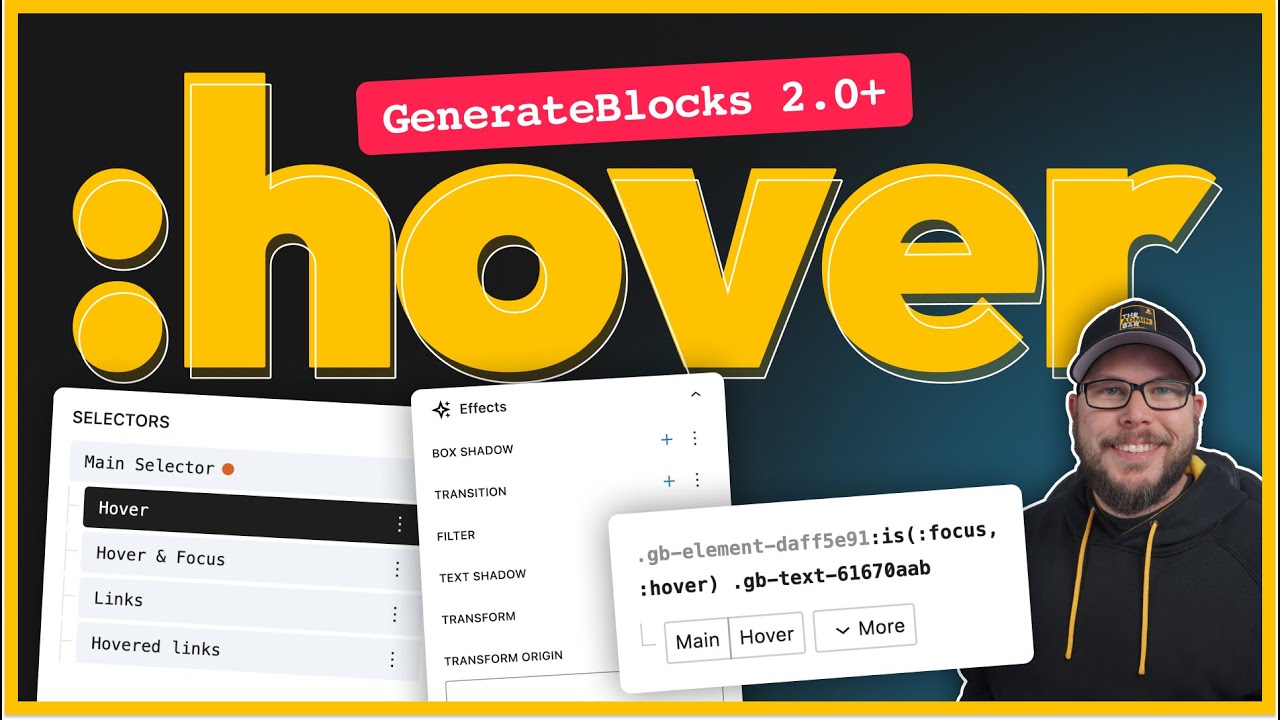
🔗 **Source:** [Mastering Hover Effects in GenerateBlocks](https://www.youtube.com/watch?v=d8ELYaQOUrA)
> [!note]+ Document Notes
> tags:
> - #generateblocks
> - #hovereffects
> - #webdesign
> Author: Simon Wheatley (video creator)
> Source: YouTube Video Transcript - Mastering Hover Effects in GenerateBlocks
> Reference: https://www.youtube.com/watch?v=d8ELYaQOUrA
> date created: 2025-06-11 19:50
>
> # Title: 🎨 Mastering Hover Effects in GenerateBlocks 2.0
>
<!-- deep-read:sections start -->
## Table of Contents:
- 📝 Summary
- 📖 Main Content
- 🗒️ Notes
- 📖 References
- 🗣️ Paraphrase
- 📰 Newsletter
- ✅ Action Items
- 🧪 Hypotheses
- 📊 Methodology
- ❓ Questions
- 🔮 Future Research
- 💡 Implications
- 🧠 Learning Styles Assessment
- 📊 Accessibility Assessment
- 🌍 DEIB Assessment
- ✅ Logical Validity
- 🔍 DARVO Analysis
- 🔍 SEO Evaluation
- 🎯 Conclusion
---
## 📝 Summary:
This tutorial video transcript explains how to create and master smooth, customizable hover effects using the new selectors panel in GenerateBlocks 2.0. It covers setting hover and focus selectors, applying background color changes, box shadows, movement transforms, and smooth CSS transitions for interactive UI elements like containers and cards.
---
## 📖 Main Content:
Simon Wheatley walks through practical examples showing how to utilize the updated GenerateBlocks 2.0 features to enhance web design interactivity. He begins with a simple background color change on hover, explains the use of the selector panel for targeting hover and focus states, and introduces transition properties to create smooth animations. The tutorial advances into more complex hover effects including box shadows and vertical transform movement. He demonstrates how to control transition durations independently for different properties and how to apply hover effects to child elements (like headlines) when hovering on parent containers. The tutorial emphasizes the near one-to-one mapping between GenerateBlocks controls and underlying CSS, empowering developers with granular control over styling.
---
### 🗒️ Notes
- **Initial Setup & Background Color Hover**
- GenerateBlocks 2.0 changes how hover states are applied: must use selector panel.
- Select container, set background color for normal and hover states separately.
- Hover selector includes `:hover` and `:hover:focus` for accessibility (keyboard navigation).
- Without transition, changes happen instantly on hover.
- **Adding Smooth Transitions**
- Add transition on main selector (not hover state) under effects panel.
- Configure duration (e.g., 350ms) and easing (`ease-in-out`) for smooth effect.
- **Box Shadow & Movement on Cards**
- Hover/focus selector applied to cards (especially links).
- Add box shadow on hover for subtle elevation effect.
- Adjust opacity/transparency to enhance visibility of shadows.
- Add transform effect: translateY to move card up by 5-10px on hover.
- **Transition Timing Control**
- Multiple transitions can be stacked with different durations.
- E.g., box shadow quick (0.25s), transform slower (1s or longer).
- Customize transition property explicitly (e.g., `box-shadow`, `transform`).
- **Targeting Child Elements on Parent Hover**
- Create compound selector using `:is(:hover, :focus)` and child class.
- Example: change headline color when parent card is hovered or focused.
- Add matching transitions to child elements for smooth color changes.
- **CSS Control & Encouragement**
- GenerateBlocks 2.0 maps directly to CSS properties.
- Encouraged to learn CSS to unlock full customization potential.
---
## 📖 References:
- GenerateBlocks Official Documentation
- CSS Transition and Transform References (MDN)
- YouTube Video: Mastering Hover Effects in GenerateBlocks https://www.youtube.com/watch?v=d8ELYaQOUrA
---
## 🗣️ Paraphrase:
**Original:**
“If you take your mouse and hover over the element you can see it changes the background color instantly but adding a transition effect will make that change smooth and visually appealing.”
**Paraphrased:**
Moving your mouse over the element causes an immediate background color shift, but implementing a transition smooths out this effect, enhancing the visual experience.
---
**Original:**
“To change the color of a headline inside the card when the card is hovered or focused, create a compound selector combining the hover and focus pseudo-classes, then target the headline class within it.”
**Paraphrased:**
You can make a headline’s color change when its parent card is hovered or focused by setting up a combined hover/focus selector that points specifically to the headline’s CSS class.
---
## 📰 Newsletter:
🎨 Want to elevate your WordPress design skills? The new GenerateBlocks 2.0 update gives you powerful control over hover effects — from smooth background color shifts to subtle shadows and movement. This tutorial breaks down how to use the selectors panel for hover and focus states, stack multiple transitions with precise timing, and even trigger child element animations on parent hover. Whether you're a CSS newbie or a pro, these tips will make your interactive UI pop! Dive into the full guide here: [Master Hover Effects](https://www.youtube.com/watch?v=d8ELYaQOUrA) 🚀✨
---
## ✅ Action Items:
- Incorporate GenerateBlocks 2.0 hover/focus selector tutorials into workshops for WordPress developers.
- Encourage CSS education alongside block editor use to empower contributors.
- Highlight accessibility best practices by including keyboard focus styling in examples.
- Advocate for community sharing of creative hover effects to inspire diverse UI improvements.
- Create teaching materials that connect visual styling with underlying CSS logic for transparency and sustainability in open-source projects.
---
## 🧪 Hypotheses:
- Mastery of GenerateBlocks 2.0 selectors panel increases developer productivity in styling interactive elements.
- Use of compound selectors combining hover and focus states improves accessibility compliance.
- Detailed control over CSS transitions enhances user engagement and satisfaction on WordPress sites.
---
### 📊 Methodology:
- Survey developers before and after training on GenerateBlocks 2.0 hover features regarding ease and confidence.
- Perform A/B testing on sites using basic hover vs. advanced hover/focus and transition setups measuring user interaction metrics.
- Analyze community forums and GitHub issues for feedback trends related to styling capabilities.
---
### ❓ Questions:
- How does granular control over hover transitions impact site performance and user experience?
- What are the common accessibility pitfalls developers face when implementing hover and focus styles?
- How can GenerateBlocks evolve to simplify complex CSS control while maintaining power?
---
### 🔮 Future Research:
- Exploration of user behavior changes with different hover animation speeds and effects.
- Accessibility impact assessments of hover and focus styling across device types and user groups.
- Development of UI/UX guidelines tailored for block-based editors incorporating advanced CSS features.
---
### 💡 Implications:
Improved understanding and adoption of hover/focus styling in block editors can raise the overall quality and inclusivity of WordPress sites. It encourages deeper CSS literacy, fostering a stronger developer community aligned with modern web standards.
---
### 🧠 Learning Styles Assessment:
- **Visual:** Present with clear sectioning but no images or diagrams; add visuals showing hover state changes and transition timing for clarity.
- **Aural:** No audio content; adding an audio summary or podcast episode would benefit auditory learners.
- **Verbal:** Rich with explanations and terminology; including more storytelling or real-world examples could boost engagement.
- **Physical:** Interactive demos or exercises for hands-on practice would enhance kinesthetic learning.
- **Logical:** Strong logical progression and CSS property mapping supports analytical learners well.
- **Social:** Encourages community sharing but lacks direct collaboration prompts; adding links to forums could help.
- **Solitary:** Offers reflection on CSS control mastery but could add journaling or self-assessment prompts.
- **Naturalistic:** No nature references; could use metaphors from natural phenomena (like smooth transitions mimicking natural flows).
---
### 📊 Accessibility Assessment:
- Good semantic structure; keyboard focus styling is demonstrated, supporting screen reader users.
- No alt text issues since it’s a text transcript; ensure any future visuals have alt text.
- Recommend testing keyboard navigation in demos and providing accessible code snippets.
- Font sizes and contrast appear sufficient; verify on various devices.
---
### 🌍 DEIB Assessment:
- Focuses on technical skill, little cultural or linguistic diversity discussed.
- Language is clear but somewhat technical; define jargon to support non-native speakers.
- Content structured with short paragraphs, helpful for neurodiverse users.
- Encourage adding diverse developer quotes or examples for broader representation.
- Psychological safety maintained through neutral, encouraging tone.
---
### ✅ Logical Validity:
- **Sound Deductive Reasoning:** Clear explanation how hover/focus selectors cause targeted style changes.
- **Strong Inductive Reasoning:** Demonstrates repeated examples reinforcing hover effect principles.
- **Logical Flow:** Stepwise build-up from simple to complex hover effects aids comprehension.
- No fallacies detected; tone is instructional and supportive.
---
### 🔍 DARVO Analysis:
- No signs of Deny, Attack, or Reverse Victim-Offender.
- Tone is collaborative, neutral, and educative.
---
### 🔍 SEO Evaluation:
- Keywords like “GenerateBlocks,” “hover effects,” “CSS transitions” appear naturally in title and content.
- Meta description absent in transcript form; would benefit from a concise summary including keywords.
- Headers not used in video transcripts; for web content, proper header tags would improve SEO.
- Content length appropriate for tutorial; links to official docs and video add authority.
- Mobile optimized via YouTube platform.
- Calls to action (subscribe, thumbs up) encourage engagement.
- No schema markup; adding tutorial or how-to schema on web pages would enhance search visibility.
- Social sharing buttons inherent to YouTube platform.
---
## 🎯 Conclusion:
The tutorial transcript offers a comprehensive walkthrough of using GenerateBlocks 2.0 to create refined hover effects with smooth transitions and accessibility in mind. Its structured approach demystifies CSS control for block editor users and invites further CSS learning to unlock full creative potential. Adopting these practices can significantly enhance interactive WordPress site design while fostering an inclusive, skilled community.
<!-- deep-read:sections end -->
[[3. Resources/Readwise/Full Document Contents/Articles/Mastering Hover Effects in GenerateBlocks|Full Document Contents]]
## Highlights
- the Generate Blocks 2.0 release has really changed the way some of the things inside the editor work one thing that I've seen people comment about struggling with is the way to achieve hover effects now if you're not super familiar with the way CSS works these changes might not be completely obvious but once you have your mind wrapped around it you'll see just how much more powerful the new system is compared to the old system so in today's video I thought we'd walk through a few different common hover effects and show you how to set these up using the new selectors panel inside Generate Blocks 2.0 0 and above if that sounds interesting to you then stick ([View Highlight](https://read.readwise.io/read/01jxgewdgrg5s965vn5z5jv2hf))