OpenClaw MasterClass | Create Your Own AI Agent
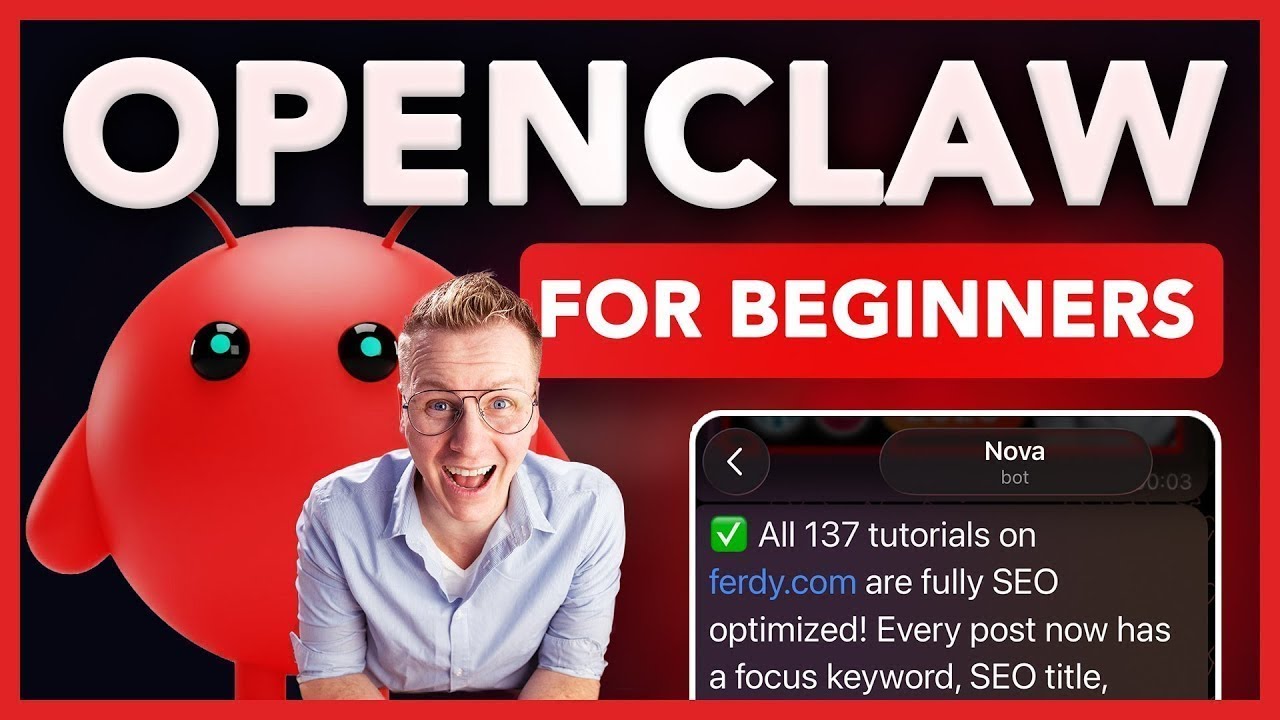
🔗 **Source:** [OpenClaw MasterClass | Create Your Own AI Agent](https://www.youtube.com/watch?v=Bbaf5uoYzhU)
> [!note]+ Document Notes
> tags: #ai-agents #automation #telegram #workflow-optimization #api-integration #devops
> author: Ferdy
> source: YouTube
> reference: https://www.youtube.com/watch?v=Bbaf5uoYzhU
> date created: 2024-12-19 16:00
>
> # 🏷️ Title: OpenClaw MasterClass | Create Your Own AI Agent
>
<!-- deep-read:sections start -->
## 🧰 Action Inbox
- [H1] Set up VPS hosting with Hostinger for 24/7 agent deployment — 07:45 #hosting
- [H1] Configure Anthropic API with proper spending limits to avoid overcharges — 12:30 #api-management
- [H2] Install security prompts to prevent infinite loops and reduce costs — 40:15 #security
- [H3] Connect Google Workspace skills for calendar and email automation — 54:20 #integration
## 🧭 Table of Contents
- [[#📝 Summary]]
- [[#📖 Main Content]]
- [[#🗒️ Notes]]
- [[#📚 References]]
- [[#🗣️ Paraphrase]]
- [[#📰 Newsletter]]
- [[#✅ Action Items]]
- [[#🧪 Hypotheses]]
- [[#📊 Methodology]]
- [[#❓ Questions]]
- [[#🔮 Future Research]]
- [[#💡 Implications]]
- [[#🧠 Learning Styles Assessment]]
- [[#📊 Accessibility Assessment]]
- [[#🌍 DEIB Assessment]]
- [[#✅ Logical Validity]]
- [[#🛡️ DARVO Analysis]]
- [[#🎯 Conclusion]]
### 🔗 References
- [OpenClaw Platform](https://openclaw.com)
- [Hostinger VPS](https://www.hostinger.com/vps-hosting)
- [Anthropic Console](https://console.anthropic.com)
- [ClawHub Skills Repository](https://clawhub.com)
## 📝 Summary
- Comprehensive tutorial on setting up OpenClaw, an AI agent platform that works 24/7 automatically
- Covers VPS deployment, Telegram integration, Google Workspace connections, and automated workflows
- Demonstrates practical use cases like weather notifications, YouTube analytics, and website content generation
- Shows cost optimization strategies and security configurations to prevent runaway expenses
- Bottom line: OpenClaw transforms reactive AI chat into proactive AI assistance that works continuously
## 📖 Main Content
OpenClaw represents a paradigm shift from traditional AI tools like ChatGPT. While most AI tools require users to initiate conversations and ask questions, OpenClaw creates autonomous agents that can send proactive notifications, perform scheduled tasks, and integrate with multiple services simultaneously.
The platform operates through three deployment options: local computer (limited by uptime), Mac Mini (requires hardware investment), or Virtual Private Server (recommended for 24/7 operation at low cost). The VPS approach through Hostinger provides reliable hosting for a few dollars monthly.
Integration capabilities span messaging platforms (Telegram, WhatsApp), productivity tools (Google Workspace, calendars, email), content creation services (ElevenLabs, Hey Gen), and custom workflows. The system supports "cron jobs" - scheduled automated tasks that deliver information or perform actions at specified times.
Security considerations are paramount, including API spending limits, infinite loop prevention, and access controls. The tutorial emphasizes starting with conservative budgets and implementing safeguards before expanding capabilities.
## 🗒️ Notes
#### ⏱️ [00:00](https://youtu.be/Bbaf5uoYzhU?t=0) — [H1] Introduction to OpenClaw capabilities
- Key idea: OpenClaw creates proactive AI agents that work 24/7 without user initiation
- Evidence: "You can set up an AI agent that works for you seven days per week, 24 hours per day"
#### ⏱️ [02:15](https://youtu.be/Bbaf5uoYzhU?t=135) — [H1] Demonstration of automated SEO optimization
- Key idea: Agent can automatically optimize 137 website tutorials for search engines
- Evidence: "20 minutes later, all 137 tutorials are fully SEO optimized"
#### ⏱️ [04:30](https://youtu.be/Bbaf5uoYzhU?t=270) — [H2] Three deployment options for OpenClaw
- Key idea: VPS deployment recommended for 24/7 operation and security
- Evidence: "Virtual private server, a VPS. It's a super fast computer turned on 24/7 and only cost a few dollars per month"
#### ⏱️ [07:45](https://youtu.be/Bbaf5uoYzhU?t=465) — [H1] Setting up Hostinger VPS with special OpenClaw integration
- Key idea: Hostinger offers streamlined OpenClaw setup with special pricing
- Evidence: "They have a special deal with Open Claw users which makes it super easy to set up"
#### ⏱️ [12:30](https://youtu.be/Bbaf5uoYzhU?t=750) — [H1] Configuring Anthropic API with spending limits
- Key idea: Set conservative spending limits to avoid surprise charges
- Evidence: "If you only add $5 in credits, you get 30,000 tokens per minute. But if you add at least $40, you are on 250,000 tokens per minute"
#### ⏱️ [18:20](https://youtu.be/Bbaf5uoYzhU?t=1100) — [H2] Initial agent configuration and personality setup
- Key idea: Thorough initial configuration improves long-term agent performance
- Evidence: "The more thoroughly you do that, the better it works in the long run"
#### ⏱️ [25:40](https://youtu.be/Bbaf5uoYzhU?t=1540) — [H2] Telegram integration process
- Key idea: Telegram provides more straightforward integration than WhatsApp
- Evidence: "I prefer telegram. I tried WhatsApp and telegram. Telegram is more straightforward"
#### ⏱️ [34:15](https://youtu.be/Bbaf5uoYzhU?t=2055) — [H1] Implementing cron jobs for automated notifications
- Key idea: Schedule regular information delivery without manual requests
- Evidence: "Every morning at 5:00 a.m... I see the message and I know which clothes to put on"
#### ⏱️ [40:15](https://youtu.be/Bbaf5uoYzhU?t=2415) — [H1] Security configuration to prevent infinite loops
- Key idea: Implement safeguards to stop repeated failed attempts
- Evidence: "After three times stop immediately... make sure that we don't lose credits in a loop"
#### ⏱️ [43:30](https://youtu.be/Bbaf5uoYzhU?t=2610) — [H2] Cost optimization with model selection
- Key idea: Use cheaper models for routine tasks to reduce expenses
- Evidence: "The crown jobs will be optimized. The weather will be 15 times cheaper from now on"
#### ⏱️ [47:00](https://youtu.be/Bbaf5uoYzhU?t=2820) — [H1] Introduction to Skills marketplace
- Key idea: ClawHub provides pre-built integrations for various services
- Evidence: "You can link your open claw account with 11laps, with hey genen, with YouTube, with Google Sheets"
#### ⏱️ [54:20](https://youtu.be/Bbaf5uoYzhU?t=3260) — [H1] Google Workspace integration setup
- Key idea: Connect calendar, Gmail, Sheets for comprehensive productivity automation
- Evidence: "Your Google account is now linked with all Gmail, Calendar, Drive, Contacts, Sheets, Docs"
#### ⏱️ [1:15:30](https://youtu.be/Bbaf5uoYzhU?t=4530) — [H2] Automated content creation demonstration
- Key idea: Agent can generate and publish multiple knowledge base articles
- Evidence: "45 knowledge pages in your style... 17 minutes later it is all created"
#### ⏱️ [1:25:45](https://youtu.be/Bbaf5uoYzhU?t=5145) — [H3] VPS maintenance and backup procedures
- Key idea: Proper server management ensures reliable agent operation
- Evidence: "You can restore a backup by going to backups and monitoring"
## 📚 References
- [OpenClaw Official Platform](https://openclaw.com)
- [Hostinger VPS Hosting](https://www.hostinger.com/vps-hosting)
- [Anthropic Claude API](https://console.anthropic.com)
- [ClawHub Skills Marketplace](https://clawhub.com)
- [Ferdy's Tutorial Resources](https://ferdy.com/openclaw)
## 🗣️ Paraphrase
- OpenClaw transforms passive AI tools into proactive assistants that work continuously without user prompts
- The platform integrates with multiple services through a skills marketplace, enabling complex automation workflows
- VPS deployment provides reliable 24/7 operation while maintaining security and cost control through proper configuration
## 📰 Newsletter
**Revolutionary AI Agent Platform Enables 24/7 Automation**
OpenClaw is transforming how we think about AI assistance by creating autonomous agents that work proactively rather than reactively. Unlike traditional AI chat tools, OpenClaw agents can send scheduled notifications, automate workflows, and integrate with dozens of services - all while you sleep.
**Key Benefits:**
- Automated content creation and SEO optimization
- Scheduled weather, traffic, and trending topic notifications
- Deep integration with Google Workspace, social platforms, and productivity tools
- Cost-effective VPS deployment for continuous operation
**Getting Started:** The tutorial covers complete setup from VPS hosting to Telegram integration, with emphasis on security and cost controls. Special Hostinger integration makes deployment straightforward for non-developers.
**WordPress Applications:** Particularly powerful for content creators and website managers who can automate SEO optimization, content generation, and social media monitoring.
Resources: [OpenClaw Platform](https://openclaw.com), [Setup Tutorial](https://ferdy.com/openclaw), [Skills Marketplace](https://clawhub.com)
## ✅ Action Items
#### DevRel
- Developer education: Create OpenClaw integration workshops for developer communities
- Documentation: Develop best practices guides for agent security and cost management
- Developer experience: Build SDKs for common WordPress/web development workflows
- Community engagement: Establish OpenClaw user groups for sharing automation patterns
#### OSPO
- License compliance: Review OpenClaw skills marketplace for open source dependencies
- Security management: Establish guidelines for AI agent access to organizational resources
- Policy development: Create governance frameworks for autonomous agent deployment
- Strategic alignment: Evaluate AI agent platforms for developer productivity improvements
#### Community
- Maintainers: Develop agent templates for common open source project management tasks
- Contributors: Create onboarding agents that guide new contributors through project setup
- Ecosystem: Coordinate agent sharing between related projects and communities
#### WordPress
- Core: Evaluate AI agent integration opportunities for automated testing and optimization
- Documentation: Create agents that can automatically update documentation based on code changes
- Support: Develop automated response systems for common support queries
- Community: Build agents for WordCamp and meetup coordination and content creation
#### The WPCC
- Programs: Deploy agents for fellowship program coordination and communication
- Projects: Create automated progress tracking and reporting for funded initiatives
- Funding: Implement agents for grant application processing and milestone monitoring
## 🧪 Hypotheses
- AI agents will significantly reduce manual overhead in community management and content creation
- Proactive notification systems will improve developer productivity compared to reactive information retrieval
- Cost-effective VPS deployment makes enterprise-grade automation accessible to individual developers
- Integration marketplace models will accelerate AI agent adoption across diverse use cases
### 📊 Methodology
- Pilot OpenClaw deployment with specific community management tasks over 30-day period
- Measure time savings and task completion rates compared to manual processes
- Survey user satisfaction with proactive vs reactive AI assistance patterns
- Analyze cost efficiency across different deployment and usage patterns
### ❓ Questions
- How can AI agents be designed to respect user boundaries while providing proactive assistance?
- What governance frameworks are needed for autonomous agents operating in community spaces?
- How might AI agent networks collaborate to handle complex multi-step workflows?
### 🔮 Future Research
- Multi-agent coordination patterns for complex organizational workflows
- Privacy-preserving approaches to AI agent integration with sensitive business systems
- Standardization efforts for AI agent skill sharing and interoperability
### 💡 Implications
- Practice: Transforms reactive support and management into proactive automation
- Policy: Requires new frameworks for autonomous system access and decision-making
- Security: Introduces new attack vectors through agent integrations and API access
- Education: Shifts focus from tool operation to workflow design and agent management
- Funding: Enables more efficient resource allocation through automated administrative tasks
### 🧠 Learning Styles Assessment
Reading level estimate: 9th Grade (Flesch-Kincaid)
#### 👀 Visual learners
- Present: Extensive screenshots and interface demonstrations throughout tutorial
- Improve: System architecture diagrams showing agent interaction flows
#### 🔊 Aural learners
- Present: Video format with clear narration and step-by-step explanations
- Improve: Audio-only version highlighting key configuration steps
#### 🗣️ Verbal learners
- Present: Detailed explanations of concepts and clear definitions of technical terms
- Improve: Glossary of AI agent terminology and concept analogies
#### 🧩 Kinesthetic learners
- Present: Hands-on tutorial with immediate practical implementation
- Improve: Downloadable configuration templates and checklists
#### 🧠 Logical learners
- Present: Structured step-by-step process with clear cause-and-effect relationships
- Improve: Decision trees for choosing deployment options and integration patterns
#### 🧑🤝🧑 Social learners
- Present: Community examples and collaboration use cases
- Improve: Discussion forum integration and peer learning opportunities
#### 🧘♀️ Solitary learners
- Present: Self-paced tutorial with individual implementation focus
- Improve: Progress tracking and self-assessment checkpoints
#### 🌿 Naturalistic learners
- Present: Automation concepts related to natural workflow patterns
- Improve: Ecosystem thinking about agent interactions and environmental impacts
### 📊 Accessibility Assessment
#### Screen reader semantics
- Present: Video content with clear narration describing visual elements
- Improve: Detailed alt text for screenshots and interface descriptions
#### Keyboard navigation
- Present: Focus on text-based configuration and command interfaces
- Improve: Keyboard shortcuts documentation for common agent management tasks
#### Contrast and readability
- Present: Clear interface demonstrations with readable text
- Improve: High contrast mode recommendations for dashboard interfaces
#### Text resizing and reflow
- Present: Web-based interfaces generally support responsive design
- Improve: Mobile-optimized agent management interfaces
#### Media and captions
- Present: Video tutorial with clear spoken instructions
- Improve: Closed captions and transcript availability for all demonstrations
#### Forms and interactions
- Present: Step-by-step form completion guidance
- Improve: Form validation feedback and error prevention patterns
### 🌍 DEIB Assessment
#### Cultural breadth
- Present: Global deployment options and multi-timezone considerations
- Improve: Examples from diverse geographic regions and use cases
#### Inclusive language
- Present: Gender-neutral agent naming and role descriptions
- Improve: Avoid assumptions about technical background or resources
#### Neurodiversity support
- Present: Structured, step-by-step presentation with clear progression
- Improve: Multiple learning pace options and processing time considerations
#### Representation
- Present: Diverse use case examples beyond typical tech scenarios
- Improve: Varied demographic representation in example scenarios
#### Psychological safety
- Present: Emphasis on security measures and cost controls
- Improve: Clear warnings about potential risks and mitigation strategies
### ✅ Logical Validity
#### Strong reasoning
- Deductive strength: Clear logical progression from problem identification to solution implementation
- Inductive strength: Multiple specific examples building to general principles about AI agent benefits
- Causal reasoning: Demonstrates clear cause-effect relationships between configuration steps and outcomes
- Analogical strength: Effective comparison between reactive AI tools and proactive agent systems
#### Fallacies
- Appeal to novelty: Some emphasis on "trending" technology without addressing limitations
- Hasty generalization: Limited discussion of scenarios where AI agents might not be appropriate
- Cost-benefit analysis: Could better address total cost of ownership including learning curve
#### Tone of voice
- Overall tone: Enthusiastic and instructional with practical focus on implementation
### 🛡️ DARVO Analysis
- Deny: No denial patterns observed
- Attack: No attacks on critics or alternative approaches
- Reverse victim/offender: No victim/offender reversal present
- Emotional cues: Enthusiasm for
---
## Full Transcript
[00:00] Imagine getting a message every morning<br>[00:01] with the top trending topics of your<br>[00:03] niche without even asking for it or<br>[00:05] getting all your emails answered<br>[00:06] automatically or your entire website SEO<br>[00:09] optimized with one single message.<br>[00:11] That's the power of Open Claw and by the<br>[00:13] end of this video you have an AI agent<br>[00:15] running 24/7 connected with WhatsApp or<br>[00:17] Telegram loaded with skills and working<br>[00:19] for you even while you are asleep. So<br>[00:22] before we dive in, let me explain to you<br>[00:23] what OpenClaw is. Most AI tools work<br>[00:26] like this. You go to the app, you ask<br>[00:27] your question and you get an answer.<br>[00:29] That's it. You always have to initiate.<br>[00:31] You always have to ask. Open Claw flips<br>[00:33] that around. With Open Claw, you can set<br>[00:35] up an AI agent that works for you seven<br>[00:36] days per week, 24 hours per day. I just<br>[00:39] received a message from my agent telling<br>[00:40] me that this video is performing really<br>[00:42] well. It's explained to me why it's<br>[00:43] performing well. And it asked me there<br>[00:45] are also 23 unanswered comments in this<br>[00:47] video. Want me to reply to them for you?<br>[00:49] So, if I say yes, it says here are the<br>[00:52] replies I posted on your behalf. Let me<br>[00:54] show you what else you can do. Over here<br>[00:55] at fur.com, I have 137 tutorials. Most<br>[00:59] of them are not optimized for the search<br>[01:00] engines. So if I click over here, I see<br>[01:02] I need to make a lot of improvements. I<br>[01:04] started doing this manually, but it took<br>[01:06] me a long time. So let me show what I<br>[01:07] can do now. I can go to Telegram to<br>[01:09] Nova, my AAI agent. And I say this, hey<br>[01:12] Nova, go to furry.com and optimize all<br>[01:14] my tutorials for the search engines.<br>[01:18] And then 20 minutes later, all 137<br>[01:20] tutorials are fully SEO optimized. So I<br>[01:22] go to the website, I close this, I<br>[01:24] refresh the page.<br>[01:27] Now they're all optimized. So if I click<br>[01:30] on optimized,<br>[01:32] I see now everything is checked for<br>[01:35] every single tutorial. That's the power<br>[01:38] of open claw. Chat GPT is a conversation<br>[01:41] tool. Open claw is an employee. You can<br>[01:44] connect it to your email, your calendar,<br>[01:46] your website, YouTube, Slack, Discord,<br>[01:48] Google Sheets, whatever you have in<br>[01:50] mind. And then you can operate all those<br>[01:52] tools from within Telegram or WhatsApp.<br>[01:54] And the great thing is you don't need to<br>[01:55] be a developer. You don't need to write<br>[01:57] any code. You just need to know what you<br>[01:59] want and then Open Claw can figure out<br>[02:01] how to do it. So, in this tutorial, I'll<br>[02:03] show you step by step how to activate an<br>[02:04] OpenClaw account, create an agent, and<br>[02:06] make it work for you. So, you can save<br>[02:08] yourself a lot of time, a lot of money,<br>[02:10] and make your life easier and more fun.<br>[02:12] In the description of this tutorial, I<br>[02:14] have timestamps. So, if you want to go<br>[02:15] to a specific part in the tutorial, you<br>[02:17] can click on the timestamp and you go<br>[02:19] directly to that part of the tutorial.<br>[02:21] When I go too fast for you, you can go<br>[02:23] to the settings here at YouTube, go to<br>[02:25] playback speed, and slow down the speed<br>[02:27] of the tutorial. And if you want to go<br>[02:29] back a few seconds in the video, just<br>[02:31] hit the left arrow on your keyboard, and<br>[02:32] you will go back 5 seconds in the video.<br>[02:34] And now, if you want to, you can go to<br>[02:36] the YouTube settings and change the<br>[02:37] audio track to a different language.<br>[02:41] So, let's get started. So, there are<br>[02:44] three ways to run OpenClaw. The first<br>[02:47] one is on your own computer. It works as<br>[02:49] long as your computer is turned on. The<br>[02:50] only thing is that Omlaw has access to<br>[02:52] all your files. So for safety reasons, I<br>[02:54] prefer not to go this route. The second<br>[02:57] option is to use a Mac Mini. As long as<br>[02:59] it turns on, it works. The only thing it<br>[03:01] cost some time to set it up and it cost<br>[03:03] a few hundred to purchase the Mac Mini.<br>[03:05] So that brings me to the third option,<br>[03:07] and that's a virtual private server, a<br>[03:09] VPS. It's a super fastile computer<br>[03:11] turned on 24/7 and only cost a few<br>[03:13] dollars per month. So in this tutorial,<br>[03:15] I will show you how to get a VPS through<br>[03:17] Hostinger. Why Hostinger? Well, they<br>[03:19] have a special deal with Open Claw users<br>[03:21] which makes it super easy to set up<br>[03:23] OpenClaw on your brand new VPS. So, as I<br>[03:25] said before, I don't want to skip any<br>[03:27] steps. So, let me show you how to set up<br>[03:28] your own VPS. So, in order to get<br>[03:31] started, we go to furry.com/vps.<br>[03:36] Hit enter. You can also go to the link<br>[03:38] in the description or in the first<br>[03:39] comment. And then you will go to this<br>[03:41] page. Then we go to services VPS<br>[03:45] hosting. Then we click on claim deal.<br>[03:50] Then we see four plans. The most popular<br>[03:52] one is KVM2 with two CPU cores. But with<br>[03:55] what we are going to do in this<br>[03:56] tutorial, KVM one is more than enough.<br>[03:59] So I click on choose plan.<br>[04:02] Then I can give you 10% extra discount<br>[04:04] by going to coupon code, fill in 30,<br>[04:08] click on apply.<br>[04:10] There you go. You can get started with<br>[04:12] 24 months. You can also get started with<br>[04:14] 12 months. That's what I'm going to do.<br>[04:15] Then if I scroll down, there are daily<br>[04:17] auto backups. I highly suggest you do<br>[04:19] this. If somehow something goes wrong,<br>[04:21] you can restore a backup from the day<br>[04:22] before or the day before that. So I turn<br>[04:25] that on. Choose a server location. By<br>[04:27] default, it chooses the closest one. So<br>[04:29] I leave this for what it is. And we'll<br>[04:31] leave this also for what it is. So I<br>[04:33] click on continue.<br>[04:35] Then I need to register. So I will go<br>[04:37] for Nova at 30.com. Why? Because I'm<br>[04:40] going to call my AI agent Nova. I'm<br>[04:42] going to create a password. And then I<br>[04:43] click on register.<br>[04:46] Then I need to fill in my billing<br>[04:47] details. So let me fill those in. Then I<br>[04:50] click on continue. And then there's the<br>[04:52] payment method. I can pay with credit<br>[04:54] card, with PayPal, Google Pay, Apple<br>[04:56] Pay. I will go with credit card. So I'll<br>[04:57] fill in my details over here. And then I<br>[04:59] click on submit payment.<br>[05:04] It says your payment is done.<br>[05:05] Congratulations. Let's go. I click on<br>[05:08] get started.<br>[05:10] So what we have now is a VPS server, a<br>[05:13] virtual privacy server using Hostinger.<br>[05:16] What we need to do now, we need to make<br>[05:17] sure that OpenClaw is running on our<br>[05:19] virtual privacy server. In order to do<br>[05:22] that, I will show you how to do that<br>[05:23] with Entropic. So we need to get an<br>[05:26] Entropic API key and we can get that by<br>[05:28] going to console.entropic.com.<br>[05:31] And if we copy that, paste over here,<br>[05:34] hit enter. Now I need to sign up at a<br>[05:35] cloud platform. So I will use the same<br>[05:37] email address
[email protected].<br>[05:41] I click on continue with email. You can<br>[05:43] also log in with Google. I click on<br>[05:45] continue with email. I need to verify my<br>[05:47] email address. So over here secure link.<br>[05:52] I click on sign in to cloud console.<br>[05:55] There I go. I fill in my full name. What<br>[05:57] shall we call you? How about 30?<br>[06:00] And I click on continue.<br>[06:03] What type of account sounds right? I see<br>[06:05] myself as an individual. So I say<br>[06:07] individual. If it's for your company,<br>[06:08] you can do the other one. So we have a<br>[06:10] VPS running. We're going to connect it.<br>[06:12] And what we need to do now in order to<br>[06:13] use open claw, we're going to make use<br>[06:15] of credits. So we need to buy credits.<br>[06:17] We can do that by clicking here. And you<br>[06:19] need to start with at least $5. But what<br>[06:22] I suggest you do, go with at least $40.<br>[06:25] Why? If you only add $5 in credits, you<br>[06:27] are entire one, which gives you $30,000<br>[06:29] tokens per minute. But if you add at<br>[06:31] least $40, you are on 250,000 tokens per<br>[06:35] minute. When you're running heavier<br>[06:37] tasks, it's better to have 250,000<br>[06:39] tokens because if you're setting<br>[06:40] everything up and you run out of those<br>[06:42] 30,000 tokens per minute, the whole<br>[06:44] process stops. You don't want that. So,<br>[06:46] I will go for $50 because I like round<br>[06:49] numbers. So, I say over here 50. I need<br>[06:52] to fill in some details over here. And<br>[06:54] then I click on buy $50 of credits.<br>[06:58] It says you're in prompt in the cloud<br>[07:00] console or use the API. So I close this<br>[07:04] and now I have $50 in credits. Well,<br>[07:06] what I want to do, I want to scroll down<br>[07:08] to limits and over here I want to scroll<br>[07:10] down and I want to limit my monthly<br>[07:14] limits to $50. So not $500 but 50. Set<br>[07:19] limit. So after $50 I get a message like<br>[07:21] you run out of credit. So in that way I<br>[07:23] don't get a surprise like you already<br>[07:25] spent $300 in credits. So $50 for me is<br>[07:28] right now the best thing. Then I want to<br>[07:31] go to billing. And what I can do, I can<br>[07:33] enable cloud to add new credits from my<br>[07:36] credit card as soon as I run out on<br>[07:38] credits. Right now that is disabled. If<br>[07:42] you want to enable that, click over<br>[07:43] here, turn it on, and say when your<br>[07:45] account reaches $5, then add another 50.<br>[07:49] Only if you want to do that. Right now,<br>[07:51] I want to start with $50. So I turn this<br>[07:54] off. I cancel this. So after I spend my<br>[07:56] $50 in credits, nothing will happen. I<br>[07:59] don't get any surprise. So that's what I<br>[08:01] want to tell you before you see that<br>[08:02] you're spending hundreds of dollars. So<br>[08:03] in that way, you're safe. You're only<br>[08:05] using the amount, in my case, $50. And<br>[08:08] after that, nothing will happen. So<br>[08:11] since I've set this up with credits on<br>[08:13] our account, I go to API keys here at<br>[08:15] manage API keys, and I click on create a<br>[08:20] key. My workspace, I leave at default.<br>[08:22] And I can give it a secret key. And I<br>[08:24] call this one open glob. Then I click on<br>[08:28] add. Look at this. Here is my API key. I<br>[08:32] copy the key. And now I go to hostinger<br>[08:34] again and I paste it over here.<br>[08:38] Then I scroll down and I click on<br>[08:41] deploy.<br>[08:44] I skip this.<br>[08:47] Skip. So it says your project is being<br>[08:50] deployed. This can take a minute. So I<br>[08:52] will be back with you while it is<br>[08:53] deployed and tell you how long it took.<br>[08:56] So after a two week vacation I am back.<br>[08:58] No just kidding. It took less than 1<br>[09:00] minute to start running. So if you're<br>[09:03] here at Hostinger again after a few days<br>[09:05] and you're at the homepage, how can you<br>[09:07] go to your VPS server? Click on VPS.<br>[09:10] Then over here go to manage and there<br>[09:13] you are. What you need to do now? Here<br>[09:15] is your gateway token. Click on it and<br>[09:17] it will be copied. And now you can open<br>[09:20] claw by clicking here. Now you need to<br>[09:23] fill in the openclaw gateway token which<br>[09:25] we just copied and then I click on<br>[09:27] login. Ladies and gentlemen, here we are<br>[09:31] at open claw for the first time. So the<br>[09:34] first thing I want to tell you is that<br>[09:36] you can make the interface dark. So you<br>[09:39] can make it light or dark and do<br>[09:41] whatever the computer is doing. Well, I<br>[09:42] prefer it to be dark.<br>[09:47] So the first thing we need to do, we<br>[09:50] need to get this conversation going. So<br>[09:52] what I'm going to say is hello. Hit<br>[09:56] enter. And that starts the whole<br>[09:58] process.<br>[10:00] Hey, I just came online. Looks like this<br>[10:02] is our first conversation. I've got a<br>[10:04] fresh workspace and no memories yet. So<br>[10:06] let's fix that. Who are you? And more<br>[10:08] importantly, who am I? Got a name in<br>[10:10] mind for me or should we figure it out<br>[10:11] together? Well, I have a name in mind.<br>[10:14] My name is Freddie. I am Ferdie.<br>[10:18] You are Nova.<br>[10:21] Hit enter.<br>[10:24] Nice to meet you, Ferd. Nova, it is. I<br>[10:25] like it. A few more things to nail down<br>[10:28] so I can set myself up properly. So,<br>[10:30] what we need to do now, we need to<br>[10:31] answer a few questions. The more<br>[10:33] thoroughly you do that, the better it<br>[10:35] works in the long run. So, what should I<br>[10:37] call you? Just F or something else? What<br>[10:39] time zone are you in? What's my vibe? Am<br>[10:41] I keeping it casual and warm, sharp,<br>[10:43] efficient, a little snarky, some mix?<br>[10:45] What feels right to you? My emoji. I'm<br>[10:48] learning to word star or star given the<br>[10:50] name, but you pick if you have your own<br>[10:53] preference and anything else you want me<br>[10:55] to know about you or how you want this<br>[10:57] to work. So, what I'm going to do, I'm<br>[10:59] going to write a text answering these<br>[11:01] questions and telling her her it, he how<br>[11:05] I like her, let's say her to talk with<br>[11:07] me. So, I will say never flirt with me.<br>[11:10] I don't want to end up in a story like<br>[11:12] the film her I can say be friendly and<br>[11:14] if you explain something to me always<br>[11:17] explain it in a really simple way. So if<br>[11:19] I ask something I don't understand like<br>[11:20] how does it work with this or that I get<br>[11:22] a easy to follow answer and not a<br>[11:24] complicated one. So let me fill this in<br>[11:26] and if you want to you can copy this<br>[11:28] what I answered and you can get it from<br>[11:30] my website. I'll show you in a minute<br>[11:31] where you can get it. So let me type<br>[11:34] this. So, I answer the question over<br>[11:36] here, but I asked JMT to make it more<br>[11:39] in-depth. If you want to follow along<br>[11:40] with the same script or the same text,<br>[11:42] you can go to furry.com,<br>[11:44] hit enter, then search over here for<br>[11:48] open claw. Go to the open claw tutorial.<br>[11:52] This is the tutorial you're watching<br>[11:53] right now. And then my answer to the<br>[11:56] four questions for is perfect. Of<br>[11:57] course, you should change the name and<br>[12:00] the Amsterdam time zone. Besides that,<br>[12:03] of course, yeah, I asked it to make help<br>[12:06] me to think bigger, move faster,<br>[12:09] simplify complex things, and that I'm<br>[12:11] talk a bit about myself that I'm uh<br>[12:13] creating content and stuff. So, uh you<br>[12:16] can get some inspiration from this or<br>[12:18] copy and paste it.<br>[12:20] Do whatever you want to do. It's your<br>[12:22] life as long as not weird stuff. You<br>[12:25] know what? Let's stick to the script. I<br>[12:28] don't have a script, but um I filled<br>[12:31] this in. So that's my answer. So it's<br>[12:34] creating a few files identity user and<br>[12:37] soul. It even has a soul. How cool is<br>[12:39] that? So the next step we can link<br>[12:43] openclaw nova my my person to WhatsApp,<br>[12:48] telegram or web chat. I prefer telegram.<br>[12:51] I tried WhatsApp and telegram. Telegram<br>[12:53] is more straightforward. I don't use<br>[12:54] telegram but for Nova I will start to<br>[12:56] use it. So I will have contact with Nova<br>[13:00] through Telegram. So what I will do, I<br>[13:02] will grab my phone. So first I say I<br>[13:06] will use Telegram. Nice choice. Let me<br>[13:09] walk you through it. I will go to my<br>[13:12] phone to the app store. So I click on<br>[13:14] Telegram Messenger. I download it. I<br>[13:16] open it. Start messaging. I need to fill<br>[13:20] in my number.<br>[13:22] Allow to send notifications.<br>[13:25] Allow to use Siri. Awesome. Okay. The<br>[13:28] next thing I can do through my phone or<br>[13:31] through the computer. I will do it<br>[13:32] through the computer. So I will stop the<br>[13:34] recording here. Now I will go to the app<br>[13:37] store over here. Also search for<br>[13:39] Telegram.<br>[13:41] Download it. I open it. So I grab my<br>[13:44] phone. I go to Telegram settings.<br>[13:48] Devices link desktop device. Allow to<br>[13:51] make a picture. There it goes. So over<br>[13:54] here I search for the bot father. I open<br>[13:59] the conversation<br>[14:00] lounge. Then I create a new bot. The bot<br>[14:05] name is Nova and the username is Nova<br>[14:10] 30 bot<br>[14:13] is available. I click on create bot. I<br>[14:16] copy the token over here which is<br>[14:18] beautifully displayed. Copy it. Then I<br>[14:21] paste it here.<br>[14:23] And sometimes this happens. What you<br>[14:26] need to do then is click on connect<br>[14:28] again<br>[14:30] or<br>[14:32] you go over here,<br>[14:35] copy the gateway token, click on open<br>[14:37] claw, paste it and click on login.<br>[14:40] And there it is again. It says open<br>[14:42] telegram. Find your bot. So I will close<br>[14:45] this. Now I need to go to the bot<br>[14:47] father. And then over here I see choose<br>[14:49] a bot from the list below. Nova 30. What<br>[14:53] do you want to do with the bot? Oh, let<br>[14:55] me click on it. And now I'm in a<br>[14:58] conversation with Nova. What I need to<br>[15:00] do? So, I open this. I click on start.<br>[15:04] Okay. I get the pairing code. You know<br>[15:06] what? I will copy everything. Open<br>[15:08] clause smart. I just paste it over here<br>[15:11] and hit enter. So, it gives me an<br>[15:14] overview what we've done. We've created<br>[15:15] Nova. I'm 30. We connected Telegram. The<br>[15:19] first entry is locked. personality is<br>[15:22] locked in. So now I can type with Nova.<br>[15:24] Over here's Nova. So I can say, "Hey<br>[15:26] Nova, what is the weather in Amsterdam<br>[15:31] today?" Nova's typing.<br>[15:37] And there it is. Cloudy, 10° Celsius.<br>[15:40] The wind, humidity, typical Marine, not<br>[15:43] bad, but maybe grab a jacket if you're<br>[15:44] heading out. So now there's my personal<br>[15:47] assistant, Nova. So far so good. But<br>[15:50] really important aspect, we need to make<br>[15:52] OblClaw more secure. So what I've done,<br>[15:55] if you go to ferie.com and search for<br>[15:57] openclaw tutorial, you go over here, I<br>[16:00] had this already for you, but below that<br>[16:02] there's a security prompt one. You need<br>[16:06] to copy this.<br>[16:11] Copy. Go to open claw and then paste it<br>[16:14] over here. Hit enter.<br>[16:17] This could take a few minutes and that<br>[16:20] will make everything more secure which<br>[16:21] is really important. Awesome. So<br>[16:24] everything is a lot safer now. One more<br>[16:27] thing open call at Freddy.com. Security<br>[16:31] prompt 2 is about when Nova tries things<br>[16:34] and they don't work out. Don't keep<br>[16:35] repeating them over and over again.<br>[16:37] There are stories that there are people<br>[16:39] that have tried things over and over<br>[16:41] again and it did not work and then there<br>[16:42] were hundreds of dollars in prompt<br>[16:45] costs. So I say after three times stop<br>[16:48] immediately. So you can copy this<br>[16:53] and go to open claw paste it hit enter.<br>[16:58] So now when nova tries to do things and<br>[17:00] it's not working it will stop after<br>[17:02] three times and in that way make sure<br>[17:04] that we don't lose credits in a loop. I<br>[17:07] say we are good. Nova and I you know we<br>[17:11] are good as long as she's not flirting<br>[17:14] with me. So now our overclaw account is<br>[17:16] secured. It's configured with telegram.<br>[17:19] So I can go to my phone and chat with<br>[17:21] Nova. That brings me to the following.<br>[17:22] We can ask Nova in my case Nova your<br>[17:25] agent to send you push notifications. So<br>[17:27] normally with JPT you're just chatting<br>[17:28] with it and when you give it some input<br>[17:31] there will be a response. But with open<br>[17:32] claw you can ask for information on<br>[17:35] certain times. That's called a chron<br>[17:37] job. But before we take a look at that<br>[17:38] look at this over here. I can change the<br>[17:40] look and feel. So I can make it dark or<br>[17:43] light or based on the system. I go for<br>[17:45] dark<br>[17:47] and close this. I can go to Nova. I can<br>[17:49] also send a text message based on what I<br>[17:52] record. So I say something and then the<br>[17:54] text will be written and I get a<br>[17:56] response from Nova. So let's talk about<br>[17:58] the Quran jobs. I'm a YouTuber. I want<br>[17:59] to make tutorials about relevant tools.<br>[18:01] So right now Oplaw is really relevant.<br>[18:03] So what I can say, give me an update on<br>[18:07] the top five videos about open claw<br>[18:13] based on the amount of views of the last<br>[18:18] day. Both for existing videos as for new<br>[18:26] videos from the last 24 hours. So, I<br>[18:31] would like to get two times a top five.<br>[18:37] Show me the amount of total views and a<br>[18:42] small description about the content of<br>[18:47] the video. So, I can ask it to give it<br>[18:51] right now, but I can also every single<br>[18:54] day at 900 a.m. give me an update. So, I<br>[18:58] hit enter. So list one, top five most<br>[19:01] viewed of all time. So if there's a<br>[19:03] video from two months old, but it's<br>[19:04] still getting a lot of views, then I<br>[19:06] know, hey, that's interesting. Maybe I<br>[19:07] can create a similar, better tutorial.<br>[19:09] And the second list, top five new videos<br>[19:12] of the last 24 hours, fresh uploads from<br>[19:14] the past. They rank by views. Each video<br>[19:16] includes title, channel, total views,<br>[19:18] date, link, and a short description.<br>[19:20] Want me to fire off a test run right<br>[19:22] now? Yes, of course. So I don't have to<br>[19:24] wait for 9 a.m. and then record it<br>[19:26] again. I just say, "Give me a test." So,<br>[19:28] if you put off your phone, you get a<br>[19:30] text message at 9:00 a.m. from Nova in<br>[19:33] my case with this information. So, there<br>[19:36] you go. And what I also see over here,<br>[19:38] message from Nova.<br>[19:41] And if I want to, I can adjust the<br>[19:43] format. So, there's the top five.<br>[19:50] So, tomorrow morning at 9:00 a.m. I get<br>[19:52] a message with relevant updates. So, I<br>[19:55] can take a look. Goodbye. Open Claw. So,<br>[19:58] there is probably a new tool and if I<br>[20:00] dive on that or I I started making<br>[20:02] content about it, it could get a lot of<br>[20:04] views because people are like, "Hey,<br>[20:06] we're all following Open Claw. Is there<br>[20:07] something new, something better? What's<br>[20:09] going on over here?" So, man, this is<br>[20:11] super cool. What else we can do? Every<br>[20:13] morning, we bring our kids to school at<br>[20:15] 8:15. And I like to wear shorts, but<br>[20:18] sometimes it's cold. So, I can ask Nova<br>[20:21] to give me an update every morning at<br>[20:23] 5:00 a.m. with the information how the<br>[20:26] weather is at 8:15 in Maslouse, that's<br>[20:29] where I live, and if the sun is shining<br>[20:32] at that time. So, let me type that<br>[20:36] every morning from Monday till Friday<br>[20:39] because I don't bring the kids to school<br>[20:41] during the weekend with the weather for<br>[20:45] that day on 8:15 a.m. in<br>[20:50] less. Tell me the weather in Celsius<br>[20:57] and if the sun is shining. also give me<br>[21:02] an example right now about tomorrow<br>[21:07] 8:15 a.m. Now let me grab tomorrow's<br>[21:11] forecast for you. Good morning weather.<br>[21:14] Tuesday, March 24th at 8:15. Cloudy,<br>[21:17] overcast, no sun, no sunshine expected.<br>[21:20] Feels like 5° in the wind. Tip, dress<br>[21:23] warm and windproof today. So, every<br>[21:26] morning at what did I say? 5:00 a.m. As<br>[21:28] soon as I wake up, I see the message and<br>[21:30] I know which clothes to put on. So, now<br>[21:33] you can start thinking outside of the<br>[21:35] box like what would you like to learn?<br>[21:37] Maybe you want to know something about<br>[21:39] your favorite soccer club. Maybe you<br>[21:40] want to know more about the World Cup,<br>[21:42] news about the World Cup. So I can say,<br>[21:44] "Give me news every day about the World<br>[21:45] Cup. Five messages about on on any<br>[21:48] country or give me the price of gasoline<br>[21:51] for today." Or, "I drive every morning<br>[21:53] from a slice to Amsterdam. Let me know<br>[21:55] everything about the traffic jam." Or<br>[21:57] give me a push notification when there<br>[21:58] is traffic that is slowing down my trip<br>[22:00] by more than 30 minutes. As I said,<br>[22:02] that's the big advantage of Open Claw.<br>[22:04] It can send you messages based on the<br>[22:06] information you ask it, but then it will<br>[22:08] send it when it's convenient. You don't<br>[22:10] have to go online say what is the<br>[22:12] weather right now? What is the most<br>[22:13] trending video right now? No, it will<br>[22:15] send it to me automatically based on<br>[22:17] what I preferred what I said to it. So,<br>[22:19] we haven't installed anything yet. No<br>[22:21] skill at all yet. And yet, it can help<br>[22:24] us with information on the right time<br>[22:26] that it can be super helpful for us. So,<br>[22:28] just try anything. If you want to know<br>[22:30] something, just ask it. How did I find<br>[22:32] this out? I just asked it, hey, what is<br>[22:34] possible with you? And then it came with<br>[22:36] a list like I can give you the weather,<br>[22:37] I can give you traffic jam, I can give<br>[22:39] you anything. So if you don't know<br>[22:41] anything, just ask it, hey, what can you<br>[22:43] help me with? Right now, we make use of<br>[22:46] Opus 4.6. That's an amazing LLM, but<br>[22:49] it's quite expensive. So what we're<br>[22:51] going to do in order to reduce cost, I'm<br>[22:53] going to say to Nova that while it's not<br>[22:56] necessary to use OPUS 4.6 to use a<br>[22:59] cheaper or a free model. Let me show you<br>[23:02] how to do that. I go to 30.com,<br>[23:05] search for open claw,<br>[23:09] go over here,<br>[23:11] then I scroll down, I click on read<br>[23:13] more,<br>[23:15] and then I go for the reduce cost<br>[23:18] prompt. So I copy this whole text.<br>[23:22] Now I go to Telegram and I paste it. I<br>[23:24] hit enter. So I got a result from audit<br>[23:27] from Nova.<br>[23:32] This is the biggest cost driver that I<br>[23:33] use. Cloud opus 4.6<br>[23:36] recommended changes.<br>[23:39] And then if you read this and you're<br>[23:40] agreeing, you can say<br>[23:43] I agree to all the changes. Please<br>[23:50] make the adjustments.<br>[23:53] So by default, we go to solid 4.6. The<br>[23:56] crown jobs will be optimized. The<br>[23:58] weather will be 15 times cheaper from<br>[24:00] now on. And it says everything still<br>[24:02] works. Telegram, crown job, web search,<br>[24:04] file operations, all skills. You won't<br>[24:06] notice any difference in daily use, but<br>[24:08] your wallet will. So that's how you do<br>[24:10] that. Ladies and gentlemen, it is time<br>[24:12] to talk about skills. This is such a big<br>[24:16] part of OpenClaw. Up until this point,<br>[24:18] we are chatting with Nova and she's<br>[24:20] giving me push notifications about the<br>[24:21] weather, about open claw news. But with<br>[24:23] skills, we can take it to the next<br>[24:25] level. You can link your open claw<br>[24:27] account with 11laps, with hey genen,<br>[24:29] with YouTube, with Google Sheets, with<br>[24:31] Google Docs, with so many different<br>[24:33] tools. And then you can operate from<br>[24:35] within Telegram. So I can say to<br>[24:37] Telegram, hey, give me an MP3 file<br>[24:39] through 11 Labs with this script. Bam. I<br>[24:42] get an MP3 file. I can download it. I<br>[24:45] can say upload this to Hey Jen and put<br>[24:48] my face on it and make a video of it.<br>[24:50] And damn, there's a video of me with the<br>[24:52] audio file and attached a video file<br>[24:55] with me saying the things that are<br>[24:56] stated in the MP3 file. Then I can say,<br>[24:59] upload this to YouTube. Create a<br>[25:01] description, create a title, create a<br>[25:03] thumbnail to mid Journey, and publish it<br>[25:05] this Thursday at 400 p.m. Amsterdam<br>[25:08] time. And it will do that. And that's<br>[25:10] the power of OpenClaw. So, we can get<br>[25:13] carried away with a lot of in-depth<br>[25:14] things. I want to show you how to<br>[25:16] install your first skill. In order to do<br>[25:18] that, we go to furry.com/clawhub.<br>[25:23] Hit enter. Here you see an overview with<br>[25:25] all the skills. If you want to, you can<br>[25:27] change the look and feel to something<br>[25:29] light, something dark. You can scroll<br>[25:31] down and you see a few highlighted<br>[25:32] skills. And below that you see popular<br>[25:35] skills. What you'll see now and then is<br>[25:38] the author or the the creator of open<br>[25:40] clawed.<br>[25:43] So let's start with a skill from him. I<br>[25:45] have to say uh people can upload their<br>[25:46] own skills and they are checked on<br>[25:49] malicious things but be careful with<br>[25:52] that. So if you see a skill you would<br>[25:54] like to use this one for instance take a<br>[25:56] look at the virus total on the open<br>[25:58] claw. If they're both green you can use<br>[26:01] it but it's still I have to say it's<br>[26:03] your own risk. So uh be aware of that.<br>[26:06] So here you see an overview of all the<br>[26:08] skills you can use and what you can do<br>[26:10] if you see something you like. browse<br>[26:11] skills and search for Google Workspace.<br>[26:16] I see gogg<br>[26:19] of open claw. I can click on it. I can<br>[26:22] download it. But what I also can do, I<br>[26:24] can go to telegram and over here I can<br>[26:26] say for/clawhub<br>[26:29] hit enter and it says got it. But what<br>[26:32] do you actually want me to do? So what<br>[26:34] I'll say I'll say check if the skill go<br>[26:41] is safe to use. So it says it's safe to<br>[26:45] use. So I say install this skill.<br>[26:49] Awesome. Now it's thinking that I'm<br>[26:52] using this whole open claw account on a<br>[26:55] Mac Mini or something else. So it's ask<br>[26:57] me to install the GOG CLI. Well, we're<br>[27:01] using Hostinger VPS. So, I will say I am<br>[27:06] using<br>[27:07] Hostinger VPS with Ubuntu.<br>[27:13] Please<br>[27:15] direct me on how to install everything.<br>[27:21] I can even have typos. It doesn't<br>[27:23] matter. Nova understands me. So, no<br>[27:25] homebrew on Ubuntu. So, let's do this<br>[27:27] the Linux way. So, I got instructions<br>[27:29] over here. I need to go to open cloud<br>[27:31] create a new project go to APIs library<br>[27:34] enable all these tools okay let's do<br>[27:37] that first I click over here I open this<br>[27:40] and I'm still working on an N8 server so<br>[27:43] what I need to do I need to create a new<br>[27:45] project I click on new project and I<br>[27:48] call this one open claw I click on<br>[27:51] create okay I click over here again make<br>[27:55] sure that open claw is selected<br>[27:58] now I go over<br>[27:59] menu, I go to APIs and services, enable<br>[28:03] APIs and services.<br>[28:06] Now I need to select all the tools I'm<br>[28:08] going to use within the Google<br>[28:10] Workspace. So I click on enable APIs and<br>[28:12] services and I'm going to search for<br>[28:16] Docs, Google Docs. I hit enter. Google<br>[28:19] Docs API. I select it.<br>[28:22] Then I click on enable<br>[28:24] and then I go back. I go to the second<br>[28:27] one. So I click over here on the plus. I<br>[28:29] search for sheets.<br>[28:32] Google API sheets. Google Sheets API<br>[28:35] enable.<br>[28:37] That's the second one. I go back<br>[28:40] again. I want to talk about YouTube. I<br>[28:43] have a YouTube channel as you probably<br>[28:46] can tell and I want to go for YouTube<br>[28:49] analytics<br>[28:51] enable. So this can take some time. Let<br>[28:53] me fast forward. I will mention what<br>[28:54] else I will use. I will go for Gmail.<br>[28:58] I go for Google Drive. Google Drive API.<br>[29:01] Calendar. Google calendar API. When you<br>[29:04] have enabled all the services from<br>[29:05] Google Workspace that you want to add,<br>[29:07] you can go over here to the menu to APIs<br>[29:10] and services and go to oath consent<br>[29:13] screen. Then I click over here to get<br>[29:16] started.<br>[29:18] The app name is open claw user support<br>[29:21] email. I select my Gmail account. Then I<br>[29:23] click on next. The audience is external.<br>[29:27] Next again. Contact address.<br>[29:32] Next. I need to agree with everything.<br>[29:34] Continue. And then I click on create.<br>[29:38] You're doing amazing. Step by step.<br>[29:40] We're getting there. It's I know it's<br>[29:41] it's quite a process, but I'm here to do<br>[29:44] my best to help you to make this all<br>[29:46] work. If you can appreciate it, please<br>[29:48] like this video and subscribe for more<br>[29:50] upcoming tutorials. Now I'm going to<br>[29:54] audience. I scroll down. I'm going to<br>[29:56] add a test user. Add users. And I'm<br>[29:59] going to fill in the same email address<br>[30:01] again. And I click on save.<br>[30:04] Then I go to the menu, the main menu. I<br>[30:07] scroll down where I go to APIs and<br>[30:09] services. This time I go for credentials<br>[30:12] and I click on create credentials. Oath<br>[30:15] client ID. I select the application type<br>[30:18] and it's a desktop app. Again I call<br>[30:22] this one open claw<br>[30:25] create. We get a client ID. You can copy<br>[30:27] this if you want to. I scroll down and<br>[30:29] what I want to do I want to download the<br>[30:31] JSON file. So I click over here. There<br>[30:34] it goes. Now I go to Telegram. Then over<br>[30:38] here I add a file.<br>[30:42] I open a JSON file and I say link my<br>[30:48] Google account with these<br>[30:51] Google workspace<br>[30:55] tools. Hit enter.<br>[30:58] And English is not my main language. So<br>[31:00] I actually has something wrong. Link my<br>[31:02] Google account with my Google Workspace<br>[31:04] tools. That's already linked. I need to<br>[31:06] link it of course with Nova with my open<br>[31:08] claw account. So let's see what it says.<br>[31:10] Credentials loaded. Now I need to link<br>[31:11] your Google account. What's your Gmail<br>[31:13] address? So I use the same Gmail account<br>[31:15] as I use at Google Workspace. So I fill<br>[31:18] that in. So I need to open this URL in<br>[31:21] my browser. I click on it. I select the<br>[31:23] same account I use for my Google<br>[31:25] Workspace.<br>[31:26] Google hasn't verified this app. But we<br>[31:29] are the developer. So in that case we<br>[31:31] can just say continue. I click on<br>[31:33] continue. And now we need to give access<br>[31:35] to all the files we said that can be<br>[31:38] used by open claw. So it says select<br>[31:40] what oper claw can access and I select<br>[31:42] everything because I want all those<br>[31:43] tools to be able to communicate with<br>[31:47] open claw continue.<br>[31:49] Then the site can be reached. If this<br>[31:51] happens we need to start over again from<br>[31:53] scratch. Need to go back to the first<br>[31:55] second of this video.<br>[31:57] Delete your computer. Start over again.<br>[31:59] Get a new VPS. Of course I'm kidding.<br>[32:02] This is exactly what should happen. What<br>[32:04] I need to do I need to copy this URL. Uh<br>[32:06] if you prefer you can type it. I prefer<br>[32:09] to copy it. So, command C. Then I go to<br>[32:13] Telegram and I paste it and I hit enter.<br>[32:19] So, it says need to redo the flow.<br>[32:21] Sorry, need you to authorize one more<br>[32:24] time. So, I need to open a new link.<br>[32:27] Click over here. Select my Google<br>[32:30] account.<br>[32:31] Continue. Select all. Continue.<br>[32:36] Copy the link. Paste it here and hit<br>[32:39] enter. This time I use the other enter.<br>[32:41] I have two enters on my keyboard.<br>[32:44] First time I use this one. Now I use<br>[32:46] this one. Let's see if it makes a<br>[32:48] difference.<br>[32:50] You're connected. Your Google account is<br>[32:53] now linked with all Gmail, Calendar,<br>[32:56] Drive, Contacts, Sheets, Docs. Let me do<br>[32:59] a quick test to make sure everything<br>[33:01] works. All confirmed and working. You<br>[33:02] can now ask me things like check my<br>[33:04] latest emails, what's on my calendar<br>[33:06] this week, search my drive for, read<br>[33:08] data from Google sheet, check a Google<br>[33:10] doc, want to try something. Well, I<br>[33:13] would I would like to. I would love to.<br>[33:15] So, I say this Monday, I have a meeting<br>[33:18] with Janice at 11 a.m. It is a Zoom<br>[33:25] call. Place it in my agenda.<br>[33:29] Look at this. It should be over here.<br>[33:32] the 30th. Just to confirm since since<br>[33:34] today is due today, do you want it to be<br>[33:36] next Monday?<br>[33:38] Yes, I have no<br>[33:42] link. It's a onehour call.<br>[33:47] Look at this. The 30th Monday, March<br>[33:51] 2026.<br>[33:54] There it is.<br>[33:59] Zoom call with Jonas. March 30th, 11:00<br>[34:02] a.m. till 12 p.m. I get a notification<br>[34:06] 30 minutes before. Super cool. Another<br>[34:09] example, we also linked Google Sheets<br>[34:12] with Nova or in my case with Nova. So<br>[34:14] what I do normally with my mortgages,<br>[34:17] every month, every first day of the<br>[34:19] month, I go to my sheets and manually I<br>[34:21] change the amount since I paid off my<br>[34:23] mortgage for another month. Since I've<br>[34:25] open law, what I can do now, I can send<br>[34:27] this message to Nova saying every<br>[34:29] Thursday of the month reduce the<br>[34:30] mortgage of Flores one with this amount,<br>[34:33] flourish two with this amount, flourish<br>[34:34] three with this amount and with dynamic<br>[34:36] this amount until they are zero. So from<br>[34:38] now on, if I say enter, every Thursday<br>[34:41] of the month, Nova will go to my<br>[34:43] finances sheet and reduce the amount of<br>[34:44] my mortgages per mortgage. So I don't<br>[34:47] have to do this manually anymore. And in<br>[34:48] order to show you that it works, I<br>[34:50] changed the prompt to every minute. So<br>[34:53] if I hit enter, so it says on it<br>[34:55] starting now every minute I will update<br>[34:56] your mortgage overview floor is minus<br>[34:59] and then the amount per minute. I keep<br>[35:01] reducing until you hit zero. I notify<br>[35:04] you when each one is paid off. So after<br>[35:06] a minute, let me refresh it. Look at<br>[35:08] this. It's it's the amount less. So<br>[35:10] every minute it will do it automatically<br>[35:12] without me having to do anything. And<br>[35:14] the only thing I need to do now is<br>[35:15] change it from change it from every<br>[35:19] minute to every first day of the month.<br>[35:25] Update it on the first of every month. I<br>[35:27] will ultimately update your mortgage<br>[35:28] overview. So you see since we linked<br>[35:30] those tools, you can just chat with<br>[35:32] Telegram with Dova in my case with your<br>[35:34] agent and perform task on automatic<br>[35:37] pilot. So now our Google workspace is<br>[35:39] linked but we can do the same with 11<br>[35:41] laps with hey genen with midjourney so<br>[35:44] many other tools. So we're just<br>[35:45] scratching the surface. Well if you want<br>[35:47] to learn more about that feel free to<br>[35:49] subscribe because I'm going to make more<br>[35:50] openclaw tutorials. Now I want to talk<br>[35:52] about something else. I also want to<br>[35:54] show you how you can play around with<br>[35:57] openclaw. So over here I have my website<br>[35:59] knowledge. By the way I'm into the<br>[36:01] dentist and that's why my voice is a bit<br>[36:03] weird. I don't feel my mouth. That's why<br>[36:05] I do my best to be understandable. So<br>[36:07] what I have over here at f.com/nowledge<br>[36:11] is a few words like affiliate marketing.<br>[36:13] If you click on it,<br>[36:16] you see some information. Well, I want<br>[36:20] overclaw to fill this in for me. So I<br>[36:23] say which words there should be or it<br>[36:25] cannot can come up with it itself.<br>[36:28] So let me show you how you can do that.<br>[36:29] I have not done this before. Just want<br>[36:31] to show you how you can play around with<br>[36:33] open claw. So I say I have my<br>[36:36] website30.com.<br>[36:39] I have a knowledge base with WordPress<br>[36:44] related keywords. It does not contain a<br>[36:48] lot of words yet. Can you fill my<br>[36:53] knowledge base with WordPress and AI<br>[36:57] related keywords and get all the<br>[37:01] information? So it will be very helpful<br>[37:06] for the viewer question mark. This is an<br>[37:09] example knowledge page. I paste the<br>[37:13] example and I hit enter. So it asks me<br>[37:16] do you want me to to log into your<br>[37:18] WordPress website using login details or<br>[37:20] an API key or create everything and then<br>[37:22] I will paste it myself. Of course I can<br>[37:25] do myself but how cool would it be if<br>[37:27] Nova can do this for me. So I will go<br>[37:28] with the first one. WordPress keywords,<br>[37:30] AI keywords, 45 knowledge pages in your<br>[37:33] style. Want me to adjust the list? So, I<br>[37:37] will say this looks great. If I give you<br>[37:42] the login details, are you able to<br>[37:46] perform everything in order to place all<br>[37:51] the articles at the right letter? Here<br>[37:55] is an overview of the knowledge base.<br>[38:01] So what needs to happen over here? If I<br>[38:04] go to affiliate marketing,<br>[38:07] I go to edit page.<br>[38:11] I open this over here<br>[38:16] at terms. It needs needs to be linked to<br>[38:18] a letter. So I I think I should give<br>[38:20] that information. So let me try that.<br>[38:23] I do not say there's an overview. When<br>[38:26] you create a knowledge base,<br>[38:30] please assign the first letter of the<br>[38:35] keyword to the<br>[38:39] term.<br>[38:41] In that way, every knowledge page will<br>[38:46] be placed at the right letter in this<br>[38:50] overview. then I can paste it. Sorry,<br>[38:53] only knowledge.<br>[38:58] Okay, so I need to create a new uh user.<br>[39:00] I've got multiple backups per day. So I<br>[39:02] can do this and if it fails, I can<br>[39:04] restore a backup. So I will go to the<br>[39:06] back end<br>[39:08] to users,<br>[39:10] add a user. I call her Nova. Copy this<br>[39:14] password. I make her an administrator<br>[39:17] and I click on add user. Now I go to<br>[39:19] Telegram and I say username<br>[39:24] Nova password. Paste it. Do you need<br>[39:29] anything else?<br>[39:32] She's going to spawn a sub agent to<br>[39:34] handle all this stuff. Hey, why not?<br>[39:36] Let's go, Nova. Yes, go ahead. You can<br>[39:40] publish them directly.<br>[39:44] And there you go. There's an agent, sub<br>[39:46] agent that will do this for me. So right<br>[39:50] now in the background, it will create 45<br>[39:53] pages. So maybe if I refresh it<br>[39:58] here at the knowledge area, new keywords<br>[40:01] are added. So I'll be back with you when<br>[40:04] I see an update. So at 11:58, I said go<br>[40:08] ahead<br>[40:10] and 17 minutes later it is all created.<br>[40:14] So, if I go to the website and I look at<br>[40:17] this 11 articles. If I refresh this,<br>[40:21] there you go. A lot of ace because of<br>[40:23] AI.<br>[40:25] So, let's go to AI content generation.<br>[40:31] A lot of information over here.<br>[40:35] Super cool. So if I would go to<br>[40:36] Telegram,<br>[40:38] I say also create a knowledge page about<br>[40:43] open claw. I hit enter. Let's see how<br>[40:47] long it takes. One minute later. Done.<br>[40:53] There you go.<br>[40:55] So I take a look at the the the cost. If<br>[41:00] I refresh this,<br>[41:02] this has cost me $1.50. are 50 to<br>[41:05] greatest. And then what I really like is<br>[41:07] that they decided to go with cloud<br>[41:09] summit instead of cloud opus. So this is<br>[41:11] before I decided to make everything<br>[41:14] cheaper. And this is after I decided,<br>[41:16] hey, if it's possible, make things<br>[41:18] cheaper. So for just $156,<br>[41:22] I have all those articles over here.<br>[41:29] So I added even more articles for the<br>[41:32] knowledge base. So if I go to the back<br>[41:35] end and I go to knowledge, what I see<br>[41:38] everything over here needs improvement.<br>[41:40] So if I click on affiliate marketing, I<br>[41:42] can go to shur rank. I have tutorial<br>[41:44] about shank if you're a WordPress user.<br>[41:46] So over here I want to analyze a website<br>[41:50] and fix a few things. So there are no<br>[41:52] links found on this page and there are<br>[41:54] no images found on this page. Okay. If I<br>[41:56] go to the keyword check, there's no<br>[41:59] focus keywords. So what I will do, I can<br>[42:00] do this manually. So if I say affiliate<br>[42:03] marketing<br>[42:05] and I close this and<br>[42:09] I say for/ image<br>[42:12] media library and I search for affiliate<br>[42:15] marketing so I can add this one what<br>[42:18] affiliate marketing is select it then I<br>[42:21] go over here<br>[42:25] I still need to find links so let me<br>[42:27] link affiliate marketing<br>[42:30] affiliate marketing. I link it command K<br>[42:33] to affiliate marketing<br>[42:36] to the knowledge area. So now it's<br>[42:39] green. So I had to do a few things. I<br>[42:41] think it took me one or two minutes to<br>[42:43] make it green. So now if I go back<br>[42:46] to knowledge, I see this one is<br>[42:49] optimized, but these are all not<br>[42:51] optimized. Well, instead of doing that<br>[42:53] manually, look at this. I go, let me go<br>[42:55] to affiliate marketing and I view the<br>[42:58] page. I copy the link. I go to Telegram<br>[43:03] and I say all the knowledge<br>[43:07] pages need to be optimized for the<br>[43:13] search results. I use sure rank to<br>[43:18] optimize<br>[43:20] my pages. I have optimized<br>[43:24] this page manually. Please do the same<br>[43:28] with all other knowledge pages. This is<br>[43:34] what you need to do.<br>[43:37] One, create a focus keyword<br>[43:42] using sure rank. Two, create at least<br>[43:47] one internal<br>[43:50] link to another page. Three, add at<br>[43:53] least one image that seems to have some<br>[43:58] affinity with the blog post. Otherwise,<br>[44:03] use a random image. I know that's not<br>[44:06] perfect, but let's do it for now. Four,<br>[44:09] make sure uh that as much boxes and sure<br>[44:14] rank are checked. So, that's it. I'll<br>[44:18] say enter and let's see what happens.<br>[44:21] So it says over here, SEO optimization<br>[44:23] complete. All 140 knowledge pages now<br>[44:25] have folks, keywords, SEO title, meta<br>[44:27] description, featured image, and inter<br>[44:30] internal link set. So let's take a look.<br>[44:34] I go to my website. I go to knowledge.<br>[44:39] Yes, they're all optimized. Look at<br>[44:41] that. It worked. So what I've done, I<br>[44:45] added a few knowledge items. I've been<br>[44:48] postponing or procrastinating for like a<br>[44:50] year when I was here at<br>[44:54] knowledge. I scroll down. A lot of<br>[44:57] letters were not even there. And now<br>[44:59] look at this. Five knowledge items per<br>[45:02] letter at least thanks to open claw. So<br>[45:05] that's the power. What I forgot if I go<br>[45:07] over here I go to knowledge. Let's go to<br>[45:10] AI chatbot and I can add an excerpt.<br>[45:14] It's not there yet. So what I can do at<br>[45:17] Telegram, I can say add an excerpt based<br>[45:21] on the content for every single<br>[45:25] knowledge<br>[45:27] page that has no excerpt yet. Hit enter.<br>[45:35] Minute later, it says add an excerpt. If<br>[45:37] I refresh it,<br>[45:39] edit the excerpt. an AI chatbot is<br>[45:42] software blah blah blah<br>[45:44] for every single page 140 pages.<br>[45:48] That's the power of open claw. What I'm<br>[45:51] also curious about is can I recreate a<br>[45:54] blog post that is from someone else?<br>[45:56] Let's just try it. I search for what is<br>[45:59] affiliate marketing question mark.<br>[46:03] There's Shopify.<br>[46:07] I met this guy last week. Really nice<br>[46:09] guy. I also know Daryl.<br>[46:13] I'm about to meet him this summer. Super<br>[46:14] cool.<br>[46:16] So, let's see. What is film marketing?<br>[46:19] How do I get started?<br>[46:22] So, let me see. A lot of information.<br>[46:27] Let's just try it. I go to Telegram.<br>[46:32] Can you recreate this post for me?<br>[46:36] rewrite it and make it<br>[46:40] and easy read<br>[46:44] and beautifully displayed. Let's see<br>[46:48] what it comes up with. Got everything I<br>[46:51] need. Now, let me build a beautifully<br>[46:52] formatted WordPress post from this. This<br>[46:55] is about one post, not 141. So, I think<br>[46:58] it won't take too long before this will<br>[47:00] be created. So, it says done. Here's<br>[47:03] your new post. Let me click on it. So<br>[47:05] here's the original one. Let's go<br>[47:07] through it real quick.<br>[47:10] Few steps.<br>[47:14] Few tables.<br>[47:16] Example.<br>[47:18] Let's look at this.<br>[47:20] What is affiliate marketing? How do you<br>[47:21] get started in 2026? It's from today.<br>[47:24] It's from Nova. But I have to adjust<br>[47:26] that. It's eight minutes of reading.<br>[47:28] This is all made with the bricks<br>[47:29] builder. What is affiliate marketing?<br>[47:31] How does affiliate marketing work? How<br>[47:33] much can you earn with it? Nice table.<br>[47:36] This is not<br>[47:38] shown the right way, but scanning close<br>[47:40] is also not the best, but hey, take a<br>[47:44] look at that. Seven steps.<br>[47:47] Okay, well, it can do it. Then I need to<br>[47:51] edit the post.<br>[47:55] There is a featured image, so that's<br>[47:56] good. There's an excerpt. It has no<br>[47:59] category yet.<br>[48:01] So about affiliate marketing we can add<br>[48:04] tags like affiliate marketing and I can<br>[48:07] also say for the next time also add<br>[48:10] categories or find the right category<br>[48:12] and I can ask it now optimize it for all<br>[48:15] devices or uh for for the search<br>[48:17] engines.<br>[48:18] So I can also fix things using sharing<br>[48:22] but that's for another tutorial. I don't<br>[48:24] have to do that right now. So that<br>[48:26] brings me to another ID I have. Can I<br>[48:29] recreate a page? I haven't done this<br>[48:33] before. I think this is where we are<br>[48:35] going to. So, let's get apple.com. Let's<br>[48:39] see how it looks right now.<br>[48:42] I wonder what will happen with the<br>[48:44] images.<br>[48:49] So just copy this link. I go to Telegram<br>[48:52] and say<br>[48:54] recreate this homepage<br>[48:57] from Apple and<br>[49:02] call this page test homepage<br>[49:07] Apple. If you cannot use the images,<br>[49:11] please use placeholder images. Optimize<br>[49:17] the page for all devices.<br>[49:21] Bring it on. So there's the result.<br>[49:28] Okay. Hello world.<br>[49:31] Most powerful device design for<br>[49:33] everyone. Okay. So this is not an image.<br>[49:35] It is created.<br>[49:37] I can replace this image.<br>[49:40] Let's go to Apple.<br>[49:45] I see those areas over here<br>[49:48] also over here. Here here are the images<br>[49:52] and here's the text. So it's formatted.<br>[49:54] Okay. Of course it should be full width<br>[49:56] width and this should be gone but for<br>[49:59] out of the box result. Okay. It's it's<br>[50:01] okay. It's already better than two<br>[50:04] months ago and I think in two months it<br>[50:06] will be even better. So there's room for<br>[50:09] improvement for sure. But I'm also happy<br>[50:12] with what this is doing. So I think<br>[50:15] within a few months we can create<br>[50:16] websites, recreate websites, say, "Hey,<br>[50:19] recreate the Apple website for me in<br>[50:20] Elementor or in whatever page builder<br>[50:23] you like." And then you can adjust<br>[50:24] things. So I'm excited for what the<br>[50:27] future holds. And before we close, let's<br>[50:30] take a look at um what you what should<br>[50:33] you do when things go wrong with your<br>[50:35] VPS server. So I'm over here at hosting.<br>[50:37] I just logged in. I go to VPS by<br>[50:40] clicking here. I click on manage and<br>[50:44] then what I can do I can reboot the<br>[50:47] virtual privacy server. So if something<br>[50:48] goes wrong sometimes it helps to reboot.<br>[50:52] So I click on reboot virtual privacy<br>[50:54] server.<br>[50:55] So if I say hi right now it can be that<br>[51:01] there is no response from Nova. I put<br>[51:04] her to sleep. So there's no response.<br>[51:06] Normally it would say typing but uh the<br>[51:10] server is rebooting.<br>[51:13] So if I say hi again, it's rebooted now.<br>[51:16] Now she starts typing again. Hey F,<br>[51:20] what's up? As I get the message on my<br>[51:22] phone.<br>[51:24] Okay, what else can we do? If you're<br>[51:27] going to do multiple things and you need<br>[51:29] more memory or CPA usage or dis usage,<br>[51:32] you can upgrade by clicking here,<br>[51:34] upgrade. And if something completely<br>[51:37] goes wrong, you can restore a backup by<br>[51:39] going to backups and monitoring. So if I<br>[51:42] go to snapshots and backups, I can bring<br>[51:45] back a backup from yesterday or the day<br>[51:48] before by clicking on restore. And then<br>[51:51] it takes some time. It takes 30 minutes<br>[51:54] at maximum and everything will not work<br>[51:56] for 30 minutes. And then when it reboots<br>[51:58] after the restoration, everything works<br>[52:01] fine again. So, let me know your<br>[52:04] thoughts about Open Claw, about this<br>[52:07] video. I hope it was helpful. I've been<br>[52:08] really thinking, hey, what can I do to<br>[52:10] make it even better? So, if you can<br>[52:12] appreciate it, please like the video.<br>[52:13] Feel free to comment whatever you like.<br>[52:14] If you don't like the video, also let me<br>[52:16] know. I will make more videos because<br>[52:18] it's trending and I also want to<br>[52:19] implement this in my own life and if I<br>[52:21] learn something new, I want to share it<br>[52:22] with you. So, feel free to subscribe and<br>[52:24] then I wish you the best in everything<br>[52:25] you do. Bye-bye.
<!-- deep-read:sections end -->
📄 **Full text:** ![[Full Document Contents/Articles/OpenClaw MasterClass Create Your Own AI Agent|OpenClaw MasterClass | Create Your Own AI Agent, YouTube]]
## Highlights
- Imagine getting a message every morning with the top trending topics of your niche without even asking for it or getting all your emails answered automatically or your entire website SEO optimized with one single message. That's the power of Open Claw and by the end of this video you have an AI agent running 24/7 connected with WhatsApp or Telegram loaded with skills and working for you even while you are asleep. So before we dive in, let me explain to you what OpenClaw is. Most AI tools work like this. You go to the app, you ask your question and you get an answer. That's it. You always have to initiate. ([View Highlight](https://read.readwise.io/read/01kmzkrr0zhsec5c2jk36ch4gg))
- Tags: 👻 ai highlighted
- You always have to ask. Open Claw flips that around. With Open Claw, you can set up an AI agent that works for you seven days per week, 24 hours per day. I just received a message from my agent telling me that this video is performing really well. It's explained to me why it's performing well. And it asked me there are also 23 unanswered comments in this video. Want me to reply to them for you? So, if I say yes, it says here are the replies I posted on your behalf. Let me show you what else you can do. Over here at fur.com, I have 137 tutorials. Most of them are not optimized for the search ([View Highlight](https://read.readwise.io/read/01kmzkrr16jznpswgrp2vqnptj))
- Tags: 👻 ai highlighted
- on optimized, I see now everything is checked for every single tutorial. That's the power of open claw. Chat GPT is a conversation tool. Open claw is an employee. You can connect it to your email, your calendar, your website, YouTube, Slack, Discord, Google Sheets, whatever you have in mind. And then you can operate all those tools from within Telegram or WhatsApp. And the great thing is you don't need to be a developer. You don't need to write any code. You just need to know what you want and then Open Claw can figure out ([View Highlight](https://read.readwise.io/read/01kmzkrr1dgwy5nyh1h92s68s5))
- Tags: 👻 ai highlighted
- this in. So that's my answer. So it's creating a few files identity user and soul. It even has a soul. How cool is that? So the next step we can link openclaw nova my my person to WhatsApp, telegram or web chat. I prefer telegram. I tried WhatsApp and telegram. Telegram is more straightforward. I don't use telegram but for Nova I will start to use it. So I will have contact with Nova through Telegram. So what I will do, I ([View Highlight](https://read.readwise.io/read/01kmzkrr3k6mnpcg257z1z2zec))
- Tags: 👻 ai highlighted
- or you go over here, copy the gateway token, click on open claw, paste it and click on login. And there it is again. It says open telegram. Find your bot. So I will close this. Now I need to go to the bot father. And then over here I see choose a bot from the list below. Nova 30. What do you want to do with the bot? Oh, let me click on it. And now I'm in a conversation with Nova. What I need to ([View Highlight](https://read.readwise.io/read/01kmzkrr61tj4s6nmdtx1yf87z))
- Tags: 👻 ai highlighted
- text message at 9:00 a.m. from Nova in my case with this information. So, there you go. And what I also see over here, message from Nova. And if I want to, I can adjust the format. So, there's the top five. So, tomorrow morning at 9:00 a.m. I get a message with relevant updates. So, I can take a look. Goodbye. Open Claw. So, there is probably a new tool and if I ([View Highlight](https://read.readwise.io/read/01kmzkrr9he7mzf91xcc664d0z))
- Tags: 👻 ai highlighted
- how to do that. I go to 30.com, search for open claw, go over here, then I scroll down, I click on read more, and then I go for the reduce cost prompt. So I copy this whole text. Now I go to Telegram and I paste it. I hit enter. So I got a result from audit from Nova. ([View Highlight](https://read.readwise.io/read/01kmzkrrcjh71by8bqdt4zrpsg))
- Tags: 👻 ai highlighted
- now on. And it says everything still works. Telegram, crown job, web search, file operations, all skills. You won't notice any difference in daily use, but your wallet will. So that's how you do that. Ladies and gentlemen, it is time to talk about skills. This is such a big part of OpenClaw. Up until this point, we are chatting with Nova and she's giving me push notifications about the weather, about open claw news. But with skills, we can take it to the next level. You can link your open claw account with 11laps, with hey genen, with YouTube, with Google Sheets, with ([View Highlight](https://read.readwise.io/read/01kmzkrrgzydv29faegvcphfez))
- Tags: 👻 ai highlighted
- those tools, you can just chat with Telegram with Dova in my case with your agent and perform task on automatic pilot. So now our Google workspace is linked but we can do the same with 11 laps with hey genen with midjourney so many other tools. So we're just scratching the surface. Well if you want to learn more about that feel free to subscribe because I'm going to make more openclaw tutorials. Now I want to talk about something else. I also want to show you how you can play around with openclaw. So over here I have my website knowledge. By the way I'm into the ([View Highlight](https://read.readwise.io/read/01kmzkrrssa2v46gae3q7fapz3))
- Tags: 👻 ai highlighted
- A lot of information over here. Super cool. So if I would go to Telegram, I say also create a knowledge page about open claw. I hit enter. Let's see how long it takes. One minute later. Done. There you go. So I take a look at the the the cost. If ([View Highlight](https://read.readwise.io/read/01kmzkrrx58mcgj6a6yh4bqzvw))
- Tags: 👻 ai highlighted