Remotion - Creating Video Through Web Tech
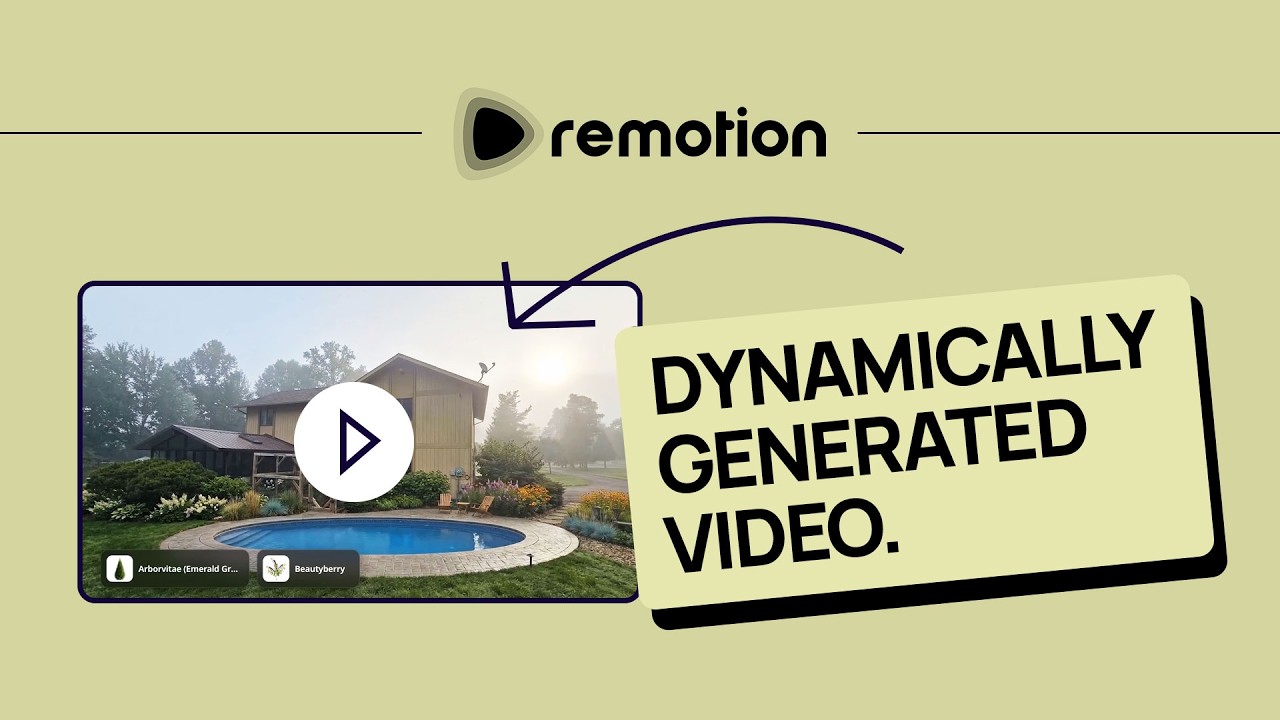
🔗 **Source:** [Remotion - Creating Video Through Web Tech](https://www.youtube.com/watch?v=UBvrPGMtK5g)
> [!note]+ Document Notes
> tags: [remotion, video-generation, web-tech, ai-automation, dynamic-content, landscaping-app]
> author: [MISSING]
> source: YouTube
> reference: https://www.youtube.com/watch?v=UBvrPGMtK5g
> date created: {{date:YYYY-MM-DD}} {{time:HH:mm}}
>
> # 🏷️ Title: Remotion - Creating Video through Web Tech (SICK!)
>
<!-- deep-read:sections start -->
## 🧭 Table of Contents
- [📝 Summary](#-summary)
- [📖 Main Content](#-main-content)
- [🗒️ Notes](#️-notes)
- [📚 References](#-references)
- [🗣️ Paraphrase](#️-paraphrase)
- [📰 Newsletter](#-newsletter)
- [✅ Action Items](#-action-items)
- [🧪 Hypotheses](#-hypotheses)
- [📊 Methodology](#-methodology)
- [❓ Questions](#-questions)
- [🔮 Future Research](#-future-research)
- [💡 Implications](#-implications)
- [🧠 Learning Styles Assessment](#-learning-styles-assessment)
- [📊 Accessibility Assessment](#-accessibility-assessment)
- [🌍 DEIB Assessment](#-deib-assessment)
- [✅ Logical Validity](#-logical-validity)
- [🛡️ DARVO Analysis](#-darvo-analysis)
- [🎯 Conclusion](#-conclusion)
## 📝 Summary
- Developer demonstrates using Remotion to generate dynamic videos from web technologies (HTML/CSS) for a landscaping AI service
- Shows complete workflow from Figma design to MP4 output using Claude CLI and MCP servers
- Creates automated video proposals that include asset information cards for landscaping clients
- Highlights potential for AI-powered video generation pipelines across various use cases
- Bottom line: Remotion enables developers to programmatically create videos using familiar web technologies
## 📖 Main Content
Remotion is a framework that allows developers to create videos using web technologies like HTML, CSS, and React. The presenter demonstrates this through a practical example: building dynamic video proposals for a landscaping AI service.
### Core Workflow
The process begins with a Figma design that uses auto-layout for responsive behavior across portrait and landscape orientations. The developer copies the Figma selection link and feeds it to Claude CLI, which has the Figma MCP (Model Context Protocol) server integrated. This allows the AI to extract design information and generate corresponding Remotion code.
### Dynamic Content Generation
The system pulls landscaping assets from a database and creates individual video slides for each selected item. When a landscaper finalizes a design, they can specify property details, assets (from 500+ options including hardscaping and vegetation), and branding elements. Remotion then generates an MP4 that includes:
- Transition animations between before/after landscaping images
- Individual asset information cards with thumbnails and descriptions
- Property address and branding overlays
- Glass morphism effects and smooth animations
### Technical Implementation
The integration uses Claude's coding capabilities to translate Figma designs into Remotion components. The presenter emphasizes that designers don't need to code - they can maintain visual control through Figma while AI handles the technical translation. The system demonstrates responsive design principles, automatically adjusting layouts based on video orientation.
### Broader Applications
The presenter suggests numerous use cases beyond landscaping, including YouTube content enhancement where AI agents could analyze video dialogue and frames to automatically generate informational overlays about mentioned technologies or concepts.
## 🗒️ Notes
#### ⏱️ [00:00:00](https://www.youtube.com/watch?v=UBvrPGMtK5g&t=0) Introduction and Demo Overview
- Shows example video with text overlays and info panels
- Remotion uses HTML/CSS to generate actual video files
- Context: landscaping AI service course project
#### ⏱️ [00:01:15](https://www.youtube.com/watch?v=UBvrPGMtK5g&t=75) Figma Design Setup
- Created responsive designs for portrait and landscape video formats
- Auto-layout everywhere ensures proper responsive behavior
- Design replicates across orientations with vertical stacking adjustments
#### ⏱️ [00:02:30](https://www.youtube.com/watch?v=UBvrPGMtK5g&t=150) Integration Workflow
- Right-click Figma design → "Copy link to selection"
- Paste into Claude CLI with Figma MCP server integration
- AI agents can handle Remotion installation and setup
#### ⏱️ [00:04:00](https://www.youtube.com/watch?v=UBvrPGMtK5g&t=240) Dynamic Video Generation Concept
- Landscapers specify assets for video proposals
- Each asset gets dedicated animated page
- Text animates from clipping mask positions
- Asset thumbnails included automatically
#### ⏱️ [00:05:00](https://www.youtube.com/watch?v=UBvrPGMtK5g&t=300) Existing App Features
- Open canvas for landscaping design
- Before/after image transitions
- Swimming pool and landscaping modifications
- 8-second transition videos between frames
#### ⏱️ [00:06:30](https://www.youtube.com/watch?v=UBvrPGMtK5g&t=390) Asset Selection Interface
- 500+ assets available (hardscaping and vegetation)
- Property address and closing notes input
- Branding integration capabilities
- "Add to design" functionality
#### ⏱️ [00:08:00](https://www.youtube.com/watch?v=UBvrPGMtK5g&t=480) First Test Results
- 25-second video generated successfully
- Glass morphism effects on overlays
- Asset cards display correctly
- Some missing images and animation jank
#### ⏱️ [00:10:00](https://www.youtube.com/watch?v=UBvrPGMtK5g&t=600) Final Video Output
- Dynamic asset count based on selection
- Database-driven content population
- Color rendering issues noted
- Successful end-to-end generation
#### ⏱️ [00:11:00](https://www.youtube.com/watch?v=UBvrPGMtK5g&t=660) Future Applications
- YouTube content enhancement potential
- AI pipeline for dialogue extraction
- Frame analysis with Gemini
- Automated tech information overlays
## 📚 References
- [Remotion](https://remotion.dev) - React-based video generation framework
- [Claude CLI](https://github.com/anthropics/claude-cli) - Command line interface for Claude
- [Figma MCP Server](https://github.com/modelcontextprotocol/servers) - Model Context Protocol integration
- Course link mentioned in video description
## 🗣️ Paraphrase
The presenter demonstrates how Remotion transforms web development skills into video creation capabilities. By designing layouts in Figma and using AI to translate them into Remotion components, developers can create sophisticated, data-driven videos without traditional video editing tools. The landscaping example shows how businesses can automate proposal generation, creating personalized videos that pull asset information from databases and present them with professional animations and branding.
## 📰 Newsletter
🎬 **Web Devs, Meet Video Production**: Remotion is bridging the gap between web development and video creation in fascinating ways. This week's spotlight shows how a landscaping AI service uses HTML/CSS skills to generate dynamic video proposals. Instead of manual video editing, developers can now programmatically create content that pulls from databases, applies responsive design principles, and outputs professional MP4s. The integration with AI tools like Claude CLI and Figma MCP servers makes this accessible even to non-coders. For WordPress developers, imagine auto-generating video testimonials, product showcases, or tutorial content directly from your site's data. The possibilities extend far beyond landscaping - any business with dynamic content could benefit from this approach.
## ✅ Action Items
#### DevRel
- Demo: Create Remotion integration example for WordPress video generation
- Workshop: "Web Technologies to Video" session for developer community
- Documentation: Best practices guide for Remotion + AI workflow
- Case study: Document performance metrics for automated video generation
#### WordPress
- Plugin exploration: Remotion integration possibilities for WordPress
- Core integration: Video generation capabilities in media library
- Performance testing: Server load impacts of video rendering
- Community feedback: Survey interest in automated video features
#### Community
- Tutorial series: Remotion basics for web developers
- Showcase examples: Community-built video generation projects
- Template library: Reusable Remotion components for common use cases
- Integration guides: AI tool connections (Claude, Figma MCP)
## 🧪 Hypotheses
- Web developers can adopt video generation faster than traditional video editing tools
- AI-assisted design-to-code translation reduces Remotion learning curve significantly
- Dynamic video content increases client engagement compared to static proposals
- MCP server integrations will become standard for AI-powered development workflows
- Remotion adoption will accelerate as AI coding assistants improve
- Video generation from web tech will replace many traditional video editing use cases
## 📊 Methodology
- A/B testing: Static vs dynamic video proposals for conversion rates
- Performance benchmarks: Rendering times for different video complexities
- User studies: Learning curve analysis for web developers adopting Remotion
- Integration testing: Reliability of AI tool chains (Figma → Claude → Remotion)
- Cost analysis: Server resources vs traditional video production methods
## ❓ Questions
- How does Remotion rendering performance scale with video complexity?
- What are the server infrastructure requirements for production video generation?
- How reliable are AI translations from design tools to Remotion code?
- What quality differences exist between Remotion output and traditional video editing?
- How do licensing and usage rights work for AI-generated video content?
- What fallback strategies exist when automated generation fails?
## 🔮 Future Research
- Real-time video generation capabilities
- Integration with other design tools beyond Figma
- Multi-language support for international video content
- Accessibility features in programmatically generated videos
- Performance optimization for large-scale video generation
- Quality assessment metrics for AI-generated video content
## 💡 Implications
- **Practice**: Web developers gain video production capabilities without new skill acquisition
- **Business models**: Service providers can offer automated video content at scale
- **Education**: Video content creation becomes accessible to non-video professionals
- **Accessibility**: Programmatic generation enables consistent accessibility features
- **Cost structure**: Significant reduction in video production costs for data-driven content
- **Quality control**: Standardized templates ensure consistent branding and messaging
## 🧠 Learning Styles Assessment
- **Reading level estimate**: Flesch-Kincaid 8th grade (technical but accessible)
#### 👀 Visual learners
- **Present**: Figma design screenshots, before/after video examples, UI walkthrough
- **Improve**: Architecture diagrams showing data flow, step-by-step visual guide, component relationship maps
#### 🔊 Aural learners
- **Present**: Verbal explanation throughout video, narrated demo
- **Improve**: Audio-only version focusing on concepts, podcast-style discussion
#### 🗣️ Verbal learners
- **Present**: Clear terminology definitions, analogies to web development
- **Improve**: Glossary of Remotion terms, comparison tables with traditional video editing
#### 🧩 Kinesthetic learners
- **Present**: Hands-on demo, live coding session, interactive workflow
- **Improve**: Step-by-step tutorial checklist, downloadable starter templates
#### 🧠 Logical learners
- **Present**: Clear workflow sequence, cause-and-effect demonstrations
- **Improve**: Decision trees for tool selection, performance benchmarks, cost-benefit analysis
#### 🧑🤝🧑 Social learners
- **Present**: Community course reference, collaborative development approach
- **Improve**: Discussion forums, peer code review, showcase gallery
#### 🧘♀️ Solitary learners
- **Present**: Self-paced video format, individual project focus
- **Improve**: Self-assessment checklist, personal project ideas, reflection prompts
#### 🌿 Naturalistic learners
- **Present**: Landscaping domain provides natural context
- **Improve**: Environmental impact discussion, sustainable video generation practices
## 📊 Accessibility Assessment
#### Screen reader semantics
- **Present**: Video has spoken narration throughout
- **Improve**: Transcript with technical details, alt text for UI screenshots
#### Keyboard navigation
- **Present**: Standard video controls available
- **Improve**: Keyboard shortcuts for video sections, navigable transcript
#### Contrast and readability
- **Present**: High contrast in demo UI
- **Improve**: Ensure all text meets WCAG standards, provide dark mode examples
#### Text resizing and reflow
- **Present**: Standard video player scaling
- **Improve**: Resizable transcript, responsive code examples
#### Media and captions
- **Present**: Clear audio narration
- **Improve**: Full captions, downloadable transcript, audio descriptions of visual elements
#### Forms and interactions
- **Present**: Simple demo interface
- **Improve**: Accessible form examples in Remotion output, keyboard interaction patterns
## 🌍 DEIB Assessment
#### Cultural breadth
- **Present**: English-language content, US-focused examples
- **Improve**: International landscaping examples, multi-language video generation demos
#### Inclusive language
- **Present**: Technical jargon explained, casual but professional tone
- **Improve**: Avoid assumptions about prior knowledge, define all acronyms
#### Neurodiversity support
- **Present**: Clear structure, step-by-step approach
- **Improve**: Content warnings for flashing animations, slower-paced alternative version
#### Representation
- **Present**: Single presenter perspective
- **Improve**: Diverse use case examples, varied business contexts
#### Psychological safety
- **Present**: Encouraging tone, acknowledges learning curve
- **Improve**: Emphasize that questions are welcome, provide multiple support channels
## ✅ Logical Validity
#### Strong reasoning
- **Causal demonstration** (00:08:00): Shows direct cause-and-effect from input to video output, strengthening the technical credibility
- **Analogical reasoning** (00:04:00): Compares responsive web design to video format adaptation, making complex concepts accessible
- **Inductive evidence** (00:11:00): Extrapolates from landscaping use case to broader YouTube/content applications logically
#### Fallacies
- **Hasty generalization** (00:02:30): "You can ask your AI coding agent... You know, this is for people like who are designers" - assumes all designers prefer visual control without evidence
- **Appeal to novelty** (00:00:00): Emphasizes "SICK!" and "freaking cool" without addressing potential limitations or costs
- **False dilemma** (implied): Presents Remotion as alternative to traditional video editing without discussing hybrid approaches
#### Tone of voice
- **Enthusiastic and informal**: "This is so freaking cool", "That would be stupid", casual explanations make technical content approachable but may undermine credibility for some audiences
## 🛡️ DARVO Analysis
- **Deny**: No defensive patterns detected - presenter acknowledges limitations and areas for improvement
- **Attack**: No attacks on critics or alternative approaches
- **Reverse victim/offender**: Not applicable - educational content without conflict context
## 🎯 Conclusion
Remotion represents a significant shift in video creation, enabling web developers to generate dynamic, data-driven videos using familiar technologies. The demonstrated landscaping application showcases practical business value through automated proposal generation. While the current implementation has minor technical issues, the core concept of programmatic video generation opens substantial opportunities across industries. For developers, this represents an accessible entry point into video production without abandoning existing skills. The integration with AI tools like Claude CLI further reduces barriers to adoption, making sophisticated video generation achievable for teams without dedicated video expertise.
## 🔄 Refactor Appendix — Remotion - Creating Video through Web Tech (SICK!)
### 📚 Literature Atoms
#### Web developers can generate professional videos using HTML/CSS through Remotion
> [!quote] ID:rw_demo_001
> "Remotion allows you to use web technology like web UIs, HTML, CSS to generate actual video"
**Context & use**:
- Core value proposition demonstrated at video start
- Bridges familiar web development skills to video production domain
**Tags**: #remotion #web-development #video-generation
**Highlight**: [view highlight](https://www.youtube.com/watch?v=UBvrPGMtK5g&t=30)
<!-- atomicity: 1 idea ✓ -->
#### AI coding assistants can translate visual designs into functional video components automatically
> [!quote] ID:rw_demo_002
> "You can ask your AI coding agent like Claude... You don't have to use Figma by the way. You can ask it to do the UI for you"
**Context & use**:
- Demonstrates workflow from Figma design to Remotion code via Claude CLI
- Reduces technical barriers for designers entering video generation
**Tags**: #ai-automation #design-to-code #workflow
**Highlight**: [view highlight](https://www.youtube.com/watch?v=UBvrPGMtK5g&t=150)
<!-- atomicity: 1 idea ✓ -->
#### Dynamic video content scales automatically based on data inputs without manual editing
> [!quote] ID:rw_demo_003
> "What's super cool about this is the fact that it is dynamic. If somebody specifies like four different assets... it's going to do four of them and it's going to pull them all from the database"
**Context & use**:
- Key differentiator from traditional video editing approaches
- Enables automated content generation for business applications
**Tags**: #dynamic-content #automation #scalability
**Highlight**: [view highlight](https://www.youtube.com/watch?v=UBvrPGMtK5g&t=600)
<!-- atomicity: 1 idea ✓ -->
### 🧠 Permanent Candidates
#### Programmatic video generation reduces production barriers for technical teams
**Claim**: Web development skills directly transfer to video creation through frameworks like Remotion, eliminating the need for traditional video editing expertise.
**Evidence pointer**: [[#Web developers can generate professional videos using HTML/CSS through Remotion]]
**Scope & conditions**:
- Holds for technical teams with React/web development experience
- Limited by rendering performance and server infrastructure requirements
- Most effective for data-driven, template-based video content
**Links**:
- [[AI-assisted development]] — because extends into video production domain
- [[Low-code tools]] — because contrasts on technical skill requirements
- [[Content automation]] — because applies-in video generation context
<!-- atomicity: 1 idea ✓ -->
### ✏️ Fleeting Queue
- [F1] Investigate Remotion rendering performance benchmarks for production use — video shows 25-second output but unclear on generation time #fleeting #research
- [F2] Research MCP server reliability for production AI workflows — integration seems smooth but need failure modes #fleeting #technical-debt
### → Things 3
- [ ] Test Remotion integration with WordPress video generation workflow — explore plugin possibilities #things
- [ ] Document AI tool chain setup (Claude CLI + Figma MCP) for team onboarding — reduce setup friction #things
---
## Full Transcript
[00:00] Okay, so check out this video right<br>[00:01] here. You can see that there is some<br>[00:03] different text that's overlaid.<br>[00:06] Um and then if you look at the end here<br>[00:08] in a second, you'll see that there's<br>[00:10] also like these info panels with like<br>[00:12] this vegetation and stuff and it's like<br>[00:13] a layout. So, I'm going to show you how<br>[00:16] to use Remotion to do something exactly<br>[00:19] like that. So, Remotion allows you to<br>[00:21] use web technology like web UIs, HTML,<br>[00:23] CSS to generate actual video. All right,<br>[00:28] so let me show you in the context of<br>[00:29] this project that I'm working on, which<br>[00:31] is a part of a course that you could<br>[00:32] take now where we build a landscaping AI<br>[00:35] service. So, right here you're seeing a<br>[00:37] video time lapse. This only took me like<br>[00:39] 10 minutes um of like what I envision<br>[00:42] part of the video to look like. So, when<br>[00:45] a person attaches, you know, any of the<br>[00:47] assets that's used for a landscape like<br>[00:49] different bushes and plants and flowers,<br>[00:50] it's going to give like an informative<br>[00:53] sort of uh overview of all the assets.<br>[00:55] And this can be sent to a potential<br>[00:57] client for a proposal. And so, here it<br>[00:58] is here in Figma and I've done two<br>[01:00] different variations because videos can<br>[01:03] be in portrait mode or landscape. And<br>[01:06] you know, this is this responsive web<br>[01:08] design essentially except we're here<br>[01:09] we're here in Figma. And so, looking at<br>[01:12] this, another thing you want to make<br>[01:13] sure uh is that you use auto layout<br>[01:16] everywhere so that it knows kind of how<br>[01:18] to modify the layout based on the size.<br>[01:21] Um and then same thing here. I just<br>[01:22] replicated that, changed the auto layout<br>[01:24] settings to vertical and everything<br>[01:25] stacked, made some slight adjustments,<br>[01:28] but you know, this is pretty much how it<br>[01:30] should end up looking. So, we're just<br>[01:31] going to start with this one first.<br>[01:32] Let's say for instance, you already have<br>[01:35] your Figma design here. And again, you<br>[01:37] don't have to use Figma by the way. Uh<br>[01:39] you can ask, you know, like your your AI<br>[01:41] coding agent like Claude or whatever. Uh<br>[01:44] you can ask it to do the UI for you. You<br>[01:46] know, this is for people like who are<br>[01:48] designers and specifically want to<br>[01:49] control exactly what things look like.<br>[01:52] Okay. So, the first thing to do is once<br>[01:54] you're ready is come over here and right<br>[01:55] click and copy as or copy link to<br>[01:59] selection all right there. All right.<br>[02:01] And then when you do that, you will<br>[02:02] paste that into context into, you know,<br>[02:04] I'm using the Claude code CLI. Let me<br>[02:07] show you um what the prompt will look<br>[02:09] like. Okay, so first off, with this<br>[02:11] project, I already have Remotion<br>[02:12] integrated and I'm not going to tell you<br>[02:14] how to install it because that would be<br>[02:15] stupid. You know, we have coding agents<br>[02:17] these days. You could just say, "Hey,<br>[02:19] integrate Remotion into this project for<br>[02:21] me." Okay. Um I'm not going to read the<br>[02:25] entire thing, but you can pause and read<br>[02:27] this through at, you know, if you wish.<br>[02:29] But basically, I've linked the Figma um<br>[02:32] link to that selection and you have to<br>[02:34] make sure you have access and you've<br>[02:36] been integrated the Figma MCP server.<br>[02:38] And so, to to check that here in the<br>[02:40] same project MCP, you should see right<br>[02:43] there plugin uh Figma MCP. If you don't,<br>[02:47] ask uh you know, your AI agent to to<br>[02:50] integrate or help set up the Figma MCP<br>[02:52] server. Very simple. And all I've<br>[02:54] [clears throat] done here in this part,<br>[02:56] again, it's not it's isn't like a big<br>[02:57] wall of text. I just kind of told it how<br>[02:59] I want this thing to work. So,<br>[03:01] landscapers can specify assets to<br>[03:04] include as a part of their video<br>[03:05] proposal and any of the those assets<br>[03:08] will have its own dedicated page in that<br>[03:10] UI that I've linked that will animate<br>[03:13] text into place uh from like a clipping<br>[03:16] mask position as well as the actual<br>[03:17] asset thumbnail. And it should just<br>[03:19] basically go through each one depending<br>[03:22] on how many they have specified. So,<br>[03:24] what we end up with here is kind of like<br>[03:26] a dynamic video generation powered by<br>[03:29] Remotion, which is really freaking cool.<br>[03:32] And so, it's going to extract all that<br>[03:33] information from the database,<br>[03:35] include it in the context of our UI,<br>[03:38] animate it based on our preferences and<br>[03:40] what we specified, and in the end we get<br>[03:43] an MP4 video that uh has everything<br>[03:46] included. So, let's give this a test.<br>[03:48] I'm going to go ahead and send this and<br>[03:50] we'll see uh what the next steps are and<br>[03:53] give it a test. Now, while that is<br>[03:54] working, I'm going to show you um you<br>[03:57] know, in case you're not familiar with<br>[03:58] this project. I already done a few<br>[03:59] videos on it. Um what the UI looks like<br>[04:02] here. So, right here uh this is like an<br>[04:04] open canvas that we've created. Um this<br>[04:07] is the original picture of the back of<br>[04:09] my house that I uploaded. And then using<br>[04:11] our system here, I I created this like<br>[04:15] just better landscaping. We added a<br>[04:17] swimming pool, yada yada. Now, one of<br>[04:19] the cool features of this app as well is<br>[04:22] um if we select both, we can choose<br>[04:23] video and we can create a I kind of like<br>[04:26] a a transition between the video. Uh and<br>[04:30] that's what this is. Or between the<br>[04:32] actual two frames that you saw here. You<br>[04:34] can see it's just combining those two<br>[04:36] frames in video format over 8 seconds.<br>[04:39] All right. So, let's say like for<br>[04:41] instance, a landscaper likes this. Uh<br>[04:43] they can click here and choose finalize<br>[04:45] video.<br>[04:47] And this is where Remotion comes into<br>[04:48] play. By the way, this design right<br>[04:50] here, this modal, I did not design. I'll<br>[04:52] be redesigning it here soon. This is all<br>[04:53] vibe designed. Uh<br>[04:55] and you can see right here assets. We<br>[04:57] can choose to add these assets that are<br>[04:59] a part of, you know, whatever the plan<br>[05:01] is for landscaping, right? So, they can<br>[05:03] choose, you know, there's like over 500.<br>[05:05] There's hardscaping elements and<br>[05:07] vegetation and all that stuff. And<br>[05:08] that's what we want to create for this<br>[05:10] Remotion thing like a a separate slide<br>[05:12] at the end for each one.<br>[05:14] Uh so, if I click here, we can click add<br>[05:16] to design. There we go. It's now added<br>[05:18] and I can add as many as I want and then<br>[05:20] specify stuff like the property address,<br>[05:22] closing notes,<br>[05:24] um and any branding. So, that's already<br>[05:26] integrated via Remotion into this video<br>[05:28] pipeline, but we're going to be adding<br>[05:29] this new feature so I can show you how<br>[05:31] cool this is. Okay, it's done. Let's go<br>[05:33] ahead and give this one a test. So, I'm<br>[05:34] going to go to finalize video here and<br>[05:36] I'm going to go ahead and add a few<br>[05:38] assets.<br>[05:41] All right, so I have two of them added.<br>[05:43] I'm just going to go ahead and put uh<br>[05:44] this old address and blah blah blah.<br>[05:47] Render final video. Let's see what it<br>[05:50] comes up with. Maybe it's going to<br>[05:51] error. I'm not sure. Oh, here's the<br>[05:53] video.<br>[05:54] Let's uh I<br>[05:56] get this large screen. So, you can see<br>[05:57] down here where it says 3174, that's<br>[05:59] what I already entered. That's That is<br>[06:01] already a part of Remotion and it has<br>[06:03] like this glass morphism like darker<br>[06:05] background behind it, which you can ask<br>[06:07] it to do fully. So, let's continue on.<br>[06:10] There'll be another thing that pops up.<br>[06:15] Now, it's showing two of the assets as<br>[06:18] you can see that were already generated.<br>[06:19] Again, that's something from a previous<br>[06:21] time I already did. That's not this<br>[06:22] video yet. You can see it's 25 seconds,<br>[06:25] which means it did work. It added<br>[06:27] something at the end. I'm excited to see<br>[06:28] what it actually produced. Yep, here's<br>[06:30] the card for the uh<br>[06:32] the the person's logo. I put Claude logo<br>[06:34] cuz it was on my desktop, but you can<br>[06:36] imagine this being like, you know,<br>[06:37] somebody's uh<br>[06:38] actual, you know, landscaping logo or<br>[06:41] something like that.<br>[06:43] All right. And here in a second. Now,<br>[06:46] this dead space right here I kind of<br>[06:48] want to remove because there's no motion<br>[06:49] at the at the moment, but let's see if<br>[06:51] it integrated the final two Ooh.<br>[06:54] Okay, where we don't have this. There's<br>[06:57] no image.<br>[07:00] But that's that's working pretty well.<br>[07:02] It's a little janky with those these uh<br>[07:04] I<br>[07:06] how kind of pops up, but that's okay.<br>[07:09] But there's no image.<br>[07:12] That is super cool though. So, let's get<br>[07:13] the image stuff working. Okay, so it ran<br>[07:16] and I've hit play, we can see All right,<br>[07:19] here is the actual bush. Here's another<br>[07:22] one that I added.<br>[07:24] I hate how it's a little bit jagged<br>[07:25] there when those uh these rows come in.<br>[07:28] We can fix that later.<br>[07:29] Um so, let's go ahead and hit render<br>[07:31] final video.<br>[07:33] All right, so it's ready. Download MP4.<br>[07:35] Let's check this out. Here we go.<br>[07:38] It is playing.<br>[07:41] All righty.<br>[07:43] Here's the slow part.<br>[07:45] I definitely want to fix that. Um<br>[07:49] Now, let's see if the actual these<br>[07:51] things come. There we go.<br>[07:53] Ooh.<br>[07:55] Looks like the colors got messed up.<br>[07:57] Again, that's something that I can get I<br>[07:58] can fix. It looks like there's like a a<br>[08:00] mid gray.<br>[08:01] Didn't quite get the divider perfectly<br>[08:03] in there, but there you go. What's super<br>[08:06] cool about this is the fact that it is<br>[08:08] dynamic. Uh if somebody specifies like<br>[08:11] four different assets, maybe four<br>[08:13] different plants that are a part of<br>[08:14] this, you know, composition,<br>[08:16] it's going to do four of them and it's<br>[08:17] going to pull them all from the<br>[08:19] database. And there you go. You have<br>[08:22] video<br>[08:23] motion video that's<br>[08:25] based on web technology. This is so<br>[08:27] freaking cool. So, this is one of those<br>[08:29] things that, you know, if video makes<br>[08:30] sense in the context of your app, um<br>[08:33] it 100% makes sense to do this,<br>[08:35] especially for YouTubers like me. Like<br>[08:37] if I wanted to start integrating like<br>[08:38] just random facts or something about<br>[08:40] tech that I mentioned, I can have a<br>[08:42] pipeline with agents that will first<br>[08:45] like extract my YouTube dialogue as well<br>[08:48] as with, you know, Gemini is very good<br>[08:50] at this um analyzing individual frames<br>[08:53] as well inside a video. And you can have<br>[08:56] a whole pipeline where you have multiple<br>[08:58] agents that um you know, extracts the<br>[09:00] dialogue, determines when it makes sense<br>[09:03] to maybe have like an overlay blip of<br>[09:06] like some piece of tech or something<br>[09:08] that I'm talking about. Maybe it's just<br>[09:10] an information modal and it can<br>[09:13] integrate those into my YouTube video.<br>[09:14] So, that's there's so many different use<br>[09:16] cases for this. I just kind of wanted to<br>[09:17] share what I'm doing with this project.<br>[09:20] If you really want to follow along to<br>[09:21] see, you know, exactly how to set all<br>[09:23] that stuff up, definitely check out the<br>[09:24] course that I'm building now on that<br>[09:26] project that you see. Um link in the<br>[09:28] description. Enough spam. I will see you<br>[09:30] all very soon. I will see you. Goodbye.
<!-- deep-read:sections end -->
📄 **Full text:** ![[Full Document Contents/Articles/Remotion - Creating Video Through Web Tech.md|Remotion - Creating Video Through Web Tech by YouTube]]
## Highlights
- Okay, so check out this video right here. You can see that there is some different text that's overlaid. Um and then if you look at the end here in a second, you'll see that there's also like these info panels with like this vegetation and stuff and it's like a layout. So, I'm going to show you how to use Remotion to do something exactly like that. So, Remotion allows you to use web technology like web UIs, HTML, CSS to generate actual video. All right, so let me show you in the context of this project that I'm working on, which ([View Highlight](https://read.readwise.io/read/01ksn195xjz6t8np1abxc8d55r))
- Note: Web developers can generate professional videos using HTML/CSS through Remotion — core value proposition: familiar web skills transfer to video production.
- Tags: atom/literature, remotion, web-development, video-generation
- like that. So, Remotion allows you to use web technology like web UIs, HTML, CSS to generate actual video. All right, so let me show you in the context of ([View Highlight](https://read.readwise.io/read/01ksmzjyh4dvnzc8s3x2qp0kwm))
- Note: Core idea: Remotion uses web tech (HTML/CSS/web UIs) to generate actual video.
- Tags: remotion, atom/literature/h1, web-tech
- Let's say for instance, you already have your Figma design here. And again, you don't have to use Figma by the way. Uh you can ask, you know, like your your AI coding agent like Claude or whatever. Uh you can ask it to do the UI for you. You ([View Highlight](https://read.readwise.io/read/01ksmzk1pm2je2qrw706bdcpjv))
- Note: Workflow: start from a Figma design (optional) or just ask an AI coding agent (Claude) to build the UI.
- Tags: remotion, ai-automation, atom/literature/h2
- And then when you do that, you will paste that into context into, you know, I'm using the Claude code CLI. Let me show you um what the prompt will look like. Okay, so first off, with this project, I already have Remotion integrated and I'm not going to tell you how to install it because that would be stupid. You know, we have coding agents these days. You could just say, "Hey, integrate Remotion into this project for me." Okay. Um I'm not going to read the entire thing, but you can pause and read this through at, you know, if you wish. But basically, I've linked the Figma um ([View Highlight](https://read.readwise.io/read/01ksn19hpt4jyrdhhry0b7k0m6))
- Note: AI coding assistants translate visual designs into functional video components — Figma design → Remotion code via Claude CLI, lowering the barrier for designers.
- Tags: atom/literature, workflow, ai-automation, design-to-code
- mid gray. Didn't quite get the divider perfectly in there, but there you go. What's super cool about this is the fact that it is dynamic. Uh if somebody specifies like four different assets, maybe four different plants that are a part of this, you know, composition, it's going to do four of them and it's going to pull them all from the database. And there you go. You have video motion video that's based on web technology. This is so freaking cool. So, this is one of those things that, you know, if video makes ([View Highlight](https://read.readwise.io/read/01ksn19vvyazx08r5c9brfv6kg))
- Note: Dynamic video content scales from data inputs without manual editing — specify N assets, it renders N segments pulled from the database. Key differentiator from traditional editing.
- Tags: scalability, atom/literature, automation, dynamic-content
- cool about this is the fact that it is dynamic. Uh if somebody specifies like four different assets, maybe four different plants that are a part of this, you know, composition, it's going to do four of them and it's going to pull them all from the database. And there you go. You have ([View Highlight](https://read.readwise.io/read/01ksmzk5k3dh1kjq0qt0tzjag7))
- Note: The payoff: it's dynamic — specify N assets and it renders N, pulling them from the database.
- Tags: remotion, atom/literature/h1, dynamic-content