Restream Studio Secrets: Edit Scenes Like a Pro While Live
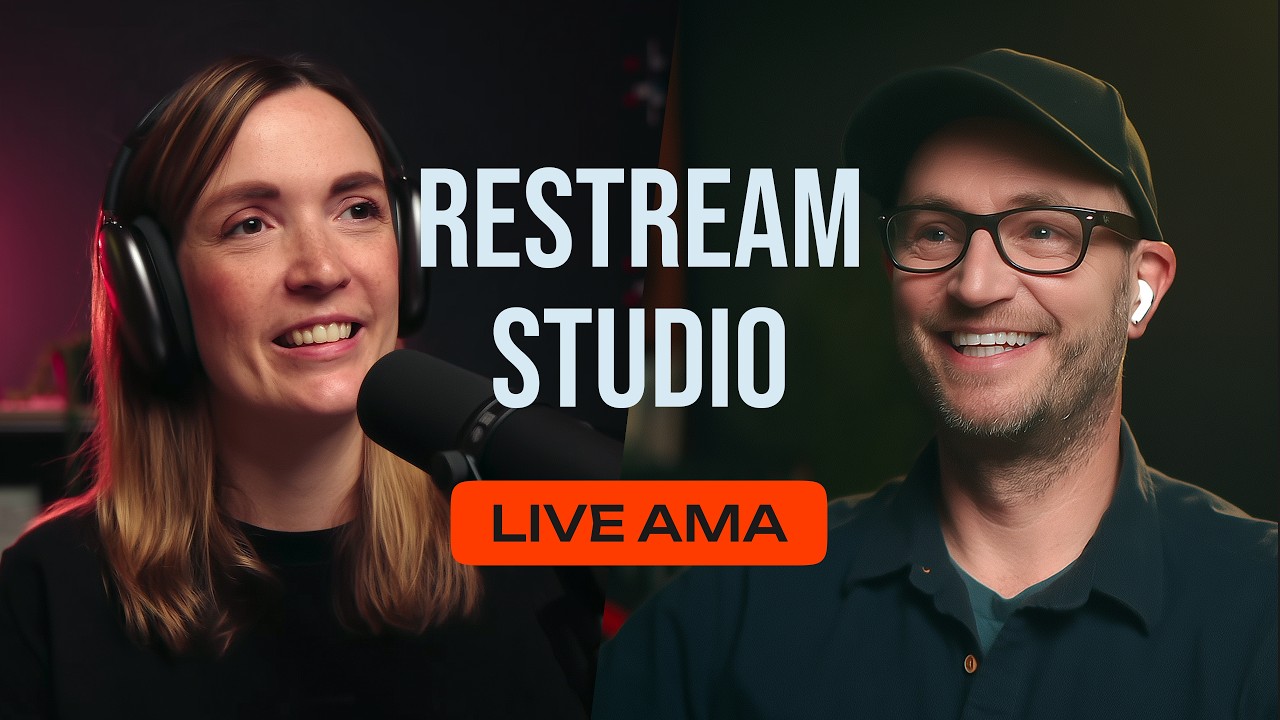
🔗 **Source:** [Restream Studio Secrets: Edit Scenes Like a Pro While Live](https://www.youtube.com/watch?v=rchSjj5sli0)
> [!note]+ Document Notes
> tags: [live-streaming, remote-collaboration, presence-awareness, production-workflow, creator-tooling]
> author: [MISSING]
> source: Restream (YouTube)
> reference: https://www.youtube.com/watch?v=rchSjj5sli0
> date created: 2026-08-22 11:05
>
> > [!info] Generated analysis — not the author's words. Sections below are machine-written
> > from the captured source. Only text inside `> [!quote]` blocks is verbatim from the author.
> > Do not quote or attribute any other line to the named author.
>
> # 🏷️ Title: Restream Studio Secrets: Edit Scenes Like a Pro While Live
>
<!-- deep-read:sections start -->
## 🧭 Table of Contents
- [📝 Summary](#-summary)
- [📖 Main Content](#-main-content)
- [🗒️ Notes](#️-notes)
- [📚 References](#-references)
- [🗣️ Paraphrase](#️-paraphrase)
- [📰 Newsletter](#-newsletter)
- [✅ Action Items](#-action-items)
- [🧪 Hypotheses](#-hypotheses)
- [📊 Methodology](#-methodology)
- [❓ Questions](#-questions)
- [🔮 Future Research](#-future-research)
- [💡 Implications](#-implications)
- [🧠 Learning Styles Assessment](#-learning-styles-assessment)
- [📊 Accessibility Assessment](#-accessibility-assessment)
- [🌍 DEIB Assessment](#-deib-assessment)
- [✅ Logical Validity](#-logical-validity)
- [🛡️ DARVO Analysis](#-darvo-analysis)
- [🎯 Conclusion](#-conclusion)
### 🔗 References
- [Restream](https://restream.io/)
- [Restream Studio](https://restream.io/studio)
## 📝 Summary
- **What happened.** A live, dual-format Restream broadcast in which two hosts and an off-camera co-producer demonstrate off-air scene editing, announce a new presence indicator showing who is editing which scene, and answer audience questions on pricing, multi-channel streaming, and local recording.
- **Why it matters.** The genuine content here is not a streaming feature list — it is a well-observed piece of collaboration design. A distributed production team editing a shared live document hit a coordination problem (invisible concurrent edits) and solved it with presence indicators plus an explicit handoff step. That is the same problem shape as collaborative documents, pair programming, and shared dashboards, and the solution shipped here is unusually complete.
- **Key stakeholders.** Streamers running shows with off-camera producers; community organizers producing multi-host events on volunteer time; teams evaluating whether remote production requires everyone in one room; editors receiving multitrack footage for post-production.
- **Risks and tradeoffs.** This is vendor content answering audience questions live, so claims are unverified and pricing tiers are described in sales-favourable terms. The "best way to start streaming" claim is asserted without comparison. Concurrent parallel streams are enterprise-only and routed to a sales conversation. Nothing addresses failure modes: what happens when two producers edit the same scene, or when a co-producer's connection drops mid-edit.
- **Bottom line.** Skip the feature pitch; keep the collaboration pattern. Off-air editing plus presence plus an explicit "ready" handoff is a design worth stealing for any real-time shared workspace.
## 📖 Main Content
The framing is honest about its own premise. Most production work — building scenes, adding media, checking flow — happens before going live. The hosts say so plainly. The problem they are addressing is the residual case: live streaming is live, and sometimes chat or breaking news pulls the show somewhere the pre-built scenes do not cover. One host reads an audience comment making exactly this point — that chat is sometimes integral to a show and sometimes takes it over. Building a feature for the exception rather than the common case is a defensible product decision when the exception is high-stakes, and going live with a broken or missing graphic is high-stakes.
**Off-air scene editing** is the base capability, announced some weeks earlier: a producer can open and modify a scene that is not currently on air while the show continues on a different scene. The examples given are mundane and therefore credible — a forgotten logo, a graphic, a video that was just updated and urgently needs re-uploading.
**The presence indicator** is the new addition and the more interesting one. The described artifact is small: *"a tiny little cloud with C for Charles"* on the scene tab, showing that someone is working on it. The host's account of the prior state is the useful part — when another person was making changes, it was hard to see that they were editing at all. That is the classic invisible-concurrent-edit failure, and it degrades badly under load: a host cannot distinguish a scene that is finished from one mid-edit, so they either go to air with a half-built scene or stall unnecessarily.
The complementary half is an explicit completion step. Producers "hit finish" when done, and choose between two handoff modes: show the scene immediately, or signal readiness and let the host decide when to switch. This is the detail that makes the design good rather than merely present. Presence tells you *someone is working*; the finish action tells you *the work is done*; the two-mode handoff separates *ready* from *now*, leaving editorial timing with the person who can see the show. Many collaborative tools implement the first and stop.
**Team topology** is described concretely and matters more than it first appears. The three participants are in San Francisco, Austin, and North Carolina, all connecting to the same draft studio from separate computers. A studio can be created and worked on in draft mode without being scheduled as an event. Co-producers typically use a "hide video keep audio" function — audible to the hosts, invisible and muted to the audience. Charles defines the terminology directly: a co-producer holds full host rights and is called a producer only because they are not on camera. The permission model is flat; the role distinction is social, not technical. That is worth noting, because it means the presence indicators are doing coordination work that permissions are not.
**Audience questions** cover four points. Paid version is not required; a free tier exists. Two different YouTube streams are possible — the broadcast itself is running dual-format vertical and horizontal, and simultaneously to three separate YouTube channels. Genuinely parallel or concurrent *different* content to YouTube is an enterprise feature on custom plans, characterized as serving TV channels, news stations, and sports leagues treating YouTube as cable. Local recording is supported: the raw camera output is recorded on the local machine before upload while individual cloud streams and the main output are also recorded. On export, everything transcodes in the background into a single zip containing all screen recordings, every camera, and all audio, plus an XML that builds a synchronized sequence in the editor.
**Uncertainties.** No conflict-resolution behavior is described for two producers editing one scene simultaneously. Nothing covers what happens if a producer disconnects mid-edit. The "best way to start streaming" claim names no alternative. Local recording quality, storage requirements, and upload bandwidth costs are not discussed. The enterprise pricing is left entirely to a sales conversation.
## 🗒️ Notes
#### ⏱️ [00:00](https://www.youtube.com/watch?v=rchSjj5sli0?t=0) The request and the honest premise
- Feature originated from users running sophisticated scene setups with co-producers behind the scenes.
- Concedes that most of this work happens before going live — scenes built, media added, flow checked.
- Frames the feature as covering the live exception, not the normal case.
#### ⏱️ [00:28](https://www.youtube.com/watch?v=rchSjj5sli0?t=28) Why live changes the requirement
- Reads an audience comment noting chat is sometimes integral to a show and sometimes takes over.
- Same dynamic with content: news breaks, conversation moves, something must be added on the fly.
- Off-air editing lets the host stay on the current scene while the next one is modified.
- Concrete examples: a forgotten logo, a graphic, an urgently re-uploaded video.
#### ⏱️ [01:04](https://www.youtube.com/watch?v=rchSjj5sli0?t=64) Presence indicators — the new addition
- Off-air editing shipped weeks earlier; presence indicators are the day's announcement.
- Described as a quality-of-life improvement but characterized enthusiastically.
- The artifact: a small cloud icon with an initial on the scene tab identifying who is editing.
#### ⏱️ [01:39](https://www.youtube.com/watch?v=rchSjj5sli0?t=99) The coordination problem it solves
- Prior state: with multiple co-producers, it was hard to see that someone else was editing.
- Now the host can see who is modifying which scene during the show.
- Second benefit: distinguishing work-in-progress from ready-to-air.
- Producers "hit finish" to mark a scene ready.
#### ⏱️ [02:13](https://www.youtube.com/watch?v=rchSjj5sli0?t=133) Two handoff modes
- Option one: done editing, show it right now.
- Option two: done editing, host switches when ready.
- Separates readiness from timing, leaving editorial control with the person watching the show.
#### ⏱️ [02:46](https://www.youtube.com/watch?v=rchSjj5sli0?t=166) Distributed team topology
- Participants in San Francisco, Austin, and North Carolina, each on their own computer.
- All join the same draft studio; studios can be built in draft mode or scheduled as events.
- Co-producers use "hide video keep audio" — audible to hosts, invisible and muted to the audience.
#### ⏱️ [03:21](https://www.youtube.com/watch?v=rchSjj5sli0?t=201) Co-producer is a social role, not a permission tier
- Co-producers hold the same host rights as on-camera hosts.
- Called "producer" internally only because they are not on camera.
- Implication: coordination is handled by presence and convention rather than by access control.
#### ⏱️ [03:21](https://www.youtube.com/watch?v=rchSjj5sli0?t=210) Free tier and the pitch
- Paid version is not required; a free version exists with benefits available on paid tiers.
- Claims Restream Studio is "the best way to start streaming" for going live to multiple channels without downloading software.
#### ⏱️ [03:54](https://www.youtube.com/watch?v=rchSjj5sli0?t=234) Multi-stream capabilities and the enterprise boundary
- Dual-format streaming — the same stream live in vertical and horizontal — is in use during this broadcast.
- Multiple YouTube channels supported; this stream runs to Restream's channel plus two personal channels.
- Genuinely different concurrent content to YouTube is an enterprise feature on custom plans.
- Framed as serving TV channels, news stations, and large sports leagues "treating their YouTube as cable TV," routed to sales.
#### ⏱️ [05:05](https://www.youtube.com/watch?v=rchSjj5sli0?t=305) Local recording and editor handoff
- Answers a viewer who records for clients locally and edits later rather than going live.
- Individual streams are recorded separately in the cloud, as is the main output.
- Local recording captures raw camera output on the local machine before upload, uploading simultaneously.
- Export transcodes in the background and produces a single zip with all screen recordings, every camera, and all audio.
- Includes an XML that creates a synchronized sequence in the editor — all tracks in sync on open.
## 📚 References
- [Restream Studio](https://restream.io/studio)
- [Restream pricing](https://restream.io/pricing)
- [Final Cut Pro XML / FCPXML interchange](https://developer.apple.com/documentation/professional_video_applications/fcpxml_reference)
## 🗣️ Paraphrase
- **Origin.** Users running scene-heavy shows with behind-the-scenes co-producers asked to edit scenes without those edits appearing on air.
- **Concession.** Most scene work happens before going live — building scenes, adding media, checking the flow.
- **Exception.** Live shows change direction because of chat or breaking events, so some content must be added while on air.
- **Base feature.** Off-air editing lets the host stay on the current scene while a producer modifies an upcoming one, whether that is a missing logo, a graphic, or a re-uploaded video.
- **New addition.** A small cloud icon with a person's initial now shows who is editing which scene.
- **Problem solved.** Previously it was difficult to tell that another producer was making changes, or whether a scene was still in progress.
- **Completion.** Producers hit finish when done, then either display the scene immediately or signal that the host may switch whenever they choose.
- **Team setup.** Hosts and producer are in three different states, joining the same draft studio from separate computers; producers hide video while keeping audio so hosts can hear them.
- **Roles.** Co-producers have full host rights and are called producers only because they are off camera.
- **Pricing.** A free version exists; paid tiers add benefits depending on need.
- **Multi-streaming.** Dual-format vertical and horizontal streaming and multiple YouTube channels are supported; genuinely different concurrent streams require an enterprise plan aimed at broadcasters and sports leagues.
- **Local recording.** Raw camera output records locally and uploads simultaneously; export yields one zip with all cameras, screens, and audio plus an XML that assembles a synchronized editor sequence.
## 📰 Newsletter
**A cloud icon with someone's initial on it is the whole feature, and it is a better idea than it sounds.**
Restream shipped off-air scene editing a while back — a producer can rebuild the next scene while you stay on the current one, which is the difference between "we'll fix it after the show" and fixing it during. Useful. But the thing they announced in this stream is smaller and, I think, more interesting: an indicator showing *who* is editing *which* scene.
Here is why that matters, in the host's own framing: before this, when someone else was making changes, it was hard to see they were editing at all. If you run any kind of show with a producer, you have lived this. Is that scene done? Is Becca still in there? Do I switch now and find out live? The answer used to be a Slack message or a hand wave.
What makes the design actually good is that they did not stop at presence. There is an explicit finish action, and then **two** handoff modes: *show it now*, or *it's ready, switch when you want*. Presence says someone is working. Finish says the work is done. The two-mode handoff separates **ready** from **now** and leaves the timing with the person who can see the show. Most collaborative tools ship the first of those three and call it done.
Worth noting for anyone producing community events: the co-producer role is entirely social here. Charles says it outright — producers have the same host rights as on-camera hosts, and they are called producers because they are not on camera. So the presence indicators are doing coordination work that the permission system deliberately isn't. That is a real design stance, not an oversight.
The practical bit if you record for clients: local recording captures raw camera output on your machine while it uploads, and export hands you one zip with every camera, every screen, all audio, **and** an XML that drops a synced sequence into your editor. That last part is the time saver.
The salt: this is a vendor stream answering questions live. "Best way to start streaming" names no competitor. Concurrent different-content streams are enterprise-only and go straight to a sales conversation. And nobody asked what happens when two producers open the same scene at once — which, given the whole feature is about concurrent editing, is the question I most wanted answered.
## ✅ Action Items
#### DevRel
- Developer advocacy: use the presence-plus-finish-plus-two-mode-handoff pattern as a worked example when discussing real-time collaborative interfaces.
- Education: build a short module on producing distributed live events, since the topology described here (three states, one draft studio) is exactly what community teams run.
- Developer experience: any collaborative tool built in-house should copy the ready-versus-now distinction; it is cheap and prevents a specific class of error.
- Developer marketing: not applicable to this source.
- Community management: document a co-producer role for community streams, including the hide-video-keep-audio convention.
- Internal/external/cross-project: evaluate whether existing event tooling shows who is editing shared assets during a live event.
#### OSPO
- Policy & Governance: flat permission models with social role distinctions need documented conventions, since nothing technical enforces them.
- License Compliance: not applicable to this source.
- Security Management: a flat model where every co-producer holds full host rights is a real consideration for public community events; access should be scoped per event.
- Software Inventory: streaming platform is an event-critical dependency; record it with a fallback plan.
- Developer Support: not applicable to this source.
- Community Engagement: not applicable to this source.
- Strategic Alignment: not applicable to this source.
#### Community
- Maintainers: not applicable to this source.
- Contributors: producing a community stream is an accessible non-code contribution; the co-producer role is a good entry point.
- Sponsors: not applicable to this source.
- Ecosystem: shared production runbooks across community events would reduce the per-event setup burden.
#### WordPress
- Core: not applicable to this source.
- Core Performance: not applicable to this source.
- Core AI: not applicable to this source.
- **Core Program Team:** the ready-versus-now handoff distinction maps neatly onto release coordination — signalling readiness separately from triggering action.
- Mobile: not applicable to this source.
- Playground: not applicable to this source.
- Community: directly applicable — meetup and WordCamp streaming teams work exactly this topology, distributed with off-camera producers.
- Training: a lesson on producing live learning sessions, including scene preparation and live-change handling, would serve Learn WordPress contributors.
- Marketing: dual-format vertical and horizontal streaming is relevant to any WordPress event wanting short-form clips from a live session.
- Support: not applicable to this source.
- Design: presence indication and explicit completion states are transferable patterns for any collaborative editing surface.
- Documentation: not applicable to this source.
- Photos: not applicable to this source.
- TV: highly relevant — WordPress.tv ingests recordings from live events, and the multitrack zip with XML sequence is exactly the handoff format that reduces post-production burden.
- Polyglots: live streams with off-air scene editing could swap localized graphics mid-show; worth exploring for multilingual events.
- Accessibility: live captions are not mentioned anywhere in this stream despite it being a live broadcast — a notable gap for event producers to close independently.
- Meta: not applicable to this source.
- CLI: not applicable to this source.
- Hosting: not applicable to this source.
- Tide: not applicable to this source.
- Openverse: not applicable to this source.
- Themes: not applicable to this source.
- Plugins: not applicable to this source.
#### The WPOCC
- Programs: live production skills are a transferable, teachable contribution area worth including in fellowship or mentoring tracks.
- Projects: a shared community production runbook covering roles, handoffs, and fallback would benefit every event team.
- Funding experiments: not applicable to this source.
### FAIR
- Technical independence: routing community events through a single hosted streaming platform is a dependency worth naming; local recording at least preserves the raw material independently.
- Policies and covenants: not applicable to this source.
- Productized governance artifacts: not applicable to this source.
## 🧪 Hypotheses
1. Presence indicators on shared scenes reduce mid-show switching errors (going live to an unfinished scene) more than any increase in producer speed does, because the failure being prevented is informational rather than operational.
2. Separating "ready" from "show now" reduces premature scene switches relative to a single completion action, because it returns timing control to the person with situational awareness.
3. Teams with flat permission models and social role distinctions experience more coordination incidents as team size grows than teams with explicit role-scoped permissions, since convention scales worse than enforcement.
4. Multitrack export with a synchronized editor sequence reduces post-production time per recorded hour by a substantial margin compared with manually syncing separate recordings.
5. Off-air editing is used far more for correcting omissions (a missing logo, a stale asset) than for genuinely reactive new content, despite the feature being justified by the reactive case.
### 📊 Methodology
- **H1:** instrument shows before and after the presence indicator ships; count switches to scenes that were still being edited, normalized by show length and producer count.
- **H2:** compare handoff-mode selection rates and subsequent switch timing; measure how often "show now" precedes a visible correction versus "host when ready."
- **H3:** survey production teams by size and permission model, correlating with self-reported coordination incidents; supplement with incident logs where available.
- **H4:** timed post-production task study — same footage delivered as separate files versus as the zip-plus-XML bundle; measure time to a synchronized timeline.
- **H5:** classify a sample of off-air edit sessions by edit type (correction versus new reactive content) using edit metadata and show transcripts.
### ❓ Questions
- What happens when two producers open and edit the same scene simultaneously — last write wins, lock, or merge?
- What happens to an in-progress edit if the producer's connection drops mid-scene?
- Does the presence indicator show only the first editor, or all concurrent editors?
- Are live captions available, and if so why were they not mentioned in a stream that discussed accessibility-adjacent production concerns not at all?
- What are the bandwidth and storage requirements for local recording plus simultaneous upload, and what happens when upload cannot keep pace?
- Is the exported XML sequence format editor-specific, and which editors are supported?
### 🔮 Future Research
- Whether the presence-plus-explicit-completion pattern reduces errors in other real-time shared workspaces — dashboards, incident response, collaborative slides — as it appears to here.
- Comparative study of flat versus scoped permission models in small production teams, where social convention currently substitutes for access control.
- Whether reactive live content actually improves audience engagement enough to justify building for the exception case, or whether the feature's real value is correcting pre-show omissions.
- Accessibility of live multi-host streaming production generally; live captioning is absent from this discussion and from much creator tooling.
### 💡 Implications
- **Practice.** Any team running live shared workspaces should implement presence, an explicit completion signal, and a separation between ready and act. The three together prevent a class of error that presence alone does not.
- **Policy.** Flat permission models require documented conventions and per-event access scoping, particularly for public community events where a mistaken edit is visible to an audience.
- **Security.** Every co-producer holding full host rights means access review matters; grant per-event rather than standing access.
- **Education.** Live production is a teachable, transferable contribution skill and an accessible entry point for people who do not write code.
- **Funding models.** The free-tier-plus-enterprise-sales-conversation structure is standard; note that the capability most useful to large organizations is deliberately not self-serve.
### 🧠 Learning Styles Assessment
- **Reading level estimate.** Flesch-Kincaid Grade Level ≈ 8 on the transcript; Flesch Reading Ease ≈ 65. Conversational and unscripted, with the fragmentary syntax typical of live speech — easy vocabulary, loose sentence boundaries.
#### 👀 Visual learners
- Present: the feature is demonstrated live on the broadcast being watched, which is unusually direct — the demo and the product are the same artifact.
- Improve: the presence indicator is described as "a tiny little cloud with C for Charles" and is genuinely small on screen; a zoom or callout would make the announcement legible.
#### 🔊 Aural learners
- Present: strong. Conversational multi-voice format with natural back-and-forth; the reasoning survives entirely as audio.
- Improve: speakers occasionally reference on-screen elements deictically ("exactly what I was about to flash for you") without describing them.
#### 🗣️ Verbal learners
- Present: Charles explicitly defines "co-producer" when the term could have been left ambiguous — a genuinely helpful clarification.
- Improve: "scenes," "draft studio," and "dual format" are used as established terms without definition; newer viewers will infer rather than know.
#### 🧩 Kinesthetic learners
- Present: features shown in the live product rather than in slides.
- Improve: no path for the viewer to try any of this during or after the stream; a linked walkthrough would convert interest into practice.
#### 🧠 Logical learners
- Present: clear problem-to-solution structure, and the three-part design (presence, finish, two handoff modes) is coherent and well-motivated.
- Improve: no failure cases are addressed — concurrent edits, disconnects, conflicts — which are the first questions a systems-minded viewer asks.
#### 🧑🤝🧑 Social learners
- Present: excellent. Live Q&A format with audience comments read aloud and attributed by name, and a visible three-person team modelling the workflow being described.
- Improve: nothing substantive; this is the format's strongest dimension.
#### 🧘♀️ Solitary learners
- Present: the recording is watchable asynchronously and the answers stand alone.
- Improve: the Q&A structure means information is scattered by question order rather than organized by topic; a written summary would serve solo viewers better.
#### 🌿 Naturalistic learners
- Present: none.
- Improve: distributed production has a real environmental dimension — three people in three states producing a broadcast without travel — that goes unremarked and would land well.
### 📊 Accessibility Assessment
#### Screen reader semantics
- Present: not applicable to the broadcast medium; the underlying studio interface is not assessed here.
- Improve: presence indicators are purely visual (a small icon with an initial), so a producer using a screen reader would have no equivalent signal. Maps to WCAG 2.2 **1.1.1 Non-text Content (A)** and **1.4.1 Use of Color (A)**.
#### Keyboard navigation
- Present: not demonstrated.
- Improve: scene editing and switching under live time pressure is precisely where keyboard operation matters most; unverified here. Maps to **2.1.1 Keyboard (A)**.
#### Contrast and readability
- Present: the interface shown uses conventional dark studio chrome.
- Improve: the presence indicator is described by its own presenters as "tiny," which is a legibility concern for a signal carrying real operational weight. Maps to **1.4.11 Non-text Contrast (AA)**.
#### Text resizing and reflow
- Present: not demonstrated.
- Improve: not assessable from this source.
#### Media and captions
- Present: **the clearest gap.** This is a live broadcast and live captions are never mentioned, offered, or discussed, in a stream that otherwise covers production capabilities in detail. The archived video carries auto-generated captions that mis-transcribe participant names repeatedly.
- Improve: live captioning for multi-host streams, and human-reviewed captions on the archive. Maps to **1.2.4 Captions (Live) (AA)** and **1.2.2 Captions (Prerecorded) (A)**.
#### Forms and interactions
- Present: the finish action and two-mode handoff are explicit, discoverable interactions — good design for reducing error.
- Improve: confirm the handoff choice is reachable without a mouse and that its two options are distinguishable by more than position. Maps to **3.3.2 Labels or Instructions (A)**.
#### Standards reference
- Primary gap: **1.2.4 Captions (Live)** — no live captioning on a live broadcast. Secondary: **1.1.1 / 1.4.1** for presence indicators conveyed solely by a small visual icon, and **1.4.11** for its size.
### 🌍 DEIB Assessment
#### Cultural breadth
- Present: limited — all three participants are US-based (California, Texas, North Carolina), and examples are US broadcast institutions.
- Improve: the distributed-team story would be stronger with international participants, which also surfaces timezone and latency realities the current setup avoids.
#### Inclusive language
- Present: generally neutral and welcoming; audience questioners are addressed by their handles and taken seriously.
- Improve: one host says *"I'm so bad at reading these names"* while stumbling over a viewer handle — self-deprecating rather than dismissive, but a moment worth handling more carefully when names are involved, since name mispronunciation lands differently for some audiences than others.
#### Neurodiversity support
- Present: the live Q&A format is inherently unstructured; topics change with each question.
- Improve: a stated agenda and topic transitions would help; the current format requires the viewer to track context switches with no signposting.
#### Representation
- Present: good. A mixed-gender team with clearly distributed responsibility, and the off-camera producer is named, credited, and discussed as a full peer rather than as invisible support.
- Improve: nothing substantive; crediting the producer by name and explaining her equal permissions is a genuinely inclusive framing of production labour.
#### Psychological safety
- Present: warm and relaxed; laughter, self-correction, and admitted fumbles are left in rather than edited out, which models a forgiving live environment.
- Improve: nothing substantive.
### ✅ Logical Validity
#### Strong reasoning
- **Honest premise-setting, [00:00].** Conceding that "most of that work for most of us happens before we hit the go live button" weakens the sales case and strengthens the argument, because it correctly scopes the feature to the exception case rather than overselling it.
- **Evidence from user testimony, [00:28].** Quoting an audience member's comment that chat "sometimes just takes over" grounds the reactive-content justification in a real user's experience rather than a hypothetical.
- **Causal, [01:39].** The reasoning that invisible concurrent editing prevents a host from distinguishing work-in-progress from ready is well-formed, and the proposed solution (presence plus explicit finish) maps directly onto both halves of the stated problem.
- **Definitional clarification, [03:21].** Charles distinguishing the technical reality (full host rights) from the social label (producer) prevents a real misunderstanding, and does so unprompted.
#### Fallacies
- **Unsupported superlative, [03:21].** *"Restream Studio is the best way to start streaming"* names no comparison class; competing platforms are never mentioned. **Fix:** state the specific claim that is defensible — going live to multiple channels without downloading software — which they in fact do state immediately before the superlative, making the superlative redundant as well as unsupported.
- **Appeal to prestige, [04:30].** Enterprise concurrent streaming is justified by association with "professional TV channels, news stations, large sports leagues." The clients' prestige does not establish the feature's value for anyone else. **Fix:** describe the capability and its cost drivers directly.
- **Suppressed evidence (omission), throughout.** A feature entirely about concurrent editing never addresses concurrent-edit conflicts, disconnection mid-edit, or what the indicator shows when two people edit at once. In a live Q&A the omission may be incidental rather than strategic, but it leaves the design's hardest question unexamined. **Fix:** state the conflict-resolution behavior explicitly.
- **Loaded framing (minor), [01:04].** Describing the team's own release as "super epic" twice is enthusiasm rather than argument; it substitutes affect for evaluation. **Fix:** none needed beyond noting it as promotional register.
#### Tone of voice
- Warm, informal, and genuinely unscripted — overlapping speech, laughter, self-correction, and asides left intact. The register is colleagues demonstrating something they built and are pleased with, and the enthusiasm reads as sincere rather than performed. Audience questions are treated respectfully and answered directly, including a clean "no, you don't have to" on the paid-version question that could easily have been spun. The sales register appears only around the enterprise tier, where it is explicit and appropriately signposted ("please talk to our sales team") rather than blended into the technical answers.
### 🛡️ DARVO Analysis
- **Deny:** None present. No accusation is raised, and the one potentially defensive question — whether the paid version is required — receives a straightforwardly honest answer that a free tier exists.
- **Attack:** None present. No competitor is named, criticized, or undermined; the closest thing to a competitive claim is an unsupported superlative, which is boosterism rather than attack.
- **Reverse victim/offender:** None present. No party is positioned as wronged and no responsibility is reframed.
- **Assessment:** Not applicable to this source. This is a friendly live product Q&A with no adversarial dynamic whatsoever. Its rhetorical weaknesses are ordinary promotional ones — superlatives, prestige association, and an unexamined failure mode — none of which involve the deny-attack-reverse pattern. Applying a DARVO frame here would be a category error.
## 🎯 Conclusion
- **Bottom line.** The durable content is a collaboration design, not a streaming feature. Off-air editing solves the live-change problem; presence indicators solve the invisible-concurrent-edit problem; and the explicit finish action with two handoff modes solves the harder problem of separating *ready* from *now*, keeping editorial timing with the person who can see the show. That three-part pattern transfers to any real-time shared workspace. The vendor claims around it are unremarkable and the hardest question — what happens when two producers edit the same scene — is never asked.
- **Next steps for readers.** If you produce community streams, adopt the co-producer convention and the hide-video-keep-audio setup, and scope host access per event rather than granting it standing, since the permission model is flat by design. If you record for clients, the local recording plus zip-and-XML export is the concrete time saver worth testing. If you build collaborative tools, copy the ready-versus-now split. And whatever platform you use, add live captions — a stream this detailed about production capability never mentions them once.
## 🔄 Refactor Appendix — Restream Studio Secrets: Edit Scenes Like a Pro While Live
> Density: 2–5 Literature atoms (H3), 0–3 Permanent candidates (H4).
> Defaults: 3 Literature, 1 Permanent. Resonance filter applied.
### 📚 Literature Atoms (H3)
#### [H1] Invisible concurrent edits leave collaborators unable to judge readiness
> [!quote] ID:rw_1
> sometimes when someone else is making changes, it's really hard for me to see that they're editing. It used to, not anymore.
**Context & use**:
- [01:39], explaining what the presence indicator fixes.
- A precise statement of the coordination failure that presence indicators exist to solve. Generalizes to any shared real-time workspace; useful whenever arguing that awareness is a distinct requirement from access.
**Tags**: #xref #articleseed
<!-- atomicity: 1 idea ✓ -->
#### [H2] Completion and timing are separate decisions with separate owners
> [!quote] ID:rw_2
> they can say, "Okay, I'm done editing, show it right now." Or "I'm done editing, host when you're ready, you can go there."
**Context & use**:
- [02:13], the two handoff modes.
- The detail that elevates this from ordinary presence tooling. The producer owns "is it done," the host owns "is it time" — a clean separation of authority most collaborative tools collapse into one action.
**Tags**: #xref #aphorisms
<!-- atomicity: 1 idea ✓ -->
#### [H3] Producer is a social role layered over flat host permissions
> [!quote] ID:rw_3
> We are both have the rights of a host to change things in the studio, as does Becca, but because Becca's not on camera, we tend to refer to her as the producer.
**Context & use**:
- [03:21], Charles defining terminology unprompted.
- Explains why presence indicators carry so much weight in this design: nothing technical distinguishes the roles, so coordination is entirely conventional. Relevant to any team whose org chart is not reflected in its access control.
**Tags**: #xref #share
<!-- atomicity: 1 idea ✓ -->
### 🧠 Permanent Candidates (H4)
#### [P1] Awareness is a different requirement from access, and tools that conflate them fail quietly
**Claim** (one sentence, Courtney's voice): Giving everyone permission to change a shared thing solves who is allowed to act but not who is currently acting, so a team with flat permissions and no presence signal will keep colliding in ways that look like carelessness rather than like a missing feature.
**Evidence pointer**: [[#H1]]
**Scope & conditions**: Holds for real-time shared artifacts where edits are consequential and concurrent work is normal — live production, collaborative documents, shared dashboards, incident response. Weakens where work is naturally partitioned so collisions are rare, or where the artifact is versioned and merge conflicts surface the collision after the fact.
**Links** (≥1 with annotation):
- [[Collaborative editing]] — because extends
- [[Permissions and access control]] — because contrasts on what each mechanism can guarantee
- [[Live event production]] — because applies-in community streaming
<!-- atomicity: 1 idea ✓ -->
#### [P2] Signalling readiness should never also trigger the action
**Claim** (one sentence, Courtney's voice): When the person who finishes work and the person who knows the right moment to use it are different people, a single "done" button forces one of them to guess, so readiness and execution belong in separate hands as separate steps.
**Evidence pointer**: [[#H2]]
**Scope & conditions**: Holds wherever completion and deployment timing are owned by different roles — live production, release management, publishing workflows, deploy pipelines with change windows. Does not apply where the finisher also holds full situational context, in which case the extra step is pure friction.
**Links** (≥1 with annotation):
- [[Release coordination]] — because applies-in deploy gating
- [[Editorial workflow]] — because extends
- [[Separation of duties]] — because extends
<!-- atomicity: 1 idea ✓ -->
### ✏️ Fleeting Queue
- [F1] What happens when two producers edit the same scene at once — lock, last-write-wins, or merge? Never asked. — https://www.youtube.com/watch?v=rchSjj5sli0 #fleeting #inbox
- [F2] Live captions never mentioned once in a detailed live-production stream — check what Restream offers. #fleeting #inbox
- [F3] Article idea: "Awareness is not access" — presence indicators as a distinct requirement from permissions. #articleseed #fleeting #inbox
- [F4] Multitrack zip + XML sequence export is the WordPress.tv handoff format worth asking about. #xref #fleeting #inbox
### → Things 3 (max 2 actions)
- [ ] Document a co-producer role and per-event access scoping for community streams — WPOCC production runbook #things
- [ ] Draft the awareness-is-not-access post on presence versus permissions — writing queue #things
<!-- deep-read:sections end -->
📄 **Full text:** [[Full Document Contents/Articles/Restream Studio Secrets Edit Scenes Like a Pro While Live.md|Restream Studio Secrets: Edit Scenes Like a Pro While Live by YouTube]]
## Highlights
- I think it's super epic, and that is the indicators, exactly what I was about to flash for you. The indicator that someone is working on the scene. You can see how on in the other tab, there's a tiny little cloud with C for Charles, that shows me that somebody is working on the scene. This is super epic in case you have a show with multiple co-producers because sometimes when someone else is making changes, it's really hard for me to see that they're editing. It used to, not anymore. Now you can see exactly who is ([View Highlight](https://read.readwise.io/read/01m0n12yrds3qk6eaazsewb6es))
- Note: H1 — Invisible concurrent edits leave collaborators unable to judge readiness. A precise statement of the coordination failure presence indicators exist to solve; generalizes to any real-time shared workspace. Seed for P1 (awareness is a distinct requirement from access).
- Tags: presence-awareness, remote-collaboration, atom/literature/h1
- modifying and changing scenes while I'm talking. And that also helps me to understand if the scene is still kind of work in progress or it's ready because normally once they're done editing and then they hit finish, so the scene is ready to go and ready to be displayed for the audience. They have two options how to do that, right? Like they can say, "Okay, I'm done editing, show it right now." Or "I'm done editing, host when you're ready, you can go there." Question number one. So co-producer has the channel open in another computer. So most of the time co-producers are not going to be in the same room with us, ([View Highlight](https://read.readwise.io/read/01m0n13enwsr06zzyq9axs3b9g))
- Note: H2 — Completion and timing are separate decisions with separate owners. The producer owns "is it done," the host owns "is it time." Most collaborative tools collapse these into one action. Seed for P2 (signalling readiness should never also trigger the action).
- Tags: design-patterns, atom/literature/h2, production-workflow
- is it transcodes everything in the background. It puts it all together. So, all you do is you download one zip file and it has in there all the screen recordings, every camera, all the audio and then it pulls it in as an XML in and creates a sequence in your editor. So, when you open it up, you've got all the tracks, everything in sync. >> And this is a wrap. Anything else? Any last comments for you? Uh that that [laughter] >> We haven't done that in a while. >> All right, everyone. Cheers. Let's see if I get the heart. ([View Highlight](https://read.readwise.io/read/01m0n13yrep1rahn05jm6bccy9))
- Note: The concrete post-production time saver: export yields one zip with every camera, screen recording, and audio track, plus an XML that builds a synchronized sequence in the editor. Worth asking about as a WordPress.tv handoff format.
- Tags: atom/fleeting/f1, production-workflow