Scaling WooCommerce Operations With Automation
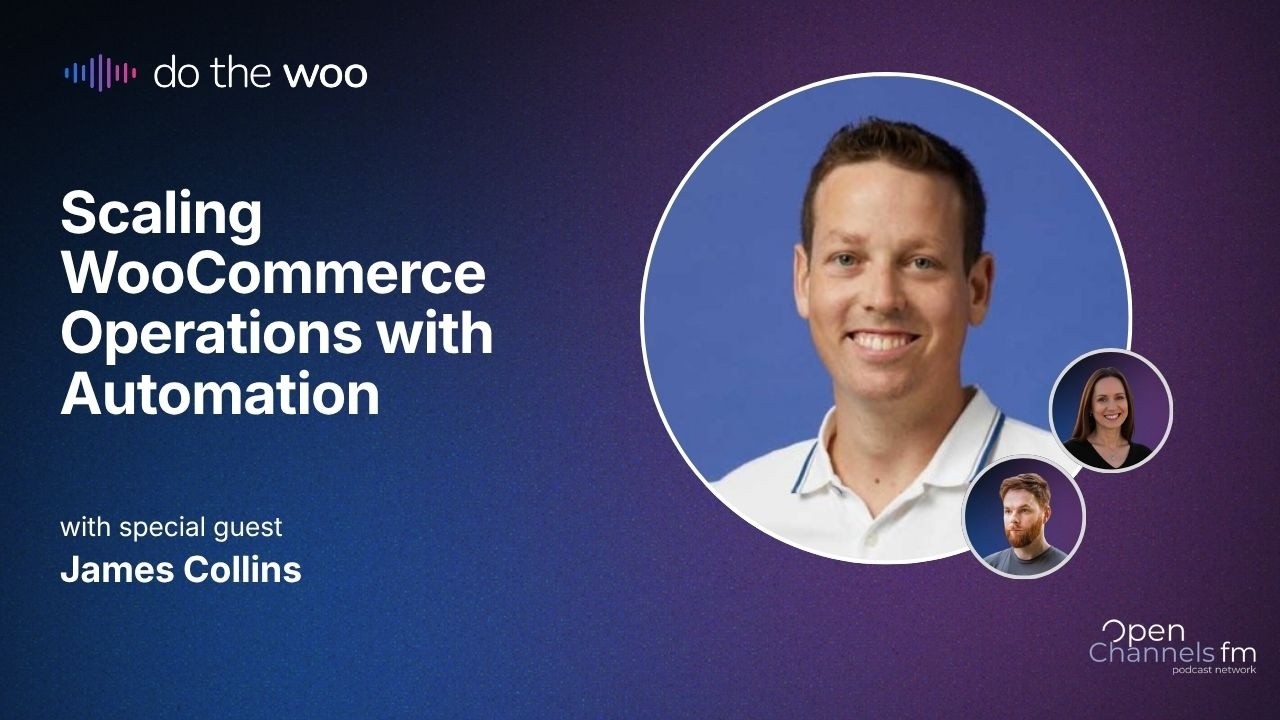
🔗 **Source:** [Scaling WooCommerce Operations With Automation](https://www.youtube.com/watch?v=A_137Hk18aU)
> [!note]+ Document Notes
> tags: #woocommerce #ecommerce-automation #zapier #business-operations
> author: Do the Woo
> source: YouTube
> reference: https://www.youtube.com/watch?v=A_137Hk18aU
> date created: 2024-12-19 14:30
>
> # 🏷️ Title: Scaling WooCommerce Operations with Automation
>
<!-- deep-read:sections start -->
## 🧰 Action Inbox
- [H1] Evaluate Zapier integration for WooCommerce store automation — reduce manual data entry and improve efficiency #ecommerce-automation
- [H2] Set up basic order-to-accounting automation as first automation experiment — start with predictable, repetitive tasks #business-operations
- [H3] Research MCP integrations for natural language store management — explore Claude/ChatGPT connections for order management #ai-integration
## 🧭 Table of Contents
- [[#📝 Summary]]
- [[#📖 Main Content]]
- [[#🗒️ Notes]]
- [[#📚 References]]
- [[#🗣️ Paraphrase]]
- [[#📰 Newsletter]]
- [[#✅ Action Items]]
- [[#🧪 Hypotheses]]
- [[#📊 Methodology]]
- [[#❓ Questions]]
- [[#🔮 Future Research]]
- [[#💡 Implications]]
- [[#🧠 Learning Styles Assessment]]
- [[#📊 Accessibility Assessment]]
- [[#🌍 DEIB Assessment]]
- [[#✅ Logical Validity]]
- [[#🛡️ DARVO Analysis]]
- [[#🎯 Conclusion]]
### 🔗 References
- [Zapier WooCommerce Integration](https://zapier.com/apps/woocommerce/integrations)
- [Techtellic](https://techtellic.com)
## 📝 Summary
- James Collins from Techtellic discusses scaling WooCommerce operations through automation, particularly using Zapier
- Why it matters: Automation reduces manual work, prevents errors, and allows merchants to focus on core business value
- Key stakeholders: WooCommerce store owners, agencies, developers managing client stores
- Risks: Cost considerations, over-automation, reliability concerns with AI-only solutions
- Bottom line: Start with simple, repetitive tasks and build automation skills progressively
## 📖 Main Content
The discussion explores practical automation strategies for WooCommerce stores, focusing on the balance between deterministic workflows (like Zapier) and AI-powered solutions. James Collins, who launched the WooCommerce Zapier integration in 2013, explains how automation has evolved from 200 connected apps to over 9,000 today.
Key automation opportunities include order management (sending orders to accounting software like Xero or QuickBooks), inventory synchronization between systems, and customer data management in CRMs. The conversation emphasizes starting with predictable, repetitive tasks that offer clear ROI.
The discussion also covers emerging technologies like MCPs (Model Context Protocols) that allow natural language interaction with store management functions, and the integration of AI steps within traditional automation workflows for processing unstructured data like order notes.
## 🗒️ Notes
#### ⏱️ [00:00](https://youtu.be/A_137Hk18aU?t=0) — [H1] Introduction and Background
- Key idea: James Collins from Techtellic launched WooCommerce Zapier integration in 2013
- Evidence: "We came across Zapier the automation platform... worked with Wu and Zapier and launched the Zapier integration for WooCommerce back then"
#### ⏱️ [05:23](https://youtu.be/A_137Hk18aU?t=323) — [H2] Common Automation Examples
- Key idea: Focus on repetitive, predictable tasks that merchants do regularly
- Evidence: "Simple things like sending your all of your orders across to your accounting software, Xero, QuickBooks... That's a real time saver"
#### ⏱️ [08:45](https://youtu.be/A_137Hk18aU?t=525) — [H2] Inventory Management Automation
- Key idea: Synchronizing stock levels between systems prevents customer disappointment
- Evidence: "People might have their inventory levels in zero or somewhere else... getting your products in WooCommerce updated accordingly"
#### ⏱️ [12:30](https://youtu.be/A_137Hk18aU?t=750) — [H3] Marketing vs Operational Automation
- Key idea: Different tools serve different automation purposes
- Evidence: "We're more focused on the order management, the product management, the customer management... Automate Woo and other solutions do a really good job already with marketing automation"
#### ⏱️ [18:15](https://youtu.be/A_137Hk18aU?t=1095) — [H1] AI Integration in Zapier
- Key idea: AI steps can process unstructured data within deterministic workflows
- Evidence: "You can have an AI step within... your automation... interpreting and understanding more about the sentiment of what the person's asking for"
#### ⏱️ [25:40](https://youtu.be/A_137Hk18aU?t=1540) — [H2] Why Use Zapier vs Pure AI
- Key idea: Zapier offers breadth of app connections and reliability for critical tasks
- Evidence: "You want a specific number going from here to here in two different systems. You don't always want that number to be potentially translated or misinterpreted by an AI model"
#### ⏱️ [32:10](https://youtu.be/A_137Hk18aU?t=1930) — [H2] Evolution of Automation Setup
- Key idea: AI has made automation setup much more accessible
- Evidence: "We used to spend a lot of our time explaining to customers... how to set up a Zap... We get a lot less questions around configuring zaps... because of that AI prompt"
#### ⏱️ [38:20](https://youtu.be/A_137Hk18aU?t=2300) — [H3] Real-time vs Scheduled Automation
- Key idea: E-commerce requires real-time responses, not scheduled tasks
- Evidence: "You want them happening automatically as soon as something happens in your store... You want them happening even if you're on the road with your laptop closed"
#### ⏱️ [42:55](https://youtu.be/A_137Hk18aU?t=2575) — [H1] MCP Integration Benefits
- Key idea: MCPs enable natural language store management through AI assistants
- Evidence: "The merchant can literally in a Claude chat window say mark yesterday's orders as completed and Claude via the Zapier MCP can look at all your orders"
#### ⏱️ [48:30](https://youtu.be/A_137Hk18aU?t=2910) — [H2] Cost Considerations
- Key idea: Automation ROI depends on frequency of tasks and opportunity cost
- Evidence: "Zapier is typically a lot cheaper for common tasks compared to something like Claude... It's task based sort of pricing"
#### ⏱️ [52:15](https://youtu.be/A_137Hk18aU?t=3135) — [H3] Starting with Automation
- Key idea: Begin with small, repeatable tasks and build expertise gradually
- Evidence: "Find something small and repeatable that you can automate... focus on the things that you have to do most often as a good starting point"
#### ⏱️ [57:40](https://youtu.be/A_137Hk18aU?t=3460) — [H2] Scale and Usage Statistics
- Key idea: Significant adoption shows proven value of WooCommerce automation
- Evidence: "About 30,000 active WooCommerce stores that are using the Zapier integration... a couple of million tasks flowing through that solution every week"
## 📚 References
- [Zapier Platform](https://zapier.com)
- [WooCommerce](https://woocommerce.com)
- [Techtellic](https://techtellic.com)
- [Automate Woo](https://woocommerce.com/products/automatewoo/)
## 🗣️ Paraphrase
- Automation should start with the most repetitive, time-consuming tasks that merchants perform regularly, like syncing orders with accounting software
- While AI can enhance automation workflows, deterministic platforms like Zapier remain essential for reliable data processing between business systems
- The key to successful automation is progressive complexity - start simple, learn the tools, then expand to more sophisticated workflows
## 📰 Newsletter
🚀 **Scaling Your WooCommerce Store with Smart Automation**
Ready to reclaim hours of your time each week? James Collins from Techtellic shares how store owners are using automation to eliminate repetitive tasks and focus on growing their business.
**Start Simple, Scale Smart**: Begin with your most frequent pain points - like automatically sending orders to your accounting software or syncing inventory levels. These "set it and forget it" workflows can save hours weekly while reducing human error.
**Best of Both Worlds**: Modern automation combines reliable, structured workflows with AI intelligence. Use platforms like Zapier for consistent data processing, then add AI steps to handle complex decisions like interpreting customer order notes.
**Key Takeaway**: You don't need to automate everything at once. Pick one repetitive task, set up a simple automation, and build your skills from there.
Resources: [Zapier WooCommerce Integration](https://zapier.com/apps/woocommerce/integrations), [WooCommerce Extensions](https://woocommerce.com/product-category/woocommerce-extensions/), [Automation Templates](https://zapier.com/apps/woocommerce/integrations)
## ✅ Action Items
#### DevRel
- Developer advocacy: Create automation tutorials and best practices guides for WooCommerce developers
- Education: Develop workshops on integration patterns between WooCommerce and business tools
- Developer experience: Document webhook and API patterns for reliable automation triggers
- Developer marketing: Showcase automation success stories and ROI case studies
- Community management: Foster discussions around automation strategies in WooCommerce forums
#### WordPress
- Core: Evaluate webhook reliability and automation-friendly APIs in WooCommerce core
- Documentation: Create comprehensive automation guides covering various business scenarios
- Community: Support automation-focused meetup content and WordCamp sessions
- Plugins: Review plugin compatibility with major automation platforms
- Ecosystem: Facilitate partnerships between WooCommerce and automation platform providers
## 🧪 Hypotheses
- Merchants who automate order processing see 30%+ time savings within first month of implementation
- Stores using real-time inventory sync have lower out-of-stock customer complaints than scheduled sync
- AI-enhanced automation workflows have higher success rates for complex data processing than purely deterministic flows
- Progressive automation adoption (starting simple) leads to higher long-term satisfaction than comprehensive initial setups
### 📊 Methodology
- Survey WooCommerce merchants on pre/post automation time allocation and error rates
- A/B test real-time vs scheduled inventory synchronization on customer satisfaction metrics
- Compare workflow success rates between traditional Zapier automations and AI-enhanced versions
- Track automation complexity progression and user satisfaction scores over 6-month periods
### ❓ Questions
- How do automation costs scale with business growth, and at what point do custom integrations become more cost-effective?
- What role will voice interfaces and natural language processing play in future e-commerce automation?
- How can automation platforms better handle edge cases and exceptions without human intervention?
### 🔮 Future Research
- Integration patterns for headless commerce architectures and automation platforms
- Security frameworks for automated data flows between multiple business systems
- Performance impact of real-time automation triggers on high-volume WooCommerce stores
### 💡 Implications
- Practice: Automation strategy becomes core business competency for scalable e-commerce operations
- Policy: Data privacy regulations may require new consent mechanisms for automated customer data processing
- Security: Automated workflows create new attack vectors requiring enhanced API security measures
- Education: E-commerce training must include automation literacy and integration planning skills
- Funding: Automation platform subscriptions become essential operational expenses like hosting and security
### 🧠 Learning Styles Assessment
Reading level estimate: 12th grade
#### 👀 Visual learners
- Present: Workflow diagrams and automation flow charts mentioned but not shown
- Improve: Screen recordings of Zapier setup process, visual ROI calculators
#### 🔊 Aural learners
- Present: Full podcast format with detailed verbal explanations
- Improve: Audio summaries of key automation concepts, guided setup narration
#### 🗣️ Verbal learners
- Present: Clear definitions of automation terms, business analogies
- Improve: Automation vocabulary glossary, step-by-step narrative guides
#### 🧩 Kinesthetic learners
- Present: References to hands-on Zapier configuration and testing
- Improve: Interactive automation builder tutorials, sandbox environments
#### 🧠 Logical learners
- Present: ROI calculations, cost-benefit analysis frameworks
- Improve: Decision trees for automation prioritization, metrics dashboards
#### 🧑🤝🧑 Social learners
- Present: Community discussion format with multiple perspectives
- Improve: Automation case study sharing platform, peer review workflows
#### 🧘♀️ Solitary learners
- Present: Self-directed exploration encouragement
- Improve: Personal automation assessment tools, private practice environments
#### 🌿 Naturalistic learners
- Present: Business ecosystem analogies
- Improve: Automation lifecycle thinking, sustainable workflow design principles
### 📊 Accessibility Assessment
#### Screen reader semantics
- Present: Podcast format naturally accessible to screen readers
- Improve: Transcript with proper heading structure, automation step descriptions
#### Keyboard navigation
- Present: Audio controls fully keyboard accessible
- Improve: Interactive elements in automation tutorials need keyboard focus management
#### Contrast and readability
- Present: Audio content not dependent on visual contrast
- Improve: Visual automation guides need WCAG AA contrast compliance
#### Text resizing and reflow
- Present: Transcript text can be resized without loss of function
- Improve: Ensure automation interface screenshots remain clear when enlarged
#### Media and captions
- Present: Full transcript provided for audio content
- Improve: Time-stamped captions for video demonstrations of automation setup
#### Forms and interactions
- Present: No complex forms in current content
- Improve: Automation configuration interfaces need accessible form labels and error handling
### 🌍 DEIB Assessment
#### Cultural breadth
- Present: Business automation concepts applicable globally
- Improve: Include examples from different regional e-commerce markets and currencies
#### Inclusive language
- Present: Professional, jargon-defined terminology throughout
- Improve: Provide plain-language summaries of technical automation concepts
#### Neurodiversity support
- Present: Logical, structured presentation of automation concepts
- Improve: Break complex workflows into smaller, digestible steps with clear checkpoints
#### Representation
- Present: Focus on business outcomes rather than demographic assumptions
- Improve: Include diverse merchant success stories and use cases
#### Psychological safety
- Present: Encouraging tone about starting small and building confidence
- Improve: Address automation anxiety and provide support resources for beginners
### ✅ Logical Validity
#### Strong reasoning
- Deductive strength: Clear progression from business problems to automation solutions with specific examples
- Inductive strength: Uses multiple merchant experiences to generalize automation best practices
- Causal reasoning: Establishes clear cause-effect relationships between automation and business efficiency gains
- Analogical strength: Effective comparison between deterministic vs AI-based automation approaches
#### Fallacies
- Appeal to popularity: "30,000 active stores" used as evidence without context of total WooCommerce installations
- Hasty generalization: ROI claims based on anecdotal evidence rather than systematic studies
#### Tone of voice
- Overall tone: Professional, encouraging, and practical with clear expertise demonstrated through specific examples and technical depth
### 🛡️ DARVO Analysis
- Deny: No denial patterns present - straightforward technical discussion
- Attack: No attacking of critics or alternative viewpoints
- Reverse victim/offender: No victim/offender dynamics present
- Emotional cues: Supportive, educational tone focused on empowering merchants with automation tools
## 🎯 Conclusion
Automation represents a critical competitive advantage for scaling WooCommerce operations, with the key being progressive adoption starting with simple, repetitive tasks. The integration of AI capabilities with deterministic platforms like Zapier offers the reliability needed for business-critical processes while adding intelligence for complex data processing. Success requires viewing automation as a core business competency rather than a technical nice-to-have, with careful attention to ROI and gradual complexity increases as teams build automation expertise.
## 🧱 Refactor Appendix
### 📚 Literature Split Pad
### [H1] Automation reduces human error in e-commerce operations
> [!quote] Scaling WooCommerce Operations with Automation by Do the Woo via YouTube. Published 2024. Accessed 2024-12-19.
---
## Full Transcript
[00:10] Hey, hey, hey.<br>[01:01] Heat. Heat.<br>[01:08] Thanks to our sponsors, Omnisend and<br>[01:11] Woo. If you're thinking about switching<br>[01:13] email platforms but dreading the<br>[01:15] migration, Omnisend makes it easy.<br>[01:18] They'll move your automations,<br>[01:20] templates, and contacts for you so<br>[01:22] you're ready from day one. Plus, you get<br>[01:25] support whenever you need it. Visit them<br>[01:27] at omnisend.com/open<br>[01:30] channels.<br>[01:33] If you build stores for clients, Woo<br>[01:34] Commerce gives you the flexibility to<br>[01:36] create exactly what merchants need.<br>[01:39] Customize workflows, extend with<br>[01:41] thousands of integrations, and scale<br>[01:43] without switching platforms. You stay in<br>[01:46] control as every store grows and<br>[01:48] evolves. Check them out at<br>[01:49] woocommerce.com.<br>[02:01] Welcome to Do the Woo, the podcast where<br>[02:03] we talk all things Woo Commerce. I'm<br>[02:06] Katie Keith, founder and CEO at Barn 2<br>[02:09] plugins.<br>[02:10] >> And I'm James Kemp, the core products<br>[02:13] manager for Woo Commerce. Uh today we're<br>[02:16] going to talk about how to scale your<br>[02:18] Woo Commerce operations with<br>[02:20] automations.<br>[02:23] So, hey, uh, other James, James Collins,<br>[02:26] thanks so much for coming on. Could you<br>[02:28] tell us a bit about yourself and your<br>[02:30] work with Woo Commerce?<br>[02:32] >> Yeah, thanks Katie. My name is James<br>[02:34] Collins. I'm managing partner at<br>[02:36] Techtalic. Uh, we've been working with<br>[02:39] merchants, getting them online and<br>[02:41] helping them manage their stores for uh,<br>[02:44] coming up on two decades now. And um,<br>[02:46] start we started using Woo Commerce in<br>[02:48] about 2012, shortly after it was<br>[02:50] released. and um yeah had a lot of fun<br>[02:53] doing that. And then in early in 2013 we<br>[02:56] were looking for ways to get Woo<br>[02:59] Commerce integrated into Woo Commerce or<br>[03:01] yeah looking for ways to get uh<br>[03:04] different systems integrated into Woo<br>[03:05] Commerce and we came across Zapia the<br>[03:07] automation platform. So we um worked<br>[03:10] with Wu and Zapier and launched the<br>[03:12] Zapia integration for Woo Commerce back<br>[03:14] then and um yeah so it's still running<br>[03:16] today. lots of people using it and it<br>[03:18] helps them connect 9,000 different apps<br>[03:20] into Woo Commerce and helps them with<br>[03:22] all their automations and a lot of their<br>[03:23] uh needs to keep their store running<br>[03:25] efficiently.<br>[03:28] That's awesome. Uh I use Zapia quite a<br>[03:30] lot. Um it's very very cool tool. Uh<br>[03:34] thanks to everyone who's already<br>[03:36] submitted a question. I'm not sure um<br>[03:39] how many questions we have, Katie. I'm<br>[03:40] sure you're<br>[03:41] >> Oh, there was one that I said I'd read<br>[03:43] out. I will look it up for later.<br>[03:45] >> Amazing. Uh if you're watching live,<br>[03:48] feel free to submit any questions as<br>[03:50] they come to mind. Um you can use<br>[03:52] whatever chat tool uh you're watching<br>[03:55] the live stream on. Um definitely<br>[03:58] interested to hear loads about<br>[04:00] automation uh particularly with Zapia<br>[04:03] and hopefully kind of outside that space<br>[04:05] as well. I think there's there's tons of<br>[04:08] automated automation opportunities with<br>[04:10] um WooCommerce and e-commerce in<br>[04:12] general. So yeah, please leave your<br>[04:15] questions as comments.<br>[04:18] >> Yeah. And before we get into the<br>[04:20] conversation, let um I'd like to invite<br>[04:23] you to subscribe. Do the Woo is part of<br>[04:26] the existing Open Channels network, but<br>[04:28] it's a new podcast that we just started<br>[04:30] in January and you need to subscribe to<br>[04:32] it individually. So if you don't<br>[04:35] already, then go to dothewoo.com.<br>[04:38] We've got a new website that was just<br>[04:40] launched and updated today actually. So<br>[04:42] go on dothew.com and subscribe in all<br>[04:45] the places that you watch podcasts.<br>[04:51] Yeah. So shall we dive in? Um<br>[04:55] James, I think to start with uh<br>[05:01] I'd like to know a bit more about the<br>[05:02] the Zapia plugin that you have actually,<br>[05:04] but um<br>[05:06] what what are some sort of real examples<br>[05:08] of automated workflows? uh that maybe<br>[05:13] you see a lot of your customers using um<br>[05:16] specifically with Zapia, but also<br>[05:18] outside of that that maybe uh Zapia<br>[05:22] doesn't quite enable. I'm sure there's<br>[05:25] plenty of like feature requests that<br>[05:26] you've seen um for this this type of<br>[05:29] thing.<br>[05:31] Yeah. Um there's a lot of different<br>[05:33] possibilities I think and there's many<br>[05:35] different ways to do automations around<br>[05:37] an e-commerce or WCommerce store. I<br>[05:40] think some of the really practical<br>[05:41] examples and good place to start are<br>[05:44] repetitive predictable tasks that the<br>[05:46] merchant might find themselves doing<br>[05:48] regularly. Um yeah, the more often they<br>[05:51] need to do those tasks, the the better<br>[05:53] return on investment they're going to<br>[05:54] get for setting up an automation. So um<br>[05:57] simple things like uh sending your all<br>[06:01] of your orders across to your accounting<br>[06:03] software, Zero, QuickBooks, those kind<br>[06:05] of platforms. Um, so you've got your<br>[06:08] orders flowing across as invoices.<br>[06:09] That's a real time saver. It's something<br>[06:11] that no one really wants to do when<br>[06:12] they're getting into business. It's<br>[06:13] never the reason they're running a<br>[06:15] store, but it's often something they<br>[06:16] have to do to make um, all the books<br>[06:19] work. So, uh, that's a really common<br>[06:21] example. Um, and I'd say sim in a<br>[06:24] similar kind of vein, um, there's a<br>[06:26] surprising number of people these days<br>[06:28] that are often uh, needing to<br>[06:32] make sure their Woo Commerce product<br>[06:34] stock levels are kept up to date from a<br>[06:36] different system. So, in the reverse<br>[06:37] direction in this case, people might<br>[06:39] might have their their inventory levels<br>[06:41] in zero or somewhere else where they're<br>[06:43] managing all their inventory and they<br>[06:44] want need to make sure Woo Commerce is<br>[06:46] uh, kept up to date with that. So,<br>[06:48] that's another really common example,<br>[06:49] too. whenever your inventory levels are<br>[06:51] changing in one system, then getting<br>[06:54] your products in Woo Commerce updated<br>[06:55] accordingly. So, you're avoiding that<br>[06:58] bad customer experience of, oh, I<br>[07:00] ordered a thing, but it's not in stock<br>[07:01] and it's going to take two months. I'm<br>[07:02] really sorry about that kind of<br>[07:04] scenario. So, they're probably just the<br>[07:07] two main ones off the top of my head<br>[07:08] that we see quite regularly. Um, and a<br>[07:10] lot of others as well. There's there's<br>[07:12] plenty of opportunities on once you<br>[07:13] start looking around automations.<br>[07:15] There's yeah, plenty of opportunities<br>[07:16] there. But I think good place to start<br>[07:18] those repetitive predictable tasks that<br>[07:20] you tend to do more often. The um the<br>[07:23] other tasks that uh require a bit more<br>[07:26] manual thought and those kind of things,<br>[07:28] they're not often the best place to<br>[07:29] start. Starting simple and then working<br>[07:31] your way up from there as you get a feel<br>[07:33] for it is generally how we recommend<br>[07:35] people approach it. Sorry.<br>[07:37] >> So, do you find um that it's mainly like<br>[07:41] merchant side automations that that<br>[07:44] people are primarily automating or are<br>[07:47] there customer side like um<br>[07:51] you know my customers added<br>[07:53] XYZ products to the cart maybe 3 days<br>[07:57] later we send them an offer for<br>[07:59] something like that. that kind of<br>[08:00] automation I guess um might be deemed as<br>[08:04] like marketing automation to some level.<br>[08:07] >> Yeah, there's a whole spectrum really,<br>[08:09] isn't there? You touched on marketing<br>[08:11] automation. You've got the order ful<br>[08:13] order fulfillment automation. You've got<br>[08:14] the whole customer service flow when<br>[08:16] people are got questions about their<br>[08:18] orders and um and refunds and exchanges<br>[08:21] and all those kind of things. So,<br>[08:22] there's yeah, a lot of different areas<br>[08:23] there that there's possibilities to<br>[08:25] introduce some automation into. Um, so<br>[08:29] yeah, there there's some really good<br>[08:30] solutions beyond Zapier as well. Really<br>[08:32] good solutions for those abandoned cart<br>[08:35] scenarios, that kind of thing. That<br>[08:36] that's a use case that we haven't<br>[08:38] focused on much with the Zapier<br>[08:39] integration. So far, there's some really<br>[08:41] other, you know, great solutions out<br>[08:43] there that do a great job of that. So,<br>[08:44] we're more focused on the on on the the<br>[08:47] order management, the product<br>[08:48] management, the customer management,<br>[08:50] that side of things instead. And yeah,<br>[08:53] so yeah, there's a lot of a lot of good<br>[08:55] possibilities in there. Um, automate Woo<br>[08:58] and and other solutions like that do a<br>[09:00] really good job already with the um with<br>[09:02] the marketing automation and the<br>[09:04] abandoned cut scenarios I think as well.<br>[09:07] >> Yeah, I know. Um, mail poets are a good<br>[09:09] example as well of sort of abandoned<br>[09:12] cart um functionality.<br>[09:15] >> Yeah.<br>[09:16] >> Yeah. So are you kind of saying that for<br>[09:18] the sort of merchant logic and<br>[09:20] integrations and so on then using<br>[09:22] something like Zappy is a good bet<br>[09:24] whereas for something uh specialized<br>[09:26] like sending emails then maybe go for a<br>[09:29] dedicated platform for that.<br>[09:32] >> Yeah, it it depends. I think if if you<br>[09:36] if you're not already using Zapia, I<br>[09:38] think as soon as you have a look at it,<br>[09:39] you you'll probably be quite surprised<br>[09:41] at how many of your existing apps that<br>[09:43] you're using already day-to-day in your<br>[09:44] business are already Zapier enabled as<br>[09:46] well. Obviously, Woo Commerce is one of<br>[09:48] those, but the Mailchimps and those<br>[09:50] other a lot of those other software<br>[09:52] solutions that you're already using<br>[09:53] there, a lot of them are Zapier enabled.<br>[09:55] Now, I think when we launched the<br>[09:56] integration in<br>[09:58] 2013, off the top of my head, I think<br>[10:00] Zappy had about 200 apps that it<br>[10:03] supported. Now, it's more than 9,000 as<br>[10:05] well. So, yeah, there's a there's a lot<br>[10:08] on there. Um, we were pretty early days<br>[10:10] being the 220 something I think it was<br>[10:12] early on, but yeah, there's just there's<br>[10:15] a lot on there. And I think on once you<br>[10:16] get the hang of how it works, then it's<br>[10:18] easier to find more and more<br>[10:20] opportunities to use it in Woo Commerce<br>[10:21] and e-commerce and even beyond that,<br>[10:23] just in other parts of your business as<br>[10:24] well.<br>[10:26] >> Yeah, it is quite incredible. I use<br>[10:28] Zapia a lot. I'm using it less than I<br>[10:31] used to, which we'll get to, but I love<br>[10:33] the way they've integrated with AI<br>[10:35] because you don't even need to now look<br>[10:37] through their database of Zaps or um<br>[10:40] triggers or whatever. You can just type<br>[10:42] in what you want and it will literally<br>[10:44] set up the entire automation for you.<br>[10:47] And it does that pretty well now. A year<br>[10:48] or so ago it didn't do a lot, but now it<br>[10:51] really is doing a good job. So I think<br>[10:54] in many ways the limit is your<br>[10:56] imagination because you can do such a<br>[10:59] lot. You just need to have the idea to<br>[11:01] do it in the first place.<br>[11:03] >> Yeah. I think something something cool<br>[11:04] that you can do now in Zapia as well uh<br>[11:07] with AI is not just create the thing but<br>[11:10] you can have an AI step within you know<br>[11:13] whatever your automation is. Um, so I<br>[11:16] use it a lot for uh communication<br>[11:19] because I I get a lot of pings and uh<br>[11:21] messages from people and I kind of feed<br>[11:23] it all into um an AI and summarize uh<br>[11:28] what action is required from me and like<br>[11:31] feed that into my to-do list. Um so<br>[11:33] there's like a a single location for<br>[11:36] multiple sources of notifications.<br>[11:39] Um, so yeah, I can imagine<br>[11:42] maybe there's some automations that<br>[11:45] utilize AI in some way. Um, James, I<br>[11:48] don't know if you've seen anyone doing<br>[11:50] that using like Zappia's built-in AI.<br>[11:55] Yeah, I have. I think probably one of<br>[11:57] the examples that first comes to mind<br>[11:59] would be uh a Zap that's responding to<br>[12:02] every paid order that comes through Woo<br>[12:04] Commerce. Um, most most WC commerce<br>[12:07] users are probably familiar with the<br>[12:08] order notes field that's on the<br>[12:09] checkout. And uh, when you've been<br>[12:11] running a store for a while, it's quite<br>[12:13] surprising the the variety of comments<br>[12:15] that come through as part of an order<br>[12:17] where someone where a customer has typed<br>[12:19] something in the order notes field. So,<br>[12:20] I've seen examples there where people<br>[12:22] are using a an AI step in their Zap to<br>[12:26] sort of interpret and understand more<br>[12:28] about the sentiment of what the person's<br>[12:30] asking for and then doing different<br>[12:32] things accordingly there. So if it tends<br>[12:34] to be more of a request amount around um<br>[12:38] a shipment delaying it for a week or two<br>[12:40] or leaving a parcel on a porch th those<br>[12:42] sorts of comments are quite different to<br>[12:45] um the other kind of notes that might<br>[12:46] flow through there. So yeah having an AI<br>[12:48] step in the zap you're getting that<br>[12:50] you're getting the repeatable reliable<br>[12:52] part of adding your order into something<br>[12:54] like zero and then you're getting using<br>[12:56] AI for just little parts of the<br>[12:58] automation as well. So you're kind of<br>[12:59] getting best best of both worlds there.<br>[13:01] I'd say there's the yeah the the robust<br>[13:04] nature of a a zap where fields are<br>[13:06] mapped directly across in a predictable<br>[13:08] way and then you're using AI for little<br>[13:09] parts of it that can benefit from a<br>[13:11] little bit less of a structured thing<br>[13:13] and a bit more of an intelligent um<br>[13:15] interpretation of what something might<br>[13:16] mean and then doing a different action<br>[13:18] accordingly because of that. So yeah,<br>[13:20] that's probably the first example that<br>[13:22] comes to mind there.<br>[13:24] Yeah, I do that with quite a lot of my<br>[13:26] zaps where there'll be a chat GPT step<br>[13:29] as part of the zap where the AI is<br>[13:31] processing the data that the previous<br>[13:33] steps have got and then we'll take<br>[13:35] actions accordingly. But that brings us<br>[13:38] to the question of why do we need Zapia<br>[13:41] at all or something similar like NAT or<br>[13:44] whatever? Why do we need a structured<br>[13:47] automation that you build step by step<br>[13:50] when you can automate so much with pure<br>[13:52] AI now?<br>[13:56] >> Yeah. Yeah. It's a great question. Um I<br>[13:58] think really one of the benefits of<br>[14:00] Zapia is um the sheer number of apps<br>[14:03] that are connected in there. Uh a lot a<br>[14:05] lot of the AI integrations in chat GBT<br>[14:08] or claw that the number of apps in there<br>[14:10] is growing slowly over time or growing<br>[14:12] quickly depending on how you measure it.<br>[14:14] But um they yeah they don't have the<br>[14:16] they don't have the breadth of apps in<br>[14:18] there yet that something like Zapia<br>[14:20] supports. Um and if if you're an<br>[14:22] organization that's already been using<br>[14:24] Zapia, you've you've probably already<br>[14:26] got your Slack workspace and a whole lot<br>[14:27] of different things already connected to<br>[14:29] your Zapia account. So the simple act of<br>[14:32] sort of integrating your Zapier account<br>[14:35] into your your cla your chat GPT session<br>[14:38] and all of a sudden it's got access to<br>[14:41] the different apps and connections on<br>[14:43] Zapia that you've already been using in<br>[14:44] the past and then from there so it's<br>[14:46] sort of like you're managing one kind of<br>[14:47] connection into your AI via Zapia and<br>[14:50] then from there opting in your um your<br>[14:54] existing Zappia connections to your<br>[14:55] different apps as well from there. So<br>[14:57] that sort of simplifies it. Rather than<br>[14:59] having to to mess with a whole lot of<br>[15:01] different MCPs or or more complex ways<br>[15:04] of getting other apps talking to AI, you<br>[15:06] can sort of just manage the one<br>[15:07] connection and and um can get you up and<br>[15:10] running a lot quicker that way as well.<br>[15:12] And it's all managed from a central kind<br>[15:14] of place at Zapier's end as well. So um<br>[15:17] yeah, that's one reason why you might do<br>[15:18] that I think. Um, and yet some depending<br>[15:21] on what you're doing. For example, like<br>[15:23] I mentioned earlier, the getting your<br>[15:26] orders into an accounting system that<br>[15:28] needs to be done in a predictable,<br>[15:30] reliable way with no u margin for error<br>[15:33] in a sense. Otherwise, that's when um<br>[15:36] you end up needing to apologize a lot to<br>[15:38] your bookkeeper when<br>[15:40] >> yeah, sometimes you don't want AI to be<br>[15:42] putting it stamp on things.<br>[15:44] >> You want a specific number going from<br>[15:45] here to here in two different systems.<br>[15:47] you don't always want that number to be<br>[15:49] potentially translated or misinterpreted<br>[15:51] by a uh an AI model and and changing a<br>[15:54] number from one to another. So yeah,<br>[15:57] it's best of both worlds. I think<br>[15:59] there's sort of not<br>[16:01] two very different looking solutions,<br>[16:02] but when you mesh them together in a way<br>[16:04] where you're using the repeatable<br>[16:05] benefit of a a zap that's set up um and<br>[16:09] then specific AI steps in there, that's<br>[16:11] that's kind of the best of both worlds.<br>[16:13] And I think Katie, you mentioned the how<br>[16:14] easy you found it in the last few months<br>[16:16] to set up a Zap as well. Um, I've really<br>[16:19] noticed that too. We used to spend a lot<br>[16:21] of our time explaining to customers over<br>[16:24] the last decade how to set up a Zap and<br>[16:26] how to map a field from here to here. It<br>[16:28] used it used to feel quite um<br>[16:30] overwhelming for for many users. And<br>[16:32] then we get a lot less questions around<br>[16:35] configuring zaps and things these days<br>[16:37] because I think a lot of that's to do<br>[16:38] with that AI prompt you get from Zap<br>[16:40] year at the start when you go to<br>[16:41] configure your first automation. You can<br>[16:43] just tell it what kind of automation you<br>[16:45] want. I want to go from Woo Commerce to<br>[16:47] zero whenever I receive an order need an<br>[16:49] invoice in Zero and it it's going to get<br>[16:51] do a really good job of of<br>[16:53] preconfiguring that zap for you. So it's<br>[16:56] much easier to set those up now than it<br>[16:57] was before too. So that's a big benefit<br>[17:00] I think these days.<br>[17:02] Yeah, I think you you touched on the<br>[17:04] sort of deterministic<br>[17:07] uh nature of Zapia where you maybe don't<br>[17:12] get that with an AI tool. Uh or I<br>[17:16] imagine you probably could get some<br>[17:18] level of uh determinism from an AI tool.<br>[17:21] Um<br>[17:22] but it's a lot more work to set<br>[17:26] something like that up. uh like it's<br>[17:29] it's a lot more of a technical um job to<br>[17:32] set up an agent that performs a specific<br>[17:34] task the same way every single time. Um<br>[17:38] whereas I think with something like<br>[17:39] Zapia you uh you don't even need AI<br>[17:43] involved like in that process and and it<br>[17:46] can be truly deterministic based on the<br>[17:48] data coming in uh the expected data that<br>[17:51] it processes and then puts out again.<br>[17:54] Um, so it could be much more reliable,<br>[17:56] but I expect that we'll start to see uh<br>[18:00] maybe<br>[18:02] AI make more of an appear appearance in<br>[18:06] in Zaps uh rather than it just being a<br>[18:09] step. Um maybe some of the the steps<br>[18:13] that you can create in Zapia<br>[18:16] uh<br>[18:18] have new ways to kind of process the<br>[18:20] data that's coming in. Um, so you don't,<br>[18:23] so if you have like multiple sources<br>[18:25] with slightly different variations of,<br>[18:28] you know, the name of a price field, for<br>[18:30] example,<br>[18:32] um, maybe the AI can determine that, uh,<br>[18:35] rather than having to hardcode like a<br>[18:38] fixed parameter for that.<br>[18:42] >> Definitely,<br>[18:43] >> we'll see it change over time. Yeah, a<br>[18:46] deterministic process is really good<br>[18:48] until something varies outside of the<br>[18:50] expectation and then the whole thing can<br>[18:52] fall over. So, yeah, there's a<br>[18:53] definitely a lot of benefit to be had by<br>[18:56] using AI cleverly in in in the process<br>[18:59] too. Um can be a lot more flexible and<br>[19:02] and uh adaptive when when things are<br>[19:04] changing slightly with the data that's<br>[19:05] flowing through.<br>[19:08] >> Yeah. And another thing with using pure<br>[19:10] AI is that it's scheduling pretty<br>[19:13] generally isn't very good at the moment.<br>[19:16] For example, the scheduling in claude<br>[19:17] co-work is really not very advanced. I<br>[19:20] think it's still research preview stage.<br>[19:22] It kind of works, but you have to be at<br>[19:24] your computer. Then it takes over your<br>[19:26] whole computer and distracts you while<br>[19:28] you're trying to work. And I believe<br>[19:30] that Claude Code added routines last<br>[19:33] week, but I haven't found or used that<br>[19:35] yet. So probably in a few months it will<br>[19:38] be better at automations in that sense<br>[19:40] but at the moment it's not quite there<br>[19:43] yet. And I really like the point you<br>[19:45] made about how these integrations are<br>[19:48] already there in Zapia because it is a<br>[19:50] real pain to go researching from MCP and<br>[19:54] then figuring out how to host it and as<br>[19:56] a non-technical person I get really<br>[19:58] stuck on that. So, it is nice to use a<br>[20:01] platform that just has everything<br>[20:03] pre-integrated.<br>[20:06] >> Yep, for sure. There's also um Claude I<br>[20:11] don't know what the official name is,<br>[20:12] but I'm going to say Claude Cloud Agents<br>[20:15] um which are similar to the agents that<br>[20:18] can run on a schedule on your computer,<br>[20:21] but they can now run like in the cloud.<br>[20:24] Um so you you don't have to be, you<br>[20:27] know, your computer doesn't have to be<br>[20:28] on. They're just spun up. Uh, and I<br>[20:31] believe you can schedule them as well.<br>[20:34] Um, so like you say, I think they're<br>[20:36] definitely moving in in that sort of<br>[20:39] direction, like<br>[20:41] more kind of autonomous scheduled tasks<br>[20:44] versus, you know, me as a merchant going<br>[20:46] and asking for it to uh send my last 10,<br>[20:50] you know, orders over to zero or<br>[20:53] something like that. Um, yeah. So yeah,<br>[20:56] >> yeah, there's a lot of things that are<br>[20:58] happening.<br>[21:01] >> Sorry, there's a lot of things that are<br>[21:02] h that happen in on a Wcommerce store<br>[21:05] where you might not want to be doing a<br>[21:06] scheduledbased approach that Katie was<br>[21:08] mentioning. You're more likely wanting<br>[21:10] things to happen automatically as soon<br>[21:12] as something happens in your store. So,<br>[21:14] as soon as a product goes out of stock,<br>[21:16] for example, um if it if it's above a<br>[21:19] particular amount, then you might want<br>[21:21] to notify certain members of your team<br>[21:22] pretty quickly so they can um act<br>[21:25] accordingly, that kind of thing. Or for<br>[21:27] for orders going through. Um getting<br>[21:30] orders added into a CRM automatically<br>[21:32] and your customers updated in the CRM,<br>[21:34] those kind of things. You want them<br>[21:35] happening even if you're on the road<br>[21:37] with your laptop closed. Um you don't<br>[21:40] want them running on a schedule. You<br>[21:41] want them happening in real time behind<br>[21:42] the scenes. So just when the next time<br>[21:44] you open up those other systems, the<br>[21:45] data is already there. The magic's<br>[21:47] happening already. Um as well, I think<br>[21:50] the other thing is um<br>[21:53] Zapia, as far as I'm aware, doesn't<br>[21:56] unless you tell it to, it doesn't store<br>[21:57] any of the data that it's processing. Um<br>[22:00] whereas AI could be unless you turn it<br>[22:04] off, like could be, you know, training<br>[22:07] their models based on the data you're<br>[22:08] passing through it or it's not<br>[22:11] potentially as secure. um<br>[22:14] you know it has to it has to be sent and<br>[22:16] processed by something that understands<br>[22:18] it whereas um Zapia like I was saying is<br>[22:22] is more deterministic. It's just basing<br>[22:24] it on on the input it receives in the in<br>[22:27] the structured input.<br>[22:29] Um so something to consider.<br>[22:33] Yeah. And I mean we we've talked a lot<br>[22:35] about Zapia already. Um there's<br>[22:37] obviously and we mentioned other ones<br>[22:39] like automate Woo as well. Other things<br>[22:43] in there direct integrations are often a<br>[22:46] pretty good way of going too. There's a<br>[22:47] lot of extensions in the Woo marketplace<br>[22:49] for a direct connection from um Woo<br>[22:52] Commerce to zero for example and it's<br>[22:54] designed to do that that automation for<br>[22:56] you. But a lot of the time um as soon as<br>[23:00] you want to vary that automation a<br>[23:01] little bit a lot of the time you end up<br>[23:03] just find end up in a place where it's<br>[23:05] not quite as configurable as you want or<br>[23:07] there's a certain nuance that you want<br>[23:09] to handle there and the configurability<br>[23:11] isn't there and I think that's real one<br>[23:13] of the key benefits of something like<br>[23:14] Zapia where you're in control of what<br>[23:17] the automation looks like from end to<br>[23:19] end um and more and more you can use AI<br>[23:22] to help you um adapt and configure that<br>[23:25] in the first place and and evolve it<br>[23:27] over time as well. So that the I'd say<br>[23:30] that the level of technical expertise<br>[23:32] needed to set up an automation on Zapia<br>[23:34] now compared to a year or two ago. Um<br>[23:36] it's really it's a lot more accessible<br>[23:38] to a lot more people now I think because<br>[23:40] of that natural language input to help<br>[23:42] you get the automation set up in the<br>[23:43] first place. And that's yeah that's<br>[23:46] that's realistically it's only it's only<br>[23:48] a good thing. You don't want to spend<br>[23:49] hours and hours banging your head<br>[23:50] against a wall configuring an<br>[23:51] automation. you want to be able to um<br>[23:54] talk about it at a high level, get and<br>[23:56] get the whole automation um set up and<br>[23:58] turn it on and then just hopefully never<br>[24:00] have to think about it again because it<br>[24:01] just keeps working behind the scenes. So<br>[24:05] um and yeah, the the Zapia platform<br>[24:07] continues to evolve over time. I<br>[24:09] remember a few years back the their<br>[24:12] homepage was talking all about Zaps and<br>[24:14] workflows and automations and now um<br>[24:17] it's a lot more focused on AI and agents<br>[24:19] and MCP and all of those different<br>[24:21] tools. So even though the it's still got<br>[24:24] the automations there, they're still a<br>[24:25] really critical part of it. But over<br>[24:27] time the platform's evolving at Zapier's<br>[24:29] end and really yeah we're focused on<br>[24:31] making sure Wcommerce works well with<br>[24:33] Zapia. Zapier's focused on making sure<br>[24:36] their whole platform works well and<br>[24:37] they've got a lot of other partners too.<br>[24:39] Making sure all the other integrations<br>[24:40] on there just continue to evolve and<br>[24:42] work and try and support as many of the<br>[24:44] new features on Zapier as possible and<br>[24:46] in our case as many of the new features<br>[24:48] in Woo Commerce as possible too. So<br>[24:50] things like over the years we've added<br>[24:52] support for Wcommerce subscriptions into<br>[24:55] the Zapia um connector as well and<br>[24:58] bookings and memberships. Um so it's not<br>[25:01] just core Woo Commerce constructs, it's<br>[25:03] not just orders and products and<br>[25:05] customers that you can manage, it's<br>[25:06] membership records, subscription<br>[25:08] records, all of those other parts too.<br>[25:10] So, we sort of we keep a pretty close<br>[25:13] eye on what extensions seem to be quite<br>[25:16] popular in the in the Woo Commerce<br>[25:17] marketplace and what our users are<br>[25:20] asking for if there's gaps there. And we<br>[25:21] try and we we're we're trying to make it<br>[25:23] a one-sizefits-all kind of solution for<br>[25:25] Woo Commerce merchants, not just the<br>[25:27] ones using plain Woo Commerce without a<br>[25:29] whole lot of other add-ons. And really,<br>[25:30] the benefit of Woo Commerce is you've<br>[25:33] got a lot of other extensions to choose<br>[25:34] from. And if you can use a an automation<br>[25:37] tool like Zapia, which is now also an AI<br>[25:40] automation tool as well, um then yeah,<br>[25:44] our hope is that saves merchants a lot<br>[25:46] of time. And uh we we do a fair bit of<br>[25:48] work with agencies or developers as<br>[25:51] well. That's the other part of it too.<br>[25:53] There's a lot of a lot of those users<br>[25:54] that are setting up Woo Commerce for<br>[25:56] their clients too. And for them, they<br>[25:59] could learn a lot of different direct<br>[26:02] connection solutions out there, or they<br>[26:04] could just master one tool like Zapier,<br>[26:06] and then they can reuse that again and<br>[26:08] again and again for a lot of the clients<br>[26:09] that they're working with as well. So,<br>[26:11] that's probably another bene benefit in<br>[26:14] there as well, I would say.<br>[26:17] Yeah, I think one of the<br>[26:19] nice things about Zapier as well, um,<br>[26:22] like I I realize we've talked a lot<br>[26:24] about Zapier, but one of the cool things<br>[26:25] that it does is uh it has a a step that<br>[26:29] you can use um where you can process<br>[26:33] with code like uh the the input data<br>[26:36] that you've got um which is quite nice.<br>[26:39] So you can essentially run like any<br>[26:41] script against the input data that<br>[26:43] you've you're getting. Uh which which is<br>[26:46] very useful um I found for<br>[26:50] capturing even data from like a HTML<br>[26:54] document or um you know reformatting or<br>[26:58] reprocessing the data that you're<br>[26:59] getting in to to turn it into a<br>[27:02] consistent format. Um which is quite<br>[27:04] nice. But um have you used uh other<br>[27:10] tools like N8N much? Um I assume your<br>[27:13] primary focus is Zapia because that's<br>[27:15] your your extension, but uh how do tools<br>[27:18] like uh N compare?<br>[27:22] >> Yeah, we've I I'll admit we spent a lot<br>[27:25] of focus on Zapier over the last um 11<br>[27:28] 12 13 years since we launched it. um<br>[27:31] don't have direct experience with N8N<br>[27:33] apart from I've been I've been hearing<br>[27:35] it mentioned quite a lot over the last<br>[27:37] few years as well. So clearly there's a<br>[27:39] compelling use case there for merchants<br>[27:41] as well. Um, but I think for the people<br>[27:45] out there that haven't done any<br>[27:47] automation for their Woo Commerce store<br>[27:49] yet, regardless of whether you end up<br>[27:52] going with something like Zappy or NAN<br>[27:54] or some some other automation thing, I<br>[27:56] think the key first step is to just find<br>[27:59] something small and repeatable that you<br>[28:02] can automate. Save yourself some time.<br>[28:04] It's not just the time saving, it's the<br>[28:06] reducing the human error factor, I<br>[28:08] think, too. So, um, setting something up<br>[28:11] with whatever your automation tool of<br>[28:13] choice is, experiment with it, learn<br>[28:15] learn from it. Um, and, um, I'm pretty<br>[28:18] confident you're going to end up seeing<br>[28:20] benefits very quickly. Um, and I I guess<br>[28:23] I suggested also focusing on the things<br>[28:25] that you have to do most often as a good<br>[28:27] starting point.<br>[28:28] >> Yeah.<br>[28:28] >> Um, having said that, the reverse is<br>[28:30] also true. I think the the tasks that<br>[28:32] you only have to do fairly rarely or or<br>[28:35] regularly, they're the ones that are the<br>[28:36] hardest to remember how to actually do<br>[28:38] them, too. So, um they can be also a<br>[28:41] good place to start, too. Um if you need<br>[28:43] if it's hard to remember how to do<br>[28:45] something because you only have to do it<br>[28:46] once a month, it often feels like maybe<br>[28:48] it's not worth automating, but actually<br>[28:51] >> set it up once. Yeah, fast forward a<br>[28:53] month, you're probably not going to feel<br>[28:54] like it's<br>[28:55] >> giving you too much benefit. But over<br>[28:57] the the months after that, and as the<br>[28:58] years go through, it just keeps<br>[29:00] happening. you're getting your monthly<br>[29:01] report on the first of the month<br>[29:03] automatically, that kind of thing. It's<br>[29:04] a yeah, you can save a lot of time and<br>[29:07] and spend time in your business doing<br>[29:09] what you're actually there to be doing.<br>[29:11] Um, providing value in in whatever way<br>[29:14] that is, often it's not the value isn't<br>[29:17] you moving data from one place to<br>[29:19] another and compiling reports. If you<br>[29:20] can automate some of those flows, so you<br>[29:22] can just really provide value, then that<br>[29:24] that's a big win for you and the<br>[29:26] business that you're working in or the<br>[29:27] business that you own. I think Katie can<br>[29:29] probably talk a lot to that too.<br>[29:31] Anything that can save her time in her<br>[29:33] business by automating, then she can<br>[29:35] focus on a lot of different areas<br>[29:36] instead. So, um, yeah.<br>[29:39] >> Yeah. All I do these days is set up<br>[29:41] automations, which probably is a bad<br>[29:44] thing.<br>[29:45] Taken over my entire role, but think how<br>[29:48] much time it will save me in the future.<br>[29:50] Uh, we will see. Um, yeah, I've tested<br>[29:53] N8 and also I think it's called make the<br>[29:56] other one. um when I wanted to set up a<br>[29:58] particular automation, it was really<br>[30:00] complex. And they're all kind of the<br>[30:02] same thing to be honest. They all allow<br>[30:04] you to do that structured flow exactly<br>[30:06] like Zapia where you'll pull in<br>[30:08] different integrations, process the data<br>[30:11] from previous steps, and maybe add an AI<br>[30:13] step as we've discussed. So, they're<br>[30:16] kind of much of a muchness really. I<br>[30:18] haven't done a direct comparison on<br>[30:20] which has the most integrations, for<br>[30:22] example, because surely it would take a<br>[30:24] long time for something newer like N8 to<br>[30:26] get 9,000 integrations. Uh, but N8 seems<br>[30:30] to have a lot of buzz around it,<br>[30:32] particularly in the developer community.<br>[30:35] And I've noticed that it seems to be the<br>[30:37] go-to for YouTubers who are making<br>[30:39] videos about this stuff. So maybe<br>[30:42] they're just really good at influencer<br>[30:44] marketing or something like that.<br>[30:48] Yeah, it' be interesting to see uh what<br>[30:50] what the main differences are. It it<br>[30:52] definitely seems um<br>[30:55] the main difference from my memory is<br>[30:57] that NA10 kind of goes sideways and<br>[30:59] Zapia goes down. I don't know if that's<br>[31:01] a key selling point.<br>[31:03] >> Yeah, it's a different UI, but they're<br>[31:05] essentially the same thing.<br>[31:06] >> Yeah, they're kind of nodebased uh<br>[31:09] automations.<br>[31:10] >> Um interested to talk about MCPs. I know<br>[31:14] Zapia has an MCP uh available and James<br>[31:19] I'm wondering if if you have uh or know<br>[31:22] of like the use cases for that. I assume<br>[31:24] it's more for setting up and managing<br>[31:27] existing<br>[31:29] uh or creating new zaps rather than<br>[31:32] actually processing any any data.<br>[31:36] >> Um yeah, the Zapier's MCP solutions<br>[31:40] really evolved over the last few months<br>[31:41] as well. So the good news is basically<br>[31:45] any app on Zapia and any action that's<br>[31:47] on Zapia you can now point um connect<br>[31:50] into an MCP setup. So in the case of the<br>[31:54] Woo Commerce integration on Zapia we've<br>[31:55] got different actions for for example<br>[31:57] for finding finding an order in your<br>[31:59] store updating an order changing an<br>[32:02] order status to something those those<br>[32:03] all those actions that you might be<br>[32:05] using in your actual Zap workflows you<br>[32:07] can now utilize as many of those as you<br>[32:08] want inside Zapier's MCP solution as<br>[32:11] well. So um we find a lot of one one<br>[32:15] simple example uh we have a lot of<br>[32:18] merchants that we've worked with over<br>[32:19] the years they actually a lot of them<br>[32:21] don't regularly or they don't regularly<br>[32:24] log into their Woo Commerce dashboard at<br>[32:25] all. Often they're they're receiving an<br>[32:28] email when they get a new order the<br>[32:29] standard new order received email from<br>[32:31] Woo Commerce and they're they're doing<br>[32:33] their fulfillment for their a lot of the<br>[32:34] smaller merchants that they're actually<br>[32:36] not even taking that step to go into<br>[32:38] their store and mark the order as<br>[32:40] completed. So the customer gets told<br>[32:41] that the the the order is on their way.<br>[32:44] So that's something that ideally they<br>[32:46] should be doing from a customer<br>[32:47] experience point of view, communicating<br>[32:49] with your customer that their order is<br>[32:50] on their way. Um but a lot of them<br>[32:53] forget to do that. They're focused on<br>[32:54] getting the products out the door and<br>[32:56] they leave it at that. So one use case<br>[32:59] is um that I was experimenting with the<br>[33:03] other day connecting up Zapia's MCP to<br>[33:05] something like a clawed chat session. I<br>[33:08] did that the other day um in the Zap<br>[33:10] year MCP I configured it to uh to allow<br>[33:14] some of the Woo Commerce actions that we<br>[33:16] want to use. So in this case uh the use<br>[33:19] case is basically the merchant's going<br>[33:21] to they know about the three orders that<br>[33:23] have come through from yesterday.<br>[33:24] They're packing and shipping them today<br>[33:26] and then they can literally in a a<br>[33:28] clawed chat window say mark yesterday's<br>[33:31] orders as completed and clawed and via<br>[33:34] the zap your MCP can look at all your<br>[33:36] orders that have come through from<br>[33:38] yesterday and change their status to<br>[33:39] completed or slightly more advanced<br>[33:42] example of you could say add tracking<br>[33:44] number XY Z to the last order from James<br>[33:48] that we received yesterday that kind of<br>[33:50] um use case and Zapier MCP and claw<br>[33:54] board together will usually figure out a<br>[33:56] way of just doing that for you<br>[33:58] automatically. So the merchant doesn't<br>[33:59] even necessarily need to log into their<br>[34:02] Woo Commerce store to do some of those<br>[34:04] order management tasks. They can do that<br>[34:05] in natural language with Claude or or<br>[34:08] Chat GPT or others as well. So um that's<br>[34:12] interesting. I guess um<br>[34:15] the I assume it's like that you install<br>[34:18] one MCP and then it has access to any of<br>[34:21] these uh like tasks or tools they<br>[34:24] usually call them.<br>[34:25] >> Um so it's essentially another input<br>[34:29] mechanism. So it's taking it's taking<br>[34:31] your uh language your natural you know<br>[34:35] chat and processing that then through a<br>[34:38] zap. Um because I was wondering like<br>[34:42] comparatively you know WooCommerce has<br>[34:44] an MTP as well. So you could you could<br>[34:46] do the same thing through the Woo<br>[34:47] Commerce MTP<br>[34:49] but what you can do differently with<br>[34:50] Zapia is take the input and you know<br>[34:54] process it in multiple different ways<br>[34:56] like maybe you run it through some other<br>[34:58] tool first and then it goes over there<br>[35:01] and then you know connects two other<br>[35:03] tools together.<br>[35:04] Um, so I guess you could do more more<br>[35:07] advanced<br>[35:09] uh things just by a natural language,<br>[35:13] which is interesting.<br>[35:15] >> Yeah. And those kind of use cases really<br>[35:17] there's a lot of it it's a it's a space<br>[35:20] that's changing at a pretty rapid pace,<br>[35:22] too. So, um, there's a lot of shiny<br>[35:25] interesting looking use cases that seem<br>[35:27] good, but then the key question is, are<br>[35:29] they actually useful for a merchant or<br>[35:31] someone managing a store? That's the key<br>[35:33] question. and is it something they they<br>[35:35] will reliably do again and again and<br>[35:37] again because it feels easy enough and<br>[35:39] does it work well enough for them. So um<br>[35:41] that combination of yeah just automated<br>[35:43] workflows that are more deterministic<br>[35:46] maybe with a few AI steps in there to<br>[35:48] inject a little bit of extra logic and<br>[35:50] then the other approach of using<br>[35:53] something like Zapia's MCP or<br>[35:54] WooCommerce's MCP and being able to do<br>[35:56] basic store management tasks by just<br>[35:59] talking to your favorite chat um<br>[36:02] provider. They're they can be used for<br>[36:05] different things, get the best of both<br>[36:07] worlds. I think they're the<br>[36:08] deterministic use cases and and the the<br>[36:10] other ones too. So yeah, there's a lot<br>[36:14] of possibilities there I think. And I<br>[36:16] guess there's you mentioned the<br>[36:17] WooCommerce MCP. There's yeah a lot been<br>[36:20] happening in that space as you would<br>[36:22] well know more than we would probably<br>[36:23] but um yeah there's uh me as a user of<br>[36:28] AI been using it quite a bit in the last<br>[36:30] year or two probably like you two both<br>[36:32] have as well and having to configure a<br>[36:34] dozen different MCPs to talk to your<br>[36:36] different apps and making that work in a<br>[36:38] in a chat GPT session on a phone and on<br>[36:41] your computer that kind of thing it can<br>[36:43] be quite frustrating having to configure<br>[36:45] all those MCPS different um<br>[36:47] independently and authenticate them.<br>[36:49] Whereas using something like Zapia's<br>[36:50] MCP, you're adding in one MCP into your<br>[36:54] chat um session chat setup and then from<br>[36:57] there the rest is configured at the Zap<br>[36:59] year end. You're just you're just saying<br>[37:01] which apps am I already using on Zapier?<br>[37:03] Do you want to make them available via<br>[37:05] that specific MCP? And then which<br>[37:07] actions out of those apps do you want to<br>[37:10] enable on there? And then with something<br>[37:12] like Claude, it's all these actions I'm<br>[37:14] happy for them to run without approval.<br>[37:17] things like finding orders or products,<br>[37:19] those kind of things, or other ones<br>[37:21] where they're actually changing data in<br>[37:22] your store. You might you might set them<br>[37:25] up to require your approval each time<br>[37:26] for a little while until you've got more<br>[37:29] confidence that it all works well. And<br>[37:30] then at that point, just always allowing<br>[37:32] them as well. But yeah, I think the<br>[37:33] simplicity of managing one MCP<br>[37:36] connection and<br>[37:39] having Woo Commerce as part of that,<br>[37:41] Slack, any of the other apps that you're<br>[37:42] already using that you probably already<br>[37:44] got connected up to Zapia. Um, having<br>[37:46] them all via the one MCP connection can<br>[37:49] be a real time saver for people, I<br>[37:50] think.<br>[37:52] >> Yeah.<br>[37:53] >> Well, let's think about the cost side of<br>[37:55] things. Like I've had a Zapia<br>[37:58] subscription for years. I know that they<br>[38:00] have got a free plan for simpler like<br>[38:02] single steps apps or whatever. Um, and<br>[38:05] suddenly it got really expensive when I<br>[38:07] started adding AI steps because of the<br>[38:09] extra processing um, and so on. Um, no,<br>[38:13] it wasn't. it was the number of what do<br>[38:15] you call them tasks the number of little<br>[38:17] jobs that Zappia does it charges you by<br>[38:20] and when I got to the AI side of things<br>[38:22] it somehow got really complicated and um<br>[38:25] so how would somebody decide on the most<br>[38:28] cost effective way to set something up<br>[38:30] whether that's Zapia directly doing<br>[38:33] something in AI um something that's<br>[38:36] self-hosted versus a SAS like Zapia how<br>[38:40] do people juggle all those costs and<br>[38:42] make a decision<br>[38:44] Yeah, great question. It's an important<br>[38:46] one. Obviously, doing something in a<br>[38:48] business only makes sense if it's going<br>[38:50] to be viable. The return on investment<br>[38:51] needs to be there. Uh I think I can see<br>[38:54] one point that Ian has touched on in the<br>[38:56] chat. He's suggesting that um Zapia is<br>[39:00] typically a lot cheaper for common tasks<br>[39:02] compared to something like Claude. Um<br>[39:04] because yeah, obviously if you're doing<br>[39:06] your basic automations in Zapier, it's<br>[39:08] task based sort of pricing with your<br>[39:10] from memory. It might be your first 100<br>[39:12] tasks a month included in that free plan<br>[39:14] and then needing the $20 a month plan<br>[39:16] after that um as well. But that kind of<br>[39:19] pricing is often cheaper than um eating<br>[39:22] away at your um your Claude or Chat GPT<br>[39:26] plan. The usage limits on those seem to<br>[39:28] be coming anecdotally seem to be coming<br>[39:31] down over time at the moment.<br>[39:33] especially something like Claude where<br>[39:34] they've got so many new users in they're<br>[39:36] they're really struggling and they seem<br>[39:37] you seem to run out of your uh usage<br>[39:39] limit in a in a chat window a lot<br>[39:41] quicker now than you were a few months<br>[39:42] back. That seems to be my personal<br>[39:44] experience at the moment too. So yeah,<br>[39:47] doing something like Zapia with the task<br>[39:49] based sort of pricing tiers there um is<br>[39:53] more often than not going to be uh<br>[39:55] cheaper I would say more often than not<br>[39:57] as well. Um,<br>[40:00] but yeah, you you do need to run those<br>[40:02] calculations a little bit, I think, to<br>[40:04] make sure. You don't want to you don't<br>[40:05] want to automate just for the sake of it<br>[40:07] and then get a nasty surprise at the end<br>[40:09] of a month. Um, but yeah, I think<br>[40:13] looking at it through that lens of being<br>[40:15] able to reduce human errors and saving<br>[40:18] time so you can spend your time<br>[40:20] elsewhere. It's that opportunity cost<br>[40:22] trying to somehow quantify what that<br>[40:24] opportunity cost of all those hours that<br>[40:26] you would have spent in the month doing<br>[40:27] something manually. What's that benefit<br>[40:30] to the business compared to the the 20<br>[40:33] 30 $40 a month you might need to spend<br>[40:35] on setting up an automation for it?<br>[40:37] That's really that's the kind of<br>[40:38] equation you've got to do in your own<br>[40:40] head. I think really isn't it?<br>[40:42] >> Yeah. And I guess the the true benefit<br>[40:45] of something like Zapia is connecting<br>[40:49] your one app to multiple apps. So like<br>[40:53] if if your goal is to just have one<br>[40:55] integration that okay I want to send all<br>[40:57] my orders to uh my accounting software<br>[41:00] of choice um then maybe the direct<br>[41:04] integration to do that is better than<br>[41:06] using Zapia. whereas Zapia would be more<br>[41:09] appropriate if you want to do that and<br>[41:12] you also want to do these you know 10<br>[41:14] other automations that um you want to<br>[41:17] manage in one place um so I think that's<br>[41:21] a consideration as well is like what do<br>[41:23] you want to automate<br>[41:25] >> um<br>[41:27] and what's the most cost effective way<br>[41:29] to to do that<br>[41:31] uh and at what point you know does<br>[41:35] at what point is it better to just do<br>[41:36] the thing manually ually versus actually<br>[41:38] automate it.<br>[41:41] Um, and I think that comes through<br>[41:43] experimentation and and<br>[41:46] doing the thing, seeing what the<br>[41:48] automation looks like.<br>[41:50] >> Yeah.<br>[41:51] >> Yeah. I'm getting more experience with<br>[41:52] it as well because initially it's not<br>[41:56] too bad to set something up now because<br>[41:57] of the AI, but it when you're less<br>[42:00] familiar, it can take a lot of time to<br>[42:02] set up an automation and then you think<br>[42:04] it would it will be two years worth of<br>[42:06] doing the job manually before I've made<br>[42:08] this time back. But then when you've<br>[42:09] done lots of automations, you're getting<br>[42:11] pretty quick and you know what the<br>[42:12] gotchas are that you can avoid next<br>[42:14] time. So it then becomes more efficient.<br>[42:18] >> Yeah. And I think in addition to that,<br>[42:21] for a long time, Zapia has had Zap<br>[42:23] templates available too. So often the<br>[42:25] best place to start searching something<br>[42:27] like Zapia Woo Commerce to whatever your<br>[42:31] other app is that you want to integrate<br>[42:32] with doing doing a search online for<br>[42:34] that you can Zapia's got thousands and<br>[42:37] thousands of templates. They they're<br>[42:39] trying to they're creating pre<br>[42:41] pre-populated automations there that are<br>[42:43] a starting point for you and you can um<br>[42:46] confi reconfigure them or or tweak them<br>[42:48] from there as well. So you've got the<br>[42:51] natural language based approach of just<br>[42:53] prompting on how to set up a zap, but<br>[42:55] you've also got those app templates as<br>[42:56] well. Both of those are a lot easier<br>[42:58] than trying to start from scratch and<br>[43:00] trying to manually click and and drag<br>[43:02] and drop steps and configure the field<br>[43:04] mappings like um like you needed to do.<br>[43:07] that was really the only way of doing it<br>[43:08] a long time ago, but these days it's<br>[43:10] yeah, it's a lot easier than that, I'd<br>[43:12] say. And um yeah, costwise overall, um<br>[43:19] I think the It's funny, isn't it? You<br>[43:21] probably struggle to find someone these<br>[43:23] days to talk to that they're not<br>[43:24] spending 20 or $30 a month on an AI<br>[43:26] subscription. That's such a really<br>[43:28] common starting point for someone there<br>[43:30] as well. um spending a similar amount on<br>[43:33] on an automation tool that's going to<br>[43:35] help you with your um your deterministic<br>[43:39] sort of uh workflows and automations,<br>[43:43] but also your your AI agent. They've got<br>[43:46] Zap's got an AI agent solution as well<br>[43:48] that's um still fairly early days, but<br>[43:51] has come a long way as well. Yeah,<br>[43:52] there's a lot of different possibilities<br>[43:54] out there, but take that first step.<br>[43:56] Give it a try, I think, is a a good way<br>[43:58] of approaching it and start small and<br>[44:00] build up from there. And in our<br>[44:02] experience, I think we the reason we<br>[44:04] spotted the Zapia tool all those years<br>[44:06] ago was we in our own business, we were<br>[44:09] looking for ways to do some automations<br>[44:11] and we came across Zapia and started<br>[44:13] using it internally for a few different<br>[44:15] workflows. And then then we realized,<br>[44:17] you know what, Woo Commerce back then<br>[44:20] wasn't wasn't one of the apps that it<br>[44:22] supported. And we thought, well, seems<br>[44:23] like a no-brainer. WooCommerce is<br>[44:25] growing in popularity. Let's make sure<br>[44:27] that that's supported by Zapier on there<br>[44:29] as well. And um yeah, probably every few<br>[44:32] months we're finding a different thing<br>[44:33] we can automate in our business using<br>[44:35] Zapier as well, even just separate to<br>[44:37] the Woo Commerce connection in there. So<br>[44:39] yeah, it's a it's a pretty big tool<br>[44:41] these days with a lot of different<br>[44:43] possibilities. So it's it's a great<br>[44:45] place to start for people, I would say.<br>[44:47] How many zaps are you running?<br>[44:51] Good question. Uh I don't know off the<br>[44:54] top of my head. I'd say we'd have at<br>[44:56] least a hundred zaps turned on to help<br>[44:58] us automate things inside Techtellic, I<br>[45:00] would say. Um, I mean, and in terms of<br>[45:03] the Woo Commerce specifics, uh, from<br>[45:06] memory, I think there's about 30,000<br>[45:08] active Woo Commerce stores that are<br>[45:09] using the Zapier integration, and we<br>[45:11] see, um, a couple of million tasks<br>[45:15] flowing through that solution every week<br>[45:17] on Zapier as well. So, um, yeah, people<br>[45:21] out there are using it and, um, finding<br>[45:23] it useful and we're trying to find ways<br>[45:25] to improve it, too. We've always tried<br>[45:27] to, we get feature requests from the Zap<br>[45:29] year end because they help Woo Commerce<br>[45:32] merchants trying to use the Zapia tool<br>[45:34] and then and we get feature requests and<br>[45:35] support requests from the Woo Commerce<br>[45:37] end as well. So meshing all those<br>[45:40] together, figuring out what things are<br>[45:42] are worth building next and um trying to<br>[45:45] keep it simple for people to use by not<br>[45:46] adding too many options, but also<br>[45:48] supporting quite a few use cases. That's<br>[45:50] the sort of the line we've been trying<br>[45:52] to to walk over the years and um yeah,<br>[45:55] in the meantime, Zappy has improved<br>[45:57] itself as well and really embraced the<br>[46:00] AI age as well. So yeah, it's a pretty<br>[46:02] good great place to start for people.<br>[46:04] Um, even if there's people listening<br>[46:06] that haven't got a WooCommerce store of<br>[46:08] their own or not, they're not involved<br>[46:10] in store management, just have a look at<br>[46:12] it using it for automations in your own<br>[46:14] business and I'm I'm sure you'll find<br>[46:16] ways in there to to save you time.<br>[46:18] That's for sure.<br>[46:22] >> Yeah, absolutely. Like, we don't run Woo<br>[46:24] Commerce because we use Easy Digital<br>[46:26] Downloads and I've got probably 20 zaps.<br>[46:28] So, I I don't win the race on that, but<br>[46:31] we've got a lot set up that automate<br>[46:34] various things from marketing to um what<br>[46:37] happens when an affiliate signs up and<br>[46:40] stuff with the customers.<br>[46:44] >> Yeah.<br>[46:46] Yeah. Is Ed connected up to Zapia then?<br>[46:49] I'm not sure if that one off the top of<br>[46:51] my head, but<br>[46:52] >> yeah, there is one. It's so many years.<br>[46:55] this automations, they run themselves.<br>[46:57] So, it's years since I looked, but I<br>[46:59] think there is an EP Zapier thing which<br>[47:01] we've got set up. Um, but sometimes I've<br>[47:04] used hacky solutions like some of my<br>[47:07] zaps, you know, their email passer where<br>[47:10] it reads an email that comes to you and<br>[47:12] you run it through their mailbox and<br>[47:14] then based on the contents of the email<br>[47:16] something happens. So, for example, when<br>[47:19] I get a new sale notification email that<br>[47:22] goes through Zapia, which picks out what<br>[47:25] their license tier is and sends them an<br>[47:28] email if they got a priority support<br>[47:30] license. So, it will say,<br>[47:31] "Congratulations, you get priority<br>[47:33] support. Here's how to request the<br>[47:35] priority support." That goes through a<br>[47:38] Zapia email parser, which is a really<br>[47:40] hacky way to do it, but it's been<br>[47:42] working for years.<br>[47:44] >> Yeah. Yeah. Yeah. that their their email<br>[47:48] passer option or even their web hook<br>[47:51] option as well. A lot of apps out there,<br>[47:53] even if they don't work with Zapier,<br>[47:54] they might have an option to send data<br>[47:56] to a web hook address when a certain<br>[47:58] event happens. So, you can often get<br>[48:01] data into Zapier that way as well. Um,<br>[48:03] that's another another way of doing it.<br>[48:05] But yeah, we're definitely using the<br>[48:07] email passer or auto forwarding emails<br>[48:09] in from from a Gmail, mailbox, that kind<br>[48:13] of thing. or just using the the Google<br>[48:15] mail connector in Zap here as well. That<br>[48:17] of course that's been there for quite a<br>[48:18] while too. But yeah, there's a lot of<br>[48:20] information that flows through your<br>[48:22] inbox um that that needs a predictable<br>[48:25] reliable um thing done to it in certain<br>[48:28] cases. So starting with those those<br>[48:29] emails too like you just mentioned<br>[48:31] Katie. Yep.<br>[48:33] >> Great place to start with automations<br>[48:34] too.<br>[48:36] Yeah, help scout's a good example of one<br>[48:38] where you need to use the web hook and<br>[48:40] then you can bring your help scout data<br>[48:42] in which helps to automate support.<br>[48:48] >> Yeah, for sure.<br>[48:50] >> Um, well, James, it's been awesome<br>[48:53] having you uh on the show. I I think uh<br>[48:57] there's so much you can do with<br>[48:58] automation now and I think you know as<br>[49:02] this new era of technology evolves<br>[49:04] there's going to be so much more that we<br>[49:05] can do as well. Um so definitely<br>[49:09] appreciate you coming on and talking<br>[49:10] about how Zapia can help and how your<br>[49:13] extension helps as well.<br>[49:16] >> Yeah, it's been a pleasure. Thanks very<br>[49:18] much for your time.<br>[49:19] Um, our next episode will be a special<br>[49:22] checkout summit wrap-up panel which will<br>[49:25] be on Wednesday the 29th of April with<br>[49:28] Rulfo the organizer plus attendees<br>[49:31] Patrick R Patrick Rland and Remus Dice.<br>[49:34] I should learn how to say his surname.<br>[49:36] Um, so yeah, um, hopefully we will see<br>[49:39] you before then at Checkout Summit, but<br>[49:42] if not then check out the wrapout panel<br>[49:44] and discover what you missed.<br>[49:46] >> No pun intended. Um, please subscribe to<br>[49:50] uh Dothe Woo. We're on dothe.com. Uh,<br>[49:53] we're on YouTube as dothe podcast and<br>[49:56] we're on X as at dothe. Thank you for<br>[50:00] watching and see you next time.
<!-- deep-read:sections end -->
📄 **Full text:** ![[Full Document Contents/Articles/Scaling WooCommerce Operations With Automation.md|Scaling WooCommerce Operations With Automation by YouTube]]
## Highlights
- yeah looking for ways to get uh different systems integrated into Woo Commerce and we came across Zapia the automation platform. So we um worked with Wu and Zapier and launched the Zapia integration for Woo Commerce back then and um yeah so it's still running today. lots of people using it and it helps them connect 9,000 different apps into Woo Commerce and helps them with all their automations and a lot of their uh needs to keep their store running efficiently. That's awesome. Uh I use Zapia quite a ([View Highlight](https://read.readwise.io/read/01kpv0a6v1t4zdq02sapbjbepv))
- Tags: 👻 ai highlighted
- automation uh particularly with Zapia and hopefully kind of outside that space as well. I think there's there's tons of automated automation opportunities with um WooCommerce and e-commerce in general. So yeah, please leave your questions as comments. >> Yeah. And before we get into the conversation, let um I'd like to invite you to subscribe. Do the Woo is part of the existing Open Channels network, but it's a new podcast that we just started ([View Highlight](https://read.readwise.io/read/01kpv0a6vcq341jfd5hpws1jth))
- Tags: 👻 ai highlighted
- overwhelming for for many users. And then we get a lot less questions around configuring zaps and things these days because I think a lot of that's to do with that AI prompt you get from Zap year at the start when you go to configure your first automation. You can just tell it what kind of automation you want. I want to go from Woo Commerce to zero whenever I receive an order need an invoice in Zero and it it's going to get do a really good job of of preconfiguring that zap for you. So it's much easier to set those up now than it was before too. So that's a big benefit I think these days. ([View Highlight](https://read.readwise.io/read/01kpv0a6z3srejg1swy1enzx8e))
- Tags: 👻 ai highlighted
- Yeah. And I mean we we've talked a lot about Zapia already. Um there's obviously and we mentioned other ones like automate Woo as well. Other things in there direct integrations are often a pretty good way of going too. There's a lot of extensions in the Woo marketplace for a direct connection from um Woo Commerce to zero for example and it's designed to do that that automation for you. But a lot of the time um as soon as ([View Highlight](https://read.readwise.io/read/01kpv0a716e3k9szb3ed4kq0jp))
- Tags: 👻 ai highlighted
- familiar, it can take a lot of time to set up an automation and then you think it would it will be two years worth of doing the job manually before I've made this time back. But then when you've done lots of automations, you're getting pretty quick and you know what the gotchas are that you can avoid next time. So it then becomes more efficient. >> Yeah. And I think in addition to that, for a long time, Zapia has had Zap templates available too. So often the best place to start searching something like Zapia Woo Commerce to whatever your ([View Highlight](https://read.readwise.io/read/01kpv0a78h0c5vvz611jgmwz7k))
- Tags: 👻 ai highlighted
- build up from there. And in our experience, I think we the reason we spotted the Zapia tool all those years ago was we in our own business, we were looking for ways to do some automations and we came across Zapia and started using it internally for a few different workflows. And then then we realized, you know what, Woo Commerce back then wasn't wasn't one of the apps that it supported. And we thought, well, seems like a no-brainer. WooCommerce is growing in popularity. Let's make sure that that's supported by Zapier on there as well. And um yeah, probably every few ([View Highlight](https://read.readwise.io/read/01kpv0a7eq4w6j01n8wasnc0h9))
- Tags: 👻 ai highlighted
- months we're finding a different thing we can automate in our business using Zapier as well, even just separate to the Woo Commerce connection in there. So yeah, it's a it's a pretty big tool these days with a lot of different possibilities. So it's it's a great place to start for people, I would say. How many zaps are you running? Good question. Uh I don't know off the top of my head. I'd say we'd have at least a hundred zaps turned on to help us automate things inside Techtellic, I ([View Highlight](https://read.readwise.io/read/01kpv0a7rdejbr5jqz63my9tsj))
- Tags: 👻 ai highlighted
- would say. Um, I mean, and in terms of the Woo Commerce specifics, uh, from memory, I think there's about 30,000 active Woo Commerce stores that are using the Zapier integration, and we see, um, a couple of million tasks flowing through that solution every week on Zapier as well. So, um, yeah, people out there are using it and, um, finding it useful and we're trying to find ways to improve it, too. We've always tried to, we get feature requests from the Zap year end because they help Woo Commerce ([View Highlight](https://read.readwise.io/read/01kpv0a7zfzxf5cgy3r3h2f0c5))
- Tags: 👻 ai highlighted
- merchants trying to use the Zapia tool and then and we get feature requests and support requests from the Woo Commerce end as well. So meshing all those together, figuring out what things are are worth building next and um trying to keep it simple for people to use by not adding too many options, but also supporting quite a few use cases. That's the sort of the line we've been trying to to walk over the years and um yeah, in the meantime, Zappy has improved itself as well and really embraced the ([View Highlight](https://read.readwise.io/read/01kpv0a8apefk0gk0h4avdermf))
- Tags: 👻 ai highlighted