Tables in the Content
🔗 **Source:** [Tables in the Content](https://wpaccessibility.org/docs/topics/content/tables/)
> [!note]+ Document Notes
> tags: [wordpress-accessibility, data-tables, wcag, gutenberg, semantic-html]
> author: WordPress Accessibility Documentation project
> source: wpaccessibility.org
> reference: https://wpaccessibility.org/docs/topics/content/tables/
> date created: 2026-10-02 11:00
>
> > [!info] Generated analysis — not the author's words. Sections below are machine-written
> > from the captured source. Only text inside `> [!quote]` blocks is verbatim from the author.
> > Do not quote or attribute any other line to the named author.
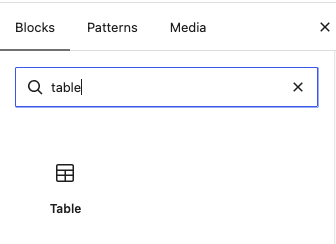
>
> # 🏷️ Title: Tables in the content
>
<!-- deep-read:sections start -->
## 🧭 Table of contents
- [📝 Summary](#-summary)
- [📖 Main content](#-main-content)
- [🗒️ Notes](#️-notes)
- [📚 References](#-references)
- [🗣️ Paraphrase](#️-paraphrase)
- [📰 Newsletter](#-newsletter)
- [✅ Action items](#-action-items)
- [🧪 Hypotheses](#-hypotheses)
- [📊 Methodology](#-methodology)
- [❓ Questions](#-questions)
- [🔮 Future research](#-future-research)
- [💡 Implications](#-implications)
- [🧠 Learning styles assessment](#-learning-styles-assessment)
- [📊 Accessibility assessment](#-accessibility-assessment)
- [🌍 DEIB assessment](#-deib-assessment)
- [✅ Logical validity](#-logical-validity)
- [🛡️ DARVO analysis](#️-darvo-analysis)
- [🎯 Conclusion](#-conclusion)
- [🔄 Refactor appendix](#-refactor-appendix--tables-in-the-content)
Paragraph labels like ¶7 are the pipeline's extraction labels, not part of the original page. The source is a documentation page, so it is guidance, not an argument or a study. The analysis keeps two things apart: the page as published (what the captured text and link list show about the page itself) and the guidance the page gives (what it tells content authors to do).
## 📝 Summary
- **What happened.** The WordPress Accessibility Documentation project published "Tables in the content" at wpaccessibility.org/docs/topics/content/tables/. Reader saved it on 2026-09-09. The capture holds 599 words in 28 paragraphs and 10 links. The page tells content authors how to build an accessible data table: use a real HTML table (¶3), use table headers for columns and rows (¶4), and add a caption, or a heading just above the table if a caption isn't possible (¶5). It then walks six steps through the default Table block in WordPress 7.1 (¶11 to ¶17).
- **The claim.** A table is accessible to screen reader users when it has real table markup, header cells and a purpose statement. The page backs this with one description of what a screen reader announces (¶7), one complexity rule (¶8) and one conformance statement about layout tables (¶9).
- **Why it matters.** The audience is editors, not developers (¶6 sends front-end work to a separate page). The page gives them a checklist they can apply inside the editor, and it names two WCAG success criteria, 1.3.1 and 1.3.2 (¶23, ¶24).
- **Key stakeholders.** Content authors and editors; screen reader users; the Accessibility Documentation project; Gutenberg contributors working on the Table block (¶20); plugin authors whose table add-ons the page tells readers to test (¶19).
- **Risks and tradeoffs.** The default block makes simple tables only, and the page says row headers and captions need a plugin (¶19). The page also tells readers to give the table a "sort heading" in step 3 (¶14) and says the example table has a caption (¶7), so what the default block offers for captions is ambiguous in the captured text. The page leaves open how to handle wide tables on small screens, and it names no keyboard or reflow criteria.
- **Bottom line.** This is a short, accurate-in-outline authoring reference with a real editor walkthrough. Its most reusable idea is in ¶8: a table that's hard to make accessible is probably hard for everyone to read. Its weakest point is the flat statement in ¶9 that a layout-only table is "a WCAG violation," which is stronger than the page's single cited criterion supports from the page's own text alone (see Logical validity).
## 📖 Main content
**Three requirements (¶3 to ¶5).** The page lists three things an author must do. First, use a real HTML table, "not, for example, spaces or other dividers" (¶3). Second, use table headers to describe the columns and rows (¶4). Third, give the table a caption that states its purpose, or, if that isn't possible, put a heading just above the table at a level that fits the page's heading structure (¶5). The anchor "heading structure" links to /docs/topics/content/headings/ in the link list.
**What a screen reader announces (¶7).** The page describes the order: the caption first, then the table headers, then each cell with its header repeated before the cell data. It uses an example table above that point, "The cities of WordCamp Europe," with the headers "Year," "City" and "Country." The example table itself isn't in the captured text, so its markup can't be checked here. This description explains why captions and header cells matter. It's the page's own statement of behavior, with no link to a screen reader's documentation or a test.
**Complexity as a shared signal (¶8).** The page says that when a complex table is hard to make accessible, it's probably hard for every reader to understand. Its remedies are to split a complex table into several tables or to use a different structure, such as an unordered list, and to "display the data as simply as possible."
**The layout-table warning (¶9).** A warning says that using a table only for layout makes content hard for screen reader users, and calls it "actually a WCAG violation to use a table for layout only," pointing to 1.3.1 Info and Relationships. This analysis flags the sentence in Logical validity: it's the page's claim, and the cited criterion's own text isn't in the capture.
**The Table block walkthrough (¶10 to ¶18).** The page describes six steps in the default Table block, "created with WordPress 7.1" (¶11): find and select the block (¶12), choose columns and rows (¶13), give the table a "sort heading" that states its purpose (¶14), select the block and turn on the Header section option (¶15), fill in headers and cells (¶16), then save and check the table on the page (¶17). ¶18 sends readers to the WordPress documentation for the Table block. "Sort heading" in ¶14 reads as a typo for "short heading"; the capture doesn't resolve this, and the same step doesn't say whether the heading is the table's caption or a separate heading.
**Limits and plugins (¶19, ¶20).** ¶19 says these are the current options for an accessible table in the admin, and that plugins can add features such as row headers and captions. It tells readers to confirm a plugin's output is accessible by running a test tool such as the WAVE Browser Extension on the live page. ¶20 says work is underway to improve the block, points to the GitHub issues labeled Block Table, and says help is welcome.
**Resources (¶21 to ¶28).** The page ends with the WCAG criteria 1.3.1 Info and Relationships (Level A) and 1.3.2 Meaningful Sequence (Level A), two related pages in its own documentation (Tables in frontend development, Semantic HTML) and a heading "Other resources" with nothing under it in the capture.
**Established elsewhere versus stated here.** The page's statements about what a screen reader announces, about the WordPress 7.1 editor steps and about the state of Gutenberg work are its own. Nothing in the capture shows a test. WCAG 1.3.1 and 1.3.2 are real success criteria and the link list gives their quickref anchors. What 1.3.1 requires for layout tables, and whether the default block offers a caption field, would need the criterion's Understanding page and a WordPress 7.1 install to confirm, and neither is in the capture.
**Uncertain in this source.**
- Whether the default block has a caption field, given ¶14 and ¶19 (see Questions).
- Whether the example table in ¶7 uses `th` header cells and a `caption` element.
- Whether "sort" in ¶14 is a typo for "short." The word "sort" doesn't fit the step's meaning.
- What sits under the empty "Other resources" heading (¶28).
## 🗒️ Notes
#### 📄 ¶1-¶2 Purpose and audience
- ¶1 frames the goal: show structured information in rows and columns "so that everyone understands the information."
- ¶2 narrows to users of assistive technology such as a screen reader. ¶1 and ¶2 contain no link in the captured markup.
#### 📄 ¶3-¶6 The three requirements
- Use a real HTML table, not spaces or other dividers (¶3). Use table headers for columns and rows (¶4).
- Give the table a caption, or a heading just above it at a level that fits the page's heading structure (¶5). The "heading structure" anchor maps to /docs/topics/content/headings/.
- ¶6 points front-end developers to "Tables in code" (/docs/topics/code/tables/), so this page stays on authoring.
#### 📄 ¶7 What the screen reader says
- The announcement order is caption, then headers, then each cell with its header repeated (¶7).
- The worked example uses the caption "The cities of WordCamp Europe" and the headers Year, City and Country. The table isn't part of the capture. ¶7 also contains the typo "cel data."
#### 📄 ¶8-¶9 Complexity and layout tables
- Hard-to-make-accessible tables are probably hard for every reader (¶8). Split the table or use a list.
- ¶9 calls layout-only tables "actually a WCAG violation" and cites 1.3.1 Info and Relationships (link: https://www.w3.org/WAI/WCAG22/quickref/#info-and-relationships).
#### 📄 ¶10-¶11 The Table block in the admin
- ¶10 is a section heading. ¶11 says the default Table block makes simple accessible tables and that the example is "created with WordPress 7.1."
#### 📄 ¶12-¶17 Six steps
- Steps 1 and 2: find the block, choose rows and columns (¶12, ¶13).
- Step 3: add a short heading (written "sort heading") that states the table's purpose (¶14).
- Steps 4 and 5: turn on the Header section option, then fill in headers and cells (¶15, ¶16).
- Step 6: save the post and check the table on the web page (¶17). The page doesn't say what to check for.
#### 📄 ¶18-¶20 Documentation, plugins and open work
- ¶18 links to the Table block documentation page (https://wordpress.org/documentation/article/table-block/). Its sentence ends "in the Admin read," which reads as an editing slip.
- ¶19 names row headers and captions as features plugins can add, and tells readers to test plugin output with the WAVE Browser Extension (https://wave.webaim.org/).
- ¶20 says the block is being improved, points to the GitHub issues labeled Block Table, and says help is welcome.
#### 📄 ¶21-¶28 Resources
- ¶22 to ¶24 list the related WCAG criteria: 1.3.1 Info and Relationships (Level A) and 1.3.2 Meaningful Sequence (Level A).
- ¶25 to ¶27 list related pages: Tables in frontend development and Semantic HTML. ¶28 is the heading "Other resources" with nothing after it in the capture.
## 📚 References
The captured link list has 10 entries, covering 9 distinct destinations. Each is cited here by URL from that list. This analysis hasn't opened any of them, so it asserts only what the page says about each link and what the anchor text says.
- [heading structure](https://wpaccessibility.org/docs/topics/content/headings/): the page uses it for the heading-above-the-table option (¶5).
- [Tables in code](https://wpaccessibility.org/docs/topics/code/tables/): the page sends front-end developers here (¶6). The same URL appears under the anchor "Tables in frontend development" in the resources list (¶26).
- [WCAG 1.3.1 Info and Relationships](https://www.w3.org/WAI/WCAG22/quickref/#info-and-relationships): linked from the layout-table warning (¶9) and from the resources list (¶23). The page labels it Level A.
- [WCAG 1.3.2 Meaningful Sequence](https://www.w3.org/WAI/WCAG22/quickref/#meaningful-sequence): resources list (¶24), Level A per the page.
- [Table block](https://wordpress.org/documentation/article/table-block/): the WordPress documentation page the page sends readers to for more on using the block (¶18).
- [WAVE Browser Extension](https://wave.webaim.org/): the testing tool the page suggests for plugin output (¶19).
- [issues labeled Block Table](https://github.com/WordPress/gutenberg/issues?q=state%3Aopen%20label%3A%22%5BBlock%5D%20Table%22): open Gutenberg issues for the Table block (¶20).
- [Semantic HTML](https://wpaccessibility.org/docs/topics/code/semantics/): related page in the same documentation (¶27).
- Primary sources to read next: the WCAG 2.2 Understanding pages for 1.3.1 and 1.3.2, and the Table block documentation, to compare against the page's statements.
- Claims with no link in the captured markup: the screen reader announcement order (¶7), the WordPress 7.1 walkthrough (¶11 to ¶17) and the statement that row headers and captions need a plugin (¶19). The page presents these as its own statements.
## 🗣️ Paraphrase
The page tells editors three things to do when they add a data table. Make it a real table, mark the header cells, and say what the table is for, either with a caption or a heading right above it. It explains why: a screen reader reads the caption, then the headers, then each cell along with its column or row header.
It adds a design test. If you can't make a table accessible, it's probably confusing for everyone, so split it up or turn it into a list. It also warns that using a table purely to arrange page layout is a WCAG failure, and it points to success criterion 1.3.1.
The second half is a six-step tour of the Table block in WordPress 7.1: add the block, set rows and columns, write a short purpose heading, turn on the header section, fill in the cells, then save and view the page. The page admits the default block covers only simple tables. Plugins can add row headers and captions, but test their output with a tool like WAVE first. Work on the block continues in Gutenberg, and the project invites help.
## 📰 Newsletter
**Accessible tables, without the guesswork.** The WordPress Accessibility Documentation project has a short authoring guide on tables in the content. It boils down to three habits: use a real table, mark the header cells, and give the table a caption (or a heading right above it). The page then walks through the default Table block in WordPress 7.1 in six steps, so editors can follow along in the admin.
Two lines are worth stealing. If a table is hard to make accessible, it's probably hard for everyone to read, so split it or use a list. And if you add a table plugin for row headers or captions, check its output with a tool like the [WAVE Browser Extension](https://wave.webaim.org/) before you trust it. Want to help? The page points at the open [Block Table issues in Gutenberg](https://github.com/WordPress/gutenberg/issues?q=state%3Aopen%20label%3A%22%5BBlock%5D%20Table%22). Read the full page: [Tables in the content](https://wpaccessibility.org/docs/topics/content/tables/).
## ✅ Action items
Each line ties to the page's text or says plainly that no action follows.
#### DevRel
- Developer advocacy: no direct action. A talk on accessible content authoring could use the three requirements (¶3 to ¶5) as its core slide.
- Education: use the six-step walkthrough (¶12 to ¶17) as a hands-on exercise, then have attendees run WAVE on the result (¶19).
- Developer experience: none from this source. The page sends front-end work to Tables in code (¶6).
- Developer marketing: none.
- Community management: when someone asks "how do I make a table accessible," link this page and the Table block documentation (¶18).
- Internal/external/cross-project: none from this source.
#### OSPO
- Policy and governance: none directly. Nearest relevance: contribution guidelines for documentation can require a header row and a caption on every table.
- License compliance: none.
- Security management: none.
- Software inventory: none.
- Developer support: none.
- Community engagement: none.
- Strategic alignment: none.
#### Community
- Maintainers: no direct action. Nearest relevance: maintainers of documentation repos can add the three requirements to a table review checklist.
- Contributors: point first-time documentation contributors at ¶3 to ¶5 before they add a table to a handbook page.
- Sponsors: none.
- Ecosystem: none from this source.
#### WordPress
- Core: no direct action.
- Core Performance: none.
- Core AI: none.
- **Core Program Team:** none.
- Mobile: none from this source.
- Playground: a Playground blueprint that opens the editor with an empty Table block could support the six-step walkthrough (inference, not in the page).
- Community: meetup and WordCamp accessibility sessions can use the page's WordCamp Europe example (¶7) as a localized demo.
- Training: ¶12 to ¶17 are already step-based and fit a Learn WordPress lesson on accessible content authoring. Check the steps against the version the course targets, because the page says "created with WordPress 7.1" (¶11).
- Marketing: none.
- Support: the page can answer forum questions about screen reader behavior with tables. Link ¶7 and ¶19.
- Design: none. The page doesn't discuss visual table styling.
- Documentation: fix three slips visible in the captured text: "cel data" (¶7), "sort heading" (¶14) and "in the Admin read" (¶18). Decide whether step 3 means the table caption or a separate heading, and align it with ¶19.
- Photos: none.
- TV: none.
- Polyglots: none from this source. The page has no translated version in the capture.
- Accessibility: add guidance the page doesn't contain: row header cells and scope (the default block has a header section option only per ¶15), wide-table behavior on small screens, and alt text if a table is shown as an image. Cross-link the 1.4.10 Reflow criterion if the team agrees it belongs.
- Meta: none.
- CLI: none.
- Hosting: none.
- Tide: none.
- Openverse: none.
- Themes: none directly. Theme authors can check that table styles don't remove header cell semantics (inference).
- Plugins: the page asks plugin users to verify plugin output with WAVE (¶19). Plugin authors can publish a test result showing the markup their table feature produces.
#### The WPOCC
- Programs: none directly.
- Projects: documentation sprints could target the open Block Table issues (¶20).
- Funding experiments: none from this source.
### FAIR
- Technical independence: none.
- Policies and covenants: none.
- Productized governance artifacts: none from this source.
## 🧪 Hypotheses
1. Editors who follow the six-step walkthrough (¶12 to ¶17) produce tables with a header row and a caption or adjacent heading at a higher rate than editors who work from a general accessibility checklist.
2. Many tables in published WordPress posts that fail the page's three requirements are real tables that lack the header section option (¶15), and fewer use non-table markup (¶3).
3. Splitting a complex table into several tables, as ¶8 advises, shortens task time for sighted readers on comprehension tasks, not just screen reader users.
4. Table plugins that advertise row headers and captions (¶19) produce output that fails at least one WAVE check in a measurable share of installs.
5. The statement in ¶9 will be read by many editors as "never use a table for layout," and few will know the conformance details of 1.3.1 as it applies to layout tables.
6. Page clarity improves when the caption/heading question (¶5, ¶14, ¶19) is stated once and consistently.
## 📊 Methodology
- **H1.** Run a within-subjects task study with editors: one group uses this page, one group uses a generic checklist. Score the resulting tables for header cells, caption or adjacent heading, and the result of a screen reader pass over the rendered page. Pre-register the scoring rubric.
- **H2.** Crawl a sample of public WordPress sites and audit tables with an HTML parser: count tables with no `th`, then compare to tables with `th` in the first row but no header section class.
- **H3.** A/B comprehension test: show one complex table and the same data split into two tables; measure time to answer and error rate for both screen reader and sighted participants.
- **H4.** Install a sample of table plugins in a clean WordPress 7.1 site, produce a row-header and caption table in each, and run WAVE plus a manual screen reader pass. Record failures by WCAG criterion.
- **H5.** Survey editors after reading ¶9 and ask them to restate the rule. Compare answers with the text of 1.3.1 and its Understanding page.
- **H6.** Usability review of the page itself: ask readers to find the answer to "does the default block give me a caption?" and record where they look and what they conclude.
- **Controls throughout.** Fix the WordPress version, theme and browser. Use two raters per table. Don't count the page's own example table, which isn't in the capture.
## ❓ Questions
- Does the default Table block in WordPress 7.1 have a caption field? ¶14 says to give the table a "sort heading," ¶5 says to use a caption if possible, and ¶19 says captions need a plugin.
- Does "sort heading" in ¶14 mean "short heading"? If so, is it the caption or a separate heading element?
- What markup does the Header section option (¶15) produce, and does it add header cells and a scope?
- How should an author give row headers in the default block, if the Header section option covers only the header row?
- What does 1.3.1 require for a layout table, and does ¶9 reflect that text? The capture doesn't include the Understanding page.
- Which page comes under "Other resources" (¶28)? The capture shows an empty heading.
- How should a wide table behave on a narrow screen? The page doesn't cover it.
- What would a minimum check at step 6 (¶17) include beyond "check the table on the webpage"?
## 🔮 Future research
- **Block behavior audit.** Document what the Table block outputs in each WordPress release: caption, header section, footer section, row headers. The page currently dates its walkthrough to 7.1 (¶11).
- **Plugin audits.** A reproducible comparison of table plugin output, run with WAVE and with a screen reader, would turn the ¶19 caution into data.
- **Conformance wording.** Compare the page's layout-table statement (¶9) with the 1.3.1 Understanding text and propose wording that cites the specific requirement.
- **Authoring outcomes.** Measure how often editors who read the page produce tables with headers and captions, using a sample of posts.
- **Related guidance.** Check whether the page should link to reflow, link purpose and images-of-tables guidance in the same documentation project.
## 💡 Implications
- **Practice.** Editors get a checklist short enough to run before publishing: real table, header cells, caption or heading. Teams can add those three checks to a pre-publish review.
- **Policy.** Documentation style guides can adopt the complexity rule (¶8) as a decision point: if a table needs workarounds, restructure the content.
- **Security.** None. The page doesn't cover security.
- **Education.** The six-step Table block walkthrough maps directly onto a lab exercise or a Learn WordPress lesson, as long as the version noted in ¶11 matches the course environment.
- **Funding.** The page asks for help on the Block Table issues (¶20). Funding for editor-side accessibility work is a plausible fit for that call, but the page doesn't discuss funding.
## 🧠 Learning styles assessment
- **Reading level estimate.** Flesch-Kincaid Grade Level about 6.4 and Flesch Reading Ease about 71, computed on the 599-word capture with a simple syllable counter. Treat the numbers as an estimate: the capture includes labels, headings and list fragments that shorten the average sentence.
#### 👀 Visual learners
- Present: the page refers to a table above ¶7 and to screenshots of the WordPress 7.1 steps. Neither the table nor the images are in the capture, so their quality can't be judged.
- Improve: add a screen reader-view diagram (caption, then headers, then cell with header) for ¶7, and before/after images of a bad and a good table.
#### 🔊 Aural learners
- Present: no audio is referenced in the captured text.
- Improve: a short recording of a screen reader reading the example table would make ¶7 audible.
#### 🗣️ Verbal learners
- Present: short rule statements (¶3 to ¶5) and one plain-language explanation of what a screen reader announces (¶7).
- Improve: define "table header," "caption" and "layout table" in one glossary line each.
#### 🧩 Kinesthetic learners
- Present: the six numbered steps (¶12 to ¶17) end with a check on the live page.
- Improve: add a try-it exercise, such as "make a three-column table, then run WAVE and write down what it reports."
#### 🧠 Logical learners
- Present: ordered steps, a stated cause-and-effect (hard to make accessible, so hard to understand, ¶8) and a named criterion (¶9).
- Improve: a decision tree for "table, list or headings?" and a table of which WCAG criterion each requirement supports.
#### 🧑🤝🧑 Social learners
- Present: ¶20 invites help on the GitHub issues.
- Improve: a discussion prompt for a meetup: "bring a complex table from your site and split it."
#### 🧘♀️ Solitary learners
- Present: a self-contained page with a final check step (¶17) and WAVE for independent verification (¶19).
- Improve: a self-check quiz of three questions drawn from ¶3 to ¶5.
#### 🌿 Naturalistic learners
- Present: no environmental content is relevant.
- Improve: none needed for this topic.
## 📊 Accessibility assessment
Two layers, kept apart. **Page as published** means what the captured text and link list show about the page itself. **Guidance the page gives** means what the page tells authors to do and which WCAG criteria it names (1.3.1 and 1.3.2, both Level A). The capture is a text extraction. It carries no CSS, no images, no markup other than the link list, so many properties of the live page are unknowable here.
#### Screen reader semantics
- Page as published: ¶10, ¶21, ¶22, ¶25 and ¶28 read as section headings, but the capture doesn't mark heading levels, so a heading hierarchy can't be confirmed. The link list shows descriptive anchor text for most links ("Table block," "WAVE Browser Extension," "Semantic HTML"). Two anchors, "Tables in code" and "Tables in frontend development," go to the same URL (https://wpaccessibility.org/docs/topics/code/tables/), which is acceptable under WCAG 2.4.4 (Link Purpose, In Context) because both name the same destination. "1.3.1 Info and Relationships" is linked twice with matching text. ¶7 refers to a table above it that isn't in the capture, so its markup, header cells and caption can't be verified. Alt text for the screenshots that the walkthrough implies isn't visible.
- Guidance the page gives: real table markup (¶3), header cells for columns and rows (¶4), a caption or a heading above (¶5). This addresses 1.3.1 Info and Relationships. The guidance doesn't mention header cell scope or row headers in the default block, and ¶19 says row headers need a plugin.
#### Keyboard navigation
- Page as published: not assessable from text. The capture shows links in ¶6, ¶9, ¶18 to ¶20 and ¶23 to ¶27, but not focus styles, skip links or tab order.
- Guidance the page gives: none. The page doesn't discuss keyboard use of tables or the Table block's editor controls. The WordPress editor's own accessibility (a user-agent matter, not an authoring one) is outside what the page claims.
#### Contrast and readability
- Page as published: contrast is unknowable from the capture. The reading level (see Learning styles) is low, and the paragraphs are short, which helps readability. WCAG 1.4.3 can't be checked.
- Guidance the page gives: none on color. The page doesn't mention visual contrast in table cells or header shading.
#### Text resizing and reflow
- Page as published: the page's own reflow at 200 percent zoom (1.4.4) and at 320 CSS px width (1.4.10) can't be tested from text.
- Guidance the page gives: nothing on wide tables on small screens. A table with many columns can force two-dimensional scrolling, which 1.4.10 Reflow addresses. The page's complexity advice (¶8) points in that direction (split the table, or use a list) but doesn't name the criterion or the reflow case.
#### Media and captions
- No media referenced in the captured text. The page mentions screenshots implicitly (the walkthrough "created with WordPress 7.1," ¶11), so alt text for images (1.1.1) is worth checking on the live page.
#### Forms and interactions
- Page as published: no form appears in the capture.
- Guidance the page gives: the six steps (¶12 to ¶17) use the editor's controls (a block search, column and row selectors, a Header section option). The page doesn't discuss the accessibility of those controls.
#### Standards reference
- Criteria the page names: **1.3.1 Info and Relationships (A)** and **1.3.2 Meaningful Sequence (A)** (¶23, ¶24; quickref anchors in the link list).
- Page as published, candidate checks (unverified): **1.1.1** if the screenshots lack alt text, **1.3.1** for the example table in ¶7, **2.4.4** for link text (looks adequate from the link list), **2.4.6** for heading and label descriptiveness, **1.4.3, 1.4.10** and **1.4.12** for visual presentation.
- Guidance the page gives, candidate gaps (these are omissions in the captured text, not errors): row header and scope guidance, wide-table reflow (**1.4.10**), images of tables (**1.1.1**, **1.4.5**) and table layout in the editor itself.
- The page's statement in ¶9 that layout-only tables are a WCAG violation cites 1.3.1. Whether that reading matches the criterion's Understanding text needs a check against the W3C page, which this analysis didn't open.
## 🌍 DEIB assessment
#### Cultural breadth
- Present: the example uses WordCamp Europe cities, years and countries (¶7), a non-US community context. The page is in English only in the capture, with no link to translations.
- Improve: link translated versions if they exist, and add examples from other regions' WordCamps.
#### Inclusive language
- Present: plain terms ("real HTML table," "table headers," "caption"). The page speaks to "everyone" and names "users that rely on assistive technology like a screen reader" (¶2).
- Improve: define "table header" versus "row header" before ¶4 for editors outside web development. Fix "cel data" (¶7) and "sort heading" (¶14), which can trip readers who use translation tools or screen readers.
#### Neurodiversity support
- Present: short paragraphs, numbered steps (¶12 to ¶17) and a single-purpose structure.
- Improve: add a checklist at the top of the page that repeats the three requirements, and keep the section headings consistent.
#### Representation
- Present: the page addresses editors of any experience level. The captured text names no individual; the project and the WordPress community are the actors.
- Improve: include a quote or screenshot from a screen reader user to ground ¶7 in lived experience.
#### Psychological safety
- Present: the tone is instructional, not blaming. It frames the issue as understanding "for every reader" (¶8).
- Improve: add a short note that WordPress's default block has limits, and that falling short isn't the editor's fault. ¶19 and ¶20 already say that, in effect.
## ✅ Logical validity
Source type: documentation page. It's guidance, not research and not advocacy for a product, though it does promote the project's own related pages and names WAVE (a tool from WebAIM, linked at https://wave.webaim.org/) without comparing alternatives. The page states no commercial interest in the captured text.
#### Strong reasoning
- **The announcement order, ¶7.** The page explains why captions and header cells matter by describing the sequence a screen reader reads (caption, headers, each cell with its header). That's a mechanism, so the three requirements in ¶3 to ¶5 follow from it.
- **The complexity rule, ¶8.** The rule reasons from accessibility to general comprehension: hard to make accessible, so probably hard to understand. Its remedies (split, or use a list) are concrete. It's a heuristic, and the page treats it as one ("probably," "sometimes best").
- **Verification advice, ¶19.** The page says to test a plugin's output on the live page with a tool such as WAVE, instead of trusting a feature list. That ties the claim to evidence.
- **Honest scope, ¶11 and ¶19.** The page says the default block produces "simple" tables and names what is missing (row headers, captions). That limits its own claim.
#### Fallacies
- **Overstated conformance claim, ¶9.** The text says "It is actually a WCAG violation to use a table for layout only," and cites 1.3.1. The sentence is stated as absolute, but the page doesn't quote the criterion, and a criterion that concerns conveying structure doesn't obviously prohibit all layout tables. Why weak: it's an unsupported universal inside a single cited criterion. Fix: quote the 1.3.1 text or link the Understanding page and the relevant technique, then state when a layout table fails (for example when header markup or reading order misrepresents the content, tying to 1.3.1 and 1.3.2). This is an inference from general WCAG knowledge and the capture, not a check against the W3C text.
- **Internal inconsistency, ¶5, ¶7, ¶14 and ¶19.** ¶5 and ¶7 describe a caption, ¶14 asks for a "sort heading" in the block, and ¶19 says captions come from plugins. Why weak: readers can't tell which element carries the purpose statement in the default block. Fix: state the element name for step 3.
- **Hasty causal link, ¶8.** "Hard to make accessible" to "hard to understand for every reader" is offered as a rule of thumb with no source. Fix: label it a heuristic or cite a usability source.
- Checked and not found: no appeals to authority, no false dilemma and no loaded language in the rest of the page.
#### Tone of voice
- Plain, instructional, second person by implication ("keep in mind," "Try to display the data as simply as possible, always keeping your reader in mind," ¶8). One warning label (¶9) raises the stakes in a single sentence. The tone is inviting at the end (¶20: "assistance is welcome").
## 🛡️ DARVO analysis
Not applicable to this source. DARVO describes a response to an accusation, and this page is how-to documentation with no accused party. **Deny:** the page denies nothing. **Attack:** it attacks no person or group. **Reverse victim/offender:** it makes no such move. The closest cue is the warning in ¶9, which describes a failure mode, not a dispute.
## 🎯 Conclusion
"Tables in the content" is a compact authoring guide: real table, header cells, caption or heading, and a six-step Table block walkthrough for WordPress 7.1. Its transferable idea is the complexity rule in ¶8, and its practical strength is the advice to test plugin output with a tool like WAVE (¶19).
Three things deserve a follow-up. The page's layout-table statement (¶9) should quote or link the criterion's own text. The caption versus "sort heading" wording (¶5, ¶14, ¶19) should say which element the default block uses. And the guidance omits row header scope, wide-table reflow and images of tables. The page itself shows typos ("cel," "sort," "Admin read") and an empty "Other resources" heading, which the live page may not share.
**Next steps for readers:** follow the three requirements on the next table you publish; test it with WAVE; and if you can, review the open Block Table issues in Gutenberg (https://github.com/WordPress/gutenberg/issues?q=state%3Aopen%20label%3A%22%5BBlock%5D%20Table%22). Compare the page's ¶9 against the WCAG 1.3.1 Understanding text before repeating it.
## 🔄 Refactor Appendix — Tables in the content
> Density: 2–5 Literature atoms (H1 pad), 0–3 Permanent candidates (H4 pad).
> Emitted: 4 Literature, 2 Permanent. Resonance filter applied: section headings, the empty
> "Other resources" heading and the step-by-step instructions were dropped as procedural.
>
> Konik claim-header rules: present tense, declarative, ≤10 words, searchable, unique.
>
> Atomicity: one declarative sentence per atom. "and"/"also" → split.
>
> Tag pool: #bmf · #addendum · #xref · #articleseed · #storystem · #share · #aphorisms
### 📚 Literature Split Pad
#### [H1] Table complexity predicts reader difficulty
> [!quote] [¶8]
> when a complex table is hard to make accessible, it’s probably also hard to understand for every reader
**Context & use**:
- ¶8, the page's most transferable idea. It reasons from accessibility to general comprehension.
- The page offers it as a heuristic ("probably"). Use it as a design check on forms, navigation and dashboards, not only tables.
**Tags**: #xref #aphorisms
<!-- atomicity: 1 idea ✓ -->
#### [H2] Screen readers announce the caption first
> [!quote] [¶7]
> the caption is announced, then the table headers
**Context & use**:
- ¶7, the page's explanation of why captions and headers matter. It continues "and then with each cell the header is repeated."
- The page states this behavior without a source or test. Verify with a screen reader before citing it as fact.
**Tags**: #xref #share
<!-- atomicity: 1 idea ✓ -->
#### [H3] A purpose statement is required, by caption or heading
> [!quote] [¶5]
> give the table a caption to describe the purpose of the table
**Context & use**:
- ¶5. The fallback is a heading just above the table that fits the page's heading structure.
- ¶14 and ¶19 leave unclear which element the default block provides. Keep this as an open question.
**Tags**: #xref
<!-- atomicity: 1 idea ✓ -->
#### [H4] Plugin output gets tested, not trusted
> [!quote] [¶19]
> Before using a plugin, make sure it creates accessible tables in the website.
**Context & use**:
- ¶19, followed by the suggestion to run the WAVE Browser Extension on the live page.
- Applies to any plugin that claims accessibility features: test the rendered output, not the feature list.
**Tags**: #xref #share
<!-- atomicity: 1 idea ✓ -->
### 🧠 Atomic Split Pad
#### [P1] Complexity is a shared signal
**Claim** (one sentence, Courtney's voice): When an interface is hard to make accessible, treat that as evidence it's also hard for everyone else to use.
**Evidence pointer**: [[#H1]]
**Scope & conditions**: Holds as a heuristic for tables, forms and navigation where structure carries meaning. It's not a proof, and some content is complex by nature. The page treats it as a rule of thumb ("probably").
**Links**:
- [[Accessibility as design constraint]] — because extends
- [[Universal design]] — because evidence-for
- [[Accessible data tables]] — because applies-in WordPress content authoring
<!-- atomicity: 1 idea ✓ -->
#### [P2] Verify accessibility claims in rendered output
**Claim** (one sentence, Courtney's voice): An accessibility feature counts only after a test tool or a screen reader confirms it in the rendered page.
**Evidence pointer**: [[#H4]] · [[#H2]]
**Scope & conditions**: Applies to plugins and editor features whose output you don't control. Automated tools like WAVE catch only part of what WCAG covers, so pair them with a manual pass.
**Links**:
- [[Plugin evaluation checklist]] — because applies-in
- [[Automated accessibility testing limits]] — because contrasts on coverage
<!-- atomicity: 1 idea ✓ -->
### ✏️ Fleeting Queue
- [F1] Open question: does the WordPress 7.1 Table block have a caption field, or only a short heading? ¶14 and ¶19 disagree #fleeting #inbox
- [F2] Read the WCAG 1.3.1 Understanding text on layout tables before repeating ¶9's claim https://www.w3.org/WAI/WCAG22/quickref/#info-and-relationships #fleeting #inbox
- [F3] Idea: a Learn WordPress lesson on accessible tables built from the six steps (¶12 to ¶17) #fleeting #inbox #articleseed
### → Things 3 (max 2 actions)
- [ ] Test the WordPress 7.1 Table block for caption and header section output and note the markup — accessibility documentation, wpaccessibility.org tables page #things
- [ ] Draft a note to the Accessibility Documentation project listing three copy slips and the ¶9 wording question — wpaccessibility.org tables page #things
<!-- deep-read:sections end -->
📄 **Full text:** [[Full Document Contents/Articles/Tables in the Content.md|Tables in the Content by WordPress Accessibility Documentation project]]
## Highlights
- When designing the structure of a table, keep in mind: when a complex table is hard to make accessible, it’s probably also hard to understand for every reader. It’s sometimes best to split up a complex table into multiple tables or use a different structure, such as unordered lists. Try to display the data as simply as possible, always keeping your reader in mind. ([View Highlight](https://read.readwise.io/read/01m236sz1dt0wz0y7gp8hmdk7z))
- Note: The one idea here that generalizes past tables: difficulty making something accessible is a signal the structure is too complex for everyone, not just for assistive-technology users. Same heuristic applies to forms, nav, and dashboards.
- Tags: inclusive-design, atom/literature/h2, data-tables
- **Warning:** Using a table only for layout and not for displaying data makes the content hard to understand for screen reader users. It is actually a WCAG violation to use a table for layout only. See [WCAG 1.3.1 Info and Relationships](https://www.w3.org/WAI/WCAG22/quickref/#info-and-relationships). ([View Highlight](https://read.readwise.io/read/01m236sw7d3j1y54kgwamzkpfn))
- Note: Layout tables are a conformance failure under 1.3.1, not merely dated practice. Useful when a client or theme author treats it as a style preference.
- Tags: atom/literature/h1, wcag, data-tables