The Coolest Websites We Found This Month
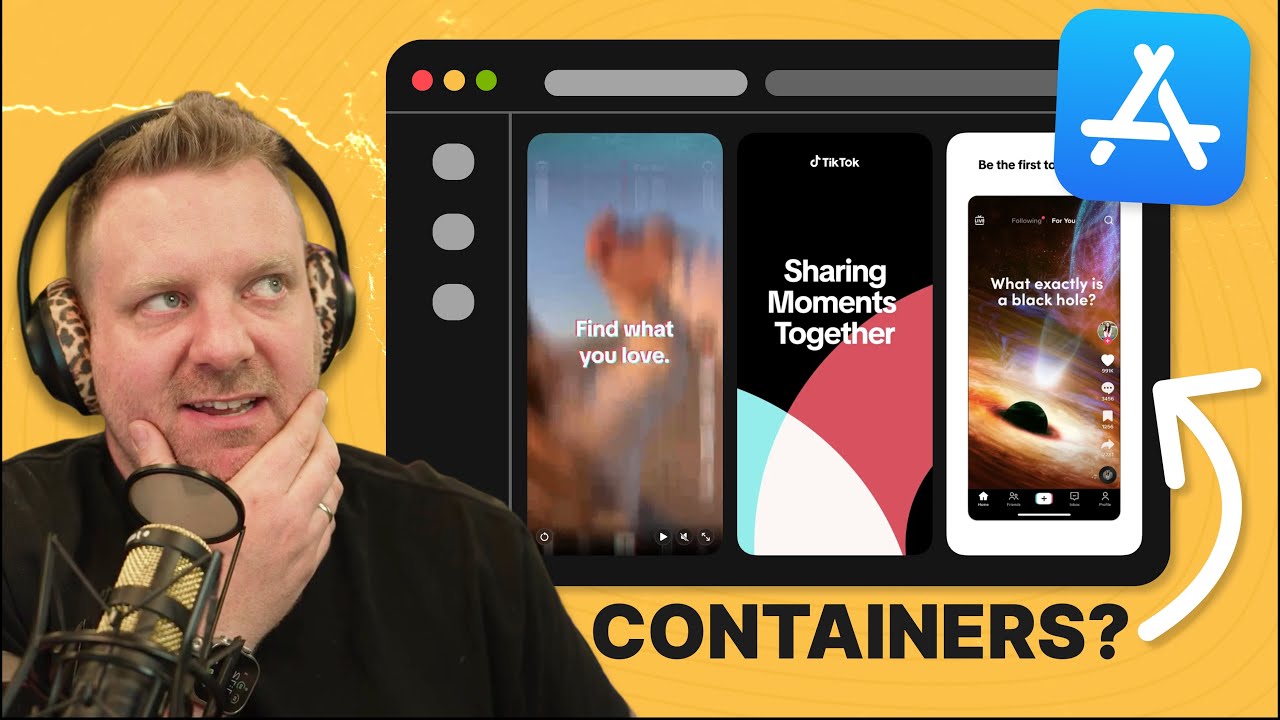
🔗 **Source:** [The Coolest Websites We Found This Month](https://www.youtube.com/watch?v=YjIM4HYSQaM)
> [!note]+ Document Notes
> tags: [web-design, css-techniques, frontend-development]
> author: Syntax
> source: YouTube
> reference: https://www.youtube.com/watch?v=YjIM4HYSQaM
> date created: 2024-01-15 10:00
>
> # 🏷️ Title: The Coolest Websites We Found This Month
>
<!-- deep-read:sections start -->
## 🧰 Action Inbox
- [H1] Explore CSS scroll snap for carousel alternatives — replace heavy JS libraries #performance
- [H2] Implement CSS anchor positioning for responsive layouts — modern positioning technique #css
- [H3] Experiment with container queries for component-based sizing — contextual responsive design #responsive
## 🧭 Table of Contents
- [📝 Summary](#-summary)
- [📖 Main Content](#-main-content)
- [🗒️ Notes](#️-notes)
- [📚 References](#-references)
- [🗣️ Paraphrase](#️-paraphrase)
- [📰 Newsletter](#-newsletter)
- [✅ Action Items](#-action-items)
- [🧪 Hypotheses](#-hypotheses)
- [📊 Methodology](#-methodology)
- [❓ Questions](#-questions)
- [🔮 Future Research](#-future-research)
- [💡 Implications](#-implications)
- [🧠 Learning Styles Assessment](#-learning-styles-assessment)
- [📊 Accessibility Assessment](#-accessibility-assessment)
- [🌍 DEIB Assessment](#-deib-assessment)
- [✅ Logical Validity](#-logical-validity)
- [🛡️ DARVO Analysis](#-darvo-analysis)
- [🎯 Conclusion](#-conclusion)
### 🔗 References
- [Lou Studio](https://loustudio.com)
- [Apple App Store Web](https://apps.apple.com)
- [OBS Agency](https://obs.agency)
## 📝 Summary
- The Syntax team showcases three innovative websites demonstrating cutting-edge CSS and design techniques
- Lou Studio features advanced theming with canvas overlays and creative color blending methods
- Apple's web App Store implementation uses modern CSS features like scroll snap, anchor positioning, and container queries
- OBS Agency creates an artistic book-like experience with layered parallax scrolling and draggable elements
- These examples show how modern CSS can replace heavy JavaScript libraries while creating engaging user experiences
## 📖 Main Content
The video presents a "gift swap" format where three developers share websites that showcase innovative web techniques. Lou Studio demonstrates sophisticated theming using multiple image overlays and canvas effects rather than simple color value changes. Apple's App Store web version serves as a production example of modern CSS features including scroll snap for carousels, anchor positioning for layout, and container queries for responsive components. OBS Agency creates an artistic experience that balances visual innovation with usability, using parallax effects and draggable layered elements to mimic a physical book interface. The discussion emphasizes that major companies like Apple are successfully shipping these modern CSS features, making them viable for broader adoption.
## 🗒️ Notes
#### ⏱️ [00:00](https://youtu.be/YjIM4HYSQaM?t=0) — Introduction to website gift swap
- Key idea: Three developers share cool websites with innovative techniques
- Evidence: "Today we have a gift swap where the three of us have brought in a website for show and tell"
#### ⏱️ [00:30](https://youtu.be/YjIM4HYSQaM?t=30) — Lou Studio theming system showcase
- Key idea: Advanced day/night theming using multiple image overlays instead of color changes
- Evidence: "They're having the same exact image loaded four different times just in a different color"
#### ⏱️ [02:15](https://youtu.be/YjIM4HYSQaM?t=135) — Canvas and video blend techniques
- Key idea: Multiple canvas overlays and video elements with CSS blend modes create complex effects
- Evidence: "They're using mix blend mode overlay to blend them together"
#### ⏱️ [03:45](https://youtu.be/YjIM4HYSQaM?t=225) — Apple App Store web version introduction
- Key idea: Apple launched a web-based App Store using modern CSS features
- Evidence: "They just recently launched a web-based version of the App Store, which is really neat"
#### ⏱️ [04:30](https://youtu.be/YjIM4HYSQaM?t=270) — CSS scroll snap implementation
- Key idea: Modern carousel functionality without JavaScript using CSS scroll snap
- Evidence: "With CSS scroll snap, you can do so much. And you likely don't need a carousel library anymore"
#### ⏱️ [06:00](https://youtu.be/YjIM4HYSQaM?t=360) — CSS anchor positioning for arrows
- Key idea: Positioning carousel arrows using CSS anchor positioning relative to content
- Evidence: "CSS anchor not something I've seen in many websites let alone such a big website like Apple"
#### ⏱️ [07:15](https://youtu.be/YjIM4HYSQaM?t=435) — Container queries for responsive buttons
- Key idea: Button sizing based on container size rather than viewport using container queries
- Evidence: "Based on how big this container is, I want to make the buttons smaller or bigger"
#### ⏱️ [08:45](https://youtu.be/YjIM4HYSQaM?t=525) — Progressive enhancement with supports queries
- Key idea: Apple uses feature detection and fallbacks for modern CSS features
- Evidence: "They have some fallbacks which is nice" with supports queries for older browsers
#### ⏱️ [09:30](https://youtu.be/YjIM4HYSQaM?t=570) — OBS Agency artistic design introduction
- Key idea: Book-inspired website with layered, draggable elements and parallax scrolling
- Evidence: "They made a website kind of work like a book and that it's actually stacked and layered"
#### ⏱️ [10:45](https://youtu.be/YjIM4HYSQaM?t=645) — Parallax implementation details
- Key idea: JavaScript-controlled transform values create parallax effects at different speeds
- Evidence: "JavaScript is changing its transform y-value, but at a faster speed than the one that's on top"
#### ⏱️ [11:30](https://youtu.be/YjIM4HYSQaM?t=690) — Balancing art and usability discussion
- Key idea: Artistic web experiences can coexist with usability when appropriate for the context
- Evidence: "There's room for art on the internet, folks. And this is art. It is still readable. It's still usable"
#### ⏱️ [13:00](https://youtu.be/YjIM4HYSQaM?t=780) — Modern CSS adoption validation
- Key idea: If Apple ships modern CSS features in production, they're ready for broader adoption
- Evidence: "If Apple is able to ship them on their store that everyone is using, you are able to use this stuff"
## 📚 References
- [Lou Studio](https://loustudio.com)
- [Apple App Store Web](https://apps.apple.com)
- [OBS Agency](https://obs.agency)
- [CSS Scroll Snap Documentation](https://developer.mozilla.org/en-US/docs/Web/CSS/CSS_Scroll_Snap)
- [CSS Anchor Positioning](https://developer.mozilla.org/en-US/docs/Web/CSS/CSS_anchor_positioning)
- [CSS Container Queries](https://developer.mozilla.org/en-US/docs/Web/CSS/CSS_container_queries)
## 🗣️ Paraphrase
- Lou Studio demonstrates advanced theming by loading multiple versions of the same image in different colors and blending them with opacity changes rather than simple CSS color modifications
- Apple's web App Store showcases production-ready modern CSS including scroll snap for touch-friendly carousels, anchor positioning for contextual layouts, and container queries for component-responsive design
- OBS Agency creates an artistic book metaphor using layered parallax scrolling and draggable elements while maintaining usability and readability
## 📰 Newsletter
🎨 **Modern CSS Takes Center Stage in Production Websites**
This month's website showcase reveals how cutting-edge CSS features are moving from experimental to production-ready. Apple's web App Store demonstrates that scroll snap, anchor positioning, and container queries aren't just developer toys—they're powering real user experiences at scale.
**Key Takeaways:**
- **CSS Scroll Snap** can replace heavy JavaScript carousel libraries with native, performant scrolling behavior
- **Anchor Positioning** enables contextual layouts without complex wrapper divs
- **Container Queries** allow truly component-based responsive design
The artistic OBS Agency site proves that innovative design and usability aren't mutually exclusive when the context calls for an experience rather than pure information consumption.
**Try This:** Replace your next carousel implementation with CSS scroll snap—you might be surprised how much JavaScript you can eliminate while improving performance.
Resources: [Learn WordPress](https://learn.wordpress.org/), [Developer Docs](https://developer.wordpress.org/), [WP-CLI](https://wp-cli.org/)
## ✅ Action Items
#### WordPress
- Core: Evaluate scroll snap for media gallery navigation improvements
- Themes: Create design patterns showcasing container queries for responsive components
- Design: Develop accessibility guidelines for artistic/experimental themes
- Documentation: Document modern CSS feature adoption strategies for theme developers
- Community: Share examples of artistic themes that maintain usability standards
## 🧪 Hypotheses
- Modern CSS features like scroll snap can significantly reduce JavaScript bundle sizes while improving performance
- Container queries enable more modular, component-based responsive design patterns
- Artistic web experiences increase user engagement when appropriately matched to content context
- Progressive enhancement with feature detection makes modern CSS features viable for production use
### 📊 Methodology
- Performance testing comparing CSS scroll snap vs JavaScript carousel implementations
- User experience studies measuring engagement with artistic vs minimal web designs
- Browser compatibility analysis for modern CSS features across target audiences
### ❓ Questions
- How much JavaScript can be eliminated by adopting modern CSS features like scroll snap and anchor positioning?
- What are the performance implications of multiple image overlays vs CSS color manipulation for theming?
- How do users with disabilities experience these artistic, animation-heavy interfaces?
### 🔮 Future Research
- Comprehensive browser support timeline for CSS anchor positioning
- Performance benchmarks for canvas vs video vs CSS for animated backgrounds
- Accessibility best practices for parallax and animation-heavy interfaces
### 💡 Implications
- Practice: Modern CSS features can replace JavaScript libraries, reducing complexity
- Performance: Native CSS features typically offer better performance than JavaScript equivalents
- Design: Balance between artistic expression and accessibility requires careful consideration
- Education: Developers need training on modern CSS features to avoid over-reliance on JavaScript
### 🧠 Learning Styles Assessment
Reading level estimate: 10th Grade (technical content with clear explanations)
#### 👀 Visual learners
- Present: Live website demos, visual code inspection, side-by-side comparisons
- Improve: Diagram showing CSS feature compatibility timeline
#### 🔊 Aural learners
- Present: Detailed verbal explanations, discussion format
- Improve: Audio-only summary of key CSS features
#### 🗣️ Verbal learners
- Present: Clear definitions of technical terms, analogies (book metaphor for OBS site)
- Improve: Glossary of modern CSS features
#### 🧩 Kinesthetic learners
- Present: Live code exploration, interactive demos
- Improve: Step-by-step tutorials for implementing each technique
#### 🧠 Logical learners
- Present: Technical analysis, feature comparison, performance considerations
- Improve: Decision matrix for when to use each CSS feature
#### 🧑🤝🧑 Social learners
- Present: Team discussion format, shared discovery
- Improve: Community challenges to recreate effects
#### 🧘♀️ Solitary learners
- Present: Individual code exploration, self-discovery elements
- Improve: Personal experimentation prompts
#### 🌿 Naturalistic learners
- Present: Real-world production examples, practical applications
- Improve: Industry adoption patterns, ecosystem evolution
### 📊 Accessibility Assessment
#### Screen reader semantics
- Present: Standard HTML structure underneath visual effects
- Improve: Ensure ARIA labels for interactive draggable elements
#### Keyboard navigation
- Present: Basic navigation maintained in examples
- Improve: Ensure all interactive elements are keyboard accessible
#### Contrast and readability
- Present: Text remains readable in artistic designs
- Improve: Test contrast ratios across all theme variations
#### Text resizing and reflow
- Present: Responsive design principles maintained
- Improve: Test artistic layouts at 200% zoom
#### Media and captions
- Present: Video content is decorative/atmospheric
- Improve: Provide text alternatives for decorative animations
#### Motion and animation
- Present: Multiple animations and parallax effects
- Improve: Respect prefers-reduced-motion settings
### 🌍 DEIB Assessment
#### Cultural breadth
- Present: International examples (Lou Studio, Apple global)
- Improve: Include examples from diverse geographic regions
#### Inclusive language
- Present: Technical terminology clearly explained
- Improve: Avoid assumptions about prior CSS knowledge
#### Neurodiversity support
- Present: Multiple learning approaches in video format
- Improve: Provide structured text alternatives to video content
#### Representation
- Present: Technical focus with multiple perspectives
- Improve: Include diverse voices in technical discussions
#### Accessibility considerations
- Present: Discussion of balancing art with usability
- Improve: More detailed accessibility analysis of artistic sites
### ✅ Logical Validity
#### Strong reasoning
- Inductive strength: Good examples support claims about modern CSS viability
- Practical reasoning: Sound advice about when artistic design is appropriate
- Evidence-based: Uses concrete production examples (Apple) to support claims
#### Fallacies
- Appeal to authority: "If Apple uses it, you can too" - somewhat valid but oversimplified
- False dichotomy: Implies choice between "artistic" vs "usable" when spectrum exists
#### Tone of voice
- Overall tone: Enthusiastic and educational, encouraging experimentation while acknowledging practical constraints
### 🛡️ DARVO Analysis
- Deny: No denial patterns present
- Attack: Mild pushback against "just text" preferences, but contextually appropriate
- Reverse victim/offender: None identified
- Emotional cues: Positive enthusiasm for technical innovation, balanced perspective on usability
## 🎯 Conclusion
Modern CSS features are transitioning from experimental curiosities to production-ready tools, as evidenced by Apple's implementation in their web App Store. The key insight is that scroll snap, container queries, and anchor positioning can replace complex JavaScript solutions while improving performance and maintainability. However, the artistic examples also demonstrate that innovation must be balanced with accessibility and user needs—there's room for both functional minimalism and expressive design when appropriately matched to context and audience expectations.
## 🧱 Refactor Appendix
### 📚 Literature Split Pad
Purpose: Stage CEE units that become Literature notes.
Split level: H3
### [H1] CSS scroll snap replaces JavaScript carousels effectively
> [!quote] [The Coolest Websites We Found This Month](https://www.youtube.com/watch?v=YjIM4HYSQaM) by [[Syntax]] via [[YouTube]]. Published 2024. Accessed 2024-01-15.
> "With CSS scroll snap, you can do so much. And you likely don't need a carousel library anymore."
Production evidence from Apple's App Store implementation demonstrates viability.
[view highlight](https://youtu.be/YjIM4HYSQaM?t=270#H1) #xref #css-features ID:rw_001
### [H2] Container queries enable component-responsive design patterns
> [!quote] [The Coolest Websites We Found This Month](https://www.youtube.com/watch?v=YjIM4HYSQaM)
> "Based on how big this container is, I want to make the buttons smaller or bigger."
Enables sizing based on container rather than viewport dimensions.
[view highlight](https://youtu.be/YjIM4HYSQaM?t=435#H2) #xref #responsive-design ID:rw_002
---
### 🔖 Atomic Split Pad (Zettel Candidates)
Purpose: Promote reusable claims into Atomic notes.
Split level: H4
#### [Z1] Modern CSS features reduce JavaScript dependency
- When browser support allows, native CSS often outperforms JS solutions
- Evidence from Apple's production implementation at 4:30
- Links: [[CSS-Performance]] [[Progressive-Enhancement]]
#### [Z2] Artistic web design requires contextual appropriateness
- Art sites vs utility sites have different usability requirements
- Balance innovation with accessibility needs
- Links: [[Web-
---
## Full Transcript
[00:00] Hey, what's up? Today we have a gift<br>[00:02] swap where the three of us have brought<br>[00:04] in a website for showand tell that we're<br>[00:07] going to be uh we're going to be showing<br>[00:08] the team something that we found that we<br>[00:10] think is cool, some neat techniques, and<br>[00:13] I've got one uh for the team today. This<br>[00:16] has been on my radar for a little bit.<br>[00:18] It's a design studio, uh Lou Studio, and<br>[00:22] they're the alchemists of the internet.<br>[00:25] I I really like this site for a number<br>[00:27] of reasons, but there's some cool<br>[00:29] techniques going on here. The site looks<br>[00:33] really great. There's a handful of like<br>[00:34] really lovely techniques going on and<br>[00:37] just cool animations and canvas things.<br>[00:40] But as a fan of theming insights, this<br>[00:43] little light day slider to me is one of<br>[00:46] the cooler theming systems I've seen.<br>[00:49] And they have like this is the night<br>[00:50] theme and this is the day theme. And it<br>[00:52] really only affects this main billboard,<br>[00:56] but it's also modifying these buttons.<br>[00:58] You can't really even tell with this<br>[01:00] background in here, but like the the<br>[01:02] colors for these buttons and this button<br>[01:04] and stuff are changing. They're doing it<br>[01:06] in a really odd way, too. So, one of the<br>[01:08] cool things here is that in here they<br>[01:11] have the canvas, which is the<br>[01:13] background, but if you get rid of the<br>[01:14] canvas, you can see this kind of like<br>[01:17] displacement kind of map, but it's not<br>[01:19] displacement map. It's uh like a the<br>[01:21] cloudy kind of uh color tinting that's<br>[01:24] going on. And this actually lets you see<br>[01:26] a little bit more of like when I change<br>[01:27] this up here, it's actually tinting all<br>[01:29] of these buttons and stuff. So, it's not<br>[01:31] just changing the canvas. It's actually<br>[01:33] doing some interesting stuff. But the<br>[01:35] oddest thing I found is that they're<br>[01:38] having the same exact image loaded four<br>[01:42] different times just in a different<br>[01:44] color. and they are changing the opacity<br>[01:49] of all of them to blend the different<br>[01:52] ones together. Even when they have the<br>[01:54] the themes on top of things, the way<br>[01:56] they're doing it is they're not just<br>[01:58] changing color values. They have a color<br>[02:01] overlay of four different color<br>[02:03] overlays. And when you do that slider,<br>[02:05] it's changing the opacity values on all<br>[02:07] of them rather than just manipulating<br>[02:10] and setting values. So, I thought that<br>[02:12] was like really cool and a really<br>[02:13] interesting technique to be able to get<br>[02:15] like really kind of depth and color.<br>[02:17] >> I love it. I think we should normalize<br>[02:19] uh more than just night and dark theme<br>[02:21] like there's an in between. That's<br>[02:22] pretty cool.<br>[02:23] >> There's dusk.<br>[02:25] >> So, there's a video element in here,<br>[02:26] Scott. Did you see that?<br>[02:28] >> Yeah. What's interesting about the video<br>[02:29] element, Wes, is that if we<br>[02:31] >> Well, that's the blobbyiness.<br>[02:33] >> If we hide the video element,<br>[02:36] >> notice how it all just kind of it gets a<br>[02:38] little bit more chill, I think, is the<br>[02:40] best way to describe it. If we bring<br>[02:41] that back.<br>[02:41] >> And then they're using mix blend mode<br>[02:44] overlay to blend them together. Ooh.<br>[02:46] Okay.<br>[02:47] >> So that video isn't done with a shader.<br>[02:48] It's done with a a video which is a cool<br>[02:51] technique too because it's not all just<br>[02:53] like one big canvas. Right. There's<br>[02:54] another cool way they do that down here<br>[02:56] with a canvas uh with these clouds<br>[02:59] because you see this text kind of go in<br>[03:01] and out. That's an overlay. That is in<br>[03:03] fact a canvas overlay on top of<br>[03:07] >> all this stuff. And if you get rid of<br>[03:08] that, the cloudiness kind of goes away<br>[03:11] and the rest is just text colors. So<br>[03:13] there's a lot of fun little things like<br>[03:14] that. There's a lot of usage of canvas.<br>[03:17] But on top of that, even just like the<br>[03:18] general buttons, the general uh<br>[03:20] overlays. Everything on the site looks<br>[03:22] really great. In fact, I really loved<br>[03:24] one of this effect right here. I was<br>[03:25] thinking we could do this for a sin hack<br>[03:28] sometime where we could compete to do<br>[03:29] this little like fade and blur as this<br>[03:32] text comes in. I think it's a cool<br>[03:33] transition right here. Wow,<br>[03:35] >> that's I wonder why they're doing it as<br>[03:37] a video though because like it it seems<br>[03:39] like that blob would be relatively easy<br>[03:42] like generated in canvas.<br>[03:45] >> Yeah.<br>[03:45] >> And then like doing the the blend modes<br>[03:50] all in canvas space is certainly way<br>[03:52] more performant than using like CSS<br>[03:54] blend mode.<br>[03:55] >> It's interesting. Yeah, I wish I I knew<br>[03:57] the answer to that, but I think this is<br>[03:59] a cool site. Yeah, check this out. We'll<br>[04:00] have a link to this available. You can<br>[04:02] paw through it. I think it's a lot of<br>[04:03] neat stuff going on.<br>[04:04] >> All right, I've got a cool website for<br>[04:06] you, and that is the Apple App Store.<br>[04:08] They just recently launched a webbased<br>[04:11] version of the App Store, which is<br>[04:13] really neat. And we actually did an<br>[04:15] entire video diving into it because they<br>[04:18] they famously leaked all of their source<br>[04:20] maps, which allowed us to see the the<br>[04:22] spelt code behind that. But, uh, turns<br>[04:24] out Apple's a little ligious, so we are<br>[04:27] not going to release that video. But<br>[04:29] there are several things that are simply<br>[04:31] just findable via dev tools which I<br>[04:34] think are really neat. So I'm going to<br>[04:36] be focusing on this like scroll slider<br>[04:40] right here because it's made up with<br>[04:42] several I I would say new CSS features.<br>[04:46] So this slider of all of the images here<br>[04:49] is built it's just a UL with a bunch of<br>[04:52] li inside of it and it's using CSS<br>[04:54] scroll snap. So, as you scroll it, you<br>[04:57] can see that it snaps to the closest<br>[05:00] version of each of the thumbnails. And<br>[05:03] that's really nifty because like<br>[05:06] carousels, like JavaScript carousel<br>[05:09] libraries were this absolute massive<br>[05:12] thing. And with CSS scroll snap, you can<br>[05:15] do so much. And you likely don't need a<br>[05:20] carousel library anymore. So, if you<br>[05:22] take a look at this right here, you can<br>[05:23] use DevTools to turn on scroll snap and<br>[05:25] it will show you exactly where each of<br>[05:27] the items starts. Um, they are using<br>[05:30] scroll padding. Um, so that when you do<br>[05:34] scroll it, you see a little bit of the<br>[05:36] the one right here, right? It's not just<br>[05:38] like a clean only show me what four at a<br>[05:41] time. It's actually showing you three<br>[05:44] full ones and then it's cutting off 25<br>[05:46] pixels of the last one, showing you 25<br>[05:48] pixels of the first one.<br>[05:50] >> Yeah. So, scroll snap super underrated,<br>[05:52] right, Scott? Like, you've been you've<br>[05:54] been using it like crazy lately.<br>[05:55] >> Yeah, I've been doing I've been I've<br>[05:57] been doing tricks on it. I it it's<br>[05:58] really cool stuff. Uh there's there's<br>[06:00] like some amazing amazing stuff that you<br>[06:03] can do with scroll snap and I feel like<br>[06:05] people are just really sleeping on it.<br>[06:07] Like even just doing a simple like<br>[06:09] Instagram style vertical swiper reel is<br>[06:11] just effortless with like two run CSS.<br>[06:14] um these arrows here which allow you to<br>[06:18] click next and and previous on each of<br>[06:20] them. Those arrows are using CSS anchor<br>[06:24] positioning. And I thought that was kind<br>[06:26] of interesting. So, normally with these<br>[06:28] arrows, what I would do is I would put<br>[06:30] the arrow inside of the carousel or I<br>[06:33] would wrap the entire carousel in a div<br>[06:35] and then the height of the carousel<br>[06:37] would probably be defined by like the<br>[06:40] height of the the contents inside of it.<br>[06:42] And then I would position these arrows.<br>[06:44] you know, like top 50% and then you push<br>[06:46] it back up uh half with translate Y.<br>[06:51] Always I always have to do that when I'm<br>[06:52] doing X and Y. So, what they're saying<br>[06:54] here is they're saying top anchor based<br>[06:56] off of the first piece of artwork. You<br>[06:59] can give an element a anchor name and<br>[07:01] then you can position items based off of<br>[07:04] those elements somewhere else in the<br>[07:06] DOM. And then you're saying 50% from the<br>[07:09] top of that. And then you want to you<br>[07:11] want to base that off of the center. So<br>[07:13] CSS anchor not something I've seen in<br>[07:16] many websites let alone such a big<br>[07:19] website like an apple apple.com website.<br>[07:22] So they have seemingly used a lot of the<br>[07:24] new CSS features and one more of them I<br>[07:26] thought this was pretty neat is some of<br>[07:28] the items in this carousel are videos<br>[07:32] and the video container is using<br>[07:35] container queries and I was like hm I<br>[07:37] wonder why they're doing that. So the<br>[07:40] video container itself<br>[07:42] >> and if you look into it the size of<br>[07:45] these buttons here are based on how wide<br>[07:48] the container is. Normally what you<br>[07:50] would do is you would do like a media<br>[07:51] query and say when the screen is is so<br>[07:53] big make them bigger. But this video can<br>[07:56] be in this case it's a vertical video<br>[07:58] but in this case right here this is like<br>[08:01] a horizontal like a 169 video. And you<br>[08:04] can see the buttons in here are slightly<br>[08:08] bigger than in here. So by using a<br>[08:12] container query, you can say based on<br>[08:15] how big this player is, because the<br>[08:18] video is going to size the container<br>[08:19] itself, not the actual um device itself.<br>[08:22] So based on how big this container is, I<br>[08:25] want to make the buttons smaller or<br>[08:27] bigger. Um, and I dug into it a little<br>[08:30] bit further. we take a look maybe if I<br>[08:32] inspect element on one of these buttons<br>[08:34] here the height of the button images are<br>[08:38] this variable called button size and if<br>[08:40] you click on that you'll see that it<br>[08:43] says at container video max width of 500<br>[08:46] pixels so when the container is at a<br>[08:48] maximum of 500 pixels then change the<br>[08:51] button size variable to 24 pixels you<br>[08:54] could even go further and use the CQI<br>[08:59] um and CQW CQ8 H those are container<br>[09:02] query and you can make it a percentage<br>[09:03] of it but in this case they're simply<br>[09:05] just saying all right when it's when<br>[09:07] it's 500 pixels or what is max or<br>[09:11] smaller then make the buttons slightly<br>[09:14] smaller and I thought that was a great<br>[09:16] use case of container queries cuz it's<br>[09:18] not contextual for the screen size is<br>[09:20] contextual for how big the the video<br>[09:22] player is. Yeah, man. Anchor, scroll,<br>[09:26] snap, container queries, such massively<br>[09:29] underrated APIs. Um, it's so funny<br>[09:32] because I've been using these more and<br>[09:33] more myself lately. And um, even having<br>[09:35] like the container query units, the CQW,<br>[09:40] CQH, those are just like awesome to use<br>[09:42] and uh, be able to style get the width<br>[09:44] of the container itself on something.<br>[09:46] >> Mhm.<br>[09:47] >> Yeah. I like that they're using uh,<br>[09:48] supports queries, too. So I'm in Firefox<br>[09:50] that I like technically Firefox supports<br>[09:53] top anchor but whatever version I'm<br>[09:56] using for whatever reason it doesn't<br>[09:57] kick in.<br>[09:58] >> So there's like a supports not for<br>[10:01] certain properties and then um and it's<br>[10:04] it's still working in my browser. So<br>[10:05] even though they're using some of the<br>[10:06] latest stuff they're they have some<br>[10:08] fallbacks which is nice.<br>[10:09] >> Yeah,<br>[10:10] >> it I did dig through it and they're<br>[10:11] using some hacks to detect old versions<br>[10:14] of Safari in here as well. supports not<br>[10:18] font Apple system body. There's there's<br>[10:21] all these like little tricks that they<br>[10:23] use to detect older versions of browsers<br>[10:26] and fall back to them. Yeah. What's so<br>[10:29] cool about this is that some people say<br>[10:31] these like we get comments all the time,<br>[10:34] these APIs are great. I can't use them.<br>[10:36] Folks, if if Apple is able to ship them<br>[10:38] on their store that everyone is using,<br>[10:41] you are able to use this stuff. Uh it's<br>[10:43] just a skill issue at that point, right?<br>[10:47] All right, CJ, what do you got for us?<br>[10:49] >> Okay. Uh Scott actually put this site on<br>[10:51] my radar and I've just started to uh<br>[10:53] dive into it, but it's from the OBS<br>[10:56] agency. Their tagline here is books that<br>[10:58] inspire, knowledge that endures, design<br>[11:00] that lives beyond. I don't know if<br>[11:02] they're a design agency or they design<br>[11:04] books, but this is their site. And this<br>[11:05] parallax scroll, first of all, is really<br>[11:07] cool. Like as you scroll, you can see<br>[11:09] that some of the elements behind it are<br>[11:11] scrolling a little bit faster, a little<br>[11:12] bit slower. I really like just the<br>[11:14] aesthetic like this. paper design. Like<br>[11:16] there's like cardboard on top and like<br>[11:18] this is like your punch paper. Um, and<br>[11:20] then they have this really cool feature<br>[11:22] where it's like it might not seem that<br>[11:24] useful that we can't read the stuff<br>[11:25] behind this this element, but if we drag<br>[11:28] it on top, they'll reorient and now we<br>[11:31] can actually read that section of the<br>[11:32] page. So, this is like a really cool<br>[11:34] metaphor for like cuz like they're a<br>[11:36] book company and so they made a website<br>[11:37] kind of work like a book and that it's<br>[11:39] like actually stacked and layered. They<br>[11:41] have this cool um font animation as or<br>[11:43] sorry mouse animation as you kind of<br>[11:45] navigate around. And if you use the<br>[11:48] navigation bar at the top, it also does<br>[11:49] the animation to bring that page uh on<br>[11:52] top of the others. So this is super<br>[11:55] sick. I'm just now diving into how all<br>[11:57] of it works. Um and for me seeing the<br>[12:00] parallax scroll, it's really just a<br>[12:01] matter of changing the Y value um on a<br>[12:04] transform. Let's see. Like if we look at<br>[12:05] this top element here, we can see that<br>[12:08] as I'm scrolling, its containers<br>[12:11] translate 3D is changing the y-value. So<br>[12:14] there's some JavaScript behind the scene<br>[12:15] that's actually setting that y-value.<br>[12:17] But if we take a look at the one that's<br>[12:19] underneath it, similarly, JavaScript is<br>[12:22] changing its transform y-value, but at<br>[12:25] in this case at a faster speed than the<br>[12:27] one that's on top. It's not all CSS.<br>[12:28] There is some JavaScript behind the<br>[12:29] scenes making that stuff happen. And<br>[12:31] yeah, overall cool site.<br>[12:32] >> We've gotten some comments on the Lando<br>[12:34] video. It's like sites should be<br>[12:36] readable and usable. But like man,<br>[12:38] there's room for art on the internet,<br>[12:40] folks. And this is art. It is still<br>[12:42] readable. It's still usable. It It is<br>[12:46] pure art to me. This is just a<br>[12:48] >> a different application. It's not<br>[12:50] anything I've seen. I've seen layers.<br>[12:52] I've seen things stacking. I've seen<br>[12:54] animations. But like the way they've<br>[12:56] done this all is so novel and<br>[12:58] interesting. and they've leaned in kind<br>[13:00] of like a<br>[13:01] >> it's not a skumorphic design aesthetic,<br>[13:04] but it is like a skumor. They they use<br>[13:07] like real textures and real uh lines and<br>[13:10] shapes and things while also still being<br>[13:13] kind of<br>[13:14] >> graphic and it it it feels very cool to<br>[13:17] me. Yeah, I I've really been loving this<br>[13:19] kind of collageish style even though<br>[13:21] this isn't really collagey as much, but<br>[13:23] like that that real paper aesthetic has<br>[13:26] been really cool. We get that a lot<br>[13:28] where anytime you show anything cool,<br>[13:30] people are like, "Just give me a text<br>[13:31] document with all the info."<br>[13:33] >> Yeah.<br>[13:34] >> There certainly if this was like the<br>[13:37] subway website where I'm trying to find<br>[13:40] like what time the next transit comes, I<br>[13:42] would be pissed this like I just want to<br>[13:45] get the date. I do not care about any of<br>[13:47] this. But for a lot of these other<br>[13:48] websites where it's an experience, you<br>[13:51] want to you land on the page and you're<br>[13:53] trying to flex a little to show off the<br>[13:56] vibe of your brand and to make the<br>[13:58] person stop and realize like, oh, this<br>[14:00] is actually a really nifty it's it's<br>[14:03] marketing, right? And of course, you<br>[14:05] still have to be able to consume the<br>[14:07] information, but how that is portrayed<br>[14:09] to you and how you actually experience<br>[14:11] the website is is really important to to<br>[14:14] a brand. And they certainly can be<br>[14:17] extremely obnoxious, but you got to be<br>[14:19] careful with that cuz you can piss<br>[14:20] people off so quickly.<br>[14:22] >> Yeah,<br>[14:22] >> definitely. And and I think Scott's spot<br>[14:24] on like this. This for me walks the<br>[14:26] line. It's like it's aesthetically<br>[14:27] pleasing. It's interesting. And if you<br>[14:29] leave the site for long enough, there's<br>[14:30] there's a a DVD logo uh animation that<br>[14:33] kicks in.<br>[14:34] >> Oh, yeah.<br>[14:35] >> I feel like the the Lando site is on the<br>[14:38] far end of hyperdesign.<br>[14:41] Kind of hard to use. Maybe doesn't work<br>[14:43] on some devices. I feel like this is a<br>[14:44] good middle ground of like they made it<br>[14:46] their own, but it's still usable. You<br>[14:48] can still get the info. Yeah. I love<br>[14:49] this DVD logo screen.<br>[14:51] >> Yeah. And and even the push back like on<br>[14:53] uh not to push back on you, but like the<br>[14:55] comments that were like, I just want the<br>[14:57] info. Like if you're going to the<br>[14:58] Landonorris.com website, like what info<br>[15:01] are you looking to get out of there? If<br>[15:03] you're looking to get like who he is,<br>[15:06] you go to his Wikipedia page. if you're<br>[15:08] like, you know, it the website is meant<br>[15:10] to be like a a celebration of this this<br>[15:13] race car driver and his stuff. It's<br>[15:14] supposed to be just like a cool thing.<br>[15:16] So, yeah, I I don't understand that<br>[15:18] opinion, but hey.<br>[15:19] >> Yeah. And I guess the last thing is I<br>[15:20] was trying to figure out how they did<br>[15:21] the paper textures because uh recently I<br>[15:24] started playing around with CSS blend<br>[15:25] modes and so like you could take a a<br>[15:27] texture with some transparency in it and<br>[15:29] like then blend it with the background<br>[15:30] to make it look like paper. It does. I<br>[15:32] can't seem to find it in the dev tools,<br>[15:34] but it does seem like they actually just<br>[15:35] have an actual paper image that they're<br>[15:38] using behind it, but that would be a<br>[15:39] cool effect as well is because then you<br>[15:41] could apply it to like any colored<br>[15:42] paper. You could you could have your<br>[15:44] cardboard textures, your your stock<br>[15:46] textures, um, and then use blend modes<br>[15:48] to apply it. But it looks like these are<br>[15:50] actually just separate images.<br>[15:51] >> Yeah. Sick. I love this. Wow. What a<br>[15:54] swap that was. Folks, if you have any<br>[15:57] cool stuff that you're seeing around the<br>[15:58] web, I know we're all seeing cool stuff.<br>[16:00] I actually my list of cool stuff is<br>[16:02] miles long, but if you're seeing cool<br>[16:04] stuff, you want to see us dive into it,<br>[16:07] break it down, or explain it or even<br>[16:09] just check out some neat techniques or<br>[16:11] something you want to uh bring to the<br>[16:13] class and show, hit us up. Leave a<br>[16:15] comment below in this video. Let us know<br>[16:17] what you think, what you're finding<br>[16:19] that's cool, or do you hate it all and<br>[16:20] you just want to see a blank ass<br>[16:22] website? So,<br>[16:24] peace.<br>[16:25] >> Peace.
<!-- deep-read:sections end -->
[[3. Resources/Readwise/Full Document Contents/Articles/The Coolest Websites We Found This Month|Full Document Contents]]
## Document Notes
---
tags: #web-design #css-techniques #frontend-development
author: Syntax
source: YouTube
reference: https://www.youtube.com/watch?v=YjIM4HYSQaM
date created: 2024-01-15 10:00
---
# 🏷️ Title: The Coolest Websites We Found This Month
## 🧰 Action Inbox
- [H1] Explore CSS scroll snap for carousel alternatives — replace heavy JS libraries #performance
- [H2] Implement CSS anchor positioning for responsive layouts — modern positioning technique #css
- [H3] Experiment with container queries for component-based sizing — contextual responsive design #responsive
## 🧭 Table of Contents
- [[#📝 Summary]]
- [[#📖 Main Content]]
- [[#🗒️ Notes]]
- [[#📚 References]]
- [[#🗣️ Paraphrase]]
- [[#📰 Newsletter]]
- [[#✅ Action Items]]
- [[#🧪 Hypotheses]]
- [[#📊 Methodology]]
- [[#❓ Questions]]
- [[#🔮 Future Research]]
- [[#💡 Implications]]
- [[#🧠 Learning Styles Assessment]]
- [[#📊 Accessibility Assessment]]
- [[#🌍 DEIB Assessment]]
- [[#✅ Logical Validity]]
- [[#🛡️ DARVO Analysis]]
- [[#🎯 Conclusion]]
### 🔗 References
- [Lou Studio](https://loustudio.com)
- [Apple App Store Web](https://apps.apple.com)
- [OBS Agency](https://obs.agency)
## 📝 Summary
- The Syntax team showcases three innovative websites demonstrating cutting-edge CSS and design techniques
- Lou Studio features advanced theming with canvas overlays and creative color blending methods
- Apple's web App Store implementation uses modern CSS features like scroll snap, anchor positioning, and container queries
- OBS Agency creates an artistic book-like experience with layered parallax scrolling and draggable elements
- These examples show how modern CSS can replace heavy JavaScript libraries while creating engaging user experiences
## 📖 Main Content
The video presents a "gift swap" format where three developers share websites that showcase innovative web techniques. Lou Studio demonstrates sophisticated theming using multiple image overlays and canvas effects rather than simple color value changes. Apple's App Store web version serves as a production example of modern CSS features including scroll snap for carousels, anchor positioning for layout, and container queries for responsive components. OBS Agency creates an artistic experience that balances visual innovation with usability, using parallax effects and draggable layered elements to mimic a physical book interface. The discussion emphasizes that major companies like Apple are successfully shipping these modern CSS features, making them viable for broader adoption.
## 🗒️ Notes
#### ⏱️ [00:00](https://youtu.be/YjIM4HYSQaM?t=0) — Introduction to website gift swap
- Key idea: Three developers share cool websites with innovative techniques
- Evidence: "Today we have a gift swap where the three of us have brought in a website for show and tell"
#### ⏱️ [00:30](https://youtu.be/YjIM4HYSQaM?t=30) — Lou Studio theming system showcase
- Key idea: Advanced day/night theming using multiple image overlays instead of color changes
- Evidence: "They're having the same exact image loaded four different times just in a different color"
#### ⏱️ [02:15](https://youtu.be/YjIM4HYSQaM?t=135) — Canvas and video blend techniques
- Key idea: Multiple canvas overlays and video elements with CSS blend modes create complex effects
- Evidence: "They're using mix blend mode overlay to blend them together"
#### ⏱️ [03:45](https://youtu.be/YjIM4HYSQaM?t=225) — Apple App Store web version introduction
- Key idea: Apple launched a web-based App Store using modern CSS features
- Evidence: "They just recently launched a web-based version of the App Store, which is really neat"
#### ⏱️ [04:30](https://youtu.be/YjIM4HYSQaM?t=270) — CSS scroll snap implementation
- Key idea: Modern carousel functionality without JavaScript using CSS scroll snap
- Evidence: "With CSS scroll snap, you can do so much. And you likely don't need a carousel library anymore"
#### ⏱️ [06:00](https://youtu.be/YjIM4HYSQaM?t=360) — CSS anchor positioning for arrows
- Key idea: Positioning carousel arrows using CSS anchor positioning relative to content
- Evidence: "CSS anchor not something I've seen in many websites let alone such a big website like Apple"
#### ⏱️ [07:15](https://youtu.be/YjIM4HYSQaM?t=435) — Container queries for responsive buttons
- Key idea: Button sizing based on container size rather than viewport using container queries
- Evidence: "Based on how big this container is, I want to make the buttons smaller or bigger"
#### ⏱️ [08:45](https://youtu.be/YjIM4HYSQaM?t=525) — Progressive enhancement with supports queries
- Key idea: Apple uses feature detection and fallbacks for modern CSS features
- Evidence: "They have some fallbacks which is nice" with supports queries for older browsers
#### ⏱️ [09:30](https://youtu.be/YjIM4HYSQaM?t=570) — OBS Agency artistic design introduction
- Key idea: Book-inspired website with layered, draggable elements and parallax scrolling
- Evidence: "They made a website kind of work like a book and that it's actually stacked and layered"
#### ⏱️ [10:45](https://youtu.be/YjIM4HYSQaM?t=645) — Parallax implementation details
- Key idea: JavaScript-controlled transform values create parallax effects at different speeds
- Evidence: "JavaScript is changing its transform y-value, but at a faster speed than the one that's on top"
#### ⏱️ [11:30](https://youtu.be/YjIM4HYSQaM?t=690) — Balancing art and usability discussion
- Key idea: Artistic web experiences can coexist with usability when appropriate for the context
- Evidence: "There's room for art on the internet, folks. And this is art. It is still readable. It's still usable"
#### ⏱️ [13:00](https://youtu.be/YjIM4HYSQaM?t=780) — Modern CSS adoption validation
- Key idea: If Apple ships modern CSS features in production, they're ready for broader adoption
- Evidence: "If Apple is able to ship them on their store that everyone is using, you are able to use this stuff"
## 📚 References
- [Lou Studio](https://loustudio.com)
- [Apple App Store Web](https://apps.apple.com)
- [OBS Agency](https://obs.agency)
- [CSS Scroll Snap Documentation](https://developer.mozilla.org/en-US/docs/Web/CSS/CSS_Scroll_Snap)
- [CSS Anchor Positioning](https://developer.mozilla.org/en-US/docs/Web/CSS/CSS_anchor_positioning)
- [CSS Container Queries](https://developer.mozilla.org/en-US/docs/Web/CSS/CSS_container_queries)
## 🗣️ Paraphrase
- Lou Studio demonstrates advanced theming by loading multiple versions of the same image in different colors and blending them with opacity changes rather than simple CSS color modifications
- Apple's web App Store showcases production-ready modern CSS including scroll snap for touch-friendly carousels, anchor positioning for contextual layouts, and container queries for component-responsive design
- OBS Agency creates an artistic book metaphor using layered parallax scrolling and draggable elements while maintaining usability and readability
## 📰 Newsletter
🎨 **Modern CSS Takes Center Stage in Production Websites**
This month's website showcase reveals how cutting-edge CSS features are moving from experimental to production-ready. Apple's web App Store demonstrates that scroll snap, anchor positioning, and container queries aren't just developer toys—they're powering real user experiences at scale.
**Key Takeaways:**
- **CSS Scroll Snap** can replace heavy JavaScript carousel libraries with native, performant scrolling behavior
- **Anchor Positioning** enables contextual layouts without complex wrapper divs
- **Container Queries** allow truly component-based responsive design
The artistic OBS Agency site proves that innovative design and usability aren't mutually exclusive when the context calls for an experience rather than pure information consumption.
**Try This:** Replace your next carousel implementation with CSS scroll snap—you might be surprised how much JavaScript you can eliminate while improving performance.
Resources: [Learn WordPress](https://learn.wordpress.org/), [Developer Docs](https://developer.wordpress.org/), [WP-CLI](https://wp-cli.org/)
## ✅ Action Items
#### WordPress
- Core: Evaluate scroll snap for media gallery navigation improvements
- Themes: Create design patterns showcasing container queries for responsive components
- Design: Develop accessibility guidelines for artistic/experimental themes
- Documentation: Document modern CSS feature adoption strategies for theme developers
- Community: Share examples of artistic themes that maintain usability standards
## 🧪 Hypotheses
- Modern CSS features like scroll snap can significantly reduce JavaScript bundle sizes while improving performance
- Container queries enable more modular, component-based responsive design patterns
- Artistic web experiences increase user engagement when appropriately matched to content context
- Progressive enhancement with feature detection makes modern CSS features viable for production use
### 📊 Methodology
- Performance testing comparing CSS scroll snap vs JavaScript carousel implementations
- User experience studies measuring engagement with artistic vs minimal web designs
- Browser compatibility analysis for modern CSS features across target audiences
### ❓ Questions
- How much JavaScript can be eliminated by adopting modern CSS features like scroll snap and anchor positioning?
- What are the performance implications of multiple image overlays vs CSS color manipulation for theming?
- How do users with disabilities experience these artistic, animation-heavy interfaces?
### 🔮 Future Research
- Comprehensive browser support timeline for CSS anchor positioning
- Performance benchmarks for canvas vs video vs CSS for animated backgrounds
- Accessibility best practices for parallax and animation-heavy interfaces
### 💡 Implications
- Practice: Modern CSS features can replace JavaScript libraries, reducing complexity
- Performance: Native CSS features typically offer better performance than JavaScript equivalents
- Design: Balance between artistic expression and accessibility requires careful consideration
- Education: Developers need training on modern CSS features to avoid over-reliance on JavaScript
### 🧠 Learning Styles Assessment
Reading level estimate: 10th Grade (technical content with clear explanations)
#### 👀 Visual learners
- Present: Live website demos, visual code inspection, side-by-side comparisons
- Improve: Diagram showing CSS feature compatibility timeline
#### 🔊 Aural learners
- Present: Detailed verbal explanations, discussion format
- Improve: Audio-only summary of key CSS features
#### 🗣️ Verbal learners
- Present: Clear definitions of technical terms, analogies (book metaphor for OBS site)
- Improve: Glossary of modern CSS features
#### 🧩 Kinesthetic learners
- Present: Live code exploration, interactive demos
- Improve: Step-by-step tutorials for implementing each technique
#### 🧠 Logical learners
- Present: Technical analysis, feature comparison, performance considerations
- Improve: Decision matrix for when to use each CSS feature
#### 🧑🤝🧑 Social learners
- Present: Team discussion format, shared discovery
- Improve: Community challenges to recreate effects
#### 🧘♀️ Solitary learners
- Present: Individual code exploration, self-discovery elements
- Improve: Personal experimentation prompts
#### 🌿 Naturalistic learners
- Present: Real-world production examples, practical applications
- Improve: Industry adoption patterns, ecosystem evolution
### 📊 Accessibility Assessment
#### Screen reader semantics
- Present: Standard HTML structure underneath visual effects
- Improve: Ensure ARIA labels for interactive draggable elements
#### Keyboard navigation
- Present: Basic navigation maintained in examples
- Improve: Ensure all interactive elements are keyboard accessible
#### Contrast and readability
- Present: Text remains readable in artistic designs
- Improve: Test contrast ratios across all theme variations
#### Text resizing and reflow
- Present: Responsive design principles maintained
- Improve: Test artistic layouts at 200% zoom
#### Media and captions
- Present: Video content is decorative/atmospheric
- Improve: Provide text alternatives for decorative animations
#### Motion and animation
- Present: Multiple animations and parallax effects
- Improve: Respect prefers-reduced-motion settings
### 🌍 DEIB Assessment
#### Cultural breadth
- Present: International examples (Lou Studio, Apple global)
- Improve: Include examples from diverse geographic regions
#### Inclusive language
- Present: Technical terminology clearly explained
- Improve: Avoid assumptions about prior CSS knowledge
#### Neurodiversity support
- Present: Multiple learning approaches in video format
- Improve: Provide structured text alternatives to video content
#### Representation
- Present: Technical focus with multiple perspectives
- Improve: Include diverse voices in technical discussions
#### Accessibility considerations
- Present: Discussion of balancing art with usability
- Improve: More detailed accessibility analysis of artistic sites
### ✅ Logical Validity
#### Strong reasoning
- Inductive strength: Good examples support claims about modern CSS viability
- Practical reasoning: Sound advice about when artistic design is appropriate
- Evidence-based: Uses concrete production examples (Apple) to support claims
#### Fallacies
- Appeal to authority: "If Apple uses it, you can too" - somewhat valid but oversimplified
- False dichotomy: Implies choice between "artistic" vs "usable" when spectrum exists
#### Tone of voice
- Overall tone: Enthusiastic and educational, encouraging experimentation while acknowledging practical constraints
### 🛡️ DARVO Analysis
- Deny: No denial patterns present
- Attack: Mild pushback against "just text" preferences, but contextually appropriate
- Reverse victim/offender: None identified
- Emotional cues: Positive enthusiasm for technical innovation, balanced perspective on usability
## 🎯 Conclusion
Modern CSS features are transitioning from experimental curiosities to production-ready tools, as evidenced by Apple's implementation in their web App Store. The key insight is that scroll snap, container queries, and anchor positioning can replace complex JavaScript solutions while improving performance and maintainability. However, the artistic examples also demonstrate that innovation must be balanced with accessibility and user needs—there's room for both functional minimalism and expressive design when appropriately matched to context and audience expectations.
## 🧱 Refactor Appendix
### 📚 Literature Split Pad
Purpose: Stage CEE units that become Literature notes.
Split level: H3
### [H1] CSS scroll snap replaces JavaScript carousels effectively
> [!quote] [The Coolest Websites We Found This Month](https://www.youtube.com/watch?v=YjIM4HYSQaM) by [[Syntax]] via [[YouTube]]. Published 2024. Accessed 2024-01-15.
> "With CSS scroll snap, you can do so much. And you likely don't need a carousel library anymore."
Production evidence from Apple's App Store implementation demonstrates viability.
[view highlight](https://youtu.be/YjIM4HYSQaM?t=270#H1) #xref #css-features ID:rw_001
### [H2] Container queries enable component-responsive design patterns
> [!quote] [The Coolest Websites We Found This Month](https://www.youtube.com/watch?v=YjIM4HYSQaM)
> "Based on how big this container is, I want to make the buttons smaller or bigger."
Enables sizing based on container rather than viewport dimensions.
[view highlight](https://youtu.be/YjIM4HYSQaM?t=435#H2) #xref #responsive-design ID:rw_002
---
### 🔖 Atomic Split Pad (Zettel Candidates)
Purpose: Promote reusable claims into Atomic notes.
Split level: H4
#### [Z1] Modern CSS features reduce JavaScript dependency
- When browser support allows, native CSS often outperforms JS solutions
- Evidence from Apple's production implementation at 4:30
- Links: [[CSS-Performance]] [[Progressive-Enhancement]]
#### [Z2] Artistic web design requires contextual appropriateness
- Art sites vs utility sites have different usability requirements
- Balance innovation with accessibility needs
- Links: [[Web-
---
## Full Transcript
[00:00] Hey, what's up? Today we have a gift<br>[00:02] swap where the three of us have brought<br>[00:04] in a website for showand tell that we're<br>[00:07] going to be uh we're going to be showing<br>[00:08] the team something that we found that we<br>[00:10] think is cool, some neat techniques, and<br>[00:13] I've got one uh for the team today. This<br>[00:16] has been on my radar for a little bit.<br>[00:18] It's a design studio, uh Lou Studio, and<br>[00:22] they're the alchemists of the internet.<br>[00:25] I I really like this site for a number<br>[00:27] of reasons, but there's some cool<br>[00:29] techniques going on here. The site looks<br>[00:33] really great. There's a handful of like<br>[00:34] really lovely techniques going on and<br>[00:37] just cool animations and canvas things.<br>[00:40] But as a fan of theming insights, this<br>[00:43] little light day slider to me is one of<br>[00:46] the cooler theming systems I've seen.<br>[00:49] And they have like this is the night<br>[00:50] theme and this is the day theme. And it<br>[00:52] really only affects this main billboard,<br>[00:56] but it's also modifying these buttons.<br>[00:58] You can't really even tell with this<br>[01:00] background in here, but like the the<br>[01:02] colors for these buttons and this button<br>[01:04] and stuff are changing. They're doing it<br>[01:06] in a really odd way, too. So, one of the<br>[01:08] cool things here is that in here they<br>[01:11] have the canvas, which is the<br>[01:13] background, but if you get rid of the<br>[01:14] canvas, you can see this kind of like<br>[01:17] displacement kind of map, but it's not<br>[01:19] displacement map. It's uh like a the<br>[01:21] cloudy kind of uh color tinting that's<br>[01:24] going on. And this actually lets you see<br>[01:26] a little bit more of like when I change<br>[01:27] this up here, it's actually tinting all<br>[01:29] of these buttons and stuff. So, it's not<br>[01:31] just changing the canvas. It's actually<br>[01:33] doing some interesting stuff. But the<br>[01:35] oddest thing I found is that they're<br>[01:38] having the same exact image loaded four<br>[01:42] different times just in a different<br>[01:44] color. and they are changing the opacity<br>[01:49] of all of them to blend the different<br>[01:52] ones together. Even when they have the<br>[01:54] the themes on top of things, the way<br>[01:56] they're doing it is they're not just<br>[01:58] changing color values. They have a color<br>[02:01] overlay of four different color<br>[02:03] overlays. And when you do that slider,<br>[02:05] it's changing the opacity values on all<br>[02:07] of them rather than just manipulating<br>[02:10] and setting values. So, I thought that<br>[02:12] was like really cool and a really<br>[02:13] interesting technique to be able to get<br>[02:15] like really kind of depth and color.<br>[02:17] >> I love it. I think we should normalize<br>[02:19] uh more than just night and dark theme<br>[02:21] like there's an in between. That's<br>[02:22] pretty cool.<br>[02:23] >> There's dusk.<br>[02:25] >> So, there's a video element in here,<br>[02:26] Scott. Did you see that?<br>[02:28] >> Yeah. What's interesting about the video<br>[02:29] element, Wes, is that if we<br>[02:31] >> Well, that's the blobbyiness.<br>[02:33] >> If we hide the video element,<br>[02:36] >> notice how it all just kind of it gets a<br>[02:38] little bit more chill, I think, is the<br>[02:40] best way to describe it. If we bring<br>[02:41] that back.<br>[02:41] >> And then they're using mix blend mode<br>[02:44] overlay to blend them together. Ooh.<br>[02:46] Okay.<br>[02:47] >> So that video isn't done with a shader.<br>[02:48] It's done with a a video which is a cool<br>[02:51] technique too because it's not all just<br>[02:53] like one big canvas. Right. There's<br>[02:54] another cool way they do that down here<br>[02:56] with a canvas uh with these clouds<br>[02:59] because you see this text kind of go in<br>[03:01] and out. That's an overlay. That is in<br>[03:03] fact a canvas overlay on top of<br>[03:07] >> all this stuff. And if you get rid of<br>[03:08] that, the cloudiness kind of goes away<br>[03:11] and the rest is just text colors. So<br>[03:13] there's a lot of fun little things like<br>[03:14] that. There's a lot of usage of canvas.<br>[03:17] But on top of that, even just like the<br>[03:18] general buttons, the general uh<br>[03:20] overlays. Everything on the site looks<br>[03:22] really great. In fact, I really loved<br>[03:24] one of this effect right here. I was<br>[03:25] thinking we could do this for a sin hack<br>[03:28] sometime where we could compete to do<br>[03:29] this little like fade and blur as this<br>[03:32] text comes in. I think it's a cool<br>[03:33] transition right here. Wow,<br>[03:35] >> that's I wonder why they're doing it as<br>[03:37] a video though because like it it seems<br>[03:39] like that blob would be relatively easy<br>[03:42] like generated in canvas.<br>[03:45] >> Yeah.<br>[03:45] >> And then like doing the the blend modes<br>[03:50] all in canvas space is certainly way<br>[03:52] more performant than using like CSS<br>[03:54] blend mode.<br>[03:55] >> It's interesting. Yeah, I wish I I knew<br>[03:57] the answer to that, but I think this is<br>[03:59] a cool site. Yeah, check this out. We'll<br>[04:00] have a link to this available. You can<br>[04:02] paw through it. I think it's a lot of<br>[04:03] neat stuff going on.<br>[04:04] >> All right, I've got a cool website for<br>[04:06] you, and that is the Apple App Store.<br>[04:08] They just recently launched a webbased<br>[04:11] version of the App Store, which is<br>[04:13] really neat. And we actually did an<br>[04:15] entire video diving into it because they<br>[04:18] they famously leaked all of their source<br>[04:20] maps, which allowed us to see the the<br>[04:22] spelt code behind that. But, uh, turns<br>[04:24] out Apple's a little ligious, so we are<br>[04:27] not going to release that video. But<br>[04:29] there are several things that are simply<br>[04:31] just findable via dev tools which I<br>[04:34] think are really neat. So I'm going to<br>[04:36] be focusing on this like scroll slider<br>[04:40] right here because it's made up with<br>[04:42] several I I would say new CSS features.<br>[04:46] So this slider of all of the images here<br>[04:49] is built it's just a UL with a bunch of<br>[04:52] li inside of it and it's using CSS<br>[04:54] scroll snap. So, as you scroll it, you<br>[04:57] can see that it snaps to the closest<br>[05:00] version of each of the thumbnails. And<br>[05:03] that's really nifty because like<br>[05:06] carousels, like JavaScript carousel<br>[05:09] libraries were this absolute massive<br>[05:12] thing. And with CSS scroll snap, you can<br>[05:15] do so much. And you likely don't need a<br>[05:20] carousel library anymore. So, if you<br>[05:22] take a look at this right here, you can<br>[05:23] use DevTools to turn on scroll snap and<br>[05:25] it will show you exactly where each of<br>[05:27] the items starts. Um, they are using<br>[05:30] scroll padding. Um, so that when you do<br>[05:34] scroll it, you see a little bit of the<br>[05:36] the one right here, right? It's not just<br>[05:38] like a clean only show me what four at a<br>[05:41] time. It's actually showing you three<br>[05:44] full ones and then it's cutting off 25<br>[05:46] pixels of the last one, showing you 25<br>[05:48] pixels of the first one.<br>[05:50] >> Yeah. So, scroll snap super underrated,<br>[05:52] right, Scott? Like, you've been you've<br>[05:54] been using it like crazy lately.<br>[05:55] >> Yeah, I've been doing I've been I've<br>[05:57] been doing tricks on it. I it it's<br>[05:58] really cool stuff. Uh there's there's<br>[06:00] like some amazing amazing stuff that you<br>[06:03] can do with scroll snap and I feel like<br>[06:05] people are just really sleeping on it.<br>[06:07] Like even just doing a simple like<br>[06:09] Instagram style vertical swiper reel is<br>[06:11] just effortless with like two run CSS.<br>[06:14] um these arrows here which allow you to<br>[06:18] click next and and previous on each of<br>[06:20] them. Those arrows are using CSS anchor<br>[06:24] positioning. And I thought that was kind<br>[06:26] of interesting. So, normally with these<br>[06:28] arrows, what I would do is I would put<br>[06:30] the arrow inside of the carousel or I<br>[06:33] would wrap the entire carousel in a div<br>[06:35] and then the height of the carousel<br>[06:37] would probably be defined by like the<br>[06:40] height of the the contents inside of it.<br>[06:42] And then I would position these arrows.<br>[06:44] you know, like top 50% and then you push<br>[06:46] it back up uh half with translate Y.<br>[06:51] Always I always have to do that when I'm<br>[06:52] doing X and Y. So, what they're saying<br>[06:54] here is they're saying top anchor based<br>[06:56] off of the first piece of artwork. You<br>[06:59] can give an element a anchor name and<br>[07:01] then you can position items based off of<br>[07:04] those elements somewhere else in the<br>[07:06] DOM. And then you're saying 50% from the<br>[07:09] top of that. And then you want to you<br>[07:11] want to base that off of the center. So<br>[07:13] CSS anchor not something I've seen in<br>[07:16] many websites let alone such a big<br>[07:19] website like an apple apple.com website.<br>[07:22] So they have seemingly used a lot of the<br>[07:24] new CSS features and one more of them I<br>[07:26] thought this was pretty neat is some of<br>[07:28] the items in this carousel are videos<br>[07:32] and the video container is using<br>[07:35] container queries and I was like hm I<br>[07:37] wonder why they're doing that. So the<br>[07:40] video container itself<br>[07:42] >> and if you look into it the size of<br>[07:45] these buttons here are based on how wide<br>[07:48] the container is. Normally what you<br>[07:50] would do is you would do like a media<br>[07:51] query and say when the screen is is so<br>[07:53] big make them bigger. But this video can<br>[07:56] be in this case it's a vertical video<br>[07:58] but in this case right here this is like<br>[08:01] a horizontal like a 169 video. And you<br>[08:04] can see the buttons in here are slightly<br>[08:08] bigger than in here. So by using a<br>[08:12] container query, you can say based on<br>[08:15] how big this player is, because the<br>[08:18] video is going to size the container<br>[08:19] itself, not the actual um device itself.<br>[08:22] So based on how big this container is, I<br>[08:25] want to make the buttons smaller or<br>[08:27] bigger. Um, and I dug into it a little<br>[08:30] bit further. we take a look maybe if I<br>[08:32] inspect element on one of these buttons<br>[08:34] here the height of the button images are<br>[08:38] this variable called button size and if<br>[08:40] you click on that you'll see that it<br>[08:43] says at container video max width of 500<br>[08:46] pixels so when the container is at a<br>[08:48] maximum of 500 pixels then change the<br>[08:51] button size variable to 24 pixels you<br>[08:54] could even go further and use the CQI<br>[08:59] um and CQW CQ8 H those are container<br>[09:02] query and you can make it a percentage<br>[09:03] of it but in this case they're simply<br>[09:05] just saying all right when it's when<br>[09:07] it's 500 pixels or what is max or<br>[09:11] smaller then make the buttons slightly<br>[09:14] smaller and I thought that was a great<br>[09:16] use case of container queries cuz it's<br>[09:18] not contextual for the screen size is<br>[09:20] contextual for how big the the video<br>[09:22] player is. Yeah, man. Anchor, scroll,<br>[09:26] snap, container queries, such massively<br>[09:29] underrated APIs. Um, it's so funny<br>[09:32] because I've been using these more and<br>[09:33] more myself lately. And um, even having<br>[09:35] like the container query units, the CQW,<br>[09:40] CQH, those are just like awesome to use<br>[09:42] and uh, be able to style get the width<br>[09:44] of the container itself on something.<br>[09:46] >> Mhm.<br>[09:47] >> Yeah. I like that they're using uh,<br>[09:48] supports queries, too. So I'm in Firefox<br>[09:50] that I like technically Firefox supports<br>[09:53] top anchor but whatever version I'm<br>[09:56] using for whatever reason it doesn't<br>[09:57] kick in.<br>[09:58] >> So there's like a supports not for<br>[10:01] certain properties and then um and it's<br>[10:04] it's still working in my browser. So<br>[10:05] even though they're using some of the<br>[10:06] latest stuff they're they have some<br>[10:08] fallbacks which is nice.<br>[10:09] >> Yeah,<br>[10:10] >> it I did dig through it and they're<br>[10:11] using some hacks to detect old versions<br>[10:14] of Safari in here as well. supports not<br>[10:18] font Apple system body. There's there's<br>[10:21] all these like little tricks that they<br>[10:23] use to detect older versions of browsers<br>[10:26] and fall back to them. Yeah. What's so<br>[10:29] cool about this is that some people say<br>[10:31] these like we get comments all the time,<br>[10:34] these APIs are great. I can't use them.<br>[10:36] Folks, if if Apple is able to ship them<br>[10:38] on their store that everyone is using,<br>[10:41] you are able to use this stuff. Uh it's<br>[10:43] just a skill issue at that point, right?<br>[10:47] All right, CJ, what do you got for us?<br>[10:49] >> Okay. Uh Scott actually put this site on<br>[10:51] my radar and I've just started to uh<br>[10:53] dive into it, but it's from the OBS<br>[10:56] agency. Their tagline here is books that<br>[10:58] inspire, knowledge that endures, design<br>[11:00] that lives beyond. I don't know if<br>[11:02] they're a design agency or they design<br>[11:04] books, but this is their site. And this<br>[11:05] parallax scroll, first of all, is really<br>[11:07] cool. Like as you scroll, you can see<br>[11:09] that some of the elements behind it are<br>[11:11] scrolling a little bit faster, a little<br>[11:12] bit slower. I really like just the<br>[11:14] aesthetic like this. paper design. Like<br>[11:16] there's like cardboard on top and like<br>[11:18] this is like your punch paper. Um, and<br>[11:20] then they have this really cool feature<br>[11:22] where it's like it might not seem that<br>[11:24] useful that we can't read the stuff<br>[11:25] behind this this element, but if we drag<br>[11:28] it on top, they'll reorient and now we<br>[11:31] can actually read that section of the<br>[11:32] page. So, this is like a really cool<br>[11:34] metaphor for like cuz like they're a<br>[11:36] book company and so they made a website<br>[11:37] kind of work like a book and that it's<br>[11:39] like actually stacked and layered. They<br>[11:41] have this cool um font animation as or<br>[11:43] sorry mouse animation as you kind of<br>[11:45] navigate around. And if you use the<br>[11:48] navigation bar at the top, it also does<br>[11:49] the animation to bring that page uh on<br>[11:52] top of the others. So this is super<br>[11:55] sick. I'm just now diving into how all<br>[11:57] of it works. Um and for me seeing the<br>[12:00] parallax scroll, it's really just a<br>[12:01] matter of changing the Y value um on a<br>[12:04] transform. Let's see. Like if we look at<br>[12:05] this top element here, we can see that<br>[12:08] as I'm scrolling, its containers<br>[12:11] translate 3D is changing the y-value. So<br>[12:14] there's some JavaScript behind the scene<br>[12:15] that's actually setting that y-value.<br>[12:17] But if we take a look at the one that's<br>[12:19] underneath it, similarly, JavaScript is<br>[12:22] changing its transform y-value, but at<br>[12:25] in this case at a faster speed than the<br>[12:27] one that's on top. It's not all CSS.<br>[12:28] There is some JavaScript behind the<br>[12:29] scenes making that stuff happen. And<br>[12:31] yeah, overall cool site.<br>[12:32] >> We've gotten some comments on the Lando<br>[12:34] video. It's like sites should be<br>[12:36] readable and usable. But like man,<br>[12:38] there's room for art on the internet,<br>[12:40] folks. And this is art. It is still<br>[12:42] readable. It's still usable. It It is<br>[12:46] pure art to me. This is just a<br>[12:48] >> a different application. It's not<br>[12:50] anything I've seen. I've seen layers.<br>[12:52] I've seen things stacking. I've seen<br>[12:54] animations. But like the way they've<br>[12:56] done this all is so novel and<br>[12:58] interesting. and they've leaned in kind<br>[13:00] of like a<br>[13:01] >> it's not a skumorphic design aesthetic,<br>[13:04] but it is like a skumor. They they use<br>[13:07] like real textures and real uh lines and<br>[13:10] shapes and things while also still being<br>[13:13] kind of<br>[13:14] >> graphic and it it it feels very cool to<br>[13:17] me. Yeah, I I've really been loving this<br>[13:19] kind of collageish style even though<br>[13:21] this isn't really collagey as much, but<br>[13:23] like that that real paper aesthetic has<br>[13:26] been really cool. We get that a lot<br>[13:28] where anytime you show anything cool,<br>[13:30] people are like, "Just give me a text<br>[13:31] document with all the info."<br>[13:33] >> Yeah.<br>[13:34] >> There certainly if this was like the<br>[13:37] subway website where I'm trying to find<br>[13:40] like what time the next transit comes, I<br>[13:42] would be pissed this like I just want to<br>[13:45] get the date. I do not care about any of<br>[13:47] this. But for a lot of these other<br>[13:48] websites where it's an experience, you<br>[13:51] want to you land on the page and you're<br>[13:53] trying to flex a little to show off the<br>[13:56] vibe of your brand and to make the<br>[13:58] person stop and realize like, oh, this<br>[14:00] is actually a really nifty it's it's<br>[14:03] marketing, right? And of course, you<br>[14:05] still have to be able to consume the<br>[14:07] information, but how that is portrayed<br>[14:09] to you and how you actually experience<br>[14:11] the website is is really important to to<br>[14:14] a brand. And they certainly can be<br>[14:17] extremely obnoxious, but you got to be<br>[14:19] careful with that cuz you can piss<br>[14:20] people off so quickly.<br>[14:22] >> Yeah,<br>[14:22] >> definitely. And and I think Scott's spot<br>[14:24] on like this. This for me walks the<br>[14:26] line. It's like it's aesthetically<br>[14:27] pleasing. It's interesting. And if you<br>[14:29] leave the site for long enough, there's<br>[14:30] there's a a DVD logo uh animation that<br>[14:33] kicks in.<br>[14:34] >> Oh, yeah.<br>[14:35] >> I feel like the the Lando site is on the<br>[14:38] far end of hyperdesign.<br>[14:41] Kind of hard to use. Maybe doesn't work<br>[14:43] on some devices. I feel like this is a<br>[14:44] good middle ground of like they made it<br>[14:46] their own, but it's still usable. You<br>[14:48] can still get the info. Yeah. I love<br>[14:49] this DVD logo screen.<br>[14:51] >> Yeah. And and even the push back like on<br>[14:53] uh not to push back on you, but like the<br>[14:55] comments that were like, I just want the<br>[14:57] info. Like if you're going to the<br>[14:58] Landonorris.com website, like what info<br>[15:01] are you looking to get out of there? If<br>[15:03] you're looking to get like who he is,<br>[15:06] you go to his Wikipedia page. if you're<br>[15:08] like, you know, it the website is meant<br>[15:10] to be like a a celebration of this this<br>[15:13] race car driver and his stuff. It's<br>[15:14] supposed to be just like a cool thing.<br>[15:16] So, yeah, I I don't understand that<br>[15:18] opinion, but hey.<br>[15:19] >> Yeah. And I guess the last thing is I<br>[15:20] was trying to figure out how they did<br>[15:21] the paper textures because uh recently I<br>[15:24] started playing around with CSS blend<br>[15:25] modes and so like you could take a a<br>[15:27] texture with some transparency in it and<br>[15:29] like then blend it with the background<br>[15:30] to make it look like paper. It does. I<br>[15:32] can't seem to find it in the dev tools,<br>[15:34] but it does seem like they actually just<br>[15:35] have an actual paper image that they're<br>[15:38] using behind it, but that would be a<br>[15:39] cool effect as well is because then you<br>[15:41] could apply it to like any colored<br>[15:42] paper. You could you could have your<br>[15:44] cardboard textures, your your stock<br>[15:46] textures, um, and then use blend modes<br>[15:48] to apply it. But it looks like these are<br>[15:50] actually just separate images.<br>[15:51] >> Yeah. Sick. I love this. Wow. What a<br>[15:54] swap that was. Folks, if you have any<br>[15:57] cool stuff that you're seeing around the<br>[15:58] web, I know we're all seeing cool stuff.<br>[16:00] I actually my list of cool stuff is<br>[16:02] miles long, but if you're seeing cool<br>[16:04] stuff, you want to see us dive into it,<br>[16:07] break it down, or explain it or even<br>[16:09] just check out some neat techniques or<br>[16:11] something you want to uh bring to the<br>[16:13] class and show, hit us up. Leave a<br>[16:15] comment below in this video. Let us know<br>[16:17] what you think, what you're finding<br>[16:19] that's cool, or do you hate it all and<br>[16:20] you just want to see a blank ass<br>[16:22] website? So,<br>[16:24] peace.<br>[16:25] >> Peace.
## Highlights
- and out. That's an overlay. That is in fact a canvas overlay on top of >> all this stuff. And if you get rid of that, the cloudiness kind of goes away and the rest is just text colors. So there's a lot of fun little things like that. There's a lot of usage of canvas. But on top of that, even just like the general buttons, the general uh overlays. Everything on the site looks really great. In fact, I really loved one of this effect right here. I was thinking we could do this for a sin hack sometime where we could compete to do this little like fade and blur as this ([View Highlight](https://read.readwise.io/read/01kcc9kbe8s369tkg3wx76s3pp))
- Tags: 👻 ai highlighted
- then you can position items based off of those elements somewhere else in the DOM. And then you're saying 50% from the top of that. And then you want to you want to base that off of the center. So CSS anchor not something I've seen in many websites let alone such a big website like an apple apple.com website. So they have seemingly used a lot of the new CSS features and one more of them I thought this was pretty neat is some of the items in this carousel are videos ([View Highlight](https://read.readwise.io/read/01kcc9kbfh80etpqm3h9r0d5d2))
- Tags: 👻 ai highlighted
- that lives beyond. I don't know if they're a design agency or they design books, but this is their site. And this parallax scroll, first of all, is really cool. Like as you scroll, you can see that some of the elements behind it are scrolling a little bit faster, a little bit slower. I really like just the aesthetic like this. paper design. Like there's like cardboard on top and like this is like your punch paper. Um, and then they have this really cool feature where it's like it might not seem that useful that we can't read the stuff behind this this element, but if we drag it on top, they'll reorient and now we ([View Highlight](https://read.readwise.io/read/01kcc9kbhcsytapbv82s0k5bsn))
- Tags: 👻 ai highlighted