The Future Is Automated — But Will It Be Accessible?
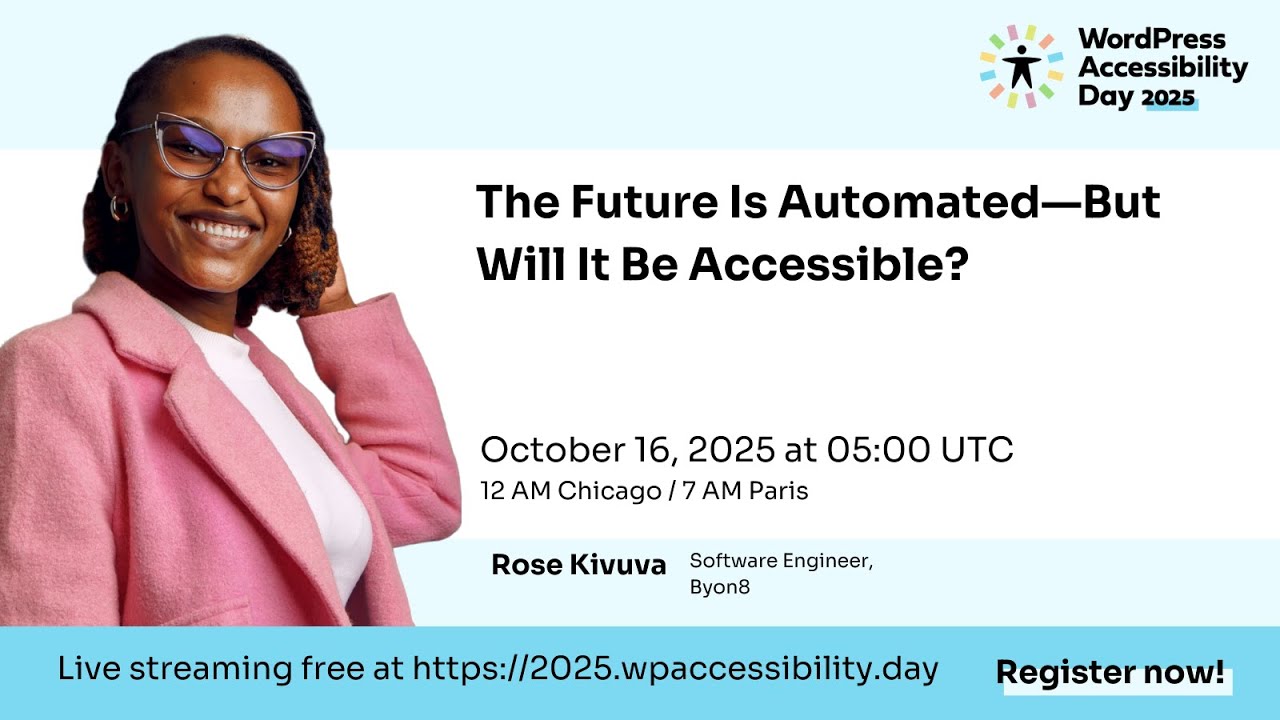
🔗 **Source:** [The Future Is Automated — But Will It Be Accessible?](https://www.youtube.com/watch?v=CGru5zuLgfw)
> [!note]+ Document Notes
> tags: [accessibility, artificial-intelligence, wordpress, wcag, screen-readers, inclusive-design]
> author: Rose Kivuva
> source: WordPress Accessibility Day 2025 (WP with Heart)
> reference: https://www.youtube.com/watch?v=CGru5zuLgfw
> date created: 2026-09-08
>
> > [!info] Generated analysis — not the author's words. Sections below are machine-written
> > from the captured source. Only text inside `> [!quote]` blocks is verbatim from the author.
> > Do not quote or attribute any other line to the named author.
>
> # 🏷️ Title: The Future Is Automated — But Will It Be Accessible?
>
<!-- deep-read:sections start -->
## 🧭 Table of Contents
- [📝 Summary](#-summary)
- [📖 Main Content](#-main-content)
- [🗒️ Notes](#️-notes)
- [📚 References](#-references)
- [🗣️ Paraphrase](#️-paraphrase)
- [📰 Newsletter](#-newsletter)
- [✅ Action Items](#-action-items)
- [🧪 Hypotheses](#-hypotheses)
- [📊 Methodology](#-methodology)
- [❓ Questions](#-questions)
- [🔮 Future Research](#-future-research)
- [💡 Implications](#-implications)
- [🧠 Learning Styles Assessment](#-learning-styles-assessment)
- [📊 Accessibility Assessment](#-accessibility-assessment)
- [🌍 DEIB Assessment](#-deib-assessment)
- [✅ Logical Validity](#-logical-validity)
- [🛡️ DARVO Analysis](#-darvo-analysis)
- [🎯 Conclusion](#-conclusion)
### 🔗 References
- [WCAG 2.2 Quick Reference (W3C)](https://www.w3.org/WAI/WCAG22/quickref/) — the "compass" Rose names directly, structured around POUR.
- [ARIA Authoring Practices Guide (W3C)](https://www.w3.org/WAI/ARIA/apg/) — the resource she recommends for learning ARIA roles, states, and properties.
- [WAVE](https://wave.webaim.org/) and [axe DevTools](https://www.deque.com/axe/devtools/) — the two automated checkers she names for catching missing labels and contrast issues.
- [NV Access / NVDA](https://www.nvaccess.org/) — the free Windows screen reader she recommends for testing.
- [Hemingway App](https://hemingwayapp.com/) — the readability tool she names for simplifying LLM-drafted text.
- [Ushahidi](https://www.ushahidi.com/) — the open source crisis-mapping platform she has contributed to.
- [WordPress Accessibility Day](https://2025.wpaccessibility.day/) — the event hosting this talk.
## 📝 Summary
- **What happened.** Rose Kivuva, a software developer and accessibility advocate based in Nairobi, Kenya, gave a talk at WordPress Accessibility Day 2025 arguing that AI features spreading through WordPress — content writing, image generation, chatbots, layout tools — will exclude disabled users unless teams deliberately design for accessibility rather than assume automation handles it.
- **Why it matters.** She cites over a billion people worldwide with disabilities and notes WordPress powers over 40% of the web, so a single plugin's accessibility mistake (missing alt text, a keyboard focus trap) replicates across thousands of sites the moment it ships.
- **Key stakeholders.** Blind and low-vision users relying on screen readers (NVDA, VoiceOver); deaf and hard-of-hearing users needing captions; users with speech differences interacting with chatbots and voice search; keyboard-only users; non-native English speakers facing AI-generated formal text; WordPress plugin developers, designers, content writers, and product leads building the tools.
- **Risks and tradeoffs.** AI speeds up content and feature production, but the same speed multiplies unreviewed defects — chatbots that steal screen-reader focus, AI images that ship without alt text, AI writing that defaults to long formal sentences, AI accessibility checkers that catch surface issues but miss context (e.g., mislabeling an image from a climate protest as simply "a person smiling").
- **Bottom line.** Rose's framing: "the future is automated, but it must also be accessible" — automation is not opposed to accessibility, but it does not deliver accessibility by default; someone has to keep deciding to include people.
## 📖 Main Content
Rose opens by defining accessibility as a design property, not a compliance checkbox: everyone — blind, low-vision, deaf, hard-of-hearing, limited-mobility, speech-different, and neurodivergent (ADHD, autism, brain injury) users — needs to be able to use what teams build. She frames this as universal rather than niche: over a billion people live with disabilities worldwide, and most people experience temporary or situational versions of the same barriers (a broken wrist, a noisy café, tired eyes at midnight).
She walks through a glossary before diving in — AI, LLM, WCAG, ARIA, NVDA/VoiceOver, ASR, TTS — explicitly to keep non-specialists in the room. The talk's structural spine is five "where AI breaks" pain points (voice/chat recognition failing on accents and stutters, AI image tools omitting alt text, LLMs defaulting to long formal writing, AI-built pop-ups trapping keyboard focus, and biased training data ignoring disability and global diversity), matched one-to-one against five fixes (meaningful alt text, plain language, semantic HTML, focus management, captions and transcripts).
A personal anecdote anchors the argument: a blind friend applying for a community grant had a chatbot auto-launch and steal her screen reader's focus, locking her out of the form entirely. Rose uses this to argue accessibility work is about "shipping belonging," not just shipping features. She closes with role-specific guidance (developers, designers, content writers, product leads) and a plug for WCAG's POUR framework (Perceivable, Operable, Understandable, Robust) as the field's shared standard, recommending teams start with A/AA conformance rather than trying to internalize the full spec.
The Q&A (moderated by Alicia St Rose) extends the talk into practical territory: how to sell accessibility as innovation rather than charity (the voice-assistant and auto-caption examples), the distinction between rule-based automation and adaptive AI, where to learn ARIA (the W3C APG), how reliable AI accessibility checkers actually are (helpful for obvious issues, unreliable for context), and a candid note that accessibility awareness is still nascent among developers in Kenya, where Rose says she is often the first person to introduce the concept to working developers.
### 🗒️ Notes
#### ⏱️ [00:01:32](https://www.youtube.com/watch?v=CGru5zuLgfw&t=92s) Introduction and framing
- Alicia St Rose (WP with Heart) introduces Rose Kivuva as a software developer, open source contributor, and accessibility advocate based in Kenya who has worked with Ushahidi.
- Rose frames the core question: "As we automate more, are we including everyone, or are we quietly leaving some people behind?"
#### ⏱️ [00:04:58](https://www.youtube.com/watch?v=CGru5zuLgfw&t=298s) Defining accessibility and the glossary
- Accessibility covers blind, low-vision, deaf/hard-of-hearing, limited-mobility, speech-different, and neurodivergent users.
- Over a billion people worldwide live with disabilities; most people hit situational versions of the same barriers.
- Glossary: AI, LLM, WCAG, ARIA, NVDA (Windows screen reader), VoiceOver (Apple screen reader), ASR (speech-to-text), TTS (text-to-speech).
#### ⏱️ [00:07:59](https://www.youtube.com/watch?v=CGru5zuLgfw&t=479s) Who gets left out
- Personas: a blind student using VoiceOver for course pages, a deaf parent missing a captionless school announcement, a person who stutters getting repeated "Sorry, I didn't catch that" from a chatbot, a keyboard-only shopper stuck in an inescapable pop-up, a new English speaker facing dense AI-generated text.
- > [!quote] "These are not edge cases. These are our users. These are us at different time of our lives."
#### ⏱️ [00:09:18](https://www.youtube.com/watch?v=CGru5zuLgfw&t=558s) The friend's story
- A blind friend applying for a community grant had an AI chatbot auto-launch and steal her screen reader's focus, locking her out of the form.
- > [!quote] "I feel like the internet is not built for me anymore."
- Rose reframes her own job: "Can I ship belonging? Can I ship calm?"
#### ⏱️ [00:10:09](https://www.youtube.com/watch?v=CGru5zuLgfw&t=609s) Where AI breaks — five pain points
- Voice/chat: struggles with accents, stutters, soft or loud speech, repeated recognition failures.
- Images: AI generators produce polished images but routinely omit alt text.
- Writing: LLMs default to long sentences and big words, a barrier for many readers.
- Keyboard: AI-built pop-ups trap tab focus; close buttons become unreachable.
- Data bias: training data that under-represents disability and global diversity reproduces that gap.
#### ⏱️ [00:11:44](https://www.youtube.com/watch?v=CGru5zuLgfw&t=704s) Scale and top fail patterns
- > [!quote] "WordPress powers over 40% of the web."
- Named fail patterns: no semantic HTML (div soup instead of real headings/lists/landmarks), low color contrast, missing ARIA labels/roles, keyboard traps and lost focus, no captions or transcripts.
#### ⏱️ [00:14:35](https://www.youtube.com/watch?v=CGru5zuLgfw&t=875s) Three worked examples
- Hero image: an AI-generated image of "a girl painting a mural" ships as `image.jpg` to a screen reader without alt text; adding "a smiling girl paints a bright school mural with blue and yellow colors" restores the moment.
- Formal paragraph: AI writes "The onboarding procedure"; Rose edits to "Start setting up" — fewer words, more welcoming.
- Chat trap: revisits the friend's story as a fixable pattern — send focus into the dialog, trap tab inside it, Escape closes it, focus returns to the triggering button on close.
#### ⏱️ [00:16:34](https://www.youtube.com/watch?v=CGru5zuLgfw&t=994s) Five fixes
- Alt text with meaning (not "logo" or filenames), plain language (short sentences, everyday words, headings and bullets), semantic HTML (real buttons, real links, ordered headings), focus management (modal focus rules, visible focus outline), captions and transcripts (edited, not just auto-generated).
#### ⏱️ [00:18:17](https://www.youtube.com/watch?v=CGru5zuLgfw&t=1097s) Tools that catch what AI misses
- WAVE and axe DevTools flag missing labels, contrast issues, structure problems.
- Chrome Lighthouse for quick checks; NVDA and VoiceOver to experience the page as a screen reader user; Hemingway for readability; contrast checkers run regularly.
- > [!quote] "tools assist, but us as humans decide."
#### ⏱️ [00:19:26](https://www.youtube.com/watch?v=CGru5zuLgfw&t=1166s) Building with AI, not against people
- Prompting guidance: ask the assistant for plain language, headings and bullets, proposed alt text, and no jargon — then do a human review.
- Suggests adding a lightweight feedback link ("Was this accessible for you?") aimed specifically at screen reader, caption, keyboard-only, and high-zoom users.
#### ⏱️ [00:20:17](https://www.youtube.com/watch?v=CGru5zuLgfw&t=1217s) WCAG and POUR
- WCAG (Web Content Accessibility Guideline) as the shared standard; POUR = Perceivable, Operable, Understandable, Robust.
- Recommends starting at conformance levels A and AA rather than the full spec, fixing one thing per release.
#### ⏱️ [00:21:30](https://www.youtube.com/watch?v=CGru5zuLgfw&t=1290s) Role-specific guidance and closing
- Developers: real HTML elements, managed focus, ARIA used thoughtfully. Designers: strong contrast, no tiny text, reduced motion, visible focus states. Content: sensible heading order, short sentences, defined acronyms, image descriptions. Product leads: accessibility as a "must," not a nice-to-have.
- Background: Ushahidi work supporting elections, flood, and crisis reporting.
- > [!quote] "the future is automated, but it must also be accessible."
#### ⏱️ [00:25:38](https://www.youtube.com/watch?v=CGru5zuLgfw&t=1538s) Q&A — selling accessibility and AI vs. automation
- Kwaku asks how to convince people accessibility-in-AI matters beyond disability compliance; Rose points to voice assistants and auto-captions as features built for accessibility that became mainstream conveniences.
- Ricky asks the difference between automation and AI (question read at t=1739s); Rose: automation is fixed "if X then Y" rules, AI adapts from data to predict a best next outcome.
#### ⏱️ [00:31:52](https://www.youtube.com/watch?v=CGru5zuLgfw&t=1912s) Q&A — ARIA resources and AI checker reliability
- Sally asks where to learn ARIA; Rose recommends the W3C ARIA Authoring Practices Guide and hands-on practice (add ARIA to a simple component, test it with NVDA/VoiceOver) starting around t=1935s.
- Kwaku's second question, on AI as an accessibility ally and checker reliability (read at t=2178s): Rose names Microsoft Seeing AI and WordPress's AI alt-text feature as generation aids, and says automated checkers (Axe, WAVE, Accessibility Insights) catch obvious defects but miss context — her example: an image captioned "a person smiling" inside a post about a climate protest.
- > [!quote] "AI can open the door, but it's up to us as humans to make sure that everyone actually gets to walk through it"
#### ⏱️ [00:42:29](https://www.youtube.com/watch?v=CGru5zuLgfw&t=2549s) Q&A — accessibility in Kenya, wrap-up
- Rose says accessibility is still not widely known among Kenyan developers, content creators, or product managers, and that she is often the first person to introduce the concept to working developers there.
- Alicia closes the session at t=2644s, pointing to hashtags #WPAllyDay and #WPAD2025, the feedback page at 2025.wpaccessibility.day/feedback, and the next talk, "Making Gutenberg Blocks Accessible: Practical Techniques with AI and DevTools" by Anam Hossain (t=2694s).
## 📚 References
- [WordPress Accessibility Day 2025](https://2025.wpaccessibility.day/) — event hosting this talk; feedback form at `/feedback`.
- [WCAG 2.2 Quick Reference (W3C)](https://www.w3.org/WAI/WCAG22/quickref/)
- [ARIA Authoring Practices Guide (W3C)](https://www.w3.org/WAI/ARIA/apg/)
- [WAVE Web Accessibility Evaluation Tool](https://wave.webaim.org/)
- [axe DevTools (Deque)](https://www.deque.com/axe/devtools/)
- [NV Access — NVDA screen reader](https://www.nvaccess.org/)
- [Hemingway App](https://hemingwayapp.com/)
- [Ushahidi](https://www.ushahidi.com/) — Rose's named open source project.
- Tools named without a specific product URL confirmed in the transcript: Chrome Lighthouse (built into Chrome DevTools), Microsoft Seeing AI, Accessibility Insights, and the "AI-powered alt text feature in WordPress" Rose refers to generically.
## 🗣️ Paraphrase
Rose opens by grounding accessibility in scale and dignity rather than compliance: over a billion people live with disabilities, and nearly everyone hits a temporary version of the same barriers — a broken wrist, a loud room, tired eyes. She argues that as AI takes over more of the writing, image-making, and interface work behind WordPress sites, the industry's habits get baked into millions of pages at once, for better or worse.
The middle of the talk is diagnostic and prescriptive in equal measure. She names five concrete ways AI-assisted development breaks accessibility — bad voice recognition, missing alt text, dense formal writing, keyboard focus traps, and biased training data — and pairs each with a fix a working developer, designer, or writer can apply immediately: meaningful alt text, plain language, semantic HTML, disciplined focus management, and edited captions. The chatbot-stealing-focus story about her blind friend is the emotional center of the talk, but she's careful to turn it into a reusable fix (focus goes into the dialog, Escape returns it) rather than leaving it as just a grievance.
In the Q&A, she's candid that AI accessibility tools are useful but shallow — good at flagging missing alt text or contrast problems, bad at understanding what an image means in context — and that in her own professional environment in Kenya, accessibility as a discipline is still something she has to introduce from scratch to developers who haven't encountered the term.
## 📰 Newsletter
Kenya-based developer Rose Kivuva (Ushahidi) opened WordPress Accessibility Day 2025 with a plain question: as AI writes our posts, drafts our chatbots, and picks our images, who gets left behind? Her answer, in one line — "the future is automated, but it must also be accessible" — anchors a talk built around five common AI failure patterns (broken voice recognition, missing alt text, dense LLM prose, keyboard focus traps, biased training data) and five matching fixes any WordPress team can apply this release cycle. The standout moment: a story about a blind friend locked out of a grant application when a chatbot's auto-launch stole her screen reader's focus — turned into a concrete focus-management fix rather than left as just an anecdote. Since WordPress runs over 40% of the web, Rose's point lands hard for plugin authors specifically: one missing `alt` attribute in a popular block ships to thousands of sites. Resources she pointed to in the Q&A: the W3C ARIA Authoring Practices Guide, WAVE, axe DevTools, NVDA/VoiceOver for hands-on testing, and Hemingway for taming AI-generated prose. Catch the next session in the series, "Making Gutenberg Blocks Accessible: Practical Techniques with AI and DevTools" by Anam Hossain.
## ✅ Action Items
#### DevRel
- Developer advocacy: build a short talk/demo pairing Rose's five fail-patterns-to-fixes table with a live NVDA/VoiceOver walkthrough of a chatbot focus trap, since that's the moment that lands hardest in this talk.
- Education: run an office-hours session on prompting AI writing assistants for plain language and proposed alt text — Rose's exact prompt guidance (plain language, headings/bullets, propose alt text, avoid jargon, then human review) is directly reusable as a workshop exercise.
- Developer experience: publish a quickstart snippet for accessible focus-trap handling in modals/chat widgets (focus in, Escape closes, focus returns) as a copy-paste reference, since this is the one technical fix Rose describes in the most implementation detail.
- Developer marketing: not a fit for this source — the talk is instructional, not campaign material.
- Community management: solicit the "Was this accessible for you?" feedback-link pattern Rose recommends as a standing survey question in developer community spaces.
- Internal/external/cross-project: share this talk with any team currently shipping AI writing or image features, since her five pain points map directly onto common AI-feature scope.
#### OSPO
- Policy & Governance: not directly addressed — the talk doesn't discuss contribution policy or decision rights.
- License Compliance: not applicable to this source — no licensing content.
- Security Management: not applicable to this source — the talk covers accessibility defects, not security vulnerabilities or embargo policy.
- Software Inventory: consider whether AI-assisted-content plugins in an SBOM should be flagged for an accessibility-review requirement, echoing Rose's point that a plugin's mistake "travels to thousands and thousands of sites."
- Developer Support: fold Rose's five-fix checklist into onboarding guardrails for teams building AI-assisted WordPress features.
- Community Engagement: not applicable to this source — no funding or MoU content.
- Strategic Alignment: report AI-feature accessibility conformance (A/AA per Rose's POUR guidance) as a tracked KPI for any team shipping AI tooling.
#### Community
- Maintainers: add an accessibility checklist gate (alt text, focus management, contrast) to release hygiene for any plugin adding AI-generated content or images.
- Contributors: create a "first issue" rotation specifically for fixing missing alt text on AI-generated media in existing plugins, per Rose's named fail pattern.
- Sponsors: not applicable to this source — no sponsor deliverables discussed beyond the event's own sponsor list (Gravity Forms, WP Engine, Woo, Equalize Digital, and others named in the intro).
- Ecosystem: coordinate a shared incident pattern for "AI chatbot steals screen reader focus" across plugin authors, since Rose's anecdote suggests this is a recurring, not isolated, defect.
#### WordPress
- Core: consider a focus-management pattern (trap/return) as a documented core UI convention for any core-shipped modal or AI-assisted dialog.
- Core Performance: not applicable to this source — no performance content.
- Core AI: directly applicable — Rose's five AI failure patterns (voice/chat, images, writing, keyboard, data bias) are a ready-made checklist for Core AI feature review before ship.
- Core Program Team: use this talk as cross-team reference material when AI features touch multiple core components (editor, media, search).
- Mobile: audit mobile AI-assisted flows (e.g., auto-generated alt text on upload) for the same missing-alt-text pattern Rose names.
- Playground: build a reproducible Playground demo of the "chatbot steals focus" bug and its fix, useful as a training module.
- Community: incorporate the talk's role-specific guidance (developer/designer/content/product lead) into meetup or WordCamp accessibility sessions.
- Training: adapt the five-fixes structure directly into a Learn WordPress lesson plan; it's already built as a teachable checklist.
- Marketing: not a strong fit — the talk is technical/educational, not campaign-shaped.
- Support: add a support-team script for "AI feature broke my screen reader" tickets, informed by the chatbot-focus-trap pattern.
- Design: apply Rose's designer guidance directly — contrast, no tiny text, reduced motion, visible focus states — to any AI-assisted layout generator design review.
- Documentation: document the focus-management pattern (trap/return on Escape) in the block editor's accessibility handbook, since it's the most concrete technical fix in the talk.
- Photos: apply the meaningful-alt-text standard to any AI-generated or AI-suggested images ingested into a photo directory.
- TV: not applicable to this source — no video-submission content, though the captions guidance (edit auto-captions, don't ship raw) is relevant to any WordPress.tv-hosted talk including this one.
- Polyglots: Rose's "new English speaker facing a wall of long and formal AI texts" point is a direct plain-language argument that also serves translation quality — flag AI-drafted English copy for plain-language review before it's queued for translation.
- Accessibility: this is the team most directly served by the talk — adopt the five-pain-point / five-fix framework as a review rubric for any AI feature proposal.
- Meta: not applicable to this source — no .org infrastructure content.
- CLI: not applicable to this source — no command-line tooling discussed.
- Hosting: not applicable to this source — hosting sponsors are named in the event intro but not addressed substantively in the talk.
- Tide: consider whether Tide's automated scoring could add a check for AI-generated-content accessibility markers (alt text presence, focus handling) as a scoring signal.
- Openverse: apply the same meaningful-alt-text standard Rose describes to AI-tagged or AI-described media entering Openverse.
- Themes: theme reviewers should check AI-assisted block patterns for the semantic HTML and contrast issues Rose names as top fail patterns.
- Plugins: plugin review should specifically test any AI-chatbot or AI-writing feature for the keyboard-focus-trap pattern described in the anecdote — it's the single most concrete, testable defect in the talk.
#### The WPOCC
- Programs: consider a microgrant or fellowship track specifically for accessibility-in-AI tooling, given Rose's point that this is a "once-in-a-generation chance to build accessibility right from the foundation."
- Projects: a governance clinic on accessibility review gates for AI features would operationalize the talk's five-fix checklist across member projects.
- Funding experiments: not addressed in this source — no funding-model content in the talk itself.
### FAIR
- Technical independence: not directly addressed — the talk doesn't discuss provenance, signatures, or federation.
- Policies and covenants: not applicable to this source.
- Productized governance artifacts: Rose's five-pain-point / five-fix table is itself a reusable "scorecard" shape that FAIR-adjacent governance work could adapt for AI-feature accessibility review.
## 🧪 Hypotheses
- H1: WordPress plugins that add AI-generated images without an alt-text prompt step have measurably lower alt-text coverage than plugins without AI image generation.
- H2: Chat/support widgets that auto-launch on page load produce more keyboard-trap accessibility complaints than widgets requiring explicit user activation.
- H3: LLM-drafted UI copy averages a higher reading-grade level than human-edited copy on the same WordPress site, absent an explicit plain-language prompt instruction.
- H4: Automated accessibility checkers (WAVE, axe) catch a majority of missing-alt-text and contrast defects but a minority of context-mismatch defects (e.g., generic captions on topically loaded images).
- H5: Teams that add a lightweight "was this accessible for you?" feedback link receive higher-quality accessibility bug reports per response than teams relying solely on automated scans.
### 📊 Methodology
- H1: audit a sample of WordPress.org plugins tagged "AI" or "image generation" for alt-text presence/quality versus a matched sample without AI image features; code each image as present/missing/generic alt text.
- H2: pull accessibility-related support tickets or GitHub issues for chat-widget plugins, tagging for "focus trap" or "can't close" language; compare auto-launch vs. click-to-open widgets.
- H3: run Flesch-Kincaid or similar readability scoring on a sample of AI-drafted vs. human-edited WordPress onboarding/help copy from the same products.
- H4: run WAVE/axe against a test set of pages with known context-dependent alt-text defects (image correct in isolation, wrong in context) and measure catch rate versus a human reviewer baseline.
- H5: A/B two release channels, one with a feedback-link prompt and one without, and compare accessibility bug report volume and specificity over a fixed window.
### ❓ Questions
- What's the actual defect rate of AI-generated alt text on WordPress sites today, and how does it compare to human-authored alt text before AI tools existed?
- Does WordPress core or a major page builder ship a documented, reusable focus-trap/focus-return pattern developers can adopt instead of reinventing it per plugin?
- How many of the "top fail patterns" Rose names (no semantic HTML, low contrast, missing ARIA, keyboard traps, no captions) are already covered by existing WordPress.org plugin review guidelines, and which are review gaps?
- What would it take for an AI accessibility checker to reliably flag Rose's "person smiling" vs. "climate protest" context mismatch — is that a near-term model capability or a structural limitation of automated review?
- How does accessibility awareness among developers in Kenya (or other underrepresented regions in WordPress core contribution) compare across the broader WordPress contributor base, and what would move that needle fastest?
### 🔮 Future Research
- A structured comparison of AI-generated versus human-written alt text quality across a representative sample of WordPress media libraries.
- Longitudinal tracking of keyboard-focus-trap incidents in AI-chatbot plugins before and after any WordPress.org review-guideline change addressing focus management.
- Regional survey work on accessibility awareness among WordPress developers outside North America and Western Europe, following up on Rose's Kenya observations.
- Evaluation of whether prompt-engineering guardrails (plain language, propose alt text, avoid jargon) measurably reduce the human-review burden Rose describes, versus teams that skip prompting guidance and rely on post-hoc review alone.
### 💡 Implications
- **Practice.** Teams shipping AI writing, image, or chat features should treat Rose's five fail patterns as a pre-ship checklist, not a post-incident retrofit — the chatbot-focus-trap story shows the cost of treating it as an afterthought.
- **Policy.** WordPress.org plugin review guidelines could explicitly require alt-text prompting and focus-trap testing for any plugin advertising AI content or chat features, given WordPress's 40%+ web share amplifies any gap.
- **Security.** Not a focus of this talk; no security implications raised beyond the general point that automated tools alone are insufficient without human review.
- **Education.** The talk is itself a ready-made curriculum unit (five patterns, five fixes, named tools) suitable for Learn WordPress or a meetup workshop with minimal adaptation.
- **Funding models.** A case exists for microgrants or fellowships specifically targeting accessibility tooling for AI-assisted WordPress features, given Rose's framing of AI as a "once-in-a-generation chance to build accessibility right from the foundation."
### 🧠 Learning Styles Assessment
- **Reading level estimate:** Approximately Flesch-Kincaid Grade 6–7 (qualitative estimate, not tool-computed) — the talk is built from short, declarative sentences and everyday vocabulary, consistent with Rose's own stated principle: "plain language, short sentences, everyday words."
#### 👀 Visual learners
- Present: none — this is an audio transcript with no diagrams, screenshots, or labeled visuals captured in the source.
- Improve: add a before/after screenshot pair for the hero-image alt-text example and a labeled diagram of the modal focus-trap fix (focus in → Escape → focus returns).
#### 🔊 Aural learners
- Present: the source is itself a spoken conference talk — strong fit for aural learners as delivered.
- Improve: publish a standalone audio-only cut with the Q&A trimmed to the highest-signal exchanges (checker reliability, ARIA resources) for a tighter listen.
#### 🗣️ Verbal learners
- Present: Rose defines every acronym on first use (AI, LLM, WCAG, ARIA, NVDA, VoiceOver, ASR, TTS) and uses concrete analogies (the hero image, the formal paragraph, the chat trap).
- Improve: a short glossary card collecting all eight defined terms in one place would help verbal learners who want the definitions without re-listening.
#### 🧩 Kinesthetic learners
- Present: the ARIA Q&A gives a concrete hands-on exercise — add ARIA attributes to a dropdown or button, then test with NVDA/VoiceOver.
- Improve: turn the five-fixes list into a checklist-style lab: apply each fix to one real WordPress page and re-run WAVE/axe before and after.
#### 🧠 Logical learners
- Present: the talk's core structure is a clean five-pattern-to-five-fix mapping, which reads well as a table.
- Improve: render the fail-pattern/fix pairing explicitly as a table (this note's Main Content section approximates it) for readers who want the causal structure at a glance.
#### 🧑🤝🧑 Social learners
- Present: the live Q&A format itself, with Alicia St Rose relaying audience questions from Kwaku, Ricky, and Sally.
- Improve: a moderated follow-up discussion thread (e.g., in a WordPress Slack accessibility channel) extending the Q&A's checker-reliability discussion would suit social learners.
#### 🧘♀️ Solitary learners
- Present: the talk is structured enough (glossary → problem → examples → fixes → tools → standards) to work as a self-paced read via transcript.
- Improve: add 2–3 self-check questions per section (e.g., "Can you name the five fail patterns without looking?") for solo review.
#### 🌿 Naturalistic learners
- Present: Rose's personal framing — hikes, noticing "paths, clouds, and how light changes" — as the reason she values technology that "slows down for people" is the talk's one naturalistic thread, though it's biographical rather than content-instructional.
- Improve: not a strong fit for this material; no meaningful lifecycle or environmental-impact content to expand without forcing a connection the talk doesn't make.
### 📊 Accessibility Assessment
This assesses the source artifact (the recorded talk/transcript) itself, not just its subject matter.
#### Screen reader semantics
- Present: the transcript itself is plain text, readable linearly by any screen reader; no landmark or heading structure exists in the raw source.
- Improve (WCAG 1.3.1 Info and Relationships): publish the talk with real heading structure (per-segment topic headings) rather than an unstructured transcript block, as this note does.
#### Keyboard navigation
- Not applicable to this source — audio/transcript content has no interactive keyboard-navigable UI of its own; the relevant surface is the Zoom/YouTube player, which is outside the transcript's scope.
#### Contrast and readability
- Unknown from this source — the transcript is audio-only; no information about slide contrast or on-screen text is available to assess (WCAG 1.4.3 Contrast Minimum cannot be evaluated without visual capture).
#### Text resizing and reflow
- Not applicable to this source — no visual layout is captured in the transcript to assess against WCAG 1.4.10 Reflow.
#### Media and captions
- Unknown from this source whether the live Zoom session or the archived YouTube video carries accurate captions — notably, the transcript itself shows Rose losing screen/audio ("Rose, do you know that your screen has gone dark again?") during the Q&A, which is a live-delivery accessibility gap on a talk specifically about accessibility (relevant to WCAG 1.2.2 Captions).
- Improve: confirm captioned video is published (the source video URL should be checked directly, not assumed from this transcript) and that captions were human-reviewed, per Rose's own guidance to edit auto-captions rather than ship them raw.
#### Forms and interactions
- Not applicable to this source — no form content in the talk itself, beyond the anecdotal chatbot-form example discussed as subject matter, not as this artifact's own interface.
#### Standards reference
- Primary WCAG 2.2 AA gaps identifiable from this source: 1.2.2 (Captions, unconfirmed), 1.3.1 (Info and Relationships, if published as flat unstructured transcript), 1.4.3 (Contrast, unassessable without visual capture).
### 🌍 DEIB Assessment
#### Cultural breadth
- Present: Rose speaks explicitly from a Kenyan context and names the specific gap she sees there — accessibility as "not so common," often something she personally introduces to developers who've never heard the term.
- Improve: pair this talk with a case study from a second underrepresented region to avoid the talk standing as the sole "global South accessibility" data point in a curriculum.
#### Inclusive language
- Present: Rose defines every acronym before using it and explicitly targets plain language as an inclusion strategy ("simple is kind and complex is a barrier").
- Improve: the talk itself is in fluent but non-native English delivery (evident from phrasing patterns like "day by day" and repeated words for emphasis); publishing an edited transcript alongside the raw one would help readers who find the live phrasing harder to parse, without erasing Rose's voice in the video itself.
#### Neurodiversity support
- Present: the five-pain-point/five-fix structure is consistently chunked and repeated, which aids predictability; Rose explicitly names ADHD, autism, and brain injury as covered by "accessibility."
- Improve: the live delivery includes several audio/video interruptions ("your screen has gone dark again," "you're on mute now, too") that break the chunked structure in the actual recording — a cleanly edited version would serve neurodivergent viewers better than the raw live capture.
#### Representation
- Present: the talk centers disabled users' direct experience (the blind friend's story, named user personas) rather than discussing disability only in the abstract; the speaker herself represents a Kenya-based, Global South accessibility practitioner underrepresented in WordPress conference speaker lineups.
- Improve: none identified as a gap — this is a strength of the source relative to typical accessibility talks that skip lived-experience framing.
#### Psychological safety
- Present: Rose frames mistakes non-punitively — "Not because we are bad people, but because we didn't slow down to notice" — which invites teams to fix defects without defensiveness.
- Improve: none needed; this framing choice is already a model for how to raise accessibility gaps without triggering blame responses.
### ✅ Logical Validity
#### Strong reasoning
- Inductive: Rose builds from five named, specific failure patterns (voice/chat, images, writing, keyboard, data bias) to five matching fixes — each pattern is paired with a concrete before/after example (the hero image, the formal paragraph, the chat trap), which grounds the induction in observable cases rather than assertion alone.
- Causal: the WordPress-scale argument ("WordPress powers over 40% of the web... that mistake travels to thousands and thousands of sites") is a direct mechanism claim, not just a scale assertion — one plugin defect literally propagates to every site using it, which is true by construction of how plugins distribute.
- To clarify further: naming a source or estimate for the "over a billion people" disability figure (commonly attributed to WHO/World Bank) would let listeners verify the scale claim independently rather than take it on the speaker's authority alone.
#### Fallacies
- No fallacies identified. The talk's most emotionally weighted moment — the blind friend's chatbot story — functions as illustration, not proof: Rose explicitly pairs it with independent, checkable claims (the billion-plus disability statistic, WordPress's market share, named technical patterns) rather than resting the argument's validity on the anecdote alone. That combination of a vivid single case plus population-level data is sound rhetorical practice, not hasty generalization, because the broader claim doesn't depend on the anecdote generalizing — it's supported separately.
#### Tone of voice
- Warm, direct, and non-accusatory throughout — phrases like "Now today we slow down, we notice, and we improve together" (t=394s) and "Not because we are bad people" (t=388s) set a collaborative rather than shaming register. The Q&A tone stays consistently patient and practical even through several live technical interruptions (dropped video, mute issues), which is itself consistent with the talk's message about designing calm, forgiving systems.
### 🛡️ DARVO Analysis
- **Deny:** Not applicable to this source — the talk contains no accusation being denied; it's an educational presentation, not a response to a complaint.
- **Attack:** Not applicable to this source — Rose does not attack any accuser or critic; her framing explicitly avoids blame ("not because we are bad people").
- **Reverse victim/offender:** Not applicable to this source — no party recasts themselves as victimized; the talk consistently centers disabled users as the ones affected by design choices, without inverting that framing.
## 🎯 Conclusion
Rose Kivuva's talk makes a narrow, well-supported claim: AI adoption in WordPress will replicate whatever accessibility habits teams already have, at the scale WordPress already commands (40%+ of the web) — so the fixes have to be deliberate, not assumed. Her five-pattern/five-fix structure (voice/chat, images, writing, keyboard, data bias, matched to alt text, plain language, semantic HTML, focus management, captions) is immediately actionable without new tooling; the tools she names (WAVE, axe, NVDA, VoiceOver, Hemingway) are all free or already common in a WordPress developer's toolkit. Practical next step for a WordPress team: audit any AI-generated-content or AI-chatbot feature currently in production against her five fail patterns before the next release, starting with the keyboard-focus-trap case since it's the one she demonstrates causing a real user's exclusion.
## 🔄 Refactor Appendix — The Future Is Automated — But Will It Be Accessible?
> Density: 2–5 Literature atoms (H4), 0–3 Permanent candidates (H4).
> Defaults: 3 Literature, 1 Permanent. Resonance filter: if you can't
> articulate in one line why a claim matters, drop it.
>
> Konik claim-header rules: present tense, declarative, ≤10 words when
> possible, searchable, unique, mirrors annotation focus if present.
>
> Atomicity: one declarative sentence per atom. "and"/"also" → split.
>
> Tag pool: #bmf · #addendum · #xref · #articleseed · #storystem · #share · #aphorisms
### 📚 Literature Atoms (H4)
#### [H1] AI chatbot auto-launch traps a blind user's screen-reader focus
> [!quote] A shiny AI chatbot auto-launched and stole the screen focus.
**Context & use**:
- From the blind-friend grant-application anecdote, at [00:09:24](https://www.youtube.com/watch?v=CGru5zuLgfw&t=564s).
- This is the talk's central failure case — a specific, reproducible defect pattern (auto-launching UI stealing assistive-tech focus), not a vague complaint.
**Tags**: #xref
**Highlight**: [view highlight](readwise://source/01m21cyb3cgw4a0r561x1te4mk)
<!-- atomicity: 1 idea ✓ -->
#### [H2] Accessibility is good design and basic respect, not charity
> [!quote] Accessibility, I believe, isn't charity. It's just good design and basic respect.
**Context & use**:
- Rose's explicit reframing statement, delivered right before the blind-friend story, at [00:09:01](https://www.youtube.com/watch?v=CGru5zuLgfw&t=541s).
- Useful as a one-line answer to "why should we prioritize this" pushback in planning conversations.
**Tags**: #aphorisms
**Highlight**: [view highlight](readwise://source/01m21cyb3cgw4a0r561x1te4mk)
<!-- atomicity: 1 idea ✓ -->
#### [H3] Undesigned AI features speed up exclusion by default
> [!quote] If we don't design with everyone in mind, AI can speed up exclusion.
**Context & use**:
- Stated at [00:06:23](https://www.youtube.com/watch?v=CGru5zuLgfw&t=383s), right after the glossary section, as the talk's thesis sentence.
- Frames every later section (the five pain points) as evidence for this one claim.
**Tags**: #xref
**Highlight**: [view highlight](readwise://source/01m21cyb3cgw4a0r561x1te4mk)
<!-- atomicity: 1 idea ✓ -->
#### [H4] AI accessibility checkers are starting points, not endpoints
> [!quote] AI accessibility tools are amazing starting points, but not the end points.
**Context & use**:
- From the Q&A response to Kwaku's question on AI checker reliability, at [00:40:04](https://www.youtube.com/watch?v=CGru5zuLgfw&t=2404s).
- Directly actionable for any team deciding whether automated scans (WAVE/axe) are sufficient sign-off — Rose's answer is explicitly no.
**Tags**: #xref
**Highlight**: [view highlight](readwise://source/01m21cyb3cgw4a0r561x1te4mk)
<!-- atomicity: 1 idea ✓ -->
#### [H5] WordPress's 40% web share multiplies every accessibility mistake
> [!quote] WordPress powers over 40% of the web.
**Context & use**:
- Stated at [00:11:44](https://www.youtube.com/watch?v=CGru5zuLgfw&t=704s), right before the "top fail patterns" list, as the stakes-setting statistic for a WordPress-specific audience.
- Grounds the abstract accessibility argument in a concrete distribution mechanism (plugins ship the same defect to every install).
**Tags**: #xref
**Highlight**: [view highlight](readwise://source/01m21cyb3cgw4a0r561x1te4mk)
<!-- atomicity: 1 idea ✓ -->
### 🧠 Permanent Candidates (H4)
#### [P1] Prompting AI assistants for plain language front-loads accessibility instead of retrofitting it
**Claim** (one sentence, Courtney's voice): Telling an AI writing assistant up front to use plain language, headings, bullets, and proposed alt text — then doing a human review — catches more accessibility gaps than reviewing AI output after the fact.
**Evidence pointer**: [[#H3]] — undesigned AI speeds up exclusion by default, and Rose's prompting guidance is the direct countermeasure to that default.
**Scope & conditions**: Applies to any AI-assisted content or image generation step in a workflow; doesn't replace human review, only reduces its burden. Counterexample: prompting alone doesn't fix context-mismatch defects (see [[#H4]]) — those still need a human who understands the surrounding content.
**Links** (≥1 with annotation):
- [[Prompt engineering for accessibility]] — because applies-in AI-assisted content workflows
- [[Konik claim-header rules]] — because contrasts on how much a claim can be automated vs. must stay human-reviewed
<!-- atomicity: 1 idea ✓ -->
#### [P2] A vivid single case plus population-level statistics persuades without overclaiming
**Claim** (one sentence, Courtney's voice): Pairing one concrete, named incident with an independently verifiable statistic lets an argument use emotional weight without resting its validity on that one case generalizing.
**Evidence pointer**: [[#H1]] and [[#H2]] together — the chatbot-focus-trap story paired with the "accessibility isn't charity" reframe and the billion-plus disability statistic used elsewhere in the talk.
**Scope & conditions**: Useful for any advocacy or persuasion writing (DevRel talks, internal proposals) where a reviewer might otherwise flag anecdote-as-evidence as a hasty generalization; the fix is ensuring the broader claim is independently supported, not just illustrated.
**Links** (≥1 with annotation):
- [[Anecdote plus statistic persuasion pattern]] — because applies-in DevRel talks and internal accessibility proposals
- [[Hasty generalization fallacy]] — because contrasts on what would make this technique fail
<!-- atomicity: 1 idea ✓ -->
### ✏️ Fleeting Queue
- [F1] Check whether the archived YouTube video for this talk (CGru5zuLgfw) has accurate human-reviewed captions, given the irony of an accessibility talk's own live captioning status being unconfirmed from the transcript alone — https://www.youtube.com/watch?v=CGru5zuLgfw #xref #inbox
- [F2] Look up "Making Gutenberg Blocks Accessible: Practical Techniques with AI and DevTools" by Anam Hossain, the session Alicia St Rose named as following this one at WordPress Accessibility Day 2025 — #xref #inbox
### → Things 3 (max 2 actions)
- [ ] Verify captioning quality on the archived WPAD 2025 YouTube video for this talk — accessibility-vault-followup #things
- [ ] Locate and process the Anam Hossain Gutenberg-blocks-accessibility talk referenced at the end of this session — accessibility-vault-followup #things
<!-- deep-read:sections end -->
📄 **Full text:** [[Full Document Contents/Articles/The Future Is Automated — But Will It Be Accessible.md|The Future Is Automated — But Will It Be Accessible? by Rose Kivuva]]
## Highlights
- Accessibility,
I believe, isn't charity. It's just good design
and basic respect. I want to tell you a very short story to why I really relate to this. A friend of mine, she's blind, was applying for a community grant. A shiny AI chatbot auto-launched
and stole the screen focus. ([View Highlight](https://read.readwise.io/read/01m21ef06j0kcc7gxaznqm647e))
- Note: Kivuva's framing plus the concrete failure that grounds it: an auto-launching AI chatbot stealing screen-reader focus mid-application. The pattern generalizes to any modal that grabs focus without user intent — WCAG 2.4.3 and 3.2.1.
- Tags: artificial-intelligence, screen-readers, atom/literature/h1