This React DOCX Editor SDK Is Amazing
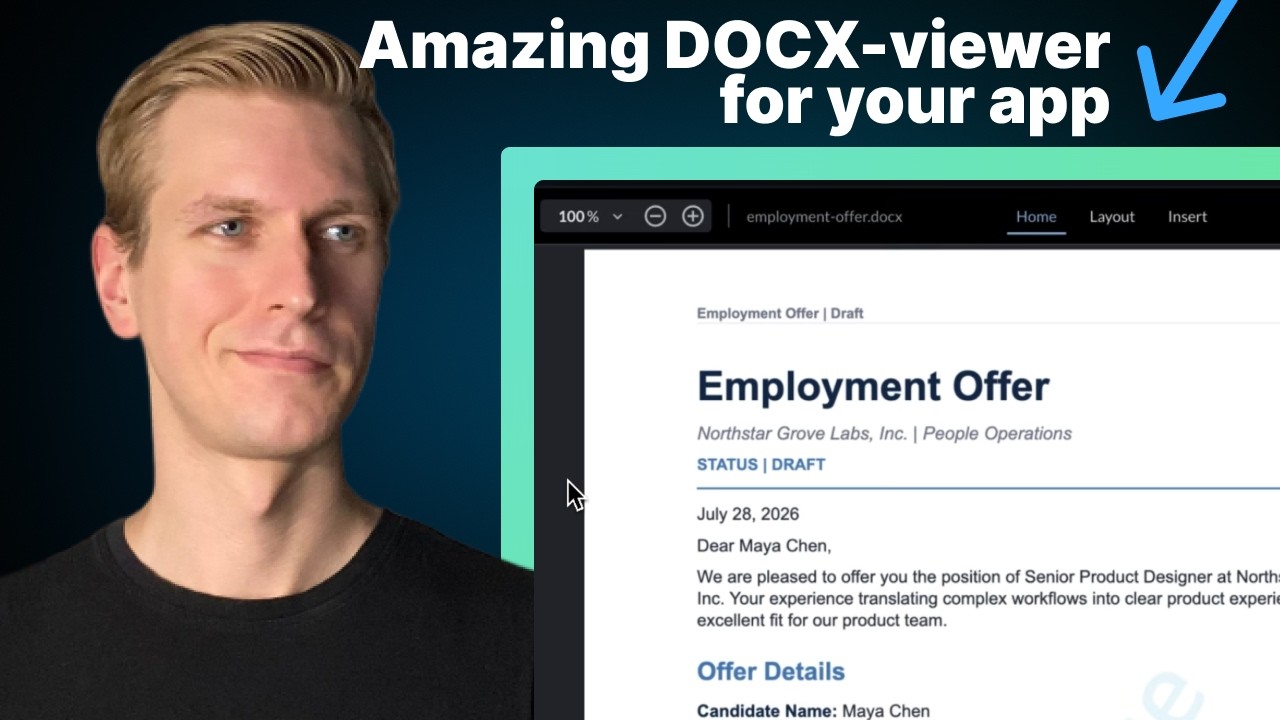
🔗 **Source:** [This React DOCX Editor SDK Is Amazing](https://www.youtube.com/watch?v=UxqB0O8Tfqw)
> [!note]+ Document Notes
> tags: [apryse, webviewer-sdk, docx-editing, track-changes, document-collaboration, react, nextjs, sponsored-content, bytegrad, client-side-wasm, pdf-export, developer-tutorial, commercial-sdk]
> author: ByteGrad
> source: youtube.com
> reference: https://www.youtube.com/watch?v=UxqB0O8Tfqw
> date created: 2026-09-02 08:40
>
> > [!info] Generated analysis — not the author's words. Sections below are machine-written
> > from the captured source. Only text inside `> [!quote]` blocks is verbatim from the author.
> > Do not quote or attribute any other line to the named author.
>
> > [!warning] Sponsored SDK demo — read as an advertisement with a tutorial attached
> > **Vendor:** Apryse (formerly PDFTron) WebViewer SDK. **Disclosure:** stated verbally at ~4:08 — "I'm partnering with them on the video" — after the four-minute feature walkthrough, not before it. This is the middle video of a three-part Apryse series (previous: PDF viewing/annotation; next: spreadsheets), so the "amazing" in the title is the sponsor's product. No pricing, licensing terms, or bundle size are mentioned; "you do get a watermark during the demo period" is the only cost signal. No competitors named (no Syncfusion, TX Text Control, ONLYOFFICE, SuperDoc, Nutrient/PSPDFKit, Google Docs embed). Every capability claim traces to the vendor's docs page read on screen.
> > **ASR artifacts:** "Nex.js"/"NextJS" = Next.js; "PDFron" = PDFTron; "Angular View" = Angular, Vue; "itallic," "bolt the selection," "note modules" = node_modules; "doxeditor.tsx"; "AMP" = app directory; "option escape" = Option+Esc (autocomplete). 15:44 solo screencast, 470 segments, ~3,400 words. The 18-section template is applied per the standing decision; several sections are short and say so.
>
> # 🏷️ Title: This React DOCX Editor SDK Is Amazing (Track Changes, Comments, Export as PDF & DOCX & More!)
>
<!-- deep-read:sections start -->
## 🧭 Table of Contents
- [📝 Summary](#-summary)
- [📖 Main Content](#-main-content)
- [🗒️ Notes](#️-notes)
- [📚 References](#-references)
- [🗣️ Paraphrase](#️-paraphrase)
- [📰 Newsletter](#-newsletter)
- [✅ Action Items](#-action-items)
- [🧪 Hypotheses](#-hypotheses)
- [📊 Methodology](#-methodology)
- [❓ Questions](#-questions)
- [🔮 Future Research](#-future-research)
- [💡 Implications](#-implications)
- [🧠 Learning Styles Assessment](#-learning-styles-assessment)
- [📊 Accessibility Assessment](#-accessibility-assessment)
- [🌍 DEIB Assessment](#-deib-assessment)
- [✅ Logical Validity](#-logical-validity)
- [🛡️ DARVO Analysis](#-darvo-analysis)
- [🎯 Conclusion](#-conclusion)
### 🔗 References
- Source: https://www.youtube.com/watch?v=UxqB0O8Tfqw
- No links in the captured transcript. The presenter refers to "the link in the description" (Apryse WebViewer) and to the Apryse docs page for the DOCX editor, read aloud on screen. Package named: `@pdftron/webviewer` (heard as "PDFron web viewer").
## 📝 Summary
**What this is.** A 15-minute sponsored screencast by ByteGrad (a Next.js/React tutorial channel) showing the Apryse WebViewer SDK editing Word documents inside a Next.js app. The first four minutes demo a finished app: view a multi-page employment offer, switch to edit mode, change fonts, make a tracked change ("senior product designer" → "senior software engineer"), approve/reject changes, add a comment ("let legal take a final look"), switch layout width and columns, load other documents (service agreement, project proposal) from the host app's own sidebar, drive bold/undo/redo/page-break from buttons outside the component, and export to PDF or DOCX with the changes applied.
**The disclosure and the pitch.** At ~4:08 the presenter names the component and the relationship: "the component I'm using is actually the Apryse web viewer SDK. I'm partnering with them on the video." Apryse "support 100 plus formats" in "a single production ready toolkit"; the same SDK handled PDFs in the previous video and will handle spreadsheets in the next.
**The tutorial.** Fresh `create-next-app`; `npm install @pdftron/webviewer`; copy the WebViewer assets (WebAssembly, HTML, CSS — "core" and "UI" folders plus one more file) into `public/lib/webviewer`; a `'use client'` component that calls `WebViewer({ path, licenseKey, enableOfficeEditing: true, initialDoc, ... }, ref)` inside `useEffect`; store the returned `instance` in a `useRef`. From there: `instance.UI.setTheme(...)`, `instance.UI.disableFeatures(...)`, `instance.UI.loadDocument(path, opts)`, `instance.Core.documentViewer.getDocument().getOfficeEditor().setEditMode(mode)`, and `getFileData({ format })` to download as DOCX or PDF. Everything runs client-side in memory. The example DOCX files were generated by the presenter's coding agent, which he also says is "really good at implementing" the SDK.
**Bottom line.** A competent integration walkthrough for one commercial SDK. It answers "how do I mount Apryse and drive it from my own UI" well and answers "should I pick Apryse" not at all. No pricing, no alternatives, no bundle-size or performance numbers, no accessibility or licensing discussion. The one architecturally interesting feature — programmatic access to tracked changes so an AI agent can edit a document without the user touching the editor — is mentioned from the docs but never demonstrated.
## 📖 Main Content
**The problem statement (0:00–0:35).** Apps that handle "contracts or proposals or offer letters or policy documents" need to let users view, edit, track changes for approval, comment, and download a fresh file. That's a fair description of the legal/HR document workflow, and it's the workflow Word and Google Docs already own — the video's implicit claim is that you'd want it embedded in your own app instead.
**The demo (0:35–4:05).** Reviewing mode with color-coded insertions and strikethroughs, approve/reject per change, anchored comments, layout switches (narrow/moderate/wide; one to three columns — "three columns doesn't really look with this one"). The presenter is careful to show that document loading, mode switching, formatting actions, undo/redo, and export all work from *his* sidebar, not just the component's toolbar. That's the right thing to demo for an embedded SDK: the integration surface matters more than the built-in UI.
**The disclosure (4:05–4:40).** "I'm partnering with them on the video." Series context: PDF last time, spreadsheets next time. This is the point where the video shifts from "look what I built" to "here's the vendor." Viewers who stopped at four minutes saw an unlabeled ad.
**The docs read-through (4:40–7:00).** Capabilities read from the Apryse docs: client-side, in-memory editing; load from local storage, remote URL, or S3; font/text, paragraph alignment, tables, images, search-and-replace, comments, tracked changes. Then the one non-obvious item: "programmatic tracked changes… If you have some kind of AI assisted tool in your app, it needs to act on document changes. It doesn't require user interaction in the editor." Framework coverage: React/Next.js, Angular, Vue.
**Setup (7:00–10:00).** The friction point is the asset copy: WebViewer ships WASM and static UI files that must live under `public/`, and the docs give a copy command. The name confusion is flagged: "Apryse was previously known as PDFTron but now they go by Apryse but in some package names you may still see PDFTron." Component is client-only (`useEffect`), takes a license key from the Apryse dashboard, watermarks during trial.
**Customization (10:00–12:30).** Options inferred from TypeScript ("option escape to see all of the options… Imagine that you would build all of this from scratch"). Initial document, filename, extension, initial mode (edit/view-only/reviewing), annotation user name, `enableAnnotations`, mobile redirect. Dark theme by default; `instance.UI` exposes `setTheme`, `disableFeatures`, `enableFeatures`, `disableTools`, `disableNativeScrolling`. Responsive: the reviews panel opens from the bottom on narrow viewports.
**Driving it from outside (12:30–15:10).** The pattern is one `useRef` holding `instance`, then method calls: `UI.loadDocument`, `Core.documentViewer.getDocument().getOfficeEditor().setEditMode`, `getOfficeEditor()` bold/undo/redo/insert-page-break, and `getFileData({ format: 'office' | 'pdf' })` piped into a synthetic download click.
**Close (15:10–15:44).** "Coding agents are also really good at implementing it. That's also a major help." Link in description; watch the PDF video and the upcoming spreadsheet video.
## 🗒️ Notes
- **Disclosure timing.** The sponsorship is disclosed at 4:08 of 15:44, after the entire feature demo. FTC endorsement guidance expects disclosure to be "clear and conspicuous" and placed where viewers see it before or alongside the endorsement; a verbal mention a quarter of the way in, with the title's "Is Amazing" unqualified, is weak. Whether the YouTube "paid promotion" overlay was set can't be determined from the transcript.
- **No alternatives, no price.** The video's purchasing question ("should I use this?") has zero comparative evidence. Apryse WebViewer is enterprise-priced (quote-based); the trial watermark is the only hint. Open-source or cheaper options for DOCX-in-browser exist (ONLYOFFICE Document Server, SuperDoc, Collabora Online, Syncfusion DocumentEditor, TX Text Control) — none named. That absence is the sponsor's interest, not an oversight.
- **The interesting feature wasn't shown.** Programmatic tracked changes for AI-driven editing is the one capability that distinguishes an SDK from an iframe of Google Docs. It's read from the docs and skipped. A follow-up demo of an agent proposing tracked changes that a human approves would have been the video's actual value.
- **Client-side WASM.** "All operations in memory" on the client means documents needn't transit a server for editing — relevant for contracts and HR documents with confidentiality requirements. Not discussed as a privacy property; only as an ease-of-setup one.
- **Asset copy into `public/`.** Shipping WASM plus UI assets as static files is a real integration cost (bundle size, cache headers, CSP for WASM). None quantified.
- **WordPress relevance.** Gutenberg's collaborative editing work (real-time collaboration in the block editor, comments in the editor via the Block Comments feature) is the block-editor analogue of "track changes + comments." Gutenberg has no DOCX round-trip and no approve/reject change tracking. The video is a reminder that "document review workflow" is a product category WordPress doesn't compete in and probably shouldn't — but any plugin claiming "contract management in WordPress" is a candidate consumer of exactly this kind of SDK.
- **Coding-agent aside.** Two mentions: the sample documents were generated by a coding agent, and coding agents are "really good at implementing" the SDK. The second claim is a vendor-friendly one (well-documented SDK → agents integrate it easily) and plausible, but unmeasured.
- **Author metadata.** Reader recorded "YouTube" as author; channel is ByteGrad. Presenter's name isn't stated in the transcript.
## 📚 References
- ByteGrad, *This React DOCX Editor SDK Is Amazing (Track Changes, Comments, Export as PDF & DOCX & More!)*, YouTube, 2026-09-02, 15:44. Sponsored by Apryse.
- Apryse WebViewer SDK docs — DOCX editor page, read on screen (URL not captured). Package `@pdftron/webviewer`.
- Companion videos in the same sponsored series: Apryse PDF viewing/annotation (prior), spreadsheets (announced).
- Cross-reference (not from the source): Gutenberg real-time collaboration and Block Comments — the block-editor analogue of the review workflow demonstrated.
## 🗣️ Paraphrase
If your app handles contracts, offers, or policy docs, users need to view, edit, track changes, comment, and download. Here's an app that does all that with one component: reviewing mode with approve/reject, comments, layout options, multiple documents loaded from my own sidebar, formatting and undo/redo from my own buttons, export to PDF or DOCX. It's the Apryse WebViewer SDK — I'm partnering with them, and I used it for PDFs last video and will for spreadsheets next. The docs say it's client-side, in-memory, loads from URL or S3, supports the usual editing plus tables, images, search, comments, tracked changes, and — new — programmatic tracked changes so an AI tool can act on a document without a user in the editor. Setup: install the package, copy the WASM/UI assets into `public/`, mount it in a client component with a license key and `enableOfficeEditing`, keep the instance in a ref. Then `instance.UI` and `instance.Core` give you theme, feature toggles, `loadDocument`, `setEditMode`, editor actions, and `getFileData` for download. Coding agents integrate it well. Link in the description.
## 📰 Newsletter
**A sponsored DOCX-editor tutorial, and the feature it skipped.** ByteGrad's 15-minute Next.js walkthrough of the Apryse WebViewer SDK does the integration job well: mount the component client-side, keep the instance in a ref, and drive load/edit-mode/format/undo/export from your own UI. Tracked changes with approve/reject, anchored comments, and PDF or DOCX export all work in the browser with no server round-trip. Two things to know. First, it's a paid partnership disclosed at 4:08 — after the whole feature demo — with no pricing, no bundle size, and no competitors named; treat the title's "amazing" as the vendor's adjective. Second, the one capability that would justify an SDK over an embedded Google Doc — programmatic tracked changes so an AI agent can propose edits a human then approves — is read from the docs and never demonstrated. For WordPress people: this is the "document review workflow" category Gutenberg's collaboration and Block Comments features gesture at without DOCX round-trip or approve/reject; any "contract management in WordPress" plugin is a likely buyer of exactly this kind of SDK.
## ✅ Action Items
**DevRel**
- Counter-example for disclosure practice: sponsor named at 4:08 of 15:44, after the demo. If you brief creators, put the disclosure in the first 30 seconds and the title or description. `#action/h3`
- The "drive it from outside the component" demo structure is the right template for any embedded-SDK tutorial — show the integration surface, not the built-in toolbar. `#action/h4`
**OSPO**
- When a team evaluates a commercial document SDK, require the comparison the video omits: ONLYOFFICE, Collabora, SuperDoc, Syncfusion, TX Text Control, Nutrient — with license terms and bundle size. `#action/h3`
**Community**
- Not applicable to this source.
**WordPress teams** (Core, Core Performance, Core AI, Core Program Team, Mobile, Playground, Community, Training, Marketing, Support, Design, Documentation, Photos, TV, Polyglots, Accessibility, Meta, CLI, Hosting, Tide, Openverse, Themes, Plugins)
- **Core (editor / collaboration):** the approve/reject tracked-change model is what "suggestions mode" would look like in Gutenberg; the video is a concrete reference for the UX (color-coded insert/strike, per-change accept). Not a proposal to adopt Apryse. `#action/h3`
- **Core AI:** "programmatic tracked changes so an AI tool can act without user interaction in the editor" is the pattern any AI-assisted editing in Gutenberg should follow — propose as reviewable changes, not direct mutation. `#action/h2`
- **Plugins:** plugins embedding commercial WASM SDKs must ship the assets and license key handling correctly; the asset-copy-into-`public/` step is the equivalent of enqueuing a large WASM bundle — flag for review guidelines on bundle size and third-party licensing. `#action/h3`
- All other teams: not applicable to this source.
**The WPOCC**
- Not applicable to this source.
**FAIR**
- Not applicable to this source.
**Personal (Courtney)**
- Low value for your work; file under "embedded document SDK, sponsored." The one transferable idea is AI edits as reviewable tracked changes — the same pattern as your maker/checker discipline applied to document editing. `#action/h3`
- If Pantheon or a client ever asks about "contract review inside the app," this is a 15-minute orientation to what the commercial SDKs do; pair it with a price check before recommending. `#action/h4`
## 🧪 Hypotheses
- **H-A:** Viewers who stop before 4:08 don't know the video is sponsored. *Testable via YouTube retention data the creator has and viewers don't.*
- **H-B:** The programmatic tracked-changes API is the feature most likely to sell the SDK to teams building AI document tools, and its omission from the demo reflects the tutorial channel's audience (junior React devs) rather than its importance. *Testable by checking whether Apryse's own marketing leads with it.*
- **H-C:** The WASM asset payload for WebViewer with Office editing enabled is large enough (tens of MB) that it dominates first-load time in any app that embeds it. *Testable by installing the package and measuring `public/lib/webviewer`.*
- **H-D:** "Coding agents are really good at implementing it" holds because the SDK has extensive public docs; it would hold equally for any well-documented competitor. *Testable by running the same agent against two SDKs.*
### 📊 Methodology
A single-presenter screencast with a finished app first, then a from-scratch rebuild. Evidence for capability claims is a docs page read aloud and a working demo. No measurement, no comparison, no cost. The methodology is appropriate for "how to integrate X" and inappropriate for "why X" — and the title asks the second question. A reader evaluating the SDK should treat the video as a feature checklist confirmed by demo and get pricing, bundle size, licensing, and accessibility from elsewhere.
### ❓ Questions
- What does Apryse WebViewer with Office editing cost per year, and per what unit (developer, domain, MAU)?
- How large is the WASM + UI asset payload, and what does first-load look like on a mid-range phone?
- What does the tracked-changes API look like in code — can an external process insert a suggestion with an author attribution the reviewer sees?
- Is the editor keyboard-operable and screen-reader-usable? Nothing in the video addresses accessibility.
- Was the YouTube "includes paid promotion" flag set? The transcript can't tell.
- How faithful is the DOCX round-trip on complex documents (nested tables, tracked changes from Word, footnotes)? The demo documents were agent-generated and simple.
### 🔮 Future Research
- Install `@pdftron/webviewer`, measure the asset payload, and try the tracked-changes API with a script that proposes an edit — the demo the video didn't do.
- Compare against ONLYOFFICE Document Server and SuperDoc on the same three workflows (tracked change, comment, PDF export).
- Look at Gutenberg's Block Comments and real-time collaboration work to see whether "suggestions mode" is on any roadmap.
- Check the previous and next videos in the series for whether disclosure timing is consistently late.
### 💡 Implications
**For app builders.** Embedding a full Word-compatible editor is now a component install plus asset copy. The build-vs-buy question for document review UI is answered "buy" for most teams — but the buy has a price the video won't tell you.
**For AI product design.** "Act on document changes without user interaction in the editor, as tracked changes" is the correct shape for AI editing: the model proposes, the human approves per change. That's the maker/checker pattern in a document, and it's the one line in this video worth keeping.
**For WordPress.** Document review is a product category the block editor doesn't serve and probably shouldn't. But the UX vocabulary — color-coded insertions, per-change accept/reject, anchored comments — is what users will expect from any "AI suggestions" feature in Gutenberg.
**For sponsored developer content.** Late verbal disclosure after a feature demo is common on tutorial channels and is the pattern regulators have flagged. Creators who care about trust front-load it.
## 🧠 Learning Styles Assessment
**Visual** — well served: finished app first, live code second, docs page on screen. The demo-then-rebuild order helps.
**Auditory** — moderate: continuous narration with many fillers ("uh," "right?"); fine at 1.25×.
**Kinesthetic** — well served: every step is reproducible (`create-next-app`, `npm install`, copy command, component code). A viewer can follow along.
**Read/write** — poorly served: no written companion besides the vendor docs; code is only on screen.
**Sequential** — strong: problem → demo → disclosure → docs → setup → customization → integration → export.
**Global** — served by the four-minute finished-app preview before any code.
**Overall:** a good screencast for a React developer who already decided to use Apryse. Nothing for a decision-maker.
## 📊 Accessibility Assessment
Assessment of the captured transcript and described UI. Not an audit of the video player or the SDK.
#### Alternative text and non-text content
The video is entirely visual demonstration; the narration describes most actions ("I can make it bold," "opens from the bottom") which helps a non-sighted listener, but color-coded tracked changes are described only as "color coded" — a WCAG 1.4.1 Use of Color concern in the SDK UI if color is the only differentiator (strikethrough is mentioned for deletions, which helps).
#### Keyboard navigation
Not demonstrated. Every action is a mouse click. Whether the WebViewer editor toolbar, reviews panel, and comment UI are keyboard-operable is unknown.
#### Contrast and readability
Dark theme by default, switchable via `instance.UI.setTheme`. No contrast figures.
#### Text resizing and reflow
The SDK is described as responsive (reviews panel moves to the bottom on narrow viewports). Document zoom exists but isn't shown.
#### Media and captions
YouTube auto-captions only (the ASR artifacts in the warning are evidence). No human captions or transcript.
#### Forms and interactions
Comment entry, save-as dialog, mode switching — none shown with keyboard or screen reader. Undo/redo exposed programmatically, which at least lets a host app bind keys.
#### Standards reference
WCAG 2.2 AA — relevant criteria: 1.4.1 Use of Color, 2.1.1 Keyboard, 4.1.2 Name/Role/Value (custom toolbar controls), 1.2.2 Captions (Prerecorded). None can be marked pass or fail from the transcript. Accessibility is not mentioned once in 15 minutes, which for a document-editing SDK aimed at HR and legal workflows is a notable omission.
## 🌍 DEIB Assessment
#### Cultural breadth
US/EU enterprise document conventions (offer letters, service agreements). English-only demo; the SDK's RTL and non-Latin script support isn't mentioned.
#### Inclusive language
Neutral. "Your users," "somebody else." No gendered examples.
#### Neurodiversity support
Clear sequential structure and demo-before-code help. Filler-heavy narration and fast toolbar clicking hurt. No chapters visible in the transcript.
#### Representation
Single presenter, vendor-funded. No user voices, no accessibility or legal-review perspective on a tool aimed at legal review.
#### Psychological safety
Not applicable in the interpersonal sense. In the consumer sense: the late disclosure undermines the trust a tutorial channel trades on.
## ✅ Logical Validity
**Claims and support.**
- *The SDK does view/edit/track/comment/export in-browser* — demonstrated. Supported.
- *"100 plus formats," "production ready," client-side in-memory, S3 loading, programmatic tracked changes* — read from vendor docs. Unverified in the video; plausible.
- *"Imagine that you would build all of this from scratch. It would be way too much work"* — a build-vs-buy assertion with no cost on the buy side. The argument is incomplete, not invalid.
- *"Coding agents are also really good at implementing it"* — anecdotal, one presenter, sponsored context.
- *Title: "Is Amazing"* — an evaluative claim with no comparison set. Unsupported as stated.
**Fallacies.** Suppressed evidence (no price, no alternatives) is the structural issue — not a formal fallacy but a sponsored-content one. Appeal to effort ("way too much work") without the counterweight.
**Internal consistency.** Consistent. The setup shown matches the capabilities claimed.
**Verdict.** Valid as a tutorial ("here's how"), invalid as an evaluation ("here's why this one"). The title promises the second and the video delivers the first.
## 🛡️ DARVO Analysis
Not applicable to this source. No conflict, accusation, or reversal. The nearest pattern is the mild rhetorical one common to sponsored content — presenting the sponsor's product as the presenter's own discovery for four minutes before disclosing — but that's an omission, not a deny/attack/reverse structure.
## 🎯 Conclusion
A well-executed integration screencast for one commercial SDK, sponsored by that SDK's vendor, disclosed after the demo. It teaches a React developer how to mount Apryse WebViewer, keep the instance in a ref, and drive document loading, edit modes, formatting, and DOCX/PDF export from their own UI — all client-side. It doesn't teach anyone whether to choose Apryse: no price, no competitors, no bundle size, no accessibility. The one idea worth carrying out of it is in a sentence read from the docs and never demonstrated — an AI tool acting on a document through programmatic tracked changes a human then approves. That's the right shape for AI-assisted editing anywhere, including Gutenberg, and it's the maker/checker pattern applied to prose. For Courtney: low direct value, one transferable pattern, one disclosure-timing counter-example.
## 🔄 Refactor Appendix — This React DOCX Editor SDK Is Amazing
### 📚 Literature Atoms (H3)
#### [H1] The sponsorship is disclosed after the four-minute feature demo
> [!quote] ID:rw_01m1h1fsdfrzezca41xfspkfxp
> "Really powerful uh component here and the component I'm using is actually the Apryse web viewer SDK. I'm partnering with them on the video and we actually use them for the previous video as well"
Disclosure at ~4:08 of 15:44, verbal only, after the demo. The title's "amazing" is the vendor's adjective.
Tags: `#atom/literature/h1`
#### [H2] AI edits should land as programmatic tracked changes a human approves
> [!quote] ID:rw_01m1h1fsdfrzezca41xfspkfxp
> "you may have things outside the component itself that impact the tracked changes. So they give an example here. If you have some kind of AI assisted uh tool in your app, it needs to act on document changes. It doesn't require user interaction in the editor."
The one distinguishing capability — read from the docs, never demonstrated. Maker/checker applied to a document.
Tags: `#atom/literature/h2`
#### [H3] Client-side in-memory editing is the setup and privacy property in one
> [!quote] ID:rw_01m1h1fsdfrzezca41xfspkfxp
> "it enables full creation and editing of word documents directly on the client side performing all operations in memory. Right? So this is all client side. It actually also makes it very easy to set up"
Framed as ease of setup; the confidentiality implication for contracts and HR documents goes unsaid.
Tags: `#atom/literature/h3`
#### [H4] Build-vs-buy asserted from effort, with no price on the buy side
> [!quote] ID:rw_01m1h1fsdfrzezca41xfspkfxp
> "Imagine that you would build all of this from scratch. It would be way too much work. And in the real world, there are also so many edge cases that uh I think it makes way more sense to just use a component that has taken care of that out of the box."
True as far as it goes; the missing half is licensing cost, bundle size, and alternatives.
Tags: `#atom/literature/h4`
### 🧠 Permanent Candidates (H4)
#### [P1] AI-proposed edits belong in a review layer the human accepts per change, not in direct mutation
An AI tool that edits a document should write tracked changes with its own attribution, leaving accept/reject to a person — the same maker/checker separation that keeps code review honest. Direct mutation hides what the model did; tracked changes make it inspectable one change at a time. *Candidate; the source states the capability without demonstrating it, and the generalization to AI editing UX is mine. Connects to Gutenberg AI features and to the review-theater lesson.*
Links: [[Maker Checker Loop]] · [[AI Assisted Editing UX]] · [[Gutenberg Collaboration MOC]] · [[AI Tooling MOC]]
Tags: `#atom/zettel/z1`
### ✏️ Fleeting Queue
- Disclosure at 4:08 of 15:44, after the demo — a counter-example for any creator-briefing guidance. `#atom/fleeting/f1`
- "Apryse was previously known as PDFTron" — package name `@pdftron/webviewer` persists; useful when grepping a codebase for the SDK. `#atom/fleeting/f1`
- Check the WASM asset payload size for WebViewer with Office editing before believing "very easy to set up." `#atom/fleeting/f1`
- Gutenberg has comments and real-time collaboration but no approve/reject suggestions mode; this video is the UX reference if that ever gets proposed. `#atom/fleeting/f1`
### → Things 3 (max 2 actions)
1. **Note the pattern** "AI edits as tracked changes, human accepts per change" in your AI-editing UX notes, citing this video's docs read-through. `#action/h3`
<!-- deep-read:sections end -->
📄 **Full text:** [[Full Document Contents/Articles/This React DOCX Editor SDK Is Amazing.md|This React DOCX Editor SDK Is Amazing by ByteGrad]]
## Highlights
- the new document with the changes added. Really
powerful uh component here and the component I'm using is actually the Apryse web viewer SDK. I'm
partnering with them on the video and we actually use them for the previous video as well in which
we talked about viewing PDF documents in the browser and also editing them, annotating them.
So we can actually use the same SDK to also deal with Word documents or DOCX format. In fact, they
support 100 plus formats. In this video, we're ([View Highlight](https://read.readwise.io/read/01m1h230cemckq2pc1tgwhm3vc))
- Note: H1 — Sponsor disclosed at ~4:08 of 15:44, after the full feature demo. Vendor: Apryse (ex-PDFTron) WebViewer SDK; middle video of a three-part paid series. "100 plus formats" is a vendor claim read from docs. #atom/literature/h1
- Tags: atom/literature/h1
- it enables full creation and editing of word
documents directly on the client side performing all operations in memory. Right? So this is all
client side. It actually also makes it very easy to set up as I'll show you in a second. We can
load DOCX files from local storage or a remote URL. Also, if you already have documents in an
S3 bucket, for example, you can easily load them into the component and then after we have made the
changes, we can save them as a new DOCX file. So, the editing capabilities are well pretty much
what you would expect, right? So, font and text, ([View Highlight](https://read.readwise.io/read/01m1h23ex1z1dn9zrccn8tg22v))
- Note: H3 — Client-side, in-memory WASM editing framed only as "easy to set up"; the confidentiality property for contracts/HR docs (no server round-trip) goes unsaid. Load from local, URL, or S3; save as new DOCX. #atom/literature/h3
- Tags: atom/literature/h3
- that may impact the track changes. This helps you
integrate it into your app, even better because you may have things outside the component
itself that impact the tracked changes. So they give an example here. If you have some
kind of AI assisted uh tool in your app, it needs to act on document changes. It doesn't
require user interaction in the editor. Now, in this video, we're going to take a look at how
we can set it up in a Nex.js application. However, as you can see, this works for other frameworks
as well. So it's not just React or Nex.js. Works with Angular View, Nex.js. Let me quickly
show you how easy it is to set this up. I have a ([View Highlight](https://read.readwise.io/read/01m1h23yp9kmf485qpt1h85qrq))
- Note: H2 — Programmatic tracked changes: an AI tool acts on the document as reviewable changes without a user in the editor. The one distinguishing capability — read from docs, never demonstrated. Maker/checker applied to prose; the shape any Gutenberg AI-suggestions feature should take. ASR: "Nex.js" = Next.js, "Angular View" = Angular, Vue. #atom/literature/h2
- Tags: atom/literature/h2
- the things I was using work perfectly fine. You do
get a watermark during the demo period, but that's all right. And I'm enabling Office editing here
because we want to work with DOCX files and not PDF files, for example, which we took a look at in
the previous video. I'm also attaching a reference of this web viewer to a use ref here. So we can
manipulate that component later in our code and other places as well. For now, we're just mounting
it on the page by just attaching this to some div, right? And then I'm adding this on the homepage
at component. And if we do all of that, we have ([View Highlight](https://read.readwise.io/read/01m1h24j2x01ef2zgh1t9ngx6a))
- Note: H4 — The only cost signal in 15 minutes: a trial watermark. No pricing, licensing unit, bundle size, or alternatives named. Integration pattern: licenseKey + enableOfficeEditing, instance held in useRef and driven from the host app's own UI. #atom/literature/h4
- Tags: atom/literature/h4