WAIT! Etch AI Can Do This Already???
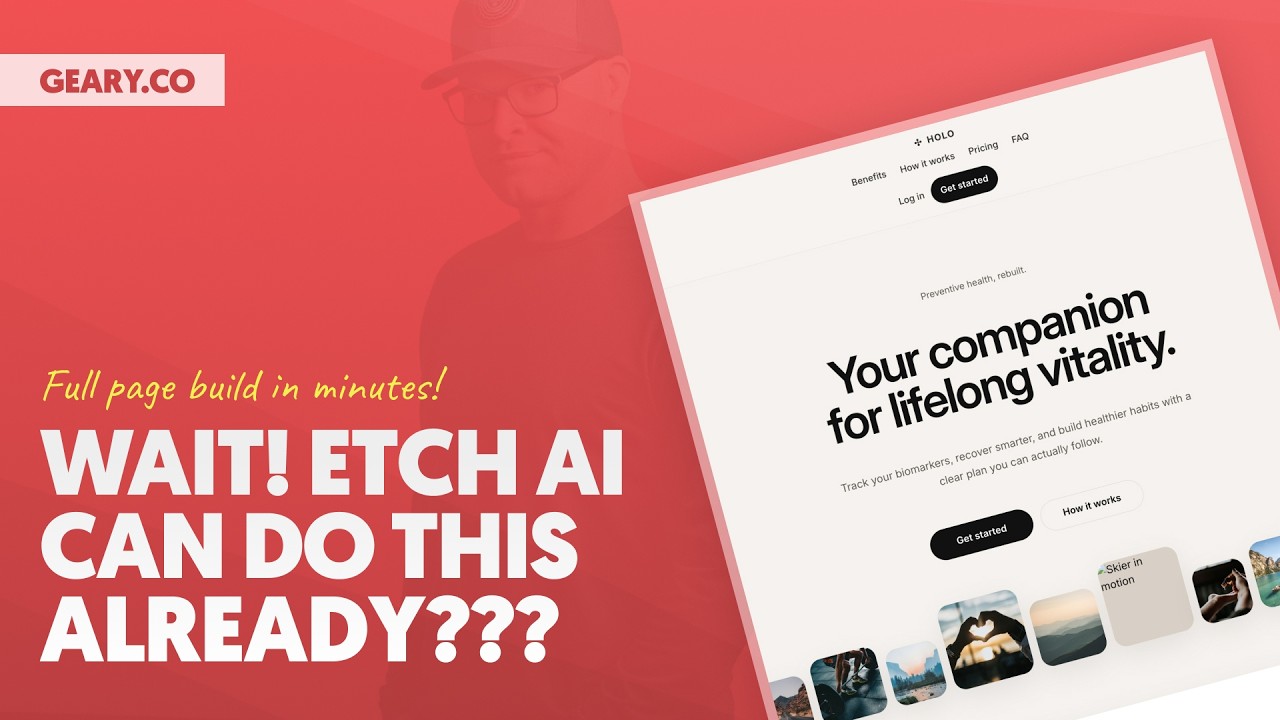
🔗 **Source:** [WAIT! Etch AI Can Do This Already???](https://www.youtube.com/watch?v=HWPi7BRDZQs)
> [!note]+ Document Notes
> tags: #etch-ai #visual-development #wordpress #page-builder #ai-coding #web-development
> author: Kevin Geary
> source: YouTube
> reference: https://www.youtube.com/watch?v=HWPi7BRDZQs
> date created: 2024-12-28 09:30
>
> # 🏷️ Title: WAIT! Etch AI Can Do This Already??? - Complete Visual AI Development Demo
>
<!-- deep-read:sections start -->
## 🧰 Action Inbox
- [H1] Test Etch AI screenshot-to-code functionality with complex designs — evaluate output quality #etch-ai
- [H2] Compare Etch AI approach vs Cursor/Claude for professional development workflows — analyze replacement vs re-prompting #ai-coding
- [H3] Explore Etch's Gutenberg auto-authoring feature for client handoff workflows — test block generation #wordpress
## 🧭 Table of Contents
- [[#📝 Summary]]
- [[#📖 Main Content]]
- [[#🗒️ Notes]]
- [[#📚 References]]
- [[#🗣️ Paraphrase]]
- [[#📰 Newsletter]]
- [[#✅ Action Items]]
- [[#🧪 Hypotheses]]
- [[#📊 Methodology]]
- [[#❓ Questions]]
- [[#🔮 Future Research]]
- [[#💡 Implications]]
- [[#🧠 Learning Styles Assessment]]
- [[#📊 Accessibility Assessment]]
- [[#🌍 DEIB Assessment]]
- [[#✅ Logical Validity]]
- [[#🛡️ DARVO Analysis]]
- [[#🎯 Conclusion]]
### 🔗 References
- [Etch Visual Development](https://etchcss.com)
- [Landbook Design Inspiration](https://landbook.com)
## 📝 Summary
Kevin Geary demonstrates Etch AI's capabilities after one month of development, showcasing how it can build complete web pages from screenshots using semantic HTML, BEM naming conventions, and modern CSS. The tool positions itself as an "anti-slop" system that produces clean, professional code while maintaining visual development environment benefits. Key differentiators include intelligent code parsing, selective insertion/replacement, and automatic Gutenberg block authoring for WordPress integration.
## 📖 Main Content
Etch AI represents a hybrid approach to AI-assisted web development, combining visual page building with professional coding standards. Unlike traditional AI coding tools that rely heavily on re-prompting, Etch emphasizes developer control through visual manipulation of generated code. The system automatically applies semantic HTML structure, BEM CSS methodology, responsive design principles, and modern CSS nesting without requiring detailed prompting.
The demonstration shows building a complex homepage from a single screenshot with minimal prompting, highlighting the tool's ability to parse, organize, and insert code selectively. The replacement functionality allows targeted updates to specific sections without rebuilding entire pages. Integration with WordPress through automatic Gutenberg block creation provides seamless client handoff capabilities.
## 🗒️ Notes
#### ⏱️ [00:00](https://youtu.be/HWPi7BRDZQs?t=0) — [H1] Etch AI Integration Overview
- Key idea: One month of weekly releases improving AI integration incrementally
- Evidence: "We've been doing weekly releases making the experience incrementally better and better"
#### ⏱️ [02:30](https://youtu.be/HWPi7BRDZQs?t=150) — [H2] Anti-Slop Philosophy
- Key idea: Etch Intelligence should follow professional standards without explicit prompting
- Evidence: "We want essentially an anti-slop system. We want it to use semantic HTML, BEM class naming conventions"
#### ⏱️ [04:15](https://youtu.be/HWPi7BRDZQs?t=255) — [H3] Screenshot-to-Code Workflow
- Key idea: Single screenshot input with minimal prompting produces complete page structure
- Evidence: "I want you to build this homepage for me. That guys is literally the extent of the prompt"
#### ⏱️ [06:45](https://youtu.be/HWPi7BRDZQs?t=405) — [H2] Professional Development Focus
- Key idea: Code visibility and verification rather than "vibe coding" approach
- Evidence: "This is not a system that is designed for vibe coding. This is a system that is designed for professional development"
#### ⏱️ [08:20](https://youtu.be/HWPi7BRDZQs?t=500) — [H1] BEM Parser and Auto-Labeling
- Key idea: Automatic structure panel organization using BEM methodology
- Evidence: "Etch will use the class names, the block and element names to auto label your structure panel"
#### ⏱️ [12:30](https://youtu.be/HWPi7BRDZQs?t=750) — [H2] Code Insertion and Parsing
- Key idea: Selective insertion of markup and CSS with intelligent parsing
- Evidence: "This is actually going to parse this entire stylesheet and put the styles on each selector at the element level"
#### ⏱️ [15:45](https://youtu.be/HWPi7BRDZQs?t=945) — [H3] Visual Development Advantage
- Key idea: Direct manipulation vs continuous re-prompting workflow
- Evidence: "I can click on things and make the adjustments that I want to make. I can still read the code"
#### ⏱️ [18:10](https://youtu.be/HWPi7BRDZQs?t=1090) — [H2] Replacement Functionality Demo
- Key idea: Targeted section replacement for CSS counter implementation
- Evidence: "In the steps section, the cards are statically numbered. I'd like these to use CSS to auto count them"
#### ⏱️ [21:00](https://youtu.be/HWPi7BRDZQs?t=1260) — [H1] Replace vs Insert Intelligence
- Key idea: System automatically detects existing sections and offers replacement option
- Evidence: "Etch has identified this section already exists. We don't want to insert another one. We want to replace"
#### ⏱️ [23:30](https://youtu.be/HWPi7BRDZQs?t=1410) — [H3] Manual Code Adjustment Capability
- Key idea: Developer can directly modify generated code when needed
- Evidence: "As a knowledgeable user, I can see what's being produced and say something got left out"
#### ⏱️ [26:15](https://youtu.be/HWPi7BRDZQs?t=1575) — [H1] Gutenberg Auto-Authoring
- Key idea: Automatic WordPress block creation for client editing
- Evidence: "Everything that we build is automatically authored in Gutenberg as well for the client editing experience"
#### ⏱️ [28:00](https://youtu.be/HWPi7BRDZQs?t=1680) — [H1] WordPress Future Positioning
- Key idea: Etch represents the evolution of WordPress development
- Evidence: "If there is a future of WordPress, Etch is the future of WordPress"
## 📚 References
- [Etch Visual Development Platform](https://etchcss.com)
- [Landbook Design Inspiration](https://landbook.com)
- [BEM CSS Methodology](http://getbem.com/)
## 🗣️ Paraphrase
- Etch AI combines visual development with professional coding standards, producing clean semantic HTML and BEM CSS from screenshot inputs without requiring expert prompting skills
- The platform emphasizes developer control through selective code insertion and visual manipulation rather than the continuous re-prompting cycle common in traditional AI coding tools
- Automatic WordPress integration through Gutenberg block authoring provides seamless handoff between developer and client editing experiences
## 📰 Newsletter
🎯 **Etch AI Transforms Screenshot-to-Code Development**
Kevin Geary showcased Etch AI's impressive capabilities, demonstrating how developers can build complete web pages from single screenshots while maintaining professional coding standards. The tool automatically generates semantic HTML, BEM CSS, and responsive designs without requiring detailed prompts.
**Key Benefits:**
- **Visual + Code Control**: Unlike traditional AI coding tools, Etch maintains visual development environment benefits while providing full code access and manipulation
- **Anti-Slop Philosophy**: Automatically follows professional standards including semantic HTML, BEM naming, and modern CSS nesting
- **WordPress Integration**: Automatic Gutenberg block authoring ensures seamless client handoff and editing capabilities
**Perfect for developers who want AI assistance without sacrificing code quality or development control.**
Resources: [Learn WordPress](https://learn.wordpress.org/), [Developer Docs](https://developer.wordpress.org/), [WP-CLI](https://wp-cli.org/)
## ✅ Action Items
#### DevRel
- Developer advocacy: Create comparison content between Etch AI and traditional AI coding tools, emphasizing professional development workflows
- Education: Develop workshops on hybrid visual-code development approaches and BEM methodology integration
- Developer experience: Document screenshot-to-code best practices and code quality validation processes
- Community management: Gather feedback on AI-assisted development preferences and pain points
#### WordPress
- Core: Evaluate automatic block authoring patterns for broader WordPress development
- Community: Share best practices for AI-assisted theme and plugin development
- Training: Create lesson plans on modern CSS techniques and semantic HTML in AI workflows
- Documentation: Document integration patterns between visual builders and Gutenberg
- Accessibility: Ensure AI-generated code meets WCAG standards by default
## 🧪 Hypotheses
- Visual development environments with code access reduce AI re-prompting cycles compared to text-only AI coding tools
- Automatic application of coding standards (BEM, semantic HTML) improves AI-generated code quality without explicit prompting
- Screenshot-based prompting produces more accurate layouts than text descriptions for complex designs
- Selective code insertion/replacement workflows are more efficient than full page regeneration for iterative development
### 📊 Methodology
- Compare development speed and iteration cycles between Etch AI and traditional AI coding tools across multiple projects
- Measure code quality metrics (semantic correctness, accessibility compliance, maintainability) in AI-generated vs hand-coded implementations
- Analyze developer satisfaction and workflow efficiency in visual-code hybrid vs pure code environments
### ❓ Questions
- How does automatic coding standard enforcement scale across different design complexity levels?
- What are the limitations of screenshot-based prompting for dynamic functionality requirements?
- How effectively can AI-generated code integrate with existing design systems and component libraries?
### 🔮 Future Research
- Integration patterns between AI visual development and existing WordPress development workflows
- Automated accessibility compliance validation in AI-generated web components
- Performance optimization strategies for AI-generated CSS and HTML structure
### 💡 Implications
- Practice: Visual-code hybrid tools may reduce the learning curve for AI-assisted development while maintaining professional standards
- Education: Training programs need to address both AI prompting skills and traditional development fundamentals
- Tooling: Integration between visual builders and traditional IDEs becomes increasingly important for professional workflows
### 🧠 Learning Styles Assessment
Reading level estimate: 10th Grade (technical demonstration with clear explanations)
#### 👀 Visual learners
- Present: Extensive screen recording showing visual development interface and code output
- Improve: Side-by-side comparison diagrams showing Etch vs traditional AI coding workflows
#### 🔊 Aural learners
- Present: Detailed narration explaining each step and decision rationale
- Improve: Audio summary of key differentiators and technical benefits
#### 🗣️ Verbal learners
- Present: Clear definitions of BEM, semantic HTML, and visual development concepts
- Improve: Glossary of technical terms and methodology comparisons
#### 🧩 Kinesthetic learners
- Present: Step-by-step demonstration of screenshot capture, code insertion, and modification processes
- Improve: Hands-on tutorial checklist for replicating the demonstrated workflow
#### 🧠 Logical learners
- Present: Systematic progression from screenshot to final output with clear cause-effect relationships
- Improve: Decision tree for when to use replacement vs insertion vs manual coding
#### 🧑🤝🧑 Social learners
- Present: Community positioning and comparison to other development tools
- Improve: Discussion prompts about team adoption and collaborative development workflows
#### 🧘♀️ Solitary learners
- Present: Individual development workflow demonstration with personal control emphasis
- Improve: Self-assessment questions for evaluating tool fit with development preferences
#### 🌿 Naturalistic learners
- Present: Evolution narrative from traditional page builders to AI-enhanced development
- Improve: Ecosystem thinking about tool integration and workflow sustainability
### 📊 Accessibility Assessment
#### Screen reader semantics
- Present: Demo emphasizes semantic HTML generation as core feature
- Improve: Explicit demonstration of generated markup's accessibility compliance
#### Keyboard navigation
- Present: Shows interface navigation through various panels and controls
- Improve: Demonstration of keyboard-only workflow for AI-assisted development
#### Contrast and readability
- Present: Clear visual distinction between code blocks, interface elements, and output
- Improve: High contrast mode demonstration for development environment accessibility
#### Text resizing and reflow
- Present: Video interface scales well across different viewing sizes
- Improve: Demonstration of responsive design validation in generated output
#### Media and captions
- Present: Video demonstration with clear narration
- Improve: Captions for technical terminology and code explanations
#### Forms and interactions
- Present: Clear demonstration of AI chat interface and code insertion controls
- Improve: Error handling and validation feedback examples
### 🌍 DEIB Assessment
#### Cultural breadth
- Present: Universal web development concepts and standards
- Improve: Examples from diverse design traditions and global web practices
#### Inclusive language
- Present: Professional development terminology without exclusionary jargon
- Improve: Plain language explanations for non-technical stakeholders
#### Neurodiversity support
- Present: Multiple interaction modes (visual, code, chat) accommodate different cognitive preferences
- Improve: Discussion of customizable interface options and workflow adaptations
#### Representation
- Present: Focus on technical capabilities rather than demographic assumptions
- Improve: Examples showing diverse use cases and developer scenarios
#### Psychological safety
- Present: Emphasis on developer control and choice in AI assistance level
- Improve: Discussion of learning curve accommodation and skill development support
### ✅ Logical Validity
#### Strong reasoning
- Deductive strength: "Visual development + code access + AI assistance = better professional workflow" - supported by specific feature demonstrations
- Inductive strength: Multiple examples show consistent code quality and standard compliance across different page sections
- Causal reasoning: Clear cause-effect relationships between tool design choices and developer experience outcomes
- Analogical strength: Effective comparison between Etch approach and traditional AI coding limitations
#### Fallacies
- Appeal to novelty: Some emphasis on "future of WordPress" without sufficient comparative analysis - could strengthen with more rigorous benchmarking
- Hasty generalization: Claims about superiority based on single demonstration - would benefit from broader use case validation
#### Tone of voice
- Overall tone: Enthusiastic and confident, appropriate for product demonstration while maintaining technical credibility through detailed feature explanations
### 🛡️ DARVO Analysis
- Deny: No significant denial patterns present
- Attack: Mild criticism of competing tools (Cursor, Claude) but focused on technical limitations rather than personal attacks
- Reverse victim/offender: No victim/offender dynamics present
- Emotional cues and rhetoric: Enthusiasm and confidence appropriate for product demonstration, technical focus maintains credibility
## 🎯 Conclusion
Etch AI represents a significant evolution in AI-assisted web development by combining visual development benefits with professional coding standards and developer control. The tool's ability to generate clean, semantic code from screenshots while maintaining visual manipulation capabilities addresses key limitations in current AI coding workflows. The automatic WordPress integration through Gutenberg block authoring provides a compelling path for professional WordPress development that bridges the gap between developer efficiency and client usability.
## 🧱 Refactor Appendix
### 📚 Literature Split Pad
Purpose: Stage CEE units that become Literature notes.
Split level: H3
### [H1] AI visual development tools enable professional coding standards
> [!quote] [WAIT! Etch AI Can Do This Already???](https://www.youtube.com/watch?v=HWPi7BRDZQs) by Kevin Geary via YouTube. Published 2024. Accessed 2024-12-28.
> "We want essentially an anti-slop system. We want it to use semantic HTML, BEM class naming conventions."
Etch AI automatically applies professional development standards without requiring detailed prompting, addressing code quality concerns in AI-assisted development.
[view highlight](https://youtu.be/HWPi7BRDZQs?t=150) #xref #articleseed ID:rw_etch_ai_standards
### [H2] Screenshot-based prompting reduces complexity in AI coding
> [!quote] [WAIT! Etch AI Can Do This Already???](https://www.youtube.com/
---
## Full Transcript
[00:00] About a month ago, our team started<br>[00:02] working on integrating AI into Etch. And<br>[00:04] we've been doing weekly releases making<br>[00:07] the experience incrementally better and<br>[00:09] better and better. But I have not done<br>[00:12] an official demonstration on what Etch<br>[00:14] AI is capable of until now. That's what<br>[00:18] I want to do for you today. And I want<br>[00:20] to talk a little bit about the<br>[00:22] philosophy behind Etch AI and why this<br>[00:24] is such a unique experience, an<br>[00:26] experience that you are not going to get<br>[00:28] in an IDE like cursor or uh in an<br>[00:32] experience like claude code or co-work<br>[00:35] uh and certainly not in any traditional<br>[00:38] page builder either. Etch is literally<br>[00:40] the best of both worlds in a true<br>[00:43] professional visual development<br>[00:45] environment. But before we get into all<br>[00:47] of that, let's go ahead and just see<br>[00:49] what Etch is capable of at the one month<br>[00:52] mark of getting AI into Etch. I'm going<br>[00:55] to go ahead and share my screen. Now, I<br>[00:58] found this reference site right here on<br>[01:00] Landbook, which is a great site for<br>[01:02] website design inspiration. And my goal<br>[01:05] today with this demo is to have Etch<br>[01:08] build this entire page. not just build<br>[01:11] the entire page, but build the entire<br>[01:13] page from a screenshot. And one of our<br>[01:16] philosophies with Etch is that you<br>[01:18] shouldn't have to be an expert prompt<br>[01:20] engineer to get a good output either.<br>[01:24] Okay? And so what I'm going to do is I'm<br>[01:26] going to take a screenshot and I'm not<br>[01:28] really going to provide any additional<br>[01:30] guidance or details as to how I want<br>[01:33] this page to be built. I want etch to be<br>[01:37] and this is why we call uh our our uh<br>[01:40] internal systems etch intelligence. We<br>[01:43] want it to build according to all of the<br>[01:46] standards that we want. We want it to<br>[01:48] use semantic HTML. We want it to use BM<br>[01:51] class naming conventions for proper<br>[01:53] class organization. We want it to nest<br>[01:56] CSS using modern techniques. We want it<br>[01:58] to be automatically responsive. We these<br>[02:00] are all the things that are obvious that<br>[02:02] we want that we shouldn't have to tell<br>[02:04] an AI to do. It should just know already<br>[02:08] and do those things every single time.<br>[02:11] We want essentially an anti-slop<br>[02:15] system. And so what I'm going to do here<br>[02:16] is I am going to grab a screenshot of<br>[02:19] this entire page. So I'm going to come<br>[02:21] down and I'm going to do a scrolling<br>[02:23] capture. I'm going to go ahead and draw<br>[02:25] a box where I want it to capture. I'll<br>[02:28] start the capture and I will autoscroll<br>[02:31] so that it just goes down the entire<br>[02:33] page and gives me one nice screenshot.<br>[02:37] Okay, so it's almost to the end of the<br>[02:39] page now. You you're going to notice on<br>[02:40] here there's a footer. There's some um<br>[02:42] there's some some FAQs that are actually<br>[02:45] expandable. I'm going to say that this<br>[02:47] is done and it's going to put it over<br>[02:49] here. I'm just going to copy that<br>[02:50] screenshot to my clipboard and I am<br>[02:52] going to go into Etch. Now we have the<br>[02:54] AI chat window. Remember that Etch is<br>[02:56] modular. So, I can actually drag this<br>[02:58] and put it on any side that I want. You<br>[03:00] can even put it in the bottom drawer if<br>[03:02] you prefer it in the bottom drawer. I'm<br>[03:03] going to have it over here in the left<br>[03:05] sidebar. You're also going to notice<br>[03:06] that we currently have two modes. We<br>[03:08] have an ask mode and we have a build<br>[03:10] mode. Of course, we want to be in the<br>[03:12] build mode because we are asking Etch to<br>[03:14] build something. And all I'm going to do<br>[03:16] is I'm going to paste in the screenshot.<br>[03:18] Just commandV on my keyboard. You can<br>[03:21] also drag a screenshot into here. Now,<br>[03:23] you can use normal prompts if you want,<br>[03:25] but prompting for this entire page, how<br>[03:28] would we actually even do that, right?<br>[03:30] Uh much easier to just grab a screenshot<br>[03:33] and paste it in. And keep in mind that<br>[03:35] this screenshot could come from Figma.<br>[03:37] It could come from the client. It it can<br>[03:38] come from anywhere, okay? Any any uh<br>[03:41] image can be the data source for your<br>[03:43] prompt. And I'm going to say, I want you<br>[03:46] to build this homepage for me. And that<br>[03:50] guys is literally the extent of the<br>[03:52] prompt that I'm going to give. I'm going<br>[03:54] to submit that and then we're going to<br>[03:57] talk about this process that it's going<br>[03:58] to go through and the process of<br>[04:00] inserting and how this process may<br>[04:02] evolve over time. But I also want to<br>[04:04] talk a little bit about our philosophy<br>[04:07] as we do this. We want Etch AI to<br>[04:10] essentially do as much or as little as<br>[04:13] you want it to. We want you to be in<br>[04:16] command of the AI and in command of your<br>[04:20] projects. This is not a system that is<br>[04:23] designed for vibe coding. This is a<br>[04:26] system that is designed for professional<br>[04:28] development. And so you are able to see<br>[04:31] the code output. As you can see right<br>[04:33] here, I am watching the code get written<br>[04:36] and I can verify that the code is<br>[04:38] semantically accurate, that it is clean,<br>[04:40] that it has the proper classes. uh I can<br>[04:44] verify all the things and you're going<br>[04:46] to notice that it doesn't actually auto<br>[04:48] add anything to the canvas. Uh what is<br>[04:50] required at least right now is for us to<br>[04:53] opt into using that code that was<br>[04:55] produced. So we're not littering our<br>[04:57] project with a bunch of nonsense. Of<br>[04:59] course we have an undo system and a redo<br>[05:01] system as well. So if something does get<br>[05:03] added that you want to undo, you can<br>[05:05] easily undo that so it's not committed<br>[05:08] to the database. Um, we also have a<br>[05:11] replacement system as we might be able<br>[05:13] to take a look at in this video as well.<br>[05:15] So, if something is already on the<br>[05:17] canvas, Etch can intelligently replace<br>[05:20] that markup and intelligently replace<br>[05:22] the CSS for specific areas of the<br>[05:27] website. And so, you see what's<br>[05:28] happening right now is that it is<br>[05:30] producing all of the markup and now it<br>[05:33] is producing all of the CSS. You can see<br>[05:35] here that it is in fact using BEM<br>[05:38] properly. Etch also has a BIM parser in<br>[05:41] the sense that when you are using BIM,<br>[05:44] Etch will use the class names, the block<br>[05:46] and element names to auto label your<br>[05:50] structure panel. This means that when I<br>[05:52] insert these things, the structure panel<br>[05:54] will be automatically organized and<br>[05:56] labeled for me as well. Okay, so I'm<br>[05:59] going to zoom in here and we'll see what<br>[06:00] the final response says. This gives you<br>[06:02] a full etch ready homepage structure<br>[06:04] matching the layout and feel of the<br>[06:06] reference header, hero, image, ribbon,<br>[06:07] blah blah blah blah blah. Okay, I assume<br>[06:10] a mostly static build and use<br>[06:11] placeholder image URLs so you can swap<br>[06:13] in your actual assets if you want. Next,<br>[06:16] I can convert this into smaller reusable<br>[06:18] etch components, wire sections to props<br>[06:20] or add loop manager content for<br>[06:22] testimonials, plans, and FAQs. Now in<br>[06:25] the future uh this will and I would say<br>[06:28] in the near future this will be able to<br>[06:31] create loops for you. It will be able to<br>[06:33] go into the loop manager and configure a<br>[06:35] loop. It will be able to go into uh our<br>[06:38] content hub and create a custom post<br>[06:40] type and custom fields. It will then<br>[06:42] loop through things like the testimonial<br>[06:44] cards for example. It will autogenerate<br>[06:46] those loops. It will be able to take the<br>[06:48] testimonial card and actually create a<br>[06:50] component out of it with props and map<br>[06:52] the props. It will be able to do all of<br>[06:54] these things for you in the near future.<br>[06:56] But let's take a look at what it is able<br>[06:58] to do right now. So, I'm going to scroll<br>[07:00] up and I'm going to find the markup. And<br>[07:03] obviously, there's a lot of work that<br>[07:04] was done here. Okay, this is a lot of<br>[07:07] code that is produced. And so, we're<br>[07:09] seeing exactly what we want. Uh<br>[07:12] everything looks clean. It looks<br>[07:14] according to and it's not going to be<br>[07:15] perfect. Um, but we're going to talk<br>[07:17] about my ability to easily go in unlike<br>[07:21] in uh claude code. A lot of times unlike<br>[07:24] in cursor with a vibe coding experience<br>[07:26] where you don't have a visual<br>[07:28] development environment, you can't click<br>[07:30] on and interact with things and easily<br>[07:32] edit them. Etch is going to have a<br>[07:34] tremendous advantage for when it comes<br>[07:35] to tweaking and cleaning things up that<br>[07:38] doesn't require reprompting and<br>[07:40] reprompting and reprompting and<br>[07:42] reprompting. So, I'm going to go up here<br>[07:44] and if we go to the beginning of our<br>[07:46] code block, we see that we have an<br>[07:47] insert button. I'll try to zoom in on<br>[07:48] this for you. We have an insert button.<br>[07:50] And so, all I'm going to do is I'm going<br>[07:52] to click that insert button. And all of<br>[07:55] that page is here. You can see<br>[07:57] everything is here in terms of markup,<br>[08:00] but there is no styling yet. So, the<br>[08:03] page doesn't look the way we want it to<br>[08:05] look. So, what I'm going to do is I'm<br>[08:06] going to scroll down to the CSS that it<br>[08:08] produced. Notice again, it's it's doing<br>[08:10] some intelligent things. It's using<br>[08:12] locally scoped variables. It's using<br>[08:14] nesting. Okay, it's nesting the hover<br>[08:17] styles. It's nesting the focus visible<br>[08:19] styles. When we train it on automatic<br>[08:21] CSS, for those of you who are using<br>[08:23] automatic CSS, it will use automatic CSS<br>[08:26] variables in all of these appropriate<br>[08:28] places. Okay, but for right now, what<br>[08:31] I'm going to do is I'm just going to<br>[08:32] accept things as they are, and I'm going<br>[08:34] to say insert the CSS. Now, this is not<br>[08:36] just going to insert some crazy global<br>[08:38] stylesheet or code block. This is<br>[08:40] actually going to parse this entire<br>[08:42] stylesheet and it's going to put the<br>[08:44] styles on each selector at the element<br>[08:47] level. So, I'm going to go ahead and hit<br>[08:48] insert and we're going to see here that<br>[08:50] we we actually have the page. And if I<br>[08:53] click on anything, if I click on hero,<br>[08:55] you're going to see that the styles are<br>[08:56] actually attached to the selectors for<br>[08:59] every single area. So, any element that<br>[09:02] I click on and again we see a organized<br>[09:05] structure panel. An organized structure<br>[09:07] panel. Uh, I can go in now and I can<br>[09:10] make adjustments to these things. I have<br>[09:12] the full mini guey to help me. Okay. Um,<br>[09:16] so I have access to the CSS. I can see<br>[09:18] all of the markup. I can adjust the<br>[09:20] markup. I can change the markup. If<br>[09:22] something got a little sloppy, I can go<br>[09:25] in and fix it. I don't have to reprompt<br>[09:27] and reprompt and reprompt. Now, let's<br>[09:29] scroll down here and let's just take a<br>[09:32] look at uh one of these sections. Like,<br>[09:34] for example, this uh this how it works<br>[09:37] section. Okay, so these are process<br>[09:39] cards and it looks like we were given<br>[09:41] step numbers. First of all, before we do<br>[09:43] this, let's just go take a look at this<br>[09:45] site on the front end. Okay, so this is<br>[09:47] the site on the front end. Um, you know,<br>[09:50] it's not a bad starting point at all. Is<br>[09:52] it perfect? No, it's not perfect. I<br>[09:54] mean, these things work. Um, it's it's<br>[09:57] not perfect. It's not perfect. Uh, I<br>[09:59] don't think any AI is perfect, and<br>[10:01] that's the point. And one of the<br>[10:03] questions is what is the game we want to<br>[10:05] play? do we want like mostly there and<br>[10:07] then I just make quick tweaks and<br>[10:09] adjustments and I save a tremendous<br>[10:10] amount of time uh because I have control<br>[10:13] over the codebase. I am in command of<br>[10:15] the project or do we want to play a game<br>[10:17] of reprompt reprompt reprompt reprompt<br>[10:19] reprompt repro trying to dial it in<br>[10:22] which is often a very frustrating<br>[10:24] experience. The advantage of etch is<br>[10:26] that I'm still in a visual development<br>[10:27] environment where I can literally click<br>[10:29] on things and make the adjustments that<br>[10:31] I want to make. I can still read the<br>[10:34] code. I can still decipher exactly what<br>[10:37] is going on because these things are<br>[10:39] done to my specific preferences as a<br>[10:43] developer. It's doing the things the way<br>[10:46] I would do them, the way I want them<br>[10:48] done, which is absolutely fantastic. But<br>[10:51] I want to give you a demo of<br>[10:52] replacement. Okay. What I can see here<br>[10:54] is that these are statically numbered<br>[10:57] cards. And so I don't want statically<br>[11:00] numbered cards. CSS has the ability to<br>[11:02] actually auto count cards. And so what<br>[11:05] we're going to try to do is I'm gonna<br>[11:06] I'm gonna say the how it works section.<br>[11:08] Okay, which is actually called steps in<br>[11:11] the structure panel. And it's been given<br>[11:12] the class of steps. So I'm going to go<br>[11:15] down to the AI here and I'm going to say<br>[11:17] in the steps section, the cards are<br>[11:20] statically numbered. I'd like these<br>[11:24] to use CSS to auto count them. Please<br>[11:28] provide the new markup for that section<br>[11:32] only and the revised CSS for that<br>[11:36] section only. All right. And then I'm<br>[11:39] going to go ahead and submit that and<br>[11:41] we'll see what it comes back with. By<br>[11:43] the way, um you know, you can see the<br>[11:45] I'm going to scroll all the way up here<br>[11:47] just to show you something real quick.<br>[11:49] Uh well, I can't I don't think I can<br>[11:50] scroll up while it's answering because<br>[11:51] it's trying to keep me at the bottom of<br>[11:53] the answer. But you can also see the<br>[11:55] etch reasoning now uh as as it's<br>[11:58] thinking. So you can see kind of what<br>[12:00] it's considering what it's thinking<br>[12:01] about. Um but if we look down here, it<br>[12:03] says this removes the hard-coded number<br>[12:05] element and uses a CSS counter on steps<br>[12:08] list with each step card generating its<br>[12:10] number via a before element. If you<br>[12:13] want, I can also make the numbers render<br>[12:14] as 0 1 0203 instead of plain integers.<br>[12:18] Uh I don't I don't need to worry about<br>[12:20] that. Uh the question is how are we<br>[12:22] going to get this new section in here<br>[12:24] and how do we make sure that the CSS all<br>[12:27] gets remapped properly? Well, very very<br>[12:29] simple. We now have a replace button<br>[12:32] because you can see etch has identified<br>[12:34] okay this section already exists. We<br>[12:36] don't want to insert another one. We<br>[12:38] want to replace the existing one. So I'm<br>[12:40] going to go ahead and hit the replace<br>[12:42] button. And then I'm going to come down<br>[12:44] here and just insert the CSS again. our<br>[12:46] processor, our parser for selectors is<br>[12:49] intelligent enough to handle collisions<br>[12:52] in the appropriate way. So I'm going to<br>[12:55] hit insert and we are going to hit save<br>[12:57] and then we are going to go to the front<br>[13:00] end. Now we're going to see cuz I don't<br>[13:02] see any numbers. We're going to see<br>[13:04] where is in fact the before pseudo<br>[13:07] element and I can even look at the code.<br>[13:10] Uh let's go ahead and see where it<br>[13:12] placed the pseudo element. So we have<br>[13:14] the steps. Okay, it should be on the<br>[13:16] step card itself has the counter and<br>[13:20] then we're looking at where is it<br>[13:21] actually using<br>[13:23] um Okay, no, it's just using a before on<br>[13:26] the card itself. So, let's go ahead and<br>[13:29] see. We're going to go into the article<br>[13:31] and this is the benefit. Okay, I see<br>[13:32] that. I see that I don't see a pseudo<br>[13:34] element on the card. I don't see a<br>[13:36] pseudo element being created. Um, and it<br>[13:40] looks like Okay, so let's go in step<br>[13:43] card. Did I hit insert here? Okay, I did<br>[13:45] hit insert. Maybe maybe it did not grab<br>[13:49] the before pseudo element. Um, it<br>[13:52] doesn't look like it did. So, let's go<br>[13:53] ahead and throw that in. Now, notice<br>[13:56] this is the benefit, guys. I, you know,<br>[13:59] as a knowledgeable user, uh, I can go I<br>[14:02] can I can see what's being produced and<br>[14:03] I can say, "Oh, okay. Something got left<br>[14:05] out. Let me just go ahead and paste that<br>[14:07] in real quick." And now you see I have<br>[14:09] the auto counting cards. In fact, if I<br>[14:11] were to duplicate a step card, it's<br>[14:14] going to say four. And if I duplicate it<br>[14:16] again, it's going to say five. Let's go<br>[14:18] ahead and duplicate again. It's going to<br>[14:21] say five. Again, I This is the best of<br>[14:24] both worlds. I have the kind of code<br>[14:26] experience. It's going to write the code<br>[14:28] for me. It's going to see I'm going to<br>[14:30] see the code. I can touch the code. I<br>[14:32] can tweak the code, but I also have a<br>[14:34] visual development environment. Sorry,<br>[14:35] my voice. I'm I'm getting over being<br>[14:37] sick. Um, you you can you can touch<br>[14:40] things on the canvas. You can see<br>[14:42] exactly what's attached to things on the<br>[14:44] canvas. You have the page builder<br>[14:47] experience, but you also have all of the<br>[14:50] professional stuff happening under the<br>[14:52] hood. Uh, and and you are able to<br>[14:55] interact with all of it. Let's go ahead<br>[14:57] and save and let's go back to the front<br>[14:59] end. Let's refresh and let's see what<br>[15:01] we've got. We've even got a sticky<br>[15:03] header. Obviously, we need to adjust the<br>[15:05] width of this item. So all of these can<br>[15:08] fit on one row. But as a starting point,<br>[15:11] guys, with doing hardly any work, I'm<br>[15:14] getting a very long way. Like I'm<br>[15:17] getting a lot of progress made. And more<br>[15:20] importantly,<br>[15:21] I am not in a scenario where I have to<br>[15:24] continuously reprompt and reprompt and<br>[15:26] reprompt and use a gazillion tokens. I<br>[15:29] can get to a very clean starting point,<br>[15:32] not a slop starting point, a very clean<br>[15:34] starting point. And then I am in command<br>[15:37] from there. If I want to reprompt for<br>[15:40] everything, I absolutely can. But if I<br>[15:43] don't want to reprompt for everything,<br>[15:44] if I want to dig in and I want to touch<br>[15:46] the code and I want to make the<br>[15:48] adjustments myself cuz I know, hey,<br>[15:49] that's an easy thing. I can just do it<br>[15:51] real quick. I can fix it up. I don't<br>[15:52] have to, you know, prompt five more<br>[15:54] times. I'm free to do that as well. Now,<br>[15:58] let's just keep in mind, okay, I I got<br>[16:00] to show you one last thing just to<br>[16:02] remind you. Some of you are maybe new<br>[16:04] here. You don't realize that Etch has an<br>[16:07] autoblock authoring feature where<br>[16:09] everything that we build is<br>[16:11] automatically authored in Gutenberg as<br>[16:13] well for the client editing experience.<br>[16:16] And so if I switch over to Gutenberg,<br>[16:18] I'm going to see the exact same thing<br>[16:20] here. And your client can easily come in<br>[16:23] and make changes to all of these areas,<br>[16:26] to all of this content. It's exactly one<br>[16:29] to one as you saw on the front end. This<br>[16:33] is Gutenberg now. This is the client<br>[16:36] editing experience. This is back in<br>[16:38] native WordPress. Etch authored all<br>[16:41] everything that was authored in ETH is<br>[16:43] automatically authored to custom blocks<br>[16:46] in Gutenberg. No other platform is able<br>[16:49] to do this. We have to understand what<br>[16:52] is happening here. Th this this is if if<br>[16:56] there is a future of WordPress, Etch is<br>[16:59] the future of WordPress. It has<br>[17:02] everything that you could possibly need.<br>[17:04] It has the fastest possible experience.<br>[17:07] It has an experience that is tailored to<br>[17:09] literal development practices. It's<br>[17:12] visual and it's code. You don't even<br>[17:14] need to touch the code if you don't want<br>[17:15] to. You can just stay strictly visual.<br>[17:18] It it it has the best of everything and<br>[17:21] none of the downsides. Uh this is where<br>[17:24] we're at. This is where we're at with<br>[17:25] things with Etch AI. Uh comment down<br>[17:27] below. Let us know what you think. Uh<br>[17:30] we're excited about this. We hope you<br>[17:31] guys are excited about this. If you<br>[17:33] haven't given ETH a shot yet, I would<br>[17:35] highly encourage you to uh get a<br>[17:37] license, dive in, start building some<br>[17:39] things in Etch. You are going to quickly<br>[17:41] see that Etch is in fact the future of<br>[17:44] WordPress and beyond WordPress as
<!-- deep-read:sections end -->
📄 **Full text:** ![[Full Document Contents/Articles/WAIT! Etch AI Can Do This Already|WAIT! Etch AI Can Do This Already???, YouTube]]
## Highlights
- on and interact with things and easily edit them. Etch is going to have a tremendous advantage for when it comes to tweaking and cleaning things up that doesn't require reprompting and reprompting and reprompting and reprompting. So, I'm going to go up here and if we go to the beginning of our code block, we see that we have an insert button. I'll try to zoom in on this for you. We have an insert button. And so, all I'm going to do is I'm going to click that insert button. And all of that page is here. You can see everything is here in terms of markup, ([View Highlight](https://read.readwise.io/read/01knwvwwzb1kncn8m1170fmfhj))
- Tags: 👻 ai highlighted
- I'm going to do is I'm just going to accept things as they are, and I'm going to say insert the CSS. Now, this is not just going to insert some crazy global stylesheet or code block. This is actually going to parse this entire stylesheet and it's going to put the styles on each selector at the element level. So, I'm going to go ahead and hit insert and we're going to see here that we we actually have the page. And if I click on anything, if I click on hero, you're going to see that the styles are actually attached to the selectors for every single area. So, any element that ([View Highlight](https://read.readwise.io/read/01knwvwwzztn7zpfzmzkz6w55y))
- Tags: 👻 ai highlighted
- I click on and again we see a organized structure panel. An organized structure panel. Uh, I can go in now and I can make adjustments to these things. I have the full mini guey to help me. Okay. Um, so I have access to the CSS. I can see all of the markup. I can adjust the markup. I can change the markup. If something got a little sloppy, I can go in and fix it. I don't have to reprompt and reprompt and reprompt. Now, let's scroll down here and let's just take a ([View Highlight](https://read.readwise.io/read/01knwvwx0m9583m50eghbmym2s))
- Tags: 👻 ai highlighted