WP Godmode: It's Like Claude Desktop Inside WordPress
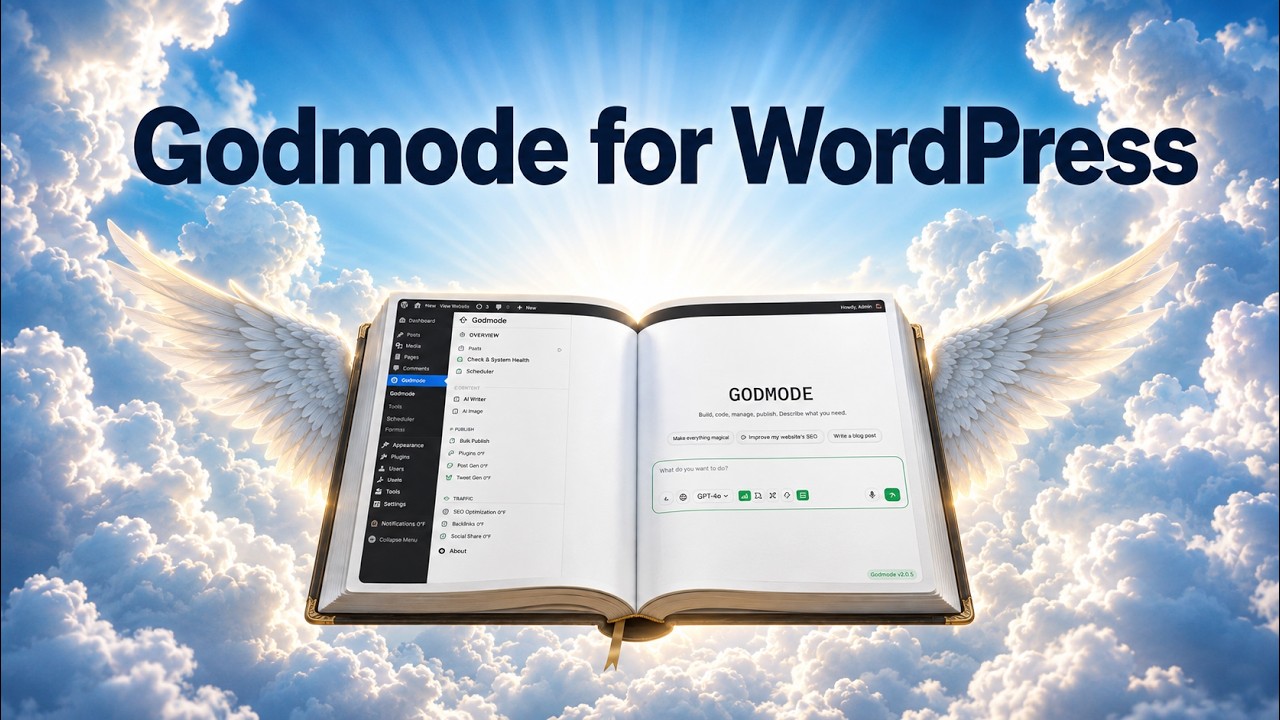
🔗 **Source:** [WP Godmode: It's Like Claude Desktop Inside WordPress](https://www.youtube.com/watch?v=mUWNXxw8xH8)
> [!note]+ Document Notes
> title: "WP Godmode: It's like Claude Desktop inside WordPress"
> source_url: "https://www.youtube.com/watch?v=mUWNXxw8xH8"
> content_type: video
> reading_stage: analytical
> tags: [wordpress, ai-agents, plugin-development, automation, agency-workflows, security]
> processed_at: "2026-08-04"
>
> # 🏷️ Title: WP Godmode: It's like Claude Desktop inside WordPress
>
<!-- deep-read:sections start -->
## 🧭 Table of Contents
- Summary
- Main Content
- References
- Paraphrase
- Newsletter
- Action Items
- Hypotheses
- Methodology
- Questions
- Future Research
- Implications
- Learning Styles Assessment
- Accessibility Assessment
- DEIB Assessment
- Logical Validity
- DARVO Analysis
- Conclusion
- Refactor Appendix
### 🔗 References
- [Original YouTube video](https://www.youtube.com/watch?v=mUWNXxw8xH8)
## 📝 Summary
A sponsored demonstration presents WP Godmode as an in-dashboard WordPress agent with rules, skills, code and content actions, and scheduled background workflows.
## 📖 Main Content
### 🗒️ Notes
### Executive Summary & High-Level Overview
This sponsored deep-dive review by *The WP Minute* evaluates **WP Godmode** (`wpgodmode.com`), an in-dashboard AI agent and chat interface for WordPress. Unlike external Model Context Protocol (MCP) integrations or standalone desktop tools (such as Claude Desktop or Cursor/Codex), WP Godmode operates directly inside the WordPress wp-admin dashboard. It embeds LLM capabilities (bring-your-own-key or model connection via OpenAI or Anthropic) to execute site management, theme/plugin code creation, SEO audits, and automated background tasks via persistent, scheduled autonomous agents.
### Key Information Matrix
| Dimension | Details |
| :--- | :--- |
| **Thesis** | Native, in-dashboard AI agents with local site context and scheduling capabilities offer a lower-friction alternative to managing external MCP server infrastructure for WordPress agencies and developers. |
| **Speaker Claims vs. Facts** | **Claim:** WP Godmode eliminates the need for separate MCP setup and provides a stable platform for agency web building. **Fact:** The plugin requires a separate, paid subscription to an external AI provider (OpenAI/Anthropic) alongside its base software cost. |
| **Pricing Tier Structure** | **Creator:** $39/mo (1 site); **Freelancer:** $89/mo (10 sites); **Agency:** $189/mo (100 sites); **Enterprise:** Custom. *(Note: Users must also supply their own LLM API/subscription).* |
| **Core Architecture** | Embedded Chat, Autonomous Agents (Goal + Schedule + Memory), Configurable Rules Engine, and Extensible Custom Skills System. |
### Timestamped Walkthrough & Deep-Reading Aid
#### [00:00 - 02:26] Introduction, AI Ecosystem Fragmentation, and Core Value Proposition
* **Thesis & Context:** The WordPress AI tooling landscape is fragmented between external MCP setups and isolated writing assistants inside the block editor. WP Godmode brings full LLM desktop-style agent capabilities directly inside `wp-admin`.
* **Key Argument:** While external MCP servers offer powerful developer-centric connections, in-dashboard agents provide a unified interface accessible to non-hardcore developers and site managers without complex local setup.
#### [02:27 - 04:28] Commercial Model, Pricing Breakdown, and Hidden Cost Considerations
* **Pricing Breakdown:**
* Launch pricing ranges from **$39/month** (Creator - 1 site) to **$189/month** (Agency - 100 sites).
* **Cost Limitation / Conflict of Interest:**
* **BYO Connection:** WP Godmode subscription costs **do not** include LLM usage fees. Users must maintain an external $20/mo subscription or API key with OpenAI (ChatGPT/Codex) or Anthropic (Claude).
* **Video Disclosure:** This is a **sponsored review** by WP Godmode, though editorial control rests with the creator.
#### [04:29 - 05:45] Dashboard Overview and Out-of-the-Box Action Templates
* **Demo:** Navigating the central WP Godmode dashboard showing pre-configured quick actions:
* *For Your Site:* Homepage launches, FAQ generators, site detail consolidation.
* *Build Something:* Custom plugins, CPTs, SEO boosters, and landing page creation.
#### [05:46 - 07:03] Guardrails & Governance: The "Rules" Engine
* **Concrete Feature:** The **Rules** section serves as a mandatory system prompt wrapper applied across all chat and agent executions.
* **Security & Reliability Focus:** Allows administrators to establish hard constraints—e.g., *"Never edit core WordPress files,"* *"Do not modify active theme files directly,"* or *"Enforce strict sanitization on database calls."* Essential for client and production deployments.
#### [07:04 - 08:44] Context Alignment: The "Skills" Framework
* **Concrete Feature:** **Skills** act as specialized instruction sets tailored to specific tools, page builders, or custom plugins.
* **Supported Demos:** Built-in skills for *Elementor*, *Divi*, *Breakdance*, and *Avada*, alongside an automated *Elementor-to-Breakdance Migrator*.
* **Extensibility:** Developers can create custom skill files to teach the AI agent how to interact with proprietary plugins, Advanced Custom Fields (ACF), or custom REST endpoints.
#### [08:45 - 11:06] Test 1: Programmatic Content Generation & Edit Safety Toggles
* **Demo:** Requesting creation of 3 pizza recipe pages.
* **Safety Mechanism:** Demonstrates the **"Edits Disabled"** toggle. When toggled off, Godmode builds a dry-run implementation plan without executing site modifications. Once approved and toggled on, it creates and publishes the pages within ~50 seconds.
#### [11:07 - 13:48] Test 2: On-the-Fly Custom Plugin Development & Execution
* **Demo:** Generating a custom plugin that adds an "Editor Purpose Note" metabox to posts and pages with character counts and role checks.
* **Execution Realities:** WP Godmode authored and registered the plugin in 2m 17s. When the meta box didn't immediately appear in the block sidebar, a follow-up query verified that Godmode positioned it below the content canvas as a native post metabox.
#### [13:49 - 15:05] Test 3: Contextual Site Queries & Maintenance Verification
* **Demo:** Asking Godmode to report on site health (e.g., post vs. page counts, outdated plugins).
* **Capability:** The assistant queries the underlying database directly rather than scraping front-end HTML, offering administrative visibility.
#### [15:06 - 19:35] Autonomous Scheduled Agents, Background Audits, and Notifications
* **Main Argument:** Autonomous, background-scheduled agents represent the primary differentiator of WP Godmode over standard interactive chat windows.
* **Demo (SEO Agent):**
* **Goal Setting:** Defined goal to perform recurring SEO evaluations across published content.
* **Scheduling:** Set background execution intervals (e.g., every 168 hours / weekly).
* **Memory:** The agent stores audit history in persistent local memory to avoid duplicate recommendations and refine long-term outputs.
* **Integrations:** Automated reporting alerts routed via **Slack**, **Microsoft Teams**, or **Email**.
#### [19:36 - 21:09] Conclusion and Practical Takeaways
* **Summary:** Godmode provides a complete, low-friction, native AI workspace inside WordPress, mitigating the need for external infrastructure management.
### Practical Guidance for DevRel & Open-Source Practitioners
1. **Document Plugin Architecture via Custom Skills:** DevRel teams should create and distribute standardized `.skill` instruction files for open-source plugins. This ensures AI assistants interact with custom post types and API hooks accurately.
2. **Implement Mandatory Guardrails in Workflows:** Agency technical leads must populate the **Rules** tab with explicit safety policies (e.g., prohibiting direct modification of `wp-config.php` or enforcing strict user access controls) prior to onboarding non-technical staff or clients.
3. **Build Recurring Value Services:** Developers can package scheduled background agents (e.g., automated weekly accessibility, security, or broken-link scans) as part of recurring site maintenance retainers.
4. **Factor Double-Sided Licensing into Pricing:** Account for both the WP Godmode subscription and LLM token usage (OpenAI/Anthropic) when calculating client billables or infrastructure budgets.
### Key Highlights & Short Near-Verbatim Quotations
* **On the Value of Native In-Dashboard AI:**
> *"Taking ChatGPT or Claude and putting it right inside of your WordPress website... building that same experience you might have with Claude Desktop or Codex Desktop, and doing it right in WordPress."* — [01:45]
* **On Safety Guardrails:**
> *"There is a whole Rules section, which I think is absolutely critical to building the guardrails for something like this, especially if you're working on a client site."* — [05:52]
* **On Custom Skills Extensibility:**
> *"Skills are effectively adding instructions to the agent or the chat interface so that it knows how to do certain things... You can build out a skill set so that the agent is much more accurate."* — [07:31]
* **On Autonomous Scheduled Agents:**
> *"When you start to run agents natively inside WordPress... you can skip having to build really complex infrastructure to do all of this when Godmode just does it right inside of a WordPress website."* — [17:11]
### Accessibility, DEIB & Security Audit Observations
* **Security Concerns:**
* **Privilege Escalation Risk:** Because WP Godmode executes code changes, plugin installations, and theme modifications directly within `wp-admin`, site administrators must strictly control access using role-based permissions and robust top-level **Rules**.
* **Data Privacy:** Sensitive site data and draft content pass to external LLMs (OpenAI/Anthropic). Agencies handling HIPAA or GDPR-regulated data must ensure compliance with provider data processing agreements (DPAs).
* **Accessibility / User Experience:**
* WP Godmode's chat and agent tabs reside inside the standard WordPress admin panel, relying heavily on standard Gutenberg and custom dashboard UI components. Non-technical users benefit from the "Dry Run" / "Edits Disabled" safety state before changes commit to the database.
## 📚 References
- Original video and captions, accessed 2026-08-04.
- Any papers, products, incidents, or historical sources named by the speakers remain leads for primary-source verification unless linked and checked separately.
## 🗣️ Paraphrase
WP Godmode lowers setup friction by placing agent tools inside wp-admin. That convenience also concentrates authority, site data, code execution, and recurring automation in one privileged surface.
## 📰 Newsletter
The product’s most important feature isn’t chat; it’s governance. Rules, dry runs, skills, schedules, memory, and notifications determine whether an embedded WordPress agent is useful or dangerous.
## ✅ Action Items
#### DevRel
- [ ] Test the plugin only on a disposable staging site with least-privilege credentials.
- [ ] Write explicit rules against core edits, secret exposure, destructive database actions, and unreviewed publishing.
- [ ] Verify generated plugin code with WordPress coding, security, accessibility, and rollback checks.
#### OSPO
- [ ] Apply the source’s governance and verification lessons to contributor automation and community policy where relevant.
#### Community
- [ ] Invite affected users and contributors into testing before treating the source’s recommendations as general.
#### WordPress
- [ ] Translate the most relevant claim into a small, reversible WordPress test or documentation check.
#### The WPCC
- [ ] Preserve a distinction between speaker claims, observed demonstrations, and independently verified facts.
### FAIR
- **Findable:** Original URL and topic tags are present.
- **Accessible:** Transcript is stored with the Reader document.
- **Interoperable:** Notes use Markdown and stable section headings.
- **Reusable:** Claims retain context, limitations, and follow-up questions.
## 🧪 Hypotheses
- In-dashboard agents reduce operational friction but increase blast radius unless permissions and approvals are enforced below the prompt layer.
### 📊 Methodology
The analysis combines the full English caption transcript with a visual, timestamped walkthrough. It distinguishes observed demonstrations and speaker claims from facts that still need primary-source verification.
### ❓ Questions
- Which controls are enforced in code rather than advisory system prompts?
- What data reaches model providers, and how are logs, secrets, schedules, and rollback handled?
### 🔮 Future Research
- Open the primary sources named in the episode.
- Reproduce technical claims in a controlled environment where applicable.
- Compare critical responses from affected communities or maintainers.
### 💡 Implications
Agencies may gain recurring automation services, but they inherit model costs, privacy obligations, review duties, and incident-response risk.
### 🧠 Learning Styles Assessment
#### 👀 Visual learners
Use the timestamped walkthrough and recreate diagrams or demos from the linked video.
#### 🔊 Aural learners
Listen with captions and pause after each major argument.
#### 🗣️ Verbal learners
Restate the thesis and strongest counterargument aloud.
#### 🧩 Kinesthetic learners
Run the smallest safe experiment implied by the source.
#### 🧠 Logical learners
Map claims to evidence, limitations, and falsifiers.
#### 🧑🤝🧑 Social learners
Discuss one implication with a relevant community.
#### 🧘♀️ Solitary learners
Write a short response before reading outside commentary.
#### 🌿 Naturalistic learners
No strong naturalistic learning mode is inherent in this source.
### 📊 Accessibility Assessment
#### Screen reader semantics
The demo doesn’t establish keyboard, screen-reader, focus, or status-announcement behavior for the agent UI. Generated interfaces need separate accessibility testing.
#### Keyboard navigation
The video page and any demonstrated interfaces need separate keyboard testing.
#### Contrast and readability
Visual contrast wasn’t independently measured.
#### Text resizing and reflow
The transcript reflows as text; demonstrated products need separate testing.
#### Media and captions
English captions were recovered and preserved. Caption accuracy should be spot-checked for names and technical terms.
#### Forms and interactions
Any demonstrated interface requires task-based accessibility testing.
#### Standards reference
Use WCAG 2.2 AA as the baseline for web-interface follow-up.
### 🌍 DEIB Assessment
#### Cultural breadth
Lower setup friction may broaden access beyond developers, while usage fees and technical guardrails can create new participation barriers.
#### Inclusive language
Preserve quoted harmful language only when it’s necessary to analyze the source.
#### Neurodiversity support
Structured notes, captions, reduced-motion considerations, and asynchronous participation improve access.
#### Representation
The source’s speakers and examples don’t represent every affected group.
#### Psychological safety
Apply the source without pressuring people to disclose harm or participate in unsafe experiments.
### ✅ Logical Validity
#### Strong reasoning
The analysis preserves concrete examples and separates observed behavior from broader inference.
#### Fallacies
The video demonstrates selected tasks on a demo site. It doesn’t establish production reliability, security, or total cost, and sponsorship must remain visible.
#### Tone of voice
The source is conversational and persuasive; some claims need a calmer evidentiary check.
### 🛡️ DARVO Analysis
No meaningful DARVO pattern is present.
## 🎯 Conclusion
A sponsored demonstration presents WP Godmode as an in-dashboard WordPress agent with rules, skills, code and content actions, and scheduled background workflows. Agencies may gain recurring automation services, but they inherit model costs, privacy obligations, review duties, and incident-response risk.
## 🔄 Refactor Appendix — WP Godmode: It's like Claude Desktop inside WordPress
### 📚 Literature Atoms
#### Agent rules are essential on client WordPress sites.
> [!quote] ID:01kz7cd5w6h1rva1n14wmg4vdc
> This is a demo site, but there is a whole rules section which I think is absolutely critical to building the guard rails for something like this, especially if you're working on a client site.
**Context & use**:
- Reusable claim grounded in the source transcript.
**Tags**: #wordpress #ai-agents #xref
#### Skills teach agents tool-specific operating context.
> [!quote] ID:01kz7cd6jgmcac1hvstvqv8cgz
> Skills on the other hand uh slightly different where this is a way for the uh either the agent or the chat interface to work with the different skills that they've provided which are actually mostly page builders right so avada breakdance divvy divvy four and five in fact which is interesting elementor and an elementor to break dance migrator so if you want to go from elementor to breakdance you could do that uh with some of these skills and this is effectively adding instruction uctions to the agent or the chat interface so that it knows how to do certain things.
**Context & use**:
- Reusable claim grounded in the source transcript.
**Tags**: #wordpress #ai-agents #xref
#### Native WordPress agents simplify scheduled site automation.
> [!quote] ID:01kz7cd96q8rr1w5jaeh66xt0b
> And to me now that's really powerful when you start to run agents natively inside WordPress.
**Context & use**:
- Reusable claim grounded in the source transcript.
**Tags**: #wordpress #ai-agents #xref
### 🧠 Permanent Candidates
- Agent rules are essential on client WordPress sites.
- Agencies may gain recurring automation services, but they inherit model costs, privacy obligations, review duties, and incident-response risk.
### ✏️ Fleeting Queue
- Verify the strongest external claim against a primary source.
- Convert one action item into a bounded experiment.
## Processed
Deep-read notes, topic tags, source transcript, and literature atoms prepared on 2026-08-04.
<!-- deep-read:sections end -->
📄 **Full text:** [[Full Document Contents/Articles/WP Godmode It's Like Claude Desktop Inside WordPress.md|WP Godmode: It's Like Claude Desktop Inside WordPress by The WP Minute]]
## Highlights
- But there's a few things that are important that I want you to see, which I haven't filled out myself because this is not a live site. This is a demo site, but there is a whole rules section which I think is absolutely critical to building the guard rails for something like this, especially if you're working on a client site. I often talk about how great like this sugent coding is and design development and how it can critically think about things and do all this this great stuff, but there needs to be guard rails, especially if you're running this in a production environment or in a mission critical site. You want to make sure that you're setting your rules here in god mode. ([View Highlight](https://read.readwise.io/read/01kz7cd5w6h1rva1n14wmg4vdc))
- Note: Agent rules are essential on client WordPress sites.
- Tags: literature-atom
- Skills on the other hand uh slightly different where this is a way for the uh either the agent or the chat interface to work with the different skills that they've provided which are actually mostly page builders right so avada breakdance divvy divvy four and five in fact which is interesting elementor and an elementor to break dance migrator so if you want to go from elementor to breakdance you could do that uh with some of these skills and this is effectively adding instruction uctions to the agent or the chat interface so that it knows how to do certain things. So if I click on this elementor skill if I wanted to edit it, you can see the skills here uh and I can make my own custom version. ([View Highlight](https://read.readwise.io/read/01kz7cd6jgmcac1hvstvqv8cgz))
- Note: Skills teach agents tool-specific operating context.
- Tags: literature-atom
- And that really unlocks the ability to I hate to say set and forget with AI, especially if it's something of a critical site, but this will run I have this running weekly to test SEO and come back to me with a report that says here's how our SEO is doing. So if I were were to run an SEO audit every week, every day, I could have it go out and query uh for different topics. I could have it come back and see how maybe we rank against other uh positioned content and then I can have it execute against that. And to me now that's really powerful when you start to run agents natively inside WordPress. ([View Highlight](https://read.readwise.io/read/01kz7cd96q8rr1w5jaeh66xt0b))
- Note: Native WordPress agents simplify scheduled site automation.
- Tags: literature-atom
## Links
- [[3. Resources/Permanent Notes/An Ops Agent Is Only as Capable as Its System Access]] — evidence-for: in-dashboard agent power follows direct WordPress access.
- [[3. Resources/Permanent Notes/Bounded Action Spaces Not Better Models Make Agents Safe to Run]] — qualifies: broad site control needs narrow permissions and reversible actions.