Why Accessibility Matters: From a Blind Visually Impaired Perspective
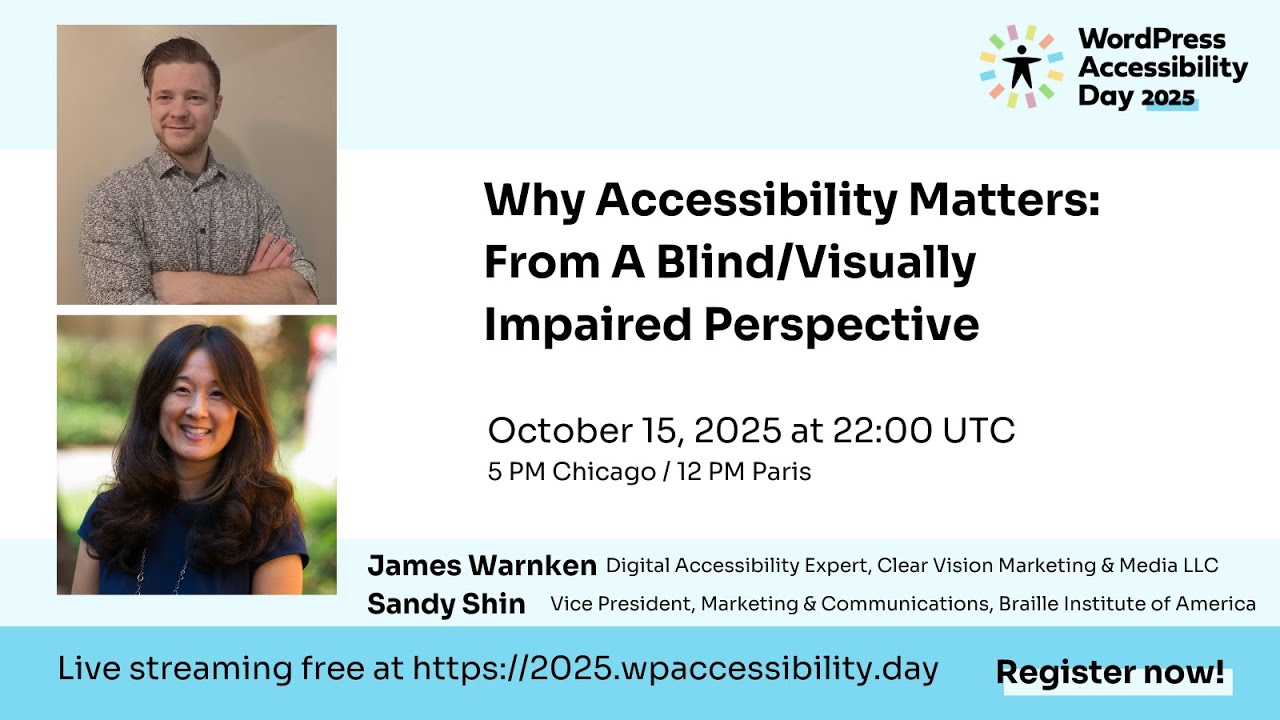
🔗 **Source:** [Why Accessibility Matters: From a Blind Visually Impaired Perspective](https://www.youtube.com/watch?v=3MStyiDs_Z0)
> [!note]+ Document Notes
> tags: [digital-accessibility, low-vision, screen-readers, wcag-success-criteria, assistive-technology]
> author: James Warnken
> source: WordPress Accessibility Day 2025
> reference: https://www.youtube.com/watch?v=3MStyiDs_Z0
> date created: 2026-09-08
>
> > [!info] Generated analysis — not the author's words. Sections below are machine-written
> > from the captured source. Only text inside `> [!quote]` blocks is verbatim from the author.
> > Do not quote or attribute any other line to the named author.
>
> # 🏷️ Title: Why Accessibility Matters: From A Blind Visually Impaired Perspective
>
<!-- deep-read:sections start -->
## 🧭 Table of Contents
- [📝 Summary](#-summary)
- [📖 Main Content](#-main-content)
- [🗒️ Notes](#️-notes)
- [📚 References](#-references)
- [🗣️ Paraphrase](#️-paraphrase)
- [📰 Newsletter](#-newsletter)
- [✅ Action Items](#-action-items)
- [🧪 Hypotheses](#-hypotheses)
- [📊 Methodology](#-methodology)
- [❓ Questions](#-questions)
- [🔮 Future Research](#-future-research)
- [💡 Implications](#-implications)
- [🧠 Learning Styles Assessment](#-learning-styles-assessment)
- [📊 Accessibility Assessment](#-accessibility-assessment)
- [🌍 DEIB Assessment](#-deib-assessment)
- [✅ Logical Validity](#-logical-validity)
- [🛡️ DARVO Analysis](#-darvo-analysis)
- [🎯 Conclusion](#-conclusion)
### 🔗 References
- [WordPress Accessibility Day](https://wpaccessibility.day) — event host
- [WebAIM Contrast Checker](https://webaim.org/resources/contrastchecker/) — tool James names for color contrast testing
- [NVDA (NV Access)](https://www.nvaccess.org/) — free, open-source screen reader James uses on Windows
- [HeadingsMap Chrome extension](https://chromewebstore.google.com/detail/headingsmap/) — tool James names for testing heading structure
## 📝 Summary
- James Warnken, a CPACC-certified digital accessibility consultant who has been losing his vision for 19 years and is legally blind, gave a talk at WordPress Accessibility Day 2025 walking through the blind and low-vision experience, the assistive technology involved, the relevant WCAG success criteria, and six concrete barrier categories he encounters as a working professional.
- It matters because the talk replaces assumption with testimony: James names specific tools (NVDA, VoiceOver, WebAIM Contrast Checker, HeadingsMap), specific numbers (a 3-minute article becoming a 15-minute read at his preferred magnification), and specific design failures (a light-gray terms-of-service checkbox he says he has missed repeatedly), giving builders concrete targets instead of abstractions.
- Key stakeholders: designers, developers, QA and UX/UI teams, marketing/PR teams choosing brand colors, and organizational leadership — James explicitly names all of these as sharing responsibility, not just engineering.
- Risk/tradeoff James surfaces directly: teams often assume blind users aren't using their site because analytics can't detect screen reader or magnification usage, and he challenges that inference rather than accepting it as evidence of absence.
- Bottom line: accessibility barriers for blind and low-vision users cluster around a small, recurring set of patterns — magnification behavior, color contrast, non-visual status messaging, semantic mismatches between visual style and code structure, heading hierarchy, and label/instruction completeness — and James frames all six as preventable through design decisions made before launch, not just remediation after.
## 📖 Main Content
James Warnken opens by naming the false binary most people hold about vision: 20/20 or "totally blind." He describes himself as legally blind (worse than roughly 20/200 acuity, by his account) but says he doesn't fit the visual stereotype — no cane, no guide dog, no dark glasses — and that people frequently misjudge what he can and can't do based on that mismatch. He frames vision as a spectrum running from full sight through low vision, legal blindness, total blindness, and color blindness, and argues design needs to account for the whole range, not the two extremes.
He then works through four misconceptions he says he has personally run into: that only blind people use screen readers and only low-vision people use magnification (he says he's met people with cognitive disabilities, and people with no disability at all, who use both because it's easier or preferred); that what works for one blind person works for all blind people; that blind people can't do things independently (he says the only thing he can't do is drive a car); and that blind people simply aren't using a given site or app, which he counters by pointing out that standard analytics has no way to detect screen reader or magnification use.
The assistive technology section covers screen readers (NVDA, JAWS, Narrator, VoiceOver, TalkBack), magnification software at the OS, browser, or app level, high contrast and dark modes, and refreshable Braille displays. James describes his own daily pattern: magnification most of the time on phone, tablet, and desktop, switching to a screen reader when his eyes are fatigued or the content is long, and a strong preference for dark backgrounds with light text.
He connects this to WCAG success criteria in two clusters: screen reader-relevant criteria (non-text content, info and relationships, audio descriptions, keyboard access, no keyboard trap, character key shortcuts, error identification, status messages, name/role/value) and low-vision-relevant criteria (resize text, reflow, contrast minimum, non-text contrast, use of color, sensory characteristics).
The barrier walkthrough — the technical core of the talk — covers six areas in order: magnification behavior (tying it to responsive/mobile layout quality, with his own 3-minute-to-15-minute reading time example), color contrast (his repeated-miss checkbox example), messages and alerts (visual state changes like cart counts or "thank you" confirmations needing an audio equivalent via ARIA), elements that visually mimic other elements (CSS-styled fake headings skipped by screen reader heading navigation, links styled as buttons and vice versa, restyled hidden checkboxes, inconsistently-linked cards), heading hierarchy (never skip levels descending, jumping back up when starting a new section is fine), and labels/instructions (more up-front information reduces error and frustration, using date-of-birth format ambiguity as his example).
He closes by widening responsibility beyond developers to marketing, PR, leadership, UX/UI, and research teams, and hands off to nine audience questions covering testing methodology, OS/screen reader preference, magnifier-specific QA, CSS Grid/DOM order mismatches, high-contrast widgets, multi-color contrast, and the difference between browser zoom and OS-level magnification.
### 🗒️ Notes
#### ⏱️ [00:01:32](https://www.youtube.com/watch?v=3MStyiDs_Z0&t=92s) Introduction by Madlin Nti
- Madlin Nti, Acting Secretary with Google Developer Group Sucre, introduces James Warnken as a legally blind/visually impaired digital accessibility consultant with 18+ years of lived disability experience who has trained hundreds of professionals across development, design, QA, UX/UI, marketing, and leadership.
- Session is part of WordPress Accessibility Day 2025 (#WPA11yDay, #WPAD2025); next session is Helen Hou-Sandi on "continuous AI for accessibility."
#### ⏱️ [00:03:00](https://www.youtube.com/watch?v=3MStyiDs_Z0&t=180s) James's background and agenda
- CPACC-certified for four years; background in business marketing, technology, and cybersecurity before moving into accessibility consulting.
- Agenda: the visual disability spectrum, common misconceptions, assistive technology, relevant WCAG success criteria, barriers, and shared organizational responsibility.
#### ⏱️ [00:05:36](https://www.youtube.com/watch?v=3MStyiDs_Z0&t=336s) The visual disability spectrum
- Rejects the 20/20-vs-totally-blind binary; spectrum includes low vision, legal blindness, total blindness, and color blindness.
> [!quote]
> the large letter E is the only one that I can see on that chart
- He doesn't use a cane, guide dog, or sunglasses, which he says leads people to misjudge his vision level.
#### ⏱️ [00:07:57](https://www.youtube.com/watch?v=3MStyiDs_Z0&t=477s) Misconceptions
- Only blind people use screen readers / only low-vision people use magnification — false; he's seen people with cognitive disabilities and non-disabled people use both.
- One blind person's preference generalizes to all blind people — false.
- Blind people can't act independently — James says the only thing he can't do is drive.
> [!quote]
> it doesn't tell us that 70 blind people using screen readers were on your website
- Point: analytics can't detect assistive-tech usage, so "blind people aren't using my site" is an unverifiable assumption, not a data-backed conclusion.
#### ⏱️ [00:10:08](https://www.youtube.com/watch?v=3MStyiDs_Z0&t=608s) Assistive technology in use
- Screen readers named: NVDA, JAWS, Narrator, VoiceOver, TalkBack.
- Magnification (phone, tablet, desktop), high contrast/dark mode, refreshable Braille displays.
- James's own pattern: magnification most of the time, switches to screen reader when eyes are fatigued or content is long; has built his own overrides for poor color contrast in the past.
#### ⏱️ [00:13:01](https://www.youtube.com/watch?v=3MStyiDs_Z0&t=781s) WCAG success criteria that apply
- Screen reader cluster: non-text content, info and relationships, audio descriptions, keyboard, no keyboard trap, character key shortcuts, error identification, status messages, name/role/value.
- Low vision cluster: resize text, reflow, contrast minimum, non-text contrast, use of color, sensory characteristics.
#### ⏱️ [00:15:34](https://www.youtube.com/watch?v=3MStyiDs_Z0&t=934s) Barrier: poor magnification behavior
- Ties magnification at 400% to mobile responsive layout quality — a broken mobile layout predicts a broken magnified-desktop experience.
> [!quote]
> that actually turns into closer to a 15-minute read, almost five times the amount of time to read that article
- Cause: two-dimensional scrolling/tracking when content doesn't reflow to fit the viewport.
#### ⏱️ [00:17:39](https://www.youtube.com/watch?v=3MStyiDs_Z0&t=1059s) Barrier: color contrast
> [!quote]
> if I had a dollar for every time that I missed that checkbox because it's light gray on a white background, I wouldn't need to do anything for the rest of my life
- Applies to links, buttons, form fields, controls, and plain text, not just decorative color.
#### ⏱️ [00:19:14](https://www.youtube.com/watch?v=3MStyiDs_Z0&t=1154s) Barrier: messages and alerts
- Visual state changes (search loading, cart count incrementing, "thank you" confirmation after form submit) need an audio-equivalent announcement, generally via ARIA live regions/alerts, or non-visual users can't tell whether an action succeeded.
#### ⏱️ [00:21:12](https://www.youtube.com/watch?v=3MStyiDs_Z0&t=1272s) Barrier: elements pretending to be other elements
- CSS-styled fake headings (bold/large text with no semantic heading tag) are invisible to screen reader heading navigation.
- Links styled as buttons and buttons styled as links create mismatches when a screen reader user is told to "find the button" and none exists semantically.
- Restyled hidden checkboxes and inconsistently-linked cards (sometimes the whole card links out, sometimes not) create unpredictable navigation.
#### ⏱️ [00:24:20](https://www.youtube.com/watch?v=3MStyiDs_Z0&t=1460s) Barrier: heading hierarchy
- No legal requirement to use headings, but James strongly recommends them: H1 for page topic, H2 for major sections, H3–H6 for nested subsections.
- Never skip levels while descending (2 to 5 is disorienting); jumping back up (e.g., H4 to H2) to start a new section is fine.
#### ⏱️ [00:26:38](https://www.youtube.com/watch?v=3MStyiDs_Z0&t=1598s) Barrier: labels and instructions
- More up-front information (format examples, expected input) reduces confusion and errors; his example is date-of-birth format ambiguity.
- Preference: provide instructions before the user can make the mistake, not only as an error message afterward.
#### ⏱️ [00:29:22](https://www.youtube.com/watch?v=3MStyiDs_Z0&t=1762s) Everyone has a role
- Extends responsibility to marketing, PR, leadership, UX/UI, and research teams — brand color choices and onboarding materials are named explicitly, not just code.
#### ⏱️ [00:32:09](https://www.youtube.com/watch?v=3MStyiDs_Z0&t=1929s) Q&A: Taco — which barrier matters most?
> [!quote]
> If we don't know what it is, the experience stops right there.
- James ranks structure/semantics/attributes (info and relationships, name/role/value, status messages) above heading levels and above visual styling, in that order.
#### ⏱️ [00:33:12](https://www.youtube.com/watch?v=3MStyiDs_Z0&t=1992s) Q&A: Bilius Bocula — testing without automated tools
- Tools named: WebAIM Contrast Checker (color picker built in), HeadingsMap Chrome extension for heading structure, an unnamed Chrome extension for spacing.
- Strongest recommendation: turn on the real assistive technology yourself (browser/OS magnification, VoiceOver on Mac, Narrator on Windows) rather than relying on simulation tools alone; notes captions as an example of an accessibility feature that went mainstream.
#### ⏱️ [00:35:02](https://www.youtube.com/watch?v=3MStyiDs_Z0&t=2102s) Q&A: David Denado — OS and screen reader preference
- Primarily Windows (still keeps one machine on Windows 7); uses NVDA over the built-in Narrator for its settings customization.
- On mobile/tablet, uses VoiceOver in the Apple ecosystem; hasn't shifted primary work to phone.
#### ⏱️ [00:36:11](https://www.youtube.com/watch?v=3MStyiDs_Z0&t=2171s) Q&A: Jeff Singleton — testing with a screen magnifier
- Checks readability and functionality together: menus opening/closing, dialogs resizing correctly (vs. staying default size or clipping), and whether third-party tool UI (like the WebAIM color picker) stays usable at high magnification.
- Notes keyboard functionality tends to disappear at 400% magnification.
#### ⏱️ [00:37:52](https://www.youtube.com/watch?v=3MStyiDs_Z0&t=2272s) Q&A: Mark S. — CSS Grid reordering vs. DOM order
- Screen readers follow DOM order regardless of visual reordering via CSS Grid or Flexbox.
- Flags that tablet breakpoints get less design attention than mobile or desktop, and that he personally magnifies in that "in-between" zone.
#### ⏱️ [00:39:39](https://www.youtube.com/watch?v=3MStyiDs_Z0&t=2379s) Q&A: Peggy — high contrast/dark mode widgets
- Has seen mixed results with WordPress accessibility plugins that add contrast toggle controls — some elements invert correctly, others (e.g., background images with overlays) don't.
- Recommends testing every state (default, hover, light, dark, dropdowns) rather than just the visible surface.
#### ⏱️ [00:41:02](https://www.youtube.com/watch?v=3MStyiDs_Z0&t=2462s) Q&A: Gina Sheldrake — three-color contrast
- More colors in a palette make contrast minimums harder to hit; gradients across text add complexity.
- Suggests two solid colors plus one accent/border color rather than forcing three text colors to individually meet contrast thresholds.
#### ⏱️ [00:42:58](https://www.youtube.com/watch?v=3MStyiDs_Z0&t=2578s) Q&A: Corey Curtis — manual zoom vs. browser zoom
- Browser-level zoom (Ctrl+/Ctrl-) resizes and reflows content and stays within the site author's control.
- OS-level magnifiers (Windows Magnifier, Fusion, ZoomText) act as an overlay outside the author's control, comparable to a traditional CCTV magnifier — the underlying content doesn't change.
## 📚 References
- [WordPress Accessibility Day](https://wpaccessibility.day)
- [WebAIM Contrast Checker](https://webaim.org/resources/contrastchecker/)
- [NV Access — NVDA](https://www.nvaccess.org/)
- [WCAG 2.2](https://www.w3.org/TR/WCAG22/)
## 🗣️ Paraphrase
James Warnken spends the first half of his talk dismantling the binary most people hold about blindness — that you're either fully sighted or you see nothing at all. He locates himself on that spectrum specifically: legally blind, unable to read past the largest line on an eye chart, but still using magnification for most tasks and reserving a screen reader for when his eyes are fatigued or the reading is long. He uses his own life to knock down four assumptions in a row: that assistive tech maps one-to-one to disability category, that one blind user's preferences generalize to all, that blindness means dependence, and that "I don't see blind users in my analytics" is evidence they aren't there.
The second half turns technical. He connects the abstractions of WCAG to six recurring failure patterns he sees in the field: magnification that breaks because responsive design was never tested past mobile breakpoints; contrast failures that hide interactive controls like terms-of-service checkboxes; visual status changes with no non-visual equivalent; markup that visually resembles one element while being coded as another; heading structures that skip levels and disorient non-visual navigation; and forms that explain formatting only after a user has already gotten it wrong. The Q&A that follows is dense with specific, testable advice — named tools, named screen readers, and a clear line between what's inside an author's control (browser zoom) and what isn't (OS-level magnification).
## 📰 Newsletter
WordPress Accessibility Day 2025 opened its blind/low-vision track with James Warnken, a CPACC-certified consultant who's been losing his vision for 19 years and brought receipts: a checkbox he says he's missed "for the rest of his life" because of light-gray-on-white contrast, and a 3-minute article that becomes a 15-minute slog at his preferred magnification because nobody tested past mobile breakpoints. He names his actual toolkit — NVDA on Windows, VoiceOver on iPhone/iPad, WebAIM's Contrast Checker, the HeadingsMap Chrome extension — and walks through six barrier patterns worth checking on your own WordPress site this week: does your heading hierarchy skip levels, do your "buttons" turn out to be styled links, does a cart-count update ever reach a screen reader, and does your magnified layout actually match your mobile layout at 400%? If you build forms, note his specific fix: put format instructions before the field, not in the error message after. Full session recording and Q&A above; next up in the day's lineup was Helen Hou-Sandi on continuous AI for accessibility.
## ✅ Action Items
#### DevRel
- Developer advocacy: build a short demo comparing DOM order vs. visual CSS Grid order for screen reader navigation, using James's Mark S. Q&A answer as the script.
- Education: turn James's six-barrier list (magnification, contrast, alerts, semantic mismatch, headings, labels) into a workshop checklist for WordPress theme/plugin developers.
- Developer experience: publish a quickstart pairing WebAIM Contrast Checker and HeadingsMap with common WordPress block editor workflows.
- Developer marketing: not applicable to this source — the talk doesn't address funnels, campaigns, or attribution.
- Community management: not applicable to this source — no moderation or code-of-conduct content discussed.
- Internal/external/cross-project: share James's "structure/semantics before styling" priority order (from the Taco Q&A) as guidance for cross-team a11y review SLAs.
#### OSPO
- Policy & Governance: not applicable to this source — no contribution policy or charter content discussed.
- License Compliance: not applicable to this source.
- Security Management: not applicable to this source.
- Software Inventory: not applicable to this source.
- Developer Support: adopt James's magnifier-testing checklist (readability, functionality, dialog resizing, keyboard access at 400%) as a training module for internal accessibility consultation hours.
- Community Engagement: not applicable to this source — no upstream funding or MoU content.
- Strategic Alignment: not applicable to this source — talk is practitioner-level, not executive reporting.
#### Community
- Maintainers: circulate James's heading-hierarchy rule (never skip levels descending) as a release-hygiene check for theme and plugin release reviews.
- Contributors: use the six barrier categories as a "first issue" triage rubric for accessibility bug reports.
- Sponsors: not applicable to this source — talk doesn't discuss sponsor budgets or deliverables (though Gravity Forms, WP Engine, Woo, and others sponsored the event itself, per the recording's opening).
- Ecosystem: not applicable to this source — no cross-project incident or disclosure content.
#### WordPress
- Core: reference James's WCAG cluster (info and relationships, name/role/value, status messages) when triaging core accessibility issues; he ranks these above heading and style issues.
- Core Performance: not applicable to this source — magnification/reflow performance under load isn't addressed.
- Core AI: the closing hand-off names Helen Hou-Sandi's follow-up talk on continuous AI for accessibility as directly adjacent — worth cross-referencing that session's note.
- Core Program Team: use James's barrier taxonomy as a shared vocabulary across core focus teams doing cross-team a11y triage.
- Mobile: test VoiceOver (iOS) and NVDA-equivalent Android behavior against James's stated preference pattern (magnification primary, screen reader for fatigue/long content).
- Playground: build a Playground blueprint that pre-installs a magnification/contrast testing sandbox using the tools James names.
- Community: WordPress Accessibility Day itself is the model James's talk was delivered at — continue funding/organizing it as a meetup-kit template for other accessibility-focused events.
- Training: convert the barrier walkthrough into a Learn WordPress lesson plan; James already trains "hundreds of professionals" on this material per his bio.
- Marketing: apply James's brand-color guidance (from the closing "everyone has a role" section) to WordPress.org marketing material color choices.
- Support: adopt James's "instructions before errors" rule for support documentation and form-field help text.
- Design: audit block theme default styles against the "elements pretending to be other elements" barrier (fake headings, button-styled links).
- Documentation: document the DOM-order-vs-CSS-order distinction from the Mark S. Q&A in developer-facing block editor docs.
- Photos: not applicable to this source — talk doesn't address photo library alt text or moderation.
- TV: apply James's caption-mainstreaming observation (from the Bilius Bocula Q&A) to WordPress.tv caption quality standards.
- Polyglots: not applicable to this source — no translation or locale content discussed.
- Accessibility: this talk is directly in-scope — use its six-barrier list and WCAG citations as source material for the WordPress accessibility team's audit checklist.
- Meta: not applicable to this source — no .org platform/API content discussed.
- CLI: not applicable to this source.
- Hosting: not applicable to this source — though GoDaddy, GreenGeeks, Kinsta, Pressable, and SiteGround sponsored the event per the opening announcement.
- Tide: not applicable to this source — Tide scores plugin code quality, not live a11y barriers.
- Openverse: not applicable to this source.
- Themes: audit theme heading defaults and color palettes against James's contrast and heading-hierarchy guidance before theme directory review.
- Plugins: form plugins (Gravity Forms sponsored this event) should be checked against James's labels-and-instructions guidance for date/format fields specifically.
#### The WPOCC
- Programs: consider a microgrant or fellowship track for practitioners doing lived-experience accessibility training like James's, following the WordPress Accessibility Day model.
- Projects: not applicable to this source — no governance clinic or documentation sprint content discussed.
- Funding experiments: not applicable to this source.
#### FAIR
- Technical independence: not applicable to this source — talk doesn't address metadata, provenance, or signature verification.
- Policies and covenants: not applicable to this source.
- Productized governance artifacts: not applicable to this source.
## 🧪 Hypotheses
- H1: Sites whose mobile layout fails to reflow properly will also fail for desktop users magnifying to 400%, since James ties the two directly ("if our mobile layouts are a mess... users on a desktop that are magnifying are going to share that same poor experience").
- H2: Interactive form controls with insufficient color contrast (e.g., checkboxes) have measurably higher missed-interaction rates among low-vision users than higher-contrast controls, consistent with James's repeated-miss example.
- H3: Pages using CSS-only styling for headings (no semantic heading tags) show measurably lower task-completion rates for screen reader users navigating by heading than pages using semantic headings.
- H4: Forms that present format instructions before input (vs. only in an error message after) reduce error-correction time for users relying on screen readers or magnification.
- H5: Visual status updates without an ARIA live region announcement increase abandonment or repeated-action rates among screen reader users.
### 📊 Methodology
- For H1/H3/H5: task-based usability testing with screen reader and magnification users (recruit via organizations like AFB or state assistive-tech centers), comparing task completion time and error rate across pages with and without the flagged pattern; measure at 200% and 400% magnification per WCAG's own thresholds.
- For H2: contrast-ratio audit (WebAIM Contrast Checker, the tool James names) cross-referenced against click/tap heatmap or session-replay data on the flagged control, comparing miss rate against a redesigned higher-contrast control in an A/B test.
- For H4: controlled form-completion study measuring time-to-correct-entry and error count, instructions-before vs. errors-after, with participants using NVDA, JAWS, or VoiceOver.
### ❓ Questions
- How much of the barrier list James describes (six categories) generalizes to cognitive or motor disabilities, versus being specific to blind/low-vision users?
- Does the "instructions before errors" pattern measurably reduce support-ticket volume for WordPress-based signup/checkout forms?
- What's the actual prevalence of "elements pretending to be other elements" (styled links-as-buttons, fake headings) across the WordPress theme directory today?
- Given that analytics can't detect screen reader/magnification usage (per James's misconception #4), what would a privacy-respecting way to measure assistive-tech usage on a WordPress site look like?
### 🔮 Future Research
- A systematic audit of WordPress.org theme directory submissions against James's six barrier categories, to quantify how common each pattern is at submission time versus after user reports.
- Longitudinal research on whether OS-level accessibility features "going mainstream" (James's captions example) predicts adoption timelines for other assistive features like dark mode or reduced-motion.
- Comparative research on tablet-breakpoint accessibility specifically, since James flags it as the most neglected viewport between mobile and desktop.
### 💡 Implications
- Practice: teams should test at 200% and 400% magnification as explicit QA steps, not just responsive breakpoints for mobile — James frames these as the same underlying reflow problem.
- Policy: organizations citing low blind/low-vision traffic as justification for deprioritizing accessibility work are relying on a measurement gap (analytics can't see assistive-tech usage), not evidence of absence.
- Education: training that pairs specific named tools (WebAIM Contrast Checker, HeadingsMap) with specific named barriers is more actionable than abstract WCAG-criteria training alone.
- Funding models: event-based accessibility education (WordPress Accessibility Day, sponsored by Gravity Forms, WP Engine, Woo, Equalize Digital, and others per the recording) is a proven distribution channel for this kind of practitioner testimony.
### 🧠 Learning Styles Assessment
- Reading level estimate: Flesch-Kincaid Grade Level approximately 9-10 for the spoken transcript (conversational register, moderate sentence length, technical vocabulary like "ARIA," "reflow," "DOM" defined in context rather than assumed).
#### 👀 Visual learners
- Present: James references on-screen slides throughout (the eye chart, the visual spectrum diagram, barrier examples) but the transcript captures only his verbal description, not the visuals themselves.
- Improve: pair this note with the actual slide deck or add screenshots of the checkbox/heading examples he describes.
#### 🔊 Aural learners
- Present: the entire source is audio/video narration; James verbally describes every visual element he references, which itself models good aural accessibility.
- Improve: none needed — this is already an aural-first format.
#### 🗣️ Verbal learners
- Present: strong use of concrete definitions (legally blind, CPACC, DOM order) and personal analogy (the E-on-the-eye-chart, the missed checkbox).
- Improve: a short glossary of acronyms (WCAG, ARIA, NVDA, JAWS, CPACC) alongside this note would help readers new to the field.
#### 🧩 Kinesthetic learners
- Present: James gives directly actionable test steps (turn on your OS magnifier, install HeadingsMap, use WebAIM's color picker).
- Improve: a hands-on checklist derived from the Notes section above, formatted as a step-by-step audit task.
#### 🧠 Logical learners
- Present: the talk is structured as a clear taxonomy (spectrum → misconceptions → assistive tech → WCAG criteria → six barriers → shared responsibility).
- Improve: a decision-tree version mapping "if you see X barrier, check Y WCAG criterion" would sharpen this further.
#### 🧑🤝🧑 Social learners
- Present: the live Q&A format itself is social learning — nine named audience members ask questions James answers directly.
- Improve: a discussion-prompt version of each Q&A pair for team accessibility reading groups.
#### 🧘♀️ Solitary learners
- Present: James's own testing methodology (turn on the actual assistive tech yourself) is inherently self-paced and solitary.
- Improve: a self-audit worksheet based on his magnifier-testing criteria (readability, functionality, keyboard access).
#### 🌿 Naturalistic learners
- Present: not applicable to this source — no sustainability or ecosystem-impact content discussed.
- Improve: not applicable — the talk's scope is disability/UX, not environmental systems.
## 📊 Accessibility Assessment
#### Screen reader semantics
- Present: James's own delivery models good practice — he verbally narrates every visual reference (the eye chart, the spectrum diagram) so an audio-only listener isn't excluded.
- Improve: not evidenced in the transcript whether the original slide deck used proper heading/landmark structure; recommend auditing the deck itself against WCAG 1.3.1 (Info and Relationships).
#### Keyboard navigation
- Present: not directly evidenced — the transcript is spoken content, not an interactive interface.
- Improve: if this session is later published as an on-demand page, confirm the video player itself is fully keyboard-operable (WCAG 2.1.1, No Keyboard Trap).
#### Contrast and readability
- Present: James states his own preference for dark backgrounds and light text/high contrast, which he says he configures himself.
- Improve: not evidenced whether the live slide deck met WCAG 1.4.3 (Contrast Minimum) or 1.4.11 (Non-text Contrast) — recommend checking archived slides if available.
#### Text resizing and reflow
- Present: James explicitly tested his own example content at multiple magnification levels (200%–400%) and reports specific reading-time impact.
- Improve: apply his own bar (content should not take ~5x longer to consume at 400% zoom) as a formal test threshold, mapped to WCAG 1.4.10 (Reflow).
#### Media and captions
- Present: not evidenced in the transcript whether this specific recording carries live captions; WordPress Accessibility Day sessions commonly include captioning, but that isn't stated in the transcript itself.
- Improve: confirm captions and a downloadable transcript are attached to the published recording, per WCAG 1.2.2 (Captions, Prerecorded).
#### Forms and interactions
- Present: James gives a detailed, actionable example (date-of-birth format ambiguity) mapped directly to WCAG 3.3.2 (Labels or Instructions).
- Improve: none from the talk itself — this section of his talk is already a strong worked example.
#### Standards reference
- Screen reader semantics → WCAG 1.3.1 (Info and Relationships), 4.1.2 (Name, Role, Value)
- Status/alert content → WCAG 4.1.3 (Status Messages)
- Contrast → WCAG 1.4.3 (Contrast Minimum), 1.4.11 (Non-text Contrast)
- Reflow/magnification → WCAG 1.4.10 (Reflow), 1.4.4 (Resize Text)
- Labels/instructions → WCAG 3.3.2 (Labels or Instructions), 3.3.1 (Error Identification)
- Heading structure → WCAG 1.3.1 (Info and Relationships), 2.4.6 (Headings and Labels)
## 🌍 DEIB Assessment
#### Cultural breadth
- Present: no multi-region or multilingual examples are discussed; the talk is US-centric in its tooling references (NVDA, JAWS, WebAIM, WCAG citations without regional variants like EN 301 549).
- Improve: cross-reference regional equivalents (e.g., EU accessibility law) for a global audience.
#### Inclusive language
- Present: James explicitly rejects deficit-framing language — he corrects the "can't do anything independently" misconception and never uses charity or inspiration framing about his own disability; he refers to his experience factually ("legally blind," "losing my vision for 19 years") without euphemism.
- Improve: none needed — this is a strong example of self-authored disability language already in the source.
#### Neurodiversity support
- Present: the talk is structured with a clear stated agenda up front and consistent section-by-section pacing, which supports predictable content chunking.
- Improve: not evidenced whether the live session offered a written outline or slide handout in advance; recommend pairing future sessions with a pre-published agenda document.
#### Representation
- Present: James speaks from direct first-person lived experience as the presenter, not as a subject described by someone else — the talk itself is an example of centering disabled voices in a technical event lineup.
- Improve: the transcript doesn't identify the disability status of the Q&A questioners or moderator, so representation within the audience/panel can't be assessed from this source alone.
#### Psychological safety
- Present: James invites direct questions ("happy to talk about accessibility, to dive down rabbit holes") and treats audience questions (nine, by name) as a genuine two-way exchange rather than a scripted FAQ.
- Improve: none needed from what's evidenced — the Q&A format itself models safe, direct engagement.
## ✅ Logical Validity
#### Strong reasoning
- Analogical: James ties magnification behavior to responsive mobile design directly and testably — "if our mobile layouts are a mess... users on a desktop that are magnifying are going to share that same poor experience" — a claim any team can verify by testing their own mobile breakpoint.
- Inductive, quantified: his 3-minute-to-15-minute reading time claim is a specific, falsifiable number drawn from his own repeated testing, not a vague "it's harder" claim.
- Causal, mechanism-stated: he explains *why* the DOM-order/CSS-order mismatch (Mark S. Q&A) happens — screen readers read markup order, not visual order — rather than just asserting the effect.
#### Fallacies
- No fallacies of the classic named kind (hasty generalization, appeal to authority, straw man) are present in this talk. The clearest risk — generalizing from one blind person's experience to all blind people — is a misconception James explicitly names, refutes, and structures the rest of the talk around avoiding; he consistently frames his own testimony as individual ("in my case," "personally") and separates it from prescriptive WCAG citations when making general claims. Given that explicit self-correction, inventing a fallacy here would misrepresent a talk that's unusually careful about this exact trap.
#### Tone of voice
- Direct, practitioner-to-practitioner, non-defensive. Examples: "If I had a dollar for every time..." (wry, not bitter), "My question to that is, how do you know that?" (challenging an assumption without hostility), "I would encourage everyone to... explore and dive deeper" (invitational close). No charity-framing or inspiration-framing language toward his own disability at any point.
## 🛡️ DARVO Analysis
- Deny: not applicable to this source — no accusation is made against James or the talk that would prompt a denial.
- Attack: not applicable to this source — James critiques design patterns and misconceptions, not individuals or organizations by name.
- Reverse victim/offender: not applicable to this source — there is no conflict framing in the talk; it's an educational presentation with an audience Q&A, not a dispute.
## 🎯 Conclusion
James Warnken's talk reduces the blind/low-vision accessibility problem to six recurring, checkable patterns — magnification/reflow, color contrast, non-visual status messaging, semantic-visual mismatches, heading hierarchy, and label/instruction completeness — each backed by a specific personal example (a 3x-to-5x reading-time penalty, a checkbox missed repeatedly, DOM order overriding CSS Grid order for screen readers). The practical next step for any WordPress team: run the magnifier test he describes (200% and 400%, checking readability, functionality, and keyboard access), audit interactive controls with WebAIM's Contrast Checker, and check heading structure with HeadingsMap — three tools he names directly, all free to use immediately.
## 🔄 Refactor Appendix — Why Accessibility Matters: From A Blind Visually Impaired Perspective
### 📚 Literature Atoms (H3)
#### [H1] Legally blind acuity is worse than the eye chart's largest line
> [!quote]
> the large letter E is the only one that I can see on that chart
**Context & use**:
- Early segment establishing the visual disability spectrum, [00:05:36](https://www.youtube.com/watch?v=3MStyiDs_Z0&t=336s).
- Grounds "legally blind" in a concrete, testable acuity example rather than an abstract label.
**Tags**: #xref
<!-- atomicity: 1 idea ✓ -->
#### [H2] Analytics can't detect screen reader or magnification usage
> [!quote]
> it doesn't tell us that 70 blind people using screen readers were on your website
**Context & use**:
- Misconceptions segment, [00:07:57](https://www.youtube.com/watch?v=3MStyiDs_Z0&t=477s), countering "blind people aren't visiting my site."
- Directly relevant to any team using traffic data to justify deprioritizing accessibility.
**Tags**: #xref #addendum
<!-- atomicity: 1 idea ✓ -->
#### [H3] Poor reflow turns a 3-minute read into a 15-minute read
> [!quote]
> that actually turns into closer to a 15-minute read, almost five times the amount of time to read that article
**Context & use**:
- Barrier walkthrough, magnification behavior segment, [00:15:34](https://www.youtube.com/watch?v=3MStyiDs_Z0&t=934s).
- Gives a concrete, falsifiable severity number for reflow failures — useful as a QA acceptance threshold.
**Tags**: #xref #aphorisms
<!-- atomicity: 1 idea ✓ -->
#### [H4] Low-contrast checkboxes get missed repeatedly by low-vision users
> [!quote]
> if I had a dollar for every time that I missed that checkbox because it's light gray on a white background, I wouldn't need to do anything for the rest of my life
**Context & use**:
- Color contrast segment, [00:17:39](https://www.youtube.com/watch?v=3MStyiDs_Z0&t=1059s); specifically about terms-of-service checkboxes at checkout.
- Directly applicable to WordPress checkout/signup flow audits (Gravity Forms, WooCommerce, etc.).
**Tags**: #xref #addendum
<!-- atomicity: 1 idea ✓ -->
#### [H5] Structural semantics matter before visual styling does
> [!quote]
> If we don't know what it is, the experience stops right there.
**Context & use**:
- Q&A, Taco's question on which barrier has the biggest effect, [00:32:09](https://www.youtube.com/watch?v=3MStyiDs_Z0&t=1929s).
- Establishes a priority order for triage: fix info/relationships and name/role/value before heading levels or visual styling.
**Tags**: #xref #aphorisms
<!-- atomicity: 1 idea ✓ -->
### 🧠 Permanent Candidates (H4)
#### [P1] Screen readers read DOM order, not visual CSS order
**Claim** (one sentence, Courtney's voice): A screen reader announces content in document order regardless of how CSS Grid or Flexbox visually rearranges it, so accessible order has to be fixed in the markup, not patched with layout CSS.
**Evidence pointer**: [[#H3]] — supporting context from the Mark S. Q&A on CSS Grid reordering.
**Scope & conditions**: Holds for all screen reader navigation regardless of visual breakpoint; doesn't apply to sighted mouse/touch users, who experience the CSS-reordered layout as intended.
**Links** (≥1 with annotation):
- [[WordPress block editor layout patterns]] — because applies-in block theme grid/columns blocks where visual reorder is common.
<!-- atomicity: 1 idea ✓ -->
#### [P2] Browser zoom stays in the site's control; OS magnification doesn't
**Claim** (one sentence, Courtney's voice): Browser-level zoom triggers the page's own responsive reflow and is something a site's CSS can shape, while OS-level magnifiers like ZoomText or Windows Magnifier just overlay a lens on unchanged content, so a site being "magnifier-friendly" only means it reflows well at browser zoom, not that OS magnification will feel good.
**Evidence pointer**: [[#H3]] — supporting context from the Corey Curtis Q&A on manual vs. browser zoom.
**Scope & conditions**: Relevant when evaluating "does this site support magnification" claims — distinguish which magnification mechanism was actually tested.
**Links** (≥1 with annotation):
- [[WCAG 1.4.10 Reflow]] — because applies-in browser-zoom testing specifically, not OS-level magnification testing.
<!-- atomicity: 1 idea ✓ -->
### ✏️ Fleeting Queue
- [F1] Check whether WordPress Accessibility Day publishes captioned/transcribed archives by default — relevant to the Media and captions gap noted in the Accessibility Assessment above. #xref #inbox
- [F2] Look up Helen Hou-Sandi's "continuous AI for accessibility" follow-up session (referenced at the close of this talk) for a companion note. #xref #inbox
### → Things 3 (max 2 actions)
- [ ] Run the WebAIM Contrast Checker + HeadingsMap audit James describes against courtneyr.dev's checkout/contact forms — context #things
- [ ] Test courtneyr.dev at 200% and 400% browser zoom for reflow, per James's magnification-behavior threshold — context #things
<!-- deep-read:sections end -->
📄 **Full text:** [[Full Document Contents/Articles/Why Accessibility Matters From a Blind Visually Impaired Perspective.md|Why Accessibility Matters: From a Blind Visually Impaired Perspective by James Warnken]]
## Highlights
- They're not downloading my app. They're not reading my documents
or engaging with me on social media. My question to that is,
how do you know that? We don't get it in our analytics, it doesn't tell us that 70 blind people
using screen readers were on your website, so there's really no way for us
to know what magnification level, what screen reader
somebody might have been using. We need to just be mindful of that
as we're designing those experiences, ([View Highlight](https://read.readwise.io/read/01m21e9r7svfzztc4rpqtyvfqr))
- Note: The answer to "we don't have disabled users": analytics cannot report screen reader or magnification usage, so absence of evidence gets mistaken for evidence of absence. Warnken turns the objection into a measurement problem.
- Tags: atom/literature/h2, assistive-technology, analytics
- if it says it's a three-minute read, when I use my preferred level
of magnification, that actually turns into
closer to a 15-minute read, almost five times the amount of time
to read that article because I'm doing so much tracking
on both the x and the y-axis because it's not contained
to fit the size of my screen. When we talk about that user experience
and what matters, we want to make sure that if it's three minutes
for the average user, ([View Highlight](https://read.readwise.io/read/01m21e9zegvm5drmwkj8jcg824))
- Note: A 5x time cost, self-reported: 3 minutes becomes 15 when content doesn't reflow at his magnification level, because he's tracking on both axes. This is WCAG 1.4.10 Reflow stated as lived cost rather than criterion text.
- Tags: wcag-success-criteria, atom/literature/h3, low-vision