WordPress 7.0: a New Direction Forward
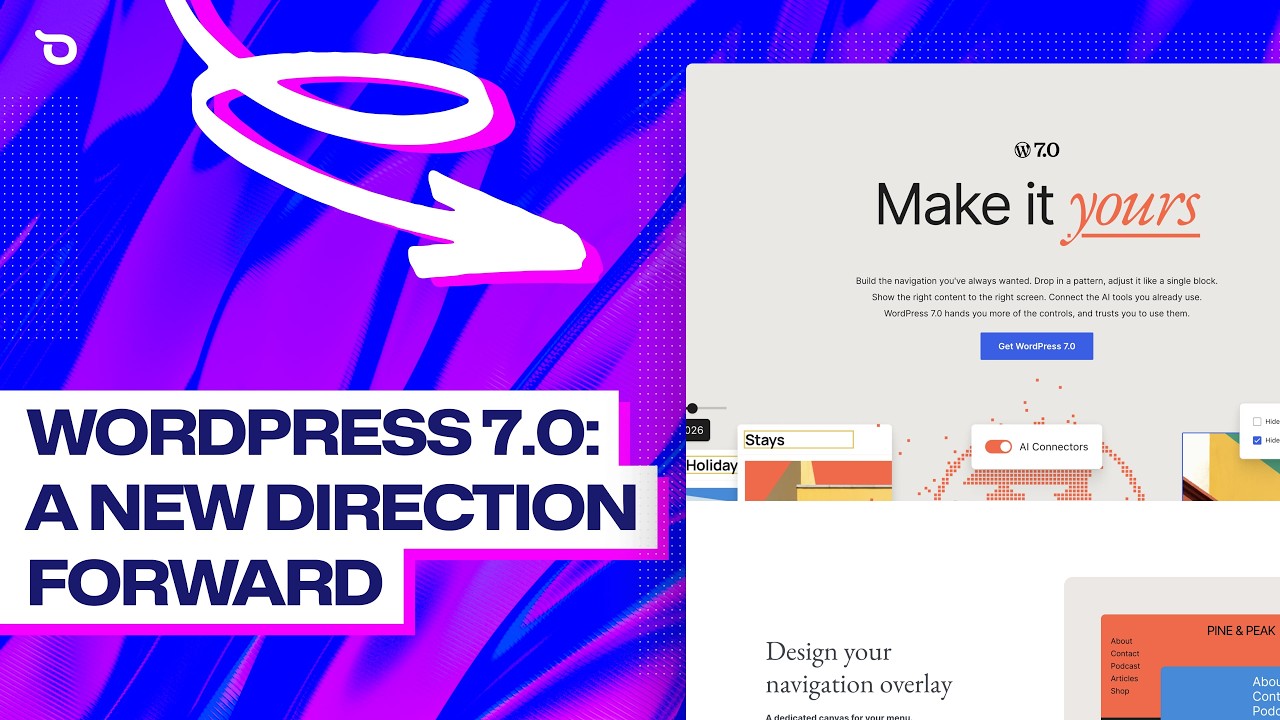
🔗 **Source:** [WordPress 7.0: a New Direction Forward](https://www.youtube.com/watch?v=SSnBLIejmv4)
> [!note]+ Document Notes
> tags: [wordpress-development, ai-integration, block-editor]
> author: Mike
> source: Ollie
> reference: https://www.youtube.com/watch?v=SSnBLIejmv4
> date created: {{date:YYYY-MM-DD}} {{time:HH:mm}}
>
> # 🏷️ Title: WordPress 7.0: A new direction forward
>
<!-- deep-read:sections start -->
## 🧭 Table of Contents
- [📝 Summary](#-summary)
- [📖 Main Content](#-main-content)
- [🗒️ Notes](#️-notes)
- [📚 References](#-references)
- [🗣️ Paraphrase](#️-paraphrase)
- [📰 Newsletter](#-newsletter)
- [✅ Action Items](#-action-items)
- [🧪 Hypotheses](#-hypotheses)
- [🎯 Conclusion](#-conclusion)
- [🔄 Refactor Appendix](#-refactor-appendix)
## 📝 Summary
- WordPress 7.0 is the first major version release since 2022, introducing AI infrastructure, content-only pattern editing, and enhanced block editor features.
- The WPAI client API allows integration with AI providers like Anthropic, OpenAI, and Gemini, positioning WordPress as an AI-native platform.
- Key features include visual revisions, per-block CSS, responsive block visibility, mobile menu customization, and improved font management.
- This release emphasizes WordPress's evolution as a serious native site builder with AI integration at its core.
- The changes complement third-party tools like Ollie, creating a more cohesive WordPress ecosystem.
## 📖 Main Content
WordPress 7.0 represents a foundational shift in the platform's direction, introducing infrastructure for AI integration while refining the block editor experience. The release focuses on making WordPress a more capable site building platform with AI-native capabilities.
### AI Infrastructure Foundation
The centerpiece of this release is the new WPAI client API and connector screen. Rather than shipping its own AI assistant, WordPress has built the infrastructure that allows developers to integrate AI providers like Anthropic, OpenAI, or Gemini directly into WordPress sites. This architectural decision positions WordPress to become an AI-native platform where third-party developers can build sophisticated AI features.
### Enhanced Pattern Management
WordPress 7.0 introduces content-only editing mode for patterns, addressing a common pain point for agencies and content teams. When enabled, users can edit text, images, and links within patterns while design controls remain locked. This prevents accidental layout breaks when non-technical users need to update content.
### Mobile-First Features
The release includes significant improvements for mobile experience, including customizable mobile menu overlays built with blocks and responsive block visibility controls. Users can now show or hide specific blocks based on device type (desktop, tablet, mobile), allowing for device-specific content strategies.
### Developer Experience Improvements
Several features enhance the developer and designer workflow:
- Per-block custom CSS capabilities eliminate the need to bounce between blocks and global styles for one-off styling tweaks
- Visual revisions with timeline sliders and color-coded changes make version management more intuitive
- A dedicated fonts page under Appearance centralizes font management
- Quick site navigation shortcuts improve workflow efficiency
### New Content Blocks
WordPress 7.0 adds new blocks including an icon block for visual interest and a breadcrumbs block that automatically generates navigation paths. These blocks follow WordPress's philosophy of providing essential functionality natively rather than requiring plugins.
## 🗒️ Notes
#### ⏱️ [00:00:30](https://www.youtube.com/watch?v=SSnBLIejmv4&t=30) Release Overview
- First major version since 2022
- Focuses on foundational changes affecting site building
- Packed with features requiring selective coverage
#### ⏱️ [00:01:15](https://www.youtube.com/watch?v=SSnBLIejmv4&t=75) WPAI Client API Introduction
- New connector screen for AI provider integration
- Supports Anthropic, OpenAI, Gemini
- Infrastructure approach rather than proprietary assistant
- Described as "monumental shift" for platform direction
#### ⏱️ [00:02:30](https://www.youtube.com/watch?v=SSnBLIejmv4&t=150) Content-Only Pattern Editing
- New editing mode locks design controls
- Allows text, image, and link updates only
- Prevents accidental design breaks
- Targets client handoffs and content teams
- Toggle available in preferences panel
#### ⏱️ [00:03:45](https://www.youtube.com/watch?v=SSnBLIejmv4&t=225) Mobile Menu Customization
- Block-based mobile menu overlay customization
- Pre-made patterns available in Ollie
- Click-to-customize workflow
#### ⏱️ [00:04:30](https://www.youtube.com/watch?v=SSnBLIejmv4&t=270) Responsive Block Visibility
- Show/hide blocks by device type
- Hide menu in toolbar and list view
- Complements responsive design controls
#### ⏱️ [00:05:15](https://www.youtube.com/watch?v=SSnBLIejmv4&t=315) Per-Block CSS
- Custom CSS directly on blocks via advanced panel
- Eliminates bouncing between blocks and global styles
- Recommended for one-off tweaks vs. reusable systems
#### ⏱️ [00:06:00](https://www.youtube.com/watch?v=SSnBLIejmv4&t=360) Visual Revisions
- Timeline slider interface
- Color-coded change indicators
- Shows additions, removals, modifications
- Eliminates raw HTML examination
#### ⏱️ [00:06:45](https://www.youtube.com/watch?v=SSnBLIejmv4&t=405) Icon and Breadcrumbs Blocks
- Icon block with built-in library and styling options
- Third-party icon library support planned for 7.1
- Breadcrumbs block with automatic path generation
- Handles archives, search results, 404s
#### ⏱️ [00:07:30](https://www.youtube.com/watch?v=SSnBLIejmv4&t=450) Font Management and Navigation
- Dedicated fonts page under Appearance
- Google fonts integration and custom uploads
- Quick navigation shortcuts in top bar
- Jump to any page, post, or template
## 📚 References
- [WordPress 7.0 Official Launch Page](https://wordpress.org/news/)
- [Ollie WordPress Theme](https://olliewp.com)
## 🗣️ Paraphrase
WordPress 7.0 marks a significant evolution in the platform's capabilities, introducing AI infrastructure that allows developers to integrate major AI providers directly into WordPress sites. Rather than creating its own AI assistant, WordPress has built the foundational API that enables third-party AI integration, positioning the platform for an AI-native future.
The release addresses practical site building challenges with content-only pattern editing, which protects design integrity while allowing content updates. Mobile experience improvements include customizable menu overlays and responsive block visibility controls that let designers create device-specific experiences.
Developer workflow enhancements include per-block CSS capabilities, visual revision history with timeline controls, centralized font management, and improved site navigation. New blocks for icons and breadcrumbs provide commonly needed functionality without requiring additional plugins.
This release demonstrates WordPress's commitment to becoming a more sophisticated native site building platform while maintaining its accessibility for content creators and non-technical users.
## 📰 Newsletter
WordPress 7.0 has landed, and it's bringing some serious upgrades to your site building toolkit! 🚀
The biggest news? WordPress now has native AI infrastructure. While it's not shipping its own chatbot, the new WPAI client API lets you plug in Anthropic, OpenAI, or Gemini directly. This is laying groundwork for some seriously smart WordPress sites.
For those managing client sites, you'll love content-only pattern editing—finally, your clients can update text and images without accidentally breaking your beautiful designs. The mobile menu is now fully customizable with blocks, and you can show/hide any block based on device type. Perfect for those mobile-specific CTAs!
Developers get some nice quality-of-life improvements: drop custom CSS directly on any block, visual revision history (no more squinting at raw HTML!), and a dedicated fonts management page. Plus, new icon and breadcrumbs blocks mean fewer plugins cluttering your installs.
The theme here is clear: WordPress is getting serious about being a complete site building platform. Whether you're using Gutenberg, a page builder, or a framework like Ollie, these foundational improvements make everything work better together.
Ready to explore? Check out the full WordPress 7.0 release notes and see how these features can streamline your next project. The future of WordPress is looking pretty intelligent! 🤖
## ✅ Action Items
#### WordPress
- **Core:** Document WPAI client API integration patterns for theme developers
- **Core:** Create migration guides for existing AI plugin developers to use native API
- **Core:** Develop content-only pattern editing best practices documentation
- **Core:** Test visual revisions performance with high-frequency content changes
- **Core:** Plan third-party icon library integration for 7.1 release
- **Training:** Create tutorials for new block visibility and mobile customization features
- **Documentation:** Update DevHub with per-block CSS guidelines and best practices
#### Community
- **Theme developers:** Evaluate existing AI integrations for WPAI client API compatibility
- **Plugin developers:** Assess opportunities to leverage new native AI infrastructure
- **Agencies:** Test content-only pattern editing workflow with client teams
- **Educators:** Update WordPress courses to include 7.0 features and AI capabilities
#### OSPO
- **Policy & Governance:** Review AI integration policies for WordPress.org plugin directory
- **Security Management:** Establish security guidelines for AI provider integrations
## 🧪 Hypotheses
- WordPress sites with native AI integration will see higher user engagement than those using plugin-based AI solutions
- Content-only pattern editing will reduce client support tickets for agencies by 40%
- Visual revisions will increase collaboration efficiency on content teams
- Per-block CSS will reduce reliance on custom CSS plugins
- The WPAI client API will become a major differentiator against competing CMS platforms
- Mobile menu customization will lead to improved mobile conversion rates
### 📊 Methodology
- A/B testing between native AI integrations vs. plugin solutions measuring engagement metrics
- Agency surveys comparing support ticket volume before and after 7.0 adoption
- Time-tracking studies on revision workflows with visual vs. text-based interfaces
- Plugin usage analytics for CSS-related plugins post-7.0
- Market research on CMS selection criteria including AI capabilities
- Conversion rate analysis on sites using new mobile customization features
### 💡 Implications
**For WordPress Core:** This release positions WordPress as an AI-first platform, potentially accelerating adoption among developers building AI-powered applications. The infrastructure approach allows WordPress to remain neutral while enabling innovation.
**For Agencies:** Content-only pattern editing addresses a persistent client management challenge, potentially reducing training needs and support overhead while maintaining design integrity.
**For Developers:** Native AI infrastructure eliminates the need for custom API integrations, reducing development time and improving reliability for AI-powered features.
**For Users:** Enhanced mobile customization and responsive controls enable more sophisticated user experiences without technical expertise.
**For the Ecosystem:** The release demonstrates WordPress's commitment to evolving as a serious site building platform, potentially influencing plugin and theme development priorities.
## 🎯 Conclusion
WordPress 7.0 represents a foundational shift toward AI-native web development while delivering practical improvements for everyday site builders. The WPAI client API establishes WordPress as a platform ready for the AI era, while features like content-only pattern editing and visual revisions address real workflow pain points.
For WordPress users, this release delivers immediately useful features: better mobile customization, streamlined font management, and more intuitive revision controls. For developers, the AI infrastructure and per-block CSS capabilities open new possibilities for sophisticated site experiences.
The clear direction is WordPress positioning itself as a complete, modern site building platform that can compete with specialized tools while maintaining its accessibility and open-source values. WordPress 7.0 isn't just an update—it's a statement about the platform's future in an AI-powered web.
## 🔄 Refactor Appendix — WordPress 7.0: A new direction forward
### 📚 Literature Atoms (H3)
#### WordPress introduces AI infrastructure through WPAI client API rather than proprietary assistant
> [!quote] ID:rw_wp70_01
> WordPress isn't shipping its own AI assistant. Instead, it's building the infrastructure for AI to integrate natively with WordPress.
**Context & use**:
- Architectural decision differentiating WordPress from competitors
- Enables third-party AI innovation while maintaining platform neutrality
- Foundation for future AI-native WordPress ecosystem
**Tags**: #xref #articleseed
**Highlight**: Platform strategy video at 1:15 timestamp
<!-- atomicity: 1 idea ✓ -->
#### Content-only pattern editing locks design controls while enabling content updates
> [!quote] ID:rw_wp70_02
> When enabled, clicking into a pattern lets you swap text, change images, and update links. But the design controls stay locked down so you can't accidentally break your design.
**Context & use**:
- Client handoff and content team management solution
- Reduces support overhead for agencies and freelancers
- Maintains design integrity while enabling content flexibility
**Tags**: #xref #share
**Highlight**: Feature demonstration at 2:30 timestamp
<!-- atomicity: 1 idea ✓ -->
#### Visual revisions replace text-based version comparison with timeline interface
> [!quote] ID:rw_wp70_03
> You get a timeline slider, color-coded changes, and you can see exactly what was added, removed, or modified between versions. No more squinting at raw HTML.
**Context & use**:
- Collaboration workflow improvement for content teams
- Reduces time spent understanding version differences
- Makes revision management accessible to non-technical users
**Tags**: #xref #addendum
**Highlight**: Feature overview at 6:00 timestamp
<!-- atomicity: 1 idea ✓ -->
### 🧠 Permanent Candidates (H4)
#### AI infrastructure decisions shape platform competitive positioning
**Claim**: Choosing to build AI infrastructure rather than proprietary features allows platforms to remain neutral while enabling ecosystem innovation.
**Evidence pointer**: [[#WordPress introduces AI infrastructure through WPAI client API rather than proprietary assistant]]
**Scope & conditions**: Holds when platform has sufficient developer ecosystem; may fail in markets requiring immediate user-facing features
**Links**:
- [[Platform strategy]] — because extends neutral infrastructure approach
- [[Developer ecosystem]] — because applies-in enabling third-party innovation
<!-- atomicity: 1 idea ✓ -->
### ✏️ Fleeting Queue
- [F1] Research other CMS platforms' AI integration strategies compared to WordPress's infrastructure approach — competitive analysis #fleeting #inbox
- [F2] How do visual revision interfaces affect collaboration patterns in content teams — user research opportunity #fleeting #inbox
### → Things 3
- [ ] Test content-only pattern editing with existing client sites — evaluate support ticket reduction potential #things
- [ ] Explore WPAI client API integration possibilities for current WordPress projects #things
---
## Full Transcript
[00:00] Hey folks, Mike here from Ollie and today we're talking about WordPress 7.0, the first major<br>[00:06] version since 2022 and easily one of the most foundational releases in years. There's a ton<br>[00:12] packed into this release, more than we can cover in this video, but let's focus on the features<br>[00:16] that are actually going to change how you build websites, especially if you're building with Ollie.<br>[00:20] Let's get into it. 7.0 introduces the WPAI client API and a new connector screen, letting you plug<br>[00:30] providers like Anthropic, OpenAI, or Gemini directly into your site. WordPress isn't<br>[00:35] shipping its own AI assistant. Instead, it's building the infrastructure for AI to integrate<br>[00:40] natively with WordPress. This is going to be a monumental shift in the future direction of the<br>[00:45] platform. Oli.ai is built right on top of this emerging infrastructure. You can discover patterns<br>[00:51] with natural language, rewrite content on the fly with our new AI content rewrite feature,<br>[00:56] connect agents like Claude or Cursor to build pages,<br>[00:59] and tap into the full Ollie design system through AI.<br>[01:05] Patterns are the heart of how we build with Ollie, so any change here matters.<br>[01:08] In 7.0, WordPress adds a new content-only editing mode for patterns.<br>[01:13] When enabled, clicking into a pattern lets you swap text, change images, and update links.<br>[01:19] But the design controls stay locked down so you can't accidentally break your design.<br>[01:24] This feature is helpful if you're handing off sites to clients or content teams who just need to update copy without worrying about the layout.<br>[01:32] We've added a toggle in the preferences panel where you can turn the feature on and off as needed.<br>[01:40] In this release, you can now customize the mobile menu overlay with blocks.<br>[01:44] You can drop in patterns, change layouts, and customize the design with ease.<br>[01:48] And if you're already using Ollie, you get beautiful menu patterns out of the box.<br>[01:52] Just click a pre-made design, customize it, and hit Publish.<br>[01:58] You can show or hide any block based on whether someone's<br>[02:01] on desktop, tablet, or mobile.<br>[02:03] Got a section that you want to swap out on mobile?<br>[02:06] Block visibility can handle that.<br>[02:08] You can find the Hide menu both on the toolbar<br>[02:10] and the list view.<br>[02:12] This pairs perfectly with OliPro's responsive<br>[02:15] design controls.<br>[02:16] Between the two, you can dial in your design<br>[02:18] for every screen size.<br>[02:23] You can now drop custom CSS directly on any block from the advanced panel.<br>[02:27] No more bouncing between blocks and global styles to wire up classes for one-off tweaks.<br>[02:32] This is great for quick fixes, but if you want to build a real, reusable styling system,<br>[02:37] Ollie's Class Manager is still the move.<br>[02:39] Class Manager gives you a proper interface for creating, organizing, and applying classes<br>[02:44] across your whole site, with pseudo-states like hover and focus built right in.<br>[02:49] Use the new per-block CSS for one-offs, and use Class Manager for anything you want to<br>[02:54] reuse.<br>[02:57] Revisions are now actually visual.<br>[03:00] You get a timeline slider, color-coded changes, and you can see exactly what was added, removed,<br>[03:05] or modified between versions.<br>[03:07] No more squinting at raw HTML trying to figure out what changed.<br>[03:11] For agencies and content teams, this will be a huge time saver.<br>[03:17] Add a little visual interest to your content with the new icon block.<br>[03:20] You can drop an icon anywhere on your site, pick from the built-in library, and style<br>[03:23] it like any other block.<br>[03:25] Colors, sizes, backgrounds.<br>[03:27] The initial release doesn't support third-party icon libraries yet, but that's planned for<br>[03:31] 7.1.<br>[03:35] The new breadcrumbs block automatically generates a path from your homepage down to whatever<br>[03:39] page someone's on, and it handles archives, search results, and 404s out of the box.<br>[03:45] You can style the separator and tweak the alignment just like any other block.<br>[03:51] There's a new dedicated fonts page under Appearance where you can install fonts from Google, upload your own, and manage variants in one place.<br>[03:58] It's a nice upgrade from digging through global styles every time.<br>[04:01] If you don't want to dig through a bunch of fonts, Ollie has several high quality fonts built right in.<br>[04:08] We've got a new shortcut to quickly navigate throughout your site.<br>[04:11] Hit the shortcut in the top bar and jump straight to any page, post, or template.<br>[04:16] This pairs really nicely with Ollie's keyboard shortcuts extension which lets you fly between<br>[04:20] blocks while you're designing.<br>[04:21] Alright that's WordPress 7.0 in a nutshell.<br>[04:25] There's a clear theme to this release.<br>[04:26] WordPress is getting more serious as a native site builder, the editor is getting more refined,<br>[04:31] and the foundation for AI native WordPress has landed.<br>[04:35] A lot of what's landing in Core complements exactly what we're building with Ollie and<br>[04:40] Ollie AI.<br>[04:41] The two work better together with every release,<br>[04:43] and we're gonna keep pushing that forward.<br>[04:45] Visit the official WordPress 7.0 launch page<br>[04:47] to learn all about the details of this release,<br>[04:50] and then head on over to olliewp.com<br>[04:52] to start building with Ollie today.<br>[04:54] All right, thanks for hanging out.<br>[04:55] I'll see you in the next one.
<!-- deep-read:sections end -->
📄 **Full text:** ![[Full Document Contents/Articles/WordPress 7.0 a New Direction Forward.md|WordPress 7.0: a New Direction Forward by YouTube]]
## Highlights
- Hey folks, Mike here from Ollie and today we're talking about WordPress 7.0, the first major version since 2022 and easily one of the most foundational releases in years. There's a ton packed into this release, more than we can cover in this video, but let's focus on the features that are actually going to change how you build websites, especially if you're building with Ollie. Let's get into it. 7.0 introduces the WPAI client API and a new connector screen, letting you plug providers like Anthropic, OpenAI, or Gemini directly into your site. WordPress isn't ([View Highlight](https://read.readwise.io/read/01ks7wvsj2tpbjrj561a7hsatp))
- Tags: atom/literature/h1
- Patterns are the heart of how we build with Ollie, so any change here matters. In 7.0, WordPress adds a new content-only editing mode for patterns. When enabled, clicking into a pattern lets you swap text, change images, and update links. But the design controls stay locked down so you can't accidentally break your design. This feature is helpful if you're handing off sites to clients or content teams who just need to update copy without worrying about the layout. ([View Highlight](https://read.readwise.io/read/01ks7wwzmehzyyvrrx9p721fh3))
- Tags: action/topic/community, action/h3
- on desktop, tablet, or mobile. Got a section that you want to swap out on mobile? Block visibility can handle that. You can find the Hide menu both on the toolbar and the list view. This pairs perfectly with OliPro's responsive design controls. Between the two, you can dial in your design for every screen size. You can now drop custom CSS directly on any block from the advanced panel. No more bouncing between blocks and global styles to wire up classes for one-off tweaks. ([View Highlight](https://read.readwise.io/read/01ks7ww0dxbcgqw6za6h4vkh1z))
- Tags: action/h2, action/topic/wordpress
- You get a timeline slider, color-coded changes, and you can see exactly what was added, removed, or modified between versions. No more squinting at raw HTML trying to figure out what changed. For agencies and content teams, this will be a huge time saver. Add a little visual interest to your content with the new icon block. You can drop an icon anywhere on your site, pick from the built-in library, and style it like any other block. Colors, sizes, backgrounds. The initial release doesn't support third-party icon libraries yet, but that's planned for ([View Highlight](https://read.readwise.io/read/01ks7ww7d83p7rhtq750z0hcqq))
- Tags: action/h2, action/topic/wordpress
- 7.1. The new breadcrumbs block automatically generates a path from your homepage down to whatever page someone's on, and it handles archives, search results, and 404s out of the box. You can style the separator and tweak the alignment just like any other block. There's a new dedicated fonts page under Appearance where you can install fonts from Google, upload your own, and manage variants in one place. It's a nice upgrade from digging through global styles every time. ([View Highlight](https://read.readwise.io/read/01ks7wwttndsy8g23gev2x0s8d))
- Tags: action/h2, action/topic/wordpress