WordPress as Your Personal Knowledge Base
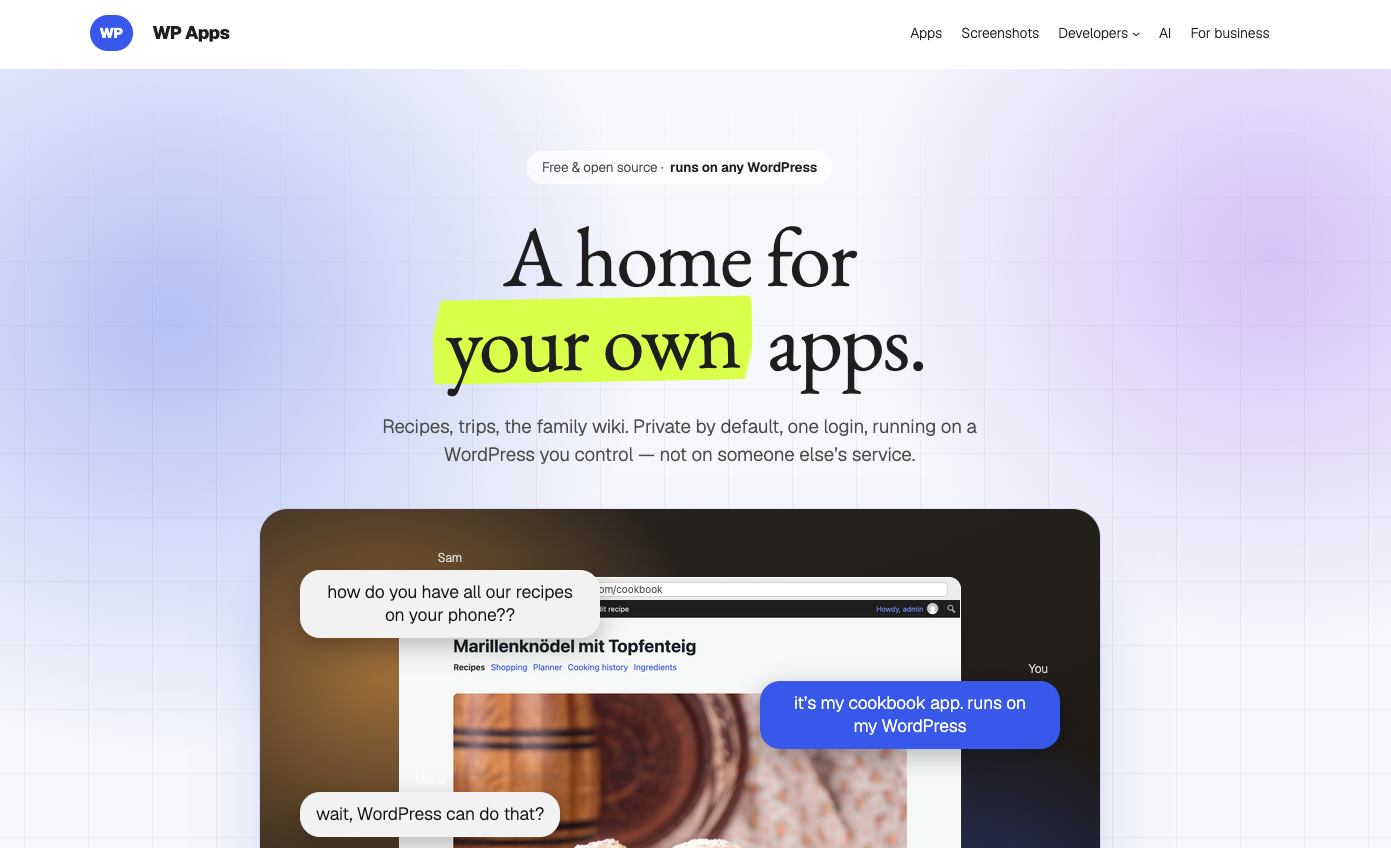
🔗 **Source:** [WordPress as Your Personal Knowledge Base](https://alex.kirk.at/2026/10/01/wordpress-as-your-personal-knowledge-base/)
> [!note]+ Document Notes
> tags: [wordpress, wp-apps, personal-knowledge-base, mcp, abilities-api, ai-assistants]
> author: alex.kirk.at
> source: alex.kirk.at
> reference: https://alex.kirk.at/2026/10/01/wordpress-as-your-personal-knowledge-base/
> date created: 2026-10-14 08:46
>
> > [!info] Generated analysis — not the author's words. Sections below are machine-written
> > from the captured source. Only text inside `> [!quote]` blocks is verbatim from the author.
> > Do not quote or attribute any other line to the named author.
>
> # 🏷️ Title: WordPress as your Personal Knowledge Base
>
<!-- deep-read:sections start -->
## 🧭 Table of contents
- [📝 Summary](#-summary)
- [📖 Main content](#-main-content)
- [🗒️ Notes](#️-notes)
- [📚 References](#-references)
- [🗣️ Paraphrase](#️-paraphrase)
- [📰 Newsletter](#-newsletter)
- [✅ Action items](#-action-items)
- [🧪 Hypotheses](#-hypotheses)
- [📊 Methodology](#-methodology)
- [❓ Questions](#-questions)
- [🔮 Future research](#-future-research)
- [💡 Implications](#-implications)
- [🧠 Learning styles assessment](#-learning-styles-assessment)
- [📊 Accessibility assessment](#-accessibility-assessment)
- [🌍 DEIB assessment](#-deib-assessment)
- [✅ Logical validity](#-logical-validity)
- [🛡️ DARVO analysis](#️-darvo-analysis)
- [🎯 Conclusion](#-conclusion)
- [🔄 Refactor appendix](#-refactor-appendix--wordpress-as-your-personal-knowledge-base)
## 📝 Summary
This is a first-person advocacy post on the personal blog alex.kirk.at, published 2026-10-01 (date per Reader). The captured text has no byline, so the author field names the site. The task metadata identifies the site as the personal blog of Alex Kirk. The text is written in first person throughout and uses no third-person pronoun for the author, so this analysis says "the author." The post promotes the author's own project, WP Apps (wpapps.kirk.at), and two plugins the author wrote, MCP Connect and WebMCP Abilities. It is opinion and product advocacy, not independent review. The commercial interest is not stated as a price. The captured text names no fee for any app, and says only that ZIP downloads exist (¶38).
Paragraph labels like ¶n count non-blank lines of the captured text file in order, headings included (66 in all).
- **What happened.** The author explains how the WP Apps (Cook App, Memex, Travel App, AI Assistant) turn a WordPress site into a personal knowledge base that AI tools can read and write. The mechanism has three layers: structured data in the apps (¶14), the WordPress 6.9 Abilities API that exposes app functions (¶13), and MCP or WebMCP as the transport for outside AI clients (¶14, ¶16-¶19).
- **The claim.** Self-hosted structured data plus a standard abilities layer lets you use an existing Claude or ChatGPT subscription against your own data, switch providers freely, or skip AI entirely (¶28-¶30, ¶64-¶66). Evidence is the author's own use: a recipe clean-up that cost "about €3" through an API key (¶10) and a trip-planning flow that "replaced TripIt for me" (¶25).
- **Why it matters.** WordPress core has no native MCP support, and the post names the gap: the MCP Adapter on GitHub lacks OAuth, which subscription-based AI clients need (¶17). The author wrote MCP Connect to fill it and is "not (yet?) planning" to submit it to WordPress.org (¶18).
- **Key stakeholders.** The author (developer of the apps and both plugins), WordPress site owners, the WordPress core AI contributors who maintain the Abilities API and the MCP Adapter, OpenAI (ChatGPT desktop app site tools), Anthropic (Claude), and Chrome (experimental WebMCP).
- **Risks and tradeoffs.** Two plugins that grant external AI write access to personal data are self-published GitHub releases, one with an OAuth layer the author says you could use "if you’re daring" (¶18). The post says destructive abilities "typically need confirmation" (¶61), a hedge, not a guarantee. Pasting flight and hotel reservations into a hosted chat (¶24) sends them to the provider, and the post does not discuss that tradeoff.
- **Bottom line.** A working, specific pattern with named moving parts and a candid statement of what is missing. The evidence is one user's setup, and the security claims are descriptions, not audits.
## 📖 Main content
**The pattern (¶1-¶4, ¶13-¶14).** WP Apps are WordPress plugins that each store one area of life as structured data: recipes with ingredient taxonomies, trips with trip items, and so on (¶4). Each app exposes its functions through the Abilities API, which the author says WordPress 6.9 added as "a standard way to expose their functionality" (¶13, paraphrased). An AI client reaches those abilities externally through MCP or WebMCP (¶14).
**Internal use: the AI Assistant app (¶6-¶10, ¶40-¶44).** The author imported recipes from the web and ended up with ingredient and cuisine data in inconsistent forms: several types of flour, notes inside ingredient names, cuisines in English and German (¶7). The author told the AI Assistant app to clean up the cookbook, it proposed changes first and then applied them (¶8). The conversation ran on an API key and cost about €3 (¶10). The setup steps for this route are: install the apps, install AI Assistant, connect a hosted AI by API key or a local LLM (LM Studio or Ollama), and start with a small request (¶41-¶44).
**External use: MCP (¶16-¶18, ¶47-¶53).** The post says WordPress has no native MCP support and that the MCP Adapter plugin, available only on GitHub, lacks OAuth (¶17). Without OAuth you would have to make the data public or publicly writable, which the author rejects (¶17). MCP Connect adds the OAuth layer and bundles the MCP Adapter (¶18, ¶50). The setup steps are: WordPress 6.9 or newer, install the apps, install and activate MCP Connect, open Tools → MCP Connect, hide any abilities you don't want AI clients to see, follow the on-screen instructions to add the site to ChatGPT, Claude, or another client, and sign in to authorize (¶49-¶52). After that, the client picks abilities itself (¶53).
**External use: WebMCP (¶19, ¶55-¶59).** The WebMCP Abilities plugin exposes abilities to AI tools that work inside a browser the user has open. The post's example is the ChatGPT desktop app's built-in browser (¶57). The author says no WebMCP support is known in the Claude app, and notes experimental WebMCP support in Chrome (¶59).
**The example (¶22-¶26).** The author tells ChatGPT about a weekend in London, and it creates the trip in Travel App. The author continues by pasting flight and hotel reservations, and says this replaced TripIt (¶24-¶25). The post does not say whether TripIt supports MCP (¶26, "Maybe TripIt also supports MCP these days").
**Does it require AI? (¶28-¶31).** No. The author says the examples use Anthropic or OpenAI but a local LLM works, and so does no AI at all (¶28). Because the data sits in the author's WordPress, the author can cancel one provider and use another, and the data isn't spread across external services (¶29-¶30). Travel App also works offline, and each trip shows offline status at the bottom (¶31).
**Try it without installing (¶34-¶38).** Each WP App page links to a my.wordpress.net demo, "a free WordPress that runs in your browser." Several apps can share one browser-based WordPress, and its data "stay private to your computer" (¶34-¶37). Each app page also offers a ZIP, except apps already in the WordPress.org plugin directory such as Travel App (¶38).
**Access control (¶61-¶62).** Both plugins let you restrict which abilities they expose. Destructive abilities "typically need confirmation." Outside AI use, WP Apps are limited to logged-in users by default.
**What the post does not establish.** It shows no performance, accuracy, or error-rate data for the clean-up. It reports no security review of MCP Connect or WebMCP Abilities. It gives no cost or time comparison with TripIt beyond "replaced." It names no non-ChatGPT client that completed the full flow in the captured text, though the setup steps list Claude (¶52). The first-hand evidence is the author's own use.
## 🗒️ Notes
#### 📄 ¶1-¶4 Thesis and context
- ¶1 states the thesis: WP Apps turn WordPress into a personal knowledge base where each app organizes one aspect of life, stores data in structured ways, under the user's control, available to chosen tools.
- ¶2 points to wpapps.kirk.at, a landing page and showcase, and asks readers to spread the word. That is a direct promotional ask.
- ¶3 says the "AI" page of that site has a knowledge base section that this post explains with the author's own setup.
- ¶4 names three apps in use (Cook App, Memex, Travel App) and gives the data shapes: recipes with ingredient taxonomies, trips with trip items.
#### 📄 ¶5-¶11 Using AI to clean up a cookbook
- ¶6-¶7: imported web recipes led to inconsistent ingredient names (types of flour, notes inside names) and cuisines in English and German, even though the app tries to consolidate.
- ¶8: the prompt was "Help me clean up my cookbook"; the assistant suggested its plan, then did the work.
- ¶9-¶10: the author wonders how many other cookbook apps allow this without the same freedom over data. Cost: about €3 on an API key.
- ¶11 raises the next question, whether an existing Claude or ChatGPT subscription works for the same task, and answers "Turns out, yes!"
#### 📄 ¶12-¶14 Abilities API as the bridge
- ¶13: WordPress 6.9 added the Abilities API, a standard way for plugins to expose functionality. All the author's apps expose abilities, which is how the AI talked to the plugins in the screenshot.
- ¶14 states the architecture: apps store data, the Abilities API exposes functions, outside AI connects by MCP or possibly WebMCP.
#### 📄 ¶15-¶19 The OAuth gap and the two plugins
- ¶16: MCP is what lets subscription-based AI assistants interact with a site.
- ¶17: no native MCP support in WordPress; the MCP Adapter exists only on GitHub and lacks OAuth. The author won't make data public or publicly writable.
- ¶18: MCP Connect adds OAuth. Not (yet?) planned for WordPress.org, "because I think we eventually need an official solution."
- ¶19: WordPress doesn't officially support WebMCP either. The author's WebMCP Abilities plugin exposes abilities, and the ChatGPT app can log in to the site and use them.
#### 📄 ¶20-¶26 London trip example
- ¶21 acknowledges MCP may be old news, and says it makes particular sense combined with WP Apps abilities.
- ¶22-¶23: a prompt about going to London next weekend creates a trip in Travel App (the screenshots are not in the text).
- ¶24-¶25: pasting flight and hotel reservations adds them. The author uses this to organize trips and says it replaced TripIt.
- ¶26: the author guesses TripIt may support MCP now and notes this setup can use any installed app.
#### 📄 ¶27-¶31 Does this require AI?
- ¶28: the post shows what is possible with AI and does not argue AI is required. Local LLMs or no AI also work.
- ¶29: switching providers is possible because the data stays in WordPress.
- ¶30: data isn't spread across many external services, the author chooses when to use AI, and the data stays if AI use stops.
- ¶31: Travel App works offline, verifiable per trip (the screenshot shows "Connection: Online. Service worker: Active, 8. Current page: Ready offline." in its alt text).
#### 📄 ¶32-¶38 Try it without installing
- ¶33-¶34: each WP App page has an install link for my.wordpress.net, a free WordPress in the browser.
- ¶35-¶37: choose an app, open its demo, add your own data. Multiple apps install in the same browser WordPress, and data stays on your computer.
- ¶38: each app page has a ZIP download for an existing WordPress, except apps already in the WordPress.org directory (Travel App).
#### 📄 ¶39-¶44 AI from inside WordPress
- ¶40: the AI Assistant app works with all abilities exposed by installed WP Apps.
- ¶41-¶44: install apps, install AI Assistant, connect a hosted AI by API key or a local LLM (LM Studio, Ollama), start small by listing recipes or creating a test trip.
#### 📄 ¶45-¶53 AI subscription, direct through MCP
- ¶46: the second option uses an AI assistant you already have, connected two ways.
- ¶48: MCP clients such as ChatGPT or Claude access the site directly, need not be open in a browser, and the connection persists across conversations.
- ¶49-¶53: the five MCP Connect steps, from the WordPress 6.9 check to authorizing a sign-in, with ability hiding under Tools → MCP Connect.
#### 📄 ¶54-¶59 Browser route through WebMCP
- ¶55: some AI tools, such as the ChatGPT app, use WebMCP against the site open in their in-app browser.
- ¶56-¶58: install WebMCP Abilities, open the site in the ChatGPT desktop app browser, log in, inspect visible tools with the arrow icon, and ask for app tasks.
- ¶59: today this mostly means site tools in the ChatGPT desktop app. No Claude app WebMCP support known to the author. Chrome has experimental WebMCP.
#### 📄 ¶60-¶62 Access control
- ¶61: both plugins can limit exposed abilities. Destructive abilities, such as deleting, typically need user confirmation.
- ¶62: outside AI, WP Apps are restricted to logged-in users by default. The apps give data a durable home and leave tool choice, AI or otherwise, to the user.
#### 📄 ¶63-¶66 Conclusion
- ¶64: the author calls WP Apps an "opinionated complement" to subscription AI like ChatGPT or Claude.ai.
- ¶65: AI fills in and organizes data, a WP App browses it, and the user decides when AI is involved.
- ¶66: apps work standalone, allow import and manual fine-tuning, and all run on the user's WordPress.
## 📚 References
Links come from the captured link list (35 entries, several duplicates) and the task metadata. Anchor text is the article's. The link list includes one entry with blank anchor text pointing to wpapps.kirk.at, probably an image link around the homepage screenshot.
**Article**
- [WordPress as your Personal Knowledge Base](https://alex.kirk.at/2026/10/01/wordpress-as-your-personal-knowledge-base/), alex.kirk.at, 2026-10-01 (Reader date).
**The author's project and apps**
- [wpapps.kirk.at](https://wpapps.kirk.at), the WP Apps landing page and showcase (¶2); also the target of the "WP Apps" anchor in ¶1 and ¶64.
- [The "AI" page, knowledge base section](https://wpapps.kirk.at/ai/#knowledgebase) (¶3).
- [App directory](https://wpapps.kirk.at/apps/), linked from "different WP Apps" (¶4), "All the WP Apps I created" (¶13), "Each WP App page" (¶34, ¶38), "Each WP App" (¶37) and "they are all apps" (¶66).
- [Cook App](https://wpapps.kirk.at/apps/cook-app/), [Memex](https://wpapps.kirk.at/apps/memex/), [Travel App page](https://wpapps.kirk.at/apps/travel-app/) (¶4).
- [AI Assistant](https://wpapps.kirk.at/apps/ai-assistant/) (¶8, ¶40).
- [Tag archive for wpapps](https://alex.kirk.at/tag/wpapps/), linked from "WP Apps" in ¶1.
- [Own your apps: alternatives you can run in WordPress](https://alex.kirk.at/2026/07/20/own-your-apps-alternatives-you-can-run-in-wordpress/), linked from "This replaced TripIt for me" (¶25). This is the author's own earlier post and the linked support for the TripIt claim.
**Plugins and specs the post depends on**
- [Abilities API handbook page](https://make.wordpress.org/ai/handbook/projects/abilities-api/), linked from "Abilities API" (¶13). This is the primary source for the WordPress 6.9 claim, though the captured text doesn't show whether the page states the version.
- [WordPress MCP Adapter](https://github.com/wordpress/mcp-adapter), linked from "it is only available on GitHub" (¶17).
- [MCP Connect plugin](https://github.com/akirk/mcp-connect) (¶18, ¶61) and its [latest release](https://github.com/akirk/mcp-connect/releases/latest) (¶50). The GitHub account name `akirk` matches the site owner in the task metadata, but the captured text doesn't state that.
- [WebMCP Abilities plugin](https://github.com/akirk/webmcp-abilities) (¶19, ¶61) and its [latest release](https://github.com/akirk/webmcp-abilities/releases/latest) (¶56).
- [WebMCP vs MCP explainer](https://mcpservers.org/learn/what-is-webmcp#webmcp-vs-mcp), linked from "WebMCP or MCP" (¶14).
- [WordPress.org Plugin Directory](https://wordpress.org/plugins/) (¶18) and [Travel App on WordPress.org](https://wordpress.org/plugins/travel-app/) (¶38).
**Tools and platforms**
- [my.wordpress.net](https://my.wordpress.net/) (¶34, ¶36).
- [LM Studio](https://lmstudio.ai/) and [Ollama](https://ollama.com/) (¶43).
- [Using site tools in the ChatGPT desktop app](https://help.openai.com/en/articles/20001423-using-site-tools-in-the-chatgpt-desktop-app), OpenAI help article linked from ¶59.
- [Experimental WebMCP support in Chrome](https://developer.chrome.com/docs/ai/webmcp), linked from ¶59.
- [ChatGPT](https://chatgpt.com/) and [Claude.ai](https://claude.ai/) (¶64).
**Claims with no link in the captured markup.** The €3 cost (¶10), the recipe data-quality problem and its clean-up result (¶7-¶9), the claim that MCP Connect adds OAuth and that the MCP Adapter lacks it (¶17-¶18, although both repositories are linked), the claim that destructive abilities "typically need confirmation" (¶61), and the claim that no WebMCP support exists in the Claude app (¶59). The author's use of the apps is a self-report. Screenshots exist (see the alt text list) but their pixel content is not in the captured text.
## 🗣️ Paraphrase
The author says you can make a WordPress site into your own knowledge base by installing small apps, called WP Apps, that each hold one kind of personal data in a structured form: recipes, trips, notes. Because the apps expose their functions through WordPress's Abilities API, an AI assistant can use them. The author first tested this with an AI Assistant app and an API key, asked it to tidy up messy ingredient and cuisine data in a cookbook, and paid about €3.
The harder part is connecting the assistants people already pay for. WordPress has no built-in MCP support, and the MCP Adapter plugin on GitHub has no OAuth, so the author wrote MCP Connect to add it, and a second plugin, WebMCP Abilities, for AI tools that work inside a browser. With these, ChatGPT created a London trip in the author's Travel App and added pasted reservations. The author stresses that AI is optional, any provider or a local model works, and the data stays in WordPress either way. The post ends with try-it steps, access-control notes, and a call to treat WP Apps as an opinionated complement to subscription AI.
## 📰 Newsletter
**Your WordPress can be your personal knowledge base, and your AI subscription can use it.** On alex.kirk.at, the author describes WP Apps (Cook App, Memex, Travel App, AI Assistant), each storing one part of life as structured data and exposing it through the WordPress 6.9 Abilities API. The post covers three ways to use AI with them: the AI Assistant app with an API key or a local LLM, MCP through the author's MCP Connect plugin (which adds the OAuth layer the MCP Adapter lacks), and WebMCP in the ChatGPT desktop app browser.
The concrete wins are small and specific: an AI clean-up of a messy cookbook for about €3, and a London trip created and filled from a chat message. The tradeoff to weigh before copying it: both plugins are GitHub releases, not WordPress.org listings, and the author describes MCP Connect as something to use "if you’re daring." You can try the apps with no install at [my.wordpress.net](https://my.wordpress.net/). Read the original: [WordPress as your Personal Knowledge Base](https://alex.kirk.at/2026/10/01/wordpress-as-your-personal-knowledge-base/).
## ✅ Action items
These items follow from the post's claims. They don't endorse the author's plugins.
#### DevRel
- Developer advocacy: demo the Abilities API to MCP client path end to end with one plugin you control, and record what each hop requires (the post names five).
- Education: write a short explainer on why subscription AI clients need OAuth when connecting to a self-hosted site (¶17).
- Developer experience: document the minimum an ability needs so an MCP client can find and call it, using the MCP Adapter README as the starting reference.
- Developer marketing: when citing this pattern, name it as one author's setup. The post gives no usage numbers.
- Community management: no direct action from this source.
- Internal/external/cross-project: ask whether the MCP Adapter team is tracking OAuth as a gap (¶17).
#### OSPO
- Policy and governance: decide a policy for third-party MCP or OAuth plugins that grant AI clients write access to site data.
- License compliance: no direct action from this source; check the repository licenses before you recommend either plugin.
- Security management: review any MCP or WebMCP plugin for OAuth scopes, token lifetime, and what "destructive" confirmation means in code, since ¶61 says only "typically."
- Software inventory: list MCP and WebMCP plugins on managed sites as a distinct asset class with owner and update source.
- Developer support: prepare an answer for "can I connect ChatGPT or Claude to my WordPress safely?"
- Community engagement: no direct action from this source.
- Strategic alignment: no direct action from this source; nearest relevance is the author's statement that "we eventually need an official solution" (¶18).
#### Community
- Maintainers: if you ship abilities, test them against a real MCP client and publish which clients you tried.
- Contributors: no direct action from this source.
- Sponsors: no direct action from this source.
- Ecosystem: no direct action from this source; nearest relevance is a shared list of which AI clients support MCP, WebMCP, or neither.
#### WordPress
- Core: track whether native MCP and OAuth support is planned, since the post says neither exists (¶17, ¶19).
- Core Performance: no direct action from this source.
- Core AI: the post is a field report on the Abilities API and MCP Adapter, naming OAuth as the missing piece for subscription clients. Add it to the use-case list.
- Core Program Team: no direct action from this source.
- Mobile: none.
- Playground: no direct action; nearest relevance is the browser-based WordPress demo route (¶34-¶37), whose underlying technology the captured text doesn't name.
- Community: none.
- Training: use the five MCP Connect steps (¶49-¶53) as a lab outline for a workshop on abilities.
- Marketing: none.
- Support: prepare a canned answer on what an AI client can read or delete once connected.
- Design: none directly; the Tools → MCP Connect screen hides abilities (¶51), which is a UX question about permission clarity.
- Documentation: check the Abilities API handbook page (linked at ¶13) for the version and exposure details this post relies on.
- Photos: none.
- TV: none.
- Polyglots: none.
- Accessibility: none from this source; see the accessibility assessment below.
- Meta: none directly; nearest relevance is whether WordPress.org will host plugins that add OAuth to the adapter (¶18).
- CLI: no direct action from this source.
- Hosting: no direct action; nearest relevance is whether hosts allow the persistent OAuth sessions MCP clients need.
- Tide: none.
- Openverse: none.
- Themes: none.
- Plugins: the post says MCP Connect is deliberately not in the directory. Plugin review may need a position on plugins that expose site data to AI clients.
#### The WPOCC
- Programs: no direct action from this source.
- Projects: no direct action from this source.
- Funding experiments: none.
### FAIR
- Technical independence: the post's data-control claim (¶29-¶30) is about portability. A FAIR-style view would ask which parts depend on one origin or provider, and the post says only that providers can be switched.
- Policies and covenants: no direct action from this source.
- Productized governance artifacts: no direct action from this source.
## 🧪 Hypotheses
1. A site owner who follows the ¶49-¶53 steps and uses only read abilities can connect an MCP client in under 30 minutes without editing code.
2. An AI clean-up pass on a 200-recipe cookbook with the ingredient and cuisine problems described in ¶7 reduces distinct ingredient names by at least 20%, with no recipe losing an ingredient.
3. The "destructive abilities typically need confirmation" behavior (¶61) holds for every delete ability in the apps and both plugins.
4. Most users who try the my.wordpress.net demo route (¶34-¶37) keep their data there rather than moving it to a hosted WordPress.
5. With MCP Connect installed, an unauthenticated request to any ability endpoint returns an authorization error and no data.
6. The cost of the ¶10 clean-up scales roughly linearly with recipe count when run through an API key.
## 📊 Methodology
- **H1.** Recruit 10 WordPress site owners. Give them a clean WordPress 6.9 site, one WP App, and the post. Time them from install to a first successful ability call from ChatGPT or Claude. Record where each stalls.
- **H2.** Build or import a 200-recipe test set with seeded inconsistencies. Run the same clean-up prompt through AI Assistant with a fixed model. Count distinct ingredient names before and after, and diff ingredient lists per recipe to catch losses.
- **H3.** List every delete or bulk-write ability in each plugin. Call each through an MCP client with a test user and record whether a confirmation prompt appears, and where it is enforced (client or server).
- **H4.** If the apps expose opt-in usage data, count installs that stay browser-only versus ZIP installs. Otherwise survey the author's mailing list or community channel.
- **H5.** Send unauthenticated and expired-token requests to the MCP endpoint and to each ability route. Check responses for data leakage and verify that OAuth scopes limit abilities.
- **H6.** Run the clean-up on 50, 100, 200 and 400 recipes. Record tokens and billed cost per run and fit a line.
## ❓ Questions
- What exactly does MCP Connect store when a user authorizes a client: token lifetime, scopes, and revocation path?
- Where is the "confirmation" for destructive abilities enforced, in the client, the plugin, or each ability, and can a client skip it?
- What data goes to OpenAI or Anthropic when a trip or recipe conversation runs, and is any of it retained by them under a subscription versus an API key?
- Which clients other than the ChatGPT desktop app have completed the full WebMCP flow?
- Will the WordPress core AI team adopt OAuth in the MCP Adapter, and does the author's plugin become redundant?
- What does the author's TripIt replacement lack, for example shared itineraries or email parsing?
- Are the apps free, and what is the maintenance plan for plugins released only on GitHub?
- Do the apps share data, so a trip can link to a recipe or a Memex note, and does the AI see across them?
## 🔮 Future research
- **OAuth for WordPress MCP.** Compare the author's layer with other WordPress OAuth implementations and with what the MCP specification asks of authorization servers.
- **Subscription versus API-key privacy.** Study what each billing route means for retention and training of personal data pasted into a chat.
- **Ability confirmation patterns.** Survey how plugins mark destructive abilities and whether clients honor them.
- **Personal knowledge base portability.** Test whether the structured data (taxonomies, trip items) exports cleanly to another system.
- **Browser WebMCP adoption.** Track which AI tools support WebMCP beyond the ChatGPT desktop app and Chrome's experiment.
## 💡 Implications
- **Practice.** Structured plugins plus an abilities layer let one data store serve several AI tools. The unit of reuse is the ability, not the chat.
- **Policy.** Sites that connect an AI client to personal data need a written rule for who can authorize, which abilities are hidden, and who reviews the OAuth plugin.
- **Security.** The post's own description names the risk: an AI client with an authorized token can read and write the site. Scopes, revocation, and server-side confirmation matter more than the client's prompt.
- **Education.** The five MCP Connect steps are a short, concrete lab for teaching abilities, MCP, and OAuth in one session.
- **Funding.** The author is building an alternative to a missing core feature on a personal basis. If core adds native MCP and OAuth, the plugin may be retired, and the post says as much (¶18).
## 🧠 Learning styles assessment
- **Reading level estimate.** Flesch-Kincaid Grade Level about 6.9 and Flesch Reading Ease about 72, computed by a simple syllable heuristic on the 1,541-word body with headings removed (sentence splitting counts list items and short lines, which lowers sentence length). Short sentences and plain vocabulary offset the technical terms (MCP, OAuth, WebMCP, abilities), which the post defines only lightly.
#### 👀 Visual learners
- Present: ten images per the alt text list, including homepage and conversation screenshots, a connection-instructions screenshot, a London trip screenshot, an offline-status screenshot, and an Abilities screen screenshot.
- Improve: a single diagram of apps, Abilities API, MCP Connect, and AI client would carry the architecture the text spreads across ¶13-¶19.
#### 🔊 Aural learners
- Present: no audio referenced in the captured text.
- Improve: a short audio walkthrough of the five MCP Connect steps.
#### 🗣️ Verbal learners
- Present: first-person narrative, a worked example (¶22-¶25), and a "Does This Require AI?" section that answers an objection.
- Improve: define MCP, WebMCP, and OAuth in one sentence each on first use.
#### 🧩 Kinesthetic learners
- Present: numbered-style setup steps in three variants (¶35-¶37, ¶41-¶44, ¶49-¶53, ¶56-¶58), plus a no-install demo.
- Improve: give a sample first prompt for each route, such as listing recipes (¶44 gives one).
#### 🧠 Logical learners
- Present: a clear layered model, data, abilities, transport (¶14), and a section comparing options.
- Improve: a table of the three routes (AI Assistant, MCP, WebMCP) against client, auth, and what runs where.
#### 🧑🤝🧑 Social learners
- Present: the post asks readers to spread the word (¶2) and says it answers questions the author was asked (¶31).
- Improve: no discussion prompt or community link appears in the captured text.
#### 🧘♀️ Solitary learners
- Present: self-paced setup steps and a browser demo that keeps data on the reader's computer.
- Improve: a short "what to try first" path.
#### 🌿 Naturalistic learners
- Present: none; the content is software architecture.
- Improve: not applicable beyond the recipes and trips as everyday examples.
## 📊 Accessibility assessment
Judged from the captured text, link list, and alt text list only. Rendered contrast, focus order, and the screenshots' pixel content are unknowable from this capture.
#### Screen reader semantics
- Present: the capture shows 13 H2-style headings (¶5, ¶12, ¶15, ¶20, ¶27, ¶32, ¶33, ¶39, ¶45, ¶47, ¶54, ¶60, ¶63), and the pattern implies a real heading structure. Heading levels are not distinguishable in the capture, since ¶32 ("How to Try It?") is immediately followed by ¶33 ("Without Installing Anything") with no text between, which is fine if the second is a subheading. Nine of ten images have descriptive alt text. One image has empty alt text (`alt=''`).
- Improve: confirm heading levels (WCAG 2.2 AA 1.3.1 Info and Relationships, 2.4.6 Headings and Labels). Confirm the empty-alt image is decorative (1.1.1 Non-text Content). Link anchors that sit on images with no text, such as the blank-anchor link to wpapps.kirk.at, need an accessible name (2.4.4, 4.1.2).
#### Keyboard navigation
- Present: links are ordinary anchors as far as the capture shows.
- Improve: not verifiable from text. Check 2.1.1 Keyboard and 2.4.7 Focus Visible. Image-wrapped links in particular need visible focus.
#### Contrast and readability
- Present: unknowable from the capture. The text uses short paragraphs and plain headings.
- Improve: verify 1.4.3 Contrast (Minimum) on body and link color.
#### Text resizing and reflow
- Present: the text-only capture implies reflowable content. Screenshots could clip UI text in small viewports.
- Improve: verify 1.4.4 Resize Text and 1.4.10 Reflow at 320 CSS px and 200% zoom. Screenshots that carry essential text (the Abilities screen, the instructions screen) need alt text that gives the same information (1.1.1).
#### Media and captions
- No audio or video referenced in the captured text. The post references screenshots only, and the captured text does not mention captions or transcripts.
- The alt text list shows meaningful descriptions for most screenshots, for example the offline-status image ("Connection: Online. Service worker: Active, 8. Current page: Ready offline."). That alt text carries the information. The alt for the ChatGPT trip screenshot includes the user's prompt, which suits a screen reader user.
#### Forms and interactions
- Present: no form in the captured text.
- Improve: the post's own plugins have admin screens (Tools → MCP Connect) that need labels and keyboard support (3.3.2 Labels or Instructions, 2.1.1). The post doesn't comment on their accessibility, and an accessibility review is worth doing since they can hide or reveal abilities.
#### Standards reference
- Likely gaps to verify against WCAG 2.2 AA: **1.1.1** for the empty-alt image and any image links; **2.4.4** Link Purpose, since anchors like "Each WP App page," "they are all apps," and "This replaced TripIt for me" are partly context-dependent; **1.3.1** for the heading structure; **3.3.2** for the plugin settings screens. Everything else needs the rendered page.
## 🌍 DEIB assessment
#### Cultural breadth
- Present: the cookbook example mentions cuisines in both English and German (¶7), and the cost is given in euros (¶10).
- Improve: examples are single-user and personal. Nothing addresses multilingual data in structured apps beyond that note, or how AI handles it.
#### Inclusive language
- Present: plain, direct first-person English. The author uses "daring" to describe a risk-taking audience for MCP Connect (¶18), a light idiom.
- Improve: define MCP, WebMCP, and OAuth for non-developer readers, and replace "if you’re daring" with a statement of the specific risk.
#### Neurodiversity support
- Present: short paragraphs, repeated heading structure, numbered-style setup lists, and a stated sequence of options.
- Improve: three setup routes sound similar. A comparison table would reduce the working-memory load of tracking which plugin does what.
#### Representation
- Present: the article is one author's personal use, with no other people named. The alt text for the ChatGPT screenshot contains the author's full name inside the prompt text.
- Improve: not applicable beyond noting that the post's examples come from a single user.
#### Psychological safety
- Present: the post invites trying the demo with real data that stays on the reader's computer, and states that AI use is optional (¶28-¶30).
- Improve: it asks readers to install an OAuth plugin the author calls daring to use, without a plain statement of what could go wrong. A short risk note would let readers decide with full information.
## ✅ Logical validity
#### Strong reasoning
- **Layered architecture, ¶14.** "The apps store the structured data, the Abilities API makes their functionality available," and MCP or WebMCP is the access path. Each layer has a stated job, which makes the system testable by part.
- **Problem-driven design, ¶17-¶18.** The author names the specific gap (no OAuth in the MCP Adapter), ties it to a requirement (don't make data public or publicly writable), and says what the plugin adds. A reader can check each step.
- **Candor about limits, ¶18, ¶26, ¶59.** The author says the plugin isn't being published to the directory, doesn't know whether TripIt supports MCP, and isn't aware of WebMCP support in the Claude app.
- **Answering the obvious objection, ¶28-¶30.** "Does This Require AI?" states that AI is optional and that data stays in WordPress if AI use stops.
- **Cost transparency, ¶10.** One number, about €3, so a reader can anchor expectations.
#### Fallacies
No formal fallacies in a strict sense. The post advocates and does not argue a contested thesis. What I checked: whether claims follow from the evidence, whether anecdotes are used as proof, and whether tradeoffs are acknowledged. These points concern evidence and framing:
- **Anecdote as evidence, ¶10 and ¶25.** "It cost about €3. For me, it was worth it!" and "This replaced TripIt for me" are single-user outcomes. They show it can work, not how often or how reliably. *Fix:* state the dataset size (recipes) and the task count.
- **Control versus exposure, ¶29-¶30 and ¶24.** "My data is also not spread across many external services" sits beside a step where flight and hotel reservations are pasted into ChatGPT (¶24). The provider receives that data during the chat. The post doesn't weigh that tradeoff. *Fix:* say what stays local and what is sent to the provider for each route.
- **Unverified comparison, ¶9 and ¶26.** "I wonder how many other cookbook apps allow this" and "Maybe TripIt also supports MCP" are rhetorical or unchecked, so they can't carry the competitive claim in ¶25. *Fix:* check TripIt and one cookbook app, or drop the implication.
- **Hedged safety claim, ¶61.** Destructive abilities "typically need confirmation." "Typically" leaves open the cases where they don't. *Fix:* state which abilities skip confirmation and where it is enforced.
- **Promotional framing, ¶2 and ¶64.** The post asks readers to "spread the word" and calls WP Apps "a compelling combination." Both are advocacy, from the creator of the product. *Fix:* label the post as the creator's account, which the opening paragraphs already imply.
No text in the article or the link list addresses an AI, an assistant, or "the reader" with instructions. The post contains user-facing setup steps (¶35-¶37, ¶41-¶44, ¶49-¶53, ¶56-¶58) written for human readers, and this analysis didn't follow any of them.
#### Tone of voice
- Friendly, first-person, practical, and enthusiastic. Examples: "This was very satisfying" (¶9), "Turns out, yes!" (¶11), "if you’re daring" (¶18). The tone is candid about gaps ("not (yet?)") and consistent with a hobbyist-developer blog post. The author's commercial interest is not stated as a price, but the site is a product showcase.
## 🛡️ DARVO analysis
Not applicable to this source. DARVO (Deny, Attack, Reverse Victim and Offender) describes a response pattern to an accusation. This is a product-advocacy blog post with no accusation. Each prong is still checked.
- **Deny.** None. The post makes no denials. It does pre-empt an objection ("I am showing what is possible with AI, not arguing that AI is required," ¶28).
- **Attack.** None. The post doesn't criticize other products by name beyond wondering whether cookbook apps and TripIt offer the same (¶9, ¶26).
- **Reverse victim and offender.** None. The author frames no party as a victim.
## 🎯 Conclusion
The post describes a concrete way to run a personal knowledge base on WordPress: structured WP Apps, the Abilities API as the function layer, and either the AI Assistant app, MCP Connect (OAuth plus MCP Adapter), or WebMCP Abilities as the AI connection. The evidence is the author's own use, a roughly €3 recipe clean-up and a London trip, plus one clear technical claim: the MCP Adapter lacks OAuth, which subscription-based clients need.
What the post doesn't establish: that the plugins are secure, that destructive actions always require confirmation, that other clients complete the flow, or how the setup compares with TripIt or other cookbook apps. The data-control argument is strongest for the stored data and weaker for what a hosted AI receives during a chat.
**Next steps for readers:** try the apps at my.wordpress.net with test data first. Read the MCP Connect and WebMCP Abilities source before connecting an AI client to real data. Check which abilities each app exposes and hide the ones you don't want a client to see. Treat the "typically need confirmation" line as a reason to test deletes yourself.
## 🔄 Refactor Appendix — WordPress as your Personal Knowledge Base
> Density: 2–5 Literature atoms (H3 pad), 0–3 Permanent candidates (H4 pad).
> Emitted: 4 Literature, 2 Permanent. Resonance filter applied: the offline-mode note,
> the demo steps, and the cost figure were dropped as details that will date quickly.
>
> Konik claim-header rules: present tense, declarative, ≤10 words, searchable, unique.
>
> Atomicity: one declarative sentence per atom. "and"/"also" → split.
>
> Tag pool: #bmf · #addendum · #xref · #articleseed · #storystem · #share · #aphorisms
### 📚 Literature Split Pad
#### [H1] WP Apps make WordPress a personal knowledge base
> [!quote] [¶1]
> Using WP Apps, you can turn your WordPress into your personal knowledge base
**Context & use**:
- ¶1, the thesis sentence of the post.
- The claim is the author's, from the creator of WP Apps. Keep it paired with the setup evidence in ¶14 when you cite it.
**Tags**: #xref #articleseed
<!-- atomicity: 1 idea ✓ -->
#### [H2] The MCP Adapter lacks OAuth for subscription AI
> [!quote] [¶17]
> it is missing something crucial for use with subscription-based AI assistants: OAuth
**Context & use**:
- ¶17, the specific technical gap that motivates MCP Connect.
- Sourced to the MCP Adapter repository linked in the same paragraph, though the captured text doesn't show the repository's own statement on OAuth.
**Tags**: #xref #addendum
<!-- atomicity: 1 idea ✓ -->
#### [H3] Stored data lets you switch AI providers
> [!quote] [¶29]
> Because the data is in my WordPress, I can switch AI providers as I like.
**Context & use**:
- ¶29, the portability argument. It sits in "Does This Require AI?" and follows the statement that local LLMs or no AI also work (¶28).
- It describes the stored data. The post doesn't discuss what a hosted provider receives during a chat (see ¶24).
**Tags**: #xref #share
<!-- atomicity: 1 idea ✓ -->
#### [H4] The apps give data a durable home
> [!quote] [¶62]
> They give your data a durable home and leave you in control of which tools, AI or otherwise, can work with it.
**Context & use**:
- ¶62, the closing statement of the access-control section. It frames control as choosing the tool, not avoiding AI.
- Pair with ¶61, which says destructive abilities "typically need confirmation."
**Tags**: #xref #aphorisms
<!-- atomicity: 1 idea ✓ -->
### 🧠 Atomic Split Pad
#### [P1] A tool layer decouples data from the AI provider
**Claim** (one sentence, Courtney's voice): When structured data is exposed through a standard abilities layer, I can change AI providers without moving the data.
**Evidence pointer**: [[#H3]] · [[#H4]]
**Scope & conditions**: Holds for the stored data and for providers that speak the same protocol (MCP or WebMCP). Doesn't cover what a hosted provider receives during a conversation, and doesn't mean every client supports every ability. The post gives one user's setup as evidence.
**Links**:
- [[Abilities API]] — because extends
- [[Vendor lock-in for personal data]] — because contrasts on where the data lives
- [[Self-hosted personal knowledge base]] — because applies-in WordPress
<!-- atomicity: 1 idea ✓ -->
#### [P2] Connecting AI to personal data needs an authorization layer
**Claim** (one sentence, Courtney's voice): If an AI client can read and write my site, authorization is the first thing I check, not the last.
**Evidence pointer**: [[#H2]] · [[#H4]]
**Scope & conditions**: Holds when the data is private and the client acts on my behalf. Weakens for read-only public data. The post describes OAuth as missing from the adapter and as added by a self-published plugin, so treat the security claim as unreviewed.
**Links**:
- [[OAuth for MCP servers]] — because extends
- [[Destructive ability confirmation]] — because contrasts on where the guard sits, client or server
- [[WordPress plugin security review]] — because applies-in AI-facing plugins
<!-- atomicity: 1 idea ✓ -->
### ✏️ Fleeting Queue
- [F1] Read the MCP Connect and WebMCP Abilities source for OAuth scopes, token lifetime, and revocation — https://github.com/akirk/mcp-connect #fleeting #inbox
- [F2] Check whether the Abilities API handbook page states WordPress 6.9 as the version that added it — https://make.wordpress.org/ai/handbook/projects/abilities-api/ #fleeting #inbox
- [F3] Open question: where is confirmation for destructive abilities enforced, client or plugin? #fleeting #inbox
- [F4] Article seed: "What does a hosted AI receive when it works on your self-hosted data?" #fleeting #inbox #articleseed
- [F5] Try the Travel App demo at my.wordpress.net with test data — https://my.wordpress.net/ #fleeting #inbox
### → Things 3 (max 2 actions)
- [ ] Read the MCP Connect plugin source and list OAuth scopes and delete-ability confirmations — security review, 45 min #things
- [ ] Try one WP App at my.wordpress.net with test data and call one ability from an AI client — hands-on test, 30 min #things
<!-- deep-read:sections end -->
📄 **Full text:** [[Full Document Contents/Articles/WordPress as Your Personal Knowledge Base.md|WordPress as Your Personal Knowledge Base by alex.kirk.at]]
## Highlights
- Using WP Apps, you can turn your WordPress into your personal knowledge base: each app can help you organize a different aspect of your life with your data stored in structured ways, under your control, and available to the tools you choose. ([View Highlight](https://read.readwise.io/read/01m4x7c1m37fbjp8h6605m1gtb))
- Note: [H1] WP Apps make WordPress a personal knowledge base
- Tags: atom/literature/h1
- WordPress doesn’t yet have native MCP support. There is an MCP Adapter plugin that exposes the Abilities API, but it is only available on GitHub, and it is missing something crucial for use with subscription-based AI assistants: OAuth. Since you don’t want to make your data public (or publicly writable), you need a way to authorize the AI to access it on your behalf. ([View Highlight](https://read.readwise.io/read/01m4x7c3ynnjwsxpvrk4s6nd73))
- Note: [H2] The MCP Adapter lacks OAuth for subscription AI
- Tags: atom/literature/h2
- Because the data is in my WordPress, I can switch AI providers as I like. If I cancel one subscription and start another, the new service can still access and work with my data. ([View Highlight](https://read.readwise.io/read/01m4x7c6b0175v4541pbfk640b))
- Note: [H3] Stored data lets you switch AI providers
- Tags: atom/literature/h3
- Apart from AI, WP Apps are restricted to logged-in users by default, so you can use them alongside whatever you already use your WordPress for. They give your data a durable home and leave you in control of which tools, AI or otherwise, can work with it. ([View Highlight](https://read.readwise.io/read/01m4x7c8rw23eqb4vrw62j8f1v))
- Note: [H4] The apps give data a durable home
- Tags: atom/literature/h3