Writing Maintainable CSS
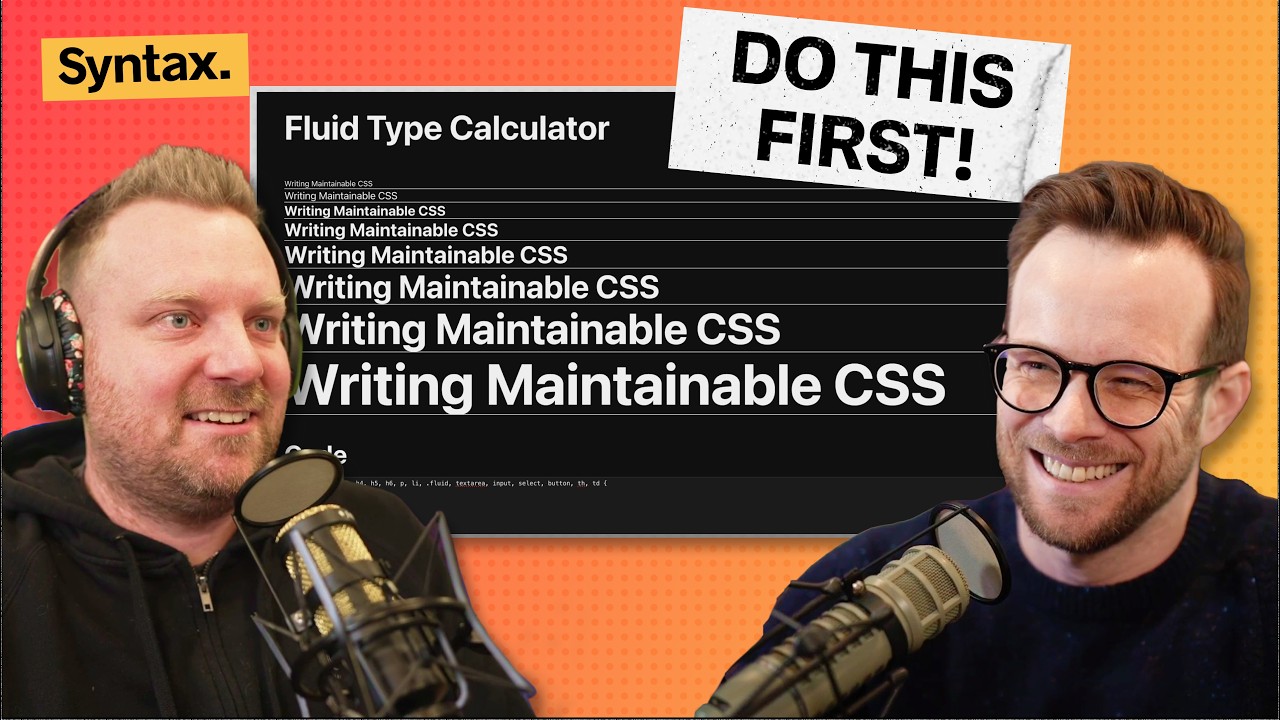
🔗 **Source:** [Writing Maintainable CSS](https://www.youtube.com/watch?v=mbGbPVMSnAQ)
> [!note]+ Document Notes
> tags: #css #frontend-development #web-development
> author: Syntax
> source: YouTube
> reference: https://www.youtube.com/watch?v=mbGbPVMSnAQ
> date created: 2024-12-28 10:00
>
> # 🏷️ Title: Writing Maintainable CSS
>
<!-- deep-read:sections start -->
## 🧰 Action Inbox
- [H1] Implement CSS linting with Stylelint or Biome — prevent color/font values without variables #css #tooling
- [H2] Set up CSS variables system for colors, fonts, shadows — create design token foundation #design-system
- [H3] Evaluate component scoping approach — choose between Tailwind, CSS modules, or scoped CSS #architecture
## 🧭 Table of Contents
- [[#📝 Summary]]
- [[#📖 Main Content]]
- [[#🗒️ Notes]]
- [[#📚 References]]
- [[#🗣️ Paraphrase]]
- [[#📰 Newsletter]]
- [[#✅ Action Items]]
- [[#🧪 Hypotheses]]
- [[#📊 Methodology]]
- [[#❓ Questions]]
- [[#🔮 Future Research]]
- [[#💡 Implications]]
- [[#🧠 Learning Styles Assessment]]
- [[#📊 Accessibility Assessment]]
- [[#🌍 DEIB Assessment]]
- [[#✅ Logical Validity]]
- [[#🛡️ DARVO Analysis]]
- [[#🎯 Conclusion]]
### 🔗 References
- [Fluid Type Calculator](https://fluid-type.tin.sk)
- [Project Wallace](https://projectwallis.com)
- [Josh Comeau CSS Reset](https://joshcomeau.com/css/custom-css-reset)
## 📝 Summary
- Wes Bos and Scott Tolinski discuss strategies for writing maintainable CSS that doesn't become unmanageable over time
- Key principles include proper scoping, using variables instead of hard-coded values, and choosing a consistent methodology
- They cover various approaches: utility CSS (Tailwind), component-scoped CSS, CSS modules, and emerging native CSS features
- Emphasis on tooling and enforcement to prevent CSS decay in team environments
- Bottom line: Pick a system and stick with it consistently across your project
## 📖 Main Content
The hosts explain that maintainable CSS should be scoped to prevent leaking styles, reusable across components, and flexible enough to adapt to different screen sizes without extensive media query rewrites. They emphasize the importance of using CSS variables for colors, fonts, and spacing rather than hard-coded values.
The discussion covers multiple CSS methodologies, from utility frameworks like Tailwind to component-scoped approaches in Vue and Svelte. They also explore newer native CSS features like CSS scoping, layers, and custom property definitions that can replace some framework-specific solutions.
## 🗒️ Notes
#### ⏱️ [00:00](https://youtu.be/mbGbPVMSnAQ?t=0) — [H1] Introduction to maintainable CSS
- Key idea: CSS rot manifests as random fonts like Times New Roman appearing unexpectedly
- Evidence: "You can tell when a website has rotting CSS is you see like a Times New Roman sneak out"
#### ⏱️ [02:30](https://youtu.be/mbGbPVMSnAQ?t=150) — [H2] What makes CSS unmaintainable
- Key idea: Styles should be scoped and not leak to other parts of the website
- Evidence: "You should be able to take a component out of your website and render it on a white page and it should still look mostly the same"
#### ⏱️ [05:15](https://youtu.be/mbGbPVMSnAQ?t=315) — [H2] Flexibility and adaptation requirements
- Key idea: CSS should embrace flexibility and adapt to different container sizes without excessive media queries
- Evidence: "Your CSS will adapt to break points, container sizes, different types of content wrapping without too much extra code"
#### ⏱️ [08:45](https://youtu.be/mbGbPVMSnAQ?t=525) — [H3] Fluid typography with clamp functions
- Key idea: Scott's fluid type calculator uses mathematical ratios to create responsive typography
- Evidence: "Everything is based off of math ratios and clamp" - eliminates need for font-size media queries
#### ⏱️ [12:20](https://youtu.be/mbGbPVMSnAQ?t=740) — [H1] Using variables instead of hard-coded values
- Key idea: Colors, fonts, and shadows should always be defined as CSS variables
- Evidence: "Things that just straight up should be variables in my mind all the time: fonts, font sizes, colors, shadows"
#### ⏱️ [15:30](https://youtu.be/mbGbPVMSnAQ?t=930) — [H2] Importance of picking and sticking with a system
- Key idea: Consistency matters more than which specific methodology you choose
- Evidence: "What is not important is which system you pick. What is important is that you pick a system and you stick with it"
#### ⏱️ [17:45](https://youtu.be/mbGbPVMSnAQ?t=1065) — [H2] Utility CSS approach (Tailwind)
- Key idea: Utility classes provide systematic constraints but can feel verbose
- Evidence: "Lots of classes that are associated with different properties... scoped a little bit smaller meaning you don't have access to the full gamut"
#### ⏱️ [22:10](https://youtu.be/mbGbPVMSnAQ?t=1330) — [H3] StyleX and atomic CSS generation
- Key idea: Facebook's StyleX generates single-use class names to prevent duplicate CSS shipping
- Evidence: "You never write the same line of CSS twice. You never ship the same line of CSS twice"
#### ⏱️ [26:30](https://youtu.be/mbGbPVMSnAQ?t=1590) — [H1] Component-scoped CSS benefits
- Key idea: Scoped CSS allows targeting elements without class names while preventing leakage
- Evidence: "You can target elements without having class names... your CSS becomes scoped to the component"
#### ⏱️ [32:15](https://youtu.be/mbGbPVMSnAQ?t=1935) — [H2] Global CSS foundation importance
- Key idea: Good base CSS should make HTML elements look decent without any classes
- Evidence: "All of the base level elements should match your theme. If you were to just write HTML, no classes, it should look good"
#### ⏱️ [38:20](https://youtu.be/mbGbPVMSnAQ?t=2300) — [H1] CSS variables and the @property rule
- Key idea: CSS variables are superior to Sass variables because they update live and cascade
- Evidence: "In CSS, these things are updated live... you change a prop, your component updates"
#### ⏱️ [43:45](https://youtu.be/mbGbPVMSnAQ?t=2625) — [H2] CSS layers for cascade control
- Key idea: CSS layers let you control specificity order without fighting cascade wars
- Evidence: "You can essentially take your CSS and put it into a specific layer... control the order in which that CSS applied"
#### ⏱️ [47:10](https://youtu.be/mbGbPVMSnAQ?t=2830) — [H2] Native CSS scoping
- Key idea: CSS scoping provides native component-style encapsulation
- Evidence: "You can write things like H3 inside of there and you don't have to worry"
#### ⏱️ [50:30](https://youtu.be/mbGbPVMSnAQ?t=3030) — [H1] Tooling and enforcement
- Key idea: CSS linters prevent team members from introducing unmaintainable patterns
- Evidence: "Having a tool like this in your codebase is kind of key to stop you from doing crazy stuff"
## 📚 References
- [Fluid Type Calculator](https://fluid-type.tin.sk)
- [Project Wallace Design Tokens](https://projectwallis.com)
- [Stylelint CSS Linter](https://stylelint.io)
- [UnoCSS](https://unocss.dev)
- [Panda CSS](https://panda-css.com)
## 🗣️ Paraphrase
- Maintainable CSS requires systematic approaches to prevent style leakage and ensure components remain reusable across different contexts
- Variables should replace hard-coded values for all design tokens like colors, fonts, and spacing to enable consistent theming and easy updates
- Modern CSS features like native scoping, layers, and custom properties can reduce reliance on build tools while providing better developer experience
## 📰 Newsletter
**Writing CSS That Stands the Test of Time**
The Syntax team shares battle-tested strategies for keeping your CSS organized and maintainable. Key takeaway: consistency trumps methodology choice. Whether you prefer Tailwind's utility classes or component-scoped CSS, the important thing is sticking with your chosen approach.
Scott's fluid typography system using clamp() functions is particularly clever - it eliminates most responsive font-size media queries by using mathematical ratios. Plus, new native CSS features like @scope and @layer are reducing our dependence on build tools.
**Action items:** Set up CSS linting, convert hard-coded values to variables, and explore native CSS scoping for your next project.
Resources: [Learn WordPress](https://learn.wordpress.org/), [Developer Docs](https://developer.wordpress.org/), [WP-CLI](https://wp-cli.org/)
## ✅ Action Items
#### DevRel
- Developer experience: Create CSS architecture guidelines and best practices documentation
- Education: Workshop on modern CSS features (layers, scoping, container queries)
- Developer marketing: Blog series on CSS maintainability approaches
#### Community
- Contributors: CSS linting setup guides for open source projects
- Maintainers: Code review checklists for CSS quality standards
#### WordPress
- Core: Evaluate native CSS scoping adoption timeline for WordPress admin
- Design: Standardize CSS variable naming conventions across Core
- Documentation: Update CSS coding standards with modern approaches
- Themes: Review process improvements for CSS maintainability
## 🧪 Hypotheses
- Projects using CSS linting tools have 40% fewer style-related bugs over time
- Component-scoped CSS reduces specificity conflicts by 60% compared to global approaches
- Teams using design token systems ship visual updates 3x faster
- Native CSS scoping will reduce build tool complexity for 70% of projects by 2026
### 📊 Methodology
- Analyze CSS maintainability metrics: specificity scores, unused styles, duplicate properties
- A/B test different CSS methodologies across similar project types
- Survey developer satisfaction with various CSS approaches and tooling
### ❓ Questions
- How will CSS container queries change responsive design patterns?
- What's the optimal balance between utility classes and semantic selectors?
- Can AI tools help enforce CSS architectural decisions automatically?
### 🔮 Future Research
- Impact of CSS-in-JS vs native CSS features on performance
- Developer productivity metrics across different CSS methodologies
- Evolution of CSS tooling as native features expand
### 💡 Implications
- Practice: CSS linting becomes essential for team projects of any size
- Education: Focus shifts to modern CSS features over preprocessor-specific syntax
- Tooling: Build tools may simplify as more features become native to CSS
- Standards: Industry moves toward consistent design token naming conventions
### 🧠 Learning Styles Assessment
Reading level estimate: Grade 10-11
#### 👀 Visual learners
- Present: Code examples and syntax comparisons throughout
- Improve: Visual diagrams of CSS scoping concepts, cascade illustrations
#### 🔊 Aural learners
- Present: Full audio discussion with clear explanations
- Improve: Shorter audio snippets focusing on key concepts
#### 🗣️ Verbal learners
- Present: Clear definitions of CSS terminology and methodologies
- Improve: Glossary of CSS architectural terms
#### 🧩 Kinesthetic learners
- Present: References to interactive tools like fluid type calculator
- Improve: Step-by-step CSS refactoring exercises
#### 🧠 Logical learners
- Present: Systematic comparison of CSS methodologies
- Improve: Decision tree for choosing CSS approaches
#### 🧑🤝🧑 Social learners
- Present: Team-focused discussion of CSS practices
- Improve: Code review guidelines for CSS quality
#### 🧘♀️ Solitary learners
- Present: Comprehensive coverage enabling independent implementation
- Improve: Self-assessment checklist for CSS maintainability
#### 🌿 Naturalistic learners
- Present: Organic evolution of CSS practices over time
- Improve: Ecosystem thinking about CSS tools and methodologies
### 📊 Accessibility Assessment
#### Screen reader semantics
- Present: Clear heading structure and logical flow
- Improve: Code examples need proper semantic markup
#### Keyboard navigation
- Present: Standard video player controls
- Improve: Timestamped navigation could be more accessible
#### Contrast and readability
- Present: Standard contrast in video player
- Improve: Code examples in transcript need syntax highlighting consideration
#### Media and captions
- Present: Full transcript provided
- Improve: Auto-generated captions may need manual review for technical terms
### 🌍 DEIB Assessment
#### Cultural breadth
- Present: General web development principles applicable globally
- Improve: Examples from different regional web properties
#### Inclusive language
- Present: Technical discussion uses clear, professional language
- Improve: Could include more diverse examples beyond typical tech company sites
#### Neurodiversity support
- Present: Structured discussion with clear sections
- Improve: Visual organization could support different processing styles
#### Representation
- Present: Two experienced developers sharing knowledge
- Improve: Could reference diverse team experiences and challenges
### ✅ Logical Validity
#### Strong reasoning
- Deductive strength: Sound logical progression from problems to solutions
- Inductive strength: Good use of specific examples to support general principles
- Causal reasoning: Clear cause-effect relationships between CSS practices and maintainability
#### Fallacies
- Minor appeal to authority: Relying on "what Facebook does" without full context analysis
- False dichotomy: Occasionally presents methodologies as either/or rather than complementary
#### Tone of voice
- Overall tone: Collaborative and educational, sharing practical experience from real projects
### 🛡️ DARVO Analysis
- Deny: No concerning patterns detected
- Attack: No attacks on individuals or groups
- Reverse victim/offender: Not applicable to technical content
- Emotional cues: Enthusiastic and supportive discussion of different approaches
## 🎯 Conclusion
The key to maintainable CSS is choosing a systematic approach and applying it consistently across your project. Whether that's utility classes, component scoping, or CSS modules matters less than avoiding ad-hoc styling decisions that accumulate into technical debt.
Modern CSS is evolving rapidly with native features like scoping and layers that reduce our dependence on build tools. Combined with proper tooling and team processes, these approaches can prevent the CSS rot that plagues many long-term projects.
The practical next step is implementing CSS linting and converting hard-coded values to a variable system - two changes that immediately improve maintainability regardless of your chosen methodology.
## 🧱 Refactor Appendix
### 📚 Literature Split Pad
Purpose: Stage CEE units that become Literature notes.
Split level: H3
### [H1] CSS variables provide runtime flexibility unlike preprocessor variables
> [!quote] Writing Maintainable CSS by Syntax via YouTube. Published 2024. Accessed 2024-12-28.
> "In CSS, these things are updated live. You change a prop, your component updates."
Demonstrates superiority of native CSS variables over build-time solutions for dynamic theming and component systems.
[view highlight](https://youtu.be/mbGbPVMSnAQ?t=2300#H1) #xref #articleseed ID:rw_001
### [H2] Component scoping prevents CSS from leaking across boundaries
> [!quote] Writing Maintainable CSS
> "You should be able to take a component out of your website and render it on a white page and it should still look mostly the same."
Establishes testable criteria for proper CSS architecture and component encapsulation.
[view highlight](https://youtu.be/mbGbPVMSnAQ?t=150#H2) #xref ID:rw_002
---
### 🔖 Atomic Split Pad (Zettel Candidates)
Purpose: Promote reusable claims into Atomic notes.
Split level: H4
#### [Z1] Consistency trumps methodology in CSS architecture
- Applies to team projects where multiple developers contribute CSS
- Evidence at 15:30
---
## Full Transcript
[00:00] Welcome to Synax. Today we're talking<br>[00:02] about writing maintainable CSS. How to<br>[00:06] structure your project, how to write CSS<br>[00:08] so that you don't end up with just a<br>[00:10] dumpster fire of CSS that's impossible.<br>[00:14] Your website starts to rot over time<br>[00:17] randomly. You find like the one thing<br>[00:18] that you can tell when a website has<br>[00:20] rotting CSS is you see like a Times New<br>[00:23] Roman sneak out or like a weird font<br>[00:26] that doesn't belong there. you know it's<br>[00:28] just like oh man you know that this is<br>[00:29] this is probably a mess inside so how do<br>[00:33] you write maintainable manageable CSS um<br>[00:37] what are some good approaches to do what<br>[00:39] are some methods as well as what about<br>[00:42] Tailwind utility frameworks atomic CSS<br>[00:45] stylex component scope CSS there's<br>[00:48] different approaches to do we're going<br>[00:49] to talk through those as well as um<br>[00:52] maybe some tools to enforce that<br>[00:54] yourself name is Wes Boss I'm a<br>[00:56] developer from Canada with me is Mr.<br>[00:58] Scott Tolinsky. Absolute slop master of<br>[01:02] all CSS. Knows what he's talking about<br>[01:04] here.<br>[01:05] >> Yes. Yes. I I I have been there. I have<br>[01:08] been there, done that. Man, Wes, I I uh<br>[01:12] speaking of non-slop, I uh went to dance<br>[01:15] yesterday and it was my first dance<br>[01:18] practice in my 40s and boy does uh does<br>[01:22] that hit different. Boy, does that hit<br>[01:24] different. That's That's for sure. I'm<br>[01:26] feeling it. Oh.<br>[01:28] >> Oh, man. That's great. All right, let's<br>[01:31] get on into it. First of all, let's talk<br>[01:34] about what makes CSS manageable or or<br>[01:37] unmanageable. And then we're going to go<br>[01:38] into the different methods and<br>[01:40] approaches that you can use as well as<br>[01:42] some tips as to how to write good CSS.<br>[01:43] So, so first of all, like like what<br>[01:45] causes CSS to be a mess or unmanageable,<br>[01:50] right? Very high level CSS does not leak<br>[01:52] into other parts of the website. This is<br>[01:54] a very clear one is if you are writing<br>[01:56] some CSS and those styles are<br>[02:00] accidentally leaked to other parts of<br>[02:03] the website or those styles are so broad<br>[02:06] that you would not be able to take part<br>[02:08] of a website away. We we'll use the word<br>[02:11] component in this. You you should be<br>[02:13] able to take a component out of your<br>[02:14] website and render it on a white page<br>[02:18] and it should still look mostly the same<br>[02:20] or entirely the same, right? And and if<br>[02:22] that component only looks that way<br>[02:24] inside of a specific part of your<br>[02:26] website, you have a bit of a rat's nest<br>[02:28] of CSS.<br>[02:29] >> Yeah, man.<br>[02:32] Which is something that I I feel like,<br>[02:35] you know, with the current landscape of<br>[02:37] how AI likes to write CSS and things<br>[02:39] like that. It It's definitely a code<br>[02:42] smell that I think a lot of people will<br>[02:44] have in their projects.<br>[02:46] >> Yeah. I feel like it's it's less of an<br>[02:48] issue these days as people Most people<br>[02:52] are using something in their CSS instead<br>[02:55] of just having one big style. CSS file<br>[02:57] and dumping a whole bunch of rules in<br>[03:00] there.<br>[03:01] >> I feel like it's a little bit more<br>[03:03] maintainable. Most people have some sort<br>[03:04] of idea of components and hopefully some<br>[03:07] way to to manage that CSS, but even with<br>[03:10] those things in place, it can still get<br>[03:11] out of hand.<br>[03:12] >> Yeah. And and I think a bigger concern<br>[03:15] these days is having every single<br>[03:19] component as a tight unit that if you do<br>[03:24] adjust anything as a global anything<br>[03:28] then that tight unit will remain in the<br>[03:31] old style of things right uh is like a<br>[03:34] lack of the cascade is is a huge<br>[03:36] problem.<br>[03:37] >> The tight units are a problem.<br>[03:39] >> Tight units. Another thing, what makes m<br>[03:42] CSS maintainable is is it easy to<br>[03:45] maintain updates, edits. This includes<br>[03:48] being able to find the actual thing<br>[03:50] because there are certainly lots of CSS<br>[03:53] approaches out there that are so<br>[03:57] stringent and so hard to use that people<br>[04:01] end up not being able to to do what they<br>[04:03] want, right? And you you're you're baked<br>[04:06] into this is kind of the thing with like<br>[04:07] design systems as well. With larger<br>[04:09] companies, you need the larger the<br>[04:11] company, the more places that it<br>[04:13] touches. You need a more strict design<br>[04:16] system so that you can enforce these<br>[04:17] things across the thing. And that always<br>[04:20] comes with a trade-off of like I'm not<br>[04:22] actually able to like a good design<br>[04:23] system will let you do whatever it is<br>[04:25] that you want. But there certainly is<br>[04:27] this other spot where if it's too<br>[04:29] stringent, you're not able to actually<br>[04:31] implement the design that you're you're<br>[04:33] looking for. Um, and then that causes<br>[04:35] people to sort of step outside and then<br>[04:38] just quickly do a little hack here and<br>[04:40] there and then va voila, a year later<br>[04:42] you have quite a bit of rot in your<br>[04:44] codebase.<br>[04:45] >> Yeah. Yeah. Totally. I that's a problem<br>[04:48] that I have. I'm really good at<br>[04:49] designing a system but less good at<br>[04:52] designing<br>[04:53] individual unique elements. So for me,<br>[04:56] my stuff can feel like it's soulless in<br>[04:59] a system,<br>[05:01] >> but I I I am afraid. I'm afraid a fire<br>[05:05] bad of of of doing a<br>[05:08] >> I think we're the gang of this<br>[05:11] >> because you are you're the the system<br>[05:13] guy<br>[05:14] >> and I love a good system, but I also<br>[05:17] sometimes find it like<br>[05:19] >> I just want to set a freaking font size<br>[05:21] on this thing. And it's the font size is<br>[05:23] this like 92 line clamp function<br>[05:27] >> where I can't figure it out. Um and and<br>[05:30] I think like those are fine for 90% of<br>[05:33] use cases, but you should still have a<br>[05:36] maintainable way to sort of break<br>[05:37] outside even on the syntax website. I<br>[05:39] think we ended up we have have that<br>[05:41] those font sizes for most things. But I<br>[05:44] added a couple utility classes for<br>[05:46] simply just changing the font size to<br>[05:48] something that was uh outside of that<br>[05:51] clamp function.<br>[05:52] >> Yeah. Yeah. Totally. For good CSS to be<br>[05:55] maintainable, it has to be reusable. And<br>[05:58] this has gotten different now with<br>[06:00] components, scoping things to<br>[06:01] components, because many times that unit<br>[06:03] of what is reusable can just be in a<br>[06:06] component rather than just a class or<br>[06:09] this or that. But CSS should not be a<br>[06:12] one-off solution. I actually have this<br>[06:14] kind of uh same thing listed as global<br>[06:16] solutions uh instead of local solutions.<br>[06:19] And when I say global, I don't mean in a<br>[06:22] global.css<br>[06:23] file that gets imported everywhere. What<br>[06:26] I mean is that like<br>[06:28] >> the table CSS shouldn't live in the page<br>[06:32] admin table component. It should live in<br>[06:35] a more generic reusable component and or<br>[06:38] class uh that is then able to be then<br>[06:42] used anytime you have a table.<br>[06:44] >> Yes. Yes. Exactly. And what that ends up<br>[06:48] looking like is you you find yourself<br>[06:50] re-implementing a lot of the base<br>[06:53] elements in in HTML, right? You you find<br>[06:56] yourself re-implementing a heading<br>[06:57] component. Uh uh obviously a table is a<br>[07:00] a very common one you know like maybe a<br>[07:03] a section because like those are your<br>[07:05] base cases that you can then pass in<br>[07:08] arguments or overwrite values with with<br>[07:10] variables.<br>[07:12] Now, here's one thought that I have with<br>[07:15] a lot of CSS that people have is that<br>[07:17] your CSS needs to embrace the flex. And<br>[07:20] and what I mean by this is writing good<br>[07:21] CSS means that your CSS will adapt to<br>[07:26] break points, container sizes, different<br>[07:28] types of content wrapping without too<br>[07:31] much extra code. Um, often what I'll see<br>[07:34] is people are simply just<br>[07:36] re-implementing the CSS for every single<br>[07:39] break point or they have they have to<br>[07:42] duplicate their HTML because it's it's<br>[07:44] so different in from one to another<br>[07:47] where writing media queries and<br>[07:48] container queries and all that stuff<br>[07:50] that is fine but your media queries<br>[07:52] should not have to like write every<br>[07:54] single selector and reimplement<br>[07:56] absolutely everything is that they<br>[07:58] should be flexible enough<br>[08:01] >> that when things change um when a<br>[08:04] component is in a space that has more<br>[08:06] width or height or when a when a<br>[08:08] breakpoint is much smaller than larger<br>[08:11] that the contents will sort of just flex<br>[08:13] to them and you don't even have to write<br>[08:14] media queries or if you are writing<br>[08:16] media queries you are writing container<br>[08:18] queries a lot of that work is simply<br>[08:20] just updating variables all right at at<br>[08:22] this break point I'm going down to three<br>[08:24] columns and I'm changing the the font<br>[08:26] size to be something slightly different<br>[08:28] right rather than having to just like<br>[08:30] write every single selector again cuz I<br>[08:32] hate debugging that CSS where it's just<br>[08:35] like, oh, I want to edit this thing now.<br>[08:38] I have to go through 11 different media<br>[08:40] queries, find all of the selectors. I<br>[08:43] prefer I prefer nesting my media queries<br>[08:45] inside of my CSS versus the other way<br>[08:47] around. But<br>[08:48] >> that's that's one thing, especially AI<br>[08:51] does that all the time, and I hate it.<br>[08:53] >> Yeah. Yeah. I I think this is one that<br>[08:56] man it's hard to wrap your head around<br>[08:59] these types of things sometimes because<br>[09:01] it's so easy to read a media query where<br>[09:05] it's like at this it's this at this it's<br>[09:07] this at this rather than building more<br>[09:11] flexible systems that adapt. The things<br>[09:13] that you would use there are what? Like<br>[09:14] minmax. Um,<br>[09:16] >> yep.<br>[09:17] >> Auto fit, autofill, and grid.<br>[09:19] >> Clamp,<br>[09:20] >> flex, flab, clamp. That's a really good<br>[09:22] one.<br>[09:23] >> Uh, there's quite a few little things<br>[09:25] where if you can just learn how these<br>[09:26] all work, then you might not even have<br>[09:29] to write any media queries.<br>[09:30] >> Yeah, I grid, man. Grid has just such an<br>[09:33] amazing capacity to adapt to its<br>[09:36] container. And can you explain your your<br>[09:39] clamp font sizing hack where like you<br>[09:42] don't even have to like I'm I know I was<br>[09:44] rousing you earlier but it actually<br>[09:45] makes a lot of sense because there are<br>[09:47] very few use cases where you need to<br>[09:49] make the font smaller on mobile when you<br>[09:51] use this approach.<br>[09:52] >> Yeah. So this is uh my this is a fluid<br>[09:56] type.tin.sk.<br>[09:58] This is a fluid type generator that I I<br>[10:01] built that everything is based off of<br>[10:04] math ratios and clamp. And uh if we look<br>[10:09] at this, you have this massive clamp<br>[10:13] function where you have uh a 16<br>[10:17] pixelbased REM based uh clamping<br>[10:19] function that basically says here's what<br>[10:22] the font size is preferred to be at any<br>[10:26] given point. And then it's going to<br>[10:28] clamp down to a minimum for mobile. In<br>[10:32] this case, it's 14 pixels uh for mobile<br>[10:34] at the viewport size of 400 and the<br>[10:36] maximum of 20 pixels at desktop size.<br>[10:39] And that's for the base level font like<br>[10:41] your your paragraph font. Then at any<br>[10:44] given point, it's going to if it can be<br>[10:47] its maximum based on the viewport size<br>[10:50] in this case it will be its maximum and<br>[10:53] at the minimum viewport size it will be<br>[10:55] its minimum. But in between there, what<br>[10:58] it does is it picks the the point in the<br>[11:01] middle of all of that, making it just<br>[11:03] totally fluid. And it's funny, I<br>[11:05] actually have this be u container query<br>[11:07] based as well, too. So you can have this<br>[11:09] be container query based or viewport<br>[11:11] based based on uh how you how you choose<br>[11:14] just I have it based on a toggle. And<br>[11:16] then the way I also have it because this<br>[11:17] is all just the base level font size.<br>[11:20] You can choose the font scale as well.<br>[11:23] So like what is that ratio between the<br>[11:26] two of these is that ratio is bigger<br>[11:28] then your font sizes at the larger end<br>[11:31] of the spectrum will be massive and if<br>[11:33] it's smaller then that ratio ends up<br>[11:35] becoming smaller and then you can tweak<br>[11:38] the baseline like if you want your<br>[11:40] smallest font size to be 16 you can have<br>[11:42] that be 16 instead of whatever. So, uh,<br>[11:44] check out this fluid type calculator<br>[11:46] because at the end of the day, what it<br>[11:47] spits out for you is just, man, a<br>[11:50] handful of lines of CSS that calculates<br>[11:52] all of this fluid type, uh, fluid font<br>[11:55] based on CSS variables. This is what I<br>[11:57] tend to use for all of my font sizing.<br>[11:59] It it can though, Wes, like as you<br>[12:01] mentioned, it can become a a PIA if you<br>[12:04] just want a stinking font size. But if<br>[12:05] you're like, oh, I just want a system<br>[12:06] that looks nice,<br>[12:08] >> I I like this quite a bit.<br>[12:09] >> And like it's just mobile friendly<br>[12:11] already. You don't even have to think<br>[12:12] about it, right? like that. You don't<br>[12:13] have to slap any media queries in there.<br>[12:15] It just simply goes.<br>[12:17] >> And the scale is all relative, so it<br>[12:18] always looks like the same. Yeah.<br>[12:21] >> Yeah. I saw a tweet the other day.<br>[12:23] Someone said, "Why are we setting font<br>[12:25] size based on like pixels or rims or<br>[12:28] whatever? Why is it not why is<br>[12:30] everything just not line height?"<br>[12:31] Because you have this like new value in<br>[12:33] CSS like LH, right? Mh.<br>[12:35] >> Um, and we also have like ch and ex,<br>[12:38] which is the size of an an x and the<br>[12:41] size of a<br>[12:43] what's ch? Is it a c?<br>[12:45] >> Oh, character height.<br>[12:47] >> Character height. Yeah. Yeah, exactly.<br>[12:48] But like line height sizing everything<br>[12:50] based on line height. And that way you<br>[12:52] get like a nice rhythm vertically. And I<br>[12:54] was like, I think that makes sense. I<br>[12:57] don't know why I haven't tried that.<br>[12:58] There used to be focus who people who<br>[13:00] don't know there used to be this thing<br>[13:02] called SAS there with when with when SAS<br>[13:04] came out there was this thing called<br>[13:06] compass which was like a toolkit for SAS<br>[13:09] and in that toolkit was vertical rhythm<br>[13:12] which took line height and distributed<br>[13:15] the font size and put it all as if you<br>[13:17] would establish a vertical rhythm for<br>[13:19] your entire document then it would make<br>[13:21] sure your text always fell into that<br>[13:22] vertical rhythm. I like that. And you<br>[13:25] could and if you were like doing like<br>[13:27] icons or something, you could snap them<br>[13:29] to the closest vertical rhythm with<br>[13:32] clamp, right? Makes a lot of sense. I<br>[13:34] guess you do that as well. But yeah,<br>[13:36] kind of a neat approach. I'm going to<br>[13:38] try it on my next project.<br>[13:40] >> Yeah. And if you want to see all of the<br>[13:42] errors in your application, you'll want<br>[13:44] to check out Sentry at centry.io/sax.<br>[13:48] You don't want a production application<br>[13:50] out there that well you have no<br>[13:52] visibility into in case something is<br>[13:54] blowing up and you might not even know<br>[13:56] it. So head on over to centry.io/s<br>[13:58] syntax. Again, we've been using this<br>[14:00] tool for a long time and it totally<br>[14:02] rules. All right.<br>[14:04] >> All right. So that I think like anything<br>[14:07] else that makes your your CSS<br>[14:08] unmanageable or unmaintainable?<br>[14:11] >> Um things that make my CSS<br>[14:13] unmaintainable. I I think one of the<br>[14:16] bigger things that uh we we've talked a<br>[14:18] little bit about being systems and<br>[14:20] reusable and stuff.<br>[14:21] >> Yeah.<br>[14:22] >> But it's using values instead of<br>[14:24] variables. I know we'll talk about using<br>[14:26] variables in a bit here, but there are<br>[14:29] some things that just straight up should<br>[14:31] be variables in my mind all the time. uh<br>[14:35] fonts, font sizes, uh colors, shadows,<br>[14:39] those types of things. When you define<br>[14:42] them one off, especially with AI agents,<br>[14:46] you can have next thing you know, 40<br>[14:48] different shadow types in your site. And<br>[14:50] that's like a guaranteed way to make<br>[14:52] things not only unmaintainable, but also<br>[14:54] non-cohesive in the way that it looks.<br>[14:57] So again, we're talking I I'm system<br>[14:59] guy, right? So I I really love variables<br>[15:03] for everything. Um and I forbid them<br>[15:07] certain properties to have individual<br>[15:10] value set on them that aren't a<br>[15:11] variable.<br>[15:11] >> It's honestly it's a great approach<br>[15:13] because as as soon as you introduce like<br>[15:15] eight different types of like gray<br>[15:18] borders in into your website then and<br>[15:22] you want to update it like or you want<br>[15:24] to add dark mode, you know, or you want<br>[15:26] to restyle your thing. you're just<br>[15:28] hunting through the website for all<br>[15:30] these different use cases. One kind of<br>[15:32] cool site is if you go on<br>[15:33] projectwallis.com and put put your site<br>[15:35] in, they will show you all of the colors<br>[15:38] that are used on a website. And it's<br>[15:40] kind of funny to like pipe in a I think<br>[15:43] you go to Yeah, you go to the design<br>[15:45] tokens<br>[15:46] >> and it'll show you all the colors that<br>[15:48] are used on a website. If you type in<br>[15:49] several different websites, you're going<br>[15:51] to hit upon some sites that like, oh, I<br>[15:54] see that they've used the blue, but the<br>[15:56] blue has deviated because somebody used<br>[15:59] a color picker here, someone used rgba<br>[16:01] here versus somebody else used like HSL,<br>[16:05] and it's slightly different. And then<br>[16:07] it's just<br>[16:08] >> it's just deviated over time. And uh I'm<br>[16:11] very happy looking at syntax where there<br>[16:14] is<br>[16:16] one yellow, two yellows. There's a<br>[16:18] variable system for a bunch of different<br>[16:20] yellows. We just don't use them. Yeah.<br>[16:22] >> Oh, yeah. But I mean like the the actual<br>[16:24] used yellow that we use for syntax is<br>[16:27] >> the same across the board. And that way<br>[16:29] we actually have theming in the syntax<br>[16:30] site. We can just change one variable<br>[16:33] and the whole site will update.<br>[16:34] >> Yeah. And in that same regard about<br>[16:36] changing one variable and having the<br>[16:37] site update. I think uh one thing that<br>[16:40] uh is people using non-relative things<br>[16:43] like we have especially with colors<br>[16:45] nowadays we have relative colors colors<br>[16:48] can be derived from other colors um<br>[16:52] those types of systems I think often end<br>[16:55] up being the most maintainable because<br>[16:57] even if you're using an opacity right if<br>[17:00] you you have like a transparent blue<br>[17:03] people will define the blue and then<br>[17:05] they'll define the parent blue instead<br>[17:07] of having the blue and then deriving the<br>[17:09] transparent blue from that blue, right?<br>[17:12] You can get things out of sync that way.<br>[17:15] >> And if let's say you have like a like a<br>[17:18] purple and then you want like a slightly<br>[17:20] brighter purple to put as like a border<br>[17:22] on a card um and then you want a<br>[17:24] slightly darker one for like a box<br>[17:26] shadow. Are you then sticking those<br>[17:30] >> in variables as well or are you supposed<br>[17:32] to just comput them? Okay, good. So<br>[17:34] you're not just that's another thing AI<br>[17:36] loves to do is just compute them in<br>[17:37] place cuz I had this rule<br>[17:39] >> do not use any colors that are not<br>[17:42] >> uh in variables and then what it did is<br>[17:44] it's like okay it just took the variable<br>[17:46] and then used relative colors.<br>[17:48] >> I I'm using it but I'm just computing<br>[17:50] what I want from that.<br>[17:52] >> Yeah. Yeah. Right. Yeah. I I have uh we<br>[17:55] we talked about this in the last episode<br>[17:57] Wes about non-deterministic tools or<br>[17:59] deterministic tools. Stylant uh blocks<br>[18:02] me from that. Yeah. So it says good um<br>[18:05] specifically if it's a color value and<br>[18:08] it's not a custom property as the value<br>[18:10] then<br>[18:11] >> error out. Yeah.<br>[18:12] >> Yeah. That's that's good. You need to be<br>[18:15] very stringent with those types of<br>[18:17] things otherwise it kind of gets away<br>[18:18] from you. Um let's talk about methods<br>[18:21] and approaches, right? Like when<br>[18:25] what is not important is which system<br>[18:26] you pick. What is important is that you<br>[18:29] pick a system and you stick with it as<br>[18:31] close as you can because<br>[18:32] >> Mhm.<br>[18:33] >> if you have a system and then you maybe<br>[18:36] use uh a different system here and you<br>[18:38] mix and match and all of a sudden they<br>[18:40] just start to deviate from each other<br>[18:41] that's where you can can run into<br>[18:43] trouble. So let's let's run through some<br>[18:45] of the more common approaches out there.<br>[18:48] So first one here is utility CSS. Most<br>[18:51] likely everybody is using Tailwind for<br>[18:53] this type of thing where you have lots<br>[18:56] of classes that are associated with the<br>[18:58] different properties um different<br>[19:00] padding values. They're scoped a little<br>[19:03] bit smaller meaning that you don't have<br>[19:04] access to the full gamut of of values<br>[19:08] which is often good because then you<br>[19:10] have like six different kinds of shadows<br>[19:12] um or four different kinds of spacing.<br>[19:14] But then of course you can use computed<br>[19:16] properties to actually inject your own<br>[19:18] version in there as well.<br>[19:20] Quite honestly, when I use Towin myself,<br>[19:22] I find myself using the computed values<br>[19:25] quite a bit because I don't I find<br>[19:27] myself wanting like a little slice in<br>[19:29] between one of these values or setting<br>[19:31] up my own utility classes, extending it<br>[19:33] a little bit. with a utility CSS<br>[19:37] approach um the reusable reusability<br>[19:40] factor moves from like selectors to like<br>[19:45] components that are are reusable because<br>[19:47] like uh if you look at it there's a<br>[19:49] bazillion classes on on an element and<br>[19:52] then you find yourself going oh well<br>[19:54] like now I have two things on this page<br>[19:57] that need to look the same way.<br>[19:59] >> Mhm. Am I just copy pasting it? Or<br>[20:01] sometimes people put the classes in like<br>[20:03] a variable and then they use that. That<br>[20:04] that's an okay way to do it. But<br>[20:06] generally the approach to this is<br>[20:08] instead of creating a selector somewhere<br>[20:11] with your CSS, you're simply just making<br>[20:13] a component that has all of those<br>[20:16] reusable components on. It's not my<br>[20:18] favorite approach. I certainly use it in<br>[20:20] I don't know, I have three or four<br>[20:21] websites that use it. Uh but lots of<br>[20:24] people absolutely love this approach.<br>[20:27] Yeah, I think people like it because it<br>[20:29] solves scoping for them because they're<br>[20:31] using component flows. They're scoping<br>[20:33] their CSS. They're not having to worry<br>[20:34] about classes and leaking and those<br>[20:36] types of things. They like it because<br>[20:38] there's a system. But again, yeah, I I I<br>[20:41] find it's just like a shorthand, like a<br>[20:43] CSS shorthand. Um,<br>[20:44] >> yeah.<br>[20:45] >> And to me personally, yeah, that's why I<br>[20:47] don't I don't personally use it, but I<br>[20:48] get why people like it. It it is it<br>[20:50] makes it easier to have a system in<br>[20:52] place. uh you have atomic CSS as being a<br>[20:55] separate thing in here as to utility<br>[20:56] CSS. I've always seen those as the same<br>[20:58] thing, but I don't um have any strong<br>[21:01] feelings there. Are do you see them as<br>[21:03] being different?<br>[21:04] >> Honestly, I don't I don't either. Um<br>[21:06] atomic CSS is the same idea, right? You<br>[21:09] have these small classes that simply do<br>[21:12] one thing. It changes the border color.<br>[21:14] It changes the width of the element. Um,<br>[21:16] Uno CSS is very big in this regard and<br>[21:20] it differs from Tailwind in that<br>[21:23] >> Tailwind is is somewhat opinionated with<br>[21:26] with what you can do with it, which is<br>[21:28] good because then it stops people from<br>[21:30] making a mess with<br>[21:32] >> with everything, right? Like it it it<br>[21:34] scopes down what you can change on your<br>[21:37] um on your selectors. With with atomic<br>[21:39] CSS, you can essentially build your own<br>[21:41] Tailwind. So, if you don't like the way<br>[21:43] that Tailwind does something or if you<br>[21:45] don't like the fact that it doesn't have<br>[21:48] um the ability to do a certain pixel<br>[21:50] value, you can you can go and build your<br>[21:52] own little um thing with Uno CSS. And uh<br>[21:56] it's pretty cool. It uses Lightning CSS.<br>[21:58] It's from AntFu, who's the creator of<br>[22:01] absolutely everything. And uh<br>[22:04] >> yeah, it's pretty cool. I'm I'm looking<br>[22:06] at this and thinking, hm, that'd be kind<br>[22:08] of cool to hm build my own<br>[22:12] But I don't think I ever Well, I I<br>[22:14] prefer we'll get to what I prefer, but<br>[22:16] uh I I like a utility CSS as a sprinkle<br>[22:20] on top for common use cases<br>[22:23] >> for things that I want to do. You know,<br>[22:25] changing the font size, maybe margins<br>[22:28] here or there, but I don't like it for<br>[22:29] for absolutely everything. I rather have<br>[22:32] a selector that I can reuse throughout<br>[22:34] my my codebase.<br>[22:36] >> Yeah. Next we have style X which this<br>[22:39] one<br>[22:40] >> this is is this a React specific thing?<br>[22:43] >> I feel like it is. No,<br>[22:45] >> it is from Facebook though. Um<br>[22:47] >> okay.<br>[22:47] >> It's like styled JSX. I guess we did a<br>[22:51] show on it quite a while ago called why<br>[22:54] is Facebook's CSS such a mess? Because<br>[22:57] if you inspect element on any Facebook<br>[23:00] property, you're going to see just<br>[23:03] generated class names. And if you look<br>[23:05] at those generated class names, you'll<br>[23:07] see that every single one of those<br>[23:09] generated class names, it'll be like<br>[23:11] X4H2F<br>[23:13] and that will be related to like border<br>[23:15] bottom red. And that's not how it's<br>[23:18] actually authored. that is simply the<br>[23:21] what stylex does is it takes in kind of<br>[23:24] like your traditional um CSS where you<br>[23:27] you write like a you don't write a class<br>[23:30] you write it in line in a JavaScript<br>[23:34] object and then you you apply all the<br>[23:36] styles that you want you know you can<br>[23:37] apply font size and border and padding<br>[23:39] and all of that stuff and then it will<br>[23:42] take all of those for your from your<br>[23:44] entire project and go oh they used<br>[23:46] margin 40 pixel in 19 times throughout<br>[23:50] this entire website. I'm going to<br>[23:52] replace that with one single class<br>[23:53] called BFR lol69.<br>[23:57] And then so if if you look at Facebook's<br>[24:00] source code, people are like, who would<br>[24:02] write code this way? They're not.<br>[24:04] They're not authoring that at all.<br>[24:05] They're simply just writing the CSS<br>[24:07] inline as JavaScript objects on their<br>[24:10] components and then they have a a build<br>[24:13] step that sort of takes that out. And um<br>[24:16] the benefit to that is that you never<br>[24:18] write the same line of CSS twice. You<br>[24:21] never ship the same line of CSS twice.<br>[24:23] You could use margin 40 pixels a<br>[24:25] thousand times throughout your website<br>[24:26] and you're only ever shipping one<br>[24:28] selector and one property value for<br>[24:31] that.<br>[24:31] >> Yeah. Yeah. U I got I got to say there's<br>[24:34] there's a large parts of Stylex syntax<br>[24:37] that I just can't get behind. I hate it.<br>[24:39] the media query the media query syntax<br>[24:43] in this cuz yeah cuz yeah you're writing<br>[24:45] it as a JavaScript object which already<br>[24:47] sucks because<br>[24:48] >> no thanks no thanks but then you look at<br>[24:52] the the media query syntax and it is<br>[24:55] just what are we doing here uh so yeah<br>[24:59] it's bizarre um it's not for me I'll<br>[25:02] just say that<br>[25:02] >> no and you think about like<br>[25:05] >> container queries and now we have style<br>[25:07] queries and right<br>[25:09] >> like nesting and all that and it's just<br>[25:11] like this is not the right way to build<br>[25:14] it. One kind of interesting spot is if<br>[25:16] you are interested in this sort of area<br>[25:19] panda CSS has kind of the same idea but<br>[25:23] they have multiple ways to write it. So<br>[25:25] you can write it in CSS modules or you<br>[25:28] can write it in line um and then again<br>[25:32] they just parse it all out for you. So<br>[25:33] Panda CSS is a is a really nice<br>[25:35] approach. I quite like this one myself.<br>[25:38] Yeah. Yeah. Next is component scoped<br>[25:41] CSS. This is how I prefer to work. Now,<br>[25:43] uh, Vue.js has component scope CSS.<br>[25:47] Spelt has component scoped CSS. Back<br>[25:50] when I used CSS and JS like styled<br>[25:53] components, I wrote it in a way that was<br>[25:55] just scoped to my component. Uh, I I<br>[25:59] adore this way of working because you<br>[26:03] can target elements without having class<br>[26:05] names and things like that. you can uh<br>[26:08] your CSS becomes scoped to the component<br>[26:11] that you're authoring the the CSS in.<br>[26:14] That way you can have a layer of base<br>[26:17] CSS that's global. You can have local<br>[26:20] CSS that doesn't leak anywhere. You<br>[26:22] don't have to come up with a thousand<br>[26:24] different classes for naming things.<br>[26:26] That's the best.<br>[26:26] >> Um it's the best and it's only going to<br>[26:28] get better because we're getting native<br>[26:31] uh scoping in CSS. Therefore, you can uh<br>[26:35] not rely on your JavaScript framework to<br>[26:38] do that scoping. You can use the scope<br>[26:41] and then scope to a class or anything<br>[26:44] like that and then have that type<br>[26:45] >> a div. Yes. This honestly this is the<br>[26:48] one thing that I miss from when I'm not<br>[26:50] doing a spelt project<br>[26:52] >> and it's like I just want to put a style<br>[26:54] tag in the same file as my my component.<br>[26:57] And and that's why people like Tailwind<br>[26:59] so much as well is because I go to the<br>[27:02] component that I'm working on and what<br>[27:05] it looks like, how it's styled, and<br>[27:07] often the actual like logic behind how<br>[27:10] it works is often in the same file. And<br>[27:12] it's it's beautiful. I I absolutely love<br>[27:14] it. And like you can simply just write<br>[27:16] very bare selector like div or strong<br>[27:21] and you don't have to like come up with<br>[27:22] a crazy name for it. And I love that<br>[27:26] approach um to this. The one thing I<br>[27:28] don't like about this component scope<br>[27:29] CSS is when you have a component and you<br>[27:33] have some CSS in there and then you nest<br>[27:36] a component inside that's maybe two or<br>[27:38] three levels down<br>[27:40] >> and you say okay when like let's say for<br>[27:43] example I have like a tag and it's<br>[27:45] inside of like a a show card and I say<br>[27:48] uh I want the tag to be red in this case<br>[27:53] there's no way to like select the child<br>[27:57] component without having to use the<br>[27:59] weird like colon global thing or you<br>[28:02] would have to like pass down a prop from<br>[28:04] the parent to the child and then then<br>[28:07] you're prop drilling which which I don't<br>[28:09] like as well. So sometimes I just want<br>[28:11] to simply just say yeah when there's a<br>[28:13] child that has ideally by the component<br>[28:15] name or maybe by the class name um that<br>[28:19] you could have that's what that is<br>[28:20] something that CSS modules does support<br>[28:23] which is really cool.<br>[28:24] >> Yeah. Yeah. It's uh it's I I agree on<br>[28:27] all all those cases. The nice thing<br>[28:29] about this flow in general is that you<br>[28:31] get access to all of CSS in an ergonomic<br>[28:34] syntax where like if you're using<br>[28:37] something like styint or even tailwind,<br>[28:39] you have to have them I mean you can<br>[28:42] obviously write normal CSS when you<br>[28:44] write Tailwind but like if you're going<br>[28:46] all in on their classes you have to<br>[28:48] learn their their version of doing<br>[28:50] things whether that is container queries<br>[28:52] or whatever. CSS, you just got it<br>[28:54] available from day one. If the moment<br>[28:56] it's available in the browser, you got<br>[28:57] it.<br>[28:58] >> It's available to you. And any tools<br>[29:00] that are are there for working with CSS<br>[29:04] generally work immediately with this cuz<br>[29:06] it's it's just CSS, right?<br>[29:09] >> CSS modules, it's been one that's been<br>[29:11] around forever. Um, the way that this<br>[29:13] works is that you write your CSS in a<br>[29:16] separate CSS file and then you import<br>[29:19] the classes from that CSS file in your<br>[29:22] your JavaScript. So, um, maybe I'll have<br>[29:25] a a footer and then I will import the<br>[29:29] footer styles from that. And then what<br>[29:32] that turns into in your bundling step is<br>[29:35] like a like a class name that's<br>[29:36] associated with those scope styles. And<br>[29:39] then you can apply that class to your<br>[29:41] footer. Um, and then if you have other<br>[29:43] elements, the one thing I don't like<br>[29:44] about it is if you have other elements<br>[29:46] like let's say you have like a footer<br>[29:47] header, then you have to also import the<br>[29:49] footer footer header uh styles from that<br>[29:52] one. You can't just simply just like use<br>[29:55] nesting. I get it because like you can<br>[29:57] get in trouble with writing very deeply<br>[29:59] nested CSS and they much prefer you to<br>[30:02] say no let me just write this top level<br>[30:05] scope CSS that is not dependent on any<br>[30:07] of its parents but sometimes<br>[30:10] >> just want to select the H3 inside of my<br>[30:12] footer without having to do all these<br>[30:14] jumping around which is why I like the<br>[30:16] the spelt or the scope CSS approach so<br>[30:18] much more. I use CSS modules on my own<br>[30:20] personal website. I I moved it over I<br>[30:23] don't know maybe it'll be a year or two<br>[30:24] ago and I've been I I've been like a 91%<br>[30:27] happy with it and uh I think the only<br>[30:30] thing I don't like about it is that I<br>[30:31] have separate files and I much rather<br>[30:34] have the CSS and the component in the<br>[30:37] same file.<br>[30:38] >> Yeah. It's one of the reasons why I like<br>[30:39] the single file component thing but then<br>[30:41] that has its own tradeoffs which<br>[30:44] >> Yeah.<br>[30:44] >> Yeah. Like like let's say you want two<br>[30:46] different components but you want to<br>[30:48] share the CSS like what what do you do<br>[30:50] in that case? Can you import external<br>[30:51] CSS in spelt or?<br>[30:53] >> Yeah. Or yeah, you just import an<br>[30:55] external file. No problem. Yeah.<br>[30:56] >> And then it scopes it to that that value<br>[31:00] there.<br>[31:00] >> I don't know if it scopes it. I don't<br>[31:02] know if it scopes it. I think it just<br>[31:04] global CSS.<br>[31:05] >> Yeah, that's actually<br>[31:06] >> Yeah. See, that's that sucks cuz I'm<br>[31:07] like I want this scope. But then so what<br>[31:09] you have to do then is you have to make<br>[31:11] a component that is reusable<br>[31:14] >> and then that component needs to be<br>[31:15] extended.<br>[31:16] >> Yes. on the two different use cases and<br>[31:19] then it's it's a problem. I don't find<br>[31:20] that I hit that that often though. Do<br>[31:22] you?<br>[31:23] >> No. No, I don't.<br>[31:24] >> No. No. It's very um What else is there?<br>[31:27] CSS modules we talked about. There's so<br>[31:29] many other methods. CSS andJS was very<br>[31:32] popular. Panda is technically CSS inJS,<br>[31:36] but it's not a runtime thing, which is<br>[31:38] is great. It does a styled components<br>[31:40] was a runtime thing which at the time it<br>[31:43] was great because you could use your<br>[31:44] JavaScript values inside your CSS but<br>[31:46] then you have all this rendering<br>[31:48] overhead. So, Panda is is simply a<br>[31:51] buildtime thing, meaning that it will<br>[31:53] you write them in your JavaScript, but<br>[31:54] it will strip out those styles and and<br>[31:56] you don't actually have to they're not<br>[31:58] calculated every single time your<br>[31:59] component rerenders,<br>[32:01] >> right?<br>[32:01] >> Um, BEM was really popular. Smacks<br>[32:04] object-oriented CSS. These were all<br>[32:06] approaches to<br>[32:08] >> build things that were scoped, that were<br>[32:12] composable. You know, like if you have a<br>[32:14] button and then you want a button that<br>[32:16] is big and a button that is red or a<br>[32:18] button that is a warning, um you can<br>[32:20] compose these things together to to<br>[32:23] build what you want. They<br>[32:24] >> was really necessary. Yeah, BM was<br>[32:27] really necessary because we didn't have<br>[32:29] components. You didn't have scoping in<br>[32:30] that kind of way. And it was block<br>[32:33] element modifier. It was a system for<br>[32:35] devising names for things. Uh again, we<br>[32:38] we had to name things in this sort of<br>[32:40] way, in a way that was like a structured<br>[32:42] system. And it felt verbose to me. Uh I<br>[32:45] did use BEM quite a bit in the past, but<br>[32:48] I I haven't reached for BEM in a really<br>[32:50] long time.<br>[32:51] >> Me neither. And for some reason, my AI<br>[32:54] always tries to get me to use it, and I<br>[32:55] was like, no, like I don't I don't need<br>[32:57] this anymore, you know? But like do do<br>[32:59] you remember<br>[33:01] >> what the BM methodology was? Like if I<br>[33:03] were to ask you to write a BM selector<br>[33:04] right now,<br>[33:06] >> h I remember there was hyphens and<br>[33:08] underscores. A block is like a<br>[33:10] component,<br>[33:12] >> right? Or block is a collection of<br>[33:14] components maybe.<br>[33:15] >> Yeah, block would be like a component<br>[33:16] like a card or a footer or something<br>[33:18] like that<br>[33:19] >> and then the element is the individual<br>[33:21] element and then the modifier would be<br>[33:22] like an isactive. But what I don't know<br>[33:25] is like what's the underscores and<br>[33:27] what's the hyphens? It's been a while.<br>[33:29] Yeah, it would be like like footer is<br>[33:31] your block undersc heading would be like<br>[33:34] a footer heading and then a modifier<br>[33:36] would be like invalid or on sale and<br>[33:40] that was the dash dash value there and<br>[33:42] and people love that because in SAS you<br>[33:44] could nest your selectors and they would<br>[33:48] just chain them into one big one. Um,<br>[33:50] and you can't do that in in regular CSS<br>[33:52] nesting which you also probably<br>[33:54] shouldn't do that because it's not<br>[33:55] statically analyzable.<br>[33:57] >> I use the life out of that. Yes, I do.<br>[33:59] >> That was Yeah, Ben was the greatest. Big<br>[34:01] fan, but no longer tips. Let's talk<br>[34:05] about writing writing CSS in good tips.<br>[34:08] A good global CSS. We talk so much about<br>[34:11] like scope your styles and make them<br>[34:13] tight and not repeatable. But then a lot<br>[34:16] of people who do that, they find<br>[34:17] themselves writing the same CSS over and<br>[34:19] over again where in in reality, you<br>[34:22] should have a good base that includes<br>[34:25] some sort of normalize or reset. I<br>[34:28] really like the Josh Ku reset. I've been<br>[34:30] finding myself I just copy paste that<br>[34:32] one every single time I start a project.<br>[34:35] Um and then that global base will have<br>[34:38] all of your your defaults for your<br>[34:40] typography. Has a lot of your colors and<br>[34:43] your variables that are being used. Um<br>[34:45] often you should set your color scheme<br>[34:48] in there if you support light or dark or<br>[34:50] both. Uh what other types of stuff is is<br>[34:52] like kind of globally done? Yeah, for me<br>[34:55] I I I actually, Wes, I lean pretty hard<br>[34:58] on global CSS. So, um I've talked about<br>[35:01] this a number of times on our show. I<br>[35:03] lean so hard into global CSS that I<br>[35:06] wrote my own uh UI library, graffiti,<br>[35:08] which has a lot of global CSS. So, I do<br>[35:12] all my typography, but I also like at<br>[35:15] what point does your variable system<br>[35:17] your variable system feels like that is<br>[35:19] global CSS to me? um because that's<br>[35:22] usually included everywhere,<br>[35:25] >> I think. So, if I'm defining a variable,<br>[35:27] I either define it globally because it<br>[35:29] needs to be throughout the entire thing<br>[35:31] and and those are generally like font<br>[35:32] sizes, colors, etc.<br>[35:34] >> Or you do it at a a component level or<br>[35:37] you do you do your component variables<br>[35:39] globally as defaults and then your<br>[35:41] components can simply just overwrite<br>[35:43] those variables. If if you're asking me,<br>[35:46] a a good global CSS should mean that<br>[35:50] with just elements and no classes, you<br>[35:54] should be able to have decent looking<br>[35:56] forms. Like your form should look like<br>[35:59] all of your form elements should look<br>[36:01] good. All of the base level elements<br>[36:03] should match your theme. And if you were<br>[36:05] to just write HTML, no classes, it<br>[36:08] should look good.<br>[36:11] >> Okay. Now, to me, that's what a base<br>[36:13] level CSS should do. And then everything<br>[36:16] else on top of there is like icing on<br>[36:19] the component cake there. A lot of<br>[36:21] people say the opposite where your CSS<br>[36:25] should be simply just stripped out. Um,<br>[36:27] that's what like the Tailwind prefet<br>[36:29] flight does is it it goes even further<br>[36:31] and then normalize and it takes off all<br>[36:34] the styles. So, you put an H3 in there,<br>[36:36] you can't tell the difference from an H3<br>[36:38] to a paragraph tag. I think I agree with<br>[36:41] you as well, but I certainly do hit<br>[36:44] cases where I'm just like, ah, now I<br>[36:47] have to undo<br>[36:48] >> yeah,<br>[36:49] >> all of this stuff that you added to my<br>[36:52] table because I don't want that. And it<br>[36:54] can be done though with um one used<br>[36:57] property in CSS people don't know a lot<br>[36:58] about is the unset all.<br>[37:01] >> And that will simply just take all the<br>[37:03] properties that were applied to it and<br>[37:04] and unset them and and bring you back to<br>[37:07] the base. It's a little bit of a pain in<br>[37:08] the butt every now and then cuz I find<br>[37:10] that that overrides some of my<br>[37:12] specivity,<br>[37:13] but it's fine.<br>[37:15] >> I would I will say when I say it looks<br>[37:17] good, I mean it looks like if you were<br>[37:20] having like a blank page, it shouldn't<br>[37:22] have a lot of character. It should look<br>[37:25] >> good good within your system. Because I<br>[37:28] think one of the things that people fall<br>[37:29] into the trap of is is really finally<br>[37:33] having to tune every single component<br>[37:35] just to have it look good rather than<br>[37:37] having a system that looks good and<br>[37:38] using the tuning to tune. So that's just<br>[37:41] my but I again that yeah that's<br>[37:42] definitely like a preference thing. I<br>[37:44] agree actually because when I used to do<br>[37:46] like WordPress themes, I would at one<br>[37:49] point I was stripping all the styles and<br>[37:51] then I would just build them all up<br>[37:53] again and then what would happen is the<br>[37:54] the client would like go in the wizzywig<br>[37:56] and add some content like a like a ul<br>[38:00] nested inside of an O or like they would<br>[38:02] do some case where I didn't account for<br>[38:05] that<br>[38:06] >> and and then I go, "Oh, I didn't I<br>[38:08] didn't account for that type of<br>[38:09] content." Right? Essentially, if you're<br>[38:11] stripping out all of the browser styles,<br>[38:13] you better like make sure you put them<br>[38:14] all back. Otherwise, you're going to hit<br>[38:16] some weird use case, some markup that<br>[38:18] you didn't account for, and it's going<br>[38:20] to look weird.<br>[38:21] >> Yeah. Yeah. Variables. Yes. I uh man,<br>[38:25] variables are great in modern CSS. And<br>[38:29] for people who don't know why, variables<br>[38:31] are so much better in modern CSS than<br>[38:33] what we had in SAS. Because in SAS, it<br>[38:36] was a buildtime thing. In CSS, these<br>[38:39] things are updated live. You can think<br>[38:41] about your props, right? You change a<br>[38:42] prop, your component updates. So with<br>[38:44] CSS variables, you change a variable, it<br>[38:47] updates. You change it at its uh parent<br>[38:50] level, it nests down like the cascade.<br>[38:52] It cascades down. There are so many<br>[38:54] wonderful things about variables. They<br>[38:56] can be used to then generate other<br>[38:58] things like colors. Um they can be used<br>[39:01] in calc to be able to have relative<br>[39:04] systems of spacing and stuff like that.<br>[39:07] I define all of my variables at a root<br>[39:11] level uh using the colon root pseudo<br>[39:14] selector and then override where needed.<br>[39:18] I think an underused feature of CSS<br>[39:22] variables is the at property definition.<br>[39:26] At property allows you to get a little<br>[39:28] bit more control over some of your<br>[39:31] variables. This is like defining a type<br>[39:33] for it. Um, people often say<br>[39:35] >> it can be animated, right?<br>[39:36] >> Animated. And yeah, because now you know<br>[39:38] exactly what type it is. It's not just<br>[39:40] like a string.<br>[39:41] >> But I think one of the things that<br>[39:43] people don't use very much is the<br>[39:46] inherits value in at property. Inherits<br>[39:49] can be true or false. And that means<br>[39:51] that if like for instance, if I'm<br>[39:53] building I use this in graffiti. If you<br>[39:55] have a a a gap, if you have a a a layout<br>[39:59] class and you have two elements inside<br>[40:02] of there and you set the gap on the<br>[40:04] parent and then you have another layout<br>[40:07] that's nested inside of that without the<br>[40:09] inherits on here, inherits false, this<br>[40:13] gap would then cascade down to the other<br>[40:15] gap. So you set a cap here, that gap is<br>[40:18] now big on any children and any children<br>[40:20] children any children. And if you have<br>[40:22] inherent set to false, it doesn't<br>[40:24] cascade down. Therefore, it gives you<br>[40:26] the ability to still use variables to<br>[40:28] control essentially properties or props<br>[40:31] on on elements or components without<br>[40:33] having to worry about that cascading<br>[40:35] downwards effect which again I think<br>[40:37] underutilized.<br>[40:39] >> I so true like the gap one is a really<br>[40:41] good example because if you have like a<br>[40:42] layout and then your entire site layout<br>[40:46] like oh I want to change the gap on the<br>[40:47] layout right to 10 pixels. If without<br>[40:50] that you you just change the gap for<br>[40:52] everything else and then you have to go<br>[40:55] back and set it back on all the other<br>[40:57] ones. So and also for things like like<br>[40:59] in CSS there's many properties like like<br>[41:01] top right, bottom left, what are other<br>[41:03] things like padding, margin, borders,<br>[41:06] these things don't necessarily inherit<br>[41:08] when you set a a border on an element<br>[41:12] all of its childrens don't automatically<br>[41:14] inherit that value. Right.<br>[41:15] >> Right. So yes, you want to use this<br>[41:17] >> and it allows you to build relative<br>[41:19] systems without having to worry about<br>[41:21] like cascading downwards effects. It's<br>[41:23] great.<br>[41:24] >> Yes, I put everything in variables, by<br>[41:26] the way, folks. I put everything, any<br>[41:27] type of thing, it's in variables. So,<br>[41:31] >> it's all there. Another thing you can<br>[41:33] use in CSS that is, I think, severely<br>[41:36] underused is uh CSS layers. Um, what<br>[41:39] this allows you to do is you can<br>[41:42] essentially take your CSS and and put it<br>[41:46] into a specific layer. Um, and this may<br>[41:49] be a a reset layer, a defaults layer, an<br>[41:52] animations layer, and then you can<br>[41:54] control the order in which the that CSS<br>[41:58] applied in the cascade. So if you have<br>[42:00] ever fought with the the wrong CSS being<br>[42:05] applied over one or the other, it is so<br>[42:08] much easier to simply just stick them in<br>[42:10] a layer and explicitly tell the browser<br>[42:12] apply them in this order. And Tailwind 4<br>[42:16] uses uses CSS layers as well. So you're<br>[42:18] you're starting to see it quite a bit be<br>[42:21] applied to it. And especially also if<br>[42:23] you have like if you're writing some<br>[42:25] like customization, right? you may have<br>[42:27] a base theme and then you want to like<br>[42:29] add a bit of customization to overwrite<br>[42:31] some of those values. Just make another<br>[42:33] layer, tag that on the end and you know<br>[42:35] that that CSS is going to be applied<br>[42:37] over top of the existing one. You don't<br>[42:38] have to<br>[42:40] >> start fighting with crazy specivity<br>[42:42] selectors or like over you you're like,<br>[42:45] "Oh, the heading didn't work. Let me<br>[42:47] just do H2.heading." Now that's more<br>[42:49] specific.<br>[42:50] >> Yep. Yeah. I I I think, you know, that's<br>[42:53] one of those things that people can get<br>[42:55] really into trouble with with this is<br>[42:57] like the moment they start applying<br>[43:00] overrides to the specificity tree to<br>[43:04] gain some sort of control, it's the same<br>[43:06] classic issue that we've talked about<br>[43:08] going back to day one of CSS. If you<br>[43:10] throw an important on something, it is a<br>[43:13] sign that there's something wrong. Like<br>[43:15] an important is is not something you<br>[43:18] should be using. And likewise, there are<br>[43:20] times when you start to write some<br>[43:22] really icky selectors and and it's like<br>[43:25] shouldn't be doing this. Uh that's a<br>[43:27] good sign that like a layer system<br>[43:29] layers could help you out in terms of<br>[43:31] like being able to actually gain control<br>[43:33] over that cascade, which I like CSS<br>[43:36] layers quite a bit. Yeah.<br>[43:37] >> Yeah. I was very sad to find out though<br>[43:39] that important still takes precedence<br>[43:42] over top of a layer.<br>[43:44] >> Important is just like move out of the<br>[43:45] way. It's me. It's me time.<br>[43:47] >> Final boss.<br>[43:52] Next up, we have scoping. So, again, not<br>[43:54] a lot of people know this, but CSS since<br>[43:57] December 2025, it's been in Firefox and<br>[44:00] it's it's been in the rest of the<br>[44:01] browsers for over a year, almost two<br>[44:03] years in in many of them, we have CSS<br>[44:06] scoping. And what this allows you to do<br>[44:09] is much like a layer, you can simply<br>[44:11] just say at scope and you can give it a<br>[44:14] selector and then write all of your CSS<br>[44:17] inside of of that scope. And what it<br>[44:19] will do is it will simply just scope<br>[44:21] that to to that specific selector. And<br>[44:24] that allows you to you can write things<br>[44:25] like H3 inside of there and you don't<br>[44:28] have to worry. One cool thing about CSS<br>[44:31] scoping is like of course you can just<br>[44:32] give it like a a selector, which you're<br>[44:35] probably saying, well, how is that<br>[44:36] different than just using regular CSS<br>[44:38] nesting? Um, but one neat thing you can<br>[44:41] do is if you pop a style tag inside of<br>[44:45] an element and simply just write at<br>[44:48] scope and write your CSS inside of<br>[44:49] there, it will automatically scope that<br>[44:52] CSS to the closest parent element.<br>[44:55] meaning that like we were just talking<br>[44:57] with Scott about how I just want to<br>[44:59] write my CSS in the same file as my my<br>[45:03] markup. You can do that. You just simply<br>[45:06] need to w you put you need to put a<br>[45:07] style tag in there and then you need to<br>[45:09] write at scope. Um you don't have to<br>[45:11] provide a selector or anything like<br>[45:13] that. Just simply at scope and you will<br>[45:16] then be able to apply all of the CSS to<br>[45:19] only the elements that exist inside of<br>[45:21] that element. And then you can also stop<br>[45:23] the scope by using something called<br>[45:25] donut scope. Um, meaning that you can<br>[45:28] you can tell it where the scope starts<br>[45:30] like a selector, but you can also tell<br>[45:33] it where the scope stops. And that's<br>[45:35] really handy is if you're nesting cards,<br>[45:37] you can say start the scope from the<br>[45:40] card, but then stop it at a card. Um,<br>[45:44] stop it at like the next card and then<br>[45:46] or or stop it at like maybe you have a<br>[45:47] child element. Stop it at child. And<br>[45:50] then that way your c the cascade stops.<br>[45:53] >> Yeah. Yeah. Scoping is one of those<br>[45:55] things I think people will start to<br>[45:56] figure out that really helps them if<br>[45:59] they uh pay attention to it because it's<br>[46:01] great. It's a API we've always wanted.<br>[46:04] >> It's native. Yeah. And it's so it's<br>[46:06] going to be fun to see uh frameworks<br>[46:07] like Vue and spelt eventually move over<br>[46:09] to native scoping CSS. It's like one<br>[46:12] less thing they'll have to support in<br>[46:13] their own platforms which is great. Um,<br>[46:16] we talked a little bit about tooling and<br>[46:18] enforcement. Stylant is a great project<br>[46:21] for this because you can set up your<br>[46:23] rules and those rules can uh become<br>[46:26] something that is loud. Hey, you just<br>[46:30] defined a color with a variable or with<br>[46:32] a value instead of a variable. Go make<br>[46:36] sure you don't do this. But it can also<br>[46:38] be extremely important when working in<br>[46:41] teams because we all know that everybody<br>[46:43] has a different idea of what CSS is.<br>[46:45] I've worked on teams where I'm just like<br>[46:48] and not this team to be clear because<br>[46:49] Wes and uh CJ write good CSS. But I<br>[46:52] would just look at CSS and be like I<br>[46:54] want to rewrite all of this. I I don't<br>[46:57] like any of this. But now you don't have<br>[46:59] to be the bad guy. If you have a tool<br>[47:01] like this, it can be the bad guy for<br>[47:03] you. like, "Hey, uh, go fix this thing<br>[47:06] that you shouldn't have done. This is<br>[47:07] bad." Yeah,<br>[47:08] >> it gives you the error. Um, Biome also<br>[47:10] has a CSS llinter in it. Um, there's an<br>[47:15] ESLint plugin. So, like whatever your<br>[47:17] stack is, there likely is already a<br>[47:20] plugin that will allow you to to do<br>[47:22] these things. They're not all exactly<br>[47:23] the same. You might you may find that<br>[47:25] they leave it to be desired. You want to<br>[47:27] switch over to one of them. But having a<br>[47:29] tool like this in your codebase is kind<br>[47:31] of key to stop you from from doing crazy<br>[47:34] stuff. Especially when you have like<br>[47:37] dozens of people writing CSS in there.<br>[47:39] It's very hard to like enforce that. And<br>[47:42] nobody likes the guy who comes in,<br>[47:44] swings into the pull request, and then<br>[47:46] starts giving feedback.<br>[47:47] >> Yeah. Yeah. Right. Exactly. Um, cool. I<br>[47:52] don't I don't have too many other things<br>[47:53] here. I I do want to stress relative<br>[47:56] things are really helpful and I've said<br>[48:00] this a number of times in here but I<br>[48:02] think oftent times even in variance and<br>[48:04] things like that what we do is we<br>[48:06] default to going straight to CSS<br>[48:09] properties like one thing that uh we<br>[48:11] didn't touch on when we talked about<br>[48:13] varants and and variables is that you<br>[48:16] could do something where a button is<br>[48:18] getting a background color of a variable<br>[48:21] and then that variant could then change<br>[48:25] the variable, not the background color<br>[48:28] itself, because that variable can then<br>[48:30] be used for other relative systems like<br>[48:33] you mentioned the border radius, the box<br>[48:36] shadow, those types of things.<br>[48:38] >> And then therefore, your variant code<br>[48:40] doesn't end up being a whole bunch of<br>[48:43] CSS property definitions. It's like a<br>[48:45] one CSS custom property override and<br>[48:48] that's it. That's that's so key cuz like<br>[48:51] sometimes I look at these things and<br>[48:53] it's like you just made variables for<br>[48:57] every single property that existed and<br>[49:00] now instead of setting<br>[49:01] >> border uh 10 pix solid red I'm updating<br>[49:06] variables called border width border<br>[49:08] color border style you know and it's<br>[49:10] like you just reinvented CSS and and put<br>[49:13] them into variables. Um, but if you can<br>[49:16] look at it in terms of a way that is<br>[49:18] computed where you're simply just<br>[49:19] changing one value or one thing we<br>[49:21] didn't even talk about is like passing<br>[49:23] in CSS variables as um like inline style<br>[49:28] values. If if you want a variant for<br>[49:30] something, a great way to do that is you<br>[49:32] can simply just pass in an inline style<br>[49:35] variable. Yes.<br>[49:36] >> And then that will overwrite it and and<br>[49:39] compute its way out.<br>[49:40] >> I feel like I could talk about this<br>[49:42] stuff all day, Wes. I feel like I could<br>[49:43] talk about it all day, but we don't have<br>[49:45] all day.<br>[49:45] >> Don't got all day. We got to wrap it up.<br>[49:47] Let us know down below what your tips<br>[49:50] are for writing maintainable CSS or<br>[49:53] maybe some of the worst CSS you've seen<br>[49:54] your co-workers write.<br>[49:57] >> Yes. Peace.
<!-- deep-read:sections end -->
📄 **Full text:** ![[Full Document Contents/Articles/Writing Maintainable CSS.md|Writing Maintainable CSS by YouTube]]
## Highlights
- there. >> I feel like it's a little bit more maintainable. Most people have some sort of idea of components and hopefully some way to to manage that CSS, but even with those things in place, it can still get out of hand. >> Yeah. And and I think a bigger concern these days is having every single component as a tight unit that if you do adjust anything as a global anything then that tight unit will remain in the ([View Highlight](https://read.readwise.io/read/01kq89pgnfmjjmbbewbh38xyek))
- Tags: 👻 ai highlighted
- tool for a long time and it totally rules. All right. >> All right. So that I think like anything else that makes your your CSS unmanageable or unmaintainable? >> Um things that make my CSS unmaintainable. I I think one of the bigger things that uh we we've talked a little bit about being systems and reusable and stuff. >> Yeah. >> But it's using values instead of variables. I know we'll talk about using variables in a bit here, but there are some things that just straight up should ([View Highlight](https://read.readwise.io/read/01kq89pgrr2sxtrrd5thy1ac77))
- Tags: 👻 ai highlighted
- sometimes people put the classes in like a variable and then they use that. That that's an okay way to do it. But generally the approach to this is instead of creating a selector somewhere with your CSS, you're simply just making a component that has all of those reusable components on. It's not my favorite approach. I certainly use it in I don't know, I have three or four websites that use it. Uh but lots of people absolutely love this approach. Yeah, I think people like it because it solves scoping for them because they're ([View Highlight](https://read.readwise.io/read/01kq89pgwgqtv4bs7jnfxbcy5d))
- Tags: 👻 ai highlighted
- using component flows. They're scoping their CSS. They're not having to worry about classes and leaking and those types of things. They like it because there's a system. But again, yeah, I I I find it's just like a shorthand, like a CSS shorthand. Um, >> yeah. >> And to me personally, yeah, that's why I don't I don't personally use it, but I get why people like it. It it is it makes it easier to have a system in place. uh you have atomic CSS as being a separate thing in here as to utility CSS. I've always seen those as the same thing, but I don't um have any strong ([View Highlight](https://read.readwise.io/read/01kq89pgz9ge9p95g9t3y9t0x9))
- Tags: 👻 ai highlighted
- can target elements without having class names and things like that. you can uh your CSS becomes scoped to the component that you're authoring the the CSS in. That way you can have a layer of base CSS that's global. You can have local CSS that doesn't leak anywhere. You don't have to come up with a thousand different classes for naming things. That's the best. >> Um it's the best and it's only going to get better because we're getting native ([View Highlight](https://read.readwise.io/read/01kq89ph2esp6dgtg7jvyhe7nn))
- Tags: 👻 ai highlighted
- component that I'm working on and what it looks like, how it's styled, and often the actual like logic behind how it works is often in the same file. And it's it's beautiful. I I absolutely love it. And like you can simply just write very bare selector like div or strong and you don't have to like come up with a crazy name for it. And I love that approach um to this. The one thing I don't like about this component scope CSS is when you have a component and you ([View Highlight](https://read.readwise.io/read/01kq89ph5zrbq8whghemm2n6sm))
- Tags: 👻 ai highlighted
- there. >> I don't know if it scopes it. I don't know if it scopes it. I think it just global CSS. >> Yeah, that's actually >> Yeah. See, that's that sucks cuz I'm like I want this scope. But then so what you have to do then is you have to make a component that is reusable >> and then that component needs to be extended. >> Yes. on the two different use cases and then it's it's a problem. I don't find that I hit that that often though. Do you? >> No. No, I don't. >> No. No. It's very um What else is there? CSS modules we talked about. There's so many other methods. CSS andJS was very ([View Highlight](https://read.readwise.io/read/01kq89phedgr9vp64cffym4arr))
- Tags: 👻 ai highlighted
- >> it's all there. Another thing you can use in CSS that is, I think, severely underused is uh CSS layers. Um, what this allows you to do is you can essentially take your CSS and and put it into a specific layer. Um, and this may be a a reset layer, a defaults layer, an animations layer, and then you can control the order in which the that CSS applied in the cascade. So if you have ([View Highlight](https://read.readwise.io/read/01kq89phkygvrtw2wcycc1atbv))
- Tags: 👻 ai highlighted
- it's it's been in the rest of the browsers for over a year, almost two years in in many of them, we have CSS scoping. And what this allows you to do is much like a layer, you can simply just say at scope and you can give it a selector and then write all of your CSS inside of of that scope. And what it will do is it will simply just scope that to to that specific selector. And that allows you to you can write things like H3 inside of there and you don't have to worry. One cool thing about CSS ([View Highlight](https://read.readwise.io/read/01kq89pj0efegke6gp3rexz11d))
- Tags: 👻 ai highlighted