Your OpenClaw Needs Agent-Grade Web Access
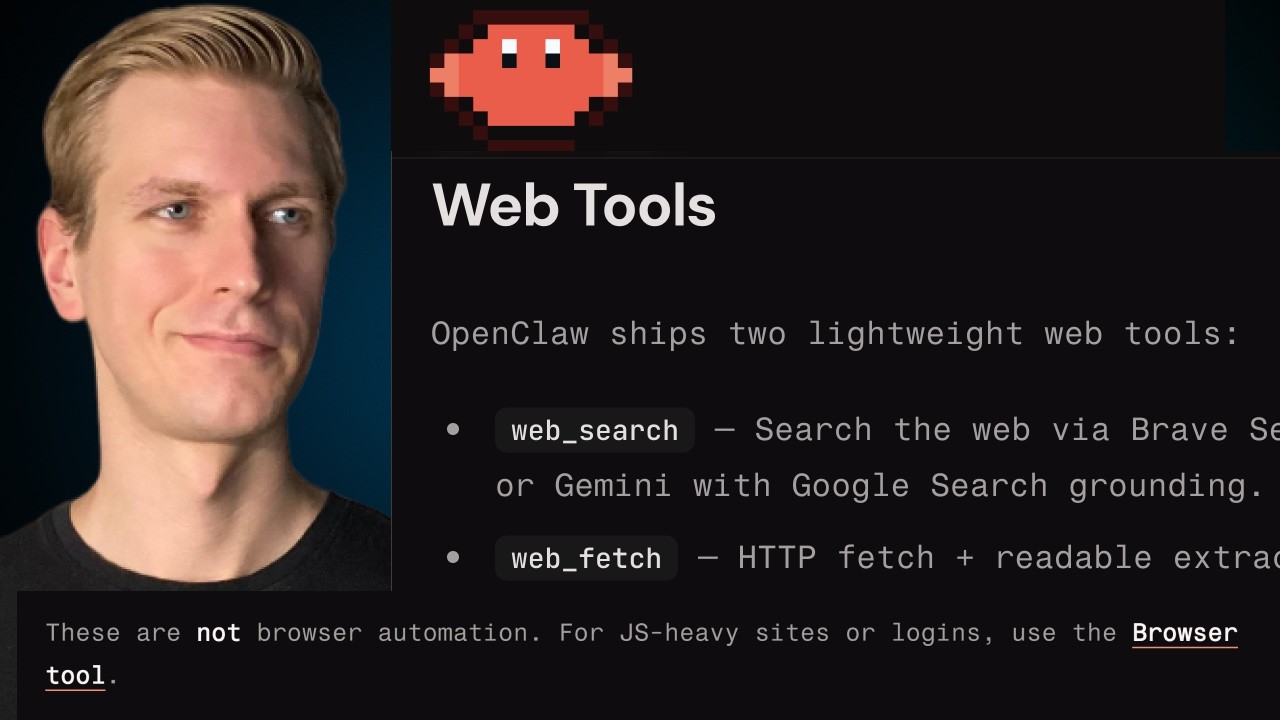
🔗 **Source:** [Your OpenClaw Needs Agent-Grade Web Access](https://www.youtube.com/watch?v=Vd6U0-J8y1w)
> [!note]+ Document Notes
> tags: [openclaw, ai-agents, web-scraping, mcp-servers, automation]
> author: bitegrat
> source: YouTube
> reference: https://www.youtube.com/watch?v=Vd6U0-J8y1w
> date created: 2024-12-19 09:30
>
> # 🏷️ Title: Your OpenClaw Needs Agent-Grade Web Access (mcporter, MCP)
>
<!-- deep-read:sections start -->
## 🧰 Action Inbox
- [H1] Set up Bright Data MCP server for robust web access — API configuration/security #web-scraping
- [H2] Configure mcporter to enable external MCP server integration — manual config file editing #mcp-servers
- [H3] Test web scraping tools with structured data output — validation of scrape functionality #automation
## 🧭 Table of Contents
- [📝 Summary](#-summary)
- [📖 Main Content](#-main-content)
- [🗒️ Notes](#️-notes)
- [📚 References](#-references)
- [🗣️ Paraphrase](#️-paraphrase)
- [📰 Newsletter](#-newsletter)
- [✅ Action Items](#-action-items)
- [🧪 Hypotheses](#-hypotheses)
- [📊 Methodology](#-methodology)
- [❓ Questions](#-questions)
- [🔮 Future Research](#-future-research)
- [💡 Implications](#-implications)
- [🧠 Learning Styles Assessment](#-learning-styles-assessment)
- [📊 Accessibility Assessment](#-accessibility-assessment)
- [🌍 DEIB Assessment](#-deib-assessment)
- [✅ Logical Validity](#-logical-validity)
- [🛡️ DARVO Analysis](#-darvo-analysis)
- [🎯 Conclusion](#-conclusion)
### 🔗 References
- [OpenClaw Dashboard](https://openclaw.com)
- [Bright Data MCP Server](https://brightdata.com/mcp)
- [Claw Hub Skills](https://clawhub.com)
## 📝 Summary
- OpenClaw agents need robust web access for useful automation tasks like data enrichment, monitoring, and research
- Built-in web tools (web fetch, web search, browser) have limitations with JavaScript rendering and anti-bot protection
- Bright Data MCP server provides agent-grade web access with 5,000 free monthly requests, unblocking capabilities, and structured data output
- Integration requires mcporter configuration and manual API key setup for security
- Bottom line: External MCP servers can significantly enhance OpenClaw agent capabilities beyond built-in tools
## 📖 Main Content
OpenClaw's architecture routes messages from interfaces like Telegram through gateways to AI models that can invoke tools in agent-like workflows. While basic web tools exist out-of-the-box, real-world automation tasks require more sophisticated web access.
The built-in web fetch tool performs simple HTTP GET requests without JavaScript execution, making it unsuitable for modern dynamic websites. The web search tool depends on third-party providers with unclear capabilities, and the browser tool requires complex Chrome instance setup on VPS environments.
For production use cases like competitor monitoring, data enrichment, research automation, and periodic briefings, agents need to overcome anti-bot protections and handle JavaScript-heavy sites reliably.
MCP (Model Context Protocol) servers extend agent capabilities by providing additional tools. The Bright Data MCP server specifically addresses web access limitations with features including:
- Unblocked web scraping and crawling
- JavaScript rendering and dynamic site navigation
- Batch processing for scale
- Structured JSON output formats
- Geographic-specific data collection
- Remote browser session control
Implementation involves installing the mcporter skill, configuring API credentials manually (not through chat to avoid key exposure), and testing the new web scraping capabilities.
## 🗒️ Notes
#### ⏱️ [00:00](https://youtu.be/Vd6U0-J8y1w?t=0) — [H1] OpenClaw foundation and web access needs
- Key idea: OpenClaw agents route through gateways to AI models that invoke tools in loops
- Evidence: "This gateway ultimately will pass along that message to the AI model... may decide to invoke a tool"
#### ⏱️ [02:15](https://youtu.be/Vd6U0-J8y1w?t=135) — [H2] Real-world automation use cases
- Key idea: Practical tasks require web access for data enrichment, monitoring, and research
- Evidence: "Data about company sizes and their products... it may live on some other website"
#### ⏱️ [04:30](https://youtu.be/Vd6U0-J8y1w?t=270) — [H2] Competitor monitoring and heartbeat tasks
- Key idea: Periodic automation tasks need to overcome website protections
- Evidence: "These competitors they don't want you to programmatically analyze their pages so they may block"
#### ⏱️ [06:45](https://youtu.be/Vd6U0-J8y1w?t=405) — [H3] Built-in web fetch tool limitations
- Key idea: Default web fetch only does basic HTTP requests without JavaScript support
- Evidence: "Does not execute JavaScript... if you're trying to get data from a website that's running JavaScript, this is not going to work well"
#### ⏱️ [08:20](https://youtu.be/Vd6U0-J8y1w?t=500) — [H3] Web search tool uncertainty
- Key idea: Third-party web search providers have unclear capabilities and outputs
- Evidence: "It's unclear to me what exactly you get and whether you get the full spectrum of functionalities"
#### ⏱️ [09:10](https://youtu.be/Vd6U0-J8y1w?t=550) — [H3] Browser tool complexity
- Key idea: Browser control requires Chrome instance management and doesn't solve blocking
- Evidence: "Unfortunately a bit hard to get this working robustly... may need to have Chrome running on that VPS"
#### ⏱️ [10:30](https://youtu.be/Vd6U0-J8y1w?t=630) — [H1] Bright Data MCP server solution
- Key idea: MCP servers provide additional tools with 5,000 free monthly requests
- Evidence: "This MCP server can provide tools... 5,000 MCP requests every month"
#### ⏱️ [12:15](https://youtu.be/Vd6U0-J8y1w?t=735) — [H2] Advanced web capabilities
- Key idea: Bright Data offers unblocked scraping, batch processing, and structured outputs
- Evidence: "Seamlessly searching the web... retrieve actual data without getting blocked"
#### ⏱️ [14:45](https://youtu.be/Vd6U0-J8y1w?t=885) — [H2] Structured data extraction
- Key idea: Tools provide JSON output formats for further processing
- Evidence: "You can get structured JSONs... like let's say for e-commerce pricing and title and description"
#### ⏱️ [16:30](https://youtu.be/Vd6U0-J8y1w?t=990) — [H1] MCP server integration process
- Key idea: Installation requires mcporter skill and API configuration
- Evidence: "We can use something called MC porter... allows you to connect to sort of connect an external MCP"
#### ⏱️ [18:20](https://youtu.be/Vd6U0-J8y1w?t=1100) — [H2] Security considerations for API keys
- Key idea: Manual configuration prevents API key exposure in chat transcripts
- Evidence: "You start to pass your API key... may be persisted in these session transcripts"
#### ⏱️ [21:45](https://youtu.be/Vd6U0-J8y1w?t=1305) — [H3] Configuration and testing
- Key idea: Manual file editing and gateway restart required for MCP server activation
- Evidence: "Manually edit that MC porter config file... you need to restart the gateway"
#### ⏱️ [24:30](https://youtu.be/Vd6U0-J8y1w?t=1470) — [H2] Successful web scraping demonstration
- Key idea: Bright Data MCP enables fast, reliable web content extraction
- Evidence: "It pulled content from Bitegrat using the bright data MCP... pretty fast answer here"
## 📚 References
- [Bright Data MCP Documentation](https://brightdata.com/mcp)
- [OpenClaw Skills Library](https://clawhub.com)
- [MCP Server Specification](https://github.com/modelcontextprotocol/specification)
## 🗣️ Paraphrase
- OpenClaw agents need web access beyond basic HTTP requests to handle real automation tasks like monitoring competitors and enriching data
- Built-in tools have significant limitations including lack of JavaScript support, unclear third-party dependencies, and complex browser setup requirements
- MCP servers extend agent capabilities, with Bright Data specifically solving web access through unblocked scraping, structured outputs, and scale-ready batch processing
## 📰 Newsletter
🤖 **Level Up Your AI Agents with Enterprise Web Access**
If you've been running OpenClaw agents, you've probably hit the wall where basic web tools just can't handle modern websites or get blocked by anti-bot protections. Great news - MCP (Model Context Protocol) servers can supercharge your agents with enterprise-grade capabilities!
**Key Benefits:**
- **Unblocked Access**: Overcome JavaScript rendering and anti-bot measures
- **Structured Data**: Get clean JSON outputs ready for further processing
- **Scale-Ready**: Batch processing for production workloads
- **Free Tier**: 5,000 monthly requests to get started
**Security Tip**: Always configure API keys manually in config files, never through chat interfaces to prevent credential exposure.
This opens up robust automation for competitor monitoring, data enrichment, research briefings, and more. Perfect for agencies managing multiple client workflows or businesses automating market intelligence.
Resources: [OpenClaw Documentation](https://openclaw.com), [MCP Server Registry](https://github.com/modelcontextprotocol), [Web Scraping Best Practices](https://brightdata.com/blog)
## ✅ Action Items
#### DevRel
- Developer advocacy: Create MCP server integration tutorials, demo advanced web automation workflows at conferences
- Education: Workshop series on agent architecture, office hours for troubleshooting MCP configurations
- Developer experience: Improve MCP server documentation, create SDK examples for common patterns
- Developer marketing: Case studies showcasing agent automation ROI, content strategy around AI agent capabilities
- Community management: Moderate discussions on agent security practices, gather feedback on MCP limitations
#### OSPO
- Policy & Governance: Review MCP server integration policies, establish guidelines for third-party tool usage
- License Compliance: Scan MCP server dependencies, review terms for commercial web scraping services
- Security Management: Vulnerability assessment of API key management, establish rotation policies
- Software Inventory: Document MCP server dependencies, maintain ownership records for agent configurations
- Developer Support: Training on secure API key handling, tooling for credential management
- Community Engagement: Evaluate upstream MCP protocol contributions, funding for open source alternatives
#### Community
- Maintainers: Support MCP server development roadmaps, governance templates for tool integration
- Contributors: Onboarding guides for MCP development, first-issue programs for server implementations
- Sponsors: Transparent budgets for commercial tool subscriptions, impact reports on automation ROI
- Ecosystem: Coordinate agent tool standards, cross-project MCP compatibility
#### WordPress
- Core AI: Evaluate MCP integration for WordPress AI features, establish guardrails for web scraping
- Community: Create meetup content on AI automation, support WordCamp sessions on agent workflows
- Training: Lesson plans for agent development, learning paths covering MCP server integration
- Documentation: DevHub coverage of AI agent patterns, style guides for automation documentation
#### The WPCC
- Programs: Fellowship opportunities in AI agent development, microgrants for open source MCP servers
- Projects: Governance clinics for agent security, documentation sprints covering automation best practices
- Funding: Matched grants for community MCP development, milestone payouts for integration tools
#### FAIR
- Technical independence: Evaluate vendor lock-in risks with commercial MCP servers, support open alternatives
- Policies: Establish transparency requirements for AI agent tool usage, anti-capture measures for automation
- Governance artifacts: Charter guidelines for agent system governance, operator agreements for shared tools
## 🧪 Hypotheses
- MCP server integration complexity will decrease agent adoption rates among non-technical users
- Commercial web scraping services will become essential infrastructure for production AI agents
- Manual API key configuration reduces security incidents compared to chat-based credential handling
- Structured data output from MCP servers improves downstream task success rates significantly
### 📊 Methodology
- A/B test MCP setup complexity with guided vs. manual configuration workflows
- Survey analysis of agent deployment patterns and common integration pain points
- Security audit comparing credential exposure between configuration methods
- Performance benchmarking of structured vs. unstructured web scraping outputs
### ❓ Questions
- How can MCP server discovery and installation become more user-friendly for non-developers?
- What governance models work best for managing commercial tool dependencies in open source agent frameworks?
- How do we balance agent automation capabilities with ethical web scraping practices?
### 🔮 Future Research
- Development of open source alternatives to commercial MCP servers for web access
- Standardization of MCP server security and authentication patterns
- Integration patterns for multi-tenant agent deployments with shared MCP resources
### 💡 Implications
- Practice: Teams need credential management workflows and security policies for agent deployments
- Policy: Organizations require governance frameworks for AI agent tool usage and data collection
- Security: API key rotation and monitoring become critical for production agent systems
- Education: Training programs must cover both technical integration and ethical automation practices
- Funding: Budget allocation needed for commercial tool subscriptions in agent infrastructure
### 🧠 Learning Styles Assessment
Reading level estimate: 10th grade
#### 👀 Visual learners
- Present: Architecture diagrams, tool flow illustrations, dashboard screenshots
- Improve: Add network topology diagrams, API flow charts, security model visuals
#### 🔊 Aural learners
- Present: Video walkthrough with clear narration and step-by-step guidance
- Improve: Audio summary of key configuration steps, spoken troubleshooting guide
#### 🗣️ Verbal learners
- Present: Clear definitions of MCP, agents, and web scraping concepts
- Improve: Analogies comparing agent tools to developer APIs, glossary of terms
#### 🧩 Kinesthetic learners
- Present: Step-by-step configuration guide, hands-on testing procedures
- Improve: Interactive configuration checklist, practice exercises with sample tasks
#### 🧠 Logical learners
- Present: Architecture flow, decision trees for tool selection, error handling
- Improve: Troubleshooting flowcharts, performance comparison tables, cost analysis
#### 🧑🤝🧑 Social learners
- Present: Community discussion prompts, shared use cases and experiences
- Improve: Peer review processes for configurations, collaborative troubleshooting forums
#### 🧘♀️ Solitary learners
- Present: Self-paced setup guide, independent testing scenarios
- Improve: Personal reflection questions on automation ethics, individual project templates
#### 🌿 Naturalistic learners
- Present: Web ecosystem analogies, data pipeline metaphors
- Improve: Environmental impact considerations for automation, sustainable scraping practices
### 📊 Accessibility Assessment
#### Screen reader semantics
- Present: Clear heading hierarchy, descriptive link text
- Improve: Alt text for architecture diagrams, ARIA labels for code blocks
#### Keyboard navigation
- Present: Sequential tab order through content
- Improve: Skip links for configuration sections, focus indicators on interactive elements
#### Contrast and readability
- Present: High contrast text, readable font sizing
- Improve: Ensure code examples meet contrast requirements, check diagram legibility
#### Text resizing and reflow
- Present: Responsive layout supporting zoom to 200%
- Improve: Test configuration instructions at various zoom levels
#### Media and captions
- Present: Video content with clear audio narration
- Improve: Captions for technical terminology, transcript of configuration steps
#### Forms and interactions
- Present: Clear labeling of configuration parameters
- Improve: Inline validation for API key formats, accessible error messaging
### 🌍 DEIB Assessment
#### Cultural breadth
- Present: Universal technical concepts, globally applicable automation patterns
- Improve: Examples from various geographic markets, multi-region scraping considerations
#### Inclusive language
- Present: Technical terminology with clear definitions
- Improve: Plain-language summaries, avoid automation industry jargon
#### Neurodiversity support
- Present: Step-by-step structure, clear section breaks
- Improve: Consistent formatting patterns, visual cues for important warnings
#### Representation
- Present: Focused on technical implementation
---
## Full Transcript
[00:00] So you have your open claw instance<br>[00:01] running and you're able to chat with<br>[00:04] your own AI assistant finally. But now<br>[00:06] of course we want to make it actually<br>[00:08] useful. So this is the next stage in<br>[00:10] your open claw journey. So let's talk<br>[00:12] about how we can actually set it up so<br>[00:14] that it can do useful things. So in<br>[00:17] previous videos we talked about how to<br>[00:19] set up openclaw and how it is<br>[00:20] structured. So we created this diagram<br>[00:22] here. So basically you can send a<br>[00:24] message from let's say telegram and it<br>[00:27] goes to a so-called gateway. this is<br>[00:29] what you're hosting somewhere, right?<br>[00:30] So, I'm hosting this on a VPS. This<br>[00:32] gateway ultimately will pass along that<br>[00:34] message to the AI model that you<br>[00:36] connected. That AI model may respond<br>[00:38] saying, hey, I want to use a tool,<br>[00:40] right? So, there is an agent basically<br>[00:42] running here, right? So, it may decide<br>[00:44] to invoke the read tool because maybe it<br>[00:47] wants to read something from that<br>[00:48] workspace folder, right? There's memory<br>[00:50] in there and it's stored in in files.<br>[00:52] It's all just a bunch of files. And an<br>[00:54] AI model can use the read tool to see<br>[00:57] what's in memory. So then the agent will<br>[00:58] run that tool. It will get some results,<br>[01:01] send it back to the AI model again which<br>[01:03] may decide to invoke another tool,<br>[01:05] right? So you have like a tool calling<br>[01:06] loop and at some point that is finished<br>[01:08] and there is a final result that's may<br>[01:10] get sent back to you. Right? So if I say<br>[01:12] hi, what is 2 plus2? Now I have a<br>[01:14] response here and and so that was<br>[01:16] approximately the flow here. In this<br>[01:19] case, it probably didn't invoke any<br>[01:20] tools. It didn't need to. But there are<br>[01:22] quite a few useful tasks that you may<br>[01:24] want to do for which it actually does<br>[01:26] need to invoke a tool like web fetch to<br>[01:29] fetch data on some website or search the<br>[01:31] web or even use a browser. Right? So<br>[01:34] maybe you're collecting data and you<br>[01:36] want to enrich some data on uh some<br>[01:39] leads that you may have. So I could give<br>[01:41] this uh task to my AI assistant. Right?<br>[01:43] So here from Telegram. Now to actually<br>[01:45] get the data for this it probably has to<br>[01:47] go out there on the internet. Right? So<br>[01:49] this data about company sizes and their<br>[01:52] products and other data, it may live on<br>[01:55] some other website or multiple different<br>[01:57] websites and maybe it needs to interact<br>[01:59] with that website before it actually can<br>[02:01] see the data. Even more problematic,<br>[02:03] maybe that website has some protections<br>[02:05] in place so it can detect if you're<br>[02:07] trying to do that programmatically or in<br>[02:09] some uh systematic manner and it may<br>[02:11] block you actually. And a lot of people<br>[02:13] are using it to get like a a brief on a<br>[02:16] periodic basis. So, I like to get one<br>[02:18] every morning on some tech topics, let's<br>[02:20] say. And if you make this a little bit<br>[02:21] more sophisticated, you may actually ask<br>[02:24] it to site a bunch of sources and you<br>[02:27] want to get it in a particular format,<br>[02:29] maybe for some further processing. Um,<br>[02:31] basically, you're starting to create a<br>[02:33] brief in a more systematic manner, you<br>[02:35] may run into the same issues as here,<br>[02:37] where the websites are not that easy to<br>[02:39] programmatically access with the<br>[02:41] built-in tools. Or maybe you actually<br>[02:42] have some kind of scraping type of task.<br>[02:45] Maybe you want to do that on a periodic<br>[02:47] basis, right? So we can do, right? So a<br>[02:48] lot of this is a chron job, right? Also,<br>[02:50] this brief is typically going to be a<br>[02:52] chron job. So it runs on a periodic<br>[02:54] basis. So maybe you want to crawl some<br>[02:56] data source and you want to extract<br>[02:58] certain types of data. So maybe you<br>[02:59] don't need all the data. You just need a<br>[03:01] subset of that and you want to do<br>[03:02] something with it after, right? Or maybe<br>[03:04] you have a so-called heartbeat that<br>[03:06] checks for your competitor's pricing or<br>[03:09] landing page changes. you know these<br>[03:11] competitors they don't want you to<br>[03:12] programmatically analyze their pages so<br>[03:15] they may actually block or they may have<br>[03:17] other ways to make it difficult for you<br>[03:18] but you often have some kind of<br>[03:19] monitoring use case as well and<br>[03:21] typically it's meant typically this is<br>[03:23] implemented as a so-called heartbeat so<br>[03:25] by default there is like a API call<br>[03:27] every uh 30 minutes to your model it it<br>[03:30] will send along this uh prompt<br>[03:32] essentially and then if there is<br>[03:34] actually a change it may decide to reach<br>[03:35] out to you otherwise it will remain<br>[03:37] quiet so monitoring is very common and<br>[03:39] now very often you're just looking for<br>[03:41] some data on an e-commerce website,<br>[03:42] let's say, and you just want to get a<br>[03:44] structured output. Uh same with<br>[03:46] researching, right? So maybe you<br>[03:47] actually want to research on a weekly<br>[03:49] basis about a particular topic and again<br>[03:51] you want to get some kind of structured<br>[03:52] report. You want to get the newest items<br>[03:54] in search results, right? So a bunch of<br>[03:56] tasks here that you may want to do and<br>[03:59] this is where the real value of openclaw<br>[04:01] is because it makes it very easy to set<br>[04:03] up these tasks. But in order for that to<br>[04:05] work, it needs access to the internet.<br>[04:07] So by default we actually get some web<br>[04:09] tools out of the box when you start with<br>[04:12] open claw. So the simplest of them is<br>[04:14] actually this web fetch tool. So when I<br>[04:17] say something like uh list the courses<br>[04:20] on some particular page it can make an<br>[04:23] actual fetch call to this URL. Right? So<br>[04:26] if you're familiar programming it can<br>[04:28] basically just do a fetch and it will<br>[04:30] just pass along that URL and it will get<br>[04:32] some result and we should then get a<br>[04:35] response here. And we can also see that<br>[04:36] here by the way. So here inside the open<br>[04:38] claw dashboard there's also an option<br>[04:40] for chat here. So this is a chat just<br>[04:42] like what we saw here but it actually<br>[04:44] gives you some more information<br>[04:45] including the tool calls that it makes.<br>[04:47] So here you can see I set list of<br>[04:49] courses on this and now you can see it<br>[04:50] made this web fetch tool call and if we<br>[04:54] scroll down and it has some output and<br>[04:56] then it actually tries to use another<br>[04:57] tool the browser tool. We'll talk about<br>[04:59] it in a second but it's not possible<br>[05:01] because we haven't set it up. So it has<br>[05:02] an error. it actually tries web fetch<br>[05:05] again. Okay, so it gets another result<br>[05:06] here and ultimately from that result it<br>[05:09] can produce a nice clean answer for us.<br>[05:12] Right? So courses it has it's listing<br>[05:14] all the courses and so this is like the<br>[05:16] easiest tool that you get out of the<br>[05:17] box. The nice thing is that you don't<br>[05:19] have to really configure anything. It's<br>[05:20] just it just works right. So if we go to<br>[05:22] agents here and here this is the one<br>[05:24] agent I have here under tools we can see<br>[05:27] all the tools that it has access to. So<br>[05:29] for files, it can read files, it can<br>[05:31] create, it can write files, can edit<br>[05:33] files, right? And they're all enabled<br>[05:35] here. And here we actually have one for<br>[05:37] web, right? So web search is one of the<br>[05:39] core tools and it is enabled by default.<br>[05:41] Now this web fetch actually just does a<br>[05:43] plain HTTP get request and just extracts<br>[05:46] some readable content. It does not<br>[05:48] execute JavaScript. So if you if you're<br>[05:51] trying to get data from a website that's<br>[05:52] running JavaScript, which is a lot of<br>[05:54] them, uh this is this is not going to<br>[05:56] work well. Also, if you're trying to do<br>[05:58] it in some systematic manner like for<br>[06:00] some of these tasks that we did here,<br>[06:02] well, to get it properly set up would be<br>[06:03] quite hard because it always needs some<br>[06:05] URL. So, if you if you need to do it in<br>[06:07] some kind of loop or it needs to be a<br>[06:09] broader set of URLs, it's not really a<br>[06:11] robust setup, but also you may get<br>[06:13] blocked in that case, right? So this<br>[06:15] does not have some sophisticated<br>[06:17] unblocking capability and you're<br>[06:19] basically just getting some HTML back<br>[06:21] and it may do some processing on that<br>[06:23] but this is not sophisticated structured<br>[06:25] output that you're getting back but to<br>[06:27] be fair it is a simple tool that does<br>[06:30] what you expect it to do. This is fine<br>[06:32] for basic use cases or for the<br>[06:33] occasional internet access. There's also<br>[06:36] this web search tool and you can<br>[06:38] configure some third party provider for<br>[06:40] this and it's actually a little bit<br>[06:41] unclear with what exactly you get with<br>[06:44] this. From my understanding, it's<br>[06:46] depending on the provider that you<br>[06:48] configured, you either get a list of<br>[06:50] search results or you get some kind of<br>[06:52] AI uh synthesized message back that may<br>[06:56] contain some uh citations. So, I guess<br>[06:59] it depends a bit on which which provider<br>[07:01] you configure, but it's unclear to me at<br>[07:04] least what exactly you get and whether<br>[07:06] you get the full uh spectrum of<br>[07:09] functionalities that you need to run<br>[07:11] tasks like this smoothly. So for<br>[07:14] example, can it actually render<br>[07:16] JavaScript heavy websites? Can it<br>[07:18] unblock access to certain data on the<br>[07:21] internet? Can it actually fetch a full<br>[07:23] page by itself? Or do we need another<br>[07:25] web fetch for that? But to me, it seems<br>[07:27] like there's still a bunch of<br>[07:28] limitations for doing these tasks here.<br>[07:32] There's actually also a browser tool. So<br>[07:34] you can actually give OpenClaw the power<br>[07:36] to control a browser, even a tab on your<br>[07:40] own uh computer. Now, from what I've<br>[07:42] seen around is that it is unfortunately<br>[07:45] a bit hard to get this working robustly<br>[07:48] because you you're dealing with a Chrome<br>[07:49] instance and so on a on a VPS for<br>[07:51] example, you may need to have Chrome<br>[07:54] running on that VPS. So, I think it's<br>[07:56] going to be a bit tricky to get this<br>[07:57] running uh robustly. Also, just because<br>[08:00] you have a browser running does not mean<br>[08:01] that you can get around blocks that<br>[08:03] certain websites may have. But in all<br>[08:05] fairness to these tools here, I think<br>[08:06] they have certain use cases and for some<br>[08:09] specific tasks, that may be all you<br>[08:11] need. But what if you really want to<br>[08:13] take it to the next level and really<br>[08:15] give your open claw instance agent great<br>[08:18] access to the internet? Well, I found an<br>[08:21] option. It's called the Bright Data MCP<br>[08:23] server. Yes, Bright Data is of course<br>[08:25] today's sponsor, but I actually had a<br>[08:26] great time using this also before. And<br>[08:29] this MCP server can provide tools that<br>[08:33] we can use very similarly to the<br>[08:35] built-in tools. And an MCP server<br>[08:37] basically provides tools. So if we use<br>[08:40] this MCP server, we will get our agent<br>[08:43] will get access to tools that it can use<br>[08:45] very similarly to how it can use the<br>[08:47] built-in tools. And so by using this MCP<br>[08:49] server, which has a free tier by the<br>[08:51] way, and as of recording, this is the<br>[08:53] free tier that they offer. So it's so<br>[08:55] it's 5,000 MCP requests every month. And<br>[08:57] so with just one MCP server, we<br>[08:59] basically solve this problem of giving<br>[09:01] our AI agent proper access to the web.<br>[09:04] Right? So this is an all-in-one tool for<br>[09:05] seamlessly searching the web. So we can<br>[09:07] search, we can navigate websites, we can<br>[09:09] take actions and retrieve actual data<br>[09:12] without getting blocked. One of the<br>[09:14] biggest problems when you try to for<br>[09:16] example collect data at scale or do<br>[09:19] other automation type of tasks on other<br>[09:21] websites is you're going to get blocked,<br>[09:23] right? So we can search retrieve<br>[09:25] real-time results from these search<br>[09:27] engines. Another one great one is<br>[09:28] actually particular geographies but it<br>[09:30] needs to come from a specific area.<br>[09:32] Okay. And then if you want to crawl we<br>[09:34] can crawl and extract complete websites<br>[09:37] not just single pages output data in LLM<br>[09:40] ready formats. And we can scale that up.<br>[09:42] So it's not just like a basic uh<br>[09:44] scraping uh script that we're putting<br>[09:46] together here. You can actually scale<br>[09:47] that up to more large and complex<br>[09:49] workloads. Right? So it has that access<br>[09:51] and it can navigate on dynamic and<br>[09:54] interactive sites and even power remote<br>[09:56] browser sessions. And so one of the<br>[09:58] tools here is scrape batch. So you can<br>[10:00] scrape not just one by one, you can<br>[10:02] actually turn it more into a real data<br>[10:04] pipeline, more robust data pipeline and<br>[10:06] scale it up by batching together a bunch<br>[10:09] of web pages into one request. And when<br>[10:12] we extract data, we often want to get it<br>[10:14] in a particular format. So we want it<br>[10:16] structured. So you can get structured<br>[10:18] JSONs. So you have like a neat set of<br>[10:20] data with like let's say for e-commerce<br>[10:22] pricing and title and description which<br>[10:25] you can then use in further processing<br>[10:27] maybe you want to store it somewhere and<br>[10:28] then later do something else with that<br>[10:31] and you get a bunch of browser related<br>[10:33] tools here as well. So it can capture a<br>[10:35] snapshot and then later for example if<br>[10:37] you want to click on something it can<br>[10:39] use a reference based on that right. So<br>[10:41] my openclaw agent gets to control a<br>[10:44] remote browser. So pretty compelling MCP<br>[10:46] server I think. If you already want to<br>[10:48] if you're already enthusiastic you want<br>[10:49] to try it out check out the link in<br>[10:51] description and make sure to use my<br>[10:53] promo code which is biteg grat all<br>[10:55] lowercase. Right. So with this one<br>[10:57] solution we can take that web access to<br>[11:00] the next level so we can do a bunch of<br>[11:02] these tasks in a very robust manner. So<br>[11:04] let's actually take a look and see how<br>[11:06] we can enable an MCP server so that we<br>[11:09] get access to even more tools besides<br>[11:11] just the built-in ones. So let's talk<br>[11:13] about how we can add this MCP server to<br>[11:15] our open claw setup. And maybe you have<br>[11:17] some other MCP servers that you also<br>[11:19] want to connect. So uh it's good to know<br>[11:21] how that would work anyway. Uh but in my<br>[11:24] experience, there's not that many MCP<br>[11:26] servers that are really worth it. But I<br>[11:28] would say for this one with bright data,<br>[11:30] you know, web access, it's such a core<br>[11:32] thing that your agent will need. So it<br>[11:34] makes more sense here. Now, of course,<br>[11:37] all of this is new, so you want to be a<br>[11:38] little bit careful with what you do. Now<br>[11:40] by default actually to make this work we<br>[11:42] can use something called MC porter. This<br>[11:44] is part of this is actually part of<br>[11:45] openclaw creator account as well and<br>[11:48] this allows you to connect to sort of<br>[11:51] connect an external MCP for our agent to<br>[11:54] know how to work with that there is a<br>[11:55] skill available as well which actually<br>[11:57] comes uh here. So if we go to so<br>[11:59] actually here in the open cloud<br>[12:00] dashboard if we go to skills there are<br>[12:02] 51 built-in skills. So for a bunch of<br>[12:04] these services there there are some uh<br>[12:07] skills that you can enable. And if we<br>[12:09] scroll down to M here, we see MC porter,<br>[12:12] but by default this is not installed. So<br>[12:15] I can do install. It's also on claw hub<br>[12:18] by the way. So you can find it here as<br>[12:19] well. All right. So now it's installed.<br>[12:21] Now we need to go to bright data here.<br>[12:24] So they have a free tier as of<br>[12:26] recording. Uh very generous here. So so<br>[12:29] if you're interested in that, check out<br>[12:30] the link in the description. Use my<br>[12:32] promo code bite grat all lowercase. And<br>[12:35] here if you in the dashboard, you can go<br>[12:36] to MCP, right? All right. So, they<br>[12:38] actually have a lot of tools and you can<br>[12:40] decide which ones you want to enable.<br>[12:42] So, if you want to do something with<br>[12:43] search, uh you can enable that or if you<br>[12:45] want to do something with e-commerce or<br>[12:47] maybe you want to do some browser<br>[12:48] automation. Now, some of them may not be<br>[12:50] included in the free tier. So, if you<br>[12:51] want uh you can always upgrade. If you<br>[12:53] just want to try it out, I would just<br>[12:55] recommend sticking to the free tier. So,<br>[12:56] let me just use that here in the video.<br>[12:58] But ultimately, you have picked the<br>[13:00] tools that you want. And now we get uh<br>[13:02] basically a string here with a token. So<br>[13:06] make sure you don't show it to other<br>[13:07] people. And this will allow us to send<br>[13:10] requests to bright data. So if you make<br>[13:12] it if you make it visible, I get a<br>[13:14] placeholder API token. So if we use this<br>[13:17] string, you still need an API token. If<br>[13:19] we go to account settings here under API<br>[13:22] keys, we can create an API key and you<br>[13:24] can try using that in that string. So I<br>[13:26] will do that and I will complete the<br>[13:28] string myself. So now I could go back to<br>[13:30] my AI assistant and actually as of and<br>[13:33] actually during recording uh I have a<br>[13:35] morning brief uh set up and it wasn't<br>[13:37] able to generate it because I haven't<br>[13:39] connected a way for the agent to access<br>[13:42] the internet. That's what we're doing<br>[13:44] right now. So now I have that string.<br>[13:46] Now technically what you could do is not<br>[13:49] is ask the AI assistant, hey here is a<br>[13:52] here's the string. Can you set up<br>[13:54] MCorter with this uh bright data string?<br>[13:57] Uh configure it that way. The downside<br>[13:58] is you start to pass your sort of API<br>[14:02] key that's how you can think of it to an<br>[14:04] AI model and also it may be persisted in<br>[14:07] these session transcripts. I think<br>[14:09] there's a safer way and that's that is<br>[14:10] to do it yourself manually. So this is<br>[14:12] the easiest way but not the safest. The<br>[14:14] safer way in my view is to do it<br>[14:16] manually. So there will be an MC porter<br>[14:18] config file and you want to be we can<br>[14:20] just uh go in there and just manually<br>[14:22] edit the file and add the bright data<br>[14:24] URL. Also be a little bit careful with<br>[14:26] adding it to the workspace folder<br>[14:28] because this is typically recommended to<br>[14:30] back up. So if you're going to add API<br>[14:32] keys here and you back up that folder<br>[14:34] and then you push it to GitHub or some<br>[14:36] other place, you also start to pass<br>[14:38] around your API keys to different<br>[14:39] places. So typically you want to keep<br>[14:41] your API keys in the the root uh<br>[14:44] openclaw folder and not back this up<br>[14:48] typically, right? So this also goes for<br>[14:50] other types of API keys, right? So for<br>[14:51] example, I connected uh open AI, right?<br>[14:54] So I connected uh this AI model that's<br>[14:56] you need an API key for that. I that's<br>[14:58] not put in workspace that's put in this<br>[15:00] folder. All right. So next thing is to<br>[15:02] manually edit uh that MC porter config<br>[15:06] file to add that string. All right. So I<br>[15:07] logged into my VPS and I have an admin<br>[15:10] user there. And we talked about this in<br>[15:12] other videos and there's different ways<br>[15:14] of setting up your VPS, but ultimately<br>[15:16] I'm in my users directory here and I can<br>[15:20] check if MCorter is installed. You can<br>[15:22] see it is here indeed. All right. So<br>[15:25] with this command, we can add the URL to<br>[15:28] that MCorter config. So I got it to work<br>[15:31] like this. And then if you do mcporter<br>[15:33] list and specifically for bright data as<br>[15:35] well, it's going to try to discover it.<br>[15:37] And now you can see it has listed one<br>[15:39] server here, one healthy. This is the<br>[15:41] bright data server and it has found six<br>[15:43] tools. So after configuring it, I do<br>[15:46] find that you need to restart the<br>[15:47] gateway. So you can do something like<br>[15:49] gateway stop and then you can simply run<br>[15:52] the gateway again. So now if we say<br>[15:54] something like um let's say we want to<br>[15:56] use that scrape as HTML tool, use the<br>[15:59] scrape as HTML tool from bright data mcp<br>[16:02] get uh the raw HTML from bitegrad.com.<br>[16:07] let's say and let's see if it can do<br>[16:10] that. So behind the scenes if you want<br>[16:12] to see the tool calling that it does.<br>[16:14] All right. So now we can try saying<br>[16:15] something like use the bright data MCP<br>[16:18] with mcporter to grab data from some<br>[16:20] website. I'm saying biteg.com on my own<br>[16:22] website. Now I'm being a little bit<br>[16:24] specific here with what how it needs to<br>[16:25] do it. I do find that you uh have to<br>[16:28] specify basically uh that you want to<br>[16:30] use it otherwise it may not always use<br>[16:33] the tool that you want. As of recording,<br>[16:35] we still need to coax it a little bit<br>[16:36] into actually using it, but that's fine.<br>[16:38] Um, so let's see if it can uh do<br>[16:40] something with that. All right, there we<br>[16:42] go. It pulled content from Bitegrat<br>[16:44] using the bright data MCP via MCorter.<br>[16:47] It's scraped and it put it in markdown<br>[16:48] or text. It asks us what specifically we<br>[16:51] want to grab fromgrat.com. But the point<br>[16:53] here is that now my agent has access to<br>[16:56] the internet through bright data MCP. We<br>[17:00] can try using many of the other tools<br>[17:02] that you see here. So we can try some<br>[17:04] other tool as well. So we can try scrape<br>[17:06] as markdown. Use the scrape as markdown<br>[17:09] tool for the courses page. All right. So<br>[17:11] pretty fast answer here. And if we take<br>[17:13] a look under the hood by the way here in<br>[17:16] the uh dashboard you can see the tool<br>[17:18] calls as well. So here we can see uh the<br>[17:22] chat as well. But you can also see the<br>[17:24] results of the tool calls. So here you<br>[17:26] can see it executed a command with<br>[17:28] MCorter and it called that bright<br>[17:30] data.crape scrape as markdown tool for a<br>[17:32] particular URL, right? So, here we see<br>[17:34] the tool output for that and ultimately<br>[17:36] it sends us a response. So, how cool is<br>[17:39] that? So, not only do you have access to<br>[17:42] the built-in tools, it is technically<br>[17:44] also possible to add other tools. So,<br>[17:46] now we can make our workflows much more<br>[17:48] sophisticated and give our agent proper<br>[17:51] access to the internet. So, I would say<br>[17:53] check out bright data. You can find a<br>[17:55] link in description. Use promo code<br>[17:56] bitegret all lowercase. Hope this helps<br>[17:58] you out. Let me know what you think. In<br>[18:00] any case, thank you for watching and I<br>[18:02] hope to see you in the next one.
<!-- deep-read:sections end -->
[[3. Resources/Readwise/Full Document Contents/Articles/Your OpenClaw Needs Agent-Grade Web Access|Full Document Contents]]
## Highlights
- is because it makes it very easy to set up these tasks. But in order for that to work, it needs access to the internet. So by default we actually get some web tools out of the box when you start with open claw. So the simplest of them is actually this web fetch tool. So when I say something like uh list the courses on some particular page it can make an actual fetch call to this URL. Right? So if you're familiar programming it can basically just do a fetch and it will ([View Highlight](https://read.readwise.io/read/01kjnebgpacw8vcd7gk8m4hsbf))
- Tags: 👻 ai highlighted
- our AI agent proper access to the web. Right? So this is an all-in-one tool for seamlessly searching the web. So we can search, we can navigate websites, we can take actions and retrieve actual data without getting blocked. One of the biggest problems when you try to for example collect data at scale or do other automation type of tasks on other websites is you're going to get blocked, right? So we can search retrieve real-time results from these search engines. Another one great one is actually particular geographies but it ([View Highlight](https://read.readwise.io/read/01kjnebgqv5skrw4zgzbd96ja6))
- Tags: 👻 ai highlighted
- you know, web access, it's such a core thing that your agent will need. So it makes more sense here. Now, of course, all of this is new, so you want to be a little bit careful with what you do. Now by default actually to make this work we can use something called MC porter. This is part of this is actually part of openclaw creator account as well and this allows you to connect to sort of connect an external MCP for our agent to know how to work with that there is a skill available as well which actually comes uh here. So if we go to so actually here in the open cloud ([View Highlight](https://read.readwise.io/read/01kjnebgs585ntfgb2hchsz4w5))
- Tags: 👻 ai highlighted
- can try using many of the other tools that you see here. So we can try some other tool as well. So we can try scrape as markdown. Use the scrape as markdown tool for the courses page. All right. So pretty fast answer here. And if we take a look under the hood by the way here in the uh dashboard you can see the tool calls as well. So here we can see uh the chat as well. But you can also see the results of the tool calls. So here you can see it executed a command with MCorter and it called that bright ([View Highlight](https://read.readwise.io/read/01kjnebgvhwv4kaake3e9j0tks))
- Tags: 👻 ai highlighted