A "Game"-Changing Approach to Accessibility Education
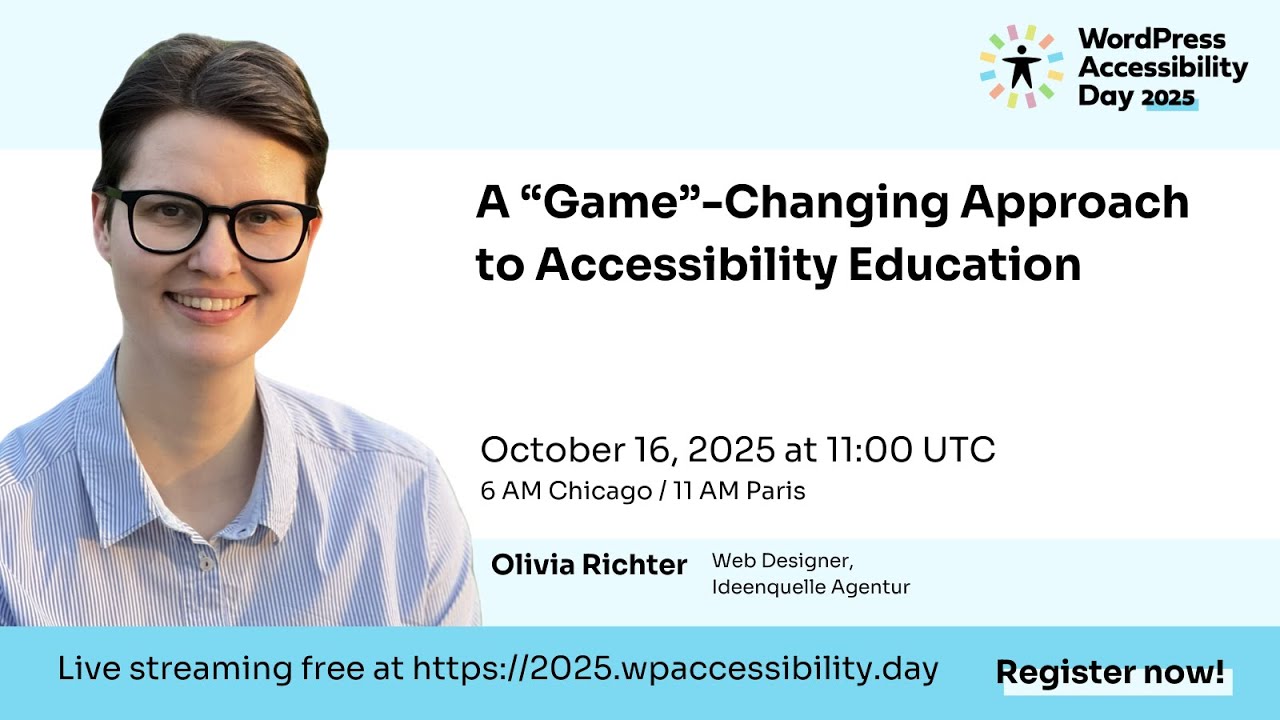
🔗 **Source:** [A "Game"-Changing Approach to Accessibility Education](https://www.youtube.com/watch?v=0TPngvm1fhw)
> [!note]+ Document Notes
> ---
> tags: [accessibility-education, disability-simulation, empathy-gap, inclusive-hiring, wordpress-accessibility, gamification]
> author: Olivia Richter
> source: WordPress Accessibility Day 2025
> reference: https://www.youtube.com/watch?v=0TPngvm1fhw
> date created: 2026-09-08
> ---
> > [!info] Generated analysis — not the author's words. Sections below are machine-written
> > from the captured source. Only text inside `> [!quote]` blocks is verbatim from the author.
> > Do not quote or attribute any other line to the named author.
> # 🏷️ Title: A "Game"-Changing Approach to Accessibility Education
> ## 🧭 Table of Contents
> - [📝 Summary](#-summary)
> - [📖 Main Content](#-main-content)
> - [🗒️ Notes](#️-notes)
> - [📚 References](#-references)
> - [🗣️ Paraphrase](#️-paraphrase)
> - [📰 Newsletter](#-newsletter)
> - [✅ Action Items](#-action-items)
> - [🧪 Hypotheses](#-hypotheses)
> - [📊 Methodology](#-methodology)
> - [❓ Questions](#-questions)
> - [🔮 Future Research](#-future-research)
> - [💡 Implications](#-implications)
> - [🧠 Learning Styles Assessment](#-learning-styles-assessment)
> - [📊 Accessibility Assessment](#-accessibility-assessment)
> - [🌍 DEIB Assessment](#-deib-assessment)
> - [✅ Logical Validity](#-logical-validity)
> - [🛡️ DARVO Analysis](#-darvo-analysis)
> - [🎯 Conclusion](#-conclusion)
> ### 🔗 References
> - [Barrieria — the escape game](https://game.ideenquelle-webdesign.de)
> - [WordPress Accessibility Day 2025 feedback](https://2025.wpaccessibility.day/feedback)
> - Social: #wpa11yday, #wpad2025
> ## 📝 Summary
> - Olivia Richter, a WordPress web designer who runs her own studio (founded 2023), argues that classic disability simulations (blindfolds, wheelchairs, earplugs, dyslexia-scramble text) are a weak fix for what she calls the "empathy gap" — the gap between people saying they care about inclusion and actually acting on it.
> - She lays out the case against simulations point by point: disabilities aren't one-size-fits-all (she shows two different diabetic retinopathy simulations with different dark-spot patterns), a temporary simulation isn't lived experience, simulations can reduce disabilities to stereotypes ("all blind people use Braille" / "use a screen reader"), some disabilities (chronic pain, autistic sensory overload) can't be simulated at all, and the practice draws real ethical criticism as "disability cosplay" tied to the medical model of disability.
> - Her proposed middle path is simulating barriers instead of disabilities: build an experience that is broken for non-disabled default behavior (mouse-only, wide viewport) rather than one that pretends the user has an impairment. She built this as a WordPress site using the Bricks builder — an eight-challenge escape game called Barrieria at game.ideenquelle-webdesign.de, playable with a screen reader and keyboard, guided by a legally blind NPC named Freddy who acts as helper, not victim.
> - Stakeholders: WordPress designers/developers and PMs who build training, DevRel/education teams designing onboarding for accessibility beginners, and disabled jobseekers caught in what she names the "accessibility paradox" — companies won't hire disabled staff until the site is fixed, but need disabled staff to fix it.
> - Risk/tradeoff she names directly: barrier simulation is not a replacement for talking to disabled people, and she is explicit that no game closes the empathy gap — only listening to and hiring disabled people does.
> - Bottom line: games and simulations are, at best, an "appetizer" that lowers the barrier to a first conversation about accessibility — never a substitute for paying disabled people for their expertise and involving them at every stage of the process.
> ## 📖 Main Content
> Richter frames the accessibility problem as a knowledge-and-motivation gap, not a malice gap: "when you can glide through a website with a mouse, why would you question a broken tab order?" (00:04:08, t=248s). She names this the **empathy gap** — people don't act on stated values about inclusion until disability affects them directly (00:04:28, t=268s).
> The talk's first half stress-tests the standard industry fix — simulating a disability (blindfolds, wheelchairs, earplugs, screen-scramble text for dyslexia) — against her own experience at the Muzieum in Nijmegen, Netherlands, a museum tour conducted in total darkness led by a blind guide. She grants simulations can work "like a spotlight, not a floodlight" for narrow, specific issues (color contrast is her example: a green-on-yellow-forest image that's unreadable once run through a color-blindness filter), but lists five structural limits: disabilities vary person to person (two diabetic retinopathy simulations look nothing alike); a temporary simulation misses the cumulative exhaustion of lived disability (broken elevators, wheelchair damage on flights, healthcare bureaucracy); simulations can distort perception into pity or stereotype ("all blind people use Braille"); some disabilities (chronic pain, sensory overload, missing limbs) resist simulation entirely; and the whole practice invites the ethical charge of "disability cosplay" — she links it explicitly to the medical model of disability, where the person, not the environment, is treated as the thing needing correction.
> Her stated fix for the empathy gap isn't a better simulation — it's listening to and hiring disabled people directly, at every step of product development, not just in QA. She names the obstacles bluntly: the "perfect candidate trap" (companies wanting a senior developer who is also an accessibility expert with lived experience), the "awareness gap" (companies not realizing their product is inaccessible), and the "accessibility paradox" (career pages too inaccessible for the disabled candidates the company claims it wants to hire).
> The talk's second half pivots to her actual proposal: simulating **barriers**, not disabilities. Instead of asking a sighted user to wear vision-restricting glasses, she inverts the default — an app that works fine at narrow viewport widths but breaks on standard widescreen displays, so a mouse-using, sighted developer hits a barrier without adopting anyone else's persona. She argues this keeps the anger pointed at the design ("this layout is terrible") rather than at the disability ("being visually impaired must be hard"). She's candid that this approach has its own limit: it doesn't work for every disability type (she tries and fails to adapt it for colorblindness) and it's still, in a looser sense, simulating part of a lived experience — she doesn't claim it's controversy-free.
> She then walks the audience through Barrieria, the WordPress/Bricks-built escape game she built to operationalize this idea: eight challenges solved with a keyboard and a screen reader (NVDA or VoiceOver), guided by Freddy, a legally blind resident who acts purely as a helper — a deliberate inversion of media's usual "disabled person needing help" framing. Demoed challenges include finding a keyboard-only path to a mouse-only button, discovering a hidden URL fragment via alt text a screen reader reads aloud, and identifying the true H1 heading among visually larger, non-semantic headings.
> ## 🗒️ Notes
> #### ⏱️ [00:01:36](https://www.youtube.com/watch?v=0TPngvm1fhw&t=96s) Introduction by Jeremy Rivera
> - Jeremy Rivera, developer advocate at Deque Systems, opens WordPress Accessibility Day 2025 and introduces Olivia Richter as a web designer who founded her own company in 2023.
> #### ⏱️ [00:02:46](https://www.youtube.com/watch?v=0TPngvm1fhw&t=166s) Olivia Richter self-introduction
> - Richter self-describes her appearance ("brown pixie cut, glasses, black shirt") for screen reader users, a live model of accessible self-introduction. Calls herself a "WordPress web designer by day, and an accessibility advocate by passion."
> #### ⏱️ [00:03:36](https://www.youtube.com/watch?v=0TPngvm1fhw&t=216s) Root cause: creators don't face their own barriers
> - "People create digital experiences" and most creators never hit the barriers they build. Chef metaphor: they "don't taste their own food."
> #### ⏱️ [00:04:28](https://www.youtube.com/watch?v=0TPngvm1fhw&t=268s) Naming the empathy gap
> - Defines the empathy gap as an in
(ANNOUNCER) Thank you to our sponsors. Platinum Sponsor: Gravity Forms. Build accessible, powerful WordPress
forms with Gravity Forms- Flexible tools for creators,
developers, and teams of all sizes. Platinum Sponsor: WP Engine. WP Engine provides
the most relied-upon and trusted WordPress
products for businesses, brands, and agencies of all sizes. Platinum Sponsor: Woo. WooCommerce is the open-source
ecommerce platform built
on WordPress,
helping merchants worldwide sell, manage, and grow their businesses. Gold Sponsors:
Ally Web Accessibility. Equalize Digital – websites for everyone GoDaddy, Green Geeks
Web Hosting, Yoast. Silver Sponsors: AAArdvark, CodeGeek, Your Vision, Our Talent, One Team, Kinetic Iris, Kinsta,
Pressable, Second Melody.
Bronze Sponsors, 9 Planets Hosting, Engage, Draw Attention, Multidots, NerdPress, Owsom Studio, OZeWAI – Australian Web
Accessibility Initiative, Progress Planner, Quality Logic, Sharp, Simply Schedule Appointments, SiteGround, Stellar WP,
Termageddon, WebYes.
(Jeremy Rivera) Welcome to WordPress
Accessibility Day 2025. My name is Jeremy Rivera
and I'm a developer advocate from Deque Systems. Thank you for joining us
for a game-changing approach to accessibility education
with Olivia Richter. Olivia is a web designer,
passionate about creating accessible
digital solutions. Since founding her own
company in 2023, she has been creating
user-friendly websites
with WordPress that prioritize
accessibility standards. For Olivia, creative projects
are more than just work. They are heartfelt endeavors that combine functionality
with inclusivity, ensuring the web
is a welcoming place for everyone. She believes accessibility should be as engaging
as it is essential. This philosophy led her to develop
a unique digital escape game that flips the rules of access,
challenging players
to rethink how they interact
with the web. Please feel free
to add your questions in the Zoom Q&A section, and we'll answer them
at the end of the session. Use the chat to connect
with other attendees. (Olivia Richter) Hello. Today, I'm going to talk about
a game-changing approach to accessibility education. I'm Olivia Richter. I have a brown pixie cut,
I wear glasses, and a black shirt.
I'm a WordPress web designer by day, and an accessibility
advocate by passion. My job is building
inclusive websites, but my superpower
is learning new things, and getting lost in side quests. The last part is probably
how I ended up here. Not necessarily to teach you, but to take you through my journey
of getting people on board with digital accessibility. See, here's the thing I've learned. We all say we care about inclusion,
but getting people to act on it, that's where
the real adventure begins. Let's start from the beginning. People create digital experiences. I know, incredibly insightful,
but if you really think about it, that is where the issue of inaccessible
experiences has its root. Most of those people never
face the barriers they create. They are like chefs
who don't taste their own food,
serving up dishes
that poison some of the diners, and they don't even realize it. Why? Because when you can glide
through a website with a mouse, why would you question
a broken tab order? When you can see colors perfectly,
why stress about contrast? Exclusion isn't malice, mostly. It's ignorance on autopilot. We call this issue the empathy gap,
an inability for people to empathize with others, in this case people with disabilities,
leading them to ignore the barriers that disabled
people face every day, but let's call it what it is. Most people don't give
a damn until it happens to them. Disability is the thought of,
"It won't be me." Until, of course, it is. Broken arms, aging eyes,
situational limits, or getting into a car accident.
Disability is the world's
most inclusive club. How do we close the empathy gap? How do we get every developer,
every designer, every editor to create
while having people with disabilities in mind? Well, it's complicated. A common way we try to get
people to empathize with people with disabilities, is to simulate
the disability for them.
This can look something
like using a wheelchair for an hour, or you blindfold yourself
to simulate being blind. Think about these
blindfolded trust walks, or using earplugs
where you simulate being hard of hearing or deaf. Let me give you a personal example. I visited this museum
in the Netherlands, the Muzieum in Nijmegen, where they take you on a tour
in complete darkness.
Unlike in this picture here, where you can rarely
see a chair and the floor, it was completely dark. You're led by a guide you meet in the darkness, so,
you can't see them. They don't see you either. Not just because of the darkness, but because they're visually
impaired. In the dark,
you're navigating everyday spaces. Like a home, you cross a street,
and you end up in a bar. All without relying on sight.
While enjoying your drink, your guide asks
you what you think they look like. I have to say,
it was incredibly eye-opening. While it was just a brief experience for me, the real purpose hits home. The simulation
of blindness can help people with degenerative vision
prepare for the future. Imagine training your other senses
to handle daily tasks.
Here's a simulation of dyslexia. The letters in the text change
places, and it's hard to read. It's a great reminder
that what seems simple to you, can be a real challenge when your brain processes
information differently. With all that said, does it work? Does simulating
the experience of people with disabilities work to get
non-disabled people to create more accessible experiences?
It depends. Targeted simulations
can be surprisingly effective when used like a spotlight,
not a floodlight. You need to show
why color contrast matters. A quick color blindness
simulation slaps the designer with an "Oh wow, I literally can't read that," moment no guideline can replicate. Here, we have such
a simulation of green blindness with a yellow
forest in the background,
and text in the foreground that,
well, I can't read. Also, the same simulation with complete color
blindness in black and white, and this is the picture
without the simulation. The forest stays yellow, but you have red text
on top of it that reads, "Can you read that?" It's not a great contrast,
but that's the whole point. While simulations
like blindfolding sometimes stick
where theory fails,
there are a few reasons. First, they're visceral. They expose hidden design flaws, and they make barriers feel real. Nothing makes a manager prioritize accessibility like struggling
to use their own product, but there are a lot of limitations. Let's get into some of them. Disabilities aren't
one-size-fits-all.
We need to acknowledge
that disabilities, even specific diagnosis,
do not always cause the same experience
for every affected person. You can see two different simulations of diabetic retinopathy here. There are different dark spots
in the field of view. On one, there are
smaller and more dots, and on the other one,
on the other simulation, there are a few bigger,
more irregular spots.
This means that
the simulation can, at best, only simulate the temporary
experience of a specific person. More likely, it will simulate
the experience of no one. A temporary simulation
is not the same as lived experience. Spending an hour
in a wheelchair teaches you how to spend an hour in a wheelchair. What's missed is the exhaustion
of planning every route, the stairs, the broken elevator, the train and bus that can't
accommodate you at the moment,
the plane crew
that destroys your wheelchair, the bureaucracy
with the healthcare system, and to tie it all together,
the discrimination. Even more,
if a disability is combined with factors such as race or class, intersectionality
plays additionally to it. Intersectionality is the intersection of multiple forms of discrimination.
Simulations can distort reality. They can be misleading. You might think you know about the capabilities
of a disabled person, but you didn't train
and you don't have the context. This can lead to pity
for the disabled person, to frustration,
and the idea of incompetence, which does not reflect the experience
of people with disabilities. It can be patronizing.
Simulations can reduce disabilities to stereotypes like,
"All blind people use Braille," or more relevant to this talk, "All blind people
use a Screen Reader." This, of course, is not true. Another issue is the simple fact that some disabilities just
cannot be simulated in a way that even remotely
matches lived reality. Think about chronic pain. How do you simulate fatigue
that builds up over hours?
Autistic sensory overload, which isn't just loud
noises equals to bad. Another example
is the loss of mobility, which can cause issues
with some input devices. Like in this picture where the person
has a prosthetic hand. People who are used to working
with a mouse can understand that some people need websites to work with a keyboard,
but too often that ends up being translated into, "Let's add a bunch of keyboard macros
to make our app
usable with a keyboard." In reality, this approach
often causes even more issues, because the developer
didn't understand the problem. We run the risk of giving
designers ideas for fixes that do fix the barriers
for the simulated disability, but do little to improve the experience
of real disabled people. We end up training developers
and designers to design for simulations, not people,
and we waste time on fixes
that can create even new barriers. We also need to address
the fact that simulated disabilities are a controversial topic. A simulated disability
is trying to portray the experience of people, but only portrays a very narrow
part of this experience, and it reduces lived experience
to a temporary inconvenience. Furthermore, the simulation
of a disability creates
the perception that the problem is within the person
with a disability, and that we as creators
of digital spaces have to adapt our products to their needs. I would see parallels
to the medical model of disability, where disability is seen as something
that has to be cured, or corrected. The focus is on
the individual's impairment, rather than the system's failure.
This model faces a lot of criticism
because of its ableist views, so we always need to contextualize these simulations with the knowledge that the barriers are the problem, not the disabilities, and especially, not the people with the disabilities. Then, there's the ethical question. Is it appropriate for someone without a disability
to pretend to have one, even for educational purposes?
Some argue
that it can feel dismissive, or even exploitative,
especially when it's done without the input
from the disability community. The uncomfortable truth is, simulations can feel
like disability cosplay. People may gain some empathy
through a simulation, but is this empathy
really directed towards the person with the disability? Maybe, but often in a pitiful way,
and not empowering.
In most cases, this empathy is more likely
directed at the perceived reality of the simulation, and often
ends up solving the wrong problem. To summarize, critics argue
this empathy is short-lived, and doesn't equate
to lived experience. You might prioritize temporary
fixes over systemic inclusion. These simulations can reinforce
the medical model thinking,
where disability is seen
as a problem to fix. I want to empathize that I do think that simulations can have merits, and can be very useful
in some circumstances, but clearly, simulating
a disability to encourage empathy is not a catch-all solution
to the complex topic of accessibility advocacy,
so, what is? The real answer to the empathy gap
is listening to people
with disabilities. Plain and simple. It's about listening, learning, and committing to creating
experiences that work for everyone. The empathy gap doesn't close through simulations,
pity, or guesswork. It closes when we shut up and listen. At the end of the day, accessibility isn't about
assuming what works. It's about centering disabled voices
in design, development,
and decision-making. This is shown and shown again. Accessibility improves
when designers, developers, creators,
managers, and everyone else involved in the process
of creating digital experiences, has direct conversations
with disabled people, and actually listens to them. This works so well, because,
as people, we can empathize really well with the people
we meet in our real lives.
We understand their experience much better if we see how they interact
with our products. There is no real replacement
for this process. Watching a screen
reader user struggle with your intuitive UI is much more eye-opening than
any blindfold exercise. This approach also comes
with plenty of other benefits, including but not limited
to more diverse viewpoints,
and product teams,
increased adaptability, higher employee
retention and satisfaction, better company culture,
and many more. When disabled people
are part of the process, designs are stress-tested early,
you don't get these last-minute
accessibility patches, innovation thrives,
and everyone wins. Think about the curb cut effect, where curb cuts
were invented for wheelchairs, but now everyone uses them.
For example, if you use a stroller,
a bike, a trolley, or you transport heavy stuff. Our goal is to normalize
accessibility as a core skill, not a niche checklist,
and never ever assume you know better than the people
you're designing for. A lot of people hear this, and think that I am suggesting
that they should need to add people
with disabilities to their quality
assurance pipeline, and they absolutely should, but this is not just
what I am saying. People with disabilities
should be involved in every step. They should be involved in every step of the way towards the final product. This solution is not as easy
to implement as it sounds. Hiring disabled talent
isn't as simple as posting a job ad, and waiting for magic to happen.
We have the perfect candidate trap. The problem is,
companies want unicorns, for example, a senior React developer
who is also an accessibility expert, and has lived experience. The reality is,
you don't need a disability hire. You need great talent
who happens to be disabled. The awareness gap. Many companies don't even realize that their product,
or website is inaccessible,
and that they should hire
people with disabilities. The accessibility paradox. Career pages are often inaccessible. The irony is,
that companies often say, "We can't hire
people with disabilities until we fix our site,
which we need people with disabilities to help fix." Yes, this takes time and work,
but guess what? So does retrofitting accessibility after you've built
an exclusionary product.
You can't build products
for people you refuse to hire. This isn't about charity hiring. It's about closing the empathy
gap where it matters most. Your payroll. With all these problems in mind,
I would argue that there is some space
for another approach. This approach, of course,
still can't replace the input from the people
with disabilities, but it can address some of the issues
with simulating disabilities,
and that is simulating barriers, but wait, didn't
I just say five minutes ago that simulations
are not the way to go? I did, but there's a seemingly
subtle difference between simulating disabilities
and simulating barriers, so what am I even talking about? Let me give you an example,
which we will use to explain
the difference, and why I think
this might be a better approach. A simple and crude way to simulate visual impairment
might involve using glasses that restrict peripheral vision, forcing a developer
to resize their browser window to fit a narrow field of view. In doing so, they might realize their app doesn't handle
different viewport sizes, but that comes with all the problems
we talked about before, like shifting the focus
to adapting to the disability,
instead of the barriers
within the application. Let's try to simulate a barrier
which does not require the user to take
on a different kind of persona. What if we designed an application that worked perfectly
for narrow viewports, but is completely broken when viewed on a standard
widescreen display? Something like this. I am showing a video,
where the content shifts
or disappears unpredictably
in a widescreen format, but it is completely
fine in the narrow viewport. Why do I think
this approach is better? Well, for a start,
it hits people without forcing them to change their perspective. It hits them at home, so to speak.
Users don't have to pretend
to be someone else. They just experience frustration
the way they naturally browse. They get to experience the feeling
of getting into a digital experience which works as it should,
and does what it says, yet, it is not designed for them, and therefore,
does not work for them. The problem isn't them. It's the broken design. Instead of thinking, "Wow, being
visually impaired must be hard,"
and pitying disabled people, they think, "Wow,
this layout is terrible. Now, I am furious at bad design." The focus stays on fixing the system,
not adapting to disability. One leads to charity,
the other leads to change. You shouldn't need to pretend to be disabled to care
about accessibility.
You just need to experience
bad design, and get mad about it. Let's talk about
some of the limitations, and potential new issues
that come with this approach. While simulating barriers
is a step forward, it is not magic. The obvious first issue is that it can't be seen
as a plug and play replacement for
the simulation of disabilities.
To explain what I mean by this, let's take the simulation
of colorblindness. We could apply a filter
to a website to simulate the loss of color perception. If we try to apply our technique
of simulating a barrier instead of a disability,
we very quickly realize that it just doesn't work
for this situation. We can't take the website, and change it in a way to add
barriers, or to make it seem like it wasn't designed
for non-disabled people.
Simulating barriers
isn't a replacement for disabled perspectives. It's a bridge to get
teams to care enough to seek those perspectives. We are not here to mimic struggle. We are here to destroy unnecessary
struggle at its source, bad design. Earlier, we identified key problems with traditional disability
simulations. Now, let's compare the two.
Simulating a disability often leads to fixes that don't actually
help real disabled users, because the simulation
is based on assumptions, not lived experience. Barrier simulations avoid this, because the problem
isn't tied to a specific disability. Instead of prompting a solution, it simply prompts us
to think about barriers and accessibility in a different way. The next big topic is,
of course, controversy.
To be honest, I can't know for sure that this different approach
is free from controversy. There's a good argument
that we are still trying to simulate a part of lived experience
of people with disabilities in a way that simply does
not reflect the whole picture. I actually agree with this argument, which is why I will always insist that the only real solution
to the empathy gap is working with people
with disabilities, and actually listening to them.
My reply is, therefore,
focused on why I think that simulating barriers
at least does not shift the focus to the disability. It does not center the person
with the disability as the problem. Instead, the attention
is directed towards the products we create,
and the barriers they contain. The focus stays on broken systems,
not individual impairments. This is why I think this approach
might be more useful to trigger
the kind of thinking,
and consideration that we want to see from designers and developers. This isn't about walking
in someone else's shoes. It's about realizing the shoes
we've designed are terrible, and demanding
better ones for everyone. With that said,
my personal conclusion is that these two concepts can be very useful if applied
to the correct situation. They serve very different purposes.
If you want to highlight
a specific accessibility issue, a simulated disability
might be very helpful to improve the understanding for both technical,
and non-technical people. If you want to achieve
a more general mindset shift towards thinking
about the barriers we create, and provoke conversations and further interest in the topic
of accessibility, an experience with simulated barriers could be much more powerful.
This realization left me
with a practical challenge. How do we turn this concept
into an actual experience that serves its purpose, and where can I find
simulated barriers? At first,
I didn't have a clear answer. Which is why I decided to start building some simulated barriers,
and go from there. Here was the problem. It's surprisingly hard
to create meaningful barriers for non-disabled users
in digital spaces.
I can't change
their physical capabilities, but I can change
how they interact with my designs. The solution became clear. I needed to use assistive
technologies themselves as the barriers. My approach focused on web design, where many accessibility
failures occur. Most non-disabled people navigate effortlessly with a mouse
and clear visuals, but what if those tools
suddenly became useless?
That became my goal. To create experiences
where traditional tools fail, forcing users to confront
digital barriers firsthand. With this in mind,
I came up with a list of requirements for a proof of concept
that I can use for this purpose. It should be easy to understand, short, engaging, and lastly, fun. I quickly go through my thought
process of each of these.
Easy to understand. No jargon, no technical deep dives. It should just be a simple,
relatable digital interaction. The goal is that anyone who uses the internet for their job,
should get it. Short, this is not
a full training course, not a lecture,
just a short "aha" moment. Because this is the appetizer,
not the main course. It's meant to spark curiosity,
not replace deeper learning.
It serves as a baseline
for conversations and more in-depth learning. Engaging. If you make the user do something, not just watch or read,
it is more memorable. Fun. The topic of fun
with this experience is something that I want to talk
a little bit deeper about because it is more nuanced. Fundamentally,
we are simulating an experience
which is something that non-disabled people
are not used to. People with disabilities
are used to encountering barriers, and it is definitely not fun,
so it is reasonable to say that the simulation of barriers
should not be fun either, so why did I set this requirement? Fun is a powerful tool. It lowers defenses. People learn better when
they are not feeling attacked.
It encourages exploration. If it's interesting, they'll poke around and discover more barriers. Playful experiences
are more memorable than dry ones. We reach more people. If the experience
is pure frustration, it leads to venting, not learning. Of course, this is a balance act,
because if we focus too much on making it a fun experience, the result
would be that we lose sight
of the seriousness of the issue
we are trying to highlight. It's a balance act, and never
let the fun overshadow the point. With these requirements laid out, let's talk about
the actual escape game. You can find the game
at game.ideenquelle-webdesign.de. The game is set up as a website, which I created using
the tools that I know, and use in my work every day.
WordPress in conjunction
with the Bricks builder. Here we have the technical
requirements. You need a screen
reader and a keyboard. Technically, you can also play
the game on an Android smartphone, but I encourage you to use a desktop. You might ask yourself, "Well, if I'm disabled,
can I still play the game?" That's a good question. The gameplay is based on barriers,
so technically speaking,
it is not accessible, but if you use a screen reader in your everyday life,
you can play the game, but some of the challenges
won't be any challenges for you. You might ask yourself, "What was so difficult about
that step?" On the other hand,
there are some challenges that are more difficult for you,
but are still possible to solve. Similar goes if you use a keyboard,
some challenges
are no challenges for you. As I spoiled before that you need
a screen reader, what about hearing impairment? You can use the NVDA screen reader, for example, where you can display the text, and with that you can play. Finally, let's play. Welcome to Barrieria, a world designed
to frustrate the non-disabled.
Meet Freddy. The story is centered
on a character called Freddy. Freddy has long red hair,
wears glasses, and a dark blazer. They live in Barrieria, but have a lot of knowledge
about our world. They, therefore, give us a tour through some of the barriers
people from our world tend to encounter
on websites in Barrieria. They lead
you through digital barriers locals navigate easily. Freddy is a legally
blind resident of Barrieria who knows our world well.
Their role? They are your helper. They give hints when you're stuck. It was important to me
to normalize disabled expertise. We often see disabled people as the ones needing
help in the media, but rarely,
we see them as the helper. I want to change that. The second role for Freddy is to encourage us to think about the barriers in our own world. They do this by asking questions,
and providing some examples.
Let me introduce
you to this world properly. Barrieria
is very similar to our world. On the surface, it may not even look that different,
until we look more closely. All public spaces have floor
markings to guide you. If you want to cross the street,
you better listen closely, because the traffic
signal doesn't provide a visual indication,
just an acoustic one. Signs, books,
and menus are in Braille by default.
I'm sure you can imagine
some other parts of this world. It is important to me
that we do not think of Barrieria as some kind of utopia. It isn't objectively
better than our world. It's just different. In fact, many of its features
would be inaccessible to people with certain
disabilities in our world. That's because Barrieria
wasn't designed for disabled people. It was designed
against non-disabled norms.
It's tempting to imagine Barrierians as some hypothetical group
with mixed assistive needs, but that misses the point. Barrieria isn't for anyone. It exists for one purpose. It's a world designed
to spite every mouse user, and annoy anyone
who relies on their vision. This might seem like overthinking,
but it's actually liberating. It frees me from worrying
whether simulations are realistic, they are not meant to be,
and are not something
that would happen by accident. It centers the truth
that all design excludes someone. We just rarely notice
when we are the included ones. Now, let's go to the next page. Here's a button that says,
"To the next adventure." I am trying to click on it,
and nothing happens.
What should I do? Well, it's an escape game, so we have to be a little
bit more creative, but don't worry, we just learned
that Freddy can help us. Whenever Freddy has a border
like here, we can click on them. I do that now,
and they provide us with a hint. Many of you have probably
already guessed what to do. We need to use the keyboard,
and yes, with the Tab key,
we can get to the button. You can see the focus indicator here. I click "Enter", and yes, we did it. We accomplished
the first of eight challenges. Freddy gives us some more explanation why it is important to have a website
usable with the keyboard. Next challenge.
We have a page with a heading
that says, "Invisible message." There's a picture with black text on a dark background
that with the words, "What's the problem?" Of course,
we have Freddy with a border who could help us if we are stuck. Freddy also lets us know
why alt text is so important, and we learn about
possible barriers on websites.
That's it. That's the whole page. Before we had a button
that indicated what to do. Here, we don't have
any obvious button or link, so what do we do? Freddy already gave us a little hint. They talked about the alt text. Maybe we should look into that. I'm going to start the screen reader, and let it read out
the alt text of the image.
(SCREEN READER) VoiceOver on Safari. Picture, Barrieria, window, picture, Barrieria, link, banner, link, image, link, Deutsch, end nav, main. Heading level: Black text
on a dark blue background. What's the problem? Below in small dark blue text,
add the following part to the URL after .de: /headings, then you will find your way. (Olivia) Interesting. It told us that we can
there's a hidden message that we need to change the URL
to headings, so let's do that.
That was correct. Alt text is very important for people
who use a screen reader. Chaotic headings. All right. On this page, we have multiple
headings in different sizes. That's kind of confusing. What's this page primarily about?
We could ask Freddy,
or challenge ourselves, and see if we come
up with a solution. Freddy tells us something about semantic heading structure,
and of course, some possible barriers. The focus on the page
is about heading structure. If you want to know
what this page is about, we could read the H1 heading,
but which of these is the H1?
We could use a screen
reader to find that out. (SCREEN READER) VoiceOver on Safari. Link, skip to footer, visited,
link, Deutsch, nav, main. Heading level 3. Link. Chaotic headings. Heading level 3. Link. What is this? Heading level 1. Link. The path into the unknown. (Olivia) Okay,
now we have the H1 heading level.
Although it is much smaller
than the other ones, it didn't look like it was the main
heading for this page. The screen reader also told
us that the heading is clickable. Now, I'm going to click on it. (SCREEN READER) The path
into the unknown. VoiceOver off. (Olivia) Yes, we found our solution,
and solved the third puzzle. To the next adventure. This page is very short.
We have some text
in a normal font size, and in between some text
that is really small. I for sure can't read that. Again, Freddy could help us, and we have some information
about possible barriers. This one is where I let you figure
out yourself how you can solve this puzzle. A little spoiler. This time a screen
reader won't help you out, but you will see that for yourself.
Also, every challenge is different, and you have to be creative
to find a solution. Now, you got a sneak
peek into the game, but what do we actually learn
from it? Barrieria exposes the truth. Barriers aren't natural. They are designed. I want to use Barrieria and the simulation
of barriers, in general, to frame the issue
of inaccessible spaces as an artificial problem created
by the designers of the space,
instead of a natural problem
that the designer needs to solve. Since a screen reader
and keyboard are a core mechanic of this game, users end up
learning at least the very basics of these technologies
without feeling taught. Of course, this doesn't
provide a full picture, and the usage in the game doesn't really provide
a realistic use, but it could be a jumping off
point for a more in-depth lesson.
It can help accessibility newbies overcome screen reader intimidation. I noticed that some web designers who are starting
with the topic of accessibility, sometimes have reservations using a screen reader
for the first time. For them,
this could be an easy way in. Even if you had no idea
about accessibility before, you learn the basics
of digital accessibility by reading the information provided, and experiencing
digital barriers firsthand.
To close,
let's revisit the core truth. At the end of this talk,
I want to reiterate this point one more time. The real solution
to get people to engage with the topic of accessibility, is and will always be listening
to people with disabilities. No simulation, no matter how clever, can replace listening
to disabled people. What the game Barrieria offers,
is it's a bridge for those who've
never considered accessibility. It's a spark to turn
awareness into action. A tool to make learning stick,
so when disabled colleagues speak, their expertise lands
on fertile ground, and of course, the understanding
that the barriers are the problem, so, while you're creating
those job postings, feel free to try out the game
at game.ideenquelle-webdesign.de,
or create
similar experiences to change the way your colleagues and friends
think about accessibility. Let me know what ideas
you come up with, and together, let's make the world
a little bit more accessible. Thank you very much
for your attention. (Jeremy Rivera) Thank you, Olivia,
for that wonderful talk.
Thank you for elucidating some of the common problems
we're seeing in the hiring space, and also thank you for giving us
a tour of Barrieria. We have a couple questions,
and I have some more personally too. The first one is simulation can feel like
disability cosplay, as you said, and you suggest that we should listen to
and learn from people with disabilities. I understand what you're saying, yet I'm also worried that this puts burden
on education on them.
How could we balance that? (Olivia Richter) At first, I want to say
thank you so much for the question. That's a really, really good point. I would say the important thing that listening does not mean
bombarding people with questions. Also the main point is that the thing I've talked before is
you should hire the people because I'm sure
there are many people with disabilities
who would love
to tell you about everything and just pay them for their service. It's a really simple solution, but I think this is, well, an easy way to balance those two things. (Jeremy) Thank you. Then how do you think that companies could do more
or be more aware and open
about hiring
people with disabilities? (Olivia) I would say that they just realize
that it is really important that they should hire
people with disabilities. It's, uh, All the things
I talked about before that, first of all, they also have
customers who are disabled,
so of course they should also hire
disabled people who can help them with their products
in every step of the way. Not just in the end
with quality assurance, but everywhere. I think
that's really important to notice that we are a society where people with disabilities exist and you also have to include them
in the process of creating products.
(Jeremy) Thank you. What made you think
about creating Barrieria, and what did you take into consideration when you were developing
some of the different sections? (Olivia) I was thinking about,
what is the other way around? When people confront barriers
in their everyday life,
what would be the opposite
for a non-disabled user? How can they also get this experience
of getting into a barrier, but in a way they normally browse, in a way how they use the internet
in their everyday life? Then they should just experience, I can't get on to the next page
or whatever my goal is,
and how can I make this into a game? In this case, for example, with a keyboard, most pages, you can use a mouse
and it's really easy, but sometimes a keyboard
doesn't work on a webpage. Now I thought,
what would be the opposite? The opposite would be
that the mouse doesn't work, but the keyboard does.
That's how I did it. Or what would be the opposite
of missing alt text? It would be
that there's additional alt text that gives you additional information. That's how I thought about that. (Jeremy) Thank you. Have you been able to test the site with people
who use keyboard predominantly? Olivia: With keyboard, not really,
but I myself, of course,
tried the whole game with the keyboard. It's possible to play the whole game
with a keyboard and whenever you use a screen reader
in your everyday life, in this case, it works. (Jeremy) Did you have
any final recommendations or any resources to help those
think more about your talk? Do you have a blog or do you have an about section
on a website?
(Olivia) I would say just play the game. Of course,
there you can find some information. It is some information for beginners about digital accessibility, what you have to think about
when creating a website, which barriers
are there or could be there, and so you be more aware
of these things, of the barriers.
(Jeremy) Thank you so much. I'm going to go close it out
with the chat, but we really appreciate your talk and we really appreciate
the demo of Barrieria. (Olivia) Thank you very much. (Jeremy) Thank you for attending
this session with Olivia Richter. You can continue the conversation
in the chat or on social media using #wpa11yday and #wpad2025.
We also appreciate it if you go to 2025.wpaccessibility.day/feedback to provide anonymous feedback
for our speakers on their presentation. You could also win a t-shirt
while you're there. Stay tuned for Built the website with an AI,
but is it accessible? Coming up
with Janaki Konar, Fahad Lambate at 12:00 PM UTC. While you're waiting,
don't forget to visit our sponsors page
to grab virtual swag and enter for a chance
to win great prizes. See you in the next session, A "Game"-Changing Approach to Accessibility Education, Olivia Richter, 01m21czac4909ab4mebgjdwbc4.