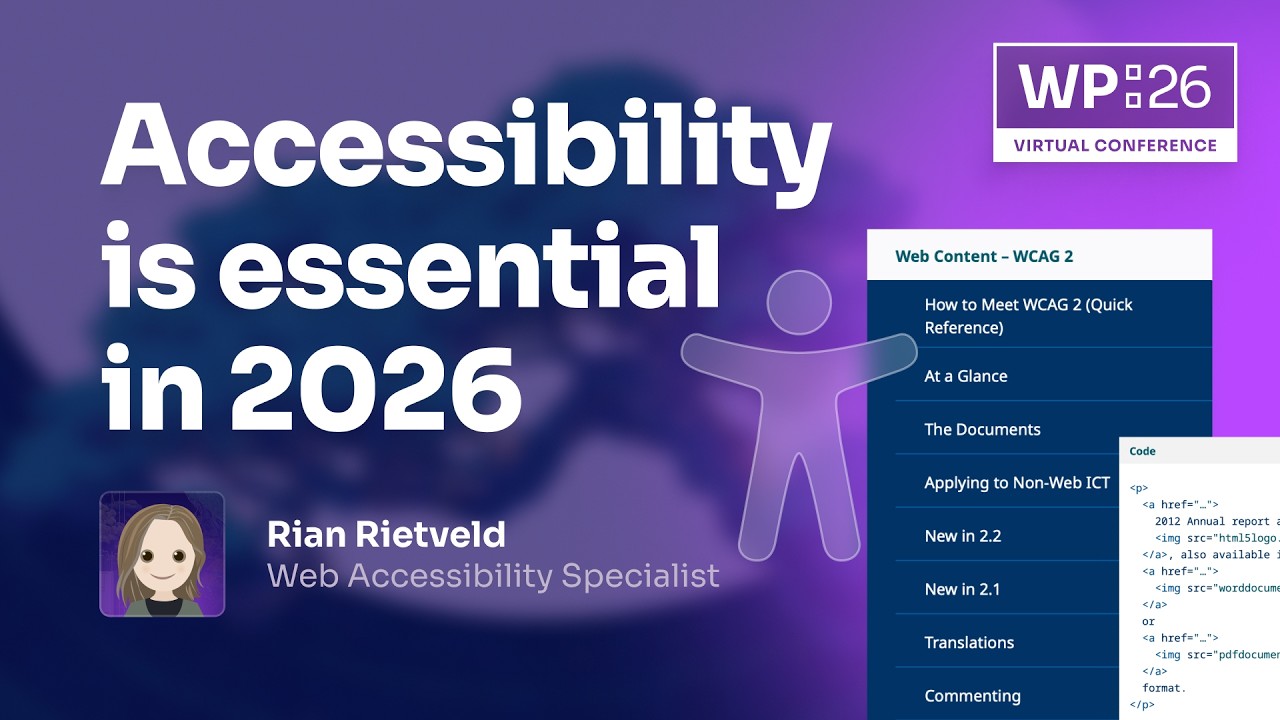
Accessibility is essential in 2026
> [!note]+ Document Notes
> ---
> tags: #accessibility #wordpress #inclusive-design #block-editor #ai-readiness #seo #enterprise
> author: Rian Rietveld
> source: WordPress Event/Conference
> reference: https://www.youtube.com/watch?v=CJLMe1UJrKM
> date created: 2024-12-28 10:30
> ---
> # 🏷️ Title: Accessibility is essential in 2026
> ## 🧰 Action Inbox
> - [H1] Train your entire team on accessibility fundamentals — this is the highest ROI investment #accessibility #training
> - [H2] Review and test all WordPress blocks for accessibility compliance — table block has known issues #block-editor #testing
> - [H3] Contribute to WP accessibility knowledge base documentation project — wpaccessibility.org #contribution #documentation
> ## 🧭 Table of Contents
> - [[#📝 Summary]]
> - [[#📖 Main Content]]
> - [[#🗒️ Notes]]
> - [[#📚 References]]
> - [[#🗣️ Paraphrase]]
> - [[#📰 Newsletter]]
> - [[#✅ Action Items]]
> - [[#🧪 Hypotheses]]
> - [[#📊 Methodology]]
> - [[#❓ Questions]]
> - [[#🔮 Future Research]]
> - [[#💡 Implications]]
> - [[#🧠 Learning Styles Assessment]]
> - [[#📊 Accessibility Assessment]]
> - [[#🌍 DEIB Assessment]]
> - [[#✅ Logical Validity]]
> - [[#🛡️ DARVO Analysis]]
> - [[#🎯 Conclusion]]
> ### 🔗 References
> - [WP Accessibility Knowledge Base](https://wpaccessibility.org)
> - [WordPress Accessibility Team GitHub](https://github.com/WPaccessibility)
> - [Click-Away Pound Survey](https://click-away.co.uk/capreport19/)
> ## 📝 Summary
> - WordPress accessibility consultant Rian Rietveld discusses the current state and future of accessibility in WordPress, emphasizing that accessibility is both a business requirement and revenue opportunity
> - WordPress core and default themes are accessible out-of-the-box, but plugins and blocks can compromise accessibility
> - The WP Accessibility Knowledge Base project aims to consolidate scattered documentation into a single source of truth
> - Full Site Editing and the Block Editor present opportunities for accessible component-based design, but require vigilant testing
> - Accessible markup benefits both assistive technology users and AI agents, making accessibility an AI-readiness strategy
> - Training teams on accessibility fundamentals provides the highest return on investment for organizations
> ## 📖 Main Content
> Rian Rietveld, with over 25 years of experience in accessibility consulting, presents accessibility as essential for WordPress sites in 2026. She defines accessibility as making websites workable and usable for as many people as possible across different devices, emphasizing both ethical and business imperatives.
> The current WordPress accessibility landscape is mixed: core WordPress and default themes are accessible, but the ecosystem's extensibility means plugins and blocks can undermine accessibility. This creates a critical dependency on plugin developers and block creators to maintain accessibility standards.
> Rietveld leads the WP Accessibility Knowledge Base project, addressing the scattered and outdated state of WordPress accessibility documentation. The initiative consolidates information for designers, developers, content creators, and compliance professionals into a single authoritative resource at wpaccessibility.org, with plans to integrate into WordPress's developer documentation.
> Full Site Editing presents both opportunities and challenges. Component-based design enables accessible building blocks, but requires each component to be properly implemented. Some blocks like tables still have significant accessibility issues, creating a need for curated lists of accessible blocks and components.
> The discussion connects accessibility to AI readiness, noting that structured, semantic markup required for accessibility also enables machine parsing by AI agents. This positions accessibility as both an inclusive design strategy and a technical preparation for AI-driven content consumption.
> ## 🗒️ Notes
> #### ⏱️ [00:00](https://youtu.be/CJLMe1UJrKM?t=0) — [H1] Introduction and Context Setting
> - Key idea: Accessibility is both a business requirement and opportunity for better user experiences
> - Evidence: "We already know accessibility is a business requirement but it's also an opportunity to create better experiences for everybody on the web"
> #### ⏱️ [02:30](https://youtu.be/CJLMe1UJrKM?t=150) — [H2] Defining Web Accessibility
> - Key idea: Accessibility means making websites workable for as many people as possible across all devices
> - Evidence: "Accessibility is making a website or a web shop workable and usable for as many people as possible and also on all kind of different devices"
> #### ⏱️ [03:15](https://youtu.be/CJLMe1UJrKM?t=195) — [H1] WordPress Accessibility State Assessment
> - Key idea: Core WordPress is accessible but plugins and blocks can compromise accessibility
> - Evidence: "If you use out of the box WordPress and use a default theme, those are all accessible. But if you add plugins or add blocks that are not really accessible, then you can ruin everything"
> #### ⏱️ [04:30](https://youtu.be/CJLMe1UJrKM?t=270) — [H1] WP Accessibility Knowledge Base Project Origins
> - Key idea: WordPress accessibility documentation was scattered, outdated, and duplicated across multiple locations
> - Evidence: "I read through all the documentation there is and it was really scattered around the place all dated duplicate content content that was not really true"
> #### ⏱️ [06:00](https://youtu.be/CJLMe1UJrKM?t=360) — [H2] Knowledge Base Solution and Roadmap
> - Key idea: Creating a centralized accessibility documentation hub at wpaccessibility.org for all stakeholder types
> - Evidence: "We created a website wpaccessibility.org to start writing and we are at the moment the website is ready and we are putting in documentation"
> #### ⏱️ [07:45](https://youtu.be/CJLMe1UJrKM?t=465) — [H3] Community Contribution Opportunities
> - Key idea: The project welcomes contributions through GitHub repository and community feedback
> - Evidence: "Go to the website there is there's a section about this documentation and there you can find a section about how to contribute"
> #### ⏱️ [09:00](https://youtu.be/CJLMe1UJrKM?t=540) — [H1] Full Site Editing Accessibility Opportunities
> - Key idea: Component-based design in Full Site Editing enables accessible building blocks when properly implemented
> - Evidence: "Full site editing and the block editor has a huge opportunity to make a website accessible because you can have components like a menu or like a block the new block for an accordion that are perfectly accessible"
> #### ⏱️ [10:30](https://youtu.be/CJLMe1UJrKM?t=630) — [H2] Block Accessibility Challenges
> - Key idea: Not all WordPress blocks are accessible, with table block having significant issues
> - Evidence: "There are blocks like the table block that has huge accessibility issues. So it puts a lot of responsibility for the people who work for core who make these components"
> #### ⏱️ [12:00](https://youtu.be/CJLMe1UJrKM?t=720) — [H3] Need for Accessible Block Documentation
> - Key idea: Users need guidance on which blocks are safe to use from accessibility perspective
> - Evidence: "I got this question also like in a presentation I gave on which blocks can I use. So maybe it's a good idea to on the wpaccessibility.org have like a list of blocks that you can use"
> #### ⏱️ [14:15](https://youtu.be/CJLMe1UJrKM?t=855) — [H1] Accessibility as AI Readiness Strategy
> - Key idea: Accessible markup with semantic HTML enables both assistive technology and AI agent comprehension
> - Evidence: "If you write good semantic HTML use good heading structure when you have a form use real labels and input fields. So it's like a machine has to be able to analyze your website"
> #### ⏱️ [16:30](https://youtu.be/CJLMe1UJrKM?t=990) — [H1] Revenue Impact of Inaccessibility
> - Key idea: Excluding people with disabilities means losing significant market share and revenue
> - Evidence: "The lost business revenue has grown to 17 billion pounds in the UK only in one year. So that's a lot of money you throw away"
> #### ⏱️ [18:00](https://youtu.be/CJLMe1UJrKM?t=1080) — [H1] Training as Highest ROI Investment
> - Key idea: Training teams on accessibility fundamentals provides the best return on investment
> - Evidence: "Training train your people train yourself train your designer your content creator your developers how to build accessible"
> #### ⏱️ [20:30](https://youtu.be/CJLMe1UJrKM?t=1230) — [H2] Keyboard Navigation as Core Requirement
> - Key idea: Keyboard accessibility remains fundamental requirement for web accessibility compliance
> - Evidence: "Navigating with keyboard that's like the essence of accessibility. A website must be able and all functionality must be able to work with the keyboard only"
> ## 📚 References
> - [WP Accessibility Knowledge Base](https://wpaccessibility.org)
> - [WordPress Accessibility Team GitHub - WP-A11Y-docs](https://github.com/WPaccessibility/WP-A11Y-docs)
> - [Click-Away Pound Survey 2019](https://click-away.co.uk/capreport19/)
> - [Web Content Accessibility Guidelines (WCAG)](https://www.w3.org/WAI/WCAG21/quickref/)
> ## 🗣️ Paraphrase
> - WordPress core and default themes provide accessible foundations, but the ecosystem's plugin and block architecture can undermine accessibility if developers don't prioritize inclusive design
> - The scattered state of WordPress accessibility documentation creates barriers to learning, necessitating the consolidated WP Accessibility Knowledge Base project to serve as a single source of truth
> - Full Site Editing's component-based approach offers unprecedented opportunities for accessible WordPress sites, but requires systematic vetting of blocks and ongoing developer education to realize this potential
> ## 📰 Newsletter
> **WordPress Accessibility Gets Organized: New Knowledge Base Launches**
> Great news for WordPress developers and site builders! The WordPress accessibility community is consolidating years of scattered documentation into a comprehensive knowledge base at wpaccessibility.org. Led by accessibility expert Rian Rietveld, this project addresses a critical gap in WordPress education.
> **What's New:** A centralized hub for accessibility guidance covering designers, developers, content creators, and compliance professionals. The documentation will eventually integrate into WordPress's official developer resources.
> **Why It Matters:** With Full Site Editing making component-based design mainstream, having vetted, accessible building blocks becomes crucial. The project will include curated lists of accessible blocks and clear guidance on avoiding problematic implementations.
> **Get Involved:** Contribute through the GitHub repository (WPaccessibility/WP-A11Y-docs) or reach out to Rian directly (@rianrietveld on most platforms).
> **Bottom Line:** Accessibility training provides the highest ROI for teams, and semantic markup benefits both users with disabilities and AI agents parsing your content.
> Resources: [Learn WordPress](https://learn.wordpress.org/), [Developer Docs](https://developer.wordpress.org/), [WP-CLI](https://wp-cli.org/)
> ## ✅ Action Items
> #### DevRel
> - Developer advocacy: Create accessibility-focused talks for WordCamps highlighting business case and AI readiness benefits
> - Education: Develop accessibility workshops for enterprise teams, focus on keyboard testing and semantic markup
> - Developer experience: Review block editor documentation for accessibility guidance gaps
> - Developer marketing: Promote WP Accessibility Knowledge Base launch through developer channels
> - Community management: Facilitate connections between accessibility team and plugin developers
> #### WordPress
> - Core: Review and prioritize accessibility issues in existing blocks, particularly table block problems
> - Core Performance: Consider accessibility impact in performance optimizations, ensure semantic markup preservation
> - Training: Integrate accessibility modules into existing WordPress training curricula
> - Community: Support WP Accessibility Knowledge Base integration into official documentation
> - Support: Create escalation paths for accessibility-related support requests
> - Documentation: Audit DevHub for accessibility documentation gaps and outdated content
> - Accessibility: Accelerate block accessibility auditing and create public accessibility status dashboard
> - Meta: Ensure .org infrastructure meets accessibility standards, test with assistive technology
> - Themes: Require accessibility compliance for default themes, provide accessibility review rubrics
> - Plugins: Develop accessibility guidelines for plugin directory, create accessibility testing recommendations
> ## 🧪 Hypotheses
> - Training teams on accessibility fundamentals provides higher ROI than post-hoc remediation efforts
> - Accessible markup improves AI agent comprehension and content parsing effectiveness
> - Component-based Full Site Editing architecture can achieve better accessibility outcomes than traditional theme development
> - Centralized accessibility documentation increases adoption rates among WordPress developers
> ### 📊 Methodology
> - Study design: Compare accessibility compliance rates before and after team training interventions
> - Data sources: Analyze correlation between semantic markup quality and AI agent performance metrics
> - Experiments: A/B test traditional themes vs FSE components for accessibility compliance rates
> ### ❓ Questions
> - How can WordPress core ensure accessibility standards are maintained as the block ecosystem expands?
> - What metrics best demonstrate the business value of accessibility investments to enterprise stakeholders?
> - How might AI-driven content creation tools incorporate accessibility best practices by default?
> ### 🔮 Future Research
> - Long-term impact study of centralized accessibility documentation on WordPress ecosystem compliance rates
> - Investigation of automated accessibility testing integration in WordPress development workflows
> - Analysis of correlation between accessibility compliance and search engine/AI agent content preference
> ### 💡 Implications
> - Practice: Teams should prioritize accessibility training over compliance checklists, emphasizing keyboard testing and semantic markup
> - Policy: WordPress governance should consider accessibility requirements for plugin directory inclusion
> - Security: Accessible markup patterns may provide more reliable content parsing for security scanning tools
> - Education: Accessibility education should be integrated into all WordPress training programs, not treated as specialized knowledge
> - Funding: Organizations should budget for accessibility training as infrastructure investment rather than compliance cost
> ### 🧠 Learning Styles Assessment
> Reading level estimate: Flesch-Kincaid Grade Level 8-9
> #### 👀 Visual learners
> - Present: Video presentation format with speaker demonstrations
> - Improve: Architecture diagrams showing accessible component relationships, visual accessibility audit examples
> #### 🔊 Aural learners
> - Present: Video discussion format with clear verbal explanations
> - Improve: Audio-only version of key accessibility concepts, pronunciation guide for technical terms
> #### 🗣️ Verbal learners
> - Present: Clear definitions of accessibility terms, real-world examples and analogies
> - Improve: Glossary of accessibility terminology, comparison tables between accessible and inaccessible approaches
> #### 🧩 Kinesthetic learners
> - Present: References to hands-on keyboard testing recommendations
> - Improve: Step-by-step accessibility testing checklists, interactive accessibility audit tools
> #### 🧠 Logical learners
> - Present: Clear causal relationships between accessibility and business outcomes, structured documentation approach
> - Improve: Decision trees for accessibility implementation, quantified ROI calculations
> #### 🧑🤝🧑 Social learners
> - Present: Community contribution opportunities through GitHub and feedback channels
> - Improve: Accessibility mentorship programs, peer review processes for accessibility implementations
> #### 🧘♀️ Solitary learners
> - Present: Self-directed learning through documentation project
> - Improve: Self-assessment accessibility rubrics, individual progress tracking tools
> #### 🌿 Naturalistic learners
> - Present: Connection to inclusive ecosystem thinking
> - Improve: Sustainability connections between accessibility and digital inclusion
> ### 📊 Accessibility Assessment
> #### Screen reader semantics
> - Present: Video includes proper speaker introductions and context
> - Improve: Transcript with heading structure, speaker identification for all dialogue
> #### Keyboard navigation
> - Present: Emphasis on keyboard testing as fundamental requirement
> - Improve: Demonstration of keyboard navigation patterns in presentation materials
> #### Contrast and readability
> - Present: Clear verbal communication of key concepts
> - Improve: High-contrast presentation slides, readable font sizes in any visual materials
> #### Text resizing and reflow
> - Present: Content accessible through multiple channels (video, transcript)
> - Improve: Responsive presentation materials that work at 200% zoom
> #### Media and captions
> - Present: Full transcript provided for video content
> - Improve: Time-coded captions, audio descriptions for visual elements
> #### Forms and interactions
> - Present: Clear instructions for contribution and feedback
> - Improve: Accessible forms on wpaccessibility.org, proper error handling
> #### Standards reference
> - Maps to WCAG 2.2 AA requirements for multimedia content and documentation
> ### 🌍 DEIB Assessment
> #### Cultural breadth
> - Present: Global accessibility perspective, UK-specific revenue data included
> - Improve: International accessibility legislation examples, multilingual resource links
> #### Inclusive language
> - Present: Person-first language when discussing disability, avoids medical model terminology
> - Improve: Consistent terminology guide, avoid assumptions about user capabilities
> #### Neurodiversity support
> - Present: Structured presentation format
> ---
> ## Full Transcript
> [00:05] Welcome back everybody. Uh we're running<br>[00:09] a tad behind schedule but like all the<br>[00:11] sessions are happening and we have uh<br>[00:14] our next speaker with us. We're going to<br>[00:16] chat about accessibility.<br>[00:18] Uh we already know accessibility is a<br>[00:20] business requirement but it's also an<br>[00:23] opportunity to create better experiences<br>[00:26] for everybody on the web. And in this<br>[00:28] upcoming session, I'm going to be<br>[00:29] chatting uh to one of my favorite people<br>[00:31] in the WordPress community. Uh and we're<br>[00:33] going to go beyond compliance checklists<br>[00:36] and we'll explore the realworld impact<br>[00:40] of accessible design. Uh we're going to<br>[00:42] do that with uh Rian uh who's got more<br>[00:46] than 25 years of experience<br>[00:49] uh helping teams build build inclusive<br>[00:51] digital products. She is uh an<br>[00:54] accessibility consultant and a trainer.<br>[00:57] She teaches through the accessibility<br>[00:59] collective. Uh she contributes to<br>[01:01] WordPress uh and to WordPress<br>[01:04] accessibility documentation in in<br>[01:06] particular. And unless you've been like<br>[01:09] living under a rock, you must have heard<br>[01:12] Rian speak at least once in the last<br>[01:14] decade on any of the WordPress stages<br>[01:17] that uh that she's been on uh teaching<br>[01:20] people about uh all the things<br>[01:24] accessibility. So I'm going to pull Rian<br>[01:26] up uh right now. There you are.<br>[01:30] Uh and<br>[01:32] >> thank you for making me feel very old.<br>[01:35] >> What? No. I mean, hey, look, like I've<br>[01:38] been there for the last decade as well.<br>[01:40] So, you know,<br>[01:42] fair is fair. We're we are WordPress<br>[01:45] veterans, Rian. Like, I don't think that<br>[01:47] >> there's anything we can do to change<br>[01:50] that.<br>[01:51] >> Um, right. Okay. Well, um, I'm really<br>[01:55] happy uh to be having this conversation<br>[01:57] with you. Uh thank you so much for<br>[01:59] accepting the invite to uh speak and to<br>[02:02] share some of your uh some of your<br>[02:04] thoughts on like all all the things<br>[02:06] WordPress accessibility and you know<br>[02:10] 2026.<br>[02:11] So uh let's let's do with like a let's<br>[02:14] start with a short kind of intro<br>[02:16] question. What is accessibility and why<br>[02:20] is an accessible website so important<br>[02:24] for a company?<br>[02:27] Well, accessibility is making a website<br>[02:29] or a web shop um workable and usable uh<br>[02:34] for as many people as possible and also<br>[02:37] on all kind of different devices.<br>[02:40] So really important that people who come<br>[02:42] to your website actually can use it and<br>[02:46] that's not only good for your business,<br>[02:48] it's also good for your income.<br>[02:52] >> Awesome. What is the current kind of<br>[02:54] state of accessibility within WordPress?<br>[02:56] What what would you say is where are we<br>[02:59] compared to when the work on<br>[03:01] accessibility started?<br>[03:03] >> Well, it depends. Um,<br>[03:06] for example, well, if you use out of the<br>[03:10] box WordPress and use a default theme,<br>[03:12] those are all accessible. Um, but if you<br>[03:16] can if you add plugins or add blocks uh<br>[03:19] that are not really accessible, then you<br>[03:21] can ruin everything. So, it depends on<br>[03:24] how you use WordPress. if uh the website<br>[03:27] you build with it is accessible or not.<br>[03:30] >> Yeah.<br>[03:30] >> I see. All right. So, for the last<br>[03:33] several years uh I believe you've been<br>[03:35] working on the WP accessibility<br>[03:37] knowledge base. Can you tell us a little<br>[03:39] bit about it? Who is it for? What<br>[03:41] problems does it solve and uh you know<br>[03:45] that didn't have a good answer before?<br>[03:47] What's the road map? Like tell us a<br>[03:49] little bit about the project.<br>[03:51] >> Yeah. Um, a few years ago at Word Camp<br>[03:54] Europe, um, I went to the contributor,<br>[03:57] uh, table of the accessibility team and<br>[04:00] I said to Joe Dawson, he runs the stuff<br>[04:03] there. Um, I asked one, give me work and<br>[04:06] he said, well, can you take a look at<br>[04:08] all the accessibility documentation<br>[04:10] there is on WordPress.org?<br>[04:12] And well, I took a quiet place and a<br>[04:16] coffee and I read through all the<br>[04:18] documentation there is and it was really<br>[04:21] scattered around the place all dated um<br>[04:25] duplicate content content that was not<br>[04:27] really true. Um very hard to find. So I<br>[04:31] thought if you want to learn about<br>[04:33] accessibility from WordPress.org or<br>[04:36] that's uh very hard to do because<br>[04:39] there's so many places a bit of<br>[04:41] information not really one source one a<br>[04:44] source of truth where you can go to and<br>[04:47] learn everything. So then we had the<br>[04:50] idea we're going to start like a<br>[04:52] knowledge base uh where you can go to<br>[04:54] and you can find for if you're a<br>[04:56] designer a developer content creator<br>[04:59] want to know about legislation one place<br>[05:03] uh where you can find everything and<br>[05:04] then in the rest of all the<br>[05:06] documentation you can point to that so<br>[05:08] you don't have to duplicate everything.<br>[05:10] So that was the plan. So um we created a<br>[05:14] website wpaccessibility.org<br>[05:16] or to start writing and we are at the<br>[05:20] moment the website is ready and we are<br>[05:22] putting in documentation at the moment.<br>[05:26] >> Awesome.<br>[05:26] >> So yeah so um the plan is if that<br>[05:30] documentation is ready enough we're<br>[05:33] going to give that back to WordPress.org<br>[05:36] with the developers resources. There<br>[05:38] will be a separate section accessibility<br>[05:41] and all the documentation rewritten will<br>[05:44] be copied to the developer.pest.org<br>[05:47] in a section accessibility<br>[05:49] and we hope to do that well I hope end<br>[05:52] of this year maybe maybe soon later<br>[05:54] depends on how many time<br>[05:57] um we have to do that so that's so visit<br>[06:01] wpacessibility.org<br>[06:03] and give uh us your opinion because we<br>[06:06] are writing this for you.<br>[06:08] >> I I was going to ask how people can get<br>[06:10] involved with that. Is there a way for<br>[06:12] uh others to contribute to the project<br>[06:14] or like provide feedback etc. So that's<br>[06:17] just going to the website um<br>[06:19] >> go to yeah go to the website there is<br>[06:21] there's a section about this<br>[06:24] documentation and there you can find a<br>[06:26] section about how to contribute. We have<br>[06:28] a GitHub repository<br>[06:30] um that's on WP that is GitHub um<br>[06:35] account is called WP accessibility and<br>[06:38] there's the uh WP-<br>[06:41] A11Y-<br>[06:42] docs that's a repo.<br>[06:45] Um maybe someone can send it in in the<br>[06:47] in the chat. Yeah,<br>[06:48] >> in the chat. Yeah. Um yeah, we will do<br>[06:52] we'll make sure we do. Um Awesome. Um<br>[06:55] All right. Well, a lot of love for the<br>[06:57] project. Let's see if these uh bloody<br>[06:59] gestures work. There we go. Yay.<br>[07:02] >> Sometimes they do, sometimes they don't.<br>[07:04] You know, usually appear. Yeah, usually<br>[07:06] appear.<br>[07:07] >> You have to have the um Apple whatever<br>[07:12] >> turned on for this to work.<br>[07:14] >> Um All right, cool. So, let's talk a<br>[07:17] little bit about accessibility and full<br>[07:19] sight editing and the the block editor.<br>[07:21] Uh so full-sight editing the block<br>[07:23] editor have changed how a lot of teams<br>[07:26] build with WordPress. Has that shift<br>[07:29] made accessibility<br>[07:32] easier or harder in practice for uh for<br>[07:36] WordPress development? Where is the gap<br>[07:39] uh still the widest and is it harder for<br>[07:43] uh enterprise teams to adapt and kind of<br>[07:46] improve? There's a lot of questions.<br>[07:49] Let's start like from<br>[07:50] >> Yeah, I think um full set editing and<br>[07:53] the block editor has a huge opportunity<br>[07:56] to make um a website accessible because<br>[07:59] you can have components like a menu or<br>[08:03] um uh like a block the new block for an<br>[08:06] accordion that are perfectly accessible.<br>[08:09] So you can really put things together.<br>[08:13] Um and then your website is is<br>[08:16] accessible like the components are<br>[08:18] accessible. Um that is not really for<br>[08:22] every block and every component true<br>[08:25] because there are blocks like the table<br>[08:27] block that has huge accessibility<br>[08:29] issues. So it puts a lot of<br>[08:33] responsibility for the people who work<br>[08:35] for core who make these components for<br>[08:38] full site editing and for blocks um that<br>[08:41] they are accessible. new blocks um well<br>[08:45] they're really checked well but all the<br>[08:48] blocks well they're still a problem and<br>[08:50] if you have like a block library with<br>[08:53] everybody can just add to that or for<br>[08:56] plugins that add blocks well it's the<br>[08:59] responsibility of the plug-in owner of<br>[09:01] the people who write the blocks to make<br>[09:03] them accessible so in potential if<br>[09:06] everything is accessible when you can<br>[09:08] put together a website that will be a<br>[09:10] huge advantage<br>[09:12] Um but yeah it's not always the case and<br>[09:17] yeah you have to test on can I use this<br>[09:20] block. I got this question also like in<br>[09:23] a presentation I gave on uh which blocks<br>[09:26] can I use. So maybe it's a good idea to<br>[09:29] on the wpacessibility.org<br>[09:32] have like a list of blocks that you can<br>[09:34] use. Um so you can have your sure<br>[09:38] something like that offer like a service<br>[09:40] like well you can use the menu because<br>[09:43] in full setting but that's fully<br>[09:45] accessible.<br>[09:46] >> Yeah. Is that something that you're<br>[09:47] already that you're considering adding<br>[09:49] to the WP<br>[09:52] it takes work because someone needs to<br>[09:54] check that. So,<br>[09:56] >> okay. So, this is another way that<br>[09:58] people can contribute. Basically, if you<br>[10:00] know a blog that is already accessible,<br>[10:01] maybe like send send that to the<br>[10:06] accessibility.org team and like you can<br>[10:08] start compiling that list uh that list<br>[10:11] of um<br>[10:13] >> that list of uh accessible uh tools and<br>[10:16] blocks. Great.<br>[10:18] >> Yeah.<br>[10:20] >> Awesome. Um all right. I'm anything but<br>[10:23] like a cheerleader for contributors like<br>[10:24] looking for new ways to kind of bring<br>[10:26] people in. So if you're developing with<br>[10:28] WordPress and if you're using full-size<br>[10:30] editing and uh the block editor and<br>[10:33] you've developed accessible plugins or<br>[10:35] you found a plug-in that is already<br>[10:36] accessible like definitely get involved<br>[10:38] on the WP accessibility or<br>[10:40] >> well you can you can also reach yeah you<br>[10:42] can also reach out to me in Slack or I'm<br>[10:46] called everybody on every platform I'm<br>[10:50] 12 so you can uh reach out to me and<br>[10:52] then I can help you. Yeah.<br>[10:54] >> Awesome. All right. Um, cool. Let's talk<br>[10:57] a little bit about like we heard<br>[10:59] earlier, Noel talked a little bit about<br>[11:01] uh the future trajectory of WordPress<br>[11:05] becoming an agentic platform. So like AI<br>[11:09] agents reading and acting on content. Uh<br>[11:12] does structured accessible markup<br>[11:15] actually make your site more uh eligible<br>[11:19] to those like legible to those agents?<br>[11:22] like is accessibility becoming an AI<br>[11:26] readiness strategy almost?<br>[11:29] >> Well, maybe<br>[11:31] um the previous talk by Alex Moss<br>[11:34] actually answered that question.<br>[11:37] >> If you write good semantic HTML um use<br>[11:40] good heading structure um when you have<br>[11:42] a form um use real labels and input<br>[11:46] fields. So it's it's like a machine has<br>[11:48] to be able to analyze your website. It's<br>[11:51] like assist of technology. It's like um<br>[11:54] not someone with eyes and a mouse but<br>[11:56] really a machine must be able to analyze<br>[11:58] and understand content. And then you<br>[12:01] need good HTML, good um good markdown<br>[12:05] and accessibility is for the most part<br>[12:08] good markdown, really good HTML and um<br>[12:12] everything validating. So I think um<br>[12:17] it's actually the same as with SEO to be<br>[12:20] able to scrape your website the machine<br>[12:23] must be able to make sense of the<br>[12:26] content and of the importance and the<br>[12:27] structure of the content and that's the<br>[12:29] same for I I think I'm not an expert but<br>[12:32] if Alex says it then then it's true.<br>[12:35] Yeah.<br>[12:37] >> All right. So yeah, there is yeah there<br>[12:40] is an obvious link uh to the ways like<br>[12:44] search is changing but like basically<br>[12:46] the the the what we can take from this<br>[12:49] is like the more accessible your website<br>[12:52] is the better it will perform uh in<br>[12:54] regards to uh AI agents kind of uh doing<br>[12:59] that.<br>[13:00] Okay. Interesting. Interesting. For the<br>[13:04] enterprise brands we'll hear from later<br>[13:08] in the panel, uh so media organizations,<br>[13:11] large scale publishers, what's the cost<br>[13:13] do you think of not investing in<br>[13:15] accessibility in 2026 beyond like<br>[13:19] regulatory risk? What is revenue?<br>[13:23] >> Yeah, you call it revenue. If you um<br>[13:27] create only for perfect people, people<br>[13:30] who have perfect eyesight, are clear of<br>[13:32] mind, can move their uh hands,<br>[13:35] uh are web savvy.<br>[13:38] Well, then you say, okay, only those<br>[13:40] people are allowed in my web shop and<br>[13:43] the rest of the people I don't give<br>[13:45] access to and the rest of the people is<br>[13:47] quite a lot of people. So you have to<br>[13:50] take in account that you um build for<br>[13:53] everyone not only for perfect people.<br>[13:57] So um I think um if you disregard all<br>[14:02] the Yeah, the door is ringing. If you uh<br>[14:04] disregard all the uh people that are not<br>[14:08] perfect, then you miss out on money.<br>[14:10] People won't buy with you and also those<br>[14:12] people will tell around. you know,<br>[14:14] that's a really bad website and they go<br>[14:17] to the competitor that is accessible and<br>[14:19] order the stuff there.<br>[14:21] >> So, it's also an inclusivity issue like<br>[14:24] but directly impacting revenue.<br>[14:28] >> Sorry,<br>[14:29] >> it's also an inclusivity issue. You<br>[14:31] know, it's kind of you're creating um<br>[14:34] you're not creating for everybody that<br>[14:36] is able to use your product. Yeah, there<br>[14:38] is a website the click away pound and<br>[14:42] that did two um surveys and the last<br>[14:45] survey was in 2019<br>[14:49] and I have to look it up. I don't know<br>[14:51] by heart um<br>[14:56] so um the lost business revenue has<br>[15:00] grown to 17 million pounds in the UK<br>[15:04] only in one year. 17 mill billion 17<br>[15:09] billion pounds. So that's a lot of money<br>[15:12] you throw away. And also if you really<br>[15:14] optimize your website for SEO or for AI<br>[15:18] and then um<br>[15:21] people come to your website and they<br>[15:23] cannot use your website and go away, you<br>[15:25] throw also away the money you spent on<br>[15:27] optimizing your site.<br>[15:28] >> Of course. Yeah.<br>[15:30] >> So that's a double loss. Yeah.<br>[15:33] >> Yeah. Thank you. Yeah. I mean um I<br>[15:36] definitely hope that people take uh your<br>[15:38] advice at heart because uh yeah losing<br>[15:41] revenue for something like that is it's<br>[15:44] like not something that should be<br>[15:45] overlooked. Um okay so if you are<br>[15:49] advising a senior developer or digital<br>[15:52] leader attending today what is the one<br>[15:56] accessibility investment in 2026 that<br>[15:59] will have the highest return like<br>[16:02] technically and commercially do you<br>[16:04] think<br>[16:05] >> training train your people train<br>[16:08] yourself<br>[16:09] >> train your designer your content creator<br>[16:12] um your developers um how to build<br>[16:15] accessible<br>[16:16] because most of it is just decent code,<br>[16:20] decent HTML, um yeah uh decent uh<br>[16:25] feedback on dynamic changes so that<br>[16:28] people don't guess what's happening or<br>[16:30] cannot use like uh the website with the<br>[16:33] keyboard. If you train people um they<br>[16:37] also become better in their jobs and<br>[16:39] also learn that there are other ways<br>[16:41] that people uh use the web.<br>[16:45] Is patcha gone only for me?<br>[16:55] I'm going to refresh.<br>[17:21] Hey folks. Uh, sorry about that.<br>[17:30] We<br>[18:52] We are having some accessibility issues<br>[18:54] which is uh you know isn't it ironic<br>[18:57] like the amazing uh Marset uh to say<br>[19:01] like accessibility session how<br>[19:04] accessible is crowdcast that's like<br>[19:06] another question to be asking uh<br>[19:08] entirely. Um,<br>[19:12] so, um, I'm not entirely sure whether<br>[19:14] Rian is going to be able to get back in.<br>[19:17] Uh, and we are already over time. Uh,<br>[19:21] we're going to do a last effort to kind<br>[19:24] of pull Rian for a Q&A Q&A session. Uh,<br>[19:28] we're sending her a link uh,<br>[19:33] right now. Um, and while we do that Oh,<br>[19:35] there we go.<br>[19:38] All right. Back again.<br>[19:40] Hi.<br>[19:41] >> Okay.<br>[19:42] >> Um well, I mean it was bound to happen<br>[19:45] accessibility issues uh in the<br>[19:48] accessibility session.<br>[19:51] Um<br>[19:53] sorry. Uh okay, we've got uh one<br>[19:58] question in the Q&A panel. Uh Rian,<br>[20:01] let's uh end with that. I think you are<br>[20:03] so clear about uh what is the one thing<br>[20:07] that uh people need to invest in and<br>[20:09] that's training training your staff<br>[20:11] about accessibility. Let's move on to<br>[20:13] the Q&A session uh before we close uh<br>[20:16] the session for the day. So uh Matthew<br>[20:20] is asking I remember at high school in<br>[20:24] college uh being a lot there being a lot<br>[20:27] of focus on text size options and high<br>[20:29] contact contract contrast I assume that<br>[20:33] is also navigating via keyboard. Are<br>[20:36] these still the case today? Uh I heard<br>[20:39] dark mode's term most recently.<br>[20:44] Oh well, a lot of people like dark mode<br>[20:46] to switch between that. It's not really<br>[20:49] an accessible requirement, but it can<br>[20:51] help a lot of people. And um making text<br>[20:55] bigger is something your browser can do<br>[20:57] if you do like control plus or command<br>[21:00] plus uh your browser can make text<br>[21:03] bigger. Um<br>[21:06] um<br>[21:08] um yeah, I don't know. It's still it<br>[21:10] it's all helped but the accessibility is<br>[21:12] is defined by uh WK that there's um a<br>[21:17] lot of guidelines<br>[21:19] and uh size options text size is not<br>[21:23] really a guideline but it helps people.<br>[21:25] Uh dark and uh white mode is light mode<br>[21:29] is is not really an uh guideline but it<br>[21:32] helps people. So um it's still an issue<br>[21:36] but it's not really uh an accessibility<br>[21:38] requirements<br>[21:39] for the web content accessibility<br>[21:42] guidelines but navigating with keyboard<br>[21:44] that's like the essence of<br>[21:46] accessibility. A website must be able<br>[21:49] and all functionality must be able to<br>[21:53] work with the keyboard only. So that's<br>[21:55] super important to test that and you<br>[21:57] everybody has a keyboard. So please test<br>[21:59] your work with a keyboard.<br>[22:02] Yep. Is that answering your question?<br>[22:18] Bachel I cannot hear you.<br>[22:21] Yes. Now say something.<br>[22:24] >> Uh I think we're going to close the<br>[22:26] session. I think there are some<br>[22:27] connectivity issues uh with Rian. So,<br>[22:31] let's move on to the next question for<br>[22:33] today. We're going to pull you in in<br>[22:34] evidence. See you.
Unfortunately, Youtube does not provide subtitles for this video, Accessibility is essential in 2026, YouTube, 01kkmf0309xnggsxeg7ns0nssx.