Admin Design
## Metadata
- Author: [[Make WordPress Core]]
- Full Title: Admin Design
- Category: #articles
- Document Note: ---
tags:
- #wordpress
- #admin
- #design
Author: Make WordPress Core
Source: Make WordPress Core blog
Reference: https://make.wordpress.org/core/2023/07/12/admin-design/
date created: 2025-08-22 00:00
---
# Title: Admin Design — Evolving WordPress wp-admin for Phase 3
## Table of Contents:
- [📝 Summary](#-summary)
- [📖 Main Content](#-main-content)
- [🗒️ Notes](#️-notes)
- [📖 References](#-references)
- [🗣️ Paraphrase](#-paraphrase)
- [📰 Newsletter](#-newsletter)
- [✅ Action Items](#-action-items)
- [🧪 Hypotheses](#-hypotheses)
- [📊 Methodology](#-methodology)
- [❓ Questions](#-questions)
- [🔮 Future Research](#-future-research)
- [💡 Implications](#-implications)
- [🧠 Learning Styles Assessment](#-learning-styles-assessment)
- [📊 Accessibility Assessment](#-accessibility-assessment)
- [🌍 DEIB Assessment](#-deib-deib-assessment)
- [✅ Logical validity](#-logical-validity)
- [🔍 SEO Evaluation](#-seo-evaluation)
- [🎯 Conclusion](#-conclusion)
### References:
- Make WordPress Core: Admin Design
- Related initiatives mentioned: WordPress Playground, SQLite, Command Palette, wordpress/components
## 📝 Summary:
The article outlines a design vision for modernizing WordPress’s wp-admin as part of Phase 3, focusing on semantic extensibility, cohesive navigation across editing and management tasks, deep accessibility, and personalization. It proposes restructuring the admin menu with drill-down interactivity, formalizing UI component primitives in wordpress/components, improving list/table views and bulk operations, expanding the Command Palette, and enabling user- and plugin-driven customization (e.g., pinning and reorganizing top-level menus). It seeks to balance flexibility and good defaults, maintain backward compatibility, and align with parallel projects like Notifications, Workflows, and collaboration features.
Direct anchors to key sections and ideas:
- “Introduction” — revitalizing admin and reducing cognitive load (0%)
- “Designing for any need” — semantic extension points, customizable top-level menus (17%)
- “UI components + developer experience” — formalizing primitives; tables, lists, bulk ops (33%)
- “Cohesive experience + offline” — unify editing/management; explore offline via Playground/SQLite (50%)
- “Scope” — concrete tasks: navigation, personalization, accessibility, Command Palette (67–100%)
## 📖 Main Content:
The article frames wp-admin’s redesign as both UX and platform work:
- UX: Reduce cognitive load, modernize visuals, create seamless flows between editing and administration, and support personalization so different roles (bloggers, store managers, admins) get tailored experiences without sacrificing “it just works.”
- Platform: Define semantic extension points—clear structures/surfaces for plugins to register settings, sections, blocks—and ensure WordPress uses the same component system as plugin authors for consistency and accessibility.
- Components: Elevate wordpress/components to cover dense (editor) and airy (admin) contexts, addressing gaps such as table/list views and bulk actions.
- Navigation: Adopt drill-down models with reorganizable top-level menus and “pinning” behaviors; expand Command Palette; improve quick actions and notifications placement.
- Accessibility and Back-compat: Deep support for keyboard and region navigation, preferences like text labels over icons, and a commitment to backward compatibility for legacy admin pages.
- Ecosystem Alignment: Consider offline support and optimistic updates; coordinate with Projects like Notifications, Workflows, and multisite navigation; refine frontend admin bar.
Personal insights:
- The emphasis on semantic extensibility is pivotal for long-term plugin coherence—defining registries for settings/sections should reduce ad hoc UI.
- Command Palette as a first-class pattern can unify discoverability while keeping the sidebar lean.
- Treating admin dashboard as “admin blocks” could make onboarding and role-based dashboards dramatically better.
- A formal, public design system site on wordpress.org would significantly uplift developer experience and ecosystem consistency.
### 🗒️ Notes
- Motivation and Goals (0%):
- Revitalize wp-admin design to meet modern expectations and reduce cognitive weight.
- Address information density and long sidebars; preserve flexibility while improving clarity.
- Designing for diversity of needs (17%):
- Customizable top-level menus for role/project-based optimization without compromising defaults.
- Balance flexibility with “it just works”; ensure recognizable, intuitive, accessible UX.
- Define semantic extension points: settings, sections, blocks, navigable elements.
- Component system and developer experience (33%):
- Use the same primitives in core and plugins; prioritize density, clarity, accessibility.
- Close functional gaps: tables, lists, bulk operations; full theme color support; SSR considerations.
- Showcase design library on wordpress.org to guide consistent UX.
- Cohesive experience + offline (50%):
- Seamless transitions between editing and managing; role-aware consistency.
- Explore offline support and optimistic updates; align with Playground and SQLite for modern expectations.
- Scope and concrete tasks (67–100%):
- Define structural pieces; formalize semantic extensibility.
- Restructure menu with drill-down; leverage existing APIs for backward compatibility.
- Personalization: reorganize/pin top-level items; toggle core sections.
- Accessibility: region navigation; global prefs (text labels over icons).
- Wider Command Palette deployment; semantic quick actions (unified “Add New”).
- Notifications project alignment; reduce ad hoc notices.
- Redesign settings views; admin dashboard as blocks; improve quick posts/post formats/title-less posts.
- Consider multisite navigation; front-end admin bar; sustain back-compat for legacy pages.
Positions:
- You’ve read this document completely (100%). Your current scroll position is earlier in the text.
## 📖 References:
- Admin Design — Make WordPress Core: https://make.wordpress.org/core/2023/07/12/admin-design/
- WordPress Playground: https://developer.wordpress.org/playground/
- SQLite for WordPress background: https://make.wordpress.org/core/tag/sqlite/
- WordPress Components: https://developer.wordpress.org/block-editor/reference-guides/components/
- Command Palette overview (WP 6.3+): https://wordpress.org/documentation/article/command-palette/
- Notifications project (overview post example): https://make.wordpress.org/core/tag/notifications/
## 🗣️ Paraphrase:
1) Original idea (17%): “Offering a way to customize the most important menu items at the highest level might allow both a blogger and a commerce store manager to have the best possible experiences… without sacrificing good defaults and the ‘it just works’ ethos.”
- Paraphrase: By letting users rearrange their top navigation, WordPress can adapt to vastly different roles—from bloggers to shop managers—delivering optimized workflows while still preserving sensible defaults that function out of the box.
2) Original idea (33%): “A crucial aspect is to ensure WordPress itself is built with the same pieces and APIs that plugin authors can use… we need to address functional gaps (like table and list views, bulk editing operations, etc).”
- Paraphrase: Core should rely on the identical component toolkit available to plugin developers, and that system must mature to cover practical needs—especially robust tables, lists, and bulk actions—so the entire ecosystem can produce cohesive, accessible interfaces.
## 📰 Newsletter:
This week in WordPress: Admin gets a glow-up. The Core team shared a forward-looking blueprint for modernizing wp-admin—think customizable top-level menus, a drill-down navigation model, and a beefed-up Command Palette to help you find anything faster. Under the hood, WordPress is doubling down on a unified component system, so the same design primitives power both Core and your favorite plugins. That means better tables, list views, and bulk operations are on the horizon.
For devs, the push toward semantic extension points (clear registries for se
- Document Tags: [[gutenberg]] [[phase 3]] [[wordpress]]
- Summary: The Admin Design project aims to revitalize the wp-admin design of WordPress, improving its visual clarity, reducing cognitive weight, and better supporting user workflows. The goal is to give plugins and users more control over the navigation while ensuring a recognizable, intuitive, accessible, and delightful experience. The project focuses on defining the structural pieces of the admin experience, leveraging existing APIs, and exploring personalization options. It also aims to improve the design system gaps, develop components for table and list views, introduce full theme color support, and address various design challenges and considerations. Feedback, ideas, and requests from the WordPress community are welcomed in this project.
- URL: https://make.wordpress.org/core/2023/07/12/admin-design/
This is part of the **Phase 3: Collaboration** roadmap. The main projects are [Real-Time Collaboration](https://make.wordpress.org/core/2023/07/03/real-time-collaboration/), [Workflows](https://make.wordpress.org/core/2023/07/04/workflows/), [Revisions](https://make.wordpress.org/core/2023/07/05/revisions/), [Media Library](https://make.wordpress.org/core/2023/07/07/media-library/), [Block Library](https://make.wordpress.org/core/2023/07/10/block-library/), and [Admin Design](https://make.wordpress.org/core/2023/07/12/admin-design/).
#### Introduction
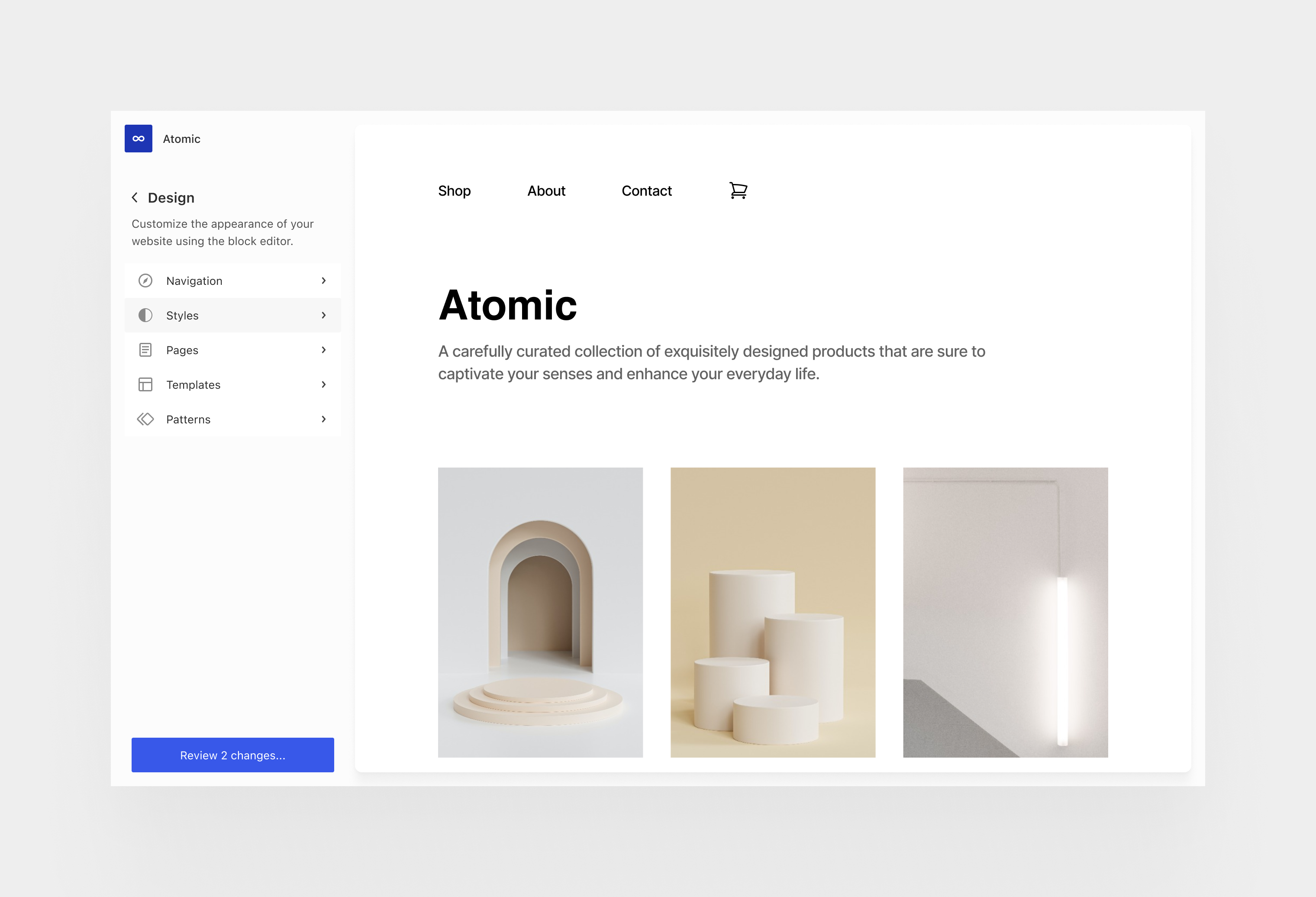
About a year ago, some early notions of [how we could evolve the admin experience](https://make.wordpress.org/design/2022/06/13/thinking-through-the-wordpress-admin-experience/) were shared. The site editor, and the foundation set by its fluid browsing and editing flows, provides a pathway for revitalising the admin experience. Given all the [workflows](https://make.wordpress.org/core/2023/07/04/workflows/) and [collaboration](https://make.wordpress.org/core/2023/07/03/real-time-collaboration/) requirements through the upcoming *phase 3* projects, it’s time to look more in depth at these ideas and where they might lead.
There are multiple goals to account for with this effort. The state of the art and user expectations for digital software are constantly changing and there’s a tangible need to revitalize the wp-admin design, improve its visual clarity, reduce cognitive weight, better support user workflows, and expand the personalization of the interface. WordPress thrives within its flexibility and its plugin ecosystem. The counter part to that can often be a complicated information density, particularly at the top level navigation, which can negatively affect the user experience — we’ve all seen admin dashboards with very long and daunting sidebars!
As WordPress turns twenty years old, the overall aim of this work is to improve upon this experience at a foundational design level, giving plugins and users more control over the navigation while ensuring each WordPress experience is recognizable, intuitive, accessible, and delightful.
[](https://make.wordpress.org/core/files/2023/07/admin-light-concept.png)
So how can we design the overall admin in such a way that it can be shaped to any need, regardless of their simplicity or sophistication? How can we then manage complexity without being complicated? How can we make designing and building great interfaces on the platform easier and more expressive to usher it through the next two decades? This balance cannot just be achieved with good practices but needs to be reflected in the semantics and the design of the software itself. For example, offering a way to customize the most important menu items at the highest level might allow both a blogger and a commerce store manager to have the best possible experiences, without trading compromises. Shaping WordPress to the particular needs of each person and project can be a large part of ensuring its continued long term success as the operating system of the web, democratizing access, and championing a diversity of experiences. The challenge is doing it without sacrificing the important aspect of good defaults and the “it just works” ethos.
In order to achieve this we’d want to clarify some of the main extension points as semantically as possible. What structures and surfaces does WordPress provide so that plugins and platforms can make use of them to achieve their visions? What does it mean to register settings, sections, or to add blocks? What elements of the interface are relevant? How can they be navigated? This is crucial to establish not just for ease of development but to ensure a usable and accessible experience for all.
[](https://make.wordpress.org/core/files/2023/07/admin-plugin-example.png)
This effort is also an opportunity to formalize the design primitives and interaction paradigms that are part of the UI component system begun in `wordpress/components`. A crucial aspect is to ensure WordPress itself is built with the same pieces and APIs that plugin authors can use. Aside from color themes, our set of primitive components also need to work in dense environments like the editor, as well as environments that need more breathing room and focus like admin sections. Density, clarity, usability, and accessibility are paramount. A related discussion [can be found here](https://github.com/WordPress/gutenberg/issues/42388). As part of leveraging the components across the admin interface, we need to address functional gaps (like table and list views, bulk editing operations, etc) and assist plugin needs for anything that might not be already addressed that should be addressed. Ultimately, the design library needs to be showcased in the wordpress.org website as a clear resource for people building upon WordPress. A great developer experience should naturally guide people to accomplish great and consistent user experiences.
[](https://make.wordpress.org/core/files/2023/07/admin-components-system-1.png)Mockup of the block editor sidebar showing several UI components.
Another primary goal is to achieve a cohesive experience between all editing and management activities. It goes without saying, but navigating through your tasks should feel seamless, whether editing with blocks or managing settings; going through default WordPress sections or plugin areas; or whether the user is operating as an author or an administrator. Considering the space afforded by a malleable browsing experience, combined with the collaboration work, it’s also a good opportunity to look at how offline support might work and its implication for handling optimistic interactive updates to user data. There are a lot of great efforts — from [Playground](https://developer.wordpress.org/playground/) to SQLite — that could also align to provide a fantastic platform experience with all the modern expectations for speed, access, and performance.
#### Scope
There remain a lot of open questions to work through before going into further technical details but the following should offer an outline of some concrete aspects to consider as more in depth design explorations are done:
* Define the structural pieces of the admin experience, from a design and instrumental perspective. Formalize its semantic extensibility. What structures and surfaces does WordPress provide so that plugins and platforms can make use of them to extend and reduce what’s possible?
* Restructure admin menu design to support a drill-down interactivity model. Leverage and augment existing APIs for maximum backwards compatibility. Explore using the frame as the encapsulated target destination for existing admin views.
* Look into user personalization with the ability to reorganize top level admin menus. It could work in a similar fashion to “pinning” plugin sidebars in the editor, where both plugins and users are in control. Also consider core sections on the same level so that they could be toggled on or off based on needs.
* Deep accessibility support for navigating regions, tuning global preferences (like button text labels over icons across the UI, and other affordances) as part of further refining each user experience according to people’s needs and preferences.
* Look at wider deployment of Command Palette across admin sections and formalize its APIs.
* Introduce more semantic placement of quick actions: for example, organize all “add new” options and hooks; place notifications, user profile, other top level extension markers, and so on.
* Work on completing and evolving the design system gaps. Develop set of components to handle table and list views. Introduce full theme color support. Consider what sort of requirements for SSR are relevant.
* Revise the design of general settings views by applying and structuring these components.
* Look at the current role of the dashboard home and perhaps embrace admin blocks for improving its widget-like personalization. Improve built-ins like quick posts, post formats, and title-less posts as outlined in the workflows project.
* Connect with notifications project and a path for reducing ad hoc notices across the admin.
* Look into the implications for multi-site networks and its navigation patterns.
* Address the state of front-end admin bar or equivalent.
* Contemplate solutions that maintain as much backwards compatibility as possible for admin sections that may never be updated by the original authors.
#### Get Involved!
Please, share any feedback, ideas, or requests you might have as we embark on this road. Every voice in the WordPress ecosystem should be reflected in this work as we balance all the different needs and expectations., Admin Design, Make WordPress Core, 01h5jnbrvrah9edppxn6bwqx63.