CSS: Advanced and Obscure
## Metadata
- Author: [[YouTube]]
- Full Title: CSS: Advanced and Obscure
- Category: #articles
- Document Note: ---
tags: [css, web-development, advanced-css]
author: Syntax
source: YouTube
reference: https://www.youtube.com/watch?v=GQnhkUIPq9Q
date created: 2024-12-28 15:30
---
# 🏷️ Title: CSS: Advanced and Obscure
## 🧰 Action Inbox
- [H1] Test CSS @property for variable inheritance control — solve layout nesting issues #css
- [H2] Explore CSS scroll-snap for carousel implementations — Apple website example #ux
- [H3] Implement print-color-adjust for better print styles — envelope/label printing #print
## 🧭 Table of Contents
- [📝 Summary](#-summary)
- [📖 Main Content](#-main-content)
- [🗒️ Notes](#️-notes)
- [📚 References](#-references)
- [🗣️ Paraphrase](#️-paraphrase)
- [📰 Newsletter](#-newsletter)
- [✅ Action Items](#-action-items)
- [🧪 Hypotheses](#-hypotheses)
- [📊 Methodology](#-methodology)
- [❓ Questions](#-questions)
- [🔮 Future Research](#-future-research)
- [💡 Implications](#-implications)
- [🧠 Learning Styles Assessment](#-learning-styles-assessment)
- [📊 Accessibility Assessment](#-accessibility-assessment)
- [🌍 DEIB Assessment](#-deib-assessment)
- [✅ Logical Validity](#-logical-validity)
- [🛡️ DARVO Analysis](#-darvo-analysis)
- [🎯 Conclusion](#-conclusion)
### 🔗 References
- [CSS Shapes Module Level 1](https://developer.mozilla.org/en-US/docs/Web/CSS/CSS_Shapes)
- [CSS Paint API](https://developer.mozilla.org/en-US/docs/Web/API/CSS_Painting_API)
## 📝 Summary
- Scott and Wes challenge each other with obscure CSS questions covering functions, properties, and lesser-known specifications
- Why it matters: Many CSS features remain underutilized despite solving real development problems
- Key stakeholders: Front-end developers, CSS specialists, web developers seeking advanced techniques
- Risks and tradeoffs: Browser support varies significantly for advanced features; some require experimental flags
- Bottom line takeaway: CSS has 108 functions with powerful capabilities beyond basic styling, including shape creation, color manipulation, and custom property registration
## 📖 Main Content
The hosts explore CSS's extensive function library and advanced properties through a question-and-answer format. Key revelations include CSS's 108 total functions (far more than most developers realize), shape functions like `super-ellipse()` for custom border radius, and the `xywh()` function for defining rectangular paths in clip-path operations.
The discussion covers scroll-snap behavior differences between mandatory and proximity values, CSS namespaces for element scoping (though with limited practical application), and the long-delayed CSS Paint API that's been in Firefox's bug tracker since 2016.
Advanced topics include the `@property` rule for registering custom CSS properties with type safety and inheritance control, filter functions (10 total including blur, hue-rotate, and invert), and color fonts that contain multiple color palettes.
## 🗒️ Notes
#### ⏱️ [00:00](https://www.youtube.com/watch?v=GQnhkUIPq9Q?t=0) — [H1] Introduction to CSS Stumped Episode
- Key idea: Scott and Wes challenge each other with obscure CSS questions
- Evidence: "These are things that might pop up in an interview or they are just obscure, obtuse parts of the CSS specification"
#### ⏱️ [02:15](https://www.youtube.com/watch?v=GQnhkUIPq9Q?t=135) — [H2] CSS Shape Functions Quiz
- Key idea: CSS has multiple shape functions for clip-path and offset-path
- Evidence: "XYWH and Ray are valid... super ellipse is indeed a function"
#### ⏱️ [04:30](https://www.youtube.com/watch?v=GQnhkUIPq9Q?t=270) — [H3] Super Ellipse for Custom Border Radius
- Key idea: CSS border-radius can use super-ellipse() for custom corner shapes
- Evidence: "You can literally do anything that you want... if you want to go custom squircle, you use the super ellipse function"
#### ⏱️ [06:45](https://www.youtube.com/watch?v=GQnhkUIPq9Q?t=405) — [H1] CSS Has 108 Functions Total
- Key idea: CSS contains far more functions than most developers realize
- Evidence: "There are 108 functions in CSS. Crazy, right?"
#### ⏱️ [09:20](https://www.youtube.com/watch?v=GQnhkUIPq9Q?t=560) — [H2] Scroll-Snap Type Values Explained
- Key idea: Mandatory forces snapping, proximity lets user agent decide
- Evidence: "Mandatory will always snap to the closest snapping point... proximity will leave it up to the user agent"
#### ⏱️ [12:10](https://www.youtube.com/watch?v=GQnhkUIPq9Q?t=730) — [H3] XYWH Function for Rectangular Paths
- Key idea: XYWH defines X, Y, width, height for rectangular clip paths
- Evidence: "It is defining the X the Y the width and the height... for building a rectangular path"
#### ⏱️ [15:30](https://www.youtube.com/watch?v=GQnhkUIPq9Q?t=930) — [H2] Ray Function for Offset Paths
- Key idea: Ray creates line segments at specified angles for animations
- Evidence: "Ray defines an offset path line segment... extends in the direction at a specified angle"
#### ⏱️ [18:45](https://www.youtube.com/watch?v=GQnhkUIPq9Q?t=1125) — [H1] CSS Namespaces and Pipe Selector
- Key idea: CSS namespaces allow element scoping with pipe selector syntax
- Evidence: "I have never in my life seen the pipe selector in CSS... it's been in CSS for 11 years"
#### ⏱️ [23:00](https://www.youtube.com/watch?v=GQnhkUIPq9Q?t=1380) — [H2] CSS Paint API Development Timeline
- Key idea: CSS Paint bug tracker opened in Firefox in 2016, still incomplete
- Evidence: "2016... man, get a CSS paint firefox. Like what are you doing?"
#### ⏱️ [26:15](https://www.youtube.com/watch?v=GQnhkUIPq9Q?t=1575) — [H3] Print-Color-Adjust for Output Optimization
- Key idea: Controls browser adjustments for print and output devices
- Evidence: "Browser is allowed to make adjustments... if you do not want it to make those adjustments, then you turn off economy"
#### ⏱️ [29:30](https://www.youtube.com/watch?v=GQnhkUIPq9Q?t=1770) — [H2] Crossfade Function for Background Images
- Key idea: Crossfade blends two background images with percentage control
- Evidence: "You can specify two background images in one definition... blend them"
#### ⏱️ [33:45](https://www.youtube.com/watch?v=GQnhkUIPq9Q?t=2025) — [H1] CSS @property for Variable Control
- Key idea: @property registers custom properties with inheritance and type safety
- Evidence: "If you set inherit false... it does not explicitly go down which is really nice"
#### ⏱️ [38:20](https://www.youtube.com/watch?v=GQnhkUIPq9Q?t=2300) — [H2] Ten CSS Filter Functions Listed
- Key idea: CSS has exactly 10 filter functions for image processing
- Evidence: "Blur, brightness, contrast, drop-shadow, grayscale, hue-rotate, invert, opacity, saturate, and sepia"
#### ⏱️ [42:10](https://www.youtube.com/watch?v=GQnhkUIPq9Q?t=2530) — [H3] Advanced Font Properties Beyond Basics
- Key idea: CSS has numerous font properties including variant, synthesis, and palette
- Evidence: "Font feature settings, font kerning, font language override, font optical sizing, palette"
## 📚 References
- [CSS Functions MDN Documentation](https://developer.mozilla.org/en-US/docs/Web/CSS/CSS_Functions)
- [CSS Shapes Specification](https://www.w3.org/TR/css-shapes-1/)
- [CSS Paint API Specification](https://www.w3.org/TR/css-paint-api-1/)
## 🗣️ Paraphrase
- CSS contains 108 functions, far exceeding most developers' awareness of available tools
- Shape functions like super-ellipse and xywh provide powerful alternatives to basic border-radius and clipping
- The @property rule enables type-safe custom CSS properties with controllable inheritance behavior
## 📰 Newsletter
🎨 **Advanced CSS Functions You Didn't Know Existed**
Discover CSS's hidden power! Did you know CSS has 108 functions? From `super-ellipse()` for custom border shapes to `xywh()` for precise clipping, there's a whole world beyond basic styling.
**Key highlights:**
- `@property` rule for type-safe CSS variables with inheritance control
- `scroll-snap-type` values: mandatory vs proximity behavior
- 10 filter functions including the accessibility-friendly `invert()`
**Try this:** Use `@property` to register a custom property that doesn't inherit - perfect for nested component styling!
Resources: [CSS Functions Guide](https://developer.mozilla.org/en-US/docs/Web/CSS/CSS_
- Document Tags: [[css]] [[h1]] [[print]] [[ux]]
- Summary: CSS: Advanced and Obscure
- URL: https://www.youtube.com/watch?v=GQnhkUIPq9Q
Welcome to Syntax. Today we got a stumped episode for you. Um, which is Scott and I are trying to stump each other with CSS questions. These are things that might pop up in an interview or they are just obscure, obtuse parts of the CSS specification where you're going to learn a thing or two along the way and have fun at our expense. What's up, Scott? How you doing today? >> Oh, hey man. I'm doing great. I'm just trying to function. All of my questions are CSS function related. So, oh boy,
I'm very excited because CSS functions is a wild and wacky world. So, no man, I'm doing great. Yeah, just ready to ready to talk about some CSS. I've been building some really neat CSS demos lately. So, I'm going to be doing some more uh videos on the channel showing off some really just kind of either obscure CSS knowledge or really useful little tips and tricks. So, keep your eye out for that on on syntax on YouTube. All right, let's get into it. All right, my first question I have for you is which of the following are valid
CSS shape functions? Um, these are commonly used in clip path, offset path, and shape outside. So, we have >> functions. Okay, >> super ellipse, XYW, ray, and vector. Which of these >> are valid? >> You're going to tell me how many of them are valid or I just have to know. Okay. So, I know XYWH and Ray are both valid. So, those are your um little slip up ones. Um >> Oh, man. Shoot.
>> XYWH and Ray are valid. And then super ellipse. I'm going to say no. And then what was the other one? >> Vector. >> Vector. H. I'm going to say no as well. >> All right. So, you're saying only X, Y, WH, and Ray are valid. You're saying super lips and vector are incorrect. >> Yes. I'm not confident though. >> Close. Super lips is indeed a function. Actually, hold on. I got a I got a neat
demo I can show you. One sec. Let me This is a little uh demo that I came out. It's part of the CSS selectors for specification. And what it's allowing us to do is to specify >> like shapes on your corner. So your border radius is not just a regular radius. You can literally do anything that you want and the most use case for CSS and you use this in our CSS battle. >> Yeah, but it wasn't I didn't use I didn't use super ellipse. I used corner
shape. So yeah, I >> shape squirle >> border radius 50. But if you go if you go custom so uh the word squirle is like just a preset of like it's a common thing that you would want, right? >> Yeah. Um, but if you want to go custom squirle, you use the super ellipse function. >> Yeah, interesting. Because you can you can get pretty uh good squirle customization just by changing the border radius itself, too. So interesting. So you can get really
custom with it. Cool. Super ellipse. Did not know. >> Yeah, vector is not a CSS function. But what is what is XYW? >> Well, don't don't look it up. Don't look it up. Don't look it up. because I'm just trying to function over here Wes. I'm just trying to function and there might be a question related to XYW. So your first question is according to MDN how many functions are there in CSS? >> 38, 58, 88 or 108?
>> There's a lot more than you think. um simply because like the units themselves like uh DVH, DV min and then they all have their inline equivalents. Then they all have a max and min equivalent. So like just specifying widths and heights only. There's probably at least 12. Um and that that is we're not even talking about like XYWH super ellipse and stuff.
So I'm going to say there is 88. There are 108 functions in CSS. Crazy, right? >> That's a lot. >> I saw the list and I was like, that's a lot. I should count these. And then uh yeah, I was shocked, too. 108 function in CSS. [music] And if you want to see all of the errors in your application, you'll want to check out Sentry at centry.io/sax.
You don't want a production application out there that well you have no visibility into in case something is blowing up and you might not even know it. So head on over to centry.iosax. Again, we've been using this tool for a long time and it totally rules. [music] All right. All right. Next question we have for you. In CSS scroll snap, we have the property scroll snap type. There are three properties. None, mandatory, and proximity. Explain what each of these
does. >> Scroll snap type. Scroll snap type. Okay. So mandatory will force to the front or back or whatever the snap section is will force it. Proximity will pick the closest between the start
and end and none just won't snap. I don't know honestly. I've never used this. I've used scroll snap. I mean I've never used this to change this I should say. Yeah. Uh so mandatory is correct. It will always snap to the closest snapping point, you know, start or end of an element where whatever you've you've set. Um and then proximity will leave it up to the user agent. So being like, you know, like sometimes you're scrolling something and it like you scroll like like I don't know 20 pixels down and it snaps back or it's it's like
a obnoxious scroll snapping like it's not a carousel. Um in that case the user agent will decide if it will need to snap. So essentially if it's close enough it's going to snap [clears throat] but if you're like right in the middle of something and it looks like you're reading something it's not going to >> it's not going to snap for you. >> M squirrel snap super underrated. Glad you threw in a scroll snap question. >> We saw it on the new Apple website. They're all of their carousels are simply just using overflow scroll and
scroll snap and you get like carousels for free. >> I know. I did a post on that at JS Nation last year. Man, what a what an API. Uh Wes, here's your question. What does or what does the XYW function do? Uh same minds think alike. Yes. XYWH. So I already >> gave you a little a little uh example there. >> I already know that XYWH is for
specifying shapes in CSS. You know, clip path and whatnot. I'm assuming this is your code here has one, two, three has three or four pairs. Each one has a pixel value and a percentage. And then in the right in the middle there's a round thrown in there. So I'm assuming XYWH means XY width and height. So that leads me to believe it's for making a rectangle. The first value of each pair
I assume will be the offset from the center and then the round is simply just that it will add rounded corners. So you're you're close. It is just it is defining the the X the Y the width and the height. It is for building a rectangular path. I would say you got it. Um and you can use these rectangular paths and clip paths or offset paths or
whatever. You can see this first one uh it it is giving a path and you don't have to have all of those values. You can only have several values and and that like you like you got with the round. Um, so this first one, 20 pixels, 20 pixels, uh, 100% of the width, 100% of the height, but it's going over 20 pixels over. Isn't that what you That maybe what you said. I think you got it 100%. >> I said I said it was from the center, which doesn't make any sense now. I
think about the fact that it has x, >> not from the center. No. Um, I that was the part that got me. But then, yes, round and then how much it's rounded by. And then, uh, this other one again uses the same thing. So the X, >> what does round do? Does it give it rounded corners? >> If for those of you who are watching on video, uh, and I'll describe it for people who are on audio. If you have an item animating around a clip path using this and you use round and then the rounded percent, the the thing actually
rounds the corner where the other one that doesn't have round just does a hard turn. Hard turn. Okay. Hard turn. XYW. Who knew? Uh, you want to make a a square rectangle? Well, this seems like a pretty nice little syntax, honestly. Wes, I also have a follow-up question to this, which is very funny and very coincidential. What about Ray? [laughter] >> We both went to the docs and tried to find the most obscure functions in CSS.
>> Ray sticks out, I'll tell you that. ray. I am going to assume this has something to do with the spread and angle of a shape. Um, most likely because when I've been working in the new CSS radial gradient syntax, there's a lot of like oddities around that as to like where does it stop? Does it stop at the top right corner or does it um do the edges
stop at the corners or does the the top right corner stop and the the um the rounding radius go past that? So I I'm going to guess that it has something to do with that. Yeah, I mean I I think you're close. Again, the ray defines an offset path line segment. So it's just a line that can be animated referred to as a ray. ray begins at the offset position and extends in the direction at a specified angle. So basically you're
you're you're shining something in an angle like a ray of light is the the answer here. >> Oh yeah, that's just you you're drawing something from one point to another, but instead of having to calculate the start and end paths, you can simply just say >> go at 150 degrees. >> Yes. And a cool thing about ray that you might not know is that there's some interesting uh keywords in here like closest corner. So you can say or
furthest corner. You could say put array 100 at 120° and go to the furthest corner of whatever container you're in. >> Oh yeah, that so that same syntax is in the radial gradient syntax as well. That's why I was talking about radial gradients. I must have looked this up at some point and and was like, "Oh, that's similar to gradients." >> Yeah, pretty cool. >> All right, [snorts] I have a brutal one for you and I apologize in advance, but
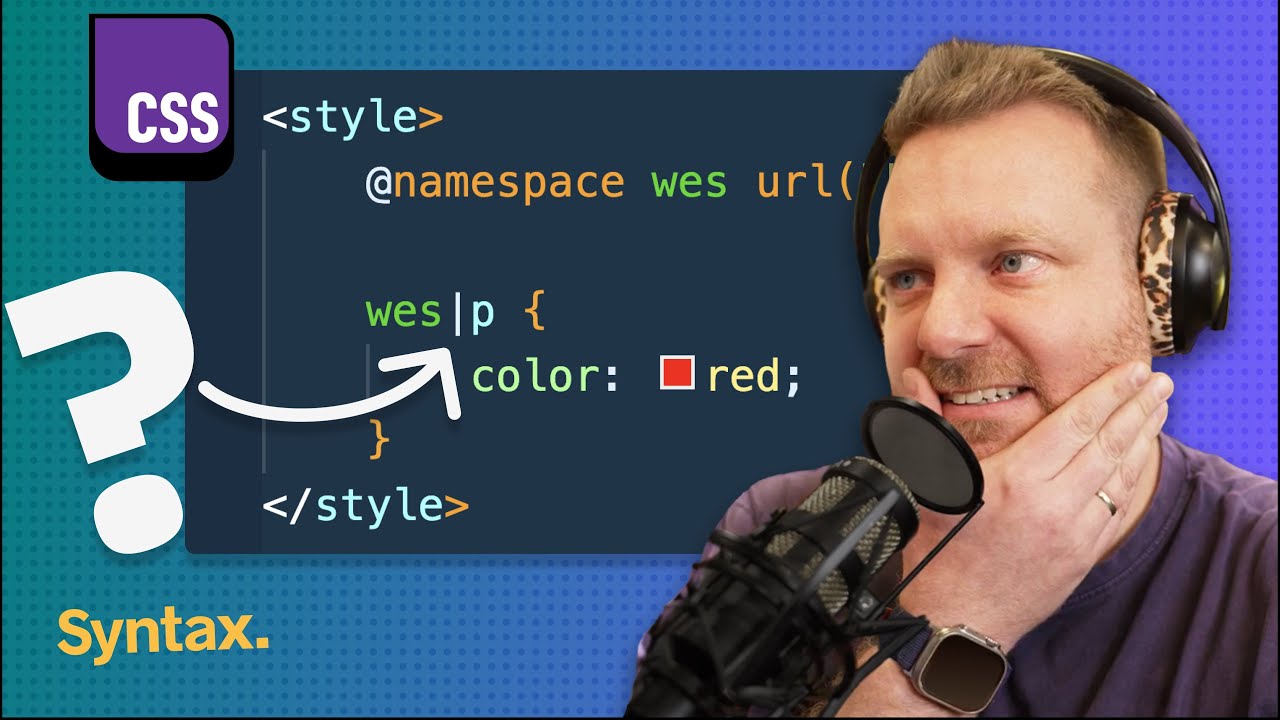
I think that this is >> super interesting. Explain what CSS namespaces do. So I have a style tag or some CSS where I have at namespace Wes URL westboss.com and then I'm writing some CSS Wespipe P. That's a selector. I have actually looked this up before and I'm actually pretty bummed out that
it's it's blanking on me. Um man, I mean it's obviously scoping or or uh narrowing specificity here, but I don't know based on what I mean based on the name space, but I don't know why those are special or different. So I don't know. I'm going to say straight up >> CSS has I had no idea that this existed and I feel like I I feel like I know all of CSS, [laughter] you know, >> I had no idea that this existed. So in
your CSS you can declare named namespaces um and then you you set the URL. I guess that's the the uniifier of that and like the the two most common ones are going to be HTML elements or XML elements and um SVG elements. However, you can make your own namespaces in HTML. And when you create elements, you can create an element in a namespace. So in this
example here, I've said document.createelement ns namespace. So I'm creating a paragraph tag under the namespace of westboss.com >> and that puts some special scoping property namespace on that element and then later on in >> my CSS I'm able to declare that namespace with at namespace and then I'm able to select all paragraph tags that are within the west namespace with the pipe selector. I have never in my life
seen the pipe selector in CSS. >> Crazy. And it's been in CSS for 11 years. >> Man, that's wild. Uh yeah, I did I didn't know that. That's sick. >> That's I now I'm trying to rack my brain to think like >> what would that be useful for? Maybe third party JavaScript. Like maybe you're going into somebody's website and you just simply create and you're creating all the elements and you're injecting them. You could put them all
under your own namespace and then only select elements that are within your namespace. But like a lot of these examples that I'm coming up with in my mind can just be solved with the class. >> Yeah, [laughter] that's what people are saying with like if functions and stuff. Yeah. And and if functions are maybe a little bit different, but it is so funny that we do try to shove a lot of things and that could be solved with a class for sure. >> Yeah. And I I don't know that name spaces can be added without JavaScript either. So that makes it even more
difficult. >> Yeah. >> So that was a a weird one, but kind of cool. >> Here is your question. What year was the CSS paint bug tracker introduced? Uh or so in in Mozilla for Firefox, there's a bug tracker to keep track of new features. What year was that issue opened for CSS paint? Um, and you can also maybe tell us what CSS paint is as well. >> Like CSS paint is the API for using
Houdini. Is that is that correct? >> That's correct. Yes. >> So CSS Houdini is like the ability to programmatically add new CSS features um where you could introduce like display Scott or something like that. And then in CSS Houdini, you would then register and implement how that works. Now CSS Houdini as a whole hasn't hasn't seen much progress. However, a lot of the features have like made their way into
um modern CSS. One of them being I think super like a super ellipse the squirle stuff that was initially part of the Houdini API but has just been just been put into regular CSS now. Um, so your question is what year was it initially introduced? It It's been a long time at least 2016.
Houdini, I want to say I feel like 2012 is too long ago, but 2016 seems too recent. I'm going to yolo this and say 2012. 2016. You were so close. And you should have had it. Uh, this is one that was kind of shocking to me that it is. It's like I just figured with some of these features in Firefox that are taking forever that they're just not, you know, but they're they're talking about it still. Like granted, one comment about
it every 5 months or something, but like man, get a CSS paint firefox. Like what are you what are you doing? Basically, yeah, you're able to define like a JavaScript worklet and then in Paint say use that worklet and then man, there'd be so many cool things you could do with that. >> But that's that's not just Firefox, though. Like the the Houdini spec has not been finalized at all and it's it's still up in the air as to whether or not it will be a thing. Is that isn't that true? the spec for who I mean I I think these
are all like Houdini as a whole thing but we have all these different APIs now that are are broken out uh so like paint >> yeah I mean Safari doesn't have paint either >> it's in Chrome >> Safari has something there not really though >> it's an it's still experimental like this this spec has not yet been blessed >> bless this spec just bless it then bless this >> bless the spec Yes. >> Bless this home and bless this spec.
That's all I'm That's all I need in my life, >> please. >> All right. I have one for a brand new compat what baseline 2025 API and this is the CSS print color API. So if I put something called print color adjust economy or print color adjust exact. If I apply that to an element,
what does it do? >> Print color in print styles. I I would assume this has to do with print styles. Um, print styles allow you to gain control over your CSS and how it prints. I would assume based on the name and the context clues that this allows you to set a color of something only for when it is printing. Obviously, you'd have to be printing in color for that to work.
>> Close. Um, print color adjust sets what, if anything, the user agent may do to optimize the appearance of an element on the output device. >> Um, it's interesting how it says output device. It doesn't even say doesn't even say printer. You know, >> by default, the browser is allowed to make adjustments to an element's appearance. It determines to be necessary and prudent given the type and capabilities of the output device. So that is if you are printing in black and
white, the browser will try to make some changes so that things have a high enough contrast that you can see it. You remember printing out map quest directions back in the day where like some of the gray text would would not work. So the the browser actually does quite a bit with that and it also does things like it removes background images. However, if you do not want it to remove background images or you do not want it to make those adjustments, then you turn off what's called economy and you turn on what's called exact.
>> CSS prints is a a whole rabbit hole. Like you can >> dude >> you make a whole book with with CSS print styles and they just couple years you can you get new CSS print uh things which is wild. Like you can do page numbers in CSS printing. You can do inches and and points and everything is in CSS print. It's it's a wild world. Testing it sucks. >> Don't tell me to use the the print
preview in Chrome. That's not it. I believe me, I when I sent my stickers out, I did all of the envelopes with everybody's addresses in CSS print styles and I went down that rabbit hole >> and I did a pocket, too. >> I was going to say you probably done that more than most. I have not. >> Unfortunately, yeah. And the label maker. Yeah, I've done CSS printing way too much. >> I only did it for invoices and stuff. >> Yeah. >> Okay. What is crossfade and why would
you use it over opacity? Crossfade. >> Crossfade. It's a function by the way. Again, all mine are function. So >> why would you use it over opacity? >> The opacity thing is obviously a hint, but I think the name crossfade. >> Yeah, I'm glad you did that. So like opacity, would you just simply remove the opacity? I'm going to assume this is crossfade will allow you to tween between
two elements or two things. And opacity would simply just like like fade it out. But there there are other ways you might want to change from one thing to another, right? You might want to blend the colors. Um you may want to um use like a custom mix, I guess mix blend mode that also is blending. What else might you want to do? Changing the size that would be just a transform. Yeah. The only thing I can think of is that a crossfade is if you were doing custom
blending. Tell me if that's anywhere near. >> So it is not necessarily custom blending. I mean you're pretty much you're pretty much on the you are specifying two things to fade between with a percentage. The reason why you use this is because you can specify two background images in one definition. So you use this on something like background image. You'd say background image crossfade and then you accept two images, two URL functions and then a
percentage between them. So basically this would save you from having to have multiple divs stacked on top of each other with different background images and you could blend them. Um, it's it's actually pretty neat and you can play with the like the percentage between them and it really is just fading one in and fading one out. Uh, it is like seriously just a video style crossfade, but again >> there's no blending or or or controls over that. It's simply just how much of
each one is being >> correct. Yeah. >> blended. >> It's interesting. I've never heard of this. You can put two images on one thing. Yeah, >> it is currently only in Safari. um which is a bit of a select uh a bit of >> it's thrown behind a flag. >> Okay. CSS images module level four. Yeah, it's true because if you have multiple background images, you sort of give up control over how how you can you can do how they stack. You can give how how big they are and how they repeat, but you cannot say
like one of these images slightly has a slight opacity. >> Yeah. Yeah. It's interesting. It's an interesting property. And it I did see a note that said Chrome is currently implementing the non-p prefixed version as well. So >> wait, it was added to Chrome in Chrome 17. >> Yeah. >> So this is not new at all. >> No. [laughter] >> What? >> Not new at all, but soon it will be new with Firefox version. Yeah, >> it it seems like it was one of those
weird ones that Safari put in. >> Yeah, Safari put it in Safari 5 under a WebKit. Then Chrome just implemented it >> and then Firefox begrudgingly >> is not letting you do it. That's crazy. >> Firefox not in Firefox is a common refrain through most things I think in this episode at least. >> All right. What do we got? One more each. >> Yes. >> All right. Name three reasons why you might use CSS's at property.
So app property in this case I've said d- angle and then you you specify syntax inherits an initial value. >> The one the easy one is the one that everybody always says is that you can animate gradients um because you're able to specify the property like are you looking for specific use cases like two other things that are like animate gradients or just a little bit about the app property? a little bit about it. Like that's one one feature is that you register the property and then if you
change that variable like on hover um it will then animate or transition that value whereas previously you wouldn't be able to do that. So like like you said you can change the gradient >> the gradient angle and it will animate itself instead of just quickly jumping. That's because you've registered the type. >> Yeah. by registering the type you can there's something here with like attribute too where you can get the value of the attribute uh because you know what type it is I I don't know for certain if that's true but I mean you're
defining the type of it so therefore you can do calc operations on it that you might not be able to do without that um I'm going to I'm going to blank because I only use that property when I'm finding that I need to so I've used it before with attribute I've used it before with gradients and I've used it before. That's it pretty much. >> I'm going to tell you that the other two answers are actually in the example I've given you. >> An angle rotation something about rotation. Did you say something about
rotation? I'm not a good listener, so I I do not I don't remember your >> The other one other benefit is you can choose whether or not that CSS variable is inherited, which is really nice. Yeah. >> Yeah. And a default value. >> Yes. And so let's talk about the inherit really quickly. If you set a variable on an element and then you want to then access that variable at a lower level um by default CSS variables just cascade all the way down. So by saying inherit
false when you register the property it does not explicitly go down which is really nice cuz sometimes you always want the default value and if you do want it to inherit you simply just say d- angle inherit and then it will inherit it from the parent which is is really nice. I actually didn't didn't know that. This is about to save my ass right now that you said this because I've been having this this conundrum with my CSS starter graffiti that I use
and I'm thinking like, oh, I want to be able to make it really nice and easy to specify like certain properties via CSS plugins or or via via variables. >> But if you have a layout within a layout within a layout or a flex nested, then it's always going to inherit. >> Boom. This just solved that for me. Thank you, Wes. >> Exactly. Like another example would be um like like dark or like a color overwriting. If you want to override the color of a card,
>> you might want to just change the border of that card. But then if you put another card inside of it, you don't want all of them to be that color. You want just just one of them. >> So you can set the inherit to be false. >> Yeah. >> This is great. This is why we like read the docs, man. This is why. Well, it's it's so funny because that's the type of thing that I would have read and been like, "Okay, when am I going to use this?" And then like I'm sitting here years later being like, I have this problem and it just didn't didn't connect. >> Yeah. And then initial value. That's we
we talked about that you can set a default value on it. So >> yeah, handy, >> which you can do without them, but it's nice to have. >> All right. Last question for you, Wes. And I did unfortunately uh make this one somewhat tough. List all 10 of the CSS filter functions. >> Oh, this is a good one. Okay. Uh filter >> and folks. Yes. So CSS filter functions are for adding filters as it as the name suggests. Yes. So blur. >> You might have to write these down
somewhere. >> Yeah. Yeah. Let me hold on. Give me like a few minutes to think about this and then or should or should I like try ramble? You can ramble and just write them down somewhere in like a notion doc so you can keep track of how many you've said. >> Okay, so blur, hue, rotate, grayscale, >> uh, contrast. >> Okay, good. You got some of the hardest ones. So, h rotate definitely hardest one. >> I've used hue rotate quite a bit. Blur, contrast. Um, that's only four. There's 10.
>> There's 10. But I will say that there are some of these that you have used a bunch before. So, or at least I've used a bunch. So, therefore, you probably have. >> Oh. Um, grayscale, contrast. It's not like mix blend mode is its own thing. So, there's no like blending things here. >> Nope. No blend modes. >> Blur her rotate grayscale contrast. So, what other what else would you want to put a filter on? Masking is its own part of CSS. So, that's not anything to do.
Maybe think about some more color operations or image kind of operations. >> Oh, there's like a like a pixelate one. No, that's image rendering type pixelate. That's that's its own property as well. Think of some more color options. Um Oh, like there's like sepia >> sepia. >> There's there's hue rotate. >> I can't believe you got hue rotate. You haven't gotten >> cuz I have a really cool demo where I've
did nested hue rotate and it's like mixed with mix blend modes. >> Do you want some help? >> Yeah, give me a hint. This is a fun though. I feel like I should know. >> So, sepia was a good good one. Uh there's at least four more in that or there's at least three more in that same kind of realm as sepia. >> Okay. >> And grayscale. And then there's two that are CSS properties that can be done in a different way. >> Drop shadow. >> Drop shadow. >> You can add a drop shadow to an element,
which is nice if you have like um like cutouts on it. Right. >> That's right. >> If you you want to do a drop shadow to something that has been masked. That's why I think about masking. >> Um and pro opacity is that one. >> Opacity. Yes. Those are the two CSS properties that can be done. >> That's I didn't I don't think I knew that. Opacity. And then you said there's others that are like a similar vein as sepia. >> Yes. Here there's one that you're going to kick yourself on because it's very uh frequently used. >> Blur is the one that I always use.
>> Yeah. >> Blur, hue, rotate, grayscale, contrast, sepia, drop shadow, bright brightness. >> Brightness. Yes. Brightness. For some reason, I was like, "Okay, I covered the like how dark it is with contrast, but contrast and brightness is different." >> Different. So, there's two more. You have two more. They're both something that controls the color of things. Um,
both are operations that exist on your phone as accessibility settings even. >> Oh, no. Grayscale and contrast are like the accessibility settings. Like, what would you want to do in accessibility, right? You might want to change the contrast. You might want to make something like black and white. And that usually >> grayscale grayscale isn't the only way to make something black and white. >> What is there? There's like a muting like a a way to mute colors.
>> What is it? I don't know. >> Desaturate or saturate. >> Desaturate. Oh, come on. >> Saturate is the function. >> And then there's one more in an accessibility setting that people used to use before dark mode was a setting on your computer. Oh, invert. Invert. Easy. I've used invert before, man. >> That's a good one. >> Here they are, folks. Uh, blur, brightness, contrast, drop, shadow, grayscale, hue, rotate, invert, opacity, saturate, and sepia. Sepia, as some
people say. I personally, I think I probably would not have gotten hue rotate. I probably would have forgotten about uh sepia, and I probably would have forgotten about grayscale, but I I think that the rest of them I would have been fine. Can't you use the URL for like um SVG filters? I think you can. >> I don't know. Is that something different? >> Yeah. So, uh SVG elements can declare filters and they're they have like a way more >> complex filter. Anytime you see somebody
doing like really cool stuff, you're like, how the hell are they rendering that? Yeah, >> they're usually opting out to SVG to define the filter and then you can reference it with URL. So you you want a bonus question? >> Bonus. >> It's it's in the same vein as your last one. Name five font properties aside from color, size, family, and yeah, I'll I'll give you we're taking those those three easy ones
out. So five font properties. So font family >> font hyphen something. >> Yeah. Font dash something. >> Font family. Font style. >> Styles one. Good. >> Oh, okay. So, sorry. I thought you'd said that one. So, >> I said I said no size, color, or fam family. >> Okay. Uh, font style. >> That's an easy one. Okay. >> Font attributes. >> There's nine font variable. There's there's nine properties for variable fonts. Oh,
is there there's nine for variable fonts? I always just use the one with the string property. Um, font weight. >> Maybe not just for variable fonts, but some fonts have >> variations. >> Font weight. >> Font weight. Yep, that's one. >> Font style. Font weight. Font size. Font family. Font. Oh, there's so many for defining which like characters you get to use. You can
swap out certain characters. [snorts] >> I don't know what those are called. I don't know. There's three more. I don't know. Uh I I'm blanking on them because I I use them all the time. Yeah. >> Uh font feature settings, font kerning, font language override, font optical sizing, pallet. >> Jesus. >> Smooth stretch synthesis. >> I've never gotten these. >> Uh font synthesis small caps. Font synthesis style and weight. Font variant. That's the one you were looking for there. >> Font variant. >> And then font variant has alternates,
caps, East Asian, emoji, liatures, numeric, and position. So, um I think font variant numeric is the one where if you have numbers in like a countdown clock and you don't some numbers are not the same width, you often want the font the numbers to be all of the exact same size so that your your countdown clock is not getting like every time you have a one it gets skinny and every time you have zero it gets wider. Man, font synthesis is a shorthand property that
lets you specify whether or not the browser may synthesize the bold itallic small cap subscript types when they're missing. Oh, that is cool. >> Oh, it's like the fake bold and fake italics. >> Yeah. For people who don't know, if you're if you're loading up a font and it doesn't have a bolded version of that font loaded, the browser will try to just add extra to it. >> Yeah. And or Yeah. for italics cuz it just tilts them and that often looks like dog So, uh, this prevents the browser from doing that. Interesting.
>> What about font pallet? Do you know what that does? >> Couldn't tell you. Couldn't possibly tell you. Font pallet. >> It's for Oh, this is a another weird area of the internet is that some fonts are color fonts. >> Yeah. >> Have you That's so weird. Hey, >> that's weird. So the font pallet CSS property allows specifying one of the many pallets contained in a color font that a user agent may use for that font. Users can override the values in a palette or create a new palette using
the font pallet values at rule. >> Okay. Well, Firefox has that one. Thank thank you Firefox for adding that and not any of the other useful stuff that we2. It's been in all of them. >> Color fonts. What a weird what a weird but it makes sense because if you want like a font to have like different colors on like like the the example they have is like 3D text, you know, and you want one side to be a little darker than the other. Uh you don't have to go out
to 3D canvas for that. You can simply use a font that has multiple colors. And wasn't there like a syntax highlighting >> that popped up the other day as well? I think it did. Yeah, this uh FBSH font with built-in syntax highlighting. [laughter] [gasps] >> So, you can simply just type >> Yes. Yes. Yes. Yes. >> code. And I don't know how this works, but it's a color font that somehow has every single possible >> like reax in it, like an entire a tree,
and then it uh it will color your font. That was a lot of fun. Not only did I get totally stumped on these, Wes, but I I feel like I learned so much. And not only did I learn something walking away from this, I wasn't expecting to because of course I know everything about CSS, [laughter] but no, I I I wasn't expecting to, but I also like I'm going to go implement that at property thing like today that that solves a problem I directly have. So, I hope you all learn something, too. Uh let us know if you
want to see any more of these uh stumped episodes on various topics. We love to do these. So, uh thanks so much for watching us, folks. We'll catch you later. Peace. Peace., CSS: Advanced and Obscure, YouTube, 01katzrchq34dk0c40q8c4p0hv.