Cute Bears, Uptime Kuma, and Docker

## Metadata
- Author: [[Ipstenu (Mika Epstein)]]
- Full Title: Cute Bears, Uptime Kuma, and Docker
- Category: #articles
- Document Note: ---
tags:
- #docker
- #uptime-kuma
- #site-monitoring
Author: Mika Epstein
Source: Half-Elf on Tech (halfelf.org)
Reference: https://halfelf.org/2025/cute-bears-uptime-kuma-and-docker/
date created: {{date:2025-04-16}} {{time:12:00}}
---
# Title: Cute Bears, Uptime Kuma, and Docker
## Table of Contents:
1. [📝 Summary](#📝-Summary)
2. [📖 Main Content](#📖-Main-Content)
- [🗒️ Notes](#🗒️-Notes)
3. [🗣️ Paraphrase](#🗣️-Paraphrase)
4. [📰 Newsletter](#📰-Newsletter)
5. [✅ Action Items](#✅-Action-Items)
6. [🧪 Hypotheses](#🧪-Hypotheses)
7. [📊 Methodology](#📊-Methodology)
8. [❓ Questions](#❓-Questions)
9. [🔮 Future Research](#🔮-Future-Research)
10. [💡 Implications](#💡-Implications)
11. [🧠 Learning Styles Assessment](#🧠-Learning-Styles-Assessment)
12. [📊 Accessibility Assessment](#📊-Accessibility-Assessment)
13. [🌍 DEIB Assessment](#🌍-DEIB-Assessment)
14. [✅ Logical validity](#✅-Logical-validity)
15. [🔍 DARVO Analysis](#🔍-DARVO-Analysis)
16. [🔍 SEO Evaluation](#🔍-SEO-Evaluation)
17. [🎯 Conclusion](#🎯-Conclusion)
### References:
- Epstein, M. “Cute Bears, Uptime Kuma, and Docker.” Half-Elf on Tech, 16 Apr 2025.
## 📝 Summary:
Mika Epstein describes adopting Docker on servers for the first time to run Uptime Kuma—a self-hosted uptime monitoring tool (“little bear”)—via Docker Compose, highlights why Docker’s isolation and rollback capabilities simplify deployments, walks through Nginx proxy pitfalls ([L9–L11](https://halfelf.org/2025/cute-bears-uptime-kuma-and-docker/#L9)), and reflects on when Docker or AI-assisted “vibe coding” with ChatGPT helps—or hallucinates—too much.
## 📖 Main Content:
Mika confesses her long-time personal Docker use ([L1–L2](https://halfelf.org/2025/cute-bears-uptime-kuma-and-docker/#L1)), then—sprawled on the couch—used GitHub App, Terminus, and ChatGPT to spin up Uptime Kuma via:
```yaml
version: "3"
services:
uptime-kuma:
image: louislam/uptime-kuma:latest
container_name: uptime-kuma
restart: unless-stopped
ports: ["3001:3001"]
volumes: ["./data:/app/data"]
environment: ["TZ=America/Los_Angeles"]
- Summary: Chilling on my couch with an iPad and I built out my own replacement for UptimeMonitor.
- URL: https://halfelf.org/2025/cute-bears-uptime-kuma-and-docker/
 Written by
[Ipstenu (Mika Epstein)](https://halfelf.org/author/ipstenu/) in
[How To](https://halfelf.org/category/how-to/)
I have a confession.
I use Docker on my laptop all the time to create a stable test environment that I can use and abuse and validate before I push to my staging servers. When it’s just WordPress, I use [LocalWP](https://localwp.com) which is hands down one of the best ‘just WP’ desktop tools out there.
But I don’t really *do* Docker on my servers.
Or at least, I didn’t until last week.
#### Vibe Coding
I have a new habit, where I spin up test things while sprawled on my couch watching TV and messing on my iPad. All of this was done on my iPad using:
* GitHub App
* Terminus
* ChatGPT
Oh.
Yeah. I used ChatGPT.
Before you judge me, I validated and tested *everything* and didn’t blindly trust it, but honestly I did use it for a fast lookup where I didn’t want to figure out the specific search to get to my answer.
My coworkers joked I’ve gone beyond vibe coding with this.
#### Uptime Kuma
[Uptime Kuma](https://uptime.kuma.pet) is a replacement for UptimeRobot.
> Kuma (クマ/熊) means bear 🐻 in Japanese.
>
> A little bear is watching your website.🐻🐻🐻
>
>
I mean *come on*, how could I not?
Anyway. How do I install this with Docker?
First of all, I have a dedicated server at DreamHost, which allows me to install Docker.
Assuming you did that, pull the image down: `docker pull louislam/uptime-kuma`
I store my docker stuff in `/root/docker/` in subfolders, but you can do it wherever. Some people like to use `/opt/uptime-kuma/` for example. Wherever you store it, you’ll need a `docker-compose.yml` file:
| |
| --- |
| `version: "3"``services:``uptime-kuma:``image: louislam/uptime-kuma:latest``container_name: uptime-kuma``restart: unless-stopped``ports:``- "3001:3001"``volumes:``- ./data:/app/data``environment:``- TZ=America/Los_Angeles` |
Keep in mind that data folder? It’ll be created in your `uptime-kuma` folder. In it are things like the logos I uploaded, which is cool. Anyway, once you’re done, make sure you’re in that `uptime-kuma` folder and run `docker-compose up -d`
#### Why Docker? Why Now?
Normally my directions on how you do all this stuff is hella long and complex. There’s a reason I went with Docker when I’ve been avoiding it for (well) years on my servers.
First of all, it’s isolated. This means it keeps its packages to itself, and I don’t have to worry about the requirements for app A messing up app B. This is *hugely* important the more apps you have on a server. I have Meilesearch, Uptime Kuma, and more! This gets unwieldy pretty fast.
The other big reason is … it’s easy. I mean, come on, it’s two commands and a config file!? Compare that to the manual steps which (for one app I manage) can have pages of documentation and screenshots.
Speaking of easy? Let’s say an upgrade went tits up on your server. Guess what? Rolling back on Docker is super easy. You basically just change the image. All your data is fine.
I know, right? It’s super weird! But if you remember that `data` folder? Right so that doesn’t get deleted. It lives in my `/root/docker/uptime-kuma/` folder and even if I change the docker image, that folder has my data!
#### What’s the Gotcha?
There is *always* a Gotcha. In my case, it’s that Nginx can be a bit of a jerk. You have to set up a thing called proxy\_pass:
| |
| --- |
| `server {``server_name status.ipstenu.com;``location / {``proxy_pass http://localhost:3001;``proxy_set_header Host $host;``proxy_set_header X-Real-IP $remote_addr;``proxy_set_header X-Forwarded-For $proxy_add_x_forwarded_for;``proxy_set_header X-Forwarded-Proto $scheme;``proxy_redirect off;``}``listen 443 ssl;``ssl_certificate /etc/letsencrypt/live/status.ipstenu.com/fullchain.pem;``ssl_certificate_key /etc/letsencrypt/live/status.ipstenu.com/privkey.pem;``include /etc/letsencrypt/options-ssl-nginx.conf;``ssl_dhparam /etc/letsencrypt/ssl-dhparams.pem;``}``server {``if ($host = status.ipstenu.com) {``return 301 https://$host$request_uri;``}``server_name status.ipstenu.com;``listen 80;``return 404;``}` |
But see here’s where it’s extra weird.
Now, if you go to [status.ipstenu.com](https://status.ipstenu.com/) you’ll get a dashboard login. Won’t help you, right? But if you go to (for example) [status.ipstenu.com/status/lwtv](https://status.ipstenu.com/status/lwtv) you’ll see the status page for LezWatch.TV.
And if you go to [status.**lezwatchtv**.com](https://status.lezwatchtv.com) …. You see the same thing.
The Fifth Doctor, from Doctor Who, looking surprised with a caption of "Whaaaaa!?"
Get this. Do the same thing you did for the main nginx conf file, but change your location part:
| |
| --- |
| `location / {``proxy_pass http://127.0.0.1:3001;``proxy_http_version 1.1;``proxy_set_header Host $host;``proxy_set_header X-Real-IP $remote_addr;``proxy_set_header X-Forwarded-For $proxy_add_x_forwarded_for;``proxy_set_header X-Forwarded-Proto $scheme;``}` |
That’s it. Take a bow.
#### Docker for Everything?
No.
I didn’t do docker for my [Meilisearch UI](https://github.com/riccox/meilisearch-ui) install because it’s a simple webpage that doesn’t need it (and yes, that means I *did* redo my [Meilisearch](https://halfelf.org/2025/meilisearch-at-home/) install as Docker).
I wouldn’t do my WordPress site as Docker … yet … mostly because it’s not an official Docker, but also because WordPress is a basic PHP app. Same as FreshRSS. They don’t need Docker, they need a basic web server, and the risks of compatibility issues are low.
#### ChatGPT / AI Coding for Everything?
No.
I see where ‘AI’ is going and while I don’t consider it actually artificial intelligence, it is a super complex language learning model than can take your presets and assist you.
But AI hallucinates. A lot. Like, I asked it to help me set up Meilisearch UI in docker, only to find out that only works for dev and it wanted me to hack the app. I have another project where it’s constantly telling me there’s a whole library that doesn’t exist (and never has), that will solve my problems.
It got so bad, my boss tried it on his early-release version of an AI tool and it got **worse**.
And finally … sometimes it gets super obsessive about the wrong thing. I had a config wrong for Kuma at one point, and ChatGPT kept telling me to check my nginx settings. I had to tell it “Someone will die if you ask me about my nginx settings again” to make it stop.
#### What Can I Do with Kuma?
That little bear is handling 80% of my monitoring now. The remaining 20% are cron jobs that I use [HealthChecks.io](https://healthchecks.io) for (self hosted, of course).
What are my Kuma-chans?
* 2 basic “Is this site up?” for GitHub and a service we use.
* 3 slightly more complex “Is this site up *and* how’s the SSL cert?” for all three domains I own in this case.
* 1 basic “Does this keyword exist on this URL?” check for making sure my site isn’t hacked.
* 2 basic “Does this API key pair exist with this specific data?” for two APIs that do very different things.
* 1 auth login “Do I still have access to this API?” check for a service.
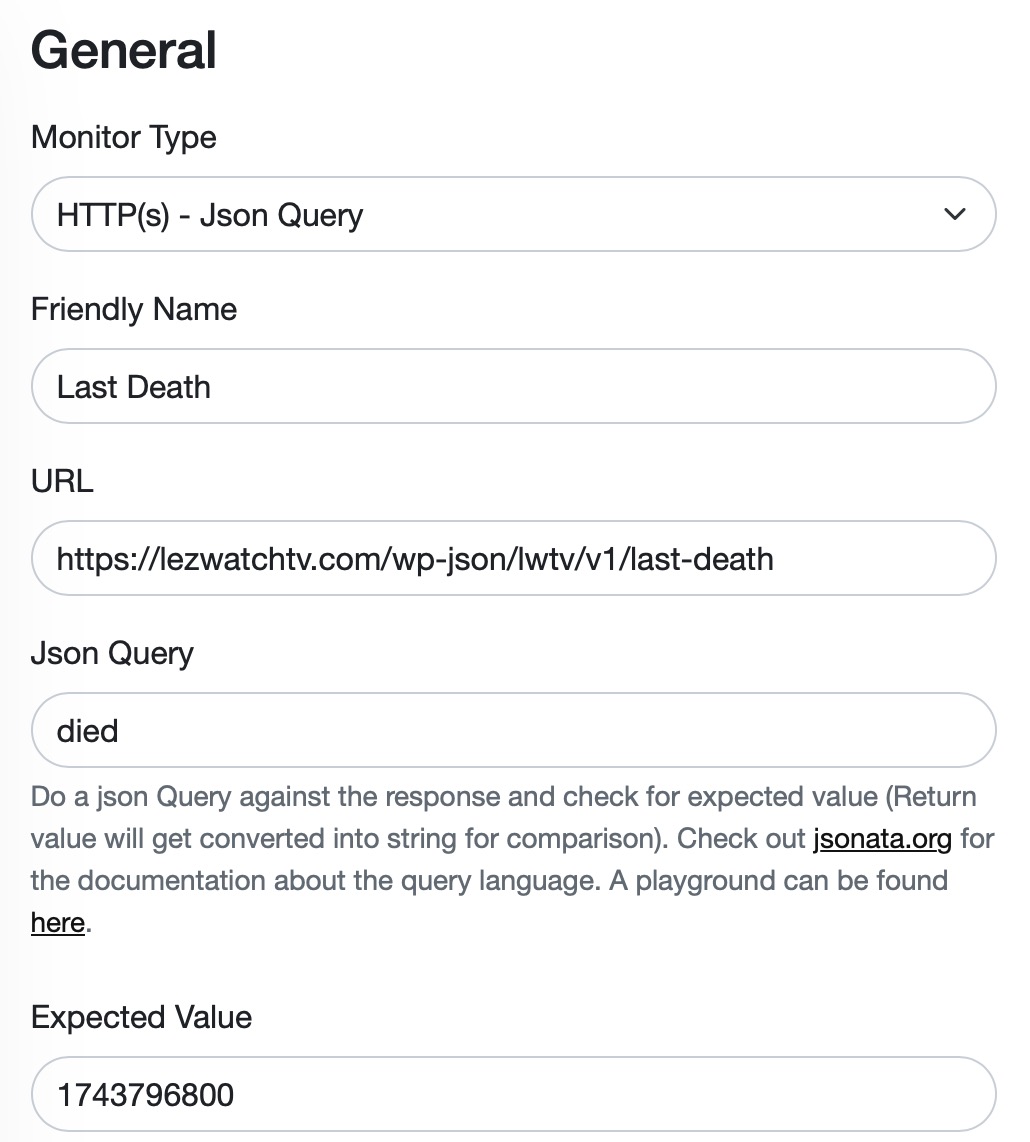
I mentioned there are 2 basic API checks, but they do different things. Here’s where it’s fun.
Ready?
Screenshot
Now that part is pretty basic. Right? Check the API, confirm the date for ‘died’ is what I think, done. And if it’s not? What do I do?
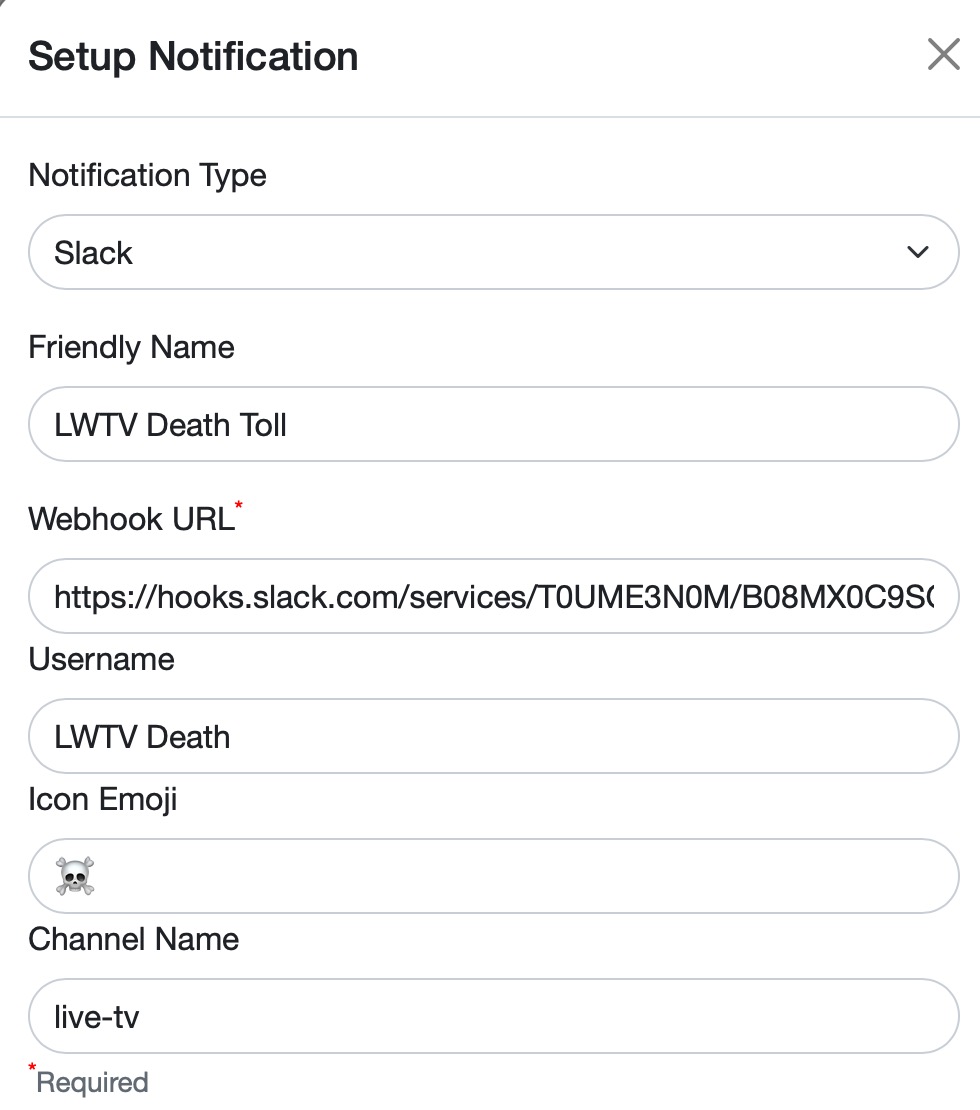
Well I send a Slack Message:
Screenshot
This tells us the death is down. Which means ‘someone new has been added to the site as a most recent death.’
Right now I have to manually go in and change the value to the valid one, but it works. And it’s one way to keep everyone updated.
[coding](https://halfelf.org/tag/coding/) [docker](https://halfelf.org/tag/docker/) [health check](https://halfelf.org/tag/health-check/), Cute Bears, Uptime Kuma, and Docker, Ipstenu (Mika Epstein), 01jt3cv5enmmjpq9ykga0j4qb1.