Don't Use Next.js Without These 7 Skills
🔗 **Source:** [Don't Use Next.js Without These 7 Skills](https://www.youtube.com/watch?v=gv7KrPTCW_8)
> [!note]+ Document Notes
> > [!info] Generated analysis — not the author's words. Sections below are machine-written
> > from the captured source. Only text inside `> [!quote]` blocks is verbatim from the author.
> > Do not quote or attribute any other line to the named author.
> ---
> tags: [nextjs, ai-agent-skills, developer-tools, supabase, react-development]
> author: [MISSING]
> source: YouTube
> reference: https://www.youtube.com/watch?v=gv7KrPTCW_8
> date created: 2026-08-10
> ---
> # 🏷️ Title: Don't Use Next.js Without These 7 Skills
> ## 🧭 Table of Contents
> - [📝 Summary](#-summary)
> - [📖 Main Content](#-main-content)
> - [🗒️ Notes](#️-notes)
> - [📚 References](#-references)
> - [🗣️ Paraphrase](#️-paraphrase)
> - [📰 Newsletter](#-newsletter)
> - [✅ Action Items](#-action-items)
> - [🧪 Hypotheses](#-hypotheses)
> - [📊 Methodology](#-methodology)
> - [❓ Questions](#-questions)
> - [🔮 Future Research](#-future-research)
> - [💡 Implications](#-implications)
> - [🧠 Learning Styles Assessment](#-learning-styles-assessment)
> - [📊 Accessibility Assessment](#-accessibility-assessment)
> - [🌍 DEIB Assessment](#-deib-assessment)
> - [✅ Logical Validity](#-logical-validity)
> - [🛡️ DARVO Analysis](#-darvo-analysis)
> - [🎯 Conclusion](#-conclusion)
> ### 🔗 References
> - [skills.sh](https://skills.sh) — Vercel-built leaderboard tracking AI agent skills
> - [Next.js repository (GitHub)](https://github.com/vercel/next.js)
> - Supabase agent skills (referenced, not linked in transcript)
> - Impeccable design skill (referenced, not linked in transcript)
> ## 📝 Summary
> - A developer walks through the emerging "AI agent skills" ecosystem for React/Next.js work: markdown-based, on-demand context files that an AI coding agent loads only when relevant, rather than bloating every prompt with static context.
> - He surveys skills.sh (Vercel's public leaderboard tracking 1M+ skill installs) and picks out roughly seven he considers must-haves for a Next.js/React/Supabase stack in 2026.
> - Core Next.js-specific skills covered: next dev loop (browser-based visual + MCP runtime verification), a cached-components adoption skill (guides the `use cache` directive + Suspense migration), an optimizer skill (maximizes the static shell), and a partial pre-fetching skill (Next.js 16.3+, avoids over-fetching link targets).
> - Non-Next.js-specific but stack-relevant skills: a React best-practices/composition-patterns skill (partially redundant now that `agents.md` ships bundled docs with `create-next-app`), Supabase's own agent skills (RLS/security checklist bundled inline to avoid the agent skipping an external docs fetch), and design-quality skills (Impeccable for AI-slop detection/variation generation, shadcn UI for component-library discipline).
> - Key stakeholders: Next.js/Vercel DevRel (skill authorship + the leaderboard), Supabase DevRel (partnered segment in the video), and individual full-stack developers deciding which skills to install.
> - Risk/tradeoff noted explicitly: skills only help if the agent actually loads them — MCP tool access alone is not sufficient (Supabase's own data shows ~60% success with MCP-only vs. much higher with MCP + skill), and skill authors are advised to put critical info inline in `skill.md` because "agents are lazy about reading reference files."
> - Bottom line: the presenter frames the bottleneck as context delivery, not model capability — skills are a cheap, composable way to route the right guardrails into the agent's context at the right moment, and this particular stack (Next.js cached components + Supabase + design QA) is moving fast enough that this list will likely need revisiting.
> ## 📖 Main Content
> - The video's framing device is skills.sh, a public leaderboard (built by Vercel) ranking AI agent skills by install/download volume. A "skill" is described as a small folder of markdown files describing a workflow or domain that an agent can dynamically pull into context based on the skill's name/description — the alternative to permanently bloating the system prompt.
> - Skills discussed are grouped by function: (1) verification/QA skills that give the agent eyes on a running app, (2) migration/adoption skills for advanced or breaking Next.js features, (3) performance-optimization skills, (4) database/backend skills (Supabase), and (5) design-quality skills (Impeccable, shadcn UI).
> - A recurring theme is that documentation-only skills are becoming less necessary because Next.js now bundles `agents.md`/`claude.md` (pointing at bundled docs) directly into `npx create-next-app` scaffolds — so a skill whose only job is "inject the docs" is partially redundant, though the presenter still leans toward keeping composition-pattern-style skills that encode judgment, not just reference text.
> - The Supabase segment is the most evidence-backed claim in the video: Supabase's own internal data (per the presenter, sourced from Supabase, this is a sponsored/partnered segment) shows MCP tool access alone yields roughly 60% success at things like correct RLS policy generation, but pairing the MCP with the skill (which inlines a security checklist and nudges the agent to verify against current docs rather than trained-in knowledge) raises that rate "significantly." The stated mechanism: agents often skip an available "search docs" MCP tool because they assume their training data is current, so the skill's job is as much behavioral nudge as it is information source.
> ### 🗒️ Notes
> #### ⏱️ [00:00](https://www.youtube.com/watch?v=gv7KrPTCW_8&t=0) skills.sh and the on-demand context model
> - skills.sh is a Vercel-built leaderboard tracking 1M+ skill installs/downloads.
> - A skill = a small set of markdown files about a topic (e.g. front-end design) the agent loads into context only when relevant — avoids bloating every prompt.
> - Loading is decision-based mostly on the skill's name/description metadata, not a forced always-on include.
> - Next.js's own GitHub repo now ships several first-party skills.
> #### ⏱️ [01:22](https://www.youtube.com/watch?v=gv7KrPTCW_8&t=82) Skill 1 — next dev loop (browser + MCP verification)
> - Solves: "if your agent changes your app, how does it know it did a good job?"
> - Two verification channels: (1) Next.js exposes MCP tools giving the agent runtime introspection — routes, server logs, compilation errors; (2) an agent-controlled browser that can screenshot the running UI, read the DOM/console/network/React tree.
> - Demoed live: the agent built a landing-page hero animation, then autonomously opened a Chrome window, navigated the app, took screenshots, resized the viewport to check mobile responsiveness, and caught a real polish issue (muted/light-gray copy with insufficient contrast) — a defect that passes every build/type check but is only visible by looking.
> - Presenter's characterization: "a step change improvement in the quality of Next.js apps," used for a week prior on a canvas application with pan/zoom self-verification.
> - Requires installing a separate "agent browser" package alongside the skill.
> #### ⏱️ [07:38](https://www.youtube.com/watch?v=gv7KrPTCW_8&t=458) Skill 2 — cached components adoption
> - Context: newer Next.js versions unify caching under a `use cache` directive (page-level or function-level), enabled via a `cacheComponents` config flag.
> - Turning the flag on can surface actionable errors when async/await data-fetching components block the rest of a page from being statically rendered — the fix pattern is wrapping those components in `<Suspense>` so the static shell renders immediately and dynamic content streams in later.
> - This is architectural, not a simple toggle, so the skill exists specifically to read the flag-on errors, propose fixes, and hand off to the next dev loop skill for a visual check that the static shell still renders correctly.
> - Analogy given: an e-commerce product page has static content (images, copy) served from CDN identically to every visitor, plus personalized dynamic content (recommended products) that must stream in without blocking the static shell — formerly called "partial pre-rendering," now folded into "cached components."
> #### ⏱️ [10:44](https://www.youtube.com/watch?v=gv7KrPTCW_8&t=644) Skill 3 — optimizer (maximize the static shell)
> - Follow-on step after
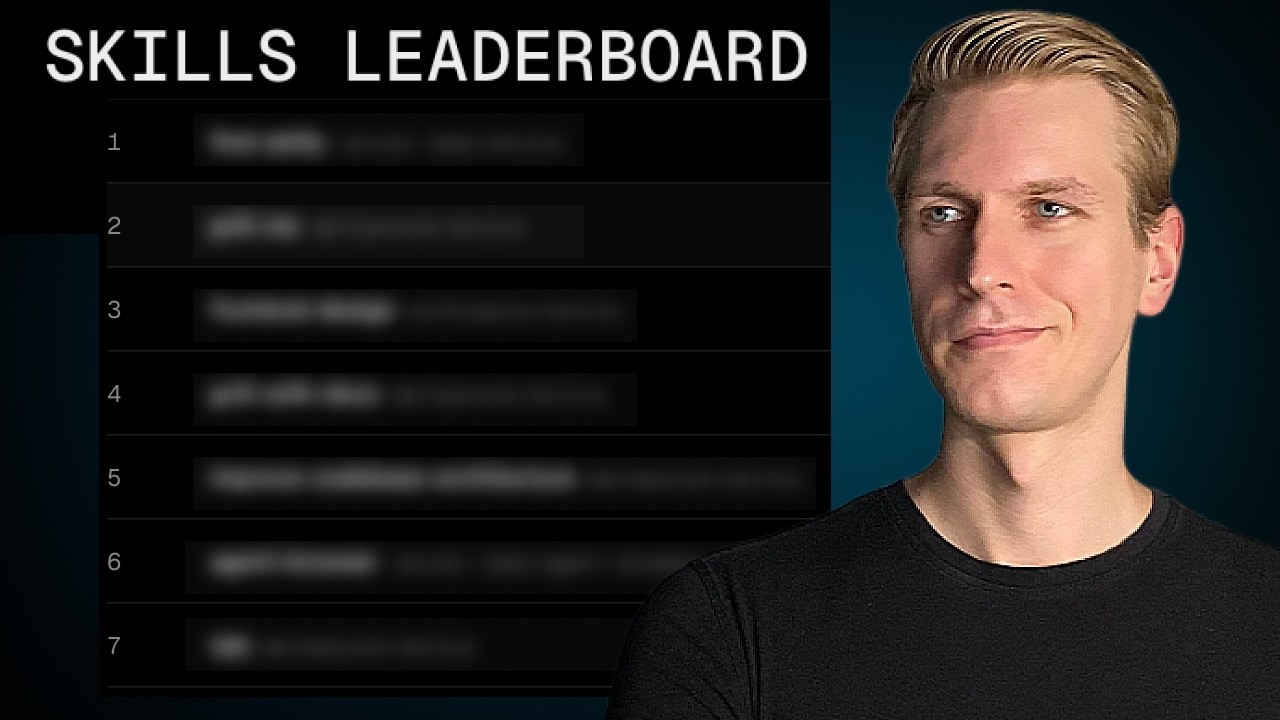
So, almost everybody right now is adding skills to their AI agent to improve the performance of their AI agents. In this video, I want to go over the skills that people are installing and specifically for React or Next.js development, what are people using? Because this is also changing right now. There are some uh developments here. Uh but basically, just to bring you up to speed, there is a website skills.sh. It's basically a leaderboard here created by Vercel. It's tracking a lot of those skills, more than a million. And we can see the most
popular ones globally. A skill is basically just a few files with some text about a particular topic, so that if you prompt your AI agent, for example, about front-end design, it can load that text into the context. So, sort of dynamically injecting relevant context into the conversation that you have with your AI agent, sort of on right. So, on demand, adding that to the conversation. Um so, you're not unnecessarily bloating the context with all sorts of unrelated things. It's only loaded when the agent actually needs it.
Now, just to quickly show you what that looks like. So, in the latest Next.js here in the repo on the GitHub, we can see that there are a few new skills here specifically for Next.js. So, in this video, I want to focus a little bit more on React and Next.js and uh some of the skills specifically uh for us as front-end or full-stack developers. Um but just to take a look here, I think this is a big one, next dev loop. This is a skill and we can see there is one file here, a markdown file, basically describing
how a an AI agent should verify um how it implemented something. So, there's just a bunch of text here that the agent may load if it thinks it needs it. And it makes that decision mostly based on the name and the description. So, if you have the skill installed, it may load that into the context. So, uh we can see there are a few very popular ones. Uh find skills in the first place, right? How do you even know what that Well, that itself is a skill. Uh there's a very popular one here by Matt Pocock here about grill me. If you click on it, uh can read what it's about. Basically
questioning a plan to basically improving the quality of a plan. There's also a lot of skills that have to do with design, UI design. A lot of people do not want AI slop design. So, there's a few skills that can help you deviate from that. And then here at number five of this global ranking here, there's actually a big one here. I think this is going to be one of the biggest ones for USA developer if you're a developer. We can see there is an uptick here in the downloads. I think this is a major improvement to your AI stack. So, we'll discuss it in the video. And they
actually have grouped some of these skills together. For example, for Next.js specifically. If I click on that, you can see that we have a few skills in this category. So, those have to do with those new skills that we are going to have in Next.js. And if we take a look, there's also here for front end and React. So, if you're working with Shadcn UI, there is a Shadcn skill. We have database skills here as well. So, a lot of you are using Supabase. Supabase actually just released their
agent skills. I'm partnering with them on the video. And I think if you're building full stack apps, it's a great choice. That is this agent skills helps your agent a lot with RLS and a lot of security related elements. So, it is a little bit overwhelming. Which ones do you really need? So, let's go through the list here that I think are must-haves for a React or Next.js developer. So, the first one here is the next dev loop. We briefly discussed it in a previous video, but I want to zoom in a little bit more on it here. So, basically, if your agent changes your
app, how can it know that it did a good job? Well, it needs to verify. So, this skill helps it essentially verify. And it does it in two ways. Next.js exposes MCP tools, so the agent can learn about the runtime of the Next.js app. Like the routes, the server logs, if there are compilation issues, more of like an internal view of the running Next.js app. It can It can just call tools. And the other way, of course, especially if you have a UI, it needs to know if things in the UI look all right. So, it
may actually need to take screenshots of the UI, for example. So, the agent can programmatically spin up a browser, load your app into the browser, and it gets a browser's view. So, it sees the DOM, and what's going on in the console, and the network, and the React tree. So, together with that MCP for like runtime information about the running app, it does actually an amazing job. I've been using it for the past week or so, but it feels like a step change improvement in the quality of Next.js apps. I'm actually building a canvas application,
and with this package, it's able to do like zooming in the canvas, and moving around in the canvas, and then by itself verifying if things look like they should look. So, very powerful. And in the skill, it's basically described how to use these tools to get the most out of it. So, basically like a workflow. Now, for that agent browser, it does require the agent browser package. Okay? So, let's actually try installing this and see an example. So, I'm going to add the skill, and I will just do it for this project. Okay, so now I have a
Next.js app here. Let's say I'm building a landing page. So, if I ask it now to build a simple landing page, but with an interesting animation in the hero, you will sometimes see that at the end of editing things, it's going to start verifying, and it will use the agent browser and the MCP tool. All right, so actually it opened up this browser window here by itself. So, it's controlling this Google Chrome browser here, and it's just taking a look at the current home page. And you can see here that it's already invoking next loop session something here with agent
browser. So, it's actually already using it. So, here it says, "I'm using the next dev loop skill, because this is a Next.js UI change, and the animation needs browser level checking, not just a successful build." Right, very important when we're dealing with the UI. Yes, no, on on when there's is all the checks can pass, but in the UI it can still look off. So, the only way to verify it is to actually, well, visually open up the app and take a screenshot. And the other benefit is that as it's working on it, we can already see what it's doing actually. It's still using that. We can
see here it's again trying to get access to that browser cuz it's using next loop session agent browser. And you can see it's taking a screenshot here. And it's saving the screenshot somewhere. You can see here also the image that it was looking at. So, took a screenshot. It's able now to learn from the image here that it has taken by itself. I do not have to manually take screenshots. So, this is new. This is not something that we had so easily out of the box at least before. My personal experience is that this is a real improvement. So, it
actually also does things like check responsiveness this way. So, it may change the size of the window, right? So, here it's checking for mobile. Okay, and then once it's finished, it actually automatically made it wider again. And here actually caught another issue. The browser check caught one real polish issue. The muted copy was a little too light. Yeah, so in practice this also happens often where the text is just slightly too light, so you can barely read it. That's also something that it cannot deduce just from code, right? So, even if you build the app, all the
checks are going to pass. You have to actually visually inspect the website, the page to see if the colors are, you know, properly contrasted and such. So, that's also a very common issue that it's able to fix now. All right, so then actually it's finished and it tears down the browser window. Now, if I open this up, we don't have any issues with like weird contrast, right? So, now we have the text all with proper contrast and such. So, I actually think this is one of the biggest improvements here for any Next.js developer that we've seen in quite some time. So, I would say highly recommend you try this out by yourself.
All right, so the next one has to do with cached components. So, in case you missed it, here in the more recent versions of Next.js we have something called cached components now. It's basically unifying a lot of this caching behavior into one mental model here with the use cache directive. And so, if I want my /blog route to be statically rendered, I can use use cache at the top of the page. I can also be more granular. So, if you
have a specific data fetching function, I can add use cache in that function. You do need to enable it as a recording, so you need to add cache components to next.js config. Now, as soon as you do that, you may actually run into an error, or it may start giving you errors. And the reason for that is, let's say on the home page, you have some component, the comments component. Now, in there, what you may be doing is fetch the comment. Right? So, you may be getting data. Now, you're using async await in there, which means that the
rest of the page would be held up by that. So, you're going to slow down the whole page just for this component here. Right? So, we typically want to wrap those types of components here in suspense, so that everything around it here can remain statically rendered, can be immediately served, and then later, once once the once all the recent comments here are fetched, it can stream that in later. Right? So, this is a bit of an architectural type of change now, and therefore, it's not as simple for the AI
agent to just toggle that switch. So, they actually have a skill that helps you adopt it essentially. So, this is if you have a next.js app, and you want to get started with cache components, as soon as you turn this on in next.js config, you may get those actionable errors, let's say useful errors. And the skill can read that error. It will try to fix that, and then actually, it can use the next dev loop skill to go through a visual check as well to confirm that the static shell renders the right content. So, it's a bit of an
advanced caching-related topic. So, if you're a little bit confused, that's normal. They actually have a nice graphic here just to get a intuition for how the caching works. Let's say on a page, if I have an e-commerce page, I have a lot of static content. I have some image of a product, some text of the product. I can just render this during the build. So then when somebody goes to that page, I can just immediately serve that. And when the next person comes, it's I can serve the exact same thing from a CDN. The next person, I'm going to serve the exact same thing. So very fast. Now some of those elements may be personalized to
the user. So it depends on runtime information, who's making the request, like recommended products. Right? So if somebody looking at t-shirts on the site, I want to recommend products that have to do with t-shirts. Right? So I cannot do the same thing for the next visitor cuz they have different viewing history. So this is dynamic data on the page, but I don't want to slow down the whole page just for that component. I want to serve the static shell as fast as possible and then stream in that dynamic data later. Right? So this used to be called partial pre-rendering, but a lot of the caching
is now brought under this cache components concept. So this helps you adopt it in the first place. Now once it's enabled and you have it working, you know, somewhat okay, the next step here, so the third skill that you may want to use is an optimizer skill. So now you're going to optimize it. And the way to think of it, I think, is just that we want that static part to be as big as possible. Right? So maybe you find out that the recommended components here, recommended products, maybe this
is the same for everybody. Maybe it's just because it's based on whatever product is being shown here, so it can be the same for everybody and therefore it can be rendered during build time. So we may improve the size of the static shell here by including this recommended component into the static shell as well. Right? So we actually want things to be static so that the user when they load the page, they they instantly see a UI here. So this has to do with instant navigation as well. It's going to check uh visually to see if there's actually something on the page when you when you
try to have an instance navigation between pages. And we'll just go route by route to see if it can optimize the caching behavior. And then here for number four, they mention since Next.js 16.3, there is a fourth skill that has to do with partial pre-fetching. So this fourth skill has to do with pre-fetching behavior in Next.js. Maybe you've already run into an issue where maybe you had, let's say, a footer component and you had 100 links in the footer and you could have ended up in a scenario where it was pre-fetching those 100 links. Right? So then when the user
clicks on those links, yes, it will feel instant, but you know, you're basically over-fetching. There is a more sophisticated approach now. So instead of pre-fetching everything, it's only going to partially pre-fetch. So there's it's basically smarter pre-fetching behavior. So it's not going to pre-fetch everything, just a static shell around it essentially. And they call it partial pre-fetching. So to adopt that behavior, they actually have a skill for that as well. Basically, it also helps you walk through setting it up in your existing
app. Those are four Next.js specific, little bit more advanced skills, but yeah, can really squeeze out even more performance, I would say. All right, so those were some Next.js specific skills. Now, there are more actually. So if you go to topics here, there are a few other popular Next.js skills. However, I'm not sure um if we actually still need them. Um for example, there is this one for sale React best practices. If we take a look at that one, it's actually quite
popular. So it has some best practices and those are here categorized. So for example, client-side data fetching. Okay. Now, in the latest Next.js, when you do MPX create next app, you will get something with agents.md and cloud.md. Uh this one actually just refers back to agents.md and this is going to point to the bundled docs. So your agents are going to be pointed to the Next.js documentation, which is bundled with the
app. So, if we go there, uh here, um there is all this information about Next.js, including things server and client components, fetching data. So, my guess is that a lot of that information is already part of the docs. So, we may still want to use the skill, but you know, these skills that are purely about basically bringing documentation into the context of the agent. In the Next.js world, I would say this is less important now because the docs are bundled with the app. My guess is that it's still useful to add, so you may still want to add those. There's also something here about React composition
patterns. So, I find that the agent still create quite messy components, so that may be uh something that you still want to add. There are some other skills related to that as well. Now, besides Next.js, of course, you are going to integrate other parts into the system, and those parts often have a lot of things that the agent should know about as well. So, for example, if you're building full-stack apps, you're using Supabase on the back end, Supabase just released their agent skills. This can drastically improve the ability that
your coding agent has uh implementing Supabase, and I think this is really important because I know a lot of developers get tripped up over uh things like uh RLS policies, right? So, row-level security. Um so, it's really helpful if you have a second set of eyes, basically your agent, and especially if it can uh implement that for you in the right way. So, we want to optimize our agent for Supabase, and we can easily do that with these agent skills. Right? So, the Supabase team has already seen in practice what these agents often get wrong. So, they've been seeing, for example, that that agents
may skip RLS policies on exposed schemas or hallucinate CLI commands or create views with a particular setting, uh which can then bypass RLS. Very often, by the way, if they have to fetch uh external data, um basically make an external fetch call to get docs, they often skip it because they think it's already part of the the training data. So, um sometimes you actually have to nudge the agent a bit to actually fetch it. And if you forget about that, it may simply rely on its training data, which
may be out of date. So, Superbase came up with a solution for this, and that is these agent skills. Let's actually see what we get if we install that. So, if I add that here, we will actually get two separate ones. So, they actually released the Postgres specific best practices as well. So, this is just for a Postgres Postgres database. However, they also now have this Superbase skill, which is more about the Superbase products themselves, like their database offering. So, I want to use both, and I will just install it here. And now, if
we go here, we can see Superbase and Superbase Postgres best practices added here. So, if we take a look here at skill.md, so one of the things that they are doing is very similar to what Next.js is doing, which is bundling the docs with the app. And Superbase is following a bit of a similar principle here, which is they bundle some of the most critical information with the skill itself. So, the agent does not have to make that external request, but which they may sometimes skip. So, for example, it has a bit of like a
checklist here for security-related things. So, here there's a security checklist about with things like auth and session security, API key and client exposure. Right, so in Next.js, we don't want to have next public if it should be secret. Right, something about RLS, very important. This is all part of the skill. So, as soon as the agent loads the skill, it should be this should be part of the context without having to make an external fetch call. So, I would say that's a must-have skill if you're using Superbase.
Of course, it's still important that you understand yourself how things like RLS work. So, make sure you check out my previous videos I did with Superbase. But I actually show you here the data they have on how much this skill can improve your setup here. Basically, we can use Superbase with their MCP, right? As MCP offers tools to the agent like search docs, right? So, there's a tool that the agent can call. But, like I said, I can often skip it. So, basically, if you use the MCP only, it often is around 60% uh success rate.
However, if you have both the MCP and the skill, it shoots up significantly. So, it is uh pretty drastic improvement. All right, so they learned here MCP alone is not enough without workflows or guidelines, which is often uh described in skills. So, without the skills, basically, or without workflows or guidelines, agents have to guess at how to combine tools. Agents also often default to training data. So, even if you expose a search docs tool, the MCP-only agent may never call it. And so, with the skill, you steer the agent
to verify against the current docs first, basically giving them a bit of a nudge to actually either look up the docs in case it's not in-lined in the skill or to uh well, actually use the information that's part of the skill. So, the bottleneck is context, not capability. Right? So, with skills, we're dynamically injecting uh information into the context. And we don't want to bloat the context with all sorts of information. So, the trick here is to make sure that the agent loads the right context at the right time. So, in case you are building a skill yourself, I
actually have some interesting uh information about that. They do recommend keeping the essentials directly inside skill.md. The agents are lazy about reading reference files. Put critical knowledge where they can't miss it. So, I think this is a really useful uh article, actually. I will link to it in the description. I highly recommend you go through it. But, this is definitely another skill that I would add to my setup if I'm building full-stack apps. Of course, if you're building apps with a UI, we also want to have a beautiful UI. That means we have to avoid AI slop because people will recognize it as something that you
really didn't put much effort into it. So, I've actually been really impressed with Impeccable. It's been quite trendy. And they offer a skill to help you improve the design. Okay, so they basically have a library of turn patterns that helps your agent recognize AI slop so you can remove it. It also has a pretty compelling tool that helps you quickly try out some different design ideas. So, it's not just a skill actually. There's a few other things, but we can try installing it here skills.sh like this.
Okay, and then what I can do is ask my coding agent if it can run the the dev server again with impeccable in it. So, basically initially it's going to build up some uh design current design information that you have. Now, it can also inject this well a widget on your page. So, you can then select elements here on on your page. So, I selected this part of the hero here and you can then ask it to generate some variations. So, I So, it actually generated three variations for me. And I can flip
through it like this, which is pretty cool. This is actually an idea that I had for a long time as well, allowing you to quickly see some some variations here. And you can then accept it, which will then be sent back to your AI coding agent so that it can permanently alter the code to continue with this particular variation. So, that's why I have this design.md and also product.md files. This is created for you if you run impeccable in it, basically walking you through what your product what your
app is all about and then design.md basically your you could say design system or style guide. You can also see that here. So, here if I open up design.md, I can see the colors used here, the the font information, the the border radius. Right so, now I have a clear overview of well, my design system you could say, which is really cool actually. So, really interesting skill impeccable. So, if you're working with a UI and you want to improve the design, that's something that you may want to try. And there is of course also the
shadcn UI skill that is also very popular. Now, you could say the the agents are pretty good at shadcn UI these days. So, do we still really need this one as well? My personal experience is probably yes, because I think the agents just have so much information in their training data that they simply get confused sometimes. So, sometimes they may actually still use a radix UI instead of the base UI. Sometimes your agent may hardcode colors or put it in a different place, even though it should be part of the, you know, shadcn design
system, or it doesn't properly reuse the components that we are already using from shadcn, or maybe it simply doesn't pick one of the components that are available and it just tries to build it from scratch by itself. So, I think it's still a good idea to have this one as well. So, those are the skills that I personally would use for a new project or basically my development workflow right now. And this video is part of a series I'm doing here with a Superbase, so I highly recommend check out the Superbase while the previous videos that we're doing. We're talking all about building with AI, including their new
agent skills, and really trying to squeeze out as much performance of our AI coding agents as as possible. And make sure to check out the next video in which we're going to build with AI. So, I'll see you there., Don't Use Next.js Without These 7 Skills, YouTube, 01kzp0nvy8kfxvrr86fhq63bb4.