GitHub Docs to WordPress With DocsPress
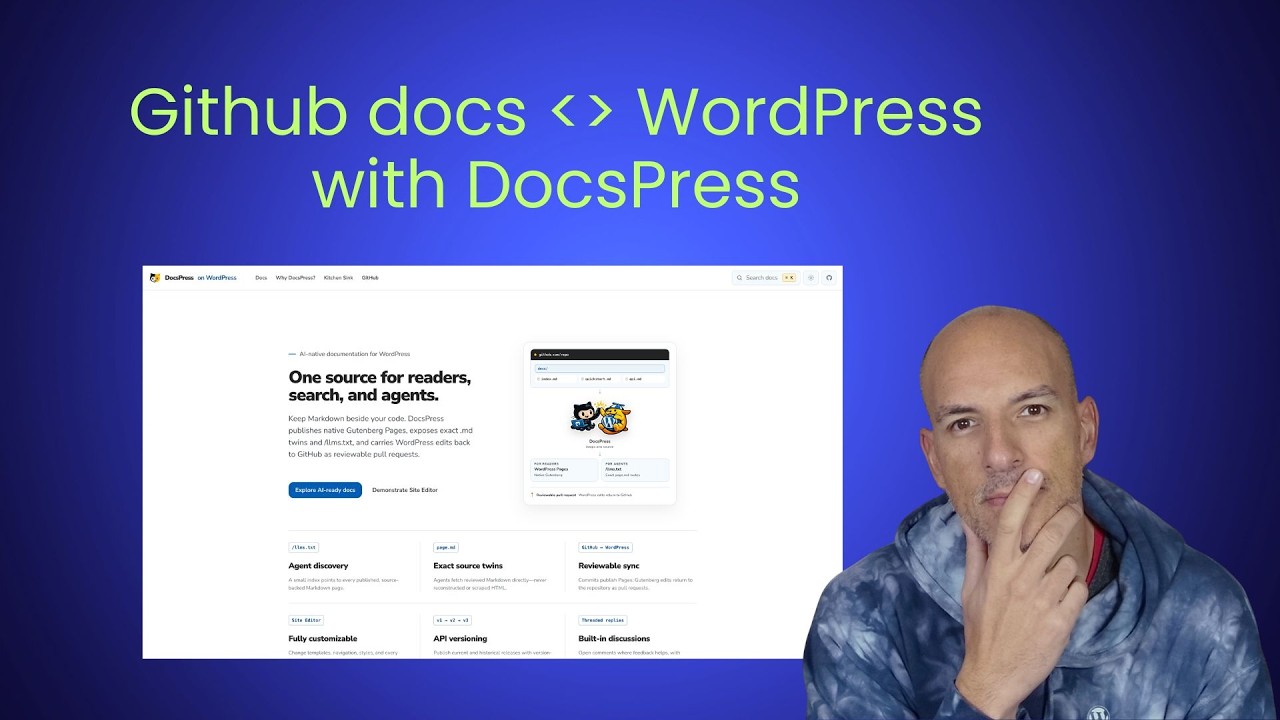
🔗 **Source:** [GitHub Docs to WordPress With DocsPress](https://www.youtube.com/watch?v=CpvMM1lIFPo)
> [!note]+ Document Notes
> ---
> tags: [docspress, wordpress-documentation, github-actions, docs-as-code, developer-experience, credential-security]
> author: "Jonathan Bossenger"
> source: "Jonathan Bossenger"
> reference: "https://www.youtube.com/watch?v=CpvMM1lIFPo"
> date created: 2026-08-04 10:04 EDT
> ---
> > [!info] Generated analysis — not the author's words. Sections below are machine-written
> > from the captured source. Only text inside `> [!quote]` blocks is verbatim from the author.
> > Do not quote or attribute any other line to the named author.
> # 🏷️ Title: GitHub docs to WordPress with DocsPress
> ## 🧭 Table of Contents
> - [🔗 References](#-references)
> - [📝 Summary](#-summary)
> - [📖 Main Content](#-main-content)
> - [🗒️ Notes](#️-notes)
> - [📚 References](#-references-1)
> - [🗣️ Paraphrase](#️-paraphrase)
> - [📰 Newsletter](#-newsletter)
> - [✅ Action Items](#-action-items)
> - [🧪 Hypotheses](#-hypotheses)
> - [📊 Methodology](#-methodology)
> - [❓ Questions](#-questions)
> - [🔮 Future Research](#-future-research)
> - [💡 Implications](#-implications)
> - [🧠 Learning Styles Assessment](#-learning-styles-assessment)
> - [📊 Accessibility Assessment](#-accessibility-assessment)
> - [🌍 DEIB Assessment](#-deib-assessment)
> - [✅ Logical Validity](#-logical-validity)
> - [🛡️ DARVO Analysis](#-darvo-analysis)
> - [🎯 Conclusion](#-conclusion)
> - [🧱 Refactor Appendix](#-refactor-appendix)
> - [🧰 Template Library](#-template-library)
> ### 🔗 References
> - [Source video](https://www.youtube.com/watch?v=CpvMM1lIFPo)
> - [DocsPress](https://docs.press/)
> - [WordPress REST API authentication](https://developer.wordpress.org/rest-api/using-the-rest-api/authentication/)
> ## 📝 Summary
> - Jonathan Bossenger tests DocsPress, a workflow intended to publish repository Markdown to WordPress and return WordPress edits to GitHub as reviewable pull requests.
> - The appeal is two-way collaboration: developers keep documentation beside code, while contributors who are uncomfortable with GitHub can work through WordPress.
> - The live setup exposes ordering and documentation problems around skill installation, prerequisites, authentication, GitHub permissions, and overlapping workflow files.
> - The first synchronization does not complete because a workflow reports an invalid status parameter; this is a useful failed run, not proof that DocsPress cannot work.
> - A second experiment shows that agent-generated docs may depend on installed project dependencies and may emit WordPress-specific blocks that do not render as readable Markdown on GitHub.
> - Risks include credential exposure, excessive workflow permissions, source/target drift, generated-doc accuracy, and markup that weakens portability.
> - Bottom line: DocsPress targets a real docs-as-code collaboration gap, but this recording supports an early usability and failure analysis, not a production recommendation.
> ## 📖 Main Content
> ### The collaboration problem
> Git-based documentation keeps changes reviewable and close to code, but it excludes contributors who cannot or do not want to edit repositories. WordPress offers familiar editing and collaboration. DocsPress aims to connect both worlds instead of choosing one.
> ### Proposed flow
> The presenter asks an agent to inspect an existing documentation tree, install DocsPress skills, prepare a target, and create GitHub Actions workflows. The intended path publishes Markdown to WordPress and returns WordPress edits through pull requests so repository review remains the gate.
> ### Setup friction
> The live run reveals unclear prerequisite order, uncertain authentication choices, questions about application passwords and WordPress.com OAuth, GitHub secret placement, repository permissions, and two competing workflow definitions. These are documentation and product-design findings because the presenter narrates where expectations diverge from the actual sequence.
> ### Failure evidence
> The workflow reaches an invalid-parameters status error. Removing an apparent status field does not clear it. The presenter stops the sync, records feedback, and plans another attempt. Without pinned versions, logs, and a corrected replay, the cause remains unresolved.
> ### Generated documentation
> A later experiment asks the agent to generate docs for a repository without them. It needs dependencies installed and produces WordPress-specific block markup. The presenter prefers portable Markdown, suggesting a conversion layer that keeps GitHub rendering readable while producing richer WordPress blocks during publication.
> ### Security boundary
> The presenter moves secret entry off screen and expresses concern about placing access tokens in repository files. A safe workflow must use secret storage, least-privilege credentials, redacted logs, revocation, and explicit trust boundaries.
> ## 🗒️ Notes
> #### ⏱️ [00:01:27](https://www.youtube.com/watch?v=CpvMM1lIFPo&t=87) DocsPress goal
> - The tool promises Markdown-to-WordPress publishing with reviewable return changes.
> - The use case is documentation stored beside code but edited through WordPress.
> #### ⏱️ [00:05:00](https://www.youtube.com/watch?v=CpvMM1lIFPo&t=300) Existing Gutenberg workflow
> - Repository-first publishing protects review but raises a GitHub participation barrier.
> - DocsPress tries to make WordPress the collaboration surface without dropping pull-request review.
> #### ⏱️ [00:10:00](https://www.youtube.com/watch?v=CpvMM1lIFPo&t=600) Prerequisite order
> - The presenter first runs a setup prompt, then discovers agent skills must be installed.
> - Prerequisites and required sequence should precede the first command.
> #### ⏱️ [00:20:00](https://www.youtube.com/watch?v=CpvMM1lIFPo&t=1200) Authentication choice
> - Self-hosted WordPress and WordPress.com paths differ.
> - The transcript shows uncertainty about application-password shape, bearer tokens, and where secrets belong.
> #### ⏱️ [00:30:00](https://www.youtube.com/watch?v=CpvMM1lIFPo&t=1800) GitHub workflow permissions
> - The setup requires content and pull-request permissions.
> - The presenter encounters overlapping workflow files and is unsure which one is canonical.
> #### ⏱️ [00:40:00](https://www.youtube.com/watch?v=CpvMM1lIFPo&t=2400) Failed synchronization
> - GitHub Actions and command-line attempts both report an invalid status parameter.
> - Source inspection, pinned versions, and complete logs are needed before assigning cause.
> #### ⏱️ [00:52:00](https://www.youtube.com/watch?v=CpvMM1lIFPo&t=3120) Feedback boundary
> - The presenter stops after the unresolved failure and plans to report setup and authentication issues.
> - Stopping preserves the finding without claiming a successful publish.
> #### ⏱️ [00:56:00](https://www.youtube.com/watch?v=CpvMM1lIFPo&t=3360) Generated docs
> - A repository without docs becomes a test for agent-generated documentation.
> - Dependencies must be installed before analysis can proceed.
> #### ⏱️ [01:00:00](https://www.youtube.com/watch?v=CpvMM1lIFPo&t=3600) Portable Markdown
> - Generated WordPress blocks do not render cleanly on GitHub.
> - The presenter proposes readable Markdown as the source with block conversion at publish time.
> #### ⏱️ [01:03:00](https://www.youtube.com/watch?v=CpvMM1lIFPo&t=3780) Next iteration
> - The run ends with concrete feedback for the maintainer.
> - A follow-up should pin the release, correct the workflow, and replay from a clean repository.
> ## 📚 References
> - [Video: GitHub docs to WordPress with DocsPress](https://www.youtube.com/watch?v=CpvMM1lIFPo) — primary captured test run.
> - [DocsPress](https://docs.press/) — product documentation referenced by the presenter.
> - [WordPress REST API authentication](https://developer.wordpress.org/rest-api/using-the-rest-api/authentication/) — official authentication overview.
> - [GitHub Actions security hardening](https://docs.github.com/en/actions/security-guides/security-hardening-for-github-actions) — official workflow security guidance.
> - Exact repository, action version, and error logs are not preserved in enough detail here for a root-cause conclusion.
> ## 🗣️ Paraphrase
> 1. DocsPress tries to keep Markdown in GitHub while giving WordPress users a familiar editing and collaboration surface.
> 2. The expected safety property is that WordPress edits return as pull requests ins
All righty.
Friday stream time.
Um I need coffee. So this week, uh hey, I'm going to be checking out Docspress.
If you have never heard of Docspress, you can go to Docs. press. Go check it out there. This was actually developed by a colleague of mine. I hope I'm going to say his name right, Fati. He is from Turkey. He recently joined RT Middle Tomatic as a developer advocate. And he's working on a whole bunch of cool stuff. He released a whole bunch of cool stuff already.
He released something for plugin developers a while back. And now he's released something that I'm quite excited about. because it is a way to keep your docs in markdown and then publish to Goodwork pages. So essentially If you have a look at something like uh let's just do this. Uh not me.
If you have a look at something like uh Gutenberg, um Gutenberg has a docs folder and all of the hey Gachendra um weird my chat thing is not working my overlay
Let me try and add it again. Don't know why that's not working. I normally get a a chat notification at the top of my on my teleprompter. And I'm gonna
When people leave the message about radical systems each year. No, it's not working today. That's frustrating. Okay. I'm gonna have to do without that today. Um wonder if I close camera up. Sorry folks, I'm going off on a tangent here. Okay, let's happen again.
Okay, let's see if it works now. Very early today. Yeah, I've been streaming earlier lately. Um just because of my life and the way things go in my life. Okay, it looks like the chat's working now, so
Let's go from there. Okay, so um what was I saying? Oh yes, so Gutenberg docs, the block editor handbook is stored inside of a docs folder inside of the Gutenberg repo and then if you go to the block editor handbook which I can't spell today um then the docs are synced straight from here to here. But at the moment this is something that is
A little bit complicated because number one you have to commit changes to the repository You can't edit the page here, for example. It takes you. They've actually got like a whole thing set up here, Cameron. Welcome, welcome, welcome. They've got a whole thing set up which doesn't allow you to edit this page in the in the WordPress editor. You have to go and edit it in the GitHub repository and then submit a pull request.
Not a bad thing, but it does mean that people who are uncomfortable with GitHub can't make changes. And so What Fati has created is essentially this thing that publishes the Gutenberg pages and then allows you to carry WordPress edits back to GitHub as a reviewable pull request So I have worked in environments where the docs were hosted in WordPress, but they were stored in Markdown.
And we used to have this whole process of Sticking the working doc in a Google Drive because then you had collaboration uh fit functionality, which in WordPress we've now got the notes feature, so you could start doing it there. But then I used to have to pull that back from Google Docs into the markdown file to commit it to the repository and then from there copy it back up to the WordPress site. So this theoretically using AI aims to fix all of that.
So today what I thought I would do is I'm going to take my little um multi-agent project that I've got. Uh which is this? It has a whole bunch of docs in the docs folder. And so what I want to do is I want to connect that up to Docspress and to a WordPress site and see what it does, see how it works.
So to do that, I've got this test domain that I've had for a number of years now. That's the wrong one, hang on. No, that is the right one. Wise. Oh, there we go. So this I've had this domain for a while. Um I've been thinking about trying to pull that domain out with just some of the apps that I've built. I just I've I got the first one in and then that was as far as it went. This is something that I bought for my kid a while back.
It's a little time stable tester app. And I want to add a few of the other apps that I built into this page. So I'm going to use this site and I'm going to connect it up to the Concilium project and I'm going to see what it does. See how it works. See if I can break it. So that's the plan So I'm just going to log in here quickly. I think I have my password saved somewhere here.
There we go. Okay, so that worked. This is hosted on Pressable, in case you're interested. So let's close that and there's my repo. Okay, so here is my okay so let's see how this works. So let's start with explore AI ready docs.
Docspress can publish documentation tree for people and AI tools. Okay, so there's a So you can discover the documentation. Um Okay, so there's a couple of options. You can publish existing docs, connect an existing markdown documentation tree to WordPress without allowing an unreviewed vercloof under it.
Okay. So that's kind of where I think we want to start. You can run your first synchronization, existing markdown to WordPress. Okay. There are some agent skills. Okay. You can create docs with AI. So that's kind of cool. If there's time, maybe we can try that. So let's start with this is an existing doc. So let's start with an existing doc. So Use docspress install to inspect the repository, reuse its existing markdown and prepare.
Okay, so there's the prompt. So I can just copy this. Okay, cool. That's sweet. Alright, so what I'm going to do now is I'm going to use consilium to set up concilium. So this is my little multi-agent dashboard that I built for myself. So let's go over to that. repository um there it is and I just want to check that I've got the latest
Version of the code. Okay, I made some changes. Don't know what I did there, but I made some changes. Okay, so then let us copy the prompt and let's tell this thing to start. Yes, it's fine.
Okay, let's see what this does. Hopefully you all can read that. The font is pretty small. So it looks for DocSpress install. When did I need to install something for this to work? Oh, there's actually a recommended sequence here.
Maybe I'm doing it wrong. I think I think I need to install the Asian skills first
Yeah, looks like I need to do that first. Okay, so let's do that. I'm going to stock this and I'm going to install the agent skills first. Right, before I do that, see something.
Yeah, okay, I'm inside of Okay, so NPX skills add minus mass or full depth. Guess it's okay. Probably adding a bunch of skills. Okay.
Okay, so it's added to this repository. Fine. Okay, so that's that. And then NPM skills list just to check it. Hmm. Oh in PX. Stupid. PX kills.
Okay. So that seems fine. So that's what we need to do first. And then See authenticate WordPress run your first synchronization. So I feel like the install the skills first should be first. I feel like this needs to be fixed.
I'll leave a note about that. So I'm gonna just bring my notes over here. Setup steps, store skills, then then miticate Then run sync.
I'm guessing. Guessing that's the way it needs to be. So I feel like. Okay, so I feel like this page We should move the prerequisites up and see this makes me think I can do this from the word go. Um so I feel like this should be moved down prerequisites first. So it's in docs, that's fine. WordPress site, yeah, permission. Okay
Okay, we'll get to that. Okay, install the skills, then authenticating WordPress, yeah, so and then run the synchronization. So I think this We should definitely have the prerequisites and the recommended sequence first. Suppose I could submit that as a change, but anyway, okay. Let's go back so we've done the agent skills Ask the agent Spect for change reuse
Prepare manual drive rough driver. Do I need to do that?
Okay. So I've installed the skills. So let's do this. Let's ask the agent to inspect.
We might need to redo skills Okay. Let's do that and see what that does.
Okay, so it finds the doctor rectory and it's fairly decent.
Obvious. Docs are usable, no need for general docs. It's kind of cool that it has that option. So if your code doesn't have docs, it'll actually generate them for you. Trying to think if I have any repositories that don't have docs. Which I'm I'm like a write the docs guy, so it's very rare that my stuff doesn't have docs. Cosmic Defender might not have docs.
Yeah, Cosmic Defenders maybe a good option. Let's see if WP Mail has docs. WP Mail doesn't have docs. I wonder if WP debug has docs. Oh. Well, okay, D bag doesn't have docs, so we could use that. Um I guess I never really expected these to be used widely, so I didn't write docs for I usually write docs for everything. Or get the agent to do a first version. Anyway.
Okay, so this is running some things. Let's see if we can get a feel for what it's doing, if anything. Doesn't seem to be created anything yet.
Oh, it looks like it's actually
Okay, stocks race installed and so the skills Doesn't look like it's created anything yet. Okay, here we go. Which word puts target at the same floor pointer? Pick the platform and then use other TMX active main which I can fit which I can't fit for the replay.
Okay So self-hosted WordPress. Toxpress Action's latest release was never published in PM I'm gonna copy this as a comment and go, I don't know, what should I do there?
I don't know. I guess I'll go with the recommended path. Um
Do you want the companion docs press theme and blocks plugin prepared? Neither is required. No will restate changes beyond pages. You can add the reading experience later once the draft sync looks right I don't care, let's do the theme. Um
Let's do the theme. Let's see what let's see what it does. I don't care if the site gets changed. I'll be curious to see what it does.
Yeah, I don't know. I don't know.
Okay, tax usable
Okay. Yeah. Southwest domain has a sync. The workflow has replaced me. Confirm your site. Okay, so that we've got to set up.
Access token is not set. Okay. Okay. The GitHub workflow sync docs. Commit and push the workflow. Dispatch the workflow with a run, flip draw run, okay.
So that all seems to work fine. Verify the installation. Yeah, okay, that's fine. Okay, so now we need to authenticate WordPress. So there's two ways you can do this. The one is if you're hosting WordPress. com, you can create a WordPress. com app and set all of that up. Maybe I'll do that if there's time later. I want to do this on self-hosted WordPress. So So as you set WordPress UL to the site origin without that, Doxpress will call that and send that.
Call WordPress does not create that barrier token for Docspress. Configure a trusted authentication mechanism that accepts it and store the resulting token as. that. I'm going to guess that we can use an application password for this. If we can.
Um If it is, it's using REST, it's using the REST API, so I'm going to assume application password. It would be a good idea to mention this in the docs. So I'm going to say application Password for self hosted WordPress. Um So I'm going to do that and I'm going to do that off-screen so you guys don't steal that.
So now I need to remember how to set my application passwords. I don't know. So what I'm gonna do is I'm gonna keep this on screen. I'm gonna set up A new instance of admin there, so I can do both.
Okay, okay, so I've got an application password over here. I'm sure I minimize that screen for a second okay and then what i need to do according to the docs is set the wp access token So where do I store that? Probably in the workflow.
Not the biggest fan of putting my access token in a GitHub file.
That's possibly public. I guess there's no way around it because I'm doing self-hosted. If I was using WordPress. com, I wouldn't have to.
I didn't think people
The other question is will this work? Because doesn't this also need It's gonna need the token like base64 or something because it's the admin password and all of that. Or the username and password.
Hmm Okay, I think what I'm gonna do is I'm going to switch to using a WordPress. com site. Just for the stream. Just because I don't feel like uploading my application tokens.
Um Okay, I'm just gonna take this off screen for a second as well. Um because I just want to see What slides I do have. Um
So that's interesting. Because it's hosted on Pressable, this the site actually shows up in my WordPress. com sites. So I might be able to do the whole apps thing. Let's see.
And and came time to get with a little bit of a little bit of a little bit more. Okay, let's see. So the talks press I'm gonna take this off screen and uh I'm gonna have to show you guys what I'm doing. Don't go hacking my side while I'm testing this, eh?
Uh let's see if this will work So the redirect URL was this one I don't know about seven. It is fifteen, it's for web. I'm gonna make it
for myself okay my application has been created so now where do I get my I wonder if okay. The current helper request the WordPress global script, run the exact trusted package version locally and use that to set the token without being printed.
Okay, so let's copy that. I'm probably gonna have to change the URL.
Do I need to be inside the repo when I do this? I guess so. Yeah. That's kind of secrets and actually changed this
Where do I get that?
Oh you got it.
Yeah, prison yeah.
Oh no, that's the that's the client. That's the client ID. That's the secret arc
So the one downside about doing kind of things like this in a live stream is now you're exposing exposing all these secrets and people can go and hack that side. Please don't Let me at least finish testing. Since that one I need. Okay, and then that's the key That's the secret. Okay.
Okay. Well that seems to have worked. Okay, that that okay, so that works. Okay, so it looks like that works. So that's kind of cool. It works on a cell-posted side if it's hosted with pressible, because pressible is owned by What's the matter? Well owned by. Not with the right terminology. So that should mean it's authenticated.
So now we should be able to that's been done. Do I need to do this? I guess I need to do this.
So I guess this is the secret
Oh I probably need to set it. I need to replace another capsule. Jonathan and Bussenger. Alright. Okay, so that works. Um I do just happen to have the GitHub.
I wonder if in the previous it says you need that. Get uh okay, so you need to add that we need to add Okay, um I d dude, I hope I'm managing to figure this off. I really do hope that this works.
I have no idea. I do think that I'm going to be submitting some suggestions for the documentation after this. Because at the moment it's kind of confusing as to what I need to do. Um okay so let's go back here so we've done that now we need to case so first we need to commit the changes so let me I've got multiple windows open but I'm here now um so let's go get status it's probably just added the yeah it's added all of that
Agents clawed GitHub agent skills lock I'm happy with all that modified that's fine so let's go get commit let's commit this uh docs press setup Son track, yeah. Yeah, I'm just checking the documentation whether it actually talks about like committing the changes.
I can't remember if I read that somewhere. I'll check the docs and then see if it doesn't and I'll add that as a comment. Okay, so that's been pushed That's updated so now I need to go settings actions general for this repository so settings Actions general and then smooth this up a bit. Workflip missions allow GitHub actions to create approved call requests
Allow GitHub Actions to create and approve pull requests. Okay That's done The workflow's GitHub token creates a proposed report for us. You do not need another there.
Add a safe two-way workflow. Create that with a manual trigger sync docs. Didn't that get created? Yeah there's sync docs. I need to update those. Dang it, forgot to do that.
Okay. All right. Have anything crop Uh, hm, get up. I don't even got care about it. Yeah. Adding actual sync file
Okay. Let's see.
Permissions content right for request write Now, why wasn't this just created when when the first thing created got created? Now do I use this one? Or do I use the one I created?
Alright. Um I guess I use this one, so I'm gonna use this one. I don't know. I don't know what I'm doing. Um let's just see what this adds. Doc's workflow dispatch permissions content right pull request write.
It's this sync doxicamel, is it the same file? Yeah. Uh concurrency jobs sync uses it's using different actions not sure which one's supposed to use Um
Okay, let's do this. Which sync products do I want to use? Um, okay, well, I'm gonna do any I'm gonna leave that out and I'm gonna run the workflow from GitHub and see what happens.
Whoops.
I wonder if I need to I wonder if it'll work if I switch to the other one. Okay, let's let's switch to the other one. Got this one converted, so it's fine. So let's switch to this. Okay, sync. Okay, I'm gonna leave that as it is and we'll change this.
What's an amount of charge? Let's see if that fixes it. In case you're wondering why I'm doing this when I look at my dock, it's because my microphone is right in front of my dock. It's annoying. Um okay. No, I don't want studio up and running. Go away. Um
Okay, let's see if that was not
Still failing on invalid parameters status I mean it was
Okay. Let's try it from the command line, the way the documentation suggests it. Let's copy. What are we gonna need a second one later?
I don't think this is gonna make any difference. It's considering. Yeah, yeah. Let me just copy the other one. Yeah, it says that you can also run it in GitHub. I don't think it's gonna make any difference So let's do that. Let's do that.
Help me see. Oh, he just failed. Uh yeah, this is failing. Um I don't know why this is failing. It looks like a node related error.
I look at the messages. Um so how do I let's see here. I'm wondering if the action checkout version uses an older version of Node. So what we could do, let's do this. Let's try something. Let's try something.
Uh this Right. Back one step. Commits. Okay, so this used these. So let's try these. I think those failed anyway. Well, Okay.
Uh scan with that. See through me I don't mind. I wonder if the Asians and the Claude stuff needs to be there as well. Don't think so, because it uses these.
So let's see I see my feelings so true, but I'm applied by you by you Made it all the way through, but I'm not planning by your bow.
No, this is still invalid parameters status. Am I using status anyway? I think that is dropped. What happens if I move remove that?
Okay, let's set up. I'm gonna delete all of these others for now. Yeah, just go ahead and
Okay, that's failed again. What now?
Oh, I'm still getting a status parameter error. I did remove that No drop sync push contain stat da da yeah status not this it's not that so I don't know Okay, um I'm stuck now. Can't I can't test anymore.
Uh let me just copy that out. Invalid parameters sync, invalid parameters status Sync runs on steps users with yeah status is not there
Standard has definitely been removed. So I don't know if Okay, well, I don't know why that happened. Um
I guess I'm gonna have to find out. So I think I'm gonna have to call that a day because I can't really go any further. Um so what I am gonna do is I'm going to uh delete this application so nobody tries to push in then to my site um
And I'm gonna look I'm gonna share this feedback with my colleague and try again maybe next week. Um I also have a whole yeah the other thing the the authentication thing Um I'm gonna put you uh creating the error token. Um But I think that's what I'm going to call it today folks. It's only been 52 minutes, but I don't know what else to do to get this working.
Actually there is one more thing I want to do. So there is more one more thing. I want to install the agent skills on another repository that doesn't have um documentation. So let's check this out. I'm gonna do this in my regular
terminal which is the font's a little bit bigger. Where's my mouse going? Uh, CD developer And then I want to run the Asian skills inside of that
I just want to see what kind of documentation creates. Just curious. I should create docs play, that's what I want. So it's the same thing I think. Docs press all full depth. or full depth yeah then generate doctrine source.
Okay, let's do that. So then let's go upload and then let's give it the prompt.
Uh, I cannot find things.
Is that a problem in my code?
Oh it's probably because I've just checked out the repo. So I haven't installed any of the probably should have done that. Does it need that though? Interesting.
Seems my screen's gone a bit weird. For some reason my face has gotten small and moved off camera.
I don't know if you all are seeing that, but that must have been when I was messing with camera settings. That's annoying. Uh now I'm gonna begin. OBS and the Salgata camera really drive me up for I don't know when that happened. Stretch.
Anyway. Okay. Uh blocked So it actually needs to install the dependencies before it can create documentation. That's interesting. Guess that kind of makes sense.
Oh what?
Looks like it's actually running all the scripts and stuff as well.
Okay, here we go.
So it's time to run out some docs, so let's open up that.
Oh interesting, so it actually generates Like there are specific blocks that it uses in the documentation that it creates. I'm not a fan of that because that means that
If I'm viewing this, does it work in? See this won't work in Markdown Does that matter, I wonder? Interesting.
So like choose a path instead of inside of a block. Which means if I read that in GitHub I can't read that. That's I would prefer if it was marked down and then it somehow converted that to a block on on publish. So I'm going to make a note of that
Still running, still creating. Okay See this is actually quite an interesting one because something that I used to do When I used to work with markdown docs is I used to use GitHub's like um
They have a special GitHub mockdown that I was using. I'm trying to remember now where it is. Um GitHub. Markdown uh note tip warning. I can't remember what it was called, but there was a there was a whole thing GitHub flavored markdown alerts, that's right. Um that I used to use.
There's a link to this somewhere. So it was in a GitHub issue many many many weeks ago. Um 2022. And so there are five types of sort of alerts. Note tip important warning. And I used to use these in Markdown and then have to replace them. So okay, here's that data documentation.
Uh oh let's here we go. So it would be cool if and I'm not saying this has to use those things but it'd be cool if stuff like that stuff like the flow block and things like that Could exist in a markdown format that was readable in markdown. So like select a WordPress directory like all of this thing here. You won't see when you read when you render this.
But you will when you paste it into blocks. So That's what I'm kind of on about there. Otherwise the rest looks pretty good. I'd have to read through it properly and take my time and all that. Um, but otherwise it looks okay.
So I'm gonna call it a day there folks. We're gonna let this finish running and I'll see what docs it creates But I want to feed this all back to my colleague. Um, let him know about all of these feedback items, which I'll do next week. Um and then I'll see next week if I if he make if he's able to make the changes before Friday. I'll see if I can continue this next week Otherwise, it'll be something else. But I'm gonna call it a day. It's just over an hour today. I am uh wanting to go and I was hoping to get further with the actual push, but we didn't, so that's fine
But that's me for today. I will see you all next week. I hope you have a great rest of your Friday and weekend. Bye., GitHub Docs to WordPress With DocsPress, YouTube, 01kz6h7t1kxar65x4wtzmm2mnm.