Google NotebookLM Just Changed Note-taking Forever
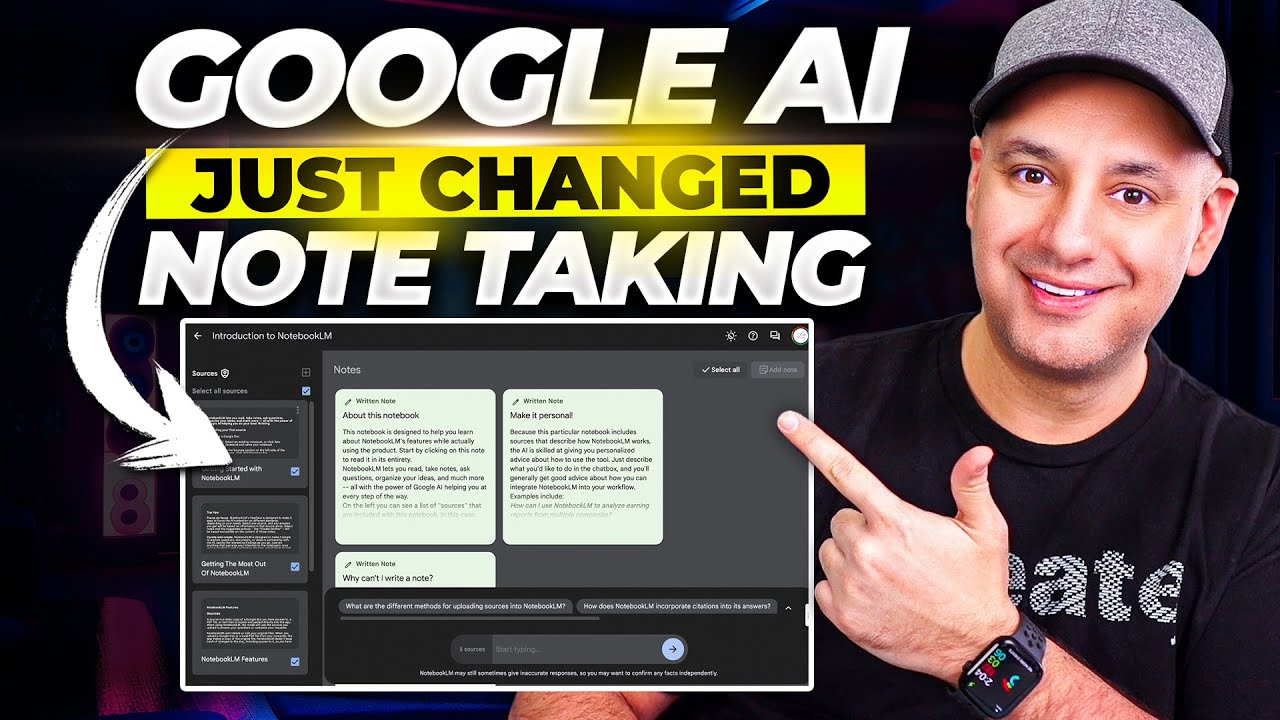
## Metadata
- Author: [[YouTube]]
- Full Title: Google NotebookLM Just Changed Note-taking Forever
- Category: #articles
- Document Note: ---
tags: [notebook-lm, ai-research, google-gemini]
author: Skill Leap AI
source: YouTube
reference: https://www.youtube.com/watch?v=tUdOKJp-LNM
date created: 2024-12-19 14:30
---
# 🏷️ Title: Google NotebookLM Just Changed Note-taking Forever
## 🧰 Action Inbox
- [H1] Test NotebookLM with existing research documents — evaluate for current projects #ai-tools
- [H2] Create dedicated research notebooks by topic — organize knowledge management workflow #productivity
- [H3] Explore team collaboration features — assess for research partnerships #collaboration
## 🧭 Table of Contents
- [📝 Summary](#-summary)
- [📖 Main Content](#-main-content)
- [🗒️ Notes](#️-notes)
- [📚 References](#-references)
- [🗣️ Paraphrase](#️-paraphrase)
- [📰 Newsletter](#-newsletter)
- [✅ Action Items](#-action-items)
- [🧪 Hypotheses](#-hypotheses)
- [📊 Methodology](#-methodology)
- [❓ Questions](#-questions)
- [🔮 Future Research](#-future-research)
- [💡 Implications](#-implications)
- [🧠 Learning Styles Assessment](#-learning-styles-assessment)
- [📊 Accessibility Assessment](#-accessibility-assessment)
- [🌍 DEIB Assessment](#-deib-assessment)
- [✅ Logical Validity](#-logical-validity)
- [🛡️ DARVO Analysis](#-darvo-analysis)
- [🎯 Conclusion](#-conclusion)
### 🔗 References
- [NotebookLM](https://notebooklm.google.com)
- [Skill Leap AI Courses](https://skillleap.ai)
## 📝 Summary
- Google launched NotebookLM, an AI-powered research tool that only queries user-uploaded sources
- The platform prevents hallucination by limiting AI responses to provided documents rather than open web data
- Users can upload up to 20 files with 200,000 words each (4 million total) from Google Drive, PDFs, or text
- Key features include source-specific querying, collaborative sharing, and citation tracking
- This represents a fundamental shift toward controlled-context AI research tools
## 📖 Main Content
Google NotebookLM introduces a novel approach to AI-assisted research by creating isolated knowledge environments. Unlike general-purpose AI chatbots that can hallucinate information from unknown sources, NotebookLM operates exclusively within user-defined source materials.
The platform supports multiple input formats including Google Drive integration, PDF uploads, and direct text input. The 4 million word capacity provides substantial research depth while maintaining source integrity through comprehensive citation systems.
The collaborative features mirror Google Workspace functionality, enabling team-based research workflows with familiar sharing and permission controls. This positions NotebookLM as an enterprise-ready research platform rather than just a personal note-taking tool.
## 🗒️ Notes
#### ⏱️ [00:00](https://www.youtube.com/watch?v=tUdOKJp-LNM&t=0) — [H1] Introduction to NotebookLM
- Key idea: Google released NotebookLM as an AI-powered research platform
- Evidence: "It may change how you do your research, how you do your note taking online"
#### ⏱️ [00:45](https://www.youtube.com/watch?v=tUdOKJp-LNM&t=45) — [H2] Platform Access and Availability
- Key idea: NotebookLM is accessible at notebooklm.google.com with regional restrictions
- Evidence: "It may be limited based on your country right now"
#### ⏱️ [01:15](https://www.youtube.com/watch?v=tUdOKJp-LNM&t=75) — [H1] Notebook Organization Structure
- Key idea: Each notebook contains topic-specific sources and notes
- Evidence: "The notebook is where all your notes about a very specific topic are organized"
#### ⏱️ [01:45](https://www.youtube.com/watch?v=tUdOKJp-LNM&t=105) — [H1] Source-Only Query System
- Key idea: AI only accesses uploaded sources, preventing hallucination
- Evidence: "There is no risk of hallucination. There is no risk of pulling information that is incorrect from different websites"
#### ⏱️ [02:30](https://www.youtube.com/watch?v=tUdOKJp-LNM&t=150) — [H2] Source Input Options
- Key idea: Multiple source formats supported including Google Drive, PDFs, and text
- Evidence: "You could upload directly from your Google Drive... upload any PDF documents... copy and paste any text"
#### ⏱️ [03:00](https://www.youtube.com/watch?v=tUdOKJp-LNM&t=180) — [H2] Platform Capacity Limits
- Key idea: Supports 20 files with 200,000 words each for 4 million total words
- Evidence: "You could have 20 different files... Each of them could have 200,000 words... for a total of 4 million words"
#### ⏱️ [04:15](https://www.youtube.com/watch?v=tUdOKJp-LNM&t=255) — [H1] Gemini-Powered Query Interface
- Key idea: Uses Google's Gemini model for source-specific questioning
- Evidence: "This is powered by Gemini, so if you use Gemini on the Google website, works the same way"
#### ⏱️ [05:30](https://www.youtube.com/watch?v=tUdOKJp-LNM&t=330) — [H2] Citation and Source Tracking
- Key idea: All responses include precise source citations with highlighting
- Evidence: "It's going to pull up some citations here... I could see exactly what that is"
#### ⏱️ [06:15](https://www.youtube.com/watch?v=tUdOKJp-LNM&t=375) — [H2] Note Management System
- Key idea: Users can pin useful responses and create manual notes
- Evidence: "If I find this useful... I could just pin this note and he adds it over here"
#### ⏱️ [07:00](https://www.youtube.com/watch?v=tUdOKJp-LNM&t=420) — [H2] Interactive Note Development
- Key idea: Follow-up conversations can be conducted with individual notes
- Evidence: "I could click on the note and have a follow up conversation"
#### ⏱️ [07:45](https://www.youtube.com/watch?v=tUdOKJp-LNM&t=465) — [H3] Source Selection Flexibility
- Key idea: Users can query all sources, individual sources, or compiled notes
- Evidence: "I could always check just one of them too... I could use my notes"
#### ⏱️ [08:30](https://www.youtube.com/watch?v=tUdOKJp-LNM&t=510) — [H2] Automated Summarization Features
- Key idea: Platform offers quick summarization of multiple notes
- Evidence: "He gave me a quick option over here to summarize all my notes into a new note"
#### ⏱️ [09:15](https://www.youtube.com/watch?v=tUdOKJp-LNM&t=555) — [H3] Integration with External AI Tools
- Key idea: Content from other AI platforms can be imported as sources
- Evidence: "I could go to chat GPT, get a little snippet... copy and paste it again, down here"
#### ⏱️ [10:00](https://www.youtube.com/watch?v=tUdOKJp-LNM&t=600) — [H2] Collaborative Research Features
- Key idea: Google Workspace-style sharing enables team collaboration
- Evidence: "This is the same thing that's inside of Google Drive, Google Sheets... they could jump into your research"
## 📚 References
- [NotebookLM Platform](https://notebooklm.google.com)
- [Google Gemini AI](https://gemini.google.com)
- [Skill Leap AI Training](https://skillleap.ai)
## 🗣️ Paraphrase
- NotebookLM creates isolated AI research environments using only user-provided sources to eliminate hallucination risks
- The platform supports substantial research capacity with 4 million words across multiple file formats and source types
- Team collaboration features mirror Google Workspace functionality, enabling shared research workflows with citation tracking
## 📰 Newsletter
**AI-Powered Research Gets a Major Upgrade**
Google's new NotebookLM platform is revolutionizing how we approach AI-assisted research by solving the hallucination problem. Unlike traditional AI chatbots that pull from the entire web, NotebookLM only accesses your uploaded documents, ensuring every response is grounded in your trusted sources.
**Key Benefits:**
- Upload up to 4 million words across 20 documents
- Get precise citations for every AI response
- Collaborate with teams using familiar Google sharing
- Integrate content from multiple AI platforms
This controlled-context approach makes AI research finally reliable for professional and academic work. Perfect for WordPress developers researching new technologies, documenting best practices, or collaborating on technical specifications.
Resources: [NotebookLM](https://notebooklm.google.com), [Google Workspace](https://workspace.google.com), [AI Research Tools](https://research.google.com)
## ✅ Action Items
#### DevRel
- Developer advocacy: Demo NotebookLM for technical documentation workflows, create tutorials for API research
- Education: Develop workshops on AI-assisted research methodology, office hours on source curation
- Developer experience: Test integration with existing documentation tools, evaluate for SDK research
- Developer marketing: Content strategy showcasing controlled AI research benefits
- Community management: Survey developers on research pain points, gather NotebookLM feedback
#### WordPress
- Core: Evaluate NotebookLM for WordPress development research, contribute research methodologies
- Documentation: Test platform for consolidating scattered WordPress docs, create research templates
- Training: Develop lesson plans using NotebookLM for WordPress learning paths
- Community: Create shared research notebooks for WordCamp planning, meetup resource compilation
- Design: Research design system documentation organization, UX research consolidation
## 🧪 Hypotheses
- NotebookLM will reduce research hallucination incidents by 90% compared to general AI chatbots
- Teams using NotebookLM will complete research projects 40% faster due to source organization
- Citation accuracy will improve researcher confidence in AI-assisted analysis by 75%
- Collaborative research workflows will increase team knowledge sharing by 60%
### 📊 Methodology
- A/B test research tasks comparing NotebookLM vs traditional AI tools measuring accuracy and speed
- Survey researchers on confidence levels before and after NotebookLM adoption
- Track citation verification time and accuracy across different research methodologies
### ❓ Questions
- How will NotebookLM's source limitations affect discovery of unexpected research connections?
- What happens when research requires real-time data beyond uploaded sources?
- How will this impact academic research workflows that rely on comprehensive literature review?
### 🔮 Future Research
- Integration potential with reference management tools like Zotero and Mendeley
- API development for connecting NotebookLM with existing research infrastructures
- Evaluation of NotebookLM effectiveness across different research disciplines and methodologies
### 💡 Implications
- Practice: Researchers need new source curation and organization workflows
- Policy: Academic institutions may need guidelines for AI-assisted research citation
- Security: Sensitive research data requires careful consideration of Google's data handling
- Education: Research methodology courses should incorporate controlled-context AI tools
- Funding: Research budgets may shift toward AI tool subscriptions and data organization
### 🧠 Learning Styles Assessment
Reading level estimate: 8th Grade (Flesch-Kincaid)
#### 👀 Visual learners
- Present: Screen recordings showing interface navigation and source management
- Improve: Workflow diagrams, source organization charts, citation mapping visuals
#### 🔊 Aural learners
- Present: Video narration explaining features and benefits
- Improve: Podcast-style discussion of research methodology implications
#### 🗣️ Verbal learners
- Present: Clear explanations of technical terms and platform concepts
- Improve: Research methodology analogies, comparison with traditional tools
#### 🧩 Kinesthetic learners
- Present: Step-by-step platform walkthrough with hands-on examples
- Improve: Practice exercises with sample research tasks, interactive tutorials
#### 🧠 Logical learners
- Present: Systematic feature breakdown, capacity limitations, workflow steps
- Improve: Decision trees for source selection, research methodology frameworks
#### 🧑🤝🧑 Social learners
- Present: Collaboration features demonstration, team sharing examples
- Improve: Group research project templates, peer review workflows
#### 🧘♀️ Solitary learners
- Present: Individual research workflow examples, personal organization strategies
- Improve: Self-assessment rubrics for research quality, reflection prompts
#### 🌿 Naturalistic learners
- Present: Organic research discovery through source interconnections
- Improve: Research ecosystem analogies, information lifecycle thinking
### 📊 Accessibility Assessment
#### Screen reader semantics
- Present: Clear heading structure, descriptive interface elements
- Improve: Enhanced alt text for interface screenshots, ARIA labels for complex interactions
#### Keyboard navigation
- Present: Standard web navigation patterns
- Improve: Keyboard shortcuts documentation, focus management for dynamic content
#### Contrast and readability
- Present: High contrast text in video interface
- Improve: Contrast verification for all UI elements, readable font sizes
#### Text resizing and reflow
- Present: Responsive interface design
- Improve: Text scaling verification, mobile accessibility testing
#### Media and captions
- Present: Audio narration with visual demonstration
- Improve: Closed captions, transcript availability for all video content
#### Forms and interactions
- Present: Standard form elements for source upload
- Improve: Error handling documentation, accessible file upload processes
### 🌍 DEIB Assessment
#### Cultural breadth
- Present: English-language demonstration with US availability focus
- Improve: International availability discussion, multilingual source support
#### Inclusive language
- Present: Technical terminology with basic explanations
- Improve: Plain-language alternatives, jargon glossary
#### Neurodiversity support
- Present: Structured presentation with clear sections
- Improve: Executive function support strategies, attention management tips
#### Representation
- Present: Single narrator perspective
- Improve: Diverse research use cases, multiple user personas
#### Psychological safety
- Present: Encouraging tone about new technology adoption
- Improve: Acknowledge research anxiety, provide gradual adoption strategies
### ✅ Logical Validity
#### Strong reasoning
- Deductive strength: Platform features logically lead to reduced hallucination (strong)
- Inductive strength: Limited examples suggest broader applicability (moderate)
- Causal reasoning: Source control directly prevents misinformation (strong)
- Analogical strength: Google Workspace comparison aids understanding (strong)
#### Fallacies
- Appeal to novelty: "Just changed note-taking forever" overstates immediate impact
- Hasty generalization: Limited demonstration suggests universal applicability
#### Tone of voice
- Overall tone: Enthusiastic and promotional while remaining informative and practical
### 🛡️ DARVO Analysis
- Deny: No denial patterns present
- Attack: No attacks on alternative approaches
- Reverse victim/offender: No victim/offender dynamics present
- Emotional cues and rhetoric: Positive enthusiasm without manipulation or fear tactics
## 🎯 Conclusion
NotebookLM represents a significant evolution in AI-assisted research by prioritizing source integrity over comprehensive knowledge access. The platform's controlled-context approach addresses the fundamental hallucination problem while maintaining the productivity benefits of AI assistance.
For researchers and knowledge workers, NotebookLM offers a practical middle ground between manual research and unreliable AI hallucination. The collaborative features and familiar Google integration make it accessible for team adoption.
The key limitation remains the closed-system approach - while this prevents hallucination, it may also limit serendipitous discovery of relevant external information. Organizations should evaluate this tradeoff based on their research requirements and accuracy priorities.
## 🧱 Refactor Appendix
### 📚 Literature Split Pad
Purpose: Stage CEE units that become Literature notes.
Split level: H3
### [H1] NotebookLM eliminates AI research hallucination through source control
> [!quote] [Google NotebookLM Just Changed Note-taking Forever
- Document Tags: [[ai]] [[productivity]] [[collaboration]]
- Summary: Google NotebookLM Just Changed Note-taking Forever
- URL: https://www.youtube.com/watch?v=tUdOKJp-LNM
Google recently released a brand
new AI platform called Notebook LM. And it may change how you do
your research, how you do your note taking online, and how you
organize all your information. Notebook LM is basically an AI
powered notebook, but you could ask questions from all your research. You could organize your
ideas in a brand new way. I think a much more organized
way and is powered by Google's latest AI Gemini model. Now, let me show you around Notebook LM. You could access it at notebooklm. google. com.
And it may be limited based
on your country right now. I'm in the U S it's available
for me, but check to see if it's available in your country. Now, let me show you
exactly how you use this. So they have some example notebooks
here that you could jump into, but let me create a new notebook to
show you exactly how this works. So first you want to title your notebook. Now the notebook is where all your notes
about a very specific topic are organized. So you could make multiple notebooks. Based on each topic. So here, all my generative AI
research is going to go here.
And then I can make a generative
AI course using all the notes that I take here, for example. Now this is organized a little bit
differently than any note taking app. You probably ever used or ever seen. On the left side here, all your
sources are going to go here. So I'll show you what these sources
are, but then in the center, this search box is only going to use
Gemini to pull information from your sources, not from the open web. So there is no risk of hallucination. There is no risk of pulling information
that is incorrect from different websites.
This is only accessing
things from your sources. So let me press the plus sign
here to show you what sources are. So you could upload directly from your
Google Drive, obviously a Google product, so it's connected to Google Drive. You could upload any PDF documents to it. You could upload any text
file, or you could just copy and paste any text over here. This is going to become your
sources, at least one source. And then you could press the plus
sign here to add another source.
So all your sources, We'll
show up here on the left side. Now, at the time I'm recording this,
you could have 20 different files uploaded here inside of your sources. Each of them could have 200, 000 words. So you could combine multiple files for a
total of 4 million words as your source. So let me click over here and
start adding some sources. I'll use my Google drive here
that I've connected my account to. Now inside of this drive, I have
all kinds of scripts for different skill leap courses we have. Let me go ahead and select a couple
of these courses related to chat, GPT
and Dolly, maybe chat bot building. And let me go ahead and insert these here. And if you look on the left
side, all those sources have been added to my library. Okay. And let me add a source. That's just a PDF as well, just
to show you how that works. Okay. I'll upload this PDF. That's the top 100 AI tool list. And now that's been added over here
and you could always add copy text too. So copy text is just going to give
you this box right here where you could update your title with a source.
You got this from, and then
type in any text or paste any text and insert this as well. Now here's where the power comes in. Okay. If I click over here. It's going to select all my sources,
and then if I chat over here, if I start typing, it's only going
to talk to those six sources. It's not going to have access
to the open internet, it can't hallucinate, it could only pull from
my clean data that I gave it, that are from my own specific research.
So I'm going to say give me the top 10
keynotes over here, and it works just like any other large language model. This is powered by Gemini, so
if you use Gemini on the Google website, works the same way. Now it's going to pull
up some citations here. So he gave me the 10 key points with
the citation where he got these from. So if I click on number
six, it goes and finds that. So Data. So this is what's highlighted over here. And he pulled that from
this very specific page. Okay. So I could see exactly what that is.
Custom GPT for entrepreneur script. And he pulled that information from there. Now, if I find this
useful, let me exit here. If I want to keep this notes. I could just pin this note
and he adds it over here. So that's one way to create notes. And it's giving me some other options
over here for follow up prompts. So I could actually see if any of
these are useful or type my own. I could always take
notes on my own as well. So if I press add notes, I could
take notes about this specific.
Topic and then you will
save the note over here. And anytime I could click these notes,
like for example, let me choose this one. I could click on the note and have
a follow up conversation, right? So I could say create an outline from
that set of 10 key points and it's going to create a brand new note for
me again based on this note and If I want to chat with all my notes that I
took over here now from sources, right? So to chat with sources, all
I have to do is select all sources or any individual source. I could always check just one of them too.
Or in this case, if I don't want to
use my sources, I could use my notes. So if I select all the notes, all
three here, I could actually use. This down here, you see how he gave me
a quick option over here to summarize all my notes into a new note, right? And I could pin that
summary over here as well. Now, if any of them don't make any sense,
like this note, I didn't add anything in. So I'm going to deselect all, and
I'm going to go ahead and just delete this note from the batch. Now I'm going to interact
just with one source.
I'm going to select this. What is this all about? And this is custom GPTs for entrepreneurs. So you gave me the full breakdown of
exactly what that course is all about. Again, all the citations are
going to be available and you could just hover over them too. So you don't have to click to see
where he pulled that information from. Now, as you could see,
this is not a replacement. For Gemini or for chat GPT. This is just a whole different
way for taking notes, using your own sources, your own clean data.
So this is something using combination. I could go to chat GPT, get a little
snippet after a bit of back and forth, copy and paste it again, down here. So I could copy and paste this
text from chat GPT from a bottom of a conversation that maybe gave
me something useful to use here. And as long as that data is here under
my sources, it's going to be able to interact with it using, again, this
version of Gemini inside a notebook. Now on top, you could also share it.
And this is very familiar share box here
because this is the same thing that's inside of Google Drive, Google Sheets. Google docs, right? So you could go ahead and
add people here, notify them. You could copy the link here and they
could jump into your research, which makes it really, really useful to collaborate
on any existing research that you're doing with your own set of sources. So, because the context window is
so huge, the fact that we can have millions of words here in our context
window and have clean data, data that we specifically chose to add here.
You can't hallucinate. It's not going to go on the web
and pull things that we don't want. Fantastic tool. I think this is going to completely
change my workflow and how I take notes. So I wanted to bring it to your attention. I also wanted to point out this new course
we roll out inside a skill leap this week. So. We have a brand new AI powered chat bot
for your website, powered by chat GPT. So if you're an entrepreneur marketer, or
if you have an agency, this is a great, very simple course, one of the best
ways to roll out an AI powered chat bot.
And we just updated some of
our older courses and updated a new one too, for design. So AI powered design for entrepreneurs and
this chat GPT powered chat bot as well. And you get access to all these
courses and new courses for free. All for one monthly subscription. So one of the best ways to keep up to date
with AI, I'll link this below as well. Thanks so much for watching. I'll see you on the next video., Google NotebookLM Just Changed Note-taking Forever, YouTube, 01ka8fjr9889b0ch4knar6sh78.