How to Create a Good GitHub Readme
## Metadata
- Author: [[markepear.dev]]
- Full Title: How to Create a Good GitHub Readme
- Category: #articles
- Document Note: ---
tags: [GitHub, README, Documentation]
author: [MISSING]
source: markepear.dev
reference: [https://www.markepear.dev/blog/github-readme-guide]
date created: 2025-10-31 10:00
---
# 🏷️ Title: How to create a good GitHub Readme
## 🧭 Table of Contents
- [📝 Summary](#-summary)
- [📖 Main Content](#-main-content)
- [🗒️ Notes](#️-notes)
- [📚 References](#-references)
- [🗣️ Paraphrase](#️-paraphrase)
- [📰 Newsletter](#-newsletter)
- [✅ Action Items](#-action-items)
- [🧪 Hypotheses](#-hypotheses)
- [📊 Methodology](#-methodology)
- [❓ Questions](#-questions)
- [🔮 Future Research](#-future-research)
- [💡 Implications](#-implications)
- [🧠 Learning Styles Assessment](#-learning-styles-assessment)
- [📊 Accessibility Assessment](#-accessibility-assessment)
- [🌍 DEIB Assessment](#-deib-assessment)
- [✅ Logical Validity](#-logical-validity)
- [🛡️ DARVO Analysis](#-darvo-analysis)
- [🎯 Conclusion](#-conclusion)
### 🔗 References
- Include links cited in or relevant to the article.
## 📝 Summary
- What happened: A concise guide with principles, a default README structure, examples, and formatting tips.
- Why it matters: Clear READMEs accelerate user onboarding and contributions.
- Key stakeholders: Maintainers, contributors, users, and OSS communities.
- Risks and tradeoffs: Overlong READMEs reduce clarity; too short misses context—balance and link to docs.
- Bottom line: Keep it visual, short (but not shorter), and guide to first success; push depth to docs.
## 📖 Main Content
- Core argument: Use a predictable, visual, and minimal README that drives a fast first accomplishment, then link out to docs/tutorials.
- Default structure:
- Banner (logo, tagline, optional visual)
- Badges
- Links (site, docs, examples, blog, community)
- About (plain-language description)
- Visual demo (GIF/screenshot/code/terminal)
- Installation
- Getting Started / Quickstart
- Features
- How to Contribute
- License
- Definitions:
- Quickstart: minimal steps or code to run something end-to-end.
- Visual demo: a compact artifact showing outcome or UX.
- Uncertainties: Exact ordering can vary; include Architecture/FAQ only if it serves first-use clarity.
```md
# Project Name · Tagline
[Badges: build | version | license | downloads]
- Website • Docs • Examples • Blog • Community/Discord
## About
One-liner in plain language. Optional short paragraph. Link to docs for depth.
## Demo
[gif/screenshot] or short code/terminal snippet showing outcome.
## Installation
- macOS: brew install ...
- Linux: apt/yum ...
- Node: npm i pkg
- Docker: docker run ...
## Quickstart
1) Install
2) Configure minimal setting
3) Run example
```js
// 10–15 lines max showing success path
```
## Features
- Bullet list of capabilities
- Link to tutorials, examples, comparisons
## Contributing
How to get started; code of conduct; first good issue; local dev steps.
## License
SPDX identifier and link.
```
### 🗒️ Notes
- “TLDR my default structure suggestion is: Banner, Badges, Links, About, Visual Demo, Installation, Getting Started, Features, How to Contribute, License.”
- “Keep it as short as possible but NOT shorter. It has to be clear and guide people to a first accomplishment.”
- Header ideas: logo, tagline, optional visual, optional “companies using it.”
- About: avoid jargon; use plain language with optional doc links.
- Visual demo: screenshot/GIF/code/terminal recording to show outcome quickly.
- Installation: tables acceptable; list per platform/package manager.
- Quickstart: show code or 1–2–3 steps to success.
- Features: short overviews; link to docs/examples; optionally compare alternatives.
- Optional Architecture/How it works: diagrams and internals when helpful.
- Formatting: ensure it renders on package registries; use bold/italics/backticks; Markdown/HTML/GIFs/banner.
## 📚 References
- Guide: How to create a good GitHub Readme (https://www.markepear.dev/blog/github-readme-guide)
- Header examples: Prisma (https://github.com/prisma/prisma/#readme), Algolia JS (https://github.com/algolia/algoliasearch-client-javascript#readme)
- Visual demos: HTTPie CLI (https://github.com/httpie/cli?tab=readme-ov-file#readme), Meilisearch (https://github.com/meilisearch/meilisearch#readme)
- Quickstarts: DVC (https://github.com/iterative/dvc#readme), Refine (https://github.com/refinedev/refine#readme)
## 🗣️ Paraphrase
- A practical blueprint shows exactly what to include in a README so new users succeed quickly, with links for deeper learning.
- Favor visuals and minimal steps, avoid jargon, and keep long-form material in documentation rather than the README.
## 📰 Newsletter
Craft better READMEs in less time. This guide outlines a proven structure—banner, badges, links, plain-language “About,” a crisp demo, install, and a three-step Quickstart—plus strong examples from Prisma, HTTPie, and Meilisearch. Trim the fluff, spotlight first-run success, and route depth to docs. Handy for maintainers leveling up DX and contribution funnels.
## ✅ Action Items
#### DevRel
- Publish a README template and example repo; track time-to-first-success.
- Run a workshop on “visual demos in 10 minutes.”
- Add Quickstart snippets to SDKs and docs.
#### OSPO
- Establish README minimum standards and license badge policy.
- Integrate README checks into repo scaffolding.
#### Community
- Host “README clinics”; tag “good first issue” for docs polish.
- Start a gallery of exemplary READMEs.
#### WordPress
- Core: add Quickstart snippets to contributor docs.
- Docs: examples-first patterns for plugins/themes.
- Meta: standard badge set and README lint checks.
#### The WPCC
- Fund README makeovers for key projects; publish before/after impact.
- Template governance and contribution sections.
### FAIR
- Require provenance/license badges; signed release notes.
- Standardize contribution/charter blurbs across repos.
## 🧪 Hypotheses
- Projects with a demo GIF and 3-step Quickstart increase conversions from stars to installs by ≥15%.
- Plain-language “About” reduces bounce rate on README by ≥10%.
- Linking deep content to docs lowers README length variance without hurting activation.
### 📊 Methodology
- A/B test README variants across similar repos; measure install, time-to-first-success, and PR open rates.
- Analyze engagement (scroll depth, link clicks) via repo analytics.
- Survey newcomers on clarity and friction.
### ❓ Questions
- What’s the optimal demo format per project type (CLI vs library vs UI)?
- Which badges correlate with user trust and action?
- How long is too long before activation drops?
### 🔮 Future Research
- Automated README linters for clarity and completeness.
- Registry-specific rendering tests and previews.
- Cross-language templates with i18n support.
### 💡 Implications
- Practice: Ship with a minimal, visual Quickstart by default.
- Policy: Org-level README standards improve DX at scale.
- Education: Teach examples-first writing in contributor onboarding.
### 🧠 Learning Styles Assessment
- Reading level estimate: Flesch-Kincaid Grade ~8–9.
#### 👀 Visual learners
- Present: demo GIFs, badges, banners.
- Improve: simple architecture diagrams and before/after screenshots.
#### 🔊 Aural learners
- Present: none.
- Improve: 2–3 minute audio/voiceover demo.
#### 🗣️ Verbal learners
- Present: plain-language About, step lists.
- Improve: short glossary of terms.
#### 🧩 Kinesthetic learners
- Present: runnable Quickstart.
- Improve: small labs and checklists.
#### 🧠 Logical learners
- Present: ordered steps, tables.
- Improve: decision trees for install paths.
#### 🧑🤝🧑 Social learners
- Present: community/Discord links.
- Improve: pairing sessions and office hours.
#### 🧘♀️ Solitary learners
- Present: concise docs links.
- Improve: self-check checklist after Quickstart.
#### 🌿 Naturalistic learners
- Present: none.
- Improve: lifecycle notes (release, support windows).
### 📊 Accessibility Assessment
#### Screen reader semantics
- Present: clear headings.
- Improve: descriptive alt text for images/GIFs.
#### Keyboard navigation
- Present: linear content.
- Improve: skip-to sections via TOC.
#### Contrast and readability
- Present: default GitHub contrast.
- Improve:
- Summary: Oct 30, 2025 - A full guide that goes through principles, good default structure, tons of examples, and extra resources.
- URL: https://www.markepear.dev/blog/github-readme-guide
Recently a few clients asked me to tear down their GitHub Readme's which was the final straw to prepare a doc I could share with good examples and principles. As always this is a work in progress but should already be helpful. Any feedback, suggestions, insights, examples are very much welcome.
**TLDR my default structure suggestion is:**
* Banner (Logo + Tagline + Visual)
* Badges
* Links (Website, Docs, Examples, Blog, Discord)
* About (What it is)
* Visual Demo (GIF, Video, Screenshot, Code Snippet etc)
* Installation
* Getting Started / Quickstart / Basic usage examples
* Features list
* How to Contribute
* License
You can optionally add, Features, Architecture, Links & Resources, Limitations and FAQ. If it gets very long add a Table of Contents. But Readme is a single doc, navigating through it will never be fun when it is very long so keep it short and send to docs or examples where it makes sense.
Make it visual with GIF, tables, code snippets, bullets. Keep it as short as possible but NOT shorter. It has to be clear and guide people to a first accomplishment. For everything else, send people to the docs.
More context, examples, and resources below.
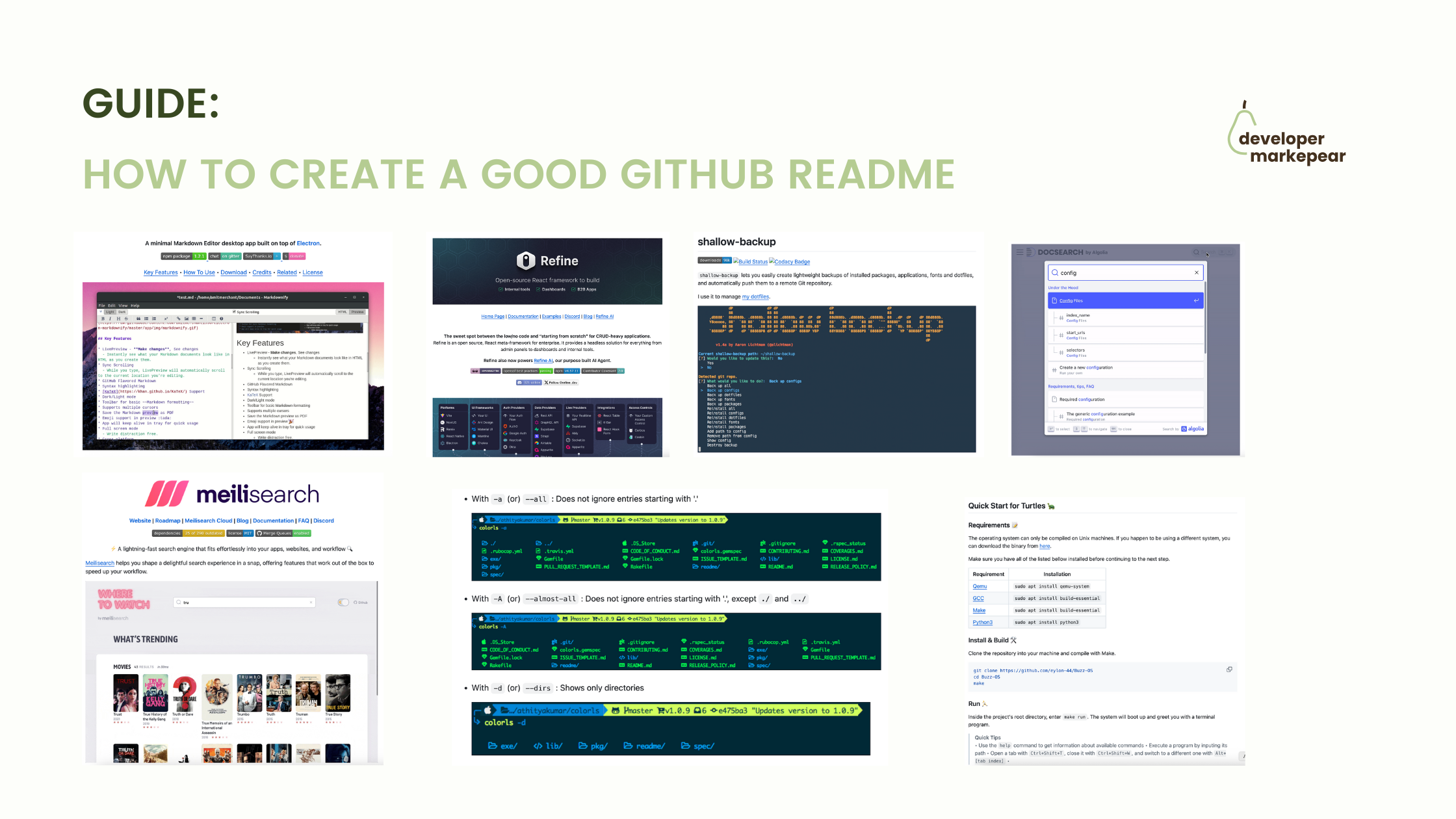
Every example is a screenshot with a link to repo before it so do go and check it out for yourself as some of those are gifs and stuff.
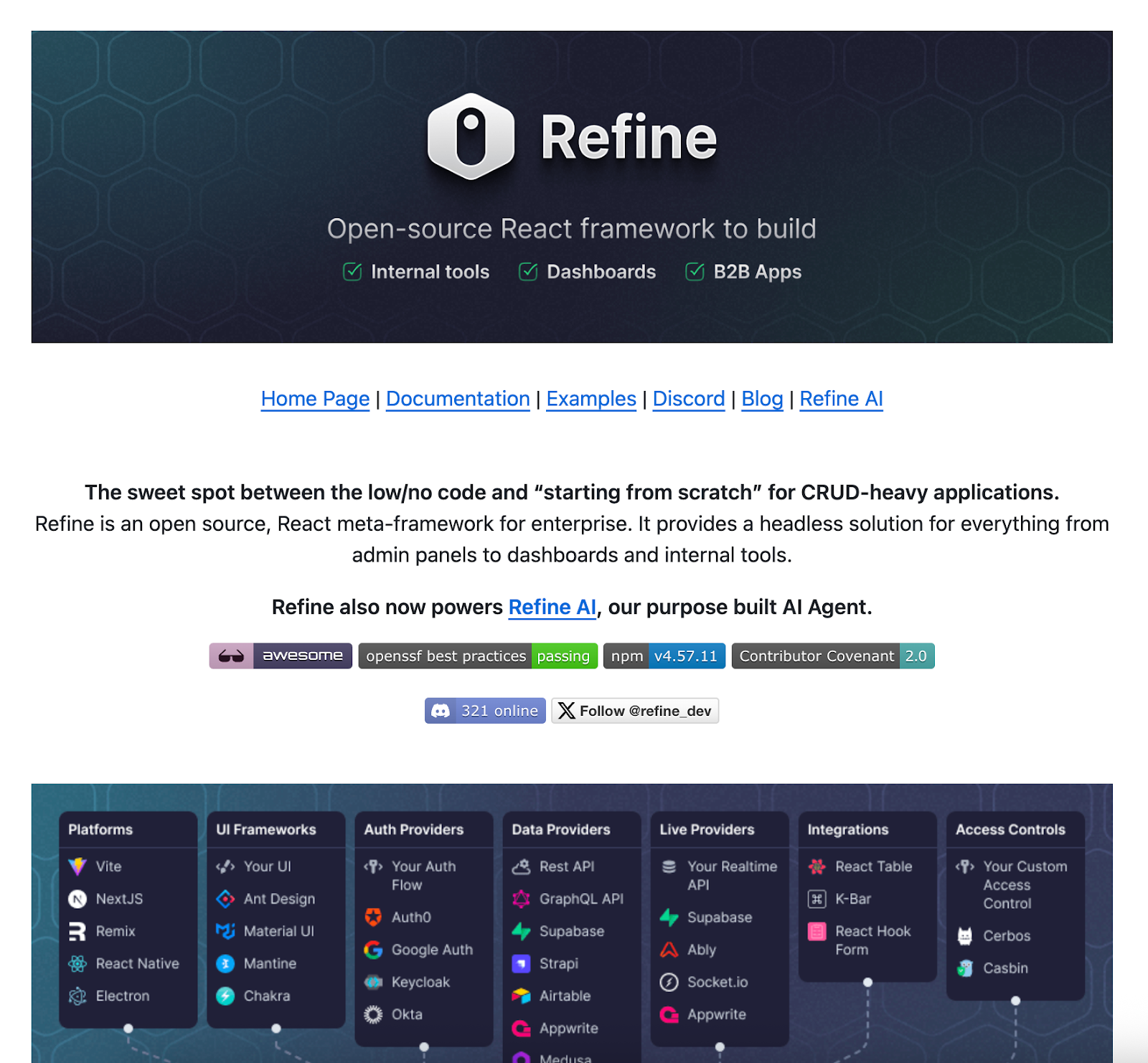
#### **Header: Banner + Badges + Links**
* Logo
* Tagline
* (optional) Visual
* (optional) companies using it
<https://github.com/prisma/prisma/#readme>

<https://github.com/algolia/algoliasearch-client-javascript#readme>
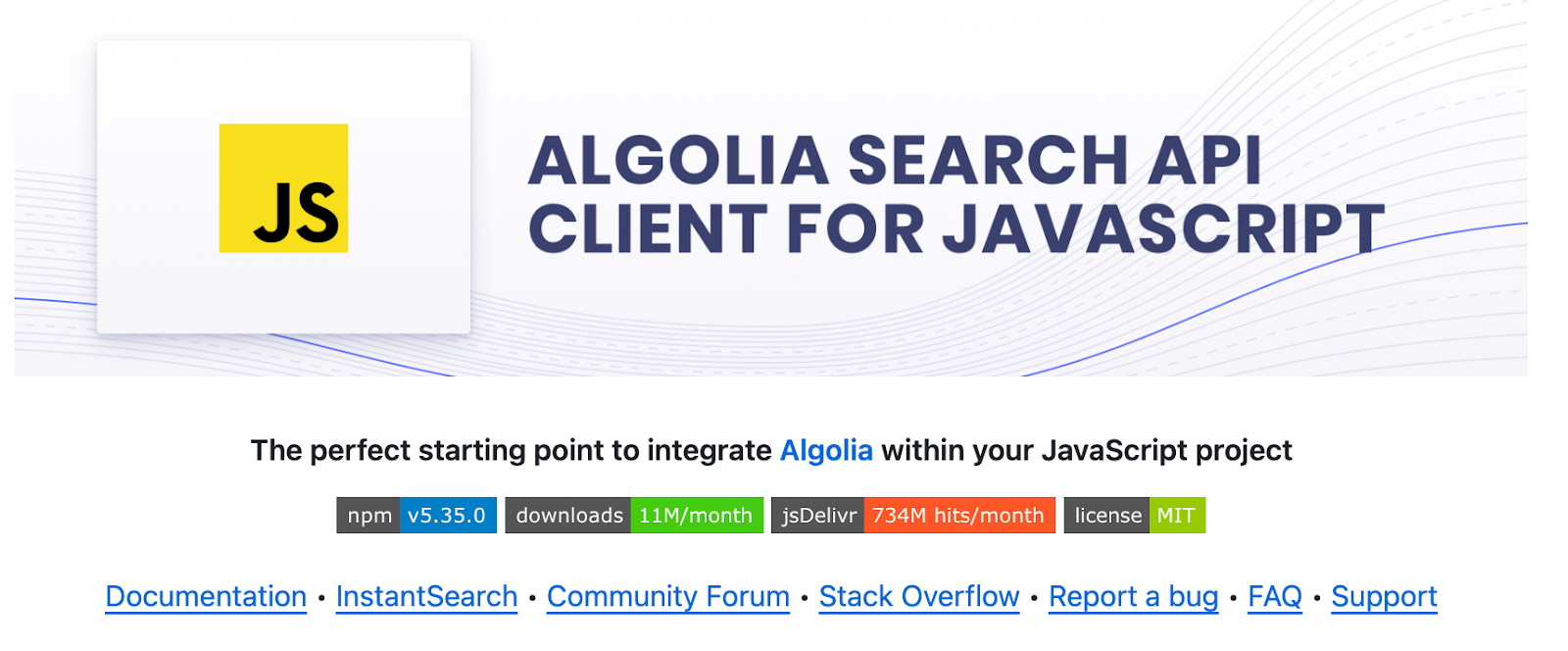
<https://github.com/amitmerchant1990/electron-markdownify#readme>
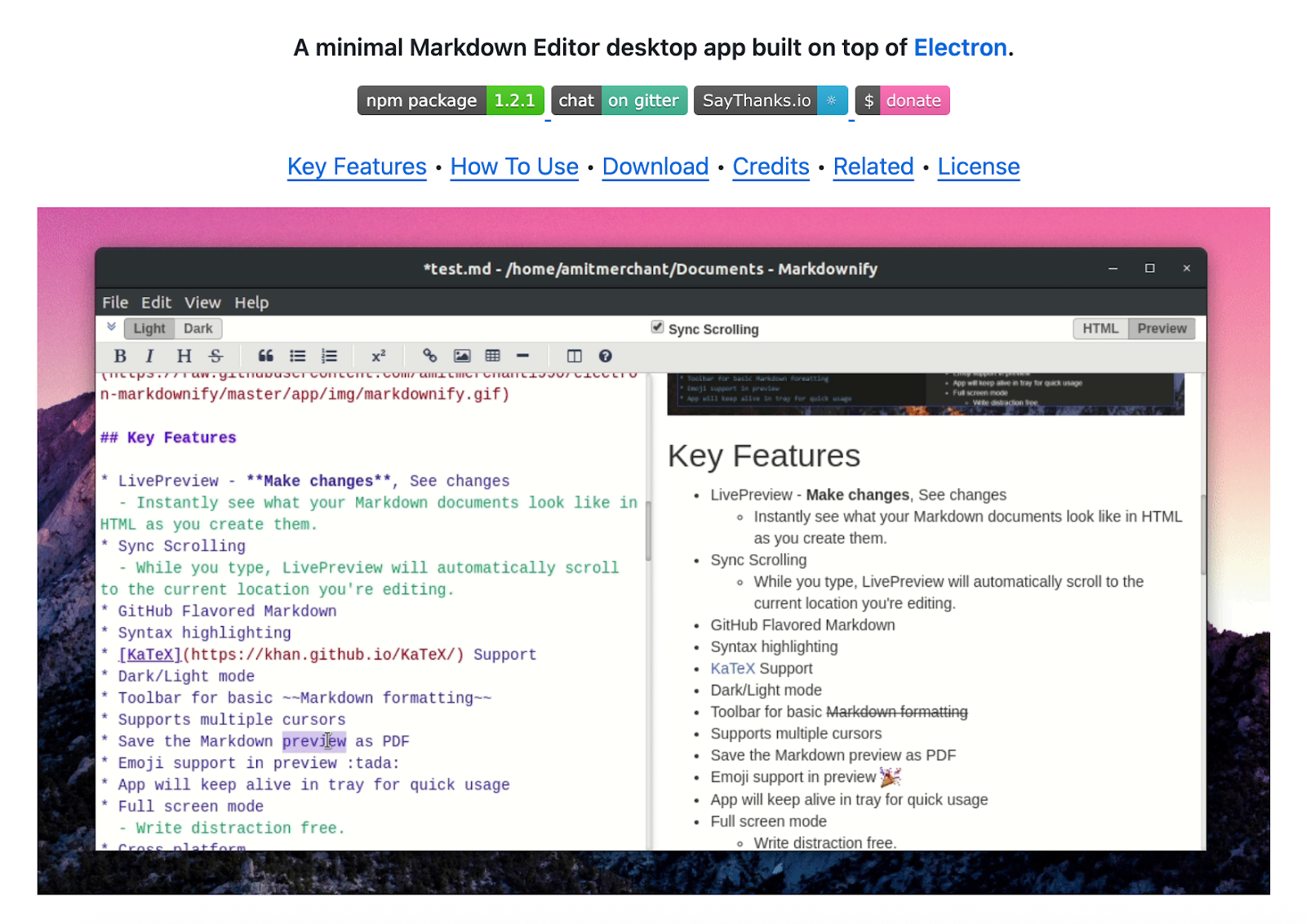
<https://github.com/brenocq/implot3d#readme>
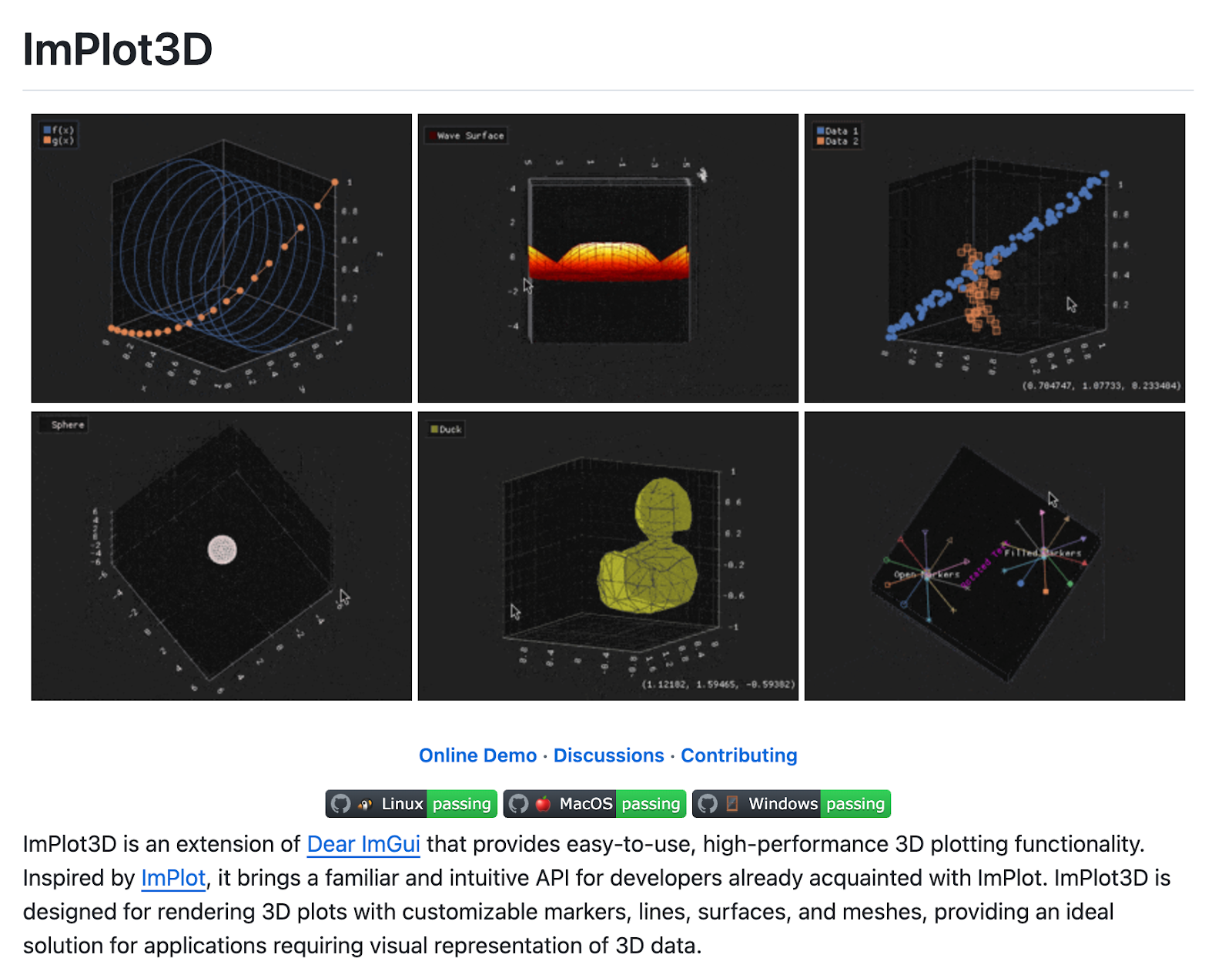
<https://github.com/gowebly/gowebly#readme>

<https://github.com/refinedev/refine#readme>
#### **About**
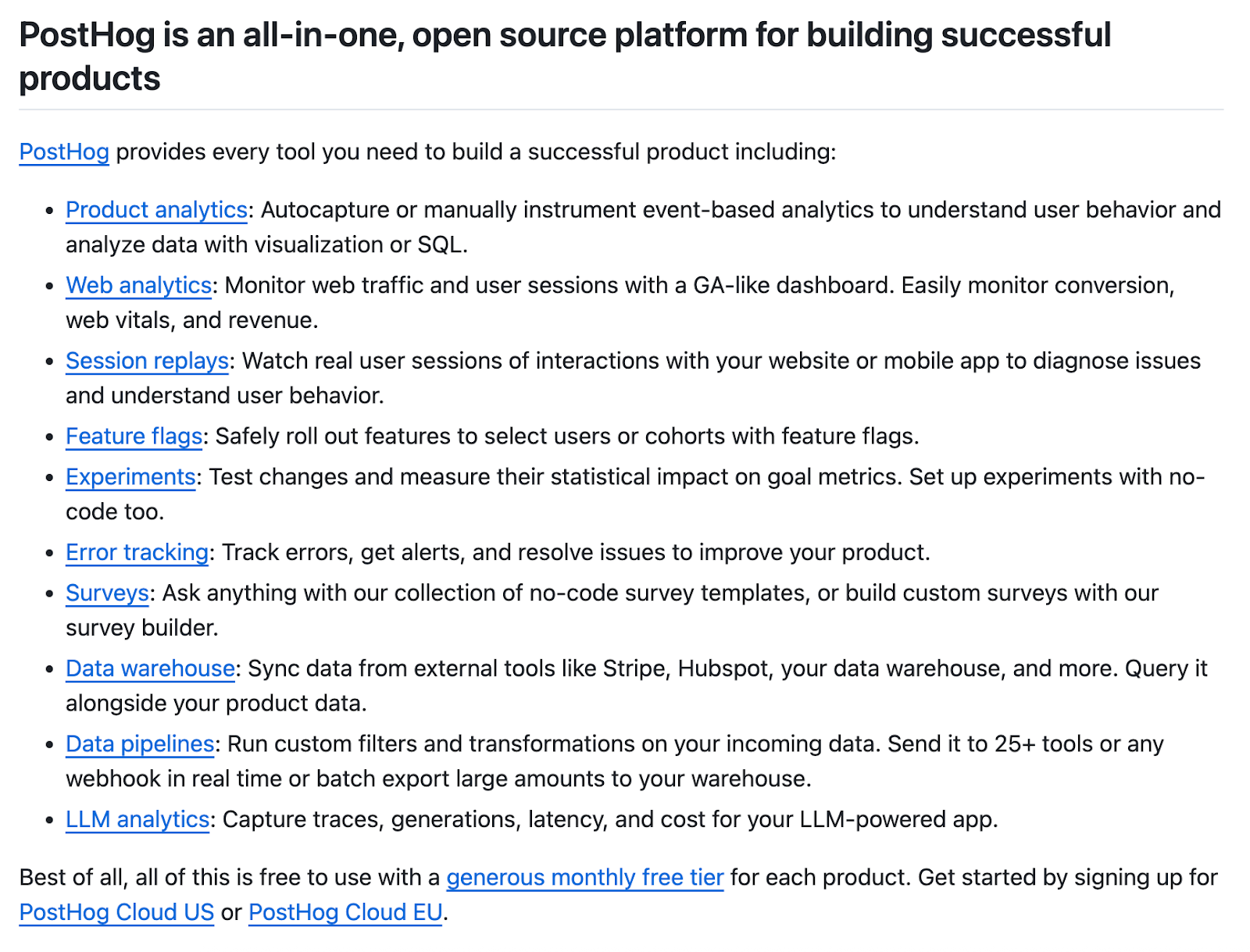
* Could be a “ {Project} - tagline” or just “About {project}” depending on the visual
* Short description - explain what you do in plain language stay on the side of clear vs overly jargony
+ Bad: *“XYZ is a flexible polyglot widget orchestration framework”*
+ Good: *“XYZ is a tool to easily integrate and manage widgets in multiple programming languages, allowing you to orchestrate complex workflows.”*
* Possible with links to docs if bigger project
<https://github.com/prisma/prisma/#readme>

<https://github.com/laravel/laravel#readme>

<https://github.com/PostHog/posthog#readme>

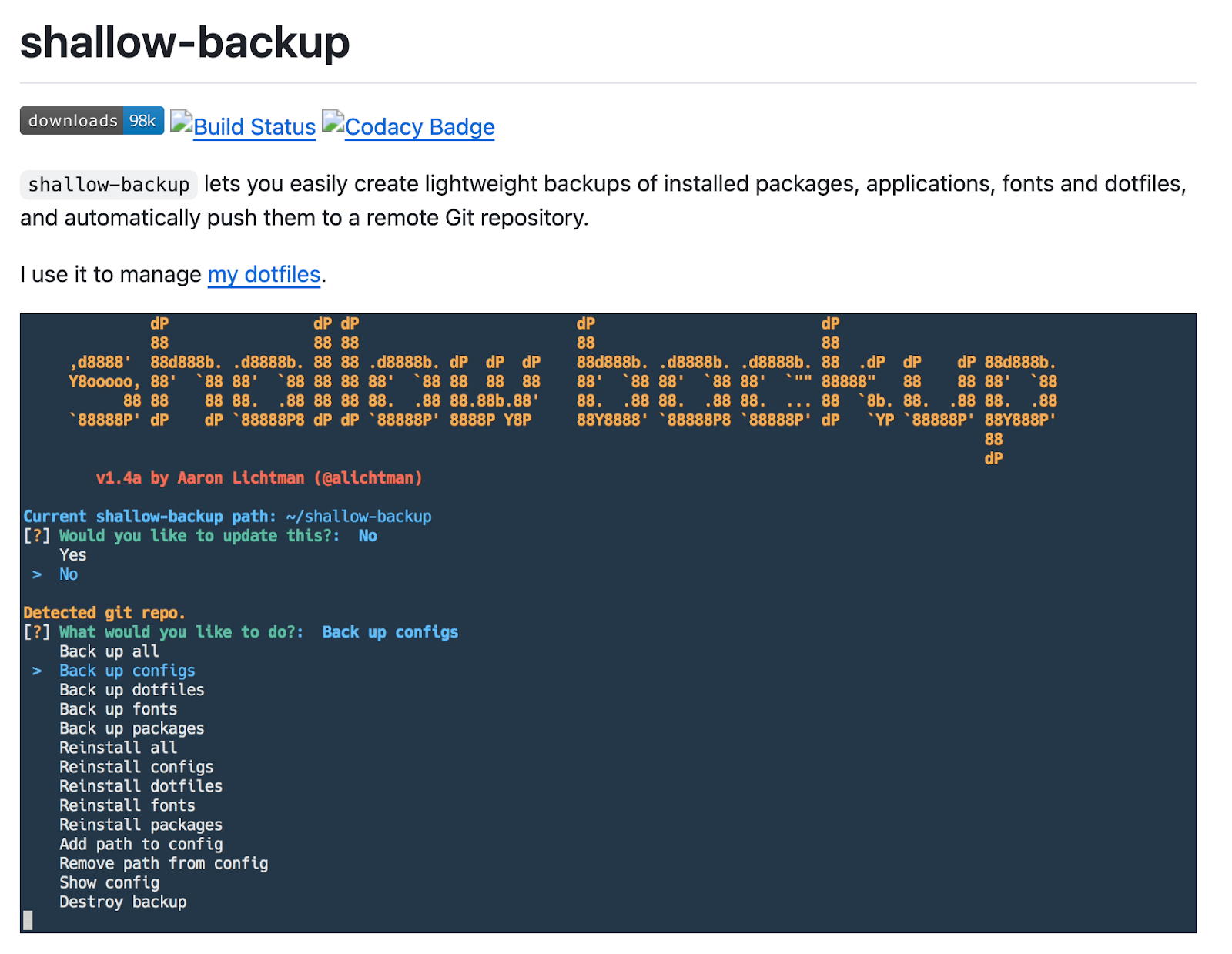
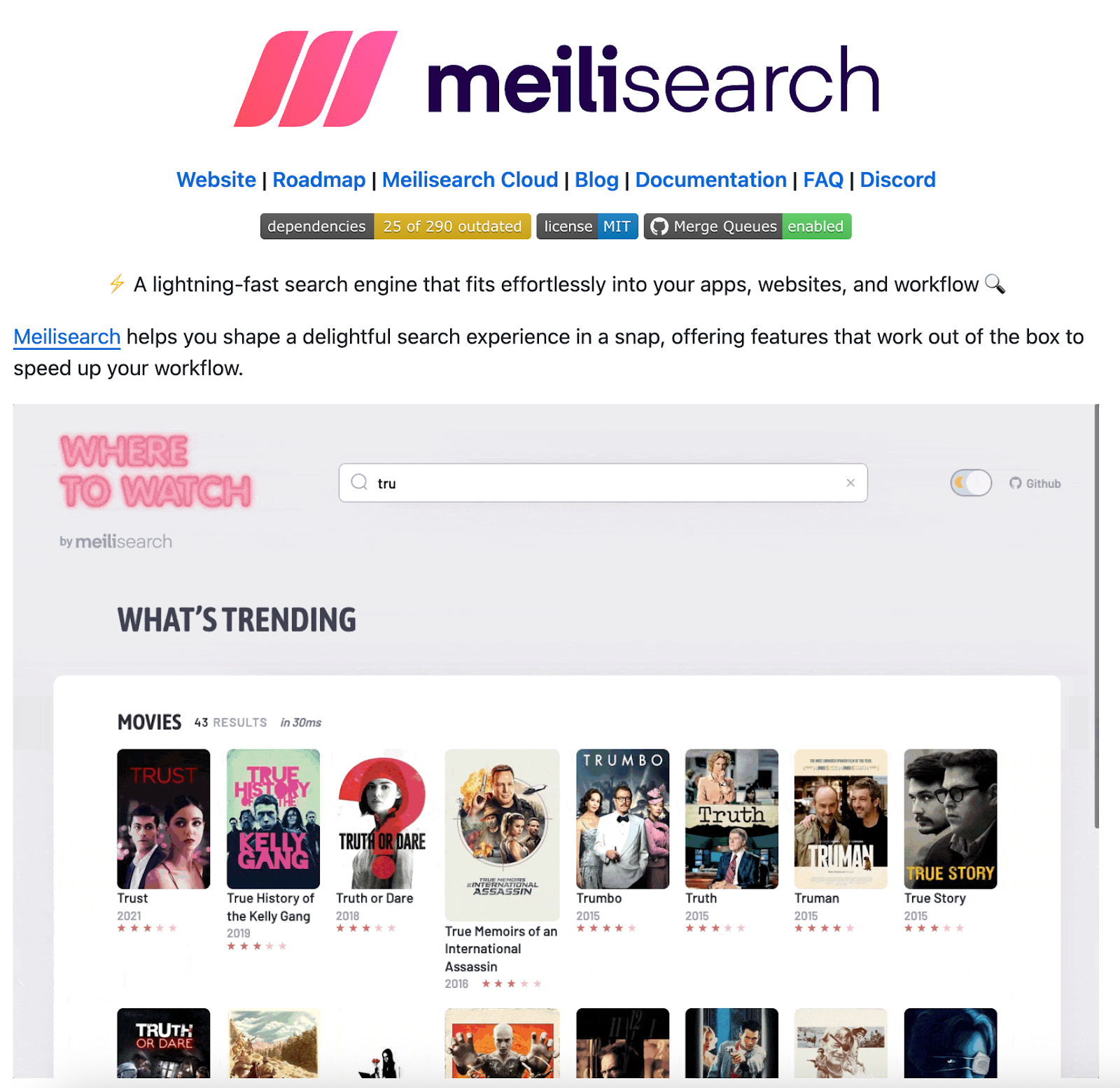
#### **Visual demo**
* Screenshot / gif
* UI / app in action
* Code snippet
* Terminal recording
* Examples:
<https://github.com/alichtman/shallow-backup#readme>
<https://github.com/algolia/docsearch#readme>

<https://github.com/httpie/cli?tab=readme-ov-file#readme>

<https://github.com/PostHog/posthog#readme>

<https://github.com/meilisearch/meilisearch#readme>
<https://github.com/athityakumar/colorls#readme>

#### **Installation**
* Can use tables
<https://github.com/sindresorhus/pageres#readme>

<https://github.com/eylon-44/Buzz-OS#readme>
<https://github.com/iterative/dvc#readme>
<https://github.com/owloops/updo#readme>
<https://github.com/owloops/updo#readme>
<https://github.com/stevenfoncken/multitool-for-spotify-php#readme>
#### **Getting started / Quickstart / Usage examples**
* Shows code
* Shows simple 1-2-3 steps
<https://github.com/create-go-app/cli#readme>
<https://github.com/eylon-44/Buzz-OS#readme>
<https://github.com/sr6033/lterm#readme>
<https://github.com/iterative/dvc#readme>
<https://github.com/L0garithmic/FastColabCopy#readme>
<https://github.com/refinedev/refine#readme>
#### **Features**
* Short explanations, overview of capabilities
* Links to docs, examples, tutorials
* Can be a table
* Can also be used to compare vs alternatives
<https://github.com/httpie/cli#readme>
<https://github.com/meilisearch/meilisearch#readme>
#### **(Optional) Architecture or How it works**
* Diagrams
* Explaining internals (framework, server etc)
* Examples:
<https://github.com/dbt-labs/dbt-core#readme>
<https://github.com/AntonioFalcaoJr/EventualShop#readme>
<https://github.com/iterative/dvc#readme>
#### **(Optional) Links & resources**
* You can add learning materials/resources, links to docs, examples, etc grouped by themes
#### **(Optional) FAQ**
* Some companies explain limitations, common problems, alternative options
#### **Contributing**
* Info on how to contribute
* Top Contributors embed
* Link to discord
<https://github.com/amplication/amplication#readme>
<https://github.com/iterative/dvc#readme>
#### **Notes on Formatting**
* Make sure it renders on the package manager site (PyPI for python, crates for Rust, npm for Javascript)
* Use bold, backtics (grey text), italic to highlight points, filenames and concepts.
* Markdown
* HTML
* GIFs
* Banner
##### **Tables**
<https://github.com/algolia/instantsearch#readme>
<https://github.com/dracula/dracula-theme#readme>
##### **Grey boxes**
<https://github.com/alichtman/shallow-backup#readme>
<https://github.com/alichtman/shallow-backup#readme>
#### **Resources**, How to Create a Good GitHub Readme, markepear.dev, 01k8x3d607rd5j4cx8s90e2cwj.