Human-Centered Documentation for Web Developers

## Metadata
- Author: [[The Coding Therapist]]
- Full Title: Human-Centered Documentation for Web Developers
- Category: #articles
- Document Note: Task 1:
This document provides an overview of the importance of human-centered documentation for web developers. It outlines the benefits of creating documentation with a user-centric approach and provides guidance on how to develop documentation that is both effective and efficient. Additionally, it presents strategies for creating documents that are both accessible and understandable to users of varying technical expertise. Finally, it provides tips on how to make documentation more interactive, engaging and personalised. Ultimately, the document stresses the importance of human-centered documentation in helping web developers create better user experiences.
Task 2:
• Benefits of Human-Centered Documentation
o Enhances user experience
o More efficient and effective
o Accessible and understandable
• Strategies for Developing Human-Centered Documentation
o Develop with empathy
o Use language that is accessible to users
o Focus on the user’s needs
o Utilise visuals
o Make it interactive
o Personalise the experience
• Tips for Creating Human-Centered Documentation
o Use simple and consistent language
o Keep it concise
o Allow users to find information quickly
o Consider various formats
o Make it searchable
o Utilise feedback
Task 3:
Original: “Creating a user-centric approach to documentation involves understanding the user’s needs, developing with empathy, and using language that is accessible to users.”
Paraphrased: Developing documentation with a user-centric perspective involves comprehending the needs of the user, designing with compassion, and employing terminology that is easy to understand by the user.
1. What are the most common accessibility issues encountered when creating web developer documentation?
2. What strategies can be used to make technical documentation more accessible and user-friendly?
3. What techniques can be used to improve the readability and usability of technical documentation?
This article discusses the importance of human-centered design when it comes to creating technical documentation for web developers. It outlines four key principles and highlights specific considerations for making documentation accessible to people with various impairments. It also suggests practical steps for making documentation more usable, such as breaking down instructions, avoiding jargon, and providing alternative text for images. Lastly, it encourages developers to seek feedback from those who have experienced inaccessible documentation.
- Document Tags: [[docs]] [[devrel]]
- Summary: Accessibility Considerations for Technical Documentation
- URL: https://codingtherapy.hashnode.dev/human-centered-documentation-for-web-developers

This article was originally created for a Twitter space with fellow web developer [Lucia](https://twitter.com/CerchieLucia). We covered topics including actionable first steps for better readability and usability of technical documentation. This article includes extra information and context not discussed during our chat.
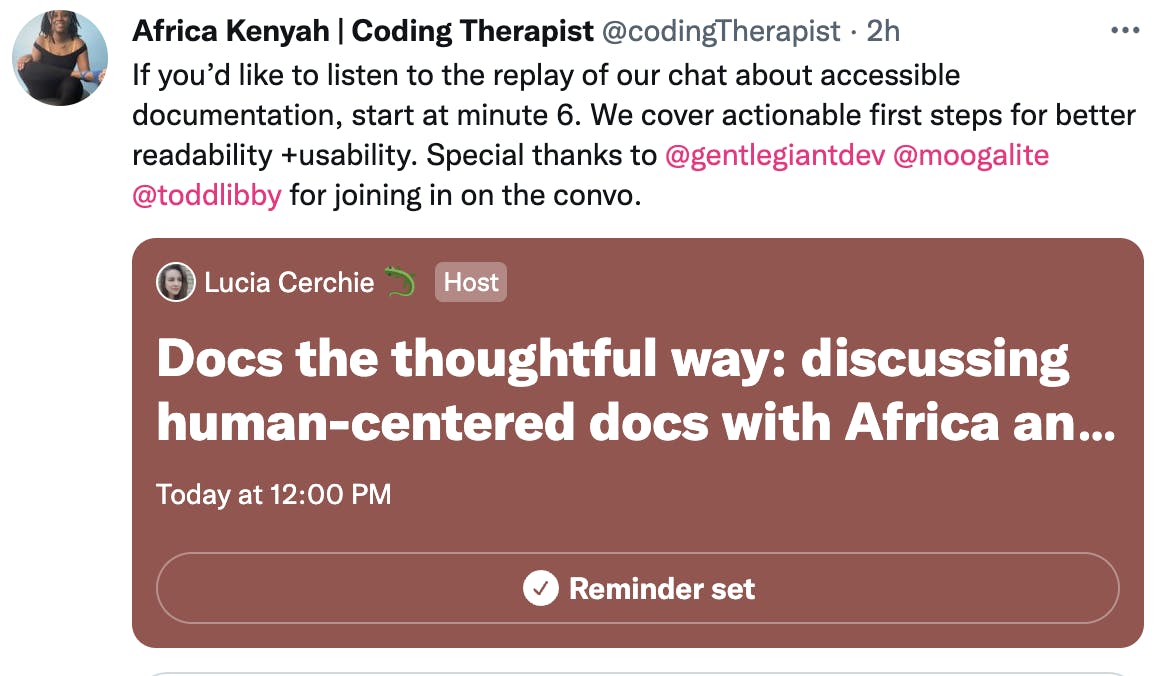[Screen Shot of tweet showing twitter space titled "docs the thoughtful way: discussing human centered docs with Africa an..". Text of tweet: "If you’d like to listen to the replay of our chat about accessible documentation, start at minute 6. We cover actionable first steps for better readability +usability. Special thanks to @gentlegiantdev @moogalite @toddlibby for joining in on the convo".](https://codingtherapy.hashnode.dev/human-centered-documentation-for-web-developers#heading-considerations-for-accessible-technical-documentation)
If you'd like to listen to the talk [you can listen here](https://twitter.com/i/spaces/1eaKbNWDPjaKX?s=20)
[Drawing of women's profile with long black hair with a worried look on face and lightbulb over head](https://codingtherapy.hashnode.dev/human-centered-documentation-for-web-developers#heading-what-is-human-centered-design-and-how-can-we-use-it-as-developers)
Human-centered design is a framework that centers the user's needs. It evaluates the requirements of the user and what is needed to complete tasks. This increases accessibility by focusing on understanding the needs of the person using your product/ material.
There are 4 Principles to this process:
1. Understanding the context of the use
2. Specifying user requirements
3. Producing design solutions
If you'd like to dive deeper into the principles of human-centered design [check out this video](https://www.youtube.com/watch?v=rmM0kRf8Dbk) by Don Norman.
For web developers, other developers are usually our target audience. In some cases, designers, product owners, managers, and end users may also use our documentation.
15% of the world has some form of disability according to the World Health Organization. Many more do not self-report. It may be fair to assume that up to 20% of the people who use your documentation may use alternative supports or strategies to access and understand it.
**Neurodivergent individuals** (ADHD, Autism, sensory processing disorders, visual and auditory processing disorders and learning disabilities including dyslexia)
These individuals work best with:
* Documentation that is written with clear, measurable steps
* Good use of white space with content broken up into sequential sections
* Consistent use of fonts sizing, types and colors
* Short sentences that do not exceed more than 26 words
**Visual, auditory and tactile impairments**
These individuals work best with documentation that can work well with their assistive technology including:
* Screen readers\*
* Screen Magnifyers
* Specialized keyboards and switches
* Speech to text and text to speech
* High contrast modes
\*Screen readers are not only for those with visual impairments but also for those with cognitive and physical impairments.
**Africa's response:**
* Documentation where 1 step was really 6 steps, but poorly written so you have to figure out the step in between yourself or from prior knowledge
* Documentation where there is no structure, just a wall of text
* No bolding or images to break the text up
**Lucia's response:**
* Technical documentation with a list of features where it isn't written with the user in mind
* Reading a long list of features that doesn't have any organization
* No alt text or not descriptive enough alt text for images, links, or buttons
* Poor use of semantic HTML
* No headings or headings that do not go in order
* No sequential structure to document
* Unclear wording, double negatives, long sentences
* Links that are not descriptive ("click here" instead of "GitHub Repo")
In general, they need to be able to:
* Navigate through your documentation to find what they need
* Read and understand the documentation (whether that be visually on the screen or read from a screen reader or other assistive device)
* Interpret images
* Understand what steps to take to complete tasks in the documentation
* Look at the structure of your HTML and use native descriptive tags that give information about the elements on the page
* Make sure headings are in the correct order and used for content structure, not styling (always style using CSS)
* Always include alternative text
* The **structure of the page** visually (are things bolded, are the same styles used throughout? )
* Easy to read **font styles** (Georgia, Helvetica, PT Serif, Open Sans, and Verdana are one of the easiest fonts to read)
* **Font size** (use rems instead of hardcoding with pixel size so that users who use screen magnifiers can keep their settings for larger text)
* Can the page be **magnified x10**?
* **Contrast ratios** (WCAG 2.0 level AA requires a contrast ratio of at least 4.5:1 for normal text and 3:1 for large text)
* **Semantic HTML** elements (h1 for the primary purpose of the page, h2 for breaking content into smaller sections, and so on)
* **Descriptive alt text** for images, links, icons, buttons
* [WAVE](https://wave.webaim.org/) (open source suite of evaluation tools that helps authors make their web content more accessible )
* [Lighthouse](https://chrome.google.com/webstore/detail/lighthouse/blipmdconlkpinefehnmjammfjpmpbjk?hl=en) (open source suite of evaluation tools that helps authors make their web content more accessible )
* Can the website be used with only a keyboard? Tab through the page and make sure you can select the navigation areas, headings, paragraphs, buttons, and links without a mouse.
* Can your website be used with a screen reader? Use a screen reader including NVDA (free open sourced screen reader), JAWS (the most used screen user), or VoiceOver (for Mac users)
* Make sure your documentation can be zoomed in 10X
* Use your website using different web browsers to make sure information is structurally and visually the same
* Proofread or have someone else read your documentation. Can they complete instructions or relay understanding of the information presented?
* Consider having someone who is not an expert at the subject read your documentation. Can they understand the general idea of the page or complete the steps?
* If more than one action is required to complete a step, break down your instructions to include more steps
* Avoid jargon
* Discuss only one topic per paragraph
* Avoid using terms like “it's so easy”
* Avoid using gendered language
* Be mindful of using correct language when talking about disabilities
While this is not an exhaustive list of things to consider when making documentation human-centered, it is a good start. I hope this is helpful on your journey to be more inclusive of people of all abilities.
Do you have any other accessibility tips or considerations not mentioned? Please share them! We would also like to hear from developers impacted by inaccessible documentation and what they have encountered., Human-Centered Documentation for Web Developers, The Coding Therapist, 01gtw6psta4w789cvyxz98jthf.