I’d Learn Copywriting Like This in 2026!
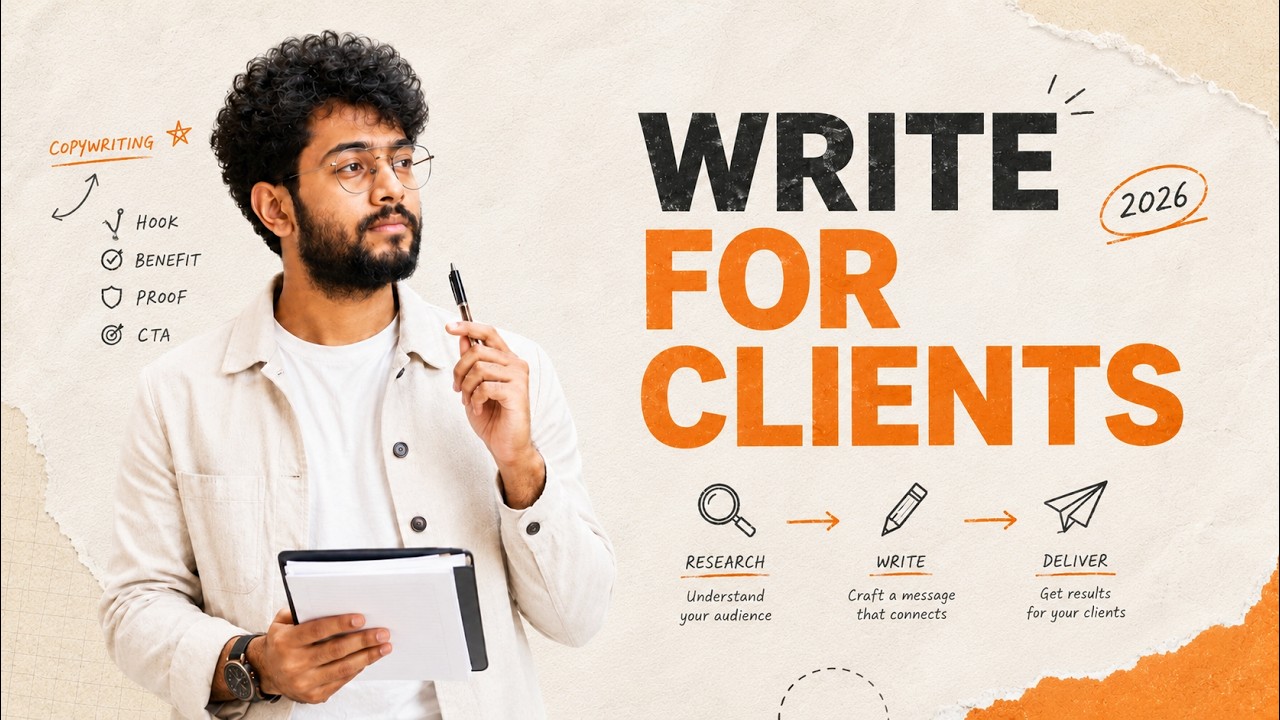
🔗 **Source:** [I’d Learn Copywriting Like This in 2026!](https://www.youtube.com/watch?v=53PmVlURojs)
Let me kill a myth in 5 seconds. You don't need to be a good writer to start copywriting. You just need a system. A system that shows you what to research, what to notice, and how to turn those ideas into actual copy. And that's exactly what we're doing today. We're not going to sit here and talk about copyrightiting theory for 40 minutes. We're going to do what most beginners never do. would choose a niche. Go to
Google Maps, find an actual business, study their website, check their social media, spot the weak parts in their messaging, and then create copywriting sample based on that research. So instead of writing random practice copy that nobody cares about, you'll build something that feels like a real client project. By the end, you won't just say um learning copywriting. You'll have real samples to show when someone asks,
"Can I see your work?" That's the difference between only watching copyrightiting videos and actually practicing copyrightiting like a smart freelancer. I'm Taimur, a web developer and copywriter. And here at Jim Fud Digital, we focus on practical work with real businesses. First, I'll help you choose a niche the smart way. Then we'll pick a real business and collect useful information from their website, menu, reviews, and social media. After that,
we'll turn that research into copy samples using simple frameworks like three C's, ADA, and the marketing funnel. I'll show you how to package your work into a portfolio and send a simple email to businesses so you're not stuck practicing for ever. And don't worry if this sounds like a lot. We will do everything step by step and I'll show you exactly what to click, what to research, and what to write. Before we
start, comment start if you want me to review your niche idea later. All right, let's start your first copyrightiting project with a real business. Before we start writing, we need to choose a niche. A niche means a specific industry you will write for. In this step, we will choose a niche so we can focus our copywriting on one specific type of business instead of trying to write for everyone. You can choose any
of your preferred niche. For example, restaurants, real estate agents, dentists, gyms, SAS companies, etc. If you are a beginner, I recommend starting with local businesses because they always need content, but many of them don't have good writers. When you choose a niche, three things become much easier. First, your writing becomes more focused because you understand the business better. Second, your portfolio
looks more professional because all your samples are related to one industry. Third, it becomes easier to find clients because you know exactly who you want to work with. So your first task is very simple. Choose one niche where you want to practice your copyrightiting. For this tutorial, let's uh choose restaurant businesses as our niche. Restaurants needs website copy, image copy, Google business description and so
on. That means there are many opportunities for copywriters. In the next step, we will find real restaurant businesses using Google Maps. So, we can create copyrightiting samples based on real companies. Now that we have selected our niche, the next step is to find real businesses in that niche. Why do we do this? Because instead of writing random practice content, we want to create copyrightiting samples based
on real businesses. This will make our portfolio look more realistic and professional. In this step, we will use Google Maps to find restaurant businesses that we can analyze and create writing samples for. So now let's find some real businesses. Just go to your browser. Now type in the search bar Google maps. Then open the Google Maps. We're now in the Google Maps. Now go to search bar
here at the top and type restaurants and buffalo. I'm typing Buffalo because I want to target businesses in that city. But you can type any restaurants in your own city. For example, if you live in Texas, simply type restaurants in Texas instead of Buffalo. After typing, just and hit enter. Now you'll see many restaurant
businesses appear on the map. Let's zoom in slightly. Okay. So you can see a list of restaurants and on the map each red icon represents a real restaurant location. Now simply click on any restaurant. For example, I'm clicking Bella Chowo. When we click on a restaurant, Google Maps opens the business profile on the left side. Here we can see several important things. the restaurant name, the location, their website, if they
have, contact number, menu links, customer reviews. So, all of this information helps us understand the business better. Now, this is exactly the type of business we're looking for. The next thing we want to do is open the restaurant website. If the business has a website, you can usually find the link right here. This is bellachchowbuffalo.com. Let's just click on the website link.
We're inside the restaurant's website. Now, let's quickly examine the website and see how they're presenting their business online. Okay, as you can see, this is their homepage. And here we can see some basic information about the restaurant and images. Now, let's also check their social media presence. Sometimes businesses link their social media accounts directly from the website. Yes, we got their phone number, location, and social media links as well. I'm curious about their Facebook
profile. So, I'm going to open it in the page. Scroll down a bit. All right. Now, we have looked at both their website and their Facebook page. And from this quick analyzis, we can already notice a couple things. First, their website is not very well structured. and there isn't much strong persuasive content explaining why someone should choose this restaurant. Second, their social media presence is also not very strong and the content
doesn't really engage the audience and this is exactly where copywriters can create value by improving their messaging and writing better promotional content. All right, so in the next step we'll discuss the fundamentals of copyrightiting. Before writing your copywriting samples, we need to understand few core things about the business. Good copywriting is not just about writing nicely. It's about understanding the customer, the product
and the message the business wants to communicate. So before we start writing, let's quickly go through a simple research framework that will help us write better copy. This is a simple copywriting research template. You can use this template to collect all the important information before writing any copy. Let's quickly go through the main parts. The first thing we need to understand is the audience. Who you are writing for, what problems they have,
what they're looking for, and where they usually spend their time online. Because good copywriting always speaks directly to the target customer. The second thing we need to understand is the product or service that we are writing about. We need to know what the product or service is, what problem it solves, what features it has, and what benefits the customer gets. Because customers don't buy features, they buy benefits. Okay.
Next comes the unique selling point or USP. This simply means what makes the business different from the other competitors. Why should someone choose this restaurant instead of another one nearby? We also need something called proof or credibility. This includes things like customer reviews, testimonials, case studies, and results or statistics. These things build trust with potential
customers. Then we look at the offer details, the brand tone and even the competitors. All of this information helps us write copy that is clear, persuasive and aligned with the business goals. And finally, we decide the platform where the copy will be used. For example, website, social media, landing pages, email marketing, advertisements. because the writing style can change depending on the platform. The next
section is visual or supporting materials. This refers to a visual elements that supports the copyrightiting. For example, images, videos, good product photos, brand guidelines. Good copyrightiting often work together with visual content. Images and videos help capture attention, make the message more engaging and persuasive. The final part is call to action, also known as CTA.
This simply means what action you want the reader to take after reading your copy. This simply means action you want the reader to take after reading your copy. For example, buy now, sign up, learn more, contact us, get started. Every good piece of copyrightiting should guide the reader toward a clear next step. So before writing your copywriting sample, make sure you
understand these key elements. Once you gather this information, it becomes much easier to write strong and persuasive copy. All right, we have collected all the information we need about this business and we have organized it inside our research template in a document. Now comes the most important part of copyrightiting which is called the three C's of copywriting. The three C's stand for clear, concise, compelling. If your
copy follows these three principles, it becomes much easier for readers to understand and take action. First, your copy should be clear. That means the message should be easy to understand. The reader should immediately know what the business offer and why it matters to them. Second, your coffee should be concise. This means we should avoid unnecessary words and keep the message
short and direct. And third, your copy should be compelling. This means the copy should capture attention, create interest, and engage the reader to take action. Now that we understand three C's of copyrightiting, before we start writing the actual copy, there is one more important concept you should understand. It's called the copyrightiting funnel. See, copywriting is not just about writing nice sentences. It's about guiding the customers step by step toward taking
action and that is exactly what this funnel represents. We have five stages of this funnel. First stage is awareness. At this stage, the goal is to attract attention and drive traffic. For example, someone might discover the restaurant through a Google search, social media or ads. The second stage is interest. Once people become aware of this business, we need to engage them with interesting and valuable content.
This could be food photos, menu highlight or social media posts that makes people curious about the restaurant. The third stage is decision. At this stage, customer is comparing options. Good copyrightiting should convince them why this restaurant is the better choice compared to others. This is where we highlight unique dishes, quality ingredients, great atmosphere, and positive reviews. Next comes action. This is where the customer finally takes
action such as reserving a table, ordering a food, or visiting the restaurant. This is why strong call to action copy is very important. And finally, we have retention. This stage focuses on turning customers into returning customers. for example, email offers, loyalty discounts, social media engagement. Good businesses always try to keep their customers coming back again and again. Always remember this
funnel. Your copy should help move the customer from eroness to retention. Now, let's understand one more important concept in copyrightiting which is called tofu, mofu, and bofu. These can sound weird but these stages represent different levels of the marketing funnel. The first stage is tofu which stands for top of funnel. At this stage
the goal is awareness. People are just discovering a problem or learning about something new. So the content here should be informational and educational. for example, blog posts, social media content or videos that introduce the topic. The second stage is mofu, which means middle of funnel. At this stage, the audience is already aware of the problem and is now considering possible solutions. So, the goal here is to build
trust and provide more detailed information. for example, product comparison, case studies, helpful guides, email newsletters. This helps the audience evaluate the product or service. The third stage is bofu, which means the bottom of funnel. This is the decision stage. Here the goal is to convince the customer to take action. So the content becomes more persuasive. So the content becomes more persuasive
highlighting the benefits, proof, testimonials, and strong call to action. And after the purchase, we also focus on customer retention. This means keeping customers engaged through things like follow-up emails, loyalty offer, special promotions, because the goal is not just to get a customer once, but to build long-term relationship. So when writing copy always think about which stage of the funnel your content belongs to. Now
that we understand copyrightiting funnel and the buyer journey we are ready to start writing our actual copywriting samples. Now we're moving to step number four. Create practice copyrightiting samples. We will take all the research and insights we gathered earlier and use them to create real copyrightiting samples. The goal here is to practice writing different types of marketing content that businesses actually use,
such as social media posts, image copy, and promotional captions. These samples will help you build your portfolio, even if you don't have real clients yet. And as we just demonstrated, we will structure these samples using marketing frameworks like Tofu, Mofu, Bofu, and ADA. Now we'll start writing some image copy for their social media especially for their Facebook platform. And while
I'm doing this we will follow two important frameworks. First the marketing funnel stages tofu mofu and bofu and second the ada framework which stands for attention interest desire action. These frameworks help us write copy that captures attention and guides the audience toward taking action. Stage tofu. For this tutorial, I have written the image copy and the caption using Ada
framework. This is not actual image but structure or skeleton of an image. Real image looks something like this. But here as you can see the copy highlights the main message which is offering different food options that everyone at the table can enjoy. Then in the caption we structured the content using ADA attention interest desire and action. First we grab attention by asking a
relatable question. Then we build interest by introducing the variety of food options available at this restaurant. Next, we create desire by explaining how this restaurant is perfect for family dinners and gatherings. And finally, we guide the audience toward action by providing the restaurant's location, website, and phone number. Now, let's look at the mofu stage, which stands for middle of funnel. At this stage, the goal is to build interest and
help audience consider the product more seriously. Here, instead of talking about the restaurant in general, we focus on a specific menu item. In this case, the garlic bread. In the image copy, we highlight the price starting from $10 and introduce the product with a simple headline that grabs attention. And again, this is not an actual image. It's a structure. The image will look something like this, fully styled. Okay.
Then in the caption, we use the ADA framework. Again, first we capture attention by directly speaking to garlic bread lovers. Next, we build interest by mentioning the ingredients here. Then we create desire by describing the texture and say something like crispy on the outside and cheesy on the inside. And finally, we guide the audience toward the action by giving them two options. They can call the restaurant directly or they can place an order through their
website. This type of post works well in the consideration stage where people already know about the restaurant and are now deciding what they might want to try. Now let's look at the BFU stage which stands for bottomup funnel. This stage focuses on encouraging the audience to take action. At this point people are already familiar with the brand. So, the goal of the content is to build and
motivate engagement or purchase. In this example, the image copy highlights a community milestone like 5.3K followers. This helps create social proof showing that many people already love and support the brand. Then, in the caption, we follow the ADA framework again. First, we grab attention by announcing the milestone. Next, we build interest by mentioning the growing community around Bellachia. Then we create desire
by appreciating the audience and reinforcing the experience in restaurant offers. Finally, we encourage action by asking people to share their favorite item with friends and engage with the brand. This kind of post works well at bofu stage because it strengthens the relationship with the audience and encourages community engagement and customer loyalty. Now we are moving to the step number five improving the
writing with Grammarly. Now go to your browser and search for Grammarly extension. Then open the Chrome web store result. Here you'll find Grammarly AI assistant and grammar checker app. Now simply click on add to Chrome. To install the extension, click on add extension. From here you can quickly sign up. You can use continue with Google.
Here you just need to follow the setup steps. Select the option and click next. Skip if you want. I'm skipping this one too. Select an option. If you want to get the Grammarly for Windows plus Chrome, click here. Or if you want to just get Grammarly for Windows only, click here. I'm clicking on here. So, if you install the Grammarly on your Windows, Grammarly won't just work on a browser. It will work on everything, every app you have. But for now, I got the extension in my
browser. So, it's okay. So, now you can just close the tabs. And now, let's try Grammarly with Google Docs. Just open the Google doc and when you are writing you'll see this green button on the bottom right. Just click on this just click on this green icon. This means Grammarly is now active and ready to help improve your writing. Whenever there is a grammar issue, spelling mistake or clarity suggestion,
Grammarly will automatically highlight it and give you suggestions to fix it. Now just copy the copyrightiting text you wrote earlier and paste it into Google Docs. I just pasted this. After that, click on the Grammarly icon. Once you click it, the Grammarly sidebar will appear on the right side showing suggestion to improve your writing. From there, you can review the suggestion and apply the recommended changes to make your copy clearer and more professional.
One more important thing to keep in mind, Grammarly is a great tool for improving your grammar and clarity. But in copywriting, you should not always depend on it completely. Sometimes in marketing copy, writers intentionally break the normal grammar rules to make the message more engaging, emotional, and conversational. All right, now we are at our last part. In this part, we'll discuss about portfolio template examples. In this
part, we'll discuss about portfolio templates, examples, email to clients, and LinkedIn job posts, connections, and freelance marketplaces. I'll show you some portfolio template examples that you can use to present your copywriting work more professionally. A good portfolio helps good potential clients quickly understand your writing style, your strategy, and marketing thinking. Even if you are a beginner, you can still create a strong portfolio by
showcasing the practice samples we created earlier. Just go to your browser and type kitpapa.com. Press enter. This will take you to kitpa template marketplace where you can find different readytouse WordPress templates. From here you can explore various categories like service business, agency, freelancer, portfolio templates and so on. Let's here type
portfolio template. Click on search. You'll see several portfolio template options here. Now just choose a template that fits your personal portfolio style. For example, here I'm selecting a template called adg guru digital marketer and freelancer portfolio elementary template. Once you click see details, you'll be taken to the template details page. From here you can learn more about the template such as features, layout,
and compatibility. Now click on live demo to see how the website will look after installing the template. If you don't have prior experience with customizing websites or using WordPress, don't worry. You can just watch detailed tutorial by simply clicking the I button on the screen. That video will guide you step by step how to set up and customize your WordPress website using these templates. And also if you scroll down
more, here's a short video of how to install this template on your WordPress. All right. Now, we will focus on how to start reaching out to potential clients using the copyrightiting samples we created earlier. There are several ways to find clients such as sending professional emails to businesses, connecting people on LinkedIn, applying to LinkedIn job posts, and exploring freelance marketplaces. So from the
website we analyzed earlier, we can also collect important information. For example, if we scroll down to the contact section, we can see the business email address and the phone number is here. This is very useful because it allows you to reach out to the business directly. Now we can copy the email address and send a professional outreach email introducing our copyrightiting service. This is one of the fastest way to approach potential clients especially for local businesses that may need help
with website content, social media copy or marketing messages. Now you can go to your Gmail account. Then click on compose and you can start writing a new email. In the two field, paste the business email address that we have collected from the website. This is this. Then write a clear subject line. Then write a clear subject line so the business owner understands the purpose of the email. For example, write the
subject first. Quick idea to improve Bella Cho's online content content. Okay, this is the subject. Okay, now I'm going to add the email content in here. And by the way, when you're writing this email, you can also use the Grammarly to fix grammarss and enhance your text. Now, just click on the send button to send the email. Keep in mind that this outreach process is completely free and
you can repeat it for multiple businesses or brands. The more businesses you reach out to, the higher your chances of getting replies and potential copyrightiting opportunities. Also, if you want, you can do the same thing. You can send the same message to their WhatsApp number and I think it'll increase the chance of drawing their attention more. Okay, now let's see another way to find opportunities. This time we will look for copyrightiting
jobs on LinkedIn. So go to linkedin.com and open your LinkedIn account. After opening LinkedIn, go to the search bar at the top. Now type copyriter in the search bar and press enter. Once the results appear, click on the jobs tab. This will show you all the available copywriting job opportunities posted on LinkedIn. From here, you can explore
different copywriter job posts, read requirements, and see which ones match your skills. If you find a job that fits your profile, you can simply click on it and review the job description and application details. Many companies also allow you to apply directly through LinkedIn using the easy apply option. So you can quickly submit your profile and portfolio to apply for the opportunity.
So this was the complete process of how you can start learning copywriting, create practice samples, build your portfolio and start reaching out to potential clients. Remember, the most important thing in freelancing is taking action. The more you practice, the more samples you create, and the more businesses you reach out to, the higher your chances of getting your first client. And one more thing, we're also
preparing to launch a new course called the freelancer masterass. In this course, you'll learn how freelancers actually find and approach clients, how to build a strong portfolio and how to start your freelancing journey step by step. The course is coming soon, but if you are interested, we have opened the weight list and you'll get some extra discount once the course releases. Just enter your first name and email address here and you will be in our weight list.
And hey, also if you haven't subscribed to Jim Fod Digital YouTube channel yet, make sure to subscribe now so you don't miss any future updates and tutorials. That's it for today, guys. I hope you learned something new today. I'll see you in the next one. For now, bye-bye., I’d Learn Copywriting Like This in 2026!, YouTube, 01ksfqptg2sf2tc7mhqn3721ch.