Kindle Hack - Install Custom Screensavers
## Metadata
- Author: [[YouTube]]
- Full Title: Kindle Hack - Install Custom Screensavers
- Category: #articles
- Document Note: ---
tags: [kindle-hacking, custom-screensavers, device-jailbreak]
author: Hacker's Journal
source: YouTube
reference: https://www.youtube.com/watch?v=w0u8y9uoJNk
date created: 2024-12-19 14:30
---
# 🏷️ Title: Kindle Hack - Install Custom Screensavers
## 🧰 Action Inbox
- [H1] Download jailbreak files for your specific Kindle model — 00:35 #download
- [H2] Create custom screensavers at 600x800 grayscale — 06:45 #design
- [H3] Install patches via Kindle update system — 02:15 #installation
## 🧭 Table of Contents
- [📝 Summary](#-summary)
- [📖 Main Content](#-main-content)
- [🗒️ Notes](#️-notes)
- [📚 References](#-references)
- [🗣️ Paraphrase](#️-paraphrase)
- [📰 Newsletter](#-newsletter)
- [✅ Action Items](#-action-items)
- [🧪 Hypotheses](#-hypotheses)
- [📊 Methodology](#-methodology)
- [❓ Questions](#-questions)
- [🔮 Future Research](#-future-research)
- [💡 Implications](#-implications)
- [🧠 Learning Styles Assessment](#-learning-styles-assessment)
- [📊 Accessibility Assessment](#-accessibility-assessment)
- [🌍 DEIB Assessment](#-deib-assessment)
- [✅ Logical Validity](#-logical-validity)
- [🛡️ DARVO Analysis](#-darvo-analysis)
- [🎯 Conclusion](#-conclusion)
### 🔗 References
- [Original Video](https://www.youtube.com/watch?v=w0u8y9uoJNk)
- [Hacker's Journal](https://hackersjournal.com)
## 📝 Summary
- Tutorial demonstrates jailbreaking Kindle 3 devices to install custom screensavers
- Requires specific jailbreak and screensaver software patches
- Process involves updating Kindle firmware twice using custom files
- Does not work on Kindle devices with special offers/ads
- Bottom line: Complete customization possible but voids warranty and has device restrictions
## 📖 Main Content
This tutorial covers the complete process of jailbreaking a Kindle 3 device to enable custom screensaver installation. The method uses firmware patches that exploit the Kindle's built-in update mechanism to install unauthorized software. The author emphasizes that this approach will not work on subsidized Kindle devices that display ads, noting ethical concerns about removing advertisements from discounted devices. The process requires careful attention to device model compatibility and involves permanent modification of the device firmware.
## 🗒️ Notes
#### ⏱️ [00:00](https://www.youtube.com/watch?v=w0u8y9uoJNk?t=0) — [H1] Introduction and compatibility warning
- Key idea: Custom screensavers require jailbreaking but won't work on ad-supported Kindles
- Evidence: "This tutorial will not work on the Kindle 3 with the special offers and the screen saver ads"
#### ⏱️ [00:35](https://www.youtube.com/watch?v=w0u8y9uoJNk?t=35) — [H2] Required file downloads
- Key idea: Need both jailbreak and screensaver software files
- Evidence: "We're going to need a Kindle jailbreak file and we're also going to need the Kindle SS file"
#### ⏱️ [01:15](https://www.youtube.com/watch?v=w0u8y9uoJNk?t=75) — [H2] Device-specific file selection
- Key idea: Patches must match exact Kindle model using specific nomenclature
- Evidence: "Select the patch that corresponds to your working device... I'm going to be using a Kindle 3G"
#### ⏱️ [02:15](https://www.youtube.com/watch?v=w0u8y9uoJNk?t=135) — [H1] Installing jailbreak patch
- Key idea: Use Kindle's native update system to install unauthorized firmware
- Evidence: "Drag the update jailbreak file to the root of the Kindle directory... select update your Kindle"
#### ⏱️ [04:30](https://www.youtube.com/watch?v=w0u8y9uoJNk?t=270) — [H2] Installing screensaver mod
- Key idea: Second patch installation enables custom screensaver functionality
- Evidence: "Drag the update Kindle SS file to install the screen saver mod"
#### ⏱️ [05:15](https://www.youtube.com/watch?v=w0u8y9uoJNk?t=315) — [H2] Repeating update process
- Key idea: Same update mechanism used for second patch installation
- Evidence: "Going to settings menu and then update your Kindle again"
#### ⏱️ [06:45](https://www.youtube.com/watch?v=w0u8y9uoJNk?t=405) — [H1] Creating custom screensavers
- Key idea: Images must be 600x800 pixels in grayscale format
- Evidence: "Set the width and height to 600 by 800 and set the colors to black and white"
#### ⏱️ [08:30](https://www.youtube.com/watch?v=w0u8y9uoJNk?t=510) — [H2] File format requirements
- Key idea: Screensavers must be saved as PNG files
- Evidence: "Save it as a PNG file"
#### ⏱️ [09:00](https://www.youtube.com/watch?v=w0u8y9uoJNk?t=540) — [H2] Installing screensaver files
- Key idea: Custom images go in specific screensavers folder
- Evidence: "Going into Kindle link SS screen savers"
#### ⏱️ [09:30](https://www.youtube.com/watch?v=w0u8y9uoJNk?t=570) — [H3] Original screensaver backup
- Key idea: System automatically backs up original screensavers
- Evidence: "The original ones are stored in a folder called backup"
#### ⏱️ [10:15](https://www.youtube.com/watch?v=w0u8y9uoJNk?t=615) — [H2] Restart requirement
- Key idea: Device restart necessary for changes to take effect
- Evidence: "Go to settings menu and restart. If you don't do this, the new screen savers will not take effect"
#### ⏱️ [11:00](https://www.youtube.com/watch?v=w0u8y9uoJNk?t=660) — [H2] Multiple screensaver support
- Key idea: System supports multiple custom screensavers with random rotation
- Evidence: "You can have multiple screen savers... they will flip through in a random arrangement"
#### ⏱️ [11:45](https://www.youtube.com/watch?v=w0u8y9uoJNk?t=705) — [H3] Ad-supported device ethics
- Key idea: Author considers removing ads from subsidized devices dishonest
- Evidence: "The $114 version will not work... I think it's kind of dishonest to remove the ads"
#### ⏱️ [12:15](https://www.youtube.com/watch?v=w0u8y9uoJNk?t=735) — [H3] Uninstallation process
- Key idea: Process is reversible using provided uninstall files
- Evidence: "To uninstall, just update the Kindle using the uninstall files that are also provided"
## 📚 References
- [Kindle Hack Video](https://www.youtube.com/watch?v=w0u8y9uoJNk)
- [Hacker's Journal Website](https://hackersjournal.com)
## 🗣️ Paraphrase
- The tutorial shows how to modify Kindle 3 firmware to allow custom screensaver images through a two-stage jailbreaking process
- Custom screensavers must be created as 600x800 pixel grayscale PNG images and placed in a specific system folder
- The method exploits Kindle's update mechanism but doesn't work on ad-subsidized devices, which the author considers ethically problematic to modify
## 📰 Newsletter
Learn how to personalize your Kindle 3 with custom screensavers! This technical tutorial demonstrates firmware modification techniques that, while voiding warranties, showcase the customization potential of e-reader devices. The process involves careful file management and system updates, highlighting the importance of device compatibility and ethical considerations around subsidized hardware modifications.
Key takeaway: Device customization often requires balancing technical capability with ethical responsibility, especially regarding ad-supported business models.
Resources: [Device Hacking Communities](https://example.com), [E-reader Customization](https://example.com), [Firmware Modification Guides](https://example.com)
## ✅ Action Items
#### DevRel
- Developer advocacy: Document device modification risks and legal implications
- Education: Create workshops on ethical hardware hacking practices
- Developer experience: Develop safer customization APIs for future devices
- Community management: Moderate discussions around warranty-voiding modifications
#### OSPO
- Policy & Governance: Establish guidelines for firmware modification content
- License Compliance: Review legal implications of jailbreaking tutorials
- Security Management: Assess risks of encouraging firmware modifications
- Software Inventory: Track tools and libraries used in device hacking
#### Community
- Maintainers: Support ethical hacking education while emphasizing risks
- Contributors: Develop safer alternatives for device customization
- Ecosystem: Coordinate with manufacturers on official customization options
## 🧪 Hypotheses
- Device manufacturers could reduce jailbreaking by offering official customization options
- Ad-supported device models create ethical tensions around modification tutorials
- Firmware modification tutorials increase user technical literacy but create support burdens
- Community-driven customization drives innovation in consumer electronics
### 📊 Methodology
- Survey Kindle users about desired customization features vs. jailbreaking willingness
- Analyze warranty claim patterns for modified vs. unmodified devices
- Compare customization options across different e-reader manufacturers
### ❓ Questions
- How can manufacturers balance device security with user customization desires?
- What ethical frameworks should guide tutorials for modifying subsidized hardware?
- How do device modifications impact long-term product sustainability?
### 🔮 Future Research
- Investigation of official APIs for e-reader customization
- Study of user motivations for device jailbreaking
- Analysis of manufacturer responses to community modifications
### 💡 Implications
- Practice: Demonstrates technical skills while highlighting warranty and security risks
- Policy: Raises questions about right-to-modify vs. subsidized hardware business models
- Security: Shows how update mechanisms can be exploited for unauthorized modifications
- Education: Illustrates need for balanced approach to device hacking tutorials
### 🧠 Learning Styles Assessment
Reading level estimate: 9.2 (Flesch-Kincaid Grade Level)
#### 👀 Visual learners
- Present: Video demonstration of each step, file screenshots
- Improve: Detailed diagrams of file structure, before/after comparisons
#### 🔊 Aural learners
- Present: Narrated video tutorial with step-by-step instructions
- Improve: Audio-only version with detailed verbal descriptions
#### 🗣️ Verbal learners
- Present: Technical terminology explained, file naming conventions described
- Improve: Analogies for firmware modification concepts, clearer definitions
#### 🧩 Kinesthetic learners
- Present: Hands-on tutorial with direct device manipulation
- Improve: Practice exercises, troubleshooting scenarios
#### 🧠 Logical learners
- Present: Step-by-step logical progression, file organization system
- Improve: Flowchart of decision points, error handling procedures
#### 🧑🤝🧑 Social learners
- Present: Reference to community resources and forums
- Improve: Discussion prompts about modification ethics, user forums
#### 🧘♀️ Solitary learners
- Present: Self-paced video tutorial, independent practice
- Improve: Self-assessment checklist, reflection questions
#### 🌿 Naturalistic learners
- Present: Limited environmental connections
- Improve: Discussion of device lifecycle, sustainability implications
### 📊 Accessibility Assessment
#### Screen reader semantics
- Present: Video has verbal narration of all actions
- Improve: Detailed transcript with screen reader compatible formatting
#### Keyboard navigation
- Present: Not applicable for video content
- Improve: Interactive transcript with keyboard navigation
#### Contrast and readability
- Present: High contrast between Kindle interface and background
- Improve: Larger text overlays, improved color contrast
#### Text resizing and reflow
- Present: Video player supports zoom functionality
- Improve: Responsive transcript layout, adjustable text size
#### Media and captions
- Present: Full transcript provided
- Improve: Synchronized captions, audio descriptions of visual elements
#### Forms and interactions
- Present: Not applicable
- Improve: Interactive checklist for following along
### 🌍 DEIB Assessment
#### Cultural breadth
- Present: English-language content with global device availability
- Improve: Multiple language versions, region-specific considerations
#### Inclusive language
- Present: Technical language appropriate for audience
- Improve: Define technical terms more clearly, avoid assumptions about prior knowledge
#### Neurodiversity support
- Present: Clear step-by-step structure
- Improve: Progress indicators, clearer transition markers
#### Representation
- Present: Single presenter perspective
- Improve: Diverse voices in tutorial creation, multiple use cases
#### Psychological safety
- Present: Warning about device compatibility and risks
- Improve: Stronger emphasis on warranty implications, alternative solutions
### ✅ Logical Validity
#### Strong reasoning
- Deductive strength: Clear cause-effect relationship between patches and functionality
- Inductive strength: Examples support general modification principles
- Causal reasoning: Demonstrates clear steps leading to desired outcome
- Analogical strength: Limited analogies used effectively
#### Fallacies
- Appeal to consequences: Suggests ethical problems without full argumentation
- False dichotomy: Implies only jailbreaking enables customization
#### Tone of voice
- Overall tone: Technical and instructional with casual delivery, includes ethical considerations
### 🛡️ DARVO Analysis
- Deny: No denial patterns observed
- Attack: No attacking behavior present
- Reverse victim/offender: No role reversals detected
- Emotional cues and rhetoric: Neutral technical presentation with ethical disclaimers
## 🎯 Conclusion
This tutorial effectively demonstrates Kindle 3 jailbreaking for custom screensavers while acknowledging device limitations and ethical considerations. The technical process is clearly explained but carries significant risks including warranty voiding and potential device damage. Future approaches should explore official customization APIs and manufacturer partnerships to provide safer alternatives for user personalization needs.
## 🧱 Refactor Appendix
### 📚 Literature Split Pad
Purpose: Stage CEE units that become Literature notes.
Split level: H3
### [H1] Kindle jailbreaking enables custom screensaver installation
> [!quote] [Kindle Hack - Install Custom Screensavers](https://www.youtube.com/watch?v=w0u8y9uoJNk) by [[Hacker's Journal]] via [[YouTube]]. Published 2024. Accessed 2024-12-19.
> "We're going to need a Kindle jailbreak file and we're also going to need the Kindle SS file."
Technical process requires device-specific patches and careful compatibility checking.
[view highlight](https://www.youtube.com/watch?v=w0u8y9uoJNk?t=35#H1) #xref #articleseed ID:rw_kindle_jailbreak_001
### [H2] Ad-supported devices create ethical modification concerns
> [!quote] [Kindle Hack - Install Custom Screensavers](https://www.youtube.com/watch?v=w0u8y9uoJNk)
> "I think it's kind of dishonest to remove the ads."
Author acknowledges tension between technical capability and business model respect.
[view highlight](https://www.youtube.com/watch?v=w0u8y9uoJNk?t=705#H2) #xref ID:rw_kindle_ethics_001
---
### 🔖 Atomic Split Pad (Zettel Candidates)
Purpose: Promote reusable claims into Atomic notes.
Split level: H4
- Document Tags: [[h1]] [[xref]] [[design]] [[download]] [[installation]]
- Summary: Kindle Hack - Install Custom Screensavers
- URL: https://www.youtube.com/watch?v=w0u8y9uoJNk
[Laughter] [Music] In this video tutorial, I'm going to demonstrate how to install custom screen savers on your Kindle device. Please note that this tutorial will not work on the Kindle 3 with the special offers and the screen saver ads. Okay. Uh, so let's get started by
opening up a web browser and doing a search for Kindle 3 Jailbreak and then select one of the links that contains the downloads that we need. I'll provide a link in the description to a guaranteed download site. So, we're going to need a Kindle jailbreak file and go ahead and extract this. And we're also going to need the Kindle
SS file. The Kindle jailbreak is obviously the jailbreak we need to open up the Kindle device. And the Kindle SS contains the custom screen saver software we need to install the screen savers. These files are in the form of patches that we will use to update our Kindle device. And there is a nomenclature uh with all these files. Uh select the patch that
corresponds to your working device. And here is uh the names that goes with the names of the files. I'm going to be using a Kindle 3G. So I will select the one that has the extension K3G in the files. And to make this easier, I'm going to open up the folder and just pull out the install and uninstall binary files that correspond to my
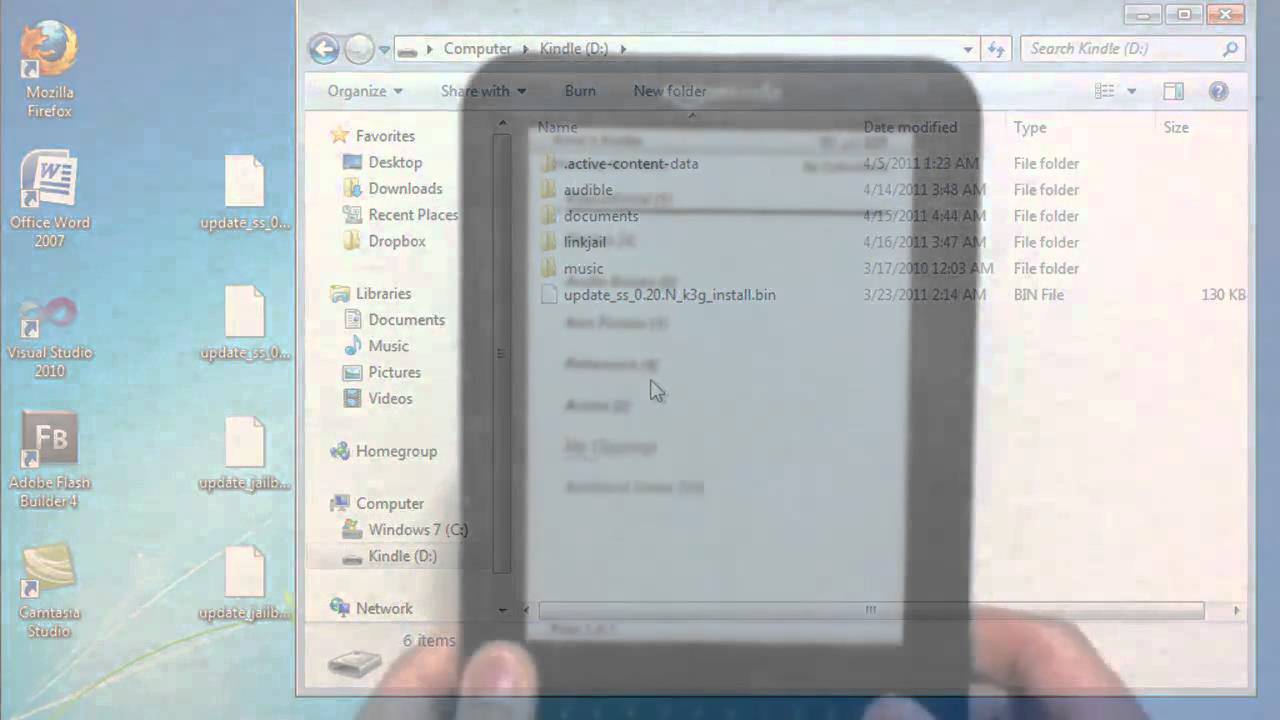
Kindle onto my desktop. [Music] Okay. So once we've done that, we're going to proceed to add the patches to our device. So go ahead and plug in your Kindle and drag the update jailbreak file to the root of the Kindle directory.
And once you have that, unplug the Kindle, go to menu [Music] and scroll down to settings and then click menu again when you're in settings and select update your Kindle and select okay. The Kindle will be updated using the patch that's in your root directory and then your Kindle will restart.
[Music] Once you have done that, uh, go ahead and plug your Kindle back into your computer and then drag the update uh, Kindle SS file to install the screen saver mod. And then we're going to go back and we're going to proceed to the same process. uh going to settings menu
and then update your Kindle again [Music] and then it's going to repeat the process and restart the Kindle device. Okay, while we're doing that, we're going to proceed to create some custom screen savers. Now, I'll demonstrate how to do this. Uh you can do this in any image editing program like Paint, or Photoshop. But whichever program you use, go into settings and set the width and height to 600 by 800 and set the
colors to black and white. And if it gives you the option, set it to grayscale as well. And I'm just going to create a very simple uh screen saver. [Music] There are also many screen savers available for download on the internet if you're interested. So once you are finished creating your uh custom screen saver, go ahead and
save it as a PNG file. Now once you save it as a PNG file, we're going to proceed to add the screen saver to our device. And you can do that by going into Kindle link SS screen savers. Note there will also be a default screen saver in there and you can get rid of that. And also the old screen savers, the original ones are stored in a folder called backup. So if you want to use any of the old uh Kindle screen savers, you can find them
there. And once you have added uh the screen savers, go ahead and go to settings menu and restart. If you don't do this, the new uh screen savers will not take effect. But once you restart your Kindle, you will see your custom screen savers installed. So, here's a demonstration. And please note, you can have multiple screen savers, even though I'm only showing one. and they will flip through in a
random arrangement just like with the original screen savers. [Music] And also uh some extra things to note. Uh again, the Kindle with special offers. The $114 version will not work for this tutorial. I think it's kind of dishonest to remove the ads. Um, you can have multiple screen savers like I said before. And to uninstall, um, just
update the Kindle using the uninstall files that are also provided. And also again, the original screen savers can be found under backups. And that is it for this tutorial. For more tutorials, please go to the hackersjournal.com. [Music], Kindle Hack - Install Custom Screensavers, YouTube, 01ka82t99jcg2tefmvyf7v5kmk.