Obsidian Bookmarks insider update
## Metadata
- Author: [[Danny Hatcher]]
- Full Title: Obsidian Bookmarks insider update
- Category: #articles
- Document Note: Headline: Obsidian Bookmarks Makes It Easier to Save and Share Your Favorite Web Pages
Obsidian Bookmarks, the revolutionary new browser extension, is making it easier than ever to save and share your favorite web pages. With a single click, users can store and organize all their bookmarks, making it easier to find and access them later. The extension also allows users to quickly and easily share their bookmarks with others, making it a great tool for collaboration.
Obsidian Bookmarks is powered by the open source software Obsidian, which allows users to easily access their bookmarks from any device, regardless of platform. The extension also provides users with a powerful search feature and a range of customization options, allowing them to tailor the extension to their needs.
Obsidian Bookmarks is the perfect tool for anyone who needs to save and share their web pages. With its powerful features, intuitive interface, and cross-platform support, it's an essential tool for any web user.
Conclusion:
Obsidian Bookmarks is the perfect tool for anyone who needs to save and share their web pages. With its powerful features, intuitive interface, and cross-platform support, it's an essential tool for any web user. Get organized and share your favorite web pages with Obsidian Bookmarks today!
Thought-provoking questions:
- How do you ensure your bookmarks are secure when using Obsidian Bookmarks?
- What are the benefits of using Obsidian Bookmarks over other bookmarking tools?
- What is the one feature that makes Obsidian Bookmarks stand out from other bookmarking tools?
Abstract:
This article provides an update on the development of Obsidian Bookmarks, a tool to help users store, organize, and retrieve their favorite bookmarks more efficiently. The update focuses on some of the new features, such as improved bookmark tagging, advanced search, and an improved user interface. It also highlights the benefits of Obsidian Bookmarks, such as enhanced productivity and improved user experience. The article also discusses the team’s progress towards the launch of Obsidian Bookmarks and their plans for the future.
Main Point:
• Obsidian Bookmarks:
- Improved bookmark tagging
- Advanced search
- Improved user interface
• Benefits:
- Enhanced productivity
- Improved user experience
• Progress towards the launch:
- Extensive testing
- Bug fixes
- Performance optimization
• Plans for the future:
- Implementing new features
- Enhancing existing features
- Improving the user experience
Paraphrased Paragraphs:
1. “Obsidian Bookmarks is a powerful tool that enables you to store, organize, and quickly retrieve your favorite bookmarks. We’ve been hard at work developing this tool and are excited to share the progress we’ve made.”
Obsidian Bookmarks is a tool designed to help users store, organize, and find their favorite bookmarks more efficiently. The team has been devoting a great amount of effort to the development of the tool and is eager to share the updates they have made.
2. “We are confident that when the tool is finally released, users will be able to reap the benefits of increased productivity and improved user experience.”
The team is confident that when the product is finally launched, users will be able to take advantage of the improved productivity and user experience it will offer.
- Document Tags: [[obisidian]]
- Summary: Official release notes: https://forum.obsidian.md/t/obsidian-release-v1-2-0-insider-build/57173
Ways to Support:
- My Patreon: https://www.patreon.com/dannyhatcher
My Course:
- Obsidian Onboarding: https://dannyhatcher.com/obsidian-onboarding/
Where to find me:
- Obsidian tips Newsletter: https://dannyhatcher.com
- Twitter: https://twitter.com/DannyHatcher
- Contact me: https://dannyhatcher.com/contact/
Tools I use:
- Obsidian: https://obsidian.md/
- Zotero: https://www.zotero.org/
- Morgen: https://morgen.so/?ref=dannyhatcher
- Tubebuddy: https://www.tubebuddy.com/dannyhatcher
- Epidemic sound: https://www.epidemicsound.com/referral/mzyymp/
- Thrive cart: https://dannyhatcher--checkout.thrivecart.com/thrivecart-standard-account/
Timestamps:
0:00 Introduction
1:15 Bookmarks core plugin
4:05 Search UI improvements
6:05 Hotkey filters
7:35 Editor focus setting
8:38 Page up down support
9:00 Automatic alias addition
9:43 Closed tab group
About:
Danny Hatcher is a researcher, filmmaker and journalist. He c...
- URL: https://www.youtube.com/watch?v=jfFanmZ78nk&ab_channel=DannyHatcher
okay obsidian have just released anupdate and I'm I'm too loud for themicrophone so I apologize if there'sclipping I've had to go backwards andforwards it's a whole thing but TheInsider build so The Insider users orbeta users of the application got anupdate as of like an hour ago what thatmeans is anyone that is paid for acatalyst license or above it says aone-time person purchase for theCatalyst license you get access to Betabuild so essentially the the testingfeatures for the big public update andwhen you come into obsidian after the
update you'll see the release notes ifyou're not sure where that is you can goto the settings the about section gocheck for updates and make sure thereceive Insider builds is toggled on soyou actually receive the builds and anote to have here or a note to thinkabout here is if you have multiple votesso I've got a vault open here and I'vealso been over here the top color showsthat it's a different conversation foranother dayum but if you have volts open and thistoggle is toggled off for that Vaultthen you won't get the updates in thatvote so just be aware of that and if you
see the release notes you click off themand then they disappear and you're likeoh where'd they go you can go to thecommand palette so for me that's Ctrl Pthen go release notes you can then Showrelease notes now I don't need two up soI'm going to get rid of that one firstup is bookmarks what is bookmarks andyou can see here in the release notesit's the starred core plugin and they'resaying it's going away now inside theDiscord they did clarify here and saidbecause the star core plugins is in themobile app and bookmarks isn't starstill exists at the moment because
bookmarks isn't in the mobile app forthose insiders that are confused whilethere are both but when we look at thebookmarks so I'm going to go to my homedashboard I'm going to zoom out a bityou can see this is this is my canvasdashboard with all the stuff on the lefthand panel this is where I have my Iused to have my star panel now I havethe bookmarks panel if I zoom into mysource notes and open one up this was avideo essay about inefficiency Iremember this was actually quite good umof course it was I consumed it and thenwe have the timestamps LinkedIn now what
I can do is I can click the plusbookmark button and it will add it tothe bookmarked pane very similar to thestart paint but you can see I can changethe title I can I can customize it soI'm just going to type inefficiency andthen save and now I have a custom namedstarred file in the start core pluginyou couldn't rename anything whichwasn't too bad for the files but for thesearches oh that was so annoying anywayso now we've got this saved I can rightclick open a new tab which does what youwould expect I can open a new window
again it does what you would expect Ican edit which takes me back to thiswindow I can then add a group which I'llgo through in a second or I can rightclick and rename straight from there soit just renames the file and then youcan reveal file in navigation whichtakes me back to the files core pluginI've got loads of sourcesit's an Insider build they're going tobe some bugs it didn't actually take meto where the file is I'm not going tobother scrolling up and down but you getthe idea now very similar to the filescore plugin I can go over to the group
it acts just like a folder and add agroup so I've added a productivitybookmark group and I can drag this fileinto the group folder same differenceand then I can toggle it open and shutand same with the other plugins I cancollapse and close them all here sothat's really nice and then when I go tothe edit of this bookmark it's added inthe group if I then create another groupso I now got video essays as a bookmarkgroup I can right click go to edit
remove the group and now I get the twooptions showing so video essay save itthen moves it to the other group I'vequickly just saved a couple of otherfiles to the bookmarks Pane and thereason I like the start pane over thefiles is inside the files is it's sortedyou have a sort order and that's justwhat you've got to deal with whereas thestar Pane and the bookmarks you canmanually drag and reorder them in anyway you want obviously I've got somegroups in here so the groups are goingto take it's its own little prioritiesso let's drag that one and put that intohere you can see I can now move that up
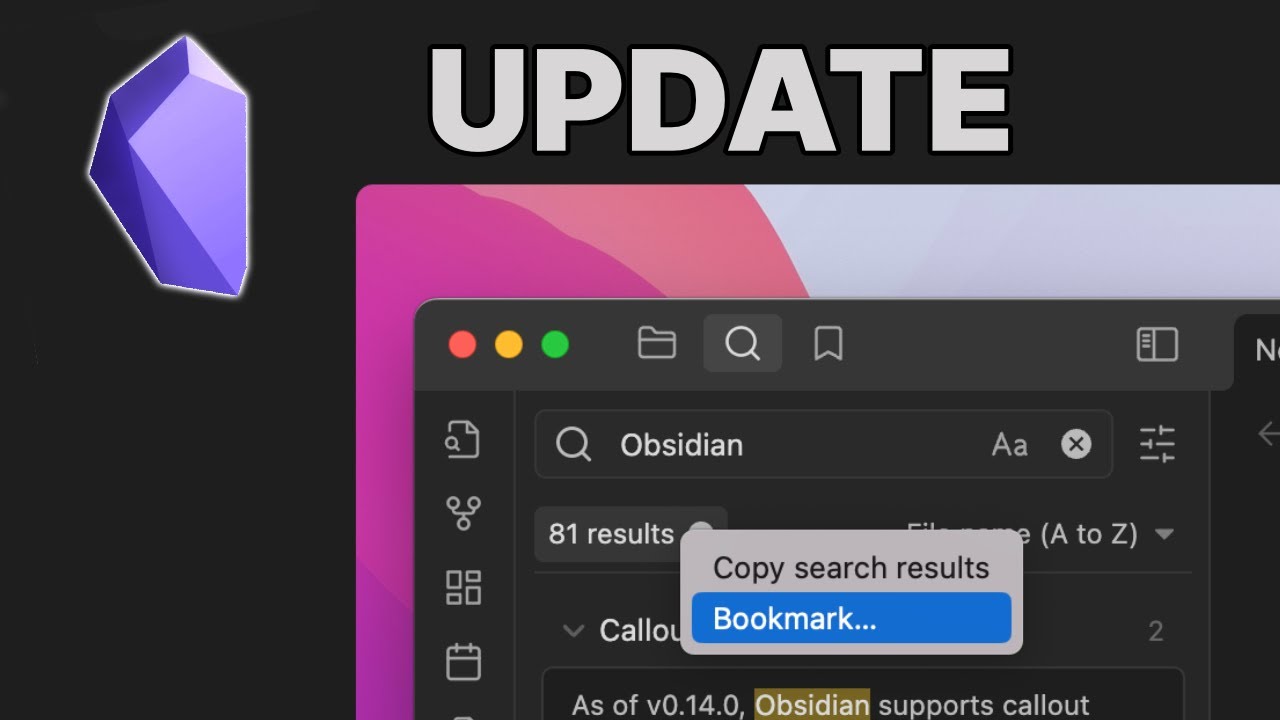
and move that down just like that thenjumping back to the release notesquickly you can see search UIimprovements and now you've got somenice images I really do like theseimages and release notes they're justhelpful to see gifs would be better butyou can't have everything so what we'vegot here is a rework of the UI I reallylike this rework and I'll go through ina second but you can see we can nowbookmark things in searches from the newUI so I'm going to use extendedcognition as an example you can see I'vegot a 655 out that's that's quite a few
previously all of their buttons all ofthese buttons were at the top at the topof the search results those in olderversions of obsidian you'll be able tocontrast and see the difference but I'mgoing to collapse the results so I don'tsee all of the search results becausethere's a fair few I don't show morecontext and I don't explain the Searchterms but you can turn those on and itwill obviously turn the settings on andthen I'm going to hide the searchsettings the sort is still available butit's at the top here so it's just arelocation but the addition is when Iclick on the results we still have the
copy search results as we had before butnow I can bookmark the search from thesearch pane rather than having going tothis style pane so that's one easierthing and second thing is when Ibookmark the search I get the editwindow and the reason this issignificant is because you couldn'trename searches before so if you'relooking for something and something orsomething else you'd have the wholething in the style painting it was awhole it was a whole thing I asked forfeature request and it's now appeared soI've typed HEC that stands for a
hypothesis of extended cognition that'sjust what I typed in I typed in thewords and I'm going to leave it outsideof a group and then save now I'm goingto go to the bookmarks tab we've got thesearch you can see the search icon andthese are files and when I click on itit will take me back to that search ofsearch results so you could have afavorited search and you can actuallyrename it so you could have a reallyspecific Boolean rejects search and saveit as to what you want so maybe upcomingtasks instead of having a task queryblock or a data view query block youcould have it as just a core search
feature that's been bookmarked now thisnext feature is all I love this featureas well it's it's fun seeing all the newthingsum it's even better when they actuallyare useful so the hotkey settings forthose unfamiliar I use something calledDaVinci Resolve in my editing is whatI'll edit this in a minute and probablyfast around with the audio because itwill annoy me um but when we go into thesettings and hotkeys in DaVinci you canfilter for hotkeys and search for themand we can now do that in obsidian so atthe moment it's looking for all of thehotkeys if I go to assigned should show
me all of the assigned hotkeys which itdoes for a lot of them some of them areblank so maybe that's some bug fixingthey need to go over I'm not sureum then we've got assigned by me sothese are hotkeys that I have changedfrom the diesel set then we've gotunassigned so all of the things thathave been unassigned and then what Ireally like is this button right here Ican click the keyboard and then it willsearch for the hotkey so if I go uh Ctrlalt y that is it uses the templatescalled plugin and it's insert current
date I know what it did but I didn'treally know what the hotkey was called Iwould probably search for insert dateand hope it came up in search resultsbut now instead of having to search forthe name of the hotkey I can just searchthe hockey and see what it does and thiswhen you have duplicate hockeys is alsoreally helpful because then you justtype in whatever the hotkey is againclick the button press the hotkey soCtrl C is not going to have anythingbecause Ctrl C is copying I don't wantto duplicate that so this is a reallynice way of finding what hotkeys havebeen used or not used then looking at
the miscellaneous improvements they'restill pretty serious in my opinion we'vegot this one which is the added editorsettings so settings editor tab now atthe top we have always focus on new tabis now a toggle so as an example I'm InThis coffee's a La Source note let'sjust add a link to something else thatwas another source note that I have sopreviously if I wanted to open this upin a new tab I'd control click and Iwould now focus on the new tab and thenI'd have to click back and then gothrough whatever this is that to me was
a pain because if you wanted to open iton multiple times you're like and thenthere and it you see it's likemilliseconds of my life now I go to thealways focus on new tabs I tick it offso it's now disabled now when I clickcontrol left click I can do it as manytimes as I want because the focus isstill on this tab I now have loads ofthe same I mean I wouldn't normally dothis but you get the point it's it'sreally helpful to be able to opensomething up in the background carry onso when you you go through whatever the
file is it can be on in the backgroundrather than having to change your focusa very nice change suggest models nowsupport page down page up is something Idon't personally use because I use acommunity plugin I use the outlineplugin but this is a community versionof it which allows me to go backwardsand forwards and headings and actuallysearch through the headings and I'llhave a newsletter tip thing about thiscoming out soon it's the quiet outlineplugin I believe but yeah so this isreally nice to see but something I'm notprobably going to use the nextImprovement is also very similar it's
something that I wouldn't necessarilyuse but I may use in the collaborativesync volts that I'm involved in and whatthis does is it automatically adds aAlias on the end of a file path so whengoing into the file and links settingsyou can see the new link format I havethis set to shortest pass when possiblebecause I want it to just show me thefile name I don't need all the foldersthat it's in if it's in like sevenlevels of folders I don't want to see itall relative will show you relative towhere you've linked it to so maybe justthe one or two folders absolutely showsyou everything and previously you'd have
to add manually add the Alias to sayokay just show me the actual file namebut now with this setting itautomatically works and then alongsidethe other hotkeys that is added forobviously the bookmarks we've now addeda closed tab group so when we go tocontrol P to put the command palette Gotab we can manage our tabs where is itare you blind where is it oh it's rightin the middle of course I'm blind duh Iam blind in the side don't yeah anywayso a close of this tab group is a way toclose all of the tabs and you see allthe other different Tab hockeys and this
is really helpful when you have so forexample I have five or six tabs openthere I'll have a few tabs open in thisvault as well I've got four screens justfor reference and I'll have a pop-outwindow here or there so I've got lots ofthings going on at once so some forpersonal something for work some forprivate stuff and being able to closetabs bulk rather than having a clickmultiple times is really helpful whenI'm in the middle of research and I haveloads of stuff going open it's just it'sanother hotkey that just makes lifeeasier, Obsidian Bookmarks insider update, Danny Hatcher, 01gx20sgjy4mmtw9yn82pqr0y4.