OpenClaw MasterClass | Create Your Own AI Agent
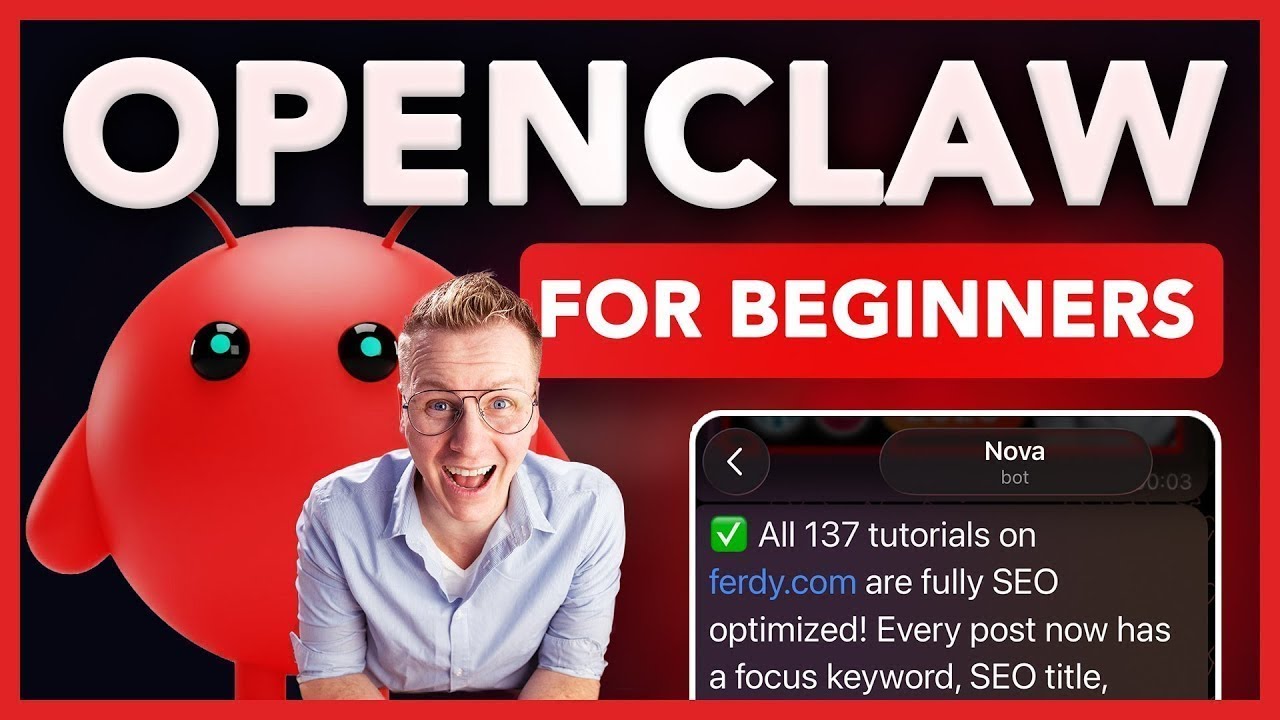
Imagine getting a message every morning with the top trending topics of your niche without even asking for it or getting all your emails answered automatically or your entire website SEO optimized with one single message. That's the power of Open Claw and by the end of this video you have an AI agent running 24/7 connected with WhatsApp or Telegram loaded with skills and working for you even while you are asleep. So before we dive in, let me explain to you what OpenClaw is. Most AI tools work like this. You go to the app, you ask your question and you get an answer. That's it. You always have to initiate.
You always have to ask. Open Claw flips that around. With Open Claw, you can set up an AI agent that works for you seven days per week, 24 hours per day. I just received a message from my agent telling me that this video is performing really well. It's explained to me why it's performing well. And it asked me there are also 23 unanswered comments in this video. Want me to reply to them for you? So, if I say yes, it says here are the replies I posted on your behalf. Let me show you what else you can do. Over here at fur.com, I have 137 tutorials. Most of them are not optimized for the search
engines. So if I click over here, I see I need to make a lot of improvements. I started doing this manually, but it took me a long time. So let me show what I can do now. I can go to Telegram to Nova, my AAI agent. And I say this, hey Nova, go to furry.com and optimize all my tutorials for the search engines. And then 20 minutes later, all 137 tutorials are fully SEO optimized. So I go to the website, I close this, I refresh the page. Now they're all optimized. So if I click
on optimized, I see now everything is checked for every single tutorial. That's the power of open claw. Chat GPT is a conversation tool. Open claw is an employee. You can connect it to your email, your calendar, your website, YouTube, Slack, Discord, Google Sheets, whatever you have in mind. And then you can operate all those tools from within Telegram or WhatsApp. And the great thing is you don't need to be a developer. You don't need to write any code. You just need to know what you want and then Open Claw can figure out
how to do it. So, in this tutorial, I'll show you step by step how to activate an OpenClaw account, create an agent, and make it work for you. So, you can save yourself a lot of time, a lot of money, and make your life easier and more fun. In the description of this tutorial, I have timestamps. So, if you want to go to a specific part in the tutorial, you can click on the timestamp and you go directly to that part of the tutorial. When I go too fast for you, you can go to the settings here at YouTube, go to playback speed, and slow down the speed of the tutorial. And if you want to go back a few seconds in the video, just
hit the left arrow on your keyboard, and you will go back 5 seconds in the video. And now, if you want to, you can go to the YouTube settings and change the audio track to a different language. So, let's get started. So, there are three ways to run OpenClaw. The first one is on your own computer. It works as long as your computer is turned on. The only thing is that Omlaw has access to all your files. So for safety reasons, I prefer not to go this route. The second option is to use a Mac Mini. As long as it turns on, it works. The only thing it
cost some time to set it up and it cost a few hundred to purchase the Mac Mini. So that brings me to the third option, and that's a virtual private server, a VPS. It's a super fastile computer turned on 24/7 and only cost a few dollars per month. So in this tutorial, I will show you how to get a VPS through Hostinger. Why Hostinger? Well, they have a special deal with Open Claw users which makes it super easy to set up OpenClaw on your brand new VPS. So, as I said before, I don't want to skip any steps. So, let me show you how to set up your own VPS. So, in order to get
started, we go to furry.com/vps. Hit enter. You can also go to the link in the description or in the first comment. And then you will go to this page. Then we go to services VPS hosting. Then we click on claim deal. Then we see four plans. The most popular one is KVM2 with two CPU cores. But with what we are going to do in this tutorial, KVM one is more than enough. So I click on choose plan.
Then I can give you 10% extra discount by going to coupon code, fill in 30, click on apply. There you go. You can get started with 24 months. You can also get started with 12 months. That's what I'm going to do. Then if I scroll down, there are daily auto backups. I highly suggest you do this. If somehow something goes wrong, you can restore a backup from the day before or the day before that. So I turn that on. Choose a server location. By default, it chooses the closest one. So I leave this for what it is. And we'll
leave this also for what it is. So I click on continue. Then I need to register. So I will go for Nova at 30.com. Why? Because I'm going to call my AI agent Nova. I'm going to create a password. And then I click on register. Then I need to fill in my billing details. So let me fill those in. Then I click on continue. And then there's the payment method. I can pay with credit card, with PayPal, Google Pay, Apple Pay. I will go with credit card. So I'll fill in my details over here. And then I click on submit payment.
It says your payment is done. Congratulations. Let's go. I click on get started. So what we have now is a VPS server, a virtual privacy server using Hostinger. What we need to do now, we need to make sure that OpenClaw is running on our virtual privacy server. In order to do that, I will show you how to do that with Entropic. So we need to get an Entropic API key and we can get that by going to console.entropic.com.
And if we copy that, paste over here, hit enter. Now I need to sign up at a cloud platform. So I will use the same email address
[email protected]. I click on continue with email. You can also log in with Google. I click on continue with email. I need to verify my email address. So over here secure link. I click on sign in to cloud console. There I go. I fill in my full name. What shall we call you? How about 30?
And I click on continue. What type of account sounds right? I see myself as an individual. So I say individual. If it's for your company, you can do the other one. So we have a VPS running. We're going to connect it. And what we need to do now in order to use open claw, we're going to make use of credits. So we need to buy credits. We can do that by clicking here. And you need to start with at least $5. But what I suggest you do, go with at least $40. Why? If you only add $5 in credits, you are entire one, which gives you $30,000 tokens per minute. But if you add at
least $40, you are on 250,000 tokens per minute. When you're running heavier tasks, it's better to have 250,000 tokens because if you're setting everything up and you run out of those 30,000 tokens per minute, the whole process stops. You don't want that. So, I will go for $50 because I like round numbers. So, I say over here 50. I need to fill in some details over here. And then I click on buy $50 of credits. It says you're in prompt in the cloud
console or use the API. So I close this and now I have $50 in credits. Well, what I want to do, I want to scroll down to limits and over here I want to scroll down and I want to limit my monthly limits to $50. So not $500 but 50. Set limit. So after $50 I get a message like you run out of credit. So in that way I don't get a surprise like you already spent $300 in credits. So $50 for me is right now the best thing. Then I want to
go to billing. And what I can do, I can enable cloud to add new credits from my credit card as soon as I run out on credits. Right now that is disabled. If you want to enable that, click over here, turn it on, and say when your account reaches $5, then add another 50. Only if you want to do that. Right now, I want to start with $50. So I turn this off. I cancel this. So after I spend my $50 in credits, nothing will happen. I don't get any surprise. So that's what I
want to tell you before you see that you're spending hundreds of dollars. So in that way, you're safe. You're only using the amount, in my case, $50. And after that, nothing will happen. So since I've set this up with credits on our account, I go to API keys here at manage API keys, and I click on create a key. My workspace, I leave at default. And I can give it a secret key. And I call this one open glob. Then I click on add. Look at this. Here is my API key. I
copy the key. And now I go to hostinger again and I paste it over here. Then I scroll down and I click on deploy. I skip this. Skip. So it says your project is being deployed. This can take a minute. So I will be back with you while it is deployed and tell you how long it took. So after a two week vacation I am back. No just kidding. It took less than 1
minute to start running. So if you're here at Hostinger again after a few days and you're at the homepage, how can you go to your VPS server? Click on VPS. Then over here go to manage and there you are. What you need to do now? Here is your gateway token. Click on it and it will be copied. And now you can open claw by clicking here. Now you need to fill in the openclaw gateway token which we just copied and then I click on login. Ladies and gentlemen, here we are
at open claw for the first time. So the first thing I want to tell you is that you can make the interface dark. So you can make it light or dark and do whatever the computer is doing. Well, I prefer it to be dark. So the first thing we need to do, we need to get this conversation going. So what I'm going to say is hello. Hit enter. And that starts the whole process.
Hey, I just came online. Looks like this is our first conversation. I've got a fresh workspace and no memories yet. So let's fix that. Who are you? And more importantly, who am I? Got a name in mind for me or should we figure it out together? Well, I have a name in mind. My name is Freddie. I am Ferdie. You are Nova. Hit enter. Nice to meet you, Ferd. Nova, it is. I like it. A few more things to nail down so I can set myself up properly. So,
what we need to do now, we need to answer a few questions. The more thoroughly you do that, the better it works in the long run. So, what should I call you? Just F or something else? What time zone are you in? What's my vibe? Am I keeping it casual and warm, sharp, efficient, a little snarky, some mix? What feels right to you? My emoji. I'm learning to word star or star given the name, but you pick if you have your own preference and anything else you want me to know about you or how you want this to work. So, what I'm going to do, I'm going to write a text answering these
questions and telling her her it, he how I like her, let's say her to talk with me. So, I will say never flirt with me. I don't want to end up in a story like the film her I can say be friendly and if you explain something to me always explain it in a really simple way. So if I ask something I don't understand like how does it work with this or that I get a easy to follow answer and not a complicated one. So let me fill this in and if you want to you can copy this what I answered and you can get it from
my website. I'll show you in a minute where you can get it. So let me type this. So, I answer the question over here, but I asked JMT to make it more in-depth. If you want to follow along with the same script or the same text, you can go to furry.com, hit enter, then search over here for open claw. Go to the open claw tutorial. This is the tutorial you're watching right now. And then my answer to the four questions for is perfect. Of course, you should change the name and
the Amsterdam time zone. Besides that, of course, yeah, I asked it to make help me to think bigger, move faster, simplify complex things, and that I'm talk a bit about myself that I'm uh creating content and stuff. So, uh you can get some inspiration from this or copy and paste it. Do whatever you want to do. It's your life as long as not weird stuff. You know what? Let's stick to the script. I don't have a script, but um I filled
this in. So that's my answer. So it's creating a few files identity user and soul. It even has a soul. How cool is that? So the next step we can link openclaw nova my my person to WhatsApp, telegram or web chat. I prefer telegram. I tried WhatsApp and telegram. Telegram is more straightforward. I don't use telegram but for Nova I will start to use it. So I will have contact with Nova through Telegram. So what I will do, I
will grab my phone. So first I say I will use Telegram. Nice choice. Let me walk you through it. I will go to my phone to the app store. So I click on Telegram Messenger. I download it. I open it. Start messaging. I need to fill in my number. Allow to send notifications. Allow to use Siri. Awesome. Okay. The next thing I can do through my phone or
through the computer. I will do it through the computer. So I will stop the recording here. Now I will go to the app store over here. Also search for Telegram. Download it. I open it. So I grab my phone. I go to Telegram settings. Devices link desktop device. Allow to make a picture. There it goes. So over here I search for the bot father. I open the conversation
lounge. Then I create a new bot. The bot name is Nova and the username is Nova 30 bot is available. I click on create bot. I copy the token over here which is beautifully displayed. Copy it. Then I paste it here. And sometimes this happens. What you need to do then is click on connect again
or you go over here, copy the gateway token, click on open claw, paste it and click on login. And there it is again. It says open telegram. Find your bot. So I will close this. Now I need to go to the bot father. And then over here I see choose a bot from the list below. Nova 30. What do you want to do with the bot? Oh, let me click on it. And now I'm in a conversation with Nova. What I need to
do? So, I open this. I click on start. Okay. I get the pairing code. You know what? I will copy everything. Open clause smart. I just paste it over here and hit enter. So, it gives me an overview what we've done. We've created Nova. I'm 30. We connected Telegram. The first entry is locked. personality is locked in. So now I can type with Nova. Over here's Nova. So I can say, "Hey Nova, what is the weather in Amsterdam
today?" Nova's typing. And there it is. Cloudy, 10° Celsius. The wind, humidity, typical Marine, not bad, but maybe grab a jacket if you're heading out. So now there's my personal assistant, Nova. So far so good. But really important aspect, we need to make OblClaw more secure. So what I've done, if you go to ferie.com and search for openclaw tutorial, you go over here, I
had this already for you, but below that there's a security prompt one. You need to copy this. Copy. Go to open claw and then paste it over here. Hit enter. This could take a few minutes and that will make everything more secure which is really important. Awesome. So everything is a lot safer now. One more thing open call at Freddy.com. Security
prompt 2 is about when Nova tries things and they don't work out. Don't keep repeating them over and over again. There are stories that there are people that have tried things over and over again and it did not work and then there were hundreds of dollars in prompt costs. So I say after three times stop immediately. So you can copy this and go to open claw paste it hit enter. So now when nova tries to do things and
it's not working it will stop after three times and in that way make sure that we don't lose credits in a loop. I say we are good. Nova and I you know we are good as long as she's not flirting with me. So now our overclaw account is secured. It's configured with telegram. So I can go to my phone and chat with Nova. That brings me to the following. We can ask Nova in my case Nova your agent to send you push notifications. So normally with JPT you're just chatting with it and when you give it some input
there will be a response. But with open claw you can ask for information on certain times. That's called a chron job. But before we take a look at that look at this over here. I can change the look and feel. So I can make it dark or light or based on the system. I go for dark and close this. I can go to Nova. I can also send a text message based on what I record. So I say something and then the text will be written and I get a response from Nova. So let's talk about the Quran jobs. I'm a YouTuber. I want to make tutorials about relevant tools.
So right now Oplaw is really relevant. So what I can say, give me an update on the top five videos about open claw based on the amount of views of the last day. Both for existing videos as for new videos from the last 24 hours. So, I
would like to get two times a top five. Show me the amount of total views and a small description about the content of the video. So, I can ask it to give it right now, but I can also every single day at 900 a.m. give me an update. So, I hit enter. So list one, top five most
viewed of all time. So if there's a video from two months old, but it's still getting a lot of views, then I know, hey, that's interesting. Maybe I can create a similar, better tutorial. And the second list, top five new videos of the last 24 hours, fresh uploads from the past. They rank by views. Each video includes title, channel, total views, date, link, and a short description. Want me to fire off a test run right now? Yes, of course. So I don't have to wait for 9 a.m. and then record it again. I just say, "Give me a test." So, if you put off your phone, you get a
text message at 9:00 a.m. from Nova in my case with this information. So, there you go. And what I also see over here, message from Nova. And if I want to, I can adjust the format. So, there's the top five. So, tomorrow morning at 9:00 a.m. I get a message with relevant updates. So, I can take a look. Goodbye. Open Claw. So, there is probably a new tool and if I
dive on that or I I started making content about it, it could get a lot of views because people are like, "Hey, we're all following Open Claw. Is there something new, something better? What's going on over here?" So, man, this is super cool. What else we can do? Every morning, we bring our kids to school at 8:15. And I like to wear shorts, but sometimes it's cold. So, I can ask Nova to give me an update every morning at 5:00 a.m. with the information how the weather is at 8:15 in Maslouse, that's where I live, and if the sun is shining
at that time. So, let me type that every morning from Monday till Friday because I don't bring the kids to school during the weekend with the weather for that day on 8:15 a.m. in less. Tell me the weather in Celsius and if the sun is shining. also give me
an example right now about tomorrow 8:15 a.m. Now let me grab tomorrow's forecast for you. Good morning weather. Tuesday, March 24th at 8:15. Cloudy, overcast, no sun, no sunshine expected. Feels like 5° in the wind. Tip, dress warm and windproof today. So, every morning at what did I say? 5:00 a.m. As soon as I wake up, I see the message and
I know which clothes to put on. So, now you can start thinking outside of the box like what would you like to learn? Maybe you want to know something about your favorite soccer club. Maybe you want to know more about the World Cup, news about the World Cup. So I can say, "Give me news every day about the World Cup. Five messages about on on any country or give me the price of gasoline for today." Or, "I drive every morning from a slice to Amsterdam. Let me know everything about the traffic jam." Or give me a push notification when there is traffic that is slowing down my trip
by more than 30 minutes. As I said, that's the big advantage of Open Claw. It can send you messages based on the information you ask it, but then it will send it when it's convenient. You don't have to go online say what is the weather right now? What is the most trending video right now? No, it will send it to me automatically based on what I preferred what I said to it. So, we haven't installed anything yet. No skill at all yet. And yet, it can help us with information on the right time that it can be super helpful for us. So, just try anything. If you want to know
something, just ask it. How did I find this out? I just asked it, hey, what is possible with you? And then it came with a list like I can give you the weather, I can give you traffic jam, I can give you anything. So if you don't know anything, just ask it, hey, what can you help me with? Right now, we make use of Opus 4.6. That's an amazing LLM, but it's quite expensive. So what we're going to do in order to reduce cost, I'm going to say to Nova that while it's not necessary to use OPUS 4.6 to use a cheaper or a free model. Let me show you
how to do that. I go to 30.com, search for open claw, go over here, then I scroll down, I click on read more, and then I go for the reduce cost prompt. So I copy this whole text. Now I go to Telegram and I paste it. I hit enter. So I got a result from audit from Nova.
This is the biggest cost driver that I use. Cloud opus 4.6 recommended changes. And then if you read this and you're agreeing, you can say I agree to all the changes. Please make the adjustments. So by default, we go to solid 4.6. The crown jobs will be optimized. The weather will be 15 times cheaper from
now on. And it says everything still works. Telegram, crown job, web search, file operations, all skills. You won't notice any difference in daily use, but your wallet will. So that's how you do that. Ladies and gentlemen, it is time to talk about skills. This is such a big part of OpenClaw. Up until this point, we are chatting with Nova and she's giving me push notifications about the weather, about open claw news. But with skills, we can take it to the next level. You can link your open claw account with 11laps, with hey genen, with YouTube, with Google Sheets, with
Google Docs, with so many different tools. And then you can operate from within Telegram. So I can say to Telegram, hey, give me an MP3 file through 11 Labs with this script. Bam. I get an MP3 file. I can download it. I can say upload this to Hey Jen and put my face on it and make a video of it. And damn, there's a video of me with the audio file and attached a video file with me saying the things that are stated in the MP3 file. Then I can say, upload this to YouTube. Create a
description, create a title, create a thumbnail to mid Journey, and publish it this Thursday at 400 p.m. Amsterdam time. And it will do that. And that's the power of OpenClaw. So, we can get carried away with a lot of in-depth things. I want to show you how to install your first skill. In order to do that, we go to furry.com/clawhub. Hit enter. Here you see an overview with all the skills. If you want to, you can change the look and feel to something light, something dark. You can scroll
down and you see a few highlighted skills. And below that you see popular skills. What you'll see now and then is the author or the the creator of open clawed. So let's start with a skill from him. I have to say uh people can upload their own skills and they are checked on malicious things but be careful with that. So if you see a skill you would like to use this one for instance take a look at the virus total on the open claw. If they're both green you can use
it but it's still I have to say it's your own risk. So uh be aware of that. So here you see an overview of all the skills you can use and what you can do if you see something you like. browse skills and search for Google Workspace. I see gogg of open claw. I can click on it. I can download it. But what I also can do, I can go to telegram and over here I can say for/clawhub hit enter and it says got it. But what
do you actually want me to do? So what I'll say I'll say check if the skill go is safe to use. So it says it's safe to use. So I say install this skill. Awesome. Now it's thinking that I'm using this whole open claw account on a Mac Mini or something else. So it's ask me to install the GOG CLI. Well, we're
using Hostinger VPS. So, I will say I am using Hostinger VPS with Ubuntu. Please direct me on how to install everything. I can even have typos. It doesn't matter. Nova understands me. So, no homebrew on Ubuntu. So, let's do this the Linux way. So, I got instructions over here. I need to go to open cloud
create a new project go to APIs library enable all these tools okay let's do that first I click over here I open this and I'm still working on an N8 server so what I need to do I need to create a new project I click on new project and I call this one open claw I click on create okay I click over here again make sure that open claw is selected now I go over menu, I go to APIs and services, enable
APIs and services. Now I need to select all the tools I'm going to use within the Google Workspace. So I click on enable APIs and services and I'm going to search for Docs, Google Docs. I hit enter. Google Docs API. I select it. Then I click on enable and then I go back. I go to the second one. So I click over here on the plus. I search for sheets.
Google API sheets. Google Sheets API enable. That's the second one. I go back again. I want to talk about YouTube. I have a YouTube channel as you probably can tell and I want to go for YouTube analytics enable. So this can take some time. Let me fast forward. I will mention what else I will use. I will go for Gmail. I go for Google Drive. Google Drive API.
Calendar. Google calendar API. When you have enabled all the services from Google Workspace that you want to add, you can go over here to the menu to APIs and services and go to oath consent screen. Then I click over here to get started. The app name is open claw user support email. I select my Gmail account. Then I click on next. The audience is external. Next again. Contact address.
Next. I need to agree with everything. Continue. And then I click on create. You're doing amazing. Step by step. We're getting there. It's I know it's it's quite a process, but I'm here to do my best to help you to make this all work. If you can appreciate it, please like this video and subscribe for more upcoming tutorials. Now I'm going to audience. I scroll down. I'm going to add a test user. Add users. And I'm going to fill in the same email address
again. And I click on save. Then I go to the menu, the main menu. I scroll down where I go to APIs and services. This time I go for credentials and I click on create credentials. Oath client ID. I select the application type and it's a desktop app. Again I call this one open claw create. We get a client ID. You can copy this if you want to. I scroll down and what I want to do I want to download the
JSON file. So I click over here. There it goes. Now I go to Telegram. Then over here I add a file. I open a JSON file and I say link my Google account with these Google workspace tools. Hit enter. And English is not my main language. So
I actually has something wrong. Link my Google account with my Google Workspace tools. That's already linked. I need to link it of course with Nova with my open claw account. So let's see what it says. Credentials loaded. Now I need to link your Google account. What's your Gmail address? So I use the same Gmail account as I use at Google Workspace. So I fill that in. So I need to open this URL in my browser. I click on it. I select the same account I use for my Google Workspace. Google hasn't verified this app. But we are the developer. So in that case we
can just say continue. I click on continue. And now we need to give access to all the files we said that can be used by open claw. So it says select what oper claw can access and I select everything because I want all those tools to be able to communicate with open claw continue. Then the site can be reached. If this happens we need to start over again from scratch. Need to go back to the first second of this video. Delete your computer. Start over again. Get a new VPS. Of course I'm kidding.
This is exactly what should happen. What I need to do I need to copy this URL. Uh if you prefer you can type it. I prefer to copy it. So, command C. Then I go to Telegram and I paste it and I hit enter. So, it says need to redo the flow. Sorry, need you to authorize one more time. So, I need to open a new link. Click over here. Select my Google account.
Continue. Select all. Continue. Copy the link. Paste it here and hit enter. This time I use the other enter. I have two enters on my keyboard. First time I use this one. Now I use this one. Let's see if it makes a difference. You're connected. Your Google account is now linked with all Gmail, Calendar, Drive, Contacts, Sheets, Docs. Let me do a quick test to make sure everything
works. All confirmed and working. You can now ask me things like check my latest emails, what's on my calendar this week, search my drive for, read data from Google sheet, check a Google doc, want to try something. Well, I would I would like to. I would love to. So, I say this Monday, I have a meeting with Janice at 11 a.m. It is a Zoom call. Place it in my agenda. Look at this. It should be over here.
the 30th. Just to confirm since since today is due today, do you want it to be next Monday? Yes, I have no link. It's a onehour call. Look at this. The 30th Monday, March 2026. There it is. Zoom call with Jonas. March 30th, 11:00
a.m. till 12 p.m. I get a notification 30 minutes before. Super cool. Another example, we also linked Google Sheets with Nova or in my case with Nova. So what I do normally with my mortgages, every month, every first day of the month, I go to my sheets and manually I change the amount since I paid off my mortgage for another month. Since I've open law, what I can do now, I can send this message to Nova saying every Thursday of the month reduce the
mortgage of Flores one with this amount, flourish two with this amount, flourish three with this amount and with dynamic this amount until they are zero. So from now on, if I say enter, every Thursday of the month, Nova will go to my finances sheet and reduce the amount of my mortgages per mortgage. So I don't have to do this manually anymore. And in order to show you that it works, I changed the prompt to every minute. So if I hit enter, so it says on it starting now every minute I will update your mortgage overview floor is minus and then the amount per minute. I keep
reducing until you hit zero. I notify you when each one is paid off. So after a minute, let me refresh it. Look at this. It's it's the amount less. So every minute it will do it automatically without me having to do anything. And the only thing I need to do now is change it from change it from every minute to every first day of the month. Update it on the first of every month. I will ultimately update your mortgage overview. So you see since we linked
those tools, you can just chat with Telegram with Dova in my case with your agent and perform task on automatic pilot. So now our Google workspace is linked but we can do the same with 11 laps with hey genen with midjourney so many other tools. So we're just scratching the surface. Well if you want to learn more about that feel free to subscribe because I'm going to make more openclaw tutorials. Now I want to talk about something else. I also want to show you how you can play around with openclaw. So over here I have my website knowledge. By the way I'm into the
dentist and that's why my voice is a bit weird. I don't feel my mouth. That's why I do my best to be understandable. So what I have over here at f.com/nowledge is a few words like affiliate marketing. If you click on it, you see some information. Well, I want overclaw to fill this in for me. So I say which words there should be or it cannot can come up with it itself. So let me show you how you can do that. I have not done this before. Just want
to show you how you can play around with open claw. So I say I have my website30.com. I have a knowledge base with WordPress related keywords. It does not contain a lot of words yet. Can you fill my knowledge base with WordPress and AI related keywords and get all the
information? So it will be very helpful for the viewer question mark. This is an example knowledge page. I paste the example and I hit enter. So it asks me do you want me to to log into your WordPress website using login details or an API key or create everything and then I will paste it myself. Of course I can do myself but how cool would it be if Nova can do this for me. So I will go with the first one. WordPress keywords,
AI keywords, 45 knowledge pages in your style. Want me to adjust the list? So, I will say this looks great. If I give you the login details, are you able to perform everything in order to place all the articles at the right letter? Here is an overview of the knowledge base.
So what needs to happen over here? If I go to affiliate marketing, I go to edit page. I open this over here at terms. It needs needs to be linked to a letter. So I I think I should give that information. So let me try that. I do not say there's an overview. When you create a knowledge base,
please assign the first letter of the keyword to the term. In that way, every knowledge page will be placed at the right letter in this overview. then I can paste it. Sorry, only knowledge. Okay, so I need to create a new uh user.
I've got multiple backups per day. So I can do this and if it fails, I can restore a backup. So I will go to the back end to users, add a user. I call her Nova. Copy this password. I make her an administrator and I click on add user. Now I go to Telegram and I say username Nova password. Paste it. Do you need anything else?
She's going to spawn a sub agent to handle all this stuff. Hey, why not? Let's go, Nova. Yes, go ahead. You can publish them directly. And there you go. There's an agent, sub agent that will do this for me. So right now in the background, it will create 45 pages. So maybe if I refresh it here at the knowledge area, new keywords
are added. So I'll be back with you when I see an update. So at 11:58, I said go ahead and 17 minutes later it is all created. So, if I go to the website and I look at this 11 articles. If I refresh this, there you go. A lot of ace because of AI. So, let's go to AI content generation.
A lot of information over here. Super cool. So if I would go to Telegram, I say also create a knowledge page about open claw. I hit enter. Let's see how long it takes. One minute later. Done. There you go. So I take a look at the the the cost. If
I refresh this, this has cost me $1.50. are 50 to greatest. And then what I really like is that they decided to go with cloud summit instead of cloud opus. So this is before I decided to make everything cheaper. And this is after I decided, hey, if it's possible, make things cheaper. So for just $156, I have all those articles over here. So I added even more articles for the
knowledge base. So if I go to the back end and I go to knowledge, what I see everything over here needs improvement. So if I click on affiliate marketing, I can go to shur rank. I have tutorial about shank if you're a WordPress user. So over here I want to analyze a website and fix a few things. So there are no links found on this page and there are no images found on this page. Okay. If I go to the keyword check, there's no focus keywords. So what I will do, I can
do this manually. So if I say affiliate marketing and I close this and I say for/ image media library and I search for affiliate marketing so I can add this one what affiliate marketing is select it then I go over here I still need to find links so let me link affiliate marketing
affiliate marketing. I link it command K to affiliate marketing to the knowledge area. So now it's green. So I had to do a few things. I think it took me one or two minutes to make it green. So now if I go back to knowledge, I see this one is optimized, but these are all not optimized. Well, instead of doing that manually, look at this. I go, let me go to affiliate marketing and I view the page. I copy the link. I go to Telegram
and I say all the knowledge pages need to be optimized for the search results. I use sure rank to optimize my pages. I have optimized this page manually. Please do the same with all other knowledge pages. This is
what you need to do. One, create a focus keyword using sure rank. Two, create at least one internal link to another page. Three, add at least one image that seems to have some affinity with the blog post. Otherwise,
use a random image. I know that's not perfect, but let's do it for now. Four, make sure uh that as much boxes and sure rank are checked. So, that's it. I'll say enter and let's see what happens. So it says over here, SEO optimization complete. All 140 knowledge pages now have folks, keywords, SEO title, meta description, featured image, and inter
internal link set. So let's take a look. I go to my website. I go to knowledge. Yes, they're all optimized. Look at that. It worked. So what I've done, I added a few knowledge items. I've been postponing or procrastinating for like a year when I was here at knowledge. I scroll down. A lot of letters were not even there. And now look at this. Five knowledge items per
letter at least thanks to open claw. So that's the power. What I forgot if I go over here I go to knowledge. Let's go to AI chatbot and I can add an excerpt. It's not there yet. So what I can do at Telegram, I can say add an excerpt based on the content for every single knowledge page that has no excerpt yet. Hit enter.
Minute later, it says add an excerpt. If I refresh it, edit the excerpt. an AI chatbot is software blah blah blah for every single page 140 pages. That's the power of open claw. What I'm also curious about is can I recreate a blog post that is from someone else? Let's just try it. I search for what is affiliate marketing question mark.
There's Shopify. I met this guy last week. Really nice guy. I also know Daryl. I'm about to meet him this summer. Super cool. So, let's see. What is film marketing? How do I get started? So, let me see. A lot of information. Let's just try it. I go to Telegram.
Can you recreate this post for me? rewrite it and make it and easy read and beautifully displayed. Let's see what it comes up with. Got everything I need. Now, let me build a beautifully formatted WordPress post from this. This is about one post, not 141. So, I think it won't take too long before this will
be created. So, it says done. Here's your new post. Let me click on it. So here's the original one. Let's go through it real quick. Few steps. Few tables. Example. Let's look at this. What is affiliate marketing? How do you get started in 2026? It's from today. It's from Nova. But I have to adjust that. It's eight minutes of reading. This is all made with the bricks builder. What is affiliate marketing?
How does affiliate marketing work? How much can you earn with it? Nice table. This is not shown the right way, but scanning close is also not the best, but hey, take a look at that. Seven steps. Okay, well, it can do it. Then I need to edit the post. There is a featured image, so that's good. There's an excerpt. It has no category yet.
So about affiliate marketing we can add tags like affiliate marketing and I can also say for the next time also add categories or find the right category and I can ask it now optimize it for all devices or uh for for the search engines. So I can also fix things using sharing but that's for another tutorial. I don't have to do that right now. So that brings me to another ID I have. Can I recreate a page? I haven't done this
before. I think this is where we are going to. So, let's get apple.com. Let's see how it looks right now. I wonder what will happen with the images. So just copy this link. I go to Telegram and say recreate this homepage from Apple and
call this page test homepage Apple. If you cannot use the images, please use placeholder images. Optimize the page for all devices. Bring it on. So there's the result. Okay. Hello world.
Most powerful device design for everyone. Okay. So this is not an image. It is created. I can replace this image. Let's go to Apple. I see those areas over here also over here. Here here are the images and here's the text. So it's formatted. Okay. Of course it should be full width width and this should be gone but for out of the box result. Okay. It's it's
okay. It's already better than two months ago and I think in two months it will be even better. So there's room for improvement for sure. But I'm also happy with what this is doing. So I think within a few months we can create websites, recreate websites, say, "Hey, recreate the Apple website for me in Elementor or in whatever page builder you like." And then you can adjust things. So I'm excited for what the future holds. And before we close, let's
take a look at um what you what should you do when things go wrong with your VPS server. So I'm over here at hosting. I just logged in. I go to VPS by clicking here. I click on manage and then what I can do I can reboot the virtual privacy server. So if something goes wrong sometimes it helps to reboot. So I click on reboot virtual privacy server. So if I say hi right now it can be that
there is no response from Nova. I put her to sleep. So there's no response. Normally it would say typing but uh the server is rebooting. So if I say hi again, it's rebooted now. Now she starts typing again. Hey F, what's up? As I get the message on my phone. Okay, what else can we do? If you're going to do multiple things and you need more memory or CPA usage or dis usage,
you can upgrade by clicking here, upgrade. And if something completely goes wrong, you can restore a backup by going to backups and monitoring. So if I go to snapshots and backups, I can bring back a backup from yesterday or the day before by clicking on restore. And then it takes some time. It takes 30 minutes at maximum and everything will not work for 30 minutes. And then when it reboots after the restoration, everything works
fine again. So, let me know your thoughts about Open Claw, about this video. I hope it was helpful. I've been really thinking, hey, what can I do to make it even better? So, if you can appreciate it, please like the video. Feel free to comment whatever you like. If you don't like the video, also let me know. I will make more videos because it's trending and I also want to implement this in my own life and if I learn something new, I want to share it with you. So, feel free to subscribe and then I wish you the best in everything you do. Bye-bye., OpenClaw MasterClass | Create Your Own AI Agent, YouTube, 01kmv82yxne9gh8gbhwv806874.