PWAs: Personal Web Apps
🔗 **Source:** [PWAs: Personal Web Apps](https://ma.ttias.be/pwas-personal-web-apps/)
> [!note]+ Document Notes
> > [!info] Generated analysis — not the author's words. Sections below are machine-written
> > from the captured source. Only text inside `> [!quote]` blocks is verbatim from the author.
> > Do not quote or attribute any other line to the named author.
> ## 🏷️ Title
> PWAs: Personal Web Apps
> ## 🧭 Table of Contents
> 1. References
> 2. Summary
> 3. Main Content
> 4. Paraphrase
> 5. Newsletter
> 6. Action Items
> 7. Hypotheses
> 8. Methodology
> 9. Questions
> 10. Future Research
> 11. Implications
> 12. Learning Styles Assessment
> 13. Accessibility Assessment
> 14. DEIB Assessment
> 15. Logical Validity
> 16. DARVO Analysis
> 17. Conclusion
> 18. Refactor Appendix
> 19. Template Library
> ## 🔗 References (in-page)
> - `random.ma.ttias.be` — the author's monorepo homepage for his personal PWA tools
> - `github.com/mattiasgeniar/offline-first-pwa` — the extracted, published Claude Code agent skill / checklist for offline-first PWA rules
> - `pwa-install-prompt` — the author's own extracted PWA-install-prompt component
> ## 📝 Summary
> Mattias Geniar (personal blog, ma.ttias.be) describes his settled approach to shipping small apps for personal/family use: Progressive Web Apps (PWAs), offline-first, rendering client-side, installed to the phone home screen in two taps rather than sideloaded (relevant since his family is all-in on the Apple ecosystem, where sideloading is a much bigger commitment). He's built ~8 small tools (currency converters, family games in Dutch, a video frame-grabber, a video-speedup tool) in a single monorepo at `random.ma.ttias.be`, each with its own subpage rather than its own subdomain, deployed automatically when AI-generated tests pass. He distills the process into a set of "non-negotiables" for building this kind of PWA (offline-first with sub-1-second load, hash-based background version checks with a simple update banner, always-serve-from-cache-then-refetch, iPhone notch/safe-area spacing, an install prompt per tool, avoiding iOS's forced clipboard-copy behavior, no webfonts) — each one, he notes, learned by getting it wrong first. Most notably for this vault's own practice: he turned his repo's `CLAUDE.md` into a full agent-skill checklist and published it as its own repo (`offline-first-pwa`), cloneable into `~/.claude/skills/` so Claude Code (or any `AGENTS.md`-reading tool) applies the rules automatically to new PWA work — and he explicitly notes the skill itself is AI-generated (distilled from his CLAUDE.md), while the blog post itself he wrote by hand. Stakeholders: individual/indie developers building small personal-use tools, anyone building or maintaining Claude Code skills, and specifically PWA/offline-first web developers. Bottom line: this is both a practical PWA-engineering checklist and a concrete worked example of "distill your own accumulated CLAUDE.md rules into a reusable, publishable Claude Code skill" — directly relevant to how this vault's own custom skills (readwise-deep-read, readwise-synthesis-pass, etc.) could be packaged for reuse or sharing.
> ## 📖 Main Content
> ### 🗒️ Notes
> **Why PWAs over native/sideloaded apps.** The author's stated ideal format for personal/family-use apps: PWAs, offline-first, client-side rendering. Reasoning: "JavaScript is powerful enough to do pretty much anything these days — especially if you don't have to write the code yourself" (an AI-coding-assisted framing). Because the family is fully in the Apple ecosystem, sideloading isn't an attractive option; PWAs install to the home screen in two taps and behave ~99% like a native app while being far easier to maintain, deploy, and install than a native or sideloaded app would be.
> **The monorepo pattern.** Rather than giving each small tool its own subdomain, he groups them at `random.ma.ttias.be` as a single monorepo, where he can "prompt new (simple) tools into existence" with automatic deployment rules: if AI-generated tests pass, it auto-deploys. Workflow described: write a prompt, let "T3 code" (his coding-agent setup) work for ~30 minutes, see results directly on his phone.
> **What's actually shipped.** Currency converters (Sri Lankan Rupee, Maldives Rufiyaa), family games in Dutch (Imposter, Wordl, Escape), a Frame Grabber (extracts a still frame from video — he notes iOS doesn't natively offer this), and a Video Speedup tool (working around iMovie for iOS capping speedups at 2x). He frames these as demonstrating client-side JavaScript's range — "from a video editor to a (small) game engine, it all 'just works'" — while being explicit that this is not commercial-grade software, just something that solves his own problems.
> **Seven non-negotiables for building this kind of PWA**, each stated as a hard-won lesson:
> 1. Offline-first: assume no connectivity; apps must load in under 1 second and never be network-blocked (`fetch().catch(-> cache)` only fires on true offline — a slow-but-connected network can still block for ~10 seconds, a subtlety worth noting).
> 2. Simple hash-based updates: since offline-first, a background version-check fetch is needed; show a top banner when a new version is available, refresh on tap.
> 3. Always serve from cache first, refetch in the background.
> 4. Ensure sufficient top spacing for the iPhone notch/camera safe area.
> 5. Add a simple PWA install prompt to each tool (extracted into his own reusable `pwa-install-prompt` component).
> 6. Avoid triggering iOS's "copy to clipboard" behavior when not needed, via correct CSS.
> 7. No webfonts.
> **Turning accumulated lessons into a published Claude Code skill.** Over several weeks, the author grew his repo's `CLAUDE.md` into a full rule set every tool in the monorepo follows, then extracted it into its own standalone repo (`github.com/mattiasgeniar/offline-first-pwa`) explicitly packaged as an agent skill — cloneable into `~/.claude/skills/` for Claude Code, or readable by any `AGENTS.md`-consuming tool. He frames it as dual-purpose: usable as an automated skill, or just read as a plain checklist. Content covers service-worker caching strategy, precaching, in-app update prompts, iOS home-screen quirks, safe areas, and testing guidance. Critically, he states: "Every rule in there is something I got wrong first" — i.e., the skill encodes empirically-discovered failure modes, not theoretical best practice. He also draws a clean authorship line: "The skill itself is AI-generated, distilled from the CLAUDE.md file that repo runs on. This post I wrote myself."
> ## 📚 References
> All primary/first-party: the author's own repos and tools, no external citations. A short, direct, practitioner-report format rather than research or aggregated reporting.
> ## 🗣️ Paraphrase
> This is a small, concrete case study in a pattern worth generalizing: accumulate hard-won operational rules in a project's `CLAUDE.md` as you go, then once that file has matured into something genuinely reusable, extract it into its own standalone, publishable Claude Code skill rather than leaving it buried in one project's config. The author's explicit distinction between the AI-generated skill (distilled from his CLAUDE.md) and the hand-written blog post is a useful provenance model — he's transparent about which artifact is which, without treating that as embarrassing or requiring apology. On the PWA side specifically, his seven non-negotiables read like a distilled "you will get these wrong the first time" list for offline-first PWA development on iOS in particular — the notch-safe-area, clipboard-CSS, and 2x-iMovie-workaround details are the kind of iOS-specific gotchas that don't show up in general web-dev guidance and are genuinely useful precisely because they're so specific.
> ## 📰 Newsletter
> **A developer turned his own "things I got wrong" list into a publishable Claude Code skill — and it's a clean template worth stealing.** Mattias Geniar's latest post is nominally about building small offline-first PWAs for his family (currency converters, Dutch word games, a video frame-grabber) via a single monorepo where he prompts new tools into existence and lets tests-passing auto-deploy. But the more broadly useful part is the meta-move: he grew his repo's CLAUDE.md into a full rule set, then extracted it into its own repo (`offline-firs
I’ve found my ideal format for shipping apps for personal & family use: PWAs, with an offline-first focus, rendering (mostly) entirely client-side. JavaScript is powerful enough to do pretty much anything these days - especially if you don’t have to write the code yourself.
#### PWAs
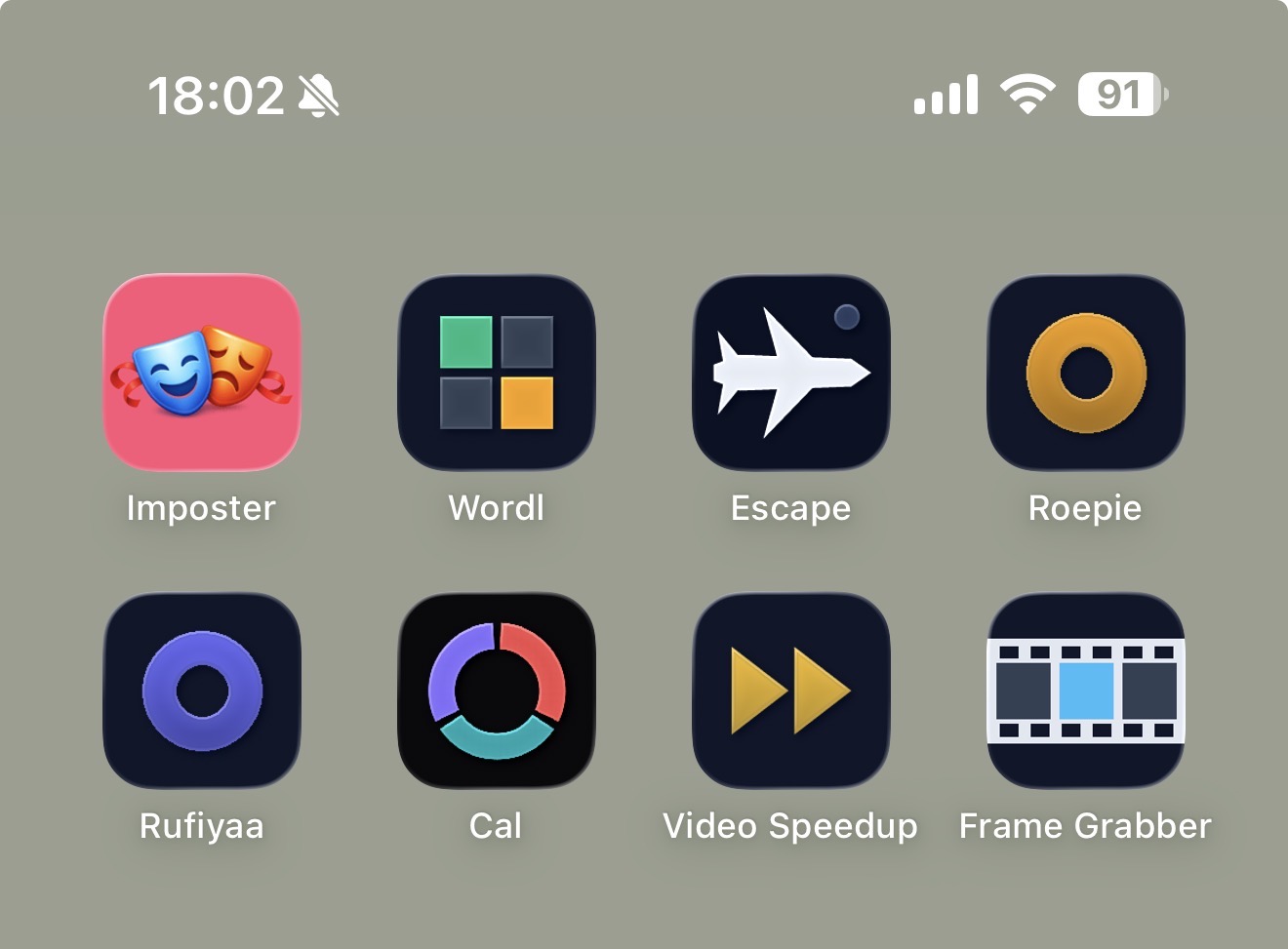My iPhone home screen with 8 of these PWAs installed as regular app icons: Imposter, Wordl, Escape, Roepie, Rufiyaa, Cal, Video Speedup and Frame Grabber
So what am I shipping: a mobile-only web application, with long client-side caching & a simple update mechanism. Add the website to your mobile phone’s home screen, and it behaves 99% like a native application, but is so much easier to maintain, deploy & install. Our family is all-in on the Apple ecosystem, so sideloading apps isn’t a rabbit hole I want to go down. But PWAs install with just 2 clicks.
#### A random collection of tools
I started grouping random little tools at [random.ma.ttias.be](https://random.ma.ttias.be) instead of giving each tool a subdomain. This is a single monorepo where I can prompt new (simple) tools into existence, with automatic rules around deployment. If (auto-generated) tests pass, it auto-deploys. It means I can just write a simple prompt, leave [T3 code](https://ma.ttias.be/remote-coding-environment-vps/) to work for 30 minutes and see the results directly on my phone.
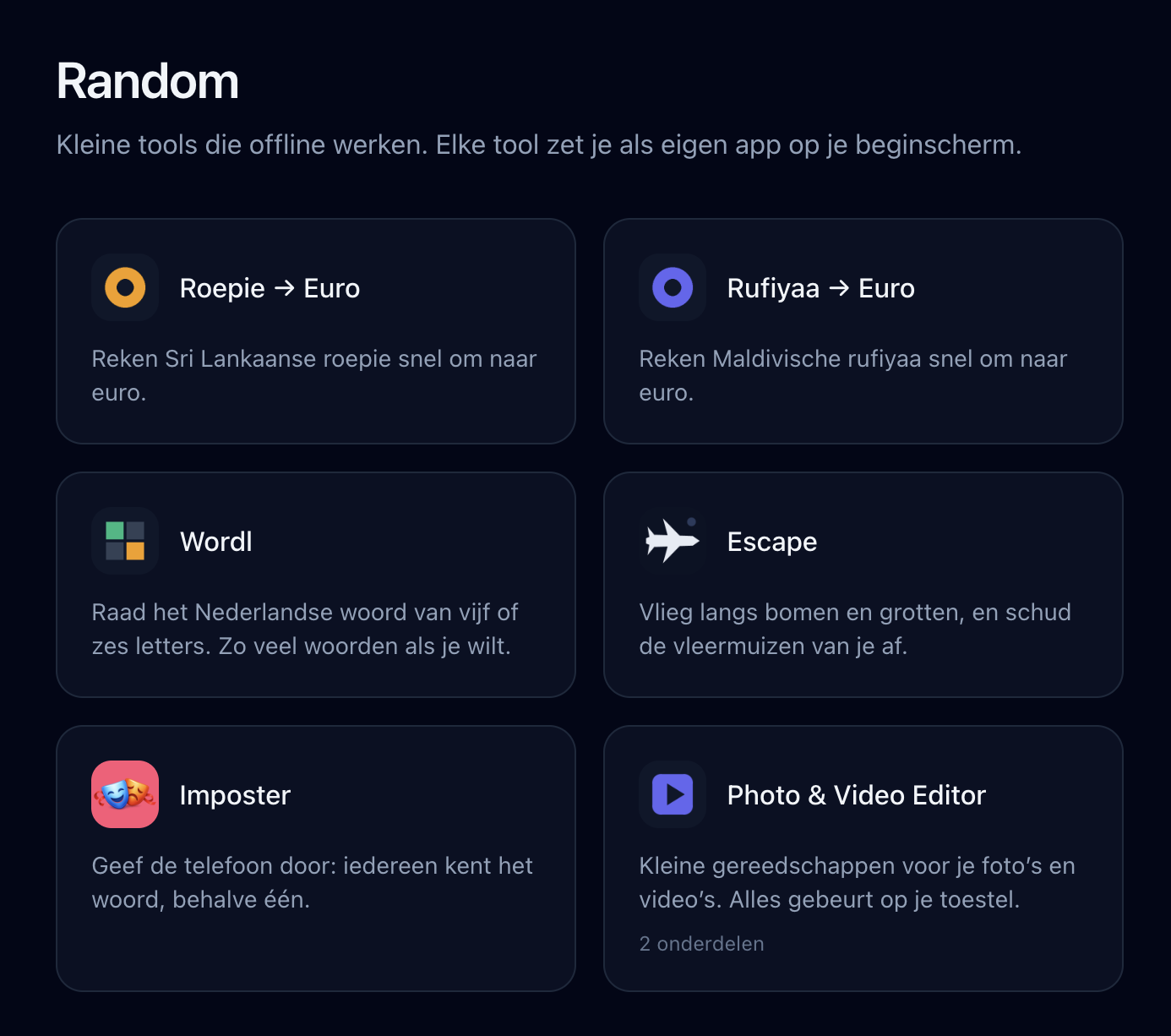The random.ma.ttias.be homepage: a dark grid of tool cards, each with an icon and a one-line Dutch description, for Roepie, Rufiyaa, Wordl, Escape, Imposter and the Photo & Video Editor
So far, I’ve added:
* Currency converters for [Sri Lankan Rupee](https://random.ma.ttias.be/roepie-euro) & [Maldives Rufiyaa](https://random.ma.ttias.be/rufiyaa-euro)
* A few games built for the family (all in Dutch): [Imposter](https://random.ma.ttias.be/imposter) , [Wordl](https://random.ma.ttias.be/wordl) , [Escape](https://random.ma.ttias.be/escape)
* A [Frame Grabber](https://random.ma.ttias.be/photo-video-editor/frame-grabber) , to extract a still frame from a video (why this isn’t natively available on iOS, I don’t know)
* [Video Speedup](https://random.ma.ttias.be/photo-video-editor/video-speed) : because iMovie on iOS for some reason only allows up to 2x speedups of video 🤷♂️
To me, these showcase the variety of client-side JavaScript tooling: from a video editor to a (small) game engine, it all “just works”. It’s not commercial-grade software, but it solves my own problems just fine.
#### Non-negotiables for building PWAs
My core lessons learned after iterating on this for a bit:
* Offline-first: assume there’s no internet connectivity, apps should load in < 1s and never be blocked by the network (`fetch().catch(-> cache)` only fires when you’re truly offline; a slow network can still block for ~10s)
* Simple hash-based updates: since we’re offline-first, a background fetch for a version check is needed. Show a simple top banner when a new app version is available, it’ll refresh the PWA and boom, app updated. Always serve from cache, refetch in the background
* Ensure sufficient spacing from the top, for the iPhone notch/camera (unusable top space)
* Add a simple PWA install prompt to each tool (I pulled mine out into [pwa-install-prompt](https://github.com/mattiasgeniar/pwa-install-prompt) )
* Avoid iOS’s “copy to clipboard” when not needed, by applying correct CSS
* No webfonts
#### Lessons learned, as an agent skill
Over the past few weeks I’ve grown the CLAUDE.md of that repo into a full set of rules that every tool in it follows. I’ve pulled them out into their own repo: [github.com/mattiasgeniar/offline-first-pwa](https://github.com/mattiasgeniar/offline-first-pwa) .
It’s an agent skill, so you can clone it into `~/.claude/skills/` and have Claude Code apply it to whatever you’re building, or point any other `AGENTS.md`-reading tool at it. It’s also just a checklist you can read. Service worker caching strategy, precaching, in-app update prompts, iOS home screen quirks, safe areas, and how to test any of it. Every rule in there is something I got wrong first.
> The skill itself is AI-generated, distilled from the CLAUDE.md file that repo runs on. This post I wrote myself.
>
>, PWAs: Personal Web Apps, Mattias Geniar, 01m0dagc70g6v69rtasqg8dvvj.